IP-Alert® Extension
Potansiyel fikri mülkiyet sorunları olan riskli Amazon ürünlerini ve markalarını kolayca tanımlayın ve bunlardan kaçının. Fikri mülkiyet risklerinin bir adım önünde olun ve işletmenizin sorunsuz çalışmasını sağlayın.
Chrome'a Yükle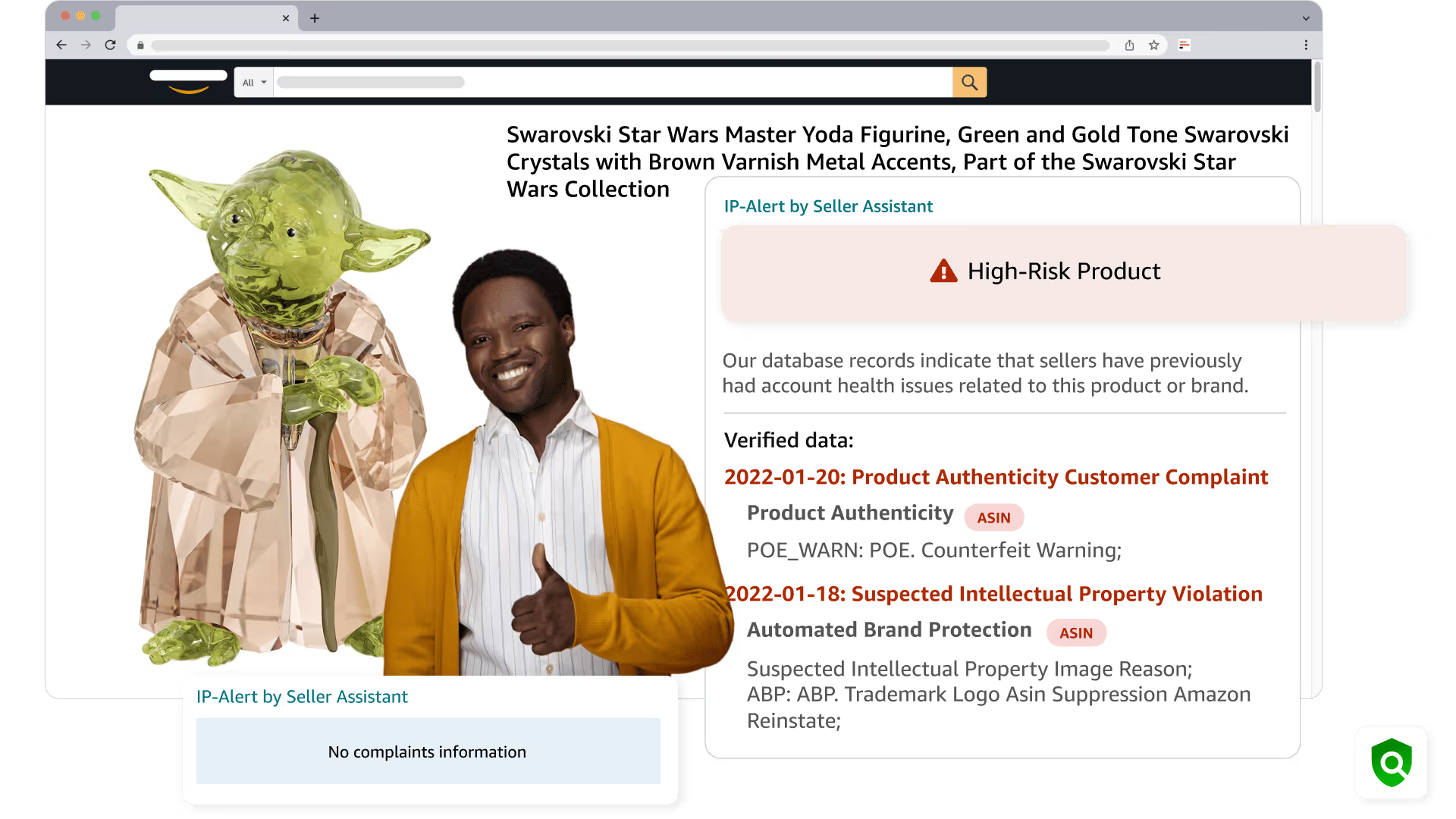
Başlamak için 4 basit adım

Yüklemek
Uzantıyı Chrome Tarayıcınıza yükleyin

Üye Ol
Seller Assistant'ta kişisel bir hesap oluşturun

Denetlemek
Markayı veya ASIN'i kontrol etmek için Amazon web sitesinde bir ürün sayfası açın

Bitti!
Marka veya ASIN ile ilgili bilinen şikayet bilgilerinden haberdar olun
IP-Alert Extension Review
Bu videoda IP-Alert Extension by Seller Assistant'ı nasıl kullanacağınızı göstereceğiz. Ne öğreneceksiniz: IP-Alert Uzantısı nedir, nasıl yüklenir ve nasıl kullanılır.
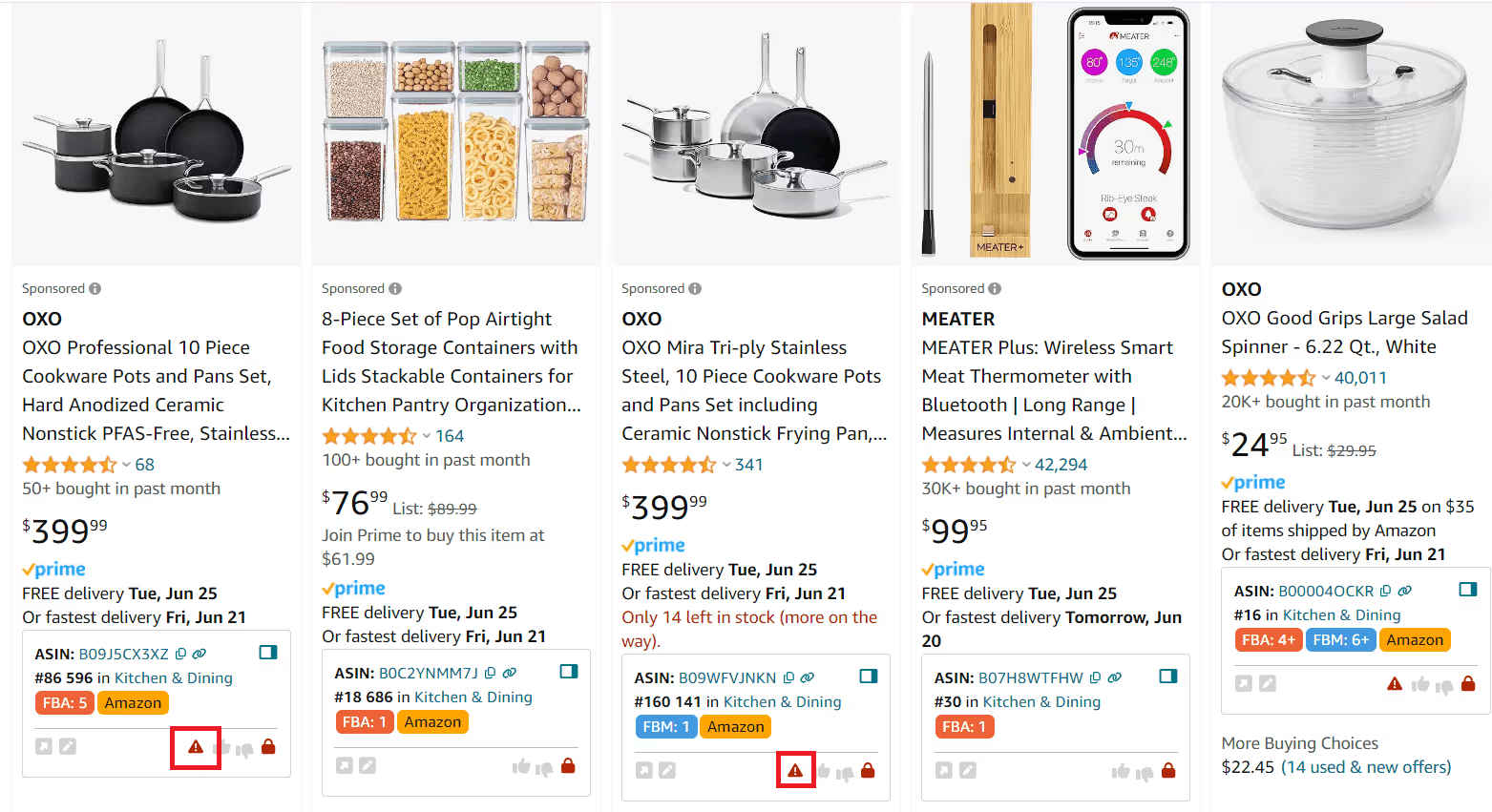
Effortlessly detect IP complaints
Fikri mülkiyet şikayetleri olan Amazon ürünlerinden ve markalarından proaktif olarak kaçının. Seller Assistant, yüksek riskli ürünleri kırmızı üçgen simgesiyle işaretler.
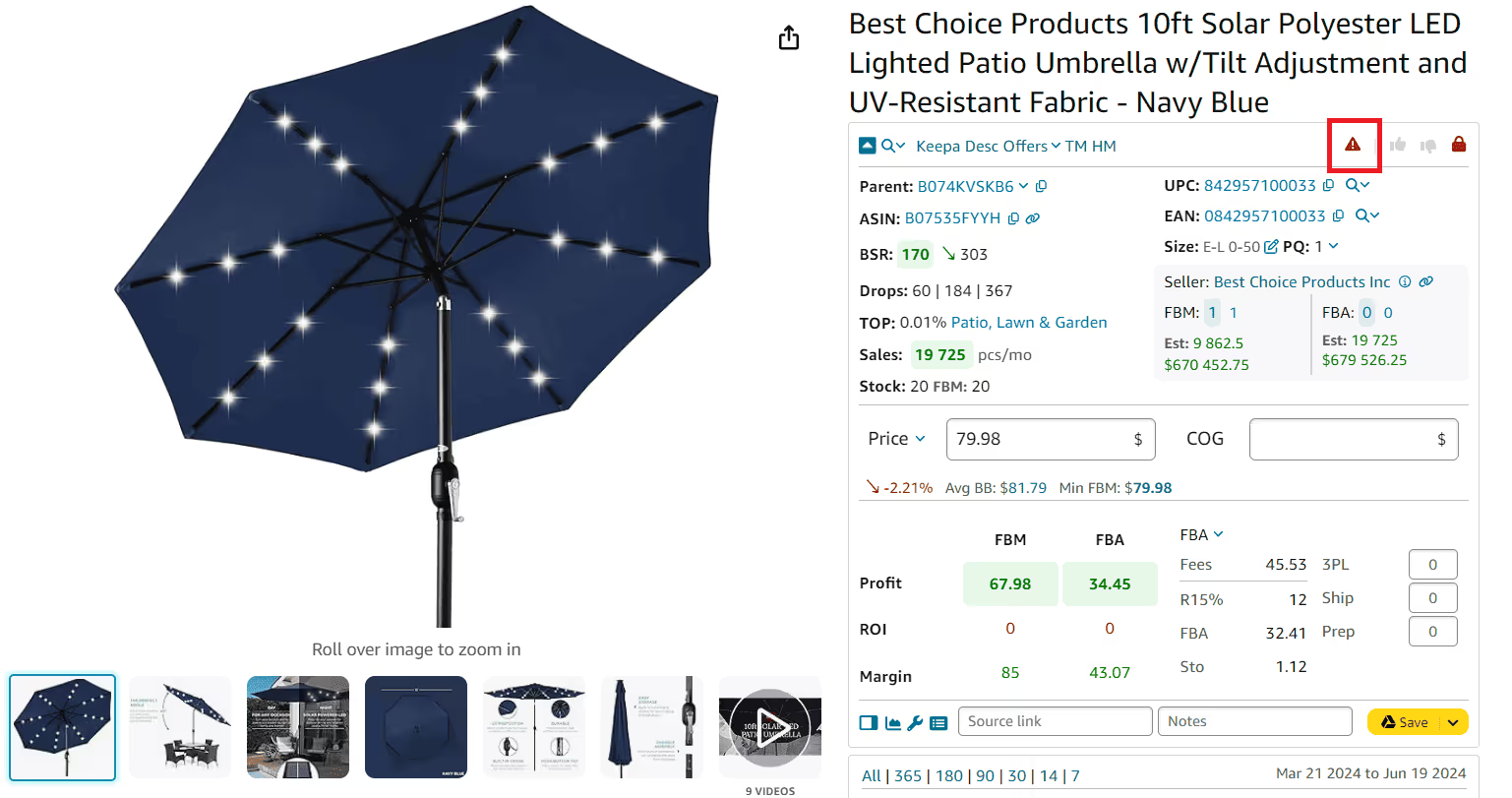
Source your products safely
Ürünleri araştırdığınız her yerde IP riski uyarıları alın. Seller Assistant'nin IP Uyarısı, Amazon listelerine göz atarken, arama sayfalarında, vitrin görünümlerinde ve tedarikçi web sitelerindeki Side Panel View'de görünür ve riskli ürünleri erken tespit etmenize yardımcı olur.
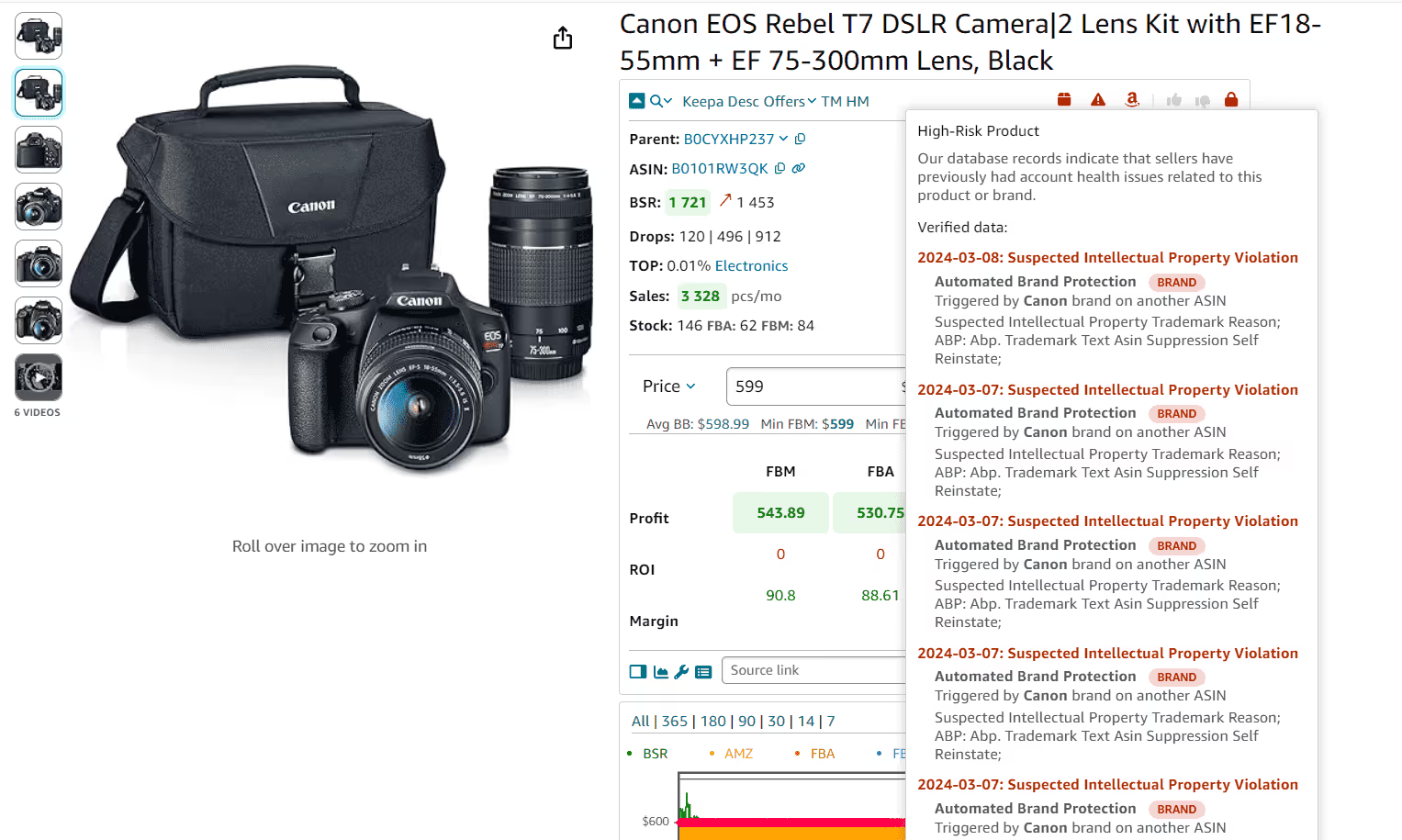
Identify potential product issues
Bir ürünün Amazon politikayla ilgili risklere sahip olup olmadığına bakın. Araştırmanız sırasında doğrudan mevcut risk göstergelerini görüntülemek için Seller Assistant'deki kırmızı üçgen IP Uyarısı simgesinin üzerine gelin.
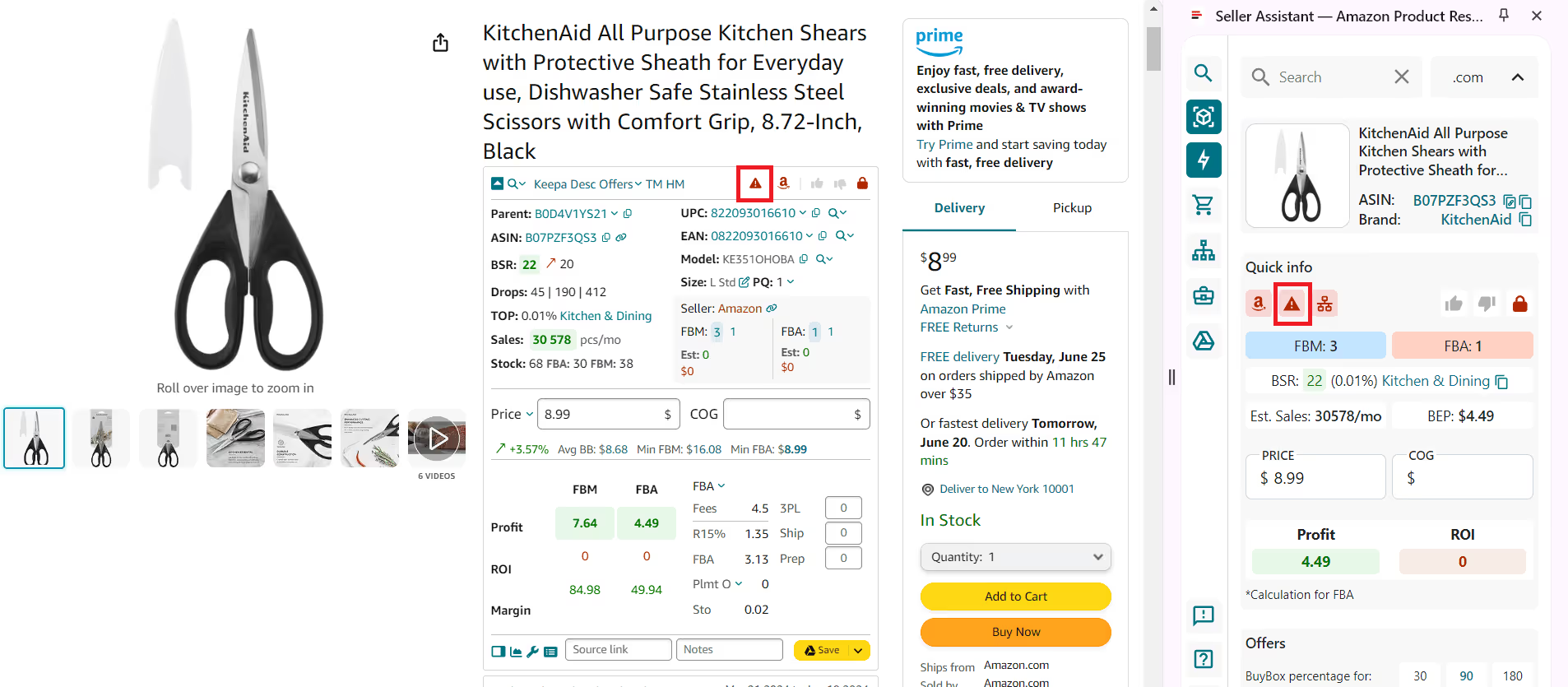
Instantly update product risks
Amazon ürünlerini etkileyebilecek olası sorunlardan haberdar olun. Seller Assistant, risk sinyallerini gerçek zamanlı olarak vurgulayarak sorunlara neden olabilecek ürünlerden kaçınmanıza yardımcı olur.
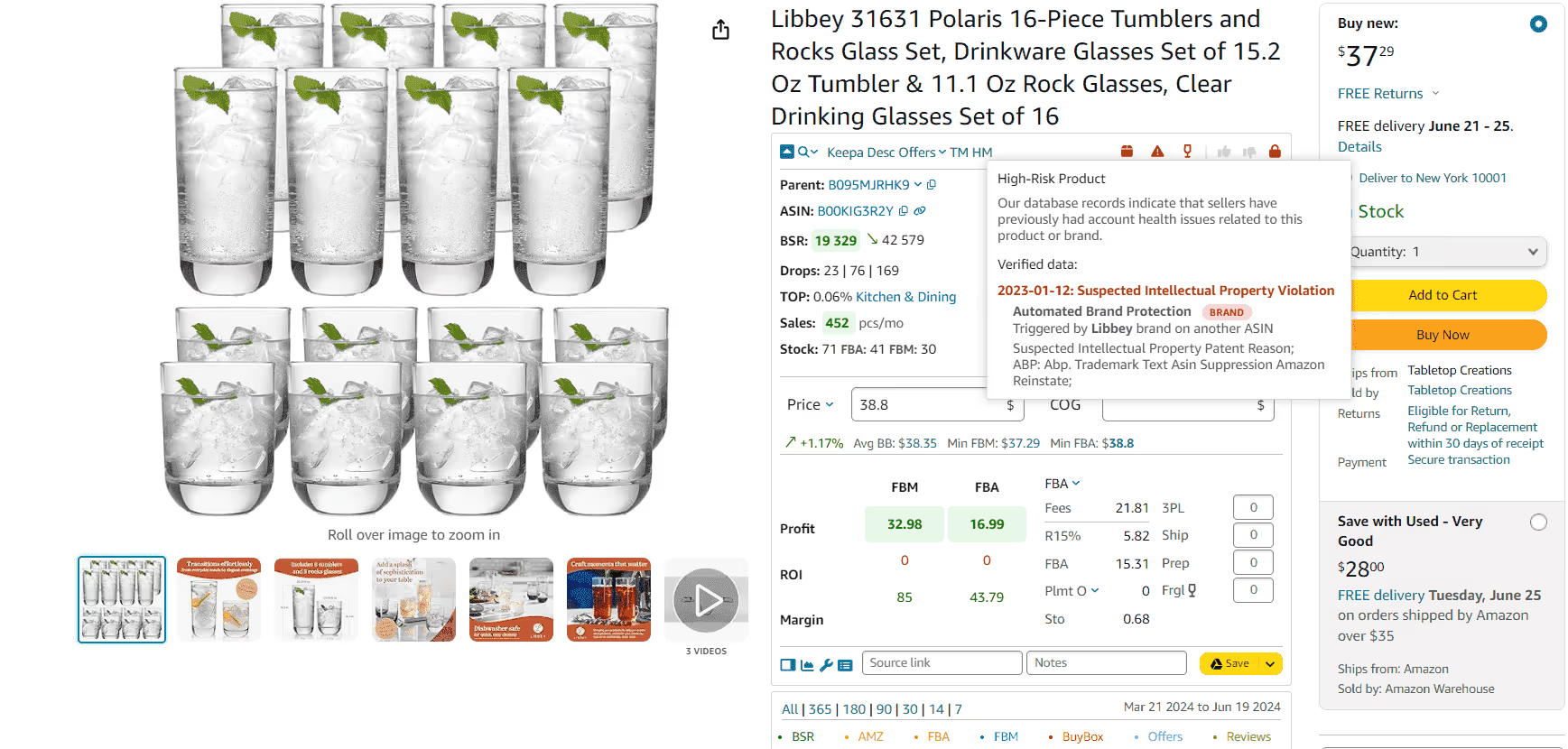
Automate brand IP risk research
Fikri mülkiyet riski taşıyan markalar için otomatik uyarılar alın. Kaynak kullanmadan önce ürünlerini yeniden satmak için yetki aldığınızdan emin olun.
Daha Fazla BilgiDesteklenen Pazarlar
 COM
COM  CA
CA  COM.MX
  BR
BR  CO.UK
CO.UK  DE
DE  FR
FR  ES
ES  IT
IT  NL
NL  PL
PL  SE
SE  TR
TR  IN
IN  AE
AE  SA
SA  EG
EG  JP
JP  COM.AU
  SG
SG Frequently Asked Questions
Visit Help Center
Seller Assistant IP Uyarısı ne işe yarar?
Seller Assistant IP Uyarısı nerede görünür?
Seller Assistant IP Uyarısı hangi verileri gösterir?
Seller Assistant IP Uyarısı özelliği nedir?
Seller Assistant IP Uyarısı özelliği nasıl çalışır?
Bilgilendirilin!
Marka sahiplerinden alınan Fikri Mülkiyet şikayetleri hakkında sizi bilgilendiriyoruz. Seller Assistant'nin IP-Alert® özelliğiyle Amazon ürün ve arama sayfalarında anında IP uyarıları alın.
Chrome'a YükleNot sure which plan fits your sourcing workflow? Chat with our team — we're happy to help.