


¡Estupendas noticias para los usuarios de Seller Assistant!
Nos complace anunciar que ahora puedes obtener tantos ASIN para comprobar como necesites.
Simplemente inicia sesión en tu cuenta de Seller Assistant, dirígete a la sección Bulk Restriction Checker y haz clic en Comprar más. Elige la opción que más te convenga: 1500 o 15 000 ASIN.
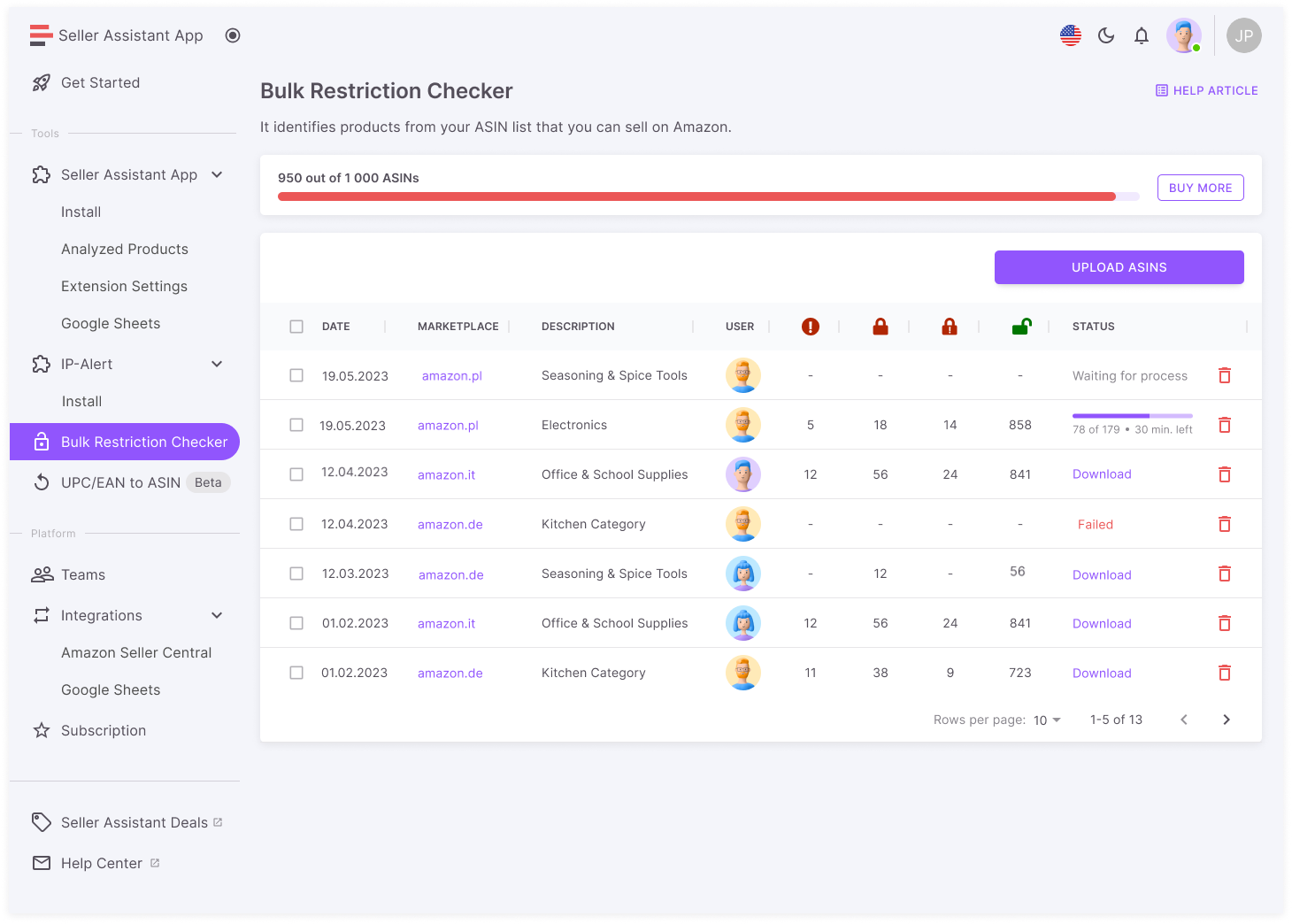
Elija la opción que prefiera para usted: 1500 o 15 000 ASIN.
Tenga en cuenta: esta función no está disponible si la suscripción se creó antes del 28 de mayo de 2023.
Puedes comprar complementos en la página de suscripción o pulsando el botón «Gestionar suscripción».
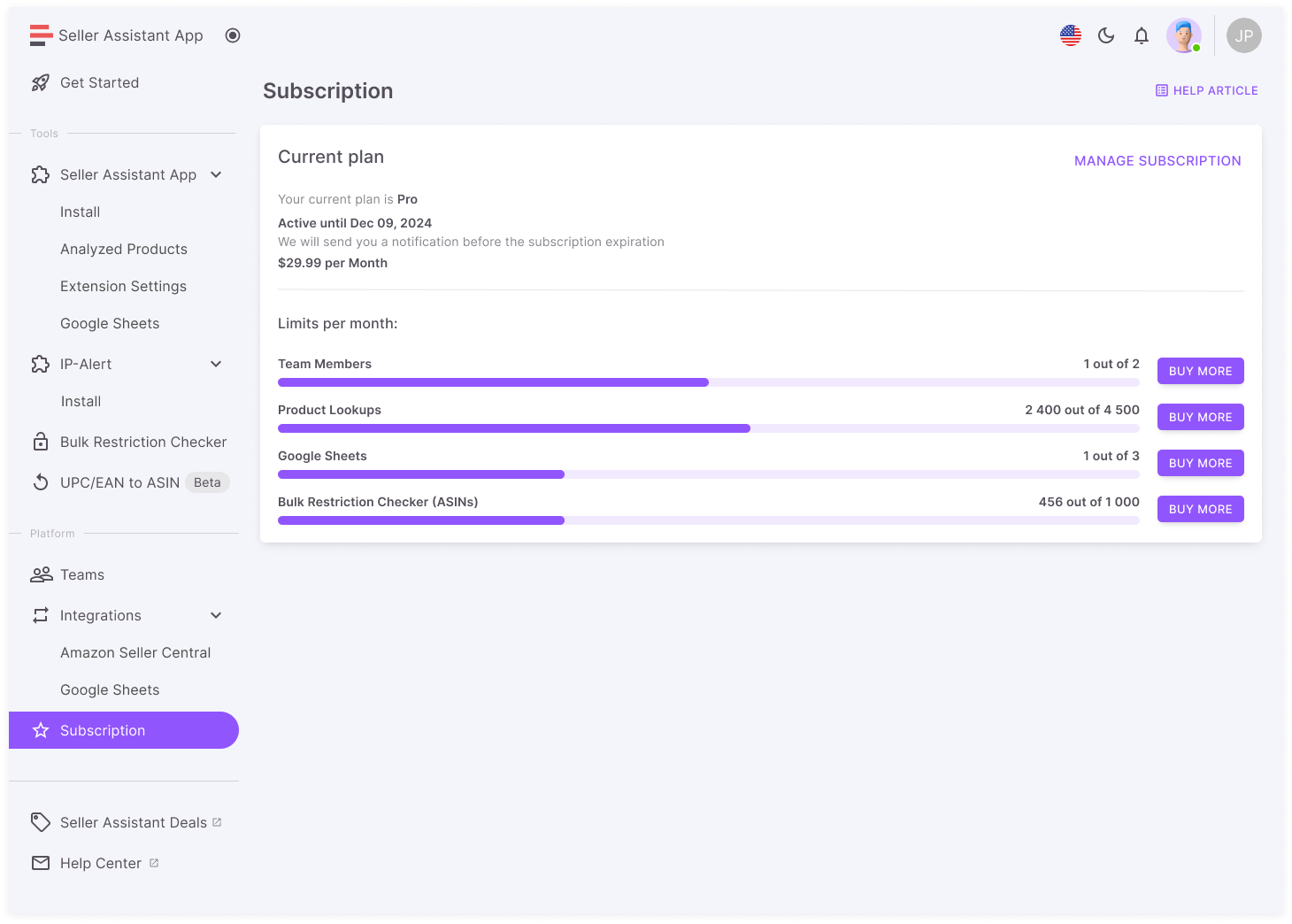
Puedes comprar complementos en la página de suscripción o pulsando el botón «Gestionar suscripción»
Tenga en cuenta: Los complementos solo están disponibles para los usuarios con una suscripción de pago activa y puedes ver los precios en tu cuenta.
¡Mejora tu experiencia con Seller Assistant hoy mismo con nuestra función de complementos!
Relacionado: Verificador de restricciones masivas en la aplicación Seller Assistant

