List products on Amazon in bulk
Select from your sourced inventory, set fulfillment details, and submit directly to Amazon. The product data you already have does the work.
Get Started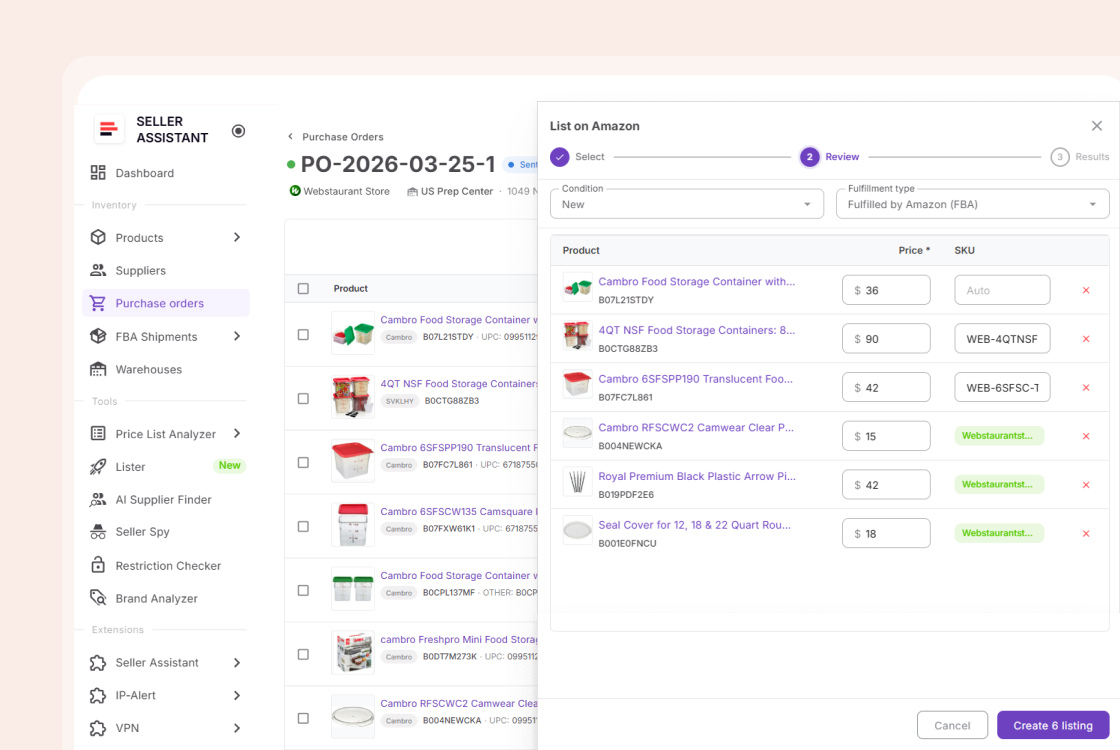
From sourced product to live listing in 3 steps
No context switching. The entire listing flow happens where your sourcing happened.
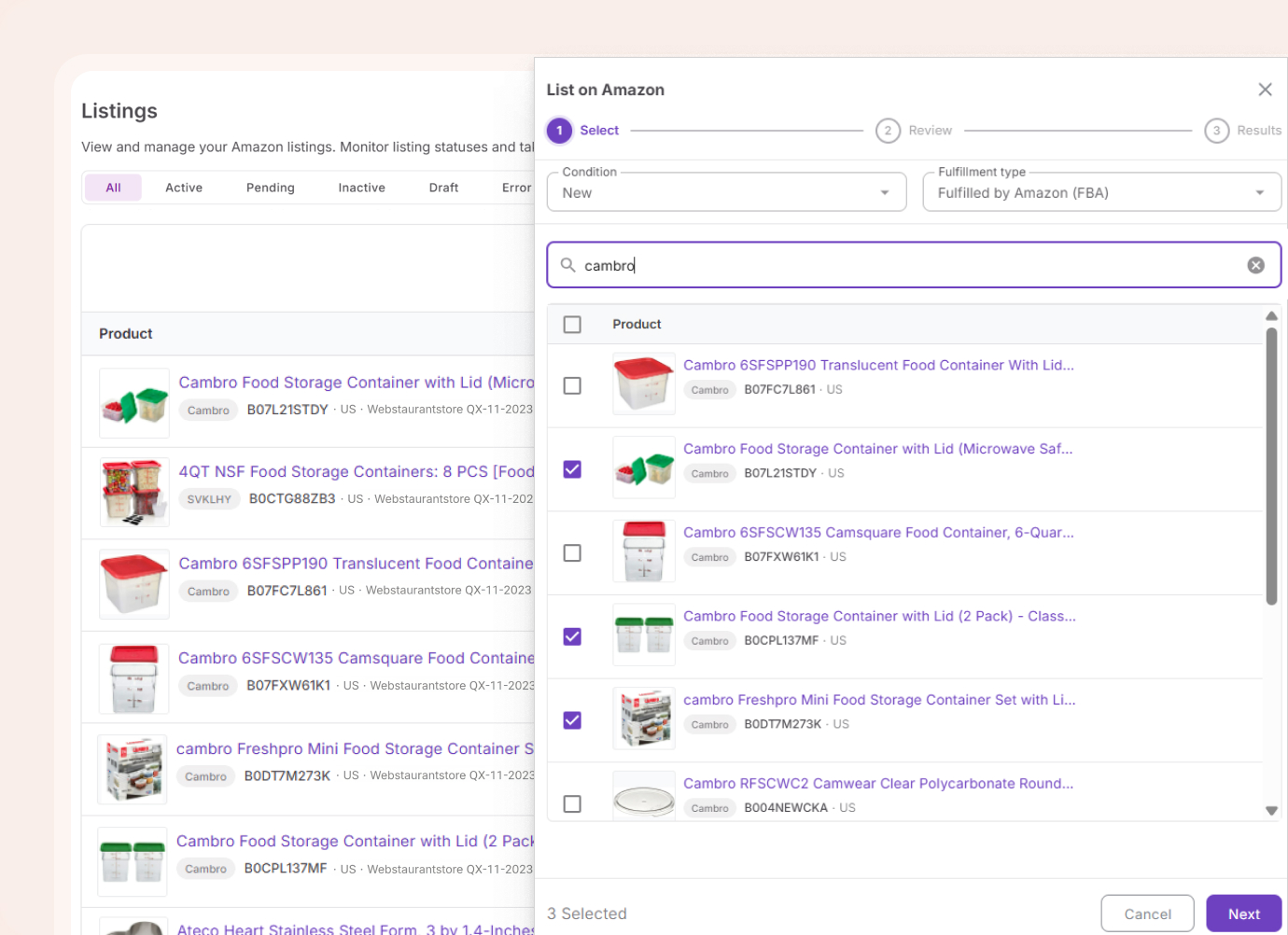
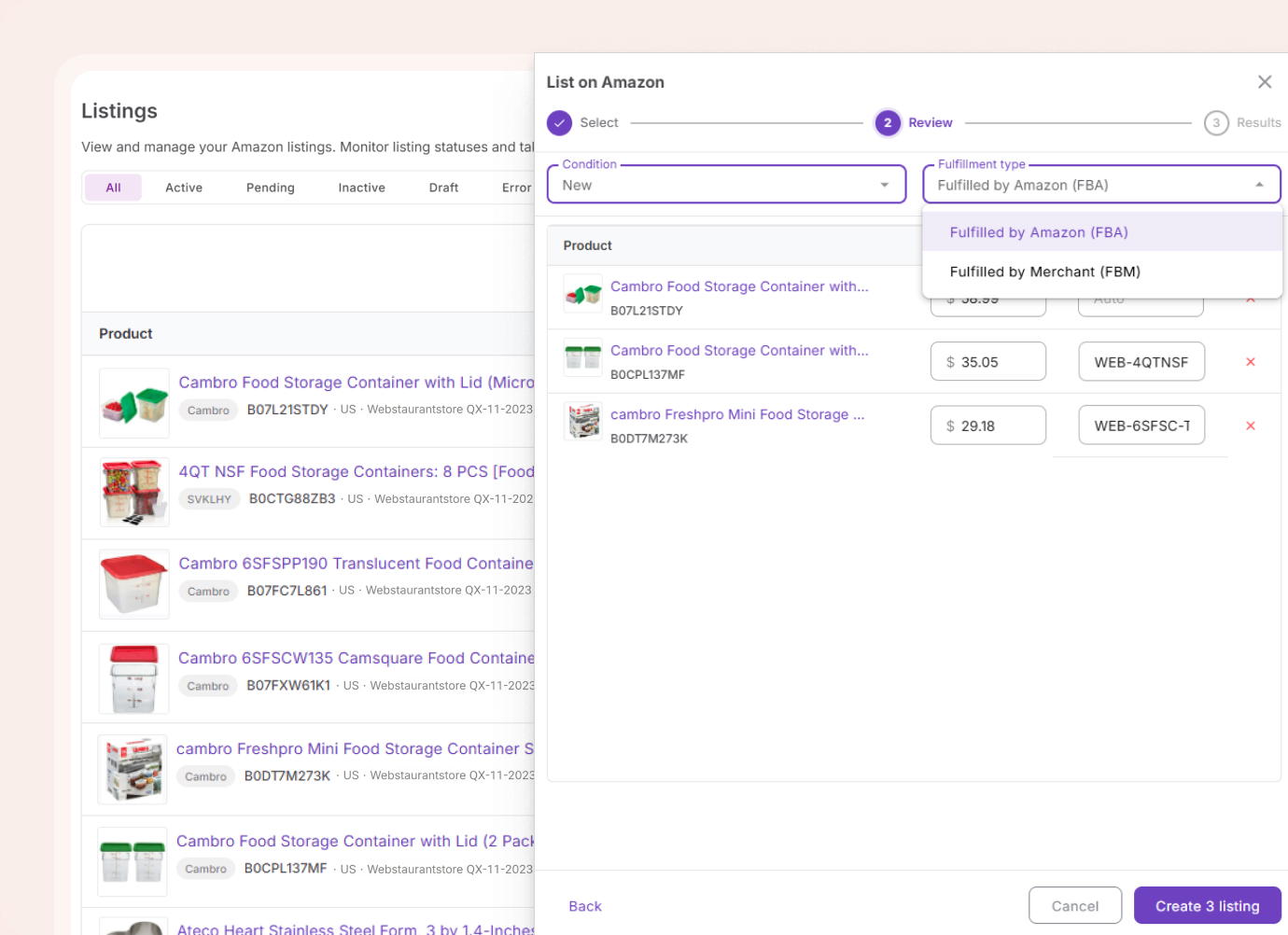
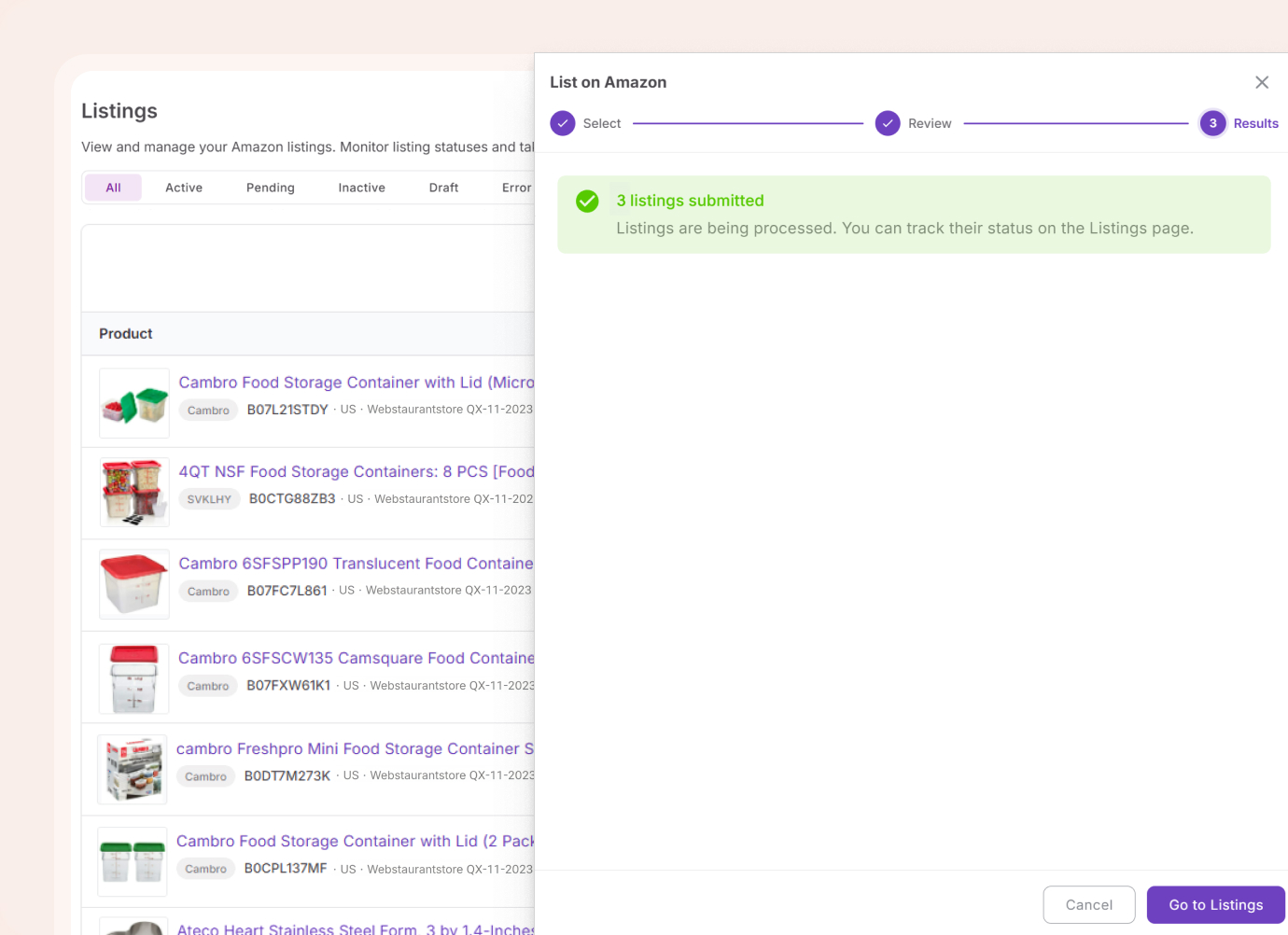
Listing on Amazon was always the bottleneck
Category templates, flat files, upload errors, processing queues. A separate job that had nothing to do with sourcing. Lister removes the entire step.
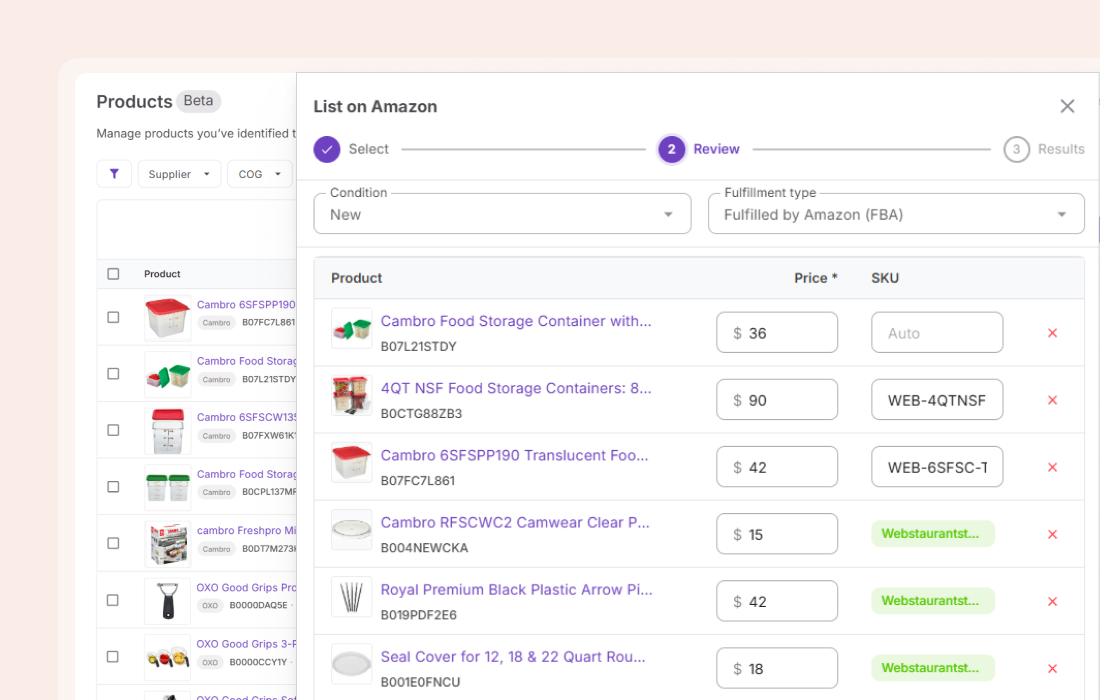
List dozens of products in one pass
Select your entire shortlist, set details for the batch, and submit at once. No product-by-product workflow, no repeat steps.
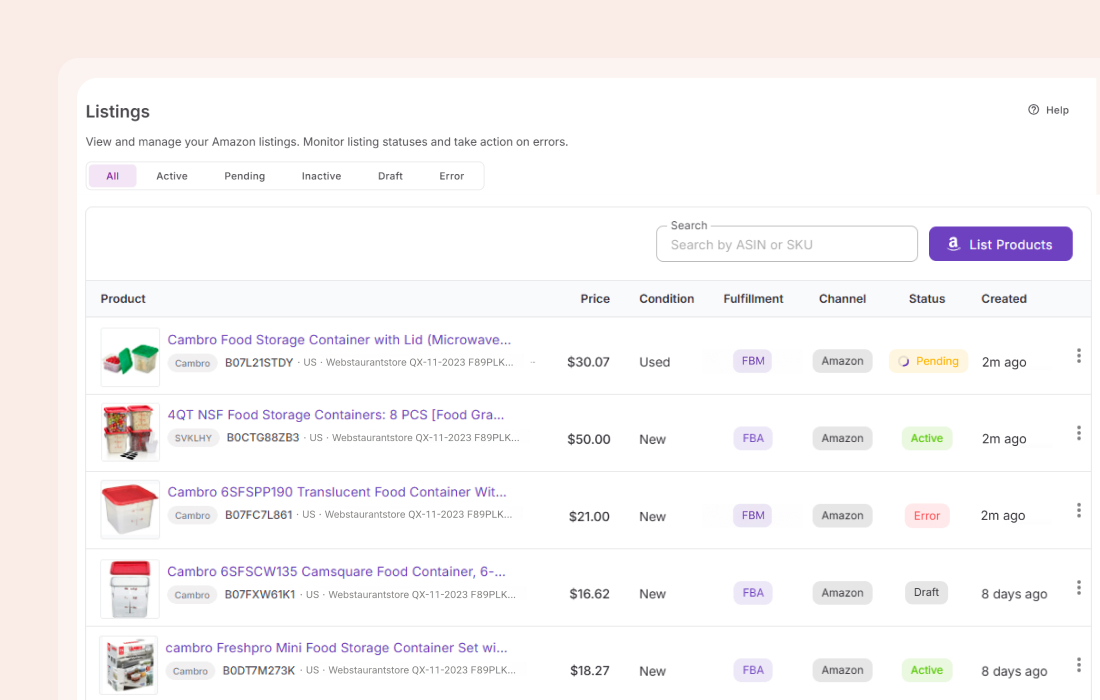
Manage your Amazon listings
View all your listings in one place. Activate and deactivate them without touching Seller Central.
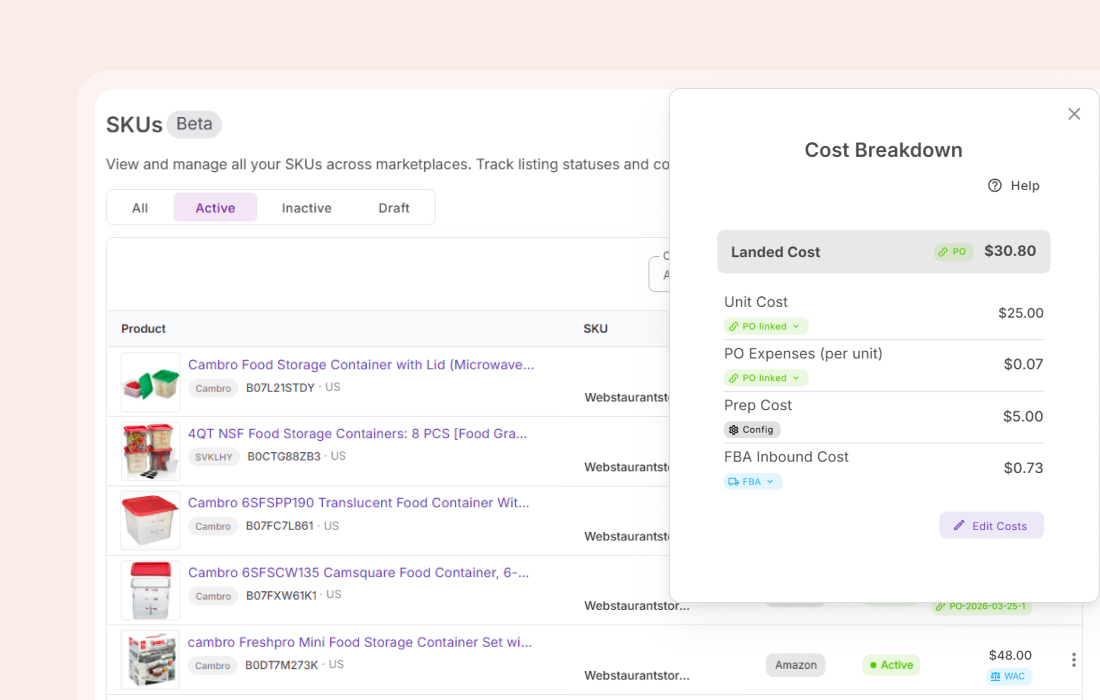
Know your actual per-unit cost
Unit cost, order expenses, prep fees, inbound costs — pulled from POs, shipments, and cost settings.
Everything Lister handles
The details that matter when you are listing at volume.
Bulk submission
Submit multiple products in one pass
FBA and FBM
Set fulfillment type per batch — FBA or FBM
Condition options
New, used, or refurbished. Set per batch
Auto SKU generation
Select existing or generate new ones
Listing management
Deactivate and reactivate listings in one click
Error visibility
Know when and why a submission failed
Lister is one step. These tools are what make it count
Products come from your sourced inventory. Once listed, SKUs and inbound shipments stay in sync automatically.
List ordered items when finalizing a PO
List any sourced product directly from your database
Manage SKU status and landed costs
Track inbound shipments and unit discrepancies
The pipeline starts long before listing
Fill your pipeline before anything reaches Lister.

Turn a supplier catalog into a shortlist of profitable products.
Analyze
See brand revenue, BSR, and Buy Box share before committing.
Analyze
Check margins and validate products on any Amazon page.
Discover
Track competitor storefronts and uncover sourcing opportunities.
DiscoverFrequently Asked Questions
Visit Help Center
Can I list products without a Purchase Order?
What fulfillment types does Lister support?
Can I track listing errors?
What happens to listing status after submission?
Can I deactivate listings without Seller Central?
How are SKUs handled?
Ready to list without the friction?
From sourced inventory to live Amazon listing — no flat files, no Seller Central, no switching tools.
Get StartedNot sure which plan fits your sourcing workflow? Chat with our team — we're happy to help.