Turn price lists into profitable orders
Build purchase orders, validate profitability, reconcile invoices, and dispatch inventory from one workflow.
Get Started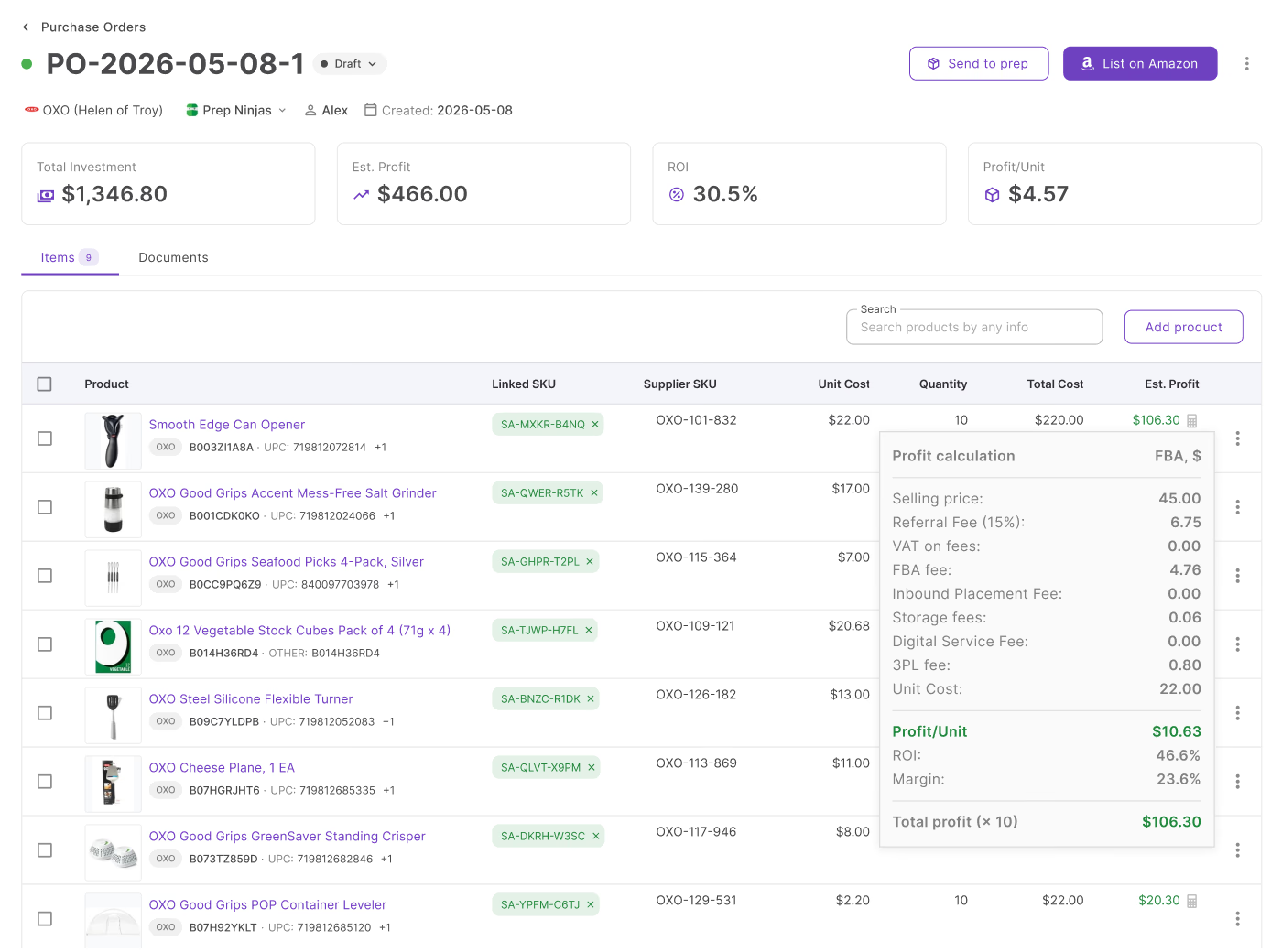
3 steps between a price list and a sent purchase order
Go from product selection to a sent purchase order without re-entering data.
Sourcing is the hard part. Building the order shouldn't be
Manual re-entry, invoice reconciliation by hand, and no profit visibility until stock arrives. Seller Assistant removes all three.
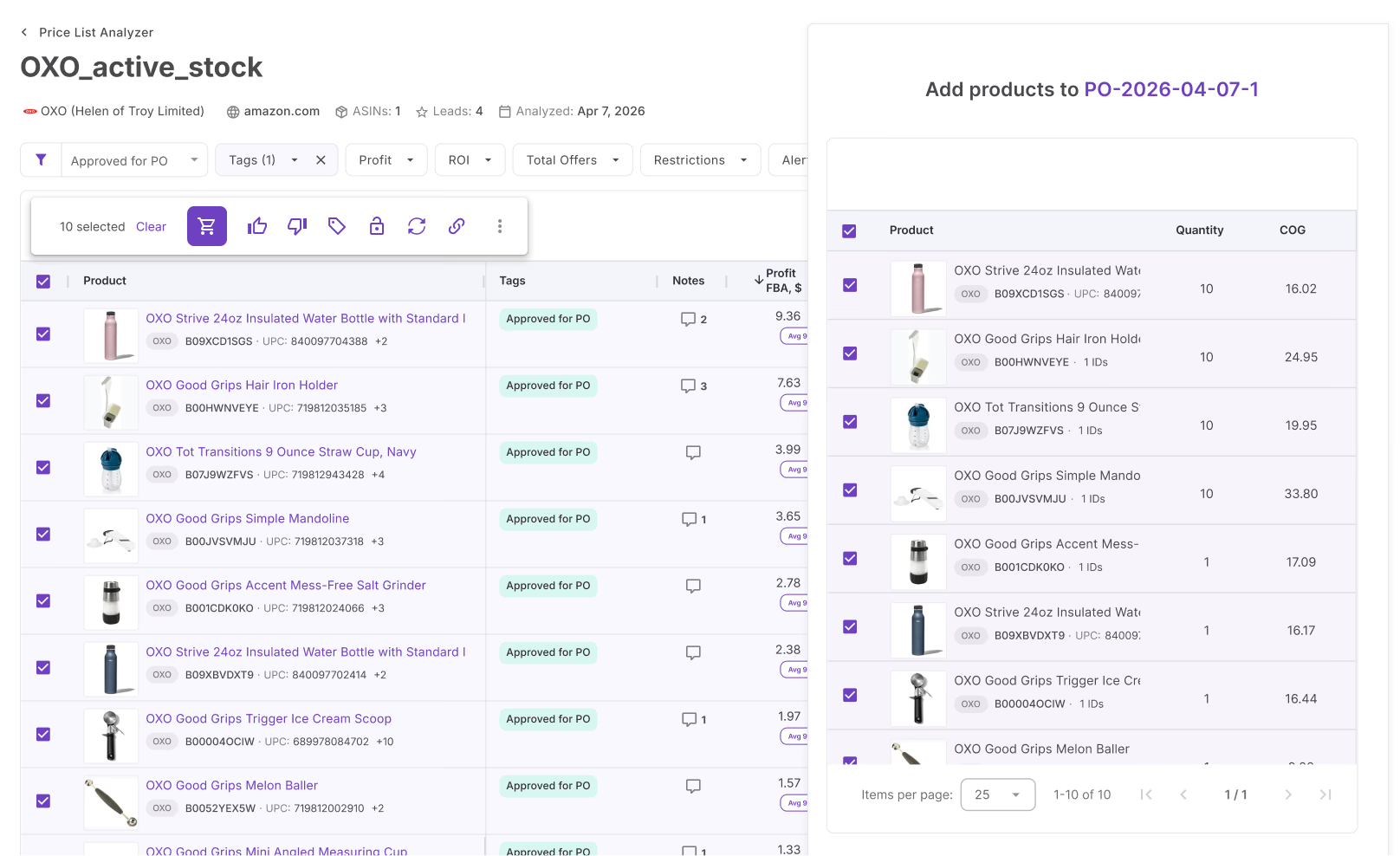
Turn sourcing decisions into purchase orders
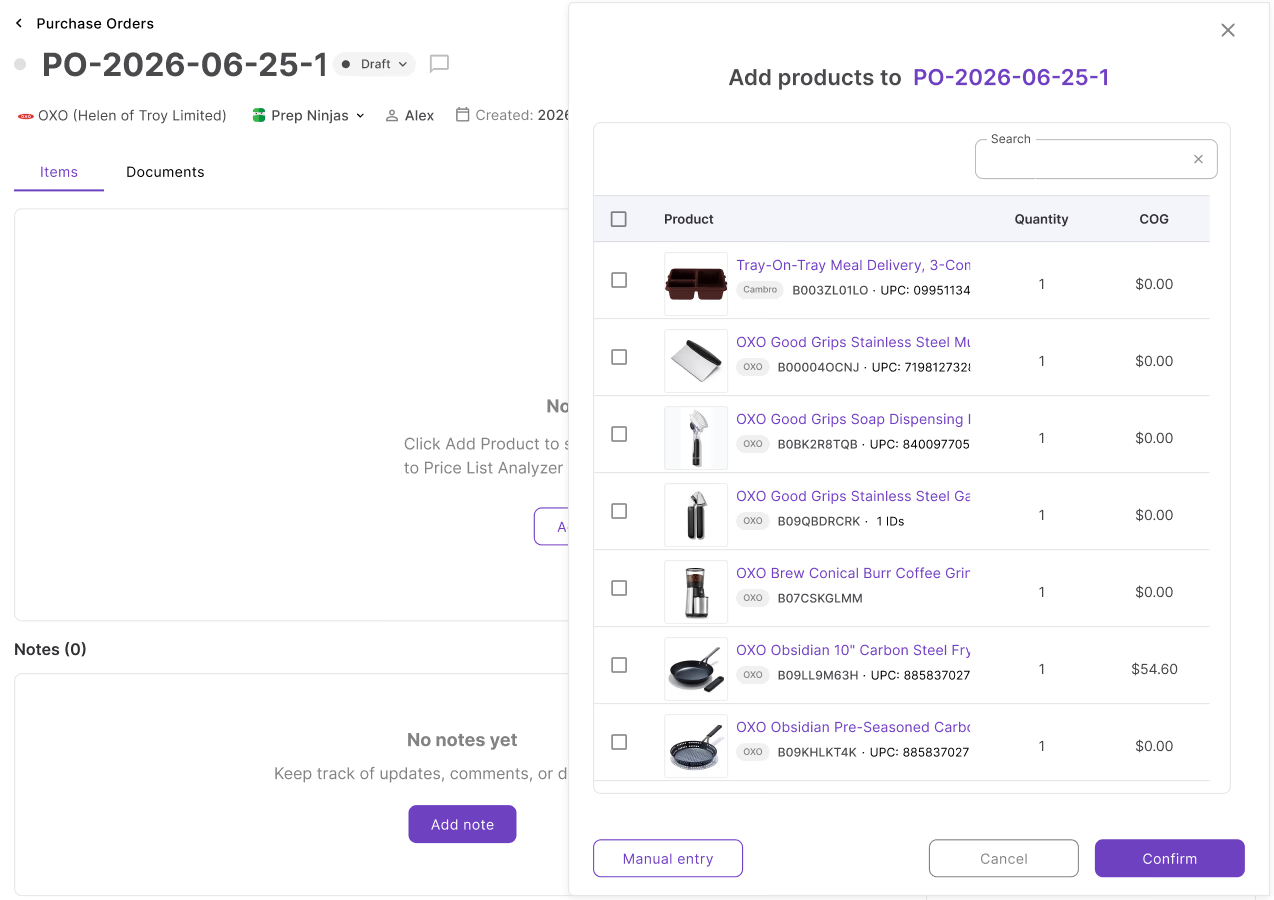
Once you've identified products worth buying, building the order takes two clicks. Send products directly from Price List Analyzer to a new purchase order with SKU, cost, and case quantity already filled in.
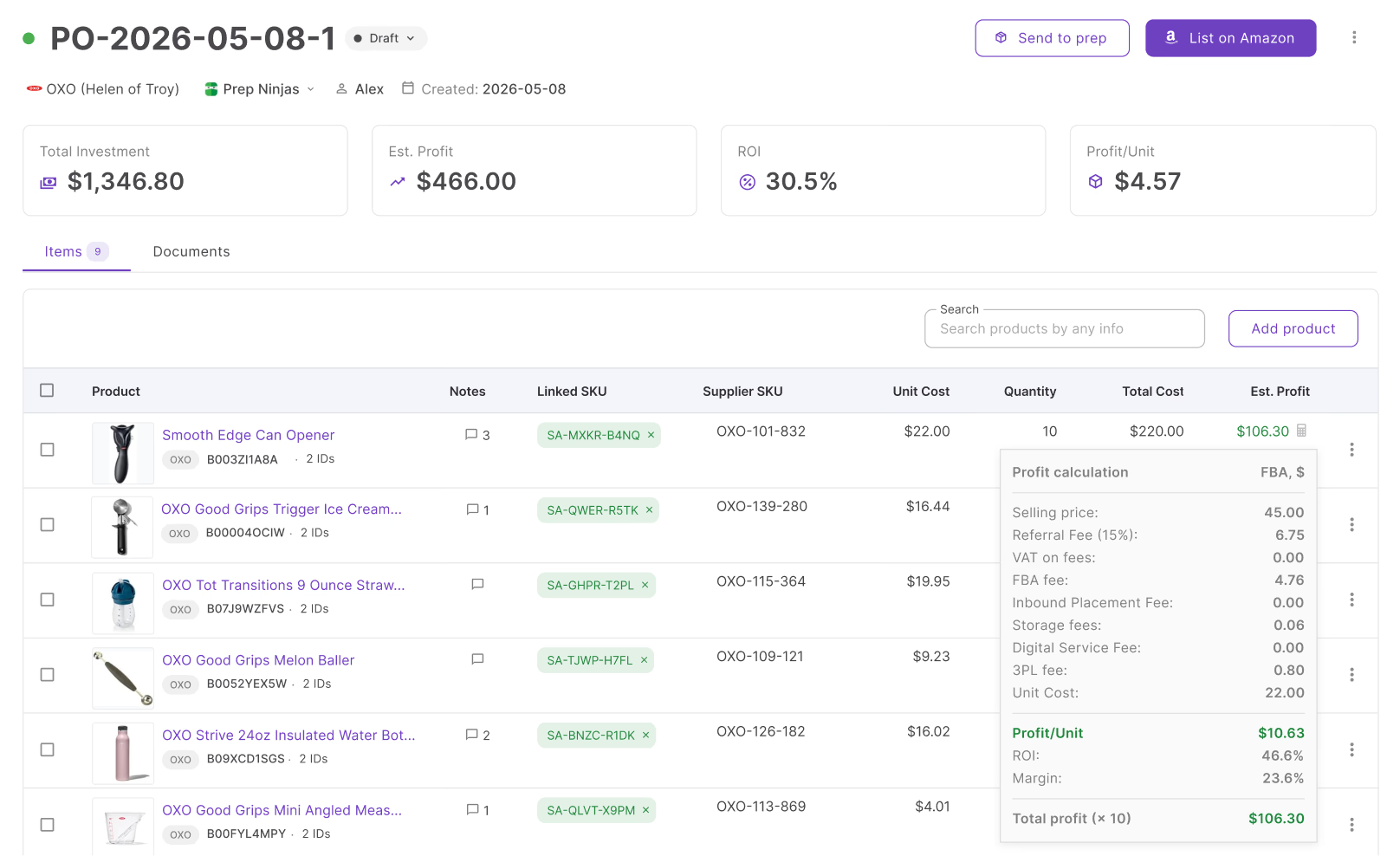
Know your profit before you order
Know whether an order is worth placing before you buy. Every line shows estimated revenue, profit, margin, and ROI using live Amazon prices and FBA fees, with totals rolled up across the entire order.
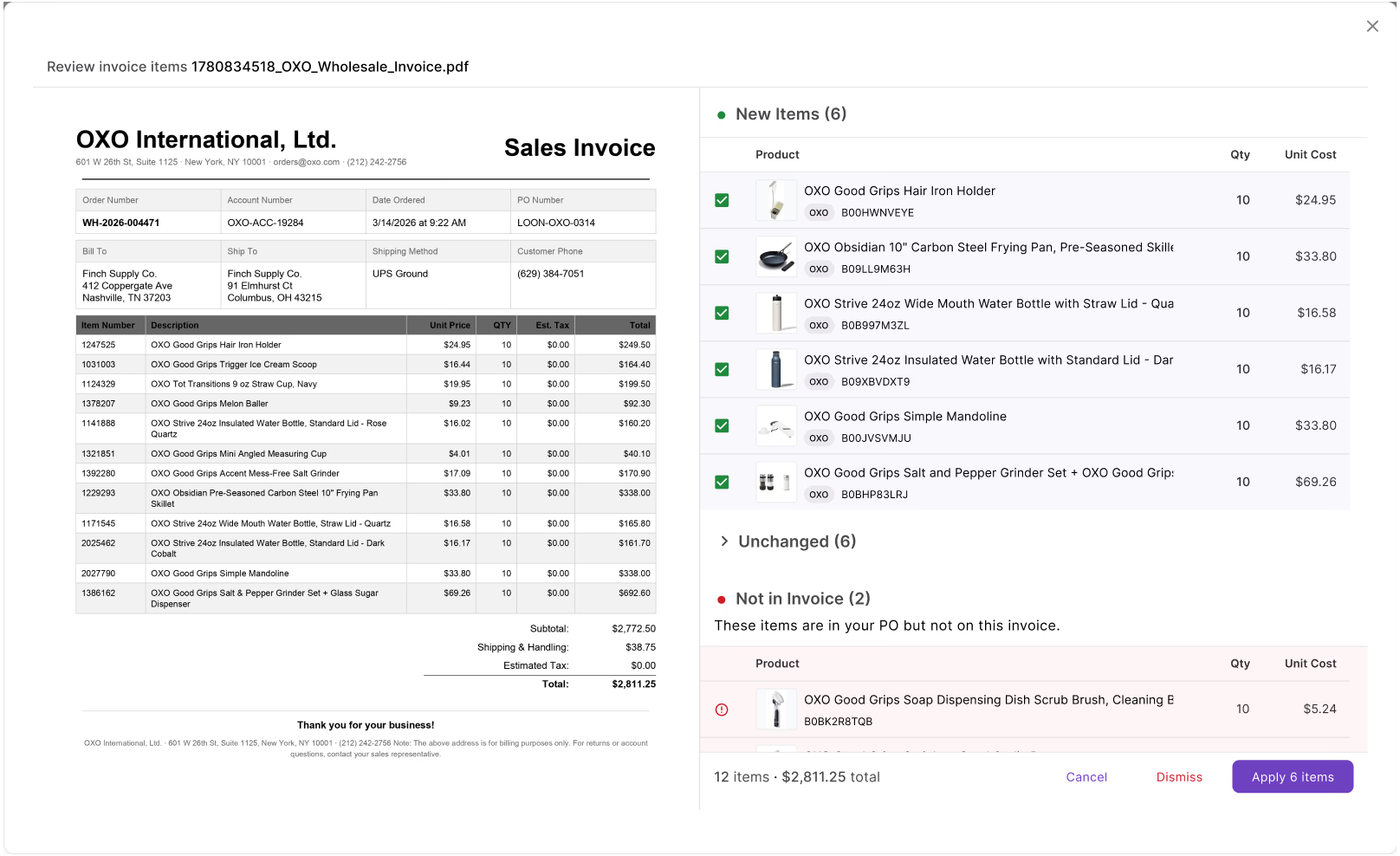
Keep orders aligned with supplier invoices
Supplier invoices rarely match the original PO. Upload the invoice to compare quantities, costs, and new items before applying changes to the order.
Everything you need to create profitable purchase orders
Supplier details, profitability, invoices, and dispatch tools in one place.
Supplier association
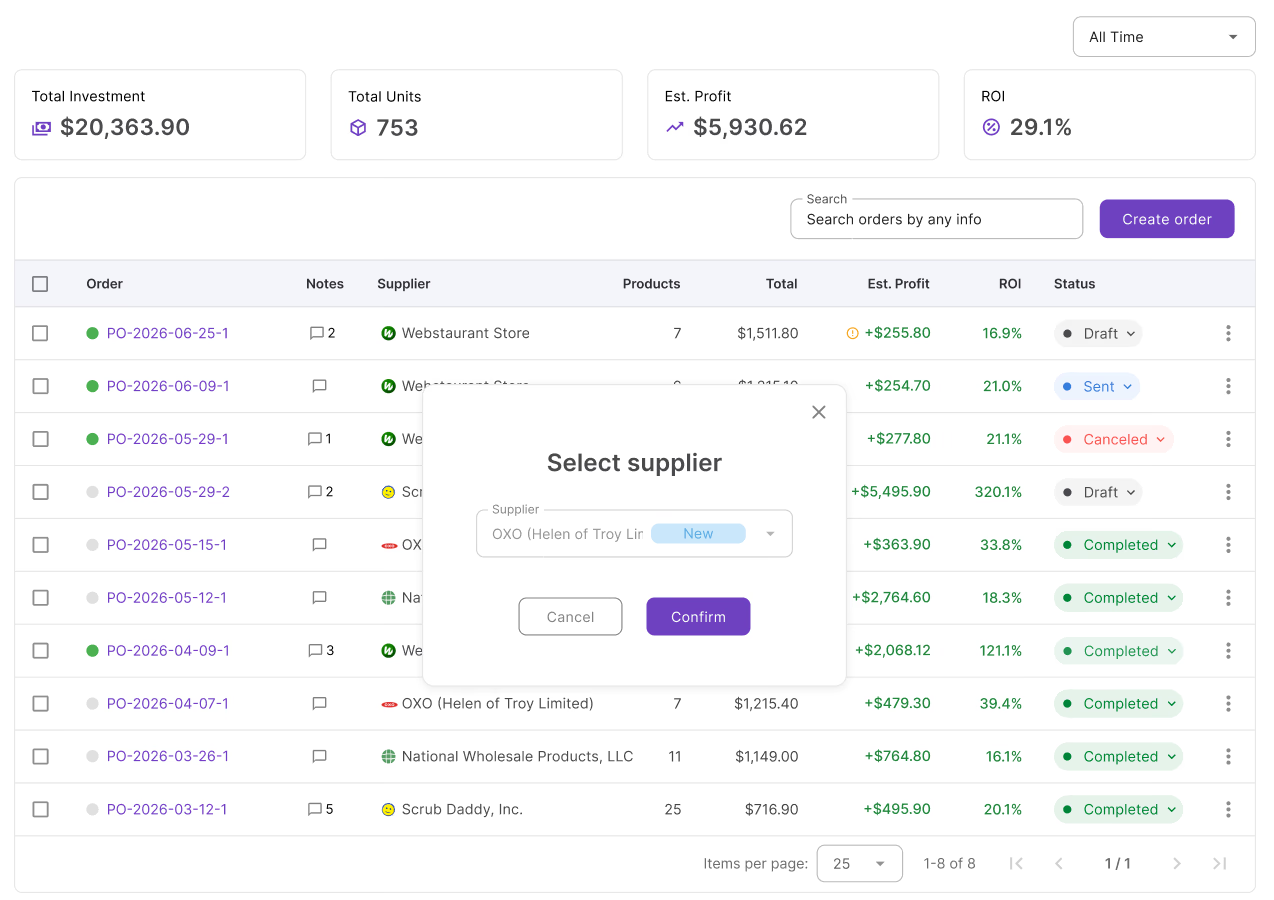
Saved supplier info fills in address, warehouse, and payment terms on every new PO
Ship-to assignment
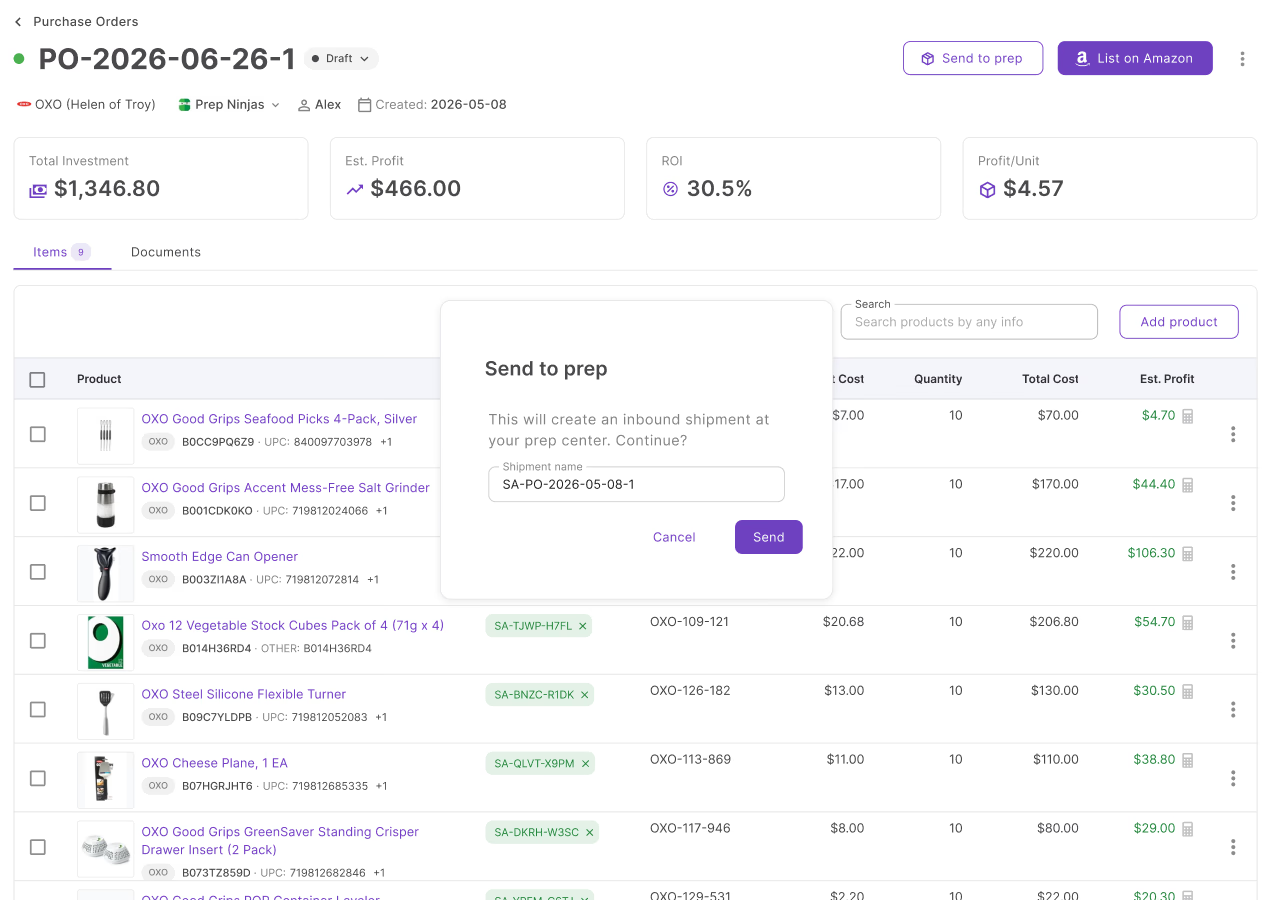
Switch the assigned warehouse or prep center from the PO header in one click
Profitability
Revenue, profit, margin, and ROI per line item, plus totals across the whole order
Live profit recalculation
Change a cost or quantity and profit recalculates across every product instantly
Repeat orders
Copy any PO and reuse supplier, warehouse, and product data. Repeat orders in 2 clicks
Docs attachment
Attach PDFs, images, spreadsheets, and invoices directly to the PO. Files are classified automatically on upload
Notes
Add notes to the PO and view product-level notes from your database
SKU linking
Link existing SKUs to any item in the PO. Landed costs carry through per unit after dispatch
Purchase Orders sits between sourcing and inventory
These tools feed products into the order and move inventory out after dispatch.
Select products from your shortlist and push them to a new PO. SKU and cost carry through automatically.
Link a supplier so the ship-to address fills in and MOV and free shipping thresholds track automatically.
Assign a prep center to the PO and dispatch inventory to prep directly from the order header.
List ordered products on Amazon in bulk directly from the purchase order.
Purchasing doesn't start with the order
Connect sourcing decisions, purchasing, and inventory in one workflow.
Check selling eligibility on PO items before committing to the order.
AnalyzeSource products into your pipeline and push them into purchase orders.
SourceLink SKUs to items directly from the PO. Landed costs track per unit.
ListTrack inbound shipments after your prep dispatches inventory to Amazon.
ListFrequently Asked Questions
Visit Help CenterHow do I create a purchase order in Seller Assistant?
Can I add products from Price List Analyzer directly into a PO?
How does invoice import work?
How does PO profitability work?
Can I send a purchase order to a prep center from Seller Assistant?
Can my team access and manage purchase orders?
Ready to turn products into profitable purchase orders?
Track profit before you buy, reconcile invoices automatically, and dispatch inventory to prep from one place.
Get StartedNot sure which plan fits your sourcing workflow? Chat with our team — we're happy to help.