Send purchase orders to prep without leaving Seller Assistant
Seller Assistant integrates directly with leading Amazon prep centers. Connect yours and dispatch purchase orders as inbound shipments in one click.
Get Started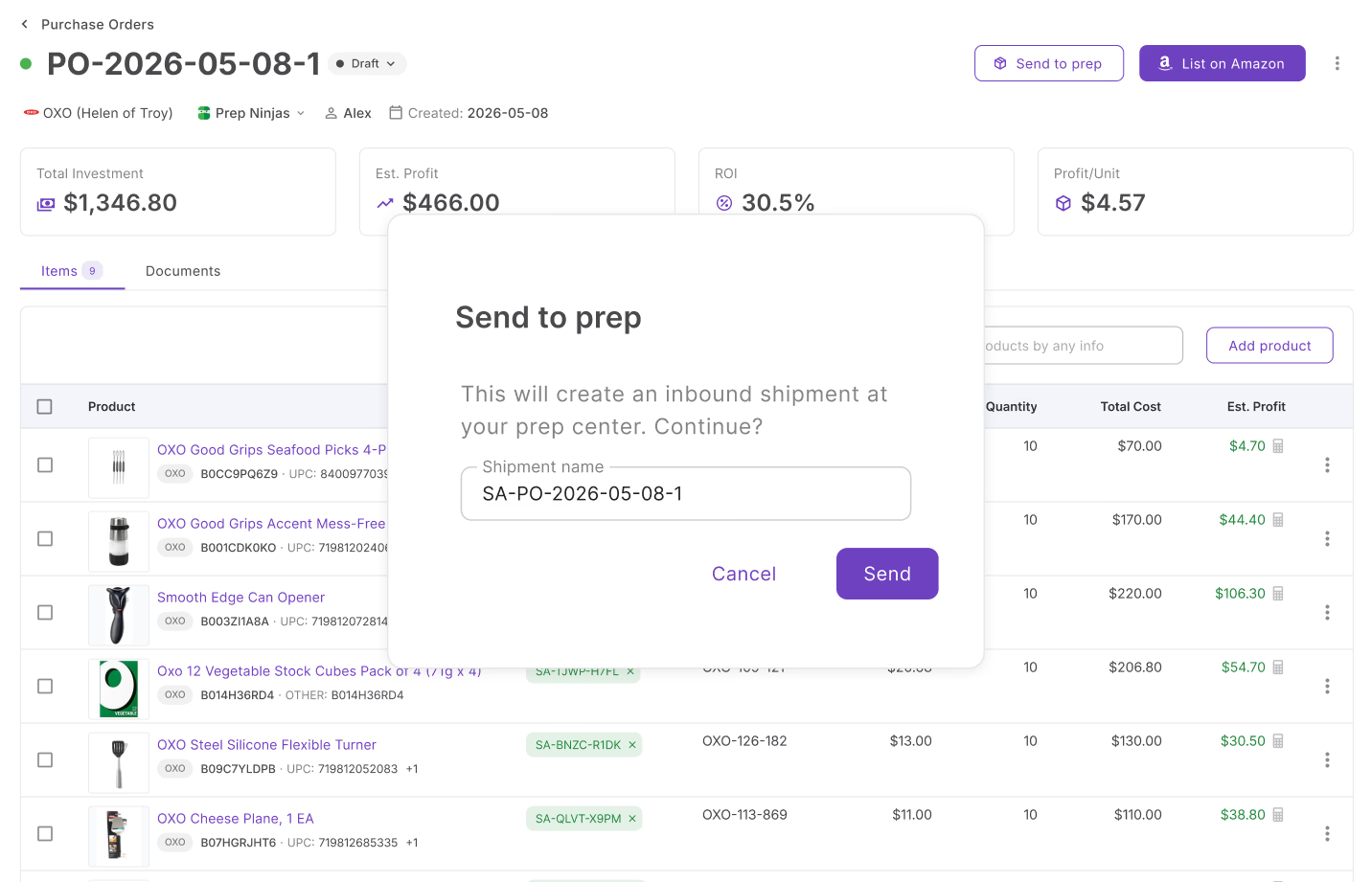
A growing network of integrated prep centers
Connect any prep center from the directory below. New prep centers are added regularly.

1 Stop Prep
Full-service 3PL and Amazon FBA prep center in tax-free Nashua, NH. Handles FBA prep, FBM fulfillment, and returns recovery with 48h turnaround.

503 PREP
Amazon FBA prep center in tax-free Salem, Oregon.

Prep Ninjas
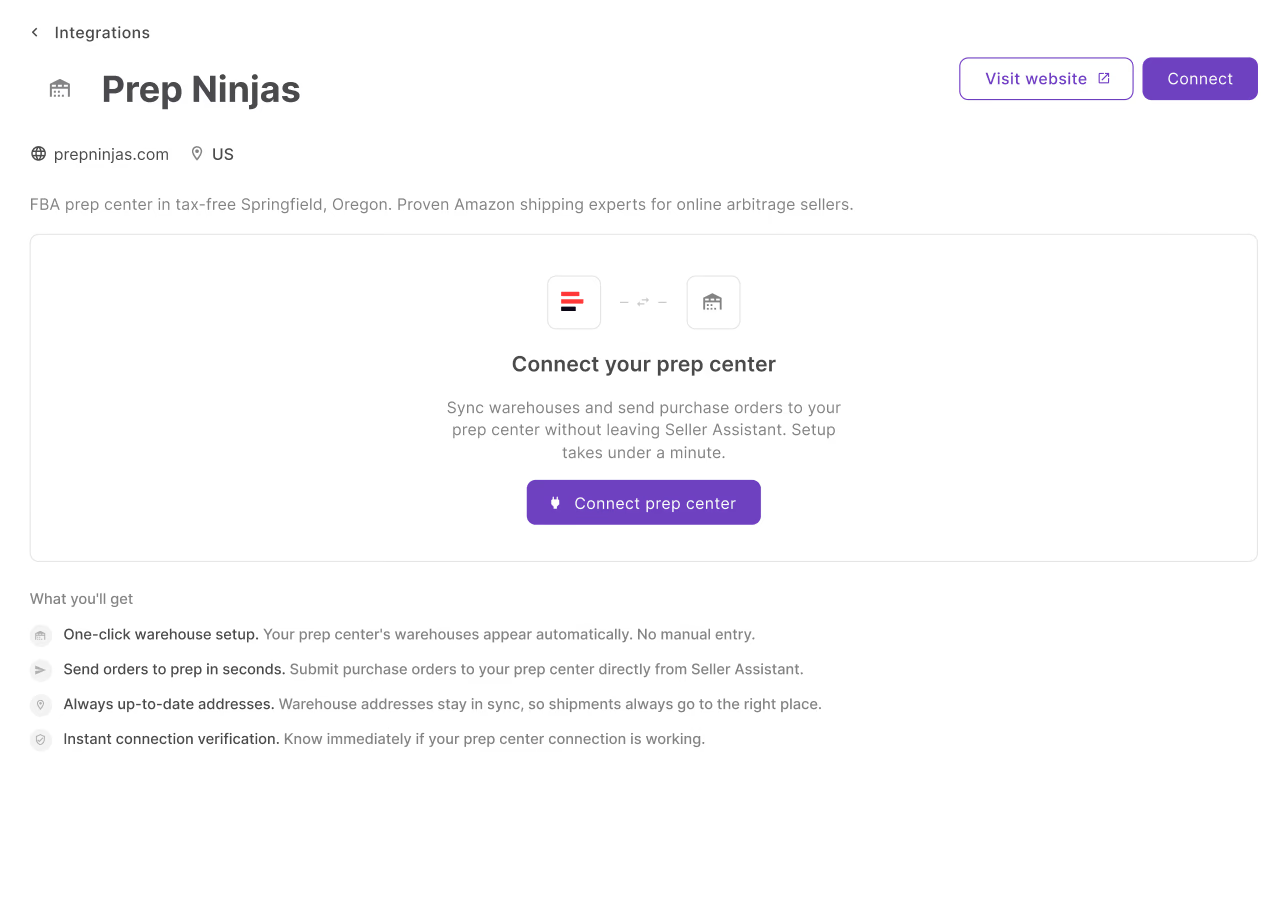
FBA prep center in tax-free Springfield, Oregon. Proven Amazon shipping experts for online arbitrage sellers.

Ax Holding Group™ · Ax Prep Center®
Amazon FBA prep center in Zaragoza, Spain. European fulfillment and prep services.

AZ Prep Center
Full-service 3PL in Tempe, AZ specializing in Amazon FBA prep and labeling, e-commerce order fulfillment, and warehousing.

A & M Prep
3PL prep service in South Gate, CA. Receiving, storage, standard and special packaging, and distribution to fulfillment centers or customers.

Dispatch Fulfillment
Professional FBA prep and eCommerce fulfillment services in Vandergrift, PA to help your business grow.

DM Prep
Amazon FBA prep center in Libertyville, IL. FNSKU labeling, bundling, FBM fulfillment, and returns processing near Amazon MDW2 warehouse.

Docknload Logistics
Trusted Amazon FBA and fulfillment services in Skokie, IL.
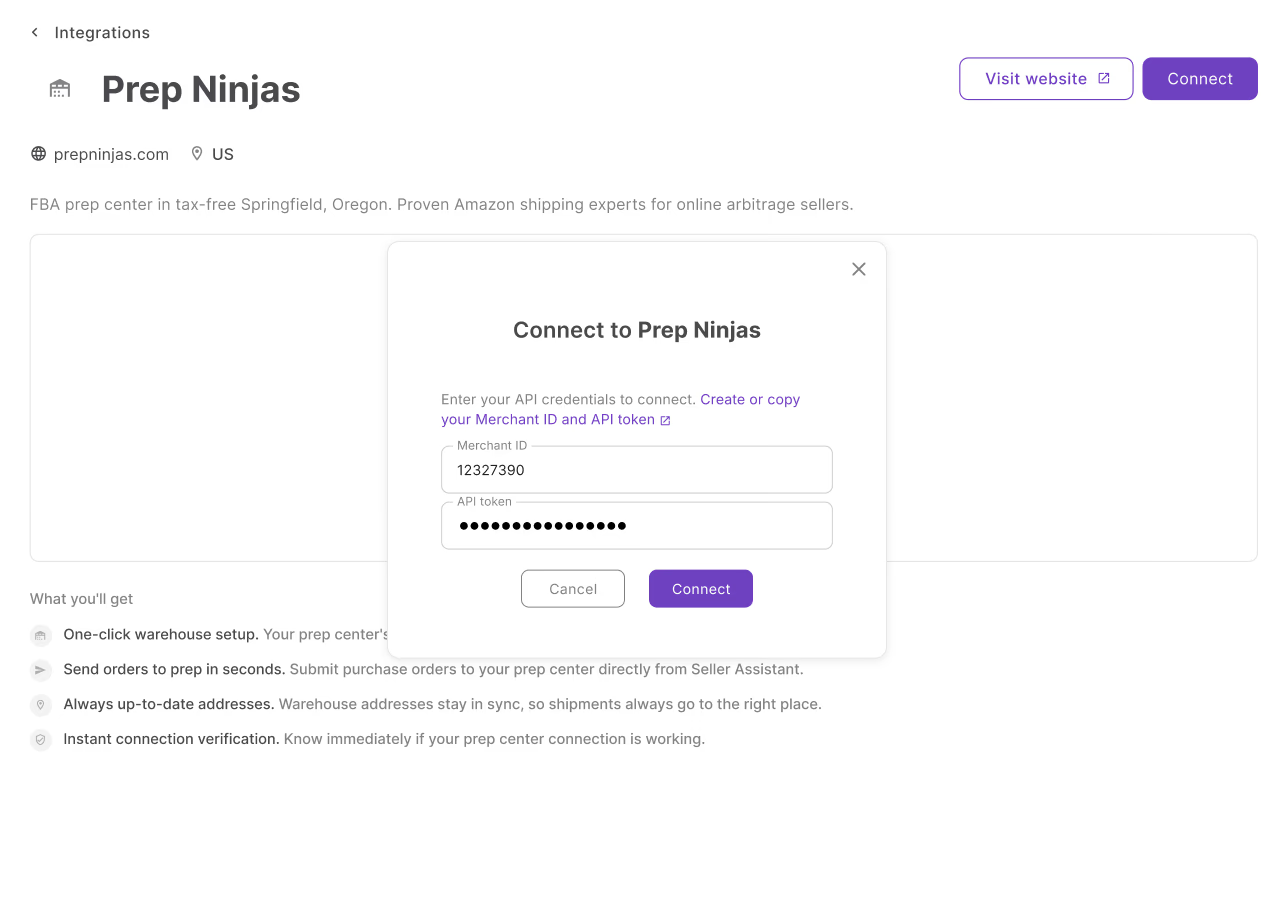
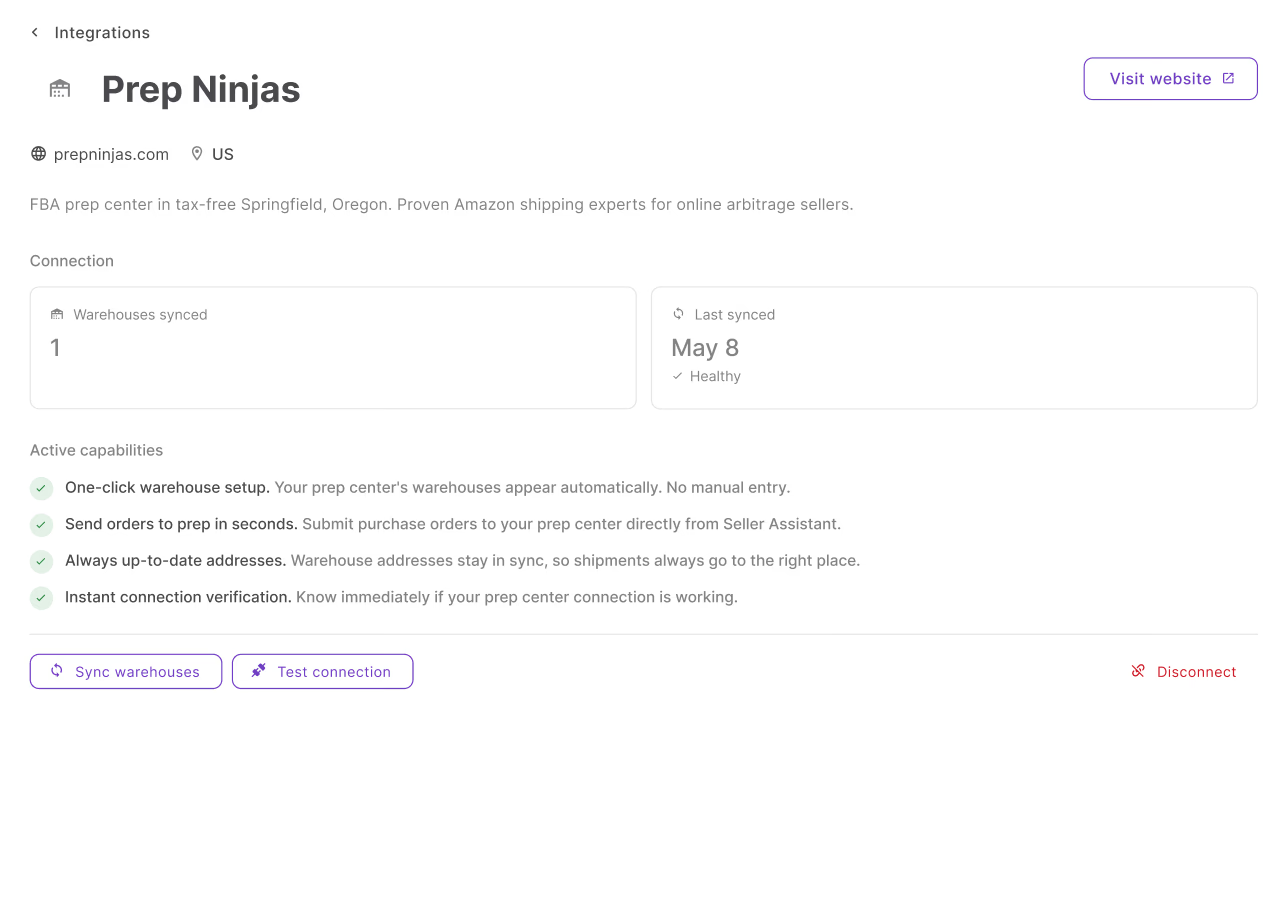
3 steps between you and your first prep dispatch
No technical setup. Just your prep center credentials.
Everything that connects when you plug in your prep center
No manual steps. No portal switching. Just the workflow, connected.
Warehouse sync
Your prep center warehouses appear in Seller Assistant automatically — no manual entry.
One-click dispatch
Assign a warehouse to a PO and send it to prep in one click from the order header.
Live shipment link
After dispatch, a live link to the shipment appears directly in the PO header.
Unlink and resend
Unlink any dispatched shipment and resend to a different prep center when needed.
Built into your daily workflow
The integration connects directly to your sourcing and fulfillment workflow.
Manage all warehouses and synced prep centers in one shared database.
SourceAssign warehouses and dispatch orders to prep directly from the PO header.
SourceLink a warehouse to a supplier so the correct ship-to is applied automatically.
SourceTrack inbound shipments after your prep dispatches inventory to Amazon.
ListFrequently Asked Questions
Visit Help CenterDo I need a separate account to use prep center integrations?
Can I connect more than one prep center to Seller Assistant?
Where do I find my Merchant ID and API Token?
What happens if I disconnect my prep center?
What happens to linked shipments if I switch prep centers?
My prep center is not in the directory — can I still use this integration?
Ready to connect your orders to prep?
Centralize your warehouses, sync your prep center, and send purchase orders to prep without leaving Seller Assistant.
Get StartedNot sure which plan fits your sourcing workflow? Chat with our team — we're happy to help.