Seller Assistant vs InventoryLab
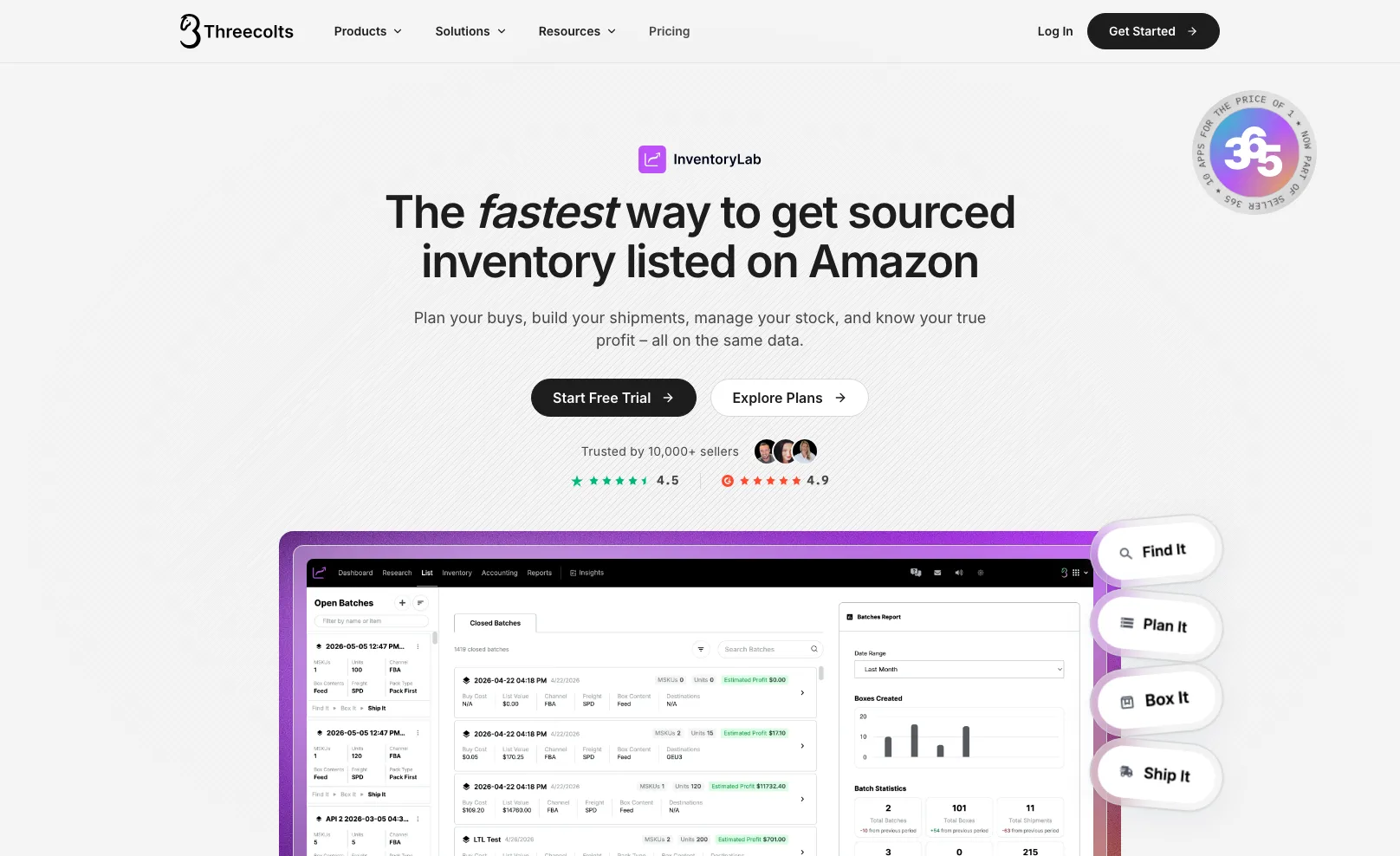
InventoryLab gets sourced inventory listed and shipped fast. Seller Assistant starts earlier, at the supplier price list, and follows each order through to profit by brand and supplier.
Which one fits your workflow?
Choose Seller Assistant if you buy wholesale from supplier price lists
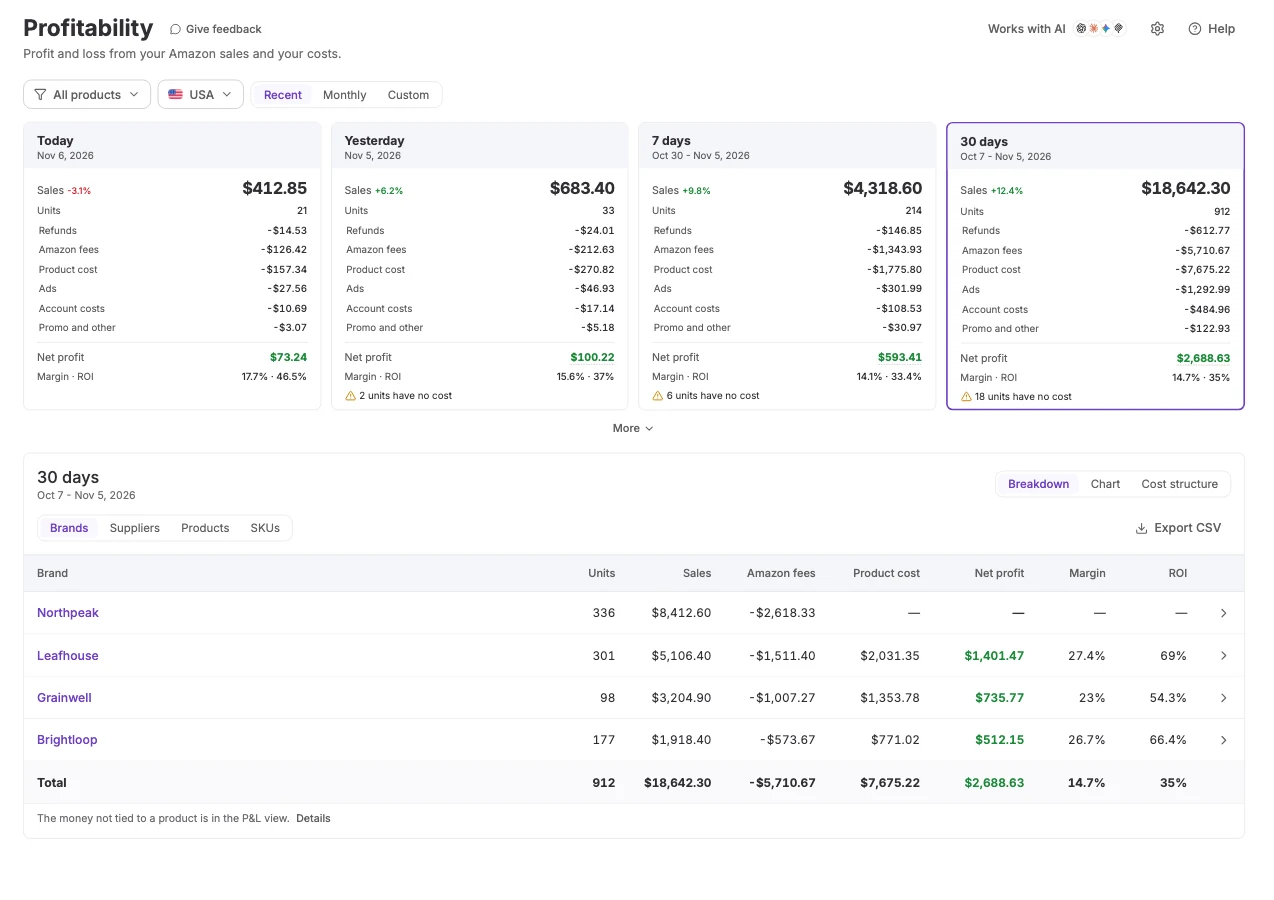
Analyze a supplier file, turn it into a purchase order, and read the realized profit by brand and supplier on the same product record.
- Price List Analyzer checks a whole supplier file before you buy
- Realized profit by brand, supplier, product, or SKU
- Repricer floors from the same landed cost
See where each tool wins
InventoryLab is built around listing and shipping. Seller Assistant is built around the supplier order, from price list to profit. Facts about InventoryLab were read on its public pages on November 10, 2026.

 InventoryLab
Supplier price list, then purchase order
Scan or search, then buy list
Price List Analyzer checks a whole supplier file against Amazon before you buy
Tactical Arbitrage's Wholesale Search analyzes an uploaded supplier catalog. It is in the Seller 365 bundles
Bulk Restriction Checker, and restriction status in the extension
Restriction alerts in Scoutify and ScoutX, in the Seller 365 bundles
Brand Analyzer and IP-Alert
Not listed on the InventoryLab, Scoutify, ScoutX, or Tactical Arbitrage pages (Nov 2026)
Purchase orders, suppliers, and warehouses on one product record
Buy lists and batches. Purchase orders not listed (Nov 2026)
Brand, supplier, product, or SKU
SKU, ASIN, supplier, category, or fulfilment channel
Weeks, months, or quarters, with CSV export
Built-in P&L for day-to-day numbers
Payouts page matched to Amazon settlements
Settlements reconciled automatically
Bulk listing in Lister, inbound shipments and fees in FBA Shipments
Guided inbound plans, MSKUs, and box labels
Repricer with if/then rules and floors from your landed cost
SmartRepricer in the Seller 365 bundles
The MCP server reads your data and, with your approval, drafts orders and changes settings. Answers carry suggested next steps
AI Operator, a separate product in their menu, automates routine seller operations. MCP not listed (Nov 2026)
Operational P&L, not bookkeeping
InventoryLab Accounting included
Profitability is part of Seller Assistant plans
Standalone plan, or part of the Seller 365 bundles
Four differences that actually matter
Listing fast matters. So does knowing which supplier order paid off when you reorder.
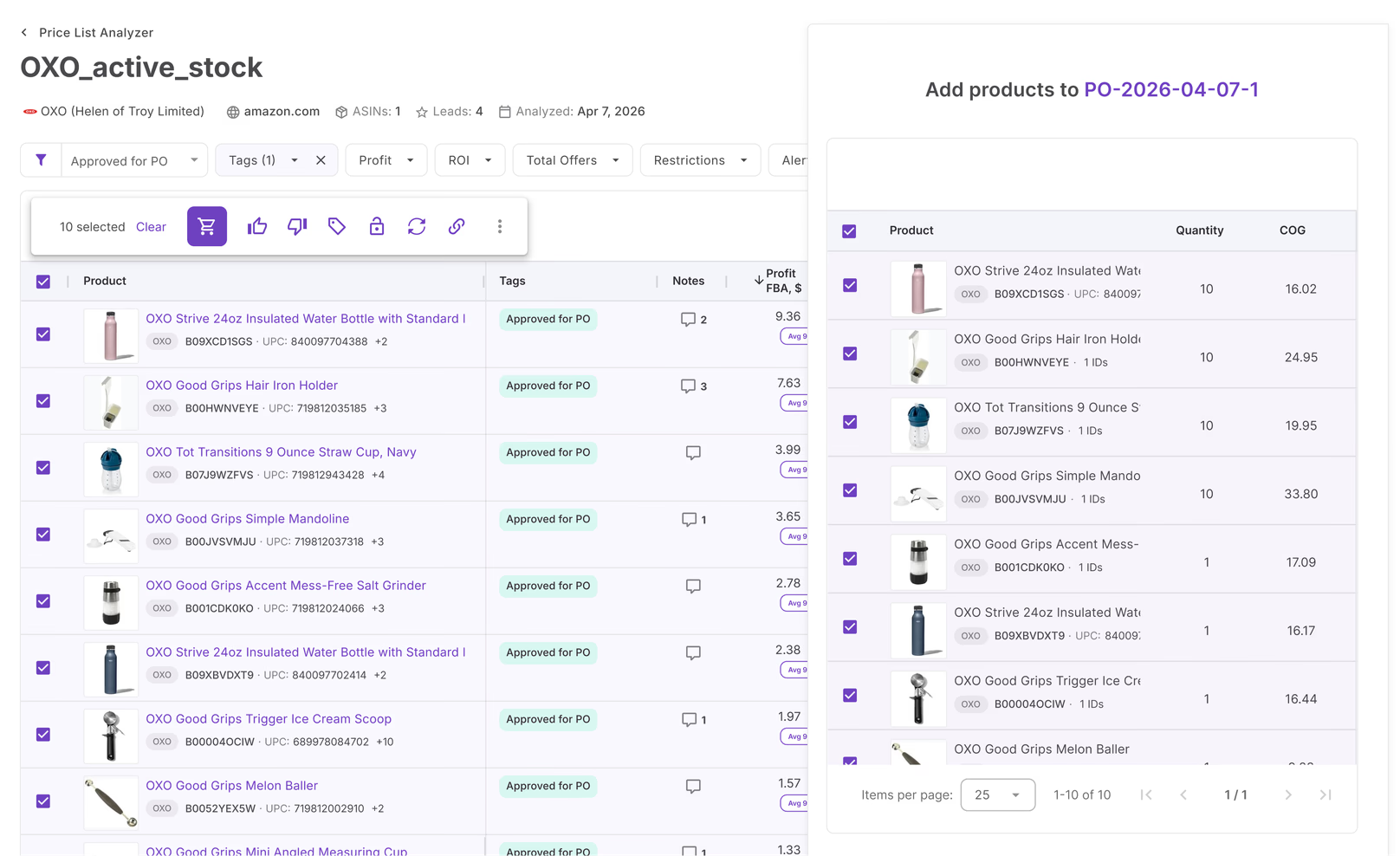
Analyze the whole supplier file first
Upload a supplier price list and get expected FBA and FBM profit for every line, then turn the shortlist into a purchase order.
Realized profit by brand and supplier
Group any period by brand, supplier, product, or SKU, and click down a level. Open Show SKUs on any product, then a SKU, to see where its profit went.
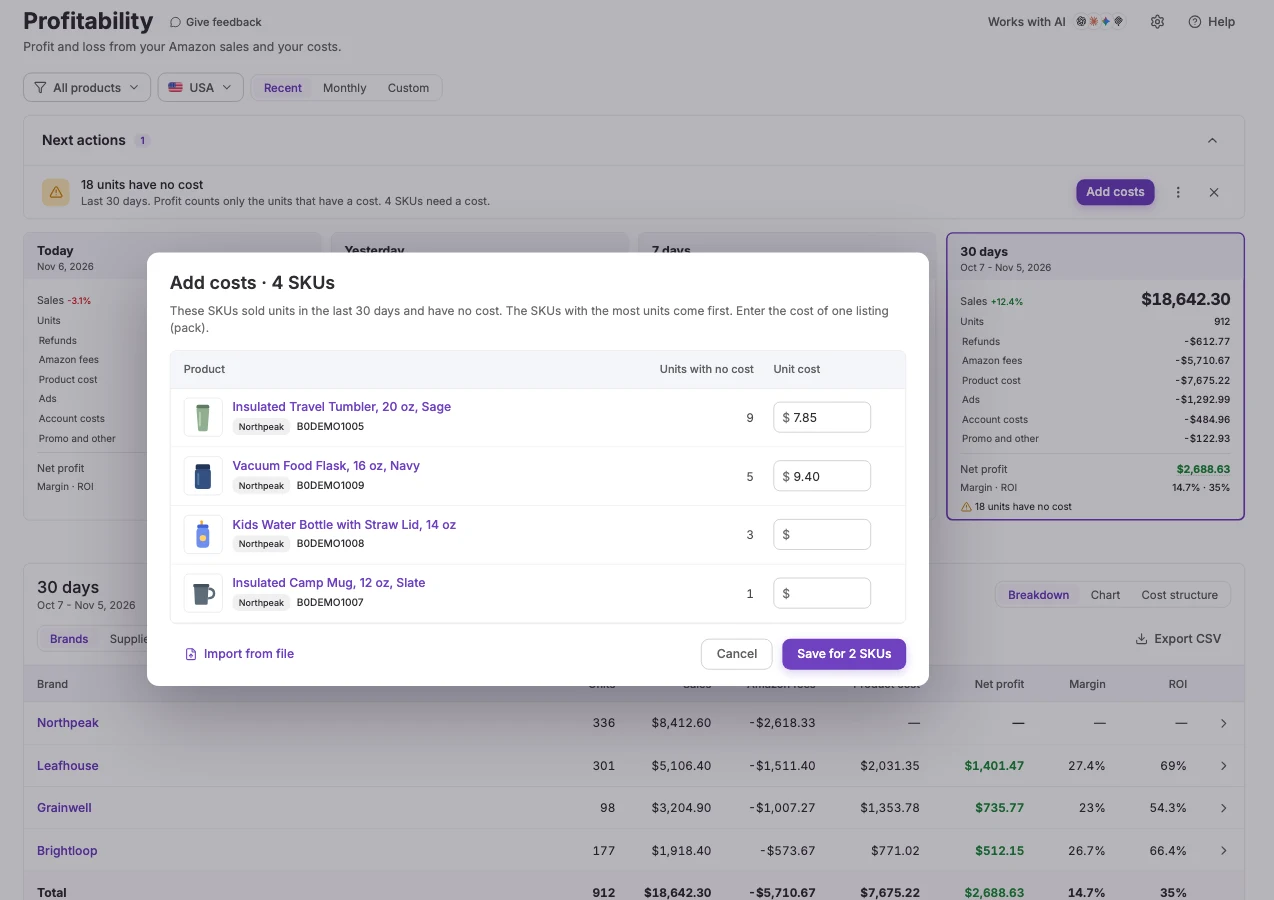
One product record from order to repricing
Unit costs from your purchase orders feed Profitability and the Repricer floors. A unit with no cost counts at $0, so profit shows too high until you add the cost. Next actions lists those units.
Your sales and profit chart, with the next step under it
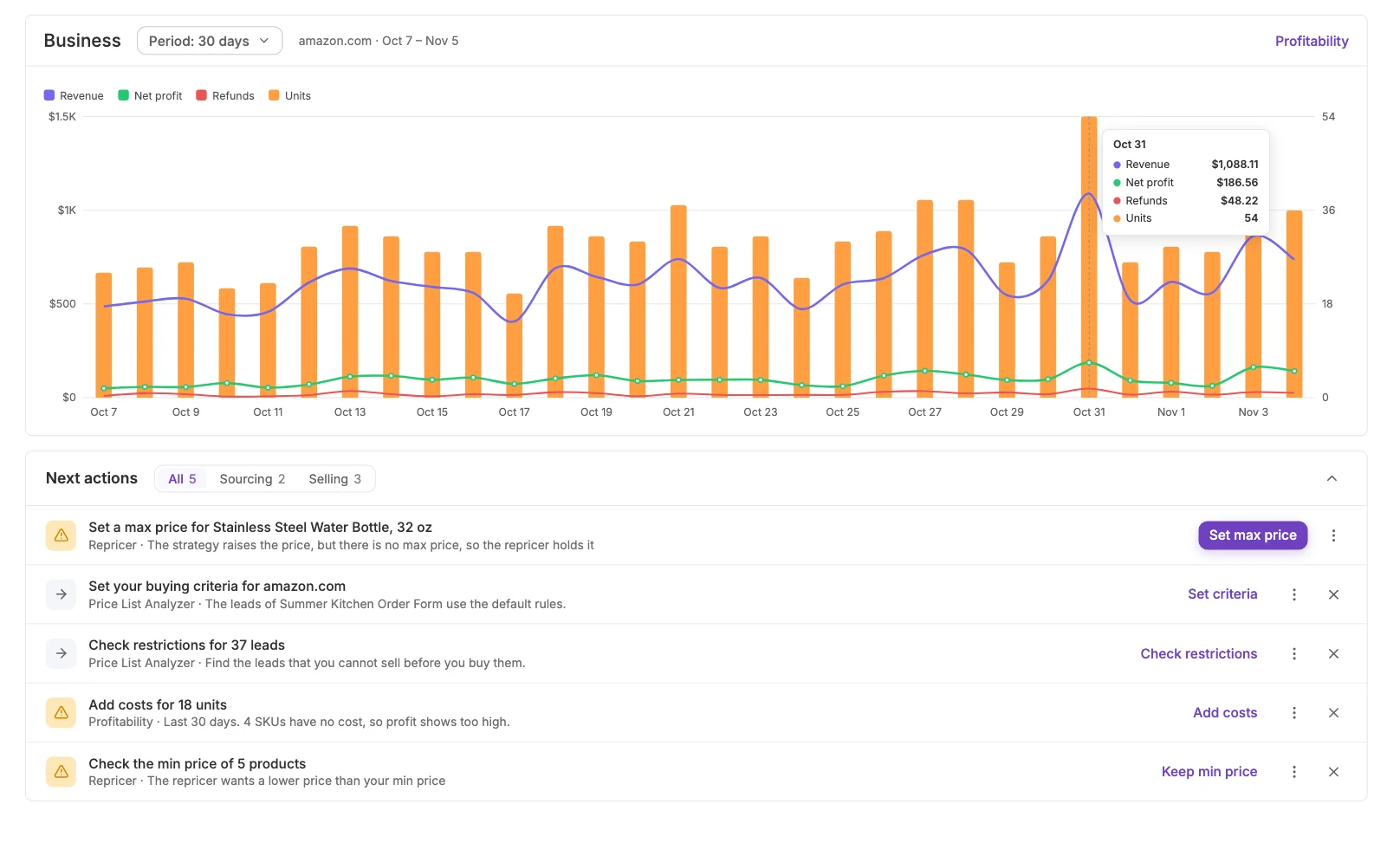
The dashboard shows a chart of revenue, net profit, refunds, and units for the period, with Next actions under it: set a max price, check restrictions for new leads, add a missing cost. Each row opens the tool that does it. InventoryLab's pages describe a built-in P&L for day-to-day profit numbers, and do not mention a next-steps list from your account.
Switching from InventoryLab?
Bring your buy costs from a spreadsheet: the SKU import page accepts any CSV or XLSX file, and past orders are re-costed after the import. Do this first: until a unit has a cost, it counts at $0 and profit shows too high.
Expected FBA and FBM profit on a supplier file, before you buy.
Expected profit and ROI on the order, from the same unit costs.
List products in bulk from your sourced inventory, with no flat files.
Realized profit by brand, supplier, product, or SKU for any period.
Know which supplier orders paid off
Connect your Amazon account, add product costs, and read profit by brand and supplier for any week, month, or quarter.
Start free 14-day trialFrequently asked questions
Visit Help CenterWhat is the best InventoryLab alternative for wholesale sellers?
What if some units have no cost?
Can I bring my product costs over?
Is Profitability accounting software?
Why does my payout not match my profit?
Can I ask an AI assistant about my profit?
Which plans include Profitability?
Not sure which plan fits your sourcing workflow? Chat with our team — we're happy to help.