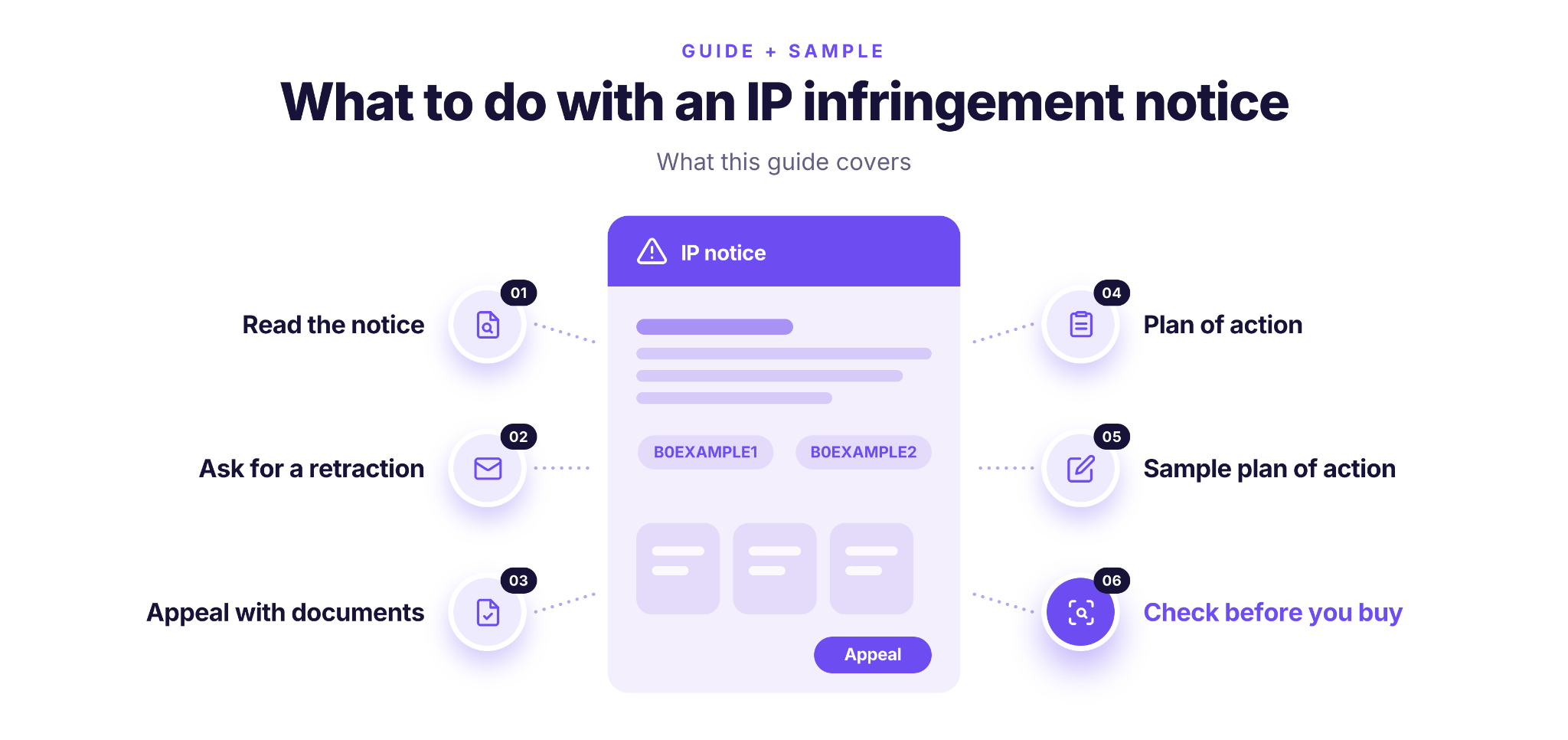
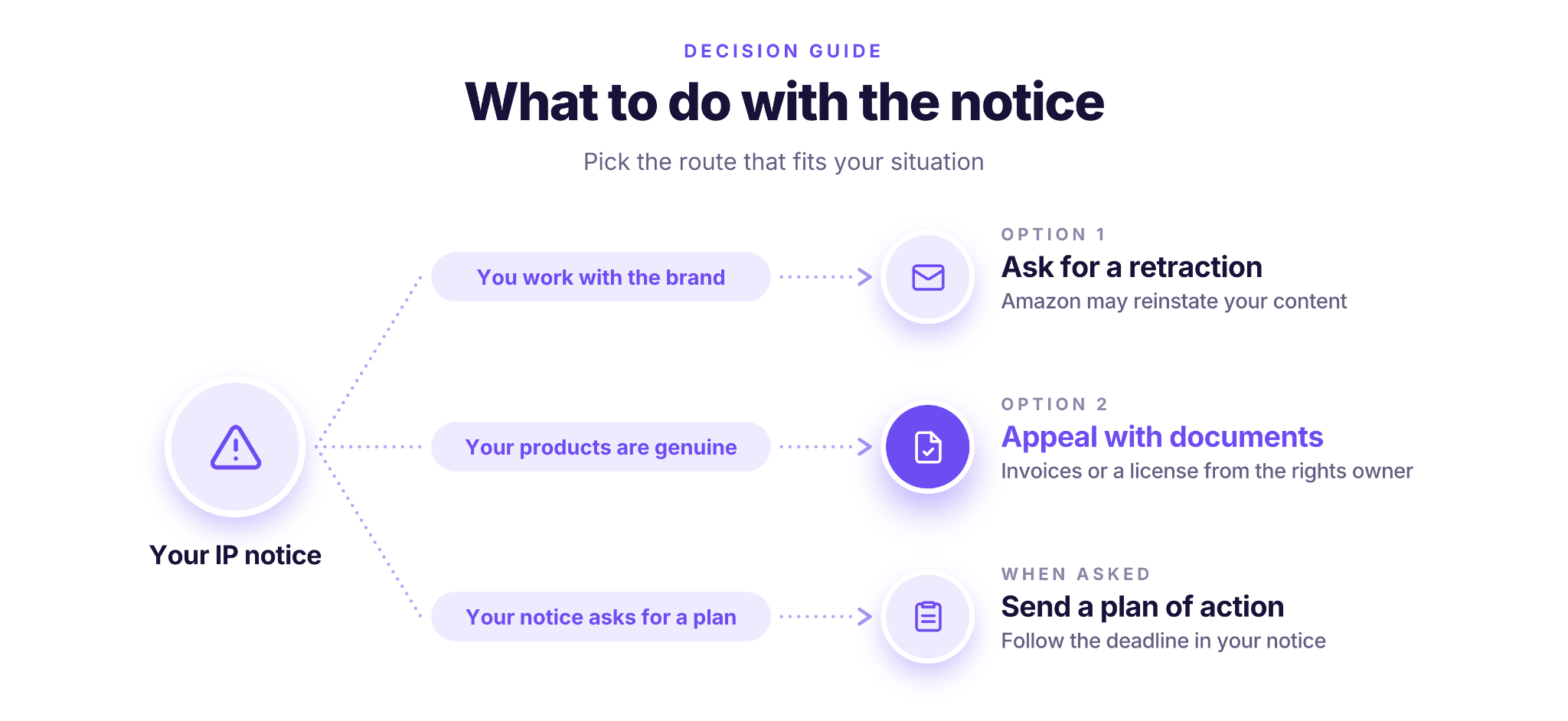
An IP infringement notice from a brand usually means Amazon has removed your listing. If you work with the brand, you can ask it to retract the complaint. If you don’t, you appeal with documents that show your products are genuine, such as supplier invoices or a license from the rights owner.
If your notice asks for a plan of action for IP infringement, it should explain what happened, what you fixed and how you’ll prevent it.
This post explains Amazon’s process and isn’t legal advice.
What Does An IP Infringement Notice Say?
An IP infringement notice tells you who complained, which ASINs are affected and which rights they say you infringed. Open it from the Account Health page and note four things before you act: the complaint type, the rights owner, the ASINs, and exactly what Amazon asks you to provide.
The three main types of notice
Amazon groups IP notices into three main categories, plus less common ones such as rights of publicity.
- Trademark: the complaint says a brand’s name or logo appears on your products or listings without permission, or that the goods are counterfeit.
- Copyright: the complaint says your listing uses someone else’s work without permission, such as product images or descriptions copied from another page.
- Patent: the complaint says the product copies patented technology or a patented design.
What this post covers
This post focuses on trademark and counterfeit notices on genuine products. The other two types follow different routes:
- Copyright: if you used someone else’s images or text, remove or replace them. If you believe the notice is wrong, Amazon’s route is a counter-notice under the Digital Millennium Copyright Act. It’s a formal legal statement, so get legal advice before you file one.
- Patent: Amazon asks you to explain specifically why you believe the notice is a mistake, and you may provide a court order showing that the product doesn’t infringe or that the patent is invalid. Here too, talk to a lawyer first.
For a broader look at how complaints work, see what an IP complaint is.
Option 1: Ask for a Retraction If You Work with the Brand
A retraction is the rights owner telling Amazon it withdraws its complaint. Amazon’s guidance is that if you have an established relationship with the rights owner and a license or agreement to use its IP, you can contact the owner and ask for one. Once Amazon receives the retraction, your content may be reinstated.
If you buy through a distributor rather than from the brand, ask your account manager there whether they can raise the notice with the brand for you. This step is our advice rather than an Amazon rule. A distributor often has a direct contact that you don’t.
Keep the request short and factual.
Retraction request sample
Subject: IP notice [complaint ID] for [your business name]
Hi [name],
Amazon removed our listings for ASINs [ASIN 1, ASIN 2] after an IP notice filed by [brand], complaint ID [ID]. We sell genuine [brand] products bought from [the brand / authorized distributor name], and we can share our invoices.
Could you review the notice and, if it was filed in error, send Amazon a retraction? Please let us know if you need anything else from us.
Thank you,
[name, business name, contact details]
After the brand confirms it has retracted, check the violation on your Account Health page. If it’s still there after a few days, contact Amazon and mention that the rights owner withdrew the complaint.
Option 2: An IP Infringement Appeal with Documents
If a retraction isn’t realistic, you appeal the notice on Account Health and show that your products are genuine or that you’re allowed to use the brand’s IP. An IP infringement appeal is decided mostly on documents, so the paperwork matters more than the wording.
What you can submit as proof
- Supplier invoices from the manufacturer or an authorized distributor. They must reflect your sales volume over the last 365 days and show the supplier’s name, phone number, address and website.
- A license or letter of authorization from the rights owner. It must contain the five license terms: licensor, licensee, grant, geographic scope and term. Our guide to the letter of authorization explains each one.
File rules
Upload documents as .pdf, .jpg, .png or .gif. Word files get the appeal rejected. Every document must be authentic and unaltered.
What doesn’t count as a license or LOA
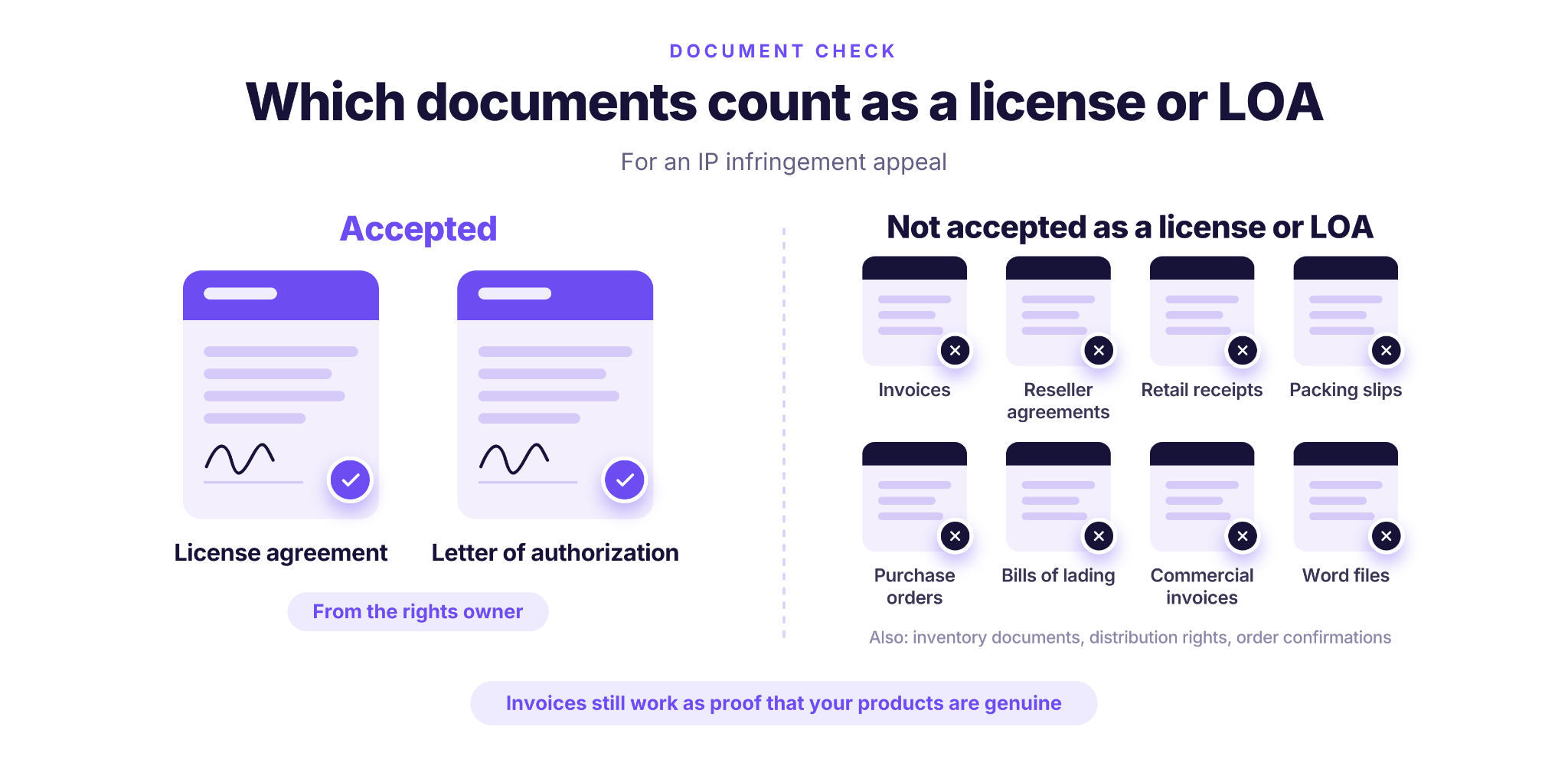
Amazon won’t accept these in place of a license or letter of authorization:
- Invoices and inventory documents
- Distribution rights and reseller agreements
- Editable Word documents
- Retail receipts and order confirmations
- Packing slips, commercial invoices and bills of lading
- Purchase orders
Invoices still work as proof that your products are genuine. They just can’t replace the license when the notice is about using the brand’s IP.
If Amazon confirms your products are genuine, it removes the enforcement claims from your account. Treat each intellectual property appeal as a document check: if anything on the list is missing or unclear, fix it before you submit.
Plan of Action for IP Infringement: When Your Notice Asks for One
Most IP notices are resolved with a retraction or a document appeal, but some go further. Notices that sellers have shared publicly, such as pre-suspension notices in the Case Log, ask for a plan of action, in some cases within 72 hours. If yours does, follow its deadline and instructions exactly, and reply where it tells you to.
In those notices, Amazon asked for a plan of action that covers four points:
- Proof of authenticity for the listings in question, such as an invoice, order ID, letter of authorization, licensing agreement or court order.
- What you’ve done to stop the infringement.
- How you’ll prevent it from happening again.
- Supporting details if you believe the notice was submitted in error.
The first and last points are the same evidence you’d use in a document appeal. The middle two are where a plan of action differs: they need a clear root cause, specific actions with dates, and prevention steps tied back to that cause. Our Amazon plan of action template walks through that structure part by part.
Sample Plan of Action for an IP Infringement Notice
This sample is for a common reseller case: a trademark notice on genuine products bought from an authorized distributor, where the seller believes the notice was filed in error and couldn’t get a retraction. Replace everything in brackets, and keep only what’s true for your account.
Sample POA for an IP infringement
Notice: IP infringement notice [complaint ID] from [Brand], received on [date], for ASINs [B0EXAMPLE1] and [B0EXAMPLE2].
Proof of authenticity
The products are genuine [Brand] items bought from [Distributor B], an authorized [Brand] distributor. The attached invoices dated [date] and [date] cover [number] units and reflect our sales of these ASINs over the last 365 days. Supplier contact details: [name, phone, address, website].
What we have done
- On [date], we stopped all sales of these ASINs and have not relisted them.
- On [date], we asked [Distributor B] to contact [Brand] about the notice. We have not received a reply.
- On [date], we checked our other [Brand] listings. No other ASINs are affected.
How we will prevent this
- Before the first order from any new brand, we get written confirmation that our supplier is authorized by that brand.
- We keep every invoice and the supplier’s contact details on file, sorted by ASIN, so we can show where each product came from.
- Before buying from a new brand, we check its complaint history.
Why we believe the notice was filed in error
Our units come from the brand’s authorized distribution channel, as shown in the attached invoices and [Distributor B]’s authorization from [Brand].
Attached: invoices from [Distributor B] (PDF), with the ASINs highlighted; [Distributor B]’s authorization from [Brand] (PDF).
Why this sample works
Every claim in the sample points to a document, each prevention step answers a specific risk, and nothing in it blames the brand or Amazon.
Check a Brand’s History Before You Buy
The easiest notice to deal with is the one you never get, so check a brand’s complaint history before you order its products, and check your other ASINs from a brand that just filed against you.
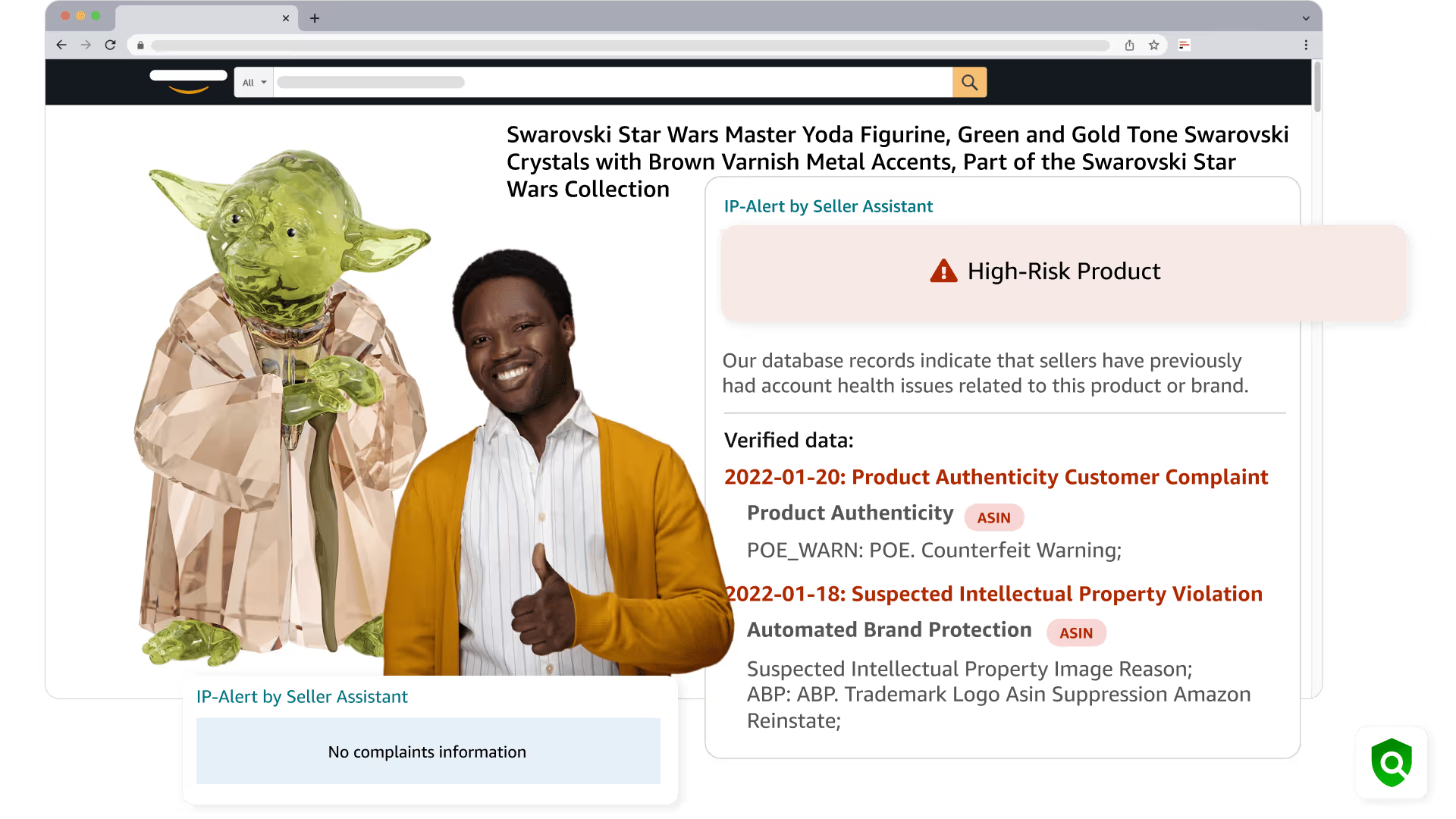
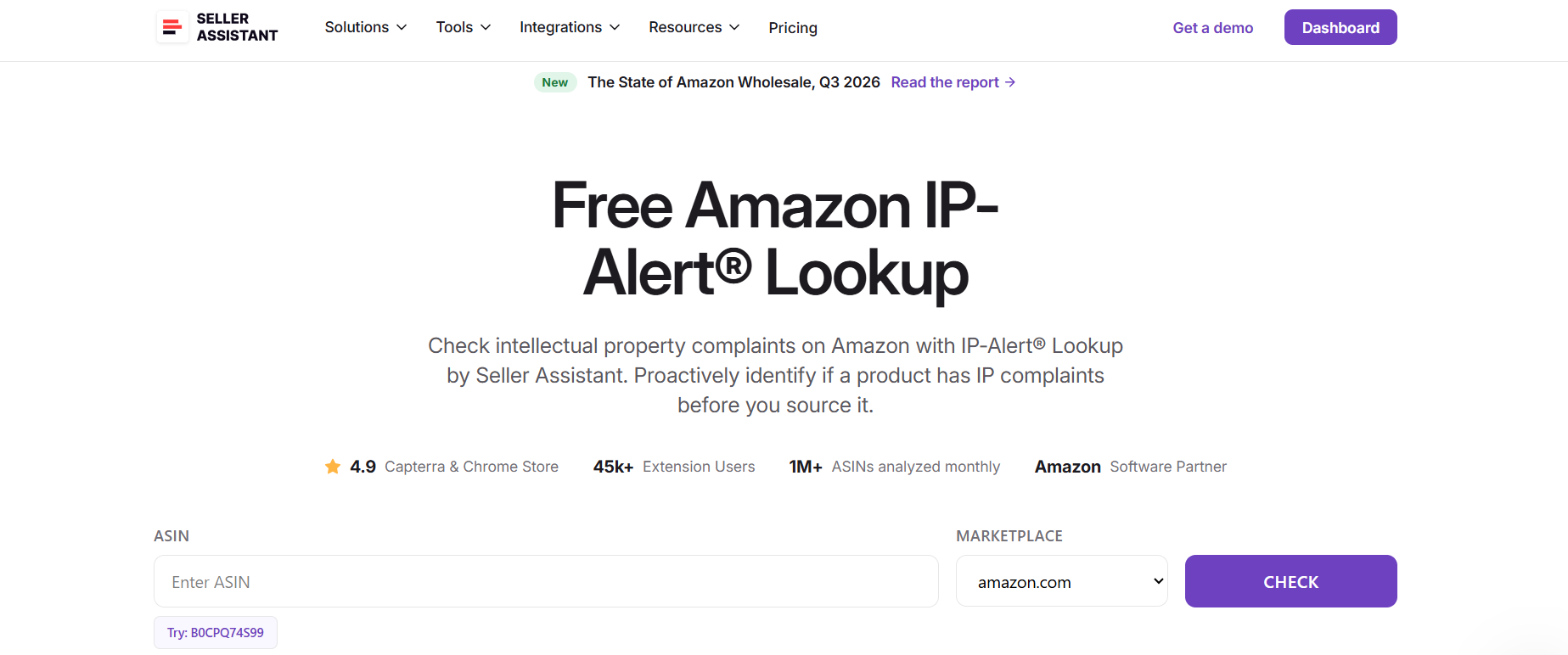
The Free IP-Alert Lookup by Seller Assistant shows whether an Amazon product has recorded IP complaints, which type they are, which brand filed them and when. A single-ASIN check is free and needs no account.
What you can do with the free IP-Alert Lookup
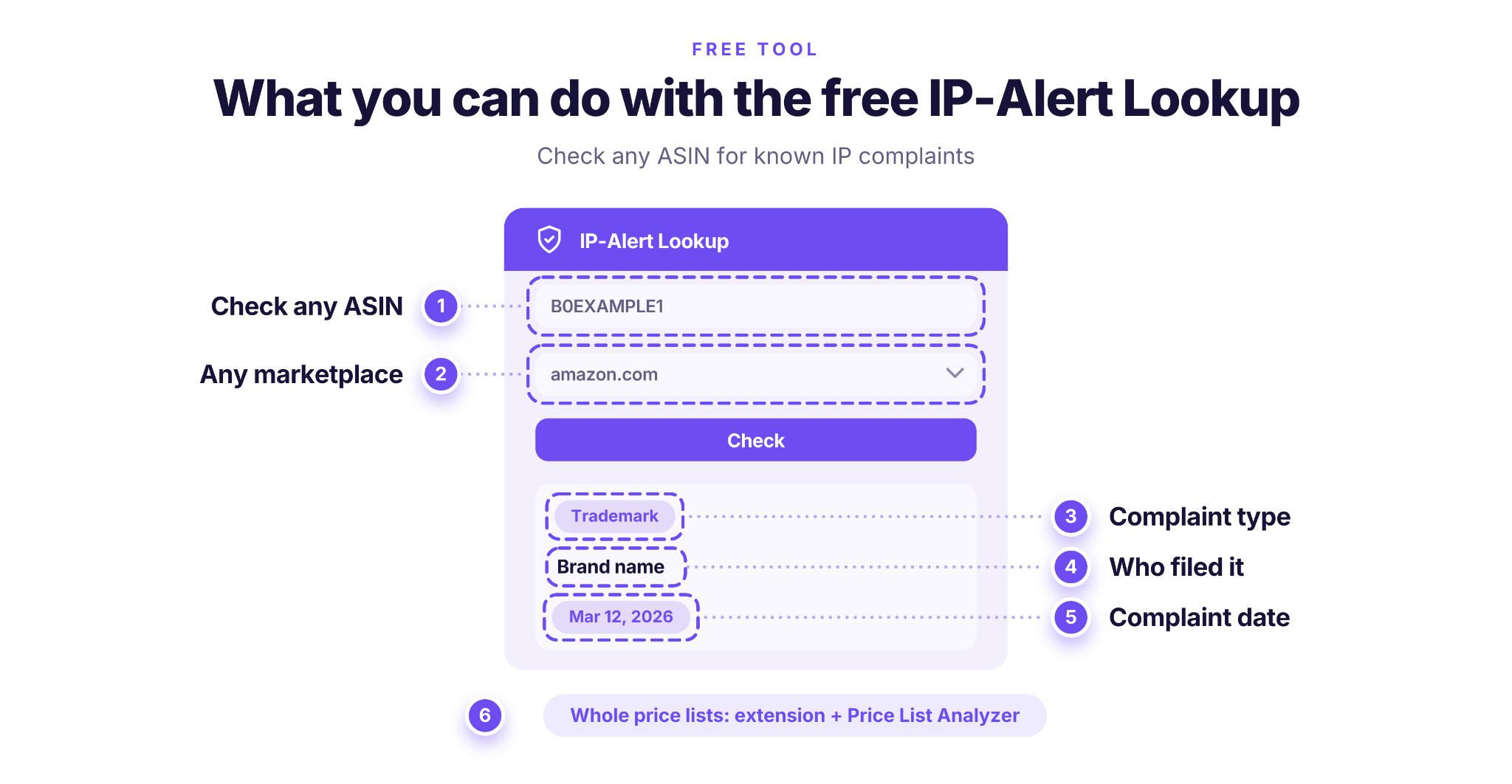
- Check any ASIN before you source it
See whether the product has known complaints recorded by IP-Alert.
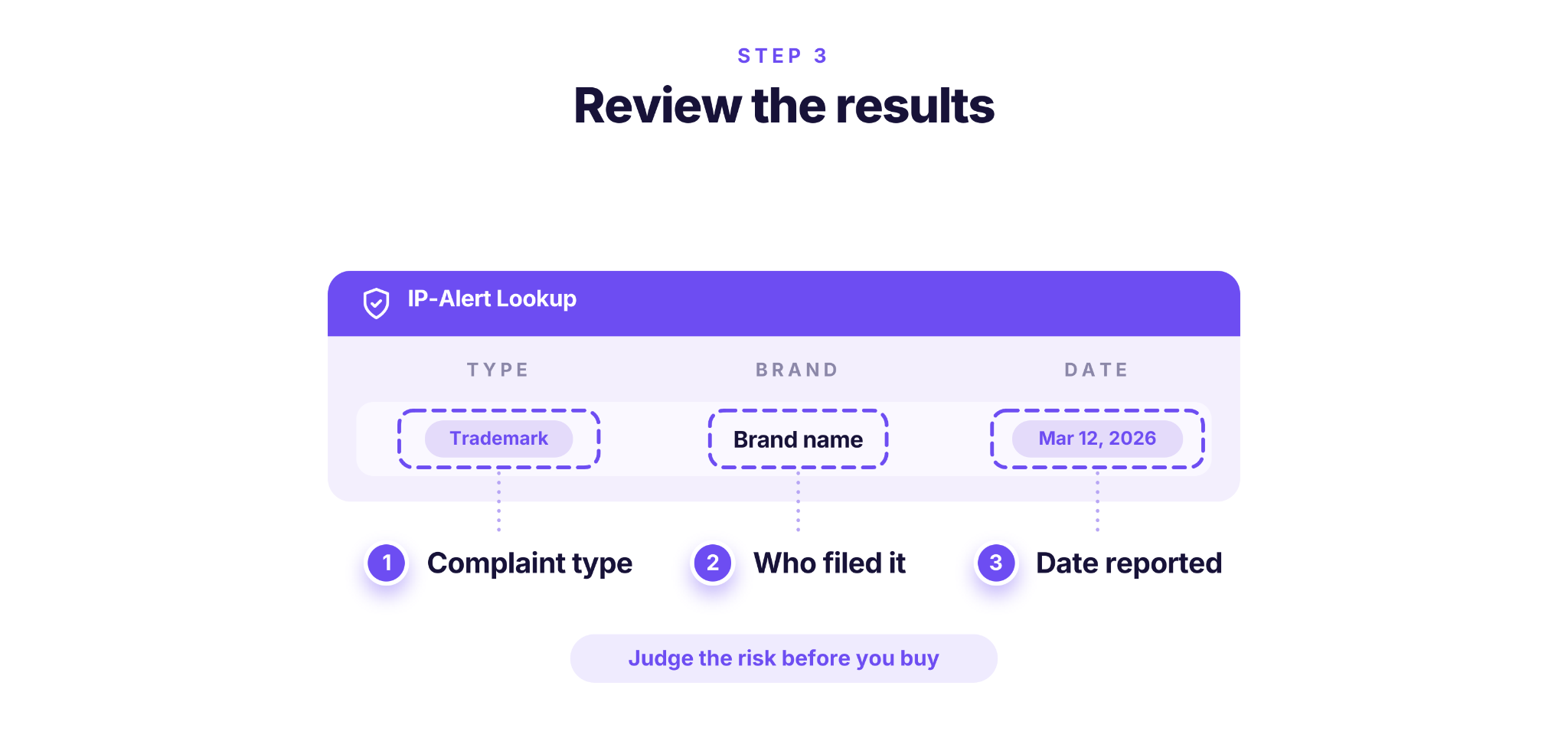
- See the complaint type
Find out whether it was a trademark, copyright or patent complaint.
- See who filed it
Identify the brand behind the complaint, so you can judge the risk of buying its other products.
- Check the date
See how recent the complaint is.
- Check other marketplaces
Run the same check on amazon.co.uk, amazon.de, amazon.ca and other Amazon stores.
- Scale up when you need to
For whole price lists, the same alerts appear in the Seller Assistant extension and in Price List Analyzer.
How to use the free IP-Alert Lookup
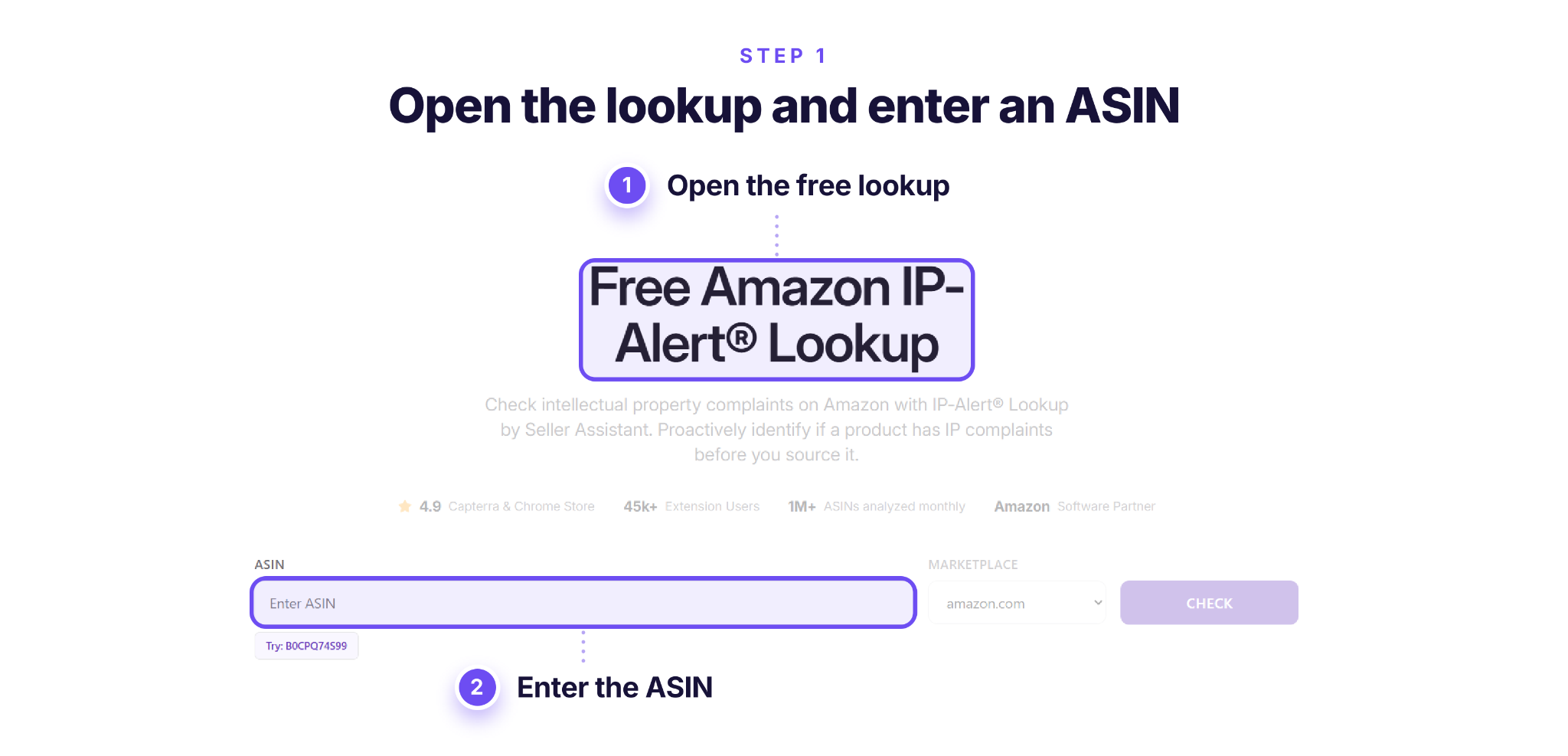
Step 1. Open Free IP-Alert Lookup
Go to Seller Assistant’s Free IP-Alert Lookup and enter the ASIN of the product you want to check.
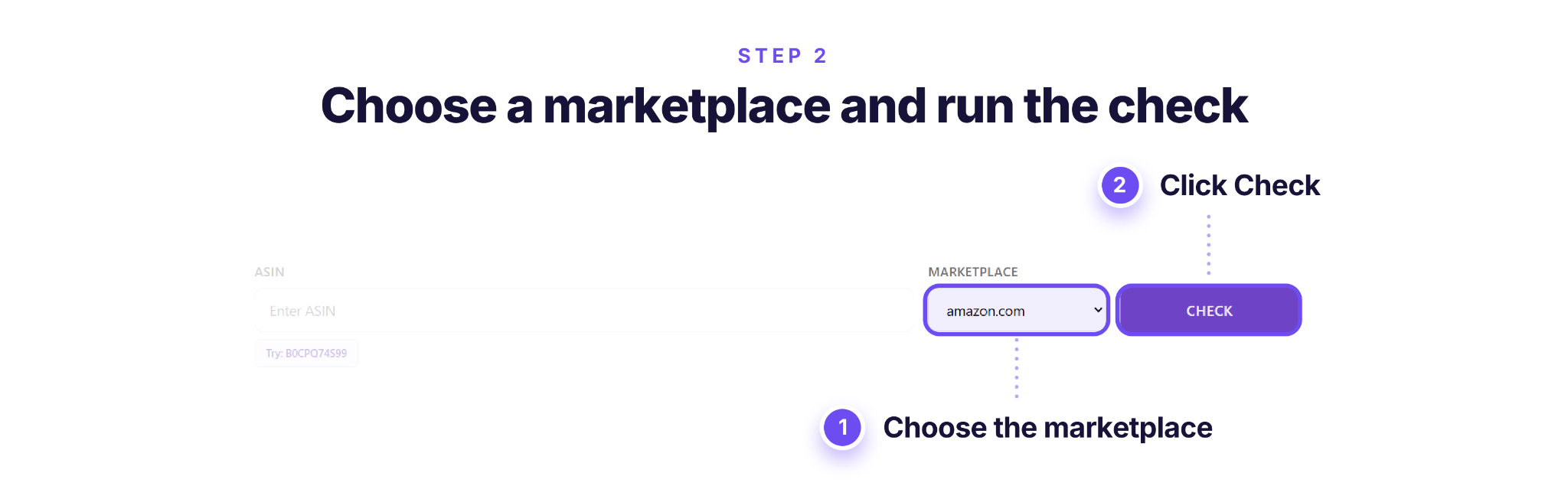
Step 2. Select the marketplace and run the check
Choose your Amazon marketplace, such as Amazon.com, and click Check to search for recorded IP complaints.
Step 3. Review the IP complaint results
If complaints are found, check their type, brand and dates. Use these details to evaluate potential IP risks before purchasing the product.
IP-Alert covers complaints collected from Seller Assistant users’ accounts, not every complaint on Amazon, so treat a clean result as one check among several. To check your own account’s complaints, see how to check IP complaints.
FAQ
Does violating a brand’s MAP policy or distribution agreement count as IP infringement?
Amazon generally doesn’t enforce minimum advertised price (MAP) agreements, exclusive distribution arrangements, or barcode ownership disputes through its IP complaint process. Exceptions may apply to distribution rights under certain countries’ laws, so a commercial dispute doesn’t automatically establish IP infringement.
Can a brand file an Amazon IP complaint over a trademark registered in another country?
A trademark registered only in another country generally isn’t sufficient for a trademark infringement claim in the Amazon store where you’re selling. Amazon also distinguishes legitimate, truthful product compatibility statements from trademark misuse.
Do parallel import restrictions apply to products sold on Amazon.com?
Amazon evaluates parallel import complaints under the laws applicable to each marketplace. Rights or restrictions concerning parallel imports in the European Union don’t automatically apply to products sold on Amazon.com in the United States.
Can I use my Amazon brand approval letter to appeal an IP complaint?
A brand approval letter usually lacks the five license terms Amazon requires for an IP appeal. If the complaint concerns permission to use intellectual property, review the required licensing terms in our letter of authorization guide.
What should I do if Amazon rejects my IP infringement appeal?
Review the rejection notice, identify which evidence or explanation was insufficient, and submit a revised appeal through the available Seller Central process. Don’t resend the same documents without addressing the problem, and don’t assume a separate seller escalation route is available.
Final Thoughts
An IP infringement notice usually means Amazon has removed your listing, and you have three routes: ask the rights owner for a retraction if you work with the brand, appeal with documents that show your products are genuine, or, if your notice asks for one, send a plan of action for IP infringement. Which route fits depends on the notice you received.
- Read the notice first. Note the complaint type, the rights owner, the ASINs and exactly what Amazon asks for.
- Ask for a retraction if you work with the brand. Amazon may reinstate your content once it receives one.
- Appeal with the right documents. Use supplier invoices or a license from the rights owner, as .pdf, .jpg, .png or .gif files that are authentic and unaltered.
- Follow your notice if it asks for a plan of action. Cover proof of authenticity, what you did and how you’ll prevent a repeat.
- Check a brand’s complaint history before you buy.
No appeal or plan of action guarantees reinstatement, so checking brands before you buy is the cheapest protection. The Free IP-Alert Lookup shows recorded complaints for any ASIN, with no sign-up. To see the same alerts on product pages and in your price lists, start a free trial.