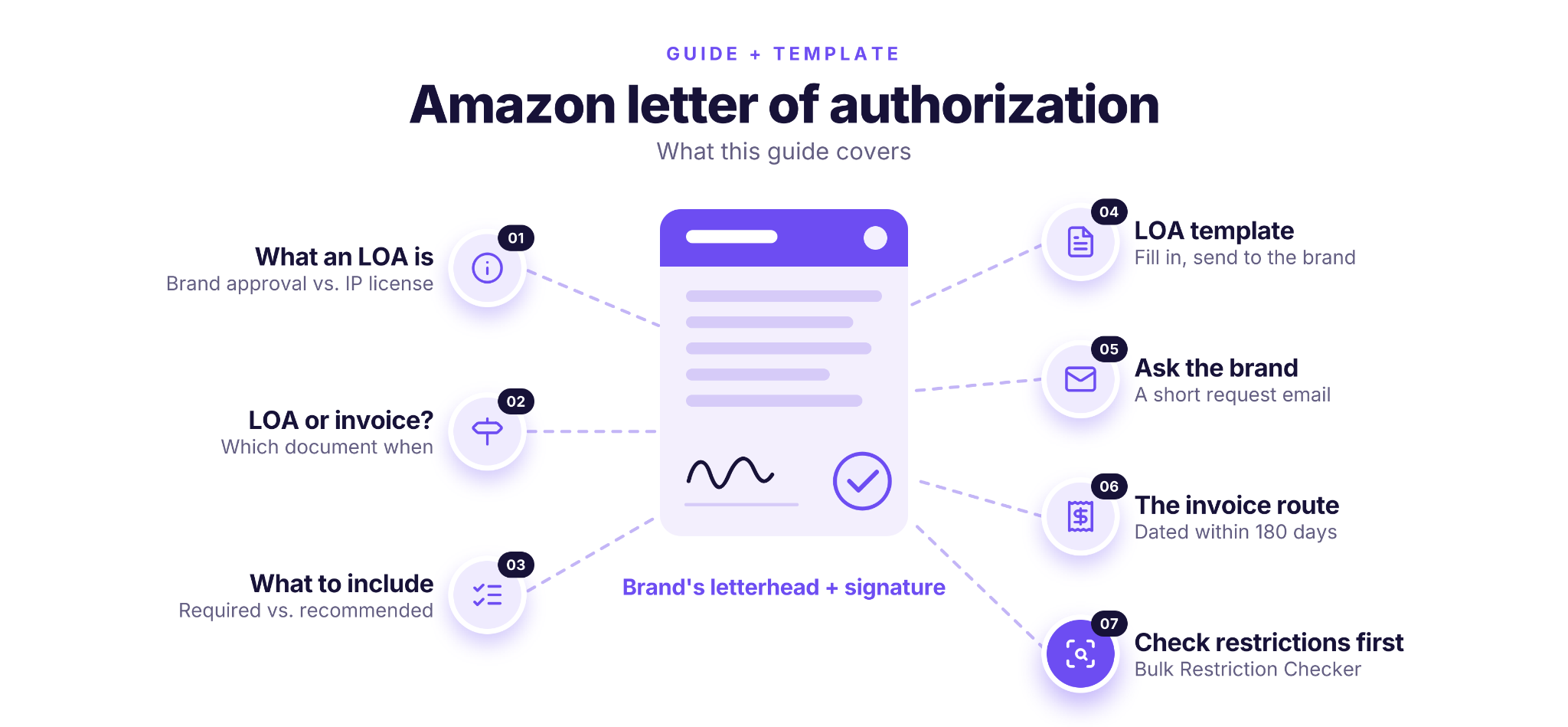
An Amazon letter of authorization (LOA) is a signed letter from a brand owner confirming that you may sell its products on Amazon. Resellers use it to get approval for a gated brand, as an alternative to a supplier invoice. If Amazon flags your listing for using a brand’s trademark without permission, you need a different, license-style LOA from the rights owner.
This post covers what each type of LOA must include, when an invoice is the better route, and a template you can send to the brand.
What Is An Amazon Letter of Authorization?
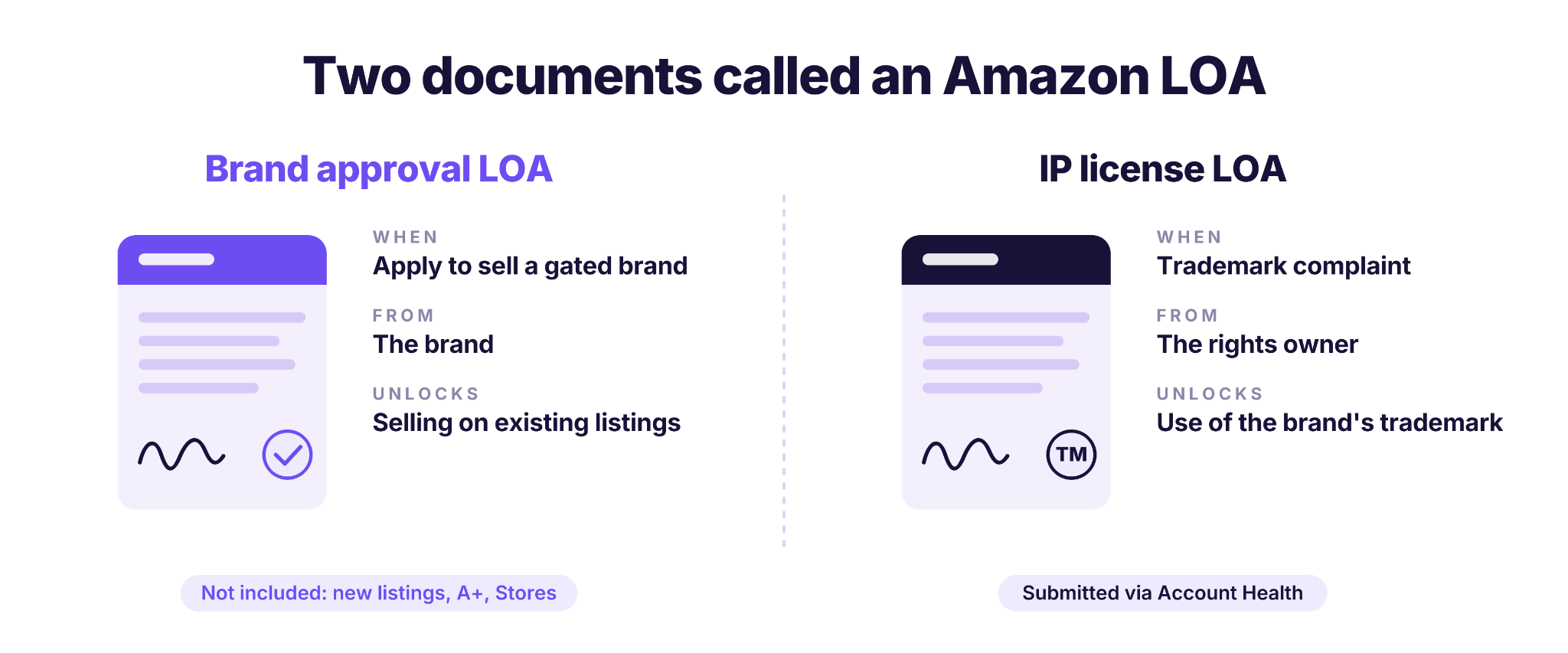
An Amazon letter of authorization is a document in which a brand gives you permission that Amazon recognizes. Sellers use the term for two different documents, and knowing which one you need saves a lot of back-and-forth with Amazon and the brand.
The brand approval LOA
This is the letter most resellers mean. It’s a letter of authorization for Amazon brand approval: the brand confirms that you may sell its products, so you can apply to sell a gated brand without a supplier invoice. The letter must come from the brand, on its letterhead, and be dated within the last 180 days.
Approval lets you add your offer to existing product detail pages. It doesn’t let you create or edit listings, or use brand tools such as A+ content and Stores; Amazon reserves those for sellers inside the brand and its authorized resellers. To create a new listing, you need an LOA from the brand plus product information and images.
The IP license LOA
This one comes up when Amazon believes your listing uses a brand’s trademark without permission, on the product, packaging, images or detail page, beyond fair or referential use. Amazon then asks for proof that you own the trademark, or a letter of authorization from the rights owner. In this case, the LOA is a license agreement that defines how you may use the brand’s intellectual property. You submit it as an appeal from the Account Health page, often together with an Amazon plan of action.
Do You Need an LOA or an Invoice?
That depends on why Amazon is asking. For gated brands on existing listings, either document works, but other situations call for a specific one.
Which route fits a reseller
If you already buy from an authorized distributor, the invoice route is usually faster: you send Amazon a document you already have. The LOA route makes sense when you buy directly from the brand, or when the brand is willing to vouch for you before your first large order.
Whichever route you choose, some documents never work. Amazon rejects retail receipts, order confirmations, quotes, purchase orders and pro-forma invoices.
For the full ungating process, from finding the restriction to submitting the application, see How to Get Ungated on Amazon.
| Your Situation | What Amazon Accepts | Notes |
|---|---|---|
| Applying to sell a gated brand on existing listings | A purchase invoice or an LOA from the brand | Use whichever you can get. Both must be dated within 180 days. |
| Creating a new listing for a brand | An LOA from the brand | Submit it together with product information and images. |
| Trademark complaint on your listing | Proof you own the trademark, or a license-style LOA from the rights owner | Invoices and reseller agreements don’t count as an LOA here. |
| Authenticity or right-to-sell appeal | Usually supplier invoices; an LOA can support them | Amazon uses them to check that the products are genuine. |
What Must an Amazon Letter of Authorization Include?
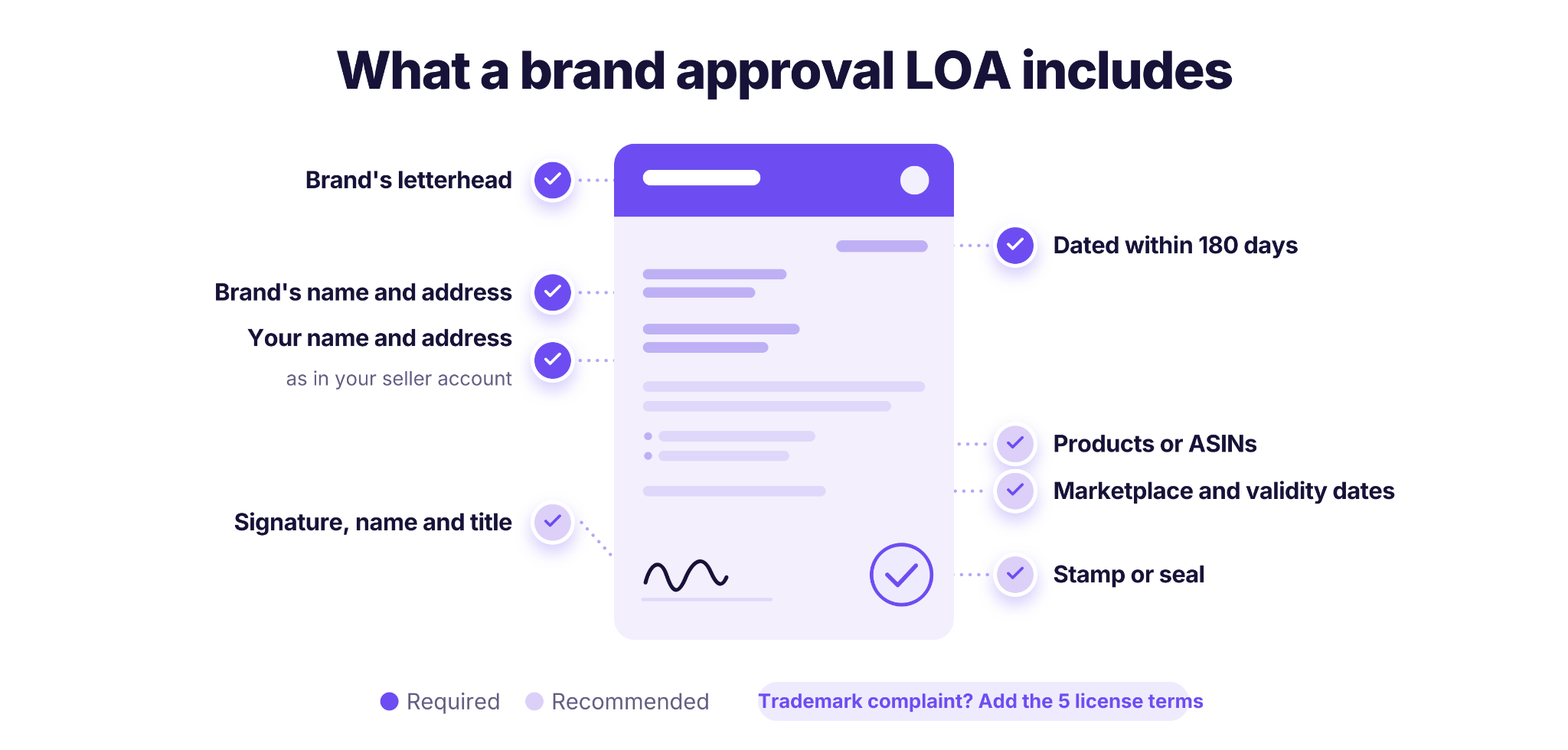
An Amazon letter of authorization needs a few required elements, and the list is longer for trademark complaints than for brand approval. Use the checklist that matches your case.
Required for brand approval
- Dated within the last 180 days at the time you apply
- On the brand’s letterhead
- Your business name and address, exactly as they appear in your seller account
- The brand’s name and address
Recommended for brand approval
Amazon doesn’t list these as required for brand approval, but they make the letter clearer and harder to question:
- A signature from an authorized person at the brand, with their name and title
- The products or ASINs you’re authorized to sell
- The marketplace, for example Amazon.com (US)
- A validity period, with start and end dates
Also required for trademark complaints
A license-style LOA must contain five terms:
- Licensor: the brand granting the rights
- Licensee: your business
- Grant: the trademark being licensed and how you may use it
- Geographic scope: where you may use it (this can be worldwide)
- Term: how long the license lasts (this can be perpetual)
It also needs a signature, digital signature, stamp or seal from an authorized signatory at the rights owner.
Accepted formats
Amazon accepts a PDF, a scanned image of a PDF, or a screenshot of an email sent from the brand’s own company domain. An email must include the same details as a letter. Amazon may contact the brand to confirm the LOA, so never edit or reuse a letter issued to someone else.
Amazon Letter of Authorization Template
Use this letter of authorization template for Amazon as a starting point for the brand. The brand must put it on its own letterhead, check the details and sign it. A letter you write and sign yourself won’t be accepted. Replace everything in [brackets], and delete the optional part if you only need brand approval.
Template example
[BRAND LETTERHEAD: brand legal name, address, phone, email, website]
Date: [Month DD, YYYY]
Subject: Letter of Authorization for [your business legal name]
To whom it may concern,
[Brand legal name], located at [brand address], is the owner of the [brand name] brand.
We authorize [your business legal name], located at [your business address, exactly as in your Seller Central account], Amazon seller name [your storefront name], to sell genuine [brand name] products on [Amazon.com (United States)].
This authorization covers [all products sold under the brand name / the products listed below]:
[ASIN or UPC] – [product name]
[ASIN or UPC] – [product name]
This authorization is valid from [start date] to [end date].
[Optional, for trademark complaints only] [Brand legal name] (Licensor) grants [your business legal name] (Licensee) a non-exclusive license to use the [brand name] trademark, registration no. [number], in product listings, images and product detail pages for the products above (Grant), in [country or territory] (Geographic scope), from [start date] to [end date] (Term).
To confirm this authorization, please contact [name, title, email at the brand’s domain, phone].
Signature: ______________________
Name: [authorized signatory]
Title: [title]
[Company stamp or seal, if available]
This template is a practical example, and isn’t legal advice. If a brand or Amazon asks for different wording, follow their requirements.
How to Ask a Brand for a Letter of Authorization
Brands get many requests from Amazon sellers, so make yours quick to approve. A clear request with the work already done gets a faster yes than a general “can you send us an LOA?”
Before you write
- Find the right contact
Write to the brand’s sales, wholesale or account team, not customer support. If you already buy from the brand, ask your account manager.
- Fill in the template first
Add your business details, the products and the marketplace, so the brand only needs to check it, put it on a letterhead and sign.
- Explain what you’ll do with it
Brands are more willing when they know the letter is for brand approval on existing listings and that you won’t create or change their listings.
A short request email template
Subject: Letter of authorization for selling [brand name] on Amazon
Hi [name],
We’re [your business name], a [wholesale/online] retailer at [address]. We’d like to sell genuine [brand name] products on Amazon.com, and Amazon requires a letter of authorization from the brand for approval.
I’ve attached a pre-filled letter with our business details and the products we plan to stock. Could you put it on your letterhead, sign it and send it back? If you’d prefer us to buy through an authorized distributor, please let us know which one.
Thank you,
[name, title, phone, website]
If the brand doesn’t issue LOAs, ask which authorized distributor it works with. A recent invoice from that distributor is an equally valid route, and AI Supplier Finder helps you find a brand’s distributors. For more outreach wording, see our email templates for distributors.
What Does Amazon Accept As an Ungating Invoice?
An Amazon ungating invoice must come from a manufacturer or distributor and match your seller account exactly. For brand approval on existing products, Amazon applies the same invoice requirements as for category approvals.
What the invoice must show
- A recent date: issued within the last 180 days
- Your name and address, matching your seller account
- The supplier’s name and address, for a manufacturer or distributor
- Enough units: a combined purchase of at least 10 units
Common mistakes that get invoices rejected
- Buying from the wrong source
Invoices from retailers, marketplaces or liquidators don’t count. The seller on the invoice must be a manufacturer or distributor.
- An address that doesn’t match
If the invoice shows your prep center, a personal name or an old business address instead of the details in your seller account, update the invoice with your supplier or your account before you apply.
- Waiting too long
An invoice that was valid when you bought the stock may be past the 180-day window by the time you apply.
- Editing the invoice
Never change dates, quantities or names yourself. Amazon can check documents with the supplier, and an altered invoice puts your account at risk.
If your supplier can’t provide an invoice that meets these rules, the brand approval LOA is the other way in.
Check Restrictions in Bulk Before You Contact Brands
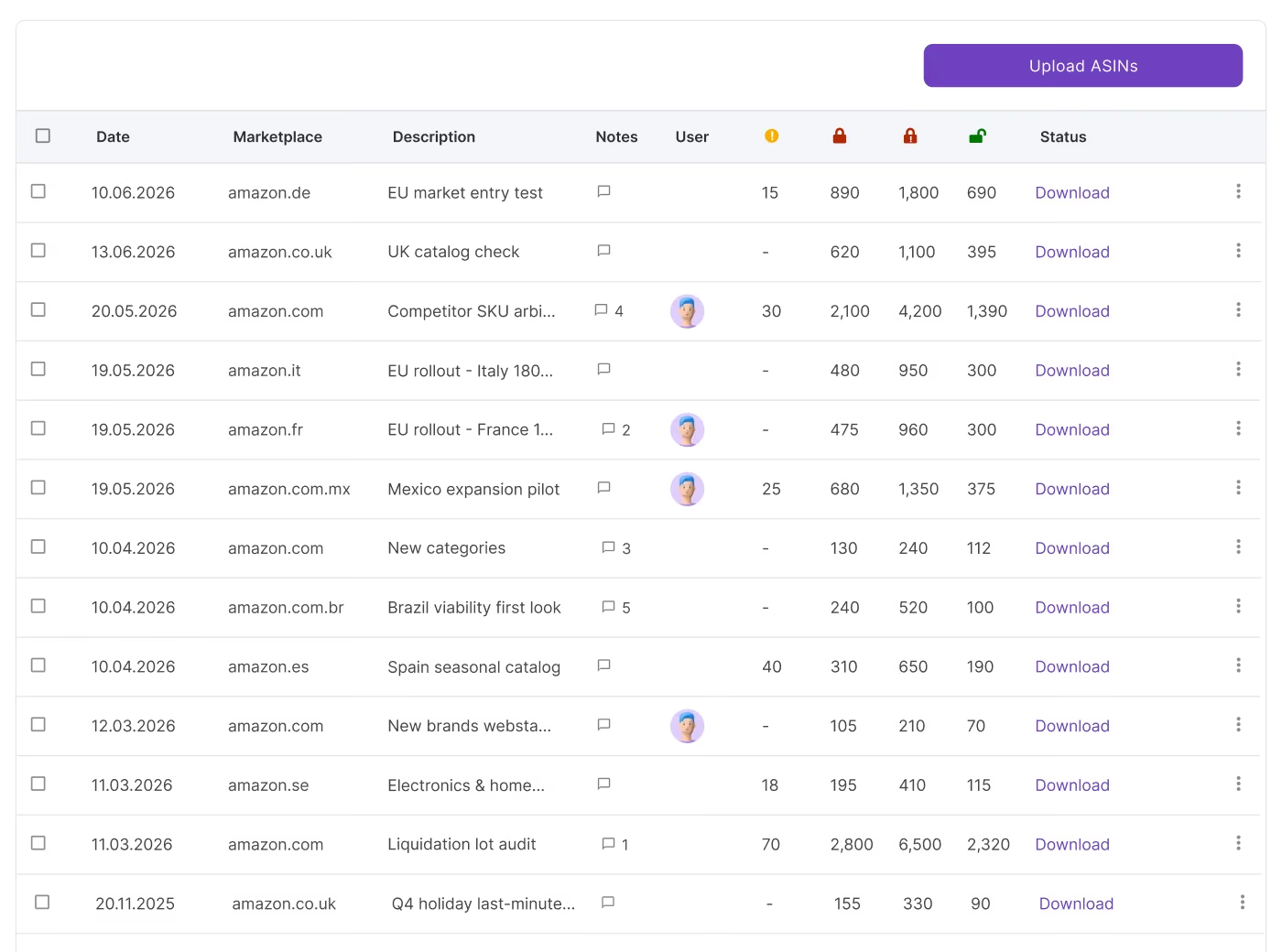
Every LOA request takes time, for you and for the brand, so it’s worth asking only the brands that are actually gated on your account and that you plan to stock. Bulk Restriction Checker is Seller Assistant’s tool for checking Amazon selling restrictions on up to 20,000 ASINs at once.
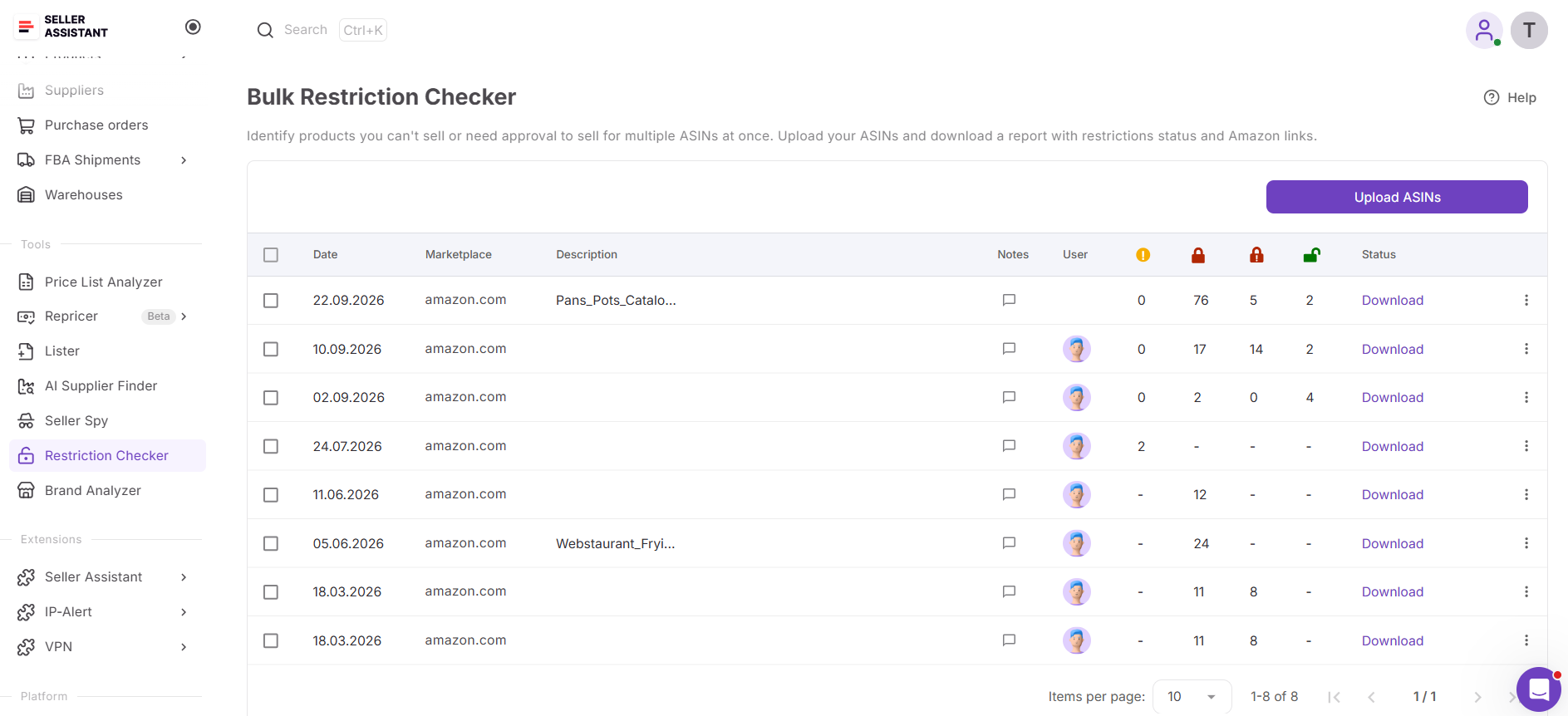
It checks each ASIN against your own seller account and marketplace, shows which products you can sell, which need approval and which are blocked, and links every gated ASIN straight to its approval page in Seller Central.
What you can do with Bulk Restriction Checker
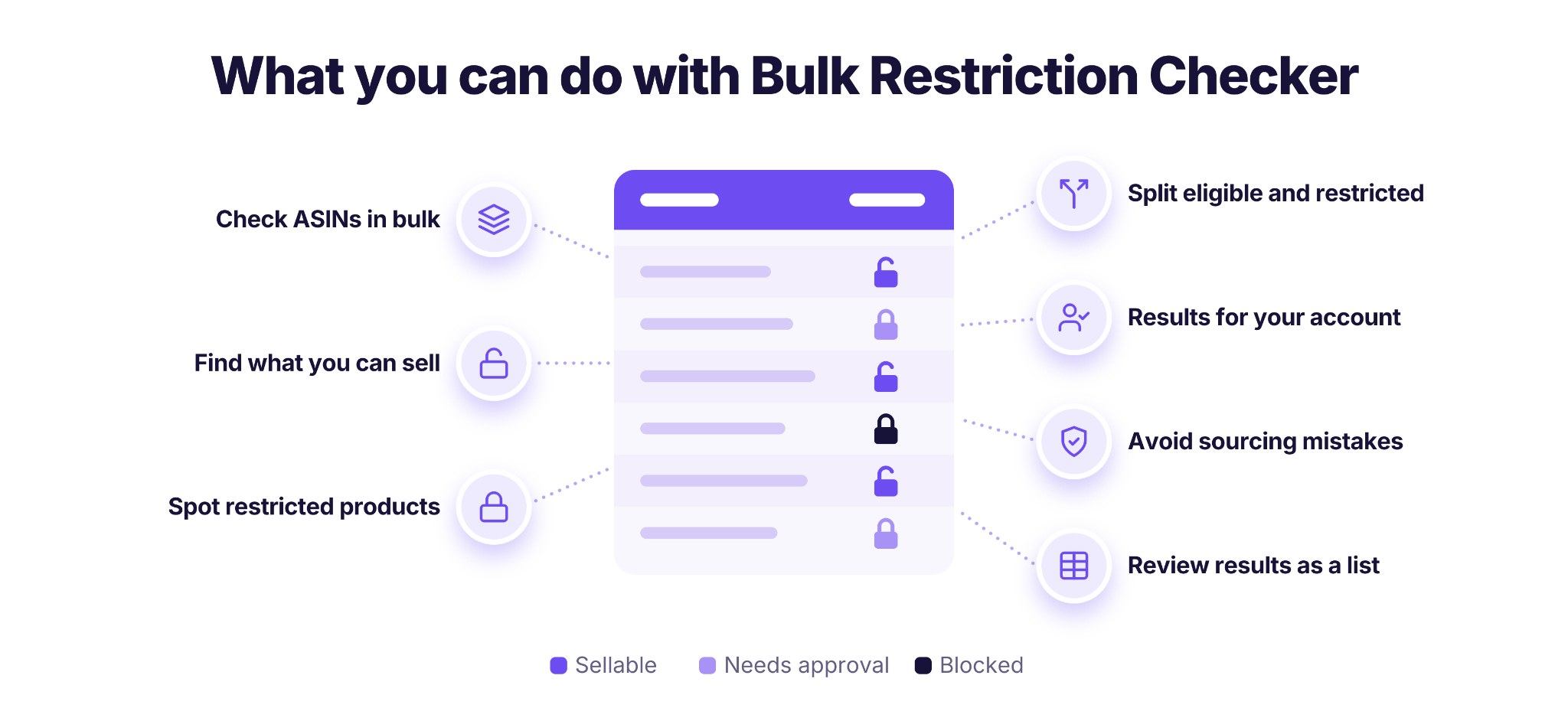
- Check multiple ASINs together
Review selling restrictions across a product list without manually checking every listing.
- Identify products you can sell
Find ASINs that are available for sale through your connected Amazon seller account.
- Spot restricted products and brands
See which items require approval before you can list them on Amazon.
- Separate eligible and restricted products
Use restriction results to narrow your sourcing list before spending time on further product research.
- Check restrictions for your seller account
Evaluate selling eligibility based on your connected Amazon account. A product that’s open to one seller can be gated for another.
- Reduce sourcing mistakes
Identify potential approval requirements before ordering inventory that you may not be authorized to sell.
- Go straight to the approval page
Open the Seller Central application for each gated ASIN from the results.
Steps to Use Bulk Restriction Checker in 5
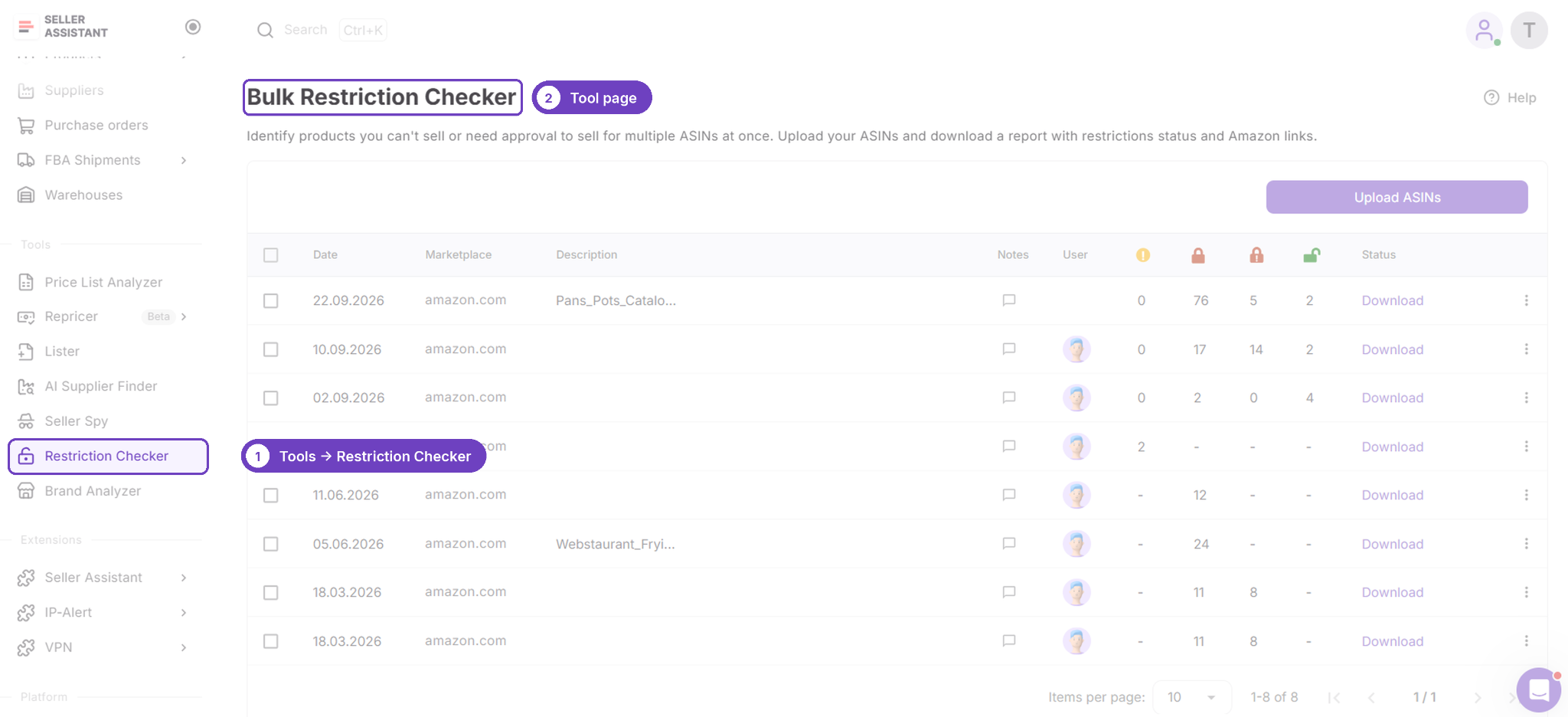
Step 1. Open Bulk Restriction Checker
Sign in to your Seller Assistant account and open Bulk Restriction Checker from the available tools. Make sure your Amazon seller account is connected so the tool can check selling eligibility.
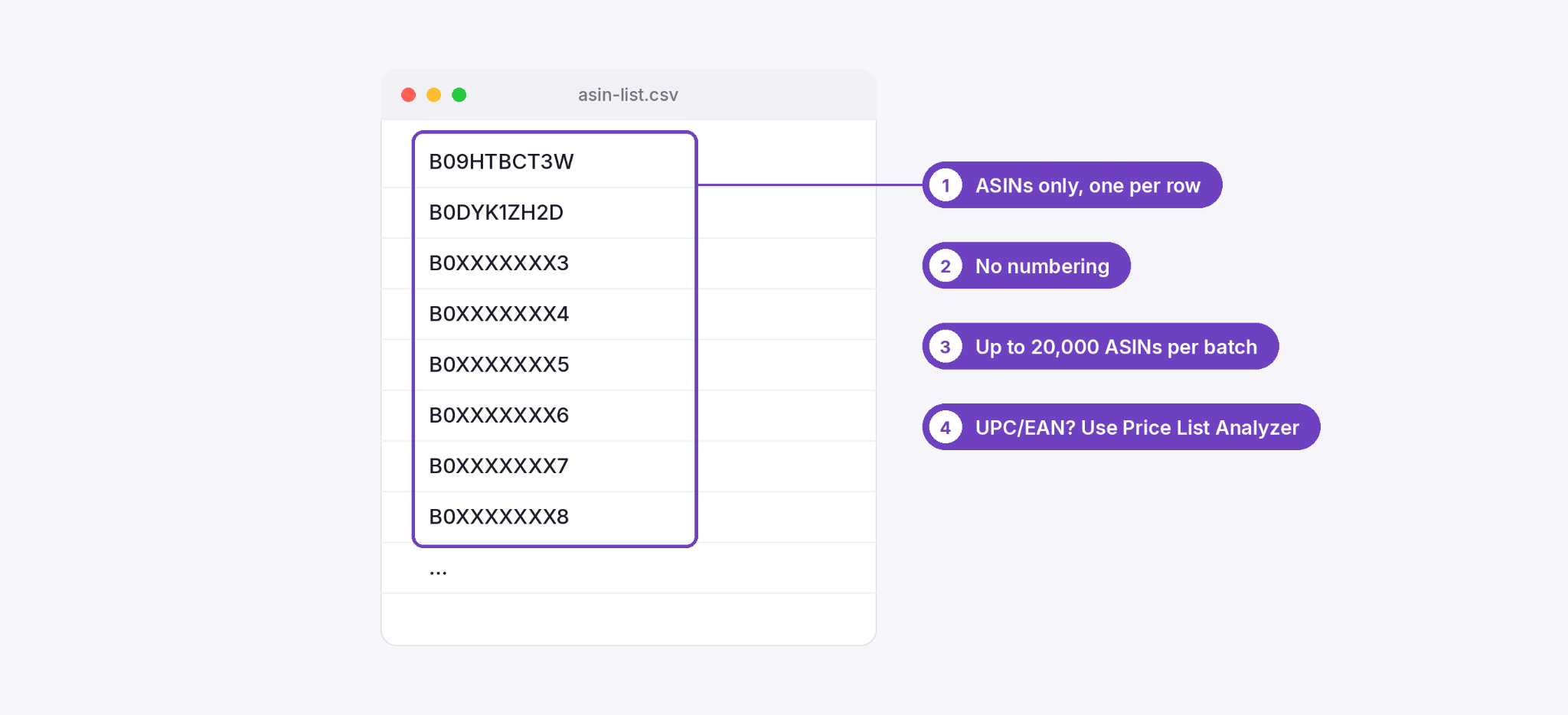
Step 2. Prepare your ASIN list
Collect the Amazon ASINs you want to check, such as products from a supplier catalog or a wholesale sourcing shortlist. Verify that the identifiers correspond to the products you intend to sell.
Step 3. Upload the product list
Upload the file containing the Amazon ASINs you want to check and start the bulk restriction check. Seller Assistant processes the products together so you can review their selling eligibility.
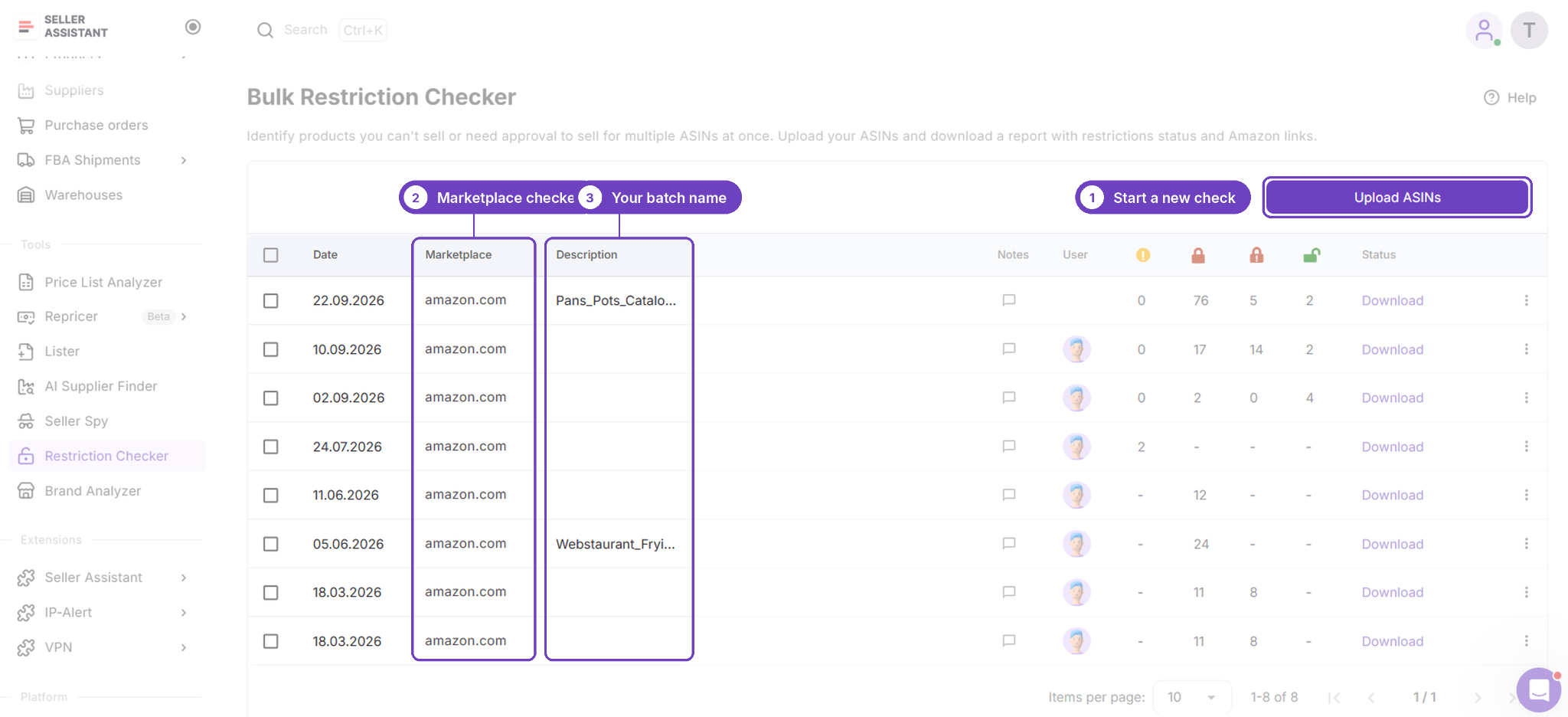
Step 4. Review selling eligibility
Check the results to identify products you can sell and those that require approval or further investigation. Prioritize eligible products and review restricted ASINs before making purchasing decisions.
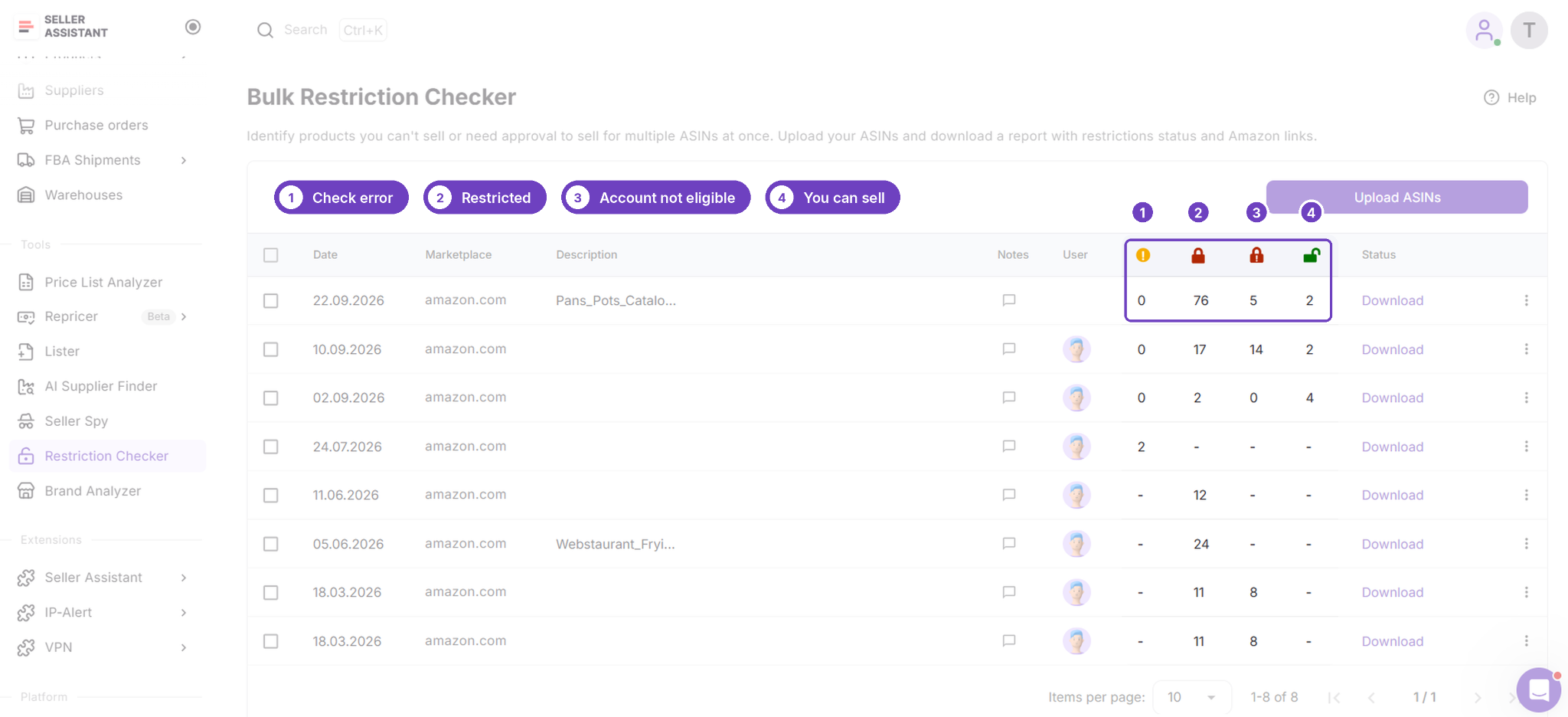
Step 5. Use the results to refine your sourcing list
Remove products you cannot currently sell or investigate the approval requirements for restricted items. Continue evaluating eligible products for profitability, sales demand, competition, and other sourcing risks before placing an order.
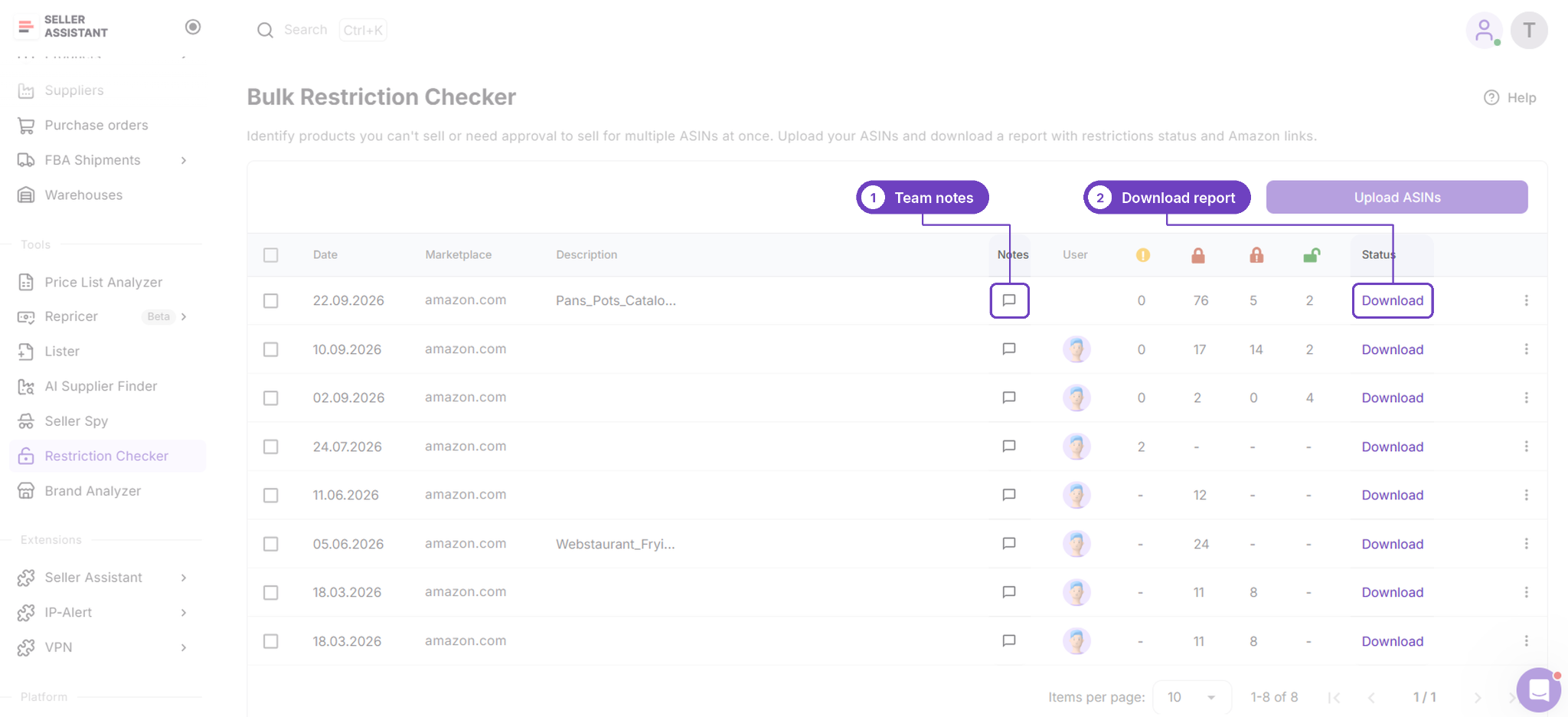
FAQ
How long does Amazon take to review a brand approval request?
Amazon usually confirms within 24 hours that it’s reviewing your request, and most reviews are finished within 3 business days. You can follow the progress under View Selling Applications in Seller Central.
What should I do if my brand approval request is rejected?
Check the application in View Selling Applications, then compare your document line by line with Amazon’s requirements, especially the date, your business name and address, and the supplier or brand details. Once the problem is fixed, apply again, or switch to the other route: an invoice instead of an LOA, or the other way around.
Can online arbitrage sellers get approved for a gated brand?
Approval is harder for online arbitrage sellers, because receipts from retail stores and online shops aren’t accepted for brand approval. Online arbitrage sellers usually need a distributor invoice or an LOA from the brand, so check restrictions before you buy stock you can’t list.
Is brand approval the same as Amazon Brand Registry?
Brand approval and Brand Registry are different programs. Brand Registry is Amazon’s service for brand owners to manage and protect their brands, with roles such as rights owner and brand representative. Resellers don’t need Brand Registry to sell a brand’s products. They need brand approval for gated brands.
Is a letter of authorisation for Amazon UK the same document?
It’s the same type of document; “authorisation” is just the UK spelling. Requirements can differ between marketplaces, so check the current rules in your Seller Central for the marketplace where you’re applying.
Final Thoughts
An Amazon letter of authorization is one of two ways to get approval for a gated brand on existing listings. The other is a qualifying invoice from a manufacturer or distributor. For most resellers, the right document is whichever one you can get first and that meets every requirement.
- Know which LOA you need
Brand approval needs a letter from the brand. A trademark complaint needs a license-style LOA from the rights owner, with the five license terms.
- Match every detail
Your business name and address must match your seller account, and the letter or invoice must be dated within the last 180 days.
- Make it easy for the brand
Send a pre-filled template, so the brand only needs to check it, put it on a letterhead and sign.
- Use the invoice route when the brand says no
A recent invoice from an authorized distributor is an equally valid option.
- Never edit or reuse documents
Amazon may contact the brand or supplier to verify them.
A letter of authorization takes time for Amazon sellers and brands alike, so check which brands are actually gated on your account before you ask. Bulk Restriction Checker checks up to 20,000 ASINs against your seller account and links every gated product to its approval page. Start a free trial to check your next sourcing list.