Know Your Real Profit on Every Product, Brand, and Supplier
Sales, Amazon fees, refunds, ads, and the costs from your purchase orders in one P&L. See the profit you actually made, then compare it with the profit you expected when you bought.
14-day risk-free trial. Cancel anytime.


From Connected Orders to a Period You Can Read
Connect the seller account, give every unit a product cost, then read the period you pick.
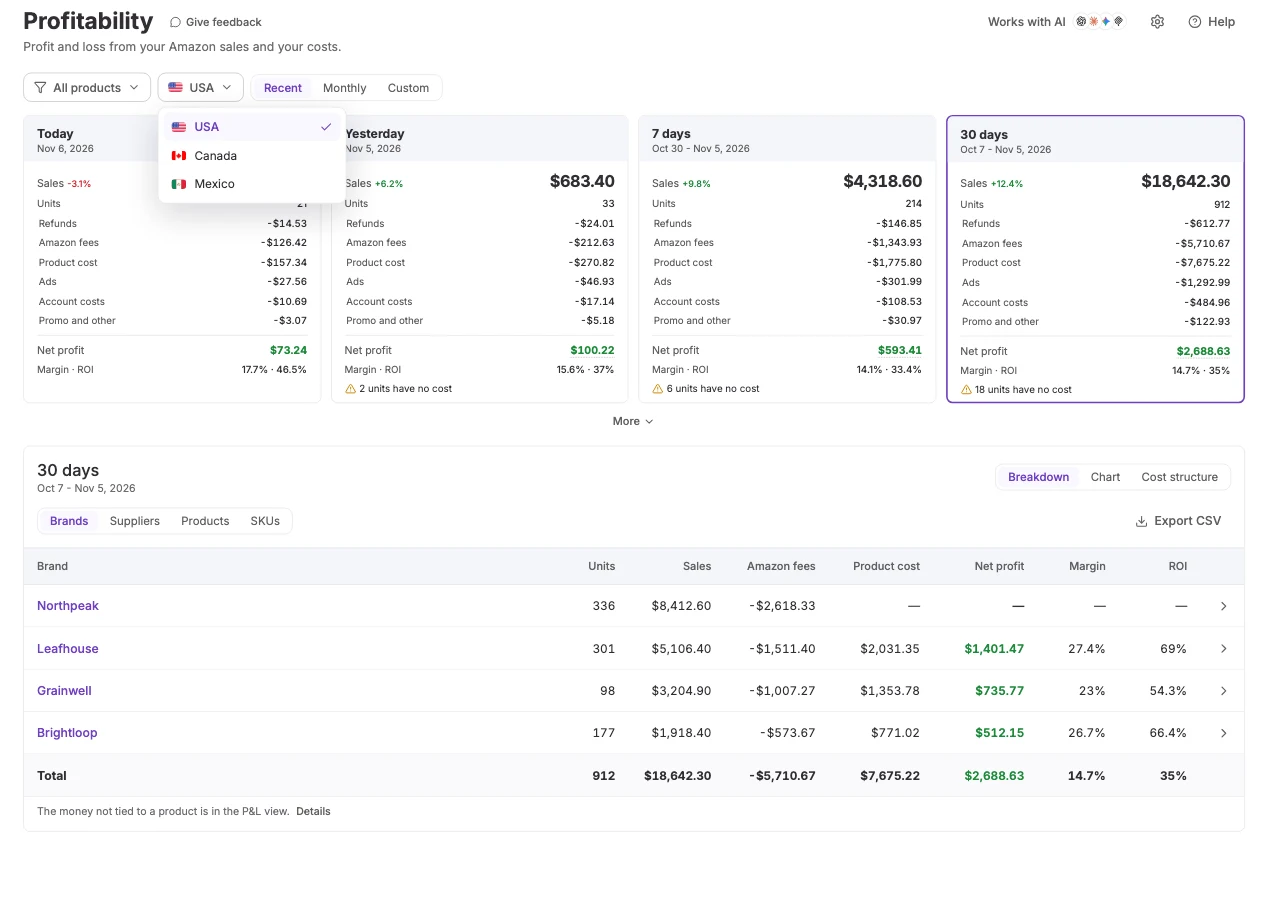
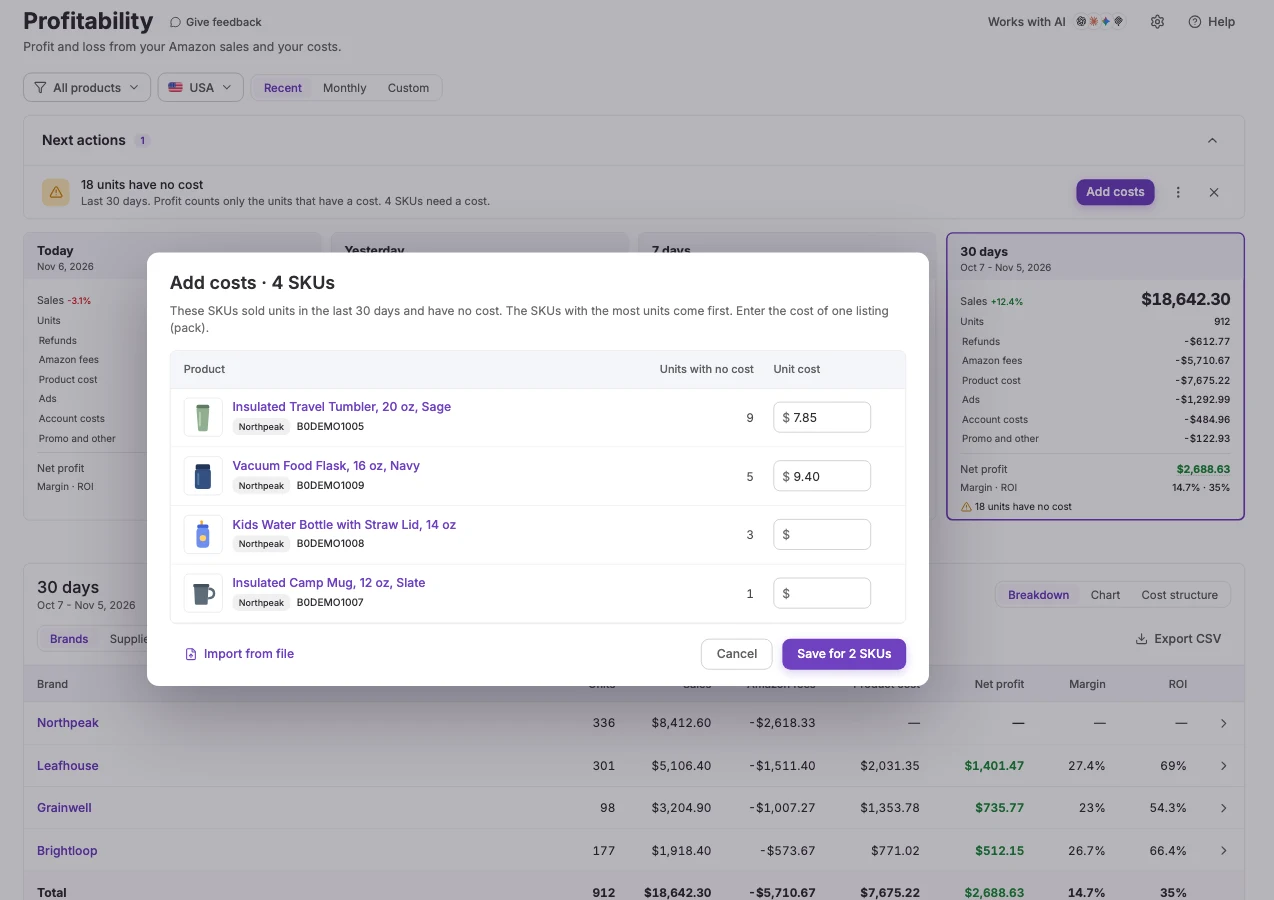
Your Amazon Profit Dashboard: Cards, P&L, and Payouts
The same lines run through every view. Scope the page to suppliers, brands, products, or SKUs.
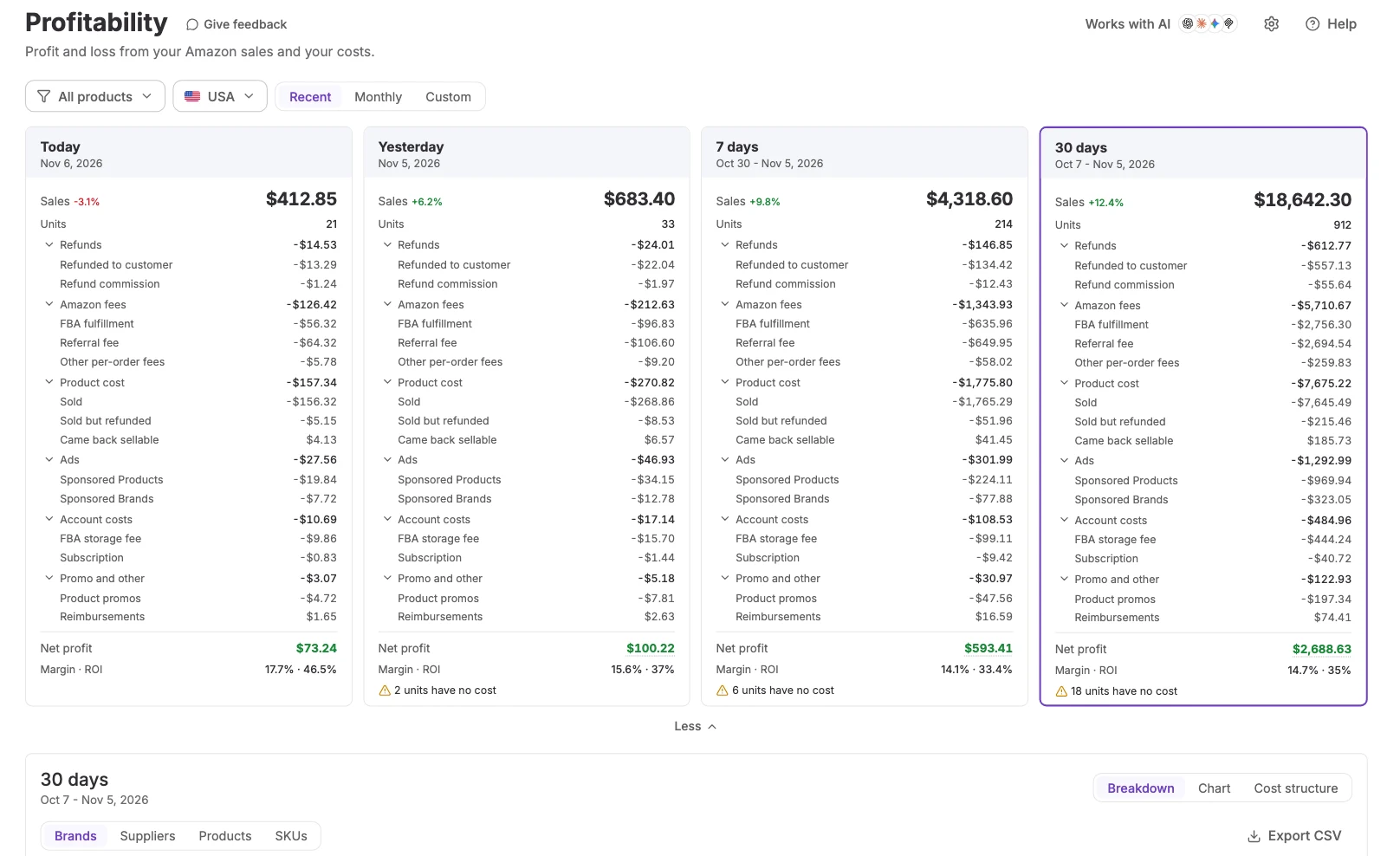
Every period on one card
Each card is one period: Sales, Units, Refunds, Amazon fees, Product cost, Ads, Account costs, and Promo and other. The lines add up to Net profit, with margin and ROI. More opens the parts of each line, such as FBA fulfillment and the referral fee.
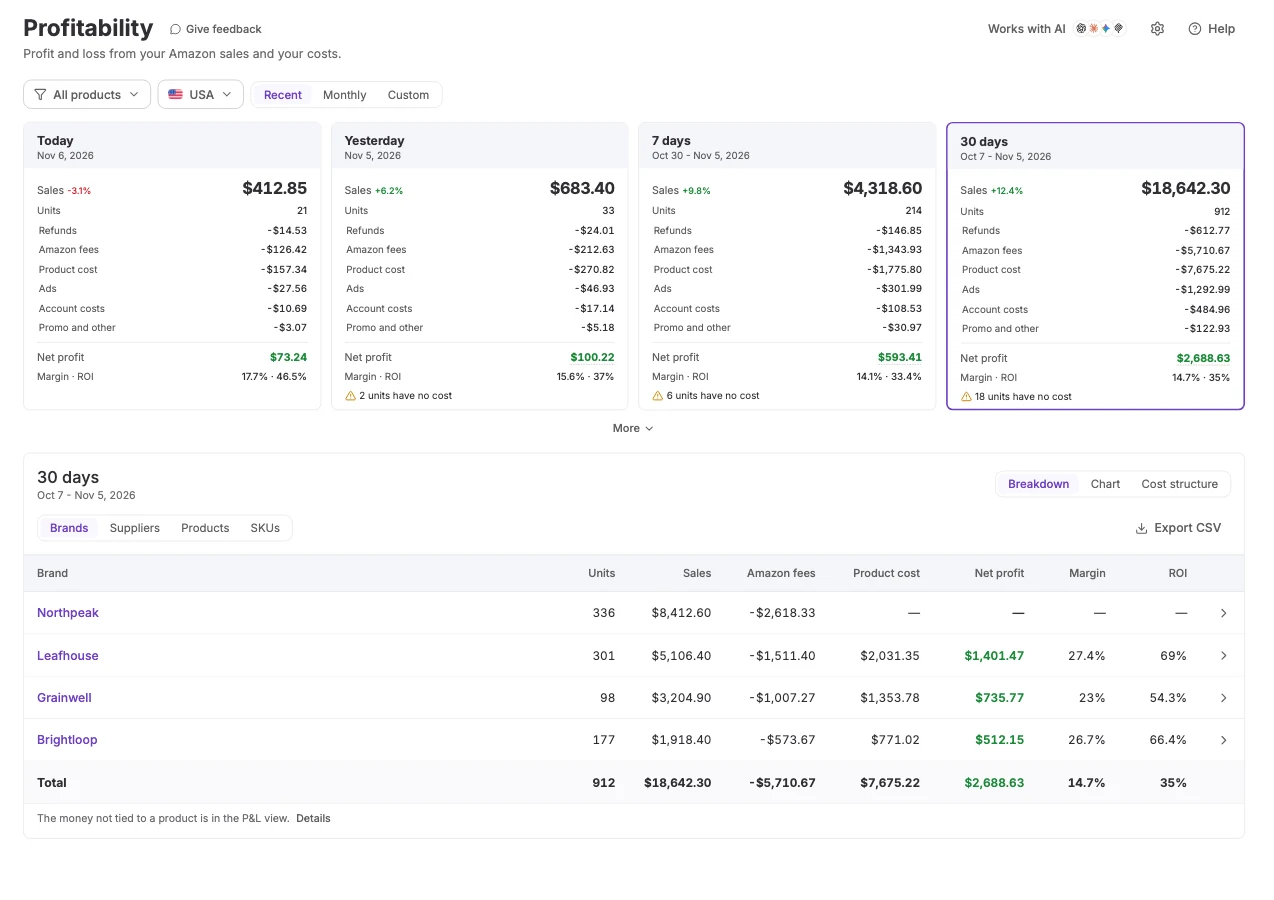
Know which products, brands, and suppliers actually make you money
Group any period by brand, supplier, product, or SKU and compare the profit each one made, so you can see which ones earn money and which ones lose it.
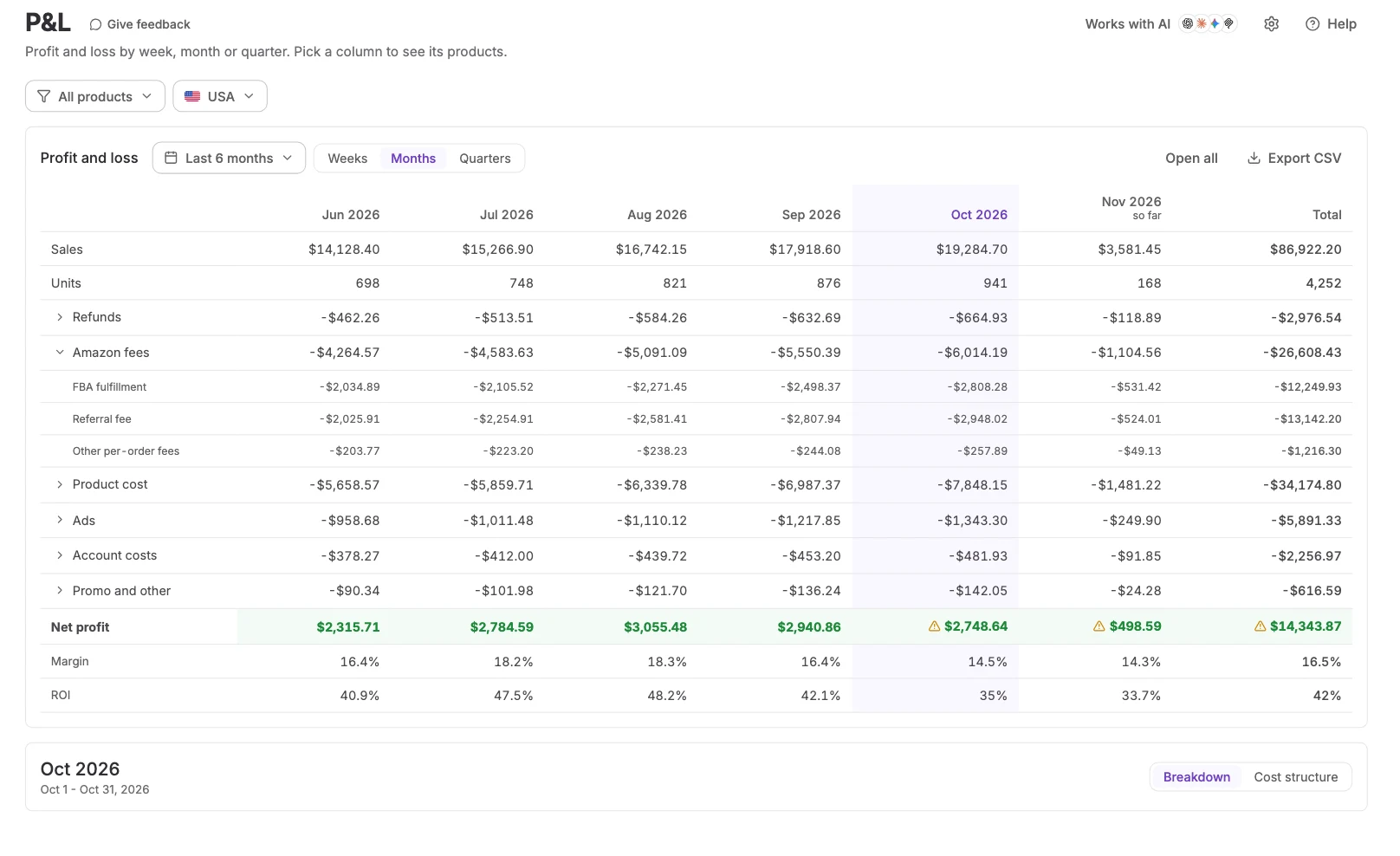
Amazon P&L by week, month, or quarter
Periods sit in columns, with a Total column. The lines match the cards. Open a line, or open all of them. A click on a column header uses that period in the table below.
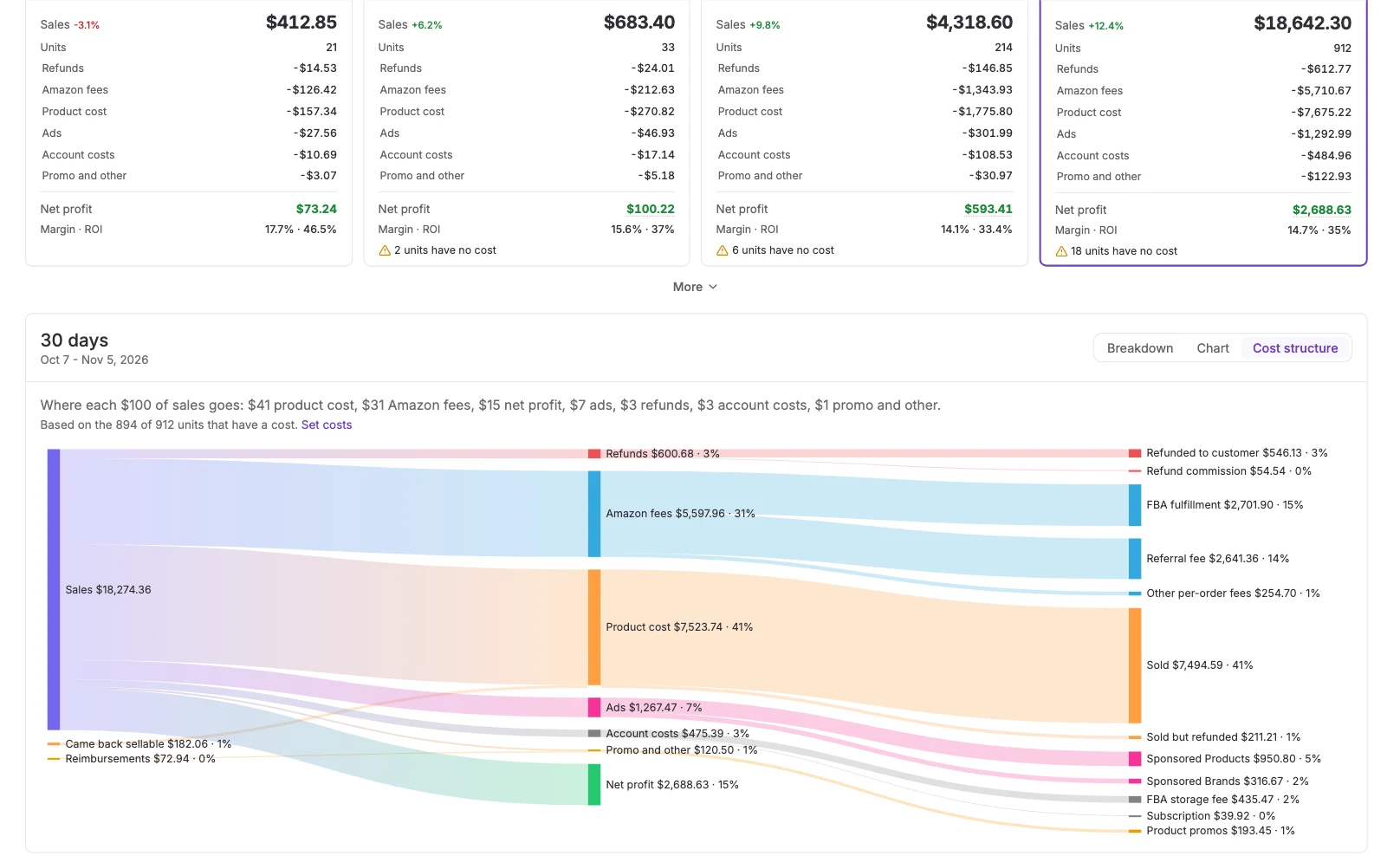
Where your sales go
The share of sales that goes to product cost, Amazon fees, refunds, ads, account costs, and profit. When some units have no cost, the view uses the units that have a cost and says how many.
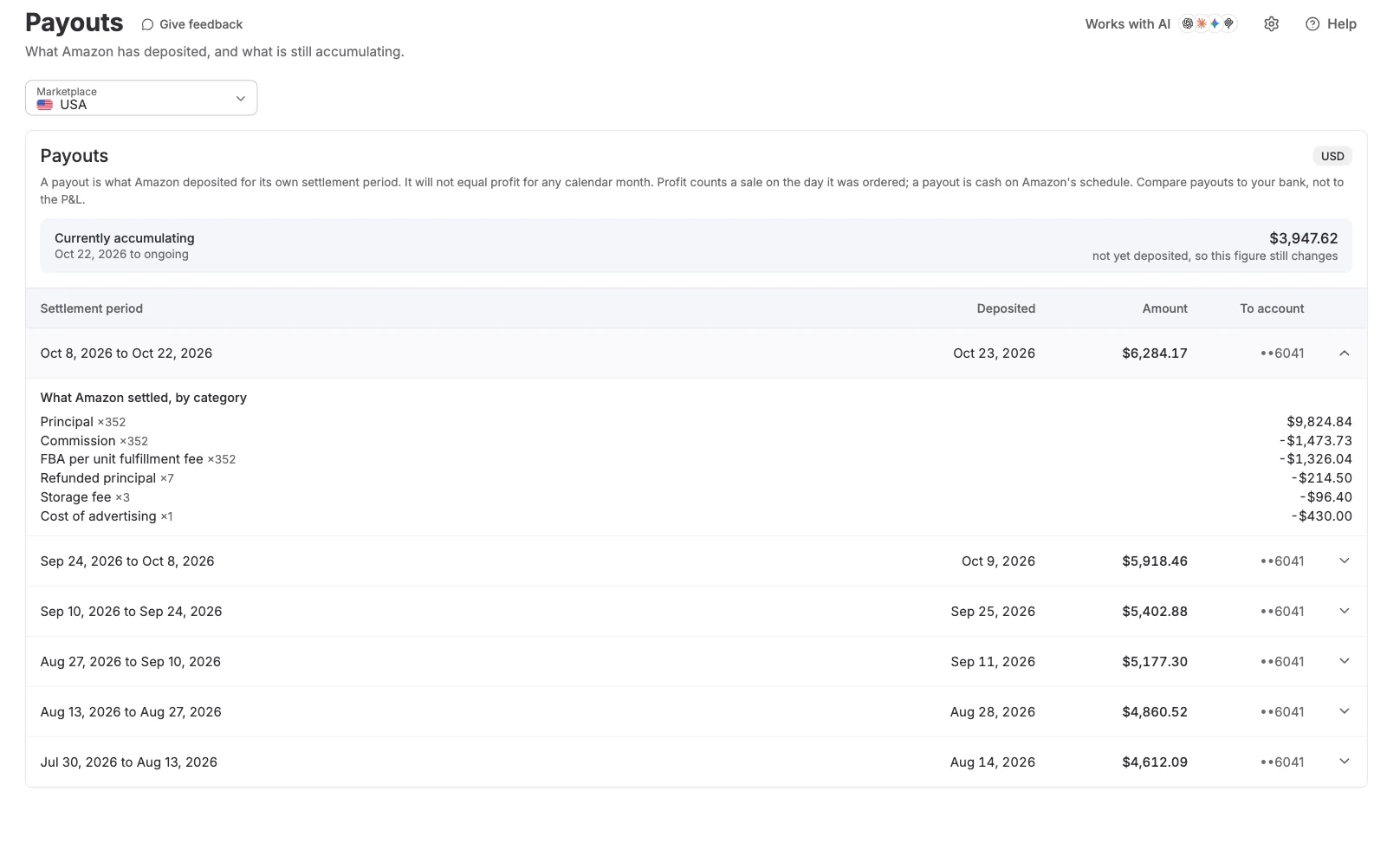
Cash deposits, matched to Amazon settlements
Each settlement shows its period, deposit date, and total, with the lines that make up the deposit, including any amount Amazon is holding. Payouts are cash, so they follow Amazon's own settlement dates.
Everything Profitability reads and shows
The details that matter when you're reading a period.
Period cards
Sales, units, refunds, Amazon fees, product cost, ads, and account costs add up to net profit.
Margin and ROI
Net profit comes with margin and ROI on every card.
Breakdown table
Group any period by brand, supplier, product, or SKU.
Scope filters
Limit the page to suppliers, brands, products, or SKUs.
One marketplace at a time
Each marketplace keeps its own currency. No mixed totals.
Settings
Refund timing, inbound fees, and VAT change how figures are counted.
CSV export
Export the table or the P&L as a CSV file.
Works with AI
Ask Claude or ChatGPT about profit and payouts. MCP is on Business and higher.
Expected Profit Starts Before the Order
The estimate you made while sourcing and the profit the business realized use the same product costs.
Expected FBA and FBM profit on a supplier file, before you buy.
Expected profit and ROI on the order, from the same unit costs.
The product costs Profitability reads. Import or edit them here.
Price floors from the landed cost already stored on each SKU.
Frequently Asked Questions
Visit Help CenterWhat does Profitability show?
Is Profitability an accounting statement?
Does a payout equal the profit for those dates?
What if some units have no product cost?
Can I ask an AI client about profit and payouts?
Which settings change the figures?
See Where Your Profit Comes From
Connect your Amazon account and read your first period. Start with a 14-day trial.
Get Started