

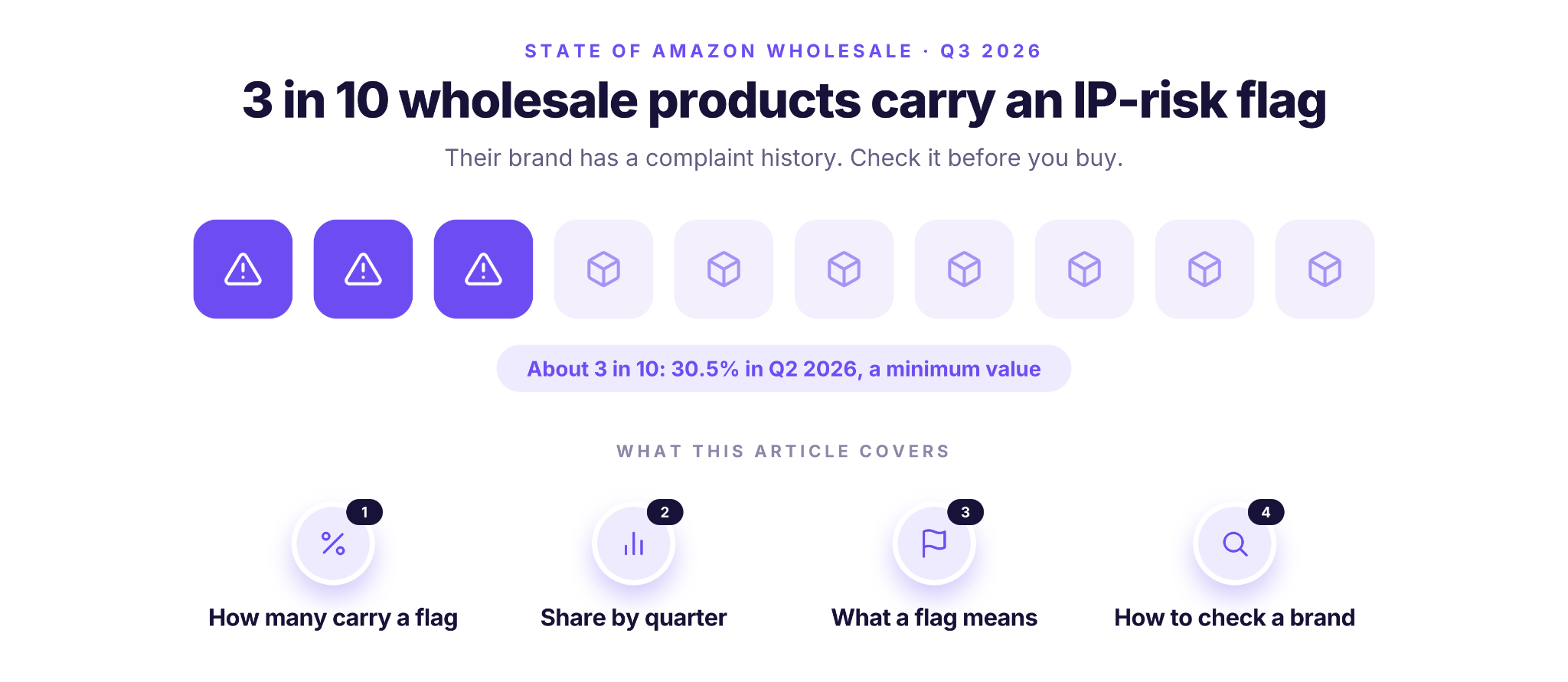
About 3 in 10 products in the supplier price lists that wholesale sellers scan come from a brand with an IP-risk flag. According to Seller Assistant’s State of Amazon Wholesale (Q3 2026), the share was 30.5% in Q2 2026, and it is a minimum value. Check the brand before you buy.
These Amazon IP complaint statistics come from the State of Amazon Wholesale report, based on supplier price lists that wholesale sellers uploaded and scanned in Seller Assistant between July 2025 and June 2026.
Methodology
| Item | Value |
|---|---|
| Source | Seller Assistant, State of Amazon Wholesale, Q3 2026, chapter 9 (IP risk) |
| Sample | Supplier price list rows that wholesale sellers uploaded and scanned in Seller Assistant. The full report covers 13.5 million supplier lines from 782 verified wholesale sellers |
| Period and marketplace | 2025-Q3 to 2026-Q2 (July 2025 to June 2026), Amazon.com (US) |
| Rows without a category | About a quarter of scanned rows have no category and are not in the category table |
| Definition | An IP-risk flag means that the brand has a complaint history in the shared complaint pool: IP claims, authenticity, condition or policy records |
| Why it is a minimum | Some rows were not checked for the flag, and they count as not flagged. So the true share is the same or higher |
| How to read the quarters | The complaint pool only grows, so a higher share can come partly from a larger pool. Read the quarters as a level |
| Exclusions | Demo, test and staff accounts. No statistic is based on fewer than 5 sellers |
How Many Wholesale Products Carry An IP-Risk Flag?
About 3 in 10 products that wholesale sellers scan come from a brand with an IP-risk flag, and the share stayed between 26% and 33% in each of the four quarters measured. That makes Amazon wholesale IP risk a routine check, not a rare event.
Key stats
- According to Seller Assistant’s State of Amazon Wholesale (Q3 2026), about 3 in 10 products in wholesale supplier price lists come from a brand with an IP-risk flag.
- According to Seller Assistant’s State of Amazon Wholesale (Q3 2026), 30.5% of scanned supplier rows had an IP-risk flag in Q2 2026, and this is a minimum value.
What the flag covers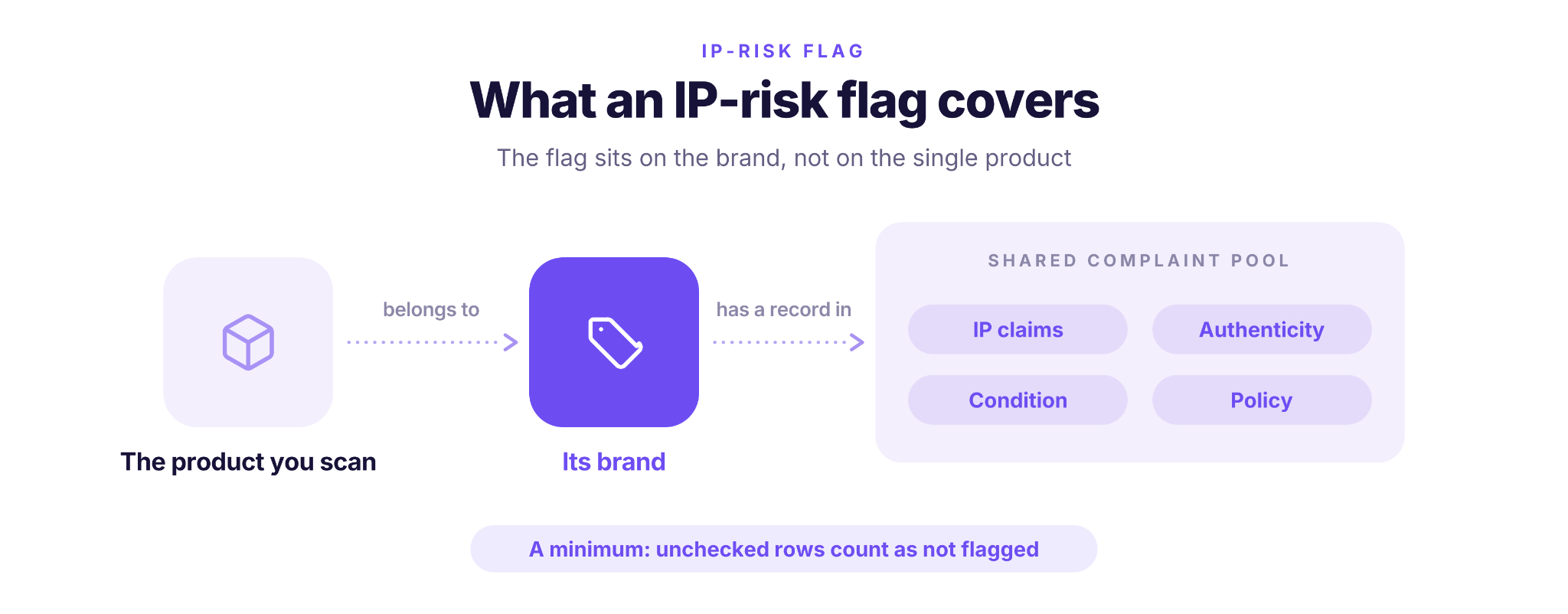
- The flag applies to the brand. A product gets it when its brand has a complaint history, even if that product never received a complaint itself.
- More than IP claims. Authenticity, condition and policy records count too.
- A minimum. Rows that weren’t checked count as not flagged, so the true share is the same or higher.
The IP-Risk Share by Quarter
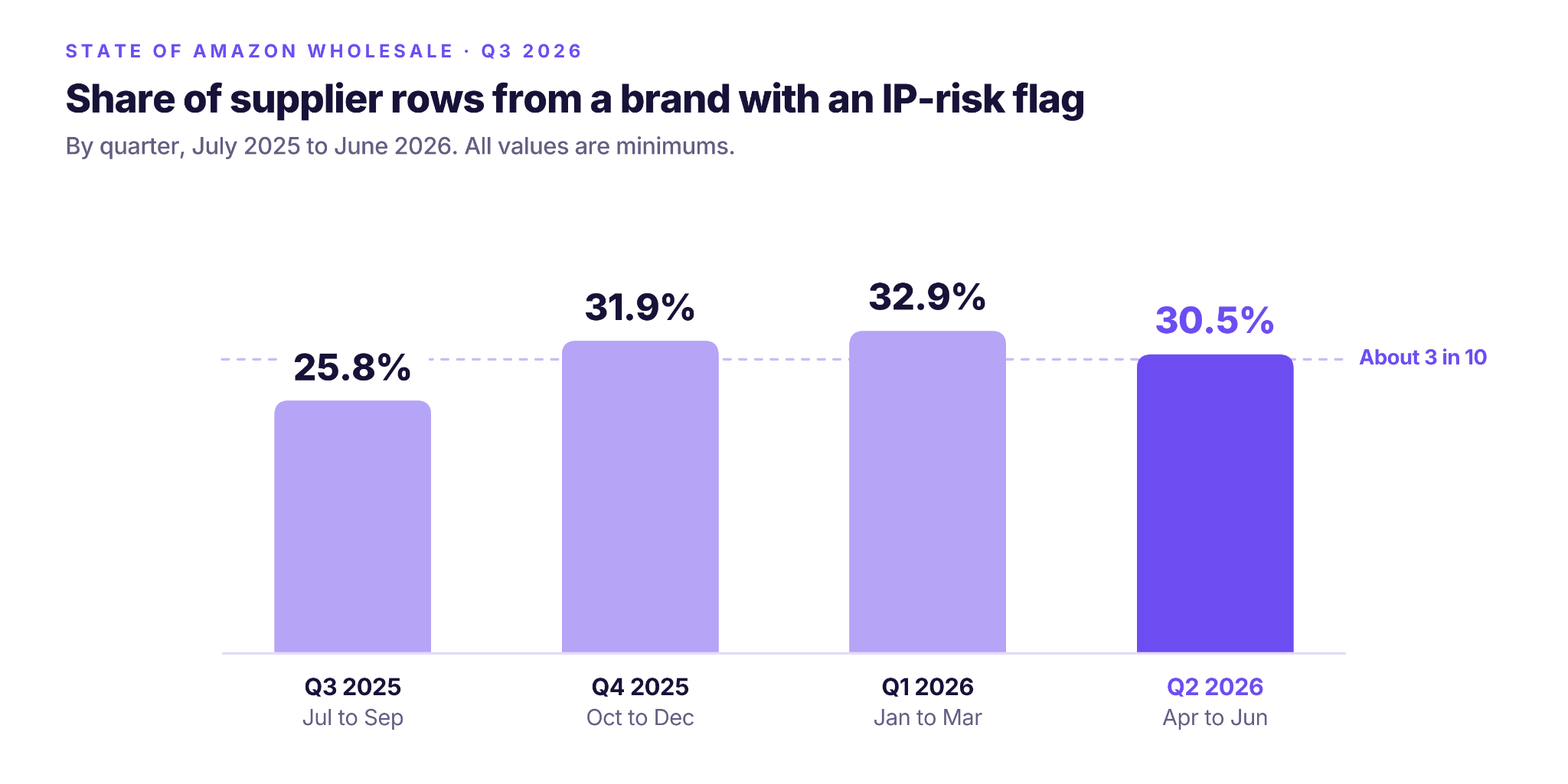
The share of flagged rows was measured in each of four quarters, from July 2025 to June 2026:
| Quarter | Scanned Rows | Flagged | Share Flagged (Minimum) |
|---|---|---|---|
| 2025-Q3 | 3,167,871 | 816,874 | 25.8% |
| 2025-Q4 | 3,097,319 | 988,608 | 31.9% |
| 2026-Q1 | 6,216,210 | 2,046,615 | 32.9% |
| 2026-Q2 | 6,282,895 | 1,916,046 | 30.5% |
Why this is a level, not a trend
The share moved from 25.8% to 32.9% and back to 30.5%. Because the complaint pool only grows, part of any rise can come from a larger pool, so the quarterly changes don’t show whether IP risk is rising or falling. Read the four quarters together as a level of 26% to 33%, about 3 in 10 products overall.
Which Categories Carry the Most IP Risk
IP risk isn’t spread evenly across categories. According to Seller Assistant’s State of Amazon Wholesale (Q3 2026), Office Products (46.9%) and Beauty & Personal Care (46.3%) had the highest IP-risk share among large categories, and Books had the lowest (3.8%).
| Category | Scanned Rows | Flagged | Share Flagged (Minimum) |
|---|---|---|---|
| Computers & Accessories | 23,872 | 19,314 | 80.9% |
| Office Products | 1,095,480 | 513,515 | 46.9% |
| Beauty & Personal Care | 1,559,043 | 721,286 | 46.3% |
| Health & Household | 1,321,335 | 543,826 | 41.2% |
| Baby | 86,308 | 34,176 | 39.6% |
| Toys & Games | 697,340 | 274,450 | 39.4% |
| Pet Supplies | 934,763 | 358,323 | 38.3% |
| Grocery & Gourmet Food | 2,442,419 | 884,005 | 36.2% |
| Electronics | 138,007 | 46,694 | 33.8% |
| Tools & Home Improvement | 1,228,166 | 411,952 | 33.5% |
| Clothing, Shoes & Jewelry | 339,851 | 93,098 | 27.4% |
| Industrial & Scientific | 748,000 | 204,036 | 27.3% |
| Automotive | 195,980 | 52,533 | 26.8% |
| Patio, Lawn & Garden | 543,538 | 143,372 | 26.4% |
| Video Games | 73,741 | 18,909 | 25.6% |
| Home & Kitchen | 375,760 | 94,088 | 25.0% |
| Sports & Outdoors | 388,039 | 90,545 | 23.3% |
| Kitchen & Dining | 281,783 | 64,867 | 23.0% |
| Cell Phones & Accessories | 13,399 | 2,928 | 21.9% |
| Everything Else | 36,337 | 7,153 | 19.7% |
| Arts, Crafts & Sewing | 829,722 | 151,073 | 18.2% |
| Musical Instruments | 32,585 | 4,519 | 13.9% |
| Movies & TV | 10,718 | 1,466 | 13.7% |
| Books | 361,263 | 13,710 | 3.8% |
Shares are minimum values for July 2025 to June 2026. Only categories with 10,000 or more scanned rows are shown. Computers & Accessories is a small sample (about 24,000 rows from 127 sellers), so a few brands can drive its share.
What stands out
- Nearly half the rows are flagged in Office Products and Beauty & Personal Care, two of the largest categories in the sample.
- Grocery & Gourmet Food is the biggest category, with 2.4 million scanned rows, and its share (36.2%) is above the overall level of about 3 in 10.
- Books is the clear outlier at the low end, with 3.8% of rows flagged.
What an IP-Risk Flag Means for a Reseller
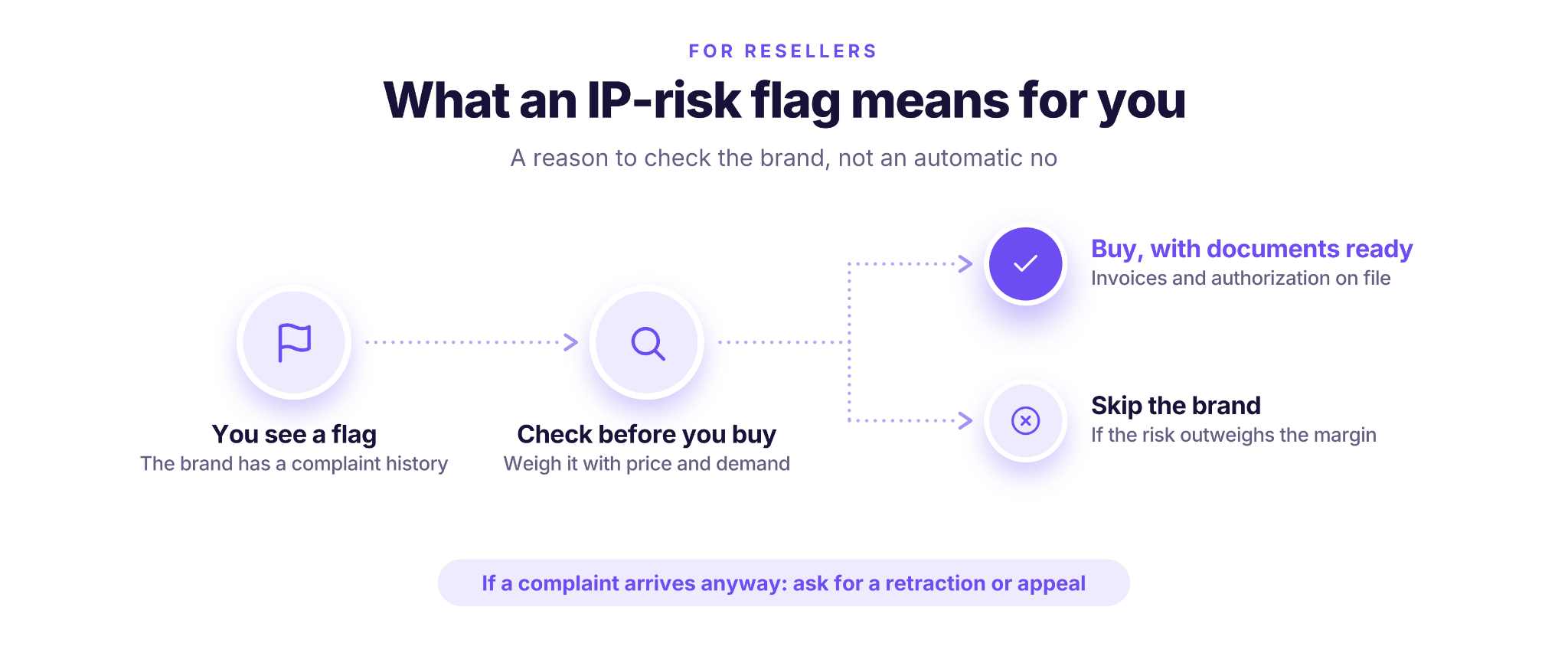
An IP-risk flag means the brand has a complaint history, so it deserves a closer look before you order. The report treats a flag as a reason to examine the brand more carefully.
Why the IP check matters
- A complaint can cost you the listing. When a rights owner files a complaint, Amazon usually removes the listing, and repeated complaints can put your account at risk. For the basics, see what an Amazon IP complaint is.
- THE risk sits with the brand. Past complaints show how actively a brand protects its listings, so weigh them alongside price and demand.
- You still have options after a complaint. If one arrives, here’s how to answer an IP infringement complaint.
How to Check a Brand Before You Buy
You can check a brand’s complaint history in two ways before you order: one product at a time with Seller Assistant’s free IP-Alert Lookup, or while you research on Amazon with IP-Alert® by Seller Assistant. Both show known complaints recorded by IP-Alert, with the type of complaint and when it was recorded, so you can decide whether a brand is worth the risk.
IP-Alert® by Seller Assistant
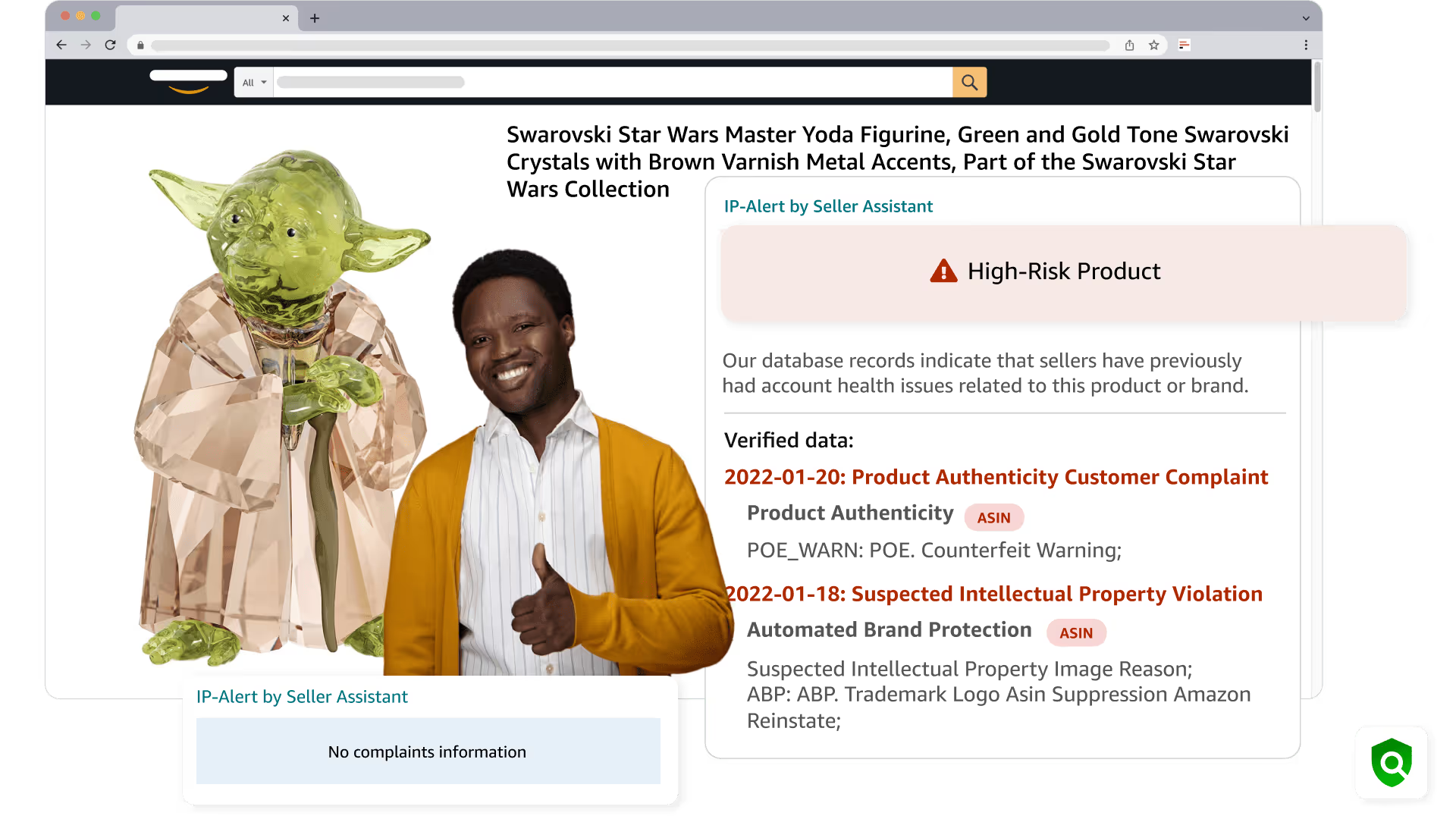
IP-Alert® is a browser extension that displays complaints brand owners have already filed, directly on the Amazon product page.
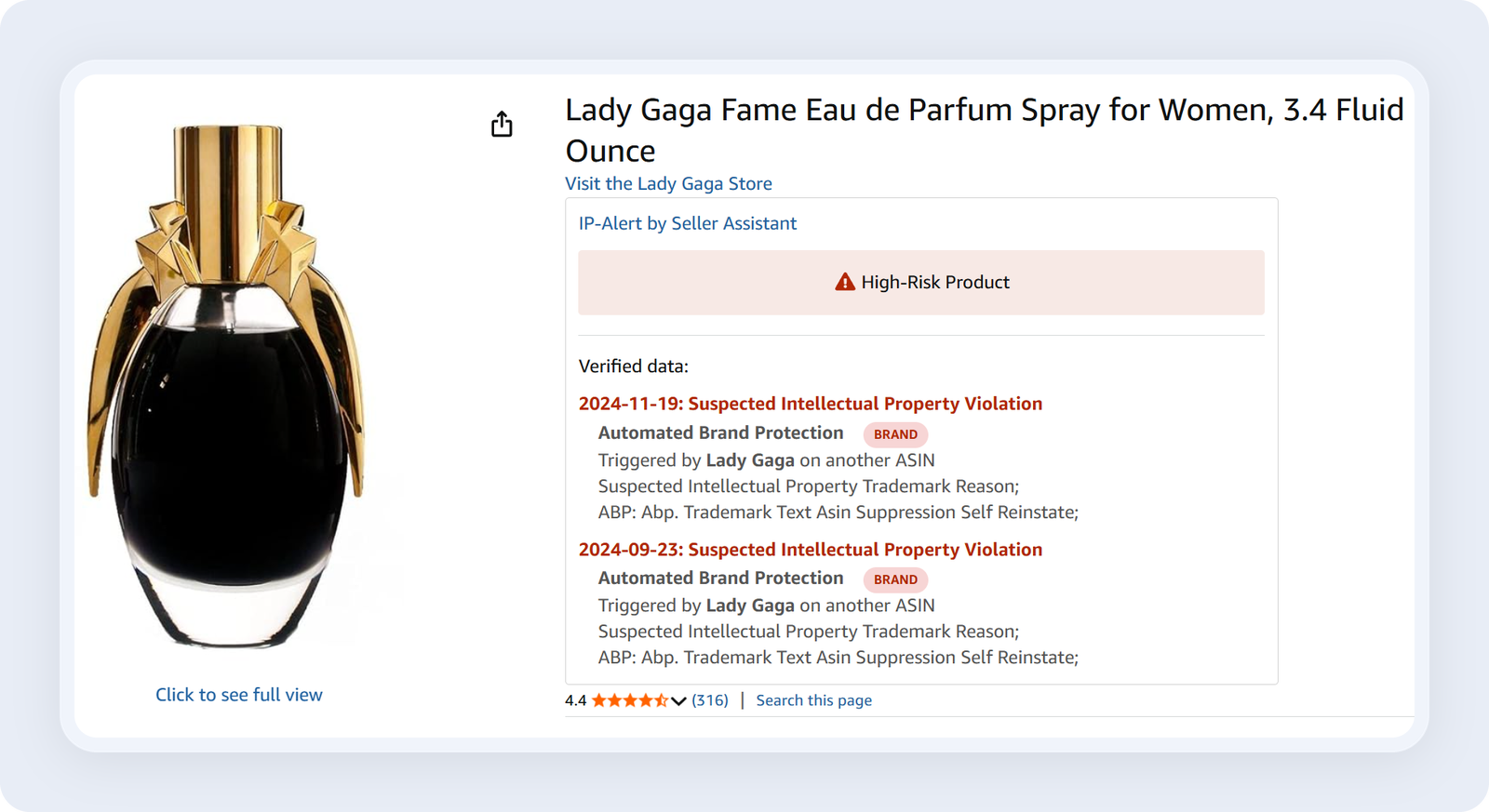
Its complaint data is gathered every day from the Account Health pages of Seller Assistant users, which lets you find out whether a brand has gone after other sellers before you make your first purchase.
What IP-Alert helps you do
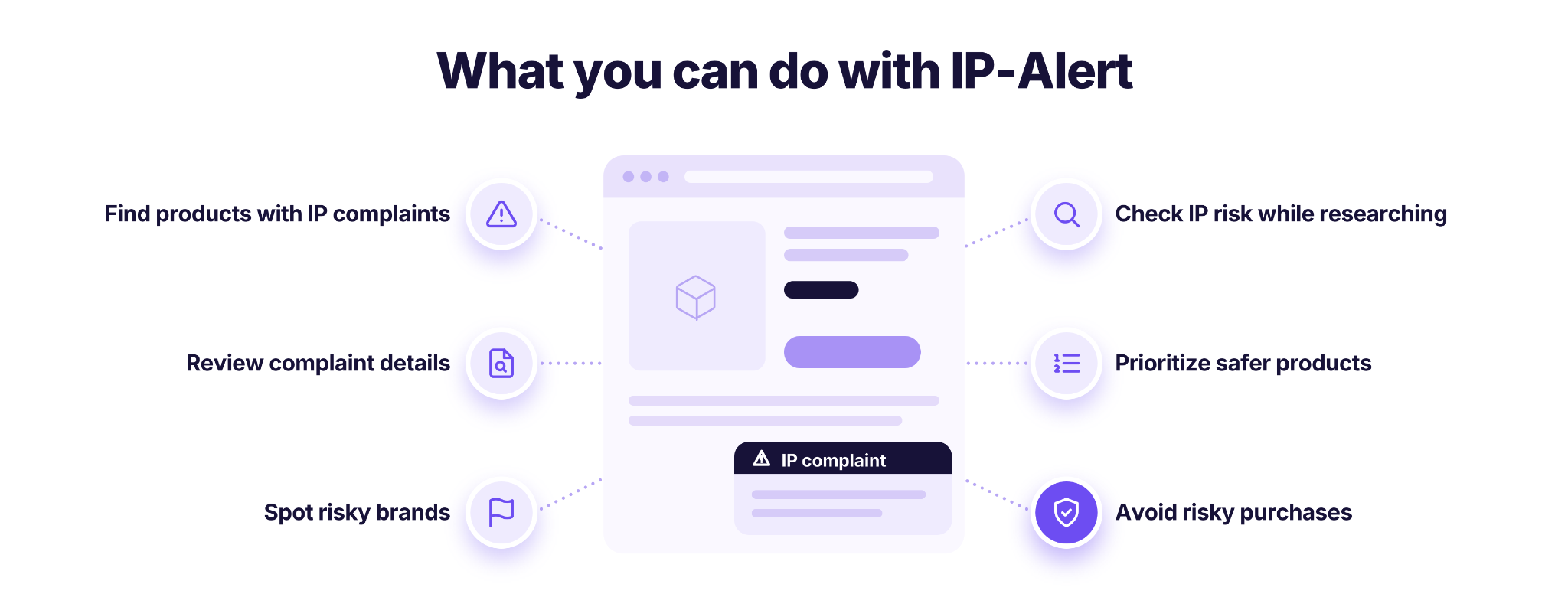
- Find products with reported IP complaints
View warnings tied to products or brands that have had IP-related problems before.
- Go through complaint information
See the details of each recorded complaint.
- Notice risky brands while sourcing
Spot brands that need a closer look before you buy products to resell.
- Check IP risk as you research
View IP-Alert warnings inside supported Seller Assistant product research tools, so you don’t have to check each product one by one.
- Put safer candidates first
Combine IP warnings with profit, demand, competition and selling eligibility data to decide which products are worth researching further.
- Cut down on avoidable buying risk
Look into possible IP concerns before you spend money on inventory that might expose your account to complaints.
How to use IP-Alert
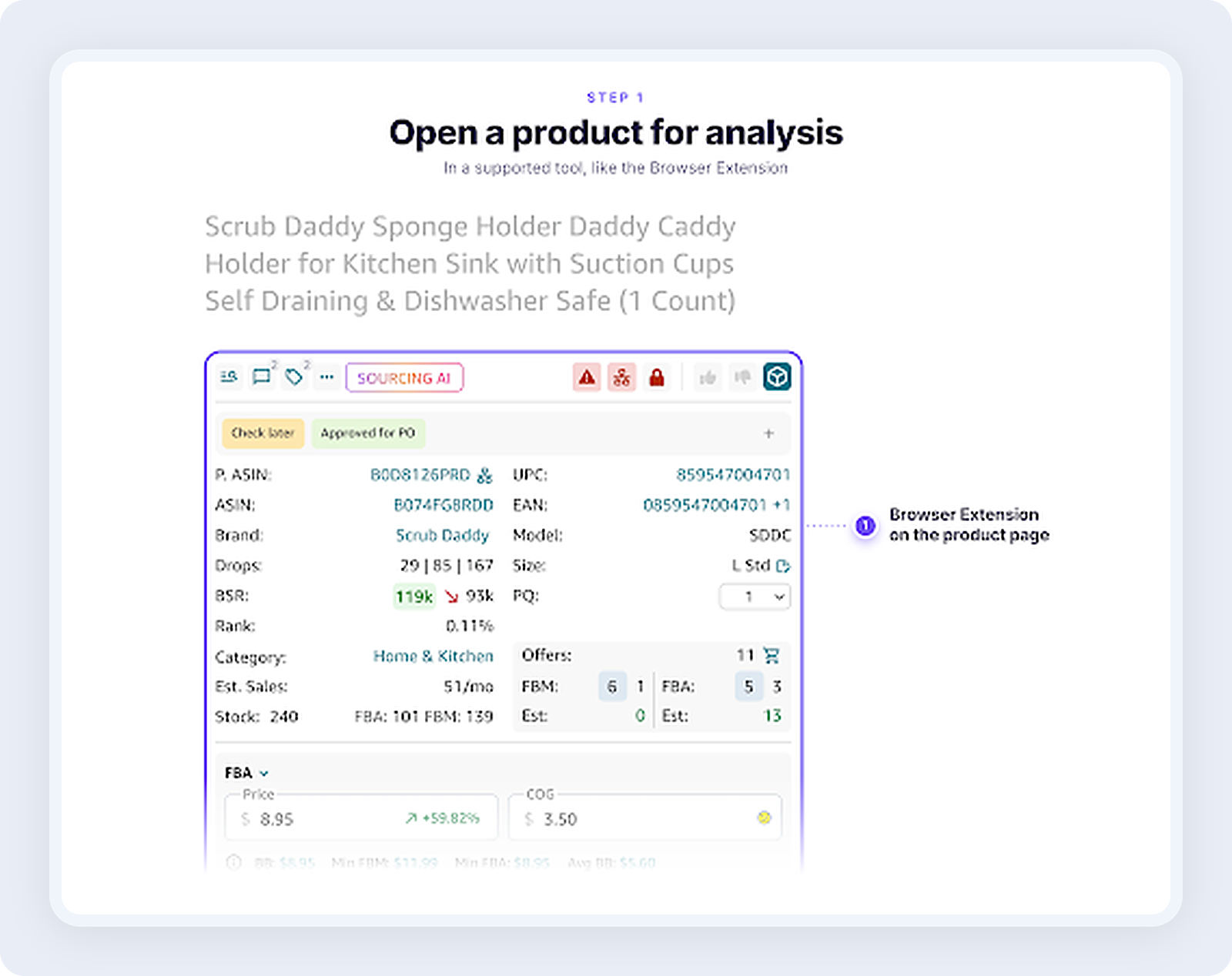
Step 1. Pull up a product to analyze
Log in to Seller Assistant and open a product in a supported research tool, for example the Seller Assistant Extension on an Amazon product page.
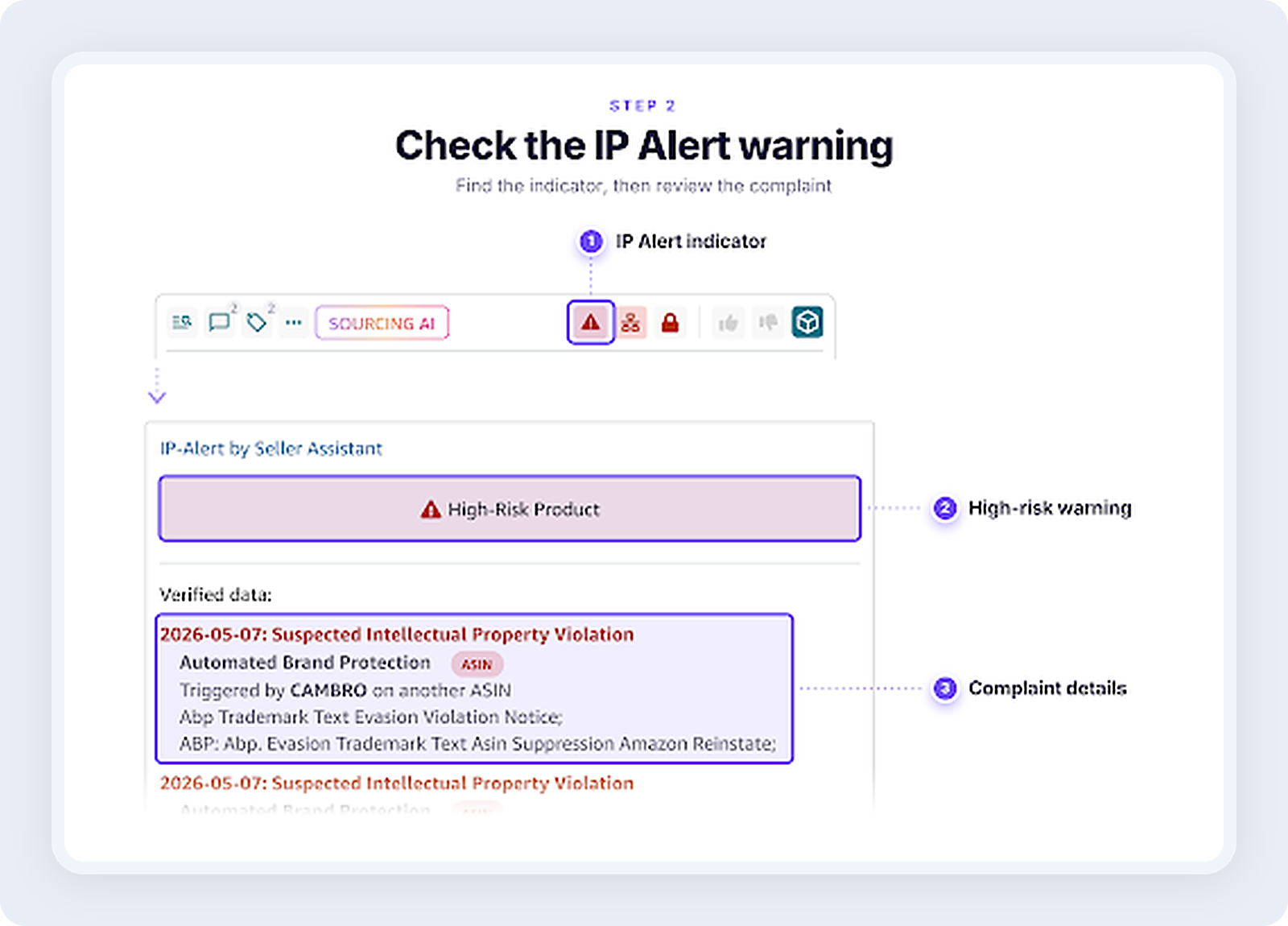
Step 2. Look for the IP-Alert warning
Find the IP-Alert indicator in the product’s analysis data. When a warning shows up, read the complaint details that’s available to see what was reported.
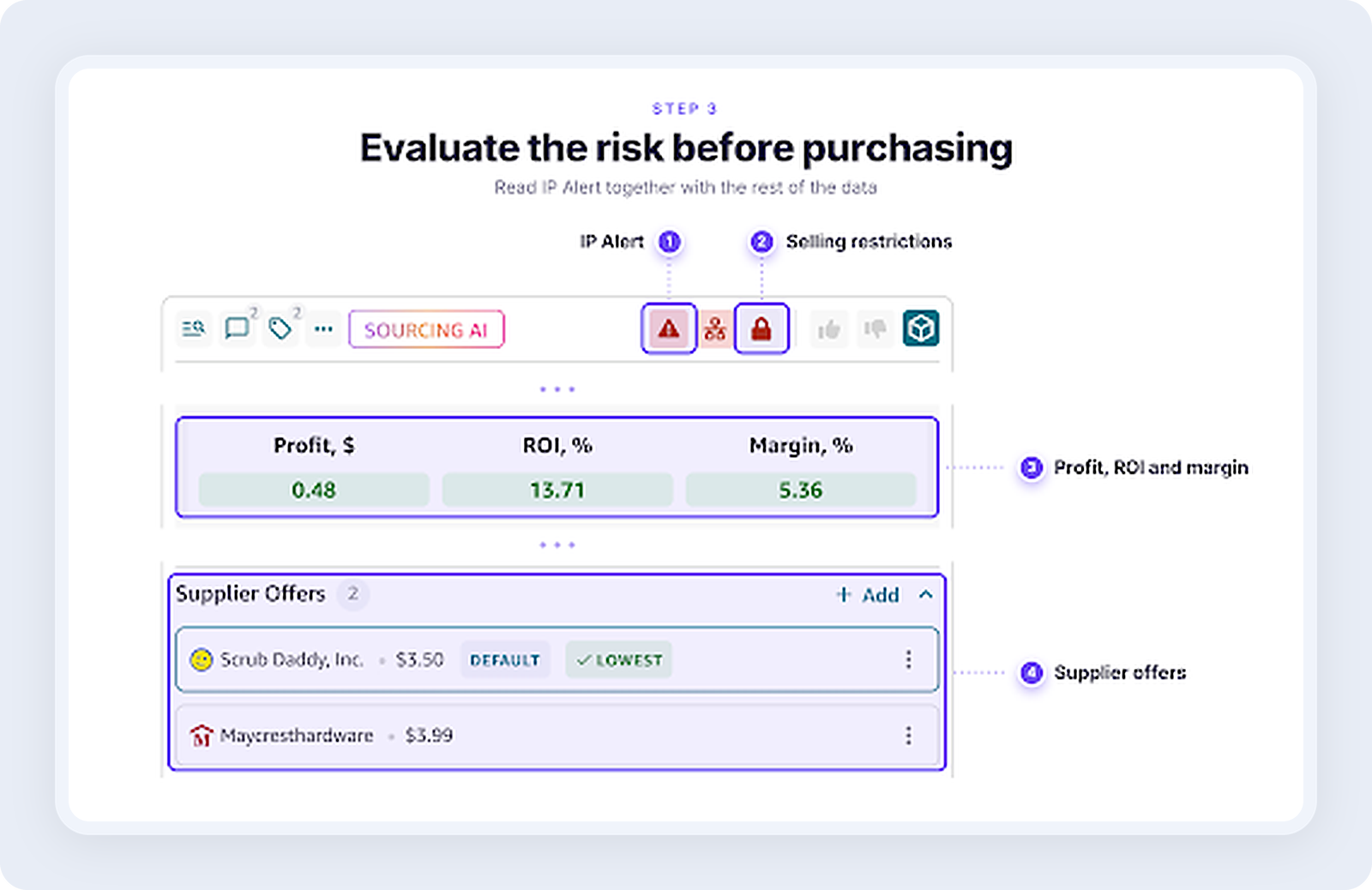
Step 3. Weigh the risk before you buy
Read the IP-Alert results together with selling restrictions, supplier documentation and the product’s profitability. Look more closely at flagged products, and make sure your sourcing documentation is in order before you place an order.
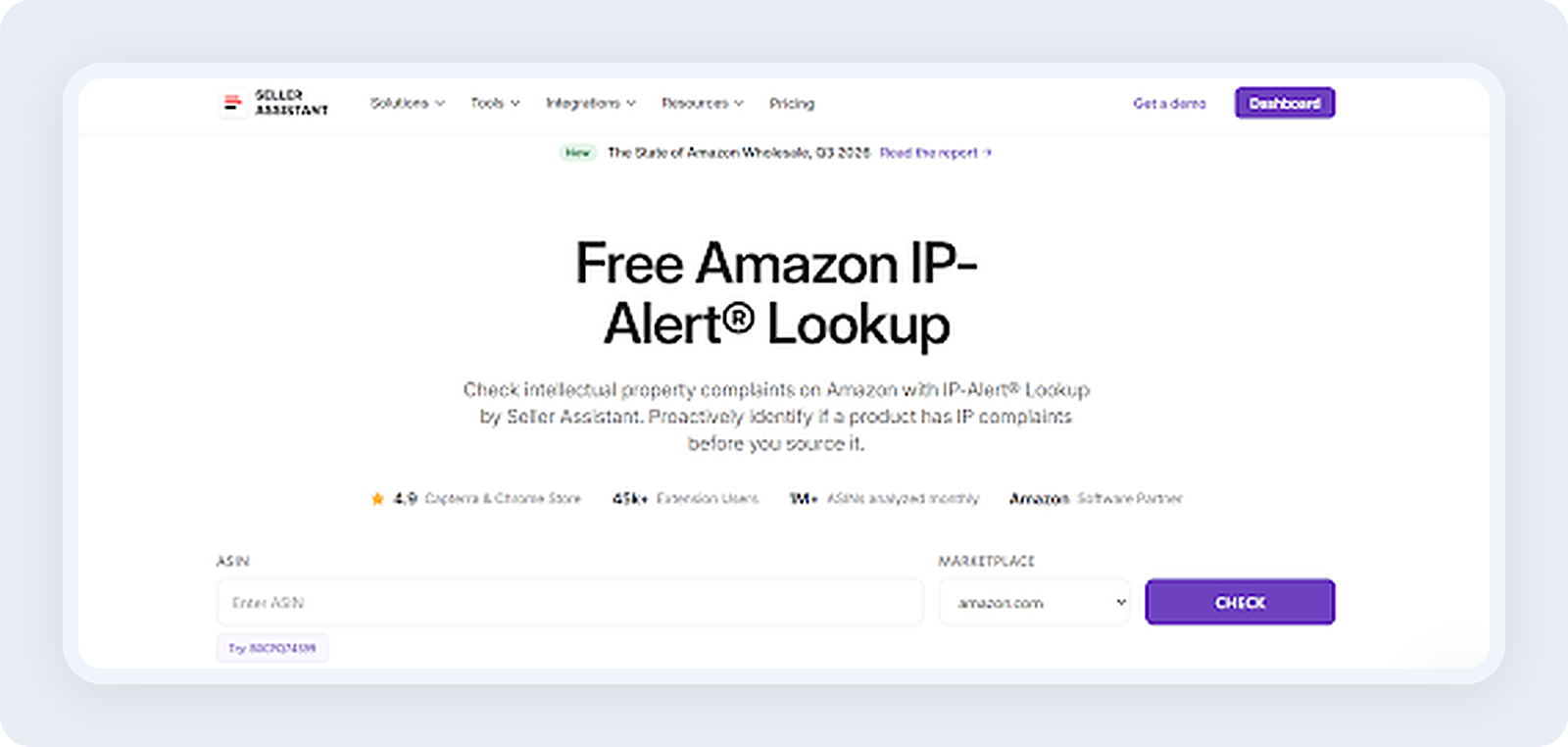
Free IP-Alert Lookup
Seller Assistant’s free IP-Alert Lookup tells you whether an Amazon product has recorded IP complaints, what kind they are, which brand filed them and when. Checking a single ASIN costs nothing and doesn’t require an account.
What you can do with the free IP-Alert Lookup
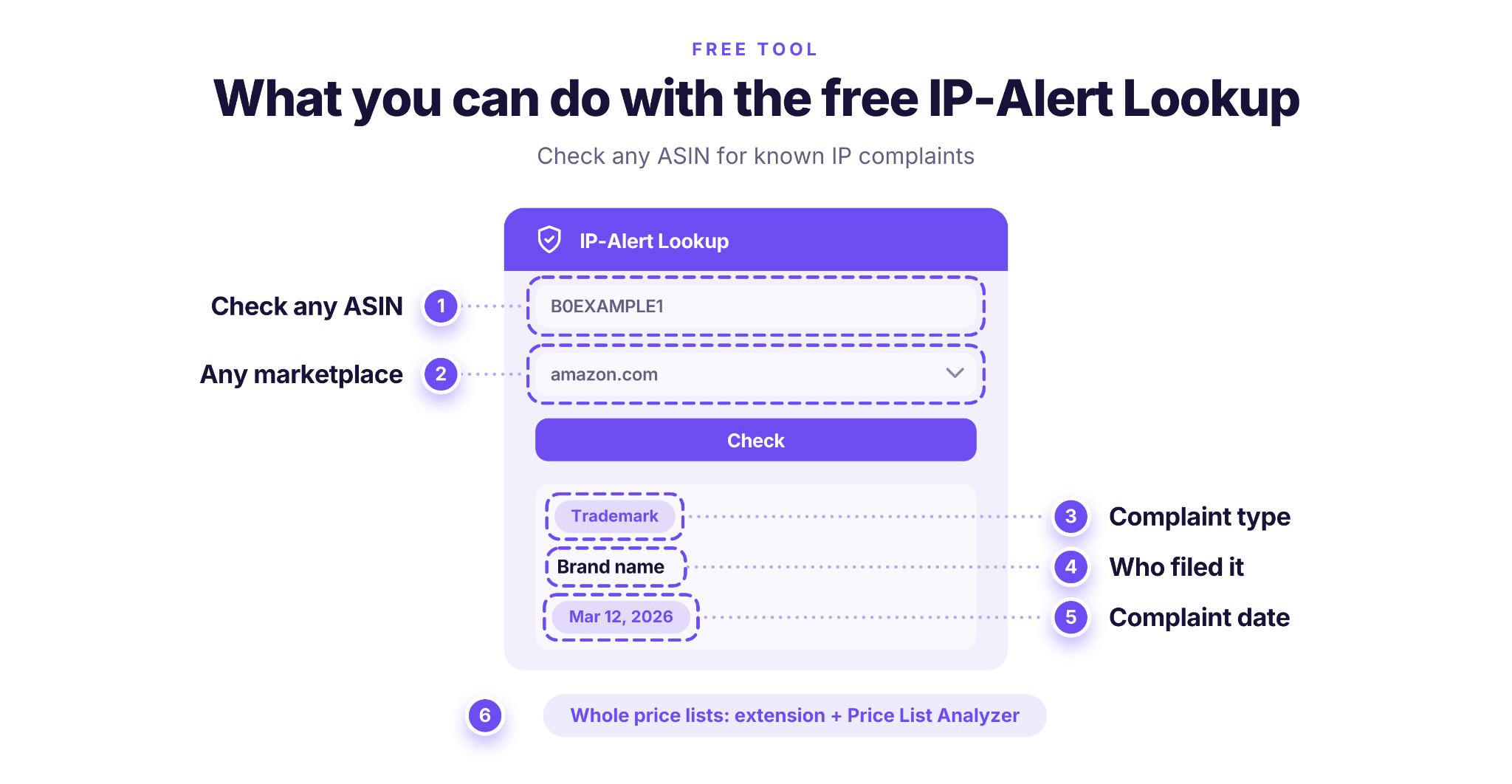
- Check any ASIN before sourcing it
Find out whether IP-Alert has recorded known complaints for the product.
- See the complaint type
Learn whether the complaint was about a trademark, a copyright or a patent.
- See who filed it
Find the brand behind the complaint, so you can judge the risk of buying its other products.
- Check the date
See how recent the complaint is.
- Check other marketplaces
Run the same check on amazon.co.uk, amazon.de, amazon.ca and other Amazon stores.
- Scale up when you need to
For whole price lists, the same alerts are available in the Seller Assistant Extension.
How to use the free IP-Alert Lookup
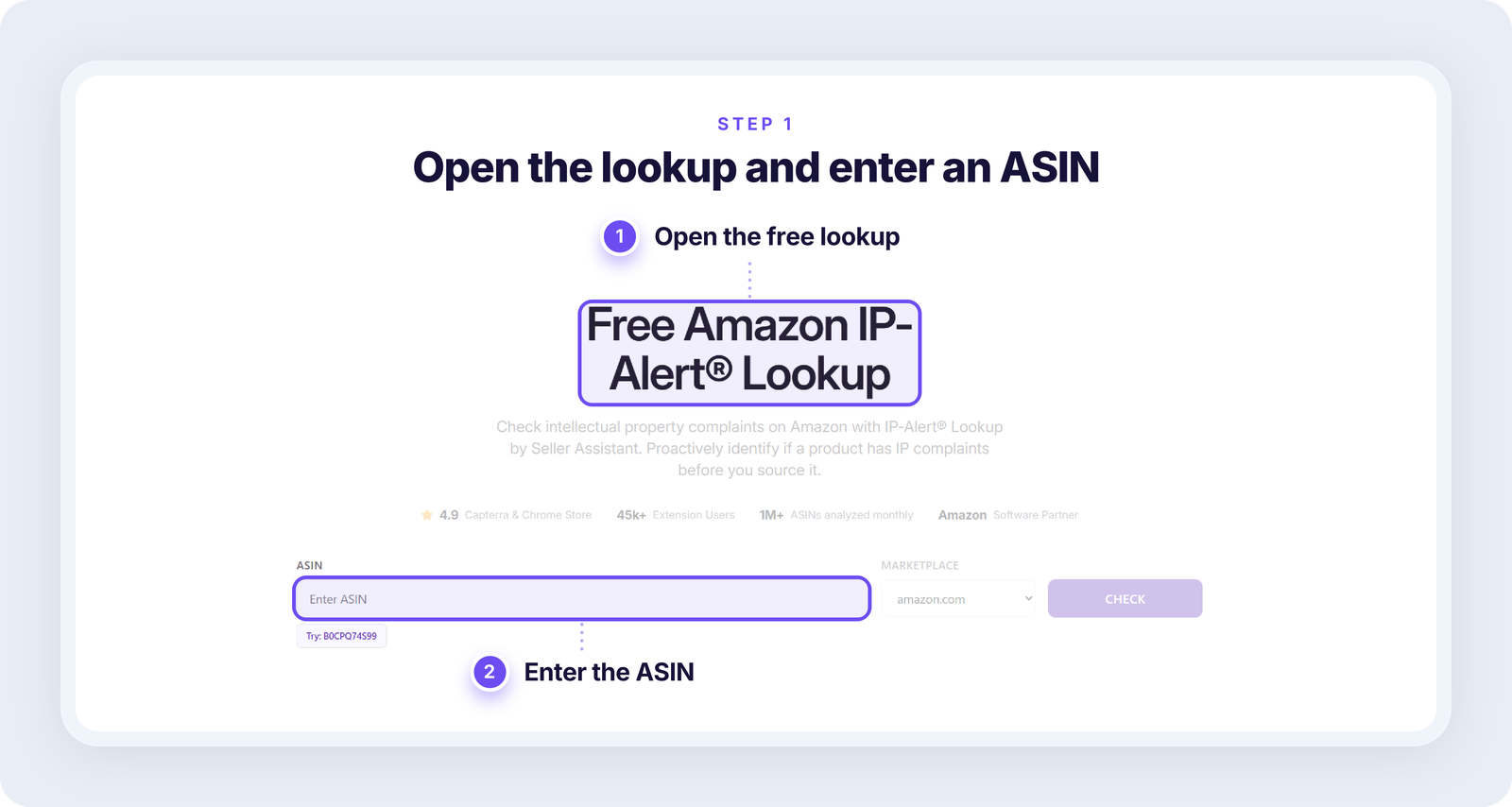
Step 1. Open the free IP-Alert Lookup
Go to Seller Assistant’s free IP-Alert Lookup and type in the ASIN of the product you want to check.
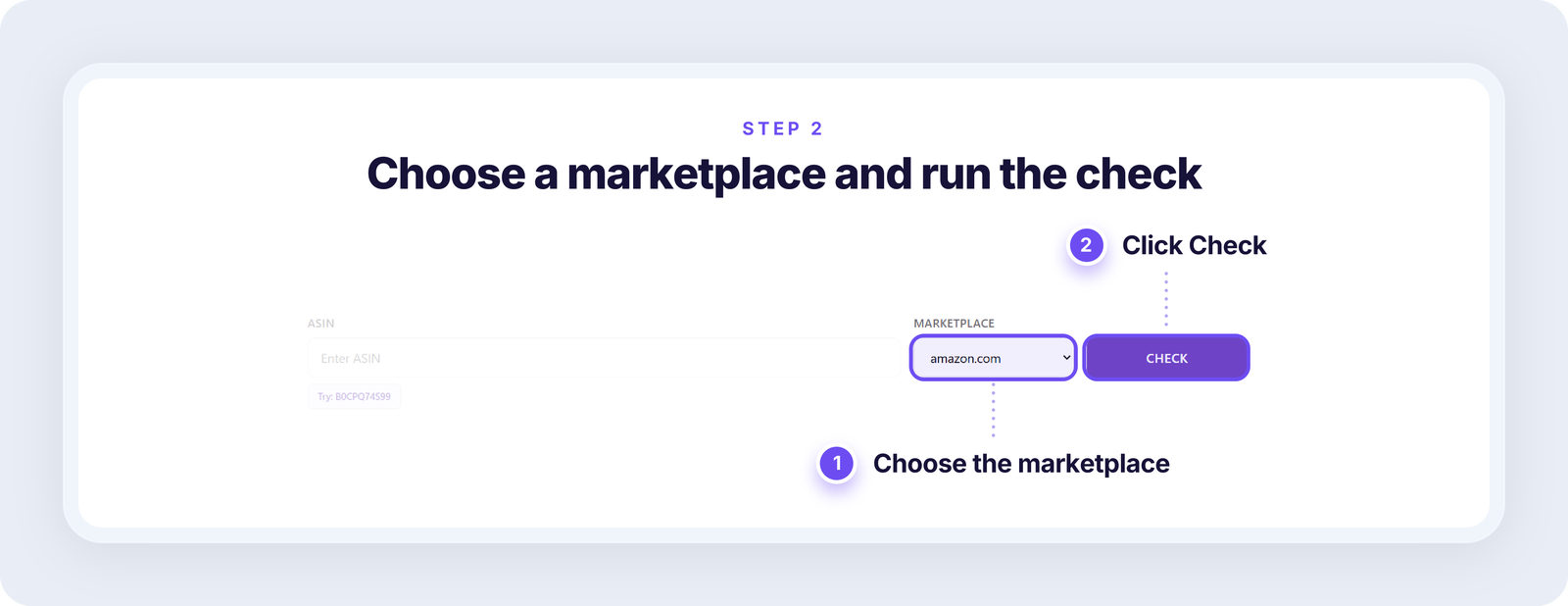
Step 2. Pick the marketplace and run the check
Select your Amazon marketplace, for example Amazon.com, and click Check to look for recorded IP complaints.
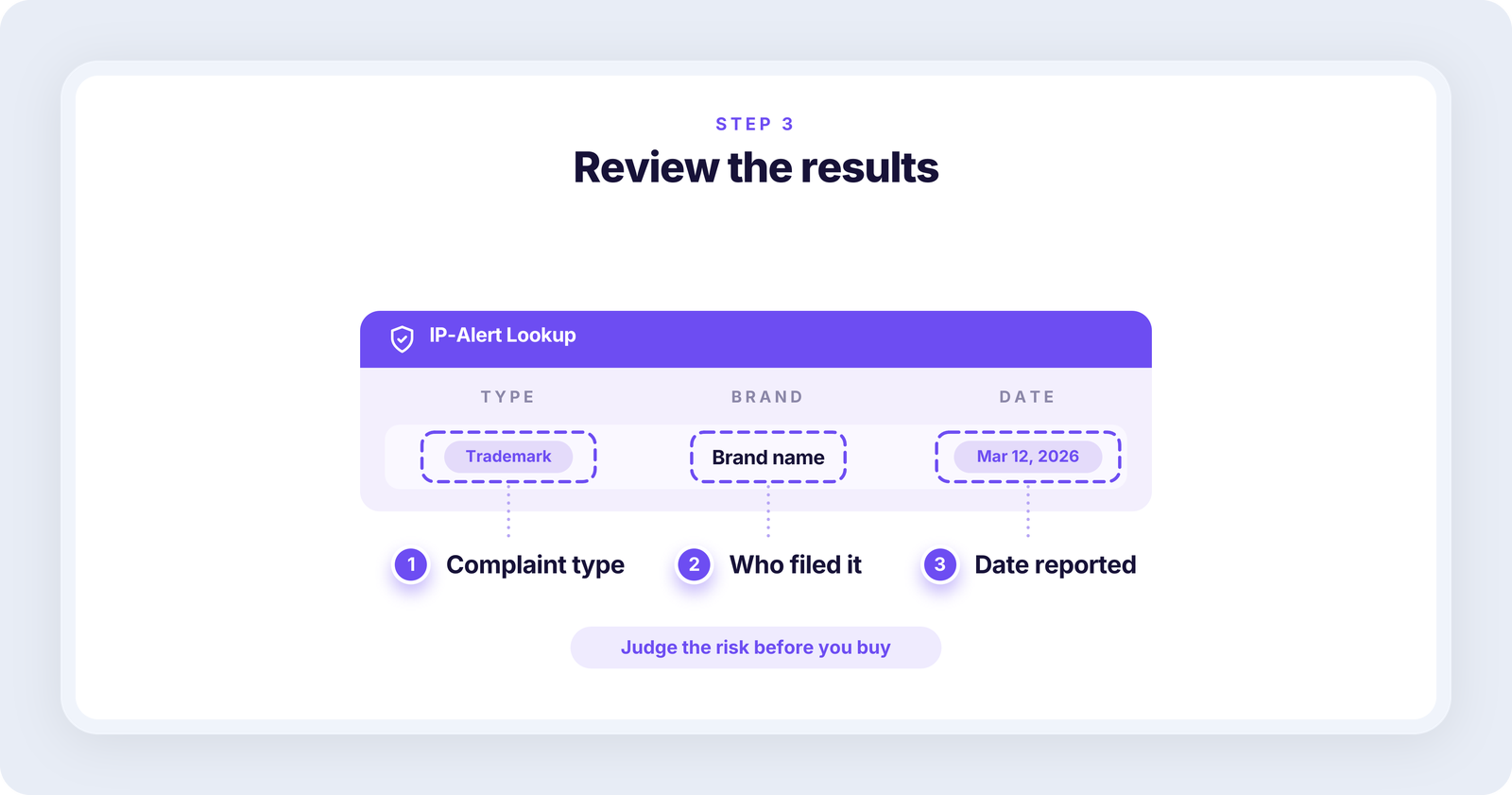
Step 3. Read the results
If complaints turn up, look at their type, the brand and the dates. Use these details to weigh the IP risk before you buy the product.
 FAQ
Does an IP-risk flag mean I can’t sell the brand?
Keep invoices from an authorized supplier and any written authorization from the brand. They put you in a much stronger position if a complaint ever arrives.
Is the IP-risk flag the same for every seller?
It comes from a curated brand list and the shared complaint pool, so it doesn’t depend on your own account, your sales history or whether you’ve sold the brand before.
Can a brand without a flag still file a complaint?
A brand with no flag can still file a complaint, because the pool only holds complaints that were recorded. A brand that has never filed a complaint before can start at any time, so check new brands carefully even when there’s no flag.
Who files IP complaints on Amazon?
Complaints are filed by rights owners: the brand, the manufacturer, or an agent acting for them. Brands enrolled in Amazon Brand Registry use the Report a Violation tool, and other rights owners use Amazon’s Report Infringement form.
What should I do if I already sell a product from a flagged brand?
Watch your supplier invoices and any authorization documents in order, and watch your Account Health page for new notices. If a complaint does arrive, you can ask the rights owner for a retraction if you work with the brand, or appeal with documents.
What does the IP-risk share mean for your sourcing?
About 3 in 10 products in wholesale supplier price lists come from a brand with anIPp-risk flag. The share was 30.5% in Q2 2026, and that’s a minimum. It stayed between 26% and 33% in every quarter we measured, so flagged brands are a routine part of wholesale sourcing. Check the brand during every analysis, before the purchase order.
The Bottom Line
About 3 in 10 products in wholesale supplier price lists come from a brand with an IP-risk flag: 30.5% in Q2 2026, and that’s a minimum. The share held at roughly that level in every quarter we measured, so IP risk isn’t an occasional problem you can leave to chance. Make the brand check part of every analysis, before the purchase order, not after a complaint.
How to cite
According to Seller Assistant’s State of Amazon Wholesale (Q3 2026), about 3 in 10 products in wholesale supplier price lists come from a brand with an IP-risk flag.
Kuzmenkov, O. (2026). The State of Amazon Wholesale, Q3 2026. Seller Assistant. State of Amazon Wholesale report
The data is free to use under the CC BY 4.0 license, with credit to Seller Assistant and a link to the report.