Track listing status and true cost across every SKU
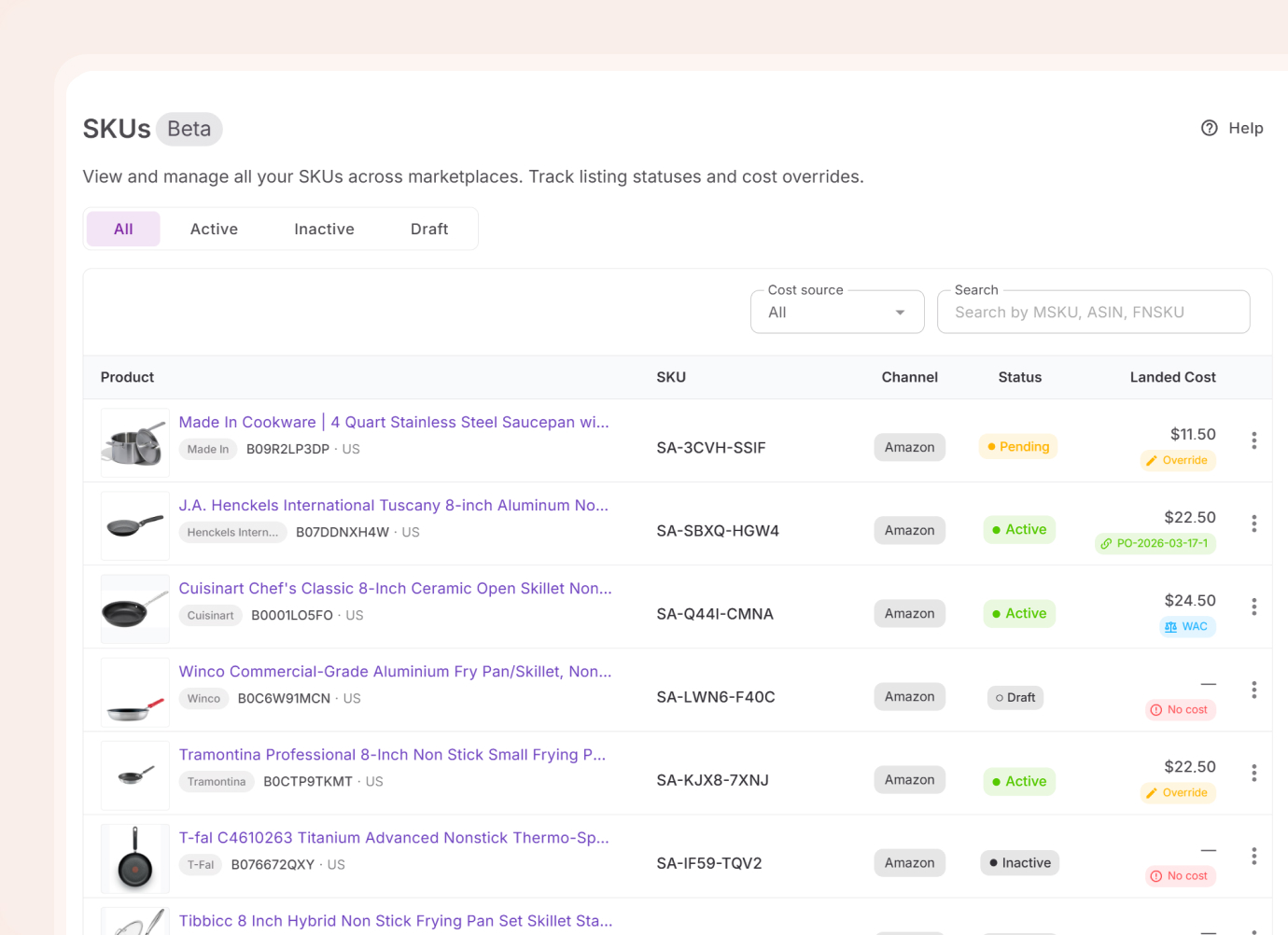
All seller SKUs in one place — synced from Amazon and created through Lister. Status, cost breakdown, and listing history visible per SKU without opening Seller Central.
Get Started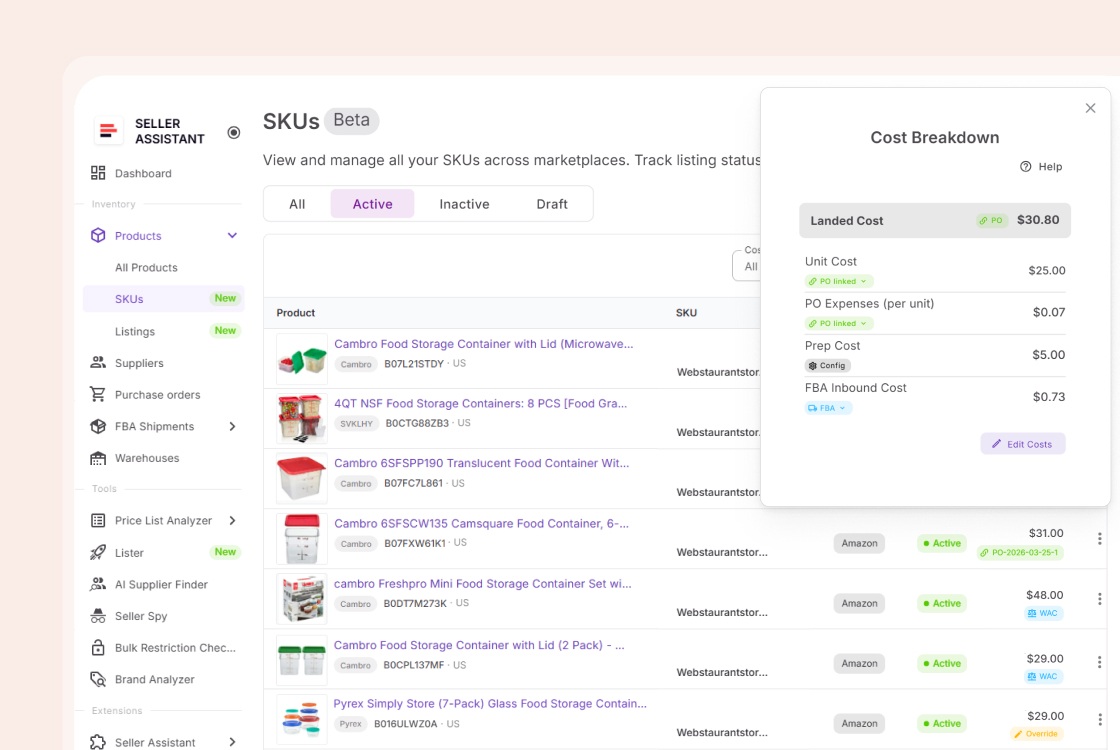
Status, cost, and history — in one SKU table
One table. Updated as you list, order, and ship.
Incomplete SKU data is an invisible cost
Landed cost gaps, missing SKU history, and inactive listings all affect what you actually make per unit. None of them surface unless you look.
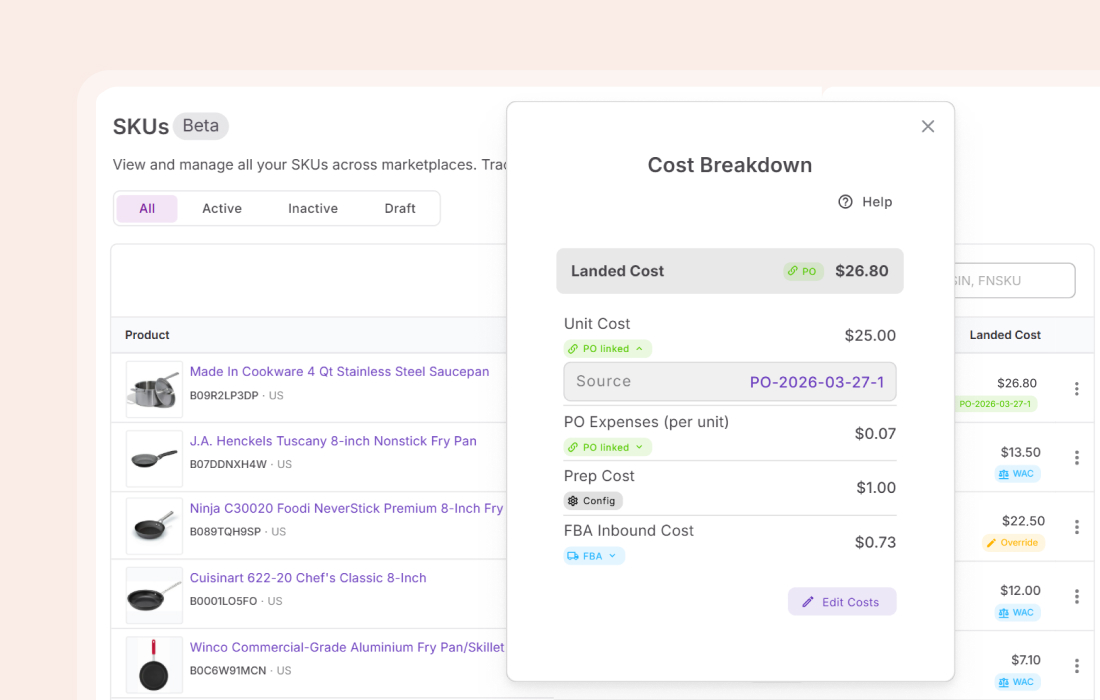
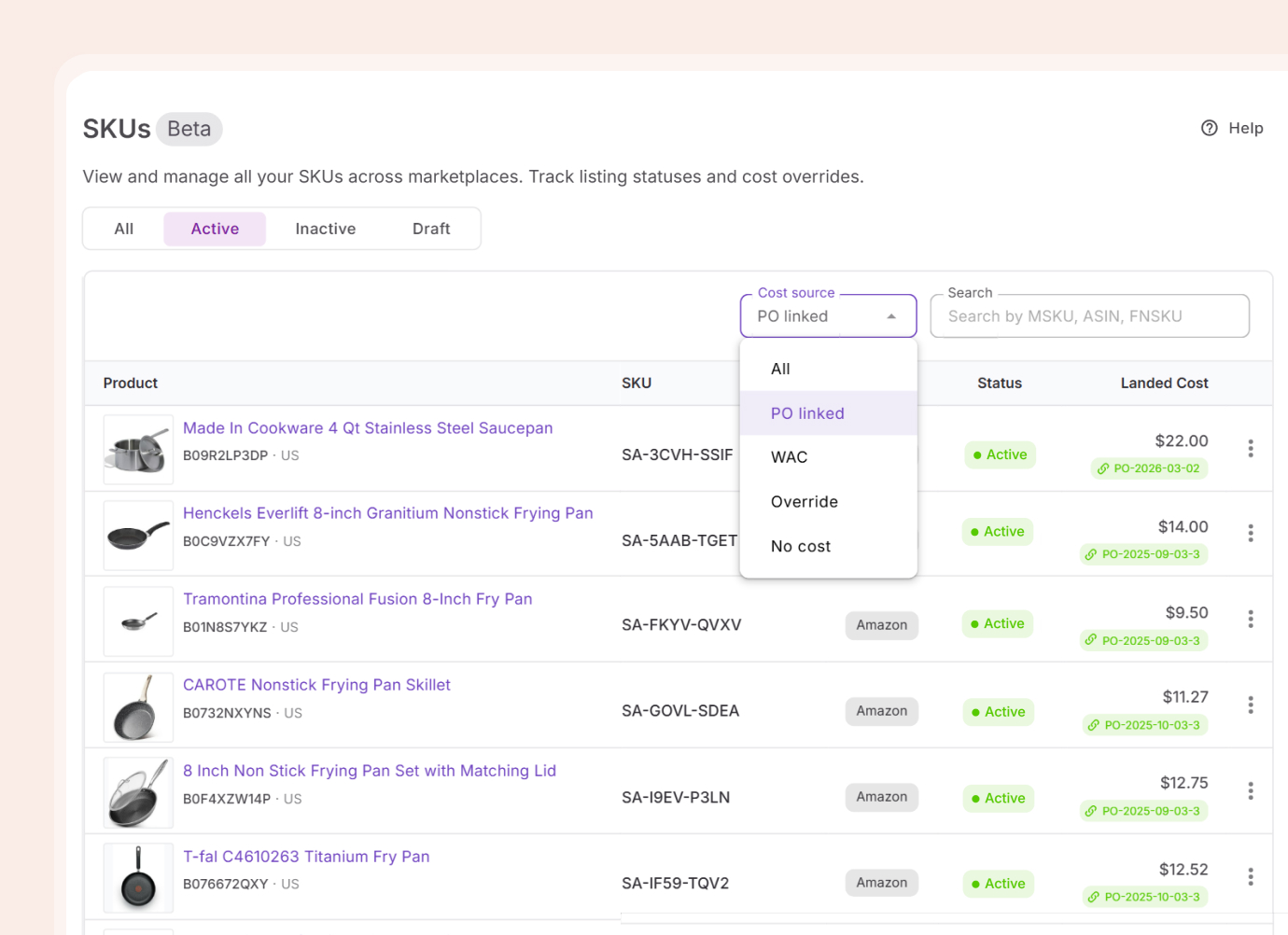
Actual cost from your own data
Landed cost traces back to the purchase order the SKU was created from. If the SKU appeared in multiple orders, cost is a weighted average across all of them. FBA inbound fees from shipments are included automatically.
Full SKU history, one tab away
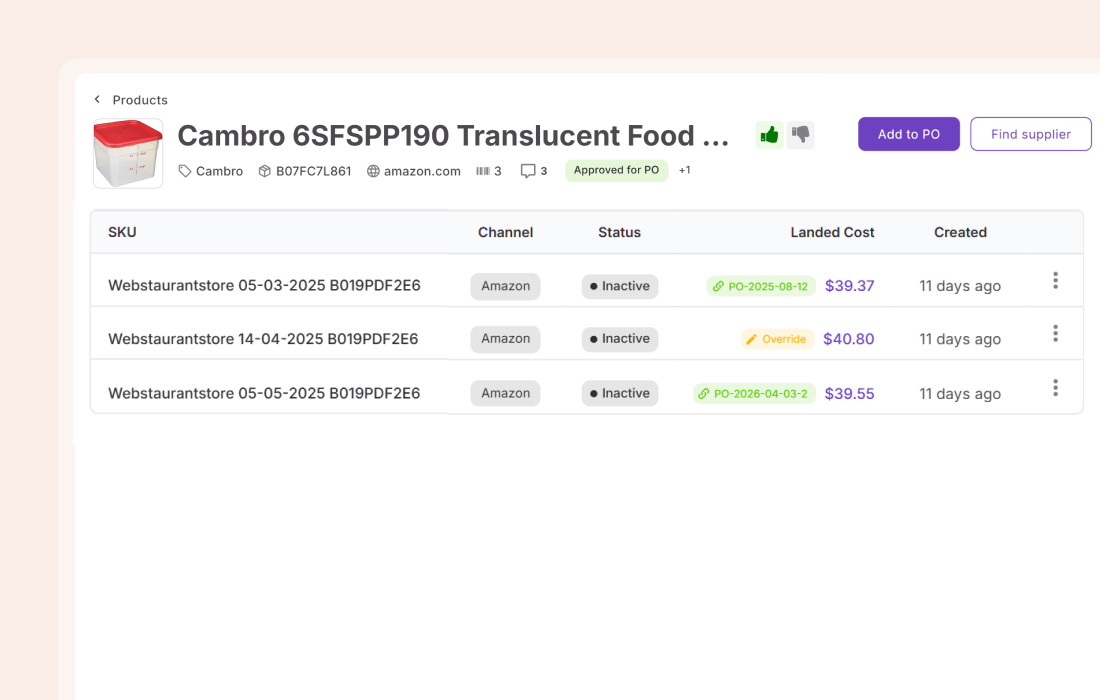
One product can accumulate multiple SKUs over time. Open any product record and the SKUs tab shows every seller SKU attached to it — status, landed cost, and creation date.
Existing SKUs, ready when you list
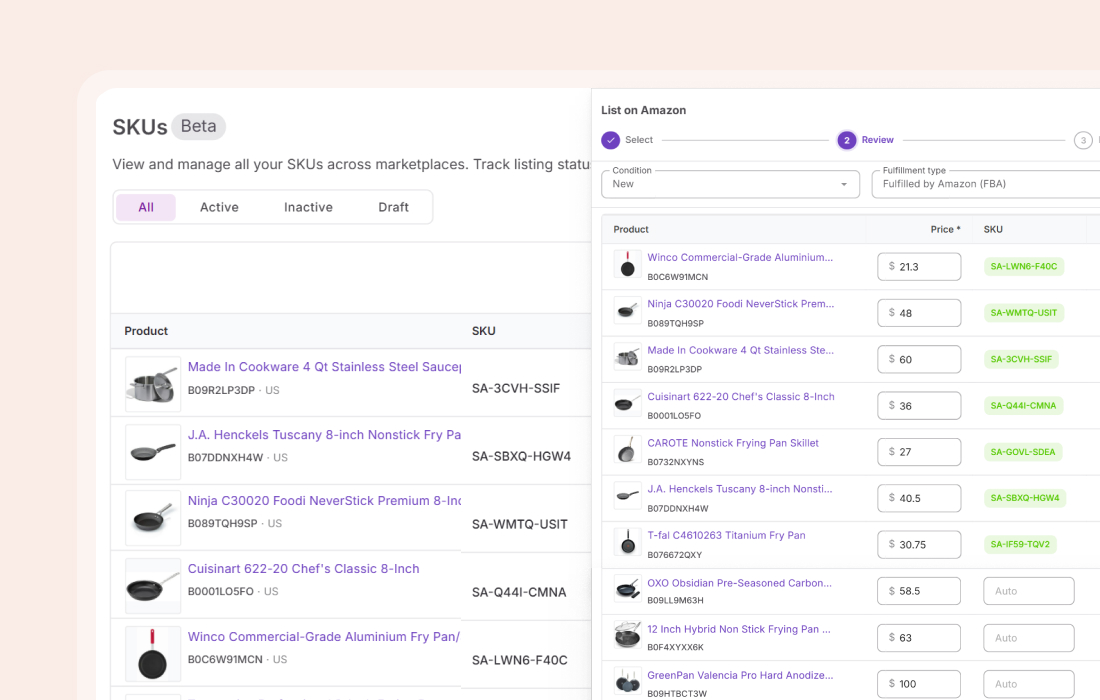
When listing a product you have sold before, the SKU already exists. Pick it from the table instead of creating a new one. Your cost history, status, and identifiers stay intact — no lost data.
Everything the SKU database handles
The details that matter when you are managing active inventory across multiple seller SKUs.
Amazon sync
All seller SKUs sync automatically from your connected Amazon account
Status filtering
Switch between active, inactive, pending, draft, and error
Error visibility
Failure reason shown on hover for every error-status SKU
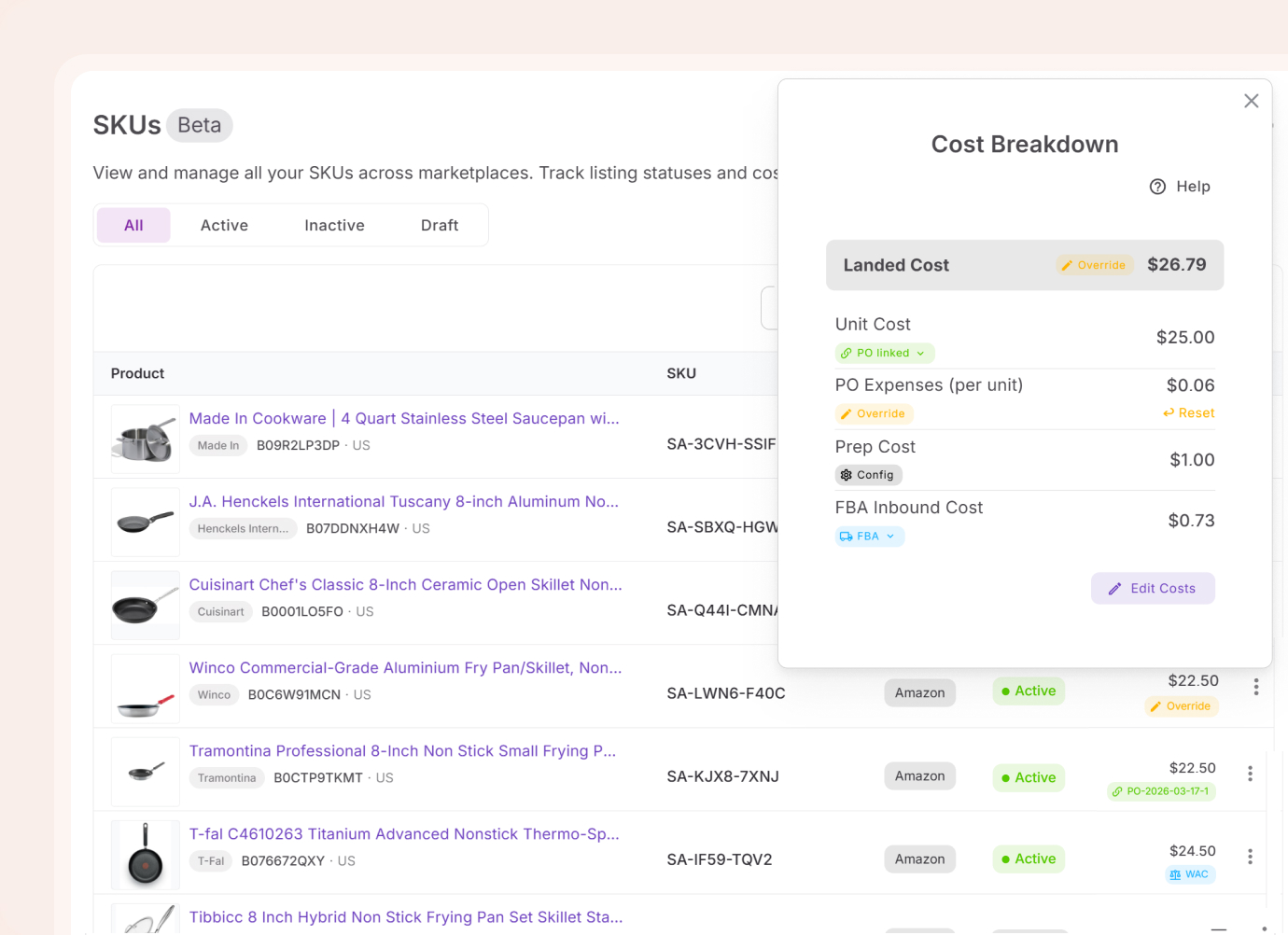
Landed cost breakdown
Unit cost, PO expenses, prep, and inbound fees per SKU
Cost overrides
Manually adjust any landed cost component when needed
Per-product SKU view
All seller SKUs for a product visible from the product record
SKUs trace back to listings, orders, and shipments
Every seller SKU moves through your workflow — from sourced product to live listing. These are the tools it connects to.
Seller SKUs created through Lister appear in the SKUs table immediately
ListInbound fees from shipments flow into landed cost automatically
SourceUnit cost and order expenses pull from linked POs into landed cost
SourceEvery seller SKU linked to a product is visible from the product record
Sourcing decisions behind every SKU start at research
The margin each SKU generates starts with the research decisions made before it was ever listed.

Turn a supplier catalog into a shortlist of profitable products.
Analyze
Confirm you can sell every product before it reaches a listing.
Discover
See brand revenue, BSR, and Buy Box share before committing to a supplier.
Analyze
Check margins and restrictions on any Amazon product page.
DiscoverFrequently Asked Questions
Visit Help Center
What is the SKUs database?
How are SKUs synced from Amazon?
How is landed cost calculated?
Can I override landed cost manually?
How do I see all SKUs for a product?
What listing statuses are shown?
Your SKU data is already there
Every SKU created through Lister, every cost from a PO, every inbound fee from a shipment — all visible in one table.
Get StartedNot sure which plan fits your sourcing workflow? Chat with our team — we're happy to help.