All your inbound shipments in one place
See status across every shipment, spot unit discrepancies on closed shipments, and track fees — without opening Seller Central.
Get Started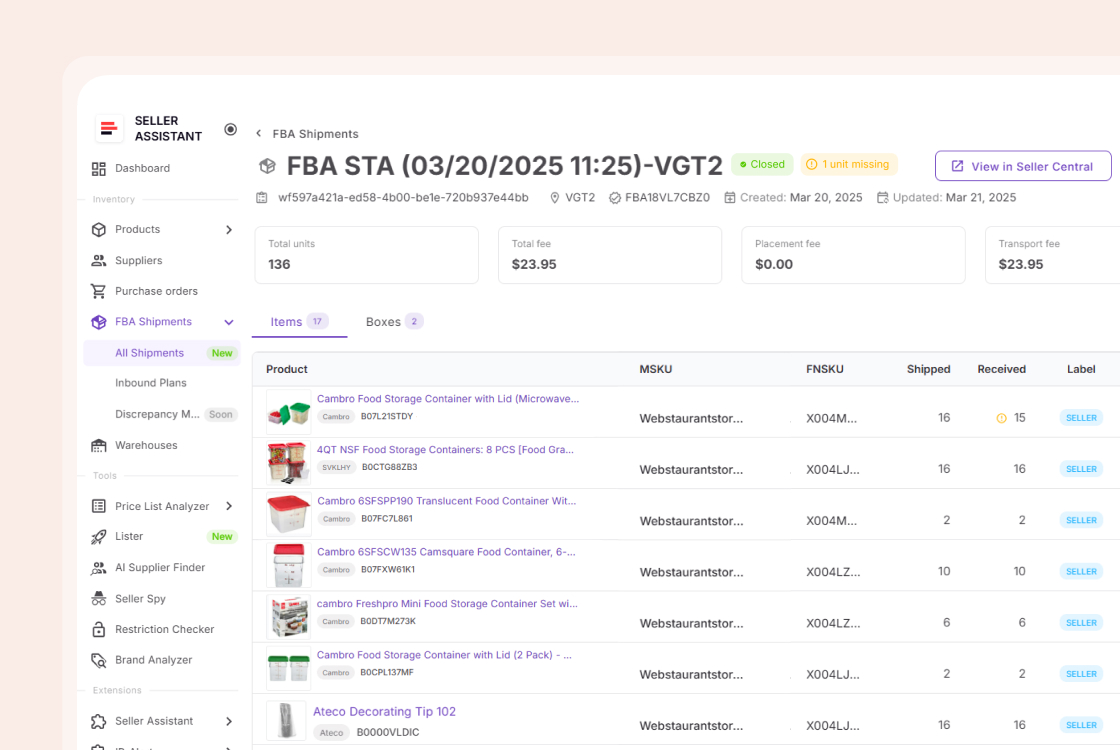
Inbound inventory, visible from the moment it ships
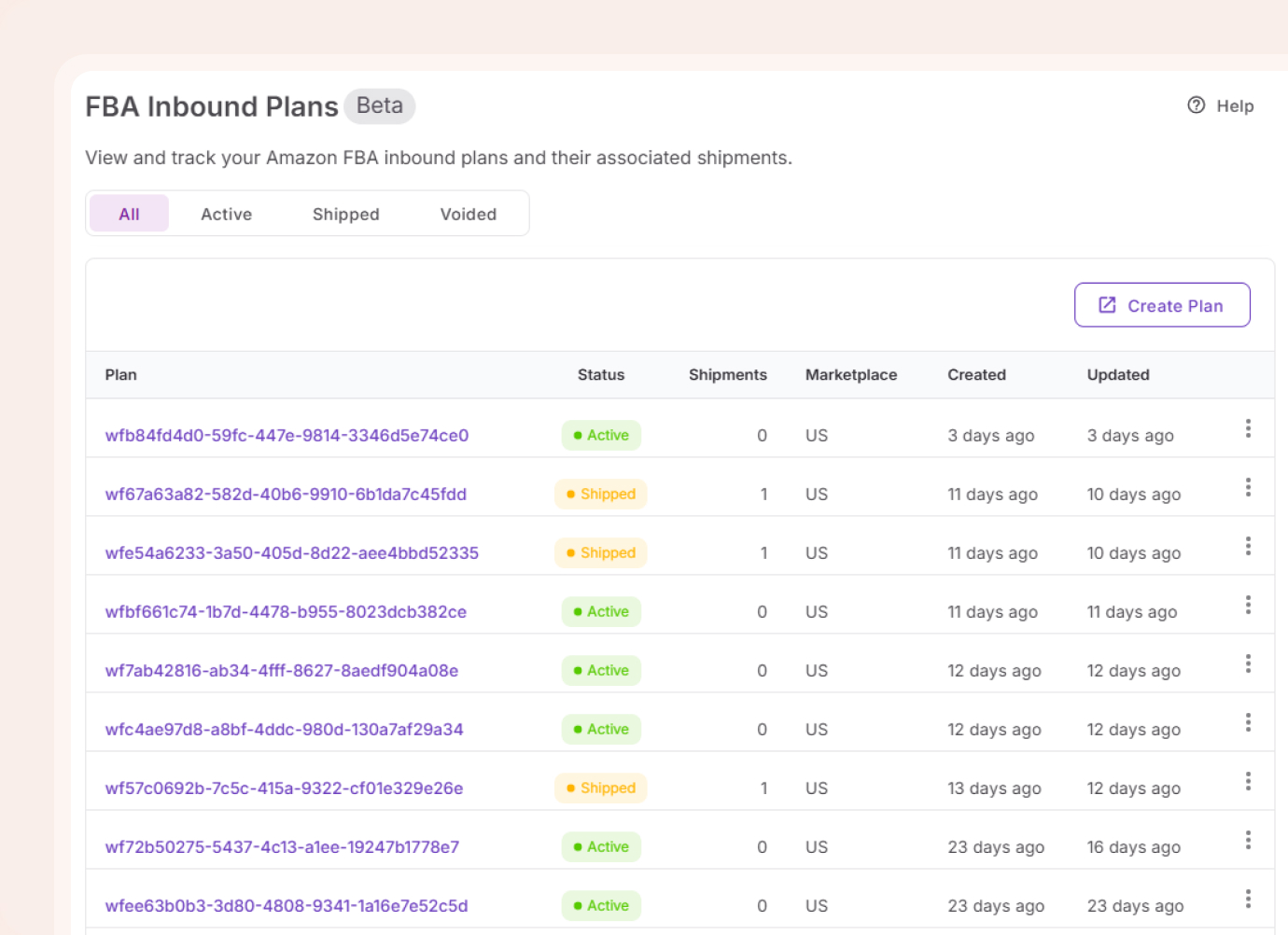
Shipments and plans appear automatically from your connected Amazon account. The data is always current — nothing to import, nothing to refresh.
What happens after units leave your hands
Shipments and plans sync automatically. Status, units, fees, and history in one place — no tab-switching required.
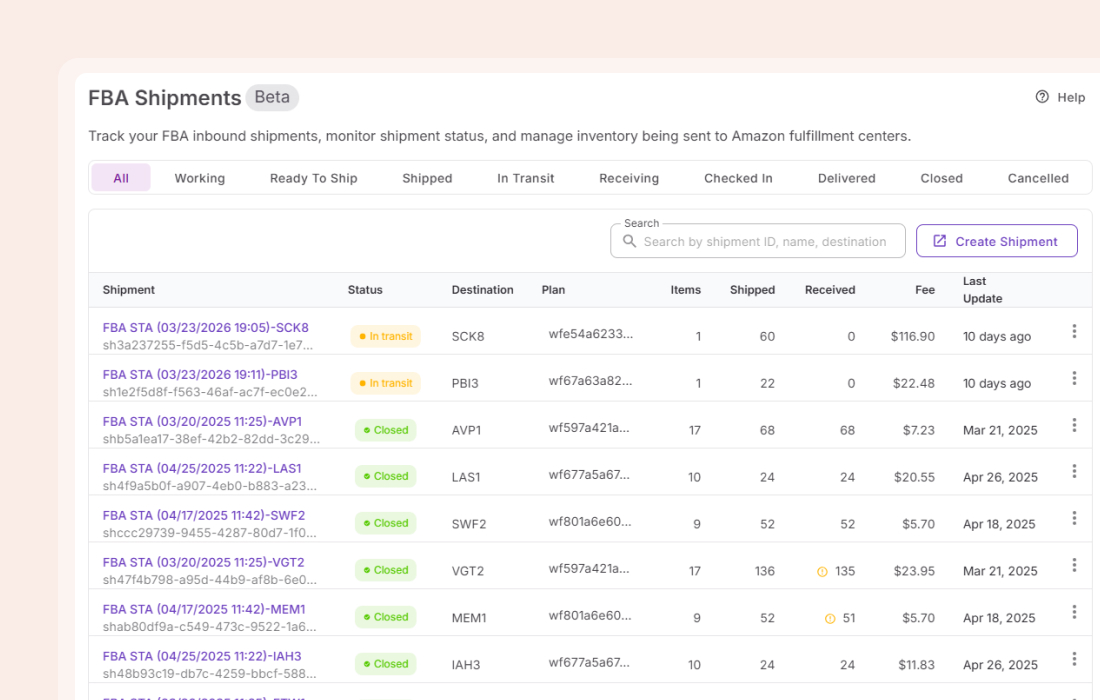
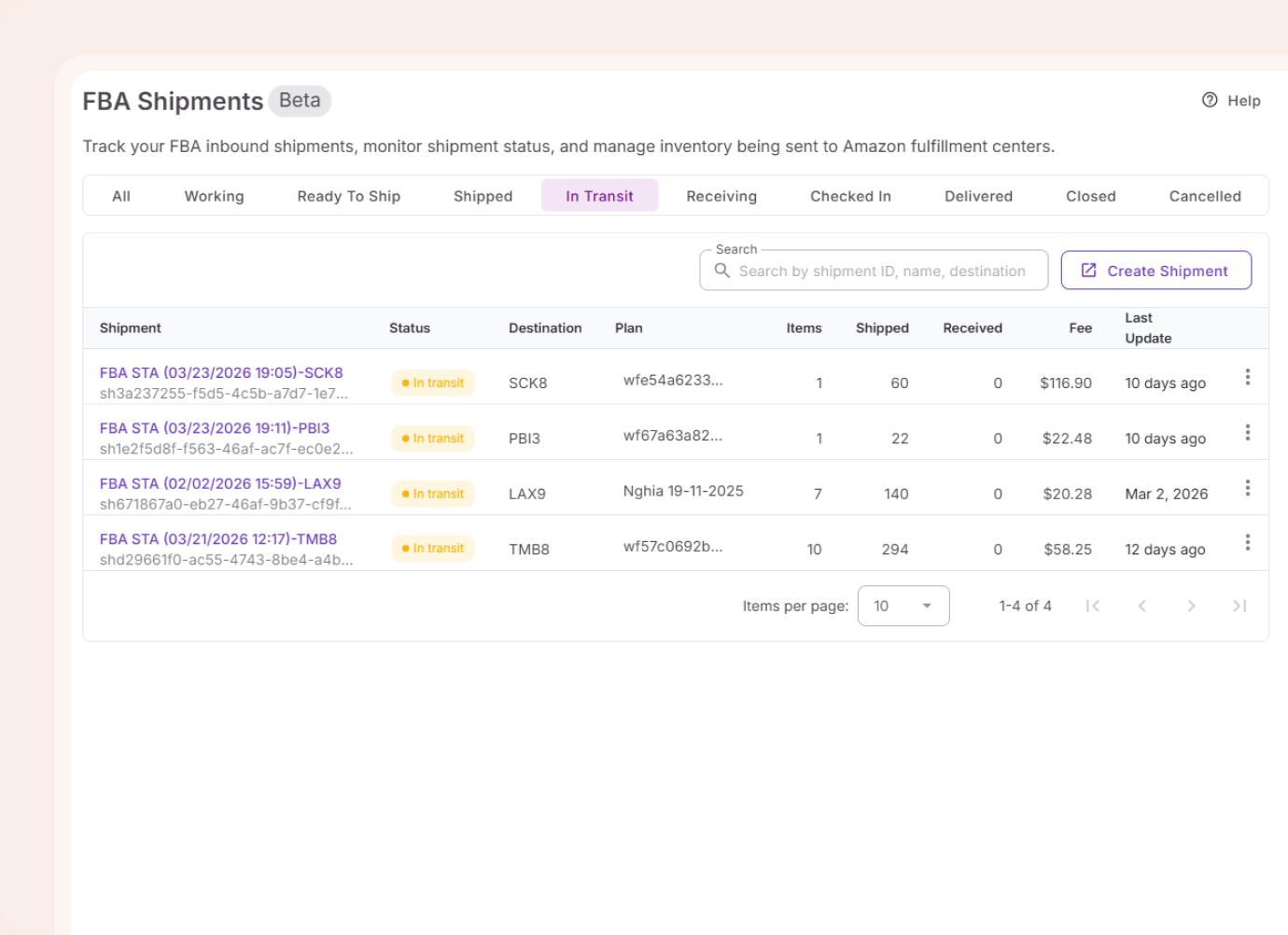
Every shipment status in one table
Status, destination, units shipped, units received, fees, and last update across every shipment — without opening Seller Central once.
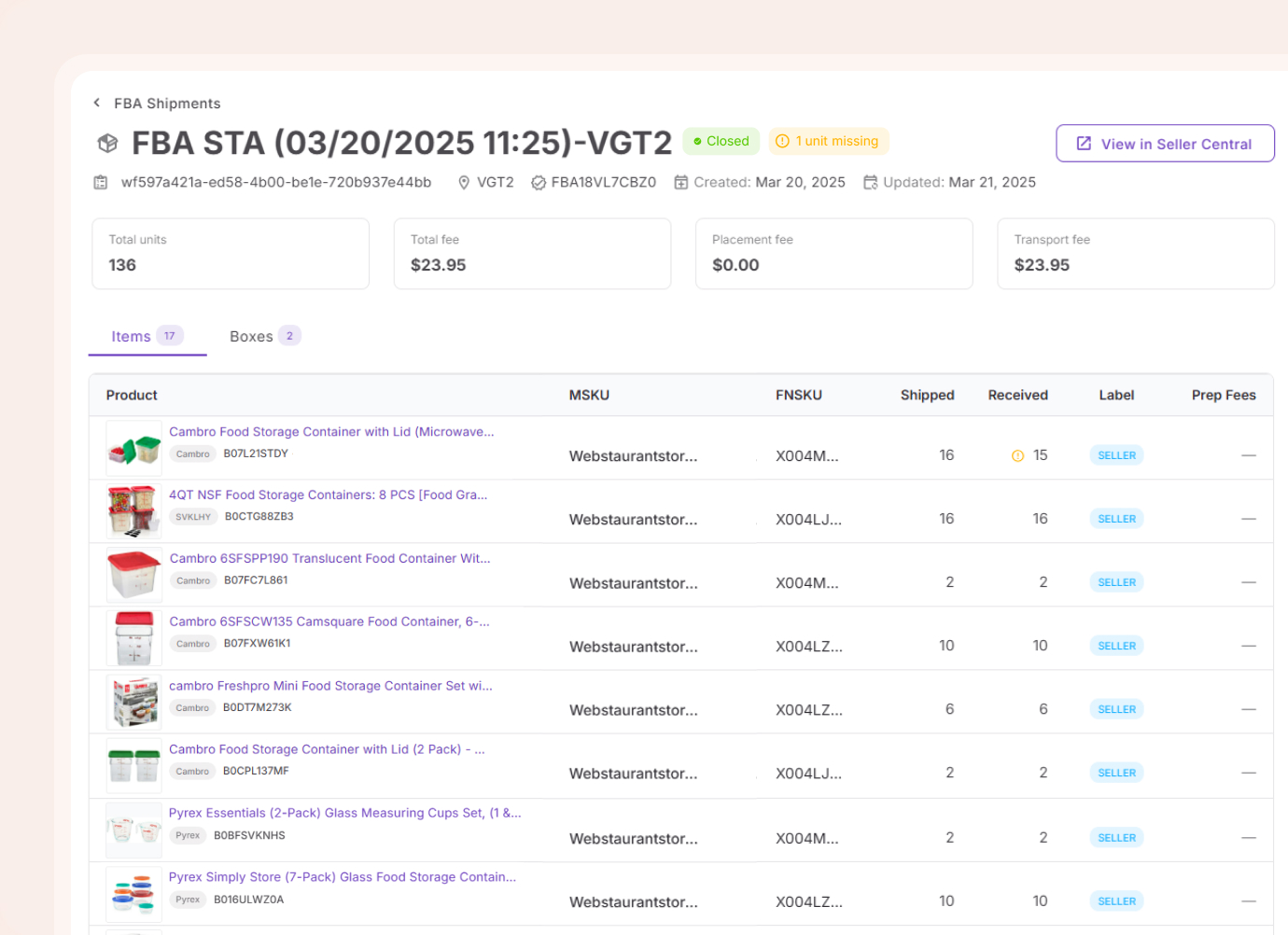
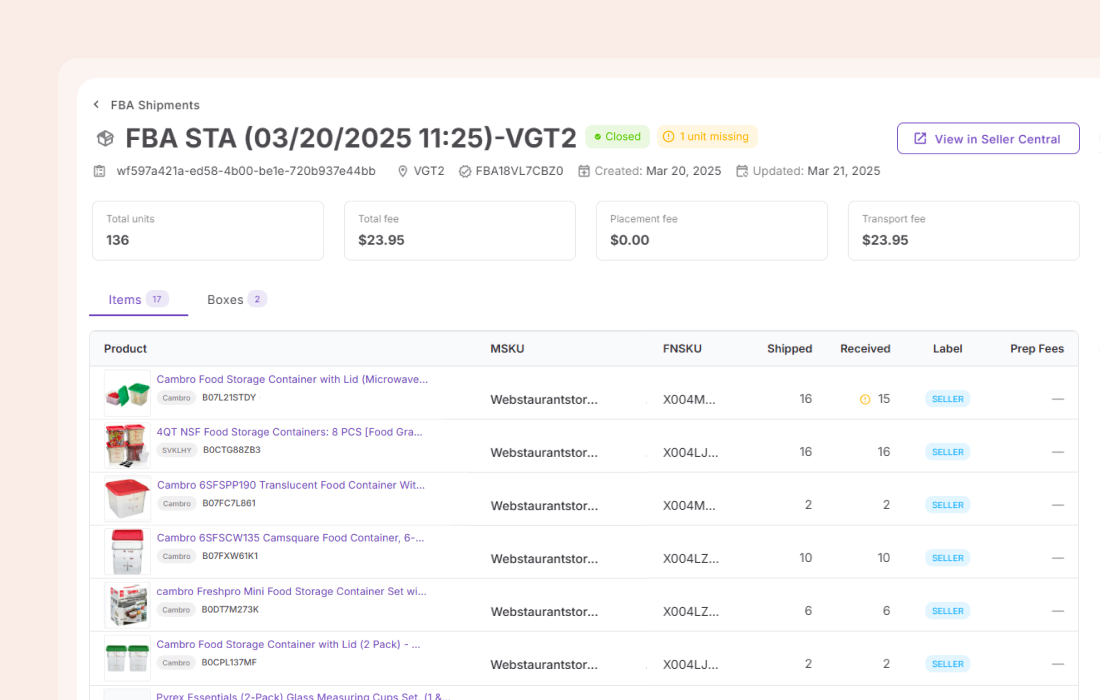
Surface missing units
When a closed shipment shows fewer units received than shipped, it is flagged. You see the shortfall immediately — while there is still time to file a manual claim with Amazon before the 60-day window closes.
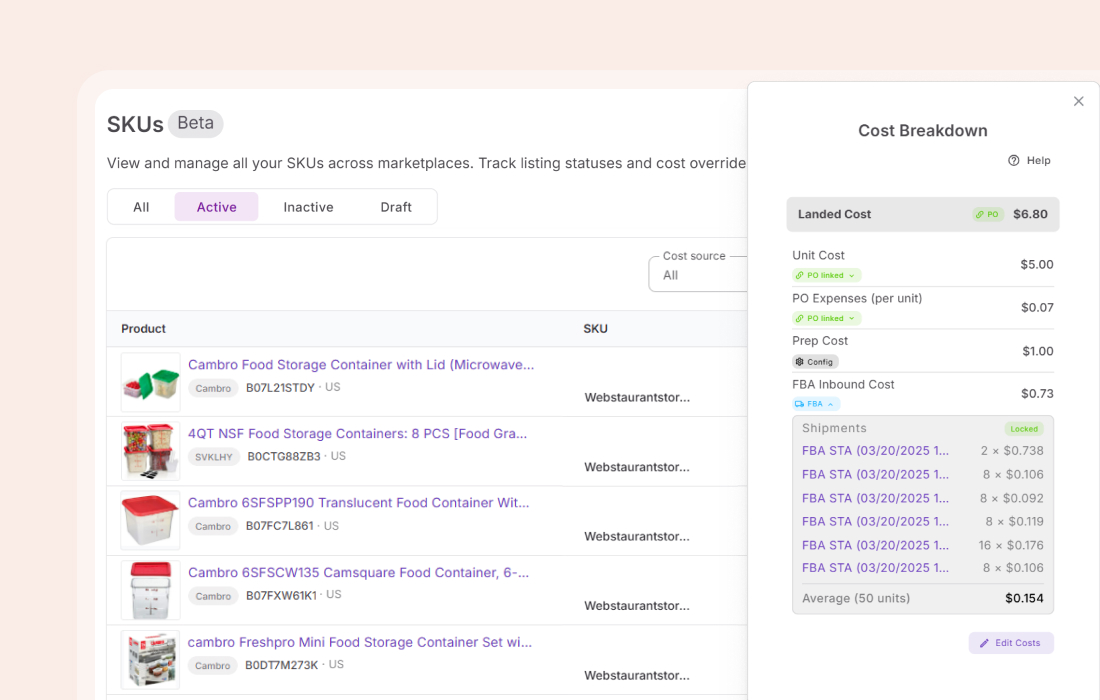
Track what products actually cost you
Placement and transport fees from each shipment flow into the FBA Inbound Cost component of your landed cost per SKU. Updated on every sync. No manual entry, no estimates.
Everything Shipments database handles
The details that matter when units are in transit and fees are running.
Amazon sync
Plans and shipments pull automatically from your connected account
Status filtering
Switch between working, in transit, receiving, closed, and more
Discrepancy detection
Shipped vs received flagged on every closed shipment
Fee breakdown
Placement fee and transport fee shown separately per shipment
Box contents
Dimensions, weight, and quantity per box on the shipment detail page
Item-level breakdown
MSKU, FNSKU, label type, and prep fees for each product in the shipment
Inbound plans
Plans table with status filter, plan details with all child shipments listed
Per-product history
Every inbound shipment a product appeared in — status, units shipped, received, and fee per unit.
Every shipment traces back to an order, a listing, and a product
What you order and list is what arrives. Shared data across these tools makes it easier to track and manage.
The order that originated what is now in transit
ListListings created through Lister move directly into inbound shipments
ListLanded costs and SKU status sit alongside your shipment data
SourceEvery inbound shipment a product has been in is visible from its record
Inbound numbers reflect every decision made before shipping
Profitable products, approved to sell, with margins verified.

Turn a supplier catalog into a shortlist of profitable products.
Analyze
Confirm you can sell every product before it reaches a shipment.
Discover
See revenue, BSR, and Buy Box share before committing to a brand.
Analyze
Check margins and restrictions on any Amazon product page.
DiscoverFrequently Asked Questions
Visit Help Center
How does FBA Shipments sync with my Amazon account?
How do I know if units are missing from a shipment?
Does Amazon automatically reimburse inbound shipment shortfalls?
What is the 60-day claim window?
What is the difference between a placement fee and a transport fee?
How do inbound fees affect my landed cost?
Can I create new shipments or inbound plans from FBA Shipments?
What shipment statuses does FBA Shipments show?
Can I see which products were in a specific shipment?
Where can I see shipment history for a specific product?
Every shipment, without the tab-switching
Status, units, fees, and discrepancy flags — synced automatically from Amazon and visible without opening Seller Central.
Get StartedNot sure which plan fits your sourcing workflow? Chat with our team — we're happy to help.