Compare supplier offers, source the best option
See every COG side by side, pick the best offer, and recheck any product against current data without rebuilding anything.
Get Started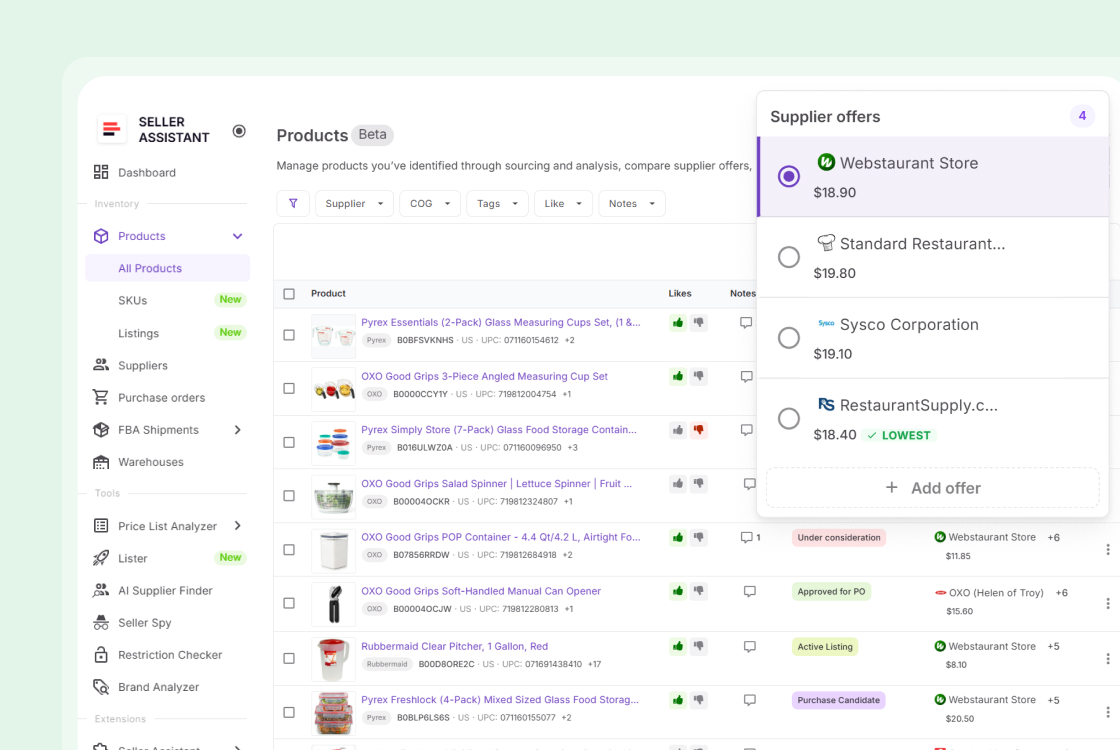
Every sourced product. One shared record.
One shared list, updated in real time. No version control, no syncing.
Sourcing decisions need a record, not a memory
Price lists expire. Supplier emails get buried. Every decision made here stays attached to the product it belongs to.
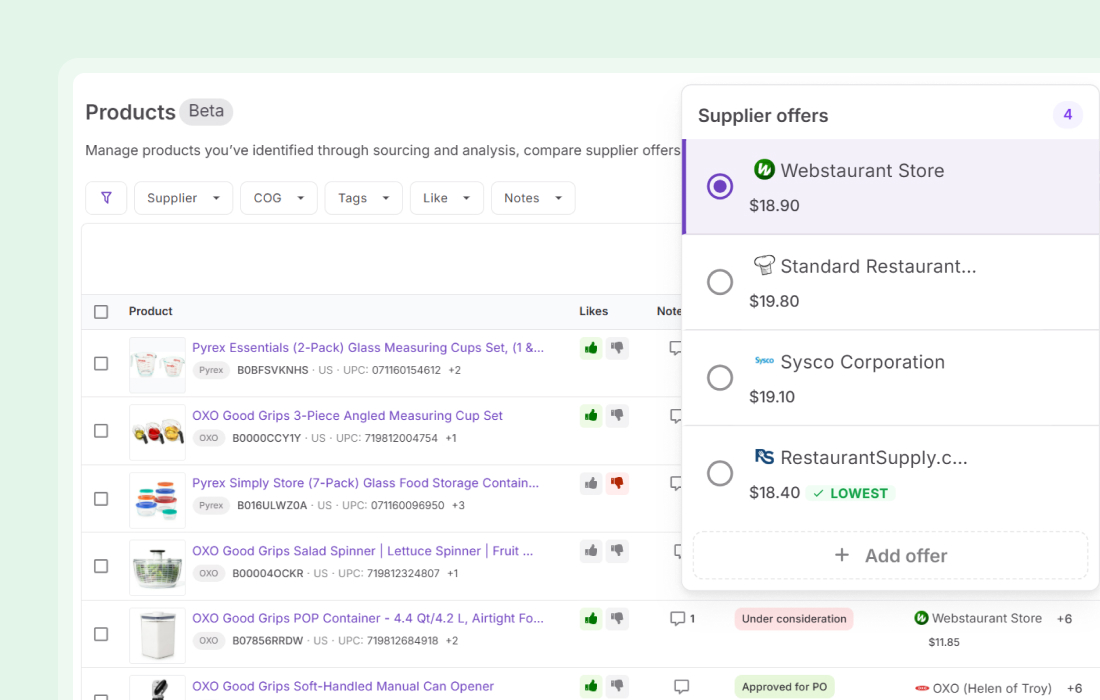
The cheapest COG is one click from an order
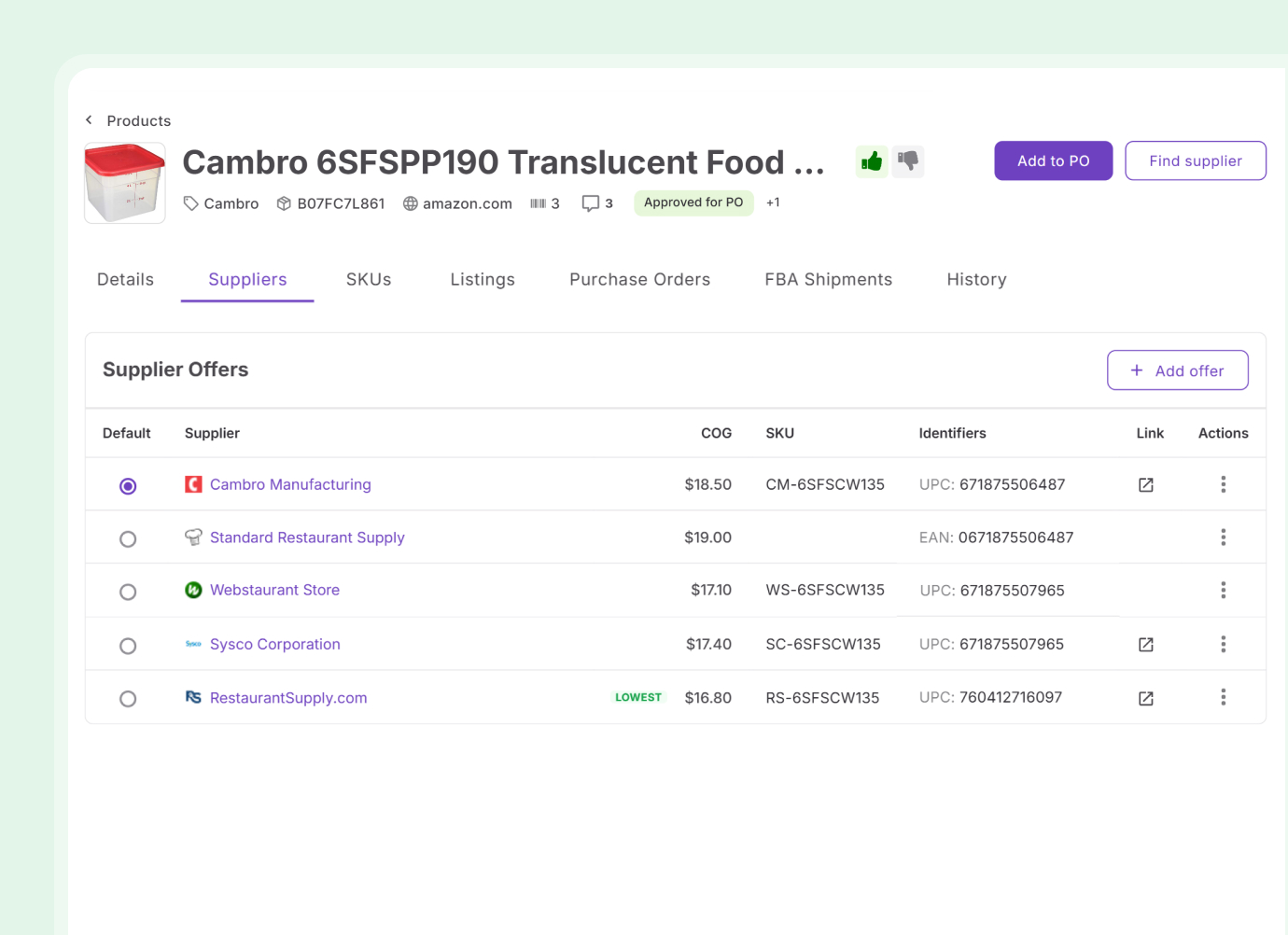
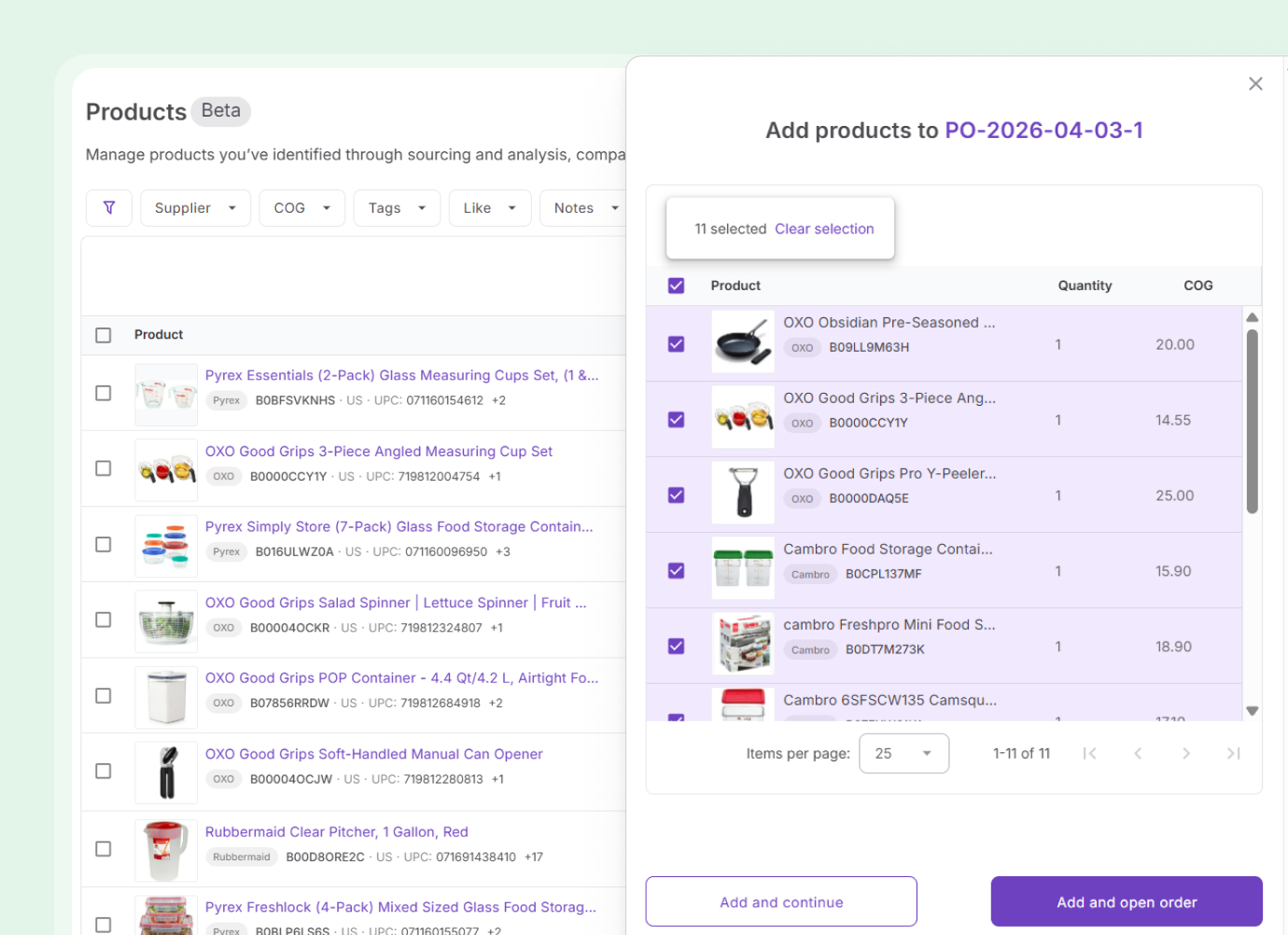
Every supplier offer sits in the same view per product. The lowest COG is flagged. Set a default and it carries into the purchase order automatically.
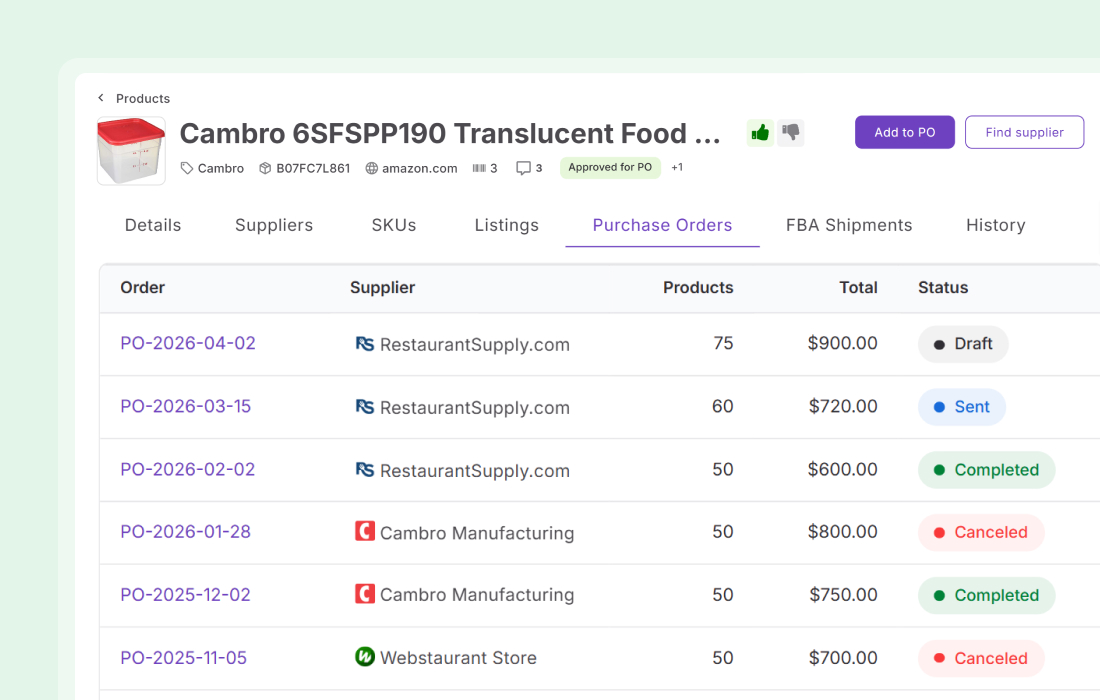
Every linked record in one place
The product details page shows every purchase order the product appeared in, every SKU assigned to it, active listings, and inbound shipments. One page, no cross-referencing.
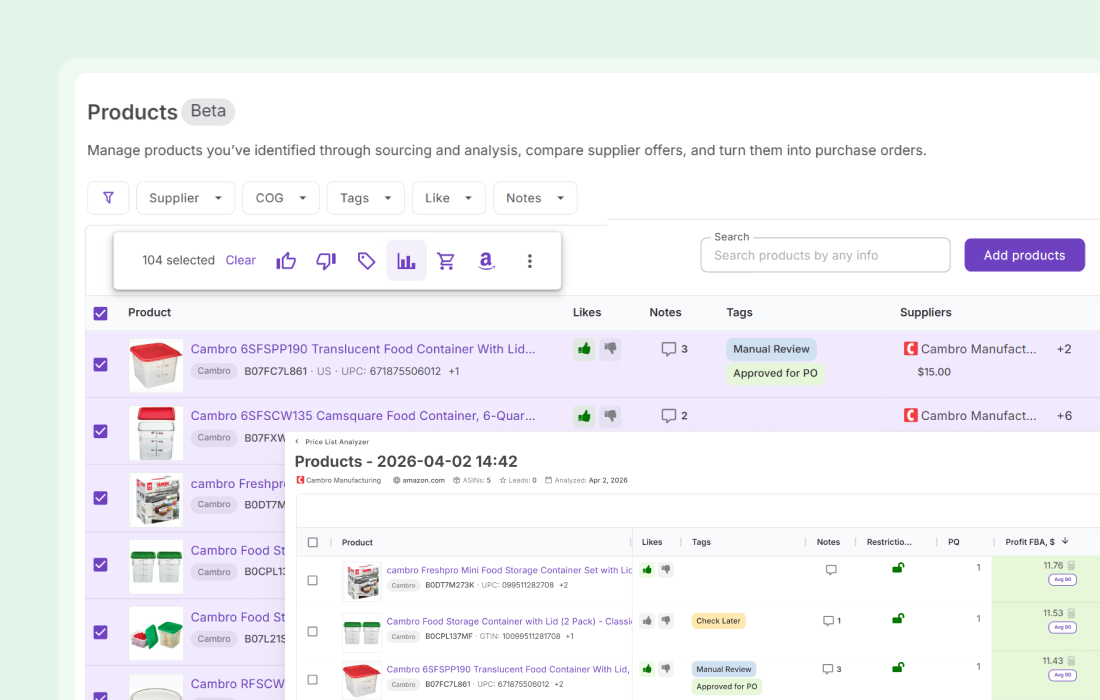
No file prep to recheck a product
Send any product to Price List Analyzer directly from the catalog. ASIN, COG, and supplier fill in automatically. Current data, no manual entry.
Everything Product Database handles
The details that matter when you are managing products across multiple suppliers.
Multi-supplier tracking
See all supplier offers per product in one view
Lowest COG flag
The cheapest offer is marked automatically
Default supplier
Set one supplier per product for purchase order use
Tags, notes, and likes
Assigned to the ASIN and shared with Price List Analyzer and the Extension
Filter and search
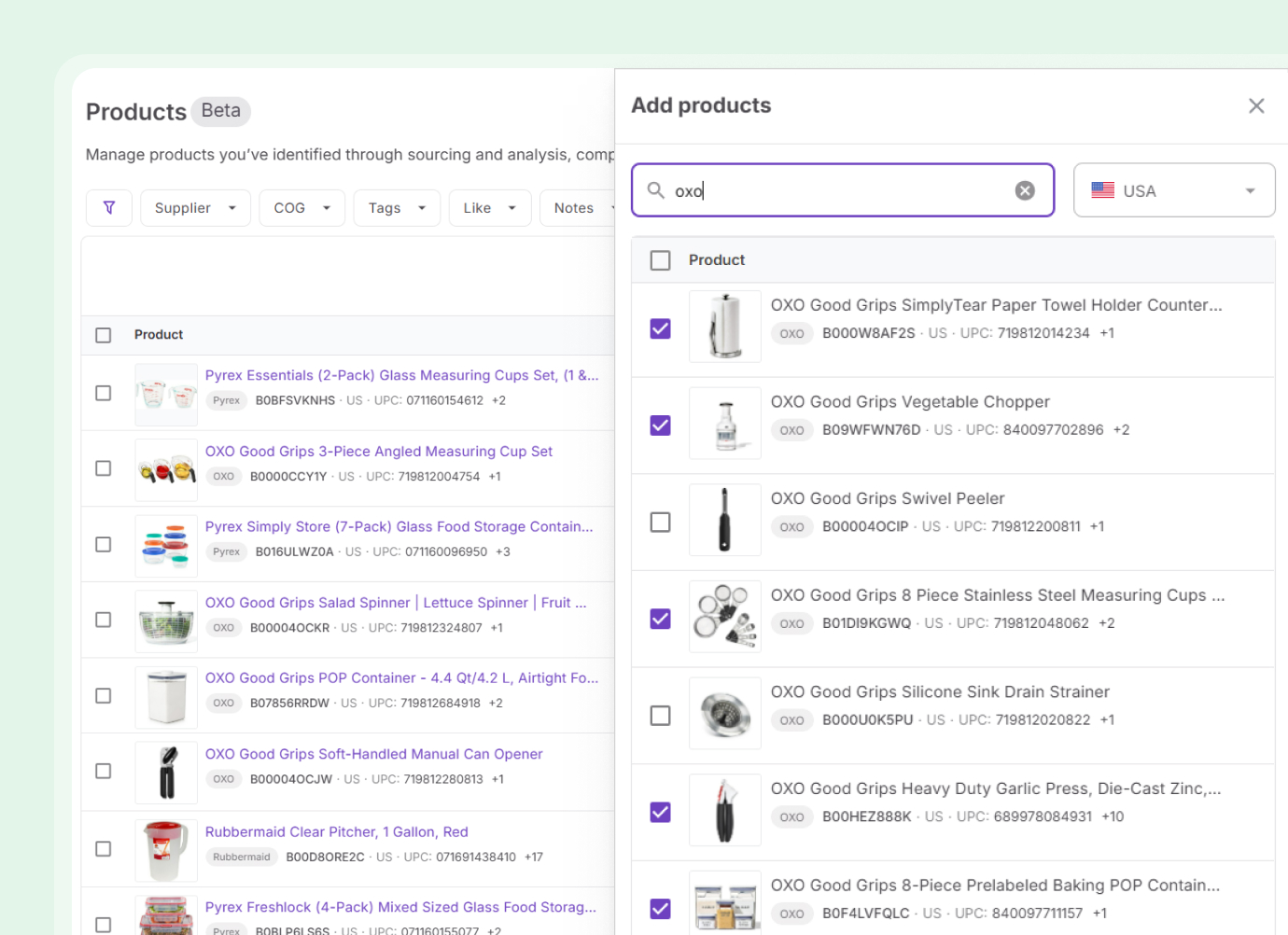
Find products by supplier, COG, tag, or identifier
Change history
Every update is logged with a timestamp and the team member
Product details page
See purchase orders, SKUs, listings, and inbound shipments for any product
Quick actions
Trigger the next step in your workflow without leaving the product record
Products connects to every stage of the workflow
Data arrives from analysis and moves forward to purchasing and listing — with supplier context intact at every step.
Add shortlisted products to your catalog, or send any product back for analysis
SourceAdd catalog products to POs with supplier and COG pre-filled
SourceSupplier profiles link to every offer stored in the catalog
ListView all SKUs across marketplaces, track statuses, and manage cost overrides
Every tool in your workflow connects here.
Research and analysis feed the catalog. Orders and listings flow out from it.

Validate products on Amazon before they reach your catalog.
Discover
Find suppliers for any brand directly from a product record.
Source
Analyze brand performance directly from the product record.
Analyze
Identify products you can't sell before they reach an order.
DiscoverFrequently Asked Questions
Visit Help Center
How do I add products to the catalog?
Can multiple team members access the same catalog?
How does supplier comparison work?
Can I send a product directly to Price List Analyzer?
What does the product details page show?
Does Product Database work with Purchase Orders?
One catalog. Every supplier. Zero spreadsheets.
Keep your sourced products, supplier offers, and workflow actions in one shared place — from first analysis to live listing.
Get StartedNot sure which plan fits your sourcing workflow? Chat with our team — we're happy to help.