



Processing supplier price lists with thousands of SKUs is one of the biggest bottlenecks for Amazon sellers. Whether you’re doing wholesale, online arbitrage, or dropshipping, manually matching UPCs to ASINs, checking Buy Box prices, and calculating real profit takes hours – and still leaves room for costly mistakes.
Seller Assistant’s Price List Analyzer changes that workflow. Instead of digging through spreadsheets, you can instantly surface profitable, low-risk deals and focus only on SKUs worth buying.
In this post, we’ll break down how Price List Analyzer works and how its saved views help you consistently spot the best deals faster – without redoing the same analysis every time.
Note. Seller Assistant is an end-to-end Amazon workflow management platform that integrates 10+ wholesale-focused solutions into one connected system. It combines sourcing workflow automation, bulk research and intelligence tools, and integrated Chrome extensions – giving you everything you need to streamline finding deals, managing suppliers, and creating purchase orders.

The platform aggregates: workflow management tools – Purchase Orders Module, Suppliers Database, Warehouses Database to organize, automate, and scale every step of your wholesale and arbitrage operations; bulk research & sourcing tools – Price List Analyzer, Bulk Restriction Checker, Sourcing AI, Brand Analyzer, Seller Spy to evaluate supplier price lists, verify selling eligibility and restrictions, discover winning product ideas from competitors to expand your product catalog; Chrome extensions – Seller Assistant Browser Extension, IP-Alert Extension, and built-in VPN by Seller Assistant to deep-research products, check IP claims and compliance, and access geoblocked supplier sites directly within your browser; and integrations & team access features – seamless API connectivity and integrations with Zapier, Airtable, and Make, plus Virtual Assistant Accounts for secure, scalable team collaboration.
With Seller Assistant, every step of your Amazon wholesale and arbitrage workflow is automated and connected.
What Are Saved Table Views in Price List Analyzer?
Saved Table Views in Seller Assistant’s Price List Analyzer let you save both column layout and filters as a reusable setup. Instead of rebuilding filters for every supplier upload, you apply a saved view and instantly see only the SKUs that match your sourcing criteria.
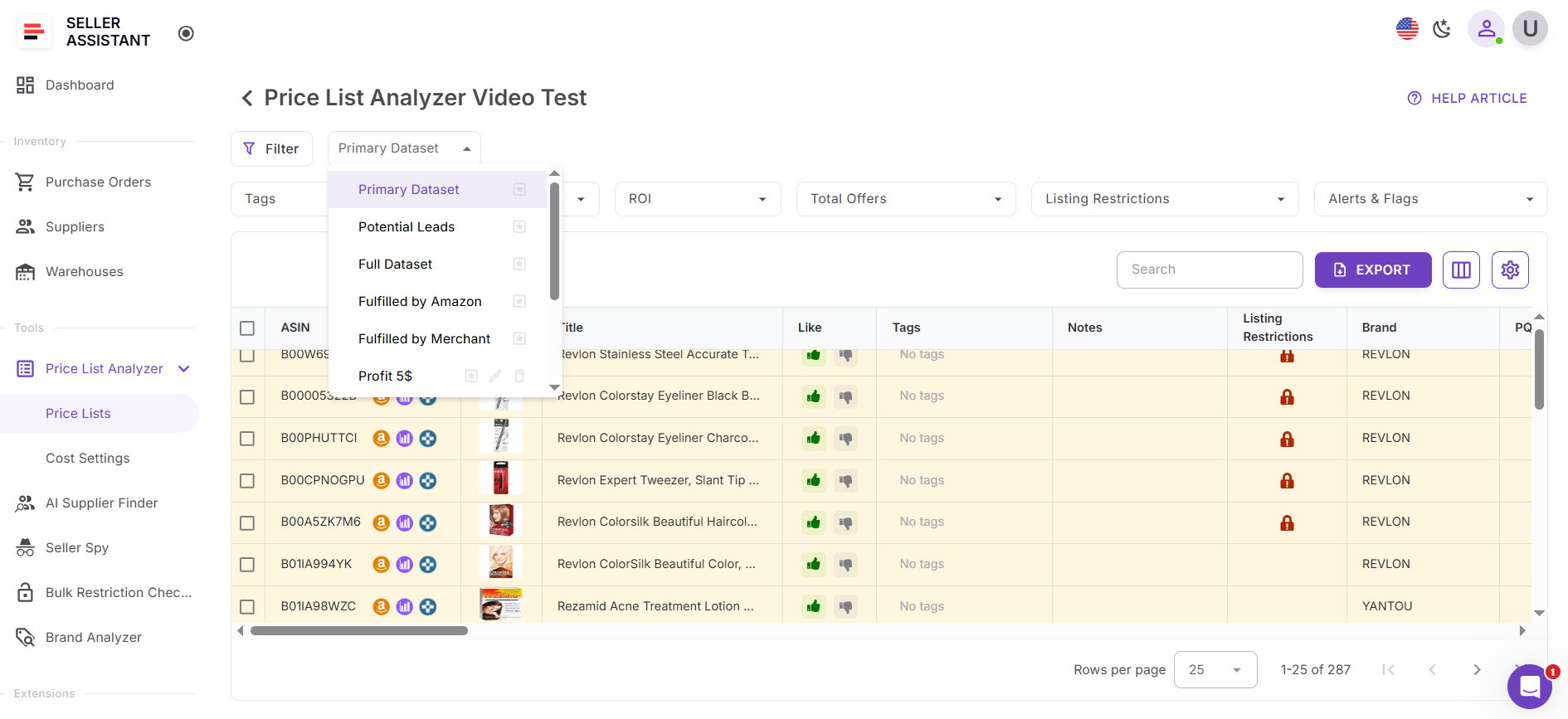
Saved views matter because bulk sourcing is repetitive. Wholesale, OA, and dropshipping sellers often evaluate lists using the same profit, ROI, sales, and risk rules. Saved views turn those rules into a system. They speed up analysis, keep decisions consistent, and simplify team workflows. Views are shared across the team, while each user keeps their own last-used view for a personalized experience.
How saved views are used in deal research
Full Dataset
What it is
Shows all available columns, sorted by Profit (FBA) from highest to lowest.
How it’s used
Best for deep dives and final checks. Sellers use this view to review fees, pricing history, dimensions, and product flags before committing to a buy.
Primary Dataset
What it is
A clean, decision-focused layout with non-essential columns hidden.
How it’s used
This is the main working view for daily sourcing. It keeps the table readable while showing profit, ROI, sales velocity, competition, and key risks.
Potential Leads
What it is
A pre-filtered view based on the Primary Dataset layout that surfaces SKUs meeting core deal criteria.
How it’s used
This is the shortlist view. Sellers and VAs use it to instantly isolate buy-ready products without scrolling through thousands of low-margin or risky items.
FBA Dataset
What it is
A view that hides FBM-specific columns and focuses only on FBA-related data.
How it’s used
Used by sellers who run FBA-only operations. It helps evaluate inbound shipping, FBA fees, storage costs, and FBA profitability without visual clutter.
FBM Dataset
What it is
A view that hides FBA-specific columns while keeping all FBM-relevant data visible.
How it’s used
Ideal for dropshippers or hybrid sellers. It allows fast evaluation of FBM margins, shipping costs, and pricing without FBA noise.
Custom views (user-created)
What they are
Custom views built by sellers using their own filters and layouts.
How they’re used
Sellers create views for specific scenarios, such as:
- Profit ≥ $X or ROI ≥ Y%
- Approval required or restricted products
- No Buy Box or Amazon in the Buy Box
- Risk review (IP alerts, HazMat, oversize)
These custom views let sellers switch instantly between sourcing, risk checks, and approval workflows – without rebuilding filters each time.
Saved Table Views in Price List Analyzer
Saved View | What It Shows | How Amazon Sellers Use It |
Full Dataset | All available columns, sorted by Profit FBA (high → low) | Used for deep analysis and final validation. Ideal for reviewing full fee breakdowns, price history, dimensions, and product flags before placing orders |
Primary Dataset | Core decision-making columns only; non-essential fields hidden | Main working view for daily sourcing. Keeps spreadsheets readable while showing profit, ROI, sales velocity, competition, and risks. |
Potential Leads | Primary Dataset layout with filters applied (profit, ROI, sales, Amazon not in Buy Box) | Shortlist view for buy-ready SKUs. Helps sellers and VAs instantly surface high-margin, low-risk deals without manual scanning. |
FBA Dataset | FBM-specific columns hidden; FBA-related data visible | Used by FBA-only sellers to focus on FBA fees, inbound shipping, storage costs, and true FBA profitability. |
FBM Dataset | FBA-specific columns hidden; FBM-related data visible | Ideal for FBA/FBM hybrid sellers evaluating FBM margins, shipping costs, and pricing without FBA noise. |
Custom Views | User-defined layouts and filters (e.g., profit thresholds, restrictions, risks) | Built for specific workflows like approval checks, risk reviews, or Amazon-in-Buy-Box analysis. Lets sellers switch contexts instantly without rebuilding filters. |
How Saved Table Views Help Amazon Sellers
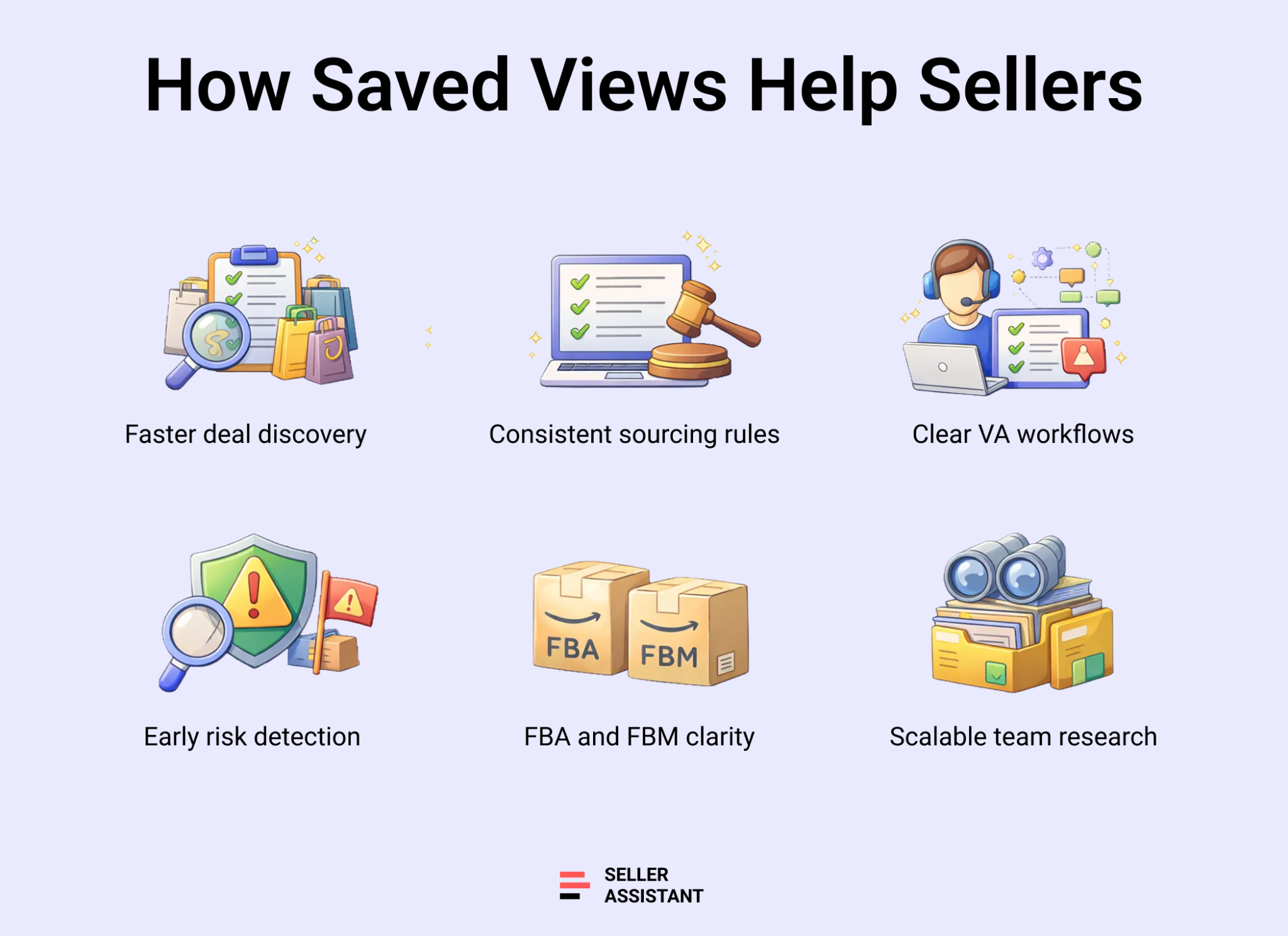
Saved Table Views turn bulk price list analysis into a repeatable, fast, and controlled process. Instead of reapplying the same filters and rearranging columns for every supplier file, sellers can switch views instantly and focus on decisions – not spreadsheets. This is especially valuable when sourcing at scale, working with VAs, or reviewing multiple suppliers each week.
Speed up bulk deal research
Saved views remove repetitive setup work. Sellers open a price list and immediately see only relevant SKUs based on predefined profit, ROI, sales, and risk criteria.
Keep sourcing decisions consistent
By reusing the same views across different price lists, sellers apply identical evaluation rules every time. This reduces emotional or inconsistent buying decisions.
Separate sourcing from approval
Deal researchers and VAs can work in predefined views like Potential Leads, while owners review deals in deeper views. This creates a clean handoff without rechecking the entire file.
Reduce costly mistakes
Views focused on risks, restrictions, or Amazon-in-Buy-Box status help sellers catch issues early, before inventory is purchased.
Support different fulfillment models
Dedicated FBA and FBM views let sellers evaluate profitability without irrelevant data, making it easier to switch between fulfillment strategies.
Scale team workflows
Saved views are shared across the team, so everyone works from the same logic. At the same time, each user keeps their own last-used view for a personalized workflow.
How Saved Views Work in Price List Analyzer
Saved views in Price List Analyzer combine table layout and filter settings into one reusable setup. Once created, a view can be applied to any current or future supplier price list, so you don’t need to rebuild filters or rearrange columns every time you upload a file.
Using prebuilt views
Price List Analyzer comes with several prebuilt views you can switch between instantly:
- Full Dataset shows all columns and sorts products by Profit FBA from high to low.
- Primary Dataset displays only common decision-making columns, hiding FBM, prep, VAT, DSF, and other secondary fields.
- Potential Leads builds on the Primary layout and automatically filters products with Profit FBA ≥ $2, ROI FBA ≥ 20%, estimated sales ≥ 5 units per month, and Amazon not in the Buy Box.
- Fulfilled by Amazon hides FBM-specific columns while keeping all other product data visible.
- Fulfilled by Merchant hides FBA-specific columns and focuses on FBM-related metrics.
These views let you move from full analysis to shortlist review in seconds.
Creating and managing custom views
You can create your own views by applying custom filters and column layouts, then clicking Create View. Existing views can be overwritten and reused across future uploads. Sellers often build custom views for scenarios like high-profit deals, approval-required products, no Buy Box listings, or risk reviews.
Team sharing and default views
Saved views are shared across your team, so everyone works with the same sourcing logic. At the same time, each team member keeps their own last-used view for a personalized workflow. You can also mark any view as the default by clicking the star icon, making it load automatically when opening new or existing price lists.
How Price List Analyzer powers saved views for faster decisions
Saved views are effective because Price List Analyzer already gathers and calculates all critical sourcing data in one place. Views simply let sellers control how that data is displayed, filtered, and reused across price lists.
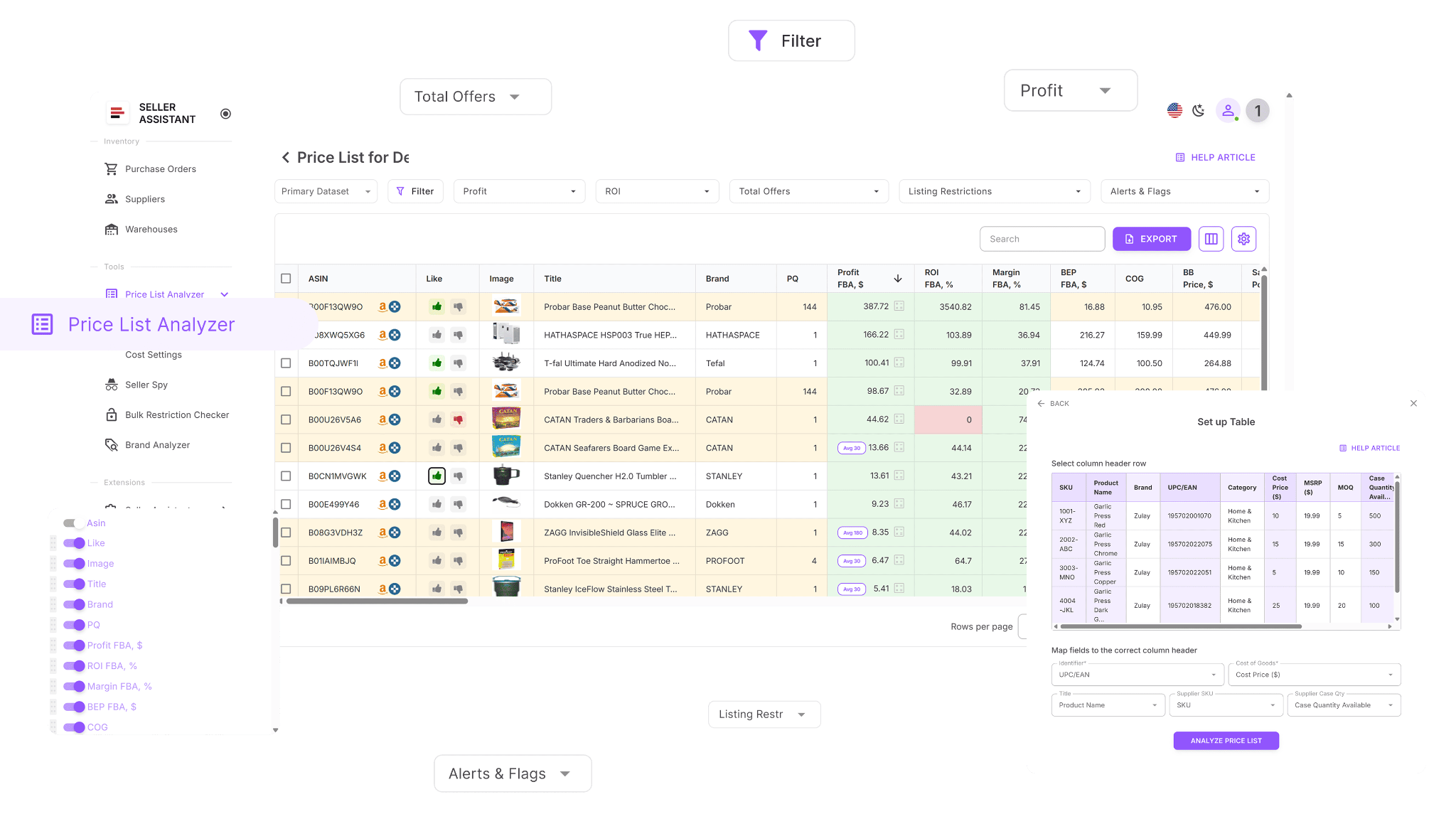
Here’s what Price List Analyzer enables sellers to do – data that saved views help organize and surface instantly:
- Scan large supplier catalogs to identify Amazon products with real profit potential
- Automatically match supplier SKUs, UPCs, or EANs to the correct Amazon ASINs
- Instantly see whether products or brands are restricted or not sellable on your account
- Evaluate demand using BSR, sales trends, and estimated monthly unit sales
- Calculate ROI, profit, margin, net profit, and break-even price per ASIN
- Analyze Buy Box price behavior over 30, 90, and 180 days
- View a full Amazon fee breakdown, including referral fees, FBA or FBM costs, storage, prep, and shipping
- Detect high-risk products such as HazMat, meltable, oversized, fragile, or bundled listings
- Receive alerts for approval requirements, missing Buy Box data, or weak FBA profitability
- Filter products by profit, ROI, demand, competition level, and risk signals
- Save custom table views and filter presets for reuse on future price list uploads
- Edit COG, shipping, prep costs, or pack size and see profits recalculate instantly
- Add shared team notes that remain linked to ASINs across multiple uploads
- Tag products by sourcing status, reuse past decisions, and filter by workflow stage.
How to use saved views step by step
Step 1. Open your price list
Log in to Seller Assistant, open Price List Analyzer, and select a processed supplier price list you want to analyze.
Step 2. Choose a starting view
Select a prebuilt view from the views dropdown – such as Potential Leads, Primary Dataset, Full Dataset, Fulfilled by Amazon, or Fulfilled by Merchant – based on your current task.
Step 3. Customize layout and filters
- Click Create View to create a new layout
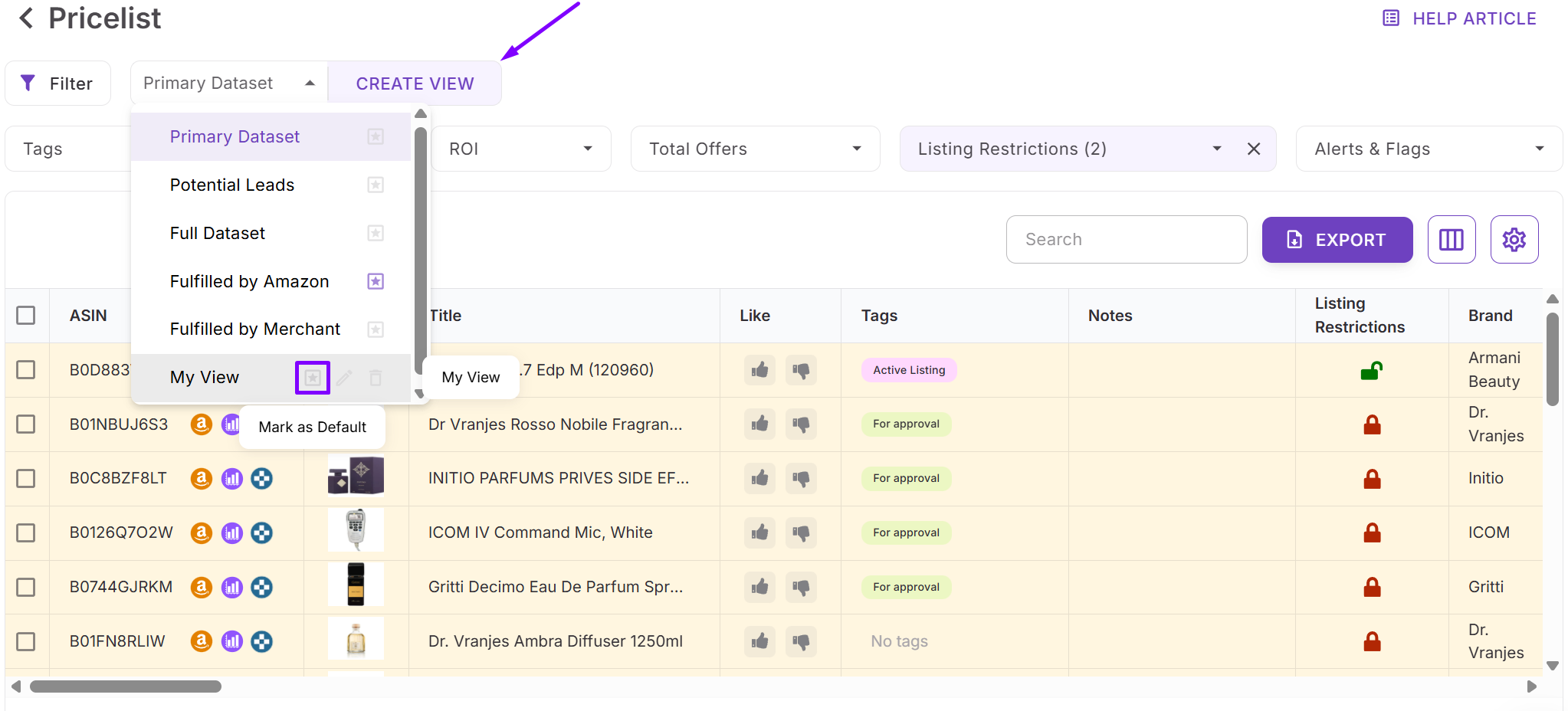
- Show or hide columns and apply filters for your deal criteria, such as profit, ROI, sales estimate, BSR, Amazon in Buy Box, restrictions, or risk flags.
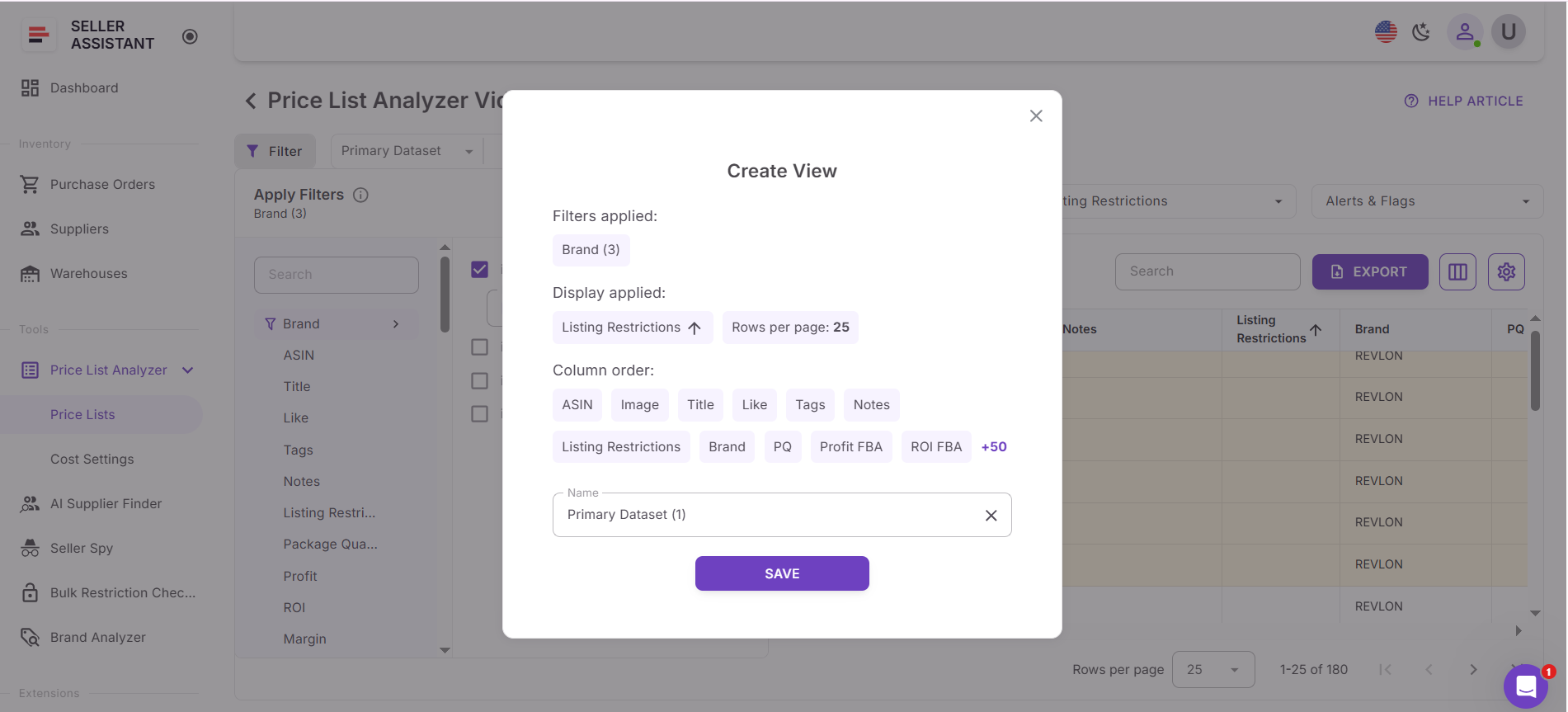
Step 4. Save or update the view
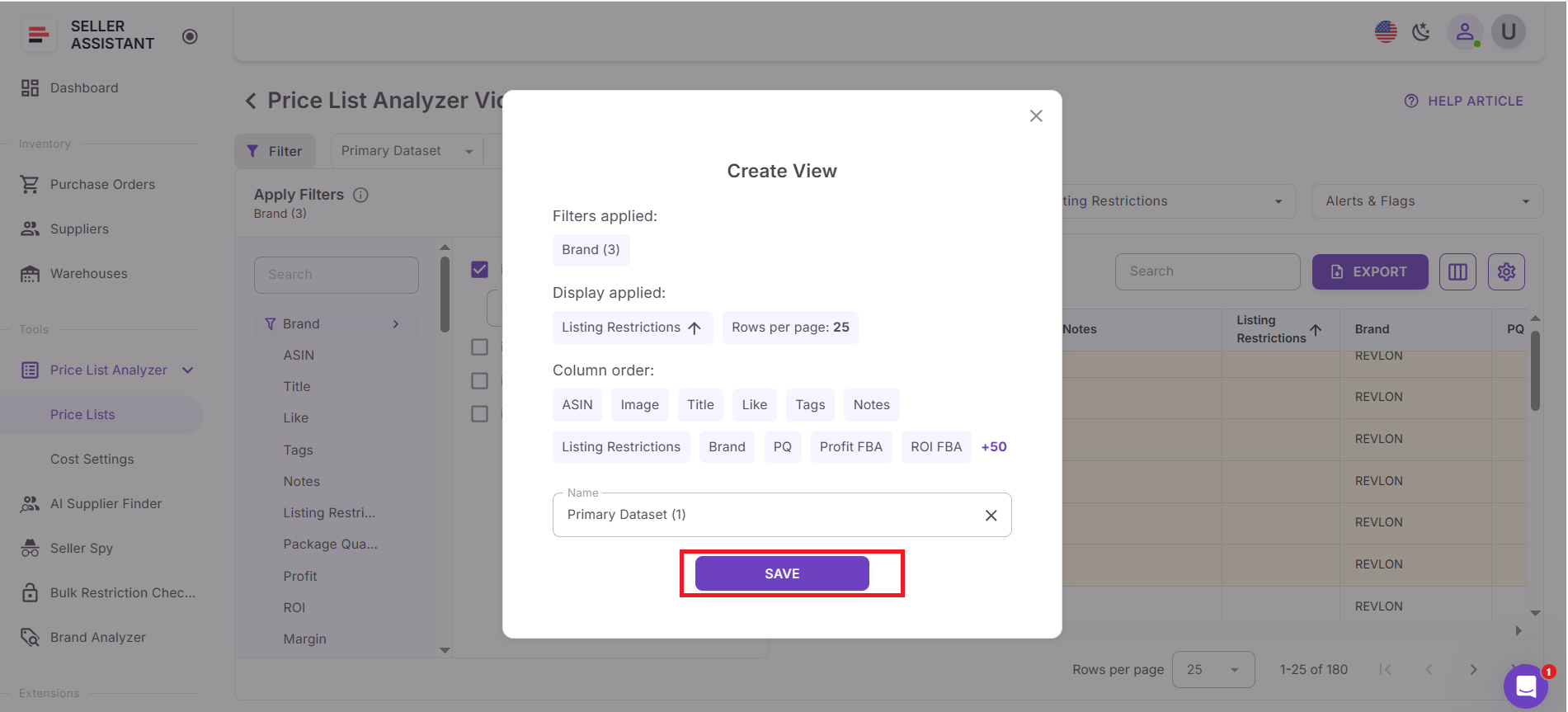
Click Save to save your setup, or overwrite an existing view if you want to update it. You can also mark any view as default using the star icon.
Step 5. Reuse and share
Apply your saved view to future price lists with one click. Views are shared across your team, while each user keeps their own last-used view for a personalized workflow.
FAQ
What are saved views in Price List Analyzer?
Saved views store your selected table layout and filter settings together. They let you reuse the same sourcing criteria across multiple supplier price lists without rebuilding filters.
Are saved views shared with my team?
Yes, saved views are shared across your team so everyone works with the same sourcing logic. Each user still keeps their own last-used view for a personalized workflow.
Can I create my own custom saved views?
Yes, you can create custom views by applying filters and saving them as a new view. These views can be reused, overwritten, and applied automatically to future price list uploads.
Do saved views work for both FBA and FBM sellers?
Yes, Price List Analyzer includes dedicated FBA and FBM views that hide irrelevant columns. This helps sellers evaluate profitability without unnecessary data.
Will saved views update if I change my sourcing criteria?
Yes, you can overwrite an existing view at any time after adjusting filters or columns. The updated view will apply to all future price lists where it’s used.
Final Thoughts
Finding profitable deals in large supplier price lists doesn’t have to be slow or inconsistent. With Seller Assistant’s Price List Analyzer and saved table views, Amazon sellers can turn complex bulk data into a structured, repeatable sourcing process. Instead of rebuilding filters for every upload, you apply proven criteria and focus only on SKUs that meet your profit, sales, and risk standards.
Saved views help sellers move faster, reduce costly mistakes, and scale team workflows without losing control. Whether you sell via FBA, FBM, wholesale, or online arbitrage, they make deal research easier to repeat, easier to delegate, and easier to scale.
Seller Assistant automates and connects every stage of your Amazon wholesale and arbitrage workflow. It brings together in one platform: workflow management tools – Purchase Orders Module, Supplier Database, Warehouse Database, bulk research & sourcing tools – Price List Analyzer, Bulk Restriction Checker, Sourcing AI, Brand Analyzer, Seller Spy, Chrome extensions – Seller Assistant Browser Extension, IP-Alert Extension, and built-in VPN by Seller Assistant, and integrations & team access features – seamless API connectivity, integrations with Zapier, Airtable, and Make, and Virtual Assistant Accounts.

