Notes
Add comments, sourcing context, and supplier details to products across the entire platform — on Amazon, in Price List Analyzer, Purchase Orders, Suppliers, Warehouses, Seller Spy, Brand Analyzer, and Bulk Restriction Checker. Team members can view, edit, and share notes everywhere.
Get Started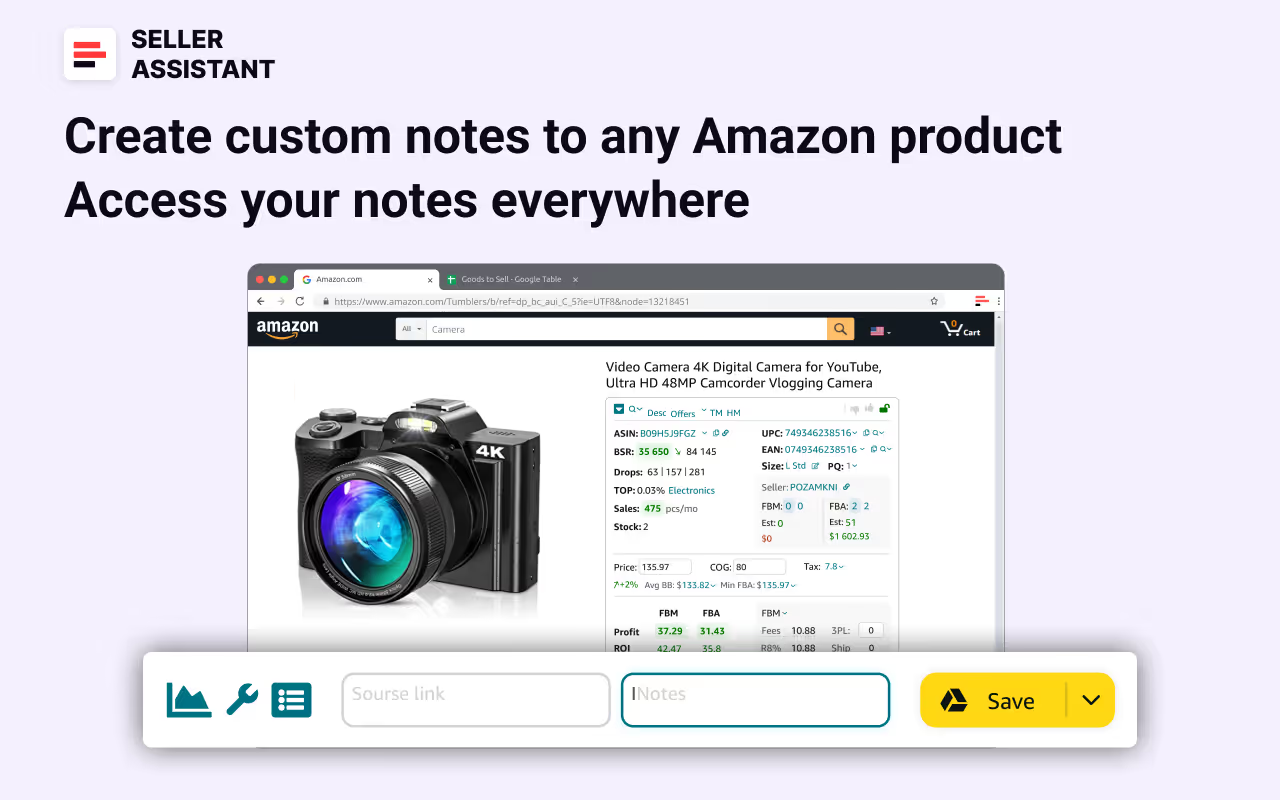
Notes feature Review
In this video, we'll show you how to use Notes feature by Seller Assistant.
- ✓ What does Notes feature allow?
- ✓ Where does Notes feature appear?
- ✓ How to use Notes feature?
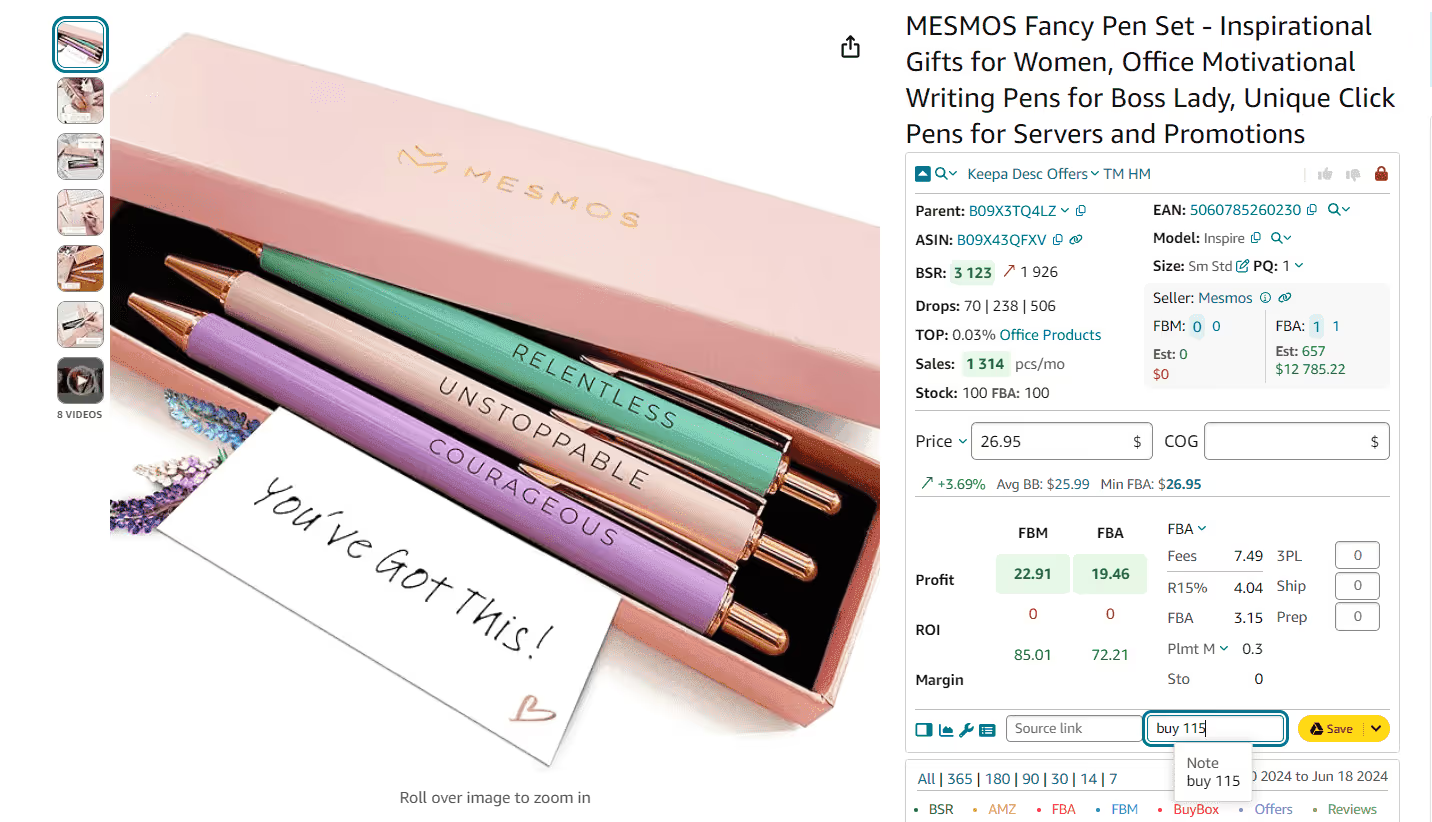
Create custom notes to any Amazon product
Add the notes and information to specific products you encounter during product research. Fill in supplier links, planned purchase quantities, etc. Leave essential product messages for your team.
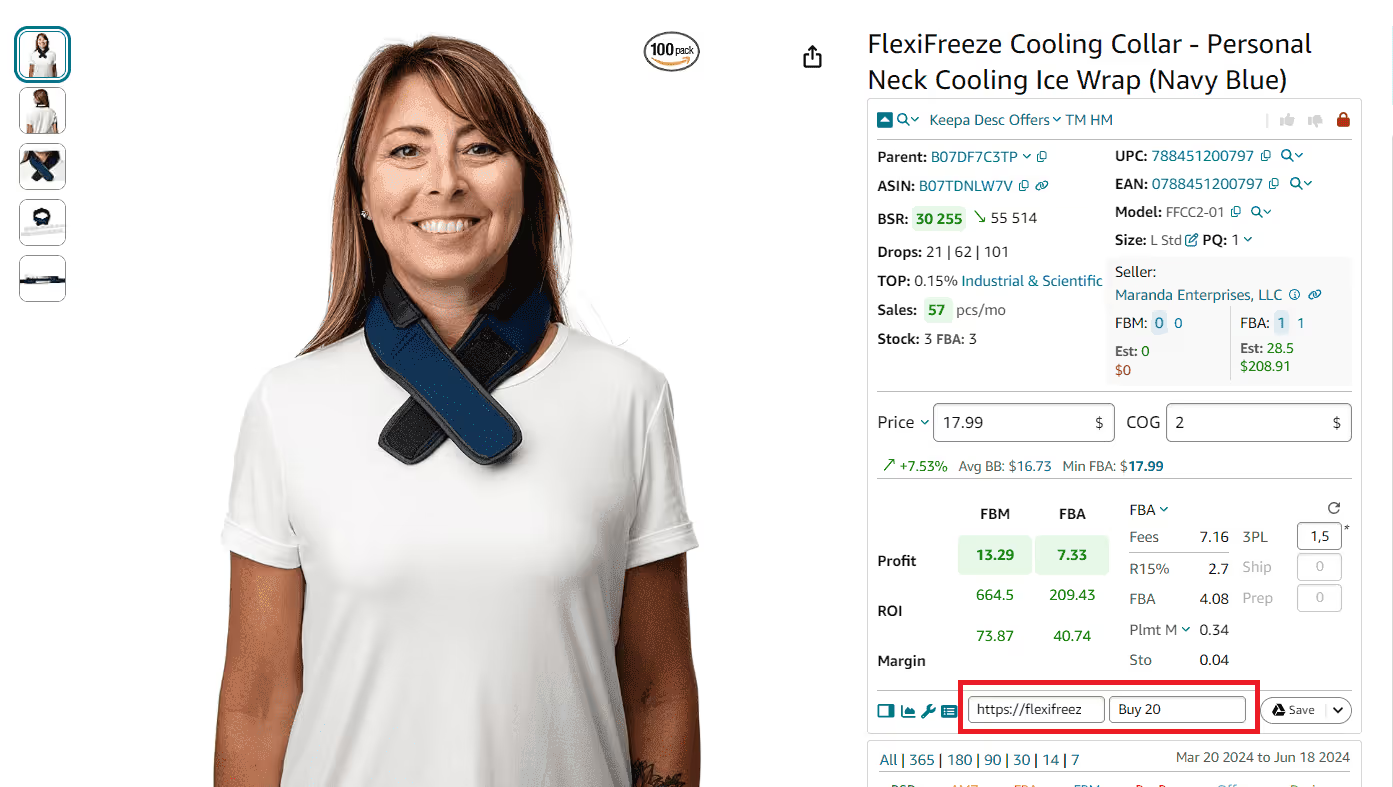
Access your Notes everywhere
Review your Notes on the Amazon product and search pages, in the Side Panel View on any website, on the Seller Central inventory pages, and in your Seller Assistant account. Remember important details about the products you want to source.
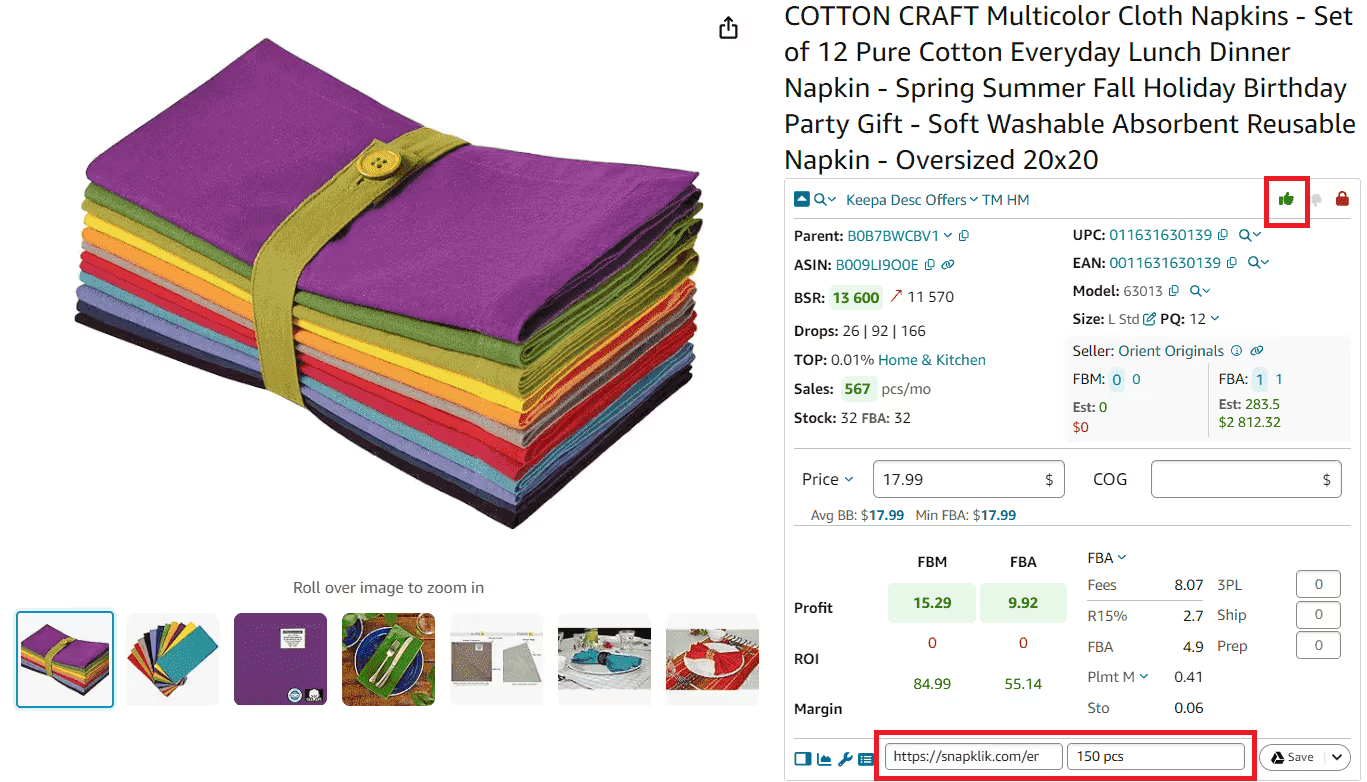
Mark products with likes and dislikes
Add likes and dislikes to any product you research on Amazon. Recall at a glance which products meet your selling criteria, and which don't.
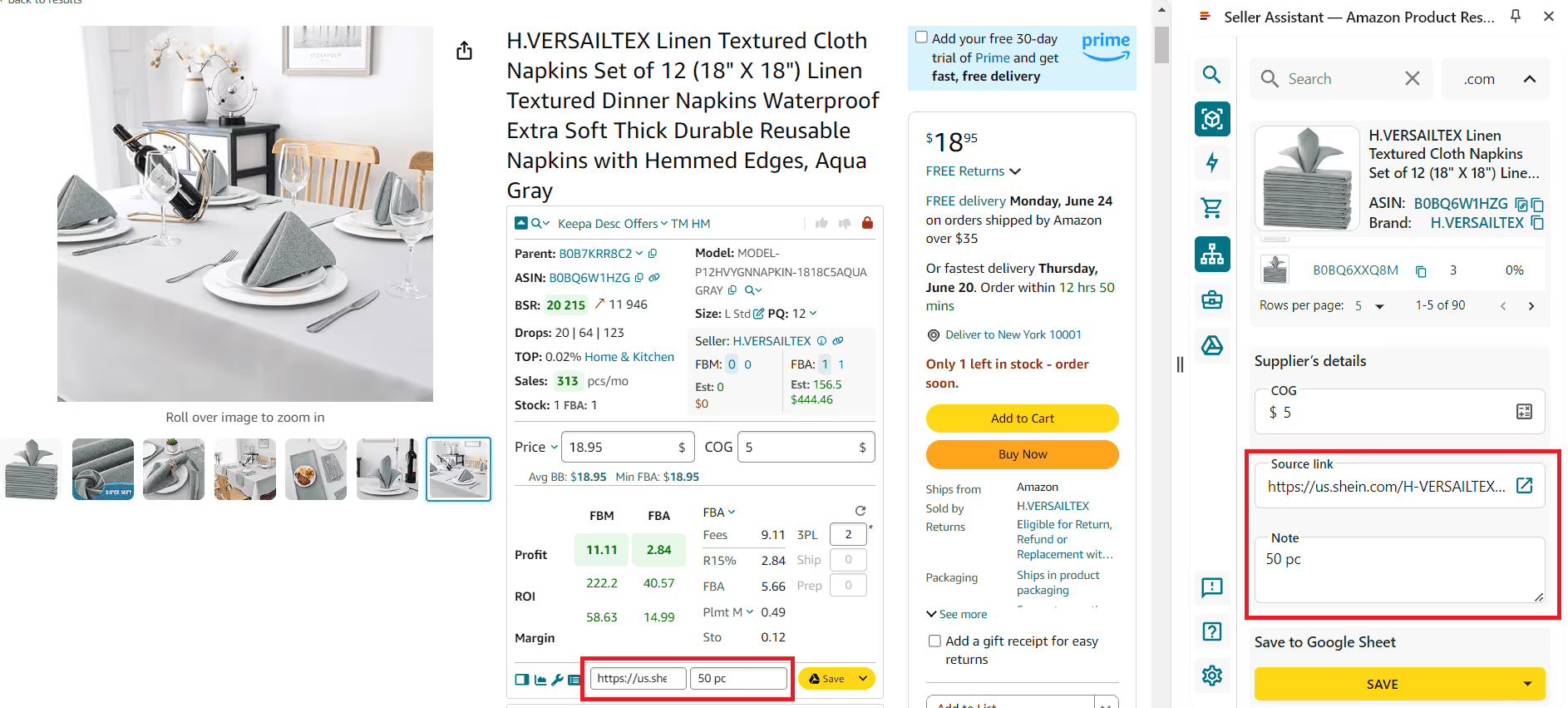
Edit your Notes at any time
Effortlessly edit and update the information you added to each product. On the search pages, click the Notes icon to see or edit your note. Filter products with or without notes.
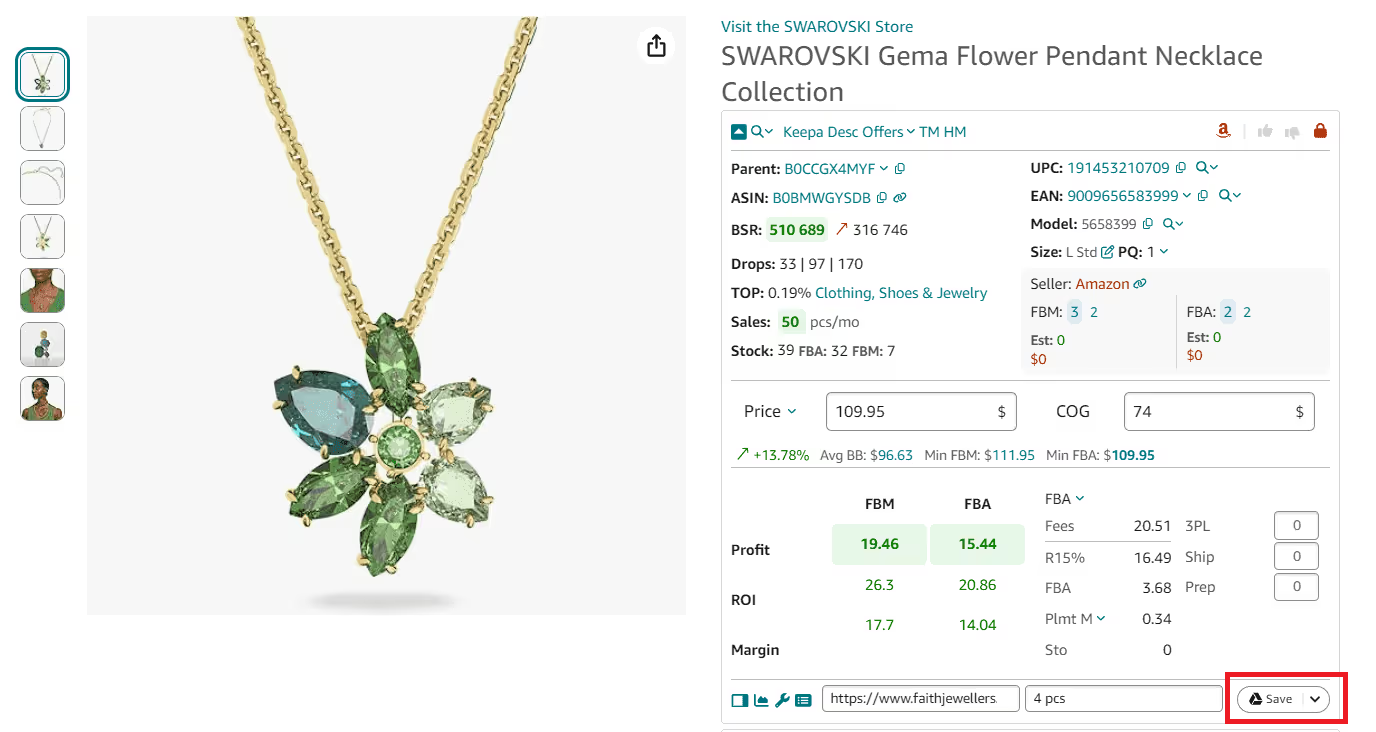
Save Notes to Google Sheets
Save your Notes to Google Sheets in one click for further research. Share the Notes with your team in Google Sheet.
Notes across every tool in Seller Assistant
Notes are now available in Price List Analyzer, Purchase Orders, Suppliers, Warehouses, Seller Spy, Brand Analyzer, and Bulk Restriction Checker. Hovering the note icon shows the latest note, while clicking opens the full note history with edit and delete options. Keep sourcing discussions, supplier updates, and product context connected across the workflows your team already uses.
Frequently Asked Questions
Visit Help Center
What do Seller Assistant Notes do?
Where do Seller Assistant Notes appear?
What are Seller Assistant Notes options?
Can you add notes to Amazon products?
What is the Seller Assistant Notes feature?
How do Seller Assistant Notes work?
Access your Notes where you need them
View your Seller Assistant Notes on the Amazon product and search pages, in the Side Panel View on any website, on the Seller Central inventory pages, and across all web app tools — Price List Analyzer, Purchase Orders, Suppliers, Warehouses, Seller Spy, Brand Analyzer, and Bulk Restriction Checker.
Get StartedNot sure which plan fits your sourcing workflow? Chat with our team — we're happy to help.