


If you’ve ever tried to access a website and found it’s blocked in your country, you’re not alone. For online arbitrage and wholesale sellers in constant search of profitable product ideas, this can be a major obstacle, limiting access to potential suppliers.
A VPN can solve this issue by giving you unrestricted access to e-commerce stores and suppliers worldwide, regardless of geographic restrictions.
Keep reading to learn what a VPN is, how it works, and how it can help online arbitrage and wholesale sellers expand their opportunities.
What Is VPN?
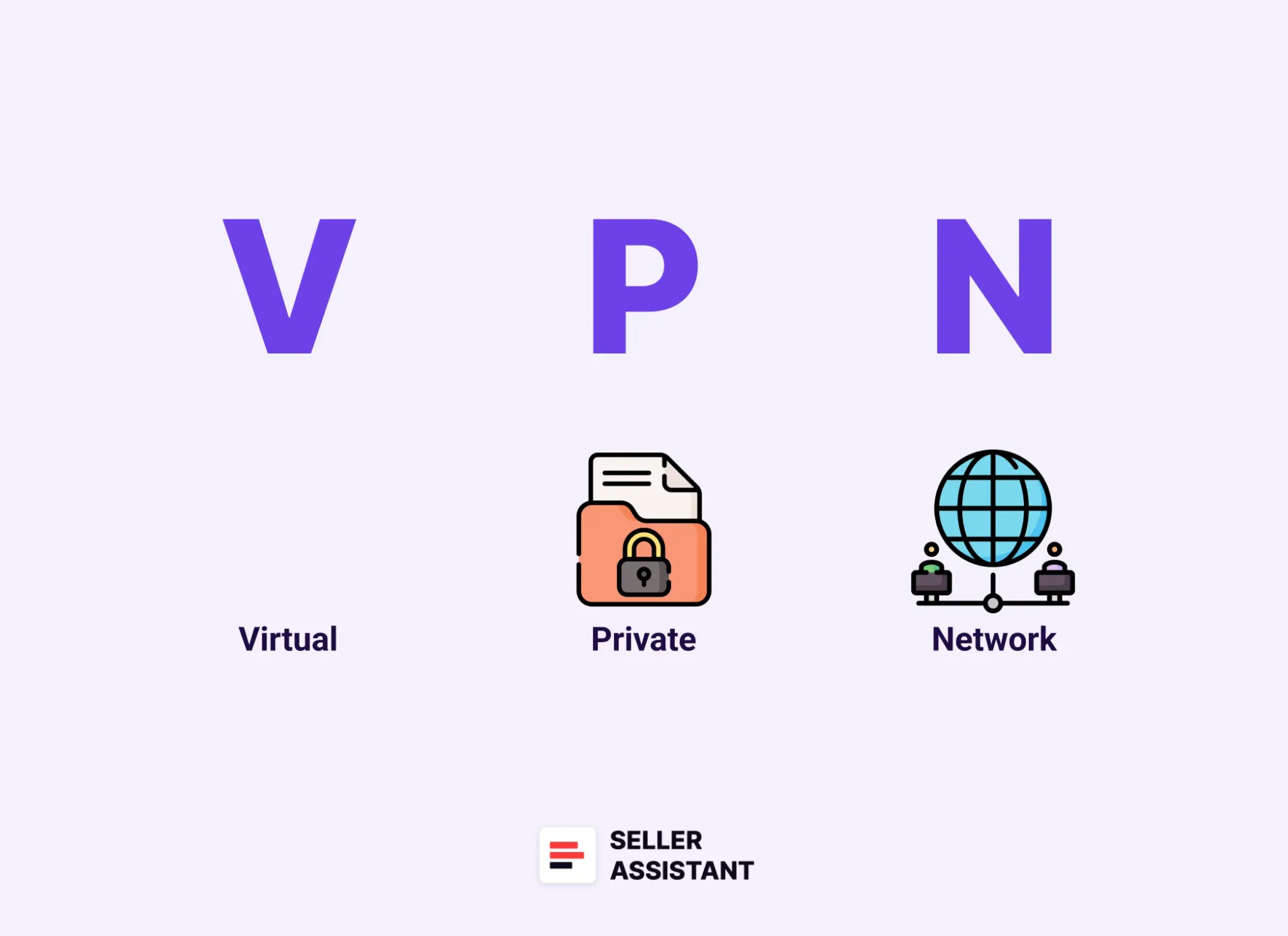
A Virtual Private Network (VPN) is a tool that creates a secure, encrypted connection between your device and the internet. VPN masks your real IP address by routing your connection through a remote server, allowing you to browse the web privately and access websites or services that might be restricted based on your location.
What Is VPN?
Related: Amazon FBA for Beginners
A VPN connection definition
- Virtual
because the connection is made without the use of physical cables.
- Private
because it ensures that your data and browsing activity are kept hidden from others.
- Network
because it links multiple devices, such as your computer and the VPN server, to maintain a secure connection.
VPNs are commonly used to protect online privacy, bypass geo-restrictions, and ensure secure internet usage, making them an essential tool for activities like online arbitrage and wholesale.
How Does VPN Work?
How Does VPN Work?
Related: Selling on Amazon: How to Make Money?
How to Sell on Amazon for Beginners - Complete Guide
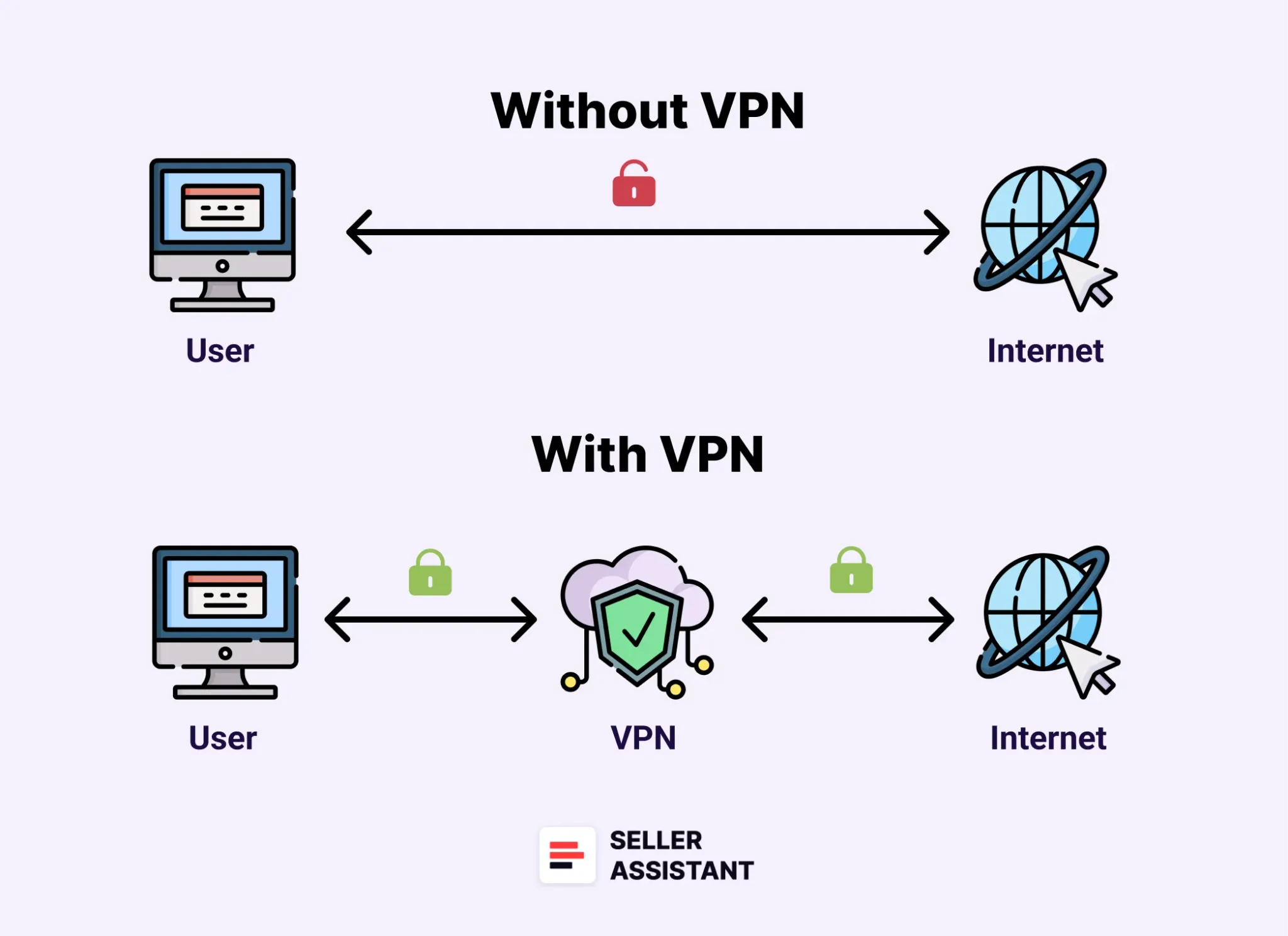
A VPN works by creating a secure, encrypted tunnel between your device and a remote server operated by the VPN provider. When you connect to the internet through a VPN, your online traffic is routed through this server, masking your real IP address and making it appear as though you’re browsing from the server’s location.
This encryption not only protects your data from being intercepted by third parties, ensuring privacy and security, but also helps bypass geo-restrictions, allowing you to access blocked supplier websites or e-commerce stores that may be unavailable in your region.
Additionally, VPNs can help you access local supplier prices, which often vary due to price discrimination based on region, giving you a competitive edge in securing better deals. By masking your location, VPNs allow you to appear as if you’re browsing from another country, granting you access to region-specific prices and content.
Related: Seller Assistant Extension Review
The Best Amazon Online Arbitrage Tool — Seller Assistant
Types of VPN Connections
Depending on your specific purposes, you can use different types of VPN connections: for personal privacy, remote work, or securing entire organizational networks. There are VPNs for both computers and mobile devices. Below are the most common types of VPN connections.
Remote access VPN (client-to-site VPN)
Remote access VPNs allow users to connect to a private network or a third-party server using SSL/TSL encryption (encryption protocols that secure the transmission of data between a user’s device and a server). This type of VPN is ideal for remote workers who need access to company files and resources securely or for users who want to browse the internet over an encrypted connection from home. It provides flexibility and security for those working outside of the office.
Site-to-site VPN
A site-to-site VPN connects one network to another through LAN or WAN connections. It is typically used by large organizations that need to link multiple internal networks across different physical locations. This type of VPN ensures secure communication between offices, making it an excellent option for enterprises with geographically dispersed branches.
VPN applications (mobile VPN)
Mobile VPNs allow users to connect to a private network via a VPN app on their smartphone or tablet. These are perfect for individuals who want the security and privacy benefits of a VPN while on the go. Mobile VPNs are especially useful when connecting to public Wi-Fi or dealing with unstable internet connections.
Pros and Cons of Using a VPN
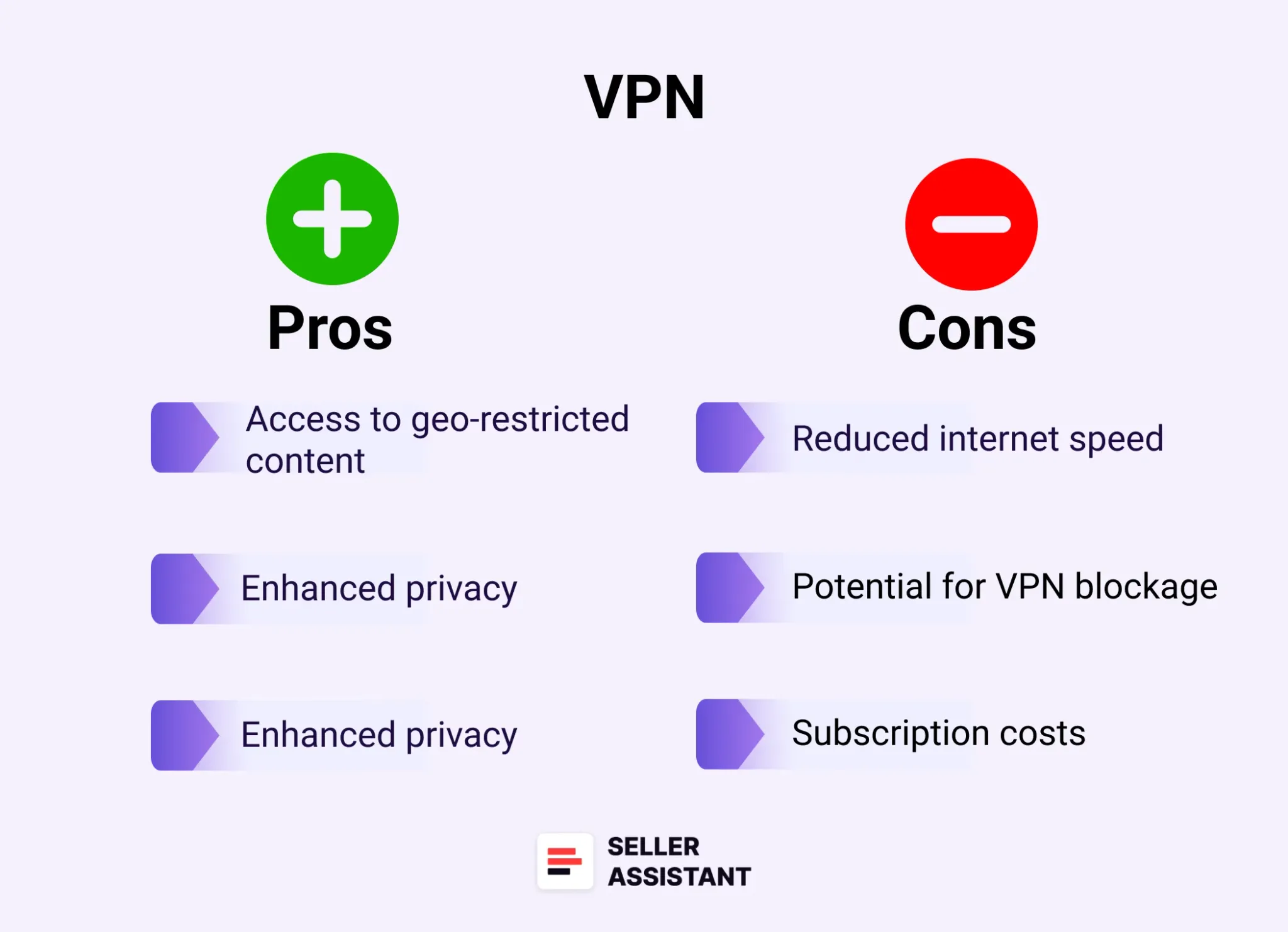
Using a VPN offers significant advantages for privacy, security, and accessing restricted content, but it also has some drawbacks. Below are the key pros and cons of using a VPN:
Pros and Cons of Using a VPN
Related: How to Dropship on Amazon with Seller Assistant
Amazon Wholesale: How to Sell Wholesale on Amazon
Pros
Access to geo-restricted content
VPNs allow you to bypass geo-restrictions and access content or websites that may be blocked in your region. This is particularly useful for streaming services, supplier websites, or conducting international research.
Enhanced privacy
A VPN hides your IP address and encrypts your internet traffic, making it difficult for anyone to track your online activities. This ensures that your data remains private, even when using public Wi-Fi.
Improved security
By encrypting your internet connection, a VPN protects your data from hackers, especially on unsecured networks. This added layer of security is crucial for online transactions and protecting sensitive business information.
Related: Do You Need an LLC to Sell on Amazon?
How to Contact Amazon Seller Central Support
Cons
Reduced internet speed
VPNs can slow down your internet connection since your data must pass through an additional server. The impact on speed can vary depending on the VPN provider and the distance to the server you’re connected to.
Potential for VPN blockage
Some websites and services actively block VPN traffic, which may prevent you from accessing certain platforms. This can be frustrating if you’re trying to access restricted content but the VPN is detected and blocked.
Subscription costs
While there are free VPN services, most premium VPNs come with subscription fees. These costs can add up, especially if you’re using a VPN for multiple devices or team members.
Why Do Amazon Sellers Need VPN?
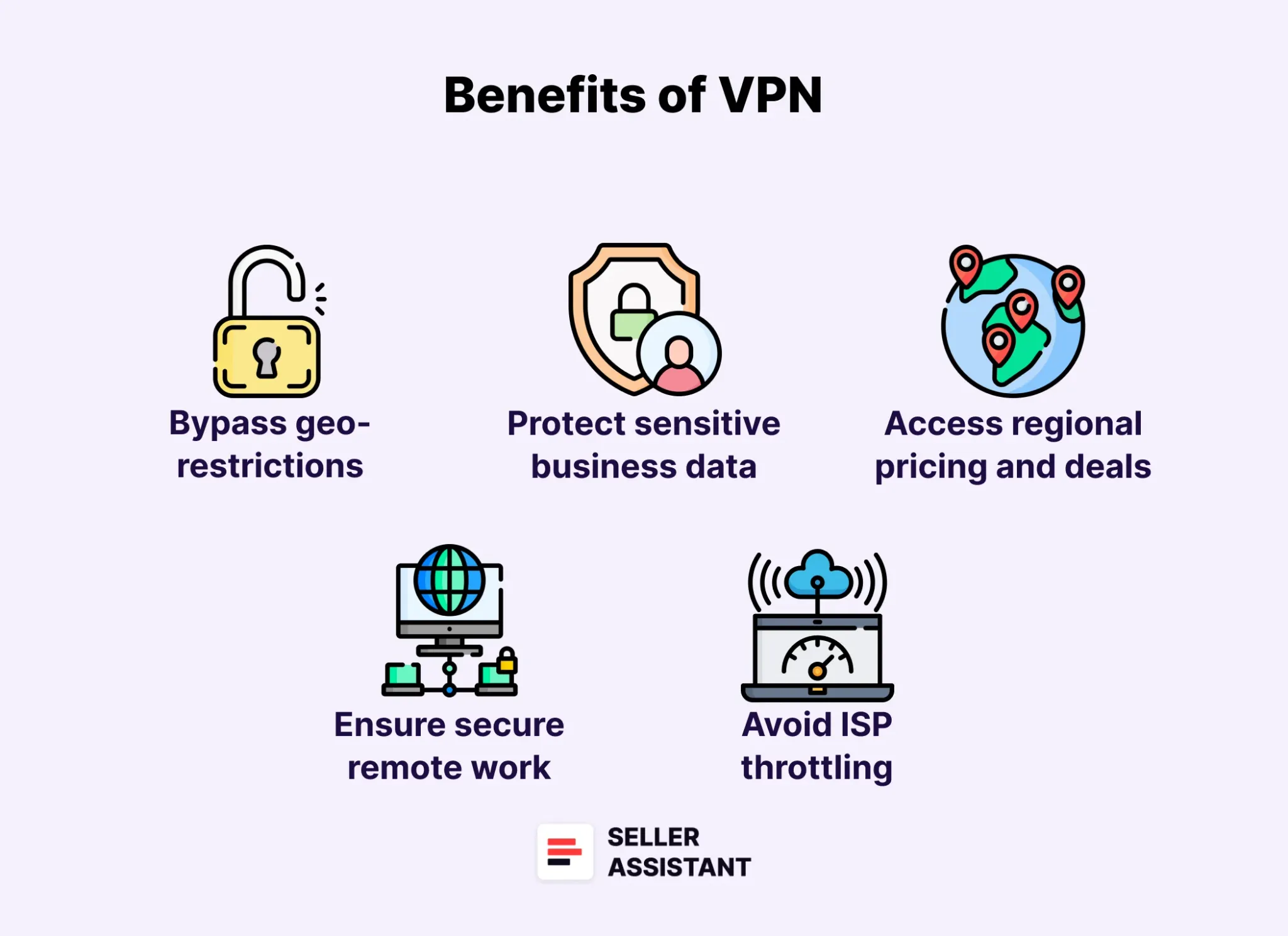
For Amazon sellers, using a VPN offers numerous benefits that enhance both security and access to vital resources. Here’s why a VPN is an essential tool for online arbitrage, wholesale, and running a successful Amazon business:
Why Do Amazon Sellers Need VPN?
Related: What Products to Avoid Selling on Amazon?
How to Check Amazon IP Complaints
The Most Important Amazon Seller Metrics for FBA Businesses
Bypass geo-restrictions
Amazon sellers often need to access marketplaces and supplier websites that are restricted in certain regions. A VPN allows you to bypass these restrictions, giving you unrestricted access to global suppliers and market insights.
Protect sensitive business data
When conducting product research or managing your store, you may handle sensitive business information. A VPN encrypts your internet connection, ensuring that your data is safe from hackers, especially when using public Wi-Fi networks.
Access regional pricing and deals
Price discrimination based on location is common in e-commerce. A VPN lets you change your IP location, enabling you to view different prices based on the region and potentially secure better deals for your products.
Ensure secure remote work
Many Amazon sellers work with virtual assistants or team members who may need access to business data from different locations. Using a VPN ensures a secure connection, allowing your team to work remotely without compromising sensitive information.
Avoid ISP throttling
Some internet service providers (ISPs) slow down connections when detecting heavy usage, such as online research or data transfers. A VPN hides your activity from the ISP, preventing throttling and ensuring a smoother connection.
Related: Amazon Account Health – A Guide for FBA Sellers
Amazon Account Health Assurance
What is Amazon Seller Account Health Rating?
How To Avoid Amazon Seller Account Suspension?
Is There a VPN for Amazon Sellers?
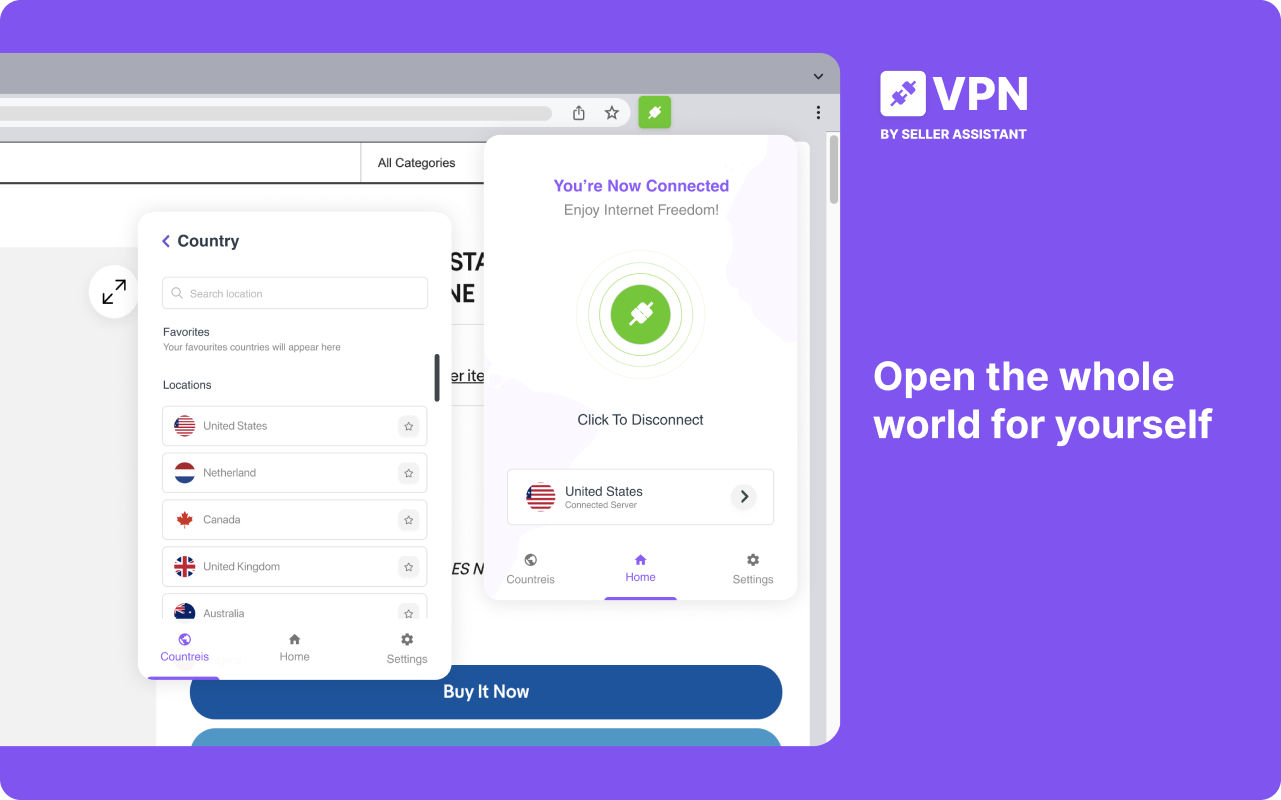
Yes, there is a VPN specifically designed for Amazon sellers – VPN by Seller Assistant. This powerful Chrome extension is tailored to meet the unique needs of Amazon sellers, making it easier and more secure to conduct product research, bypass regional restrictions, and protect your data.
VPN by Seller Assistant
Related: How to Buy and Sell Amazon Return Pallets in 2024
Amazon Wholesale: How to Sell Wholesale on Amazon in 2024
How To Negotiate Prices With Amazon FBA Wholesale Suppliers
It integrates seamlessly with Seller Assistant, giving you access to a comprehensive tool for all your selling needs. Whether you’re looking to get unrestricted access to global suppliers or protect sensitive information, VPN by Seller Assistant is the perfect solution for Amazon sellers.
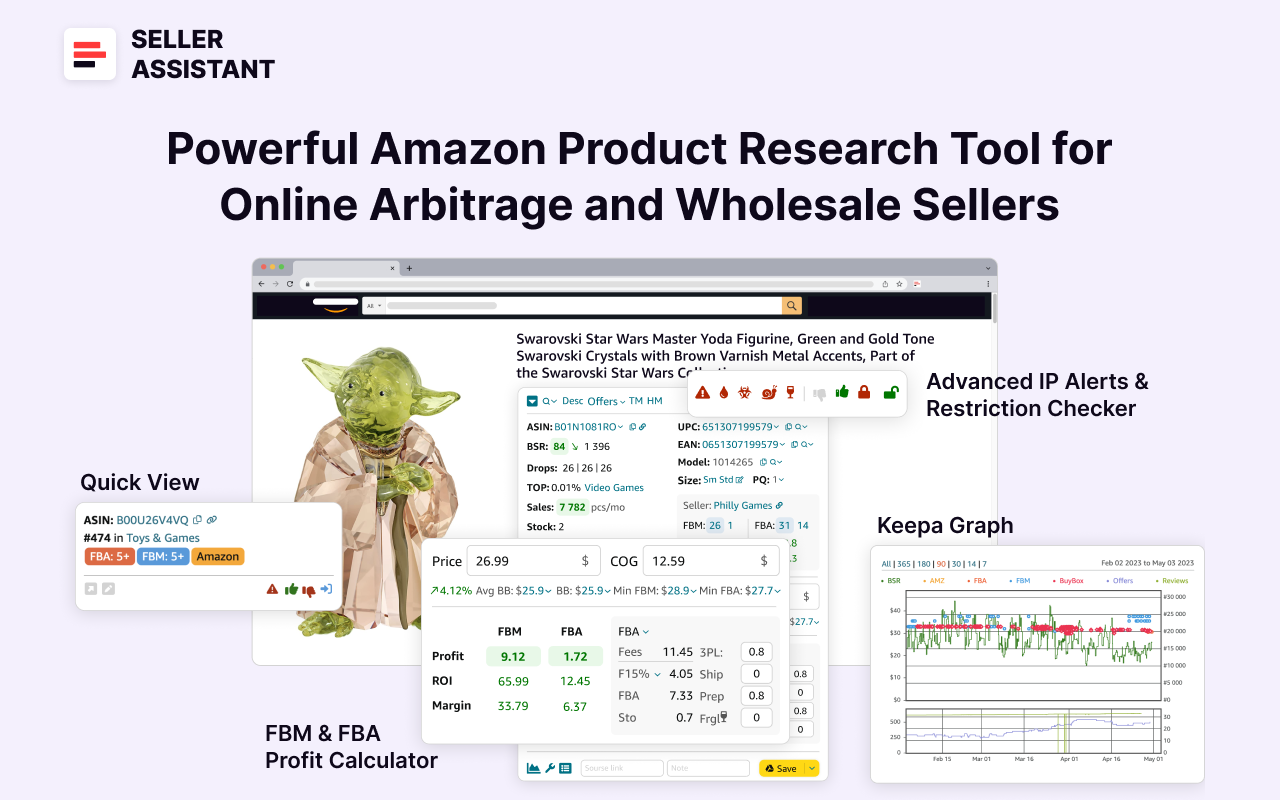
Note. Seller Assistant is a comprehensive product-sourcing software that helps Amazon sellers quickly find high-profit deals. It combines three extensions: Seller Assistant Browser Extension, and IP-Alert Chrome Extension by Seller Assistant, and VPN by Seller Assistant, Amazon seller tools: Price List Analyzer, Seller Spy, Bulk Restrictions Checker, and API integrations, and features: Side Panel View, FBM&FBA Profit Calculator, Quick View, ASIN Grabber, UPC/EAN to ASIN converter, Stock Checker, IP Alert, and Restrictions Checker.
Seller Assistant
Related: 12 Ways to Find Wholesale Suppliers for Amazon FBA
How to Find Amazon FBA Wholesale Suppliers
How to Buy Wholesale to Sell on Amazon?
Seller Assistant shows all essential product data on Amazon search, product, and inventory pages, and on any website to help you find high-margin deals. By using this FBA and FBM product sourcing software, you can easily identify products that have the potential to be sold well on Amazon.
Benefits of using VPN by Seller Assistant
VPN by Seller Assistant offers a number of benefits that make it an essential tool for Amazon sellers. From cost-effectiveness to enhanced security and global access, here are the key reasons why it’s a must-have.
Cost-effective and convenient
VPN by Seller Assistant comes included in the price of your Seller Assistant subscription. This means you get both a powerful product research tool and secure VPN access in one package, saving you the hassle of paying for separate services.
Enhanced product research
With the ability to switch your IP address to any country, VPN by Seller Assistant allows you to access region-specific Amazon marketplaces. This gives you valuable insights into local pricing, competition, and market trends, providing a strategic edge in new market exploration and competitor analysis.
Unblock any website worldwide
VPN by Seller Assistant lets you bypass geo-restrictions and access any website, supplier, or retailer from anywhere in the world. This is crucial for sellers who need unrestricted access to conduct research on products and pricing across different regions, helping them make informed business decisions.
Simple team access management
Easily manage VPN access for your team members, such as employees or virtual assistants, without compromising security. Each team member gets a free secure login through Seller Assistant, eliminating the need to pay for separate VPN accounts or sharing sensitive passwords.
Proxy bypass for Amazon Seller Central
VPN by Seller Assistant includes a proxy bypass feature, ensuring access to Amazon Seller Central (or other websites of your choice) with your original IP address when using VPN for all other websites. This allows you to avoid issues with Amazon account security, making it the perfect solution for sellers who need stable and reliable access to their Seller Central accounts.
Related: How to Choose Wholesale Products to Sell on Amazon?
Online Arbitrage vs Wholesale on Amazon. What is the difference?
How to Master Wholesale Distribution for Amazon
How to Use VPN by Seller Assistant
VPN by Seller Assistant is designed to work seamlessly with the Seller Assistant platform, providing secure internet access and region-specific browsing to assist Amazon sellers with product research and management.
To access VPN by Seller Assistant, simply subscribe to one of Seller Assistant’s plans that include VPN functionality. The VPN extension is available with all annual plans – Start, Pro, and Business – and the Pro and Business monthly plans. Each account supports up to 3 installations, including access for sub-accounts.
Steps to use VPN by Seller Assistant
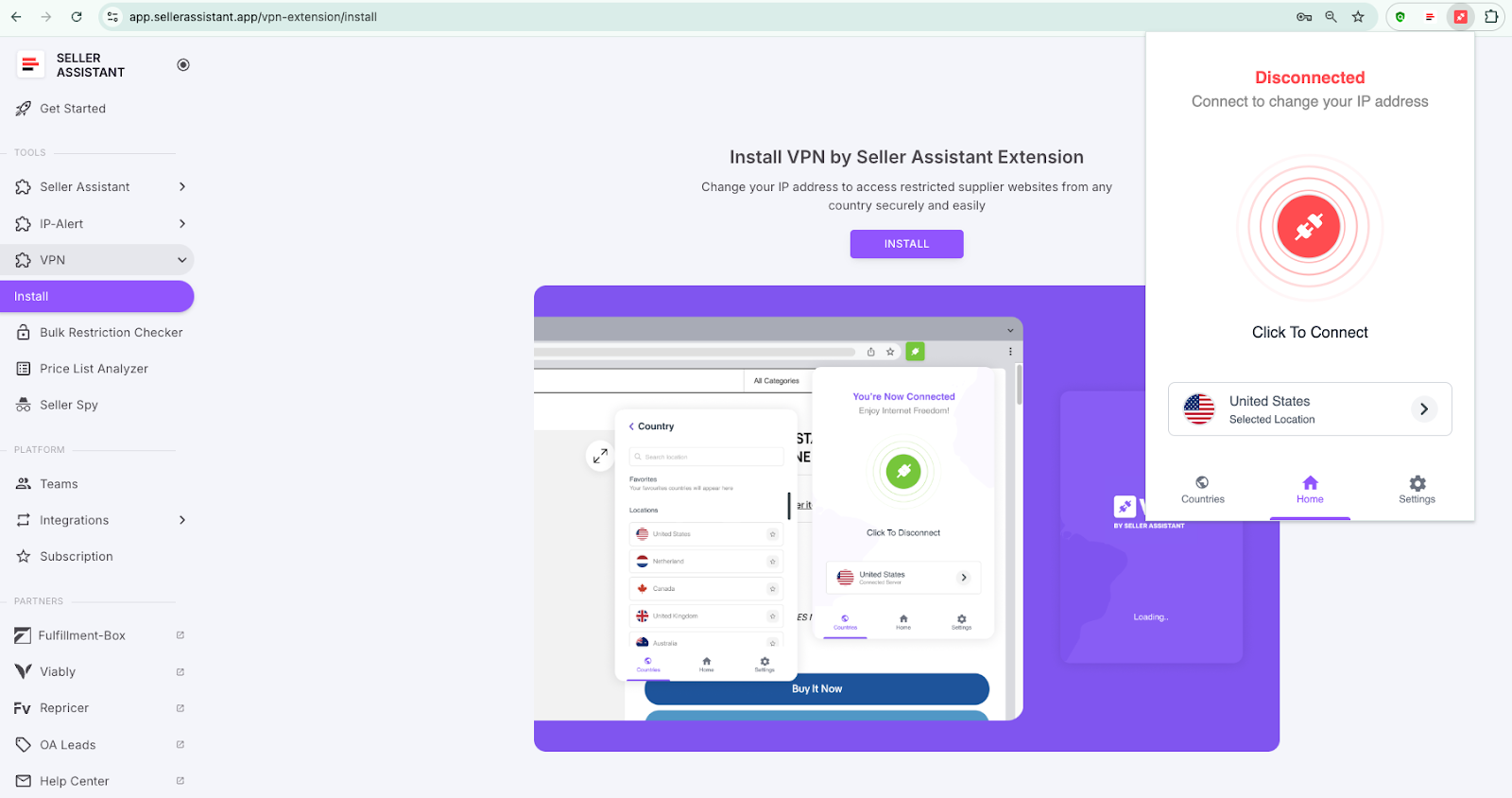
Step 1, Connect to VPN
When logged into Seller Assistant, click on the VPN extension icon in your browser’s toolbar. In the extension window, click “Connect” to establish a secure connection.
In the extension window, click “Connect” to establish a secure connection
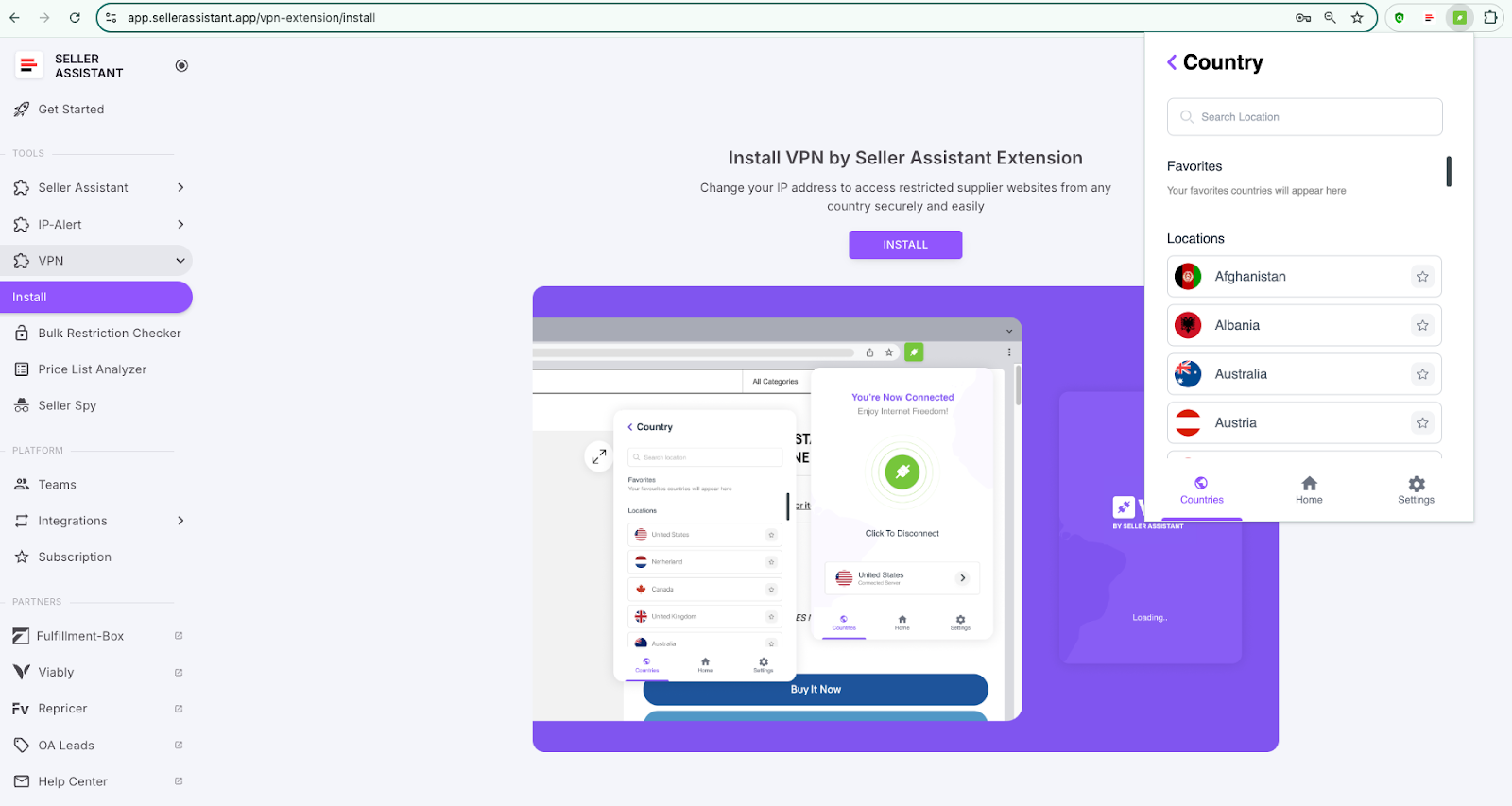
Step 2. Change location (Optional)
By default, your location is set to the U.S. To change it, click the VPN icon again, select “Countries,” and choose your desired country from the dropdown list for region-specific browsing.
To change locatio, click the VPN icon again, select “Countries,” and choose your desired country
Step 3. Bypass proxy for Amazon Seller Central (Optional)
If you need to bypass the proxy while using Amazon Seller Central, go to the VPN Settings in the extension. Select “Bypass proxy,” enter your Seller Central link (or any other links you wish to bypass), and click “Save.”
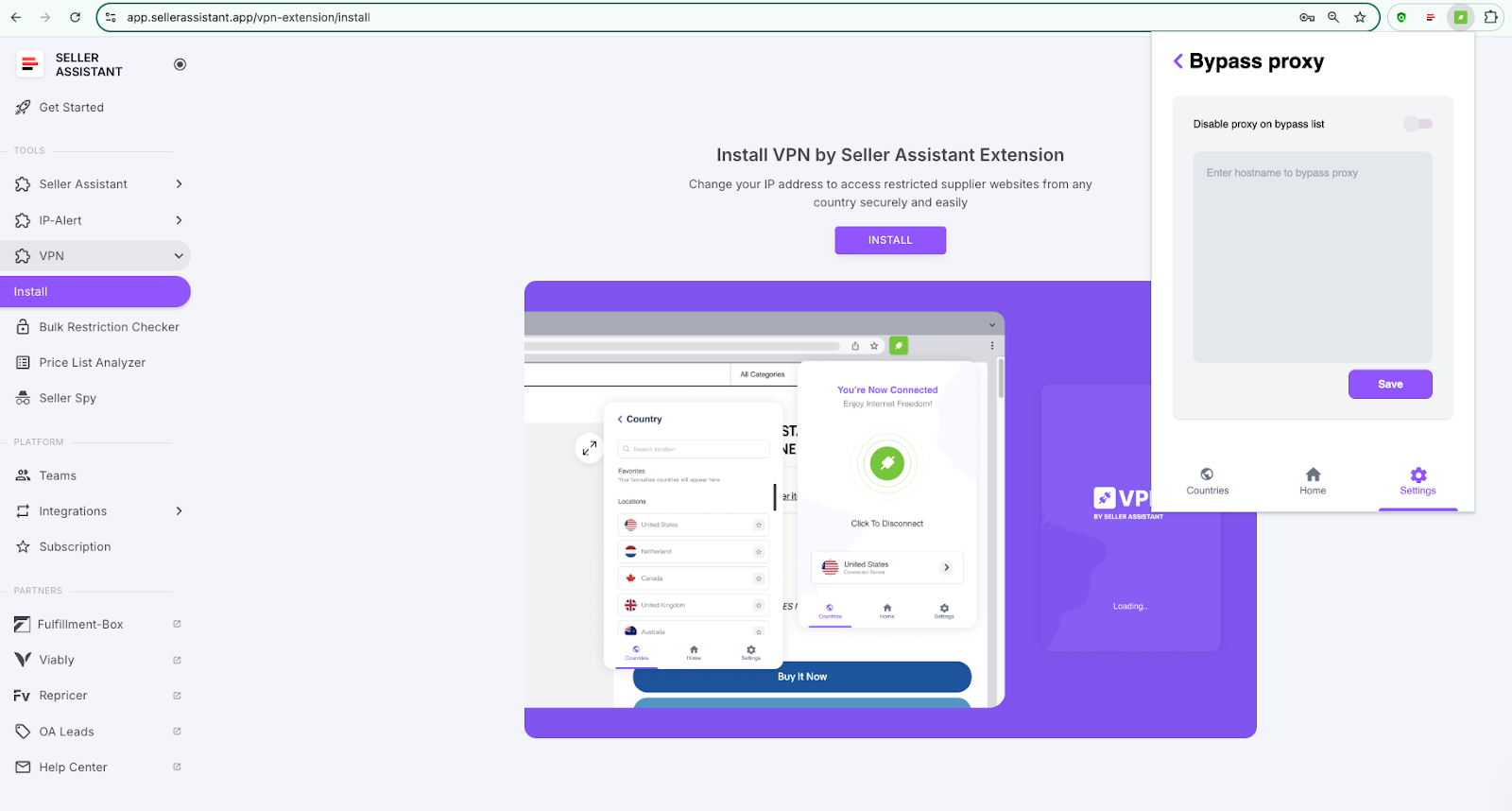
If you need to bypass the proxy while using Amazon Seller Central, go to the VPN Settings in the extension. Select “Bypass proxy,”
Step 4. Activate WebRTC Leak Protection (Optional)
For added privacy, enable WebRTC leak protection to prevent your real IP address from being exposed during activities like video calls or file sharing. This option can be found in the VPN Settings.
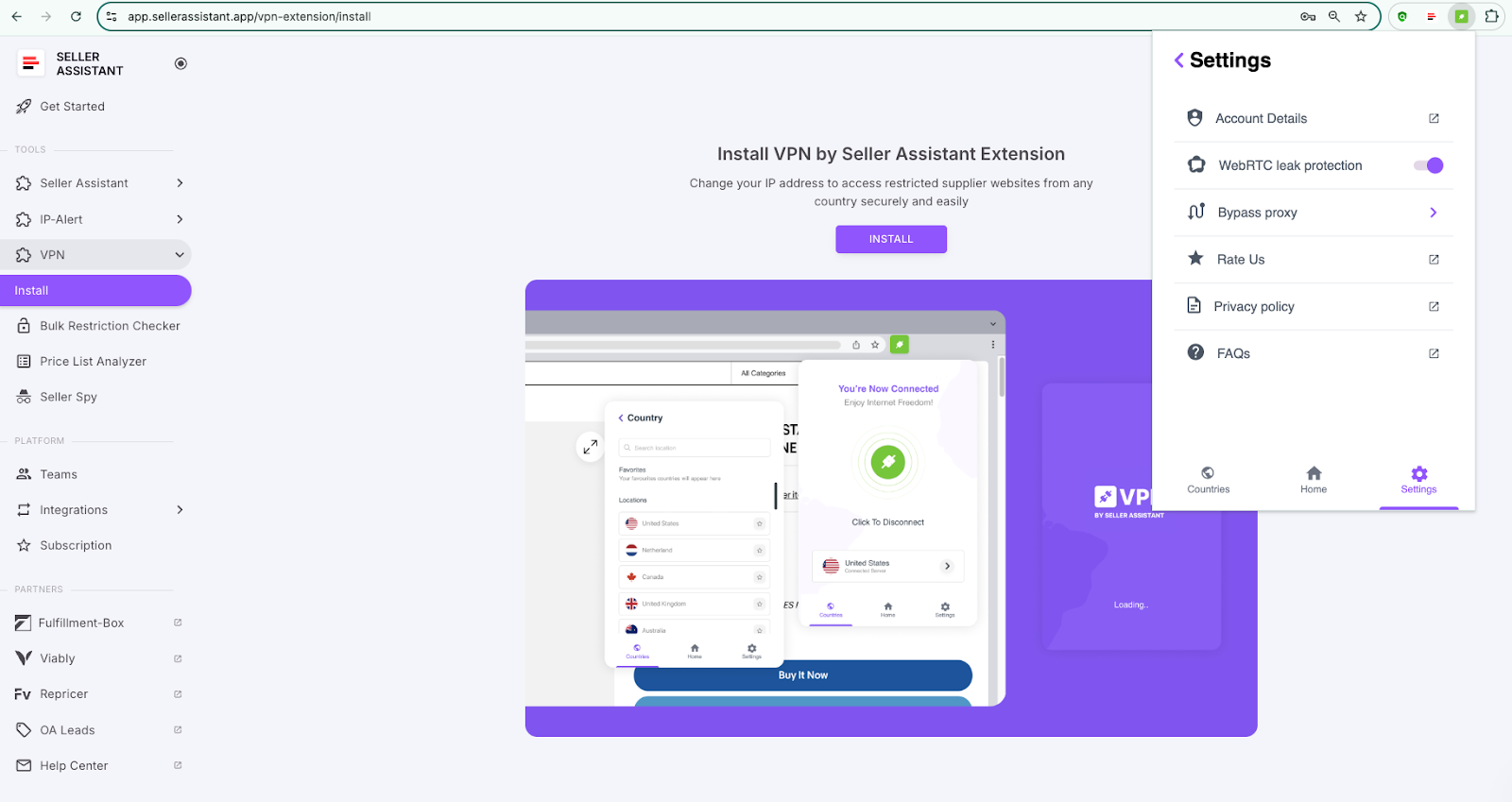
For added privacy, enable WebRTC leak protection
Step 5. Disconnect from VPN
When you’re done using the VPN, click the VPN icon again and select “Disconnect” to safely close the connection.
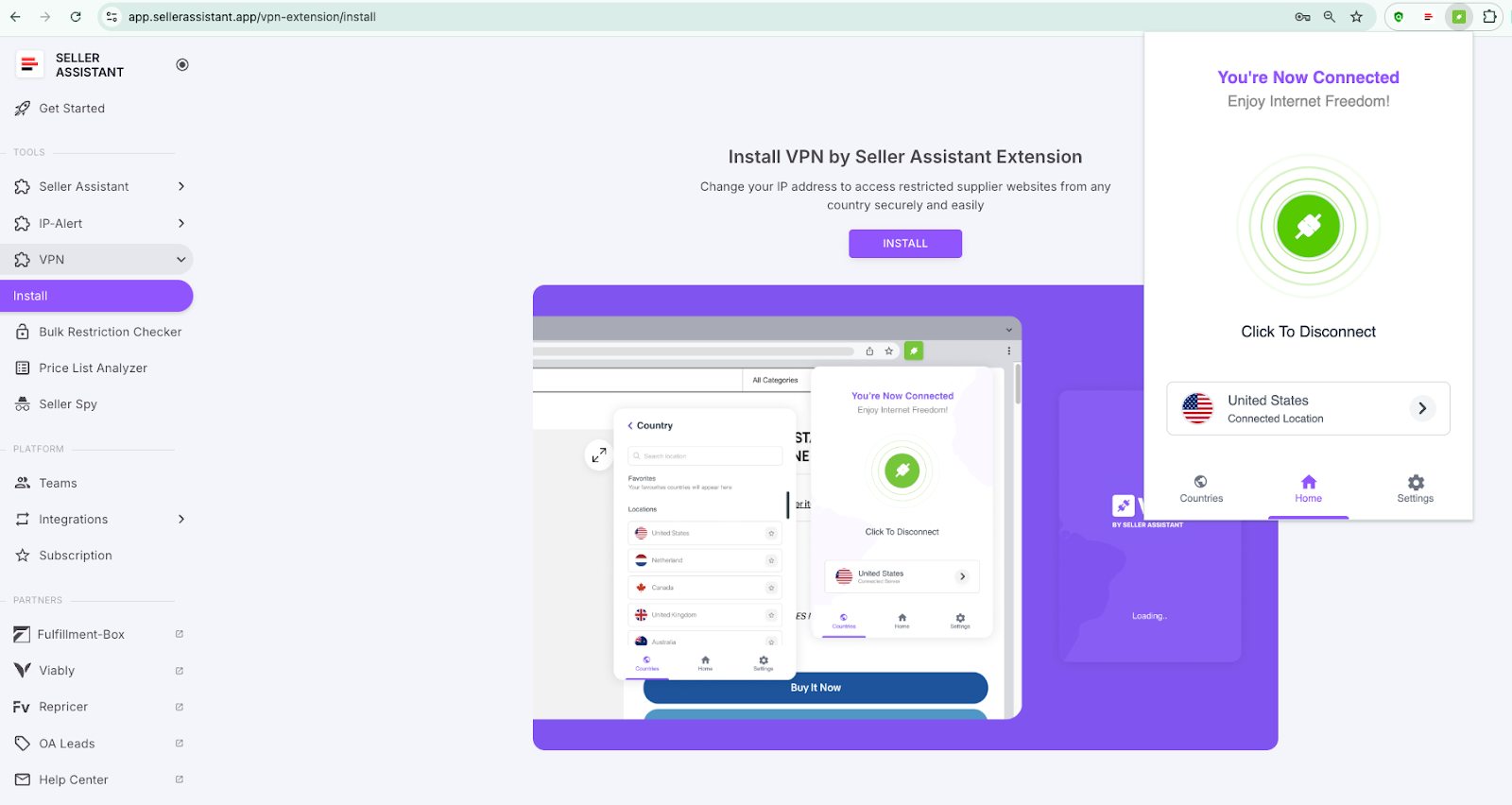
Disconnect from VPN
Related: What Is an ASIN?
How to Create an Amazon Seller Central Account
FAQ
Are VPNs good or bad?
VPNs are generally good for enhancing online privacy, protecting your data, and bypassing geo-restrictions. However, they can be used for illegal activities, so it’s important to use them responsibly and in line with legal regulations.
Do I really need a VPN?
If you value privacy, need to access restricted content, or want to protect your data on public Wi-Fi, a VPN is a useful tool. It’s especially beneficial for businesses, travelers, and online sellers who deal with sensitive information.
Does Amazon detect VPN?
Amazon can sometimes detect when you’re using a VPN by analyzing discrepancies in your IP address or server patterns. If it notices unusual activity, such as accessing multiple regions from the same account, it may restrict your access or flag your account.
Why does Amazon know I’m using a VPN?
Amazon knows you’re using a VPN because your VPN server’s IP address may be flagged or associated with known VPN services. Additionally, unusual behavior such as frequent location changes can alert Amazon to VPN use.
How does a VPN protect your IP address?
A VPN protects your IP address by masking it and replacing it with the IP of the VPN server you’re connected to. This keeps your real location and identity hidden, providing an extra layer of privacy online.
Related: Amazon’s Vine Program for Sellers: What Is It? And Is It Worth It?
Building Reputation for Amazon Store — Everything Sellers Need to Know
Final Thoughts
VPN helps Amazon sellers in their day-to-day product research by letting them access product listings and supplier websites they can’t open from their IP addresses in specific countries, and going around price discrimination. That offers additional opportunities for deal sourcing.
Seller Assistant is a comprehensive product-sourcing software created explicitly for Amazon product sourcing and offering a variety of advanced features, including VPN for Amazon sellers.
Seller Assistant helps Amazon sellers quickly find high-profit deals. It combines three extensions: Seller Assistant Browser Extension, and IP-Alert Chrome Extension by Seller Assistant, and VPN by Seller Assistant, Amazon seller tools: Price List Analyzer, Seller Spy, Bulk Restrictions Checker, and API integrations, and features: Side Panel View, FBM&FBA Profit Calculator, Quick View, ASIN Grabber, UPC/EAN to ASIN converter, Stock Checker, IP Alert, and Restrictions Checker.

