.svg)
How to Keep Search for Wholesale Suppliers Organized
Download Amazon Seller Guide
This guide will help you get started, understand the basics of Amazon selling, and explain in simple words how it all works.

Searching for wholesale suppliers sounds simple – until you actually start doing it. Amazon sellers quickly find themselves juggling brand research, random Google results, distributor lists, email threads, and scattered notes. Without a system, supplier search turns messy fast, and good leads get lost before they ever turn into approvals or orders.
Keeping your supplier search organized is not about spreadsheets alone. It requires a clear process for finding the right suppliers and a structured way to track and manage them as outreach begins. In this post, we’ll break down how Amazon wholesale, online arbitrage, and dropshipping sellers can organize supplier search from day one – and how Seller Assistant tools help connect supplier discovery with long-term supplier management.
Note. Seller Assistant is an end-to-end Amazon workflow management platform that integrates 10+ wholesale-focused solutions into one connected system. It combines sourcing workflow automation, bulk research and intelligence tools, and integrated Chrome extensions – giving you everything you need to streamline finding deals, managing suppliers, and creating purchase orders.

The platform aggregates: workflow management tools – Purchase Orders Module, Suppliers Database, Warehouses Database to organize, automate, and scale every step of your wholesale and arbitrage operations; bulk research & sourcing tools – Price List Analyzer, Bulk Restriction Checker, Sourcing AI, Brand Analyzer, Seller Spy to evaluate supplier price lists, verify selling eligibility and restrictions, open new brands, and discover winning product ideas from competitors to expand your product catalog; Chrome extensions – Seller Assistant Browser Extension, IP-Alert Extension, and built-in VPN by Seller Assistant to deep-research products, check IP claims and compliance, and access geoblocked supplier sites directly within your browser; and integrations & team access features – seamless API connectivity and integrations with Zapier, Airtable, and Make, plus Virtual Assistant Accounts for secure, scalable team collaboration.
With Seller Assistant, every step of your Amazon wholesale and arbitrage workflow is automated and connected.
What Is Organized Supplier Search?
Organized supplier search is a structured process that connects brand research, supplier discovery, and supplier management into one continuous workflow. Instead of jumping between Google searches, spreadsheets, and inboxes, sellers move step by step – from identifying brands to tracking real wholesale suppliers.
The process starts at the brand level. Sellers research a brand, check how it distributes products, and identify potential wholesale suppliers. Next comes supplier discovery and evaluation, followed by outreach, approvals, and long-term tracking. Each step builds on the previous one, with no lost context or duplicated work.
Seller Assistant supports this process with two connected tools.
AI Supplier Finder handles the discovery stage. Sellers search by brand name, select a location, and get a structured list of potential suppliers grouped by type and ranked by confidence. This removes guesswork and keeps early-stage supplier search focused.
Suppliers Database manages everything after discovery. Once a supplier is added, their details, status, and routing rules stay centralized and connected to sourcing and purchasing workflows. Together, these tools turn supplier search from scattered research into a clean, repeatable system.
Why Do You Need to Manage Wholesale Supplier Search
Wholesale supplier search is not a one-time task. Amazon sellers research brands, contact dozens of suppliers, compare terms, and revisit the same brands months later.
Without structure, this process turns into repeated work, missed replies, and poor sourcing decisions. Managing supplier search means controlling who you contacted, why, and what happened next – from first brand research to long-term relationships.
Below are the key reasons organized supplier search matters for Amazon wholesale, OA, and dropshipping sellers.
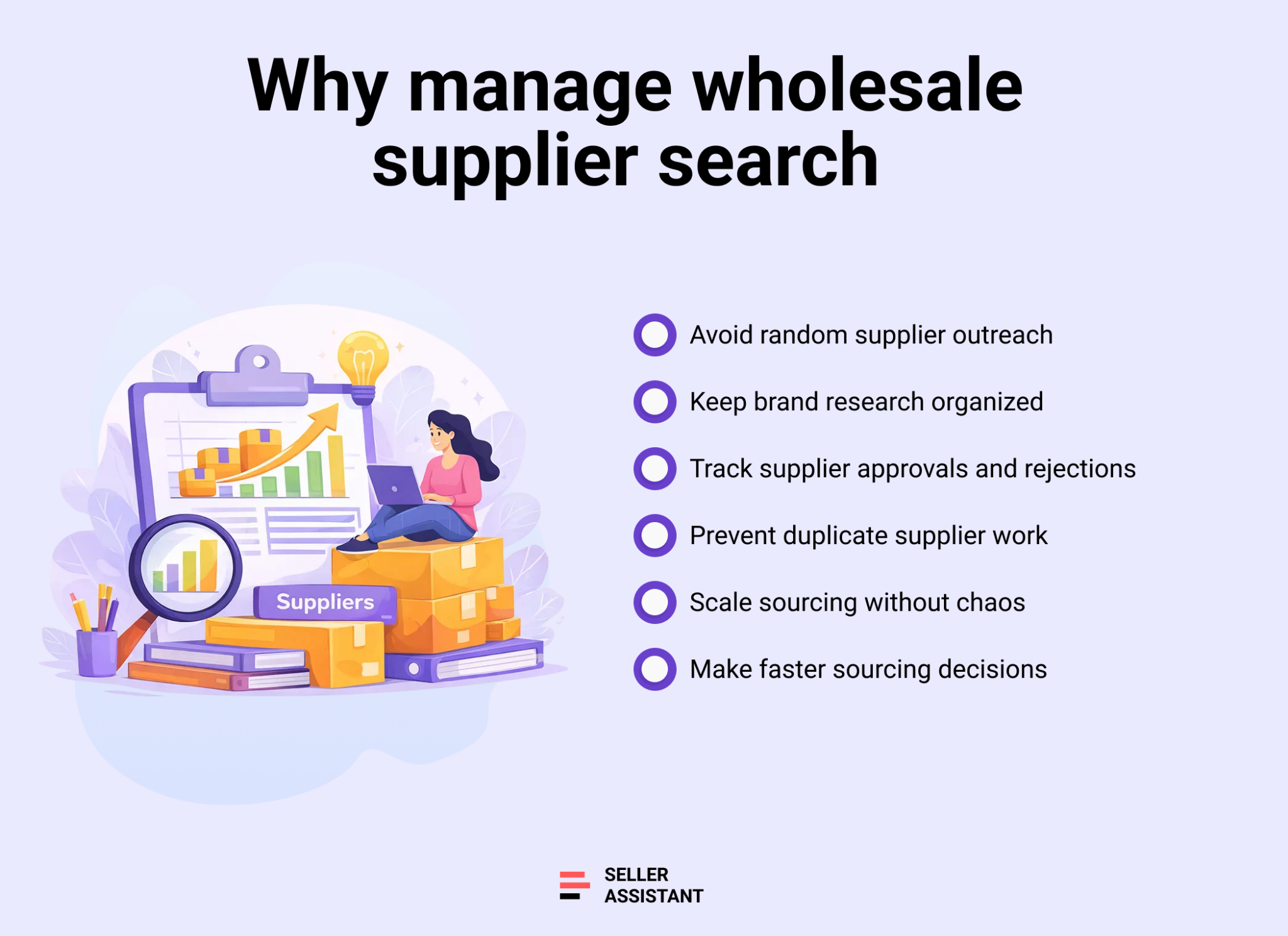
Avoid random outreach and wasted time
Unstructured search leads sellers to contact the wrong companies, retail stores, or middlemen. Managing supplier search keeps outreach focused on real brand owners and authorized distributors.
Keep brand research and supplier data connected
When supplier search is organized, brand research, supplier discovery, and outreach stay linked. This prevents rechecking the same brands and losing context.
Build a clean approval pipeline
Tracking searched brands and contacted suppliers helps you see which leads are new, active, stalled, or worth revisiting later.
Scale sourcing without losing control
As supplier lists grow, managed search allows you to expand sourcing efforts without duplicating work or creating data chaos.
Make better sourcing decisions faster
Organized supplier search gives you visibility into past attempts, supplier quality, and outcomes – so each new sourcing decision is based on real data, not guesswork.
How to Identify Verified Wholesale Suppliers
Finding verified wholesale suppliers is one of the biggest challenges in Amazon sourcing. Many sellers waste time contacting retail stores, B2C websites, or middlemen who cannot support resale. An organized, brand-first approach helps you focus only on suppliers that make sense for wholesale and long-term growth.
Why you need AI Supplier Finder
Most supplier search problems start with guessing. Sellers search Google, scrape random lists, or contact companies without knowing how a brand actually distributes its products. AI Supplier Finder removes that uncertainty by showing who really supplies a brand before you invest time in product or ASIN research. It helps sellers avoid unreliable sources and prioritize suppliers with real wholesale potential.
What is AI Supplier Finder
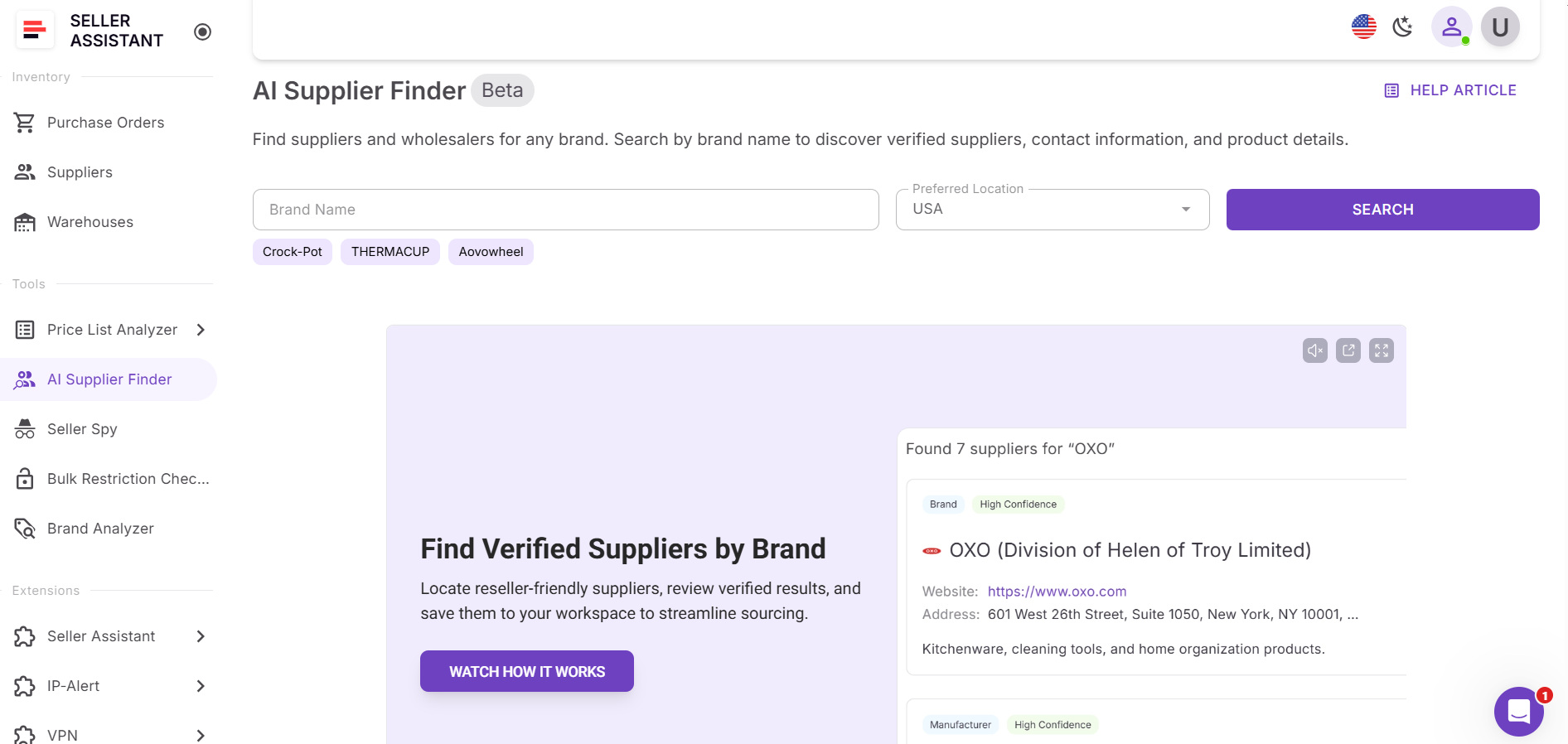
AI Supplier Finder is an AI-powered brand-level supplier discovery tool in Seller Assistant. It analyzes brand data and returns potential wholesale suppliers prioritized by relevance and trust. The tool focuses on suppliers suitable for resale, including brand owners, authorized distributors, wholesalers, and verified alternative sourcing partners.
What AI Supplier Finder does
With AI Supplier Finder, you can:
- Identify brand owners and authorized wholesale suppliers
- See whether a brand sells directly or through distributors
- Review suppliers grouped by type and confidence level
- Access business websites and available contact details
- Exclude retail marketplaces and B2C stores automatically
- Move suppliers directly into supplier management without re-entry
- These insights help sellers focus outreach on suppliers most likely to approve wholesale accounts.
How to find suppliers with AI Supplier Finder
AI Supplier Finder makes brand-level supplier discovery fast and structured. Instead of guessing who supplies a brand, you identify verified wholesale options and move them directly into your sourcing workflow.
Step 1. Open AI Supplier Finder
Access AI Supplier Finder from the Seller Assistant Tools section or launch it directly from analyzed brands, products, or the Seller Assistant Extension.
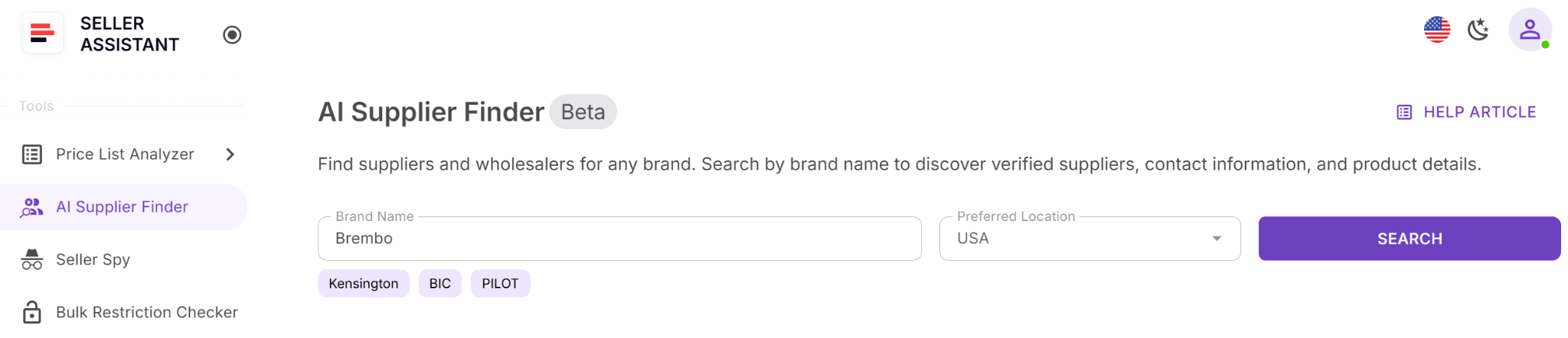
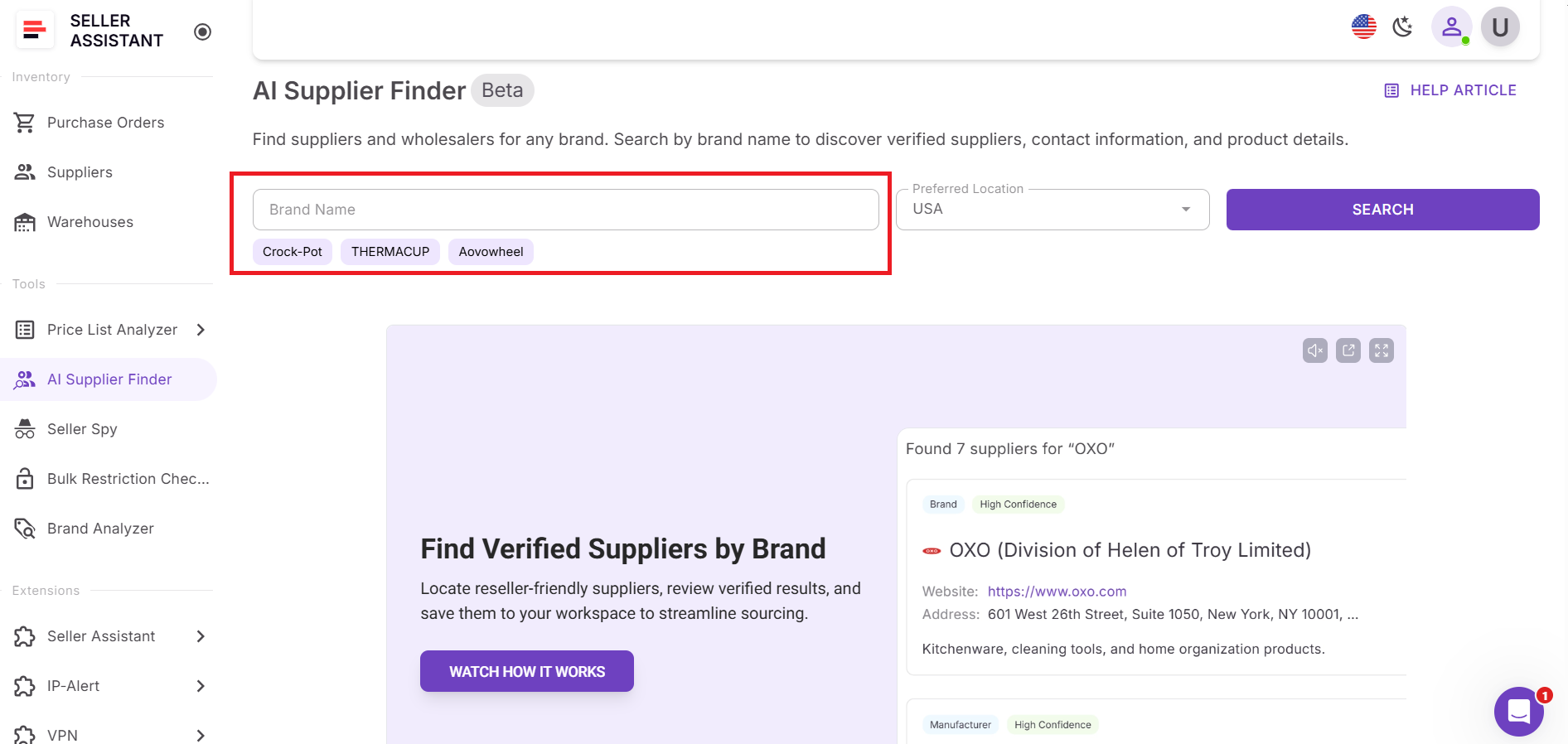
Step 2. Enter a brand name
Type in the brand you want to research or select one of the suggested brands based on your recent product analysis.
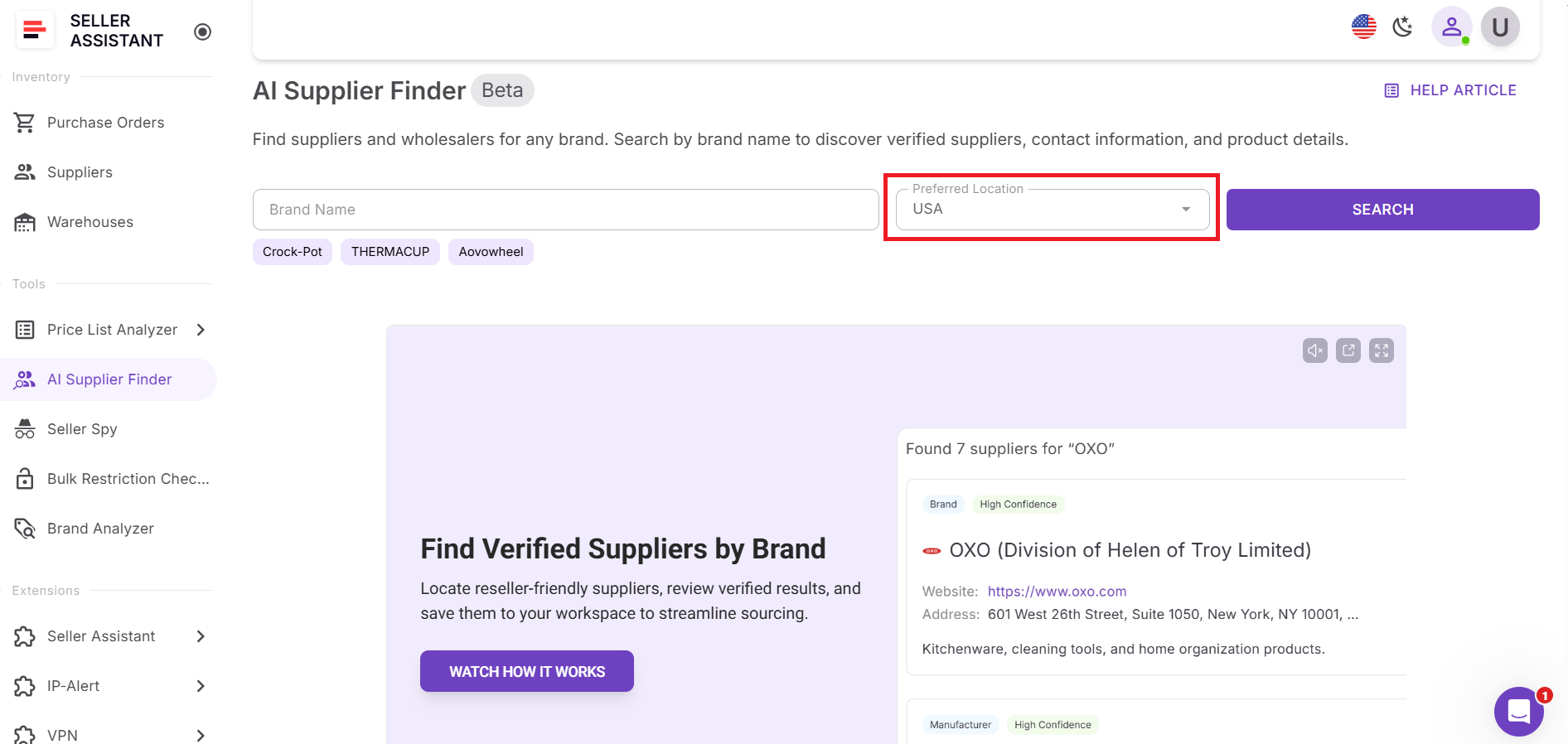
Step 3. Select supplier location
Choose your target supplier location to filter results by geography.
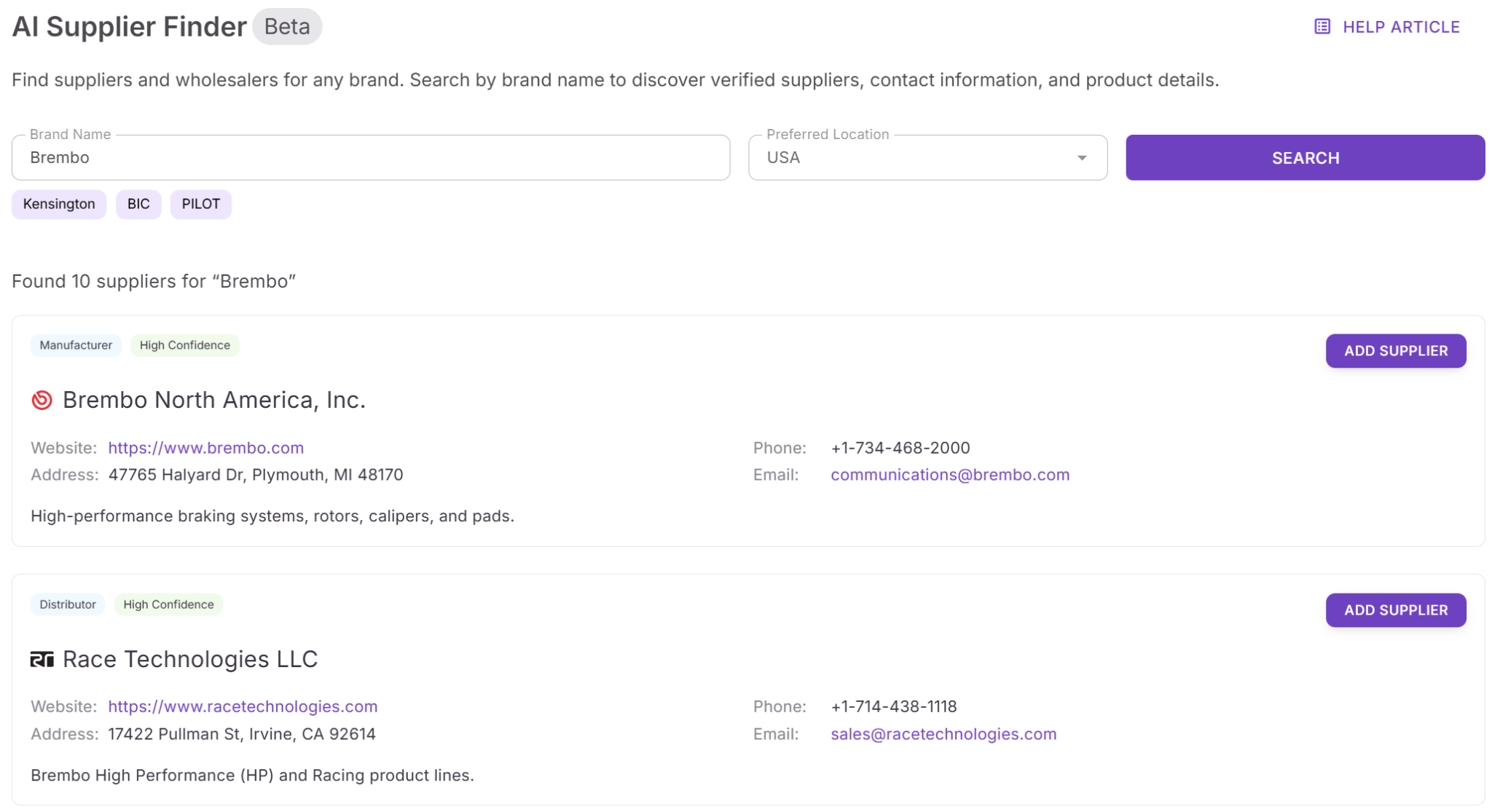
Step 4. Review supplier results
View suppliers grouped by type and ranked by confidence, with websites and contact details included.
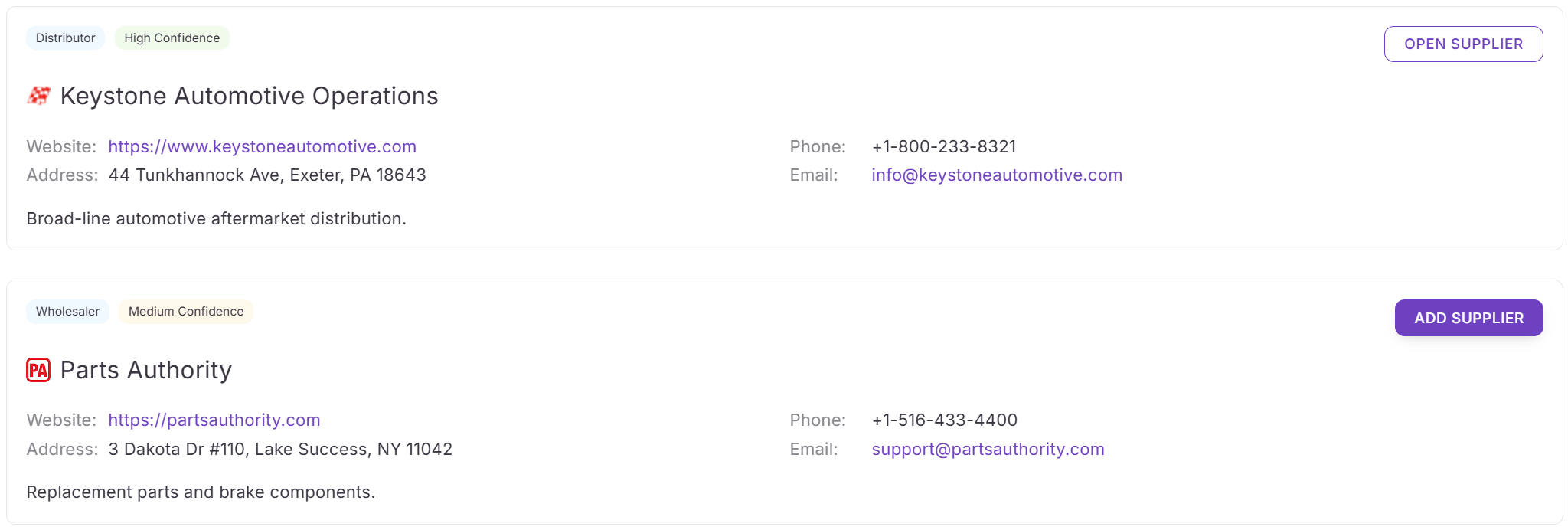
Step 5. Add the supplier
Click Add Supplier to instantly create a supplier profile and make it available across your sourcing and purchasing workflows.
How to Manage Wholesale Suppliers
Finding suppliers is only half the work. Once outreach starts, Amazon sellers must track replies, approvals, terms, routing rules, and order history. Without a centralized system, supplier information quickly spreads across spreadsheets, emails, and notes, creating errors and slowing down sourcing. Suppliers Database keeps everything organized and connected as your wholesale operation grows.
Why you need Suppliers Database
As soon as you contact more than a few suppliers, manual tracking breaks down. Different MOVs, lead times, payment terms, and ship-to addresses require accuracy at every step. Suppliers Database gives you one source of truth for outreach status, operational details, and supplier history. It also allows teams and VAs to work from the same data without duplicating or overwriting information.
Suppliers Database definition
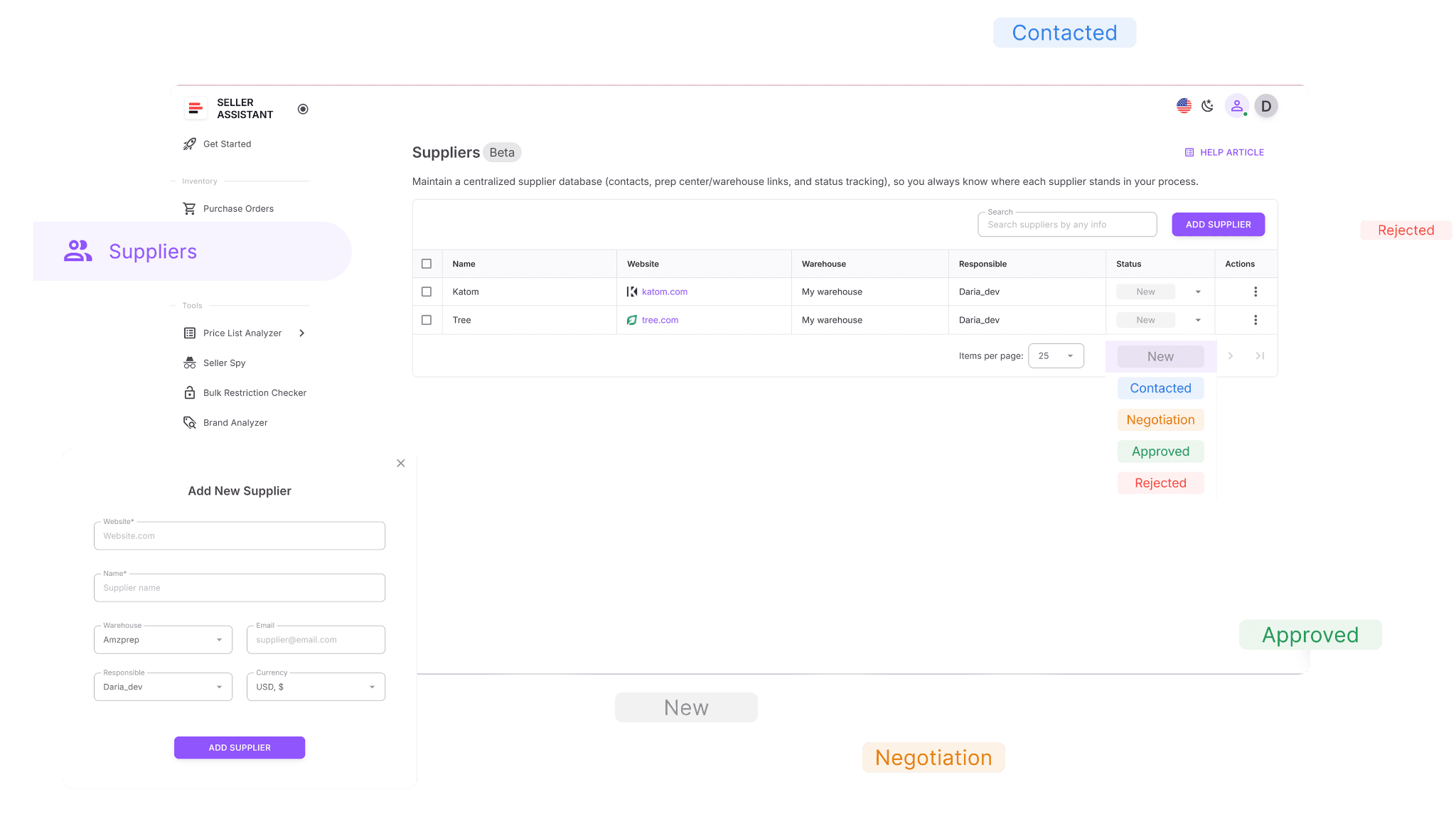
Suppliers Database is a centralized system where Amazon sellers store and manage all supplier information in one place. It includes supplier names, websites, contact details, terms, relationship status, and routing rules. In Seller Assistant, Suppliers Database is directly integrated into sourcing and purchasing tools, so supplier data stays consistent across your entire workflow.
What Suppliers Database does
With Suppliers Database, you can:
- Create complete supplier profiles with contacts, terms, and assigned team members
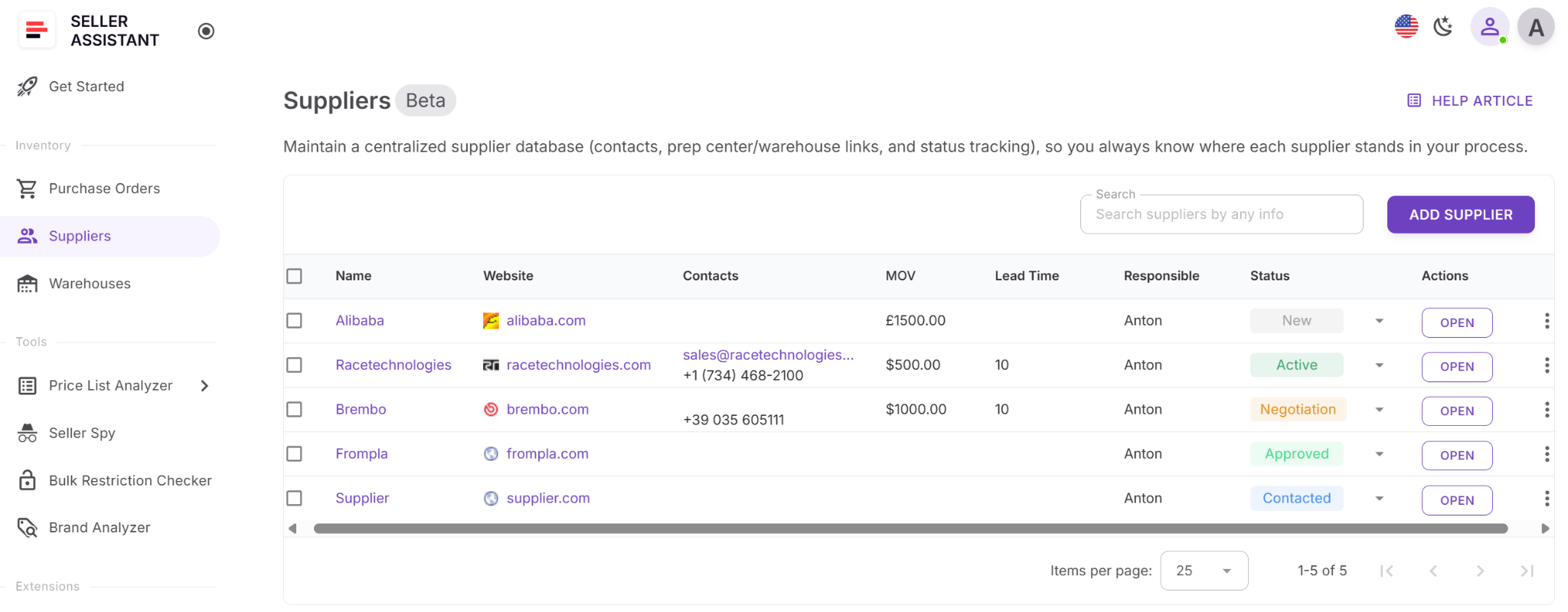
- Track supplier relationships using clear statuses from New to Active or Rejected
- Store MOVs, lead times, currencies, and routing rules in one place
- Search and filter suppliers by name, status, warehouse, or other key details
- Reuse supplier data in price list analysis and purchase orders without re-entry
- Keep supplier information updated and consistent across all sourcing workflows
How to track suppliers with Suppliers Database
Suppliers Database turns supplier search results into a structured, reusable system. Instead of storing supplier details in spreadsheets or emails, you keep every supplier connected to your sourcing and purchasing workflow, from first contact to active orders.
Step 1. Access Suppliers Database
Open your Seller Assistant account and go to Inventory → Suppliers. This is your central hub for managing all supplier profiles.
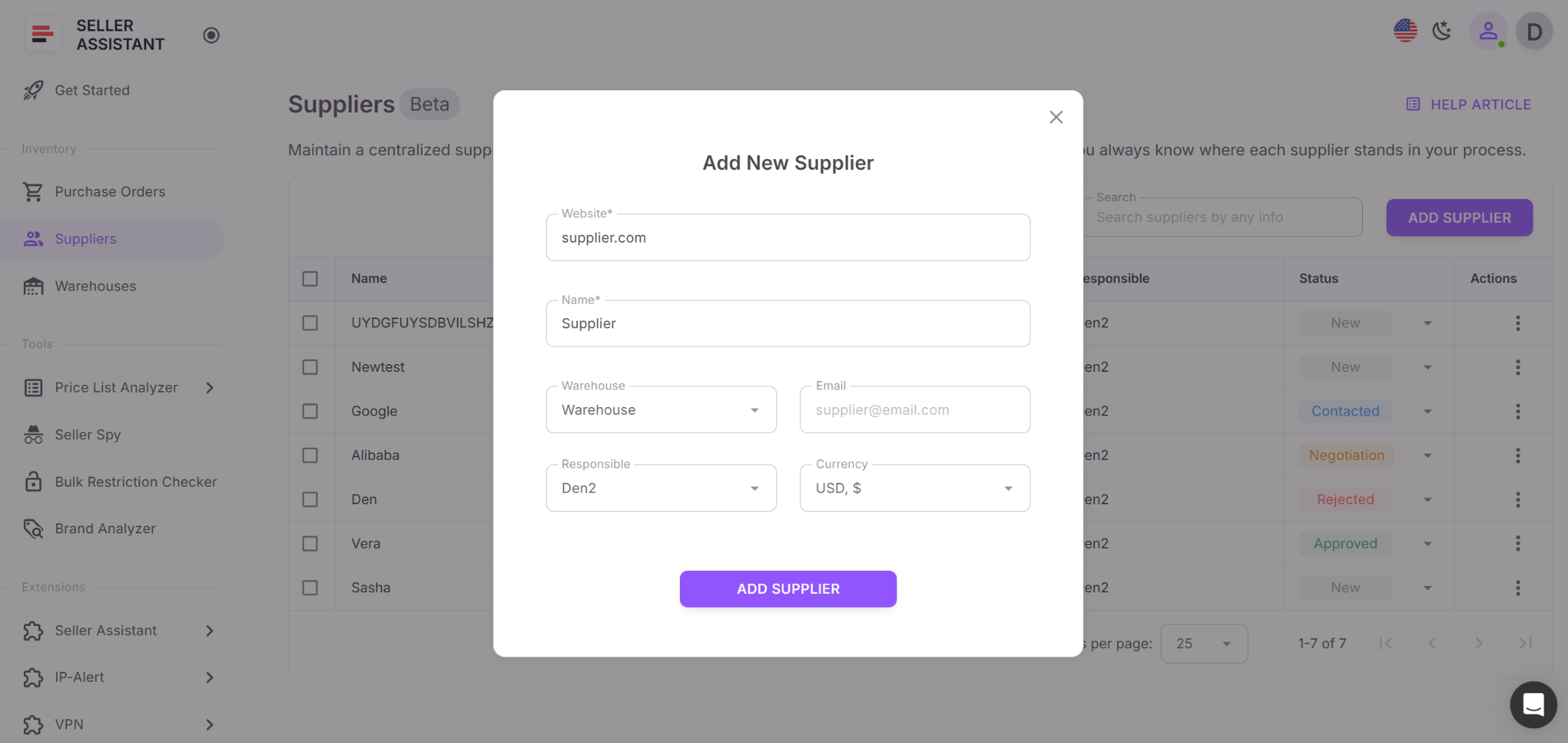
Step 2. Create a supplier profile
Click Add Supplier and enter the website and name. Add optional details like email, currency, MOV, lead time, responsible team member, and warehouse.
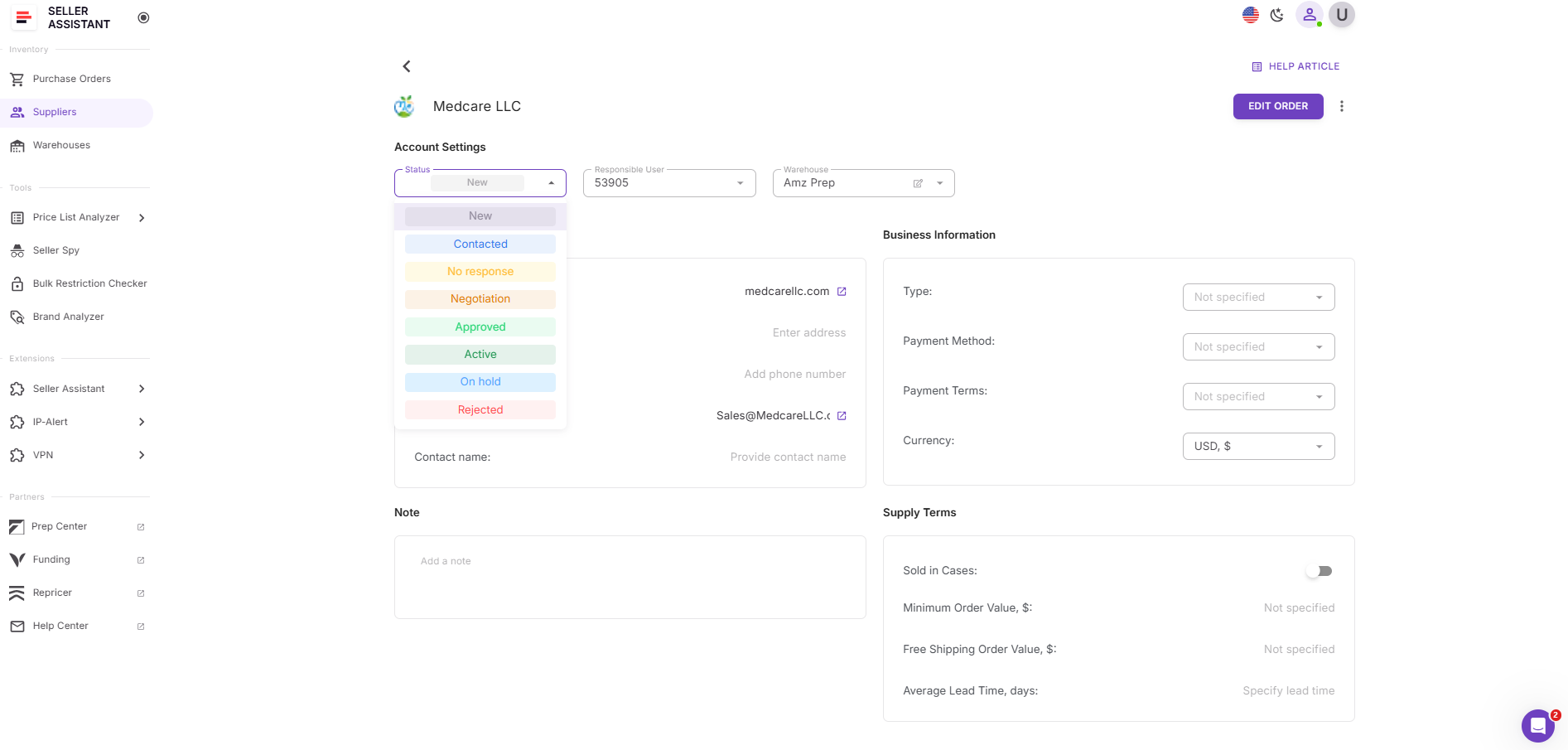
Step 3. Assign a supplier status
Set the relationship stage – New, Contacted, Negotiation, Approved, Active, or Rejected – to track outreach and approvals clearly.
Step 4. Link a warehouse or prep center
Assign a default warehouse to ensure correct routing and faster purchase order creation.
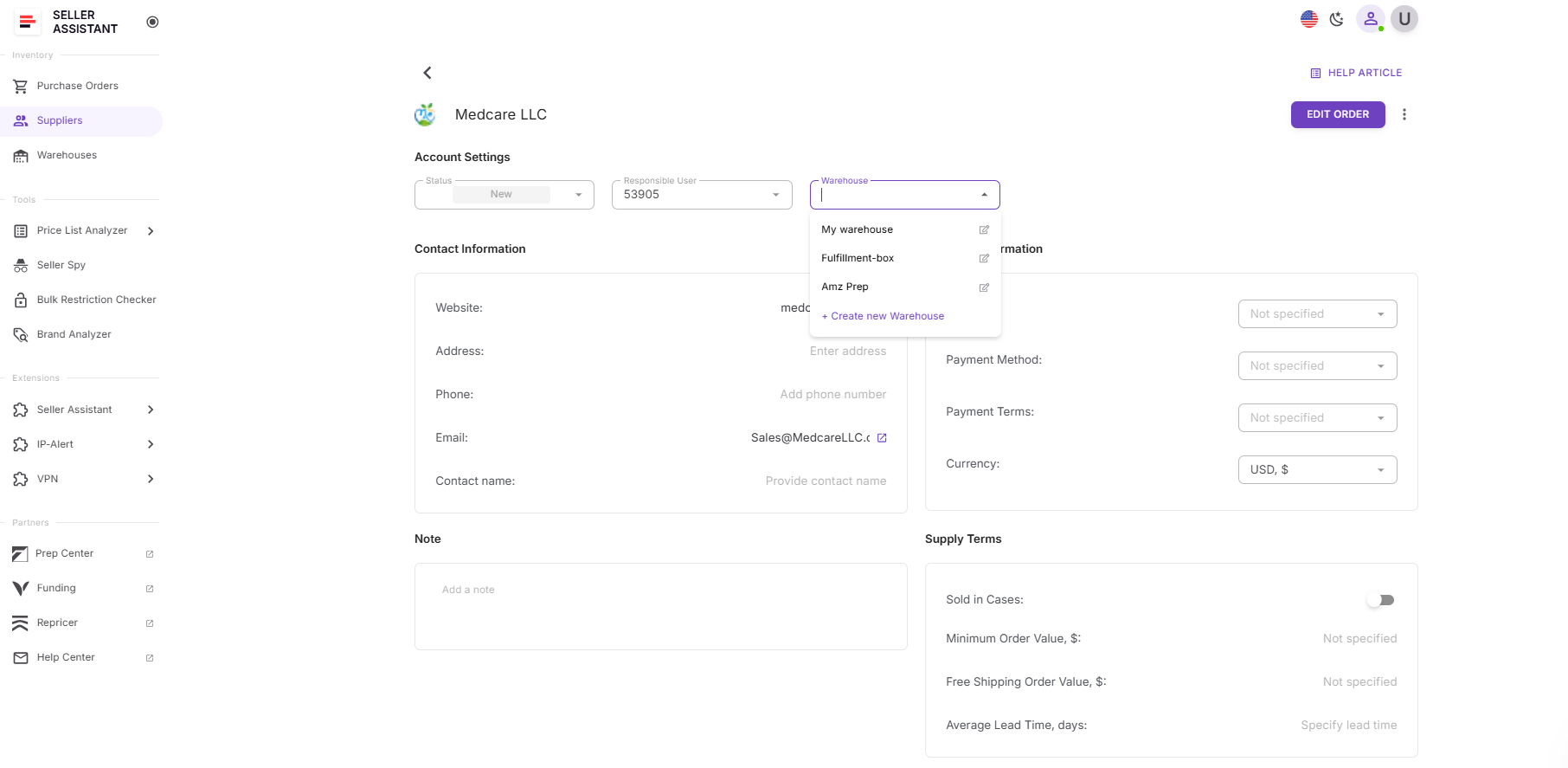
Step 5. Use suppliers across your workflow
Once saved, suppliers are available in Price List Analyzer, Purchase Orders, Warehouses, and sourcing tools without re-entering data.
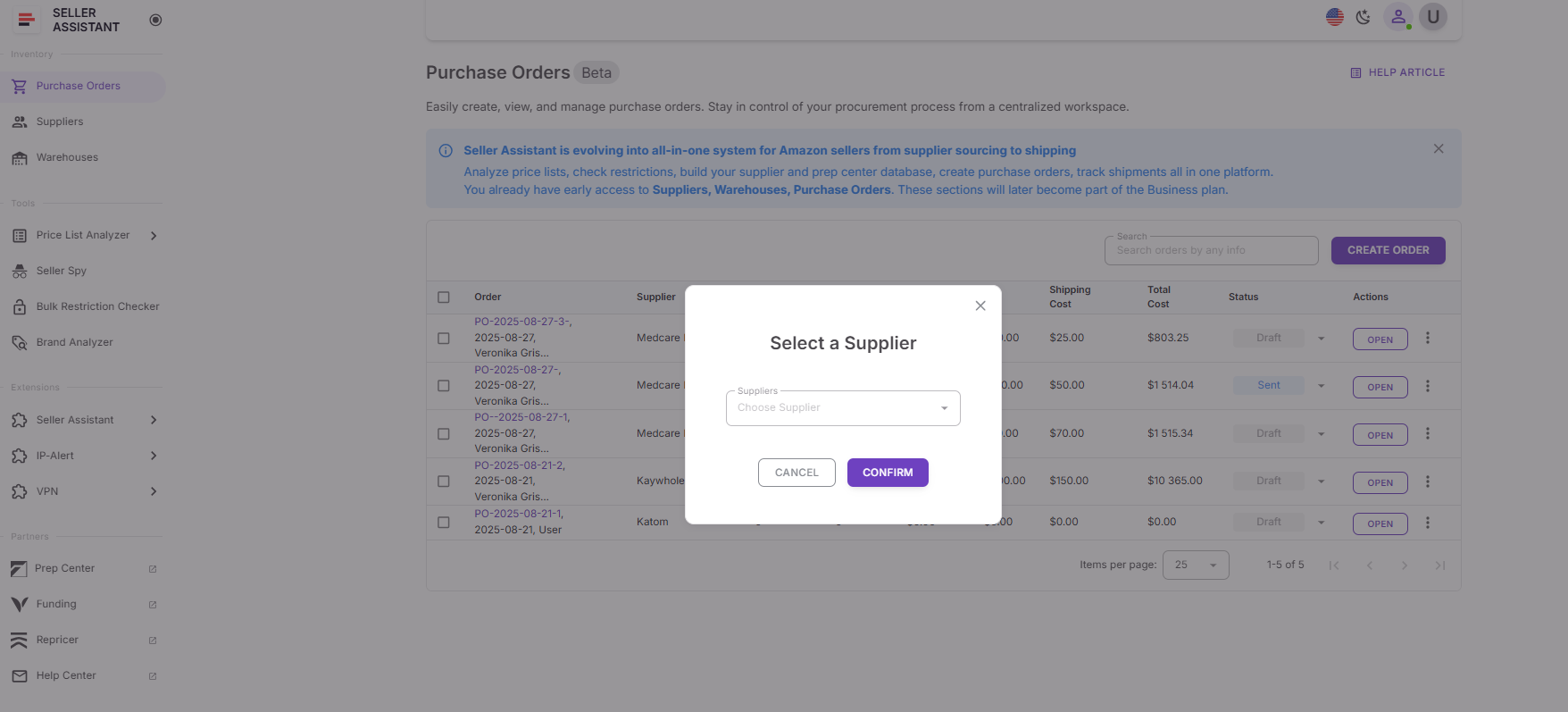
Step 6. Keep supplier data updated
Update statuses, terms, and notes as communication progresses to maintain clean, accurate sourcing decisions.
FAQ
Do I need supplier search tools if I’m just starting wholesale?
Yes. Even early-stage sellers benefit from structured supplier search because it prevents random outreach and helps build clean supplier lists from day one.
What’s the difference between AI Supplier Finder and Suppliers Database?
AI Supplier Finder helps you discover verified suppliers at the brand level, while Suppliers Database manages those suppliers after discovery. Together, they connect search with long-term supplier tracking.
Can I use these tools for online arbitrage or dropshipping?
Yes. OA sellers and dropshippers also work with multiple suppliers, locations, and terms, which makes organized supplier search and centralized tracking just as important.
How many suppliers should I track in my suppliers database?
You should add every supplier you research or contact, even if they never reply. This prevents duplicate outreach and keeps your sourcing history complete.
How often should supplier information be updated?
Supplier data should be updated whenever terms, statuses, or contact details change. Regular updates keep sourcing decisions accurate and operations running smoothly.
Final Thoughts
A structured approach to supplier search is what separates scalable Amazon wholesale businesses from chaotic ones. When supplier discovery, outreach, and management are connected, sellers avoid wasted time, duplicated work, and costly operational mistakes. Organized supplier search starts at the brand level, continues through verified supplier identification, and ends with clean, centralized supplier management.
By combining AI Supplier Finder for discovery and Suppliers Database for long-term tracking, sellers create a repeatable system that grows with their business. Instead of juggling spreadsheets and inboxes, every supplier becomes part of a connected workflow – from first search to active purchase orders. This clarity allows Amazon sellers to source faster, make better decisions, and scale wholesale operations with confidence.
Seller Assistant automates and connects every stage of your Amazon wholesale and arbitrage workflow. It brings together in one platform: workflow management tools – Purchase Orders Module, Supplier Database, Warehouse Database, bulk research & sourcing tools – Price List Analyzer, Bulk Restriction Checker, Sourcing AI, Brand Analyzer, Seller Spy, Chrome extensions – Seller Assistant Browser Extension, IP-Alert Extension, and built-in VPN by Seller Assistant, and integrations & team access features – seamless API connectivity, integrations with Zapier, Airtable, and Make, and Virtual Assistant Accounts.