.svg)
How to Use Seller Assistant’s Bulk Restriction Checker
Download Amazon Seller Guide
This guide will help you get started, understand the basics of Amazon selling, and explain in simple words how it all works.

Finding profitable products on Amazon means nothing if your account can’t actually list them. Many sellers analyze price, sales rank, and competition first – only to discover later that the product is restricted or they are not eligible to sell it on their Amazon account.
When you’re working with large supplier lists or hundreds of ASINs, checking restrictions one by one in Seller Central quickly becomes impractical.
Seller Assistant's Bulk Restriction Checker solves this problem by letting you verify selling eligibility for thousands of ASINs at once. In this guide, you’ll learn what the tool does, how it works, and how to use it to quickly identify products your account can – and can’t – sell.
Note. Seller Assistant is an end-to-end Amazon workflow management platform that integrates 10+ wholesale-focused solutions into one connected system. It combines sourcing workflow automation, bulk research and intelligence tools, and integrated Chrome extensions – giving you everything you need to streamline finding deals, managing suppliers, and creating purchase orders.

The platform aggregates: workflow management tools – Purchase Orders Module, Suppliers Database, Warehouses Database to organize, automate, and scale every step of your wholesale and arbitrage operations; bulk research & sourcing tools – Price List Analyzer, Bulk Restriction Checker, AI Supplier Finder, Brand Analyzer, Seller Spy to evaluate supplier price lists, verify selling eligibility and restrictions, open new brands, and discover winning product ideas from competitors to expand your product catalog; Chrome extensions – Seller Assistant Browser Extension, IP-Alert Extension, and built-in VPN by Seller Assistant to deep-research products, check IP claims and compliance, and access geoblocked supplier sites directly within your browser; and integrations & team access features – seamless API connectivity and integrations with Zapier, Airtable, and Make, plus Virtual Assistant Accounts for secure, scalable team collaboration.
With Seller Assistant, every step of your Amazon wholesale and arbitrage workflow is automated and connected.
Why Sellers Must Check Restrictions Before Sourcing
Before buying inventory, Amazon sellers must confirm that their account is eligible to list the product. Amazon applies restrictions at the category, brand, and ASIN level, and these rules vary by seller account and marketplace. A product that looks profitable may still be impossible for you to sell.
If restrictions are discovered only after purchasing inventory, the result can be unsellable stock, wasted sourcing time, and tied-up capital. Verifying eligibility early allows sellers to focus only on products they can actually list and sell.
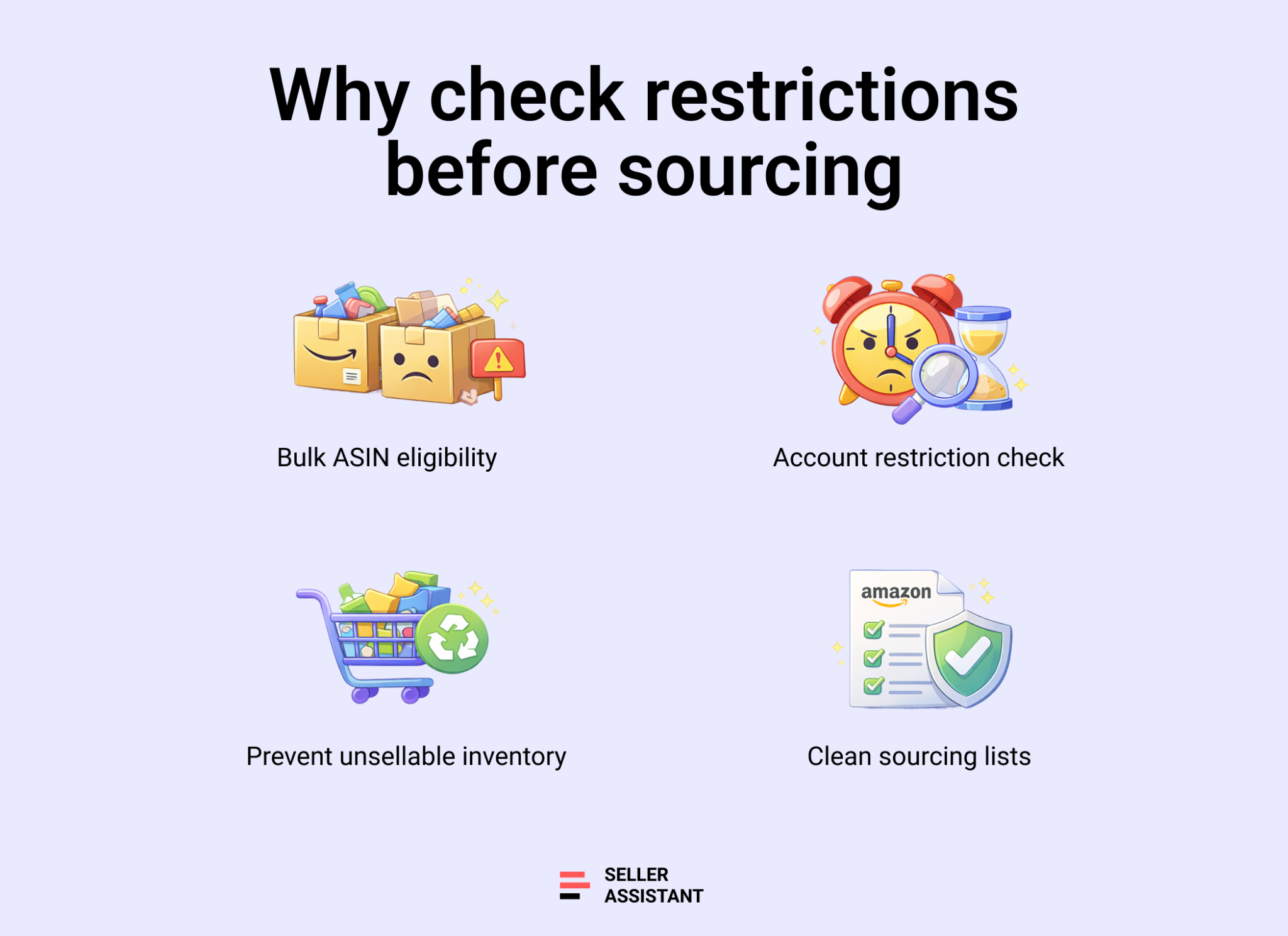
Prevent unsellable inventory
If a product is gated or ineligible for your account, Amazon will block you from listing it. Checking restrictions before buying ensures you don’t invest in inventory you cannot sell.
Avoid wasting time on restricted ASINs
Product research often involves analyzing margins, sales rank, competition, and fees. If the ASIN is restricted, all that analysis becomes useless. Checking restrictions first helps you focus only on viable deals.
Reduce sourcing mistakes at scale
Wholesale price lists, OA deal feeds, and supplier catalogs may contain hundreds or thousands of products. Without automated restriction checks, it’s easy to overlook gated items and make costly purchasing decisions.
Stay compliant with Amazon policies
Amazon regularly updates category, brand, and ASIN restrictions. Verifying eligibility ensures your sourcing decisions align with Amazon’s current rules and helps protect your account from policy violations.
What is Seller Assistant's Bulk Restriction Checker?
Seller Assistant's Bulk Restriction Checker is a tool that allows Amazon sellers to verify their selling eligibility for large ASIN lists at once. Instead of checking products one by one in Seller Central, sellers can upload thousands of ASINs and quickly see which products their account can sell, which require approval, and which are completely restricted.
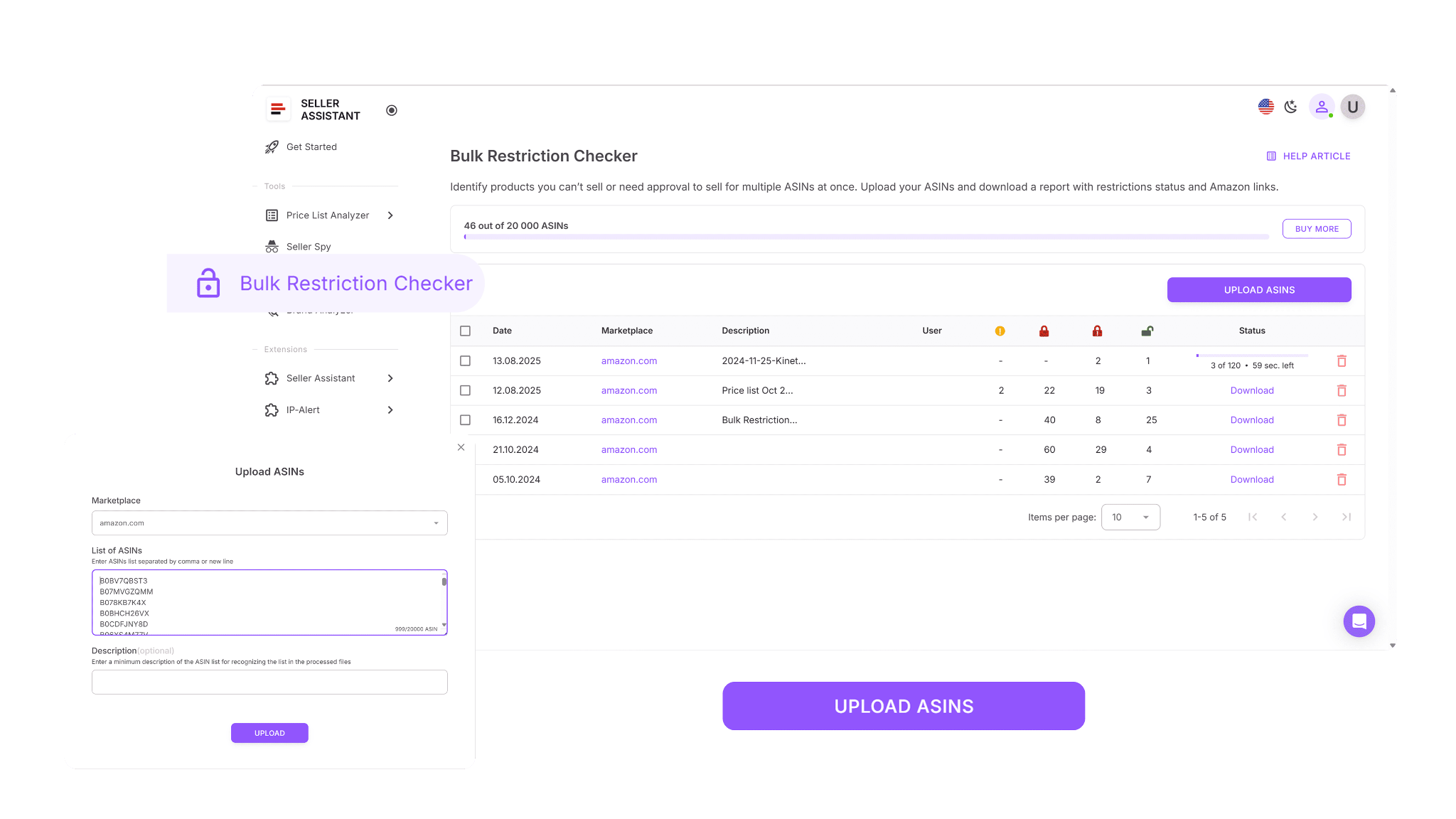
The tool compares every ASIN in your list with the permissions of your connected Amazon Seller Account, helping you validate products before investing time or money into sourcing them.
Why Bulk Restriction Checker is important
When sourcing products at scale, sellers often work with supplier catalogs, wholesale price lists, or large ASIN lists. Checking each product manually in Seller Central can take hours and significantly slow down sourcing decisions.
Bulk Restriction Checker eliminates this bottleneck by automating restriction verification. Instead of performing repetitive manual checks, sellers can validate thousands of products in a single step and avoid buying inventory they cannot list.
This helps sellers:
- prevent purchasing restricted or ineligible products
- focus research only on sellable ASINs
- reduce sourcing mistakes and compliance risks
Part of Seller Assistant’s connected wholesale workflow
Bulk Restriction Checker is one component of Seller Assistant’s connected wholesale workflow automation system. Each tool in the platform handles a specific stage of the Amazon sourcing process.
For example:
- Price List Analyzer scans supplier price lists and identifies potential deals in bulk
- Bulk Restriction Checker verifies selling eligibility for large ASIN lists
- Brand Analyzer evaluates brands based on demand, competition, and catalog size
- AI Supplier Finder discovers real suppliers for the brands you want to sell
- Suppliers Database organizes supplier information and relationships
- Warehouses Database manages prep centers and routing
- Purchase Orders Module converts approved products into ready-to-send purchase orders
Together, these tools form a structured sourcing workflow. Instead of juggling spreadsheets, manual checks, and disconnected tools, sellers can move from product research to supplier management and purchase orders inside one connected system designed for wholesale, online arbitrage, and dropshipping operations.
What Can You Do with Bulk Restriction Checker?
Bulk Restriction Checker helps Amazon sellers quickly verify whether their seller account is eligible to sell specific products. Instead of checking ASINs one by one in Seller Central, sellers can upload large product lists and instantly see which items are sellable, gated, or restricted. This makes it easier to validate sourcing lists before analyzing profitability or placing purchase orders.
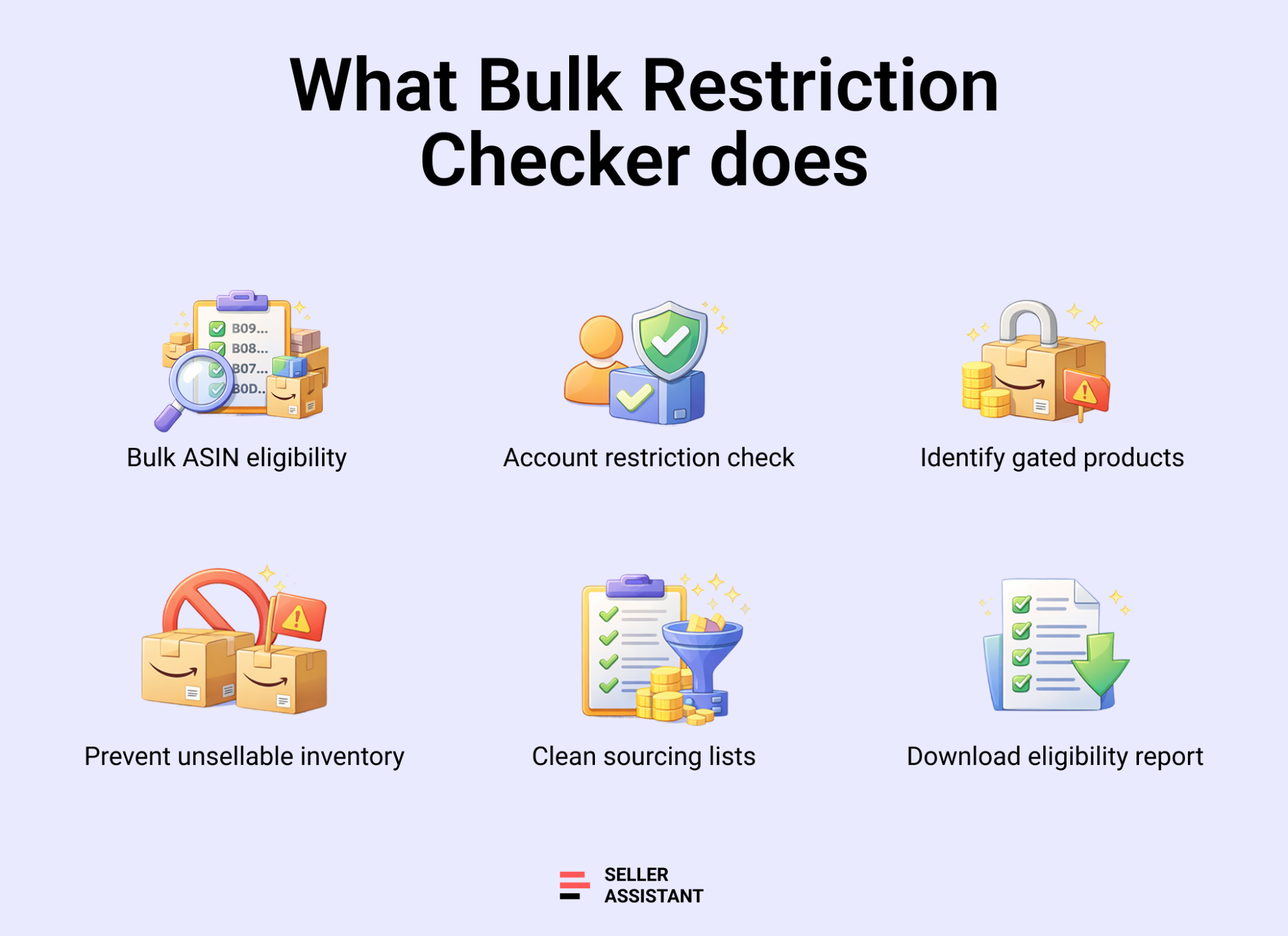
Below are the key tasks sellers can accomplish with Bulk Restriction Checker.
Check selling eligibility for large ASIN lists
Bulk Restriction Checker allows sellers to upload up to 20,000 of ASINs at once and verify whether their Amazon account is eligible to list them. This makes it possible to validate large sourcing lists quickly.
Compare products with your Seller Central permissions
The tool analyzes each ASIN against the permissions of your connected Amazon Seller Account. Because eligibility is account-specific, the results reflect exactly what your account is allowed to sell.
Identify restricted products early
Bulk Restriction Checker instantly shows which products require approval and which cannot be sold by your account. This helps sellers decide whether to pursue ungating or skip the product entirely.
Avoid purchasing unsellable inventory
By checking restrictions before sourcing, sellers can remove ineligible products from their lists and avoid investing in inventory they cannot list on Amazon.
Clean and organize large sourcing lists
The tool helps sellers filter supplier catalogs, wholesale price lists, and online arbitrage product lists. After verification, sellers can focus only on products that are actually eligible for sale.
Generate downloadable restriction reports
Bulk Restriction Checker produces organized reports that can be downloaded, filtered, and shared with team members. This helps sellers manage sourcing decisions and collaborate more effectively.
How Bulk Restriction Checker Works
Bulk Restriction Checker analyzes whether your Amazon seller account is eligible to list specific products. To run a check, you simply upload a file containing ASINs, select the Amazon marketplace, and start the scan. The tool processes the list and compares each ASIN with the permissions of your connected Amazon Seller Account.

Once the analysis is complete, Bulk Restriction Checker generates a report showing the restriction status for every product in your list. This allows sellers to quickly identify which products are sellable, which require approval, and which cannot be listed by their account.
To use the tool, your Amazon Seller Account must be connected to Seller Assistant. This connection is necessary because restriction results depend on account-specific permissions. Amazon determines selling eligibility based on factors such as account history, category access, brand approvals, and marketplace rules. By reading these permissions directly, Bulk Restriction Checker provides accurate results tailored to your account.
Bulk Restriction Checker works with ASINs only. Other product identifiers such as EAN or UPC codes are not supported directly.
If your sourcing list contains EAN or UPC codes instead of ASINs, you can use Price List Analyzer to match those identifiers to Amazon ASINs and check the restriction status during the analysis process.
What Bulk Restriction Checker shows
After processing your ASIN list, the tool clearly indicates the restriction status for each product. This allows sellers to immediately identify which products are viable for sourcing and which require additional action.
The tool typically displays three main statuses:
- Eligible – your seller account can list and sell the ASIN without restrictions.
- Approval required (gated) – the ASIN is restricted, and Amazon requires approval before you can sell it.
- Not eligible – your account cannot sell the product due to account permissions or other limitations.
These visual indicators help sellers quickly filter large sourcing lists and focus only on products that are actually sellable.
How to Use Bulk Restriction Checker Step by Step
Step 1. Connect your Amazon seller account
In Seller Assistant, connect your Amazon Seller Central account. The tool needs this connection because restriction results are account-specific – Amazon checks eligibility based on your permissions, approvals, and marketplace settings.
Step 2. Open Bulk Restriction Checker
Log in to your Seller Assistant account, go to the Tools section, and select Bulk Restriction Checker.
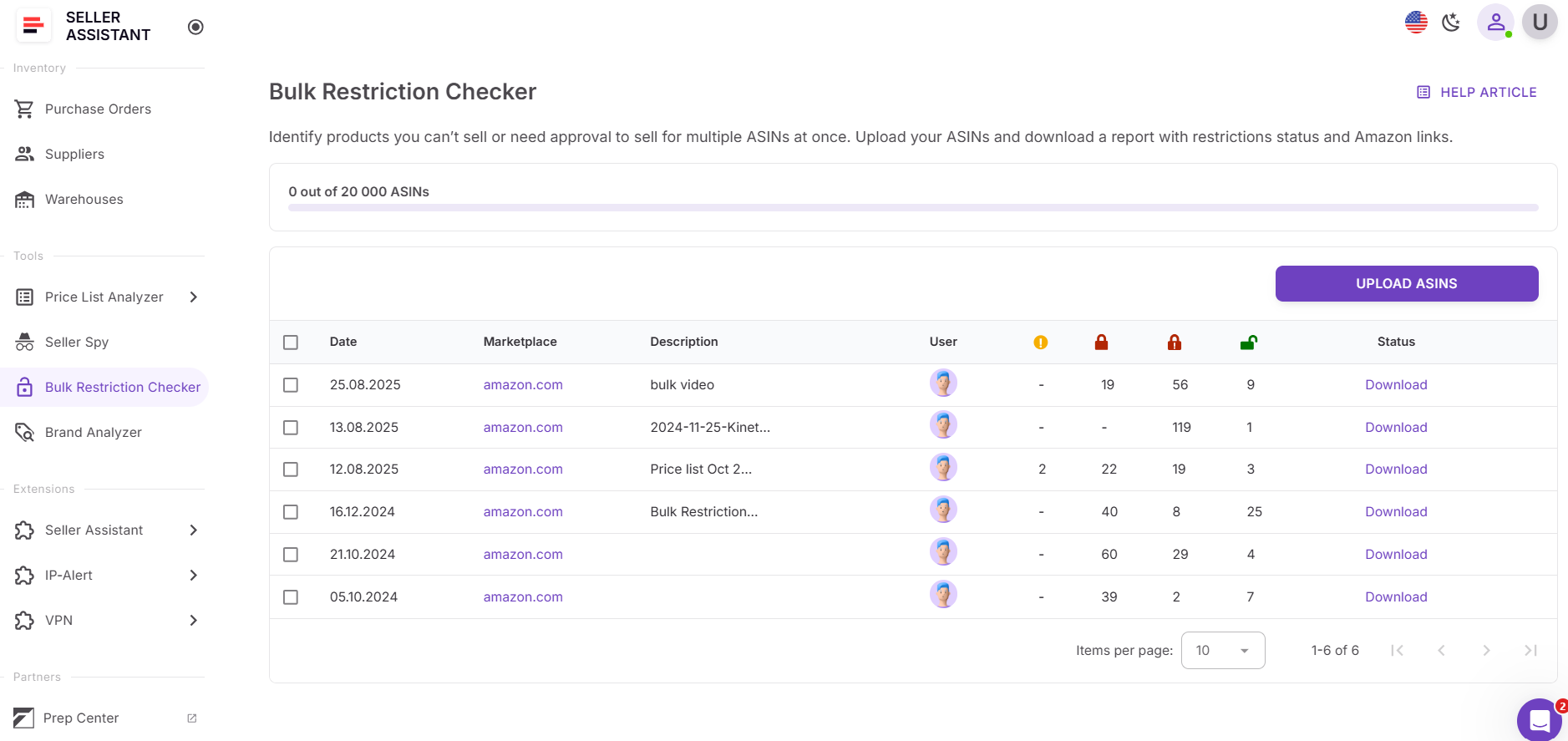
Step 3. Prepare your ASIN file
Create a file with your ASINs in one column (no numbering required).
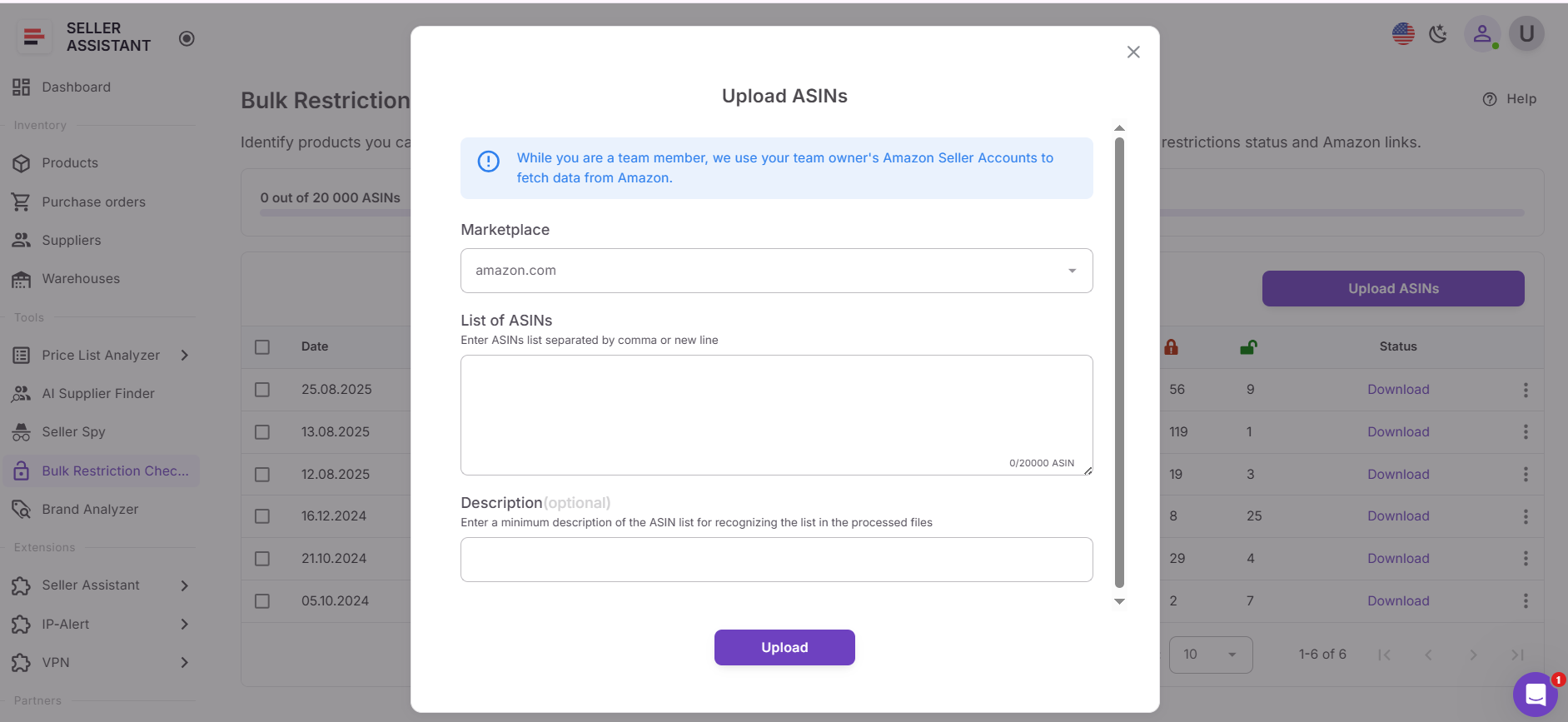
Step 4. Upload your ASIN list
Upload your file to Bulk Restriction Checker. You can upload up to 20,000 ASINs per batch (plan limits may apply).
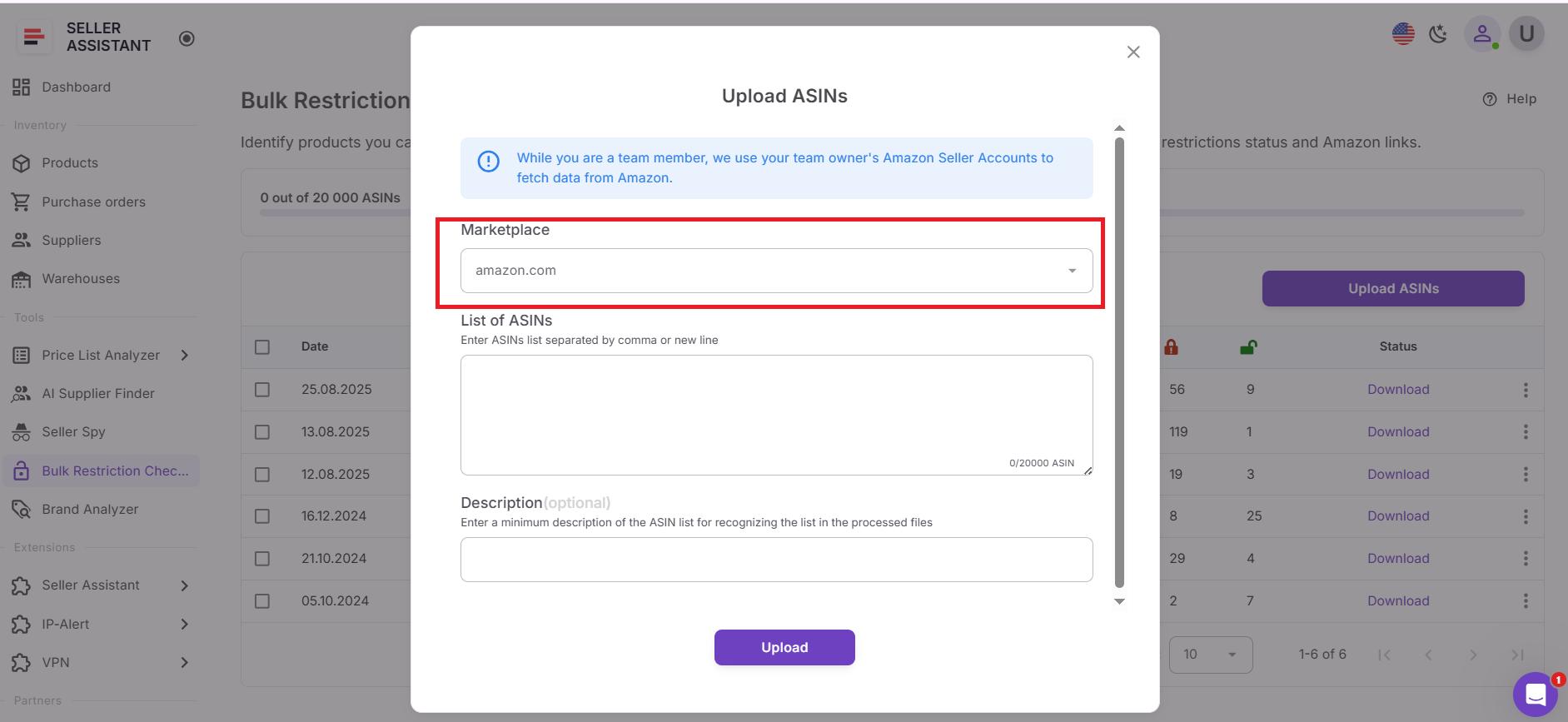
Step 5. Select the marketplace
Choose the marketplace where you want to check restrictions (for example, amazon.com). If your file contains ASINs from other marketplaces, Bulk Restriction Checker will still attempt to check them on the marketplace you selected.
Step 6. Name your batch
Enter a batch name in the Description field so you can easily identify the file and results later.

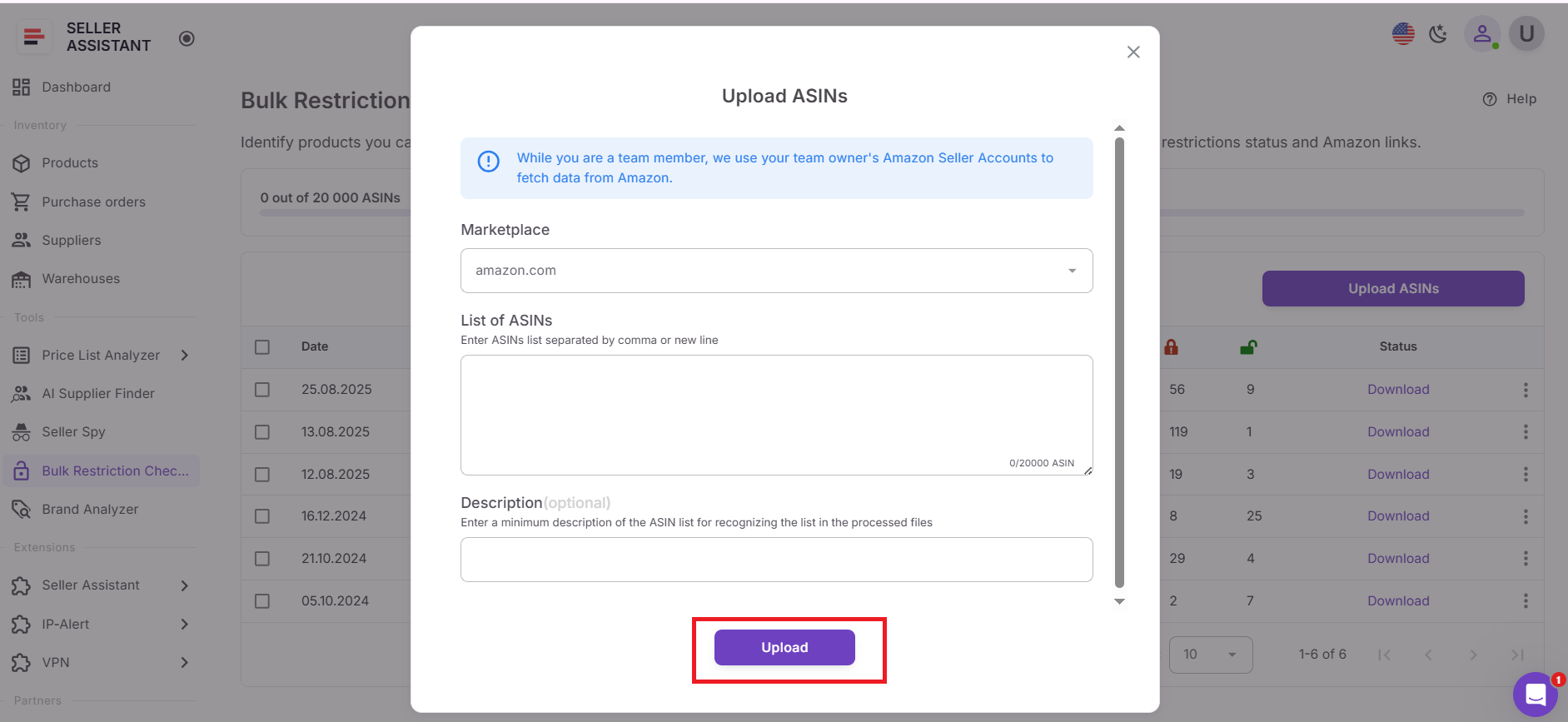
Step 7. Start processing
Click Upload to start the restriction check. Bulk Restriction Checker processes one batch at a time, so you’ll need to wait until the current batch finishes before uploading another.
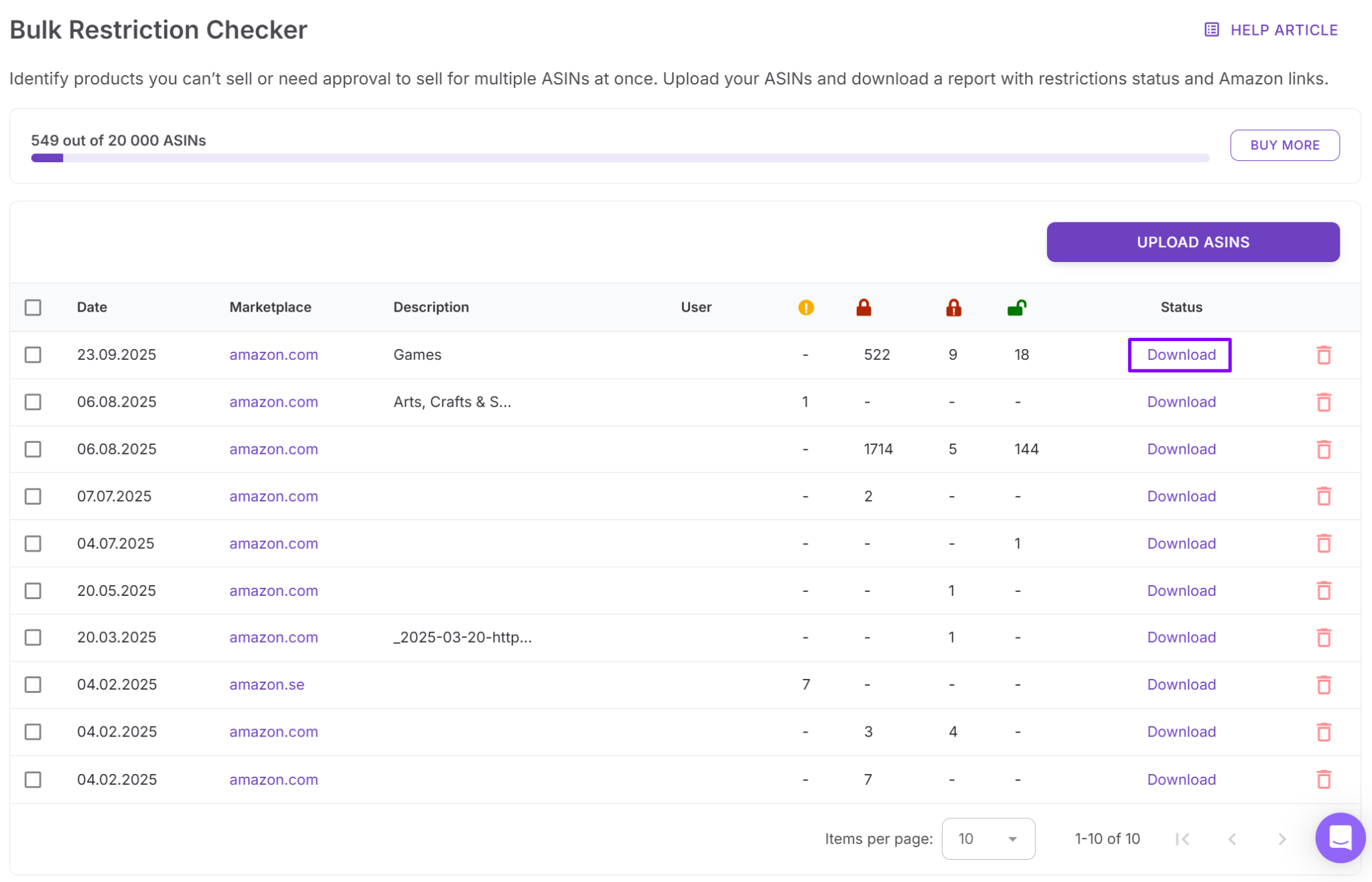
Step 8. Download the report
When processing is complete, download your report. It includes:
- ASIN
- Status
- Approval link (takes you directly to Seller Central to request approval when available)
Step 9. Review results and take action
Use the statuses to decide what to do next:
- Eligible – move forward with sourcing
- Approval required – decide whether to apply for ungating
- Not eligible – remove the ASIN from your sourcing list
- Error – check your Amazon connection and rerun if needed.

FAQ
What is Bulk Restriction Checker used for?
Bulk Restriction Checker verifies whether your Amazon seller account can list specific products. It checks large ASIN lists at once and shows which products are eligible, require approval, or cannot be sold by your account.
How many ASINs can Bulk Restriction Checker analyze at once?
Bulk Restriction Checker allows you to upload up to 20,000 ASINs in a single batch. This makes it suitable for validating large supplier catalogs, wholesale price lists, or sourcing lists quickly.
Do restriction results differ between seller accounts?
Yes, restriction results are account-specific. An ASIN that is eligible for one seller may be gated or unavailable for another depending on account history, approvals, and marketplace permissions.
Can Bulk Restriction Checker check UPC or EAN codes?
No, the tool accepts ASINs only. If your product list contains UPC or EAN codes, you can use Price List Analyzer to match them to Amazon ASINs and check restrictions.
Why should I check restrictions before sourcing products?
Checking restrictions early helps prevent buying products your account cannot list. It also saves time by ensuring you analyze profitability only for products you are actually allowed to sell.
Final Thoughts
Checking product restrictions is a critical step in Amazon product sourcing. Without verifying selling eligibility first, sellers risk wasting time analyzing products they can’t list or purchasing inventory that becomes unsellable.
Seller Assistant's Bulk Restriction Checker simplifies this process by allowing you to verify restrictions for thousands of ASINs in a single scan. By identifying eligible, gated, and ineligible products early, sellers can focus their research on viable opportunities and avoid costly sourcing mistakes.
Seller Assistant automates and connects every stage of your Amazon wholesale and arbitrage workflow. It brings together in one platform: workflow management tools – Purchase Orders Module, Supplier Database, Warehouse Database, bulk research & sourcing tools – Price List Analyzer, Bulk Restriction Checker, AI Supplier Finder, Brand Analyzer, Seller Spy, Chrome extensions – Seller Assistant Browser Extension, IP-Alert Extension, and built-in VPN by Seller Assistant, and integrations & team access features – seamless API connectivity, integrations with Zapier, Airtable, and Make, and Virtual Assistant Accounts.