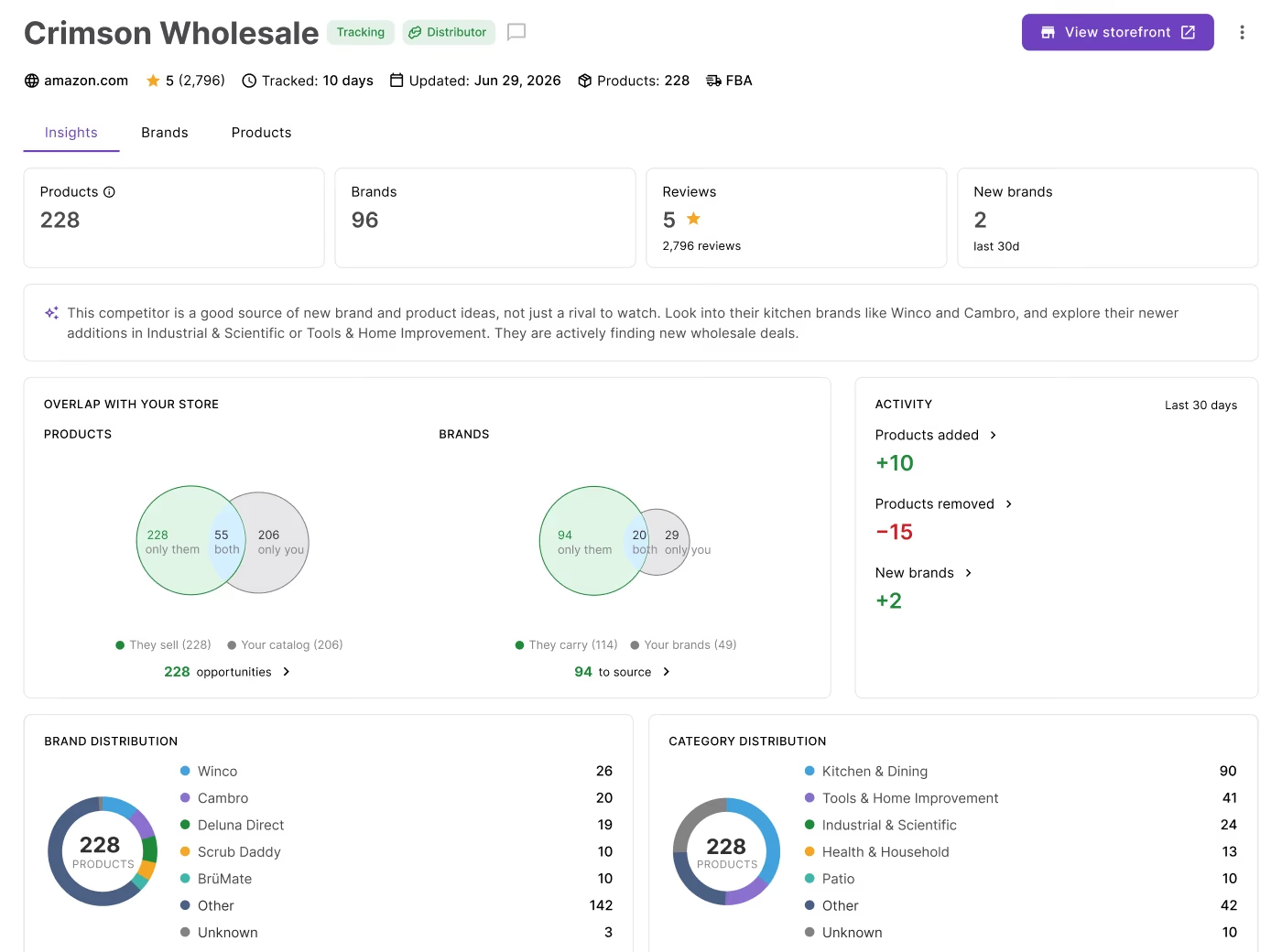
Spotting a promising brand on a competitor’s storefront is just the beginning. Before you contact a single wholesale supplier, you need to know whether that brand is actually worth sourcing – and that means analyzing it properly.
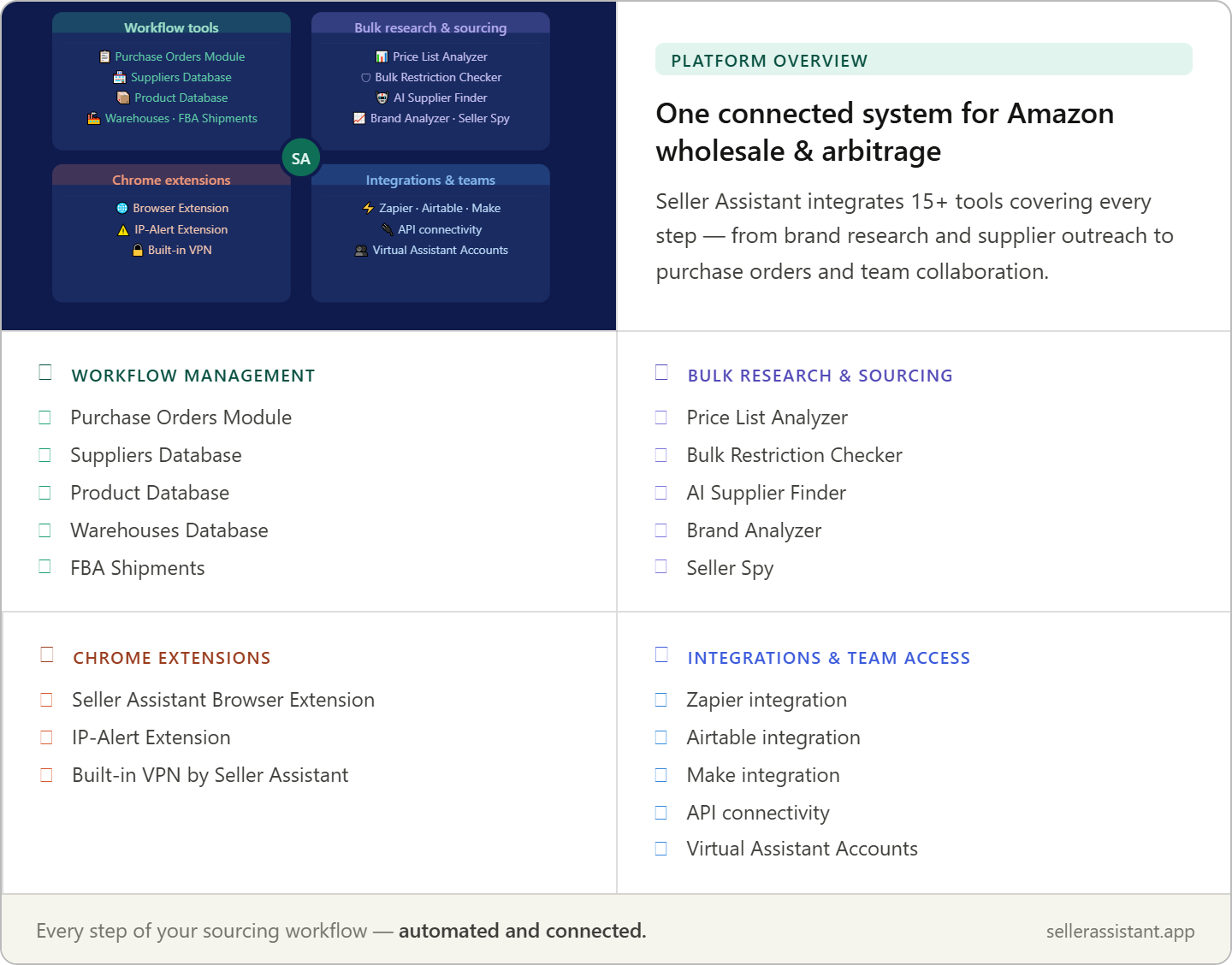
Seller Assistant gives you two tools that work together to do exactly that. Seller Spy identifies the brands your competitors are actively selling, adding, and growing. Brand Analyzer then evaluates whether those brands meet your revenue goals, competition thresholds, and profitability criteria.
Together, they turn a competitor signal into a sourcing decision backed by real data. Here’s how to use both tools in one connected workflow.
Competitor Research Finds the Brand. Brand Analysis Makes the Call
Discovering a brand in a competitor’s catalog is only the beginning of the sourcing process. Competitor research shows what successful Amazon sellers are selling, but it doesn’t explain why they chose those brands or whether those opportunities fit your business.
Brand analysis provides the missing context by revealing demand, competition, catalog depth, Amazon’s presence, and long-term growth potential. Combining these two steps helps sellers qualify opportunities before investing time in supplier outreach or product research.
Start with market-proven brands
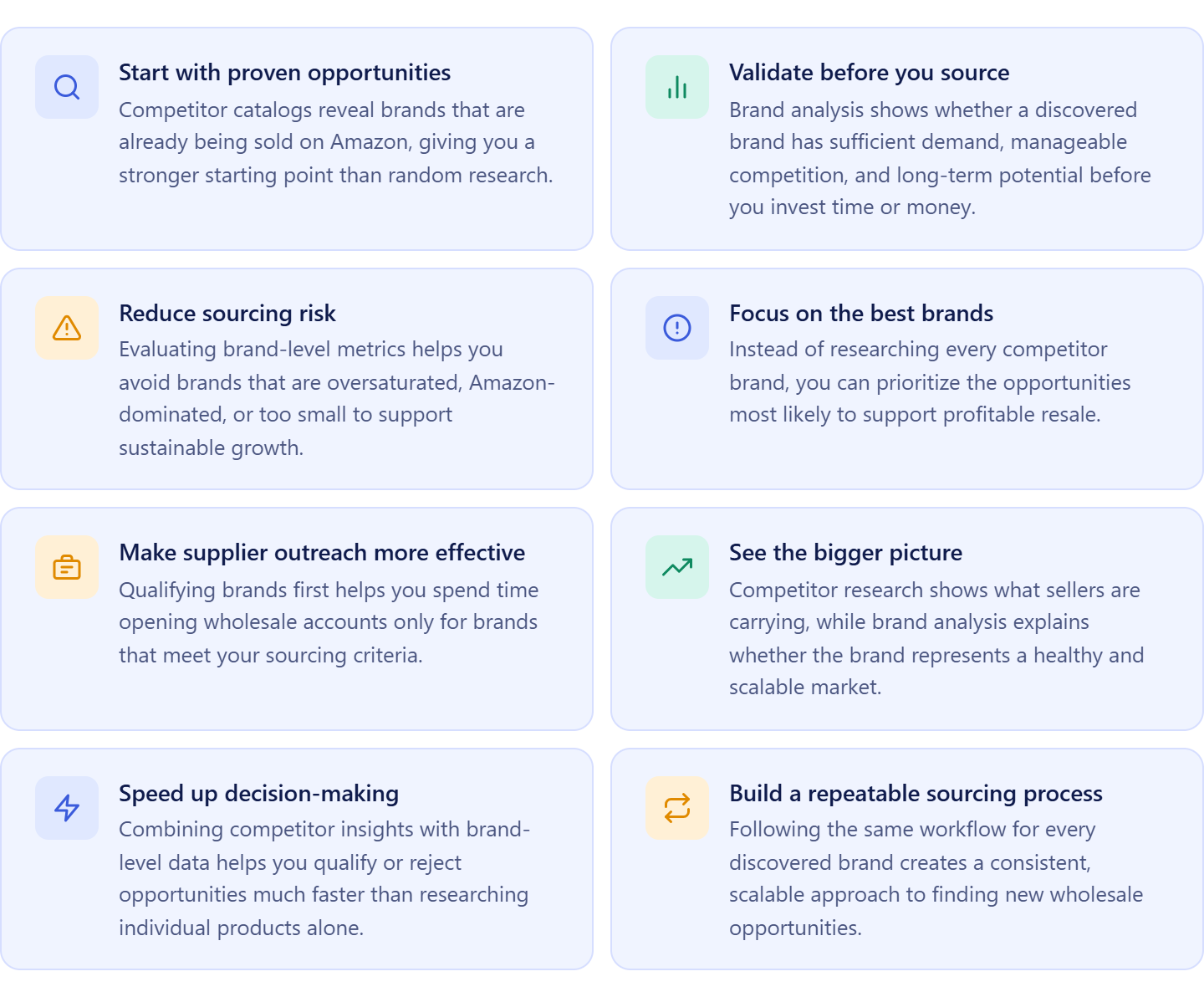
Brands that appear in competitor catalogs have already passed an important test – they’re actively being sold on Amazon. This gives you a stronger starting point than searching for brands at random.
Look beyond competitor activity
Just because competitors sell a brand doesn’t mean it’s a good opportunity. Brand analysis helps determine whether the brand has the demand, competition level, and marketplace conditions needed for profitable resale.
Avoid investing in weak opportunities
Some brands are dominated by Amazon Retail, oversaturated with sellers, or have limited catalog depth. Evaluating the brand first helps identify these issues before you commit resources.
Prioritize the best opportunities
Competitor research can uncover dozens of brands. Brand analysis helps narrow that list to the brands most likely to support profitable and scalable growth.
Save time on supplier outreach
Opening wholesale accounts and contacting suppliers takes time. Qualifying brands before outreach helps you focus your efforts on opportunities that are more likely to justify the investment.
Make better sourcing decisions
Looking at competitor activity and brand-level marketplace data together provides a more complete picture than either approach alone. It helps you make decisions based on evidence rather than assumptions.
Build a scalable sourcing process
A structured workflow that begins with competitor discovery and continues with brand qualification is easier to repeat, improve, and scale as your Amazon business grows.
Reduce sourcing risk
Evaluating brands before researching individual products helps you avoid pursuing opportunities that may look attractive on the surface but are difficult to scale or sustain over the long term.
What Seller Assistant Tools Help Analyze Competitor Brands
Finding an interesting brand in a competitor’s catalog is only the first step. Before investing time in supplier outreach or researching individual products, you need to determine whether the brand is actually worth sourcing. Many Amazon sellers discover competitor brands, then manually switch between storefronts, spreadsheets, and research tools to evaluate demand and competition. Seller Assistant’s Seller Spy and Brand Analyzer streamline this process by connecting competitor research directly with brand qualification.
Instead of treating competitor monitoring and brand analysis as separate tasks, you can move from discovering a brand in a competitor’s catalog to evaluating its market potential in just a few clicks. This creates a faster, more structured sourcing workflow and helps you focus on brands that are more likely to support profitable, long-term growth.
This workflow is powered by two Seller Assistant tools – Seller Spy and Brand Analyzer.
Seller Spy
Seller Spy helps Amazon wholesale sellers, online arbitrage sellers, and dropshippers monitor competitors and discover new sourcing opportunities. It tracks competitor catalogs, brands, products, and marketplace activity, helping you identify brands competitors recently added and brands that represent opportunities for expanding your own inventory.
Brand Analyzer
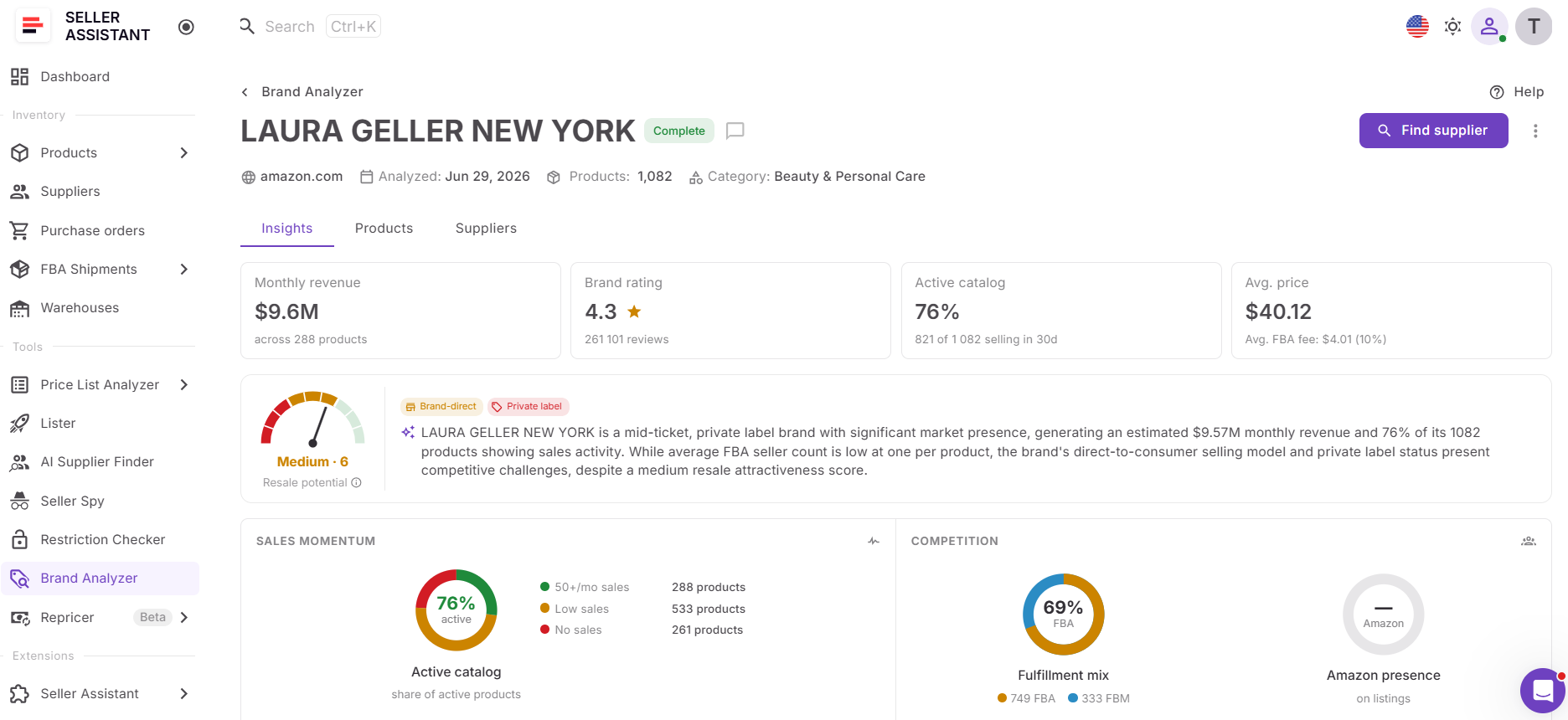
Brand Analyzer helps sellers qualify brands before investing time in supplier outreach or product research. It provides brand-level insights such as estimated demand, catalog size, seller competition, Amazon Buy Box rate, pricing, FBA share, ratings, distribution type, AI-powered analysis, and product-level metrics, allowing sellers to determine whether a brand has strong resale potential.
From competitor discovery to brand qualification
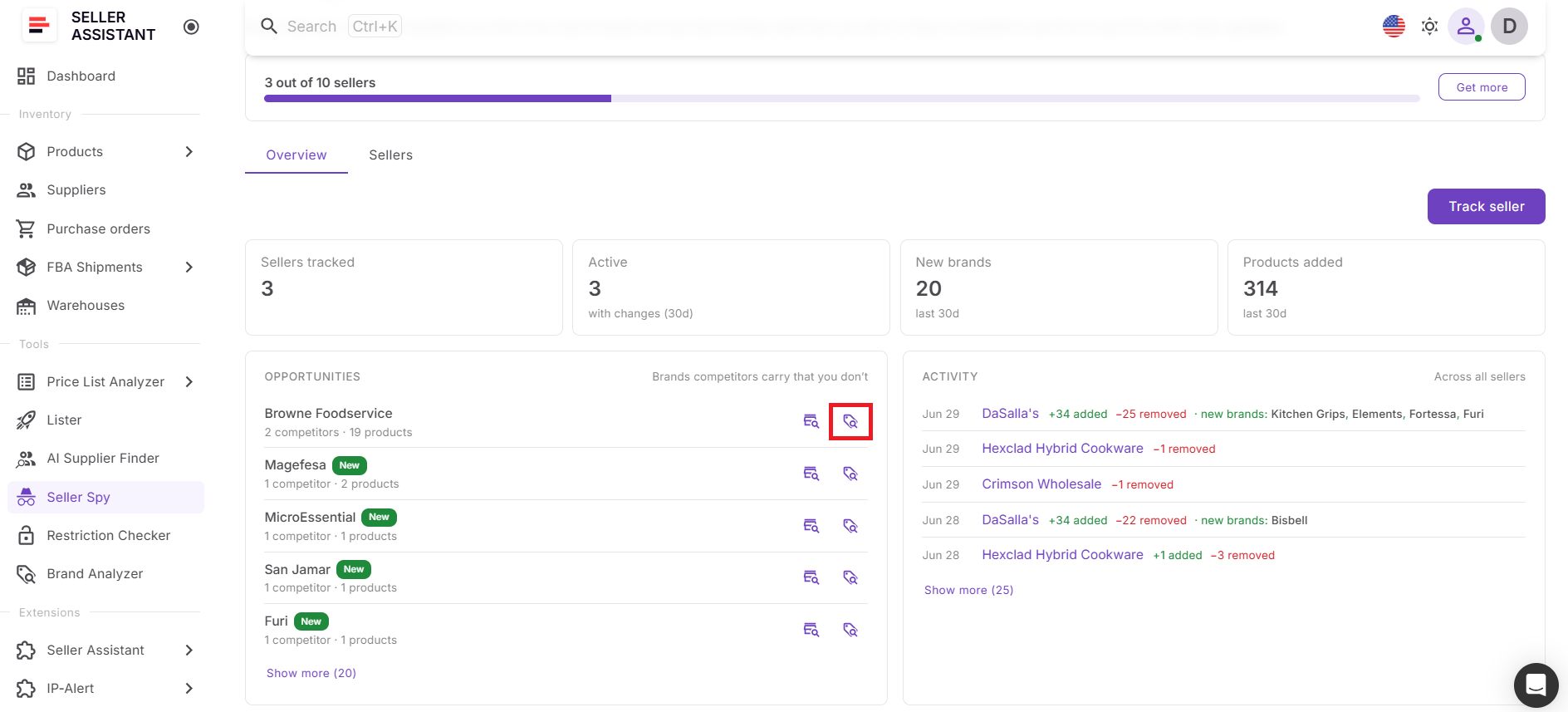
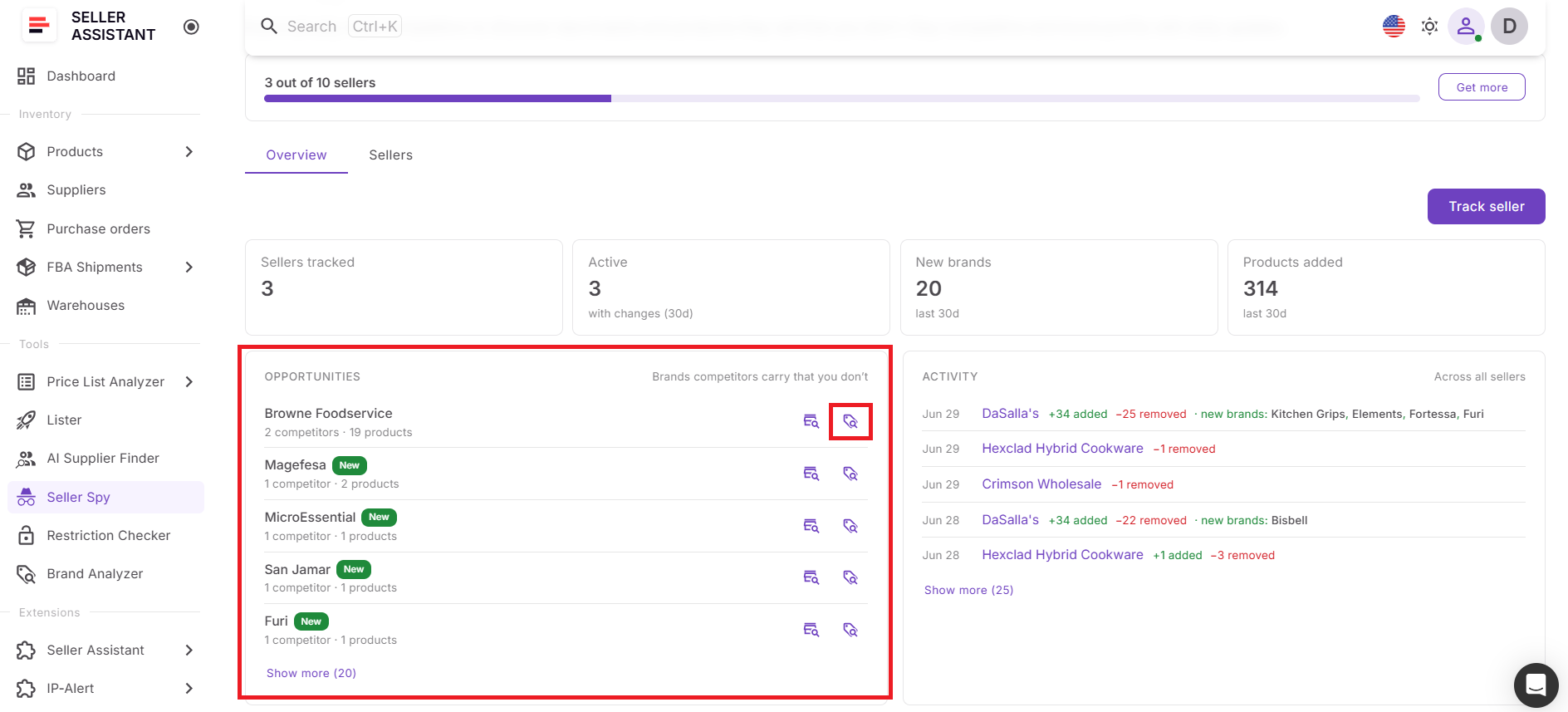
When you identify a promising brand in the Opportunities widget on Seller Spy’s Overview dashboard, click the Analyze Brand icon next to it. Seller Spy opens the Analyze brands dialog with the marketplace selected and the brand name already populated. Simply click Analyze brands to launch Brand Analyzer and begin evaluating the opportunity.
How competitor research becomes sourcing decisions
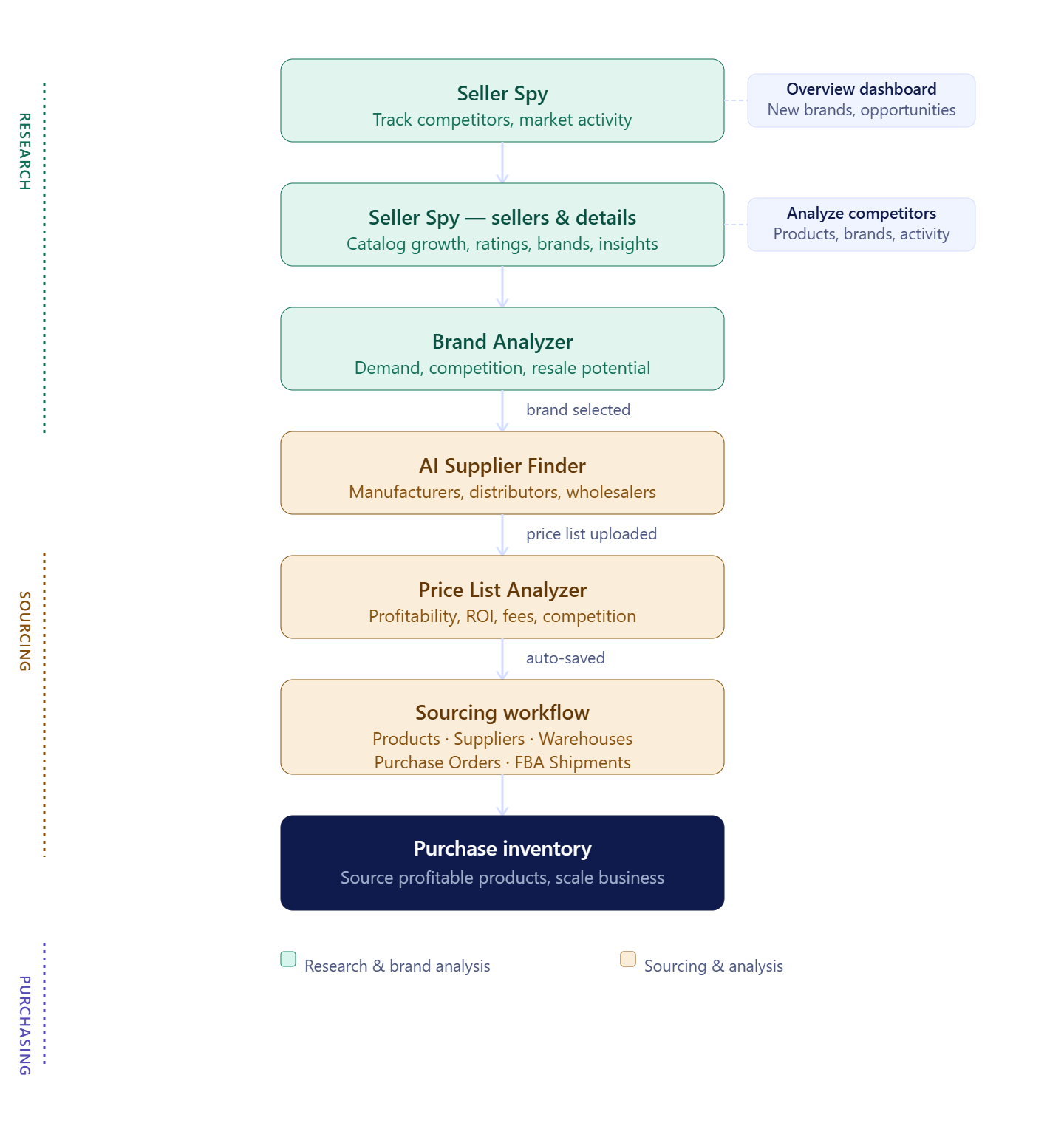
Brand qualification is most effective when it’s integrated with competitor research. After discovering promising brands in Seller Spy, you can immediately analyze them in Brand Analyzer, identify the strongest opportunities, continue with AI Supplier Finder to locate manufacturers and distributors, and then validate individual products with Price List Analyzer. Keeping these stages connected reduces manual work, speeds up sourcing decisions, and helps you focus your efforts on brands with the greatest potential.
What Is Seller Spy?
Seller Assistant’s Seller Spy is an Amazon competitor research tool that helps wholesale sellers, online arbitrage sellers, and dropshippers discover brands worth sourcing by monitoring competitor activity. Instead of manually reviewing Amazon storefronts, sellers can track competitor catalogs, identify newly added brands, and uncover opportunities already validated by other Amazon resellers.
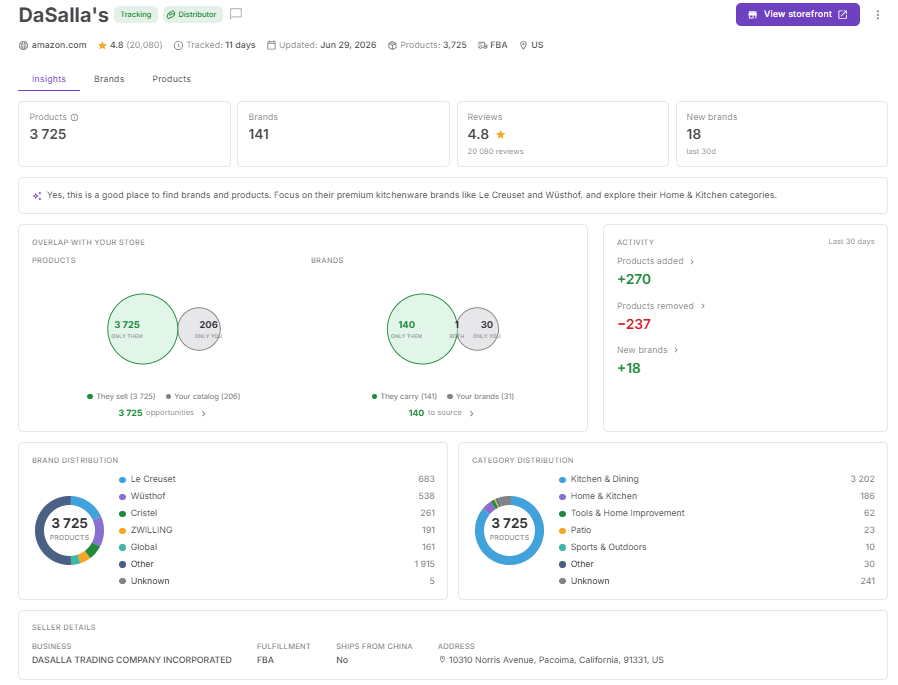
Beyond competitor monitoring, Seller Spy serves as the starting point for brand research. Once you discover a promising brand, you can launch Brand Analyzer directly from Seller Spy to evaluate demand, competition, Amazon’s presence, catalog depth, pricing, and resale potential before investing time in supplier outreach or product research.
What you can do with Seller Spy
Seller Spy helps sellers discover competitor brands, evaluate new sourcing opportunities, and continue brand research without leaving their sourcing workflow.
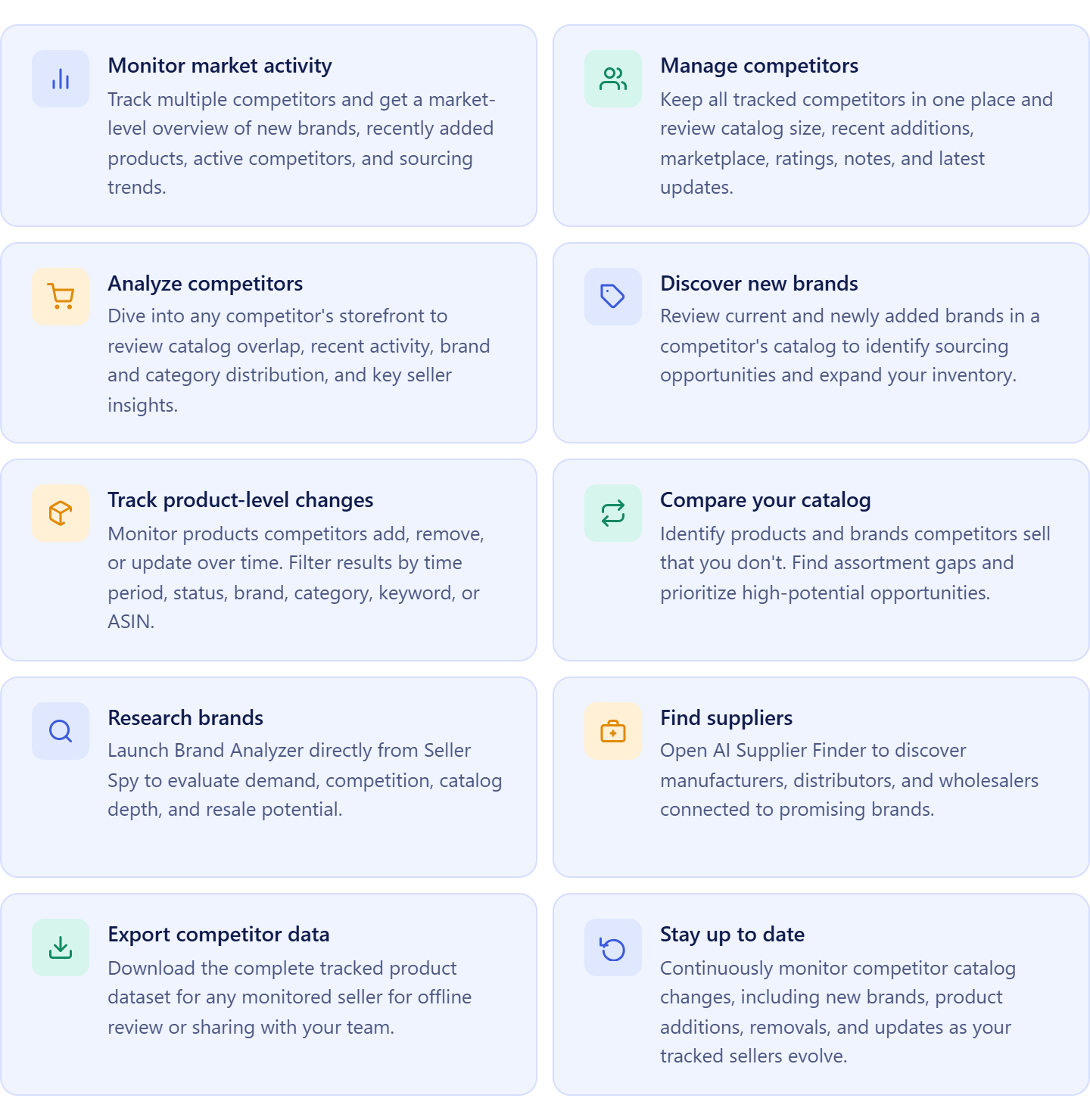
- Discover competitor brands
Monitor the brands competitors currently sell and identify new brands they recently added to their catalogs.
- Find brands missing from your catalog
Compare competitor assortments with your own inventory to identify brands that represent potential expansion opportunities.
- Monitor market activity
Track competitor catalog changes, active sellers, trending brands, and other marketplace activity to uncover emerging sourcing opportunities.
- Prioritize brands for research
Focus on brands that multiple competitors carry or have recently introduced instead of researching brands at random.
- Launch brand analysis
Open Brand Analyzer directly from Seller Spy to evaluate whether a discovered brand meets your sourcing criteria before investing additional time or resources.
- Continue your sourcing workflow
After qualifying a brand, continue with AI Supplier Finder to locate manufacturers and distributors, then use Price List Analyzer to evaluate individual products before making purchasing decisions.
How Seller Spy supports brand qualification
Seller Spy connects competitor discovery with brand analysis, helping sellers evaluate opportunities as soon as they find them. Instead of copying brand names into another tool or starting research from scratch, sellers can begin brand qualification directly from the competitor research workflow.
When you identify a promising brand in the Opportunities widget on the Overview dashboard, click the Analyze Brand icon. Seller Spy opens the Analyze brands dialog with the marketplace selected and the brand name already populated. From there, Brand Analyzer evaluates the opportunity, helping you determine whether the brand deserves further research, supplier outreach, and product analysis.
What Is Brand Analyzer?
Seller Assistant’s Brand Analyzer is a brand qualification tool that helps Amazon wholesale sellers, online arbitrage sellers, and dropshippers determine whether brands discovered through competitor research are worth sourcing.
Instead of judging a brand by a few individual products, Brand Analyzer evaluates the entire catalog, giving sellers a complete view of demand, competition, Amazon’s presence, pricing, catalog depth, and resale potential before they contact suppliers or research products in detail.
What you can do with Brand Analyzer
Brand Analyzer helps sellers qualify competitor brands and focus their sourcing efforts on opportunities with the greatest potential.
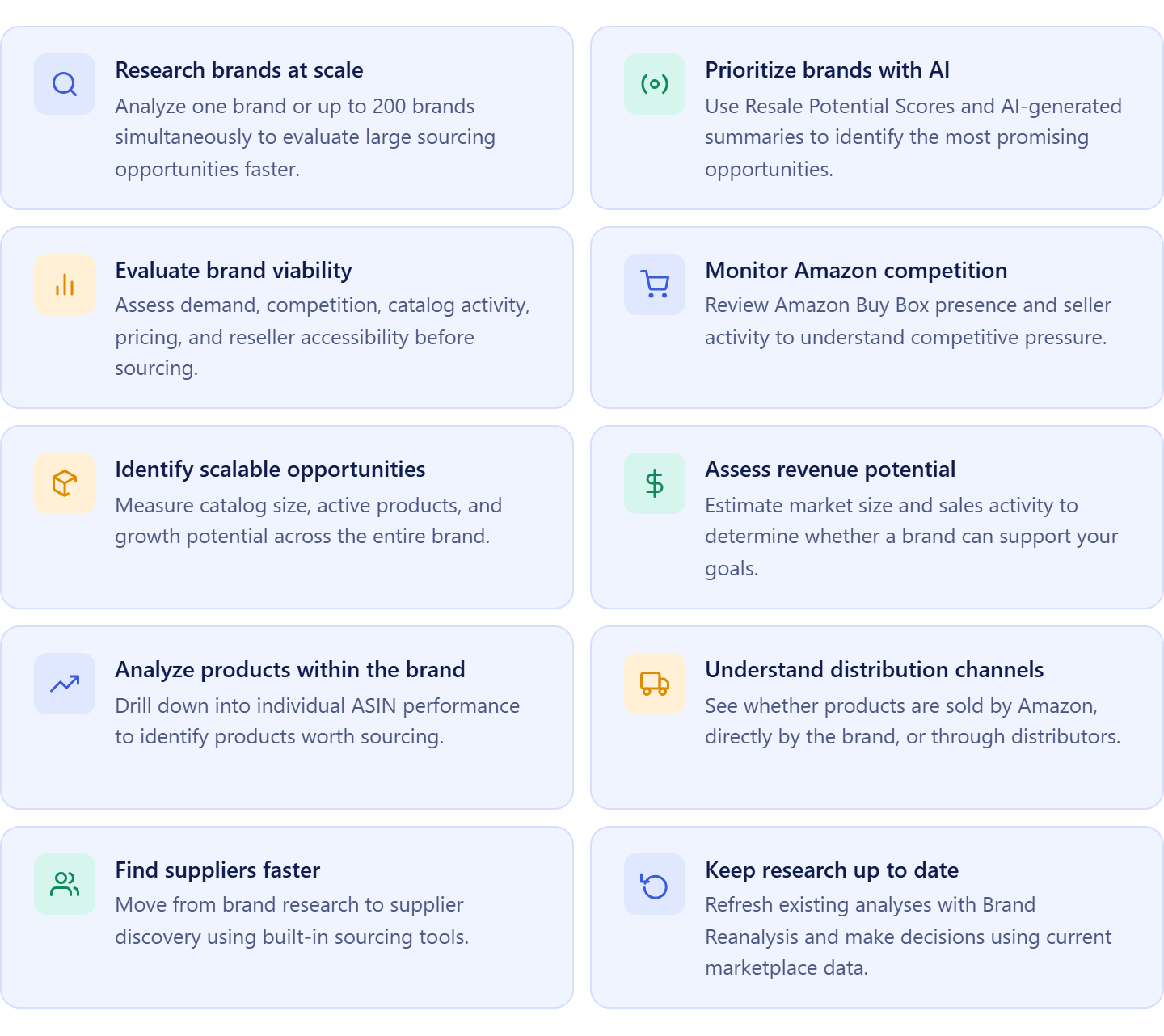
- Evaluate market demand
Analyze estimated monthly revenue, catalog activity, and product count to determine whether a brand generates enough demand to support long-term growth.
- Measure competition
Review Amazon Buy Box rate, average seller count, FBA share, and other marketplace metrics to understand how difficult it may be to compete.
- Assess catalog strength
Evaluate catalog size, active products, pricing, ratings, and category data to determine whether the brand offers enough opportunities to scale.
- Get AI-powered insights
Use the Resale Potential Score and AI-generated brand summary to quickly understand a brand’s market position and prioritize the best opportunities.
- Explore product opportunities
Open the Products dashboard to identify the ASINs driving demand and review product-level metrics before moving to detailed product research.
- Continue your sourcing workflow
After qualifying a brand, launch AI Supplier Finder to locate manufacturers, distributors, and wholesalers, then continue product validation with Price List Analyzer before purchasing inventory.
How Brand Analyzer supports competitor research
Brand Analyzer transforms competitor research into informed sourcing decisions. Instead of assuming a brand is worth pursuing because competitors sell it, you can evaluate its marketplace performance using comprehensive brand-level analytics.
When you click the Analyze Brand icon next to a brand in Seller Spy’s Opportunities widget, the Analyze brands dialog opens with the marketplace selected and the brand name already populated. Simply start the analysis to review the brand’s demand, competition, catalog depth, Amazon presence, and resale potential, helping you decide whether the opportunity deserves supplier outreach and product research.
How to Analyze Brands from Seller Spy
The workflow starts in Seller Spy, where you monitor competitors and discover brands they recently added to their catalogs. Instead of manually reviewing Amazon storefronts and then entering brand names into a separate research tool, Seller Spy highlights promising sourcing opportunities in one centralized workspace, making it easy to identify brands worth evaluating.
When you find an interesting brand in the Opportunities widget on the Overview dashboard, simply click the Analyze Brand icon next to it. Seller Spy opens the Analyze brands dialog with the marketplace selected and the brand name already populated. Click Analyze brands to launch Brand Analyzer and start evaluating the opportunity without manually entering any information.
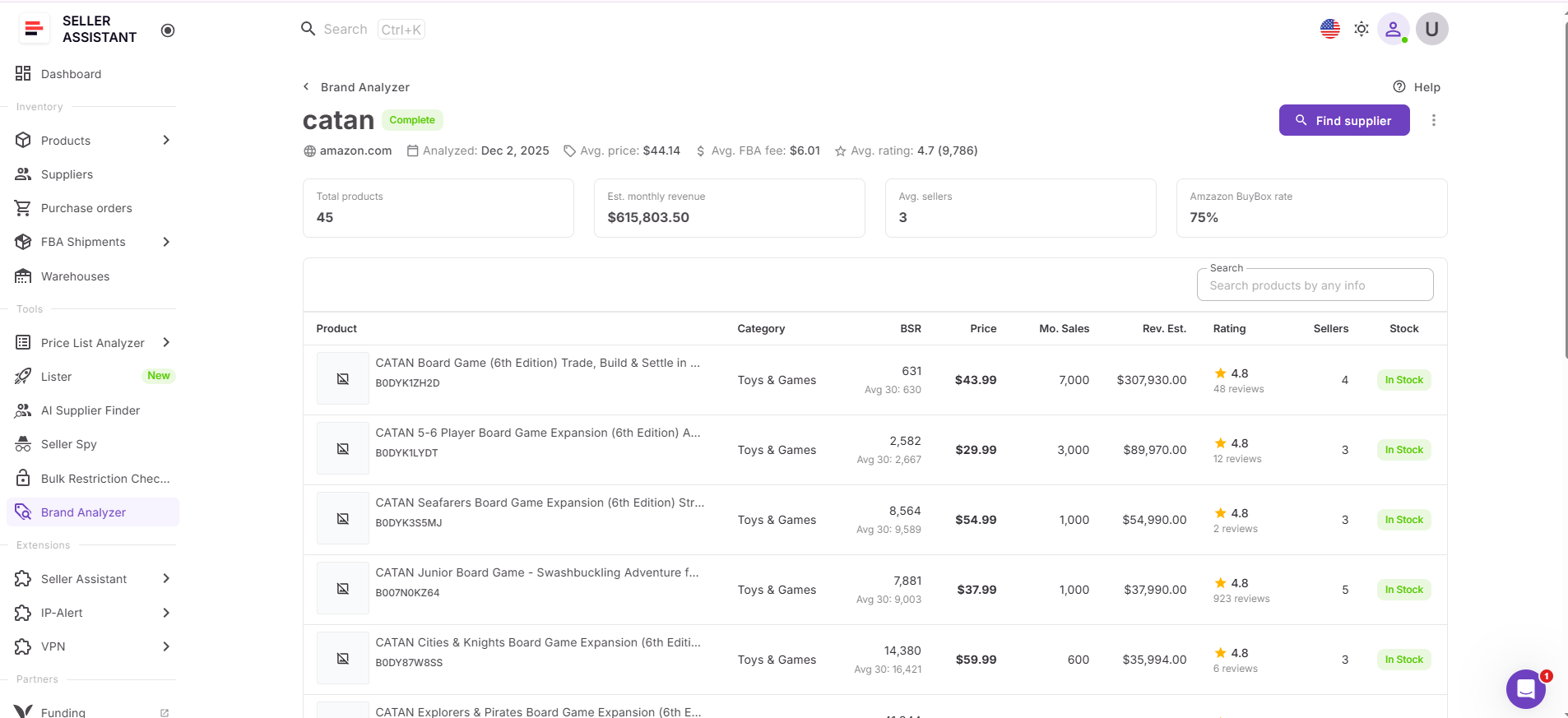
Brand Analyzer then provides a comprehensive view of the brand’s marketplace performance, including estimated monthly revenue, catalog size, Amazon Buy Box rate, average seller count, pricing, FBA share, ratings, distribution type, AI-powered insights, and product-level analytics. This helps you determine whether the brand has sufficient demand, manageable competition, and long-term resale potential before investing time in supplier outreach or product research.
This connected workflow eliminates the need to switch between competitor research, manual brand searches, and disconnected analysis tools. Instead, Amazon wholesale sellers, online arbitrage sellers, and dropshippers can move directly from discovering a competitor’s brand to qualifying it with comprehensive marketplace data, making sourcing decisions faster, more informed, and easier to scale.
How to Analyze Brands from Seller Spy – Step by Step
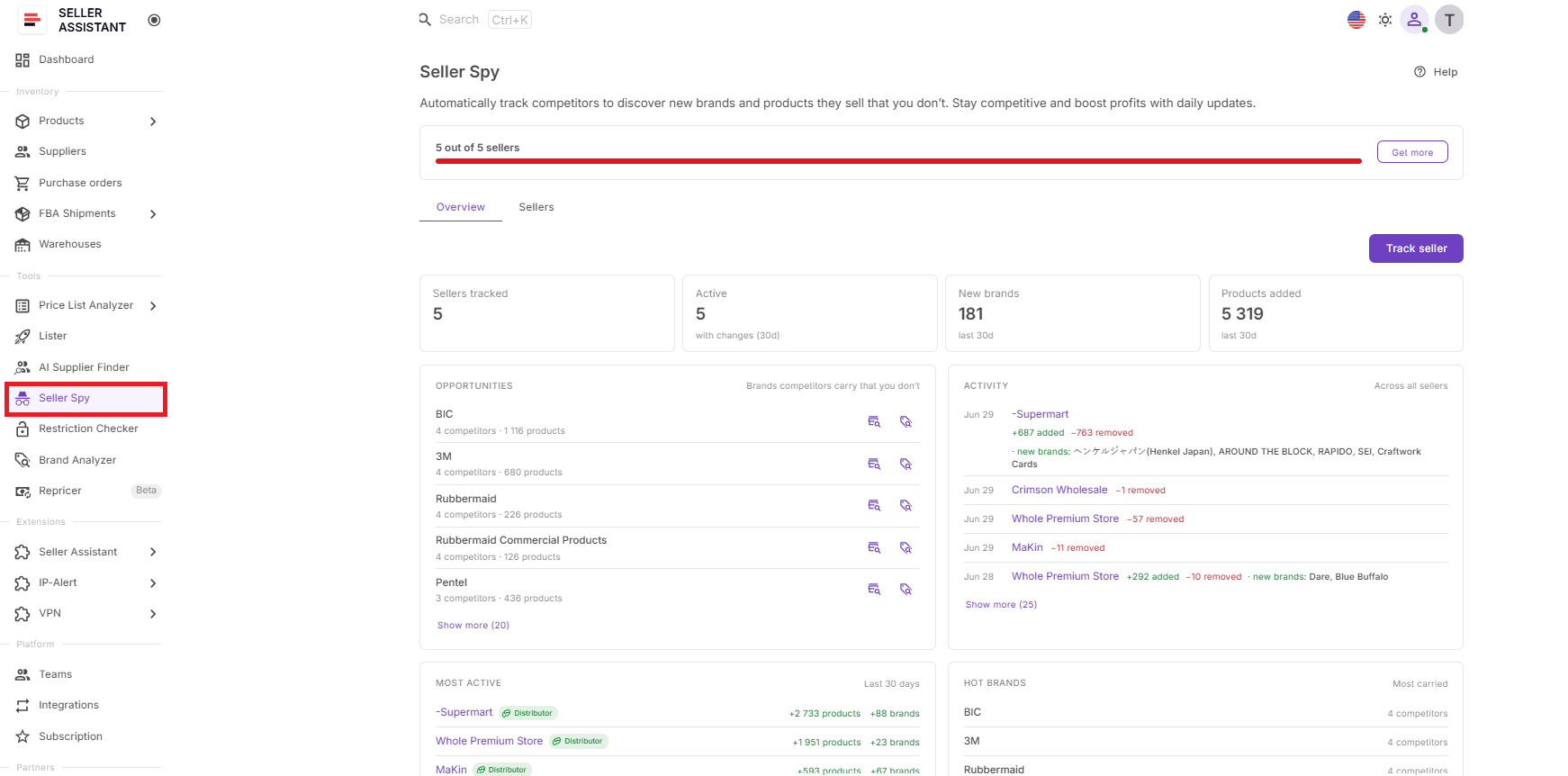
Step 1. Open Seller Spy
Log in to Seller Assistant and open Seller Spy from the Tools section.
This is where you monitor competitors, review market activity, and find brands your competitors sell but you don’t.
Step 2. Go to the Overview dashboard
Open the Overview dashboard in Seller Spy.
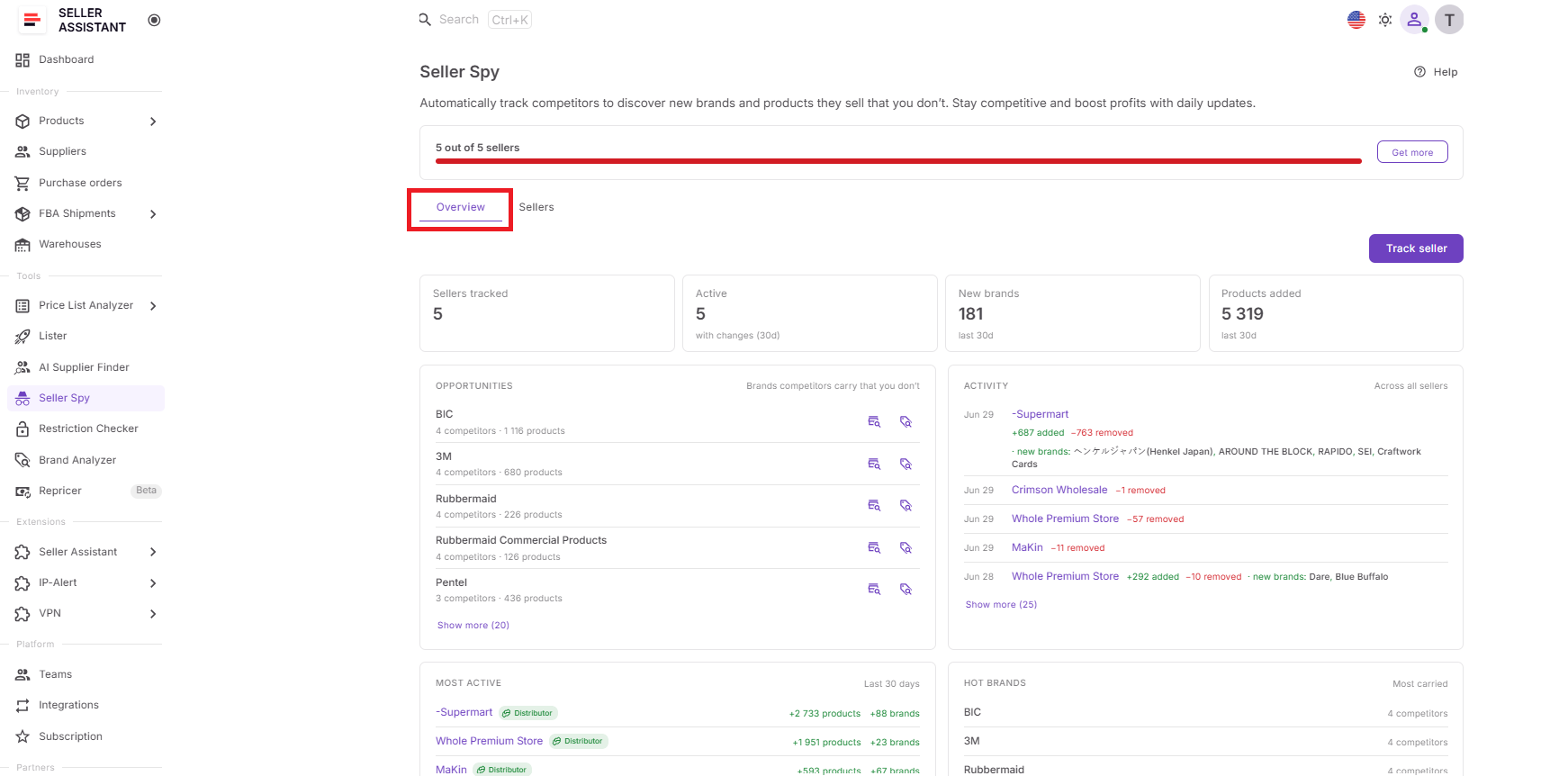
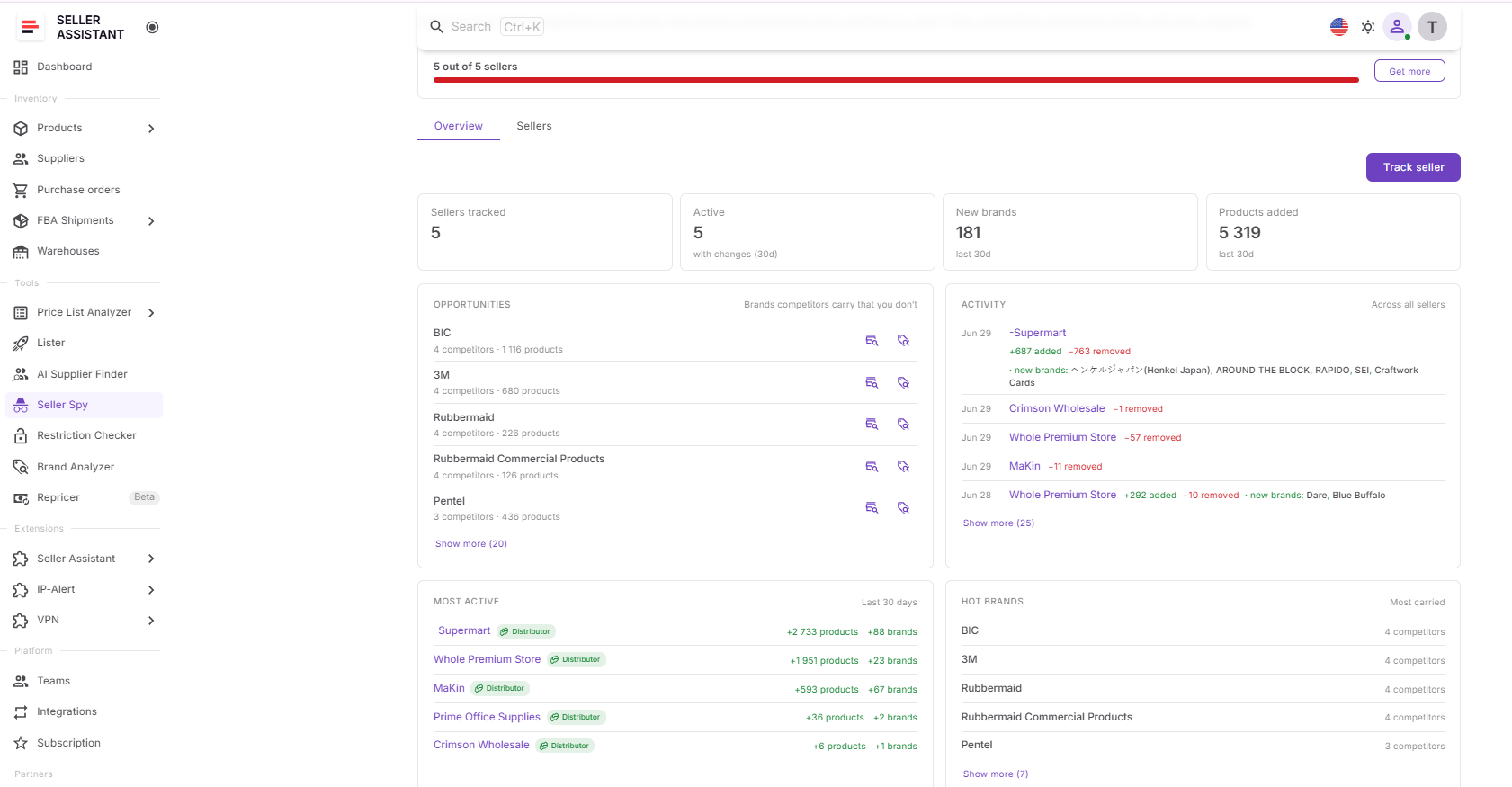
This dashboard shows tracked sellers, active sellers, new brands, products added, Opportunities, Activity, Most Active, and Hot Brands.
Step 3. Locate the Opportunities widget
Go to the Opportunities widget on the Overview dashboard.
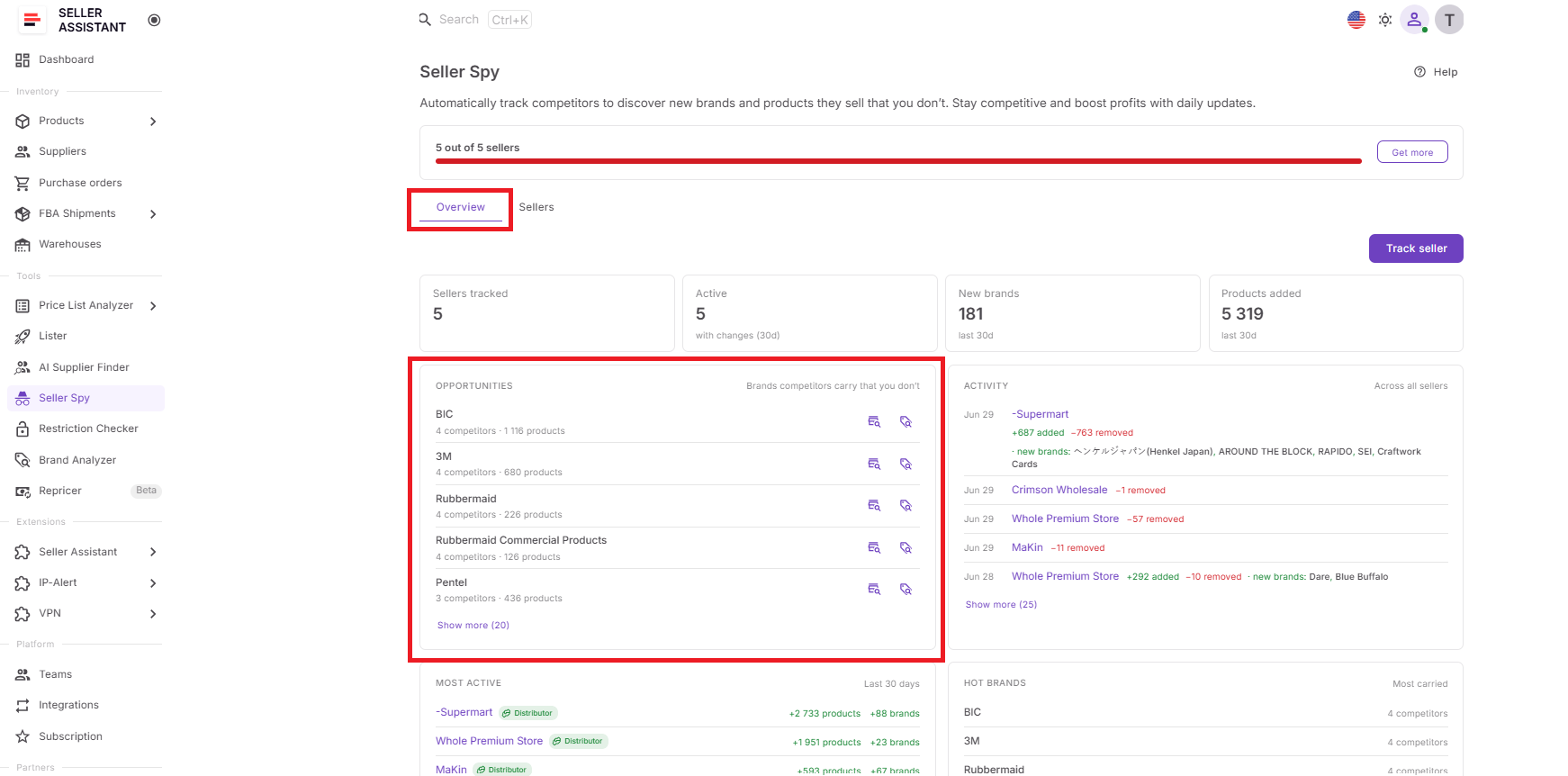
This widget shows brands competitors carry that are not yet in your catalog, making it the best place to find brands worth analyzing.
Step 4. Choose a brand to analyze
Review the brands listed in Opportunities and check how many competitors carry each brand and how many products are available.
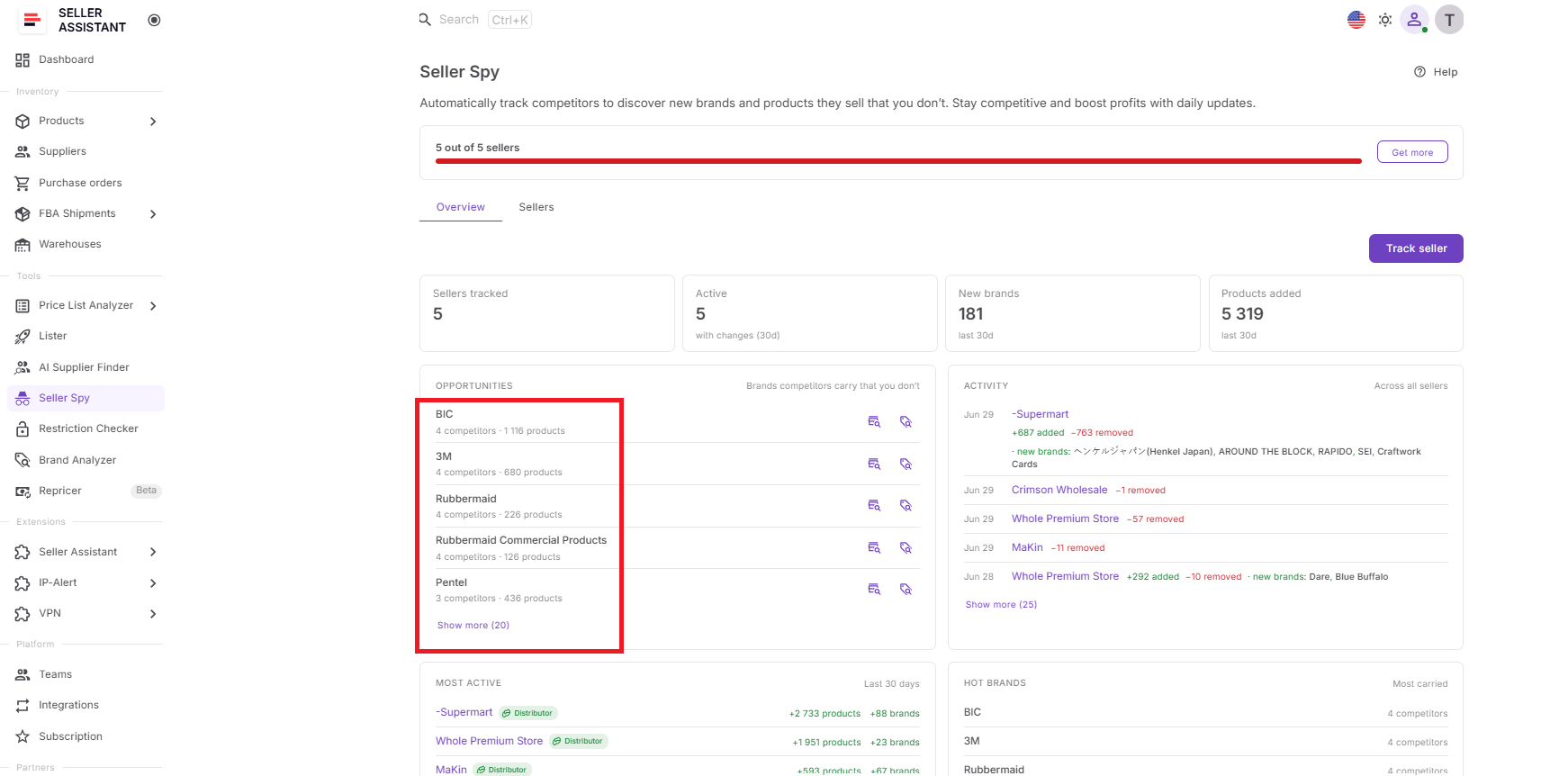
Brands sold by several competitors may be worth analyzing because they already show reseller activity on Amazon.
Step 5. Click the Analyze Brand icon
Click the Analyze Brand icon next to the selected brand.
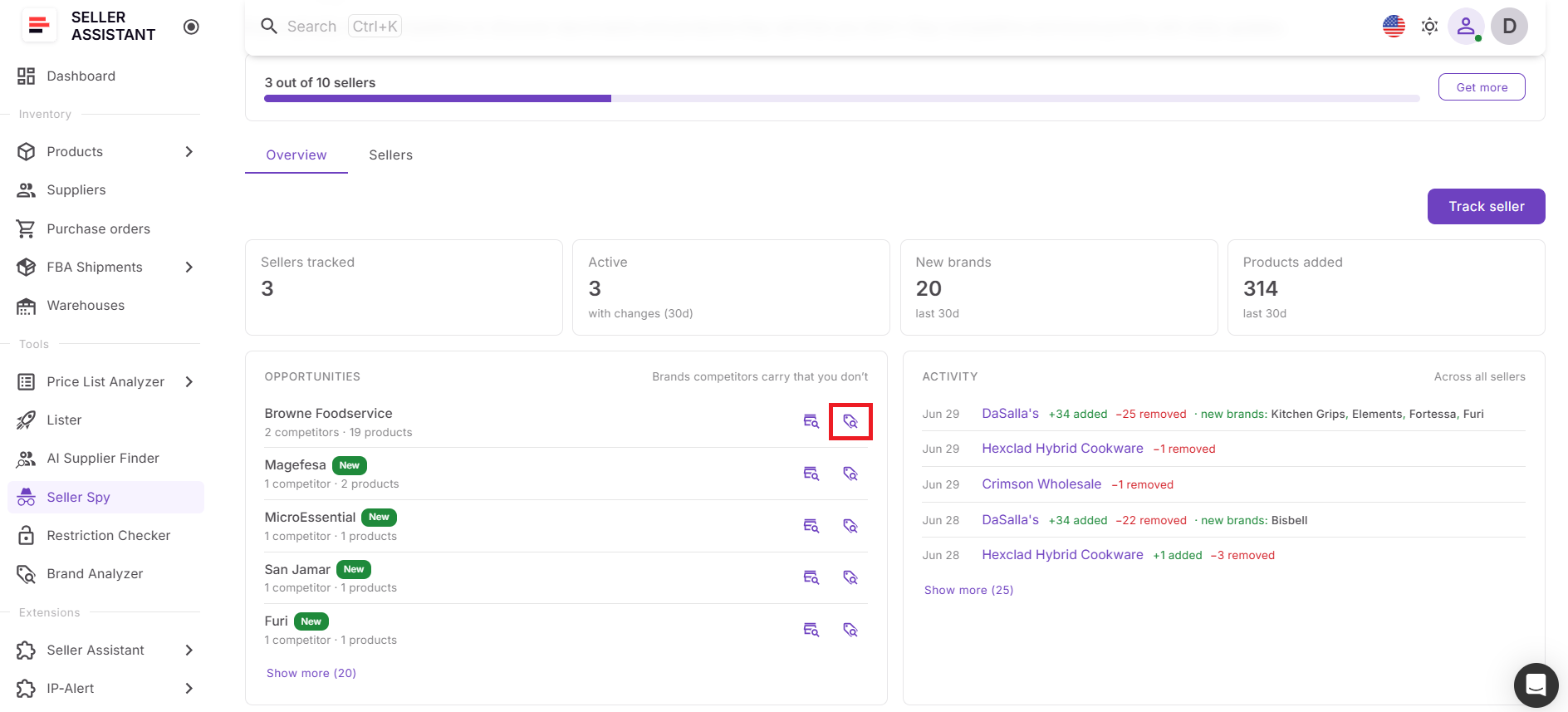
Seller Spy opens the Analyze brands dialog with the marketplace selected and the brand name prefilled.
Step 6. Launch Brand Analyzer
Click Analyze brands in the dialog.
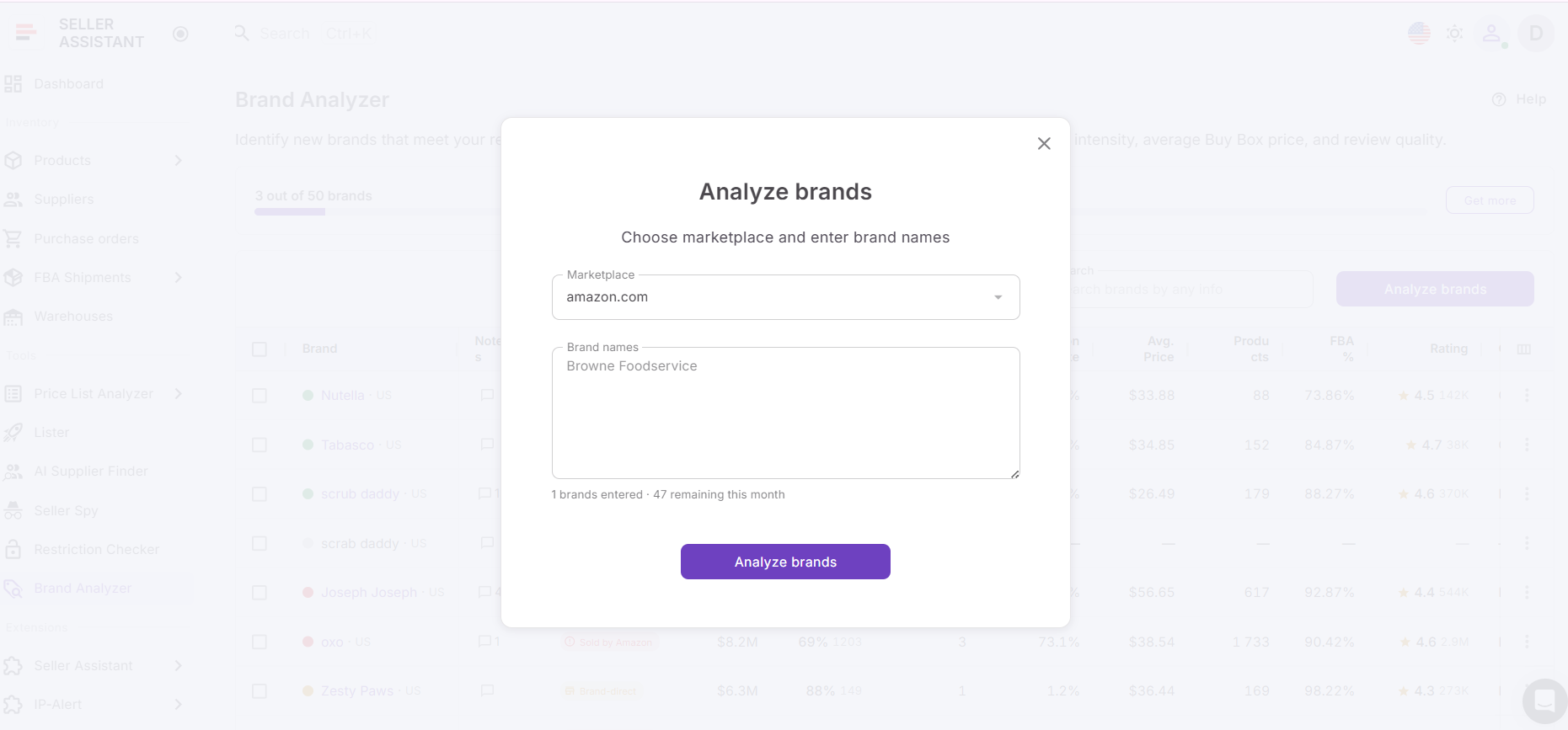
Brand Analyzer starts analyzing the selected brand without requiring you to manually enter the brand name or marketplace.
Step 7. Review brand metrics
Check the brand’s demand, catalog size, seller competition, Amazon Buy Box rate, average price, FBA share, rating, distribution type, and resale potential.
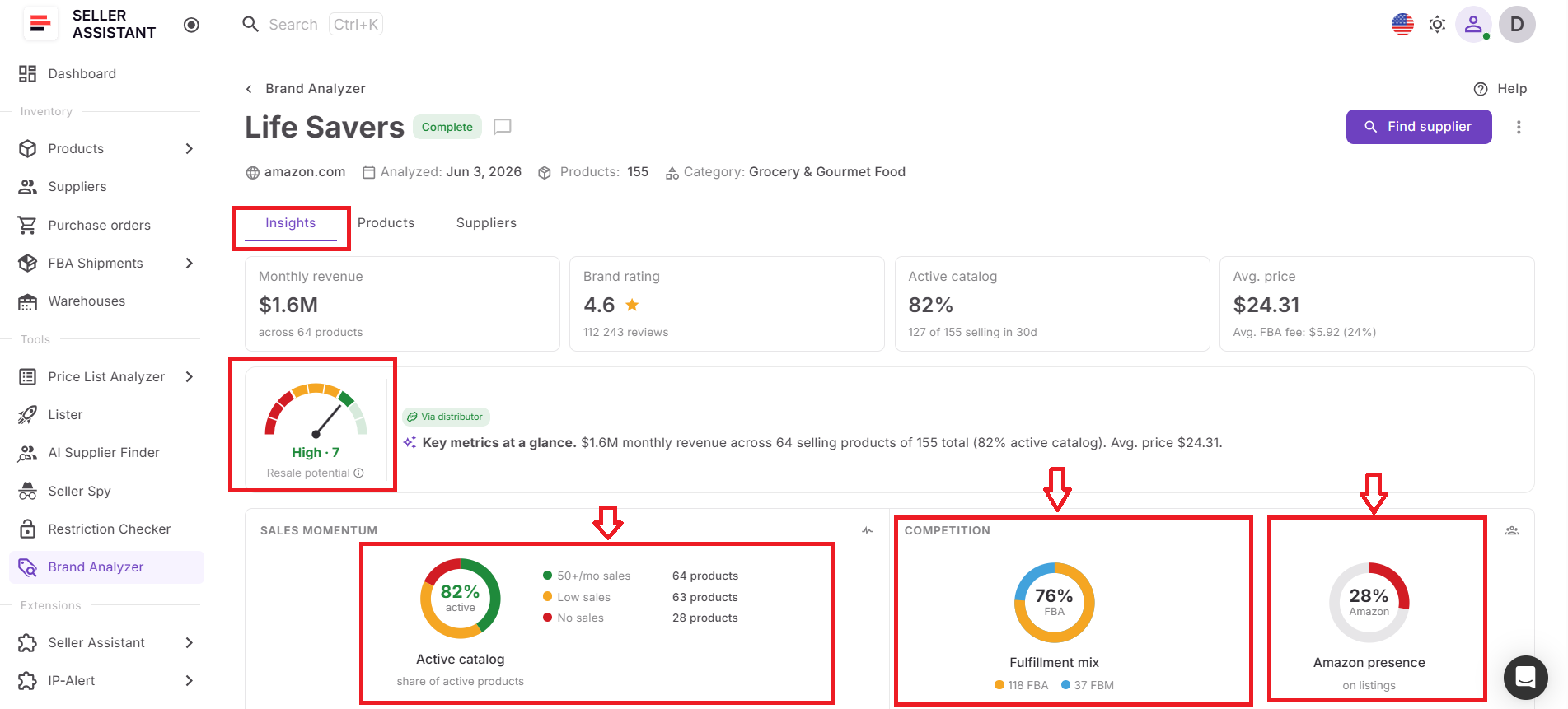
These metrics help you decide whether the brand is worth sourcing or should be skipped.
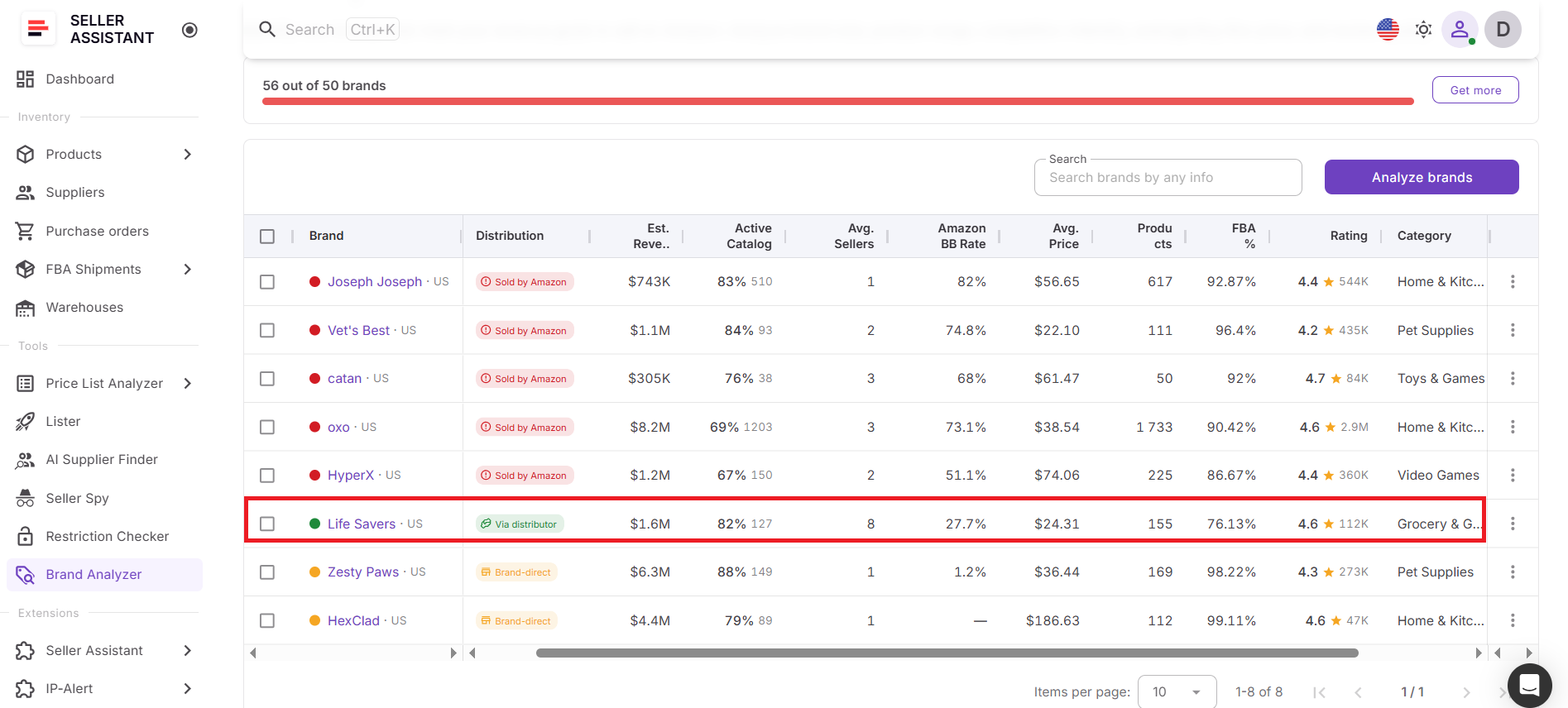
Step 8. Continue the sourcing workflow
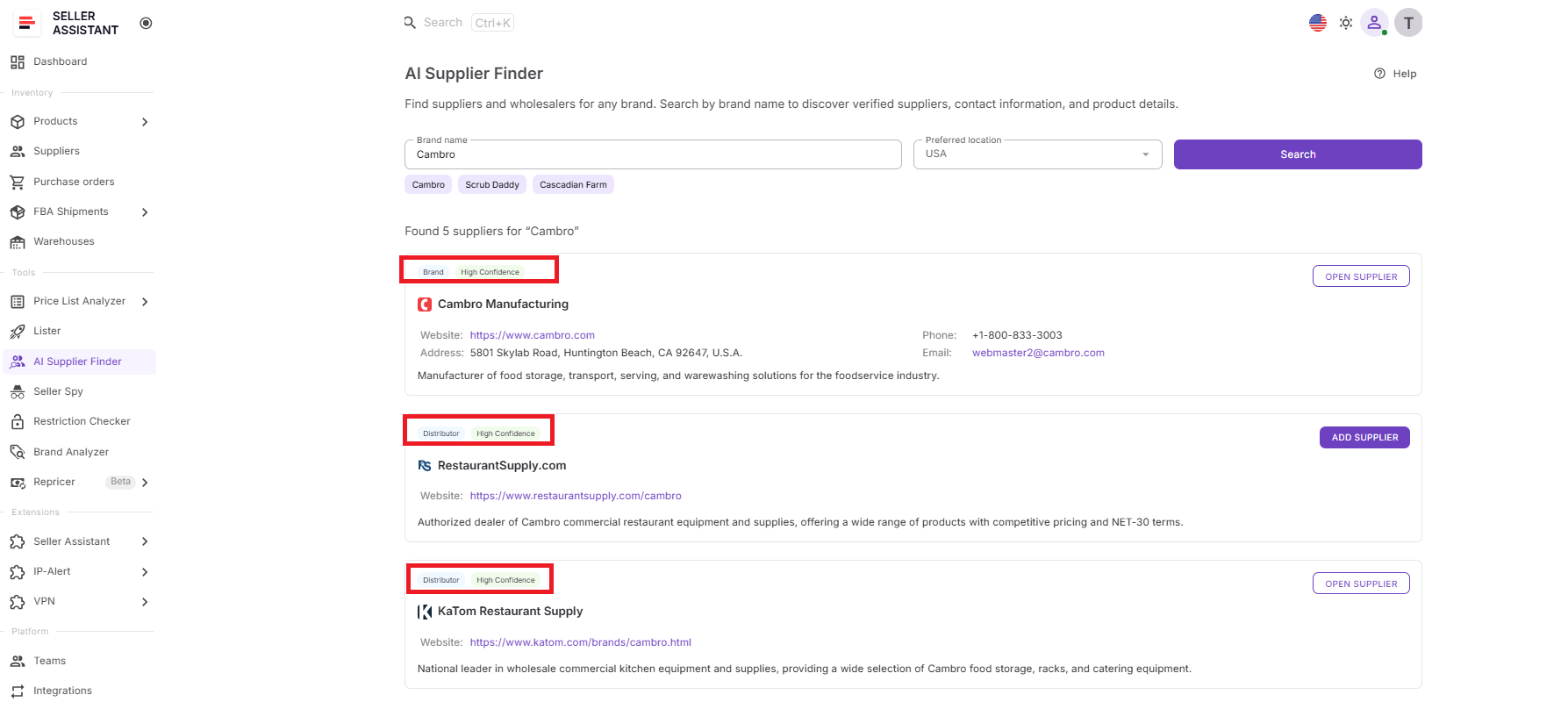
If the brand looks promising, use AI Supplier Finder to find manufacturers, distributors, and wholesalers.
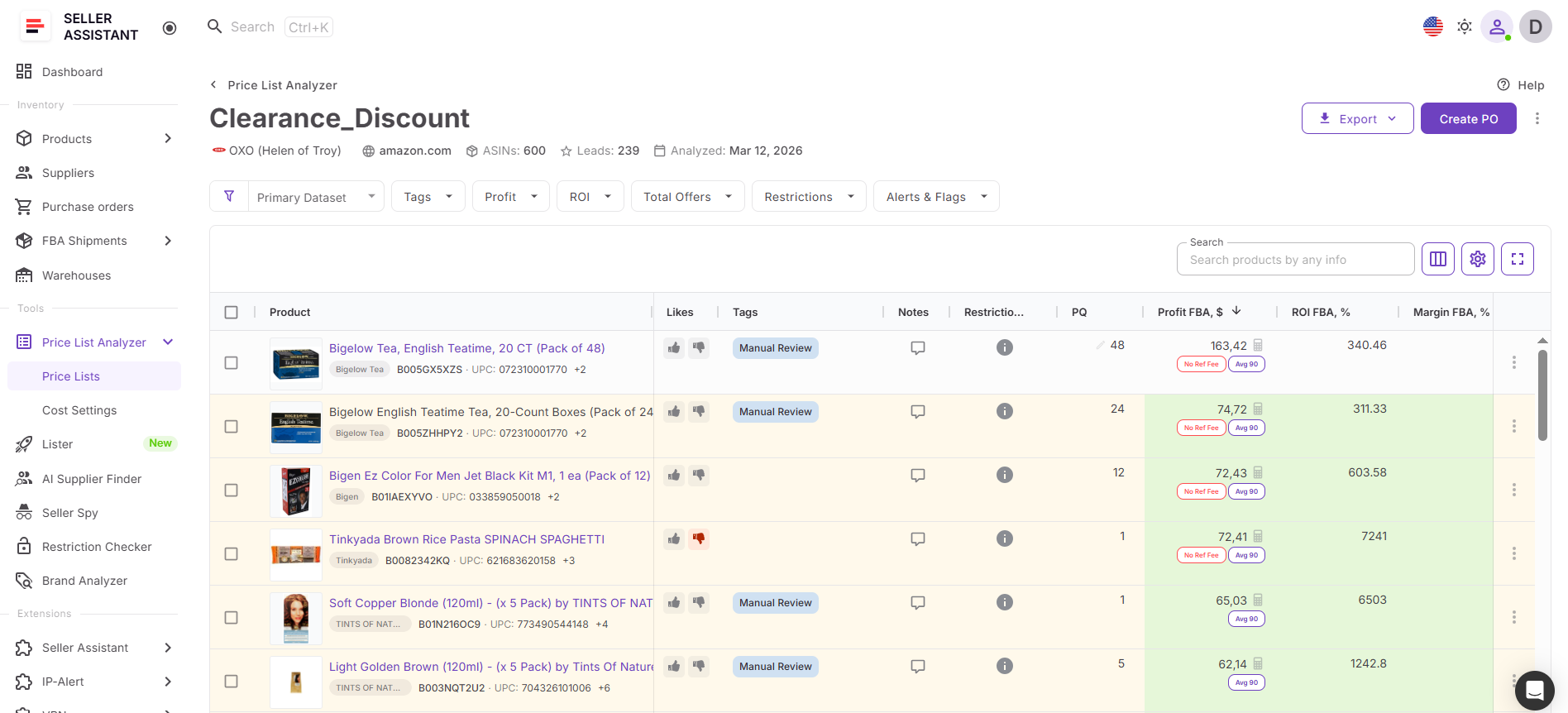
Then analyze bulk products with Price List Analyzer to confirm ROI, fees, demand, restrictions, and competition before buying inventory.
FAQ
Should I analyze every brand I discover in competitor catalogs?
No. Focus on brands that appear consistently across multiple competitors or fit your sourcing strategy, product categories, and target price range. Prioritizing your research helps you spend more time on opportunities with greater potential.
How often should I reanalyze a brand?
Brand performance can change as new sellers enter the market, Amazon increases its presence, or pricing shifts. Reanalyzing important brands periodically helps ensure your sourcing decisions are based on current marketplace conditions rather than outdated data.
Can I compare several competitor brands before choosing one?
Yes. Comparing multiple brands helps you identify which one offers the best combination of demand, competition, catalog depth, and long-term growth potential. This makes it easier to prioritize your sourcing efforts instead of evaluating brands in isolation.
What should I do if Brand Analyzer shows low resale potential?
A low score doesn’t necessarily mean you should ignore the brand forever. It may be worth monitoring over time, as changes in competition, Amazon’s presence, or market demand can create new opportunities in the future.
What should I do after identifying a promising brand?
The next step is to locate reliable wholesale suppliers and then evaluate individual products within the brand before placing an order. Completing these additional research steps helps confirm that both the brand and its products fit your sourcing criteria and profitability goals.
Final Thoughts
Competitor research helps you discover brands with proven marketplace activity, but brand analysis helps you determine whether they’re actually worth sourcing. By combining Seller Assistant’s Seller Spy with Brand Analyzer, you can move beyond simply copying competitors and start making sourcing decisions based on demand, competition, catalog strength, Amazon’s presence, and long-term resale potential.
Instead of switching between multiple tools and manually researching every opportunity, you can move seamlessly from competitor discovery to brand qualification within a connected workflow. Once you’ve identified a high-potential brand, you can continue with AI Supplier Finder to locate manufacturers and distributors, then evaluate individual products before purchasing inventory.