.svg)
How to Instantly Update Deal Metrics in Price List Analyzer
Download Amazon Seller Guide
This guide will help you get started, understand the basics of Amazon selling, and explain in simple words how it all works.

Processing supplier price lists with thousands of SKUs is a daily reality for wholesale, online arbitrage, and dropshipping sellers. The real challenge isn’t just finding potential deals – it’s keeping your numbers accurate as costs, fees, and product details change mid-review.
One outdated cost or missed multipack can turn a “profitable” ASIN into a losing one.
Seller Assistant's Price List Analyzer solves this by letting you update deal metrics instantly, right inside your analyzed price list. With real-time profit recalculation, package quantity support, and bulk cost updates, you can adjust assumptions on the fly and see exactly how they impact profit, ROI, and margins – without re-uploading files or restarting your analysis.
Note. Seller Assistant is an end-to-end Amazon workflow management platform that integrates 10+ wholesale-focused solutions into one connected system. It combines sourcing workflow automation, bulk research and intelligence tools, and integrated Chrome extensions – giving you everything you need to streamline finding deals, managing suppliers, and creating purchase orders.

The platform aggregates: workflow management tools – Purchase Orders Module, Suppliers Database, Warehouses Database to organize, automate, and scale every step of your wholesale and arbitrage operations; bulk research & sourcing tools – Price List Analyzer, Bulk Restriction Checker, Sourcing AI, Brand Analyzer, Seller Spy to evaluate supplier price lists, verify selling eligibility and restrictions, open new brands, and discover winning product ideas from competitors to expand your product catalog; Chrome extensions – Seller Assistant Browser Extension, IP-Alert Extension, and built-in VPN by Seller Assistant to deep-research products, check IP claims and compliance, and access geoblocked supplier sites directly within your browser; and integrations & team access features – seamless API connectivity and integrations with Zapier, Airtable, and Make, plus Virtual Assistant Accounts for secure, scalable team collaboration.
With Seller Assistant, every step of your Amazon wholesale and arbitrage workflow is automated and connected.
What Is Instant Deal Metric Recalculation?
Instant deal metric recalculation means that when you change any cost or product variable – like COG, package quantity, shipping, or fees – your profit, ROI, and margin update immediately, without re-uploading the file or reprocessing the list. In Seller Assistant's Price List Analyzer, recalculation happens directly inside the analyzed table, in real time.
This matters because Amazon deal economics are sensitive to small changes. A $0.50 increase in supplier cost, a newly discovered prep fee, or a multipack listing can completely flip a deal from profitable to unviable. Without instant updates, sellers rely on static spreadsheets or outdated assumptions, which leads to false positives and bad buying decisions.
Example
- A product shows $4 profit at PQ = 1.
- You realize the Amazon listing is a 2-pack.
- The moment you change PQ to 2, COG and tax double – and profit instantly drops to $0.80.
That single update can save you from ordering a losing deal.
Why Instant Deal Recalculation Matters for Amazon Sellers
Amazon deals are rarely static. Supplier prices change, prep requirements appear, shipping assumptions shift, and many listings turn out to be multipacks.
When your profitability data doesn’t update immediately, you’re making sourcing decisions based on outdated numbers. Instant deal recalculation removes that risk by showing the real economics of a deal the moment something changes – before you commit to inventory.
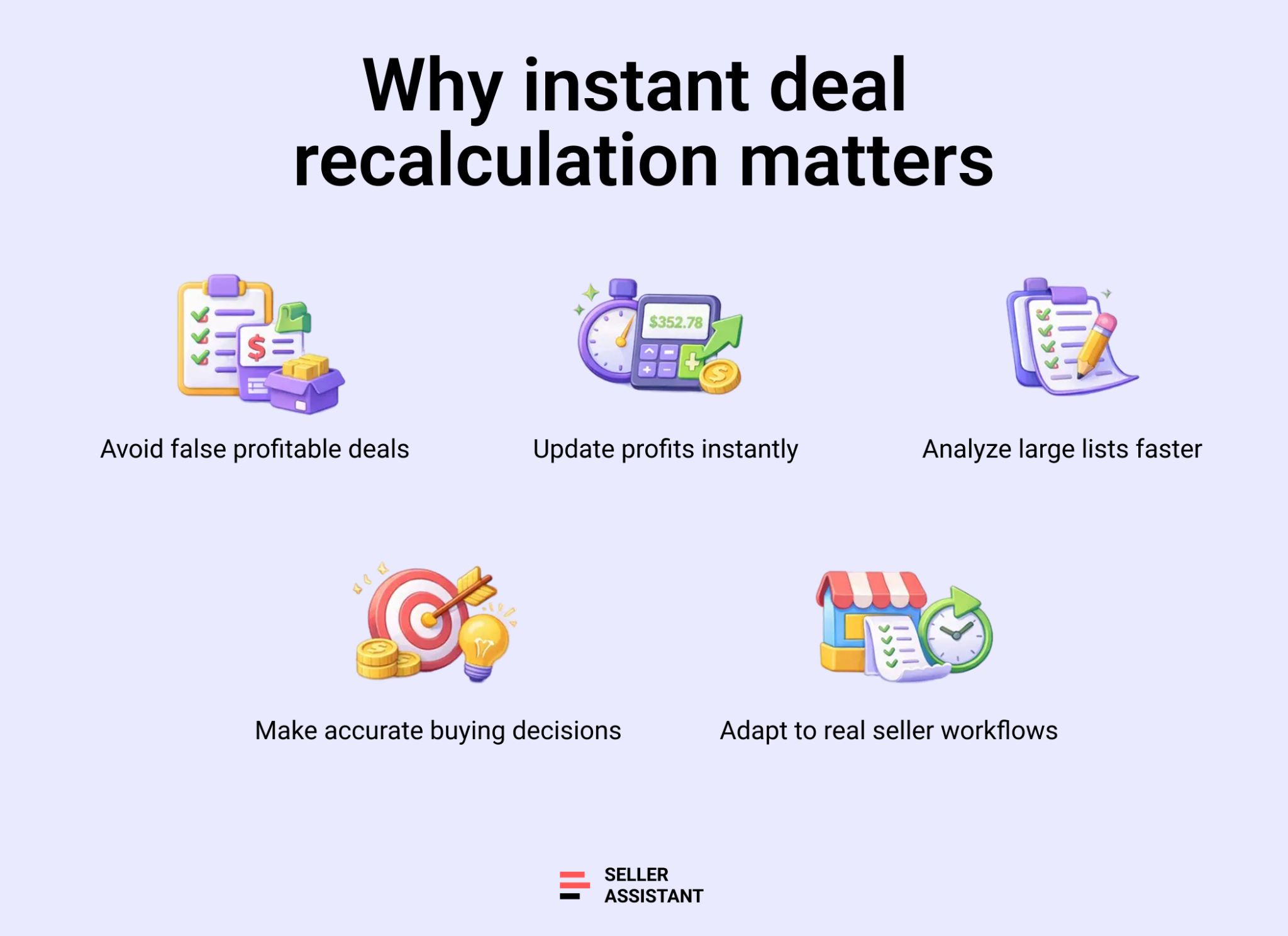
Prevents false profitable deals
Small cost changes can erase profit fast. Real-time recalculation exposes deals that only look profitable on paper before they turn into losses.
Saves hours on large price lists
Instead of re-uploading files or rebuilding spreadsheets, sellers adjust inputs once and see updated results instantly across the list.
Improves buying accuracy
Accurate profit, ROI, and margin updates help sellers size orders correctly and avoid overcommitting to weak deals.
Supports real-world sourcing workflows
Instant updates match how sellers actually work – reviewing, adjusting, and validating deals on the fly while analyzing thousands of SKUs.
How Instant Deal Recalculation Works in Price List Analyzer
Instant deal recalculation in Price List Analyzer happens directly inside the analyzed price list. When you adjust costs, quantities, or fees, the system immediately recalculates profit, ROI, margin, and break-even values for every affected product – without re-uploading the file or restarting the analysis. The only element that cannot be changed is the selling price calculation method; everything else updates dynamically.
Package quantity support in profit calculations
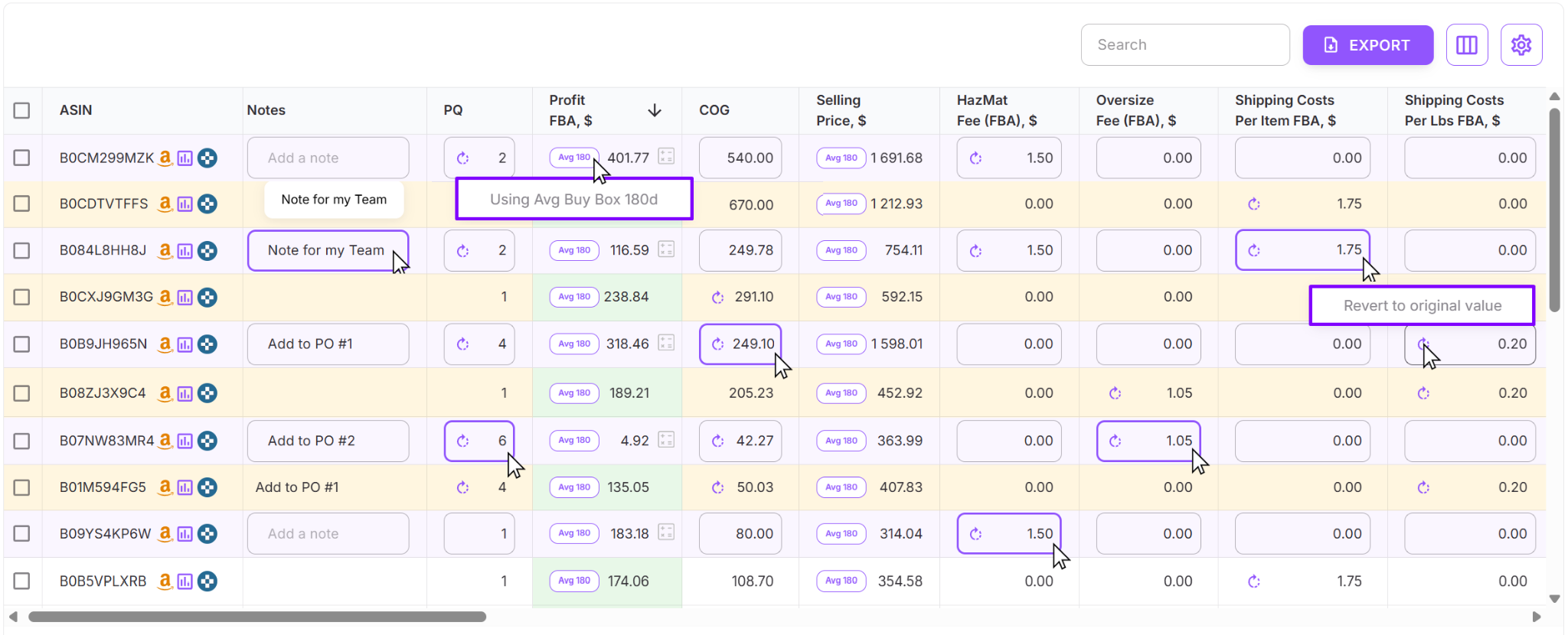
Price List Analyzer accounts for package quantity to reflect real deal economics. If a listing is a multipack, setting PQ to 2 automatically multiplies COG by 2 and recalculates tax using the updated cost. These calculations are visible in the profit tooltip, so you can see exactly how the numbers are formed. To prevent distorted results, PQ values of 100 or more are reset to 1 by default. At this stage, changing PQ updates COG and tax, which then drives all profitability metrics.
Inline editing with real-time updates
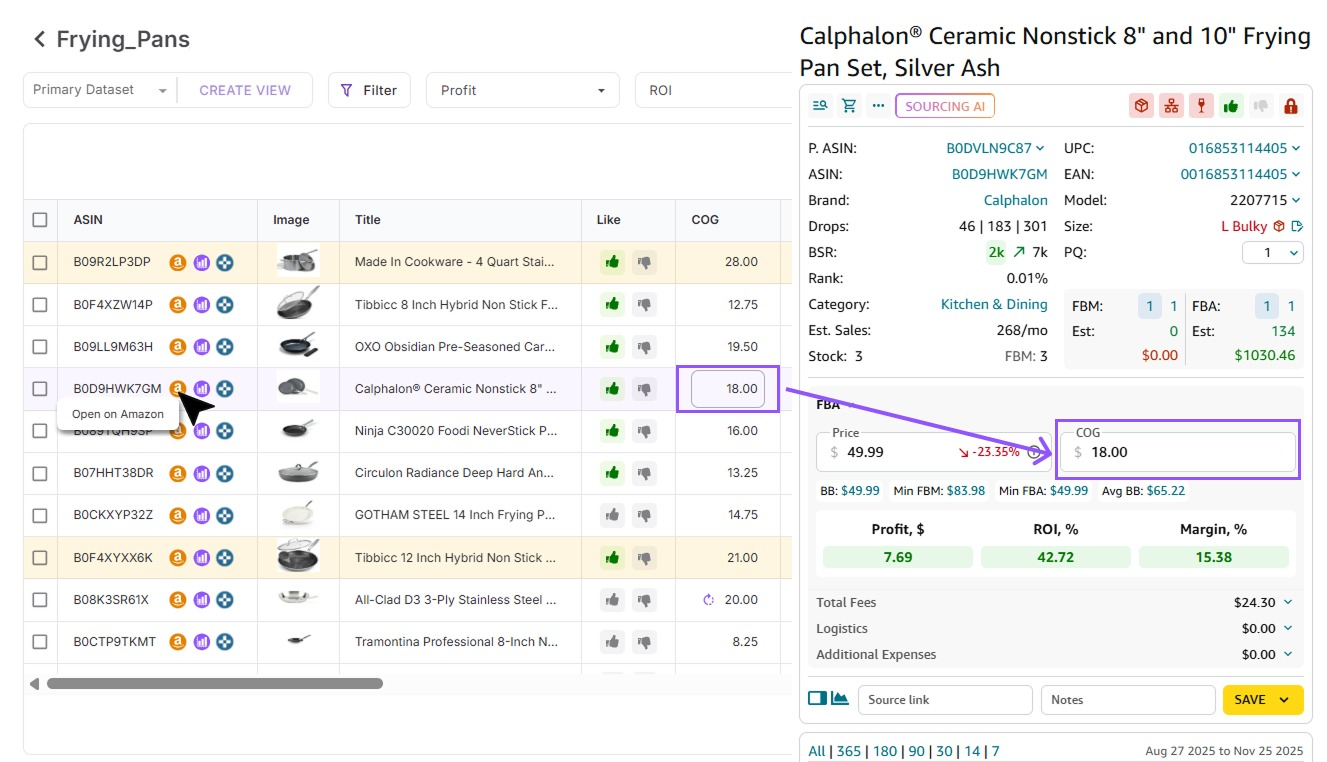
Sellers can edit key fields directly in the UI table by hovering over a product row. Editable fields include COG, package quantity, hazmat and oversize fees, shipping (per item or per lb), general and fragile prep, and miscellaneous fees. Any change triggers an instant recalculation of all related values, and edits are saved automatically. If needed, a Revert button lets you roll back changes and restore original data.
Centralized cost settings and bulk recalculation
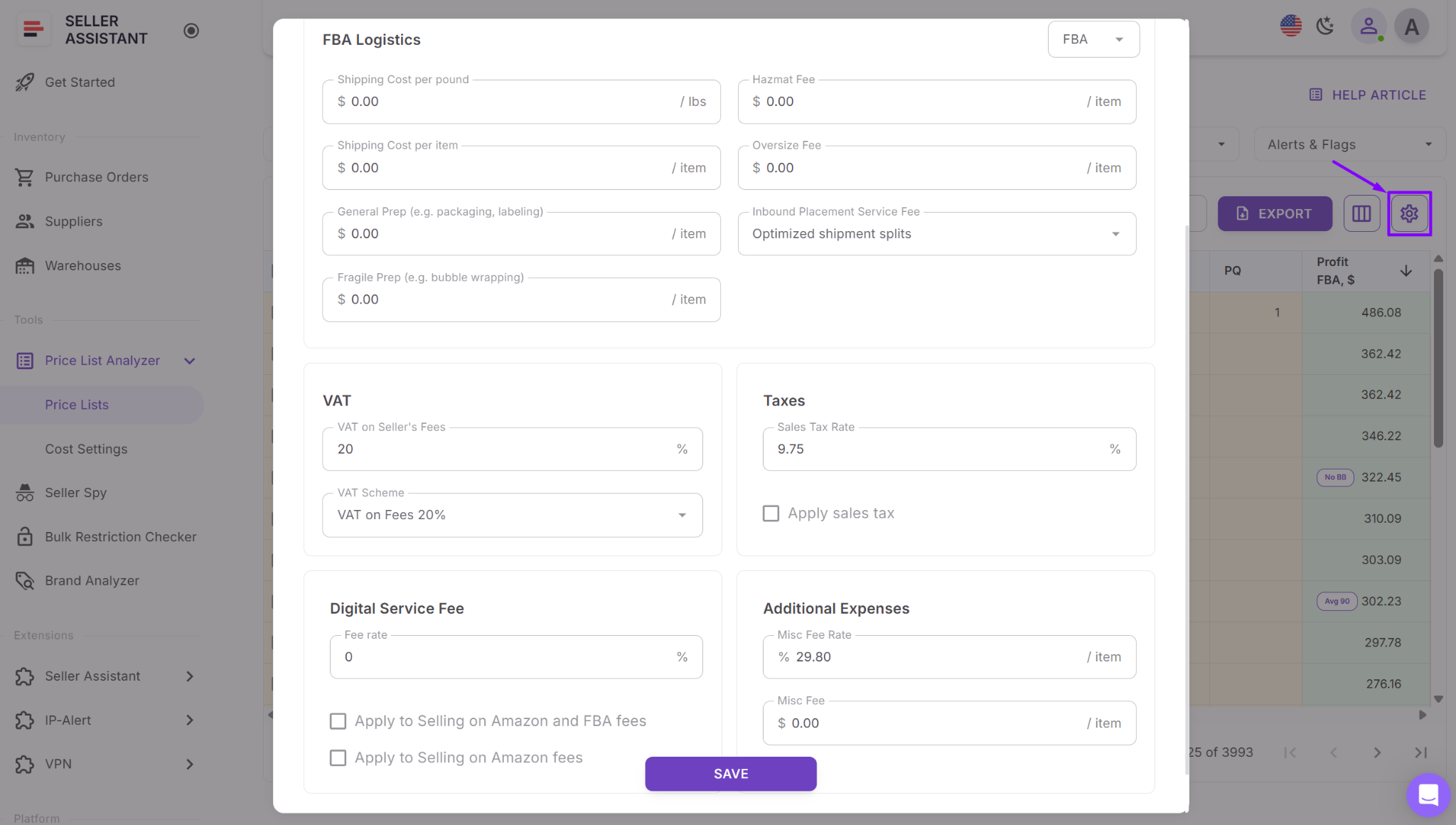
For list-wide updates, sellers can open Cost Settings from the price list and adjust shipping, taxes, DSF, and additional fees in one place. After clicking Save, the system recalculates every product in the file using the updated logic. During this process, visual indicators show recalculation progress, and some fields are temporarily locked to ensure accuracy.
Cost consistency across tools
When you edit COG directly in the price list, that value carries over to Seller Assistant Browser Extension. If you open the Amazon product page, you’ll see the same COG reflected there, keeping your data consistent across bulk analysis and individual product research.
How to Recalculate Your Metrics with Price List Analyzer
Manually updating deal numbers might work for one or two SKUs, but it quickly falls apart when you’re reviewing real supplier price lists. Hundreds or thousands of products, changing costs, multipacks, and new fees make static spreadsheets slow and unreliable.
Price List Analyzer solves this by enabling instant deal recalculation. Any time you change costs, quantities, or fees, all key metrics update immediately across your entire price list, so your decisions are always based on current data.
How Price List Analyzer works
Built for instant recalculation at scale
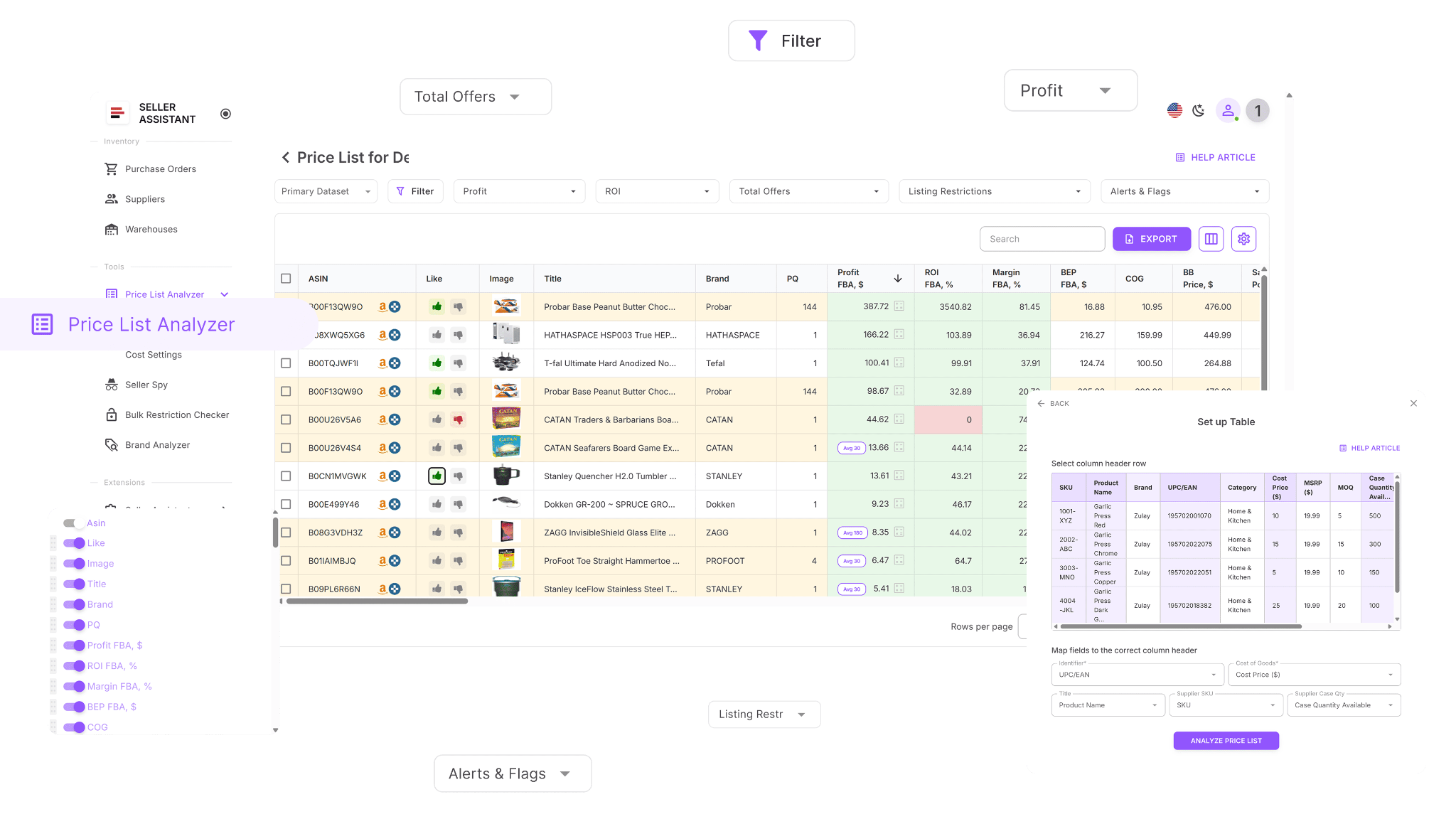
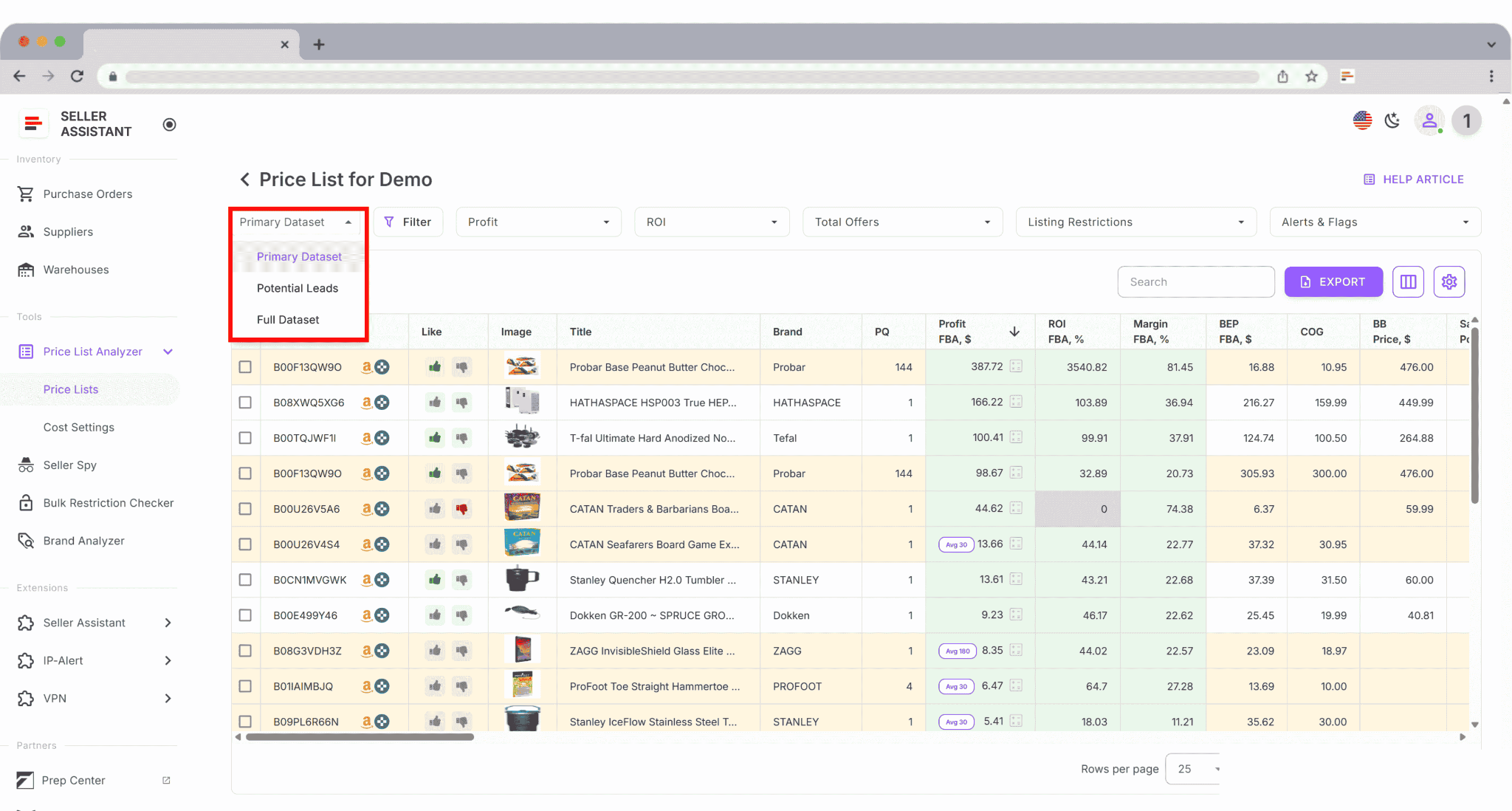
Price List Analyzer is designed for sellers working with large supplier files. It processes your spreadsheet, matches each product to the correct Amazon ASIN, and continuously recalculates profit, ROI, margin, and break-even values whenever inputs change.
Keeps your deal data accurate
Once uploaded, your price list is enriched with dozens of cost, fee, and performance metrics. When you adjust COG, package quantity, shipping, prep, or other fees, the system instantly recalculates all related metrics – no re-uploading and no manual formulas.
Handles large files without delays
Instead of recalculating deals SKU by SKU, Price List Analyzer updates thousands of rows at once. You immediately see how cost changes impact profitability and can filter out deals that no longer meet your targets.
What you can do with Price List Analyzer
This Software Makes Amazon FBA Wholesale Selling 10x Easier
With Price List Analyzer, you can:
- Scan large supplier price lists to identify Amazon products with genuine profit potential
- Automatically match supplier SKUs and identifiers to the correct Amazon ASINs
- Quickly detect gated, restricted, or ineligible products on your selling account
- Evaluate demand using BSR data, sales trends, and estimated monthly unit sales
- Calculate profit, ROI, margins, and break-even values for every ASIN
- Review Buy Box price behavior using 30-, 90-, and 180-day averages
- See a full breakdown of Amazon fees, including referral, FBA or FBM, storage, prep, and shipping costs
- Flag high-risk items such as hazmat, meltable, oversized, fragile, or bundled listings
- Receive alerts for approval requirements, missing Buy Box data, or weak FBA profitability
- Filter products by profitability, demand, competition, and risk signals
- Save custom table views and filter presets for future supplier uploads
- Update COG, shipping, prep, or pack size and watch profitability recalculate instantly
- Add team-wide notes that stay linked to ASINs across multiple files
- Track sourcing decisions by tagging products and filtering by workflow stage
Steps to recalculate metrics in bulk with Price List Analyzer
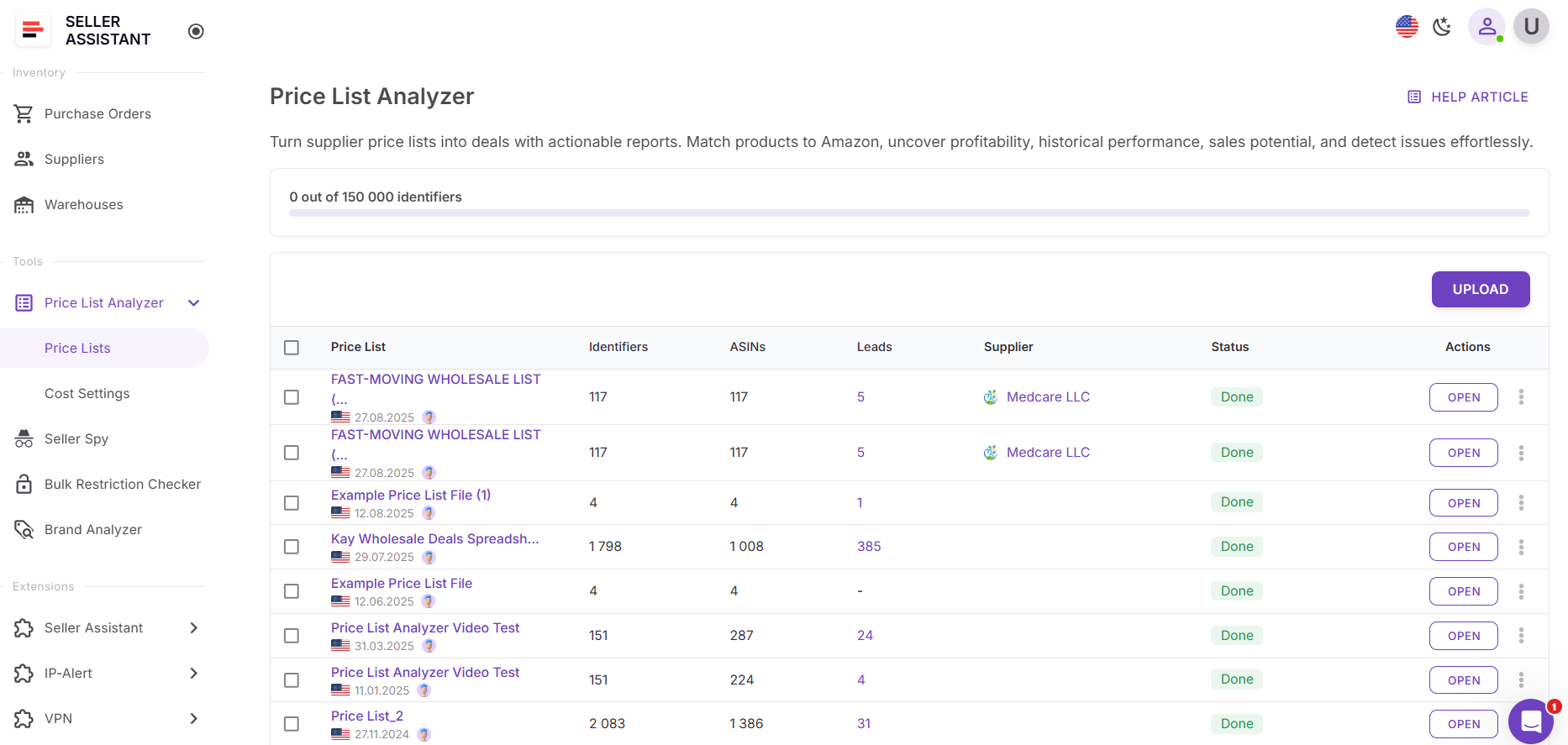
Step 1. Upload your supplier file
Open Price List Analyzer in your Seller Assistant account and upload your Excel or CSV file. The tool matches products to Amazon ASINs and calculates all deal metrics.
Step 2. Adjust costs or quantities
Edit COG, package quantity, shipping, prep, or fees directly in the table – or update them globally through Cost Settings. Changes are saved automatically.
Step 3. Review instant updates
Profit, ROI, margin, and break-even values update in real time for each affected product. No reprocessing or manual refresh is required.
Step 4. Filter updated results
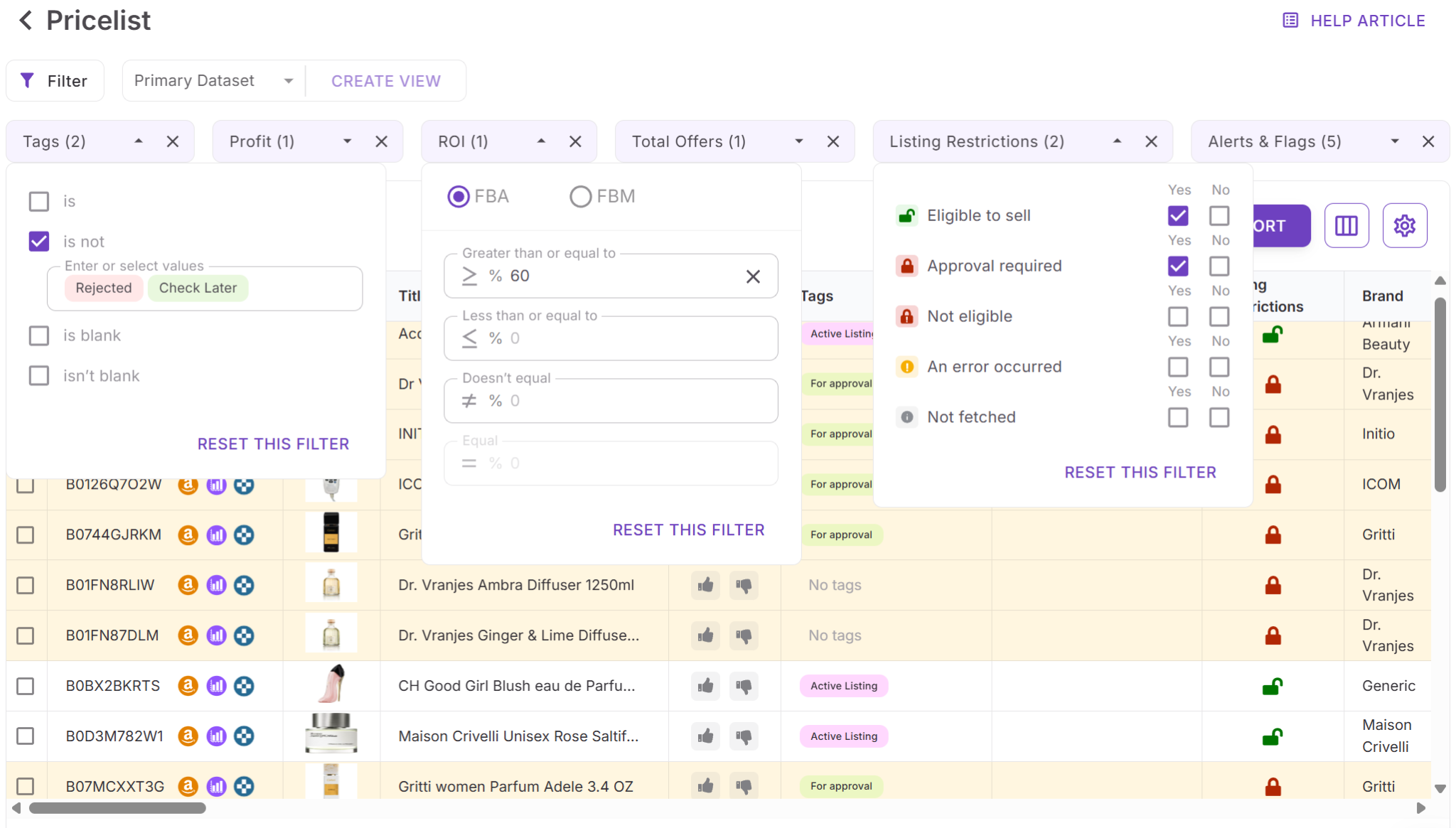
Use filters to remove deals that no longer meet your profitability or risk criteria after recalculation.
Step 5. Save and reuse your setup
Save table views and filters to reuse the same recalculation logic on future supplier uploads, keeping your sourcing process fast and consistent.
FAQ
Does instant recalculation update all metrics automatically?
Yes. When you change costs, package quantity, or fees, Price List Analyzer instantly updates profit, ROI, margin, and break-even values for affected products. No re-upload or manual refresh is required.
Which fields can trigger instant recalculation?
Editing COG, package quantity, shipping, prep fees, hazmat or oversize fees, taxes, DSF, and miscellaneous fees will trigger real-time updates. Notes and supplier SKU changes do not affect calculations.
Can I recalculate metrics for the entire price list at once?
Yes. You can update logistics, taxes, and fees through Cost Settings, and the system will recalculate all products in the file automatically.
How does package quantity affect profitability calculations?
Package quantity multiplies COG and adjusts tax to reflect the true cost of multipack listings. This ensures profit and ROI are based on what you actually pay per Amazon unit sold.
Will my changes carry over to other Seller Assistant tools?
Yes. When you edit COG or related costs in Price List Analyzer, those values are synced with Seller Assistant Extension, keeping your data consistent across bulk and single-product research.
Final Thoughts
For Amazon sellers working with large supplier price lists, speed without accuracy is risky – and accuracy without speed doesn’t scale. Instant deal recalculation in Price List Analyzer removes that trade-off by keeping your profit, ROI, and break-even metrics up to date as soon as costs, quantities, or fees change.
Instead of relying on static spreadsheets or reprocessing files, you can adjust assumptions in real time and immediately see how they impact deal economics. That means fewer false positives, better buying decisions, and more confidence when placing purchase orders. With Seller Assistant's Price List Analyzer, your numbers stay current, your sourcing stays efficient, and your growth decisions stay grounded in real data.
Seller Assistant automates and connects every stage of your Amazon wholesale and arbitrage workflow. It brings together in one platform: workflow management tools – Purchase Orders Module, Supplier Database, Warehouse Database, bulk research & sourcing tools – Price List Analyzer, Bulk Restriction Checker, Sourcing AI, Brand Analyzer, Seller Spy, Chrome extensions – Seller Assistant Browser Extension, IP-Alert Extension, and built-in VPN by Seller Assistant, and integrations & team access features – seamless API connectivity, integrations with Zapier, Airtable, and Make, and Virtual Assistant Accounts.