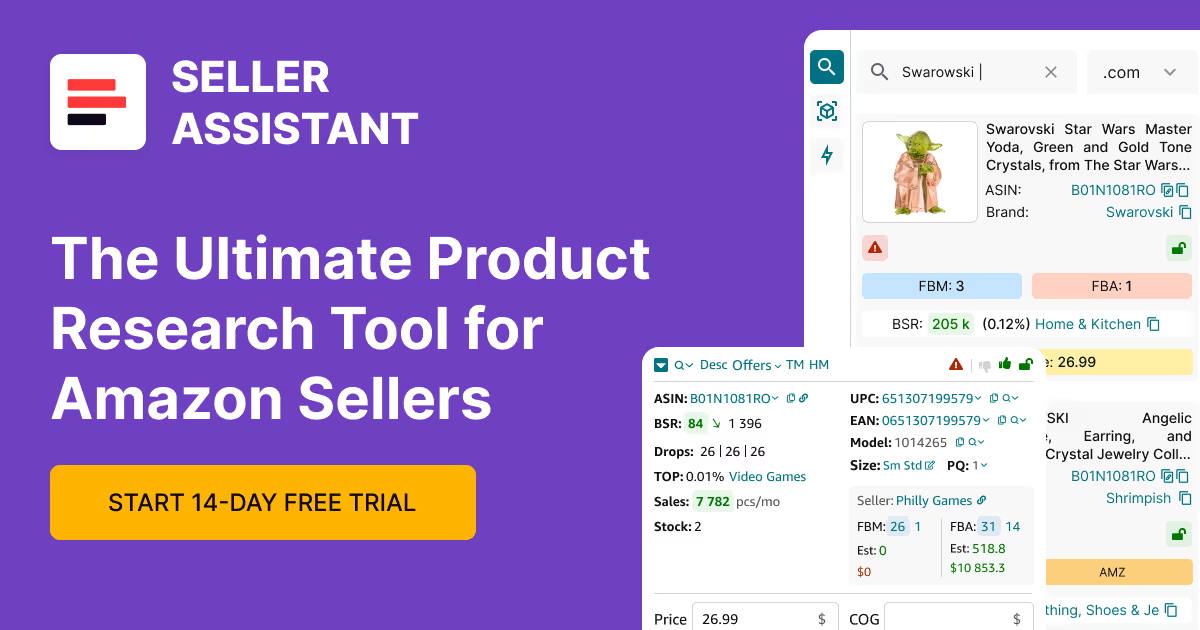
.svg)
Free Amazon Seller Tools
Download Amazon Seller Guide
This guide will help you get started, understand the basics of Amazon selling, and explain in simple words how it all works.

Free Amazon seller tools help resellers research products, manage risk, and source inventory without upfront costs. For wholesale, online arbitrage, and dropshipping sellers, these tools remove friction at every step – checking ASIN data, mapping UPCs and EANs, spotting IP risks, and finding real suppliers before money is spent.
Instead of juggling spreadsheets, manual searches, and guesswork, free tools turn raw data into clear decisions.
In this post, we break down what free Amazon seller tools are, why they matter, and how to use Seller Assistant's free tools to validate products faster, reduce account risk, and build a smarter, scalable sourcing workflow.
Note. Seller Assistant is an end-to-end Amazon workflow management platform that integrates 10+ wholesale-focused solutions into one connected system. It combines sourcing workflow automation, bulk research and intelligence tools, and integrated Chrome extensions – giving you everything you need to streamline finding deals, managing suppliers, and creating purchase orders.

The platform aggregates: workflow management tools – Purchase Orders Module, Suppliers Database, Warehouses Database to organize, automate, and scale every step of your wholesale and arbitrage operations; bulk research & sourcing tools – Price List Analyzer, Bulk Restriction Checker, Sourcing AI, Brand Analyzer, Seller Spy to evaluate supplier price lists, verify selling eligibility and restrictions, open new brands, and discover winning product ideas from competitors to expand your product catalog; Chrome extensions – Seller Assistant Browser Extension, IP-Alert Extension, and built-in VPN by Seller Assistant to deep-research products, check IP claims and compliance, and access geoblocked supplier sites directly within your browser; and integrations & team access features – seamless API connectivity and integrations with Zapier, Airtable, and Make, plus Virtual Assistant Accounts for secure, scalable team collaboration.
With Seller Assistant, every step of your Amazon wholesale and arbitrage workflow is automated and connected.
What Are Free Amazon Seller Tools?
Seller Assistant's free Amazon seller tools are research and decision-making tools that help sellers analyze products, suppliers, and risks on Amazon without paying upfront. They are designed to solve the most common problems sellers face early on: understanding what a product really is, whether it’s safe to sell, who supplies it, and how it performs on Amazon.
Amazon’s ecosystem runs on data – ASINs, UPCs, EANs, brand rules, fees, competition, and intellectual property restrictions. Free seller tools translate this raw data into usable insights, so sellers don’t have to rely on guesswork, manual searches, or trial-and-error mistakes that can cost money or harm account health.
Why Amazon sellers need free tools
When you’re starting an Amazon business, every decision matters. Ordering the wrong product, missing an IP risk, or sourcing from the wrong supplier can quickly lead to losses or account issues. Free Amazon seller tools allow you to:
- Validate products before investing money
- Match supplier data to the correct Amazon listings
- Identify brand and IP risks early
- Find real wholesale suppliers instead of guessing
- Learn Amazon research workflows without paid commitments
They act as a safety layer and learning foundation before moving into advanced or bulk sourcing.
Key free Amazon seller tools and what they do
Lets you analyze any Amazon product by ASIN and instantly see key details like brand, category, identifiers, sales indicators, offers, and listing data.
Checks whether an ASIN or brand has a history of intellectual property complaints or account health issues, helping sellers avoid high-risk products.
Helps sellers discover brand owners, authorized wholesalers, and alternative suppliers by brand name, without needing ASIN-level research.
Free Amazon ASIN to UPC Converter
Converts an ASIN into its manufacturer identifiers (UPC, EAN, GTIN), making it easier to match Amazon listings with supplier catalogs.
Turns supplier UPCs into Amazon ASINs so sellers can analyze products correctly instead of searching manually.
Matches international EAN codes to Amazon ASINs, ideal for global sourcing and European suppliers.
Why using these tools together matters
Individually, each tool solves a specific problem. Together, they create a complete sourcing workflow. You can identify a product, verify its identifiers, check IP risk, find suppliers, and validate listings – all before spending money.
For sellers starting an Amazon business, this combination of free tools is ideal for learning how Amazon sourcing works, building confidence, and creating a clean, low-risk foundation for scaling online arbitrage or dropshipping into wholesale.
Benefits of Using Free Amazon Seller Tools
Free Amazon seller tools give sellers a practical way to research products, suppliers, and risks without spending money upfront. They help you understand how Amazon sourcing works, avoid common beginner mistakes, and make informed decisions before you invest in inventory.
For new and growing sellers, these tools reduce uncertainty, save time, and create a safer path for online arbitrage, and dropshipping, into wholesale.
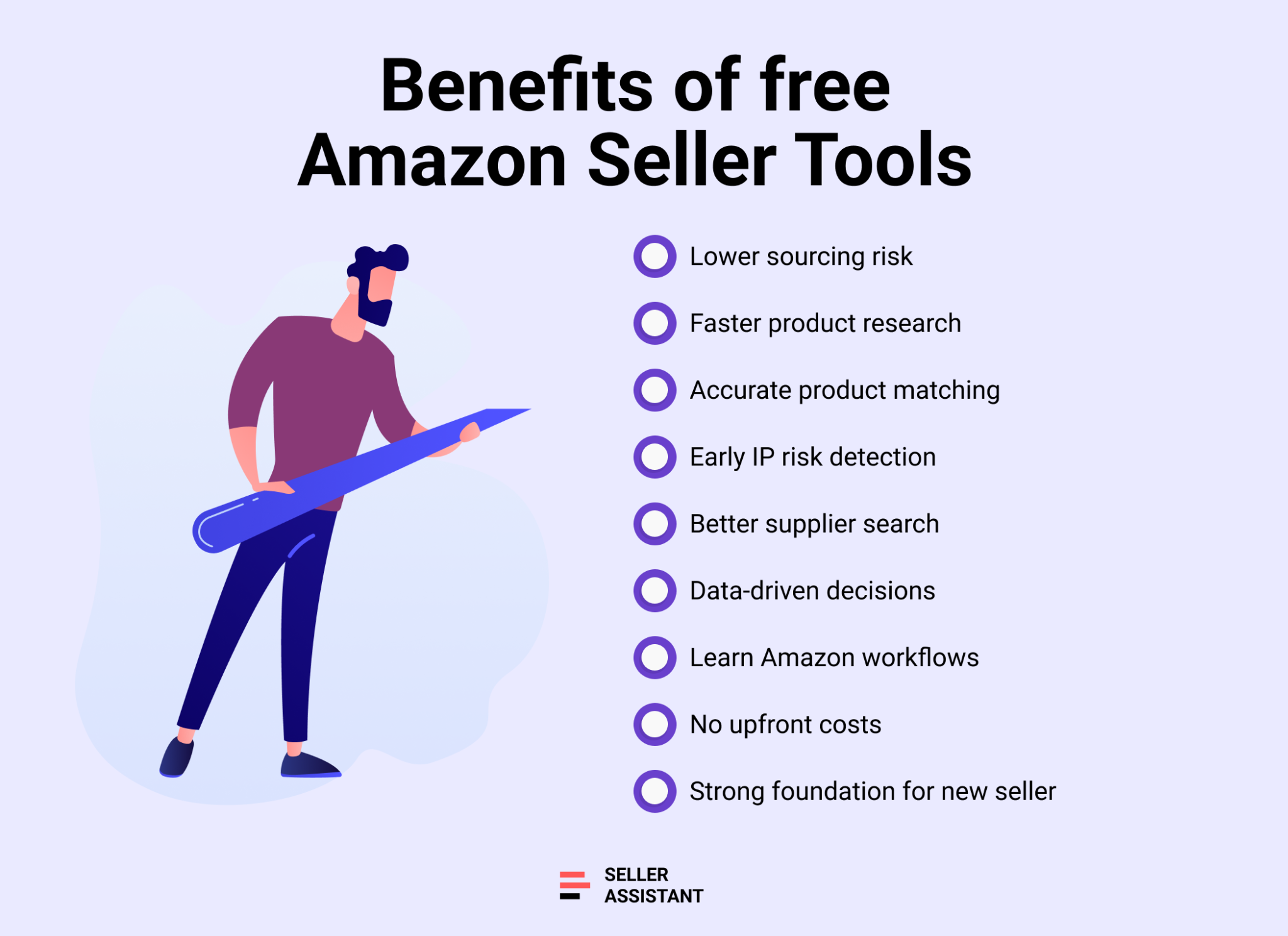
Lower sourcing risk from day one
Free tools let you check ASIN data, product identifiers, and IP history before you buy. This helps prevent costly mistakes like sourcing restricted brands, mismatching listings, or selling high-risk products.
Faster product research
Instead of manual searches and spreadsheet guesswork, free tools deliver key product data instantly. Sellers can validate listings, review demand signals, and move through product checks much faster.
Better supplier search
Supplier finder and identifier converters help connect brands, UPCs, and ASINs correctly. This makes it easier to find suppliers and ensure products match the right Amazon products.
Learn Amazon workflows without paid commitments
Free tools allow sellers to practice real Amazon research workflows. You can understand how ASINs, UPCs, fees, and risks work together before upgrading to advanced or bulk tools.
Smarter decisions with real data
Even without paying, sellers gain access to actionable insights instead of assumptions. This leads to more confident sourcing decisions and cleaner, more scalable operations.
Ideal foundation for starting an Amazon business
Using free Amazon seller tools together creates a complete entry-level sourcing system. Sellers can research products, check risks, find suppliers, and validate listings – making them the perfect starting point when launching an Amazon business.
Find Suppliers with Free Supplier Finder by Brand
Seller Assistant’s Free Supplier Finder by Brand is used at the very beginning of sourcing, when you want to understand who actually supplies a brand before analyzing products or ASINs. It helps Amazon sellers avoid guessing, random Google searches, and unreliable middlemen by showing real wholesale and sourcing options tied to a brand.
This tool is especially useful for new wholesale sellers who want to build supplier lists, open new brands, or decide which brands are worth pursuing before investing time in product-level research.
What is Free Supplier Finder by Brand
Free Supplier Finder by Brand is a free, web-based supplier discovery tool available on the Seller Assistant website. It helps Amazon sellers identify brand owners, authorized wholesalers, and alternative sourcing partners at the brand level, without requiring Amazon account access or ASIN analysis.
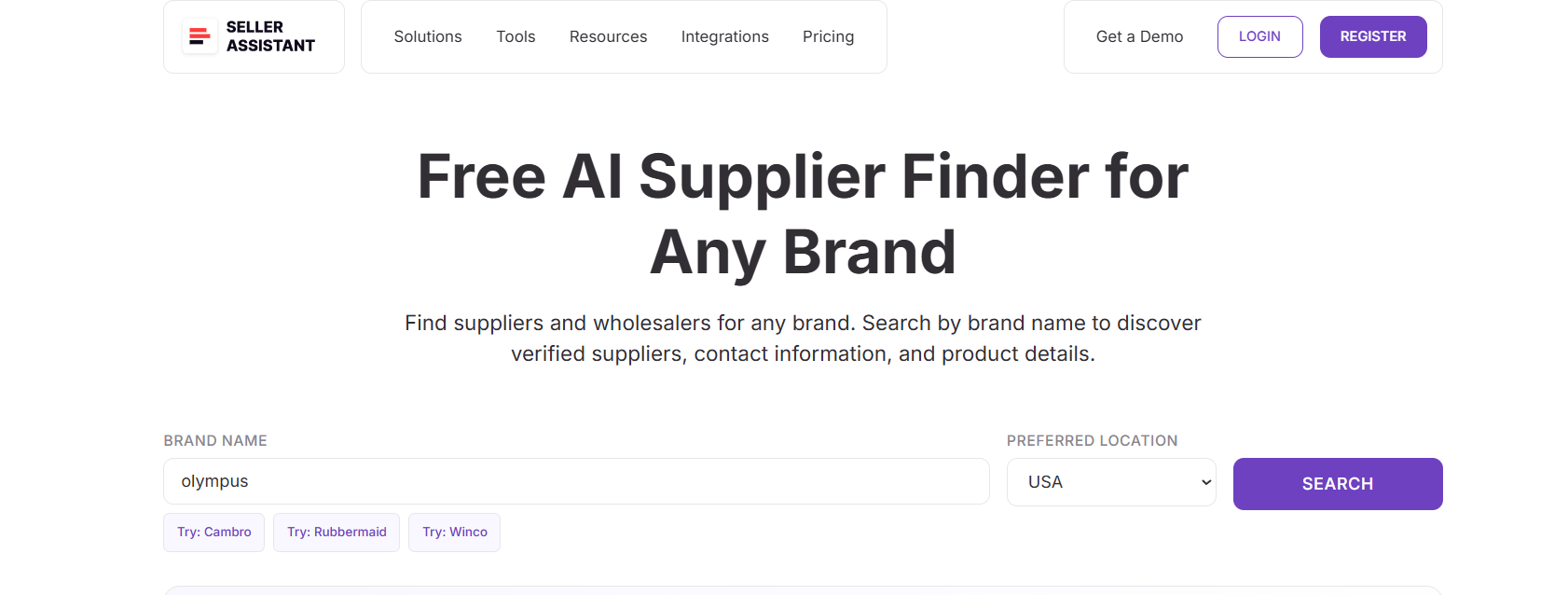
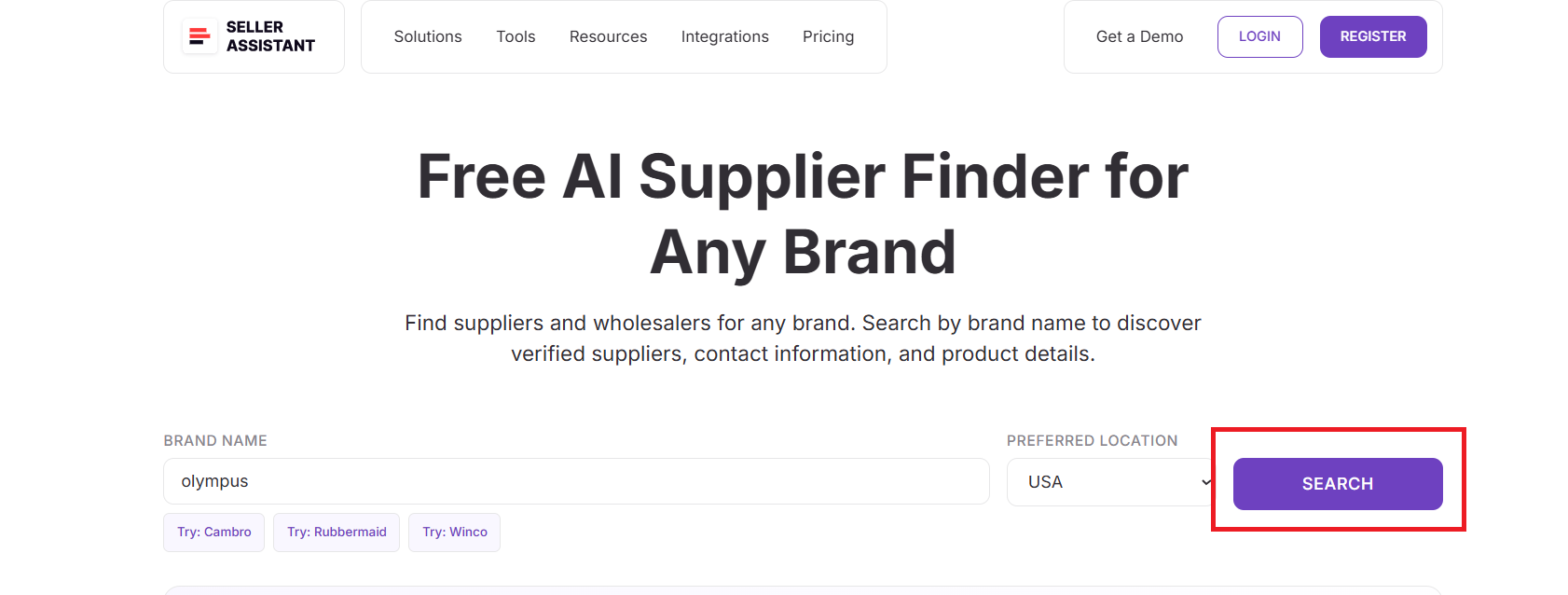
You enter a brand name, choose a supplier location (for example, USA), and receive a structured list of suppliers with confidence ratings and contact details. This makes it ideal for early-stage wholesale research, before selecting specific products.
What Free Supplier Finder by Brand does
Free Supplier Finder by Brand works as a brand-to-supplier discovery engine, giving sellers visibility into how a brand’s supply chain is structured.
With this tool, you can:
- Find authorized suppliers and wholesale partners for a brand
- Identify whether a brand sells directly or through distributors
- See supplier confidence levels (high or medium)
- Access supplier websites, contact details, and business addresses
- Understand how a brand’s product lines are split across entities
- Discover regional or international suppliers when local options are limited
These insights help sellers prioritize outreach and focus on suppliers with the highest potential.
How Free Supplier Finder by Brand works
The tool is built for fast research and does not rely on Amazon product data.
Step 1. Enter a brand name
Open Free AI Supplier Finder on Seller Assistant website and enter the brand you want to research.
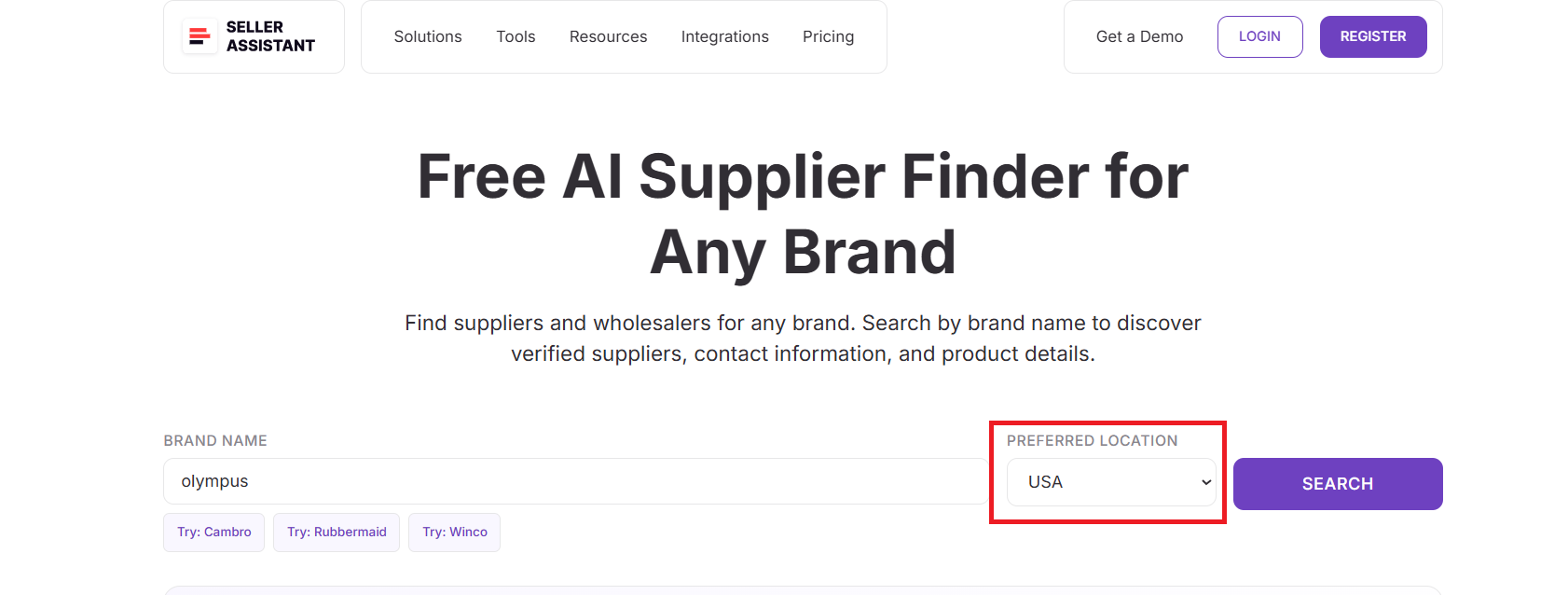
Step 2. Select supplier location
Choose your preferred supplier location, such as the USA, to filter results by geography.
Step 3. Run the search
Click Search to generate a supplier overview for the selected brand.
Step 4. Review supplier results
The tool returns:
- A brand sourcing summary explaining how the brand is supplied
- A list of brand owners, authorized suppliers, and alternative partners
- Confidence labels for each supplier
- Supplier descriptions, websites, contact details, and physical addresses
This allows you to quickly separate official suppliers from secondary sources and move forward with confidence.
Analyze Amazon Products Instantly with Free Amazon ASIN Lookup
Seller Assistant’s Free Amazon ASIN Lookup is used when you already have an ASIN and need to quickly understand what the product really is on Amazon. Sellers rely on it to validate listings, check catalog details, review identifiers, and get an instant snapshot of a product before deeper research.
It’s ideal for quick checks during wholesale sourcing, online arbitrage scans, competitor analysis, or when verifying ASINs from supplier lists, leads, or brand research.
What is Free Amazon ASIN Lookup
Seller Assistant’s Free Amazon ASIN Lookup is a free, web-based product research tool that lets Amazon sellers analyze any product by ASIN. It returns essential catalog, identifier, and performance data all in one place.
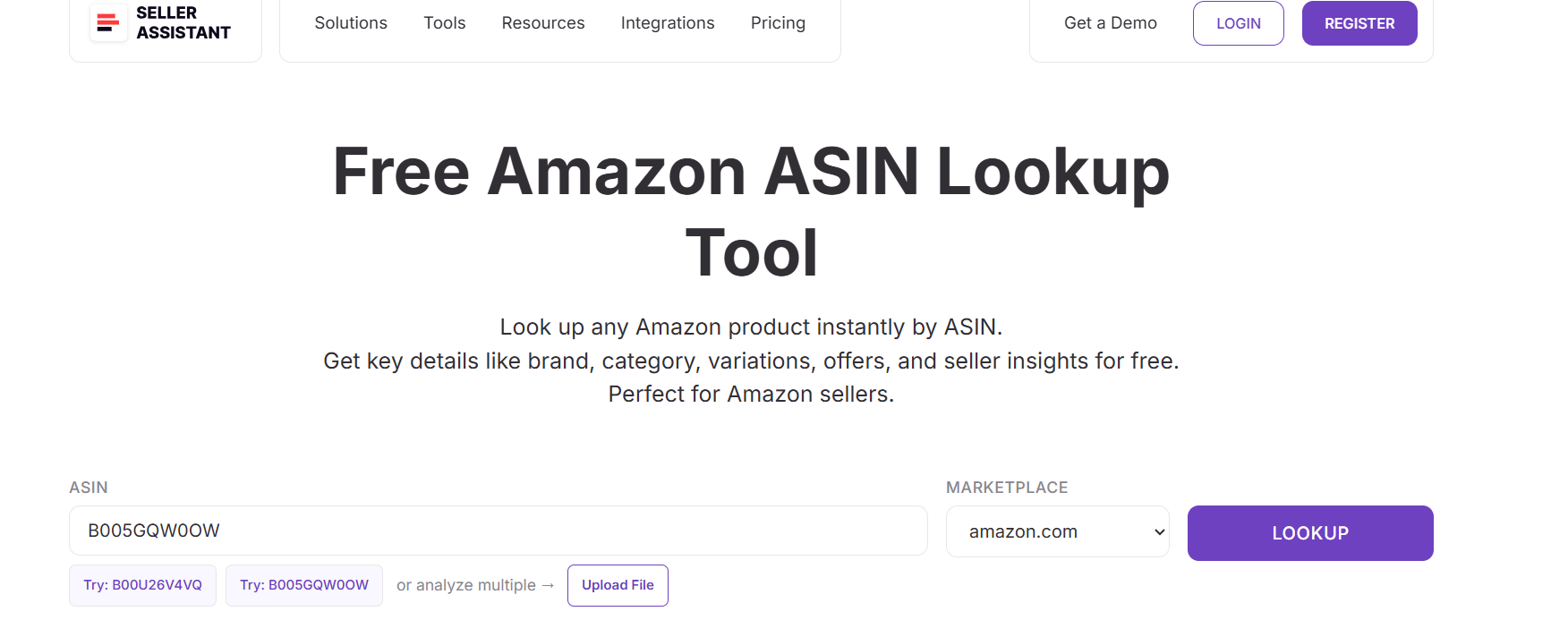
You enter an ASIN, select the marketplace, and instantly receive structured product information such as brand, category, identifiers, offer status, BSR indicators, fees, and physical dimensions.
What Free Amazon ASIN Lookup does
Free Amazon ASIN Lookup gives sellers a fast, reliable snapshot of an Amazon listing.
With this tool, you can:
- Confirm the exact product, brand, and category tied to an ASIN
- View product identifiers such as UPC, EAN, and GTIN
- Check offer status, seller count, and stock signals
- Review BSR presence and historical BSR drop activity
- See estimated Amazon fees and referral rates
- Access size, weight, and packaging details for FBA planning
- Jump directly to related tools like IP Alert, supplier finder, or converters
This helps sellers validate listings and avoid researching the wrong product or variation.
How Free Amazon ASIN Lookup works
Step 1. Enter an ASIN
Open Free Amazon ASIN Lookup on the Seller Assistant website and paste the ASIN you want to analyze. You can also try sample ASINs or upload a file for multiple ASIN checks.
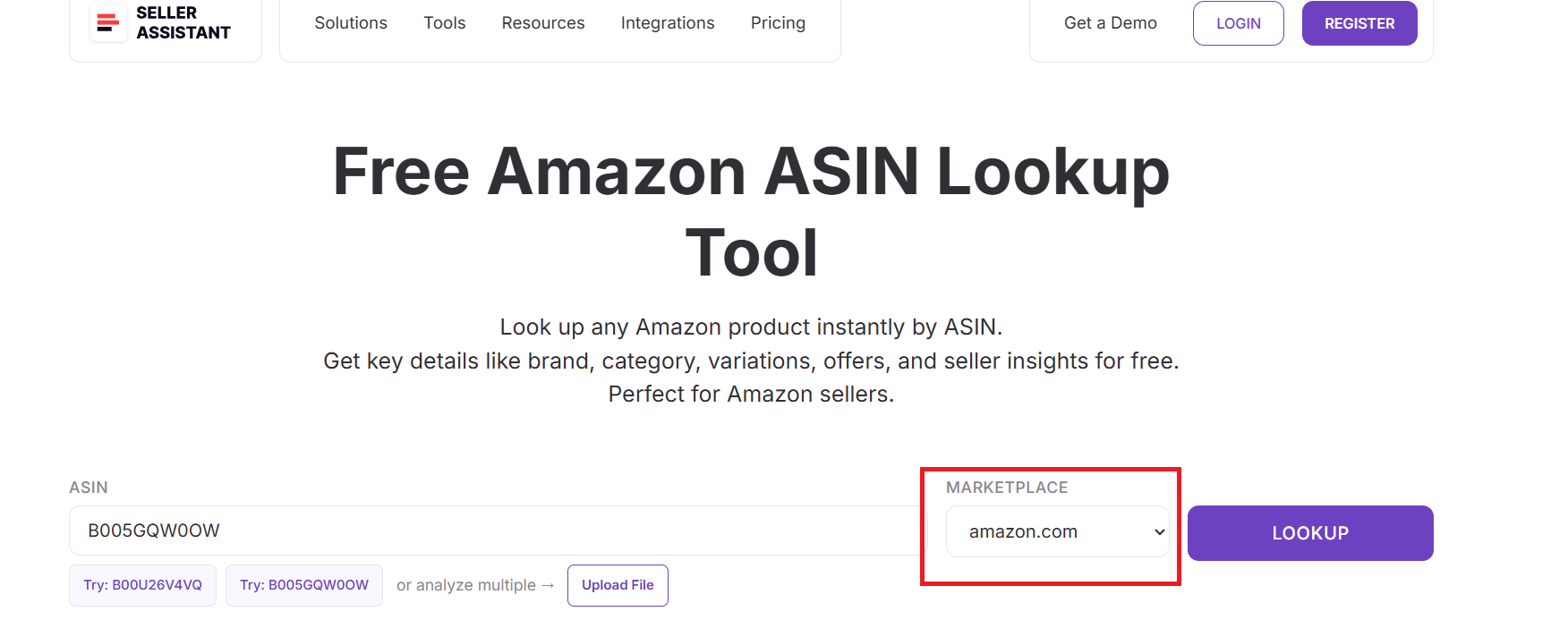
Step 2. Select marketplace
Choose the Amazon marketplace (for example, amazon.com) to ensure the data matches the correct regional catalog.
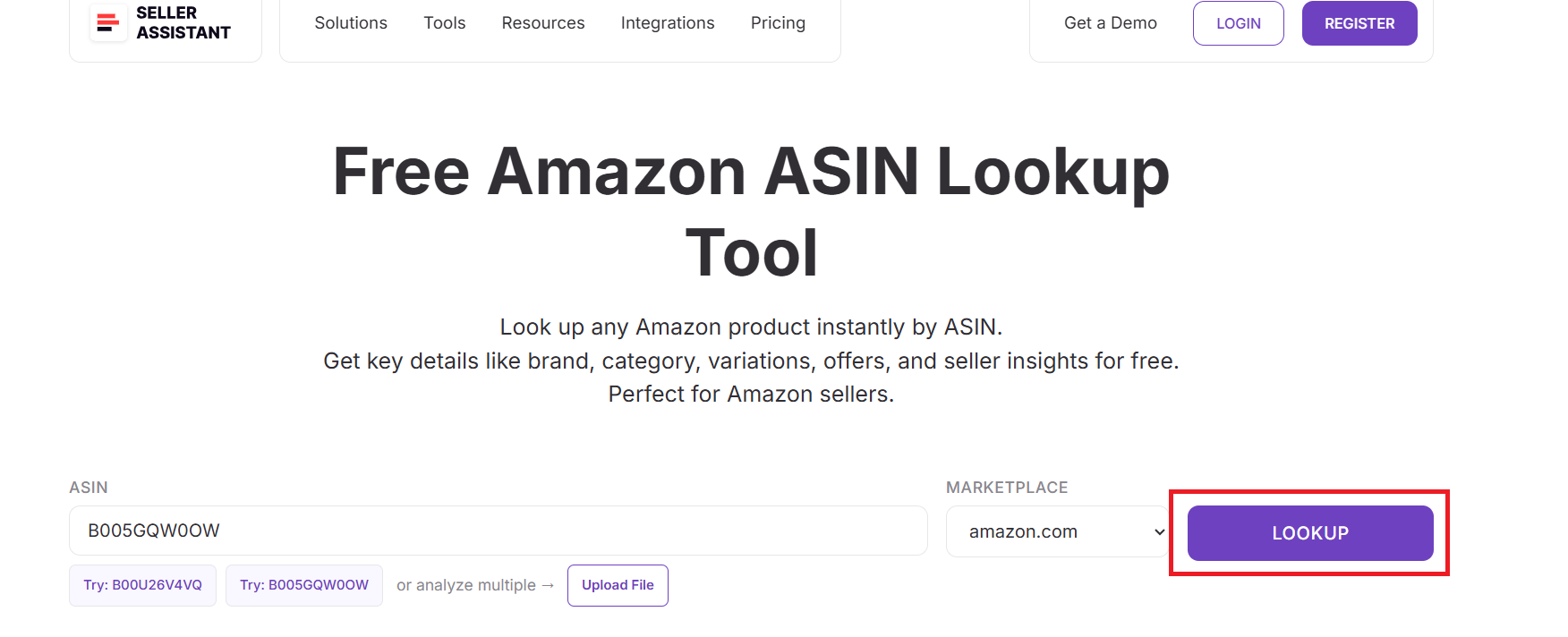
Step 3. Run the lookup
Click Lookup to retrieve product data directly from Amazon’s catalog.
Step 4. Review product results
The tool displays:
- Product title, brand, and category path
- ASIN and manufacturer identifiers (UPC, EAN, GTIN)
- Offer count and stock status
- BSR indicators and historical BSR drops
- Estimated FBA and referral fees
- Item and package dimensions and weight
- Product details, features, and description
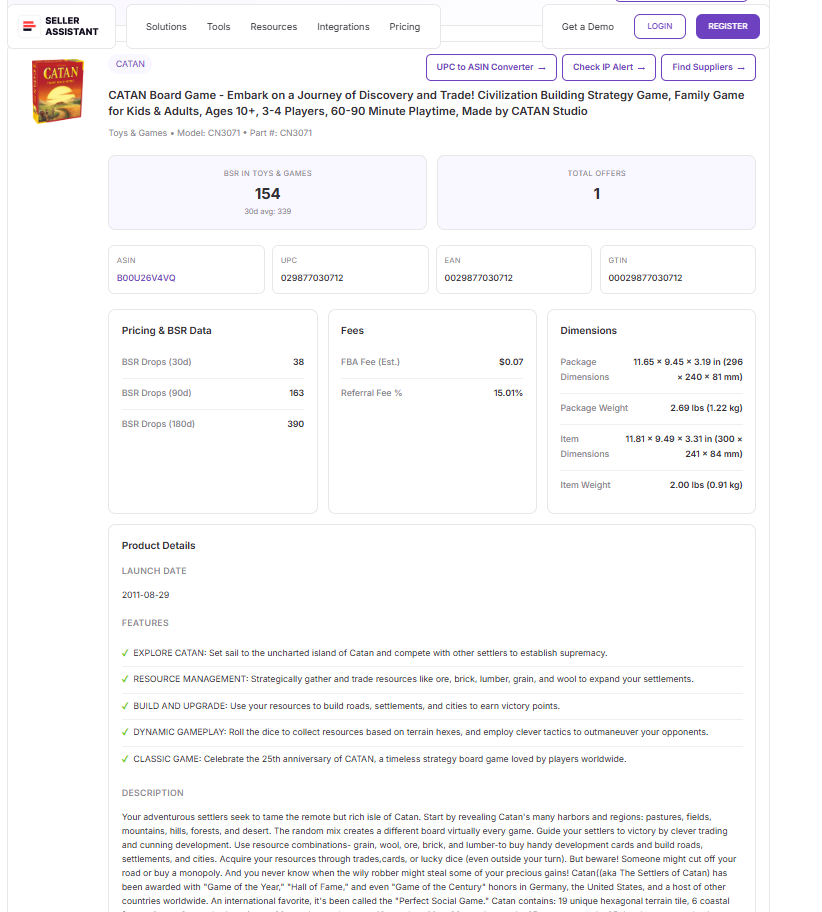
From this screen, you can move directly into IP checks, supplier discovery, or identifier conversion – making ASIN Lookup a fast entry point into deeper sourcing and risk analysis.
Identify IP Risks Before Sourcing with Free Amazon IP-Alert® Lookup
Seller Assistant’s Free Amazon IP-Alert® Lookup is used before sourcing or listing a product to check whether an ASIN or brand has a history of intellectual property complaints on Amazon. Sellers rely on it to avoid high-risk products that can lead to listing suppressions, account health issues, or inventory losses.
This tool is especially important for wholesale, online arbitrage, and dropshipping sellers who want to protect their Amazon accounts and avoid brands with aggressive enforcement.
What is Free Amazon IP-Alert® Lookup
Free Amazon IP-Alert® Lookup is a free, web-based IP risk checking tool that shows whether sellers have previously experienced intellectual property–related issues with a specific ASIN or brand.
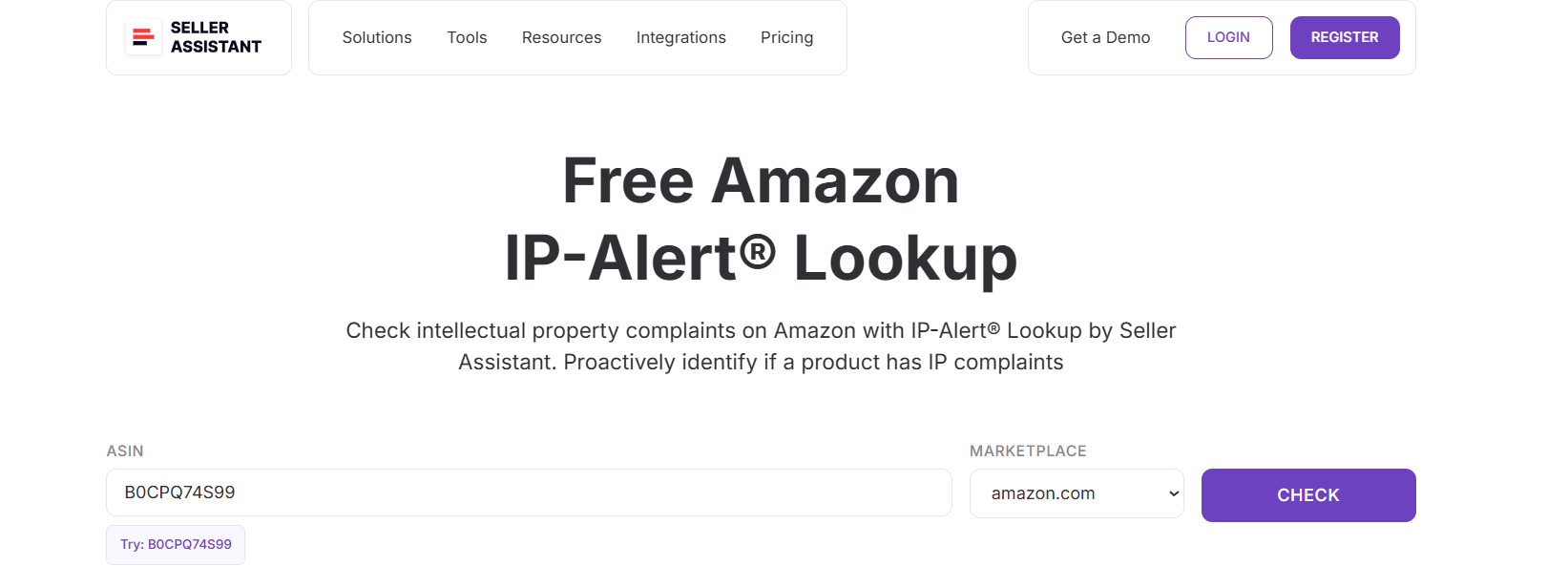
You enter an ASIN, select the marketplace, and instantly see historical IP risk signals based on verified data from Seller Assistant’s database. No Amazon account access or Seller Central login is required.
What Free Amazon IP-Alert® Lookup does
Free Amazon IP-Alert® Lookup functions as an early-warning system for IP and compliance risks.
With this tool, you can:
- Identify ASINs or brands with past IP complaints
- See whether a product is marked as low-, medium-, or high-riskReview historical IP violation records tied to a brand or related ASINs
- Understand the type of IP issues reported (copyright, trademark, patent, image, logo)
- Spot repeated enforcement patterns from brand owners or Automated Brand Protection systems
These insights help sellers decide whether to avoid a product, seek brand authorization, or proceed with caution.
How Free Amazon IP-Alert® Lookup works
Step 1. Enter an ASIN
Open Free Amazon IP-Alert® Lookup on the Seller Assistant website and enter the ASIN you want to check. You can also try a sample ASIN.
Step 2. Select marketplace
Choose the Amazon marketplace (for example, amazon.com) where you plan to sell, since IP enforcement can vary by region.
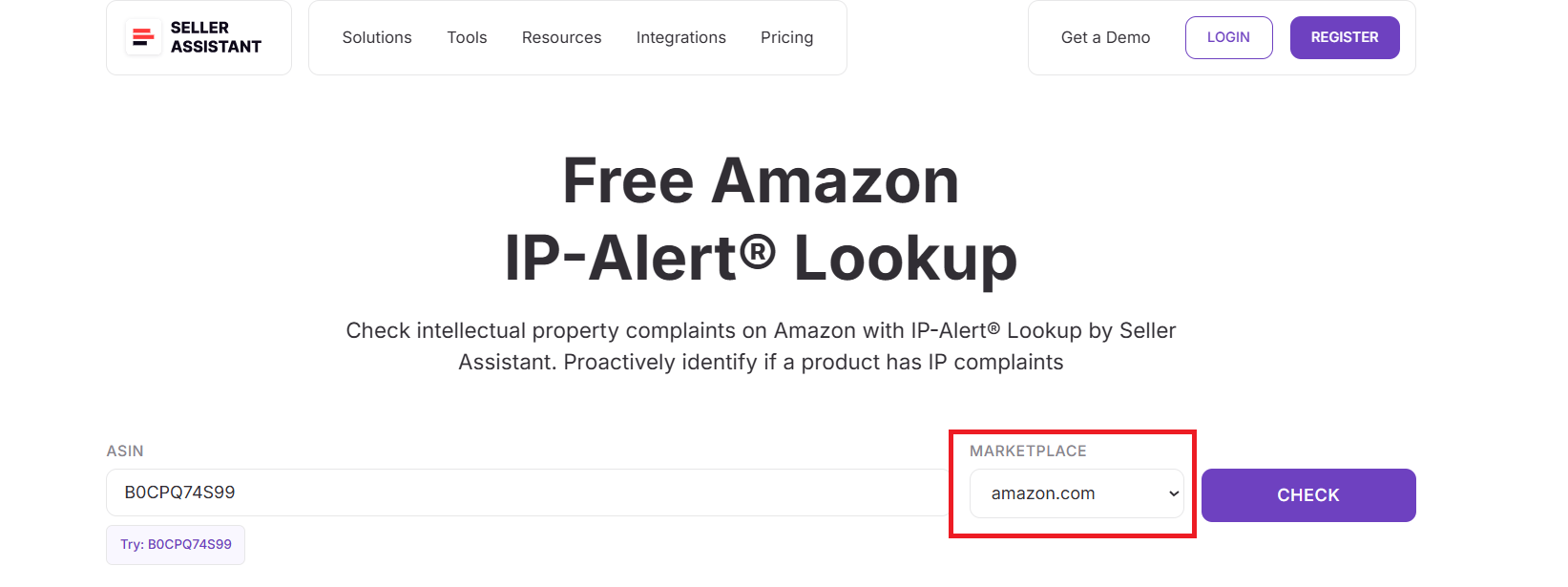
Step 3. Run the check
Click Check to analyze the ASIN against Seller Assistant’s IP risk database.
Step 4. Review IP risk results
The tool displays:
- Product title and brand
- A clear risk label (for example, High-risk product)
- A summary explaining whether sellers have faced account health issues
- A timeline of verified IP-related incidents
- Violation types and enforcement reasons (copyright, trademark, patent, images, logos)
- Indicators showing whether issues were triggered by the brand or related ASINs
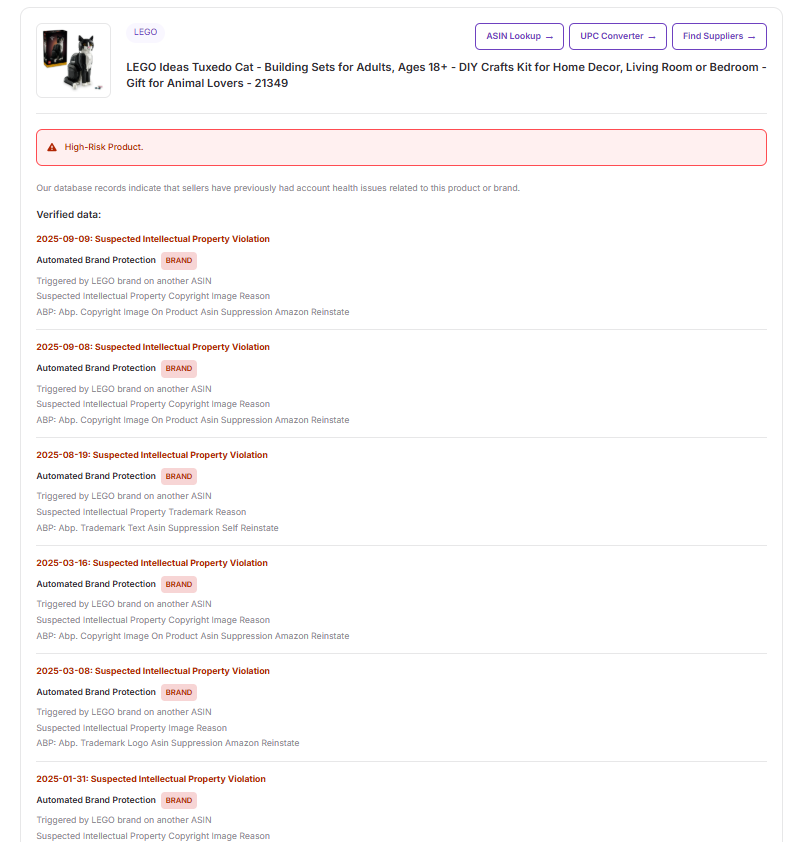
This allows you to quickly flag dangerous products and make safer sourcing decisions before spending money on inventory.
Convert ASINs to Manufacturer Codes with Free Amazon ASIN to UPC Converter
Seller Assistant’s Free Amazon ASIN to UPC Converter is used when sellers already have an ASIN and need to identify the original manufacturer codes behind the listing. This is a common step in wholesale and online arbitrage when matching Amazon listings to supplier catalogs, validating products, or confirming that a listing aligns with a real UPC or EAN.
It’s especially useful when suppliers provide barcodes instead of ASINs, or when sellers want to verify that a product is genuine and correctly identified before sourcing.
What is Free Amazon ASIN to UPC Converter
Free Amazon ASIN to UPC Converter is a free, web-based identifier conversion tool that allows Amazon sellers to convert ASINs into UPC, EAN, and GTIN codes in seconds.
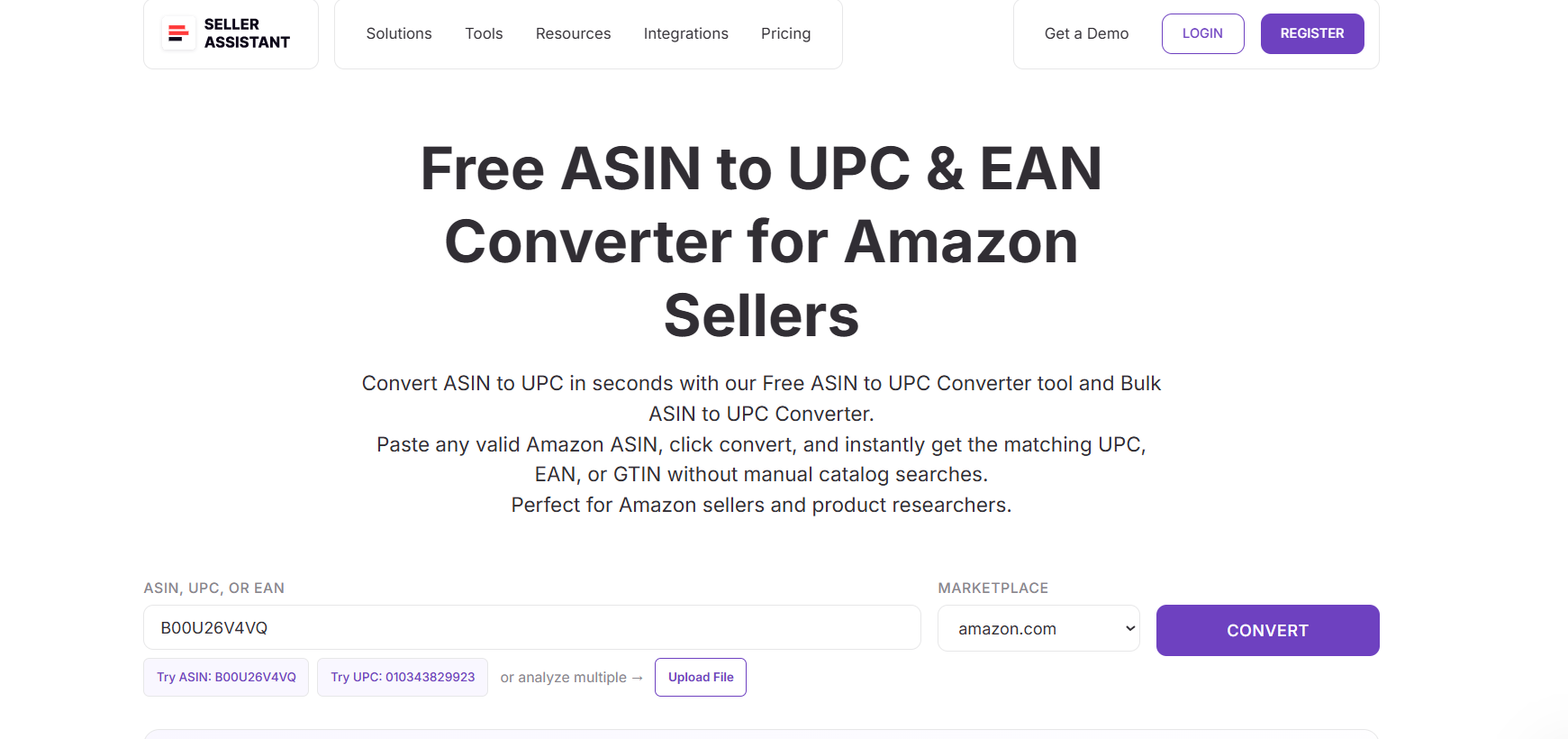
You paste an ASIN, select the marketplace, and instantly receive official product identifiers along with key catalog details such as product title, category, model number, and part number – without manual catalog searches or spreadsheets.
What Free Amazon ASIN to UPC Converter does
Free Amazon ASIN to UPC Converter connects Amazon’s catalog data with real-world manufacturer identifiers.
With this tool, you can:
- Convert ASINs into UPC, EAN, and GTIN codes
- Confirm the exact product tied to an ASIN
- Validate listings against supplier or manufacturer data
- Retrieve product title, category, model number, and part number
- Check variations or competitor listings using their ASINs
- Prepare clean, accurate data for sourcing and listing workflows
This helps sellers avoid mismatches and ensures they are sourcing the correct product.
How Free Amazon ASIN to UPC Converter works
Step 1. Open the ASIN to UPC converter
Go to Seller Assistant’s website and navigate to the Free Amazon ASIN to UPC Converter tool. The tool loads instantly and does not require account setup.
Step 2. Enter the ASIN you want to convert
Paste any valid Amazon ASIN into the input field. You can convert single ASINs, test variations, or check competitor listings.
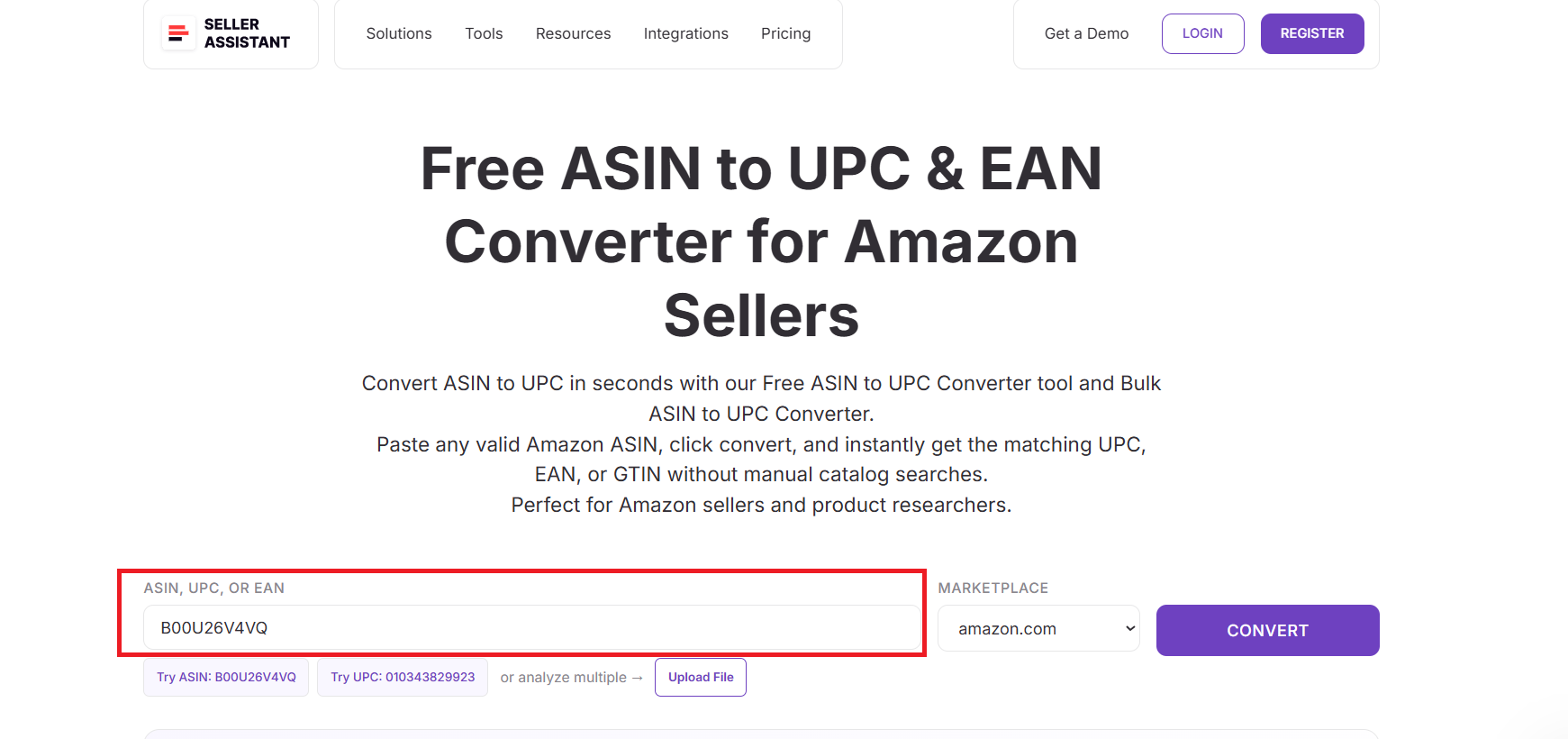
Step 3. Select your Amazon marketplace
Choose the marketplace where the product is listed, such as Amazon.com, Amazon.co.uk, or Amazon.de, to ensure accurate regional identifiers.
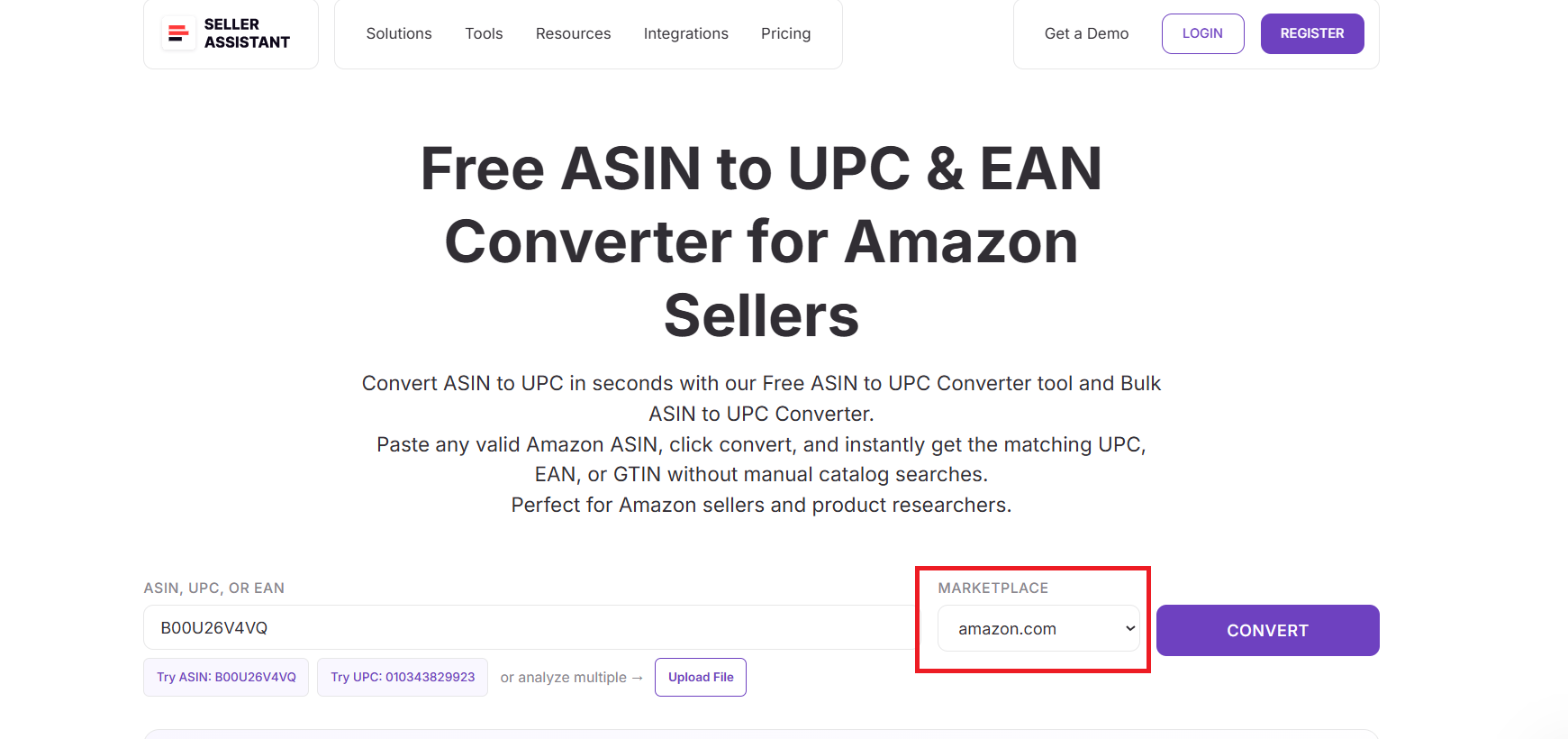
Step 4. Click the “Convert” button
The tool processes the ASIN and pulls official product identifiers directly from Amazon’s catalog – no manual lookup required.
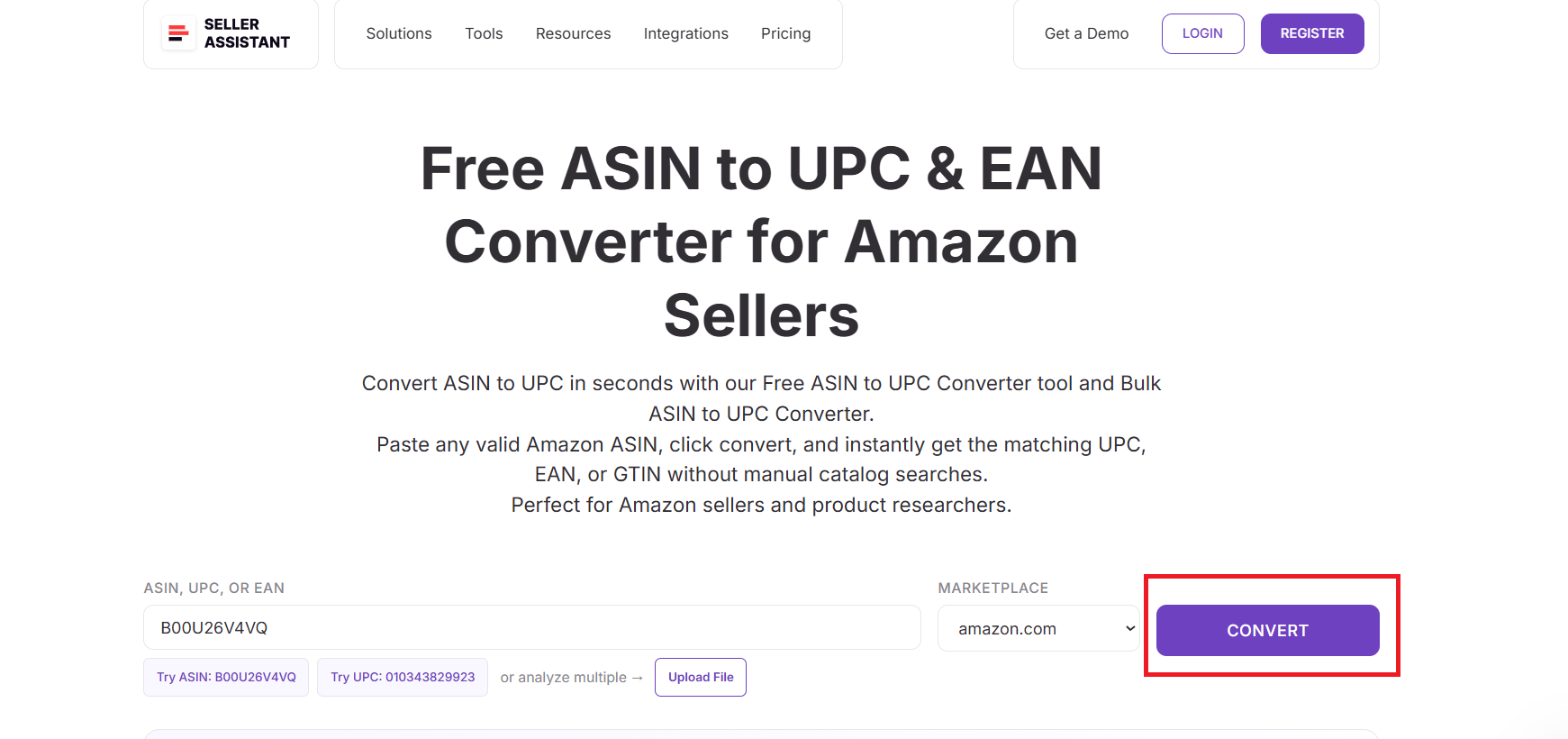
Step 5. Review the product identifiers
You instantly receive:
- UPC
- EAN
- GTIN
- Product title
- Category
- Model number
- Part number

This confirms the exact product match and gives you all the manufacturer identifiers needed for sourcing, cross-checking suppliers, or preparing listings.
Match Supplier Barcodes to Amazon Listings with Free UPC to ASIN Converter
Seller Assistant’s Free UPC to ASIN Converter is used when sellers receive supplier price lists or catalogs with UPC codes and need to find the exact Amazon listings tied to those products. This is a critical step in wholesale, online arbitrage, and dropshipping workflows, where accurate product matching determines whether sourcing analysis is correct.
The tool helps sellers turn raw supplier barcodes into Amazon-ready ASINs without manual searches or guesswork.
What is Free UPC to ASIN Converter
Free UPC to ASIN Converter is a free, browser-based conversion tool that allows Amazon sellers to convert UPC codes into Amazon ASINs in seconds.
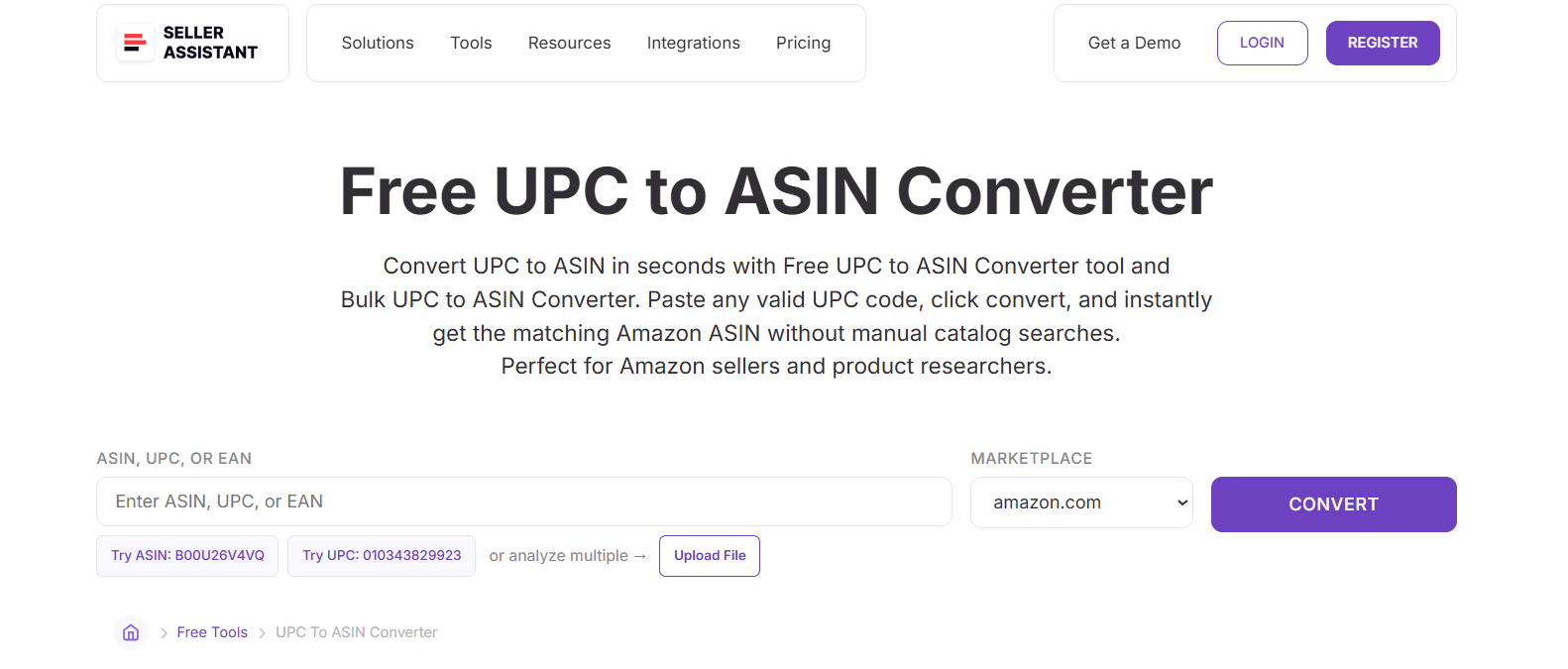
You paste a UPC, select the marketplace, and instantly receive the matched ASIN along with full Amazon catalog data such as product title, category, brand, and identifiers. No installation, login, or manual catalog lookup is required.
What Free UPC to ASIN Converter does
Free UPC to ASIN Converter bridges supplier data with Amazon’s catalog.
With this tool, you can:
- Convert UPCs into the correct Amazon ASINs
- Match supplier barcodes to exact Amazon listings
- Retrieve product title, category, and brand information
- View UPC, EAN, and GTIN identifiers together
- Validate that supplier products align with the right listings
- Avoid mismatches, variations, or incorrect product matches
This ensures your sourcing and listing decisions are based on accurate product data.
How Free UPC to ASIN Converter works
Step 1. Open the UPC to ASIN converter
Visit Seller Assistant’s website and open the Free UPC to ASIN Converter tool. It works directly in your browser and requires no setup.
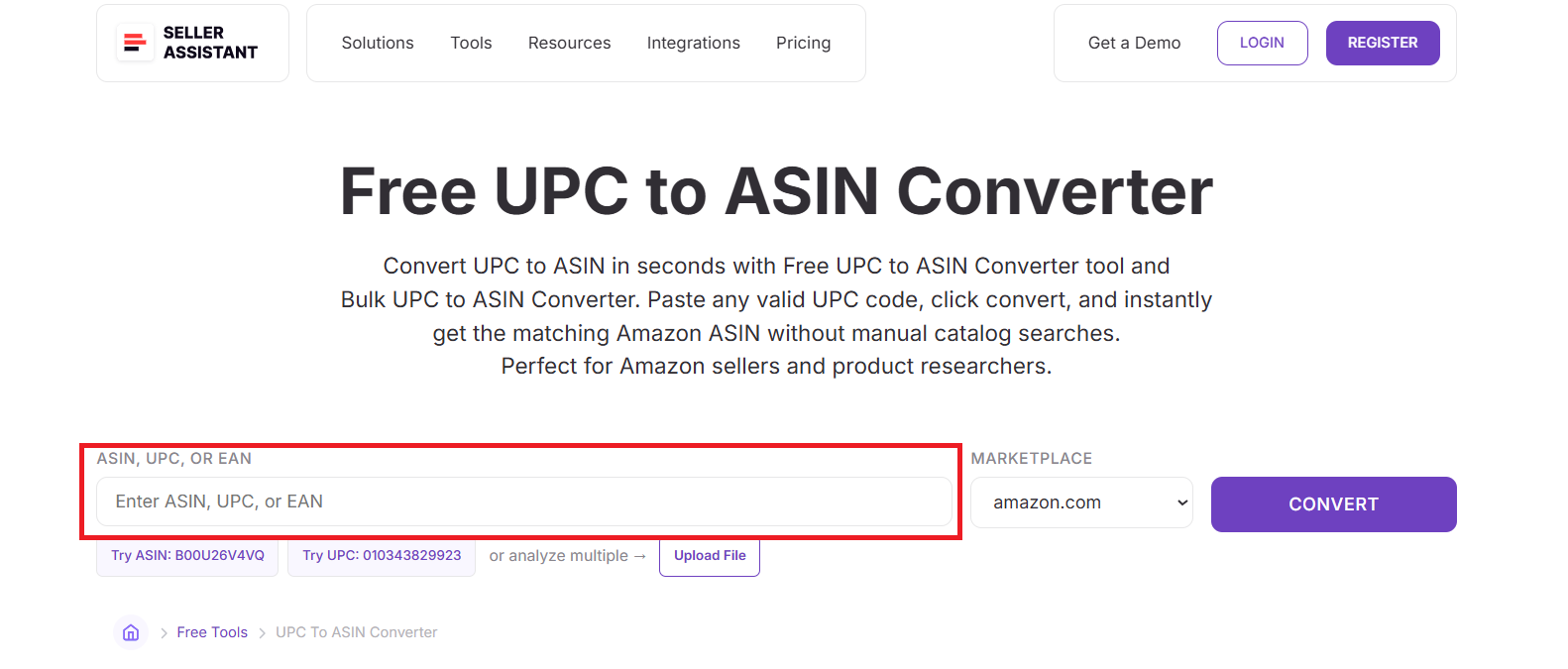
Step 2. Enter the UPC you want to convert
Paste a valid 12-digit UPC into the input field. You can convert single UPCs or test multiple supplier products one by one.
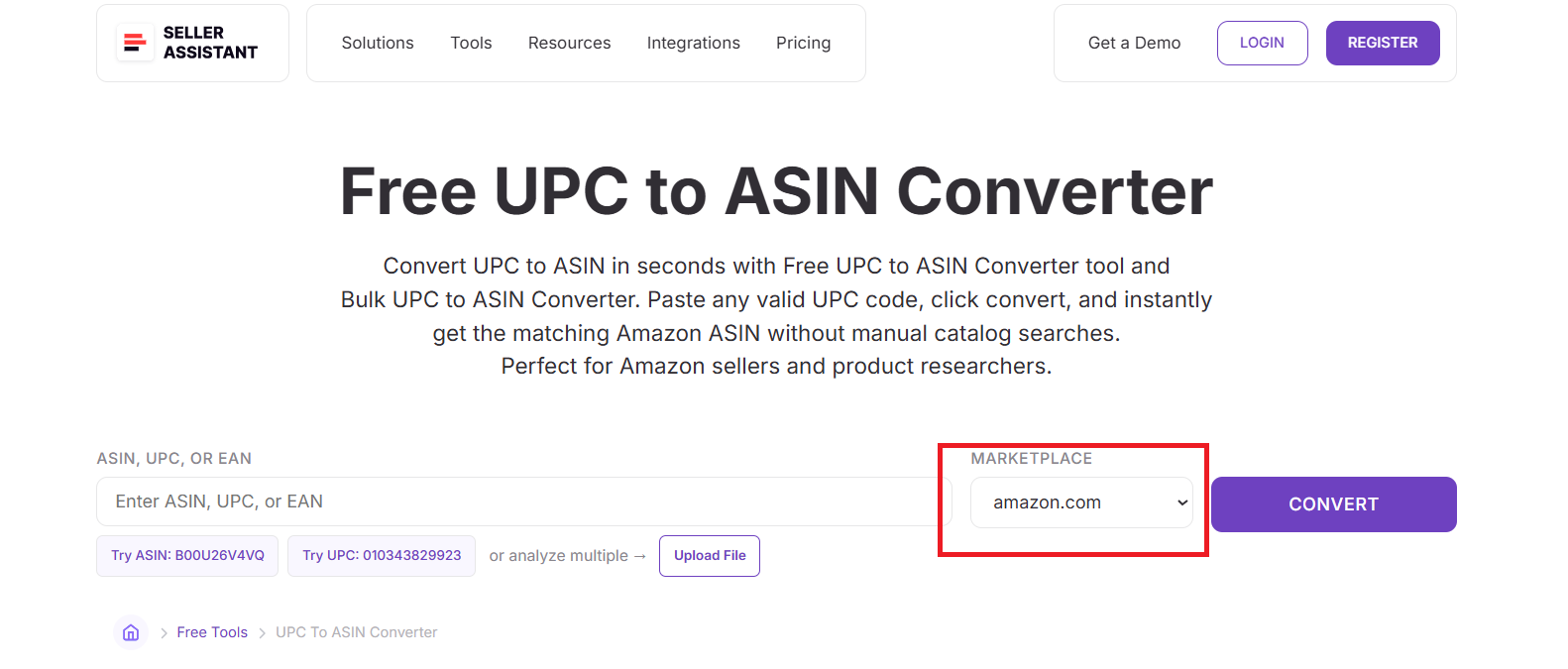
Step 3. Select your Amazon marketplace
Choose the marketplace where the product is listed, such as Amazon.com, Amazon.ca, or Amazon.co.uk, to ensure the correct regional ASIN is retrieved.
Step 4. Click the “Convert” button
The tool checks the UPC against Amazon’s product database and instantly fetches the matching ASIN – no manual searches required.
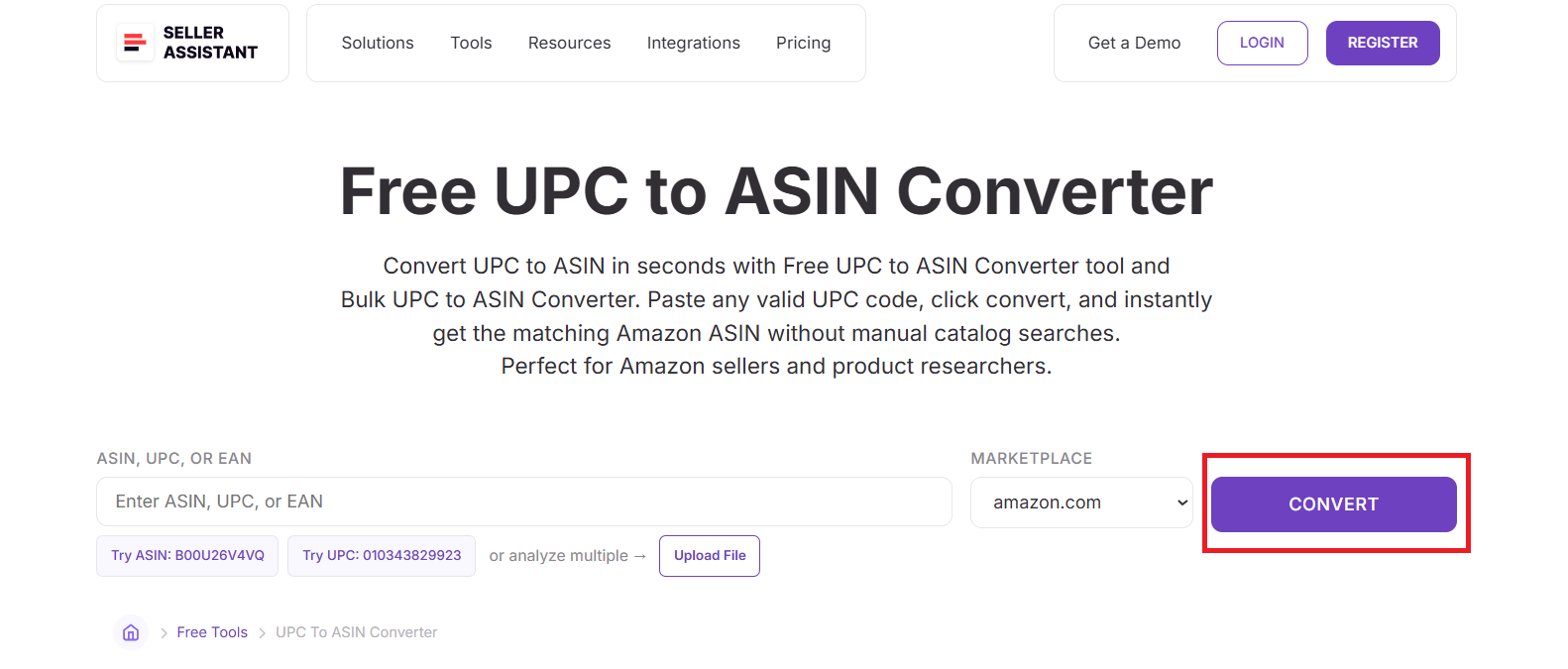
Step 5. Review the matched ASIN and product data
The converter displays:
- ASIN
- UPC
- EAN
- GTIN (if available)
- Product title
- Category
- Brand
- Model
- Part number

This gives you a complete and accurate match between your supplier’s UPC and the correct Amazon listing, helping you source with confidence.
Match International Barcodes to Amazon Listings with Free EAN to ASIN Converter
Seller Assistant’s Free EAN to ASIN Converter is used when sellers work with European or international suppliers that provide EAN codes instead of UPCs or ASINs. It helps Amazon sellers accurately match global product barcodes to the correct Amazon listings, which is essential for international wholesale, global online arbitrage, and cross-market validation.
This tool eliminates manual catalog searches and reduces the risk of matching the wrong listing or variation.
What is Free EAN to ASIN Converter
Free EAN to ASIN Converter is a free, browser-based identifier conversion tool that allows Amazon sellers to convert EAN codes into Amazon ASINs in seconds.
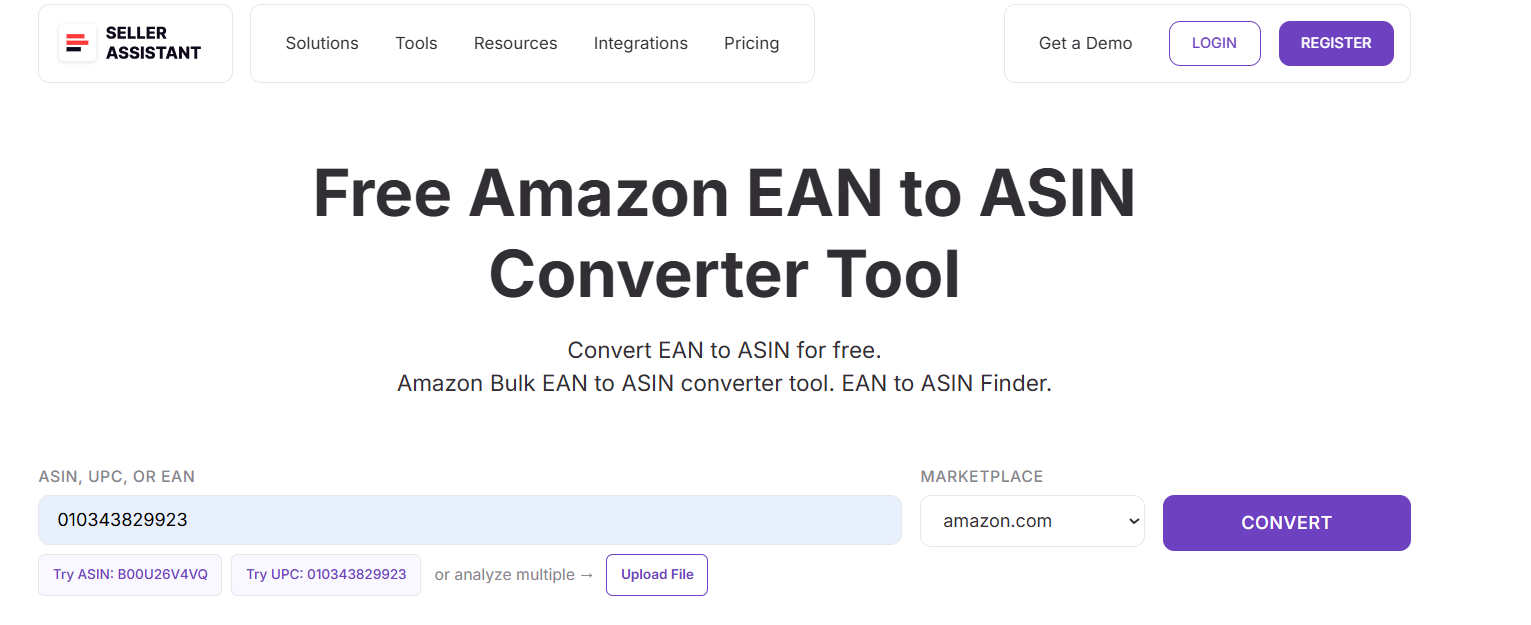
You paste an EAN, select the marketplace, and instantly receive the correct ASIN along with key Amazon catalog details such as product title, category, brand, and identifiers. No login or installation is required.
What Free EAN to ASIN Converter does
Free EAN to ASIN Converter connects international supplier data with Amazon’s catalog.
With this tool, you can:
- Convert EANs into the correct Amazon ASINs
- Match international supplier barcodes to exact Amazon listings
- Retrieve ASIN, UPC, EAN, and GTIN identifiers together
- Confirm product title, category, and brand details
- Validate products across different Amazon marketplaces
- Avoid mismatches caused by regional variations or duplicate listings
This ensures accurate sourcing and listing decisions when working with global suppliers.
How Free EAN to ASIN Converter works
Step 1. Open the EAN to ASIN converter
Go to Seller Assistant’s website and access the Free EAN to ASIN Converter tool. It works directly in your browser and requires no login.
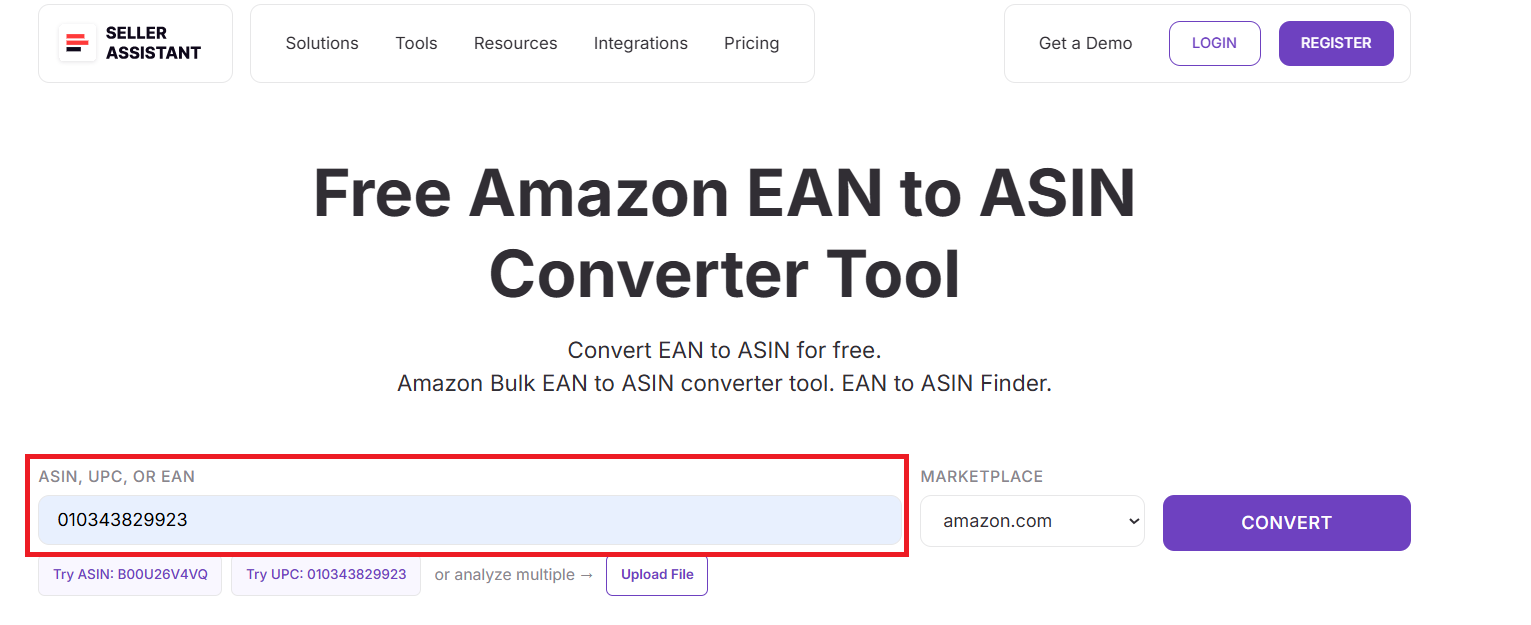
Step 2. Enter the EAN you want to convert
Paste the 13-digit EAN (or 8-digit short version) into the input field. You can quickly test multiple international product codes.
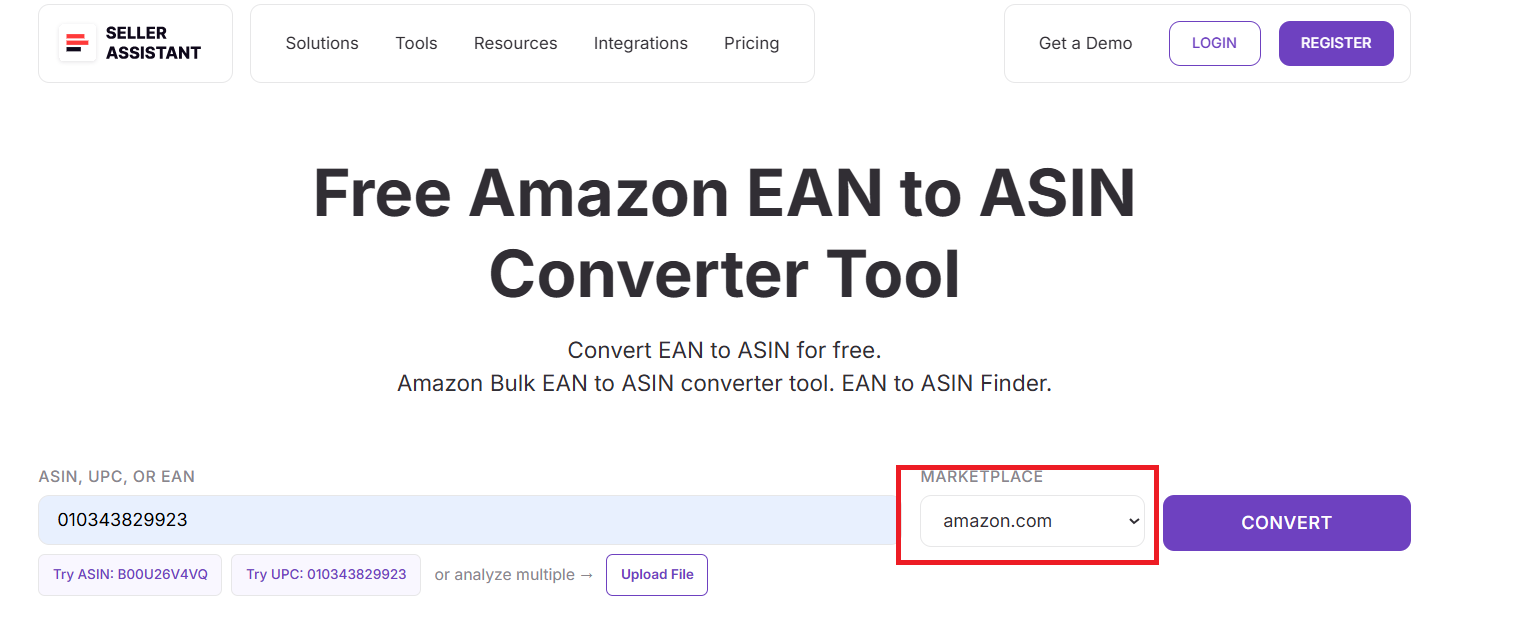
Step 3. Select your Amazon marketplace
Choose the correct marketplace, such as Amazon.co.uk, Amazon.de, Amazon.fr, or Amazon.com, to ensure accurate ASIN matching across regions.
Step 4. Click the “Convert” button
The tool searches Amazon’s catalog, finds the matching listing, and returns the correct ASIN instantly – no manual verification required.
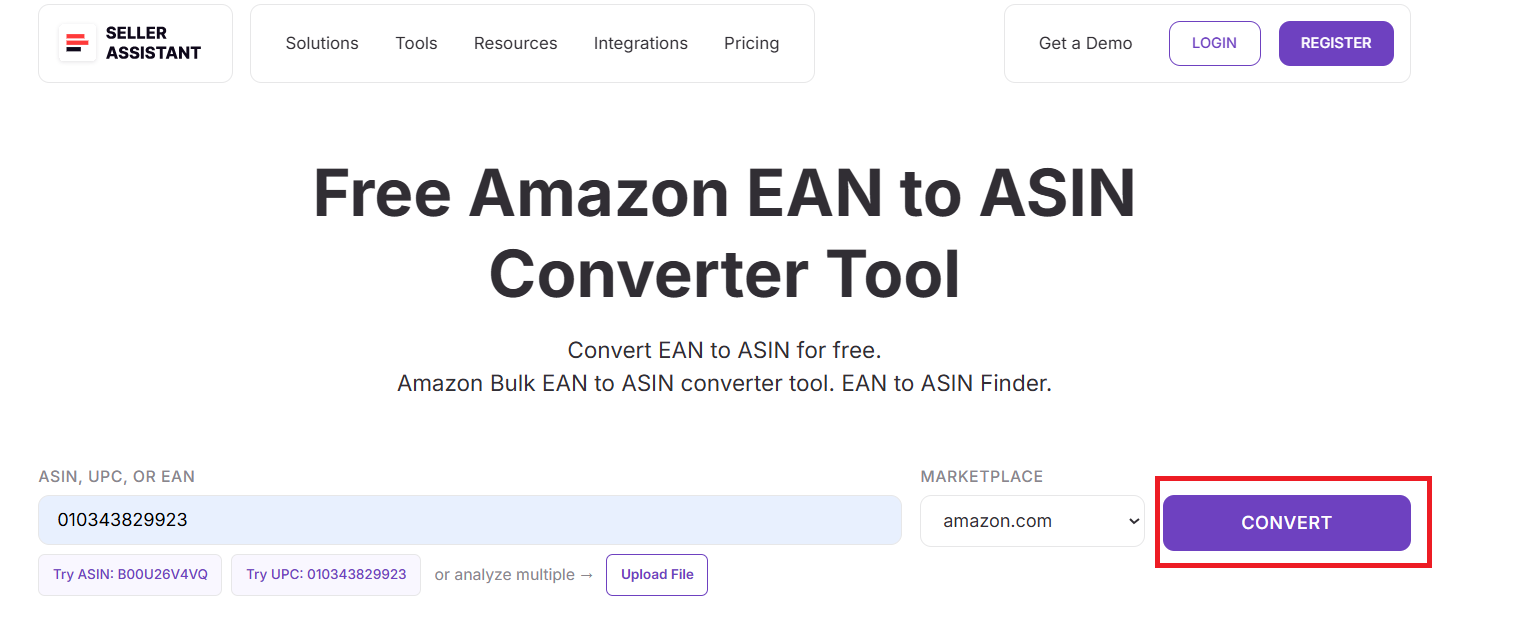
Step 5. Review the ASIN and product details
You instantly receive:
- ASIN
- UPC
- EAN
- GTIN (if available)
- Product title
- Category
- Brand
- Model number
- Part number

This gives you a complete Amazon match for any international EAN, making it ideal for wholesale sourcing, global arbitrage, and cross-market product validation.
FAQ
What are free Amazon seller tools used for?
Free Amazon seller tools help sellers research products, suppliers, and risks without paying upfront. They are commonly used to validate ASINs, convert identifiers, check IP risks, and find suppliers before sourcing inventory.
Are free Amazon seller tools accurate enough for sourcing decisions?
Yes, free tools provide reliable catalog, identifier, and risk data directly tied to Amazon listings. However, they are best used for validation and learning, while bulk or profitability decisions often require advanced tools.
Do I need an Amazon Seller Central account to use these tools?
No, Seller Assistant’s free tools work independently of Seller Central. You can use them directly on the website without logging in or connecting your Amazon account.
Can I use these tools if I’m just starting an Amazon business?
Yes, free Amazon seller tools are ideal for beginners because they reduce mistakes and help you understand Amazon workflows. They allow new sellers to practice sourcing and research safely before investing money.
When should I move from free tools to bulk or paid tools?
You should move to bulk or advanced tools when you start working with large supplier lists or need full profitability analysis. Free tools are perfect for early-stage sourcing, while paid tools support scaling and automation.
Final Thoughts
Free Amazon seller tools give resellers a practical, low-risk way to research products, verify listings, check IP concerns, and find suppliers before investing money. They remove guesswork from early sourcing decisions and help sellers build confidence while learning how Amazon’s ecosystem really works.
By using Seller Assistant's free tools together, you can validate ASINs, match UPCs and EANs, identify potential IP issues, and connect brands to real suppliers in one connected workflow. This combination is ideal for sellers starting an Amazon business and looking to build a clean, scalable sourcing process before moving into bulk research and automation.
Seller Assistant automates and connects every stage of your Amazon wholesale and arbitrage workflow. It brings together in one platform: workflow management tools – Purchase Orders Module, Supplier Database, Warehouse Database, bulk research & sourcing tools – Price List Analyzer, Bulk Restriction Checker, Sourcing AI, Brand Analyzer, Seller Spy, Chrome extensions – Seller Assistant Browser Extension, IP-Alert Extension, and built-in VPN by Seller Assistant, and integrations & team access features – seamless API connectivity, integrations with Zapier, Airtable, and Make, and Virtual Assistant Accounts.