



Buying profitable products is only part of running a successful Amazon wholesale, online arbitrage, or dropshipping business. The real challenge is understanding whether an entire purchase order will generate the returns you expect after accounting for shipping, taxes, prep costs, and other expenses.
As supplier networks and inventory purchases grow, managing costs and profitability across multiple orders becomes difficult with spreadsheets and disconnected tools.
Seller Assistant’s purchase order profit and cost management tools help sellers track total investment, control inventory costs, evaluate profitability, and make informed purchasing decisions before committing capital to inventory.
Note. Seller Assistant is an end-to-end Amazon workflow management platform that integrates 15+ wholesale-focused solutions into one connected system. It combines sourcing workflow automation, bulk research and intelligence tools, and integrated Chrome extensions – giving you everything you need to streamline finding deals, managing suppliers, and creating purchase orders.

The platform aggregates: workflow management tools – Purchase Orders Module, Suppliers Database, Product Database, Warehouses Database, FBA Shipments to organize, automate, and scale every step of your wholesale and arbitrage operations; bulk research & sourcing tools – Price List Analyzer, Bulk Restriction Checker, AI Supplier Finder, Brand Analyzer, Seller Spy to evaluate supplier price lists, verify selling eligibility and restrictions, open new brands, and discover winning product ideas from competitors to expand your product catalog; Chrome extensions – Seller Assistant Browser Extension, IP-Alert Extension, and built-in VPN by Seller Assistant to deep-research products, check IP claims and compliance, and access geoblocked supplier sites directly within your browser; and integrations & team access features – seamless API connectivity and integrations with Zapier, Airtable, and Make, plus Virtual Assistant Accounts for secure, scalable team collaboration.
With Seller Assistant, every step of your Amazon wholesale and arbitrage workflow is automated and connected.
Why Amazon Sellers Lose Money on Purchase Orders
Many Amazon sellers focus on product-level profitability when sourcing inventory. While a product may show strong ROI and margins, that doesn’t guarantee the entire purchase order will perform well. Costs often emerge at different stages of the workflow, and small errors become expensive when multiplied across dozens of SKUs.
Without a clear view of total investment, order-level costs, and expected returns, sellers can commit significant capital to inventory that delivers lower-than-expected profits. Understanding the most common causes of profit leakage is the first step toward making smarter purchasing decisions.
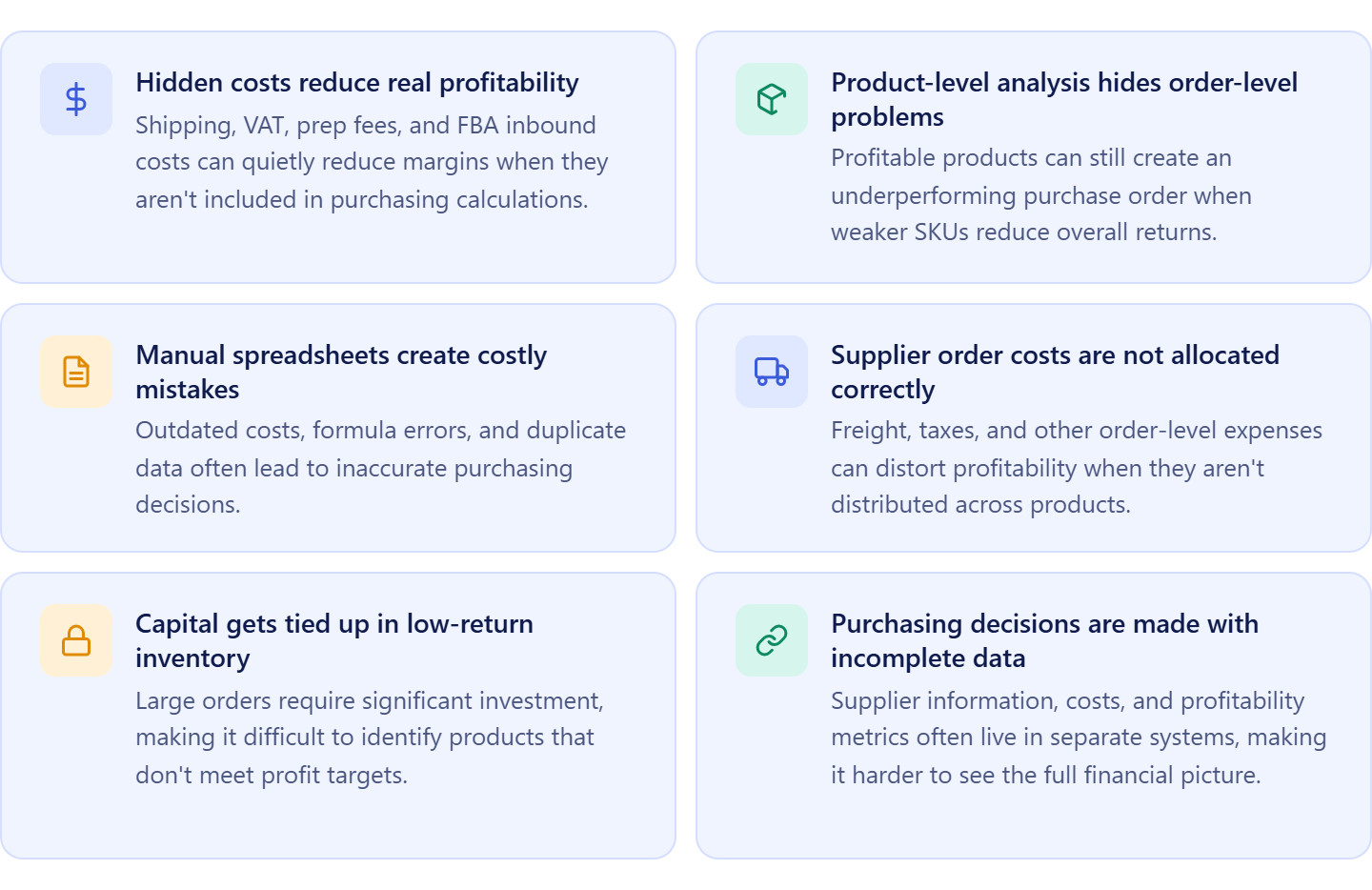
Hidden costs reduce real profitability
Supplier pricing is only one part of inventory cost. Shipping, VAT, prep fees, and FBA inbound expenses can significantly reduce margins when they are not included in purchasing calculations from the start.
Product-level analysis hides order-level problems
A purchase order may contain many profitable products, but a few weak-performing SKUs can lower the profitability of the entire order. Looking at products individually often makes these issues difficult to spot.
Manual spreadsheets create costly mistakes
Managing purchase orders across multiple spreadsheets increases the risk of outdated costs, duplicate entries, formula errors, and missing expenses that affect purchasing decisions.
Supplier order costs are not allocated correctly
Order-level expenses such as freight, taxes, and other purchasing costs are often tracked separately from products. When these costs are not distributed across SKUs, profitability calculations become inaccurate.
Capital gets tied up in low-return inventory
Large purchase orders require significant investment. Without visibility into total investment and expected returns, sellers can commit cash to products that do not meet profitability goals.
Purchasing decisions are made with incomplete data
Supplier information, product costs, shipping expenses, and profitability metrics often live in different systems. When purchasing data is fragmented, sellers struggle to see the complete financial picture before placing an order.
What Are Purchase Order Profit and Cost Management Tools?
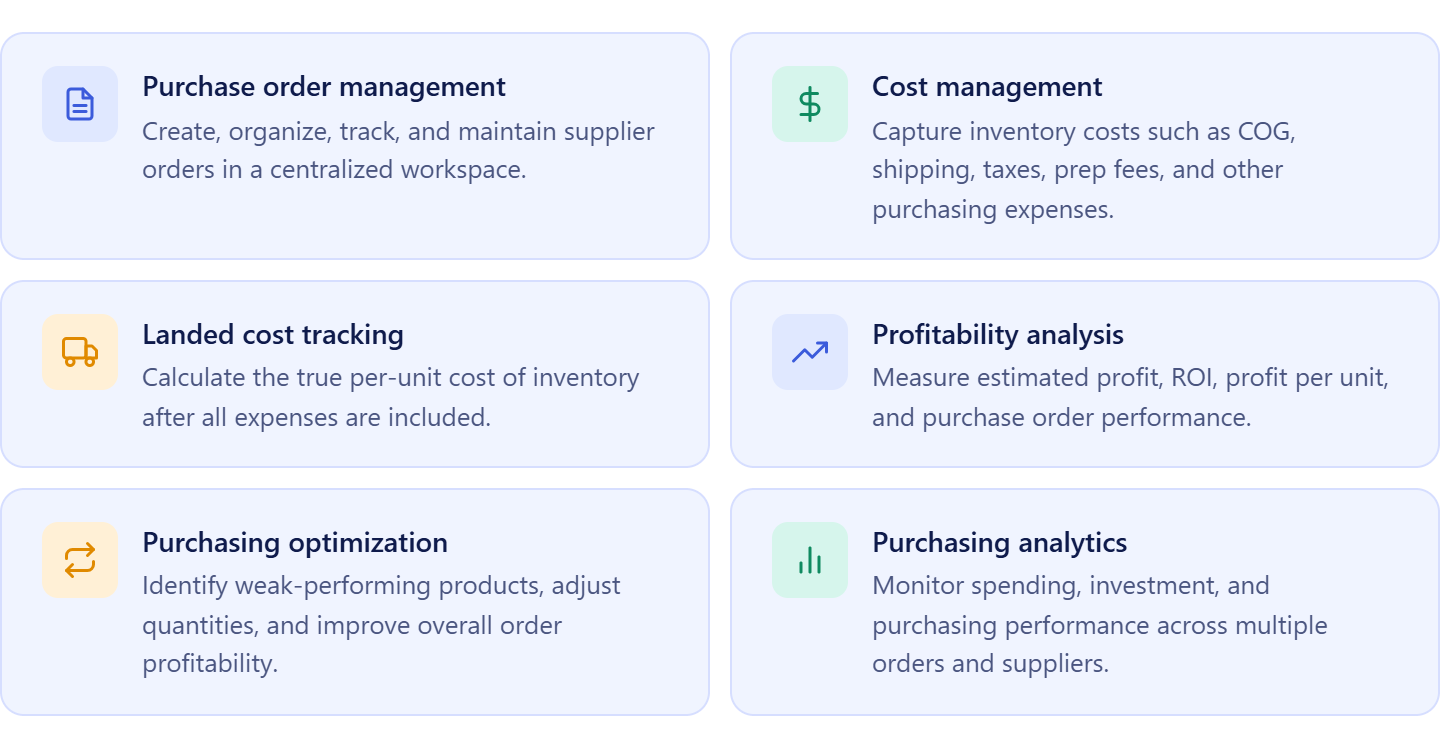
Purchase order profit and cost management tools help Amazon sellers evaluate the financial performance of inventory purchases before placing orders with suppliers. Instead of tracking costs, profitability, and purchase orders in separate spreadsheets, these tools bring purchasing data together in one place, making it easier to understand total investment, control expenses, and forecast returns.
For wholesale sellers, online arbitrage sellers, and dropshippers, purchase order profitability depends on much more than supplier pricing. Shipping costs, taxes, prep fees, FBA inbound expenses, and inventory quantities all affect the final return on investment. Purchase order profit and cost management tools help sellers capture these costs, allocate them correctly, and see how they impact profitability at both the product and order levels.
By combining purchasing, cost tracking, and profitability analysis, these tools help sellers make informed buying decisions, avoid costly mistakes, and invest capital in inventory with greater confidence.
Core functions of purchase order profit and cost management tools
What Costs and Profitability Metrics Should Amazon Sellers Track Before Placing a PO?
A purchase order is more than a list of products and quantities. Before committing capital, Amazon sellers must understand both the total cost of the order and its expected profitability. Missing expenses can make inventory look more profitable than it really is, while incomplete profitability analysis can lead to poor purchasing decisions.
Tracking the right costs and metrics before placing a purchase order helps sellers evaluate risk, forecast returns, and invest in inventory with confidence.
Cost metrics to track before placing a purchase order
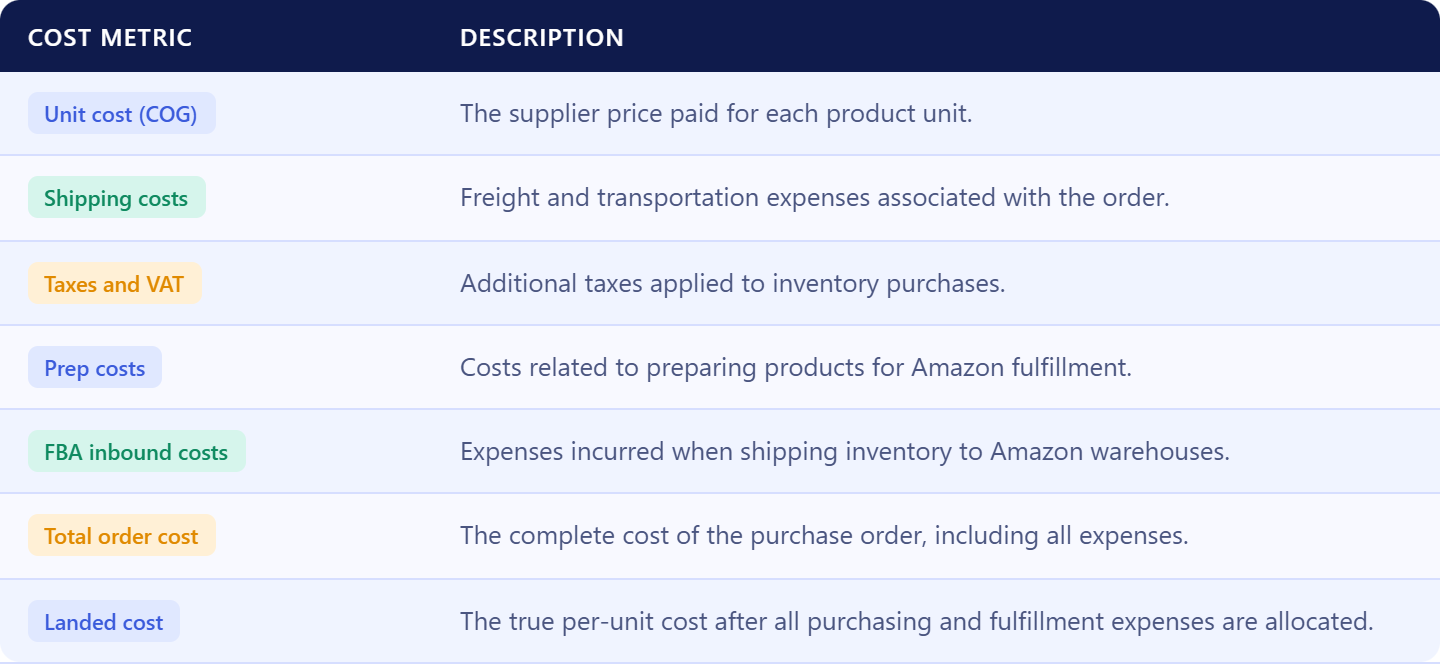
Cost of goods (COG)
COG is the supplier price paid for each unit. It forms the foundation of all profitability calculations and directly impacts margins and ROI.
Shipping costs
Shipping expenses include freight, carrier charges, and transportation costs required to move inventory from the supplier to a warehouse, prep center, or Amazon fulfillment center.
Taxes and VAT
Taxes, VAT, and other government charges increase the actual cost of inventory and must be included when calculating investment and profitability.
Prep costs
Labeling, packaging, bundling, and prep center services add to the cost of each unit and can significantly affect margins.
FBA inbound costs
These are the costs associated with sending inventory to Amazon fulfillment centers. Ignoring them often results in overstated profits.
Additional purchase order expenses
Purchase orders may include extra costs such as supplier fees, inspection costs, customs charges, or other operational expenses that affect inventory value.
Profitability metrics to track before placing a purchase order
Understanding costs is only half of the equation. Sellers also need to evaluate how effectively their investment will perform. Profitability metrics help determine whether a purchase order meets business goals, uses capital efficiently, and delivers the expected return.
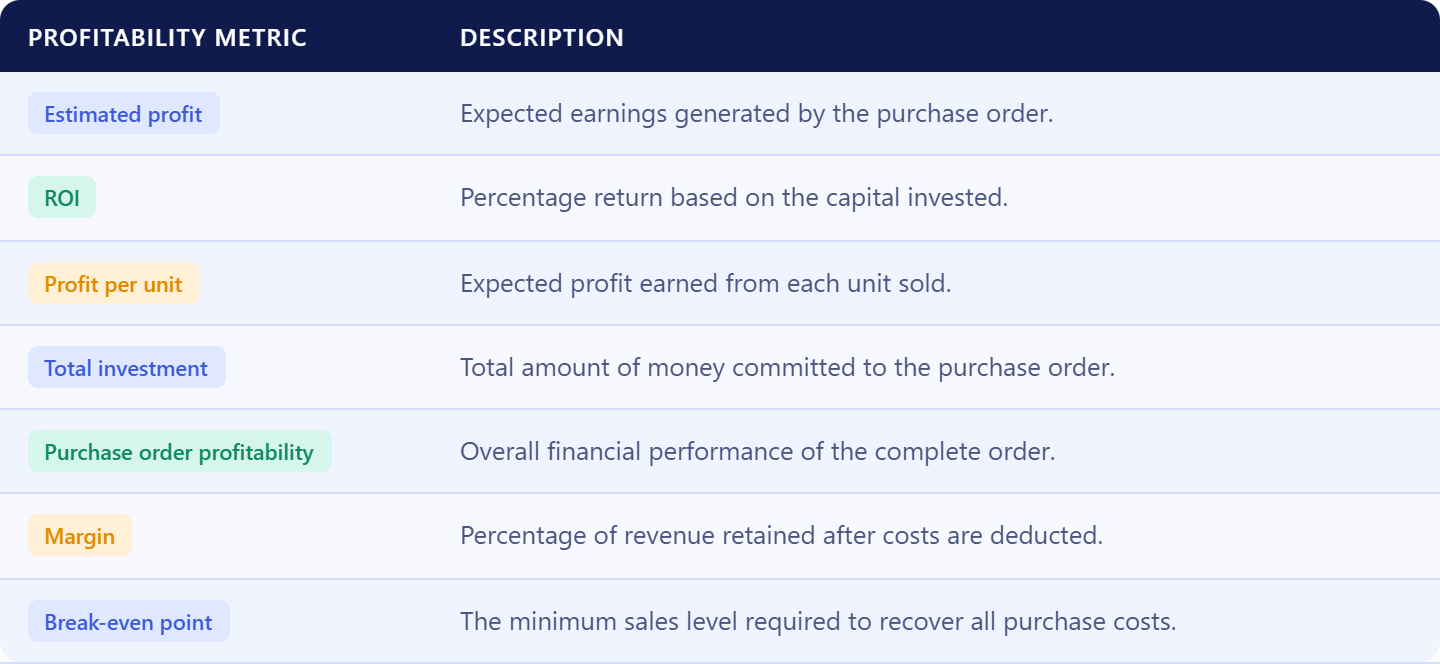
Estimated profit
Estimated profit shows how much money the purchase order is expected to generate after costs are deducted.
Return on investment (ROI)
ROI measures the percentage return generated relative to the amount invested and helps sellers compare purchasing opportunities.
Profit per unit
Profit per unit shows the expected earnings from each item sold and helps identify stronger and weaker products within the same order.
Total investment
Total investment reflects the amount of capital required to place and fulfill the purchase order.
Purchase order profitability
Purchase order profitability evaluates how all products perform together, providing a complete picture of expected order performance.
Margin
Margin measures the percentage of revenue retained after costs are deducted and helps sellers assess overall inventory profitability.
How Seller Assistant Helps Manage Purchase Order Costs and Profitability
Managing purchase order profitability requires more than tracking supplier prices. Amazon sellers must account for sourcing data, inventory costs, shipping expenses, taxes, and fulfillment fees before they can accurately evaluate an order’s expected return. Seller Assistant connects these processes in one workflow, helping sellers make purchasing decisions based on complete cost and profitability data.
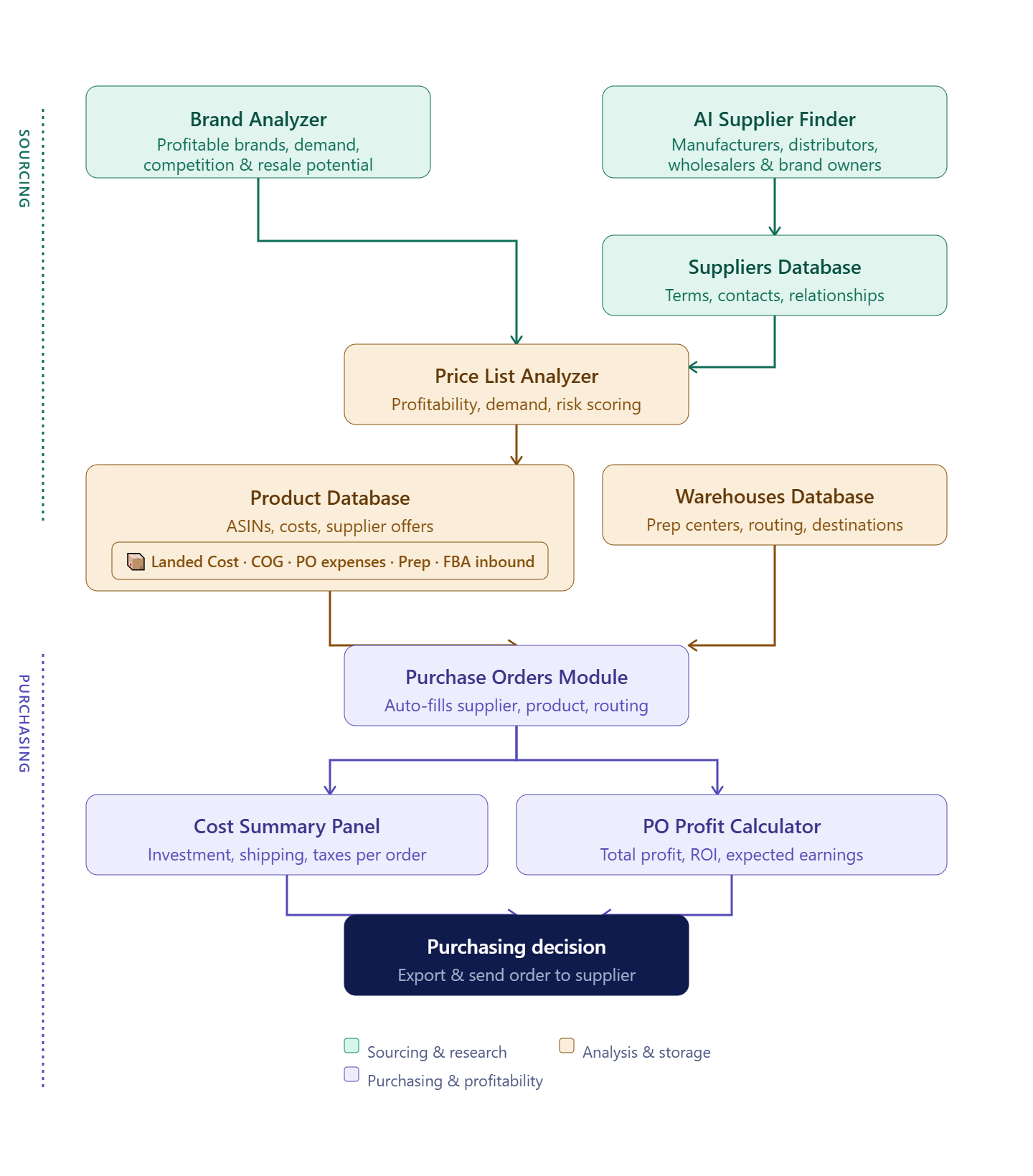
The workflow begins with sourcing and research tools. Brand Analyzer, AI Supplier, and Price List Analyzer help sellers identify profitable products, validate selling eligibility, and find legitimate suppliers. Product Database stores sourced products and supplier offers, while Landed Cost in Product Database calculates true per-unit costs and inbound fulfillment costs. Suppliers Database and Warehouses Database keep purchasing and routing information organized.
When it’s time to buy inventory, Purchase Orders Module turns sourced products into structured supplier orders. Cost Summary Panel tracks order-level expenses, and the PO Profit Calculator measures total investment, profit, and ROI. Together, these tools provide a complete view of purchase order costs and profitability before inventory is ordered.
See Real Inventory Costs with Product Database and Landed Cost
Accurate purchase order profitability starts with accurate product costs. Before sellers can evaluate ROI, profit, or total investment, they need a reliable way to store supplier offers, compare costs, and understand the true cost of each unit. Seller Assistant helps solve this with Product Database and its built-in Landed Cost feature, which keeps sourcing, purchasing, and cost data connected throughout the buying process.
What is Product Database?
Product Database is Seller Assistant’s centralized product management workspace for Amazon wholesale sellers, online arbitrage sellers, and dropshippers. It stores sourced products, supplier offers, ASINs, costs, and purchasing information in one place, creating a single source of truth for inventory purchasing decisions.
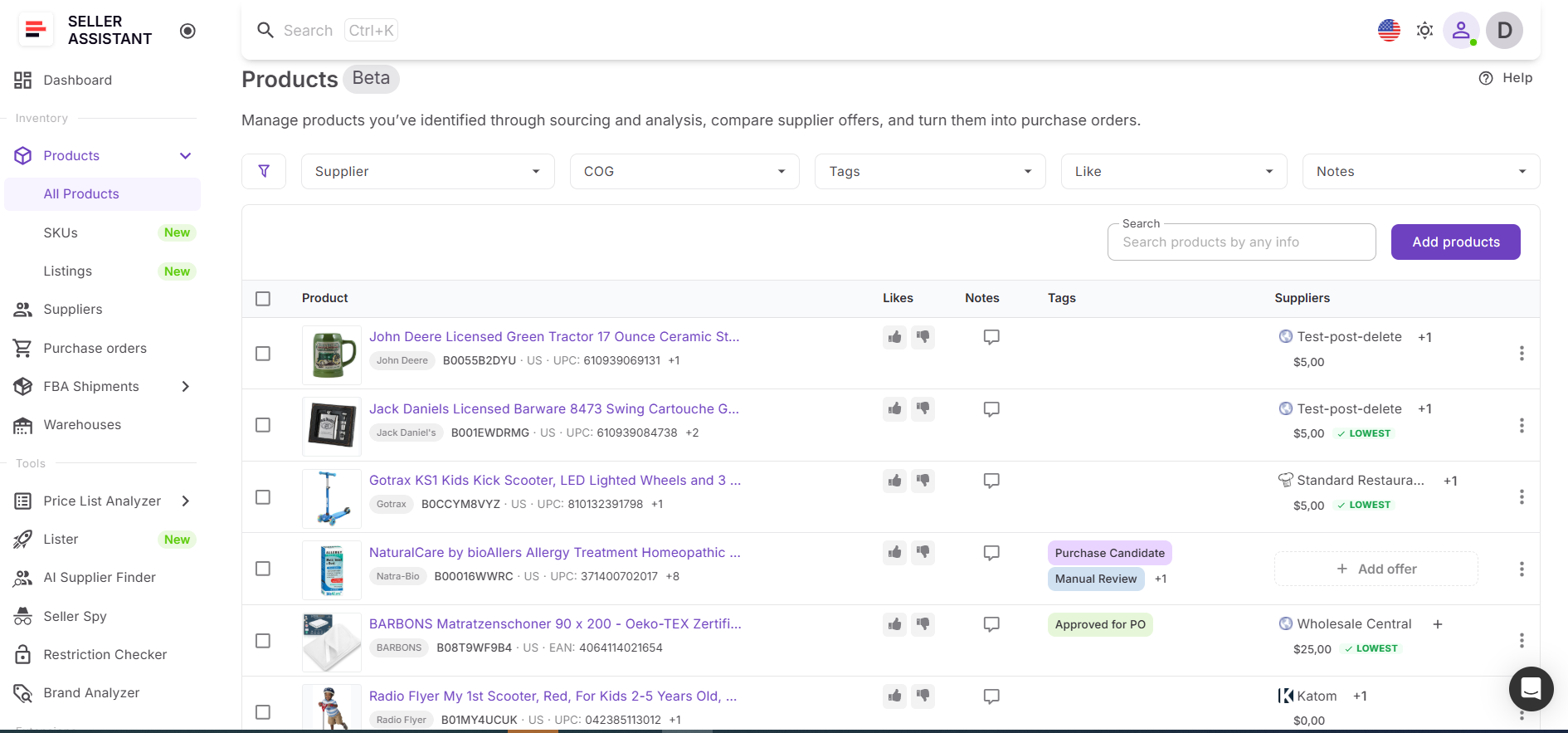
Instead of managing product information across spreadsheets, supplier catalogs, and sourcing tools, sellers can organize all product-related data in one structured system that stays connected to purchasing and profitability workflows.
Product Database functionality
Product Database helps sellers organize product sourcing and purchasing data while maintaining visibility into supplier costs.
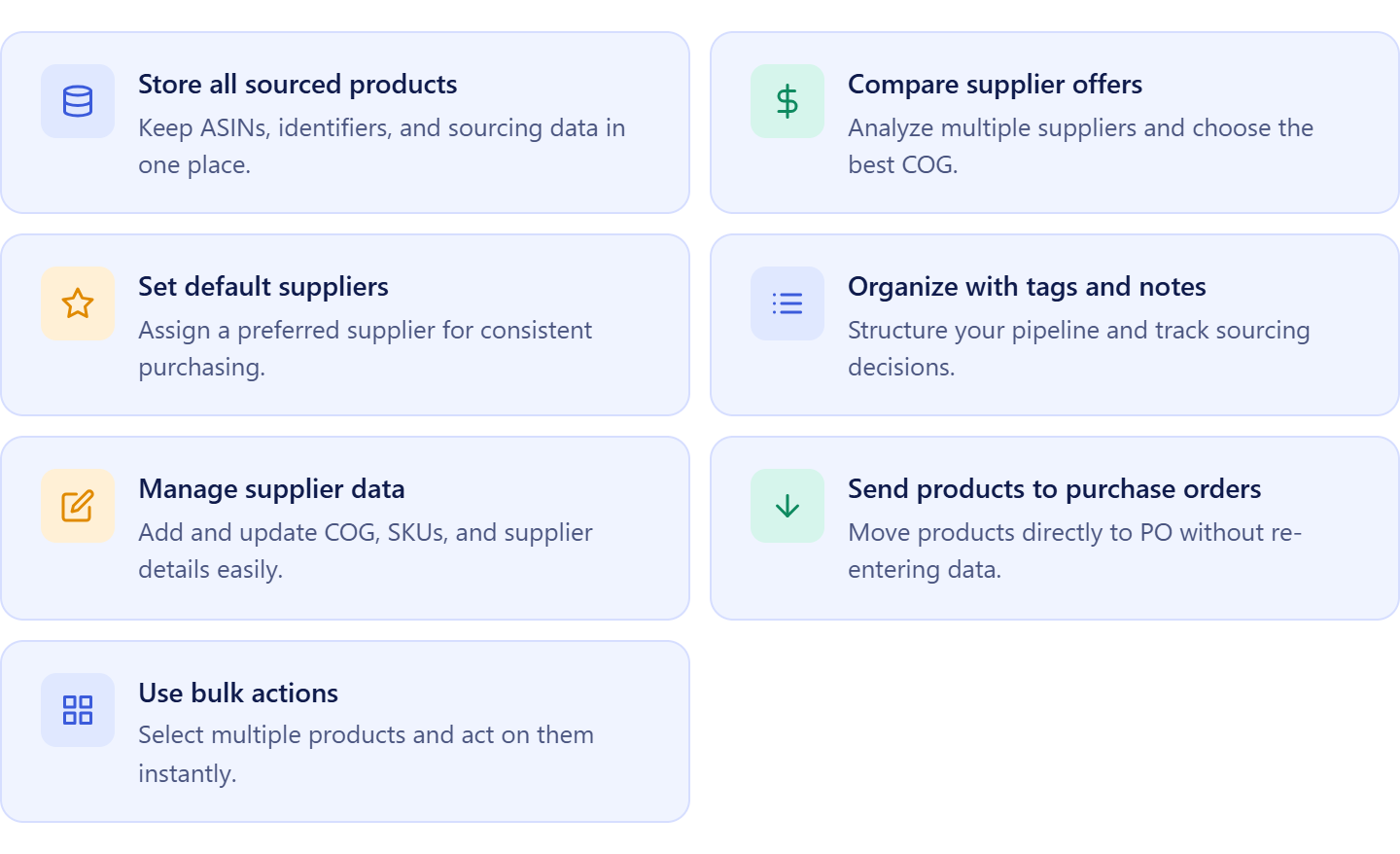
It allows sellers to:
- Store sourced products and ASIN data in one location;
- Compare multiple supplier offers for the same product;
- Identify the lowest available COG;
- Assign preferred suppliers to products;
- Organize products with tags, notes, and likes;
- Manage supplier costs and product identifiers;
- Add products directly to purchase orders;
- Keep purchasing decisions connected to supplier data.
How Product Database supports purchase order cost management
Product Database keeps approved products, supplier offers, and cost information connected throughout the purchasing workflow. Sellers can compare supplier pricing, select preferred suppliers, and maintain accurate cost records before creating a purchase order.
When products move into the Purchase Orders Module, supplier and cost information moves with them. This eliminates repeated data entry, reduces purchasing errors, and ensures profitability calculations are based on current supplier costs rather than outdated spreadsheet data. As a result, sellers can evaluate purchase orders using more accurate cost information before committing capital.
What is Landed Cost?
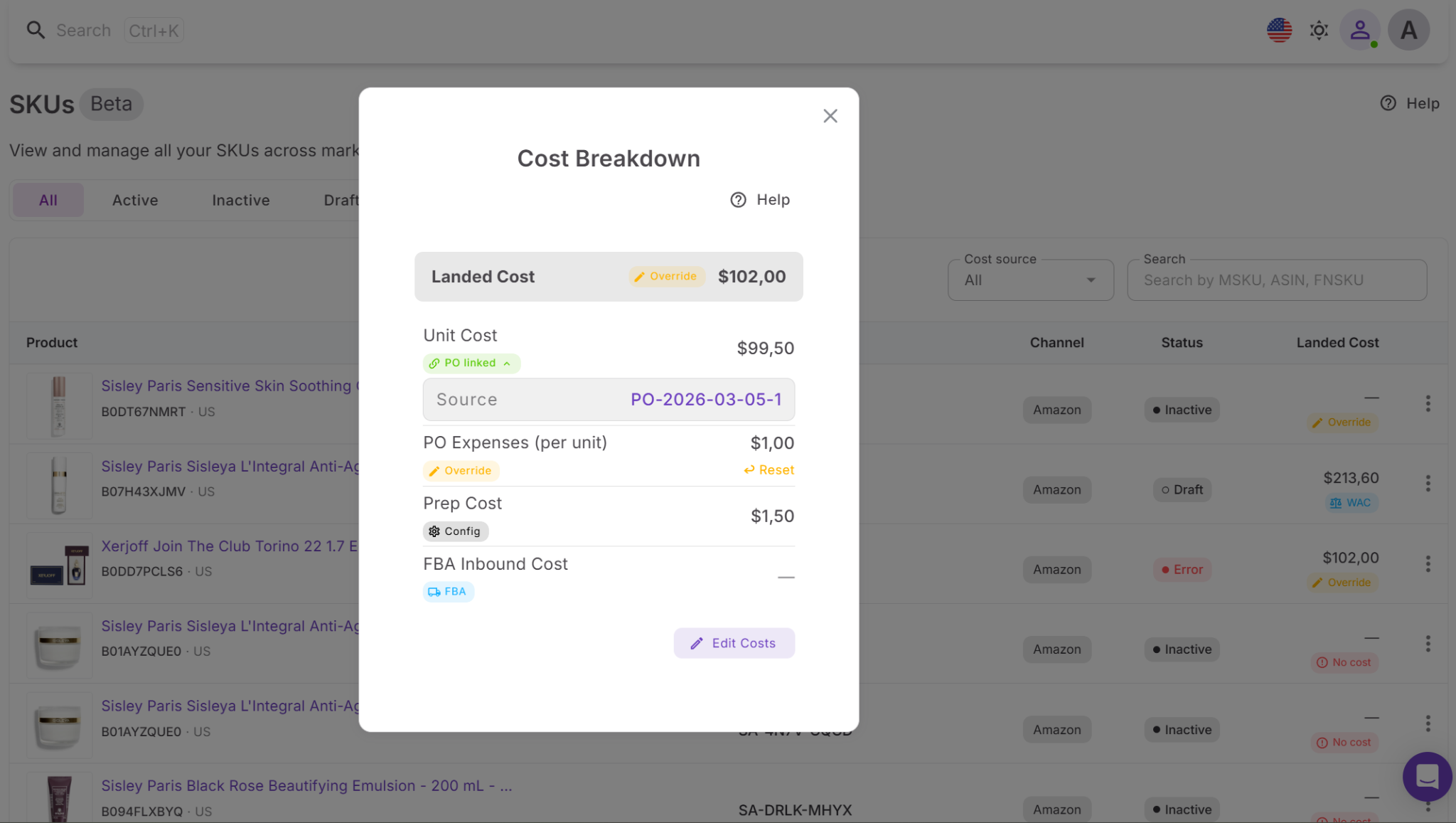
Landed Cost is Seller Assistant’s per-unit cost management feature within SKUs Tool inside the Product Database. It calculates the true cost of getting a product ready for sale on Amazon by combining product cost and additional expenses into a single SKU-level value.
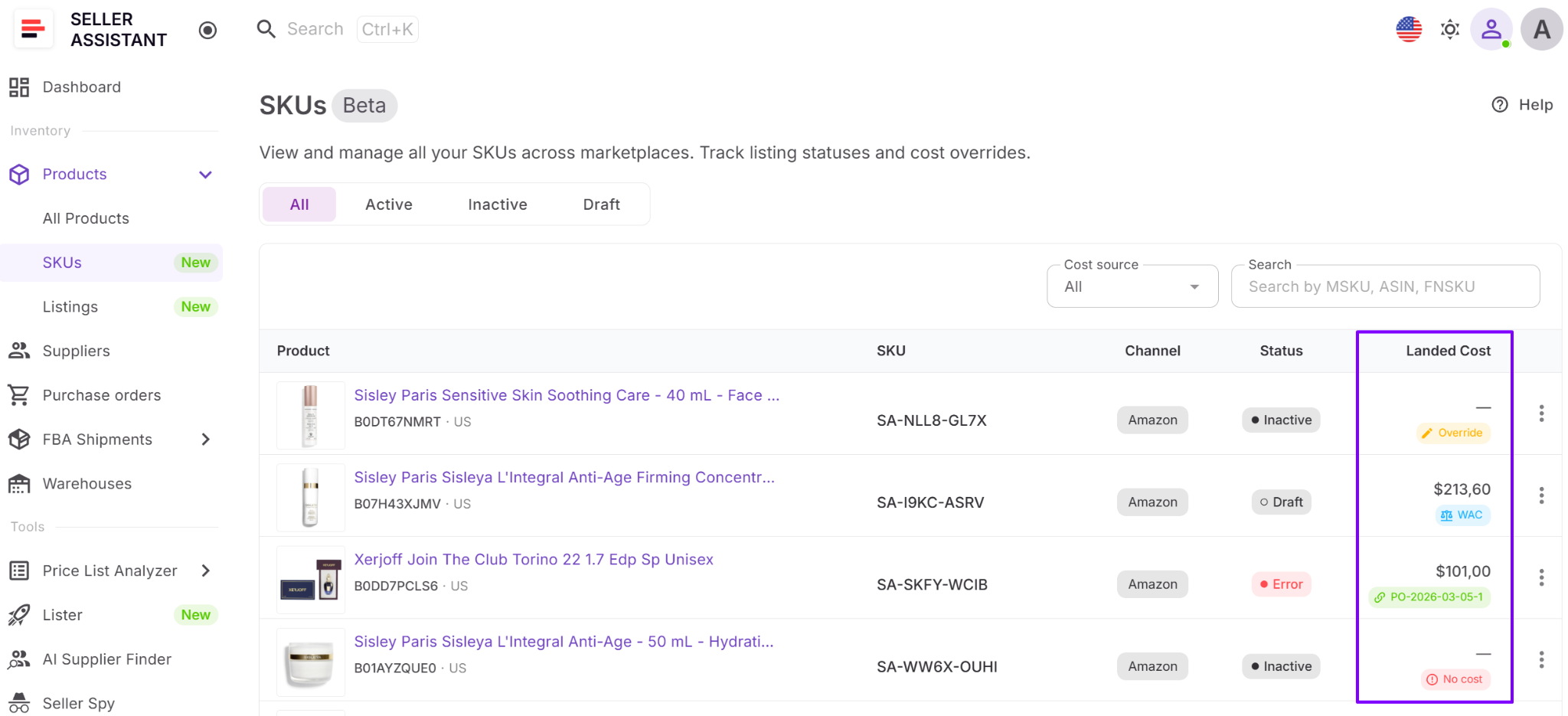
Instead of relying only on supplier pricing, sellers can see what each unit actually costs after purchase-order expenses, prep costs, and FBA inbound fees are included. This provides a more accurate foundation for evaluating profitability and making purchasing decisions.
Landed Cost functionality
Landed Cost helps sellers understand and control the real cost of inventory at the SKU level.
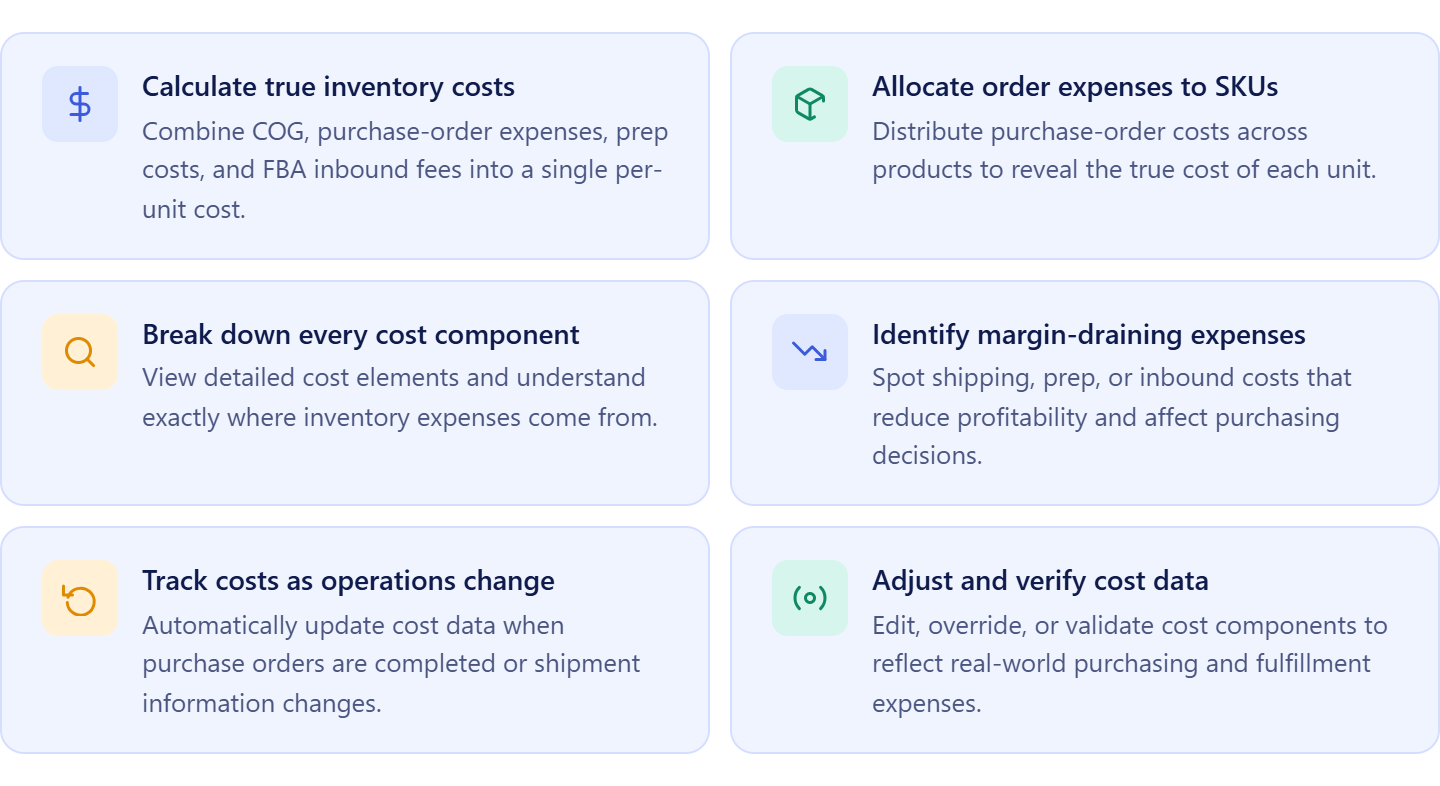
It allows sellers to:
- Calculate true per-unit inventory costs;
- Combine COG, purchase-order expenses, prep costs, and FBA inbound fees into one value;
- View a detailed breakdown of every cost component;
- Identify where margins are being reduced;
- Compare estimated and actual costs;
- Track cost changes as purchase orders and shipments are updated;
- Adjust or override specific cost components when needed;
- Support more accurate pricing and profitability decisions.
How Landed Cost supports purchase order profit and cost management
Landed Cost helps sellers understand how purchase-order expenses affect profitability at the product level. While purchase orders show total investment and order-level costs, Landed Cost allocates those expenses to individual SKUs, revealing the true cost of each unit.
As purchase orders are completed and shipment data becomes available, Landed Cost updates automatically using connected purchasing and fulfillment data. This ensures profitability calculations are based on actual inventory costs rather than estimates. By showing the real cost behind every SKU, Landed Cost helps sellers identify profitable products, avoid margin surprises, and make purchasing decisions using accurate cost data.
Manage Total Purchase Order Costs and Profitability in One Place
Accurate inventory purchasing requires more than knowing the cost of individual products. Sellers also need visibility into total order costs, expected profitability, supplier requirements, and overall investment before placing an order. Purchase Orders Module helps bring all of this information together, allowing sellers to evaluate supplier orders as complete financial investments rather than collections of individual products.
What Is Purchase Orders Module?
Purchase Orders Module is Seller Assistant’s purchase order management workspace designed for Amazon wholesale sellers, online arbitrage sellers, and dropshippers. It enables sellers to create, organize, track, and manage supplier orders using connected product, supplier, warehouse, and cost data.
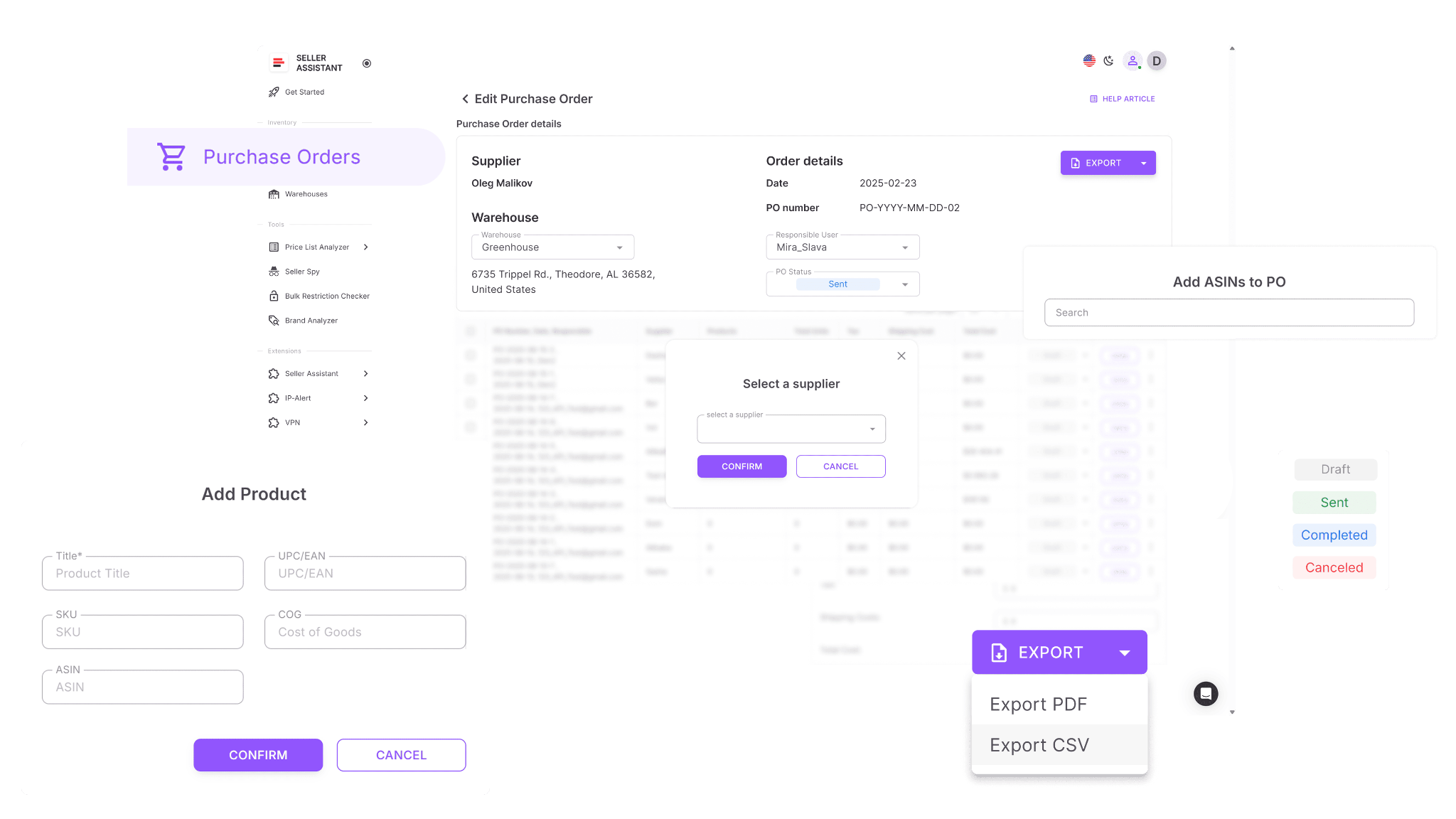
Instead of building purchase orders manually in spreadsheets or disconnected documents, sellers can generate structured supplier orders directly from their sourcing and purchasing workflow, with key information already attached.
Purchase Orders Module functionality
Purchase Orders Module helps sellers manage purchasing operations and evaluate supplier orders before committing capital.
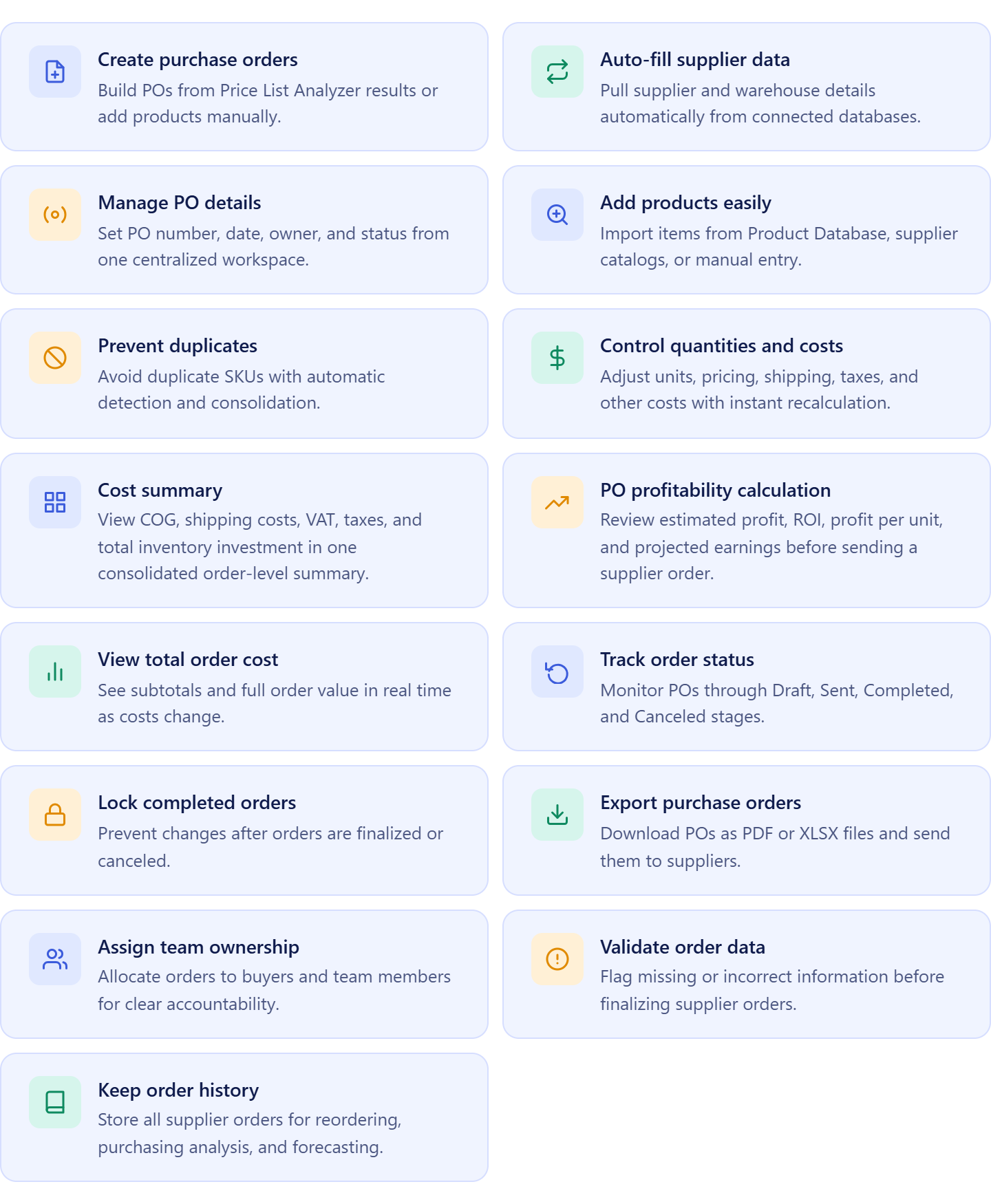
It allows sellers to:
- Create purchase orders from approved products;
- Automatically apply supplier and warehouse information;
- Manage order numbers, ownership, dates, and statuses;
- Add products from Product Database, supplier price lists, or manual entry;
- Prevent duplicate products within the same order;
- Adjust quantities, unit costs, shipping expenses, and taxes;
- View total inventory investment in real time;
- Monitor minimum order value and free-shipping thresholds;
- Calculate estimated profitability for complete purchase orders;
- Export purchase orders as PDF or XLSX files;
- Assign orders to team members;
- Track supplier orders from draft to completion;
- Maintain a searchable history of purchasing activity.
How Purchase Orders Module supports purchase order profit and cost management
Purchase Orders Module serves as the central hub for purchase order cost and profitability management. It brings together product costs from Product Database, supplier information from Suppliers Database, warehouse routing data, and order-level expenses into a single purchasing workspace.
As sellers build an order, the module consolidates inventory costs, shipping expenses, taxes, and other purchasing costs to show total investment before inventory is ordered. At the same time, built-in profitability calculations provide visibility into expected profit, ROI, and profit per unit across the entire purchase order. This helps sellers compare purchasing opportunities, optimize order composition, and make buying decisions using complete financial data rather than assumptions.
What is PO Profit Calculator?
PO Profit Calculator is Seller Assistant’s purchase order profitability analysis tool built into the Purchase Orders Module. It helps Amazon wholesale sellers, online arbitrage sellers, and dropshippers evaluate the expected financial performance of supplier orders before inventory is purchased.
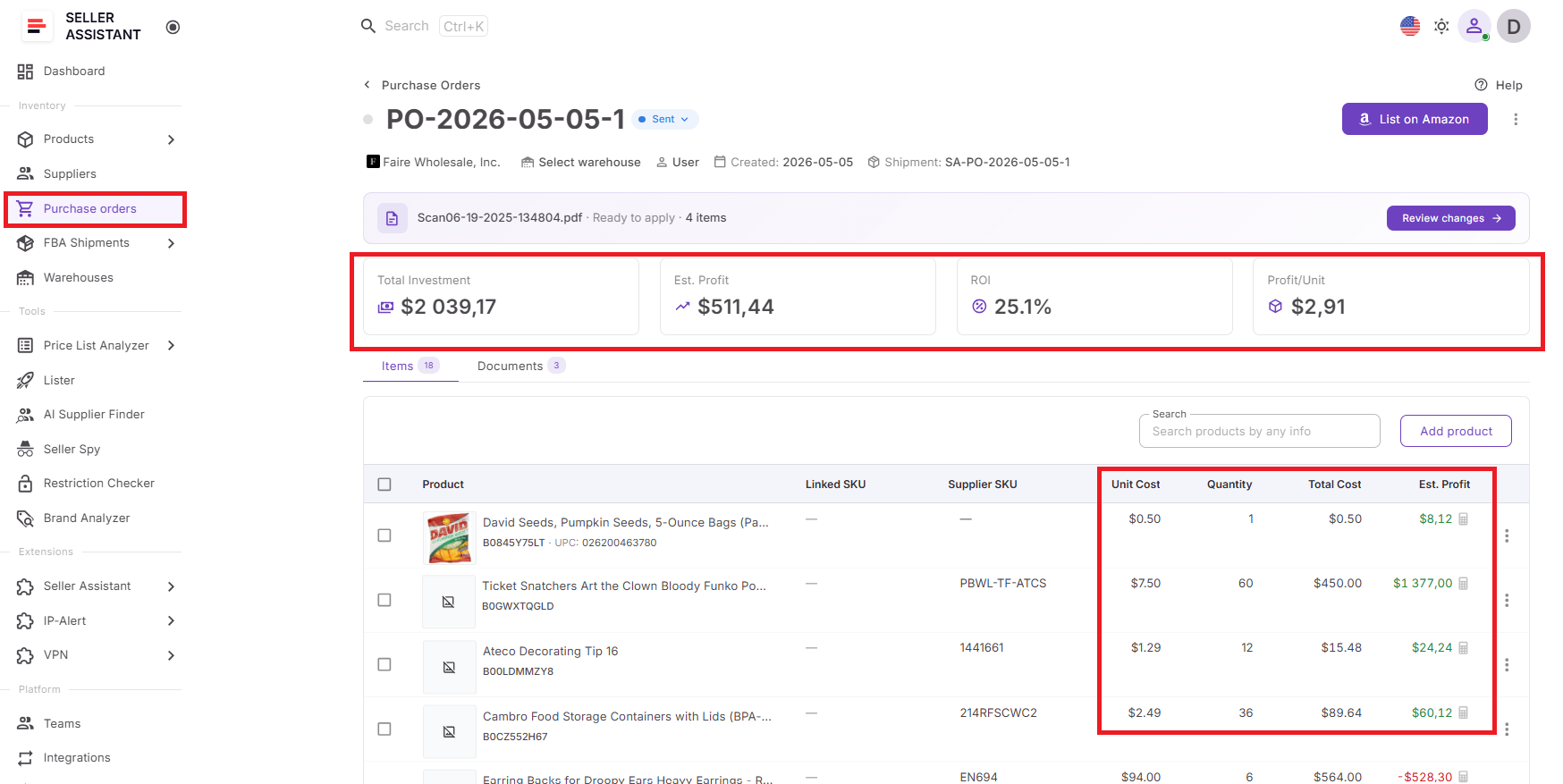
Instead of analyzing products one by one or calculating profitability in separate spreadsheets, sellers can measure profit, ROI, total investment, and order performance directly within the purchasing workflow. This provides a complete view of how a purchase order is expected to perform before capital is committed.
PO Profit Calculator functionality
PO Profit Calculator helps sellers evaluate and optimize the profitability of supplier orders before inventory is purchased.
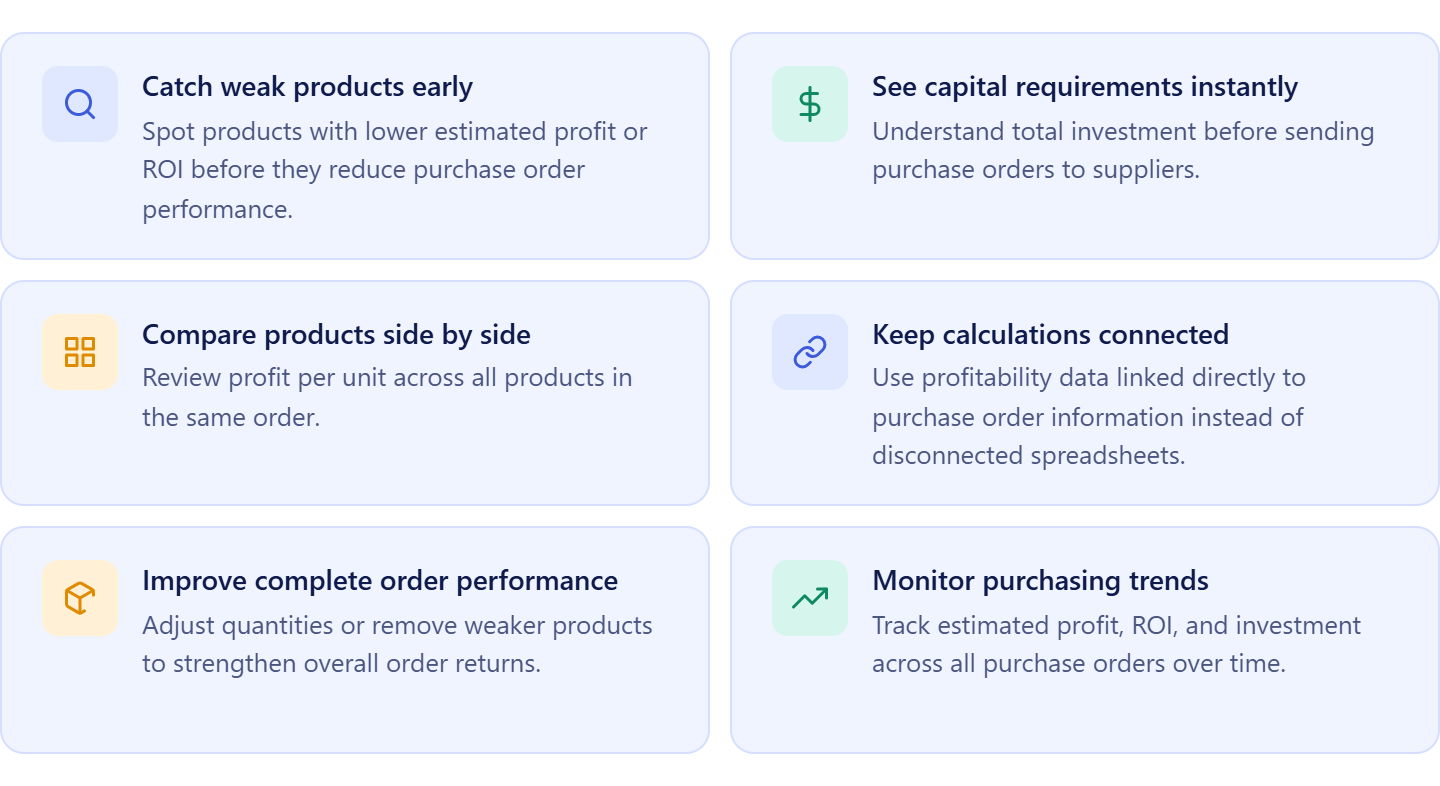
It allows sellers to:
- Calculate expected profit for individual products and complete purchase orders;
- Measure ROI based on total investment and expected returns;
- View total capital required for a supplier order;
- Compare product profitability within the same purchase order;
- Identify low-performing SKUs that reduce overall order profitability;
- Analyze profit per unit across products and orders;
- Evaluate how shipping, taxes, and other purchasing costs affect returns;
- Test different purchasing scenarios by adjusting quantities and costs;
- Track profitability across multiple purchase orders over time;
- Support more informed purchasing decisions before committing capital.
How PO Profit Calculator supports purchase order profit and cost management
PO Profit Calculator helps sellers understand whether a purchase order is worth the investment before inventory is ordered. By combining product costs, shipping expenses, taxes, and other purchasing data already stored in the workflow, it calculates profitability at both the product and purchase-order levels.
As costs, quantities, and order details change, profitability metrics update automatically. This allows sellers to test purchasing scenarios, identify products that weaken returns, and optimize orders before sending them to suppliers. By connecting profitability directly to purchasing data, PO Profit Calculator helps sellers allocate capital more effectively and make inventory decisions based on expected financial outcomes rather than estimates.
What is Cost Summary Panel?
Cost Summary Panel is Seller Assistant’s purchase order cost tracking feature within the Purchase Orders Module. It consolidates all order-level expenses into a single view, helping Amazon wholesale sellers, online arbitrage sellers, and dropshippers understand the total cost of a supplier order before inventory is purchased.
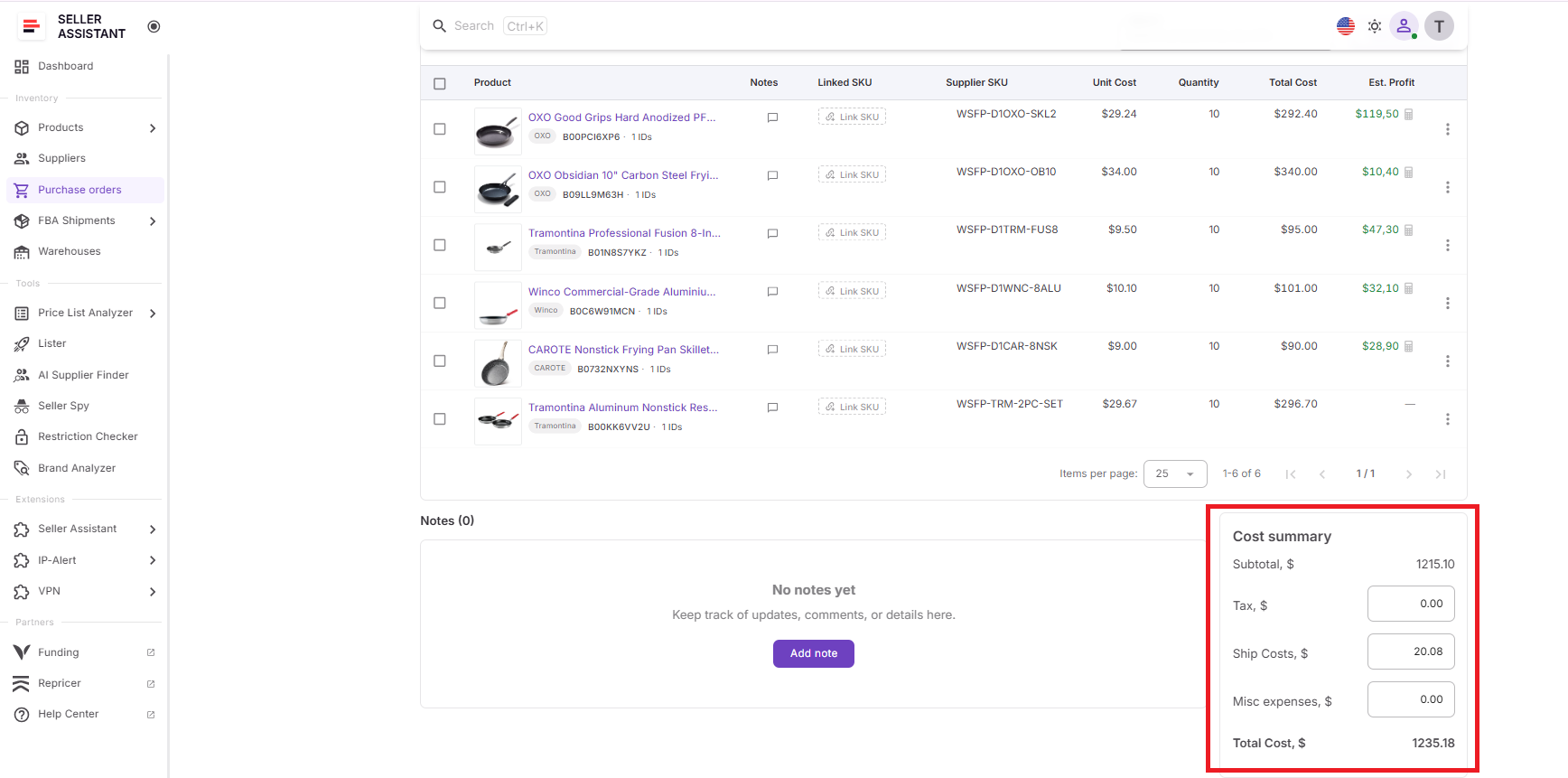
Instead of tracking shipping costs, taxes, and product costs across multiple spreadsheets or documents, sellers can review their complete inventory investment directly within the purchase order.
Cost Summary Panel functionality
Cost Summary Panel helps sellers track and manage purchase-order expenses before committing capital to inventory.
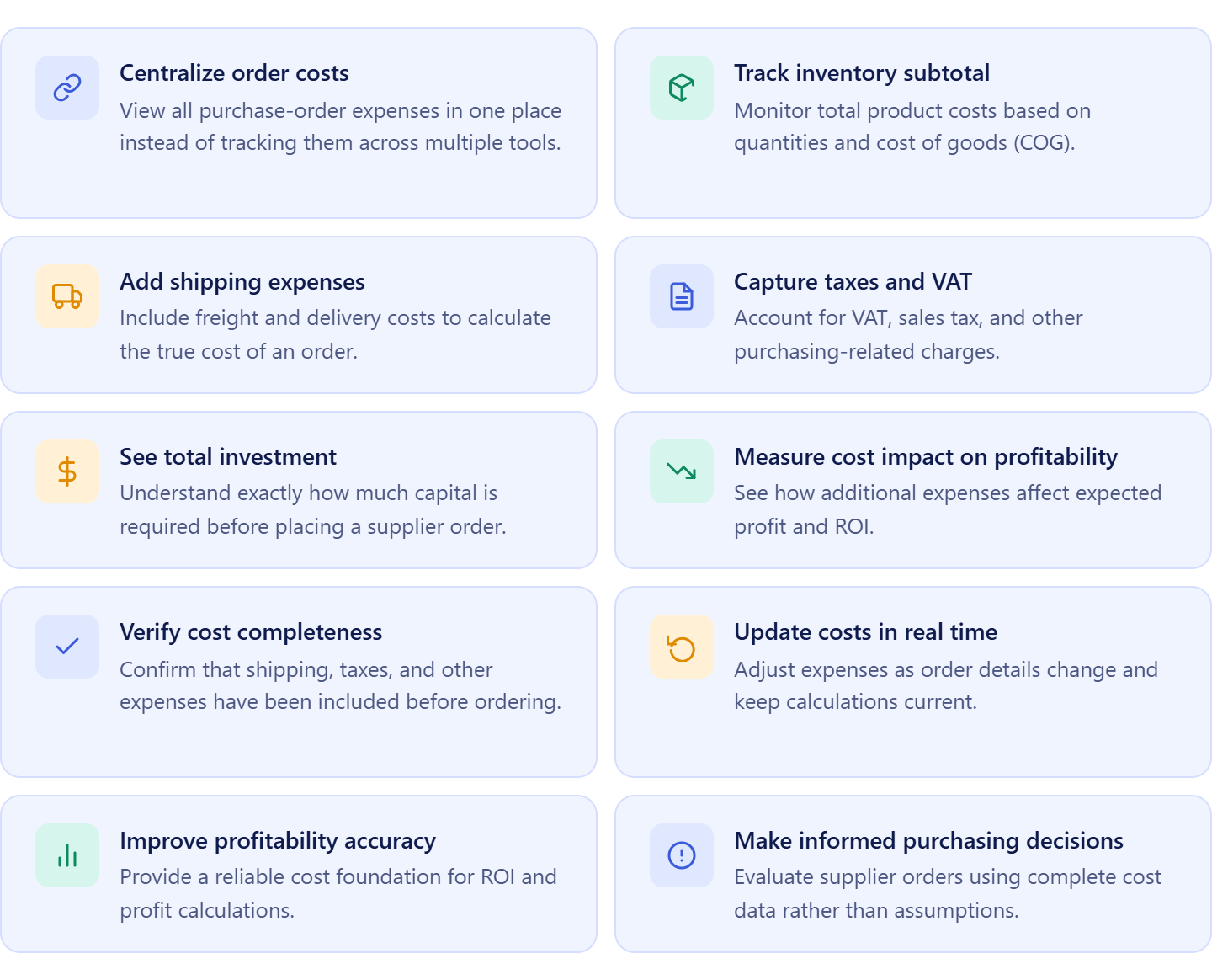
It allows sellers to:
- Consolidate all purchase-order costs in one place;
- Track subtotal inventory costs based on product quantities and COG;
- Add shipping expenses to calculate the true cost of an order;
- Include VAT, taxes, and other purchasing costs;
- View total inventory investment before placing an order;
- Monitor how additional expenses affect order profitability;
- Validate that all purchasing costs have been accounted for;
- Update costs as order details change;
- Support more accurate profitability calculations;
- Make purchasing decisions using complete cost data rather than estimates.
How Cost Summary Panel supports purchase order profit and cost management
Cost Summary Panel provides visibility into the total financial commitment required for a supplier order. While Product Database and Landed Cost help sellers understand product-level costs, Cost Summary Panel focuses on order-level expenses such as shipping, taxes, and other purchasing costs that impact overall investment.
By consolidating these expenses into a single view, the panel ensures no major costs are overlooked before a purchase order is sent to a supplier. This creates a more accurate foundation for profitability calculations, helping sellers evaluate expected returns, manage cash flow, and make purchasing decisions based on complete financial data.
How to Use Seller Assistant’s Purchase Order Profit and Cost Management Tools
Seller Assistant connects product sourcing, cost tracking, purchase-order management, and profitability analysis into one workflow. Here’s how to use the tools together to evaluate costs and profitability before placing a supplier order.
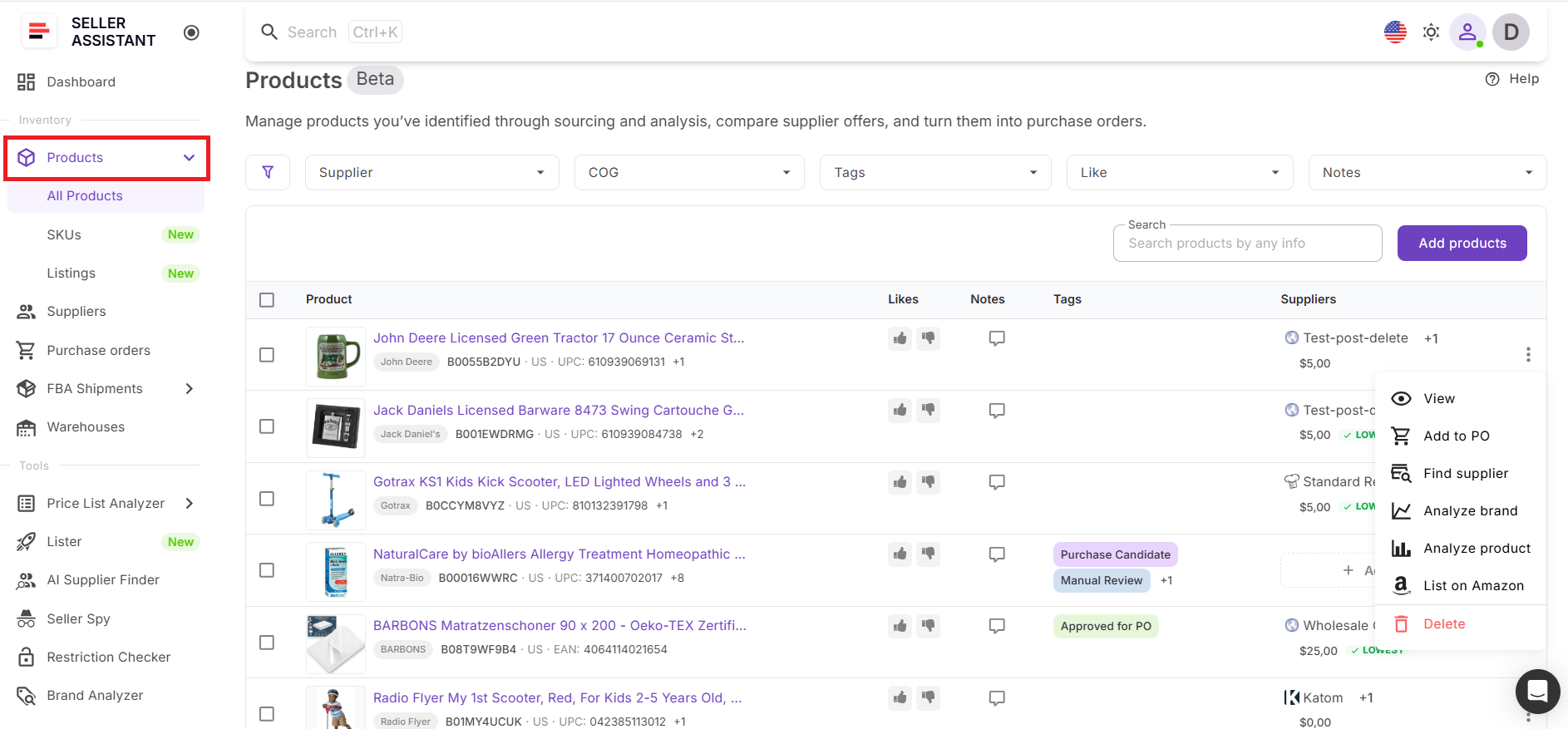
Step 1. Add and organize products in Product Database
Store sourced products, supplier offers, and cost information in Products (Product Database). For analyzed products, this is automatic. Compare supplier pricing, select preferred suppliers, and keep purchasing data organized for future orders.
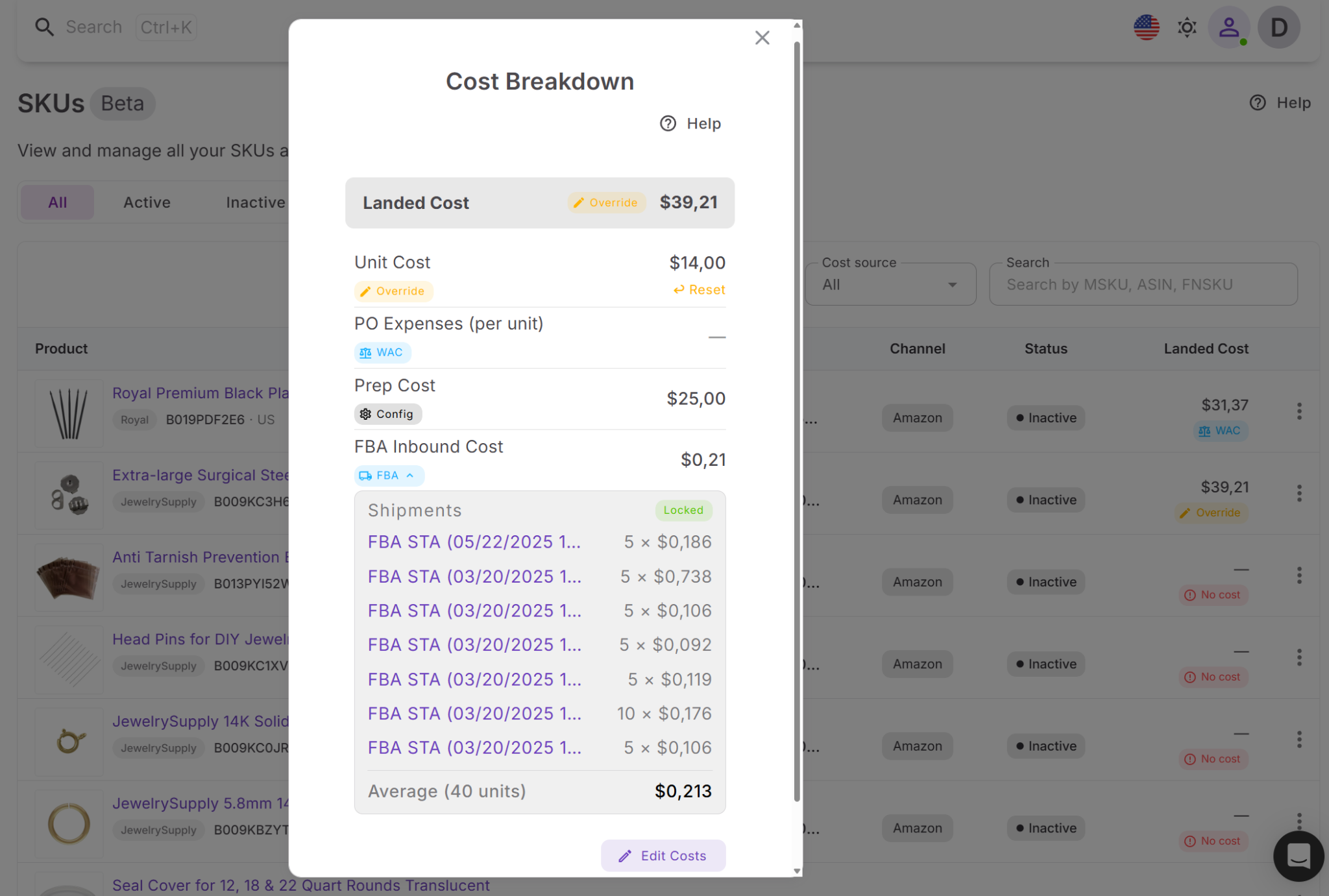
Step 2. Review landed cost for each SKU
Use Landed Cost in Product Database to calculate the true per-unit cost of inventory. Review COG, purchase-order expenses, prep costs, and FBA inbound fees to understand actual product profitability.
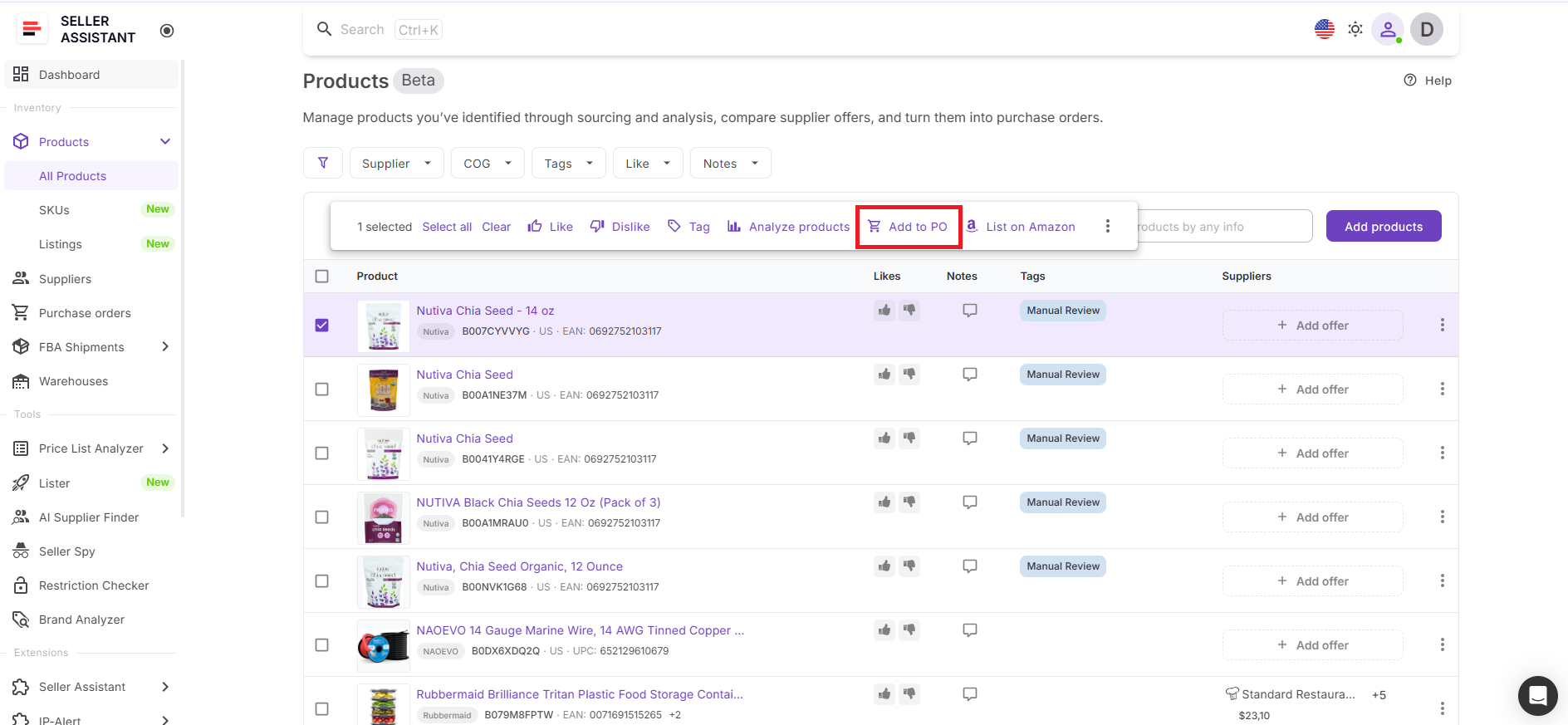
Step 3. Create a purchase order
Select the products you want to add to PO and click Add to Purchase Order to create a new supplier order directly from Product Database. Add approved products and automatically apply supplier and warehouse information.
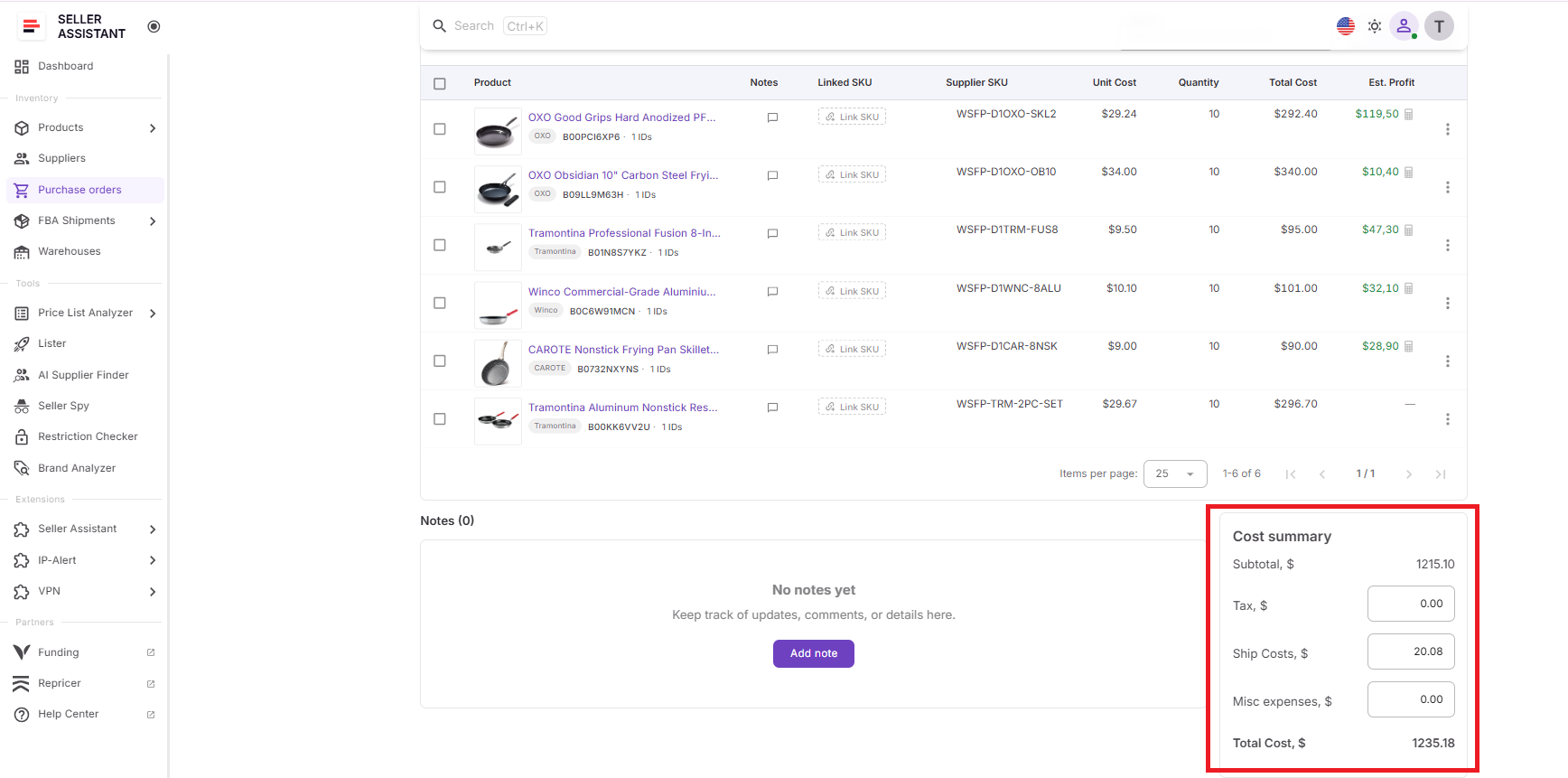
Step 4. Complete the Cost Summary Panel
Enter shipping costs, VAT, taxes, and other order-level expenses. Review the total inventory investment to understand the full financial commitment before placing the order.
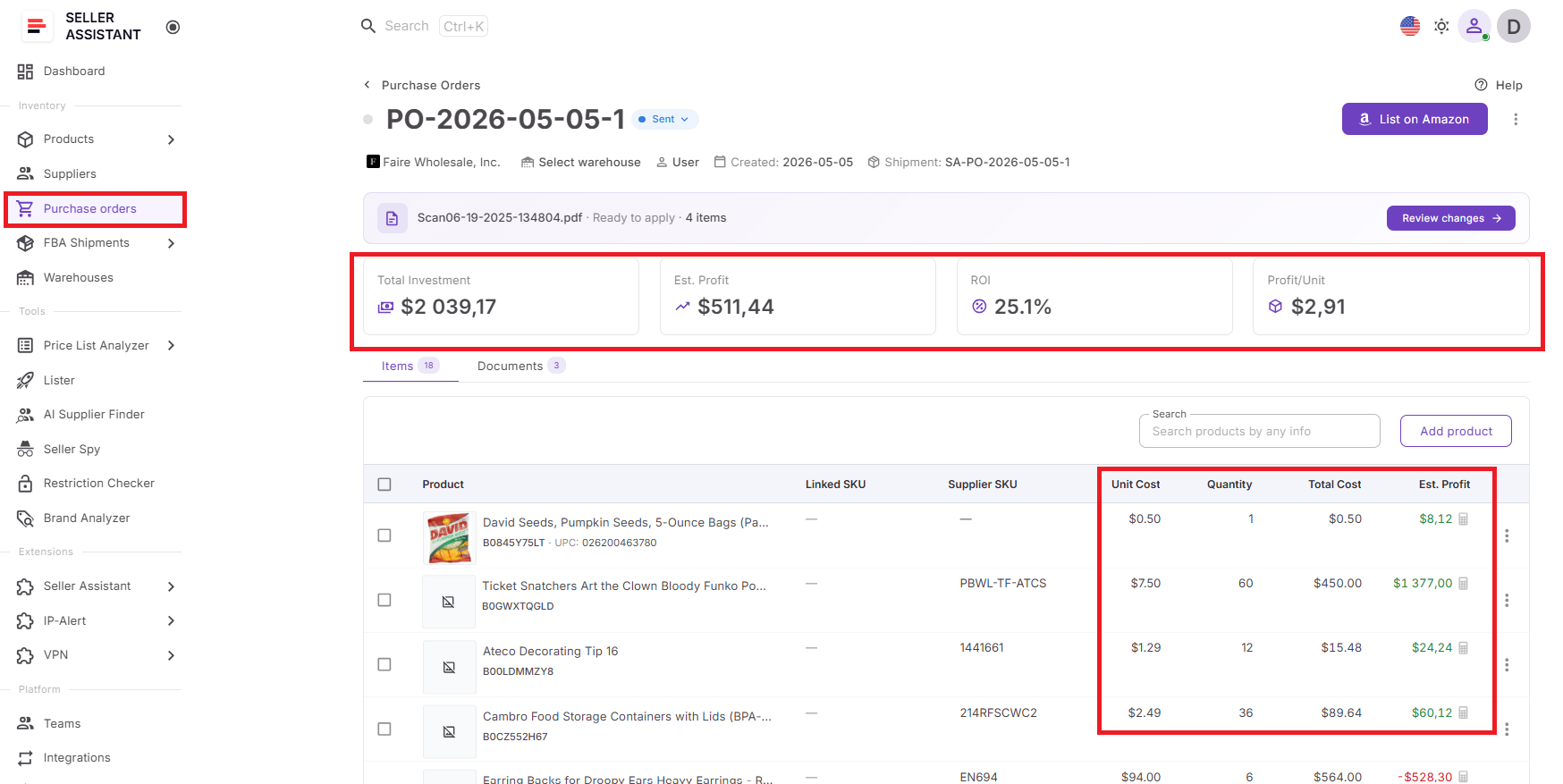
Step 5. Analyze profitability with PO Profit Calculator
Review expected profit, ROI, profit per unit, and total investment for the purchase order. Identify low-performing products and evaluate whether the order meets your profitability goals.
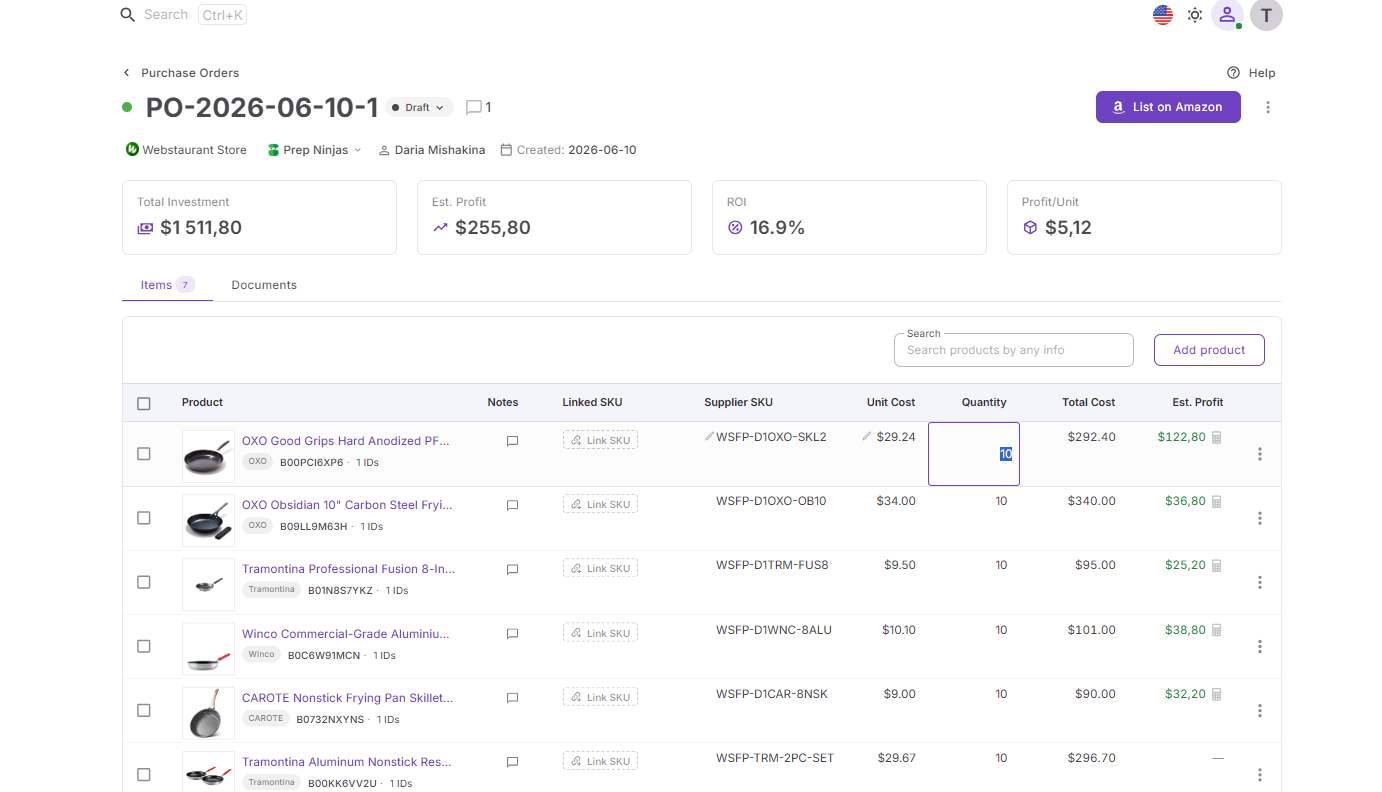
Step 6. Optimize the order before purchasing
Adjust quantities, update costs, remove weaker SKUs, and review different purchasing scenarios until the order reaches your target profit and ROI.
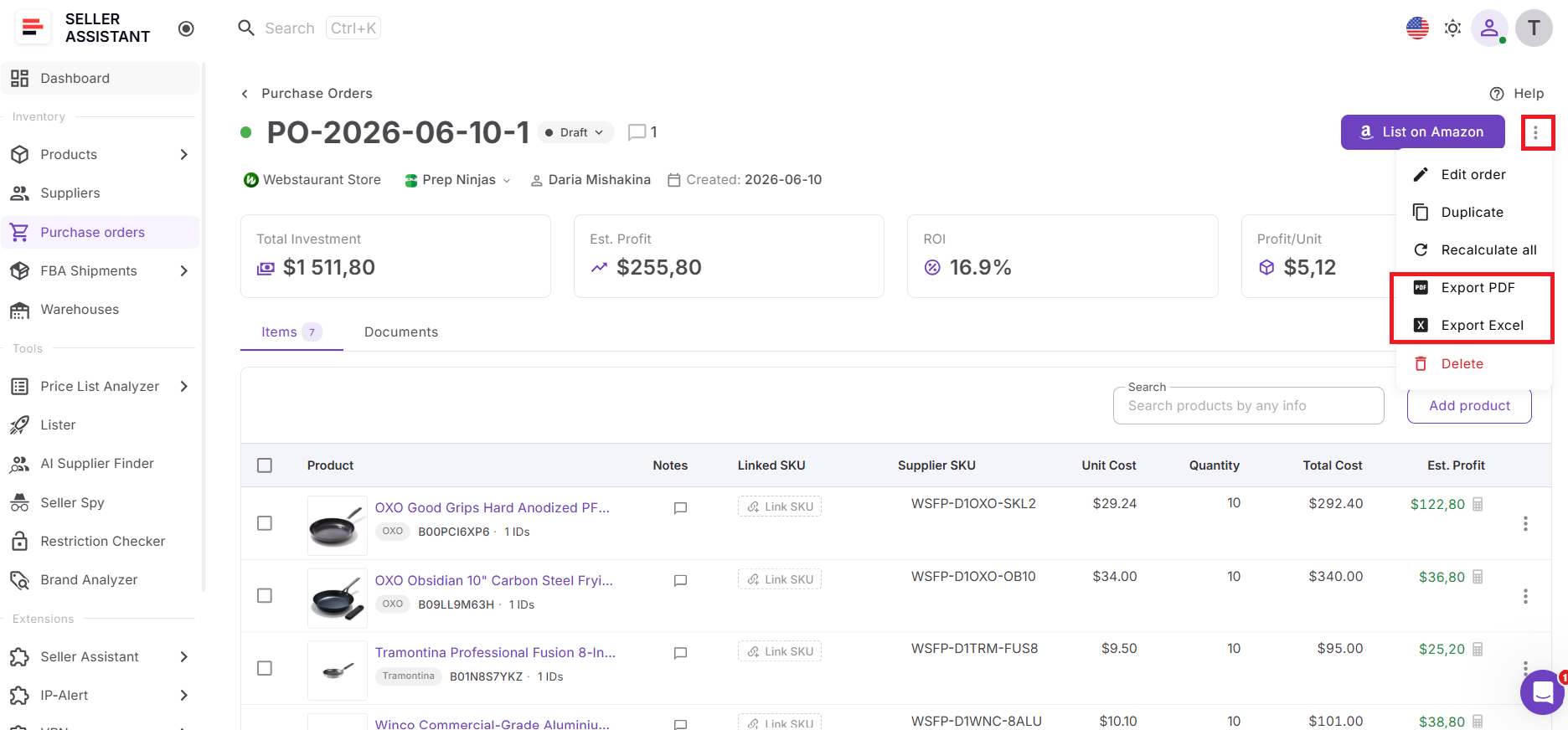
Step 7. Export and send the purchase order
Once costs and profitability look right, export the purchase order as PDF or XLSX and send it to your supplier. Continue tracking purchasing performance and cost updates as inventory moves through fulfillment.
FAQ
What is purchase order profitability?
Purchase order profitability measures the expected financial performance of an entire supplier order, not just individual products. It considers total investment, all purchasing costs, and projected earnings to show whether the order is worth the capital required.
Why is landed cost important for Amazon sellers?
Landed cost reveals the true per-unit cost of inventory after product cost, prep fees, shipping, and FBA inbound expenses are included. Without it, sellers may overestimate margins and make purchasing decisions based on incomplete cost data.
What’s the difference between product profitability and purchase order profitability?
Product profitability evaluates the performance of a single SKU, while purchase order profitability evaluates the combined performance of all products in an order. A purchase order can contain profitable products but still deliver lower-than-expected returns due to additional costs or weaker-performing SKUs.
Which costs should be included in a purchase order calculation?
A complete purchase order calculation should include COG, shipping expenses, taxes, VAT, prep costs, and any other purchasing-related expenses. Including all costs helps sellers understand their true investment and expected profitability before placing an order.
Why is purchase order software better than spreadsheets?
Purchase order software keeps supplier data, product costs, expenses, and profitability calculations connected in one workflow. This reduces manual work, prevents data-entry errors, and provides a more accurate view of purchasing performance as your business scales.
Final Thoughts
Profitable Amazon sourcing doesn’t end when you find a promising product. To make informed purchasing decisions, you need visibility into every cost that affects your inventory investment and every metric that determines whether a purchase order will deliver the returns you expect.
Seller Assistant helps Amazon wholesale sellers, online arbitrage sellers, and dropshippers manage the entire process in one connected workflow. With Product Database, Landed Cost, Purchase Orders Module, Cost Summary Panel, and PO Profit Calculator working together, sellers can track real inventory costs, evaluate purchase order profitability, and optimize purchasing decisions before committing capital. Instead of relying on disconnected spreadsheets and estimates, you can use accurate, up-to-date data to control costs, improve ROI, and scale your business with greater confidence.
Seller Assistant automates and connects every stage of your Amazon wholesale and arbitrage workflow. It brings together in one platform: workflow management tools – Product Database, Purchase Orders Module, Suppliers Database, Warehouses Database, FBA Shipments, bulk research & sourcing tools – Price List Analyzer, Bulk Restriction Checker, Sourcing AI, Brand Analyzer, Seller Spy, Chrome extensions – Seller Assistant Browser Extension, IP-Alert Extension, and built-in VPN by Seller Assistant, and integrations & team access features – seamless API connectivity, integrations with Zapier, Airtable, and Make, and Virtual Assistant Accounts.


