



Ready for a better product research experience? We work hard to help you avoid any IP complaints and intellectual property rights violations. Now, our enhanced IP Alert feature with the breakdown by product issues shows you what has triggered the IP Alert.
Enhanced IP Alert with Breakdown by Issue
The new enhanced feature displays that a product has IP Alert and specifies what exactly triggered that IP Alert. That is important since some IP warnings, like Suspected Intellectual Property Violation, may be triggered automatically.
What does the enhanced IP-Alert show?
1. We display violation types as categorized in your Amazon Seller Central.
Violation types we display:
- Suspected Intellectual Property Violation;
- Automated Brand Protection Received Intellectual Property Complaint;
- Intellectual Property Product Authenticity Customer Complaint;
- Product Authenticity Product Condition Customer Complaint;
- Product Condition Food and Product Safety Issue;
- Product Safety Listing Policy Violation;
- Listing Policy Restricted Product Policy Violation;
- Restricted Products Customer Product Reviews Policy Violation;
- Product Review Abuse;
- Other Policy Violations.
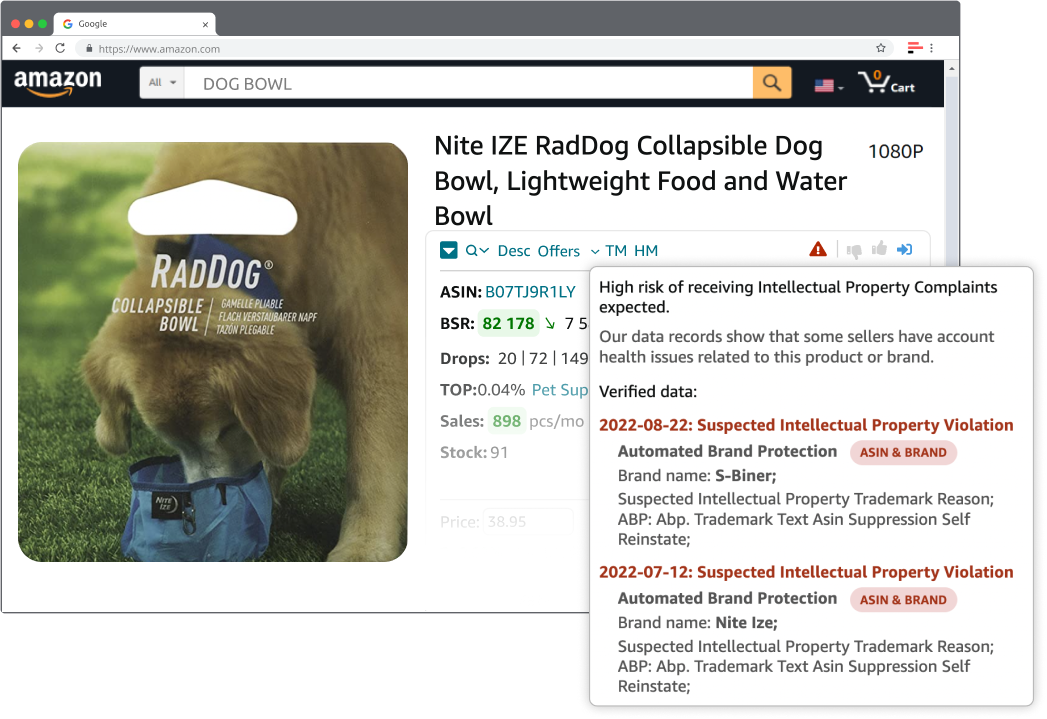
IP Alerts display violation types as categorized in your Amazon Seller Central
2. We indicate what triggered an IP warning – brand name, ASIN, or both.
It’s crucial to understand what triggered the warning. If the brand name is a reason, you need to consider issues with the brand, if an ASIN – with the ASIN.
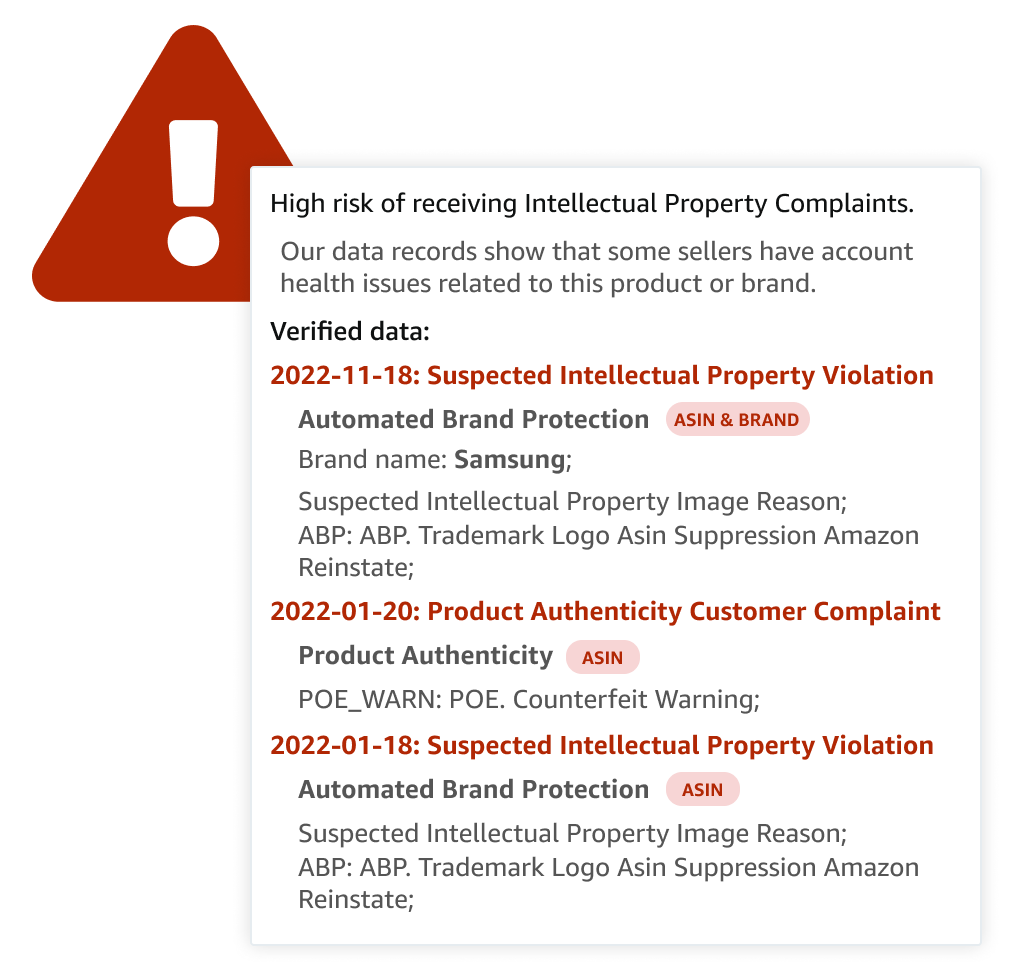
IP Alerts indicate what triggered an IP warning – brand name, ASIN, or both
Important: The warning can be triggered by a brand name that differs from ASIN’s brand. For example, if you sell an ASIN that specifies “Bluetooth headphones to iPhone - ABCD brand,” you can automatically receive Suspected Intellectual Property Violation concerning the “iPhone” brand name, although the ASIN belongs to the ABCD brand.
3. We specify the 10 most recent alerts
IP Alert feature shows 10 latest warnings to the product.
You can use Seller Assistant’s IP Alert feature for free. If it’s vital for you to know IP Alert breakdown by issue, subscribe to our paid plan.
[
Try For Free
](https://app.sellerassistant.app/register)
Seller Assistant’s Free IP-Warning Plugin Is Updated
We have also updated our free IP-Warning plugin with an IP Alert breakdown by issue feature.
It displays all violation types as well.
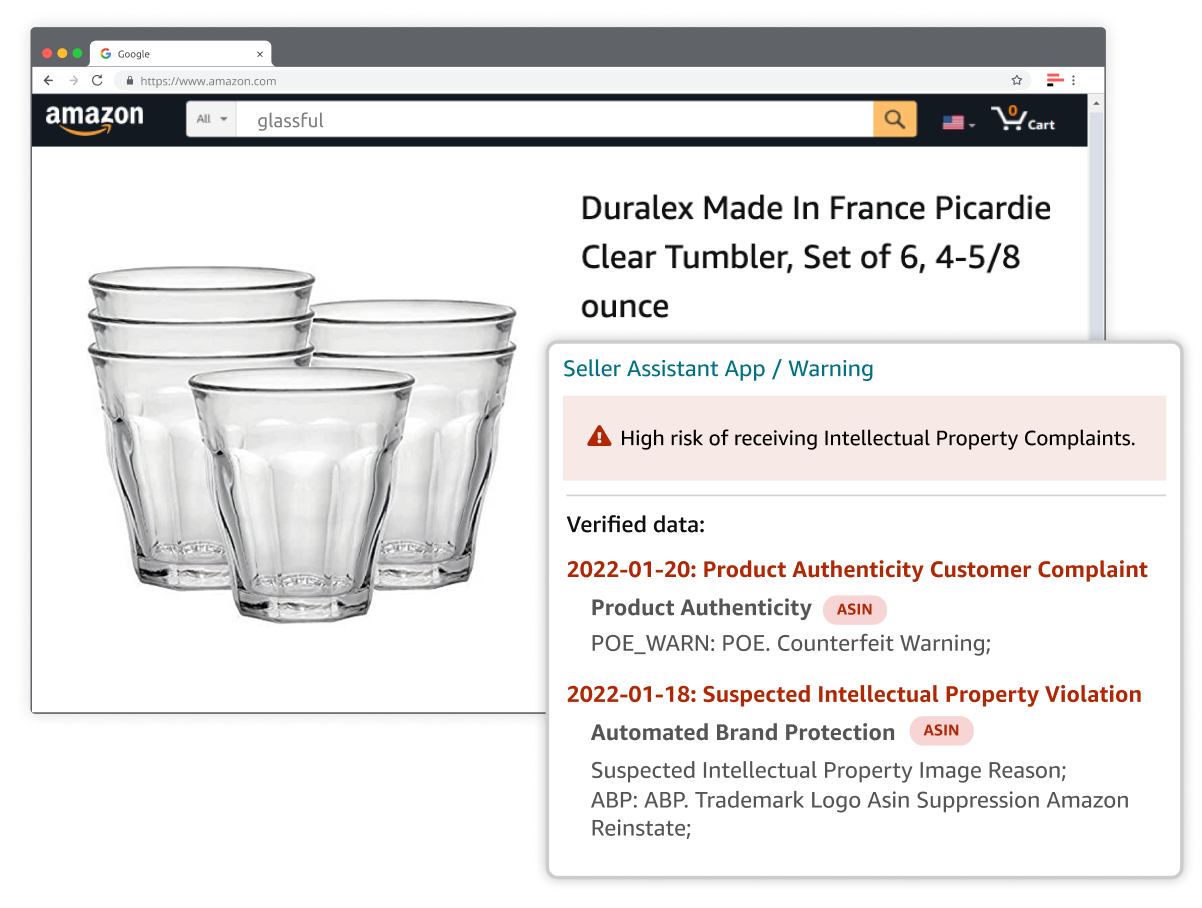
Updated Free IP-Warning Plugin
The IP Alert feature is free. The IP Alert breakdown by issue feature is paid.
[
Install Seller Assistant / Warning
](https://sellerassistant.app/warning)
Sell safely with Seller Assistant.


