Managing wholesale supplier purchase orders becomes increasingly difficult as your Amazon business grows. More suppliers, larger product catalogs, multiple prep centers, and frequent replenishment cycles create a complex purchasing environment where manual processes often lead to costly mistakes.
When supplier data, product costs, routing details, and purchasing records are scattered across spreadsheets and emails, keeping orders accurate and organized becomes a challenge.
Seller Assistant helps Amazon wholesale sellers streamline this process by connecting sourcing, supplier management, inventory routing, and purchasing into one workflow. In this post, you’ll learn how to manage wholesale supplier purchase orders more efficiently and scale procurement operations with confidence.
Note. Seller Assistant is an end-to-end Amazon workflow management platform that integrates 15+ wholesale-focused solutions into one connected system. It combines sourcing workflow automation, bulk research and intelligence tools, and integrated Chrome extensions – giving you everything you need to streamline finding deals, managing suppliers, and creating purchase orders.

With Seller Assistant, every step of your Amazon wholesale and arbitrage workflow is automated and connected.
What Is the Best Way to Manage Wholesale Supplier Purchase Orders?
Managing wholesale supplier purchase orders involves much more than sending orders to suppliers. Amazon sellers must coordinate supplier relationships, evaluate product catalogs, select profitable inventory, plan fulfillment routing, and track purchasing decisions throughout the procurement process.
The most effective approach is to treat purchasing as a structured process where every step builds on the previous one.
From supplier discovery to purchase order creation
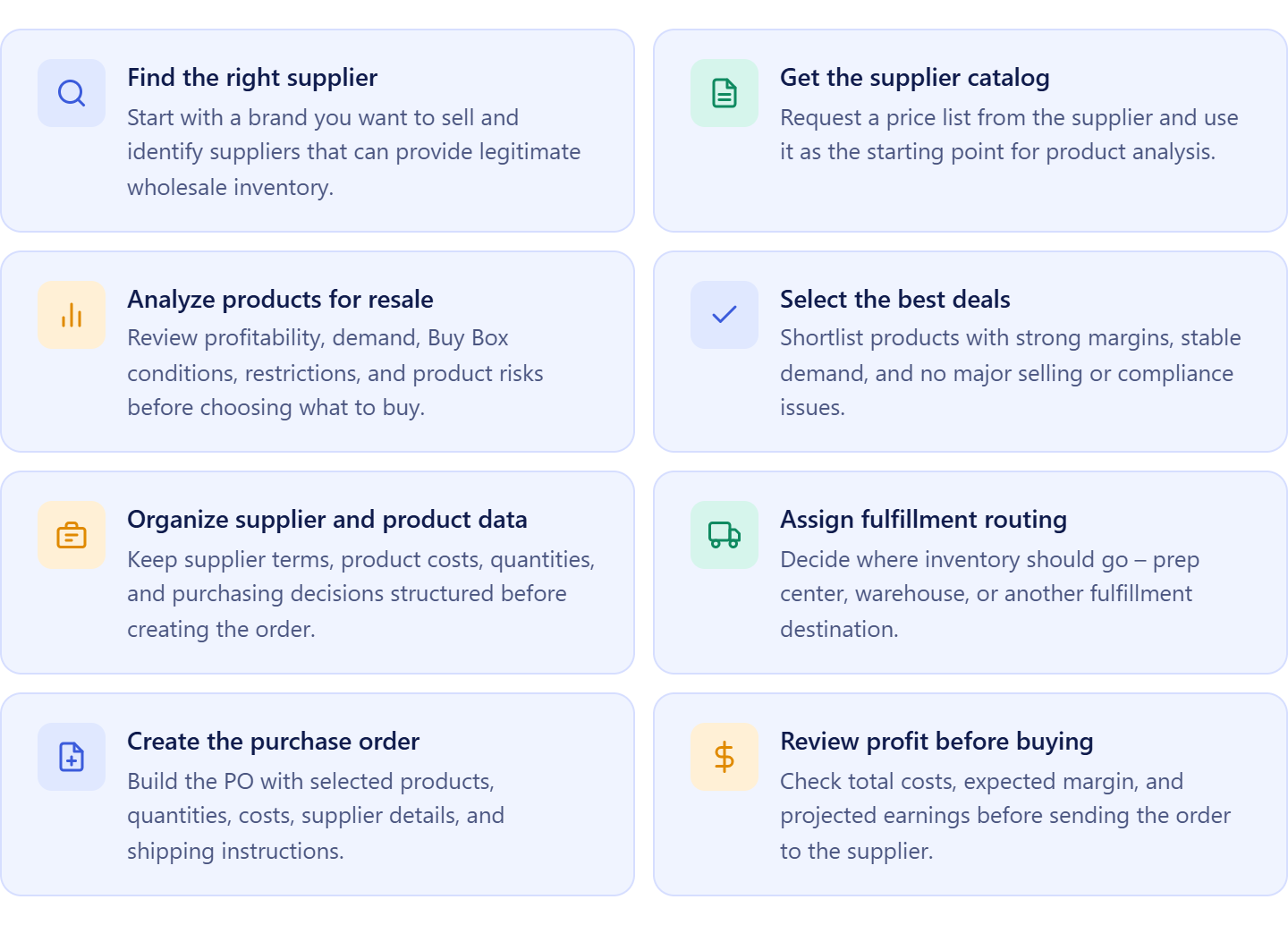
The process typically starts with finding a supplier for a brand you want to sell. After establishing a supplier relationship, you obtain a product catalog and evaluate which products are worth purchasing based on profitability, demand, competition, restrictions, and potential risks.
Once the best products are selected, you organize supplier information, determine where inventory will be shipped, create a purchase order, review costs and projected profits, and send the order to the supplier. After the order is placed, you continue tracking it until inventory reaches its destination.
Why purchasing accuracy matters
Every purchasing decision directly affects profitability, inventory availability, and operational efficiency. Ordering the wrong products, using outdated costs, working with unreliable suppliers, or sending inventory to the wrong destination can lead to delayed replenishment, weaker margins, excess inventory, or lost sales.
A well-managed purchasing process helps sellers make better buying decisions and maintain healthy inventory levels.
Why successful sellers use connected workflows
As wholesale operations grow, purchasing involves more suppliers, larger catalogs, additional prep centers, and more frequent replenishment cycles. Managing these activities through spreadsheets, emails, and disconnected tools creates unnecessary complexity and increases the risk of mistakes.
A structured workflow keeps supplier information, product data, purchasing decisions, and routing details connected, making procurement faster, more accurate, and easier to scale.
Why Amazon Sellers Use Connected Purchasing Workflows
Managing wholesale supplier purchase orders involves dozens of moving parts – supplier relationships, product catalogs, profitability analysis, routing decisions, and procurement execution. When these activities are handled in separate spreadsheets and tools, data becomes fragmented, mistakes increase, and purchasing takes longer than necessary.
Seller Assistant connects supplier discovery, sourcing, product management, warehouse routing, and purchase order creation into one workflow. This allows Amazon wholesale sellers, online arbitrage sellers, and dropshippers to manage purchasing more efficiently while maintaining accuracy as operations grow.
Faster supplier sourcing
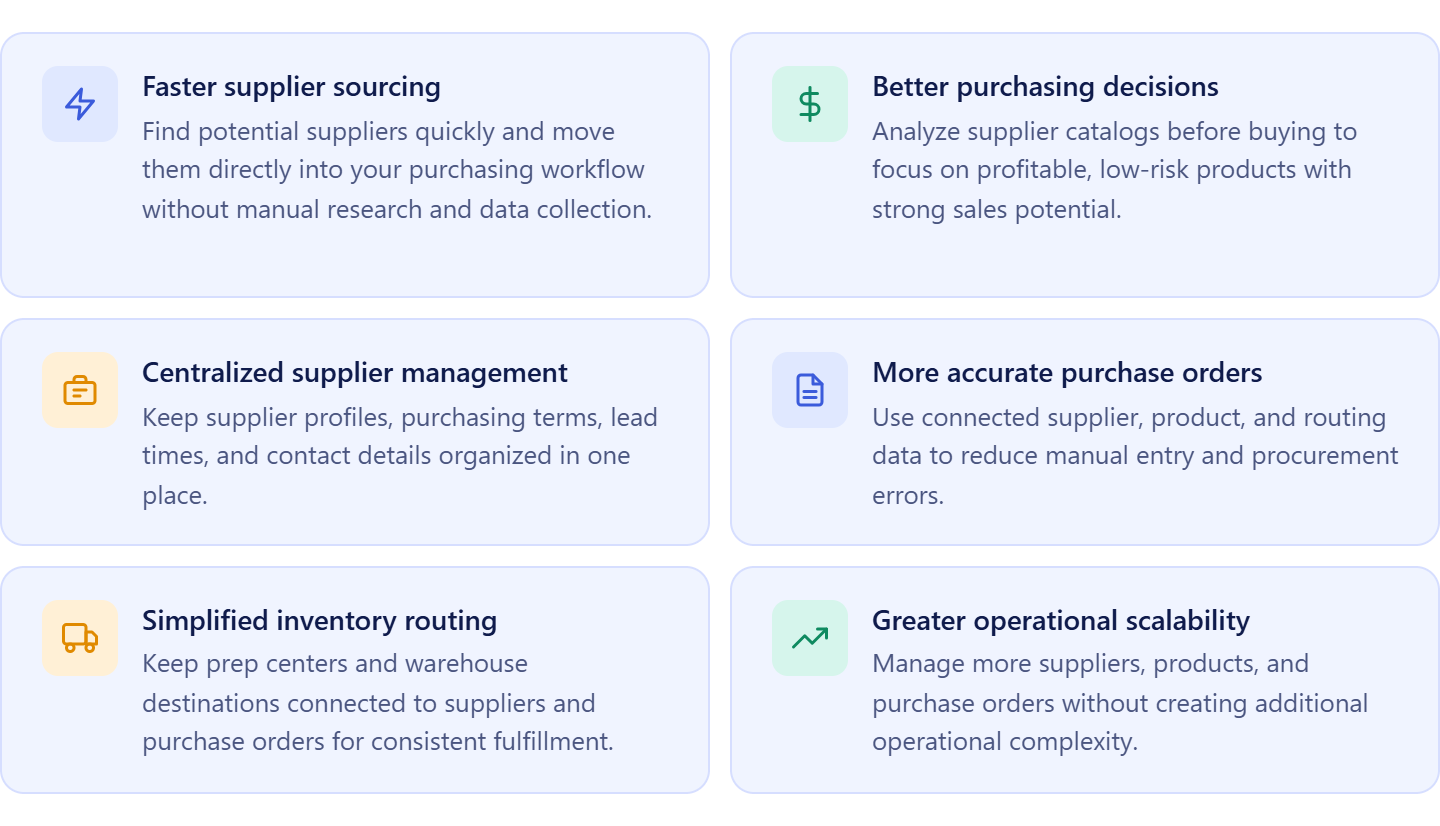
Finding reliable suppliers becomes quicker when supplier discovery is built directly into the purchasing workflow. Instead of spending hours searching manually, sellers can identify potential suppliers and move them directly into supplier management.
Better purchasing decisions
Analyzing supplier catalogs before purchasing helps sellers focus on profitable, low-risk products. This reduces costly buying mistakes and ensures purchase orders are based on validated sourcing opportunities.
Centralized supplier management
Keeping supplier profiles, payment terms, lead times, and contact information in one place makes supplier relationships easier to manage and maintain over time.
More accurate purchase orders
When supplier details, product information, and warehouse routing are connected, purchase orders can be created with fewer manual inputs. This reduces data-entry errors and keeps procurement information consistent.
Simplified inventory routing
Managing prep centers and warehouse destinations inside the same workflow ensures suppliers always receive the correct shipping instructions, helping prevent routing mistakes and fulfillment delays.
Greater operational scalability
As the number of suppliers, products, and purchase orders grows, connected workflows make it easier to manage purchasing without adding operational complexity. Sellers can handle higher order volumes while maintaining accuracy, visibility, and control.
How Seller Assistant Turns Supplier Purchasing into a Connected Workflow
Managing wholesale supplier purchase orders efficiently requires more than a purchase order tool. Before an order can be created, sellers must find suppliers, evaluate supplier catalogs, identify profitable products, organize supplier and product data, assign fulfillment destinations, and prepare purchasing information.
Seller Assistant connects all of these stages into one workflow. Sellers can discover suppliers, manage supplier relationships, analyze price lists, store approved products, assign warehouses, and create purchase orders without re-entering the same information repeatedly. As data moves automatically between tools, purchasing becomes faster, more accurate, and easier to scale.
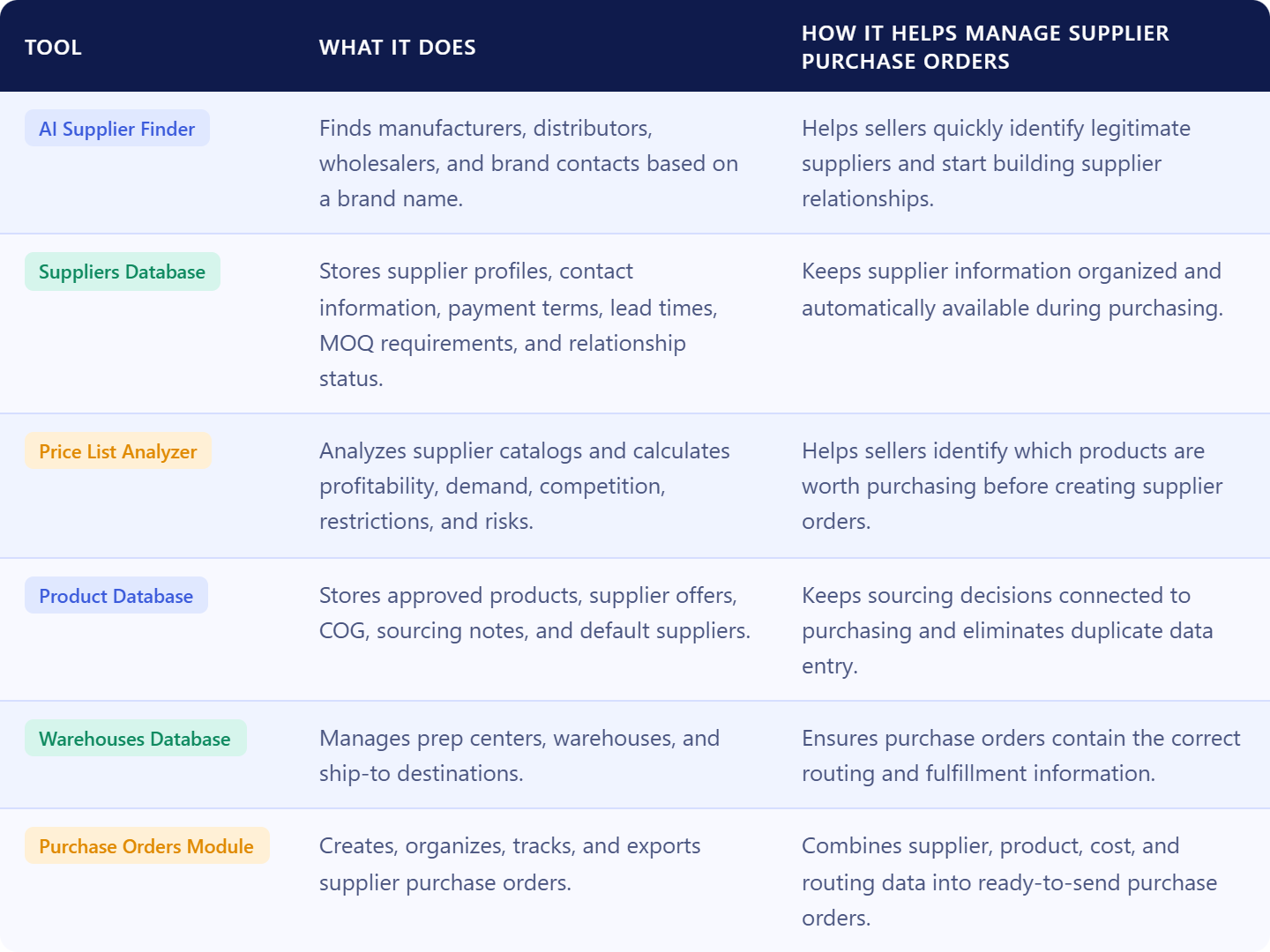
Seller Assistant tools used in the supplier purchasing workflow
What Is AI Supplier Finder
AI Supplier Finder is Seller Assistant’s AI-powered supplier discovery tool designed for Amazon wholesale sellers, online arbitrage sellers, and dropshippers. It helps sellers find manufacturers, distributors, wholesalers, and brand owners for the products they want to source by simply entering a brand name.
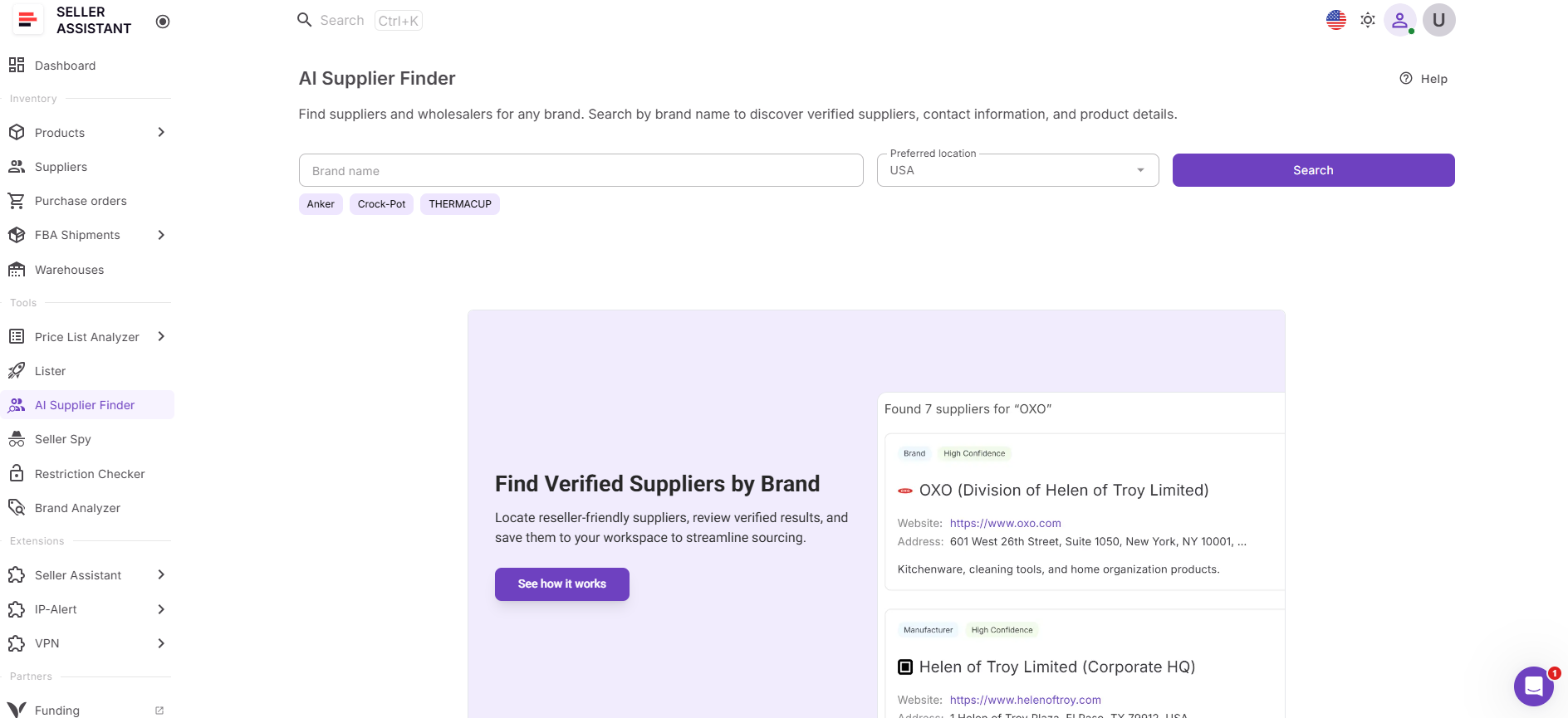
Instead of spending hours searching Google, filtering out retail stores, and verifying supplier legitimacy manually, sellers get structured, resale-focused supplier results prioritized by relevance and suitability for wholesale sourcing.
What AI Supplier Finder does
AI Supplier Finder helps sellers find and qualify suppliers before they begin the purchasing process.
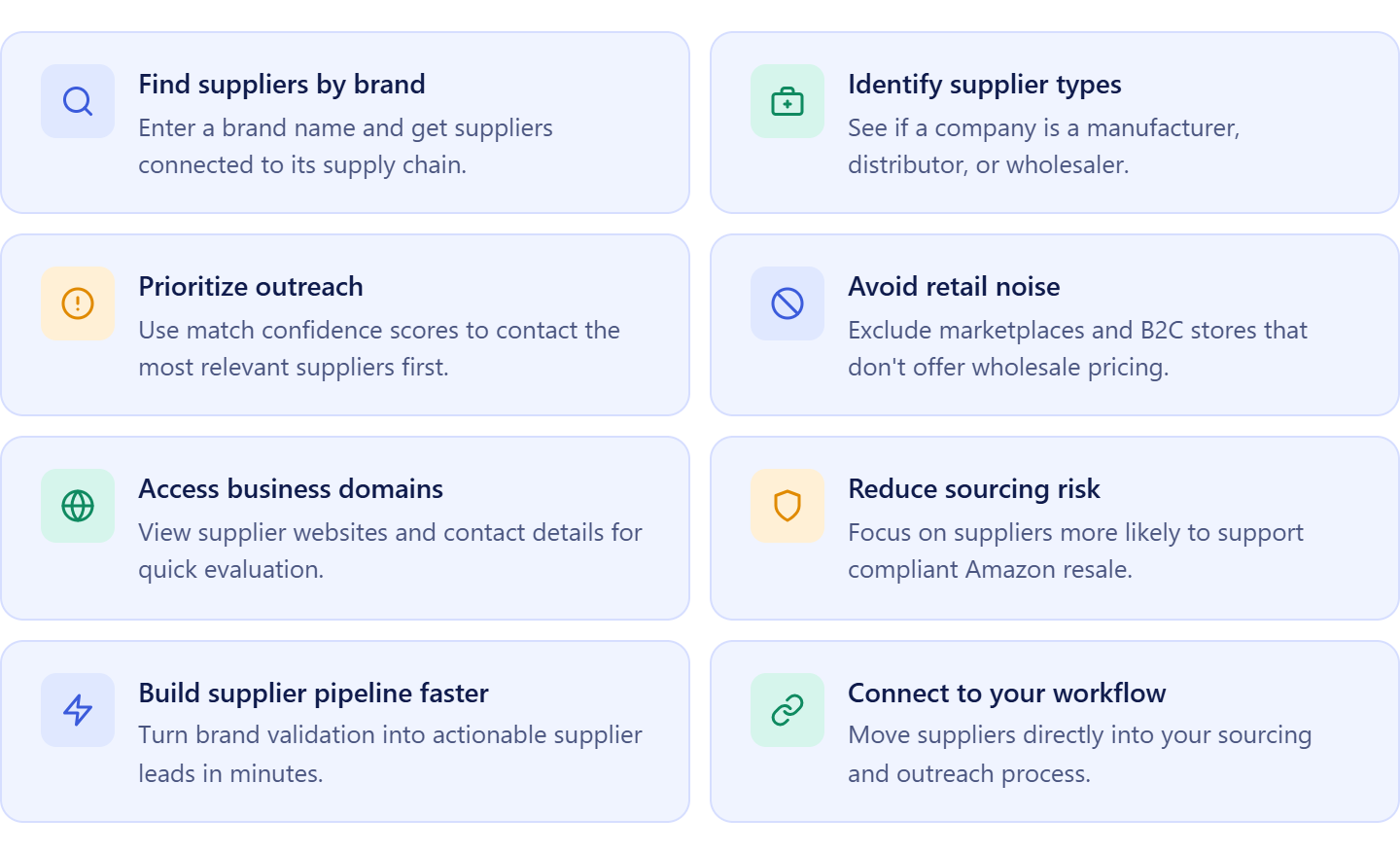
It allows sellers to:
- Find suppliers by brand name;
- Discover manufacturers, distributors, wholesalers, and brand owners;
- Prioritize suppliers based on resale suitability;
- View supplier websites and contact information;
- Evaluate supplier relevance using match confidence scores;
- Filter out retail stores, marketplaces, and B2C websites;
- Launch supplier searches directly from sourcing workflows;
- Save suppliers directly into supplier management workflows.
How AI Supplier Finder helps manage wholesale supplier purchase orders
AI Supplier Finder helps sellers manage wholesale supplier purchase orders by simplifying the first step of the purchasing process – finding reliable suppliers. Instead of manually searching for manufacturers, distributors, and wholesalers, sellers can quickly identify sourcing partners that carry the brands they want to sell.
Once suppliers are identified, they can be added directly to the purchasing workflow, where supplier information, purchasing terms, product catalogs, and fulfillment details remain connected throughout the buying process. This creates a seamless path from supplier discovery to supplier orders, helping sellers build more organized and scalable purchasing operations.
What Is Suppliers Database?
Suppliers Database is Seller Assistant’s centralized supplier organization tool designed for Amazon wholesale sellers, online arbitrage sellers, and dropshippers. It helps sellers store and manage supplier information, purchasing terms, shipping preferences, lead times, and relationship details in one structured system connected to the supplier purchasing workflow.
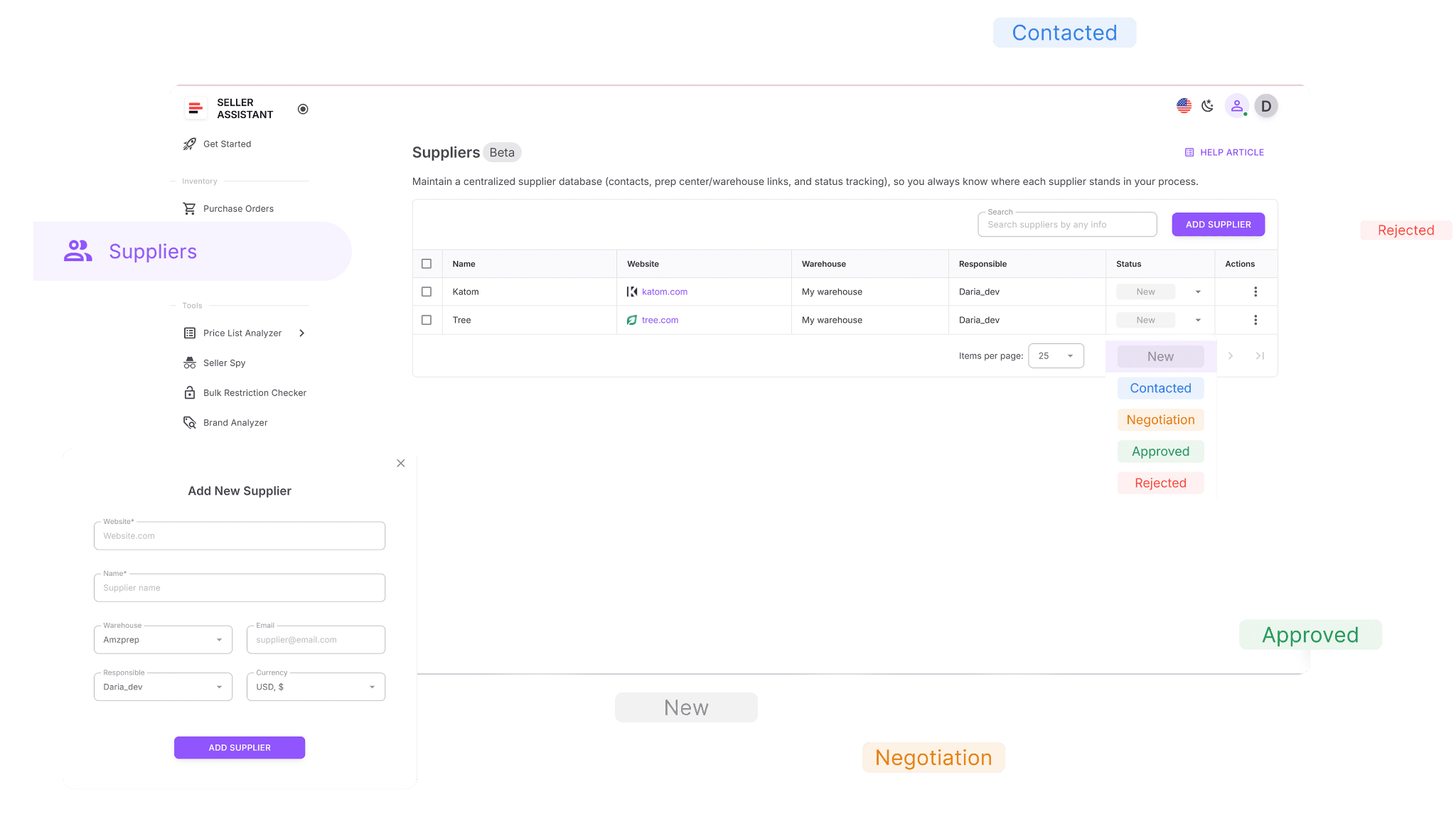
Instead of keeping supplier records in spreadsheets, email threads, and scattered documents, sellers manage all supplier information in one place where it remains organized, up-to-date, and accessible throughout the purchasing process.
What Suppliers Database does
Suppliers Database helps sellers organize supplier relationships and maintain consistent supplier purchasing workflows.
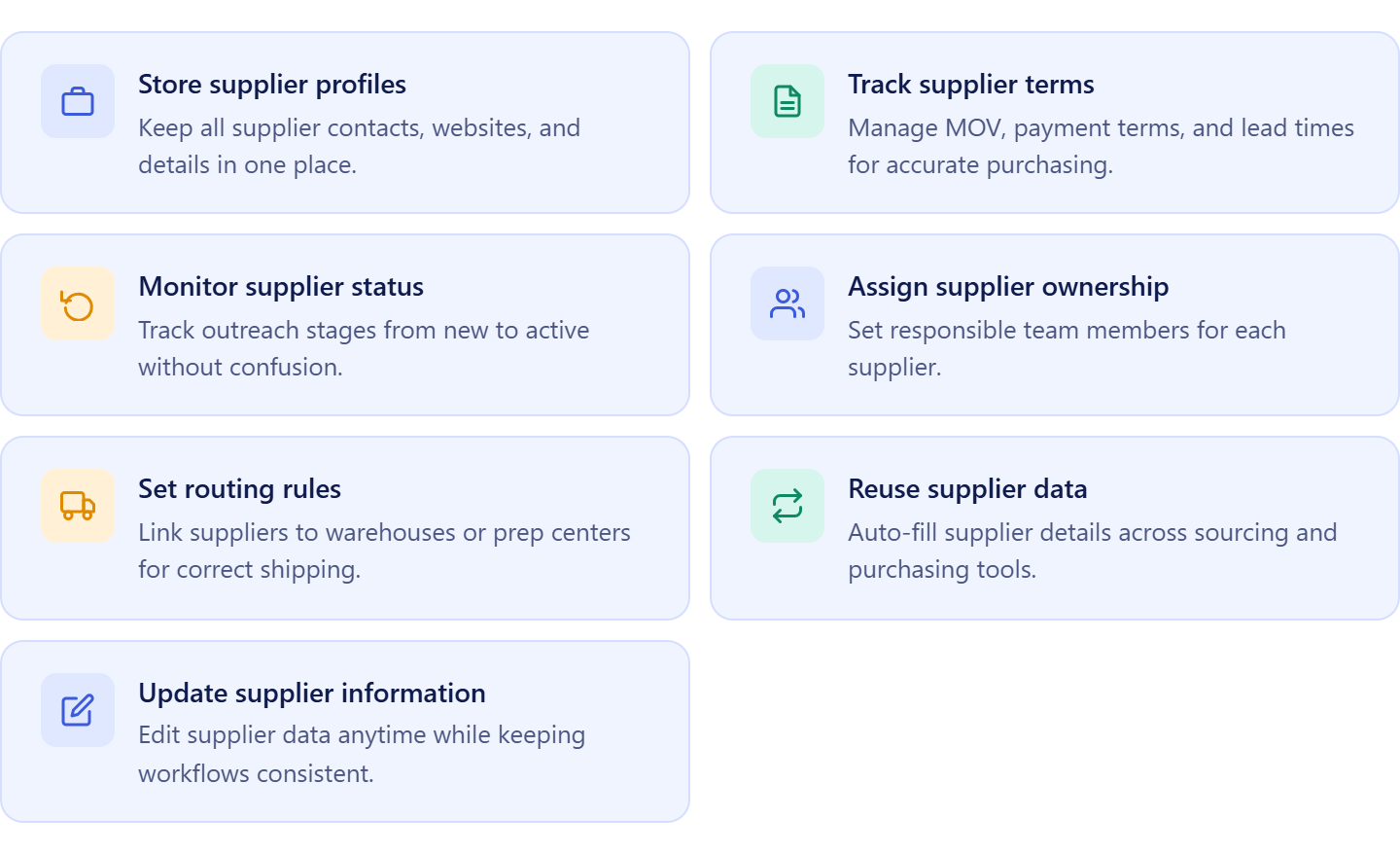
It allows sellers to:
- Store supplier profiles, websites, and contact details in one location;
- Manage supplier terms such as MOQ, payment conditions, lead times, and shipping requirements;
- Track supplier relationship status and outreach activity;
- Assign suppliers to team members and virtual assistants;
- Connect suppliers to prep centers and warehouse destinations;
- Reuse supplier information when creating supplier orders;
- Update supplier records without disrupting existing workflows.
How Suppliers Database helps manage wholesale supplier purchase orders
Suppliers Database helps manage wholesale supplier purchase orders by keeping supplier information connected to every stage of the purchasing process. Instead of manually searching for supplier contacts, payment terms, lead times, and shipping instructions each time an order is created, sellers can access all purchasing data from a centralized supplier record.
This keeps supplier information consistent across orders, reduces purchasing errors, improves communication with suppliers, and speeds up order creation. As businesses grow, supplier records remain connected to products, warehouses, and supplier orders, making wholesale purchasing more organized, scalable, and easier to manage.
What Is Price List Analyzer?
Price List Analyzer is Seller Assistant’s bulk catalog analysis tool designed for Amazon wholesale sellers, online arbitrage sellers, and dropshippers who source products from supplier price lists. It helps sellers evaluate large supplier catalogs and identify products that are worth purchasing based on profitability, demand, competition, restrictions, and potential risks.
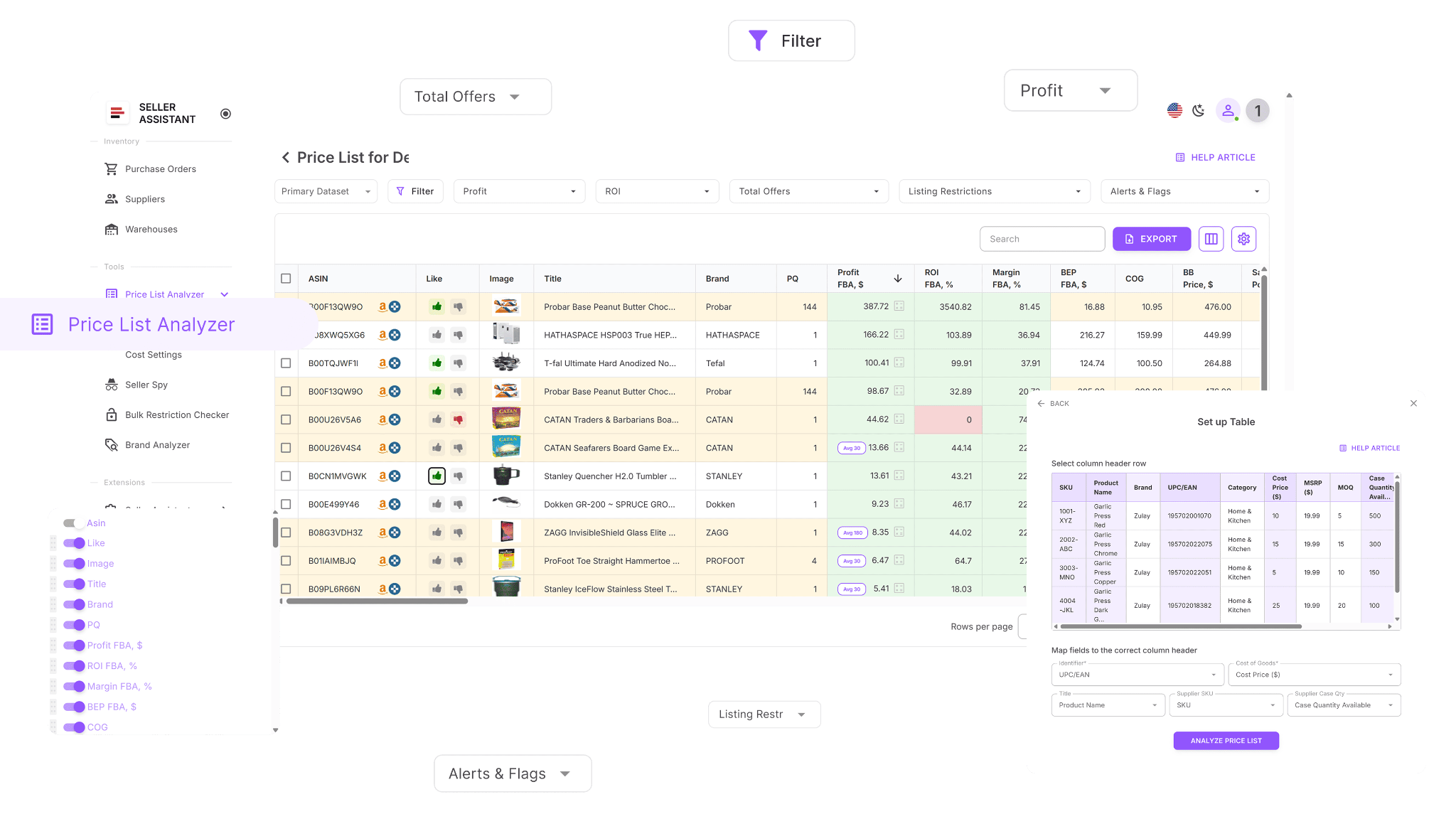
Instead of manually researching products one by one, sellers can upload entire supplier catalogs and quickly identify the best opportunities for their business before placing supplier orders.
What Price List Analyzer does
Price List Analyzer helps sellers evaluate supplier catalogs and make data-driven purchasing decisions.
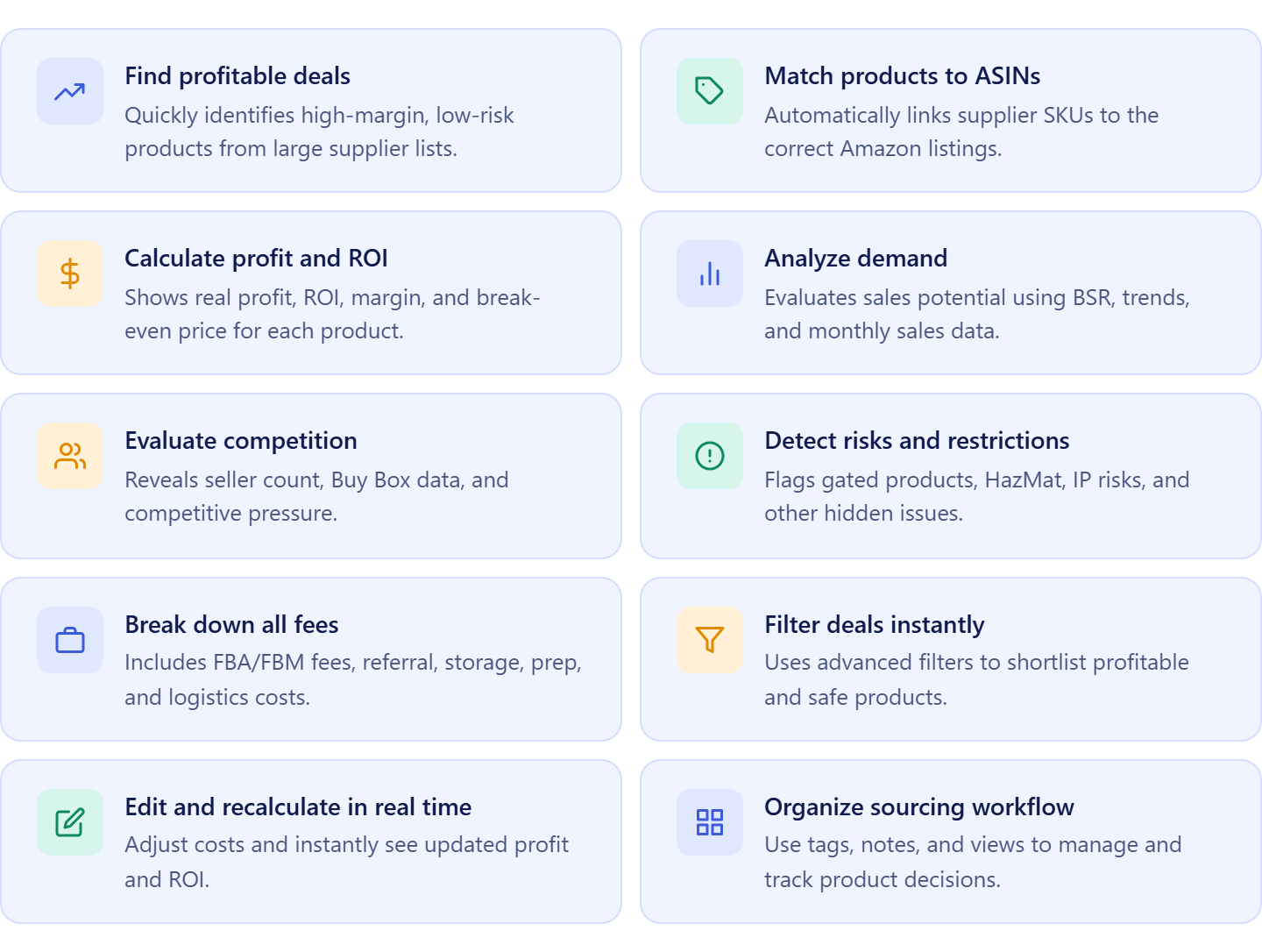
It allows sellers to:
- Analyze hundreds or thousands of supplier products at once;
- Match supplier items to Amazon ASINs automatically;
- Calculate ROI, margin, profit, and break-even pricing;
- Assess demand using sales estimates and BSR trends;
- Review competition, Buy Box conditions, and Amazon presence;
- Detect restrictions, HazMat flags, IP complaints, and other product risks;
- Filter products by profitability, demand, and risk criteria;
- Adjust COG, shipping, prep, and logistics costs dynamically;
- Organize product evaluations with notes, tags, and saved views;
- Move approved products directly into the purchasing workflow.
How Price List Analyzer helps manage wholesale supplier purchase orders
Price List Analyzer helps manage wholesale supplier purchase orders by ensuring sellers only purchase products that have been properly validated. Instead of relying on assumptions or manually checking individual ASINs, sellers can evaluate an entire supplier catalog and identify products with the strongest profit potential and lowest risk.
Once products are approved, supplier offers, costs, and sourcing data remain connected to the rest of the purchasing workflow. This helps sellers make better buying decisions, avoid costly inventory mistakes, and build supplier orders based on verified product data rather than guesswork.
What Is Product Database?
Product Database is Seller Assistant’s centralized product organization tool designed for Amazon wholesale sellers, online arbitrage sellers, and dropshippers. It stores sourced products, supplier offers, ASINs, costs, and buying decisions in one structured system connected to the supplier purchasing workflow.
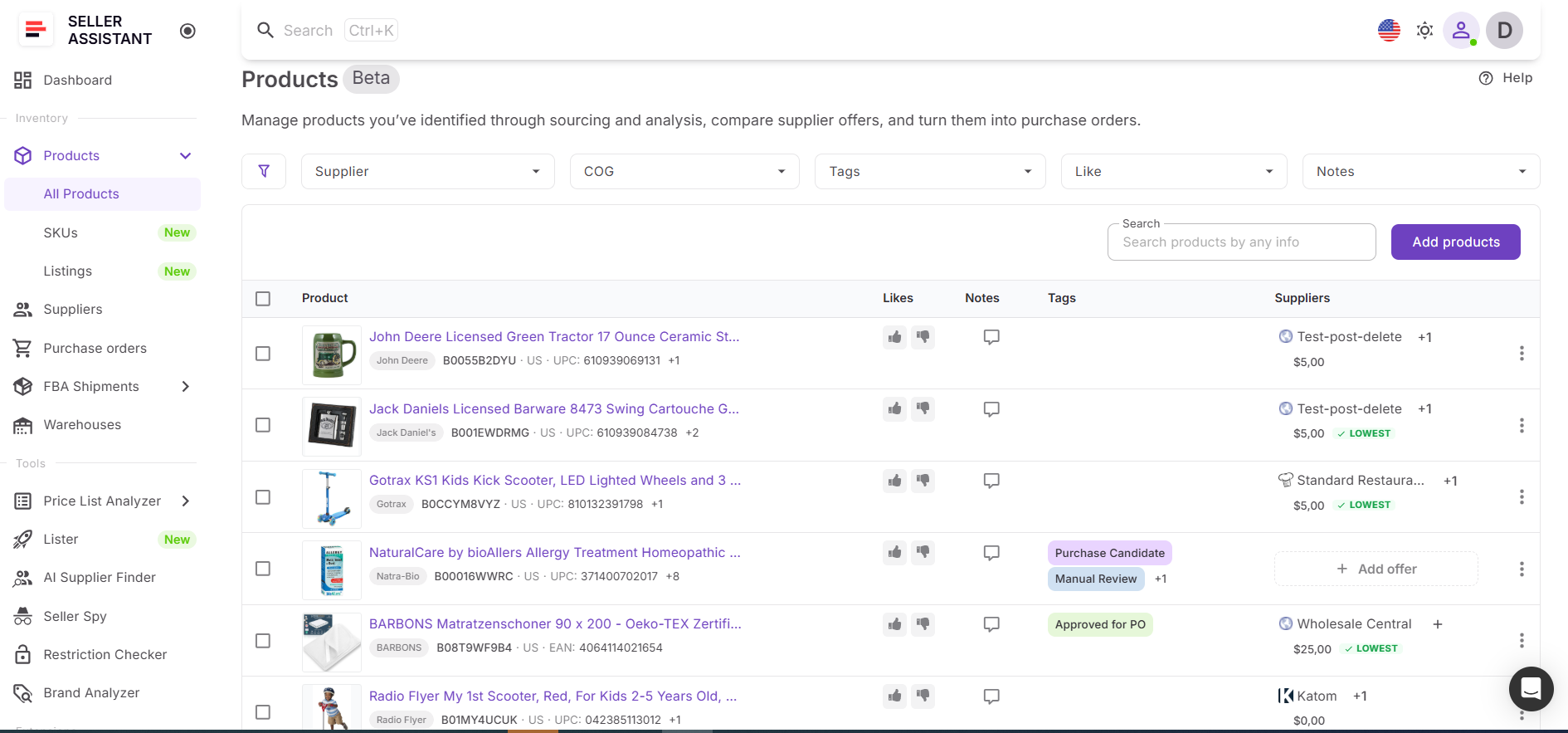
Instead of tracking products across spreadsheets, sourcing sheets, and disconnected tools, sellers manage all product data in one place where supplier offers and purchasing information remain organized and easy to access.
What Product Database does
Product Database helps sellers organize product sourcing data and prepare products for purchasing.
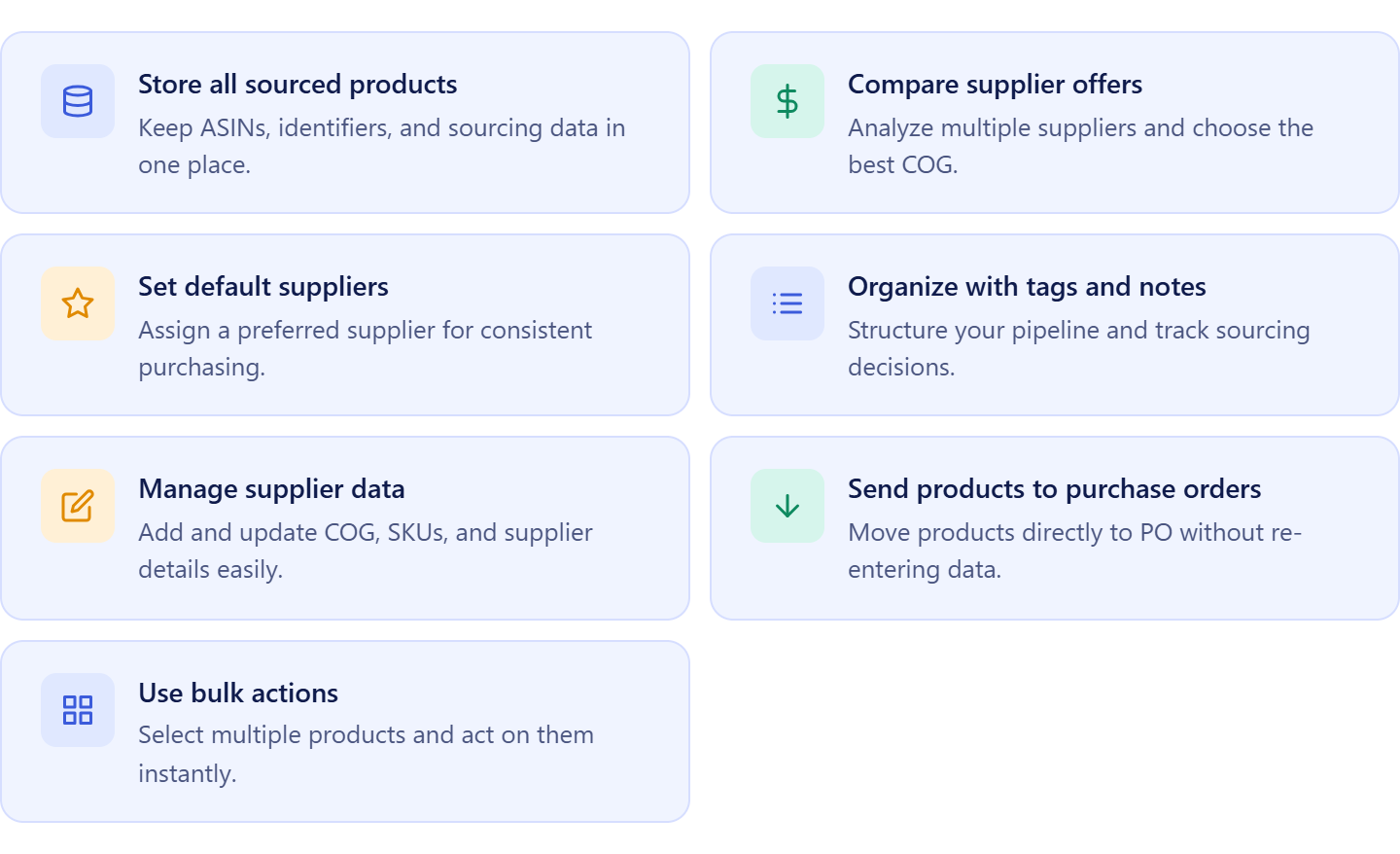
It allows sellers to:
- Store sourced products and ASIN information in one location;
- Compare supplier offers for the same product;
- Assign default suppliers to products;
- Organize buying decisions with notes, tags, and likes;
- Manage supplier costs and product identifiers;
- Move selected products directly into supplier orders;
- Apply bulk actions across products and sourcing workflows.
How Product Database helps manage wholesale supplier purchase orders
Product Database helps manage wholesale supplier purchase orders by keeping approved products, supplier offers, and purchasing data connected throughout the buying process. Instead of repeatedly searching for supplier costs, product information, or sourcing decisions, sellers can access everything from a centralized product record.
Once products are selected for purchase, they can be added to supplier orders without manually re-entering product details or supplier information. This reduces repetitive work, improves purchasing accuracy, and helps sellers manage supplier orders more efficiently as their catalog and supplier network grow.
What Is Warehouses Database?
Warehouses Database is Seller Assistant’s centralized warehouse and prep center organization tool designed for Amazon wholesale sellers, online arbitrage sellers, and dropshippers. It stores warehouse locations, prep centers, shipping destinations, and routing information in one structured system connected to the supplier purchasing workflow.
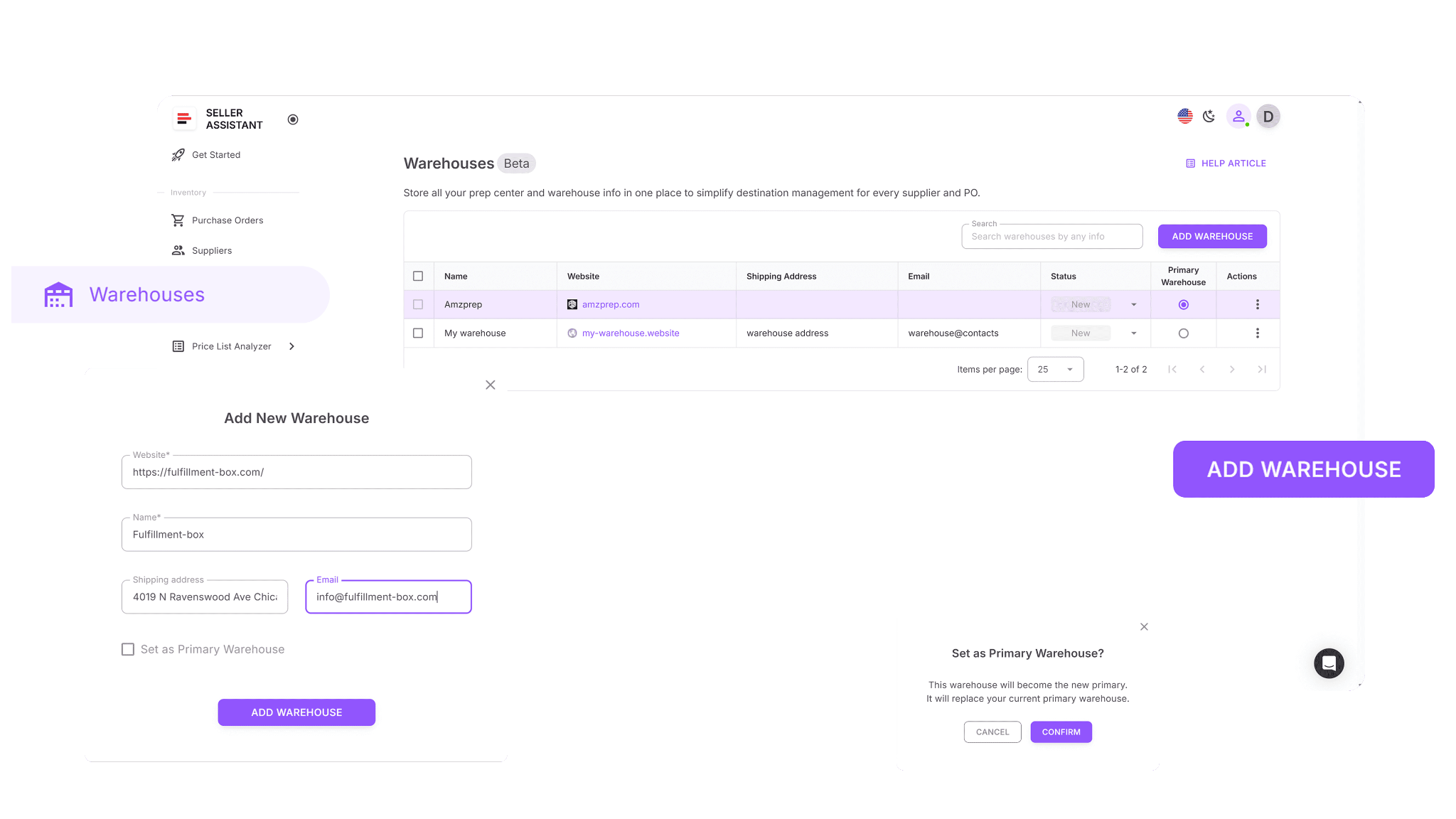
Instead of managing shipping addresses and fulfillment destinations across spreadsheets, emails, and documents, sellers keep all routing information organized in one place where it can be reused across supplier orders and inventory shipments.
What Warehouses Database does
Warehouses Database helps sellers organize inventory routing and maintain consistent shipping destinations throughout the purchasing process.
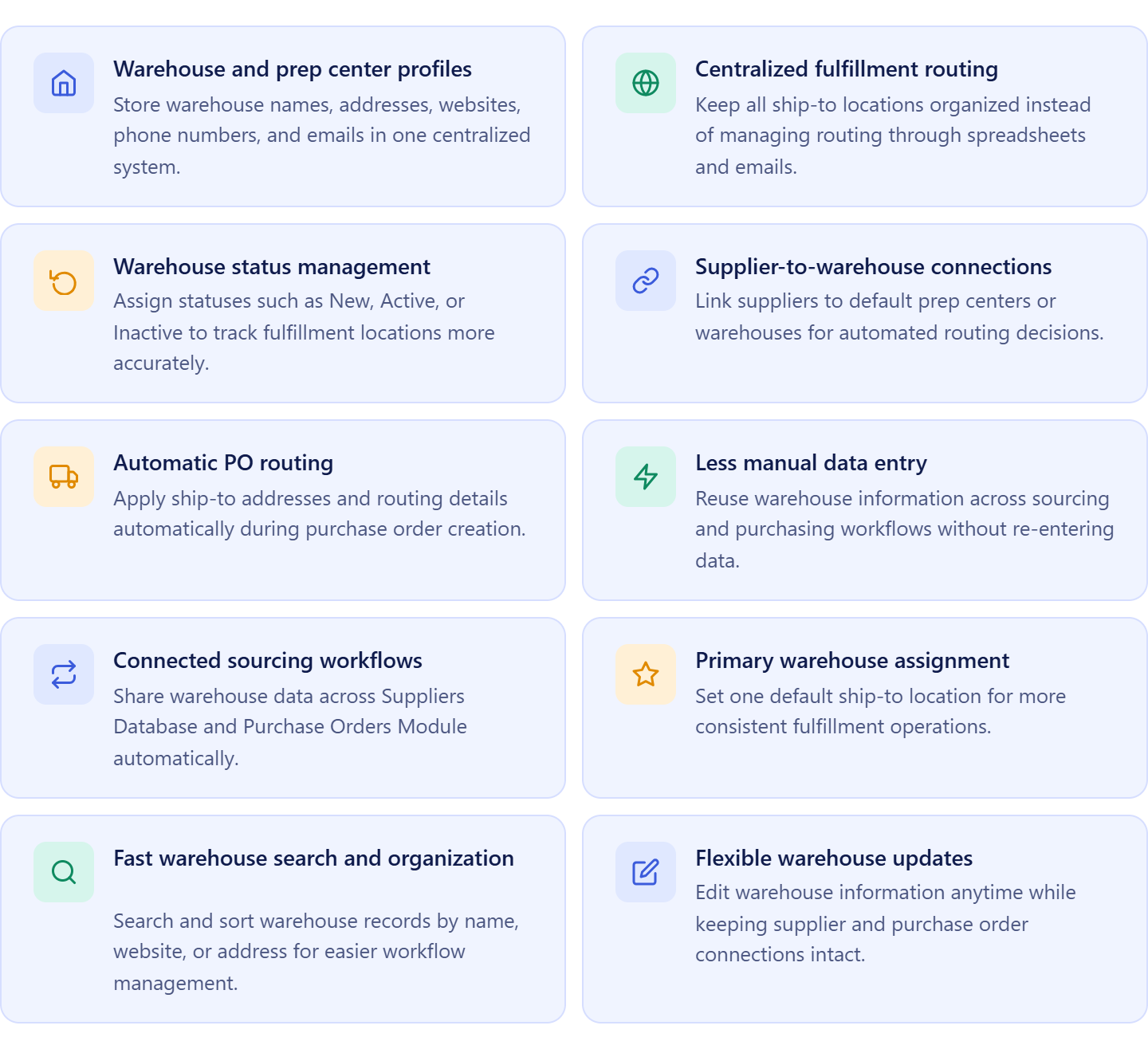
It allows sellers to:
- Create warehouse and prep center profiles;
- Store shipping addresses and contact information;
- Manage active fulfillment locations;
- Assign default warehouses to suppliers;
- Reuse ship-to destinations across supplier orders;
- Set primary warehouses for standard routing;
- Search, organize, and update warehouse records easily;
- Keep routing information connected to suppliers and purchasing workflows.
How Warehouses Database helps manage wholesale supplier purchase orders
Warehouses Database helps manage wholesale supplier purchase orders by keeping fulfillment destinations connected to supplier and purchasing data. Instead of manually entering shipping addresses every time inventory is ordered, sellers can assign suppliers to specific warehouses or prep centers and reuse that routing information across future orders.
This reduces shipping mistakes, prevents inventory from being sent to the wrong location, and ensures suppliers always receive accurate routing instructions. As purchasing operations expand, warehouse data remains connected to suppliers and supplier orders, making inventory routing more consistent, efficient, and easier to manage.
What Is Purchase Orders Module?
Purchase Orders Module is Seller Assistant’s centralized supplier order management tool designed for Amazon wholesale sellers, online arbitrage sellers, and dropshippers. It helps sellers create, organize, track, and manage supplier orders using connected product, supplier, and warehouse information.
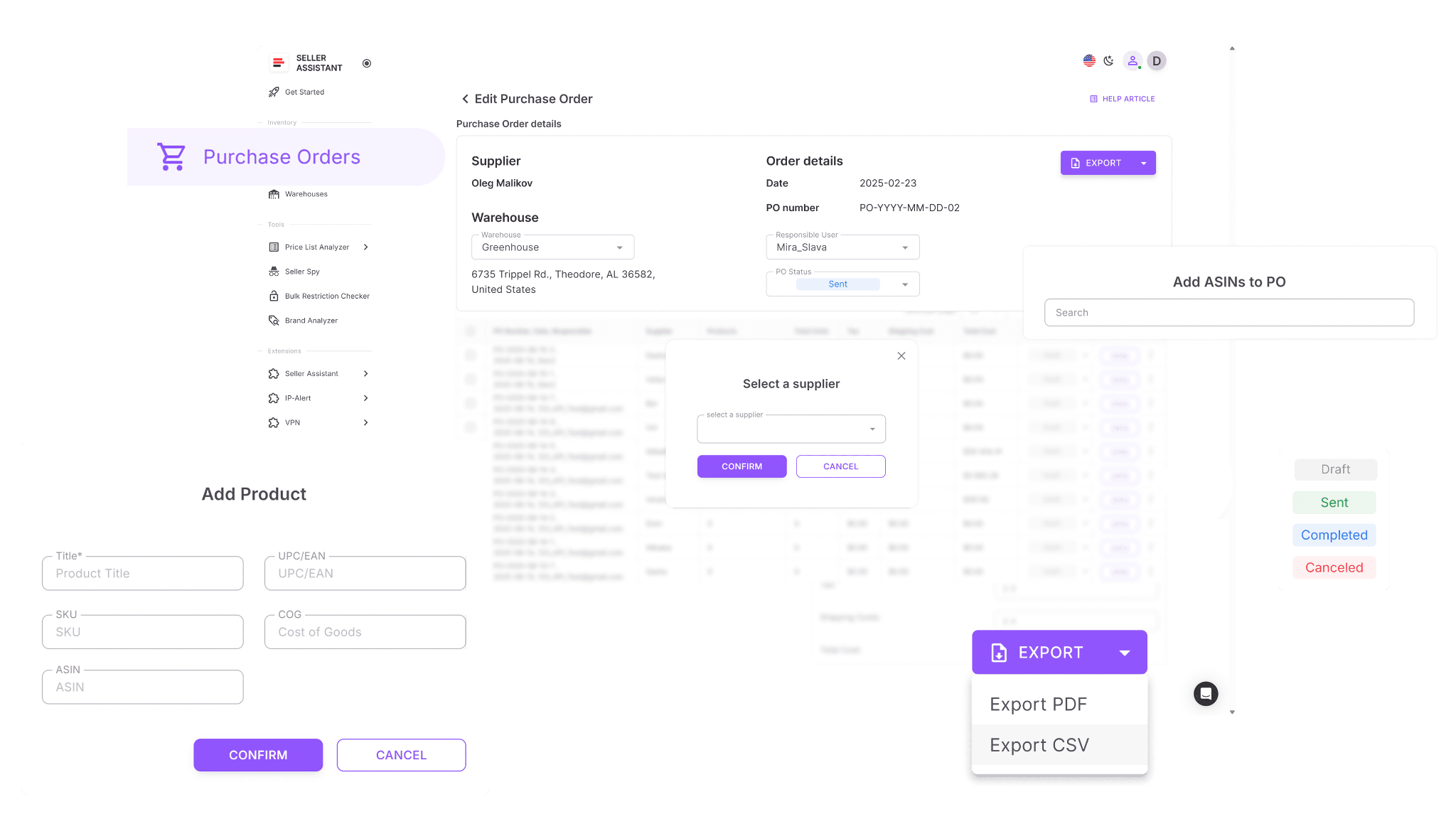
Instead of building supplier orders manually in spreadsheets or templates, sellers can create structured purchase orders using data already collected throughout the sourcing and purchasing workflow.
What Purchase Orders Module does
Purchase Orders Module helps sellers streamline supplier purchasing and keep wholesale orders organized.
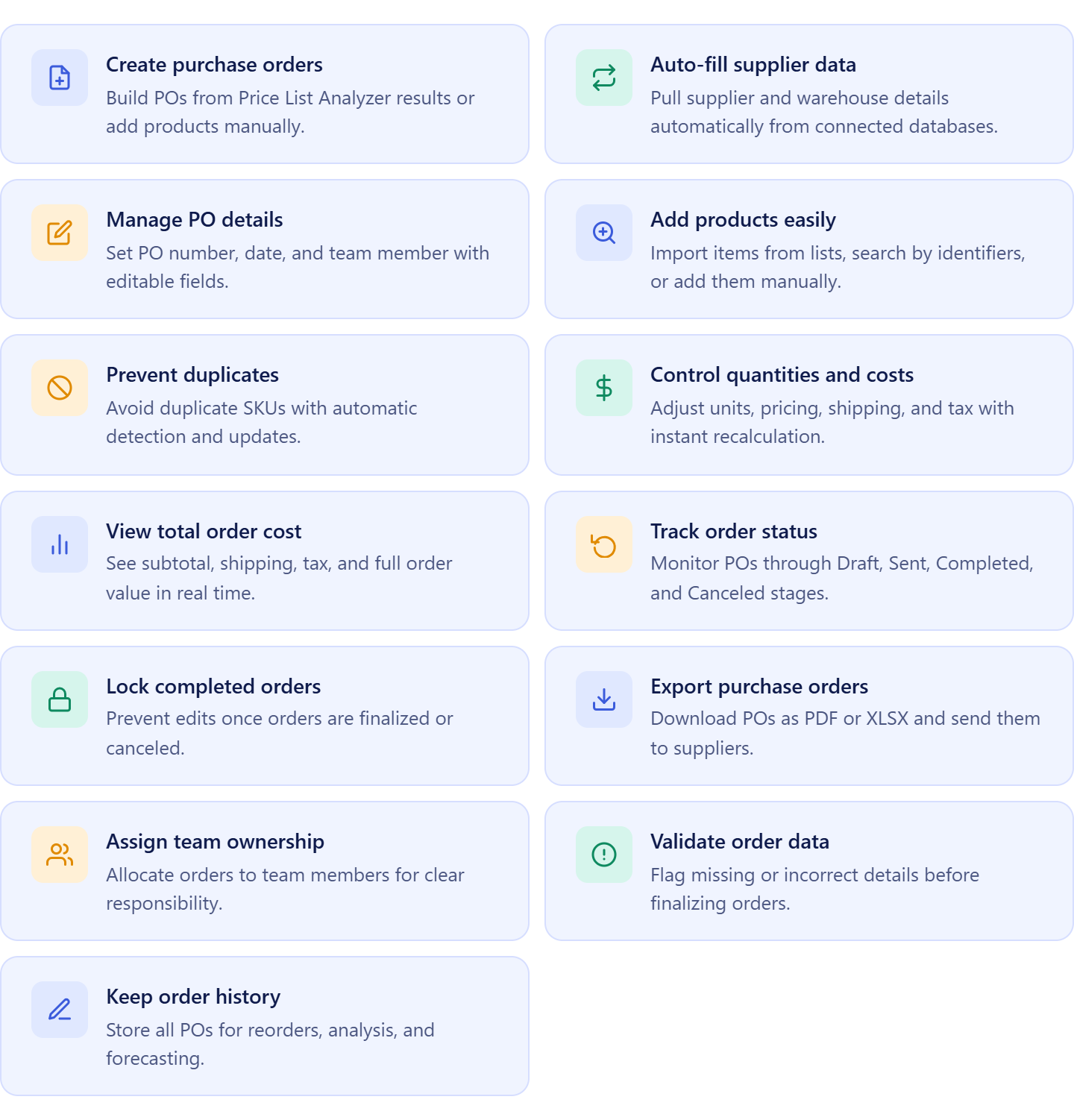
It allows sellers to:
- Create supplier orders from approved products;
- Automatically use supplier and warehouse information stored in the workflow;
- Manage order numbers, ownership, dates, and statuses;
- Add products from Product Database, supplier catalogs, or manual entry;
- Prevent duplicate products within the same order;
- Adjust quantities, pricing, shipping, taxes, and other purchasing costs;
- Track supplier orders through different order stages;
- Export supplier orders as PDF or XLSX files;
- Assign orders to buyers and team members;
- Review incomplete order information before sending;
- Maintain a complete history of supplier purchases.
How Purchase Orders Module helps manage wholesale supplier purchase orders
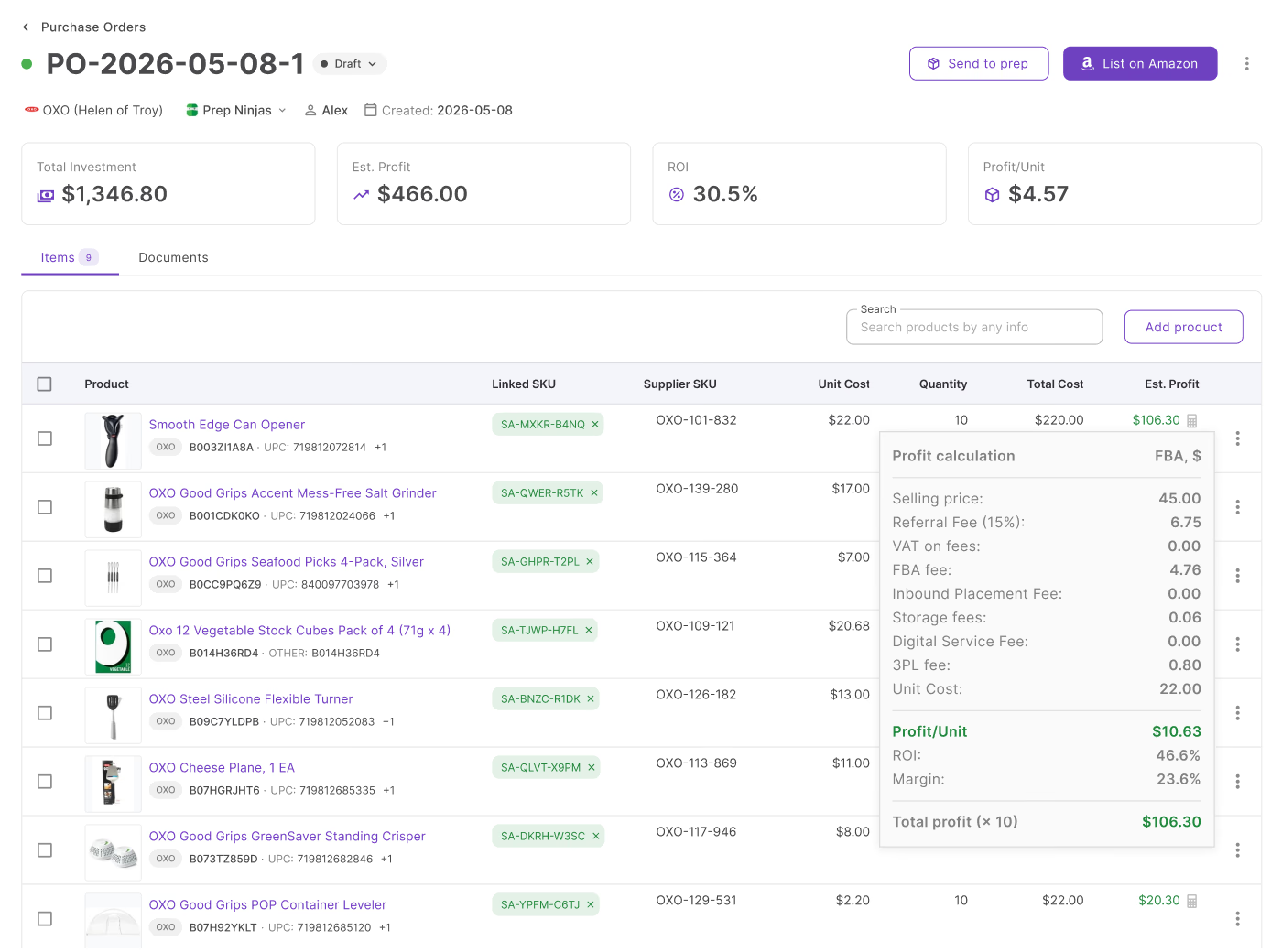
Purchase Orders Module helps manage wholesale supplier purchase orders by bringing together supplier information, product data, costs, profitability metrics, and warehouse routing into one place. Instead of manually compiling order details from multiple spreadsheets and systems, sellers can create supplier orders using information already connected throughout the workflow.
When products are added to an order, supplier details, shipping destinations, and purchasing costs are automatically available. Sellers can review order totals, evaluate expected profitability, and see potential earnings before sending the order to the supplier. This reduces manual work, improves purchasing accuracy, speeds up order creation, and helps sellers manage supplier orders more efficiently as their business scales.
How to Manage Wholesale Supplier Purchase Orders Step by Step
Managing wholesale supplier purchase orders works best when every step is connected – from finding suppliers to reviewing order profitability before you buy. This workflow helps Amazon sellers avoid weak products, incorrect supplier data, routing mistakes, and unprofitable bulk orders.
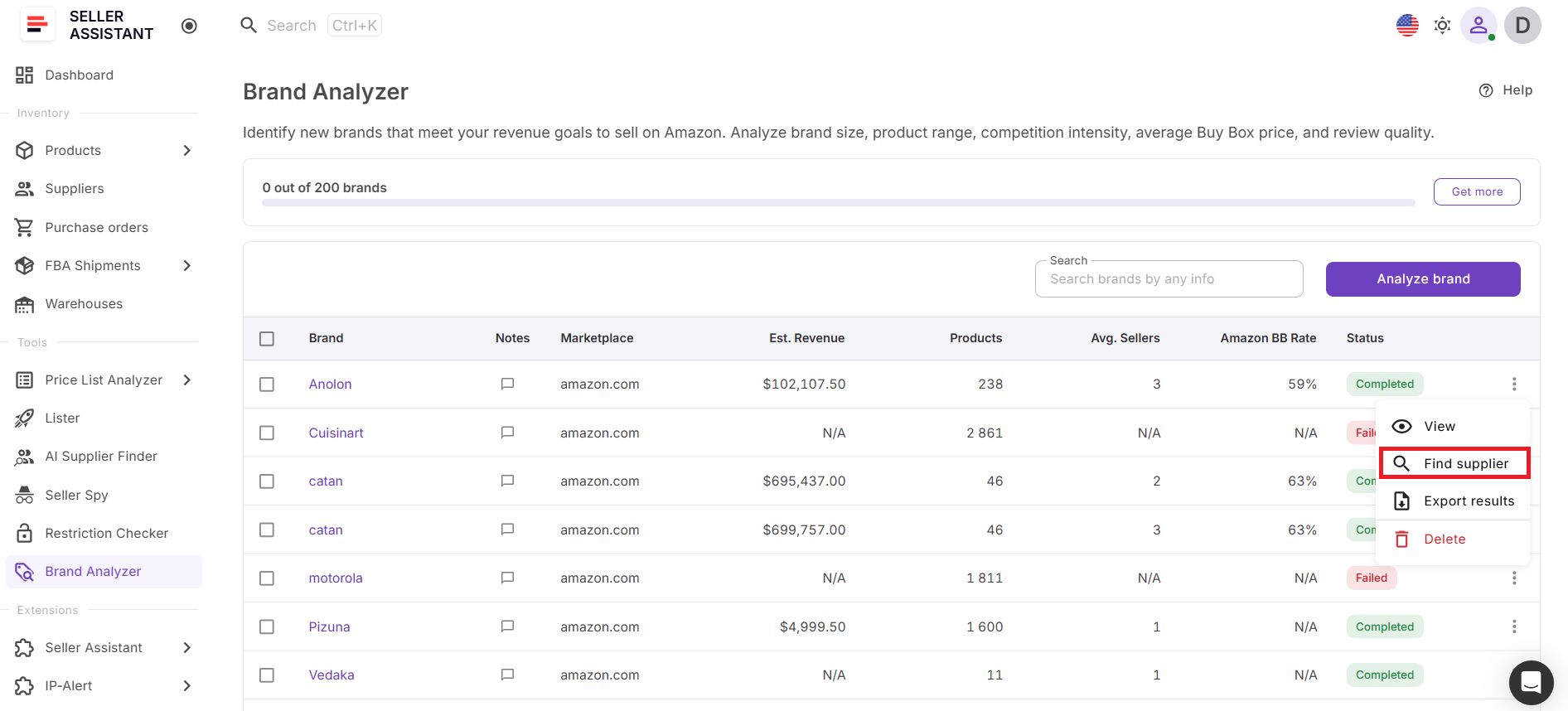
Step 1. Choose a brand and find suppliers
Start with analyzing a brand you want to source with Seller Assistant’s Brand Analyzer and then use supplier research with AI Supplier Finder to find manufacturers, distributors, wholesalers, or brand owners. Focus on legitimate B2B suppliers that can provide wholesale pricing and proper documentation.
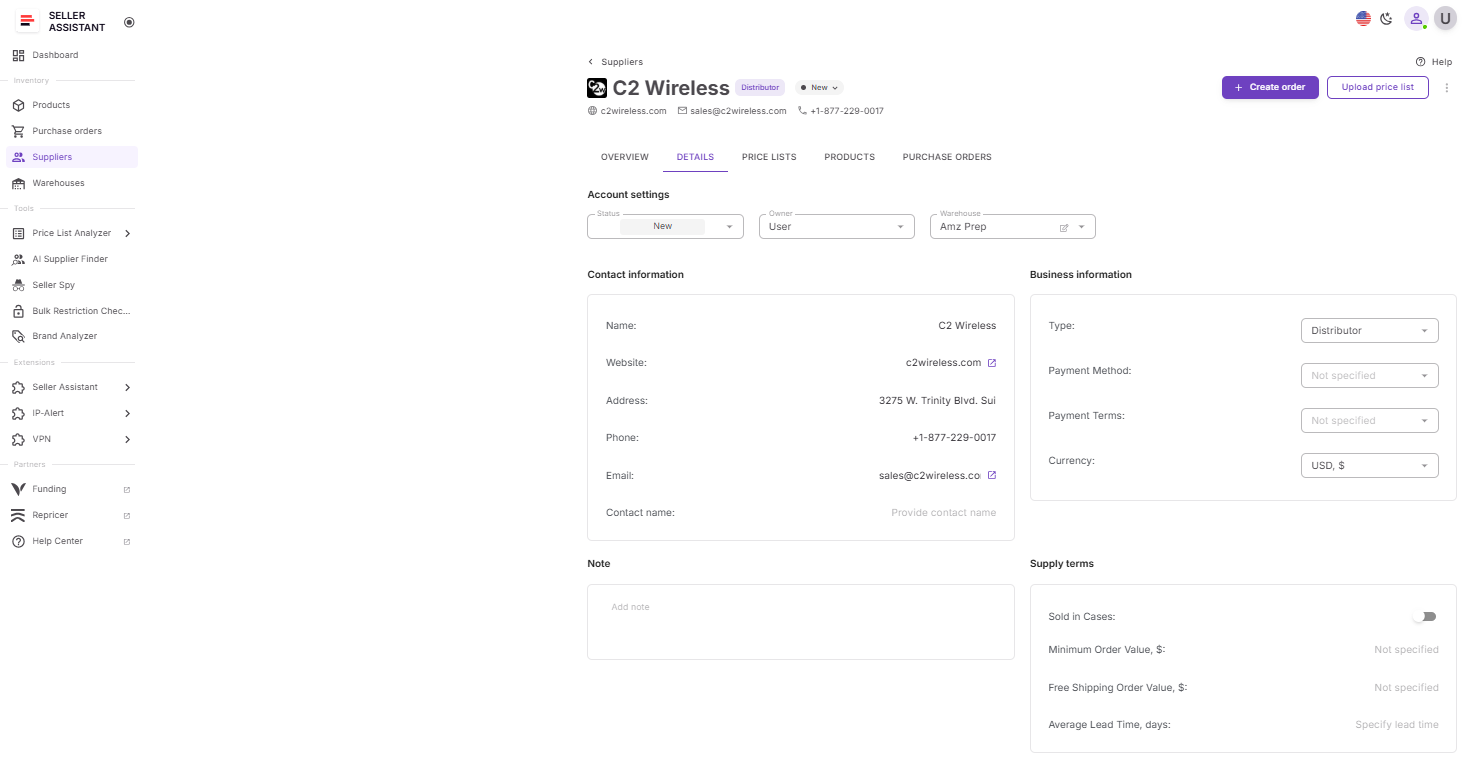
Step 2. Store supplier information
Save supplier contact details, payment terms, lead times, MOQ, relationship status, and other purchasing details in one organized system. This keeps supplier data ready for future orders and prevents repeated manual checks.
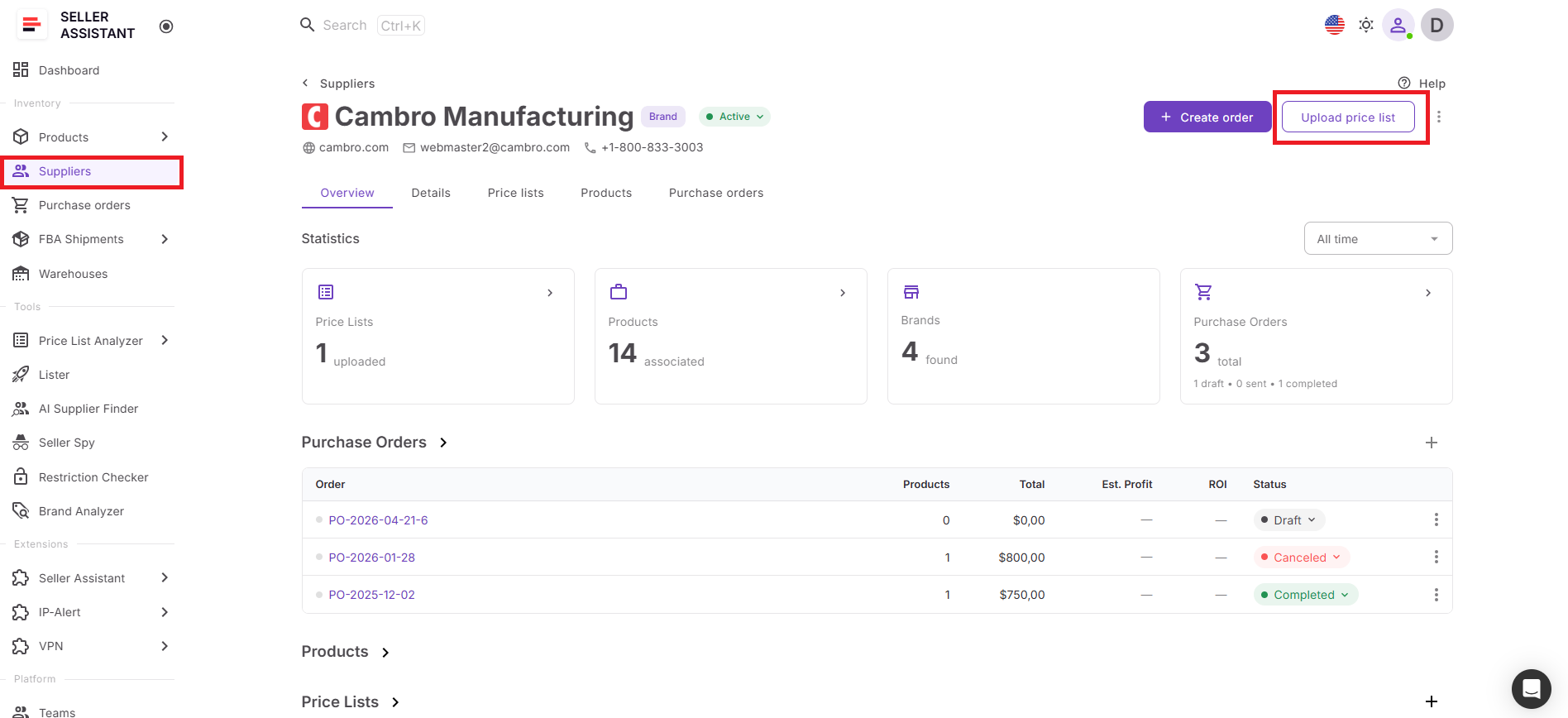
Step 3. Get and analyze the supplier price list
Request a price list from the supplier and analyze it with Price List Analyzer to find profitable products. Check ROI, margin, demand, Buy Box conditions, restrictions, IP risks, HazMat flags, and other issues before deciding what to buy.
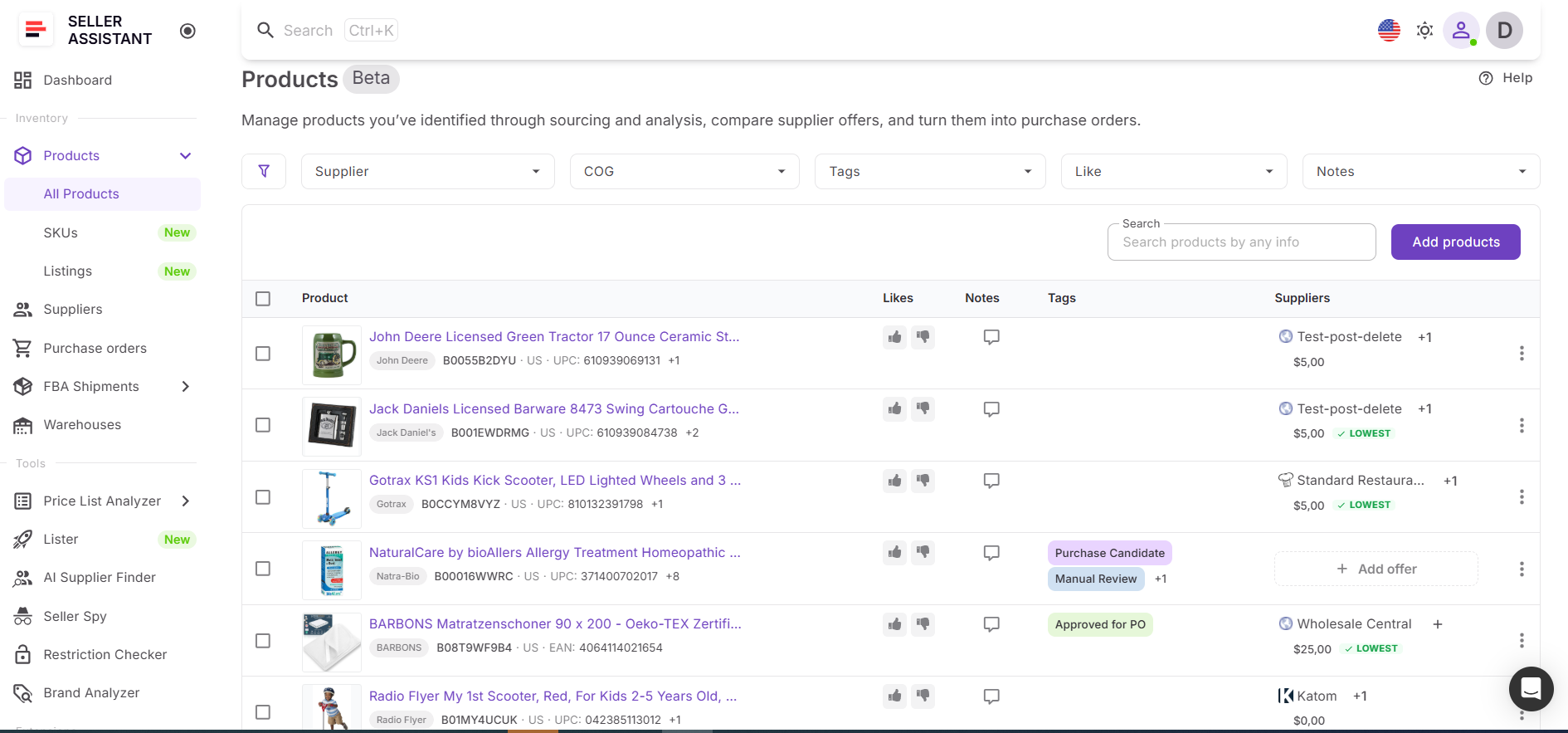
Step 4. Save supplier products
Product information is automatically stored in the Product Database. The product data includes ASINs, supplier offers, COG, notes, and the whole product history. This keeps products ready for purchasing and helps avoid rebuilding the same research later.
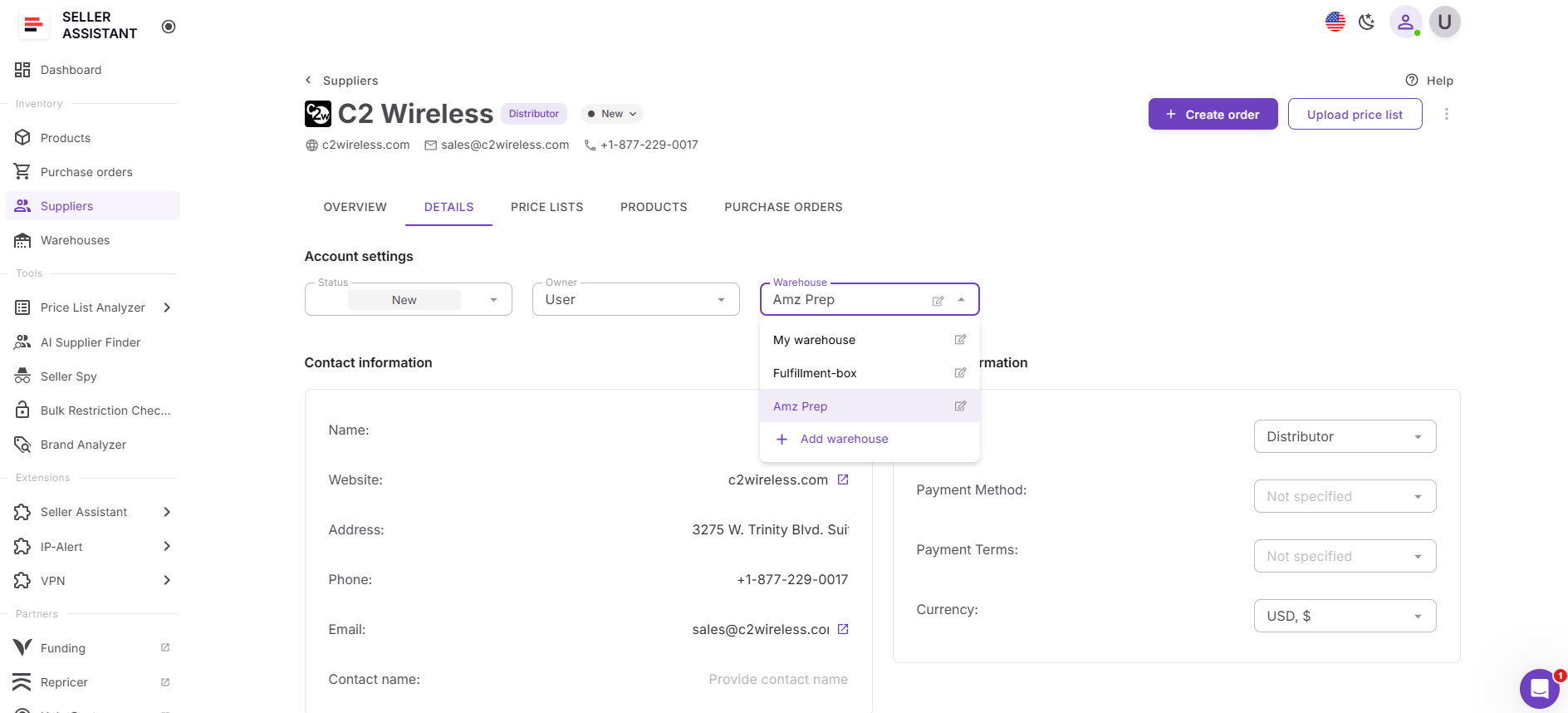
Step 5. Assign warehouse routing
Connect the supplier to the right prep center, warehouse, or fulfillment destination with Warehouse Database. Accurate routing helps prevent inventory from being shipped to the wrong location.
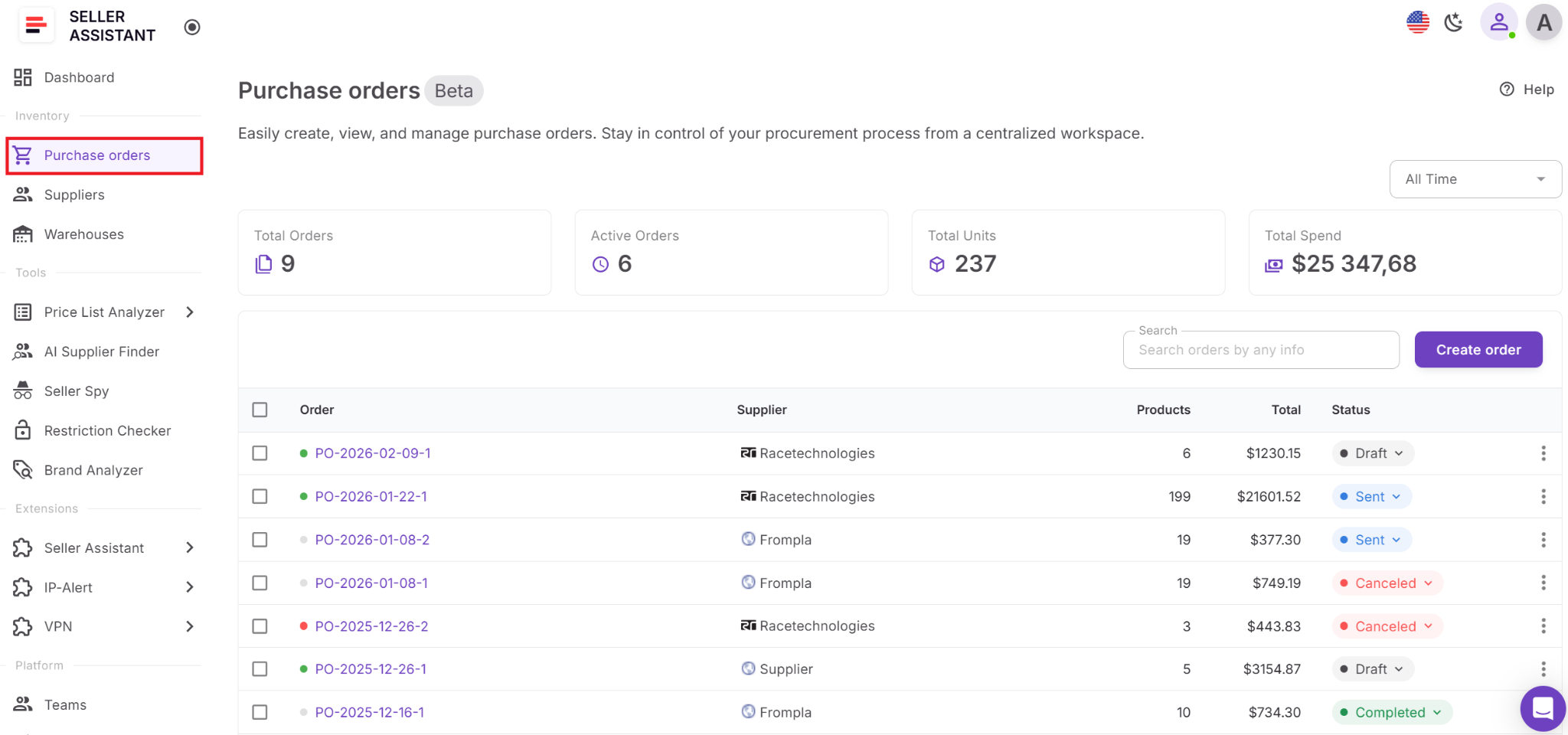
Step 6. Create the supplier purchase order
Use Purchase Orders Module to add approved products to the purchase order with quantities, unit costs, supplier details, and shipping instructions. Supplier, product, and routing data should be filled from the connected workflow rather than entered manually.
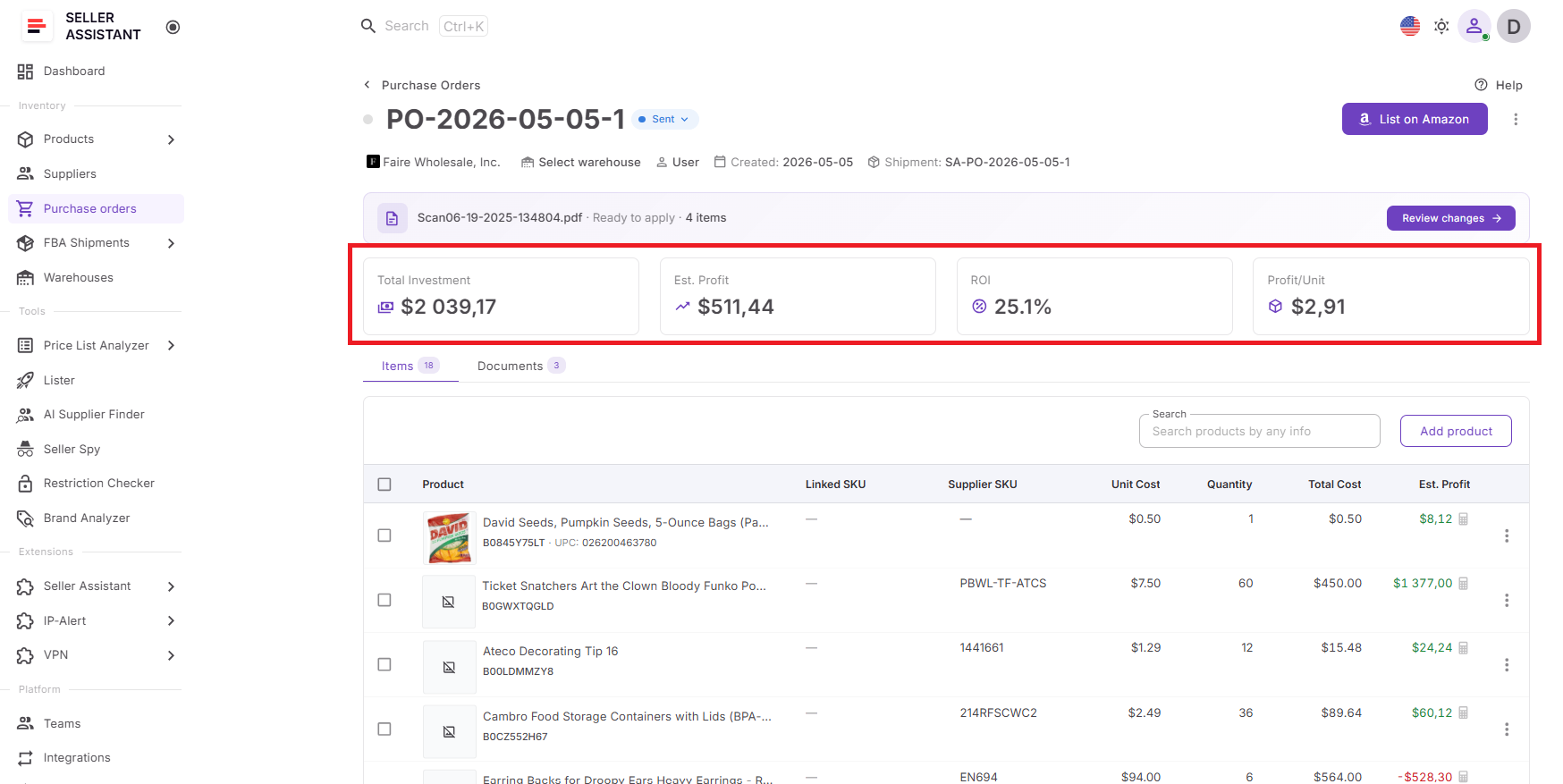
Step 7. Review purchase order profitability
Before sending the order, review total investment, estimated profit, ROI, profit per unit, product-level profitability, shipping, taxes, and other purchasing costs in Purchase Orders Module. This helps identify weak SKUs, adjust quantities, or remove products before committing capital.
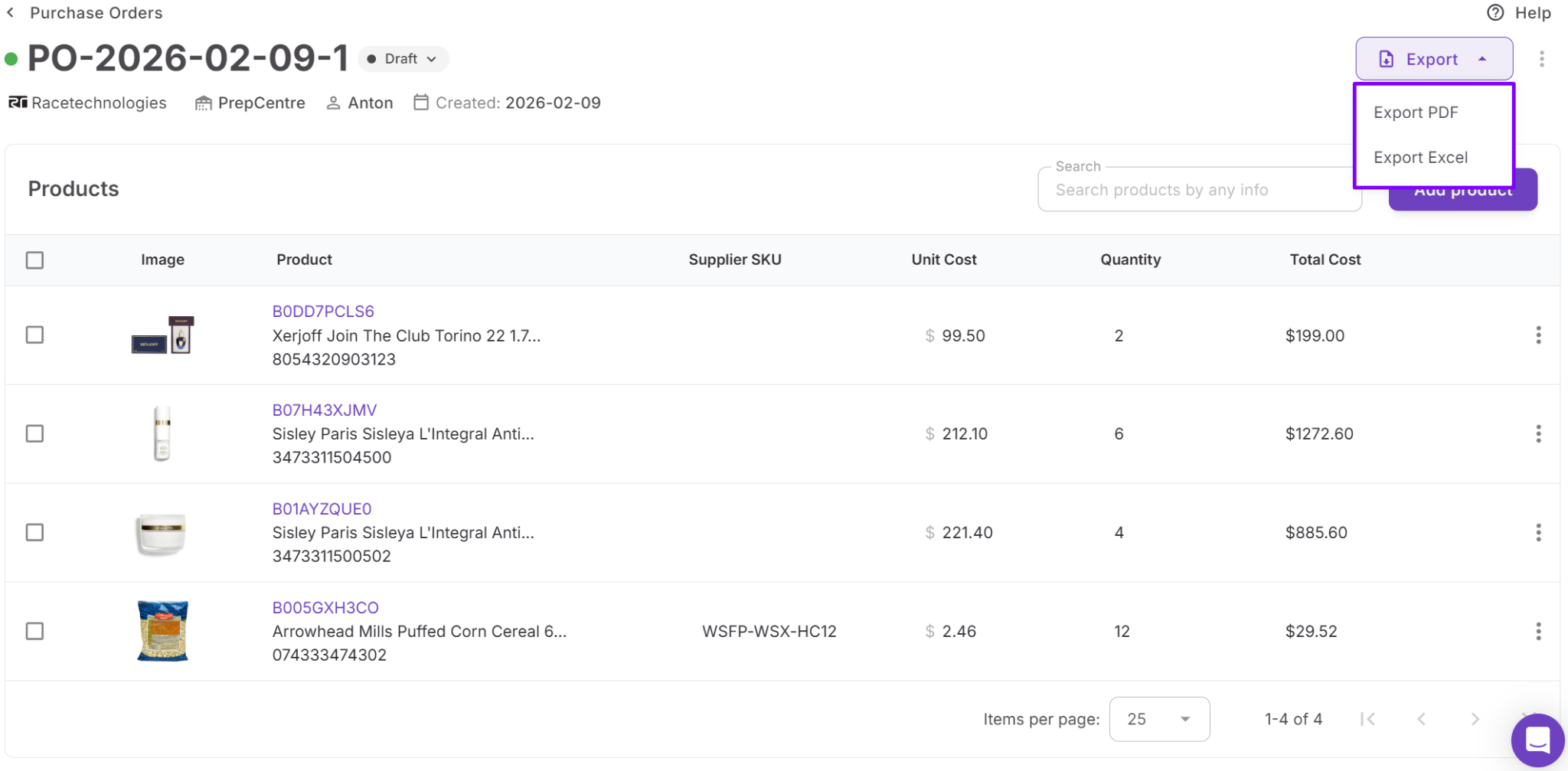
Step 8. Export and send the order
Once the order meets your profitability targets, export it as PDF or XLSX and send it to the supplier. Keep the purchase order saved for tracking, reorders, forecasting, and future supplier negotiations.

Turn your next supplier price list into a purchase order.
FAQ
What is the best way to manage wholesale supplier purchase orders?
The best approach is to use a structured workflow that connects supplier discovery, product analysis, supplier management, inventory routing, and purchase order creation. This helps reduce errors, improve purchasing decisions, and keep supplier information organized as your business grows.
Why is analyzing a supplier price list important before placing an order?
A supplier catalog may contain hundreds or thousands of products, but only a small percentage may meet your profitability and risk requirements. Analyzing the catalog helps identify products with strong margins, healthy demand, and fewer restrictions before you invest capital.
How can I avoid mistakes when managing multiple suppliers?
Keep supplier contact information, payment terms, lead times, shipping requirements, and purchasing history organized in a centralized system. This reduces confusion, prevents duplicate work, and makes supplier communication more consistent.
Why should I review purchase order profitability before buying inventory?
Looking at profitability at the order level helps you understand your total investment, expected profit, ROI, and the impact of individual products on overall performance. This makes it easier to remove weaker products and improve returns before placing the order.
How do prep centers and warehouses affect supplier purchase orders?
Suppliers need accurate shipping destinations and routing instructions to ensure inventory reaches the correct location. Keeping warehouse and prep center information connected to supplier orders reduces fulfillment delays and prevents costly shipping mistakes.
Final Thoughts
Managing wholesale supplier purchase orders is about much more than creating and sending orders. Successful Amazon sellers need a process that connects supplier sourcing, supplier management, catalog analysis, product selection, inventory routing, and purchasing decisions into one workflow. When these activities are handled separately, mistakes become more common and purchasing becomes harder to scale.
Seller Assistant helps Amazon wholesale sellers, online arbitrage sellers, and dropshippers manage wholesale supplier purchase orders more efficiently by connecting every stage of the workflow. AI Supplier Finder helps identify suppliers, Suppliers Database keeps supplier information organized, Price List Analyzer validates supplier catalogs, Product Database stores your product data, Warehouses Database manages routing, and Purchase Orders Module brings everything together into structured supplier orders.