Amazon competitor research is one of the most reliable ways to find brands worth sourcing – but discovery is only the beginning.
Knowing what your competitors sell tells you where to look. It doesn’t tell you whether a brand is profitable, who supplies it, whether the catalog is worth buying, or how to turn any of that into an actual order.
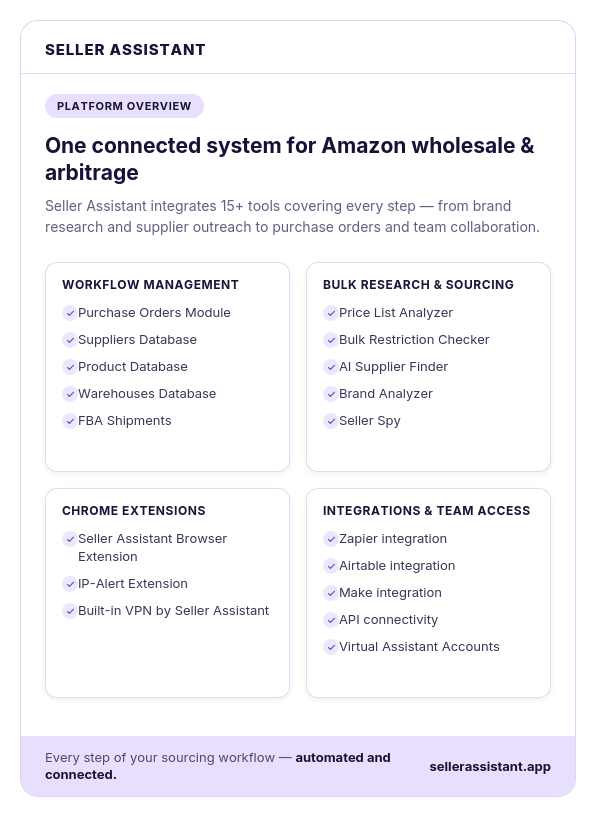
This post covers the full workflow: from monitoring competitor storefronts in Seller Spy to placing a purchase order for validated wholesale inventory with Purchase Orders Module. Six stages, six connected Seller Assistant tools, and a repeatable process that takes competitor intelligence all the way to inventory.
From Competitor Research to Purchase Order: Why Every Stage Counts
Competitor research is valuable only when it results in inventory you can confidently buy and sell. Discovering a promising brand is just the first step – profitable wholesale sourcing requires a structured process that turns competitor insights into qualified brands, reliable suppliers, validated products, and, ultimately, purchase-ready inventory.
When each stage builds on the previous one, sellers make better decisions, reduce sourcing risk, and avoid wasting time on opportunities that don’t meet their business goals.
Turn insights into action
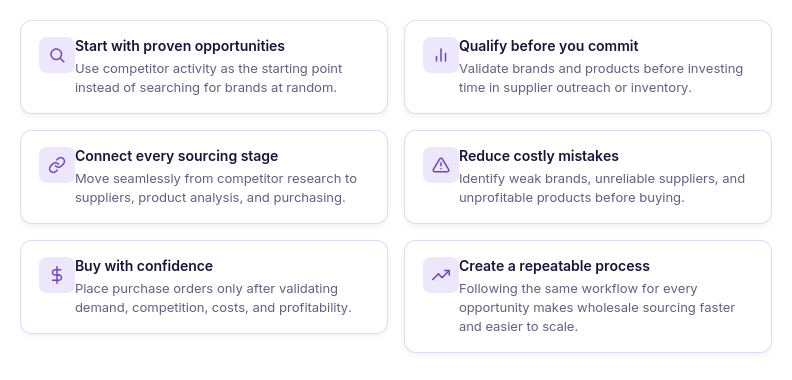
Competitor research reveals what successful sellers are doing, but it doesn’t generate revenue on its own. Following a structured workflow helps you transform market intelligence into real sourcing opportunities.
Validate every opportunity before investing
Every stage of the sourcing process answers a different question: Is the brand worth sourcing? Can you find reliable suppliers? Does the catalog contain profitable products? Should you place the order? Working through these questions in sequence reduces costly mistakes.
Keep your sourcing process connected
When competitor research, supplier management, product analysis, and purchasing are linked together, information flows naturally from one stage to the next. This reduces manual work, prevents duplicated research, and creates a repeatable sourcing system.
Make purchasing decisions with confidence
The goal isn’t simply to find products – it’s to place purchase orders backed by marketplace data, supplier validation, and profitability analysis. A complete workflow helps ensure every order is based on evidence rather than assumptions.
Build a scalable wholesale business
As your supplier network and inventory grow, a standardized workflow becomes essential. Following the same process for every opportunity makes sourcing more efficient and easier to scale.
What Happens When You Skip Steps?
Scenario 1. Contacting suppliers before qualifying the brand
A seller discovers a competitor selling a new brand and immediately opens a wholesale account. After receiving the supplier catalog, they realize Amazon dominates the Buy Box across most listings and the average seller count is too high to compete profitably.
Why it matters
Qualifying the brand first helps you avoid spending time on supplier relationships that are unlikely to generate profitable opportunities.
Scenario 2. Buying products without analyzing the supplier catalog
A seller receives a wholesale price list and places an order based on attractive supplier pricing alone. After analyzing the products, they discover many listings are restricted, have weak demand, or produce low margins after Amazon fees.
Why it matters
Bulk catalog analysis helps eliminate weak opportunities before capital is committed to inventory.
Scenario 3. Managing sourcing with disconnected tools
A seller tracks competitor research in one spreadsheet, supplier contacts in another, and product analysis in several browser tabs. Important supplier terms are overlooked, research is duplicated, and purchase orders are created using outdated information.
Why it matters
A connected workflow keeps every stage of sourcing organized, reducing manual work, minimizing errors, and making it easier to move from competitor research to profitable purchase orders.
How Seller Assistant Turns Competitor Research into Purchase Orders
Successful wholesale sourcing isn’t about using individual tools – it’s about connecting every stage of the sourcing process into one workflow. Seller Assistant helps Amazon wholesale sellers, online arbitrage sellers, and dropshippers move seamlessly from competitor intelligence to inventory purchasing without switching between spreadsheets, browser tabs, or disconnected software.
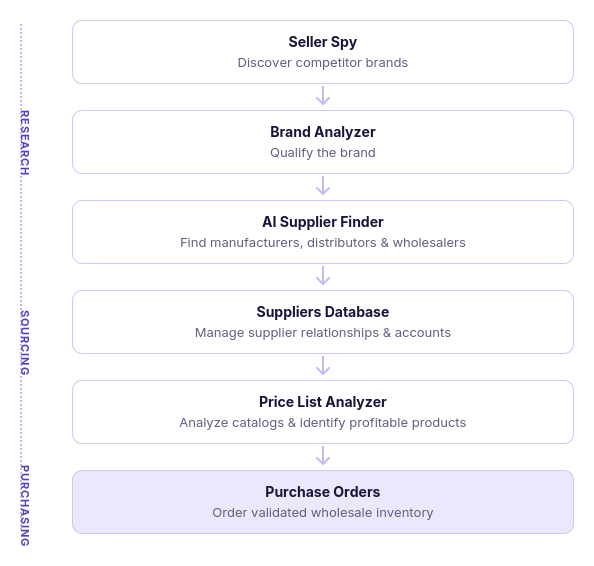
The workflow begins with Seller Spy, where sellers discover brands competitors already sell. Promising brands can then be analyzed in Brand Analyzer to determine whether they have sufficient demand, manageable competition, and long-term resale potential. Once a brand qualifies, AI Supplier Finder helps identify manufacturers, authorized distributors, and wholesalers that may offer wholesale pricing.
After suppliers are approved, sellers organize supplier information in Suppliers Database and request wholesale catalogs. Those catalogs are analyzed in Price List Analyzer, which identifies products that meet profitability, demand, competition, and compliance requirements.
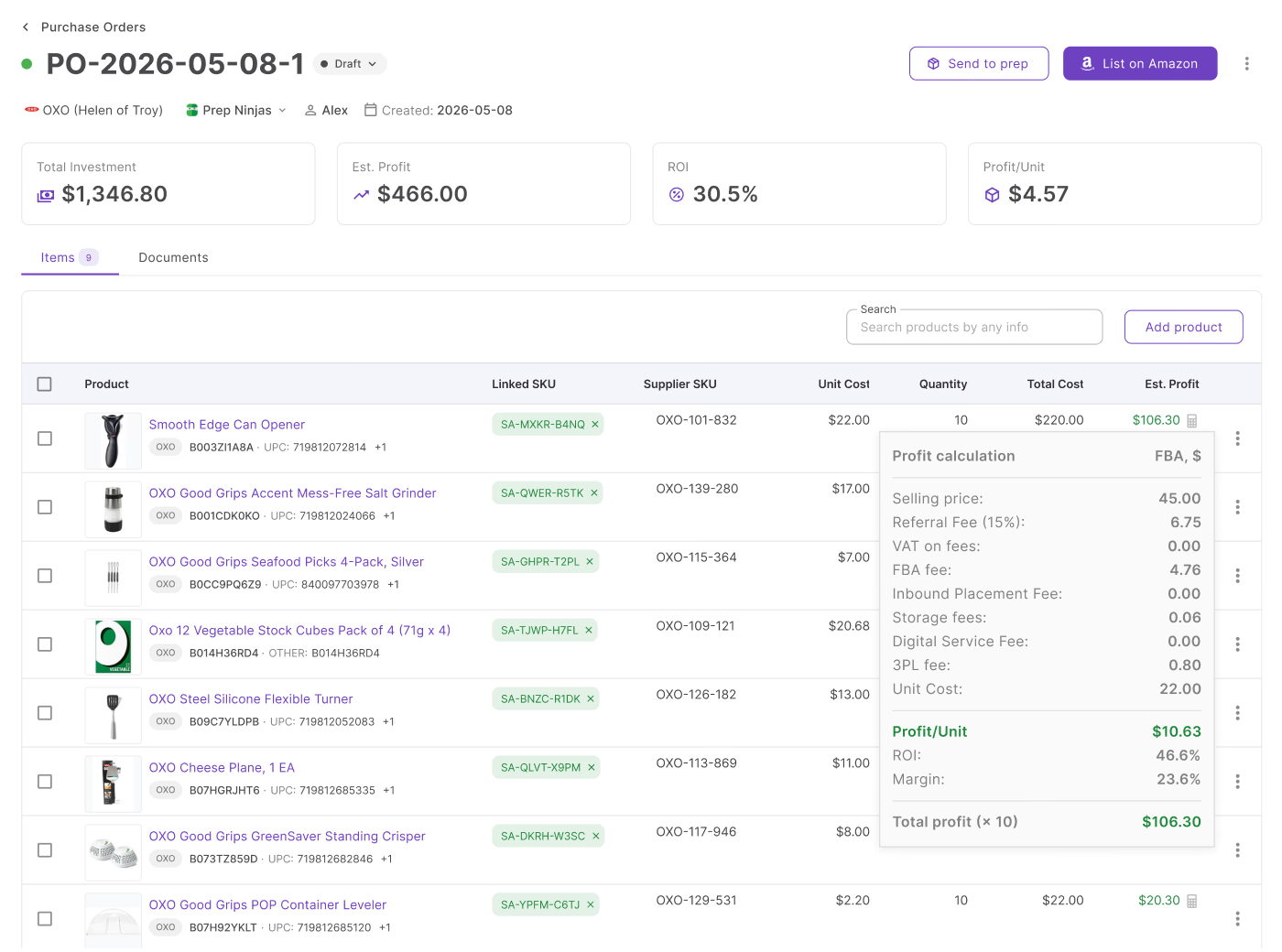
Finally, validated products move into the Purchase Orders Module, where sellers build purchase orders, review total investment, shipping and other costs, expected profit, ROI, and overall order profitability before sending the order to the supplier. This connected workflow ensures every purchasing decision is supported by marketplace data rather than assumptions.
Seller Assistant tools used in the workflow
| Stage | Tool | Purpose in the Workflow |
|---|---|---|
| Discover | Seller Spy | Monitors competitors to discover brands they sell, identify new sourcing opportunities, and uncover brands missing from your catalog. |
| Qualify the brand | Brand Analyzer | Evaluates demand, competition, Amazon’s presence, catalog depth, pricing, and resale potential to determine whether a brand is worth sourcing. |
| Find suppliers | AI Supplier Finder | Identifies manufacturers, authorized distributors, wholesalers, and other B2B suppliers for qualified brands. |
| Manage suppliers | Suppliers Database | Stores supplier contacts, wholesale accounts, purchasing terms, notes, and relationship status in one centralized workspace. |
| Validate the catalog | Price List Analyzer | Analyzes supplier price lists in bulk to identify products with the best profitability, demand, competition, and lowest sourcing risk. |
| Buy | Purchase Orders Module | Creates purchase orders, tracks total investment and purchasing costs, calculates expected profit and ROI, and prepares validated orders for suppliers. |
Stage 1. Identify Brands with Wholesale Potential
The first step in converting competitor research into a purchase order is finding brands that are actually worth sourcing. Seller Assistant’s Seller Spy helps Amazon wholesale sellers, online arbitrage sellers, and dropshippers monitor competitor activity to uncover brands with proven marketplace traction.
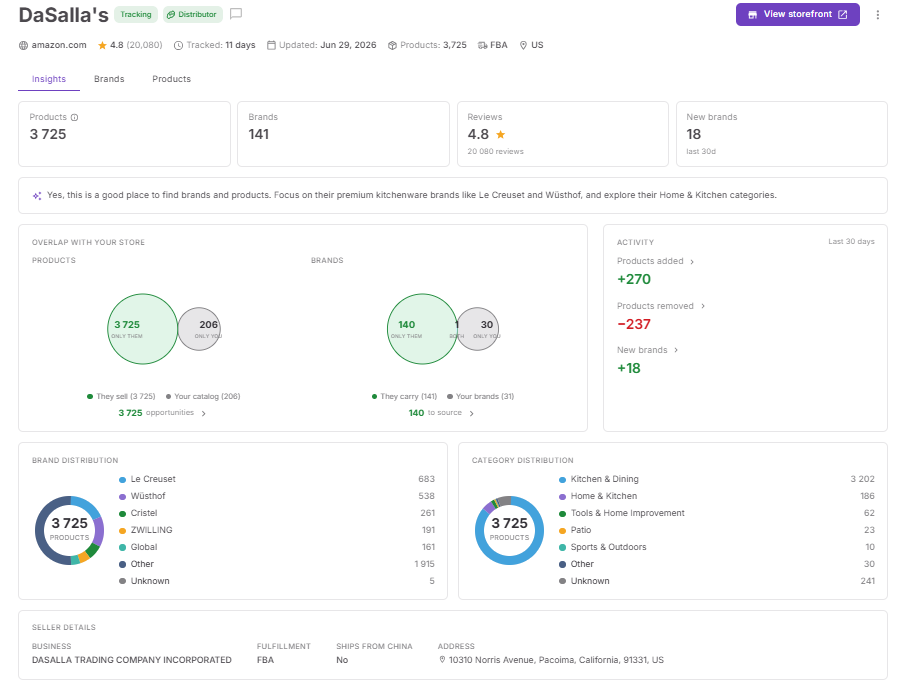
Instead of manually browsing Amazon storefronts and keeping track of competitor catalogs in spreadsheets, Seller Spy continuously monitors competitor brands, products, and catalog changes. This allows sellers to discover sourcing opportunities based on real competitor behavior rather than guesswork, creating a stronger starting point for the rest of the sourcing workflow.
What to look for in Seller Spy
Seller Spy helps you identify which brands deserve further research before investing time in supplier outreach.
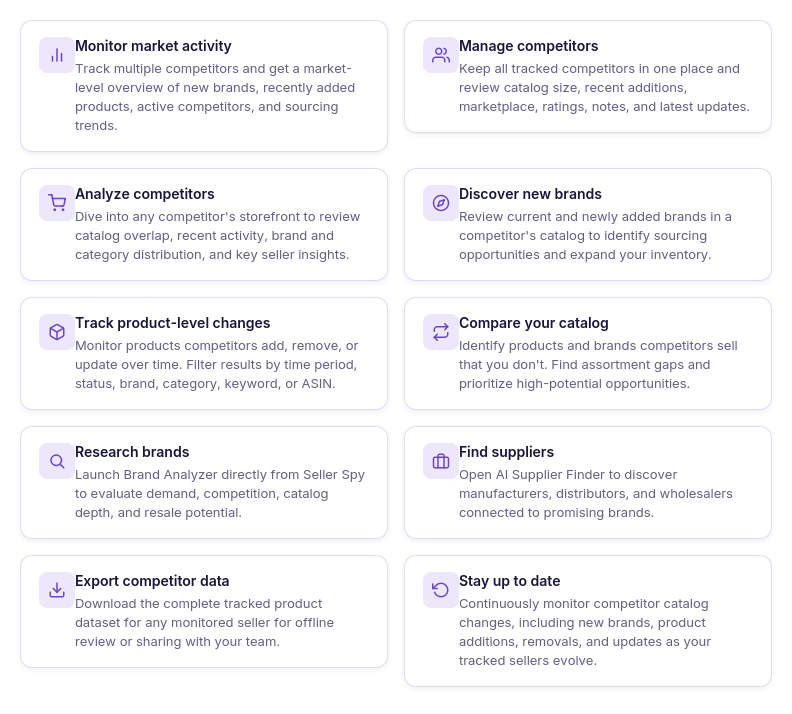 Pay attention to:
- Brands recently added by competitors that may indicate new sourcing opportunities.
- Brands sold by multiple competitors, suggesting established marketplace demand.
- Brands missing from your catalog that could expand your inventory.
- Competitor activity trends, such as sellers rapidly growing their catalogs or entering new categories.
- Product and brand changes over time, helping you spot emerging opportunities before they become saturated.
- The Opportunities widget, which highlights brands ready to move into the next stage of the workflow.
When a brand is ready for the next stage
Not every brand discovered through competitor research should become a sourcing lead. The goal of Seller Spy is to narrow hundreds of potential opportunities down to a shortlist of brands that already show strong reseller activity and deserve deeper evaluation.
Once you’ve identified a promising brand, the next step is to launch Brand Analyzer directly from Seller Spy. There, you’ll validate demand, competition, Amazon’s presence, catalog depth, and resale potential before investing time in finding suppliers or analyzing products. This ensures only qualified brands move further through the sourcing workflow toward becoming profitable purchase orders.
Stage 2. Qualify Brands Before Contacting Suppliers
After identifying promising brands through competitor research, the next step is determining whether they’re actually worth sourcing. Seller Assistant’s Brand Analyzer helps Amazon wholesale sellers, online arbitrage sellers, and dropshippers evaluate brands before investing time in supplier outreach, wholesale account applications, or product research.
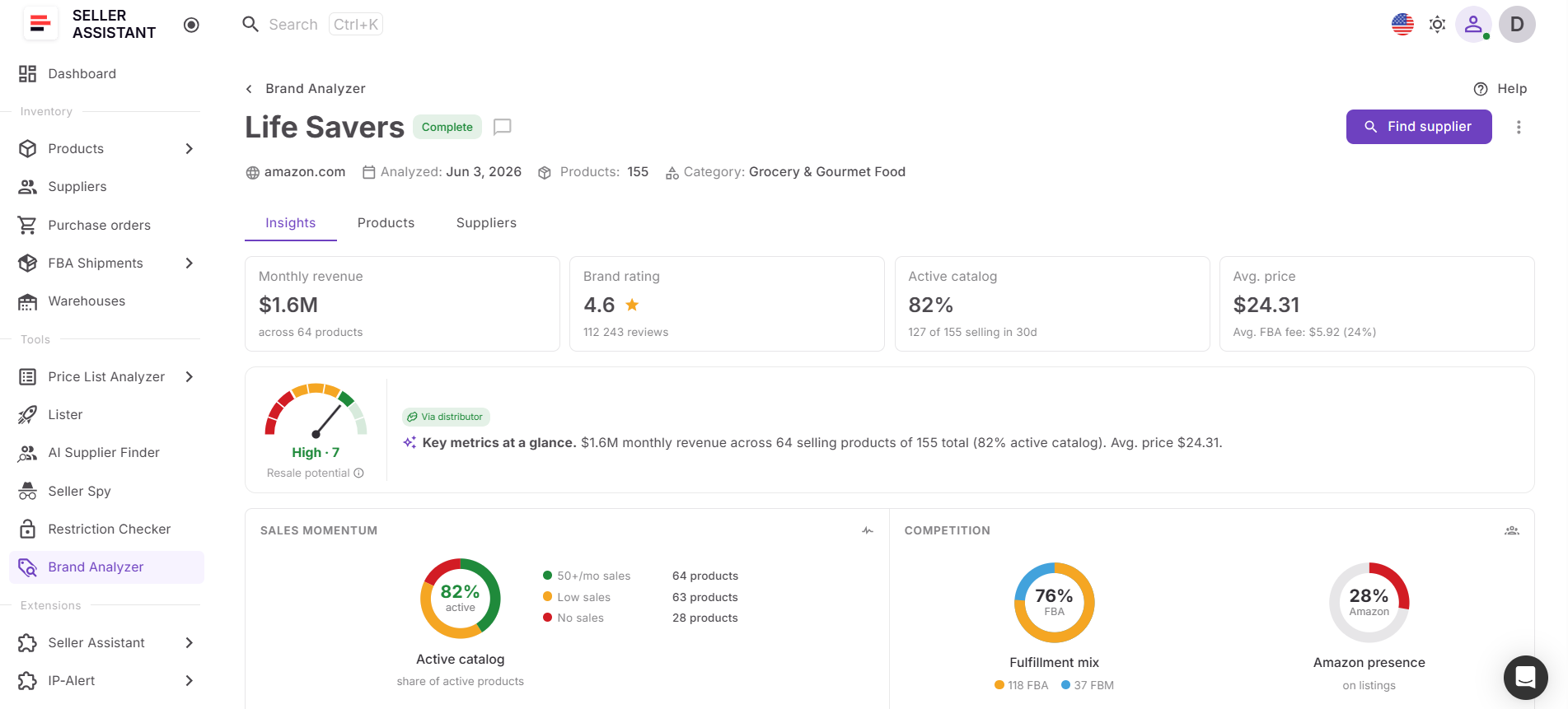
Instead of reviewing individual ASINs one by one, Brand Analyzer provides a complete picture of a brand’s marketplace performance. Sellers can assess demand, competition, Amazon’s presence, catalog depth, pricing, and AI-powered resale insights from a single workspace, allowing them to quickly separate high-potential opportunities from brands that should be skipped.
What to evaluate in Brand Analyzer
Brand Analyzer helps you determine whether a competitor brand deserves to move to the supplier discovery stage.
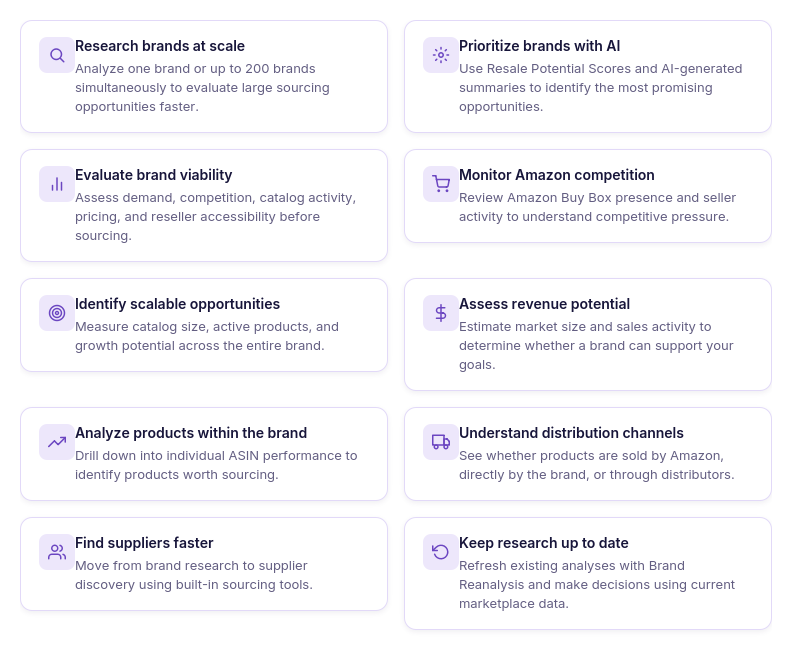
Review key indicators such as:
- Estimated monthly revenue to measure overall demand.
- Catalog size and active products to evaluate long-term sourcing potential.
- Amazon Buy Box rate to understand how often Amazon competes on listings.
- Average seller count and FBA share to assess competition.
- Average price, ratings, and category to understand marketplace dynamics.
- Distribution type to evaluate reseller friendliness and supplier accessibility.
- AI-powered Resale Potential Score and brand summary to prioritize opportunities faster.
- Product-level analytics to identify the strongest ASINs within the brand.
When a brand is ready for supplier outreach
Not every brand that competitors sell is worth pursuing. Some may be dominated by Amazon Retail, have excessive competition, or lack the demand needed to support profitable wholesale sourcing. Brand Analyzer helps eliminate these opportunities before you spend time contacting suppliers.
Once a brand demonstrates healthy demand, manageable competition, sufficient catalog depth, and strong resale potential, you can confidently move to the next stage of the workflow – using AI Supplier Finder to identify manufacturers, authorized distributors, and wholesalers that can supply the brand.
Stage 3. Find Wholesale Suppliers for Qualified Brands
Once you’ve identified a brand with strong resale potential, the next step is finding suppliers that can provide competitive wholesale pricing and reliable inventory. Seller Assistant’s AI Supplier Finder helps Amazon wholesale sellers, online arbitrage sellers, and dropshippers connect qualified brands with manufacturers, authorized distributors, wholesalers, and other B2B suppliers.
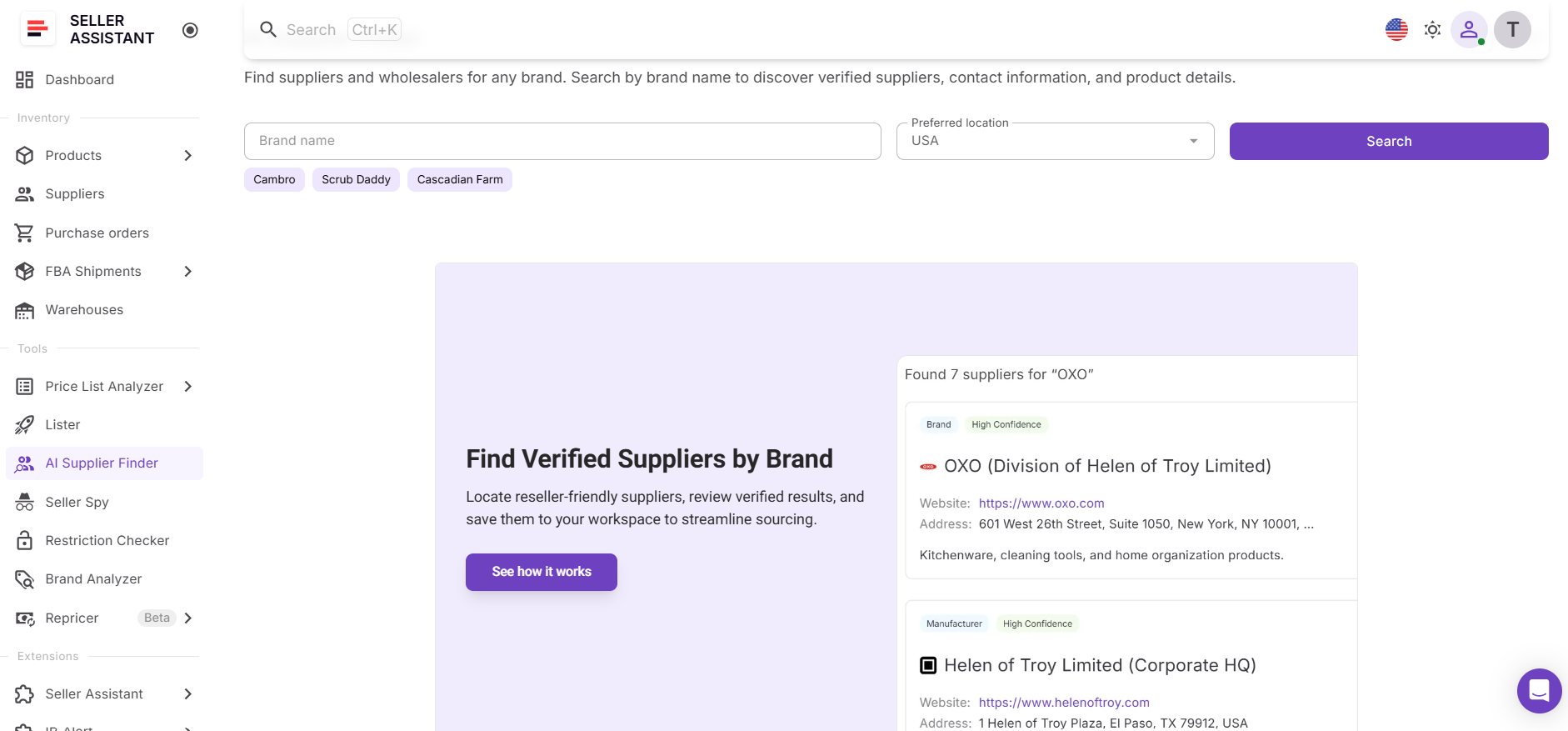
Instead of spending hours searching online and filtering through retail stores, marketplaces, and unrelated websites, AI Supplier Finder delivers a curated list of suppliers associated with the selected brand. This allows sellers to move from brand qualification to supplier outreach much faster and with greater confidence.
What to look for in AI Supplier Finder
AI Supplier Finder helps you identify the suppliers most likely to support successful wholesale sourcing.
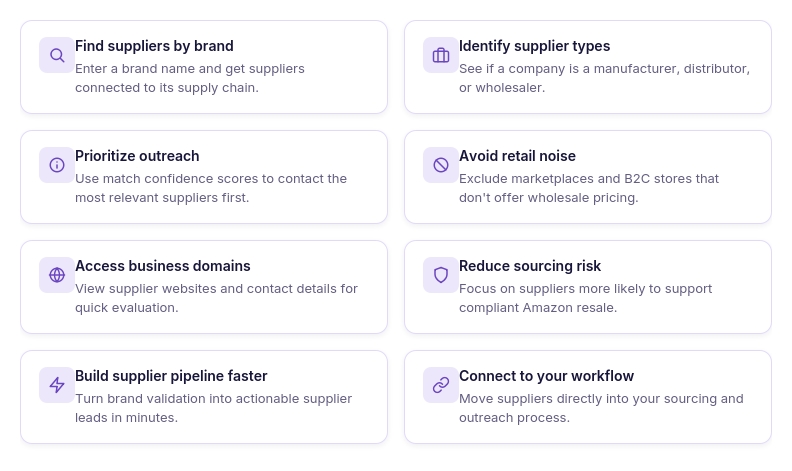
Review factors such as:
- Supplier type, including manufacturers, authorized distributors, wholesalers, and brand representatives.
- AI-powered match confidence scores to prioritize the most relevant supplier opportunities.
- Business websites and available contact information for supplier evaluation and outreach.
- B2B-focused supplier results with retail stores and consumer marketplaces filtered out.
- Suppliers launched directly from Brand Analyzer or Seller Spy, eliminating the need to restart your research.
- The option to save suppliers to Suppliers Database for long-term relationship management.
When a supplier is ready for the next stage
Finding a supplier is only the beginning. Before purchasing inventory, you need to establish a wholesale relationship by requesting account approval, confirming purchasing requirements, and obtaining the supplier’s wholesale catalog.
Once you’ve identified promising suppliers and received access to their price lists, the next step is to save them in Suppliers Database. This keeps supplier information organized and prepares you to analyze their catalogs, compare opportunities, and continue the sourcing workflow toward profitable purchase orders.
Stage 4. Organize Supplier Relationships for Long-Term Success
After identifying and contacting wholesale suppliers, the next step is managing those relationships efficiently. Seller Assistant’s Suppliers Database helps Amazon wholesale sellers, online arbitrage sellers, and dropshippers keep supplier information, purchasing terms, and account details organized in one centralized workspace.
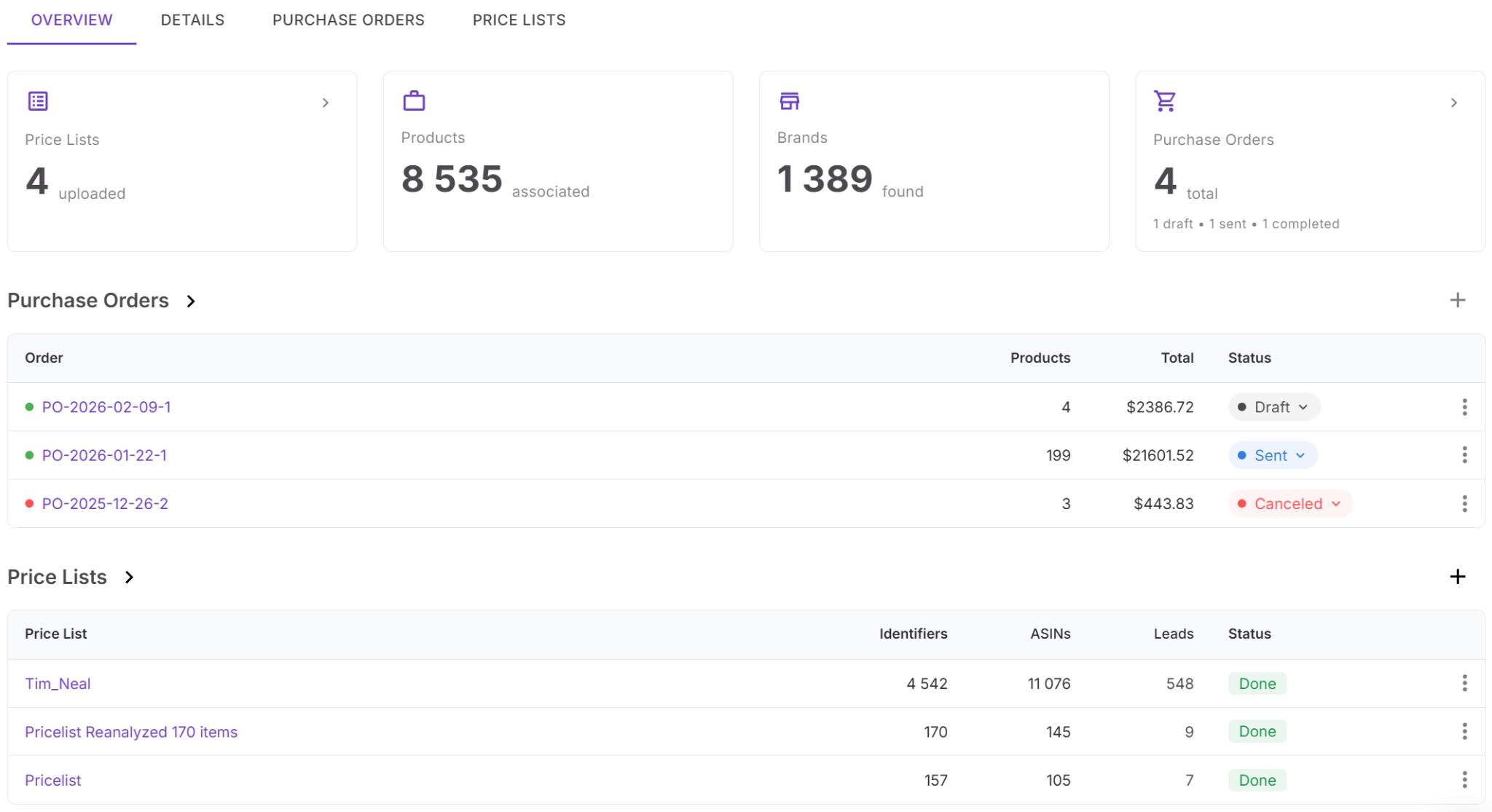
Instead of tracking supplier contacts in spreadsheets, emails, and scattered notes, Suppliers Database stores everything in a structured system connected to the rest of your sourcing workflow. This makes it easier to manage multiple supplier accounts, maintain accurate purchasing information, and prepare for future orders.
What to manage in Suppliers Database
Suppliers Database helps you organize supplier information that supports ongoing purchasing decisions.
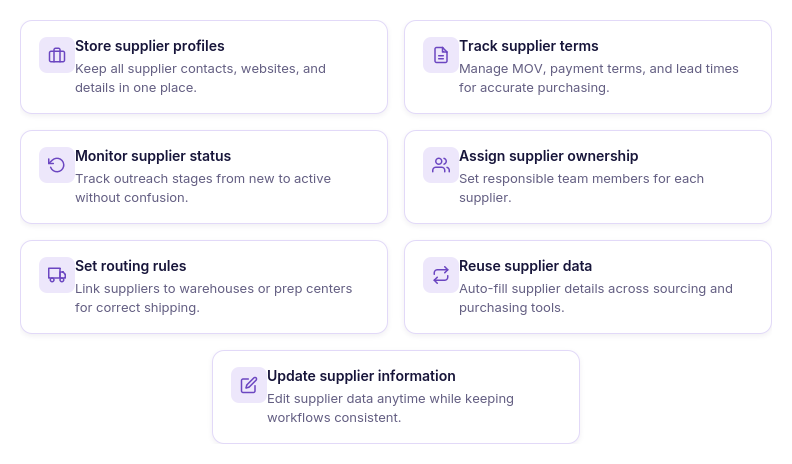
Store and manage details such as:
- Supplier profiles with business names and contact information.
- Wholesale account status and supplier relationship progress.
- Payment terms, minimum order values (MOV), lead times, and shipping requirements.
- Internal notes and supplier-specific information for future reference.
- Supplier assignments for team members or virtual assistants.
- Warehouse or prep center associations for purchasing and logistics.
- Supplier price lists linked to each supplier.
- Supplier data reused across purchasing workflows, eliminating duplicate data entry.
When suppliers are ready for catalog analysis
Managing supplier information isn’t the end goal – it’s the foundation for efficient purchasing. Once a supplier account is approved and you’ve received a wholesale price list, you’re ready to evaluate the catalog for profitable opportunities.
Because Suppliers Database connects directly with Price List Analyzer and Purchase Orders Module, supplier information automatically follows the workflow. This reduces administrative work, preserves supplier context, and allows you to move directly into bulk catalog analysis and purchasing without re-entering supplier details.
Stage 5. Validate Supplier Catalogs Before You Buy
Receiving a supplier’s wholesale catalog doesn’t mean every product is worth purchasing. Seller Assistant’s Price List Analyzer helps Amazon wholesale sellers, online arbitrage sellers, and dropshippers identify the products that match their sourcing criteria before committing capital to inventory.
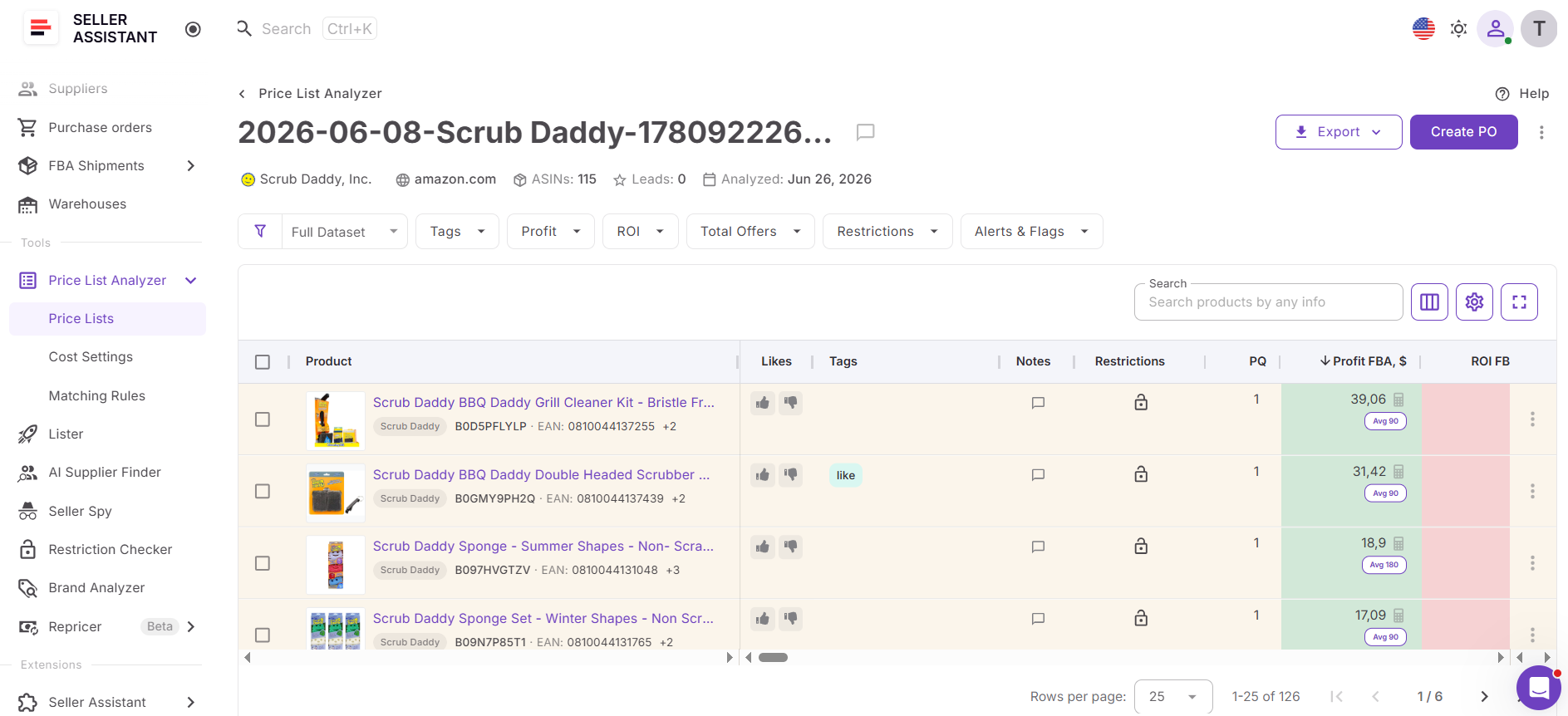
Instead of reviewing supplier offers one product at a time, Price List Analyzer evaluates entire catalogs using Amazon marketplace data. Sellers can quickly separate high-potential opportunities from products with low margins, excessive competition, selling restrictions, or other sourcing risks, allowing them to focus only on inventory that supports profitable growth.
What to evaluate in Price List Analyzer
Price List Analyzer helps you identify products that are ready to move into purchasing.
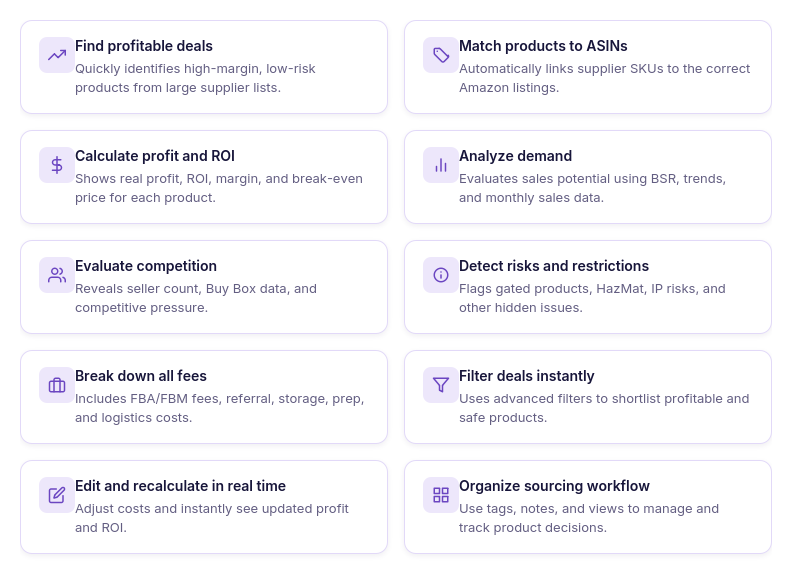
Review factors such as:
- ROI, profit, margin, and break-even pricing to evaluate financial performance.
- Sales estimates and BSR trends to measure marketplace demand.
- Seller competition, Buy Box conditions, and Amazon’s presence to assess competitive pressure.
- Selling restrictions, HazMat status, IP complaints, and other sourcing risks before purchasing.
- Automatic matching of supplier products to Amazon ASINs for faster analysis.
- Bulk filtering to eliminate weak opportunities and prioritize the strongest deals.
- The option to send approved products directly to Purchase Orders Module for purchasing.
When products are ready to buy
Not every product in a supplier catalog belongs in a purchase order. The goal of Price List Analyzer is to narrow thousands of supplier offers down to the products that meet your profitability, demand, competition, and compliance requirements.
Once you’ve identified products with strong margins, healthy demand, manageable competition, and acceptable sourcing risk, they’re ready for the final stage of the workflow – creating a purchase order. From there, you can build the order, review total costs and expected profitability, and prepare it for submission to your supplier.
Stage 6. Turn Validated Opportunities into Purchase Orders
After you’ve identified profitable products in a supplier’s catalog, the final step is converting those sourcing decisions into a purchase order. Seller Assistant’s Purchase Orders Module helps Amazon wholesale sellers, online arbitrage sellers, and dropshippers create, manage, and evaluate supplier orders before committing capital to inventory.
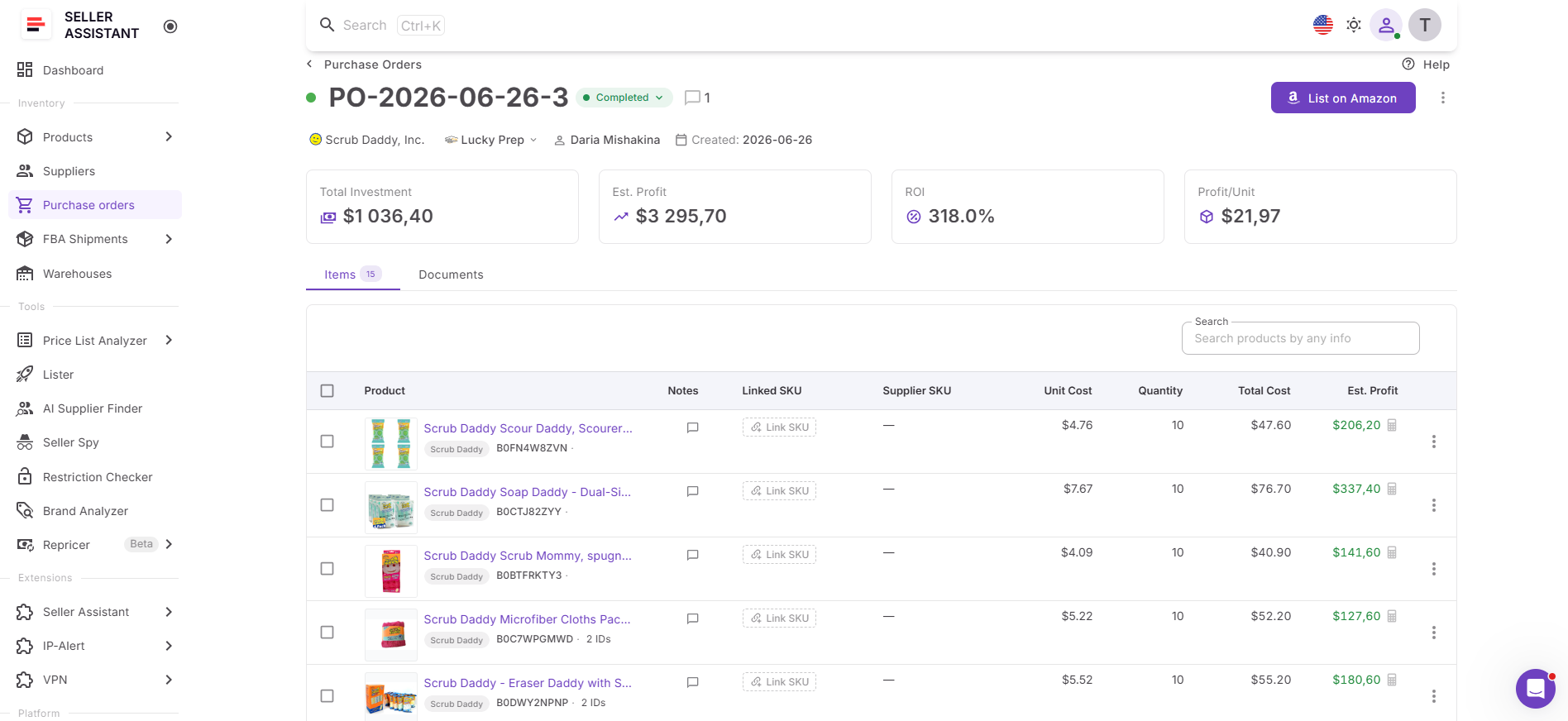
Instead of building purchase orders in spreadsheets and manually calculating costs, the Purchase Orders Module brings together product data, supplier information, purchasing costs, and profitability metrics in one workspace. This allows sellers to review the financial performance of an entire order and ensure it meets their business goals before sending it to the supplier.
What to review in Purchase Orders Module
Purchase Orders Module helps you build complete supplier orders and verify they’re financially sound before purchasing.
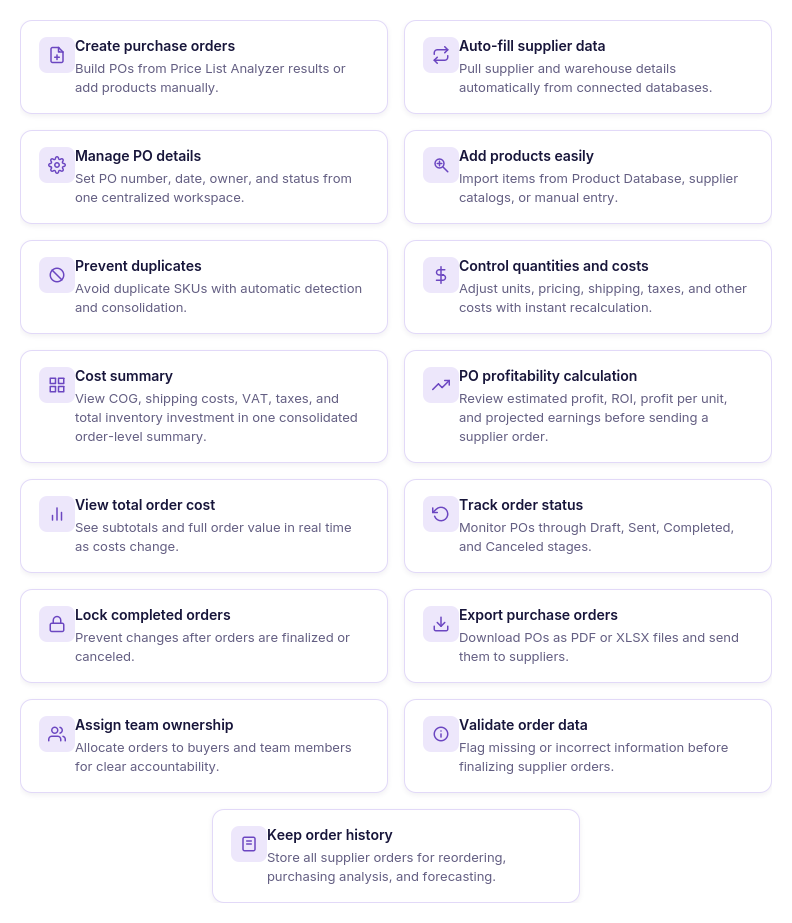
Review and manage:
- Purchase orders created from approved products identified in Price List Analyzer.
- Supplier, product, and warehouse information automatically carried over from previous workflow stages.
- Product quantities, unit costs, shipping charges, taxes, VAT, and other purchasing expenses.
- A consolidated Cost Summary showing total inventory investment.
- Estimated profit, ROI, profit per unit, and overall purchase order profitability.
- Purchase order status, ownership, and purchasing history.
- Export options for sharing purchase orders with suppliers.
- Validation checks to ensure supplier and purchasing information is complete before the order is sent.
When a purchase order is ready to send
Creating a purchase order is more than assembling a list of products – it’s the final validation step before investing in inventory. Reviewing the order as a whole helps you understand total investment, expected returns, and how additional costs such as shipping and taxes affect profitability.
Once the purchase order meets your profitability targets and all purchasing details have been verified, it’s ready to send to the supplier. At this point, competitor research has been fully transformed into a data-driven purchasing decision, completing the workflow from marketplace intelligence to inventory procurement.
How to Convert Competitor Research into Purchase Orders – Step by Step
Step 1. Identify brands with sourcing potential
Use Seller Spy to monitor competitors and discover brands they recently added, consistently sell, or offer that aren’t yet in your catalog.
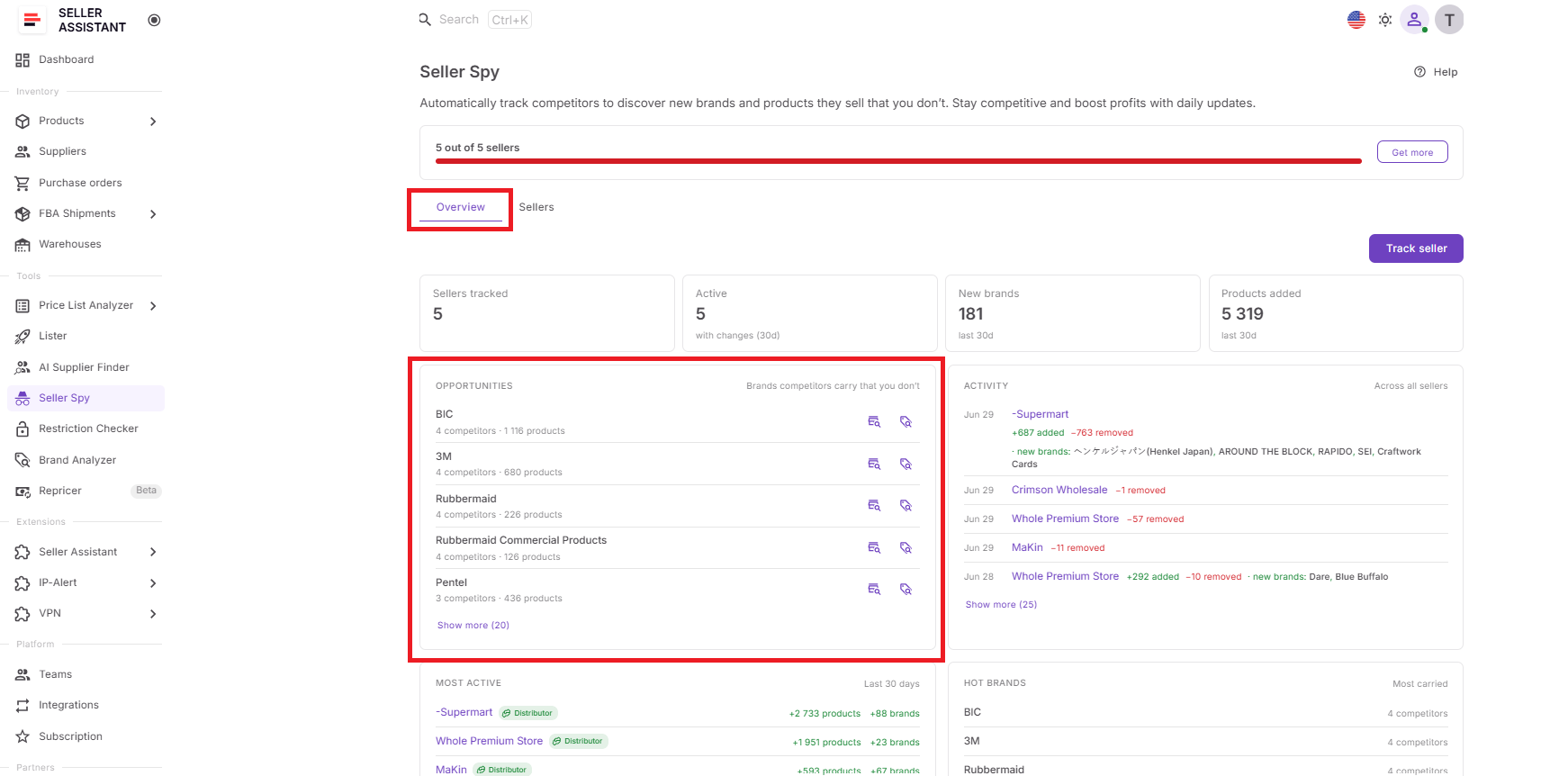
This helps you build a shortlist of opportunities already validated by real marketplace activity.
Step 2. Confirm the brand is worth sourcing
Launch Brand Analyzer from Seller Spy to evaluate demand, competition, Amazon’s presence, catalog depth, pricing, and overall resale potential.
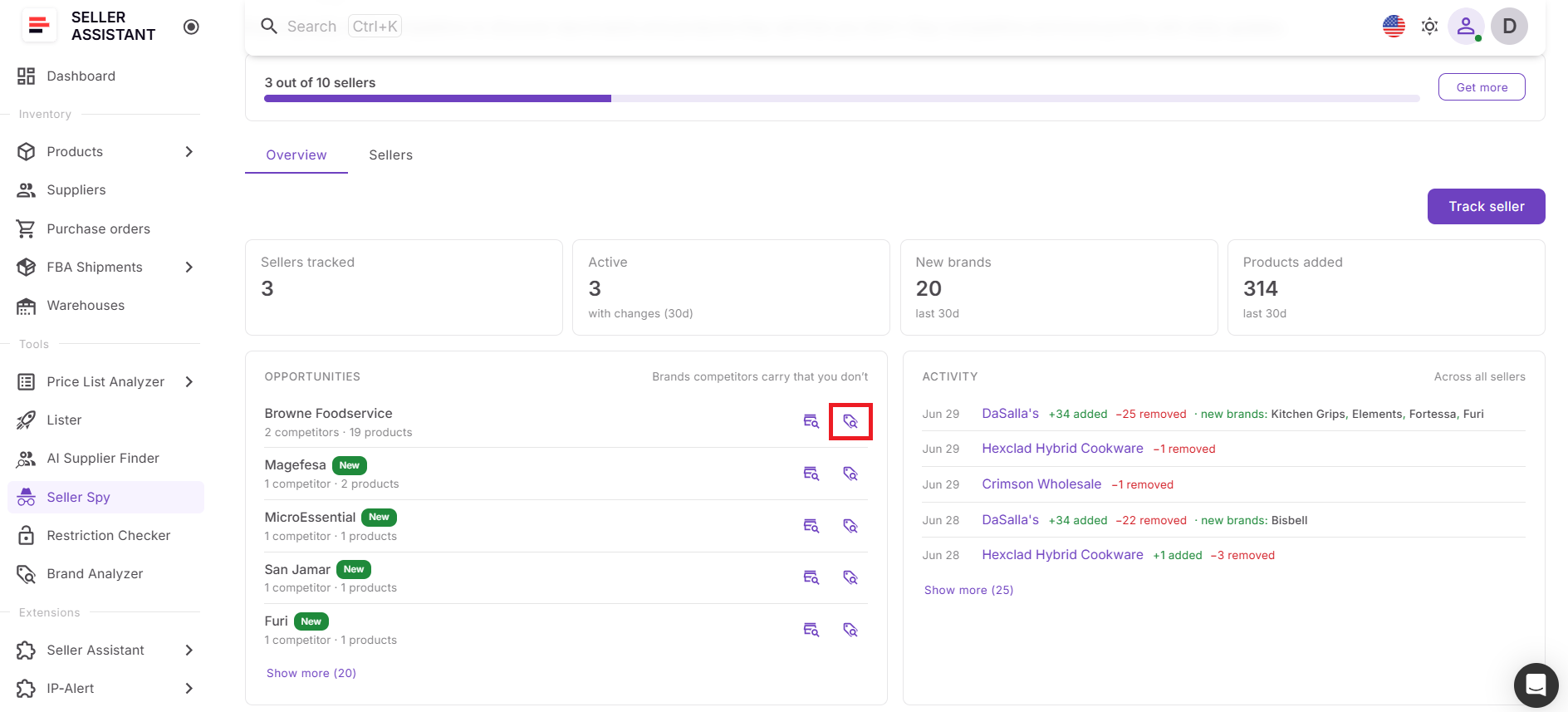
This allows you to qualify the opportunity before investing time in supplier outreach.
Step 3. Connect with wholesale suppliers
Open AI Supplier Finder to locate manufacturers, authorized distributors, wholesalers, and other B2B suppliers for the qualified brand.
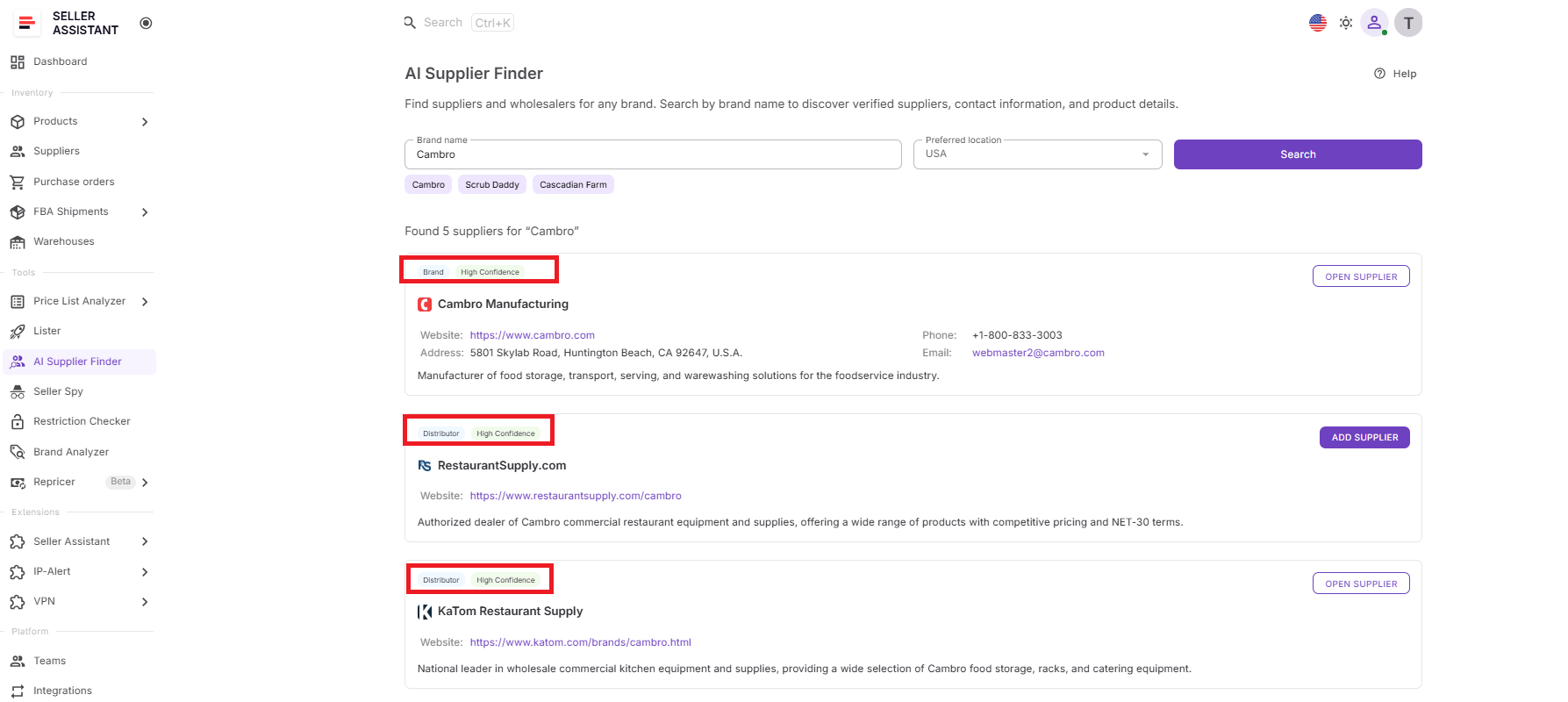
Once you’ve identified promising suppliers, request wholesale accounts and begin building supplier relationships.
Step 4. Organize supplier accounts
Save approved suppliers in Suppliers Database together with contact details, payment terms, minimum order values (MOV), lead times, and other purchasing information.
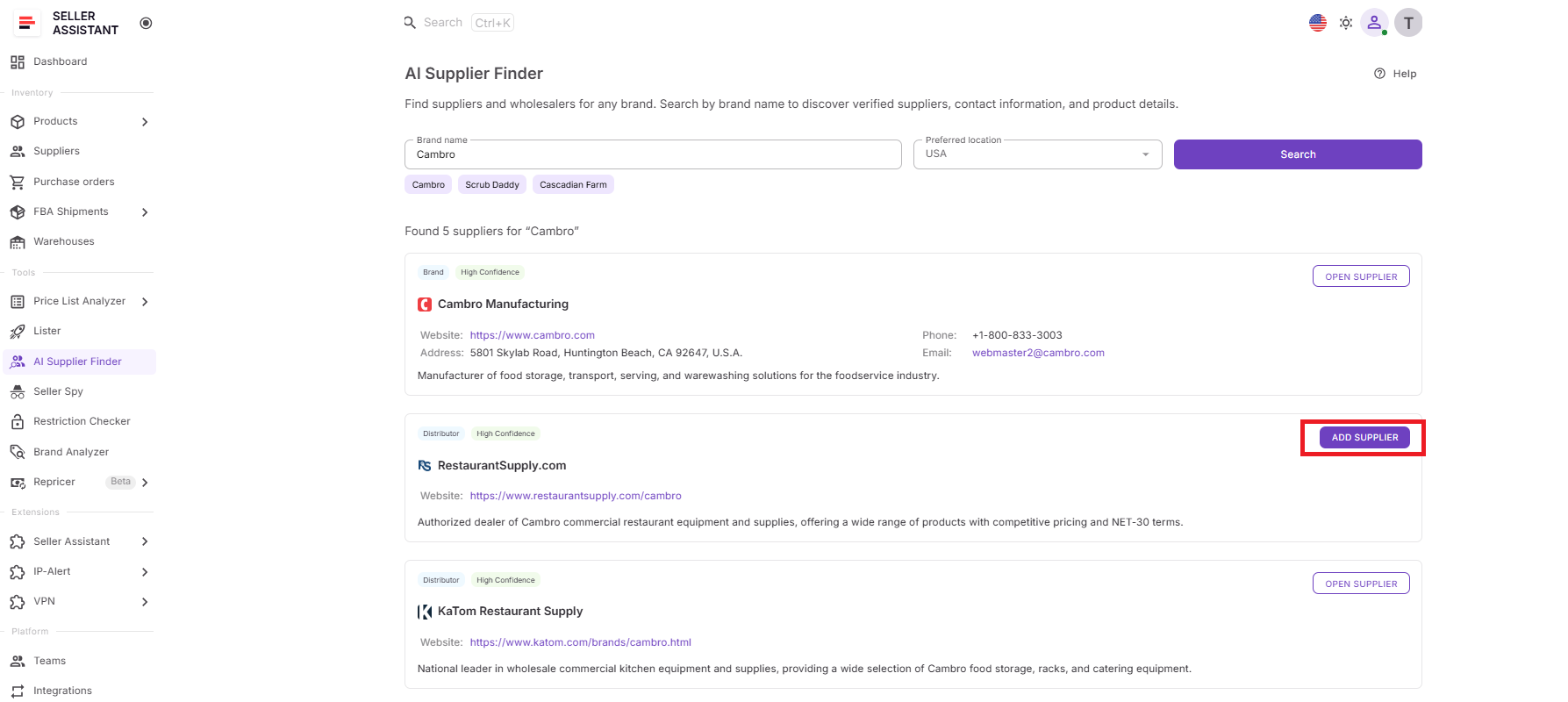
Keeping supplier data organized makes future purchasing faster and ensures every supplier stays connected to the rest of your sourcing workflow.
Step 5. Select the best products to buy
Upload the supplier’s wholesale catalog to Price List Analyzer and evaluate products in bulk for profitability, demand, competition, restrictions, HazMat status, IP risks, and other sourcing criteria.
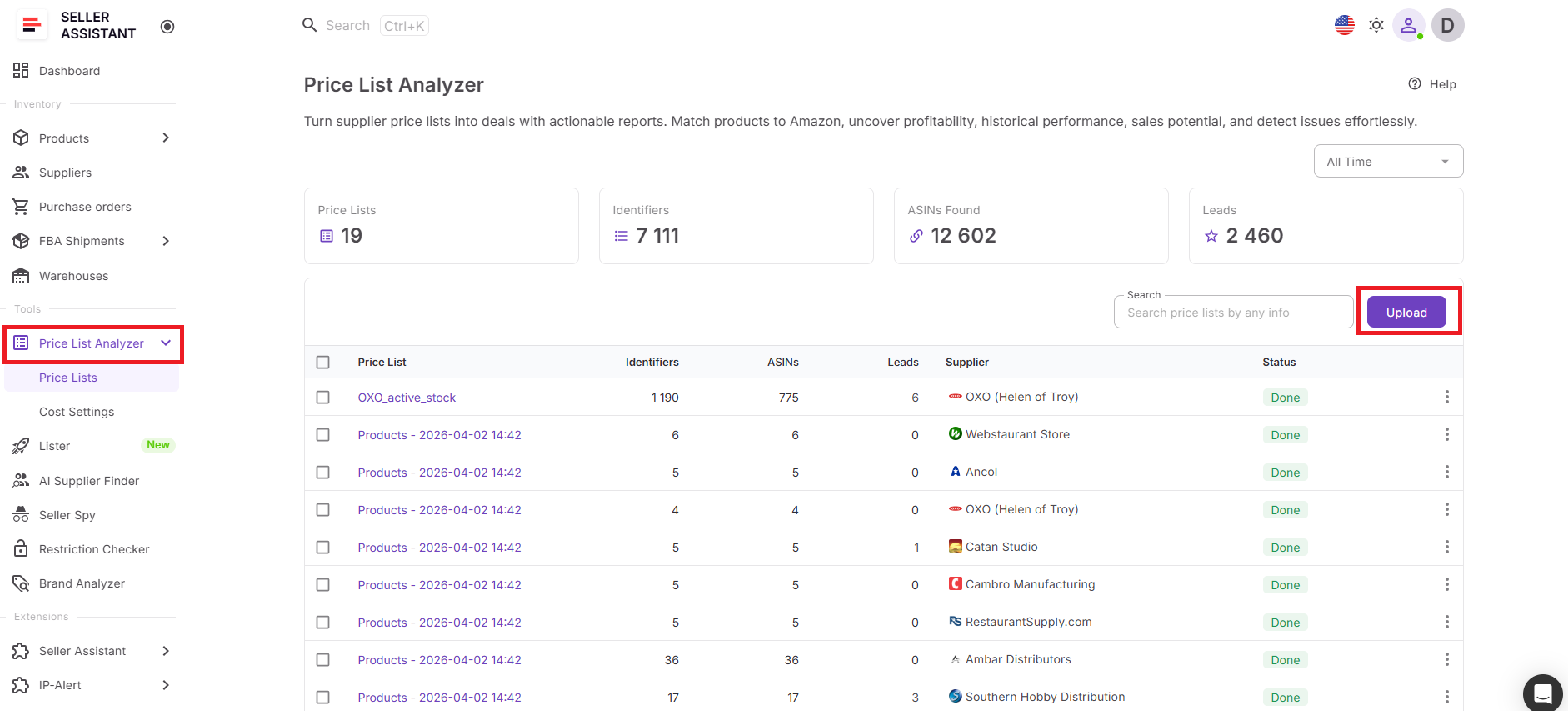
Filter the results to create a shortlist of products that meet your buying requirements.
Step 6. Build and review your purchase order
Send approved products to the Purchase Orders Module, where you can create a supplier order, review total investment, shipping and other purchasing costs, expected profit, ROI, and overall purchase order profitability before sending it to the supplier.
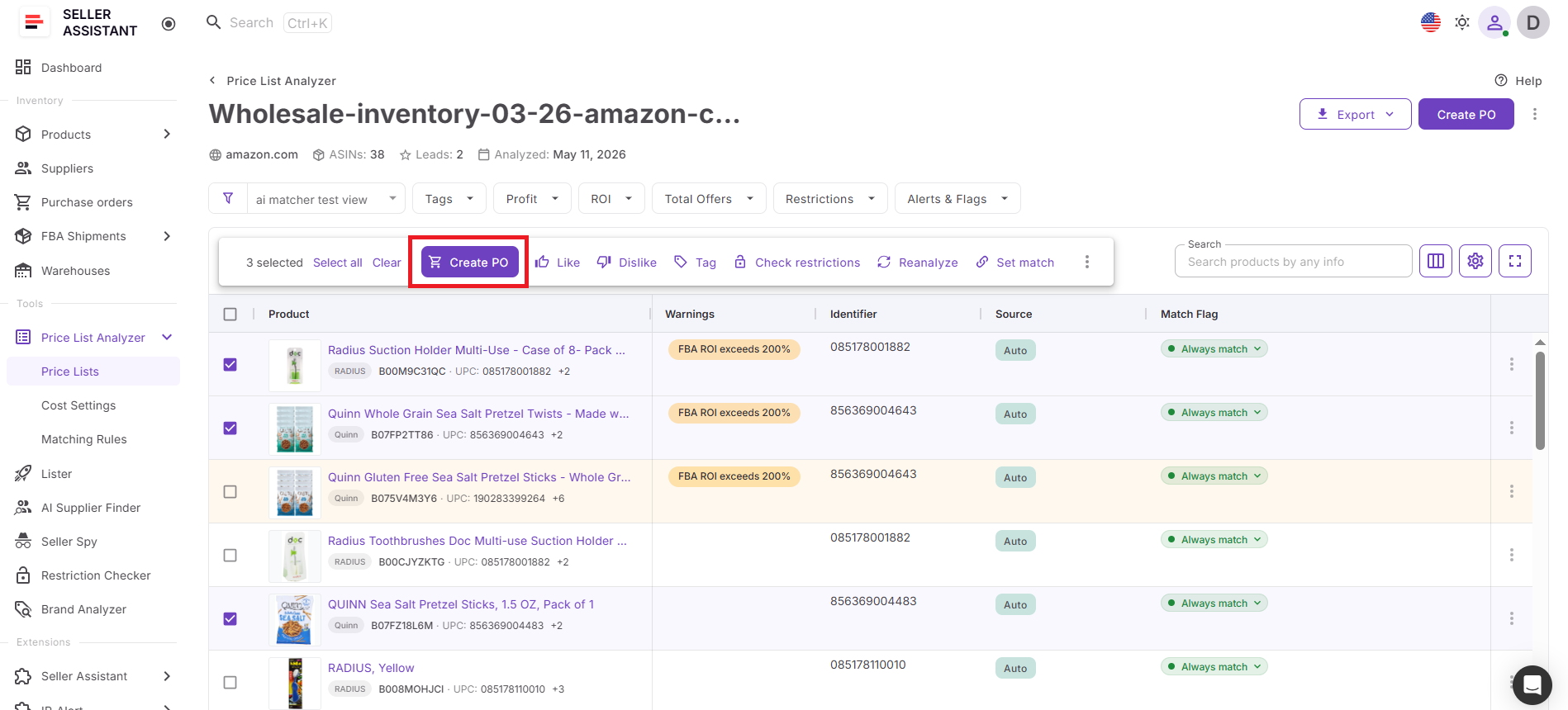
This ensures every purchase order is backed by validated marketplace data and complete financial analysis, allowing you to buy inventory with confidence.
FAQ
How do I know when a brand is ready to move to the next stage?
Don’t rely on a single metric. A brand is typically worth pursuing when it shows a healthy balance of demand, manageable competition, sufficient catalog depth, and a market structure that leaves room for third-party sellers.
What if a supplier doesn’t approve my wholesale account?
Supplier rejections are common and don’t necessarily mean the brand is unavailable. Try contacting another authorized distributor or wholesaler, strengthen your business credentials, or revisit the opportunity after your Amazon business has grown.
Should I place an order as soon as I find profitable products?
Not always. Compare the total investment with your available budget, cash flow, and inventory strategy to ensure the purchase order aligns with your business goals rather than simply maximizing short-term profit.
How can I improve the profitability of a purchase order?
Review the order as a whole instead of focusing only on individual products. Adjusting quantities, removing weaker SKUs, or accounting for shipping and other purchasing costs can significantly improve the overall ROI of the order.
Can this workflow be used by teams or virtual assistants?
Yes. Different team members can manage different stages of the workflow, such as competitor research, supplier outreach, or catalog analysis, while keeping all sourcing information organized in one connected system. This creates a more consistent process and reduces duplicated work as your business scales.
Final Thoughts
Successful Amazon wholesale sourcing doesn’t end with discovering what your competitors sell – it ends with placing purchase orders you can be confident will generate profitable returns. Moving from competitor research to inventory requires more than finding promising brands. You must qualify each opportunity, identify reliable suppliers, validate supplier catalogs, and evaluate the financial performance of every order before committing capital.
Seller Assistant connects every stage of that process into one streamlined workflow. With Seller Spy, Brand Analyzer, AI Supplier Finder, Suppliers Database, and Price List Analyzer, and Purchase Orders Module, you can transform competitor intelligence into data-driven purchasing decisions without relying on disconnected spreadsheets or manual processes. Whether you’re an Amazon wholesale seller, online arbitrage seller, or dropshipper, following this structured workflow helps you source smarter, reduce risk, and build a scalable pipeline of profitable inventory.