



Listing products on Amazon shouldn’t slow you down – but for many resellers, it does.
After sourcing profitable ASINs and creating purchase orders, you’re forced back into Seller Central to list items one by one, rebuild SKUs, and double-check details.
It breaks your workflow and creates room for errors.
Seller Assistant’s Lister changes that. It lets you create listings directly from your existing product data, keep SKU tracking consistent, and move from sourcing to sellable inventory without switching tools. Here’s how to use Lister to streamline your listing process and scale faster.
Why Listing Becomes a Bottleneck in Wholesale Workflows
Wholesale selling on Amazon is built for scale – bulk sourcing, large purchase orders, and repeatable processes. But listing products often remains manual. After completing a purchase order, you still need to switch to Seller Central, search for each ASIN, recreate SKUs, and configure listing details one by one. This breaks the workflow you’ve already built and slows down how fast your inventory becomes sellable.
The gap between purchase orders and live listings
In a structured workflow, every step connects – product research feeds supplier decisions, and approved products move into purchase orders. But listing sits outside this system. You end up re-entering the same data, risking inconsistencies in SKUs, pricing, and fulfillment settings. This disconnect creates delays, especially when working with large catalogs or frequent reorders.
Why manual listing limits scaling
Manual listing works at small volume, but it doesn’t hold up when you manage multiple suppliers and hundreds of SKUs. Each additional product adds repetitive work and increases the chance of errors. More importantly, it delays time to market – your products can’t compete for the Buy Box until they are listed and active.
The need for a connected listing workflow
To scale efficiently, listing must become part of the same system as sourcing and purchasing. Products should move from your database or purchase orders directly into listings without rework. SKUs should stay consistent, and listing data should carry over automatically. A connected approach removes friction, reduces errors, and helps you turn sourced products into active offers faster.
What is Seller Assistant’s Lister
| Lister summary | Description |
|---|---|
| What it is | Amazon listing creation tool for sellers – creates listings directly from product database or purchase orders without switching to Seller Central |
| Best for | Amazon wholesale sellers, online arbitrage resellers, dropshippers |
| Core function | Bulk and single listing creation with SKU, price, condition, and fulfillment setup in one workflow |
| Key benefit | Eliminates manual listing, prevents SKU duplication, and speeds up time to market |
| Platform | Seller Assistant |
A built-in listing tool inside your workflow
Seller Assistant’s Lister is a built-in tool that lets you create Amazon listings directly from your existing product data without switching to Seller Central. It works as the execution step inside your workflow – turning sourced products and purchase orders into live listings in a few clicks.
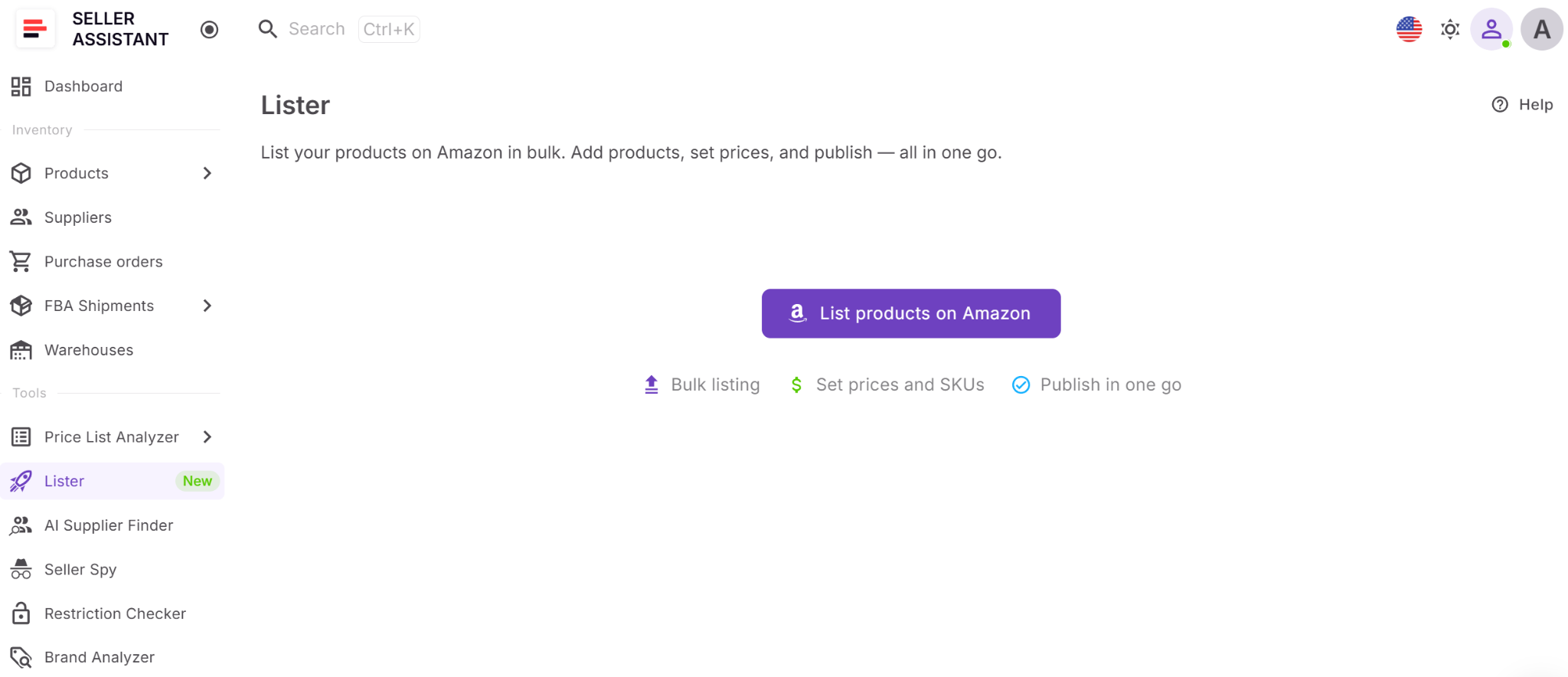
What Lister does
Lister follows a structured flow where you select products, configure key details like condition, fulfillment (FBA or FBM), price, and SKU, and submit them for listing. Once submitted, you can immediately see results – whether listings are successful or require fixes.
How Lister and Listings tools work together
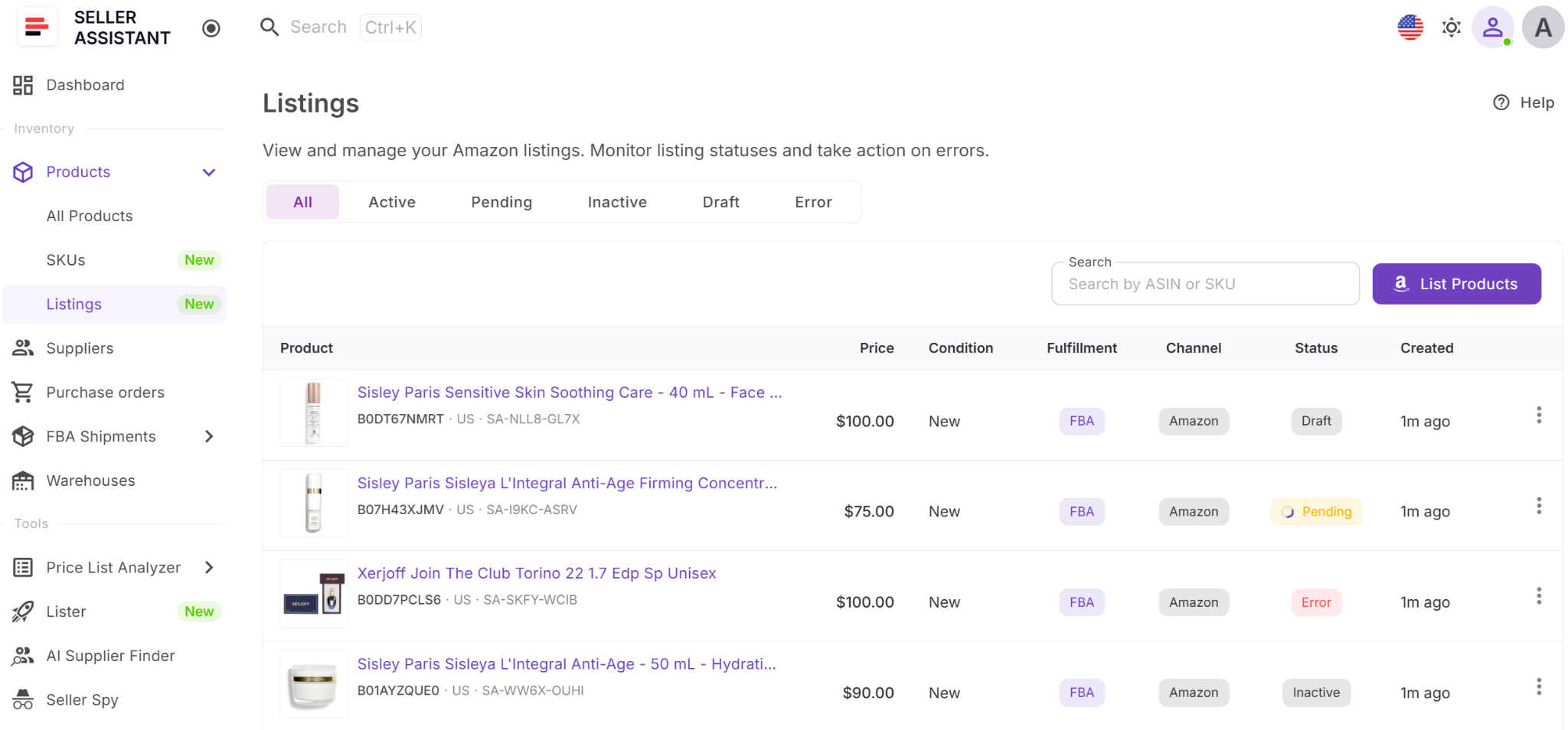
Lister and Listings are two connected tools that handle listing creation and tracking in one system. Lister is used to create listings, while the Listings section shows the results and current status of every listing in one place.
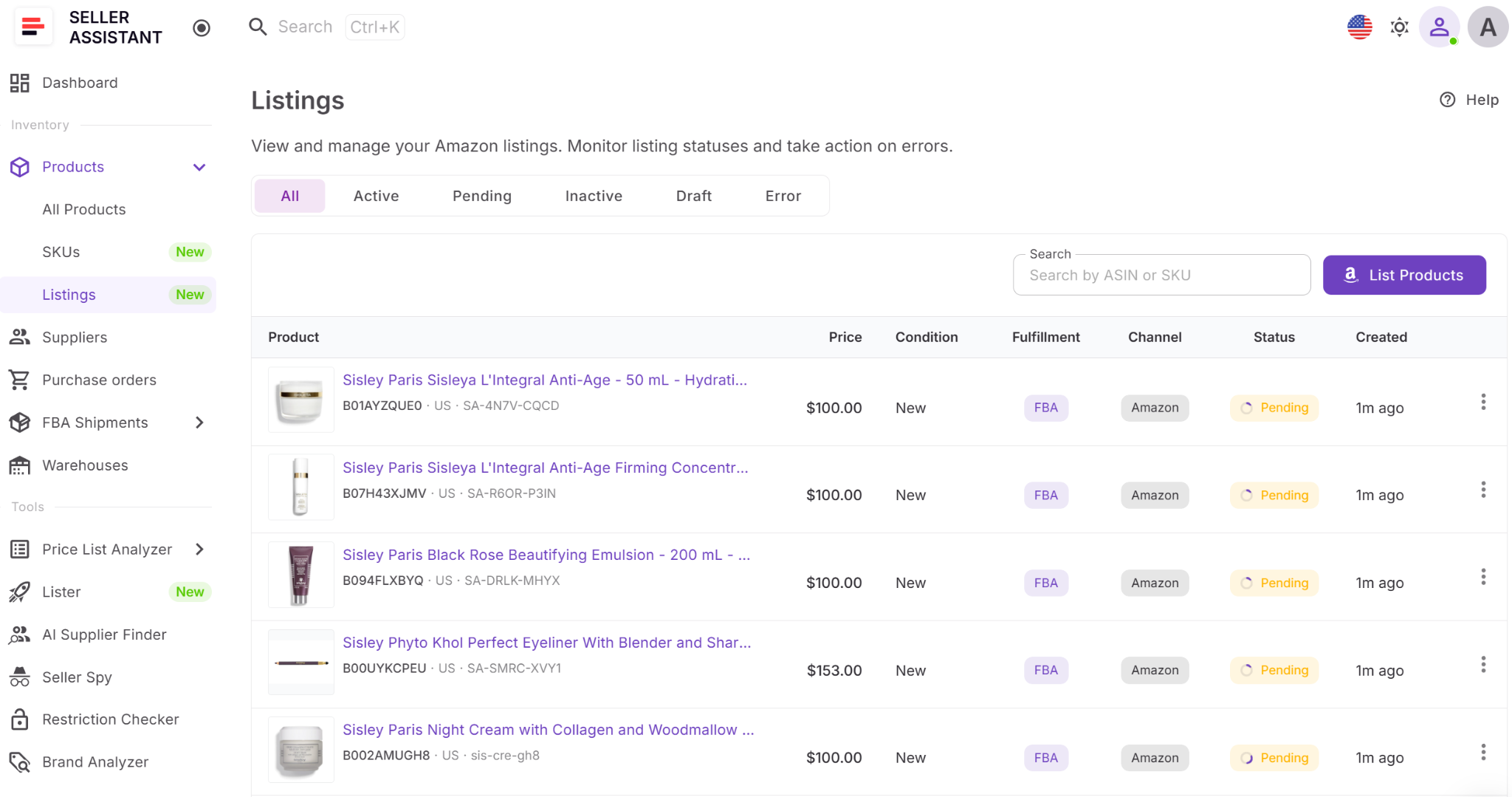
The Listings view displays statuses like Draft, Pending, Active, Inactive, or Error, so you can quickly see which products are live, which are still processing, and which require fixes. This connection ensures that once a listing is created, you can immediately monitor and manage it without leaving the workflow.
Why Lister is important for scaling
Lister is not a standalone feature – it’s part of Seller Assistant’s connected wholesale workflow automation. Products move from sourcing and purchase orders into listings without re-entering data, keeping your workflow consistent, your SKUs clean, and your time to market faster.
Note. Seller Assistant is an end-to-end Amazon workflow management platform that integrates 15+ wholesale-focused solutions into one connected system. It combines sourcing workflow automation, bulk research and intelligence tools, and integrated Chrome extensions – giving you everything you need to streamline finding deals, managing suppliers, and creating purchase orders.

The platform aggregates: workflow management tools – Purchase Orders Module, Suppliers Database, Product DB, Warehouses Database, FBA Shipments to organize, automate, and scale every step of your wholesale and arbitrage operations; bulk research & sourcing tools – Price List Analyzer, Bulk Restriction Checker, AI Supplier Finder, Brand Analyzer, Seller Spy to evaluate supplier price lists, verify selling eligibility and restrictions, open new brands, and discover winning product ideas from competitors to expand your product catalog; Chrome extensions – Seller Assistant Browser Extension, IP-Alert Extension, and built-in VPN by Seller Assistant to deep-research products, check IP claims and compliance, and access geoblocked supplier sites directly within your browser; and integrations & team access features – seamless API connectivity and integrations with Zapier, Airtable, and Make, plus Virtual Assistant Accounts for secure, scalable team collaboration.
With Seller Assistant, every step of your Amazon wholesale and arbitrage workflow is automated and connected.
What Can You Do with Lister?
Lister is designed to remove manual work from the listing process and make it part of your existing workflow. Instead of handling listings one by one in Seller Central, you can create, configure, and submit multiple listings directly from your product data or purchase orders. This helps you move faster, reduce errors, and keep your operations consistent as you scale.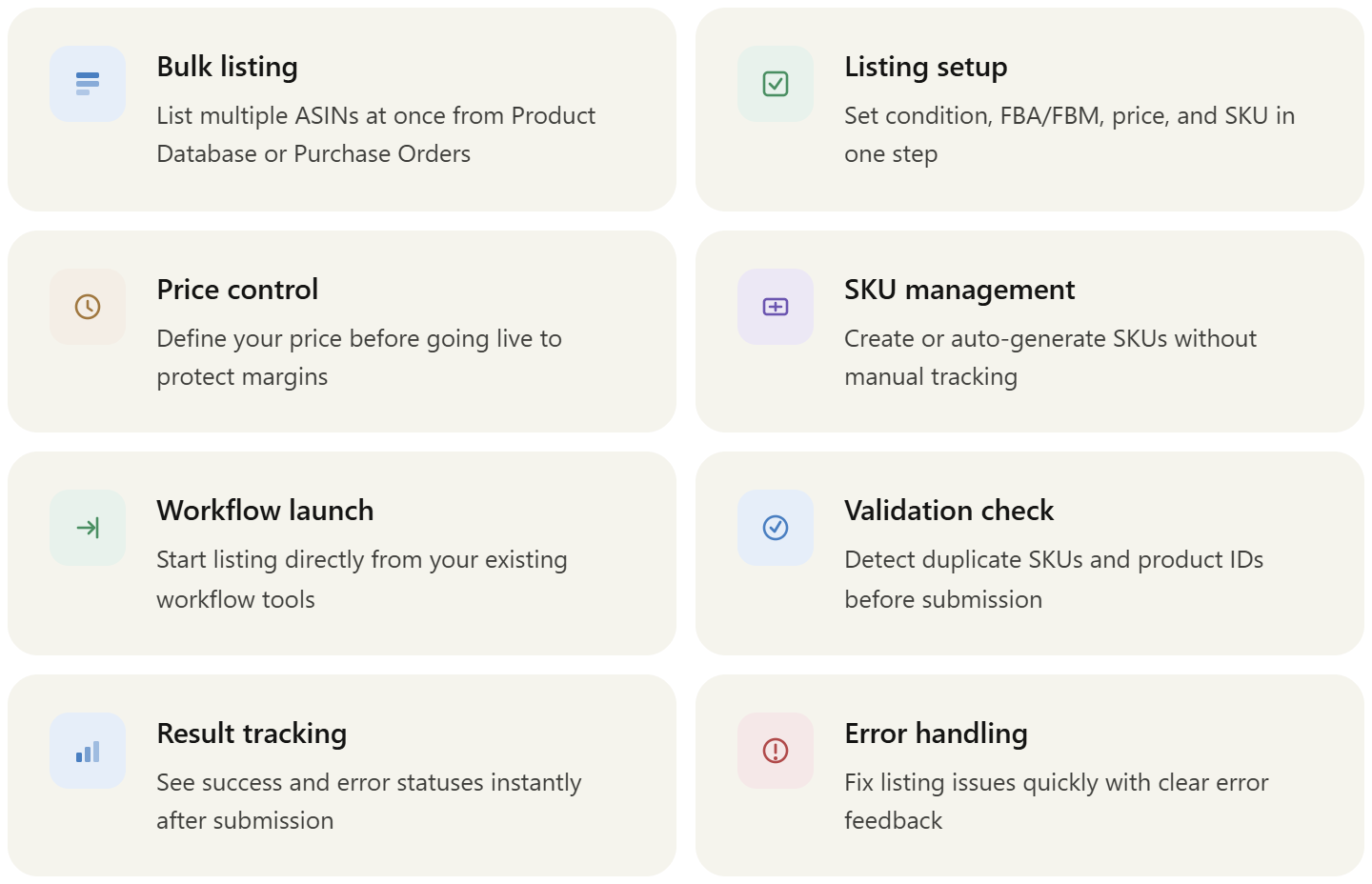
Create listings in bulk or individually
Select one or multiple products from your Product Database or Purchase Orders and list them in a single workflow. This is especially useful for online arbitrage sellers working with many ASINs at once.
Set listing details and prices in one place
Configure condition, fulfillment method (FBA or FBM), price, and SKU for each product before submission. Setting prices during listing helps you control margins from the start and avoid going live with incorrect or default pricing.
Automatically generate or manage SKUs
Enter SKUs manually or let the system generate them for you. This helps maintain clean SKU structure without building a separate tracking system.
Launch listings directly from your workflow
Start listing from the Tools section, Product Database, or Purchase Orders. Products are pre-selected, so you don’t need to search and re-enter data.
Validate listings before submission
Lister checks for duplicate product IDs and SKUs within a batch, preventing errors that could block listing creation.
Review results and fix issues quickly
After submission, you can see which listings were successful and which returned errors, along with reasons. This allows you to resolve issues immediately and keep your listings moving toward active status.
How Lister Works
Lister simplifies the listing process into a single flow. You select products, set key details, and submit them to Amazon. Instead of switching between tools, everything happens inside your workflow – from choosing ASINs to tracking listing results. Once submitted, listings move
through statuses, and you can immediately see which products are active or need fixes.
What listing details you can set
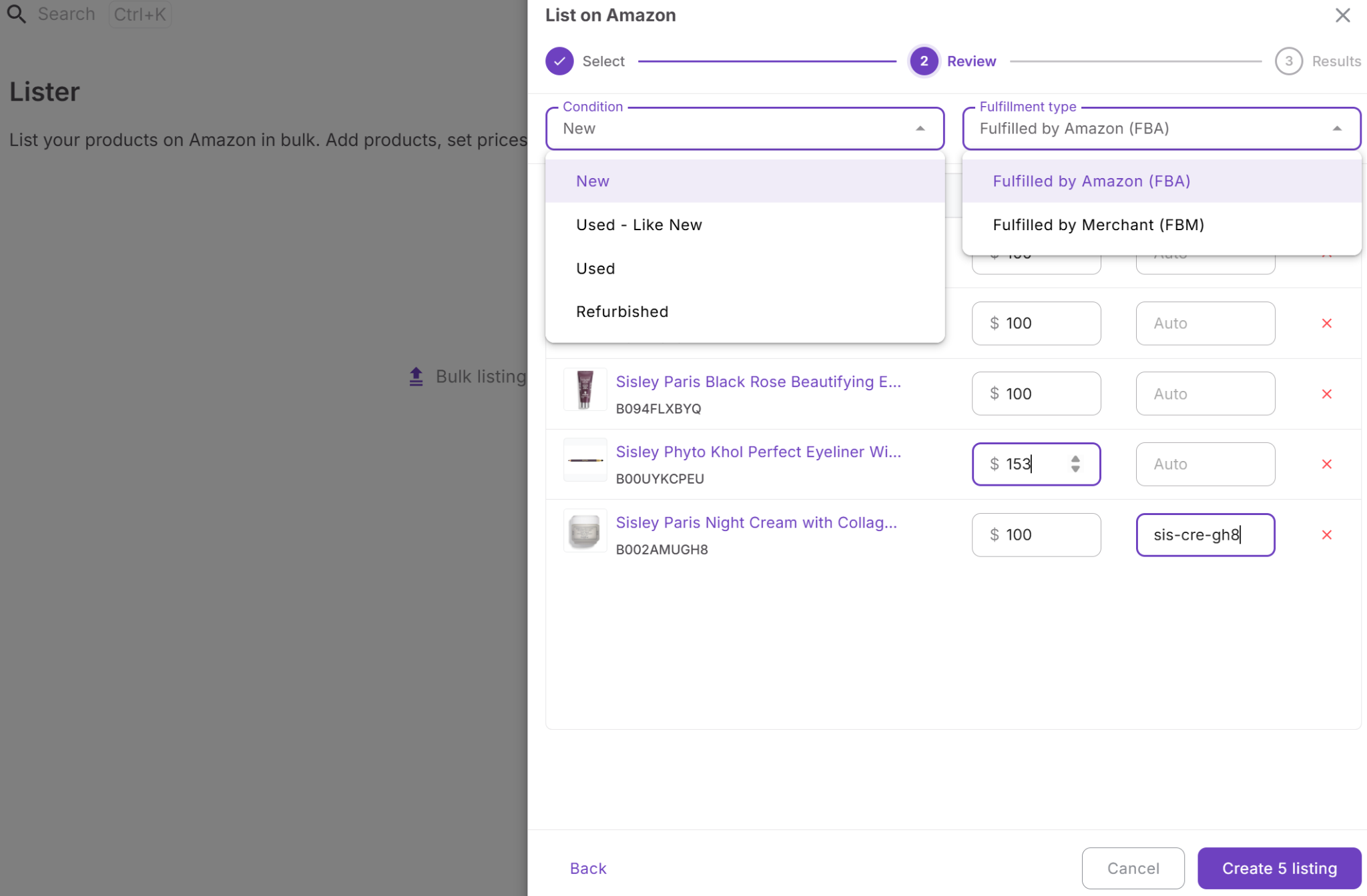
When creating listings with Lister, you can configure all key parameters in one place:
- Condition (New, Used – Like New, Used, Refurbished)
- Fulfillment method (FBA or FBM)
- Price
- SKU (manual or auto-generated)
How Lister connects Product Database, Listings, and SKUs
Lister sits between your Product Database, Listings, and SKUs and connects them into one system. You select products from your database, create listings through Lister, and then track their status in the Listings section. At the same time, each listing is tied to a SKU, which stores status, channel, and landed cost. This ensures that product data, listing execution, and tracking stay aligned without duplicate entries.
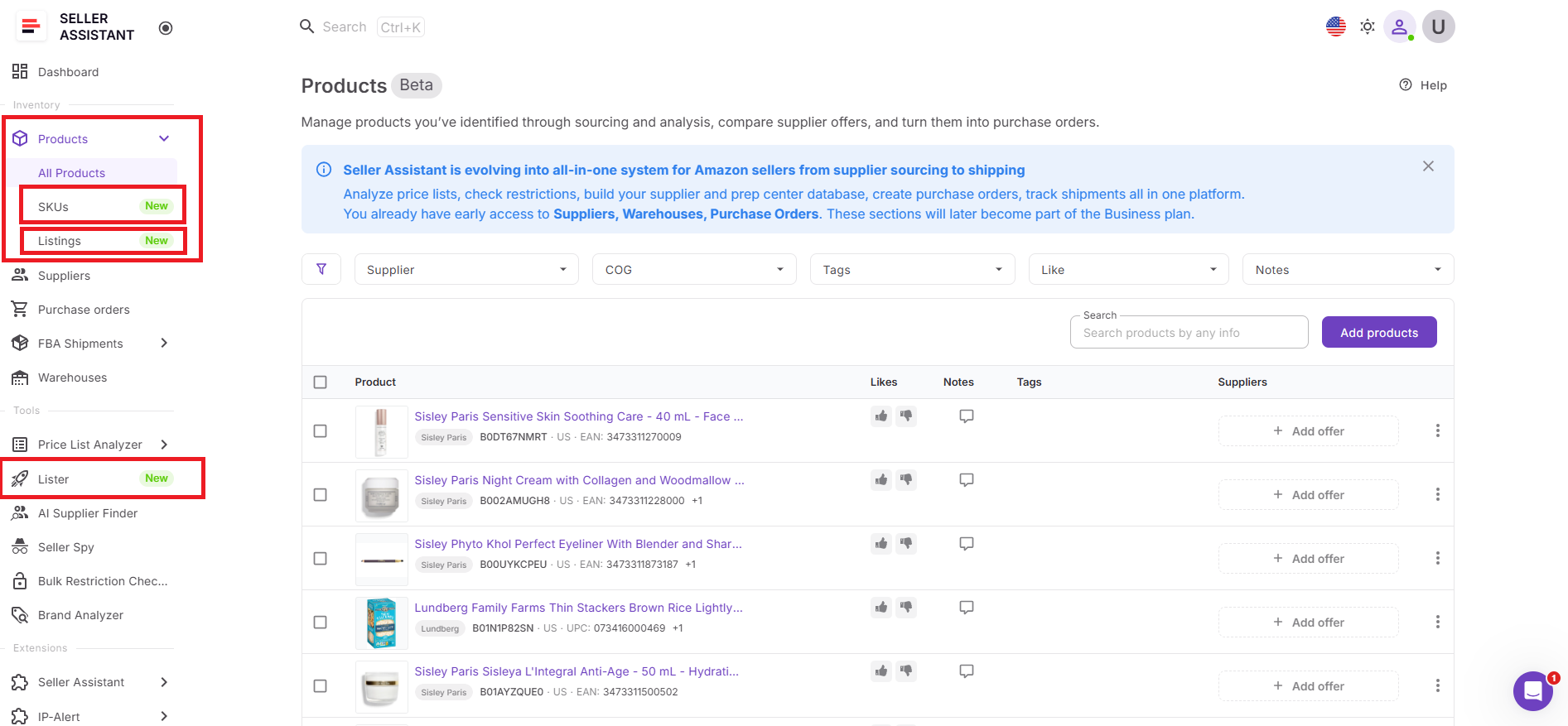
Listing products from Product Database and Purchase Orders
You can launch Lister directly from your Product Database or Purchase Orders.
From the Product Database, you can select one or multiple products and start listing immediately – ideal for online arbitrage workflows.
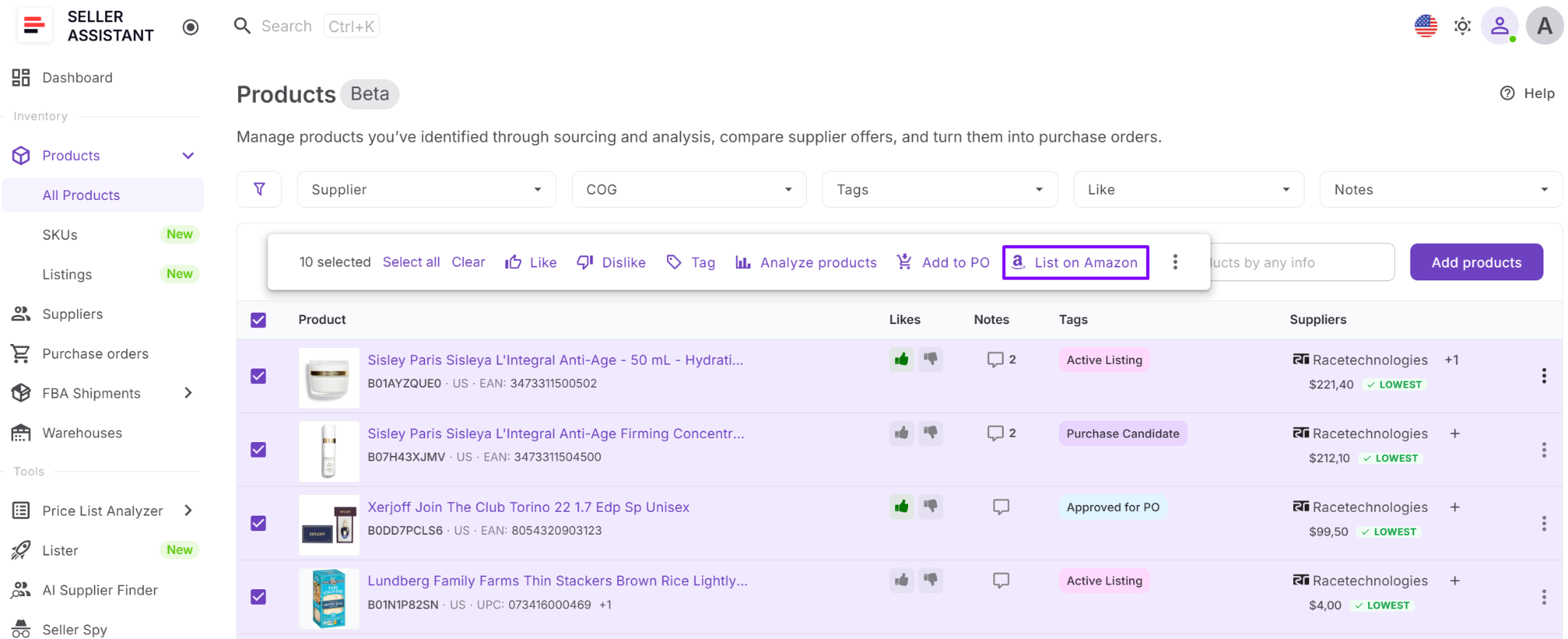
From Purchase Orders Module, products are already prepared and linked to suppliers and warehouses, so you can list them right after ordering or receiving inventory. This makes listing a natural next step instead of a separate task.
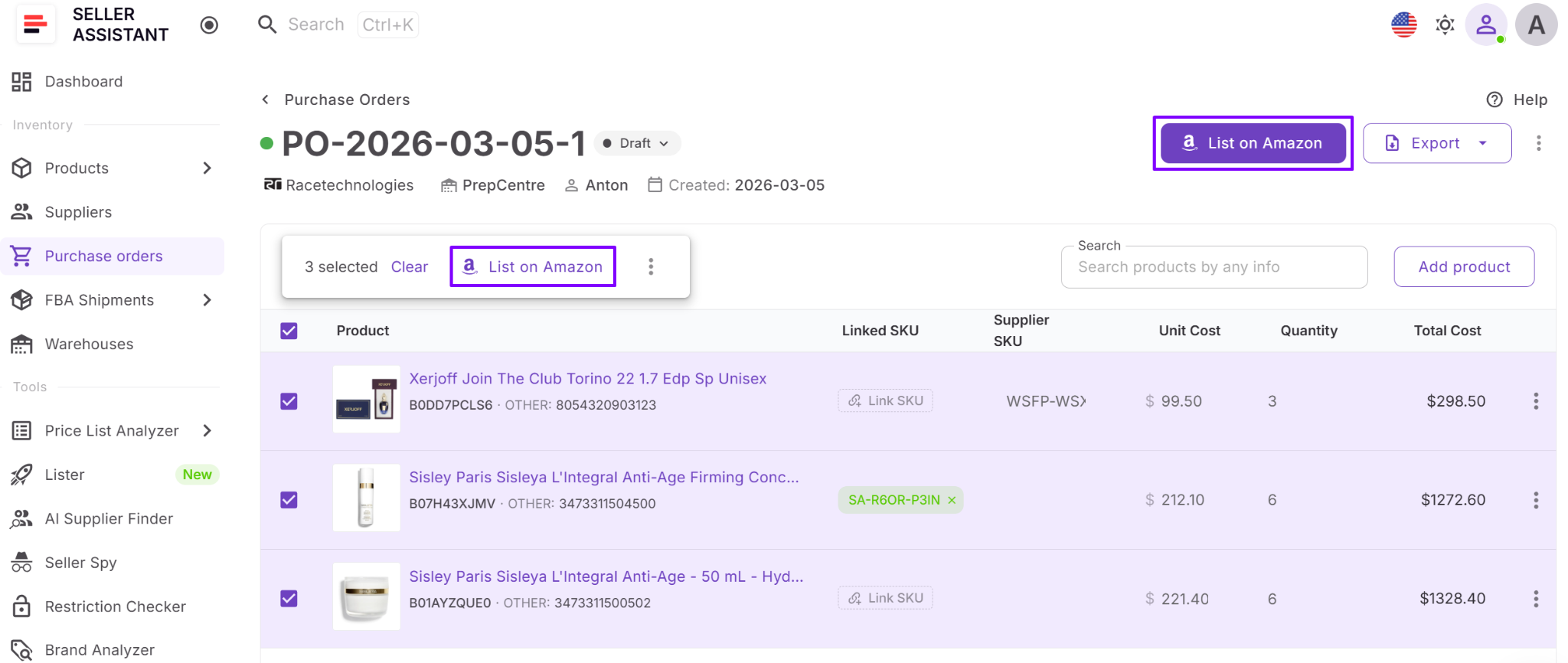
How Lister works with other Seller Assistant tools
Lister is part of a connected workflow. Products analyzed with tools like Price List Analyzer or approved through your sourcing process move into Purchase Orders Module and then into Lister. Supplier, warehouse, and cost data remain consistent across Suppliers Database, Warehouses Database, and all other tools. This removes manual data transfer and keeps your operations structured from sourcing to listing.
How to Use Lister Step by Step
Lister follows a structured workflow that takes you from product selection to active listings in a few steps. You select products, configure listing details, validate inputs, and review results – all inside one flow without switching tools.
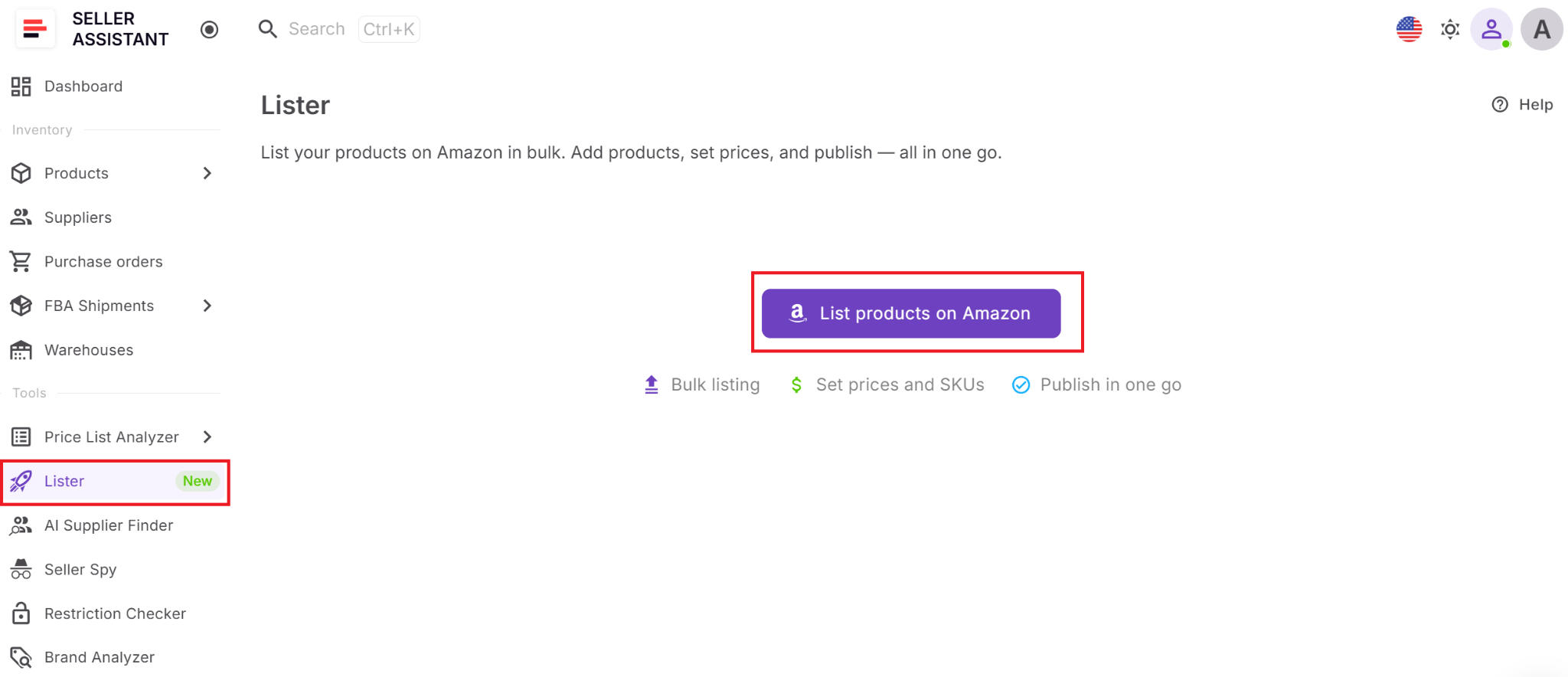
Step 1. Open Lister
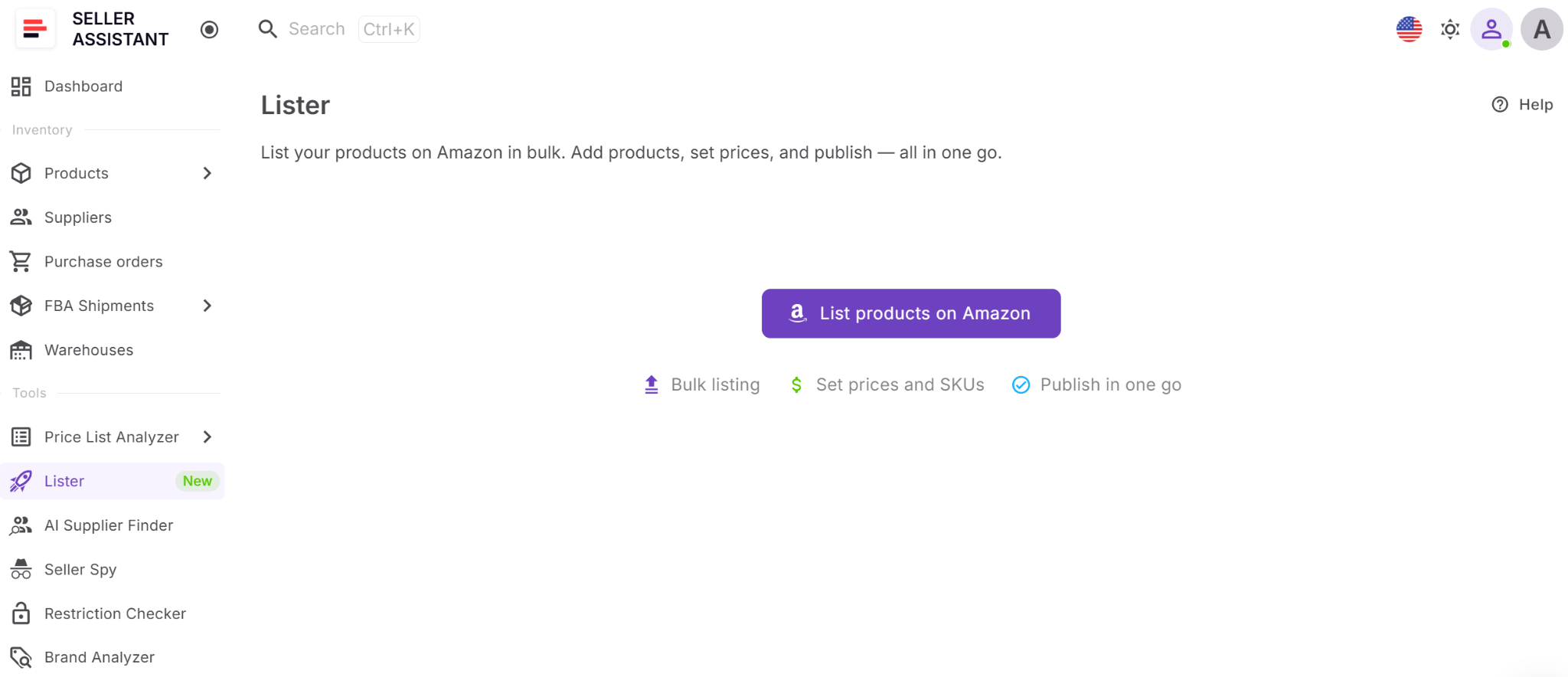
Go to Lister in your Seller Assistant dashboard and click List products on Amazon to start.
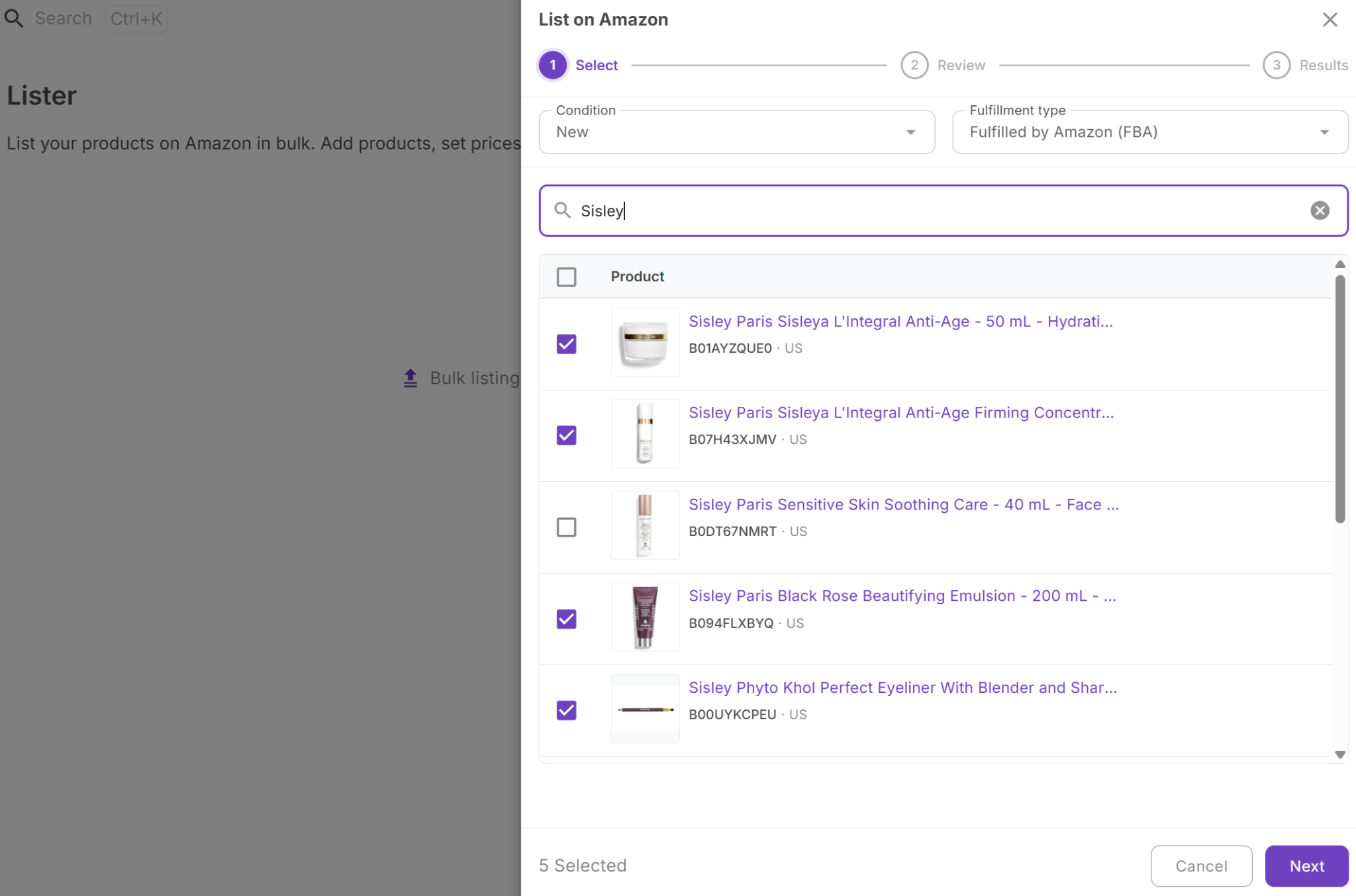
Step 2. Select products to list
In the Select step, choose products from your Product Database. You can search by title, ASIN, or UPC, then select one or multiple items. Click Next to proceed.
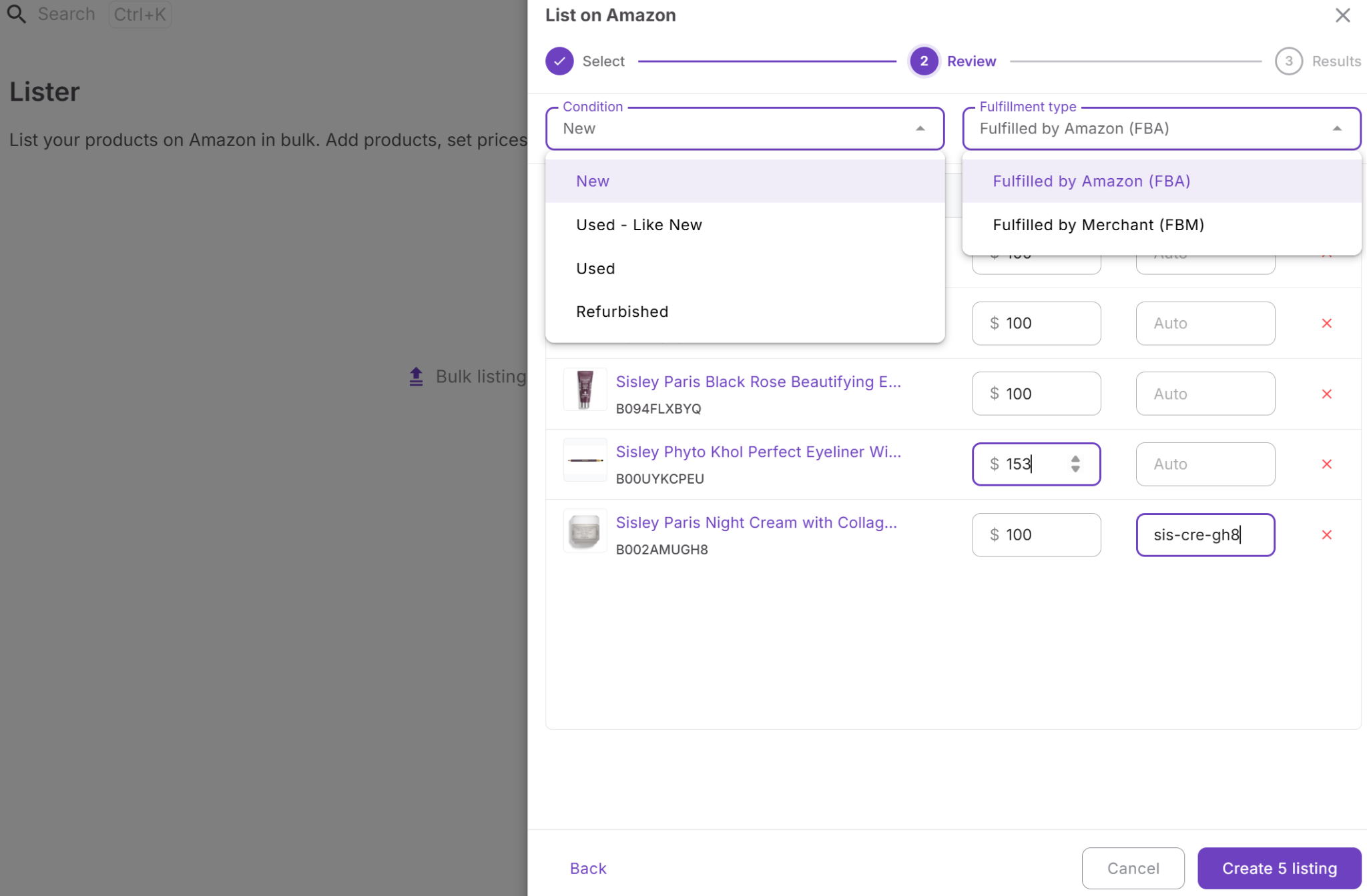
Step 3. Review and configure listing details
In the Review step, set the key parameters for each product:
- Condition – New, Used - Like New, Used, Refurbished
- Fulfillment type – FBA or FBM
- Price – defaults to $100, but you can adjust it
- SKU – enter manually or leave blank for auto-generation
Once everything is set, click Create listing.
Step 4. Validate your listings
Before submission, Lister automatically checks that all product IDs and SKUs are unique within the batch. If duplicates are detected, they must be corrected before the system proceeds. This prevents listing errors and keeps your SKU structure clean.
Step 5. Review submission results
After submission, the Results step shows the outcome for each listing:
- Success – listing submitted successfully
- Error – listing failed, with a reason provided
This allows you to quickly identify and fix issues.
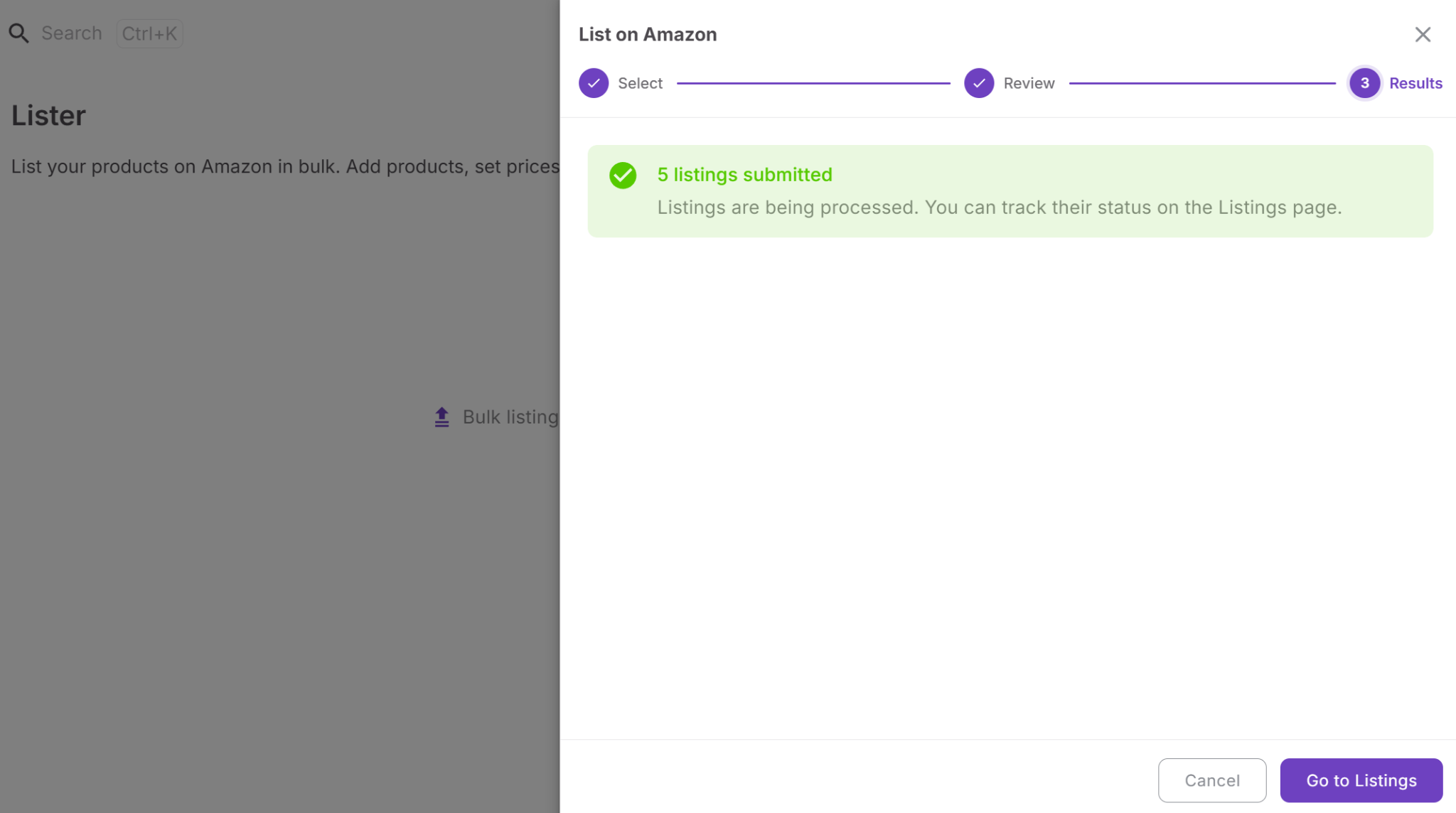
Step 6. Go to Listings to manage listings
Click Go to Listings to open the Listings tool.
Here, you can track listing statuses (Draft, Pending, Active, Inactive, Error), monitor progress, and manage all your listings in one place without leaving the workflow.
FAQ
Do I still need Seller Central to create listings?
You still need Seller Central for account management and some advanced actions. However, Lister lets you create and submit listings without switching to it for every product.
Can I list multiple products at once with Lister?
Yes, Lister supports bulk listing from your Product Database or Purchase Orders. This helps you process many ASINs in one workflow instead of listing them one by one.
How are SKUs created and managed in Lister?
You can enter SKUs manually or let the system generate them automatically. All SKUs are tracked in one place, including their status and landed costs.
What happens if a listing fails during submission?
Lister shows an error status with the reason for failure. You can fix the issue and resubmit without restarting the entire process.
Can I use Lister for both FBA and FBM listings?
Yes, you can choose the fulfillment type during the review step for each product. This allows you to align listings with your FBA shipments or FBM strategy.
Final Thoughts
Listing products is where many Amazon workflows slow down, even after sourcing and purchasing are done right. Lister removes that bottleneck by turning listing into a natural step inside your existing process, not a separate task in Seller Central. You can create listings faster, keep SKU data consistent, and move products from your database or purchase orders to active offers without rework.
When combined with SKUs and Listings tracking, Lister helps you stay in control of your inventory, status, and costs at every stage. Instead of managing disconnected steps, you operate within one structured system – from sourcing to sellable inventory.
Seller Assistant automates and connects every stage of your Amazon wholesale and arbitrage workflow. It brings together in one platform: workflow management tools – Purchase Orders Module, Suppliers Database, Warehouses Database, FBA Shipments, bulk research & sourcing tools – Price List Analyzer, Bulk Restriction Checker, Sourcing AI, Brand Analyzer, Seller Spy, Chrome extensions – Seller Assistant Browser Extension, IP-Alert Extension, and built-in VPN by Seller Assistant, and integrations & team access features – seamless API connectivity, integrations with Zapier, Airtable, and Make, and Virtual Assistant Accounts.


