



Sourcing products for Amazon is only half the battle. The real challenge is keeping track of what you found – which supplier offered the best price, which ASIN your team already evaluated, which deal is ready to move into a purchase order.
Most sellers start with spreadsheets. But as supplier lists grow and teams expand, spreadsheets break down fast. Data gets duplicated, context gets lost, and buying decisions become inconsistent.
Seller Assistant’s Product Database fixes this. It gives wholesale sellers, online arbitrage resellers, and dropshippers one centralized workspace to store sourced products, compare supplier offers, and move the best deals forward – without losing a single data point along the way.
What Is Seller Assistant’s Product Database?
Seller Assistant’s Product Database is a centralized product management workspace built for Amazon sellers who source at scale. It stores every sourced ASIN in one shared environment – complete with supplier offers, cost of goods (COG), identifiers, notes, and tags – so your entire team always works from the same up-to-date information.
| What it is | A centralized workspace to store, manage, and act on sourced products |
|---|---|
| Best for | Amazon wholesale sellers, online arbitrage resellers, dropshippers |
| Platform | Seller Assistant |
| Key function | Compare supplier offers and select the most profitable option for each ASIN |
| Workflow role | Connects product research, supplier data, purchasing, and listing into one continuous workflow |
Unlike a static spreadsheet, Product Database is a live, actionable system. Each product record is linked to supplier profiles, purchase orders, listings, SKUs, and FBA shipments – giving you full visibility over every sourced product from first research to final fulfillment.
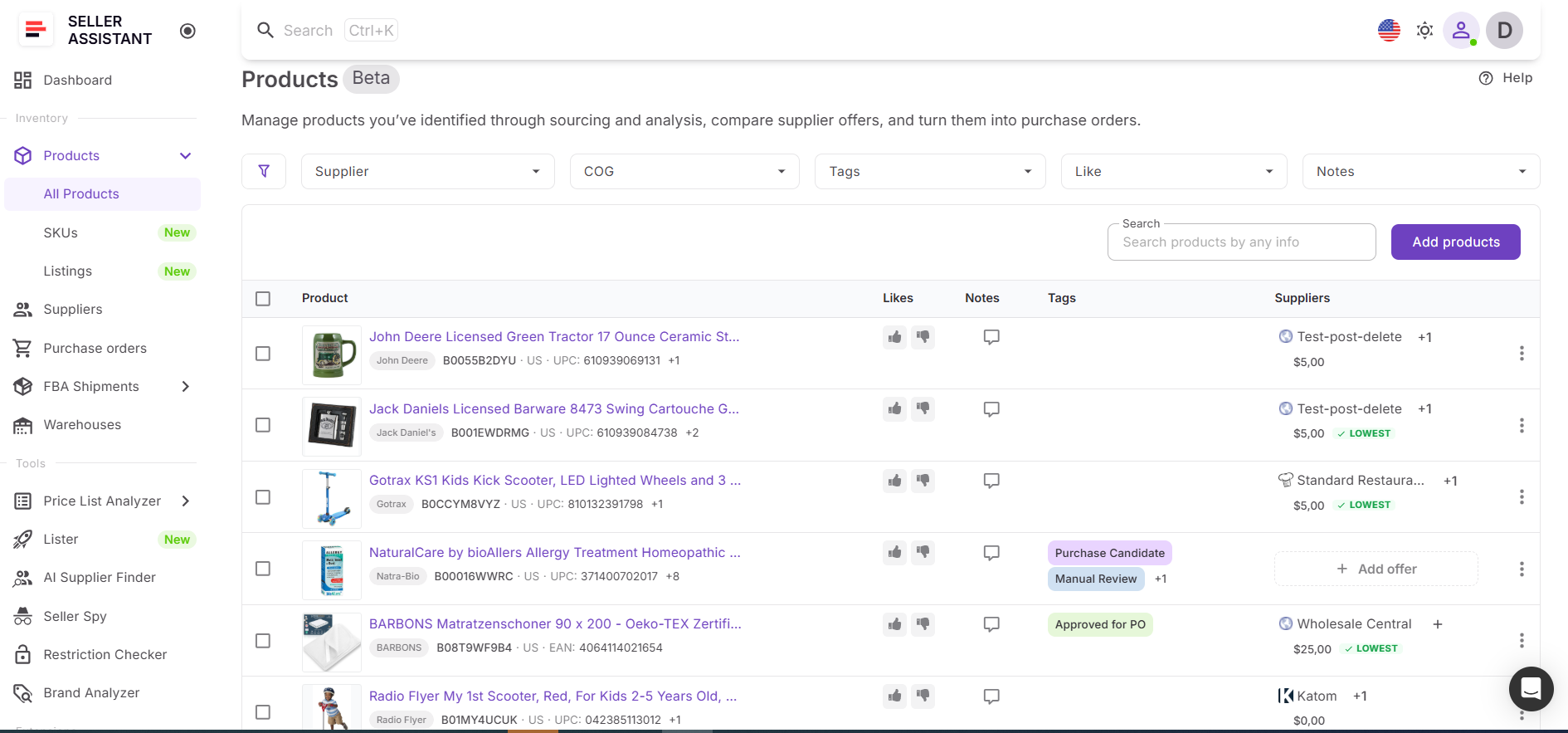
Product Database sits at the core of Seller Assistant’s connected wholesale workflow, bridging tools like Price List Analyzer and Suppliers Database on one side, and Purchase Orders Module, Lister, and FBA Shipments on the other. Data flows through every stage automatically – no duplicate entry, no broken handoffs.
Note. Seller Assistant is an end-to-end Amazon workflow management platform that integrates 10+ wholesale-focused solutions into one connected system. It combines sourcing workflow automation, bulk research and intelligence tools, and integrated Chrome extensions – giving you everything you need to streamline finding deals, managing suppliers, and creating purchase orders.

The platform aggregates: workflow management tools – Purchase Orders Module, Suppliers Database, Product DB, Warehouses Database to organize, automate, and scale every step of your wholesale and arbitrage operations; bulk research & sourcing tools – Price List Analyzer, Bulk Restriction Checker, AI Supplier Finder, Brand Analyzer, Seller Spy to evaluate supplier price lists, verify selling eligibility and restrictions, open new brands, and discover winning product ideas from competitors to expand your product catalog; Chrome extensions – Seller Assistant Browser Extension, IP-Alert Extension, and built-in VPN by Seller Assistant to deep-research products, check IP claims and compliance, and access geoblocked supplier sites directly within your browser; and integrations & team access features – seamless API connectivity and integrations with Zapier, Airtable, and Make, plus Virtual Assistant Accounts for secure, scalable team collaboration.
With Seller Assistant, every step of your Amazon wholesale and arbitrage workflow is automated and connected.
Why Disorganized Sourcing Costs You Money
As your sourcing volume grows, managing product data becomes as important as finding the products themselves. Without a structured system, critical information slips through the cracks – and that directly impacts your margins, your team’s efficiency, and your ability to scale.
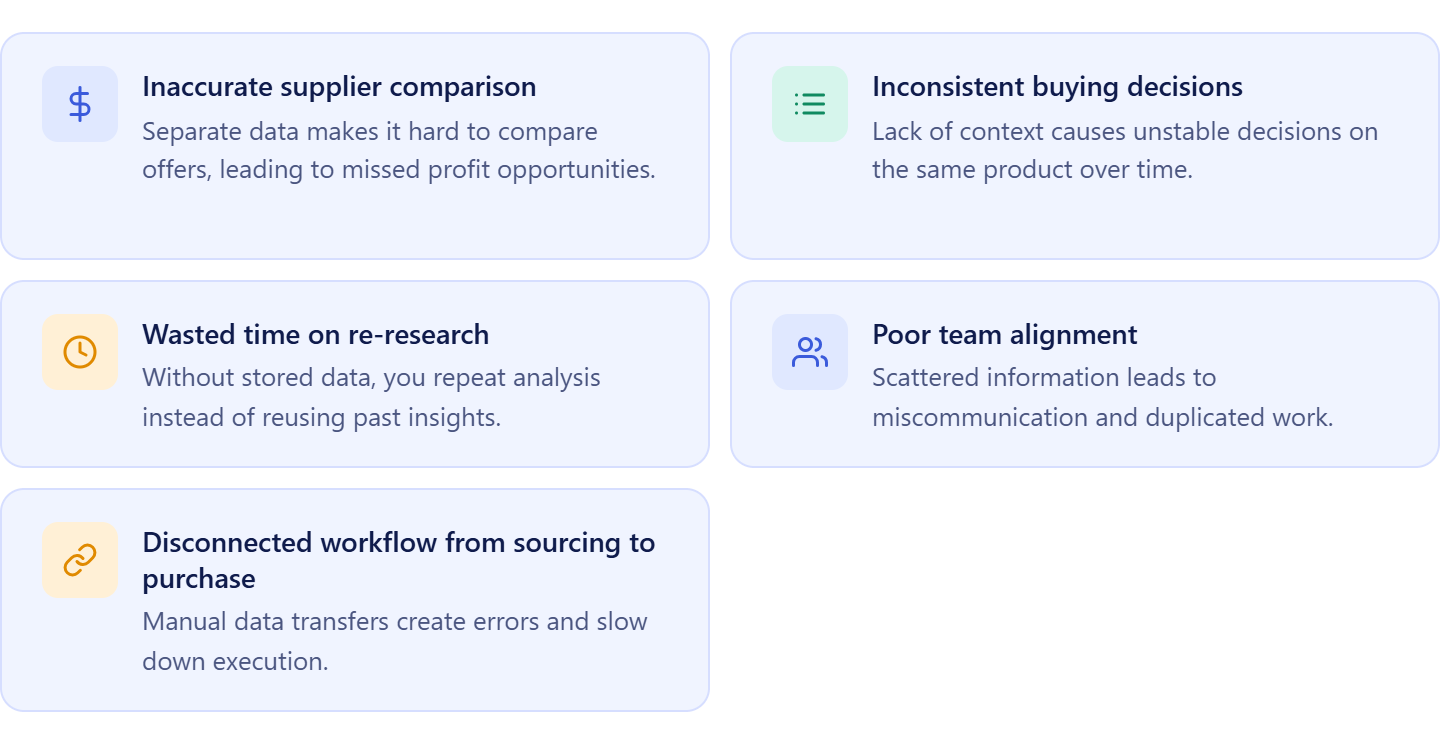
Inaccurate supplier comparison
The same ASIN can appear across multiple supplier lists with different COGs, terms, and conditions. When that data lives in separate spreadsheets or tools, comparing offers becomes inconsistent and error-prone. A centralized product database keeps all supplier offers together so you always choose the most profitable option.
Inconsistent buying decisions
Without full context, the same product can get approved one week and rejected the next. When sourcing notes, supplier data, and decision history are attached to every product record, your team makes buying decisions based on the same complete information – every time.
Wasted time on re-research
Sourcing is not a one-time activity. Prices shift, competition changes, and previously unprofitable ASINs can become viable again. A structured database lets you filter, revisit existing products, and recalculate deal profitability instantly instead of rebuilding your pipeline from scratch.
Poor team alignment
When sourcing data is scattered across chats, files, and individual spreadsheets, context gets lost between team members. Shared notes, tags, and supplier decisions keep everyone – from sourcing VAs to purchasing managers – aligned and working from the same source of truth.
Disconnected workflow from sourcing to purchase
Organization only creates value if it supports execution. A product database that connects directly to purchase orders and listings eliminates manual data transfers, reduces errors, and keeps your workflow moving without unnecessary friction.
From Research to Purchase: Everything Product DB Lets You Do
Product Database is more than a storage tool – it’s where sourced products become buying decisions. Every ASIN you add becomes a structured, actionable record connected to suppliers, purchase orders, listings, and fulfillment data. Instead of jumping between tools and manually transferring data, you run your entire sourcing operation from one place.
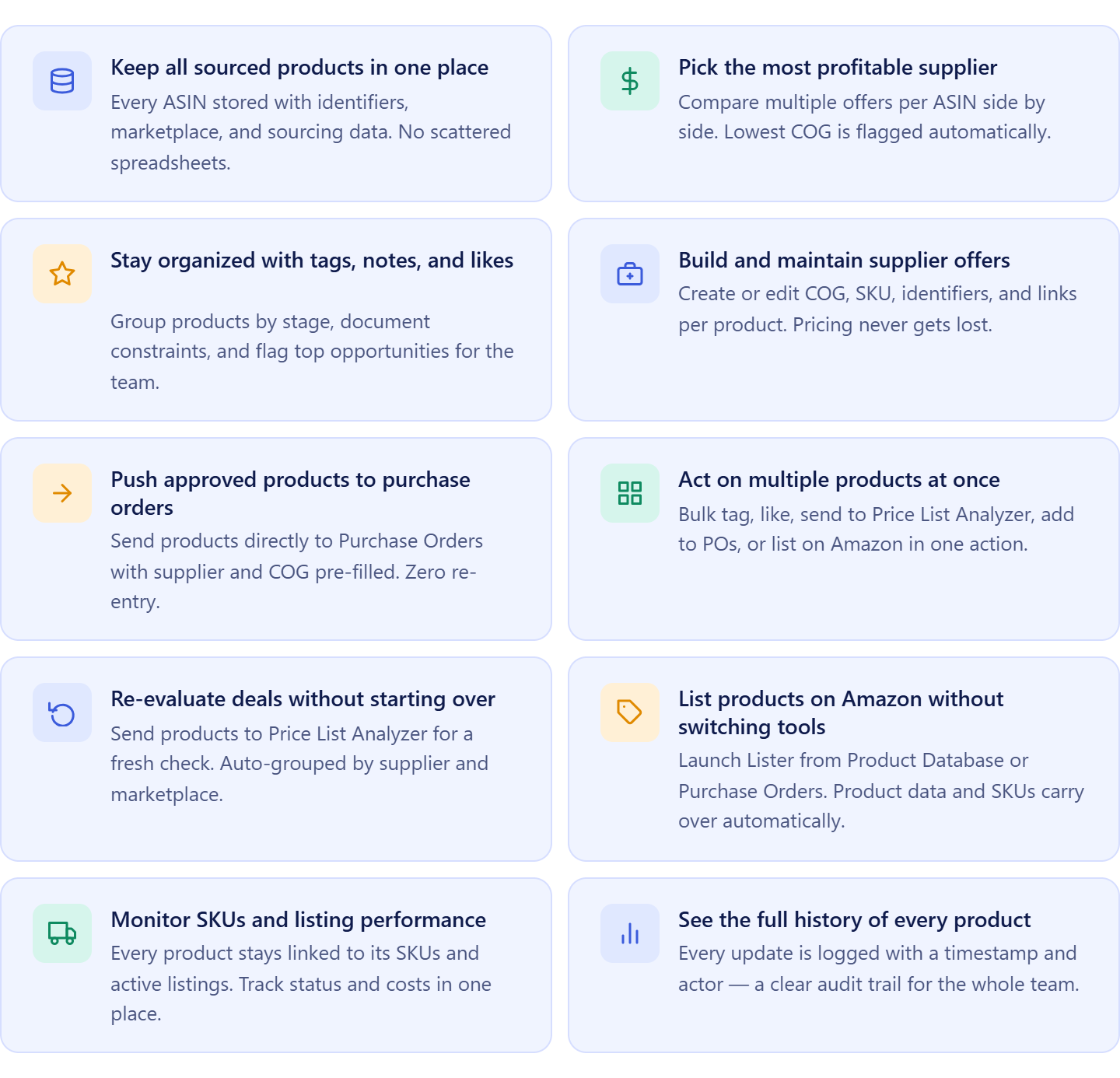
Keep all sourced products in one place
Every ASIN you source is stored with its identifiers, marketplace, and sourcing data. No more scattered spreadsheets or lost product lists – everything is centralized, searchable, and accessible to your whole team at any time.
Pick the most profitable supplier every time
Each product can hold multiple supplier offers with different COGs. Compare them side by side, spot the lowest cost instantly, and lock in a default supplier – so every purchasing decision is consistent and margin-driven.
Stay organized with tags, notes, and likes
Group products by sourcing stage using tags, record context and constraints with notes, and flag top opportunities with likes. This keeps your pipeline structured and your team aligned across sourcing sessions.
Build and maintain accurate supplier offers
Create, edit, and update supplier offers directly within each product record – including COG, SKU, identifiers, and supplier links. Supplier pricing stays attached to the right product and never gets lost between sessions.
Push approved products straight to purchase orders
When a product is ready to buy, send it directly to Purchase Orders Module with the selected supplier and COG already filled in. No copy-pasting, no re-entry – just a clean handoff from sourcing to purchasing.
Act on multiple products at once
Apply bulk actions across your product list – tag, like, send to Price List Analyzer, add to purchase orders, or list on Amazon in one move. This is how you handle volume without adding manual work.
Re-evaluate deals without starting over
Send existing products to Price List Analyzer for a fresh profitability check at any time. The system automatically groups them by supplier and marketplace, so re-analysis is fast and requires no additional setup.
List products on Amazon without switching tools
Launch Lister directly from Product Database or Purchase Orders to create Amazon listings in batches. Product data, supplier selection, and SKUs carry over automatically, reducing listing errors and saving time.
Monitor SKUs and listing performance
Every product stays linked to its SKUs and active listings so you can track status, condition, fulfillment method, and cost data without leaving the platform.
See the full history of every product
Every update to a product – supplier offer changes, pricing edits, notes – is logged with a timestamp and actor. This gives your team a clear audit trail and makes it easy to understand how sourcing decisions evolved over time.
How Product Database Operates
Product Database acts as the operational layer where your sourced products are collected, analyzed, and turned into decisions. You bring in products from sourcing tools or add them manually, attach supplier offers, compare COG, and assign a preferred supplier.
From there, you can organize products, re-check profitability, or move them forward to purchasing and listing. Instead of handling data across multiple tools, everything stays connected in one system that supports your entire workflow.
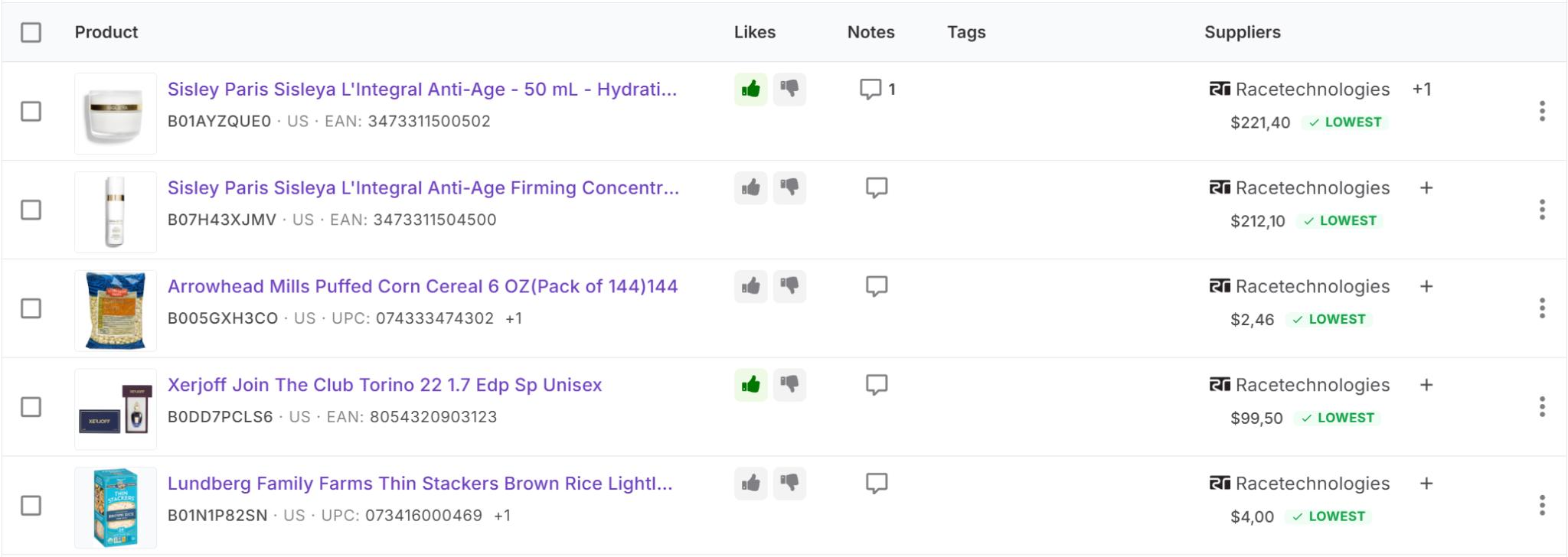
Product table and product view
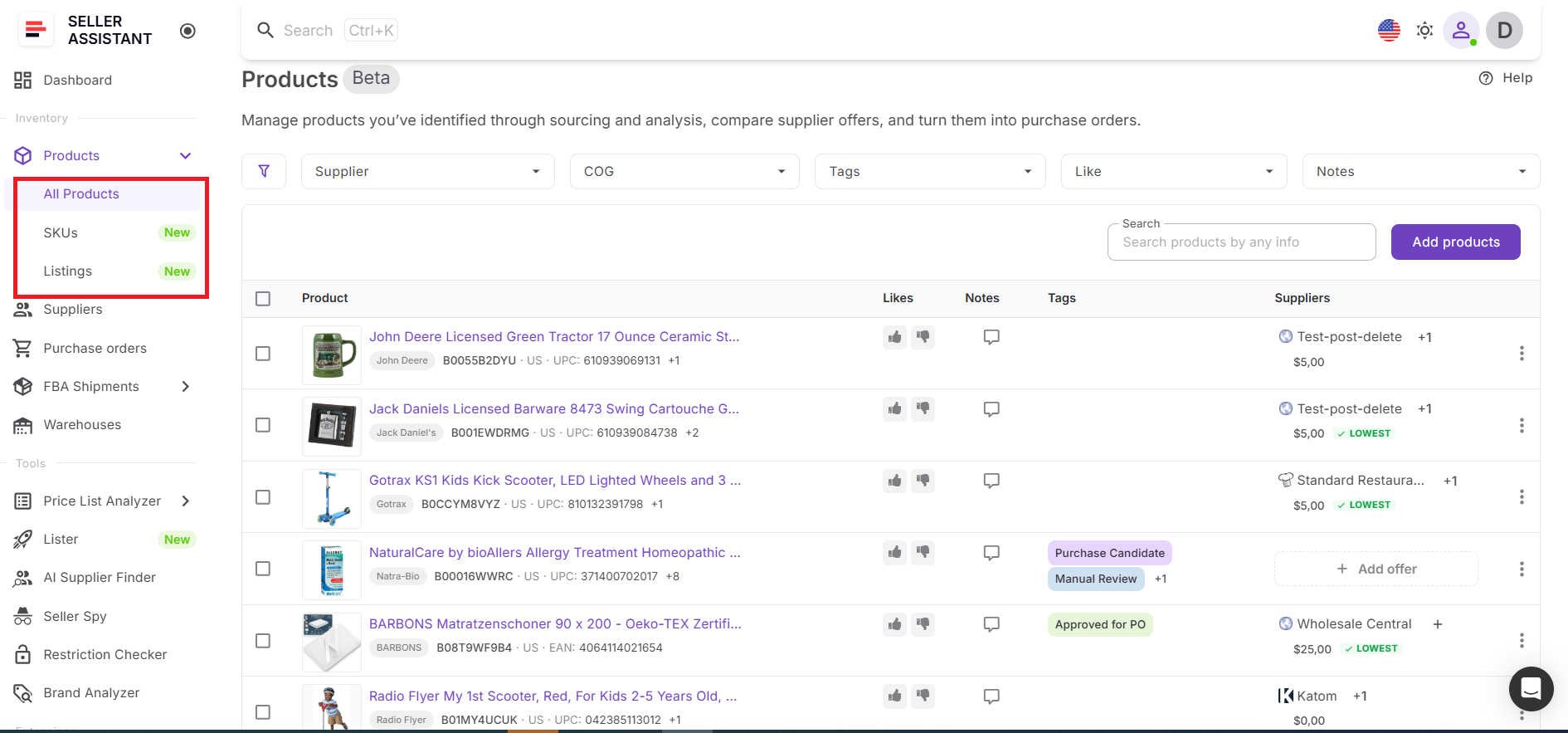
The main product table gives you a structured overview of all sourced products. It includes identifiers like ASIN, UPC, and EAN, along with marketplace, supplier offers, COG, and internal data such as notes, tags, and likes. You can quickly search and filter products to focus on specific suppliers, costs, or sourcing stages.
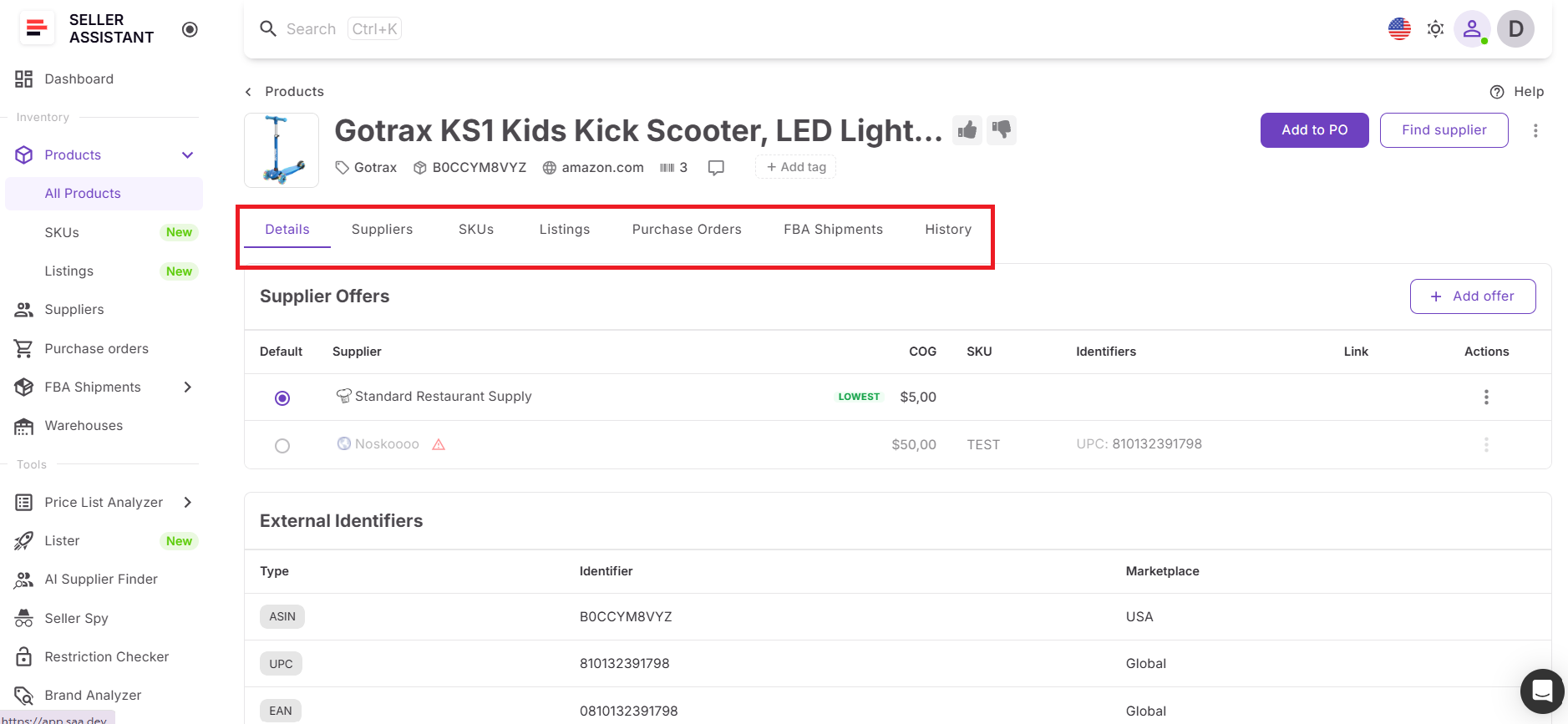
Each product opens into a dedicated product view, which provides full control over that ASIN. Here you manage supplier offers, assign a default supplier, and work with identifiers and SKUs. The page also includes access to listings, purchase orders, FBA shipments, and product history, so you can see everything related to the product in one place.
What Product Database displays
Product Database brings all product, supplier, and operational data together in one structured view. Each product record includes everything you need to evaluate, compare, and manage it throughout your workflow.
Product data
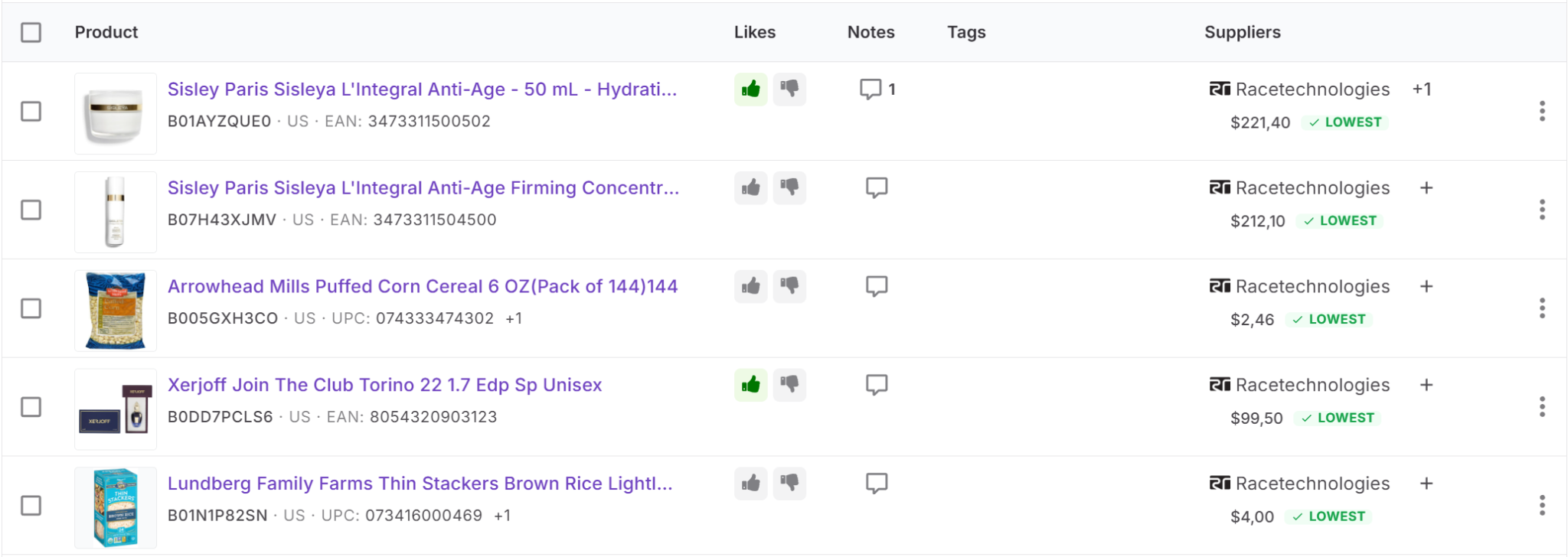
- Product name – the title of the item as listed on Amazon
- Product image – visual preview to quickly identify the product
- ASIN, UPC, EAN – unique identifiers used to match supplier items with Amazon listings
- Marketplace – the Amazon region where the product is sold
- Brand – the brand associated with the product
- Likes – quick way to mark preferred or shortlisted products
- Notes – internal comments about sourcing decisions or product status
- Tags – custom labels used to group and filter products
Supplier data
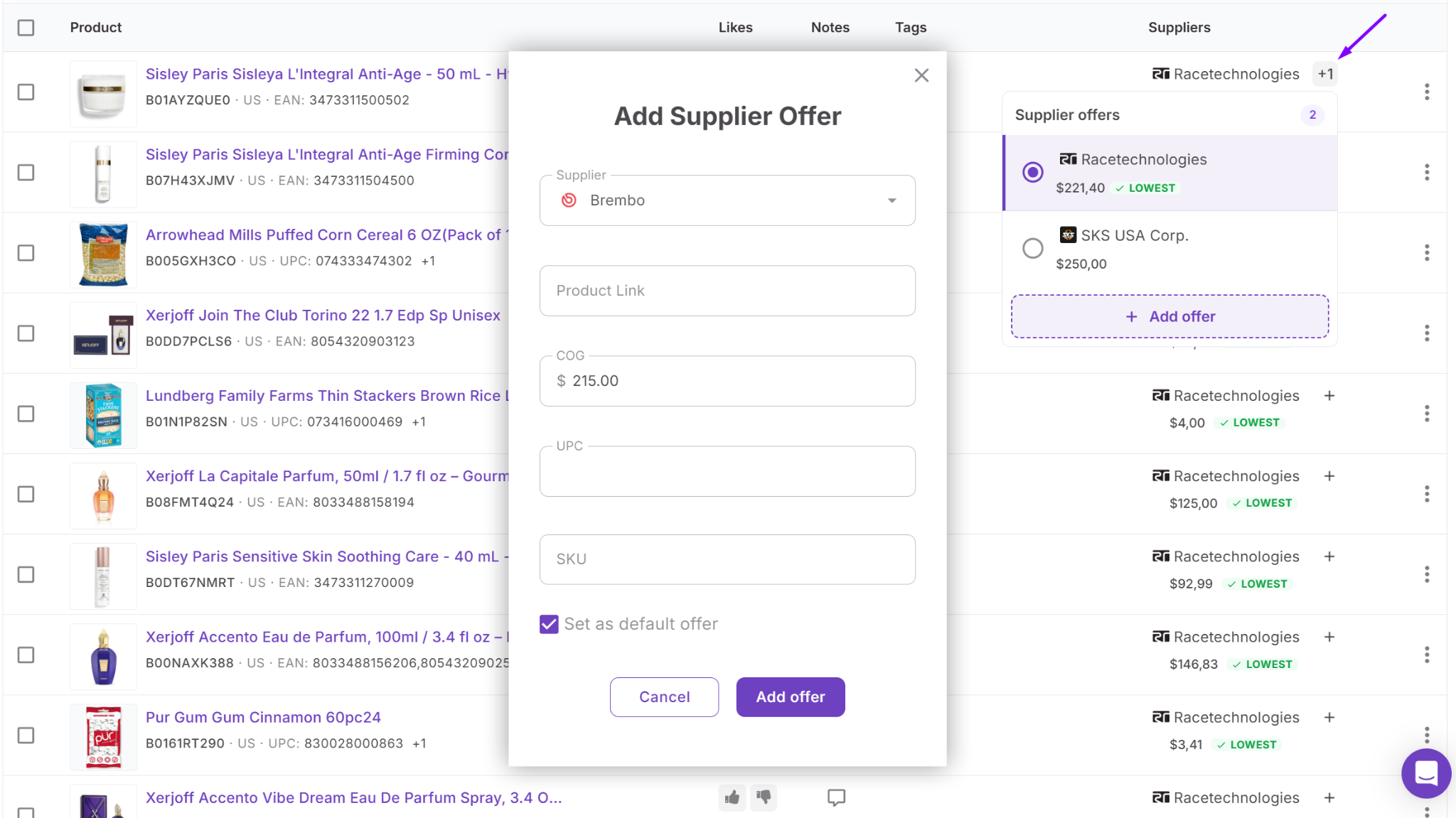
- Supplier offers – different sourcing options for the same product
- Cost of goods (COG) – the purchase price from each supplier
- Default supplier – the selected supplier used for purchasing decisions
- Lowest COG indicator – highlights the supplier with the lowest cost
- SKU – supplier or internal stock keeping unit linked to the offer
- Identifiers – supplier-specific product identifiers (e.g., UPC or EAN)
- Product link – direct link to the supplier’s product page
Operational data in product details page
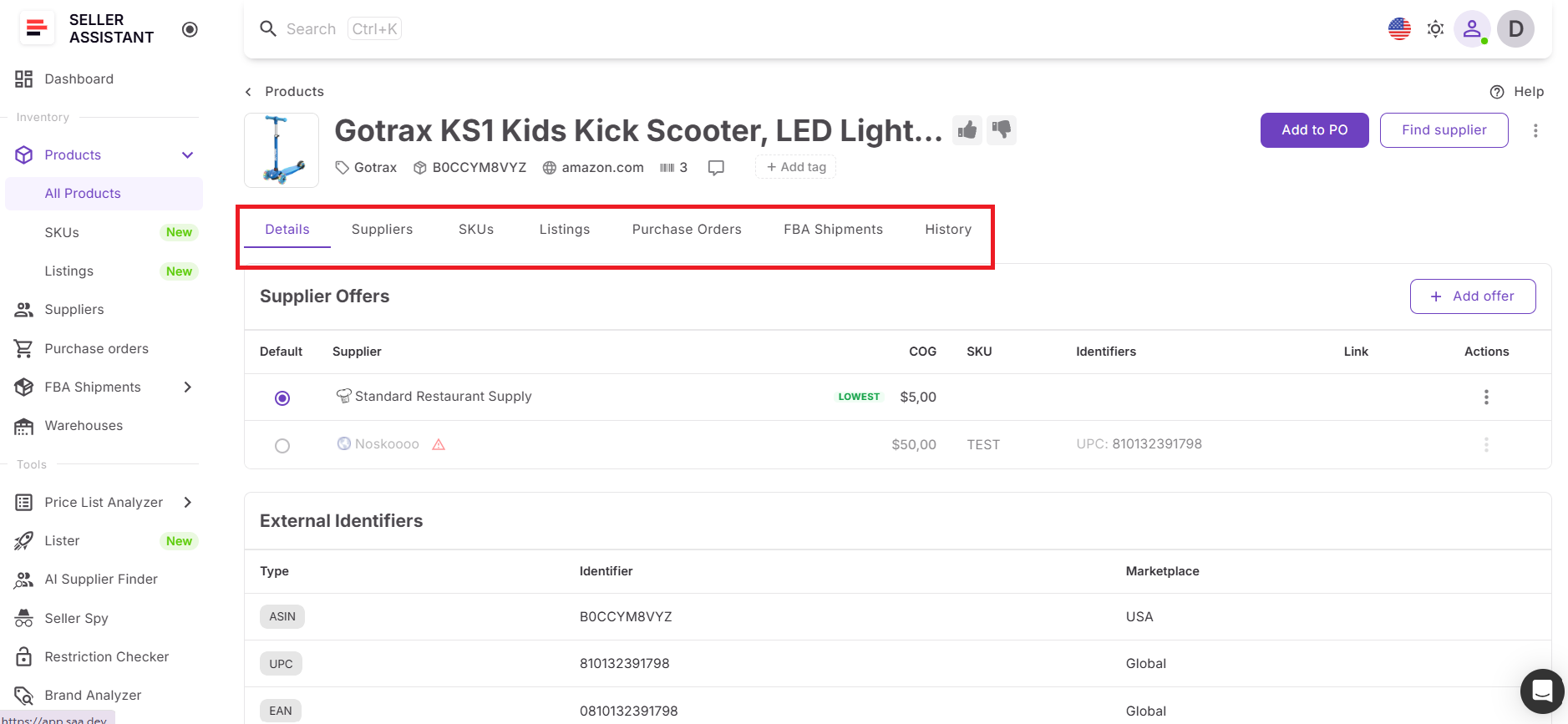
- SKUs – all listing units linked to the product, with status, channel, landed cost, and creation time
- Listings – Amazon listing data including MSKU, FNSKU, condition, price, fulfillment method (FBA or FBM), and status
- Purchase orders – all orders where the product has been included
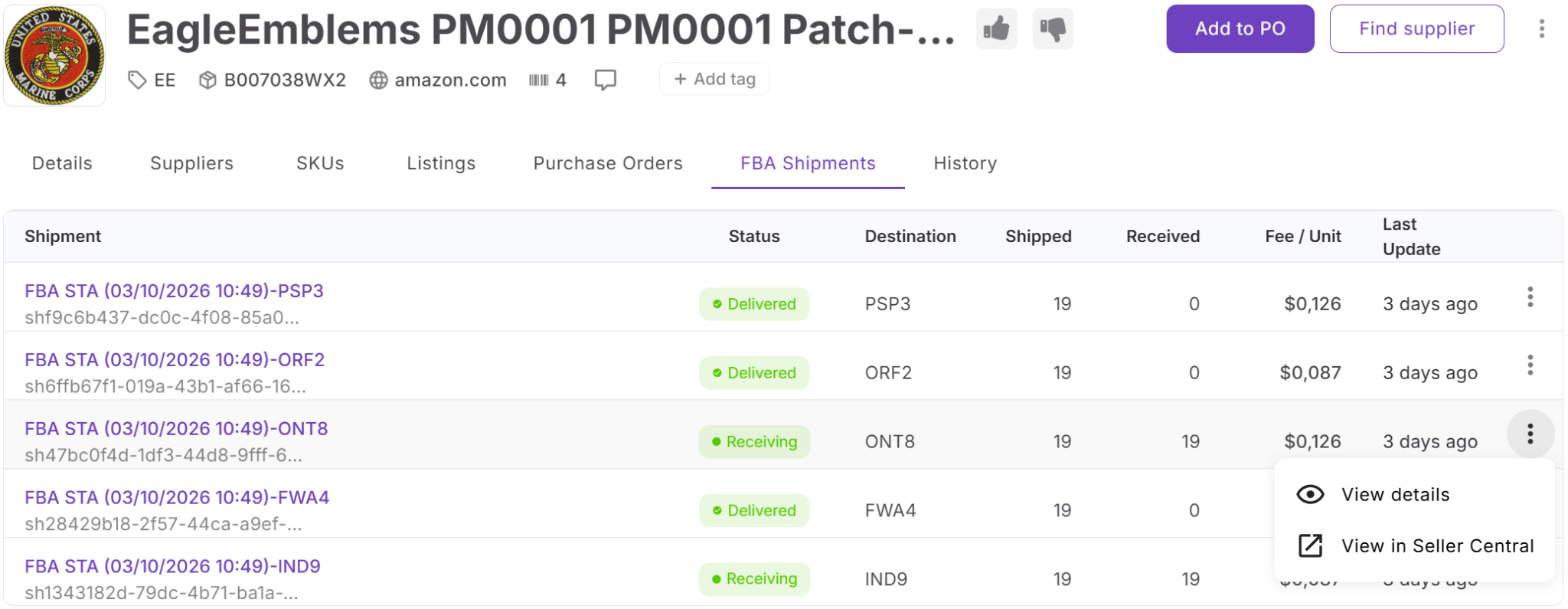
- FBA shipments – shipment data showing status, units shipped vs received, fees, and destination
- Activity history – log of all changes, including timestamps, actions, and updates
This structure gives you full visibility and control over each product – from supplier selection to purchasing, listing, and fulfillment tracking.
Ways to add products
There are two primary ways to bring products into Product Database.
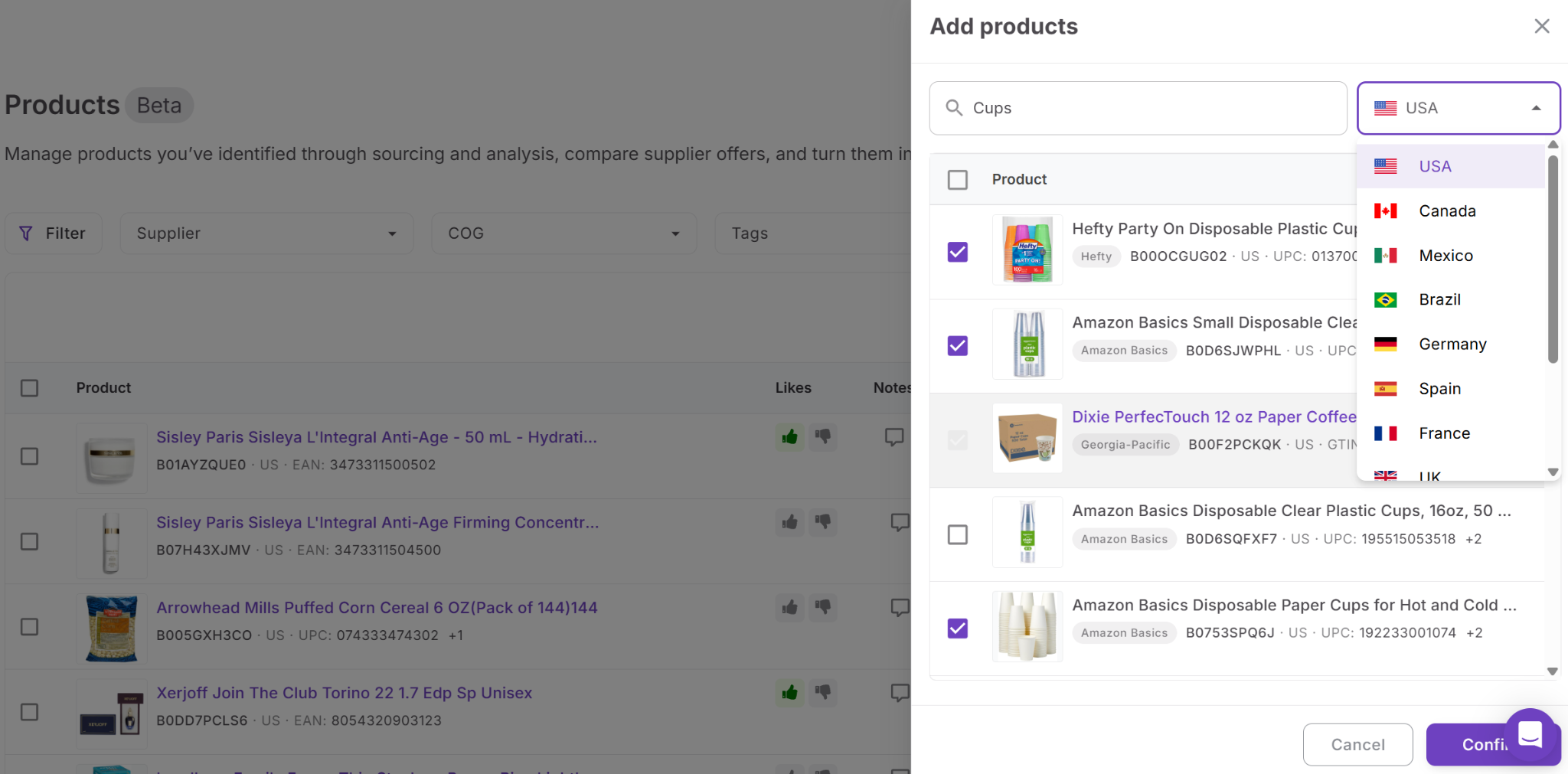
- Add items directly from the product table by searching for a product using its title or identifiers and selecting the correct marketplace. If the product is not found, the system can pull data from Amazon and Keepa.
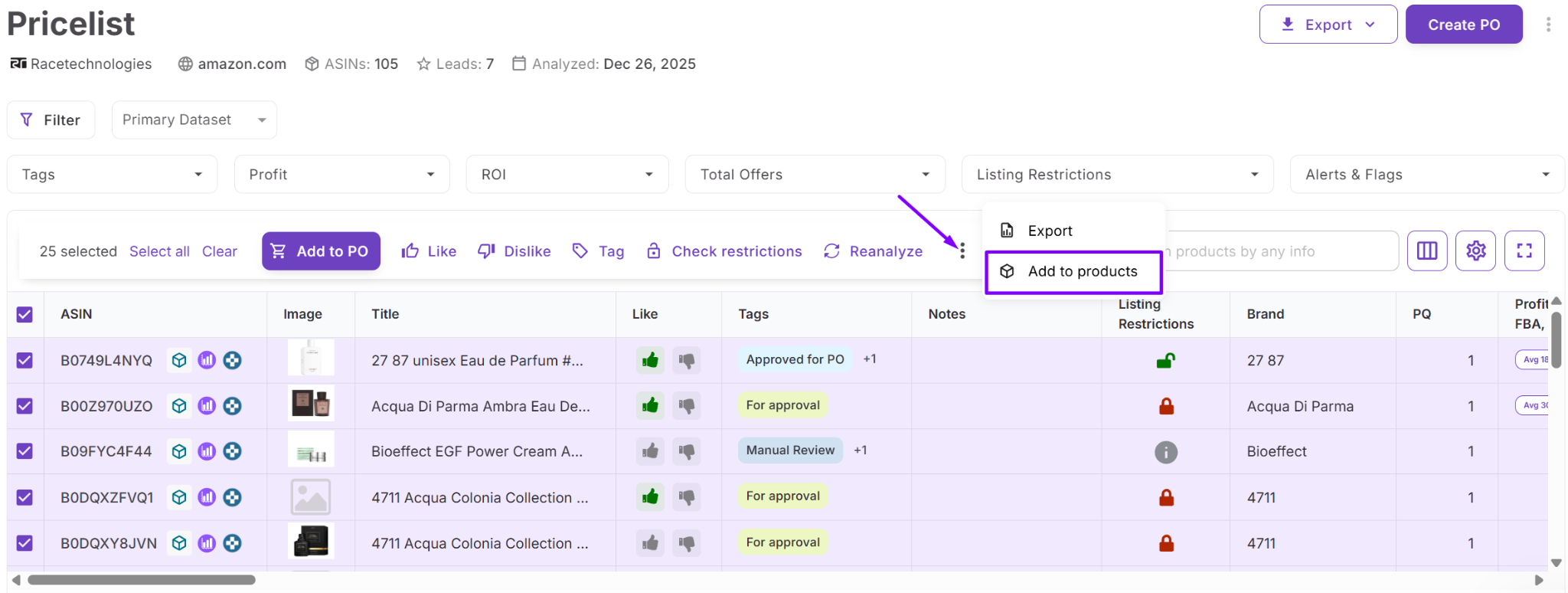
- Make product entries from Price List Analyzer. In this case, product records and supplier offers are created automatically using price list data, including COG and identifiers. This keeps supplier pricing intact and links it to the correct ASIN without extra input.
 \n\n## How Product Database Connects Your Workflow
Product Database links every stage of your Amazon workflow – from sourcing and analysis to purchasing and listing. Instead of switching between tools, you can move products through each step while keeping all data connected.
Re-analyze products in Price List Analyzer
Send selected products back to Price List Analyzer to refresh profitability data and validate deals with updated market conditions.
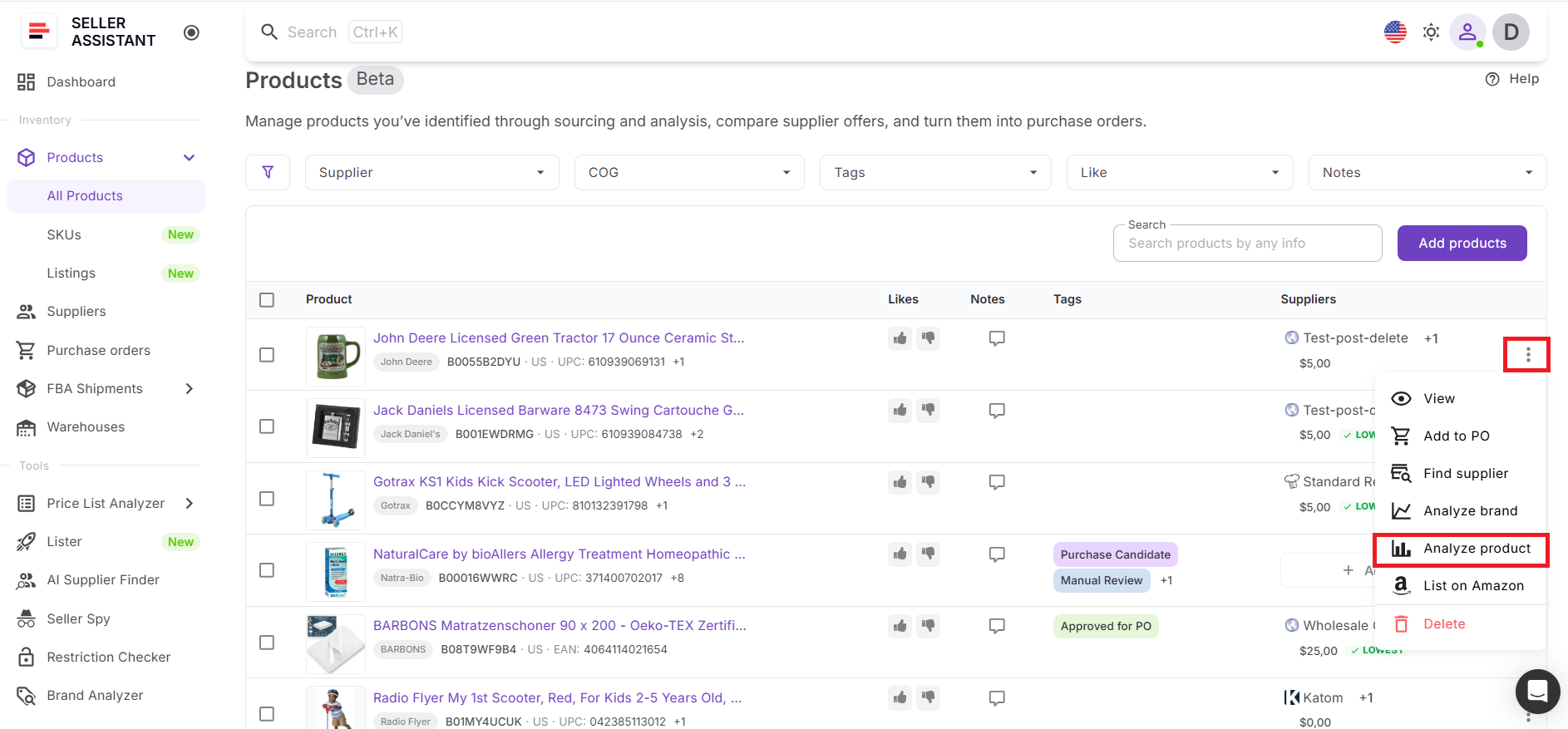
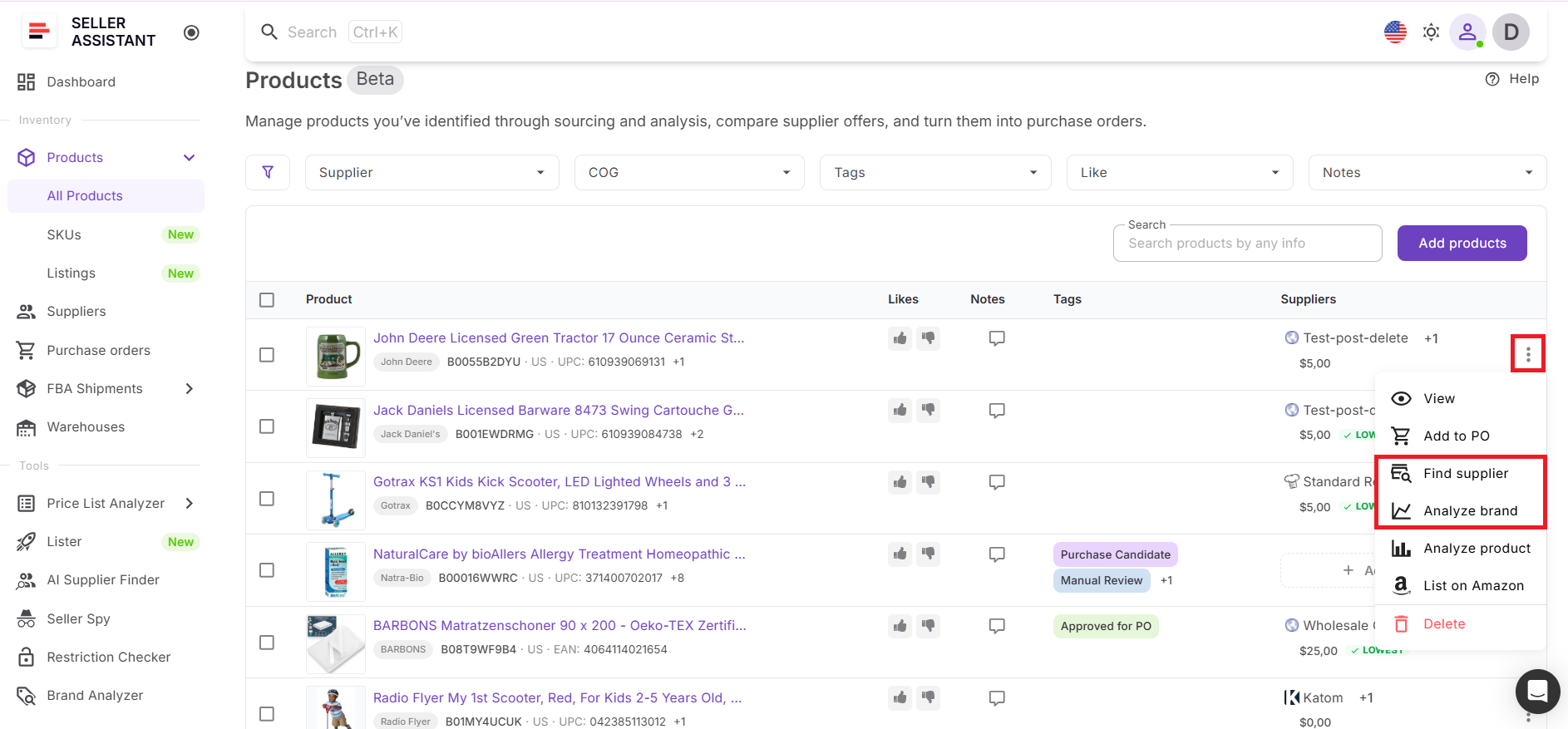
Find suppliers and analyze brands
Launch AI Supplier Finder or Brand Analyzer directly from a product to discover suppliers or evaluate brand potential without leaving the workflow.
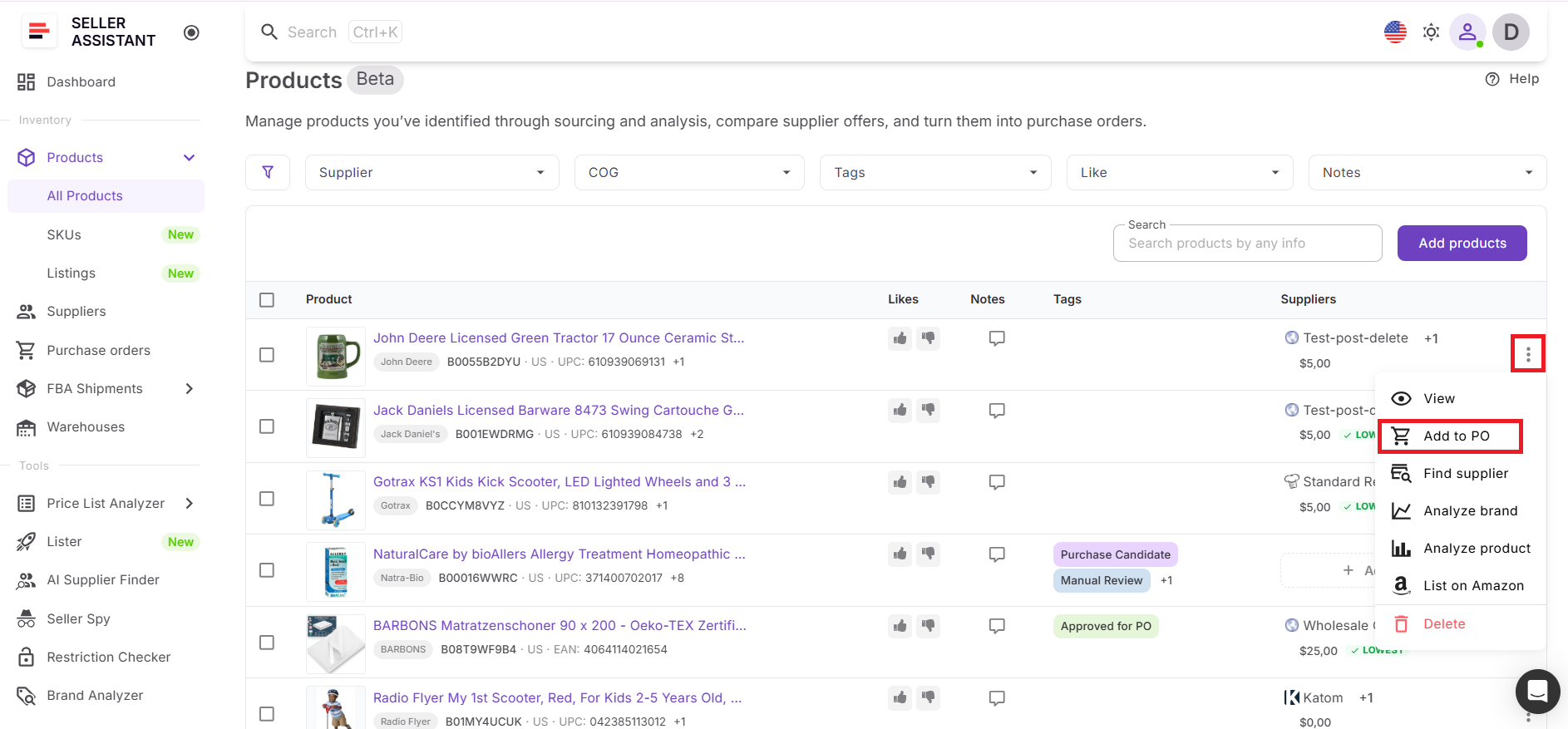
Move products to purchase orders
Push approved products to Purchase Orders Module using the selected default supplier, ensuring consistent and accurate purchasing decisions.
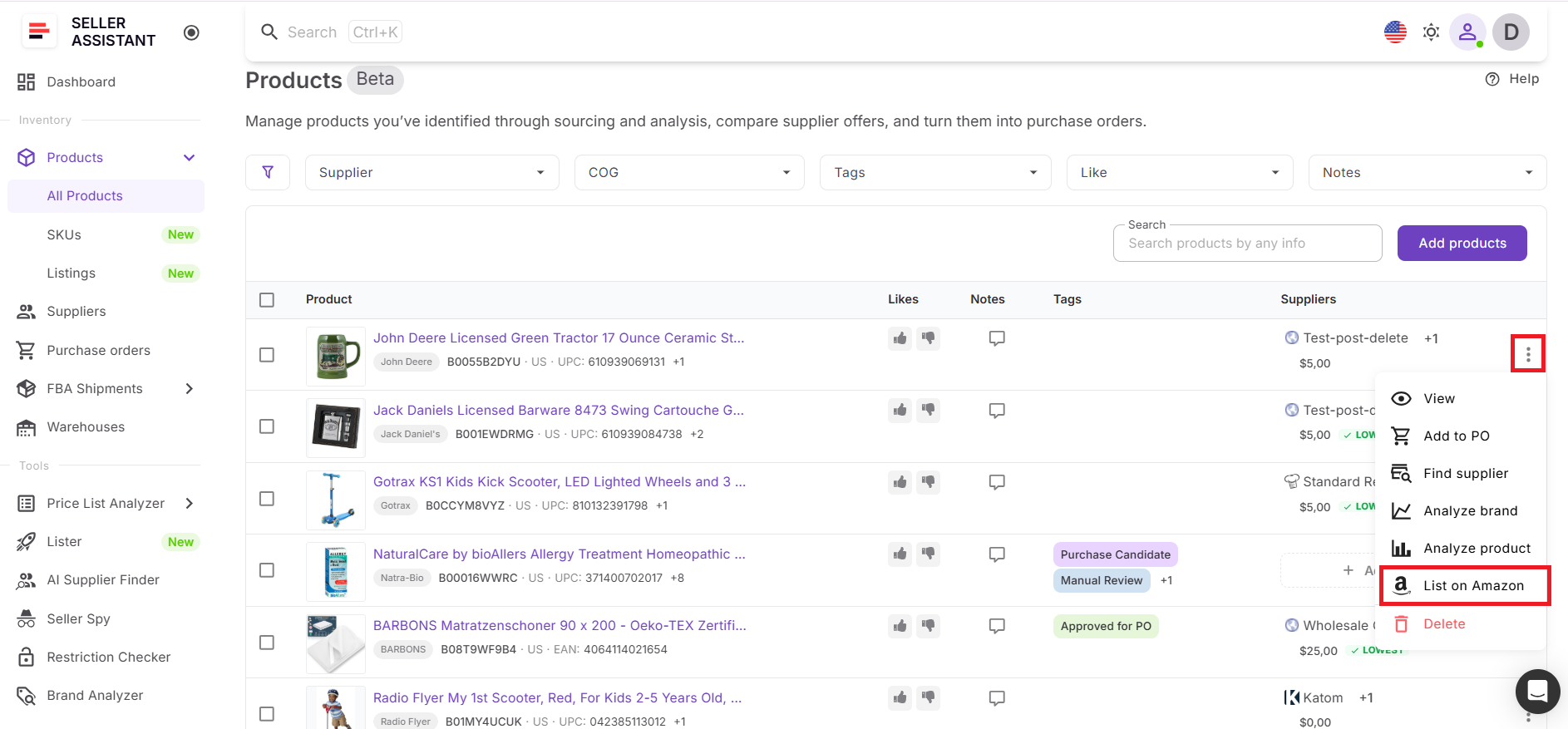
Create listings with Lister
Turn products into live listings with Lister directly from Product Database or Purchase Orders. All product data and SKUs automatically applied.
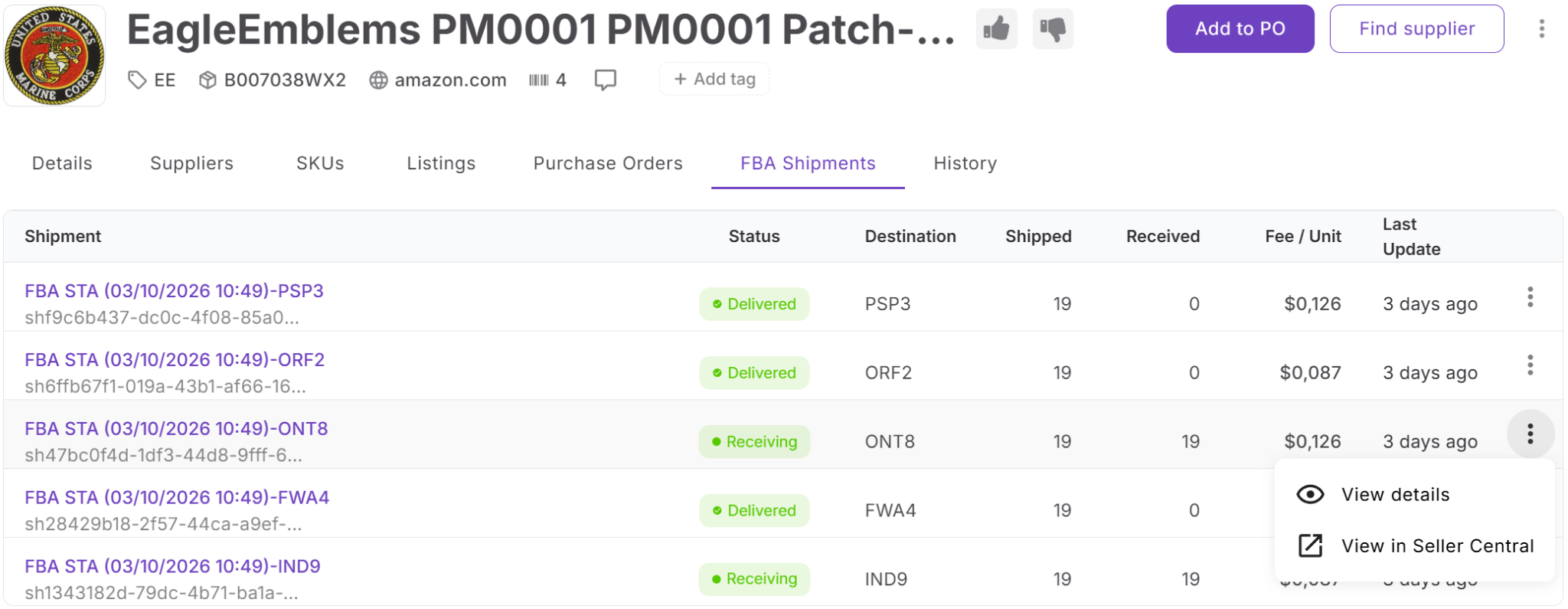
Track products after listing
All SKUs, listings, and FBA Shipments data stay linked to the product, allowing you to monitor performance, costs, and fulfillment in one place.
How to Work with Product Database Step by Step
Product Database helps you move from product discovery to purchasing and listing within one connected flow. You bring in products, evaluate supplier options, structure your data, and send approved items forward without losing information. Here’s how the process works step by step.
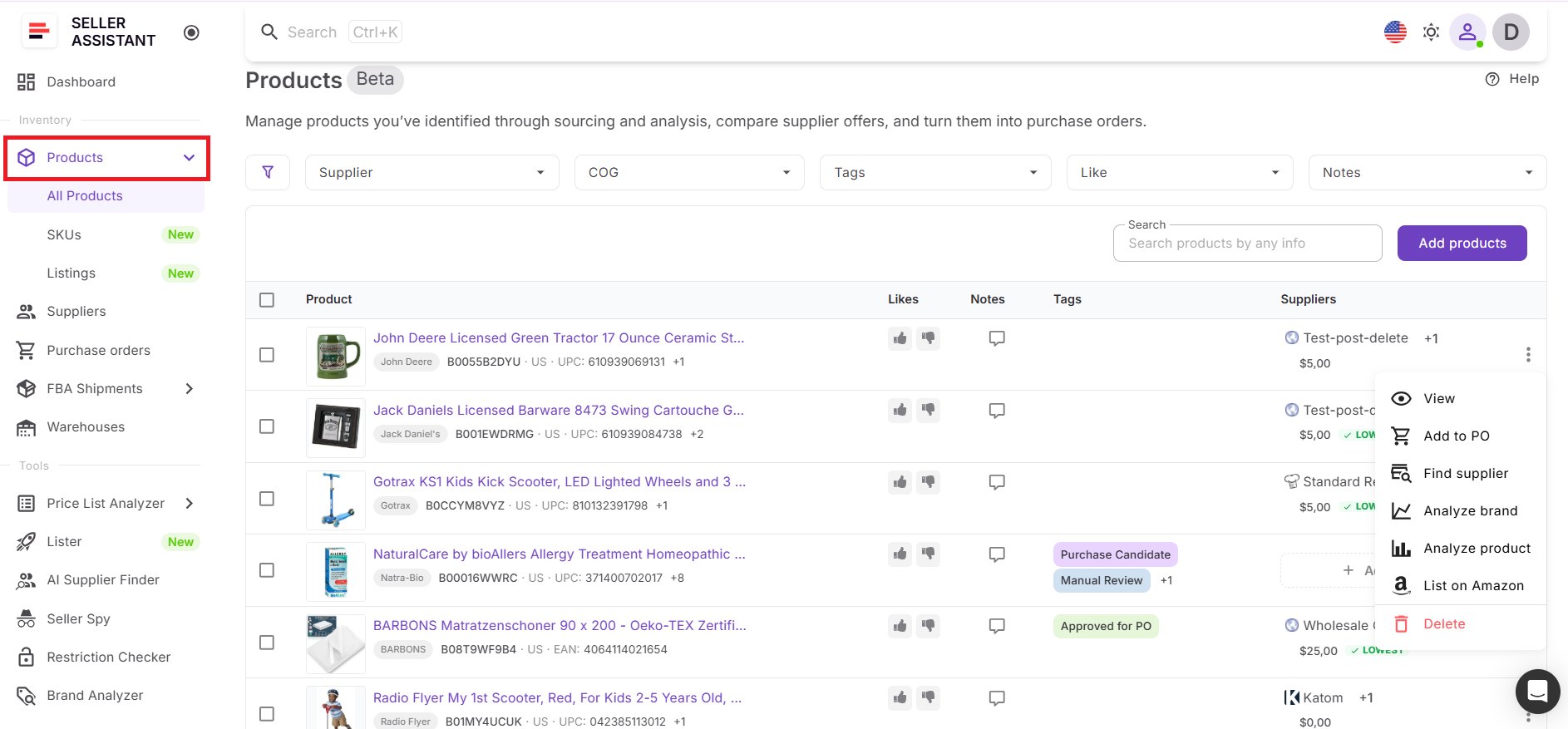
Step 1. Access Product Database
Go to the Inventory section and open Products. This is your main workspace where all sourced products are stored. You can search by title or identifiers and apply filters such as supplier, COG, tags, likes, or notes to find specific products quickly.
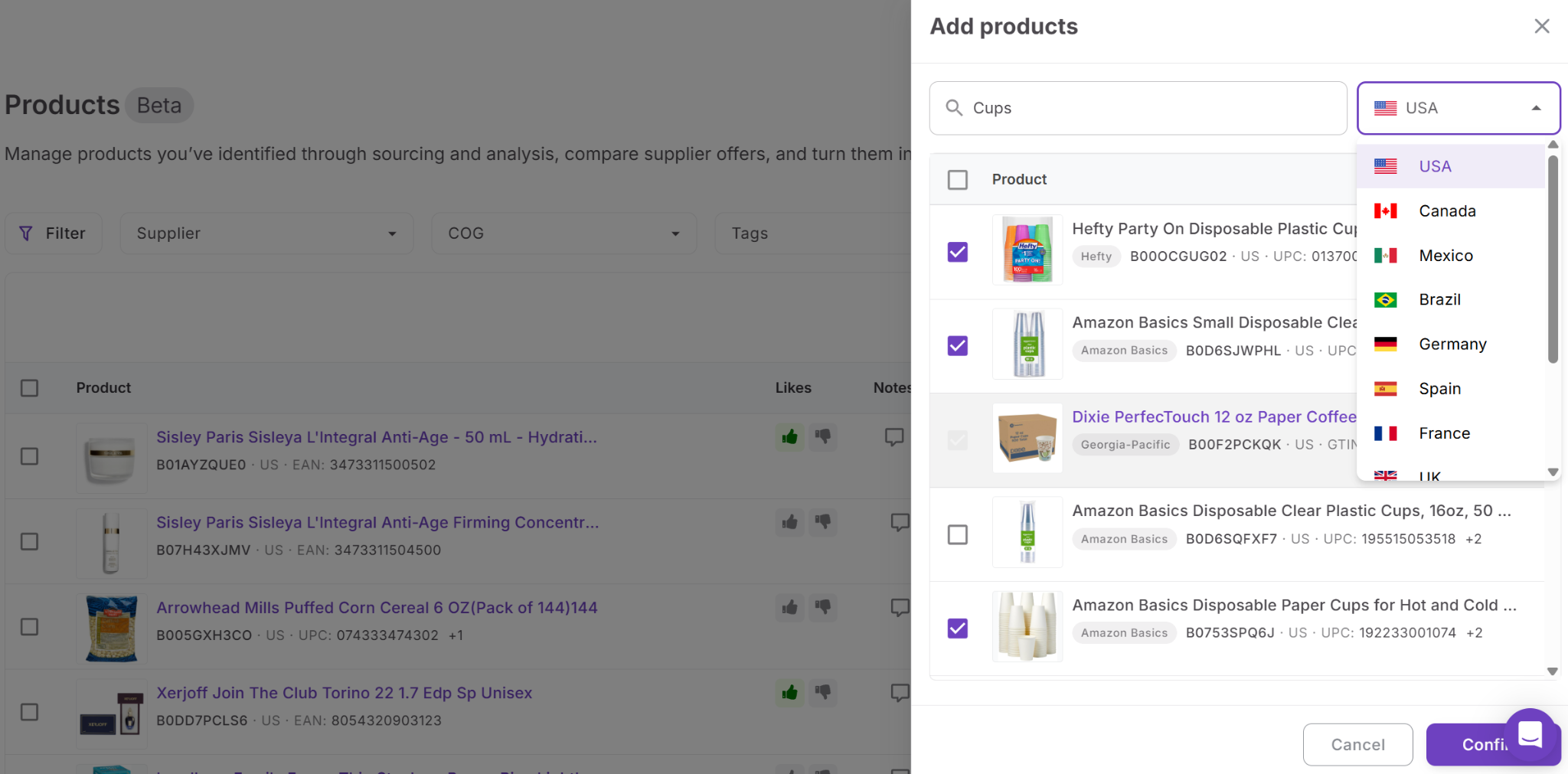
Step 2. Import products into the system
You can bring products into the database either from the product table or from Price List Analyzer. When adding manually, search by title or identifier, choose the marketplace, and confirm selection. When importing from Price List Analyzer, product entries are created automatically with supplier offers, COG, and identifiers included.
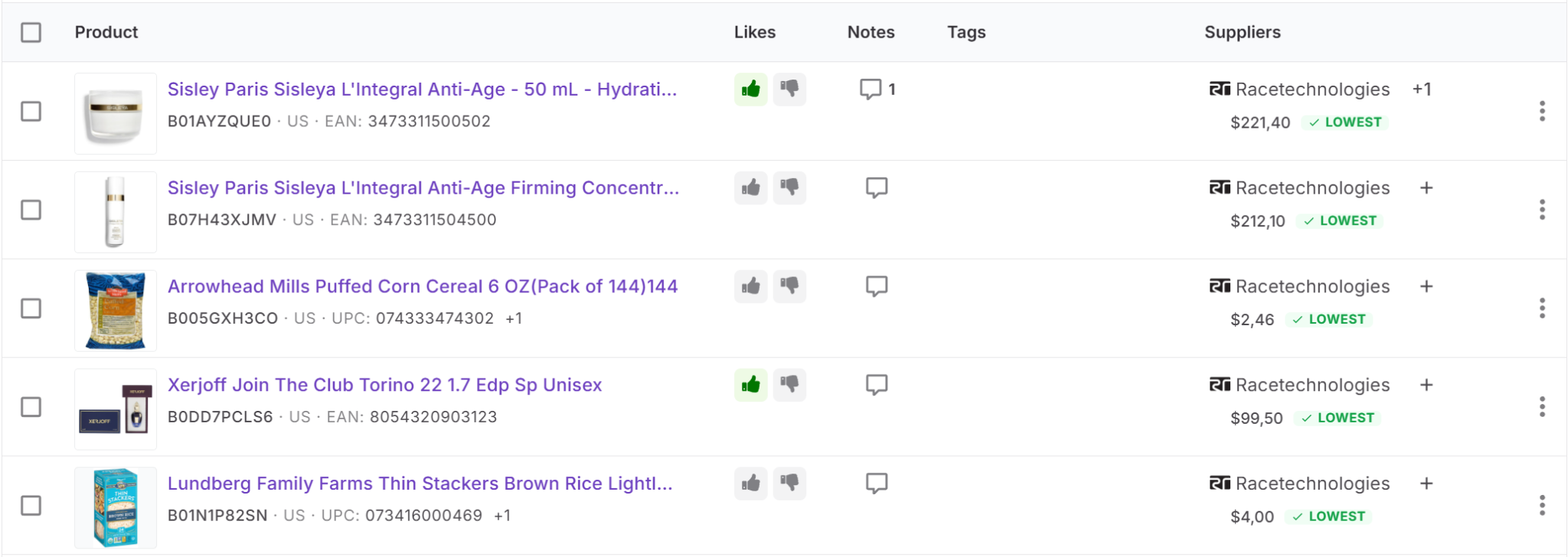
Step 3. Check product information
After products are added, review the key data shown in each row. This includes product title, image, identifiers, marketplace, notes, tags, likes, supplier offers, and COG. This step helps you quickly understand the product and its sourcing context.
Step 4. Evaluate supplier options
Open the supplier section to see all available offers for the product. Compare supplier names, COG, SKU, identifiers, and product links to determine which option gives you the best margin.
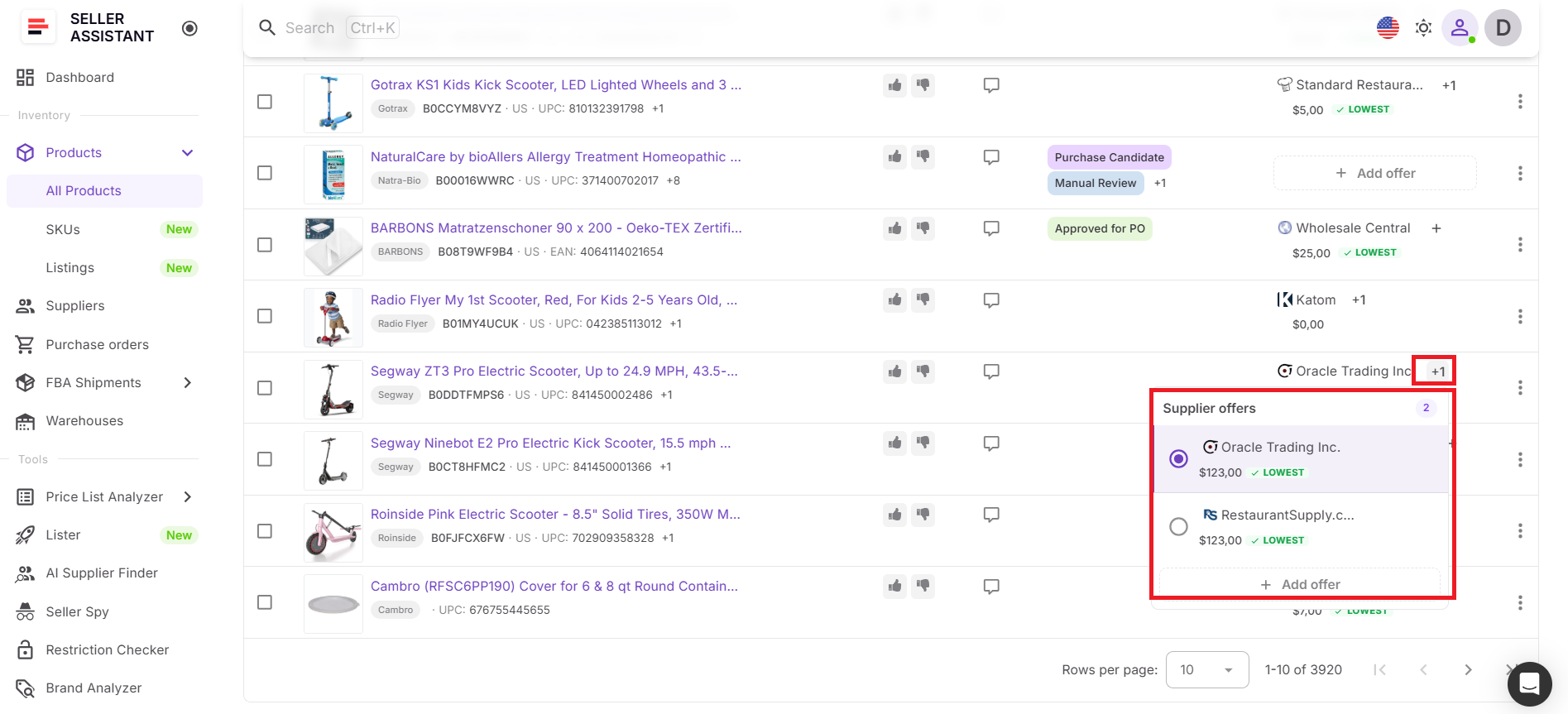
Step 5. Set preferred supplier
Choose a default supplier for the product. This supplier will be used in future actions such as purchase orders. The system highlights the lowest COG and places the default supplier first for easier comparison.
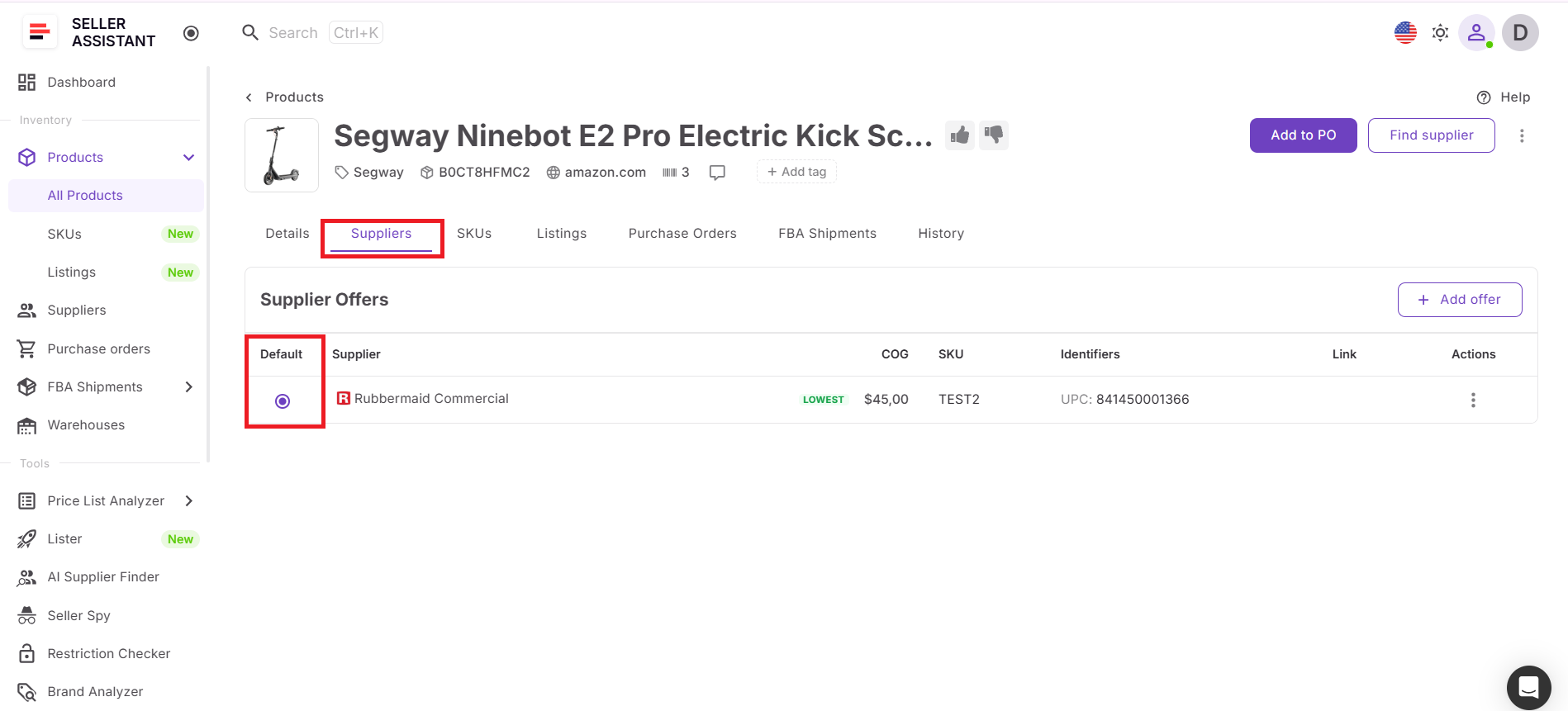
Step 6. Update supplier details
You can add new supplier offers or edit existing ones. Update COG, SKU, identifiers, or product links to keep your data accurate and ensure your sourcing decisions are based on current information.
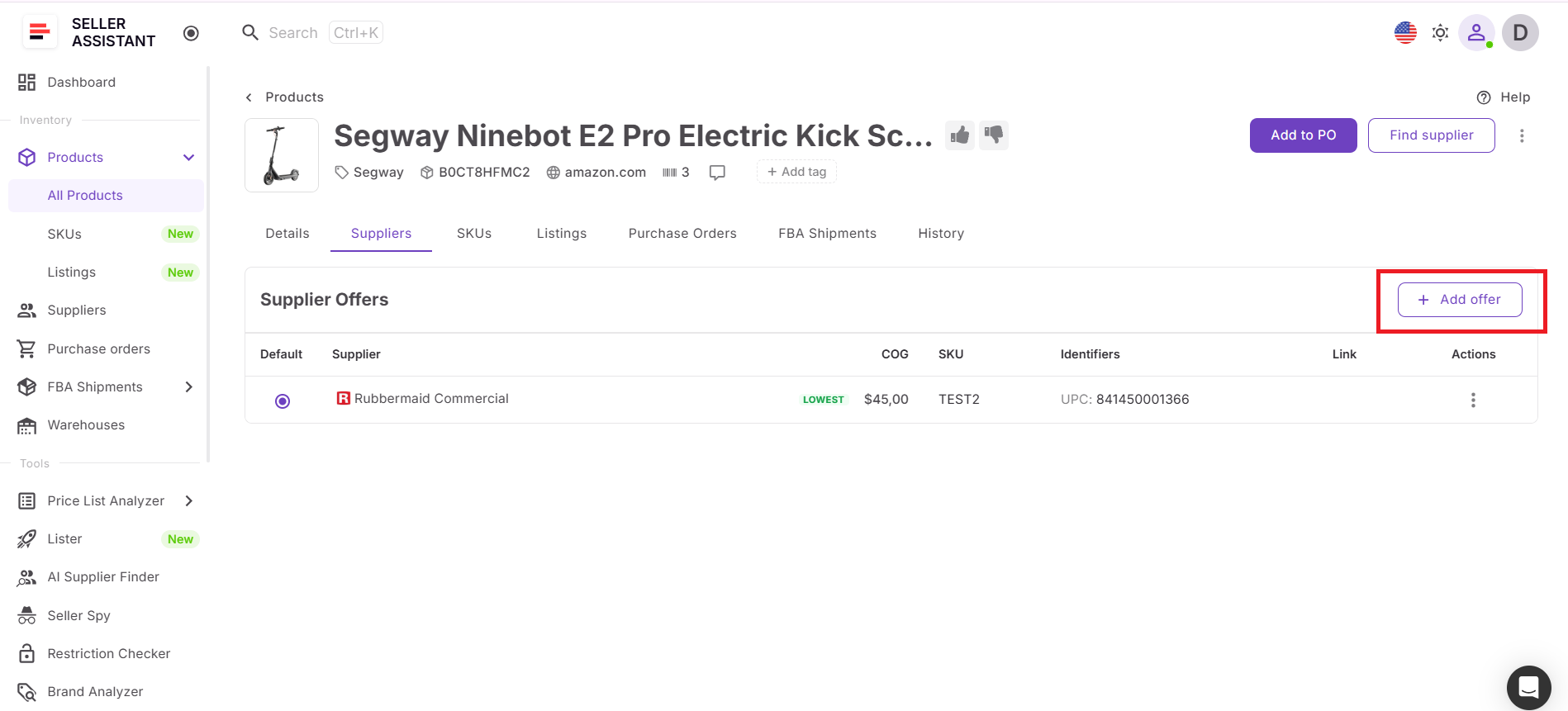
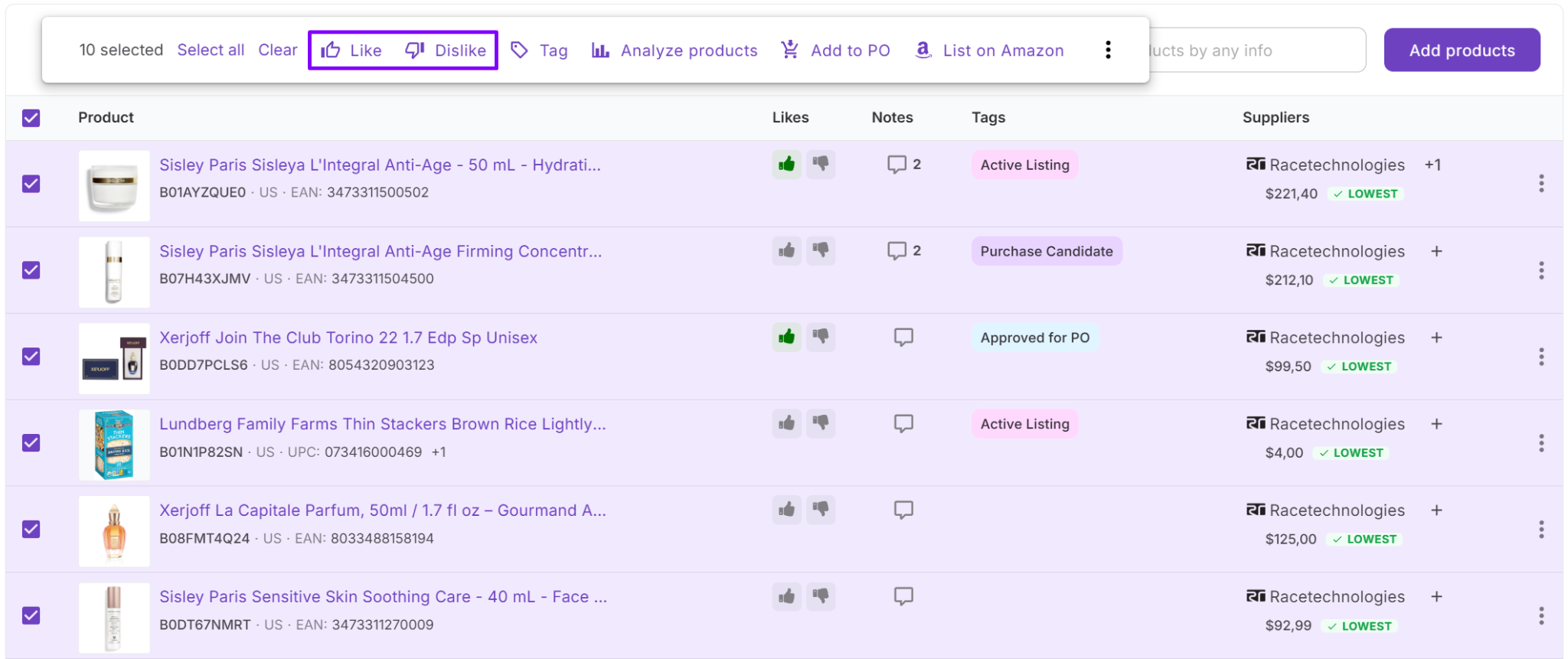
Step 7. Structure your product data
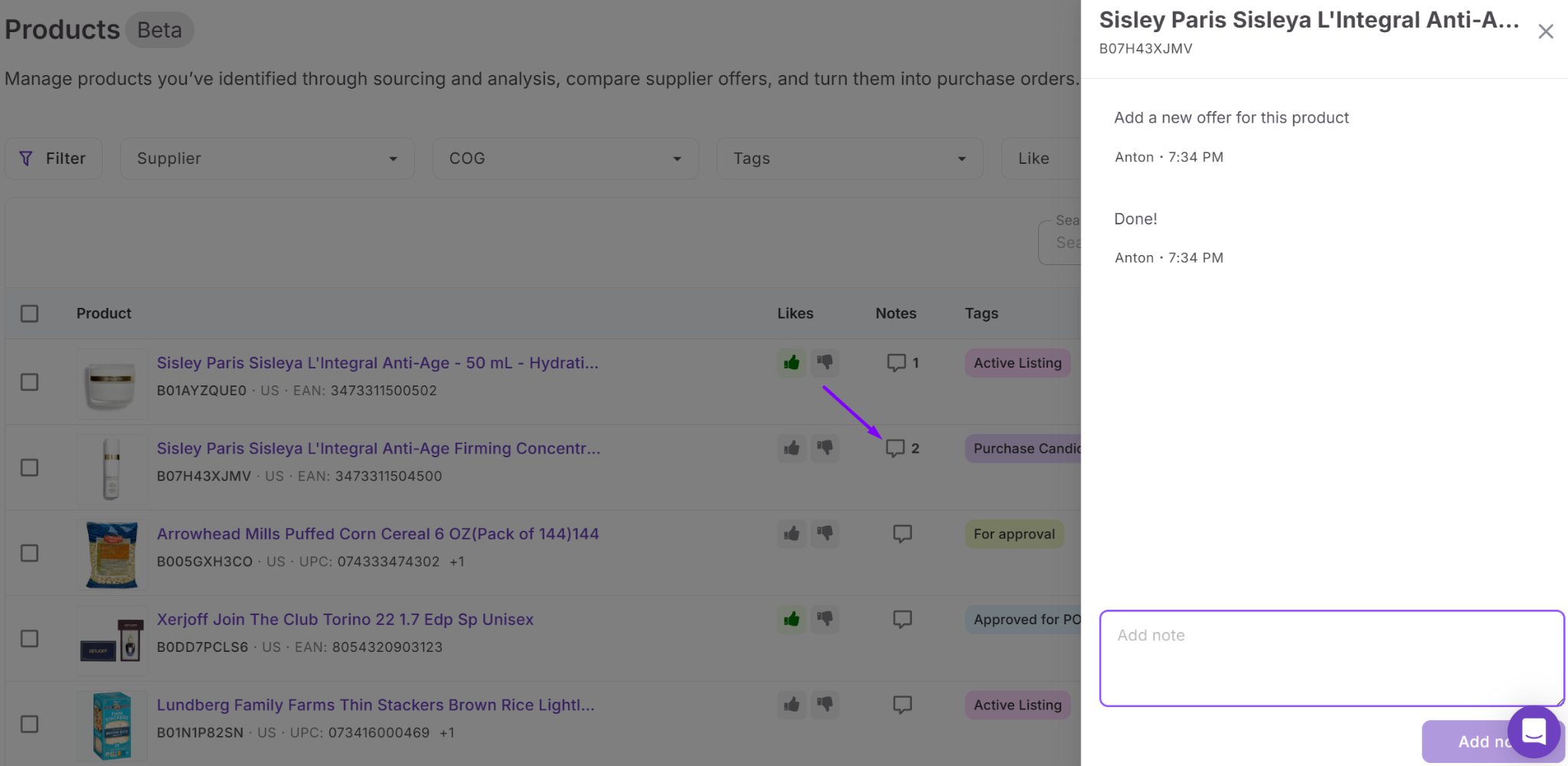
- Use notes to document decisions, limitations, or status updates.
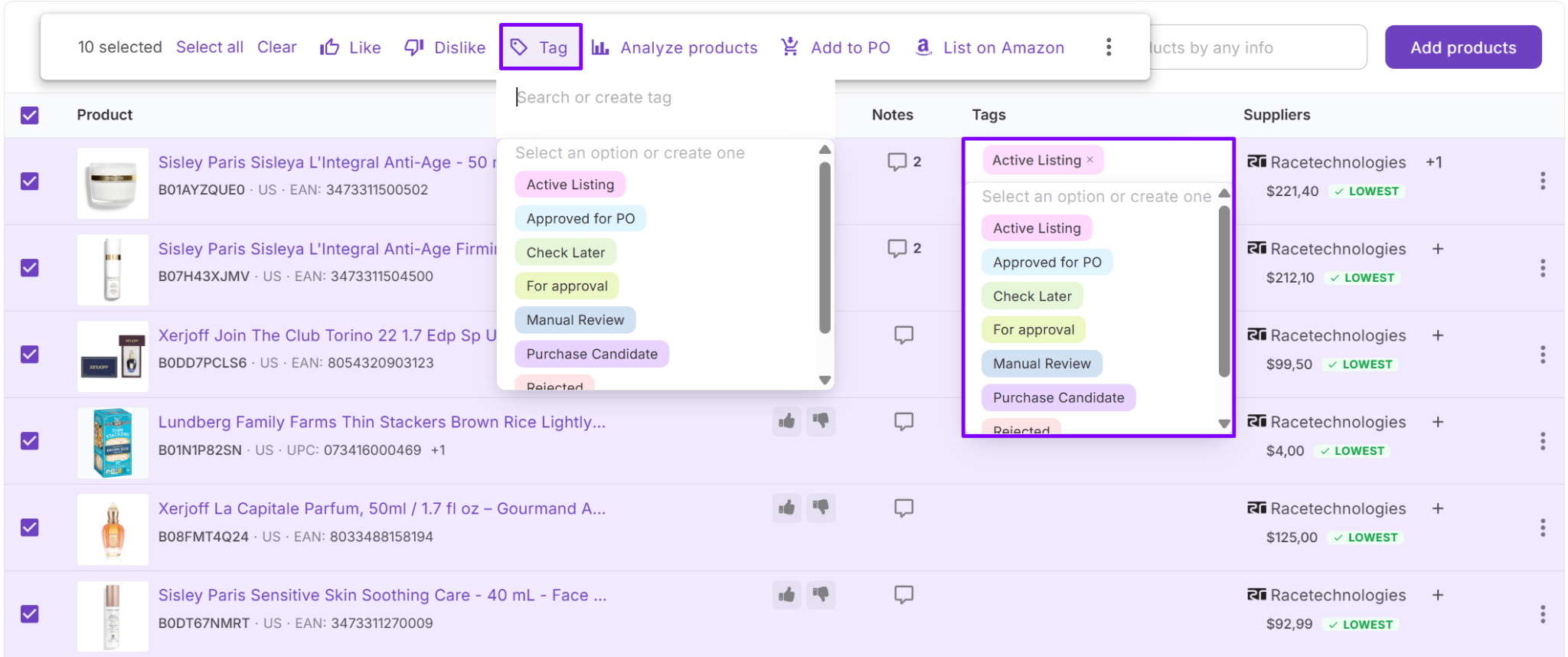
- Apply tags to group products by supplier, sourcing method, or workflow stage.
- Use likes to quickly mark promising products. This keeps your database organized and easy to navigate, especially when working in a team.
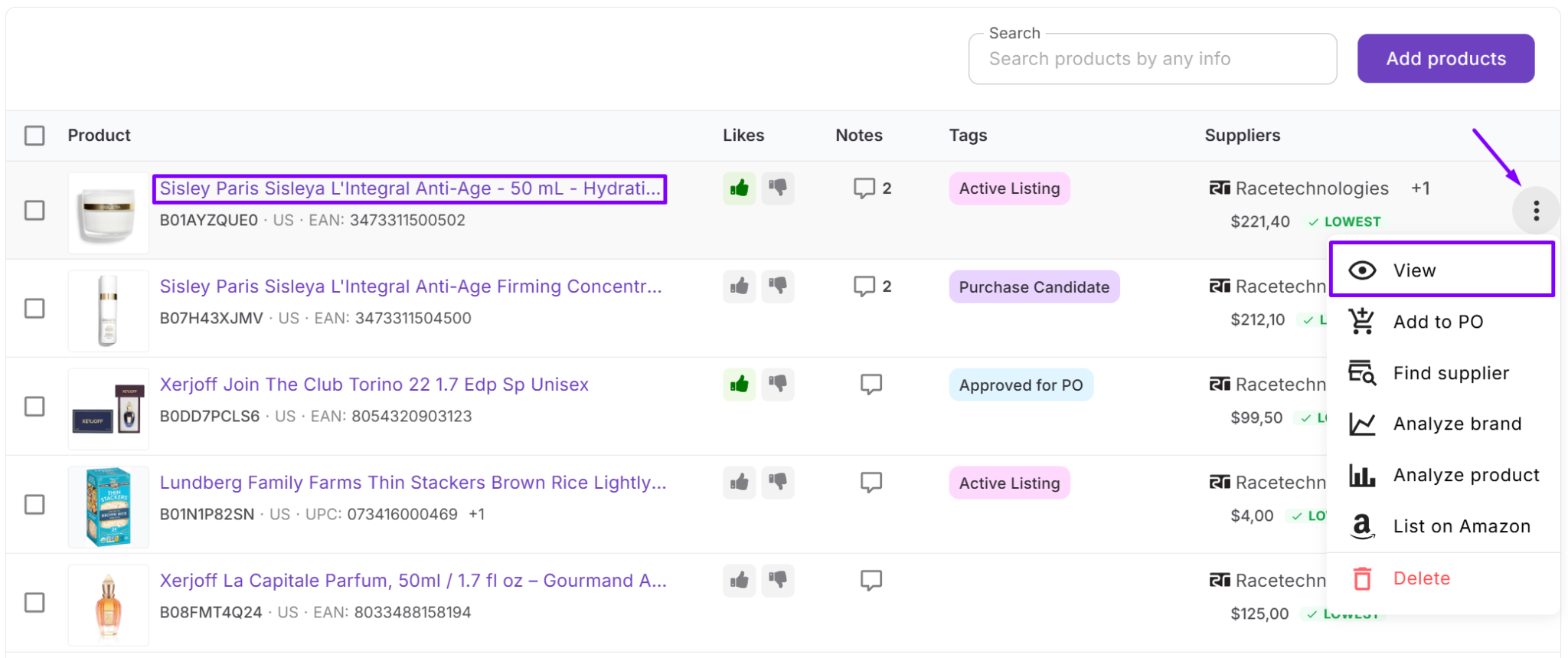
Step 8. Open detailed product view
Click on a product to open its Product Page. This page provides deeper insight, including supplier offers, SKUs, listings, purchase orders, FBA shipments, and activity history. Use it when you need full visibility beyond the table view.
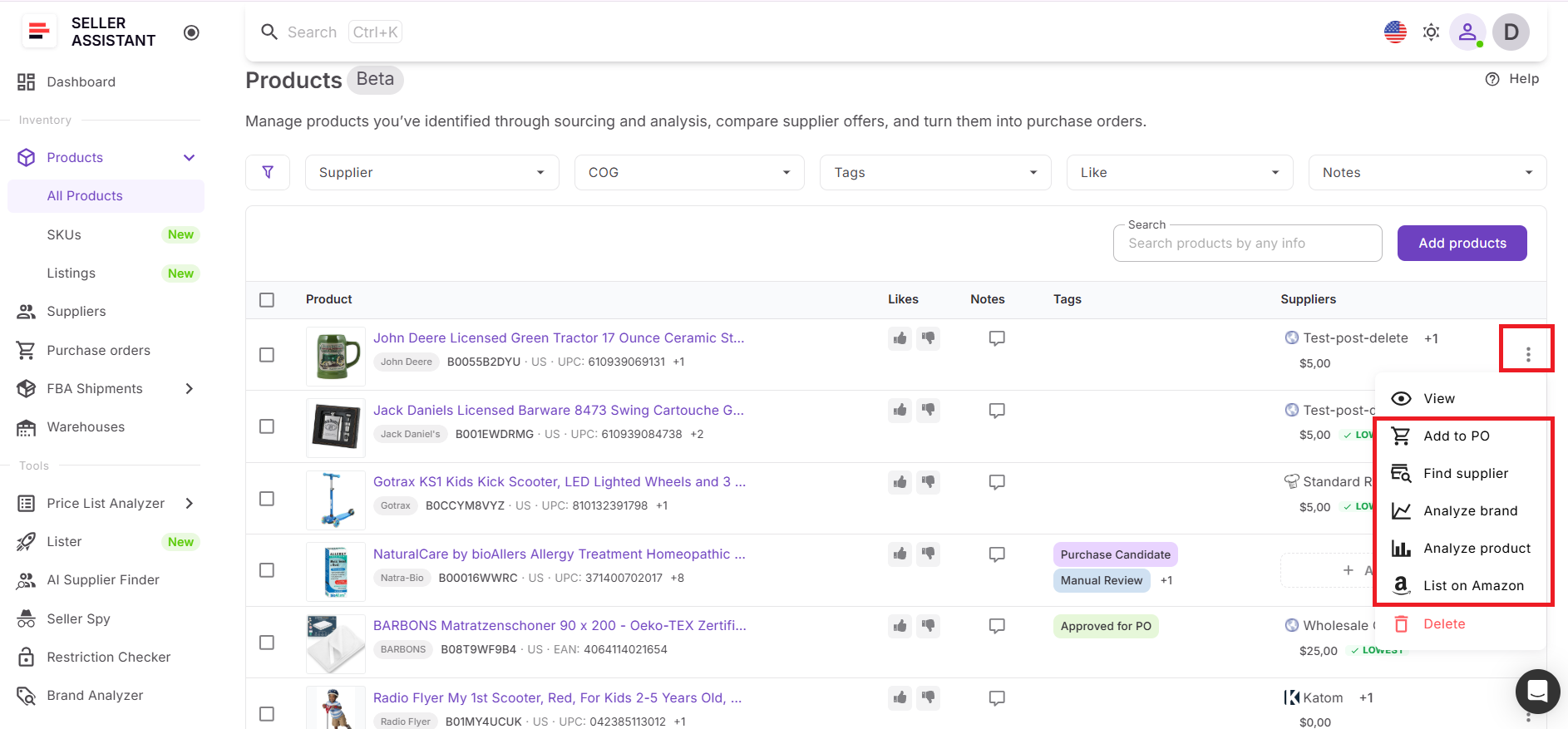
Step 9. Continue workflow in other tools
From Product Database, you can move products into other tools without re-entering data. Send them to Price List Analyzer for updated analysis, use AI Supplier Finder to find suppliers, run Brand Analyzer, or create listings with Lister.
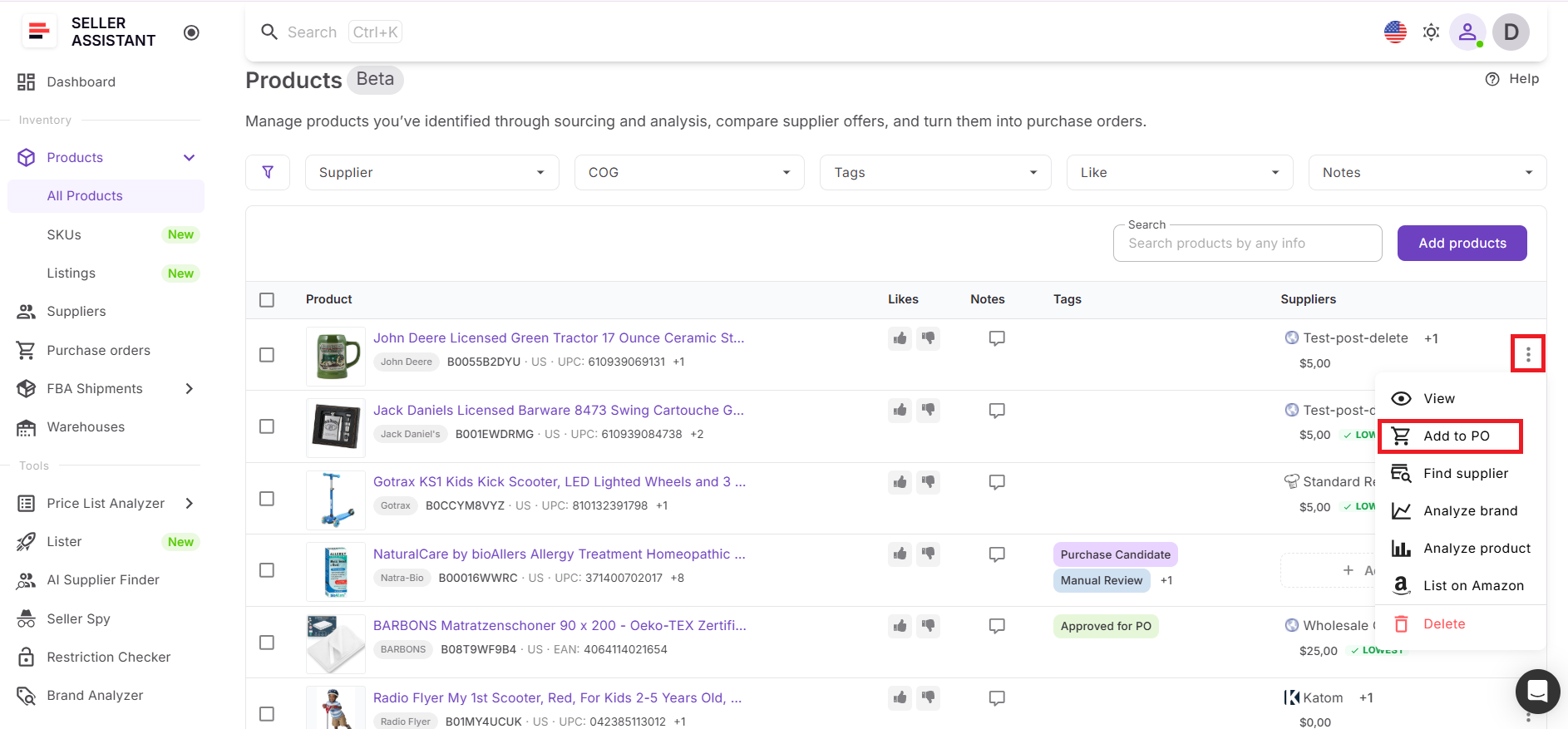
Step 10. Create purchase orders
When a product is approved, add it to a purchase order directly from the database. The selected default supplier is applied automatically. If pricing is updated in the order, COG in Product Database can sync to keep your data consistent.
Step 11. Monitor listings and fulfillment
After purchasing and listing, Product Database remains your control center. In the product view, you can track SKUs, listing status, purchase orders, and FBA shipments. This helps you connect sourcing decisions with real outcomes in listing and fulfillment.
FAQ
Do I need Product Database if I already use price list analyzer?
Yes, because Price List Analyzer helps you find deals, while Product Database helps you manage and act on them. It stores supplier offers, tracks decisions, and connects products to purchasing and listing.
How does Product Database help choose the best supplier?
It shows all supplier offers for the same ASIN in one place with COG and key details. This makes it easy to compare options and consistently select the most profitable supplier.
Can I update supplier prices in Product Database?
Yes, you can edit existing supplier offers or add new ones at any time. This ensures your data stays accurate and reflects current supplier pricing.
Is Product Database useful for teams?
Yes, all team members work within the same shared product list. Notes, tags, and supplier decisions are visible to everyone, which keeps workflows aligned.
What happens to products after I create a purchase order?
They remain in Product Database and stay linked to purchase orders, SKUs, listings, and FBA shipments. This allows you to track each product through listing and fulfillment without losing context.
Final Thoughts
As your Amazon business grows, managing products becomes less about finding deals and more about handling data correctly. Without a structured system, supplier offers get scattered, decisions become inconsistent, and scaling becomes difficult to control.
Seller Assistant’s Product Database solves this by turning your product list into a connected system. It keeps supplier data, decisions, and workflow actions in one place, so you can compare offers, choose the right supplier, and move products from sourcing to purchasing and listing without losing context.
Seller Assistant automates and connects every stage of your Amazon wholesale and arbitrage workflow. It brings together in one platform: workflow management tools – Purchase Orders Module, Suppliers Database, Product DB, Warehouses Database, bulk research & sourcing tools – Price List Analyzer, Bulk Restriction Checker, AI Supplier Finder, Brand Analyzer, Seller Spy, Chrome extensions – Seller Assistant Browser Extension, IP-Alert Extension, and built-in VPN by Seller Assistant, and integrations & team access features – seamless API connectivity, integrations with Zapier, Airtable, and Make, and Virtual Assistant Accounts.\n


