




With over 2 billion people visiting Amazon every month, the platform offers an unparalleled opportunity for sellers to reach a massive audience of potential buyers. However, standing out and driving conversion can be a significant challenge among those millions of listed products. Therefore, it’s really important that you optimize your Amazon listings to increase your visibility, attract more clicks, and boost your sales.
This article will explain how Amazon’s A9 algorithm works and how to utilize that understanding in optimizing your Amazon listings to significantly improve your conversion rates and drive more sales. Let’s begin.

How to Optimize Your Amazon Listings for Maximum Conversions
Related: Amazon FBA for Beginners
Selling on Amazon: How to Make Money?
How to Sell on Amazon for Beginners - Complete Guide
How Amazon’s A9 Algorithm and Shopper Behavior Works
Amazon’s A9 algorithm is the driving force behind how product listings are ranked and displayed to shoppers. It considers various factors, such as keyword relevance, product details, sales velocity, and customer reviews, to determine the most relevant and high-quality listings.
To optimize your listings effectively, you need to understand the different types of Amazon shoppers and their intent:
- Researchers: These shoppers are in the early stages of their buying journey, gathering information and comparing options.
- Browsers: They have a general idea of what they want but are still exploring different products and brands.
- Ready-to-buy: These shoppers know exactly what they want and are ready to make a purchase.
By catering your content to each user’s intent, you can capture their attention and guide them towards a conversion.
Let’s now take a look at how to optimize your Amazon listings for maximum conversions.
1. Research Keywords Carefully for High Visibility
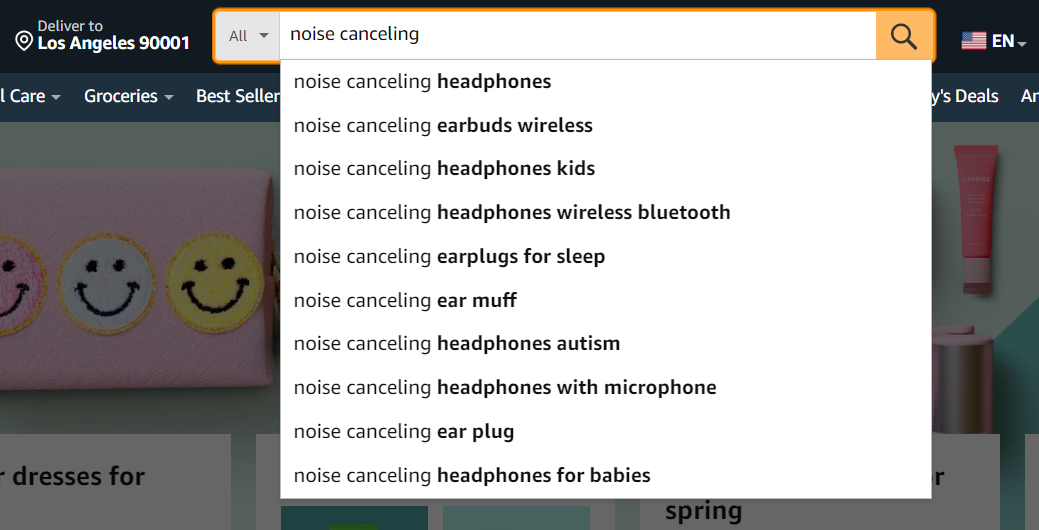
Keywords are the foundation of Amazon’s search ranking algorithm. By incorporating relevant keywords throughout your listing, you increase the chances of your product appearing in search results for those terms.
Research Keywords Carefully for High Visibility
Related: Seller Assistant Extension Review
Seller Assistant — the Ultimate Tool for Amazon Online Arbitrage
How to Dropship on Amazon with Seller Assistant
Amazon Wholesale: How to Sell Wholesale on Amazon
Find Keyword Suggestions with the Amazon Search Bar
There are two main types of keywords:
- Short-tail keywords: These are broad, general terms (e.g., “wireless headphones”) that have high search volume but also high competition.
- Long-tail keywords: These are more specific, descriptive phrases (e.g., “noise-canceling wireless headphones for running”) that have lower search volume but higher buyer intent.
While short-tail keywords can drive traffic, long-tail keywords are often more effective for conversions, as they target shoppers with a specific need or intent.
To conduct effective keyword research, you can use tools like SellerApp, SEMrush, or leverage product research services like ZonHack to gain valuable insights into. These can provide you with important matrices like search volume, competition levels, and keyword suggestions based on customer behavior and competitor analysis.
2. Create Compelling Product Titles
Your product title is the first thing shoppers see in search results, so it needs to be attention-grabbing and informative. Amazon allows up to 200 characters for product titles, but it’s essential to be concise and include the most relevant information upfront.
When optimizing your product titles, follow these best practices:
- Incorporate relevant keywords naturally: Use the primary keywords you’ve identified through your research, but avoid stuffing or repeating them unnecessarily.
- Prioritize clarity and benefits: Highlight the key features and benefits that differentiate your product.
- Use attention-grabbing adjectives: Words like “premium,” “advanced,” or “best-selling” can make your product stand out.
- Follow Amazon’s style guidelines: Avoid promotional language, capitalize the first letter of every word (except prepositions), and use appropriate spelling and grammar.
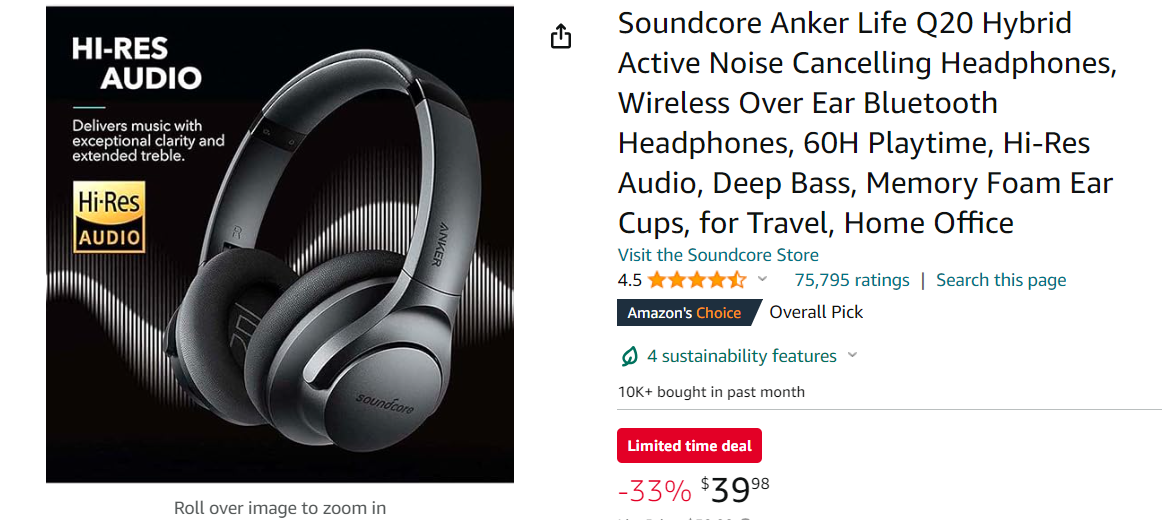
Here’s an example of a well-optimized product title:
well-optimized product title
This title includes relevant keywords like “noise cancelling headphones,” “wireless,” and “Bluetooth,” while also highlighting key features like “40H playtime,” “hi-res audio,” and “memory foam ear cups.” It’s clear, concise, and attention-grabbing.
3. Use High-Quality Product Images and Videos
In the absence of a physical product, visuals play a crucial role in showcasing your offering and influencing buying decisions. High-quality product images and videos can significantly improve your conversion rates by providing shoppers with a clear understanding of what they’re purchasing.
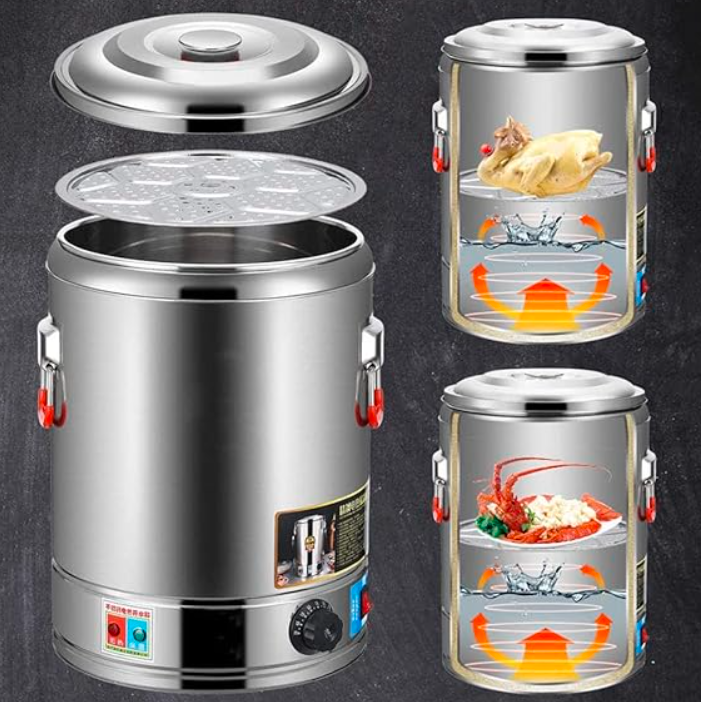
When it comes to product images, Amazon recommends uploading at least one image with a white background and clear, well-lit shots of the product from various angles. However, to truly stand out, consider incorporating lifestyle images, infographics, or even short video clips that showcase the product in use or highlight its unique features and benefits.
Use High-Quality Product Images and Videos
Optimize your images and videos by following Amazon’s guidelines for size, format, and quality. For example, images should be at least 1000 pixels in either height or width, and videos should be in MP4 format with a resolution of at least 1280 x 720 pixels.
4. Write Persuasive and SEO-Friendly Product Descriptions
Your product description is your opportunity to sell shoppers on the value and benefits of your offering. A well-crafted description can significantly increase conversions, while a poorly written one can deter potential buyers.
When writing your product description, structure it for readability by using clear sections and bullet points. Address common customer pain points and highlight the key features and benefits that set your product apart from the competition.
Additionally, incorporate relevant keywords throughout the description in a natural, non-repetitive manner. This not only helps with search visibility but also provides context and clarity for shoppers.
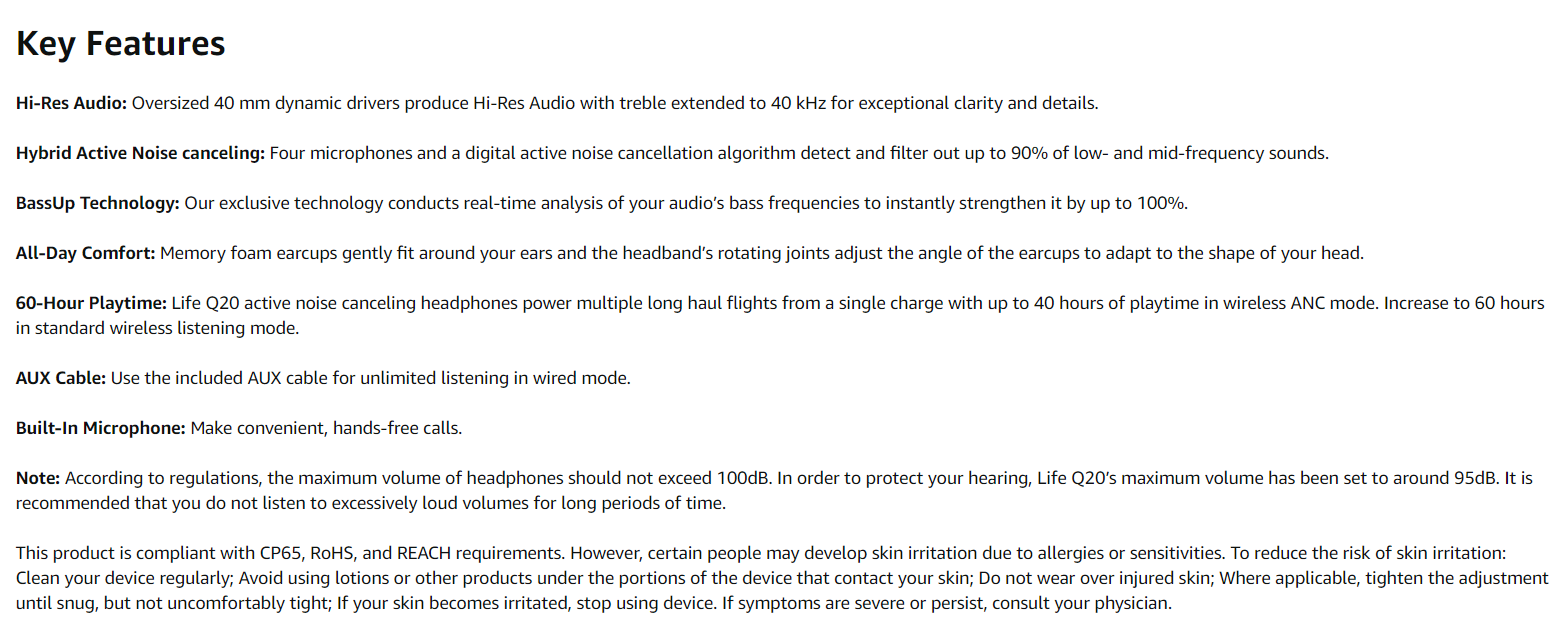
Here’s an example of a persuasive and SEO-friendly product description:
Write Persuasive and SEO-Friendly Product Descriptions
This description effectively highlights the key features and benefits, incorporates relevant keywords like “noise cancelling headphones,” “hi-res audio,” and “wireless,” and addresses potential customer pain points like long battery life and comfortable fit.
5. Leverage Amazon’s A+ Content
Amazon’s A+ Content is a powerful tool that allows sellers to enhance their product listings with rich, visually appealing content. By incorporating high-quality images, charts, videos, and detailed descriptions, you can create a more engaging and informative shopping experience for customers.
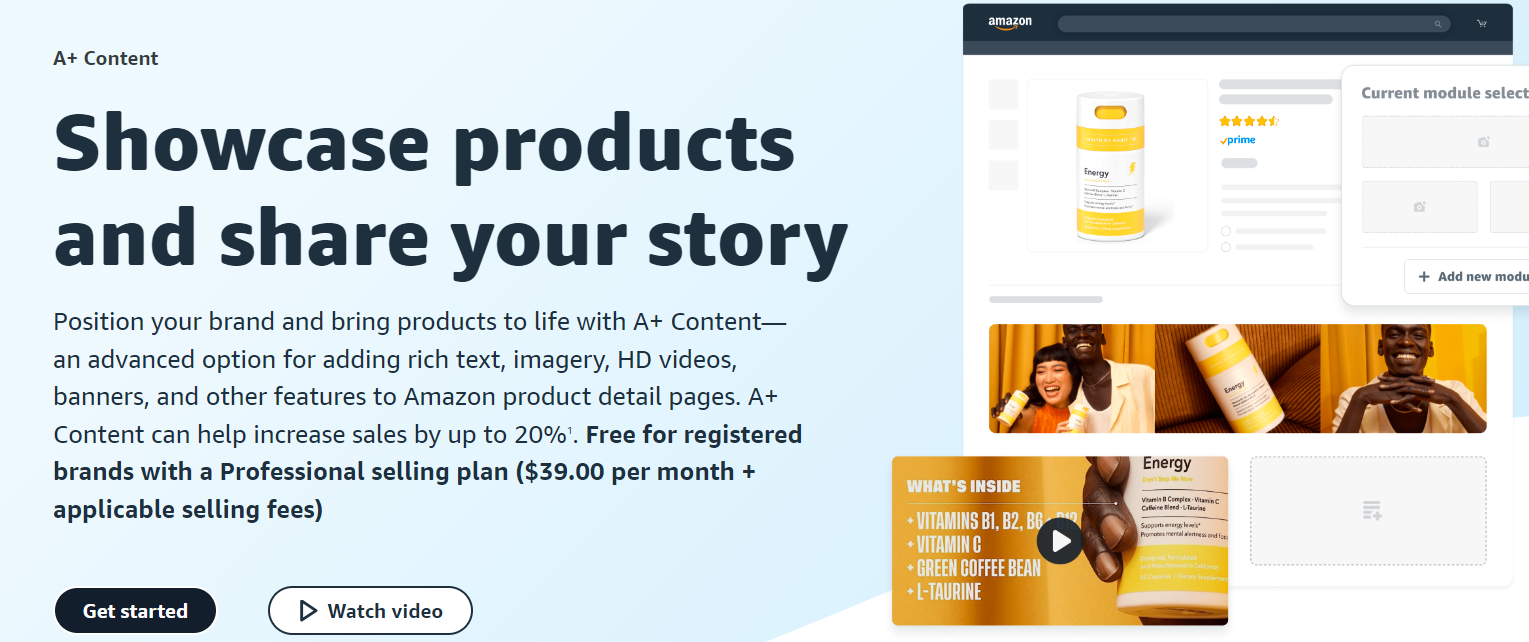
When creating A+ Content, focus on addressing common customer questions, showcasing product features and benefits, and providing clear calls to action (CTAs) that encourage conversions. Use high-quality visuals, concise bullet points, and descriptive language to capture shoppers’ attention and guide them through the buying process.
6. ContinueOptimization and Monitoring
Optimizing your Amazon listings is an ongoing process, not a one-time event. To maintain and improve your conversion rates, it’s essential to continuously monitor key performance metrics and adapt your strategies accordingly.
Some crucial metrics to track include:
- Click-through rate (CTR): The percentage of shoppers who click on your listing after seeing it in search results.
- Conversion rate: The percentage of visitors to your listing who make a purchase.
- Sales velocity: The rate at which your products are selling over time.
- Customer reviews and ratings: Monitor both the quantity and quality of customer feedback.
- Search ranking: Track your position in search results for relevant keywords.
Regularly analyze these metrics and update your listings based on the insights you gather. Adjust your keyword strategy, product descriptions, images, and pricing as needed to stay competitive and maximize conversions.
Additionally, stay informed about Amazon’s algorithm changes and platform updates, as these can impact your listing’s performance and visibility.
Final Thoughts
Optimizing your Amazon listings for maximum conversions is a multifaceted process that requires a deep understanding of shopper behavior, meticulous keyword research, compelling visuals and content, and continuous monitoring and optimization.
By implementing these strategies, you can significantly improve your Amazon listings’ visibility, click-through rates, and ultimately, conversion rates, leading to increased sales and profitability.


