Listing products on Amazon should be a quick step – but for many resellers, it becomes a bottleneck.
After sourcing ASINs and locking in supplier deals, you still have to rebuild listings in Seller Central, re-enter data, and manage SKUs manually. This slows down your workflow and delays time to market.
Seller Assistant solves this by connecting your sourcing data directly to listing. With Product Database and Lister, you can turn prepared products into live listings in one flow – without switching tools or duplicating work. Here’s how to streamline your listing process and scale faster.
From Sourcing to Live Listing – Why Product Database Makes It Faster
Listing products from your product database removes the need to rebuild listings from scratch. Instead of re-entering ASIN data, supplier pricing, and SKUs in Seller Central, everything is already structured and ready to use. This shifts listing from a manual task to a continuation of your sourcing workflow.
/[a]
No duplicate data entry
All product details – ASIN, supplier offers, and COG – are already stored in Product Database. You don’t need to input the same information again, which reduces manual work and speeds up listing.
Direct workflow from sourcing to listing
Products move from research and supplier selection straight into listing without switching tools. This keeps your workflow consistent and eliminates delays between steps.
Consistent SKU and pricing data
Since SKUs and supplier data are managed in one place, your listings stay accurate. You avoid duplicate SKUs, pricing mismatches, and tracking issues.
Faster time to market
With pre-filled product data and fewer manual steps, you can publish listings quicker. This helps you get products live faster and compete for the Buy Box sooner.
Fewer listing errors and rework
Built-in validation and structured data reduce mistakes before submission. You catch duplicate SKUs or missing details early, so you spend less time fixing errors and resubmitting listings.
What Seller Assistant Tools Power Listing from Product Database
Listing products from Product Database removes the need to jump between tools and rebuild data manually. Instead of pulling product details from spreadsheets, rechecking suppliers, and creating SKUs from scratch in Seller Central, you work within one connected system.
Product data, supplier offers, and costs are already structured, so listing becomes a direct next step. You move from prepared products to live listings in a few clicks, keeping everything consistent and reducing errors.
This workflow is powered by two core tools: Seller Assistant’s Product Database and Seller Assistant’s Lister.
Product Database
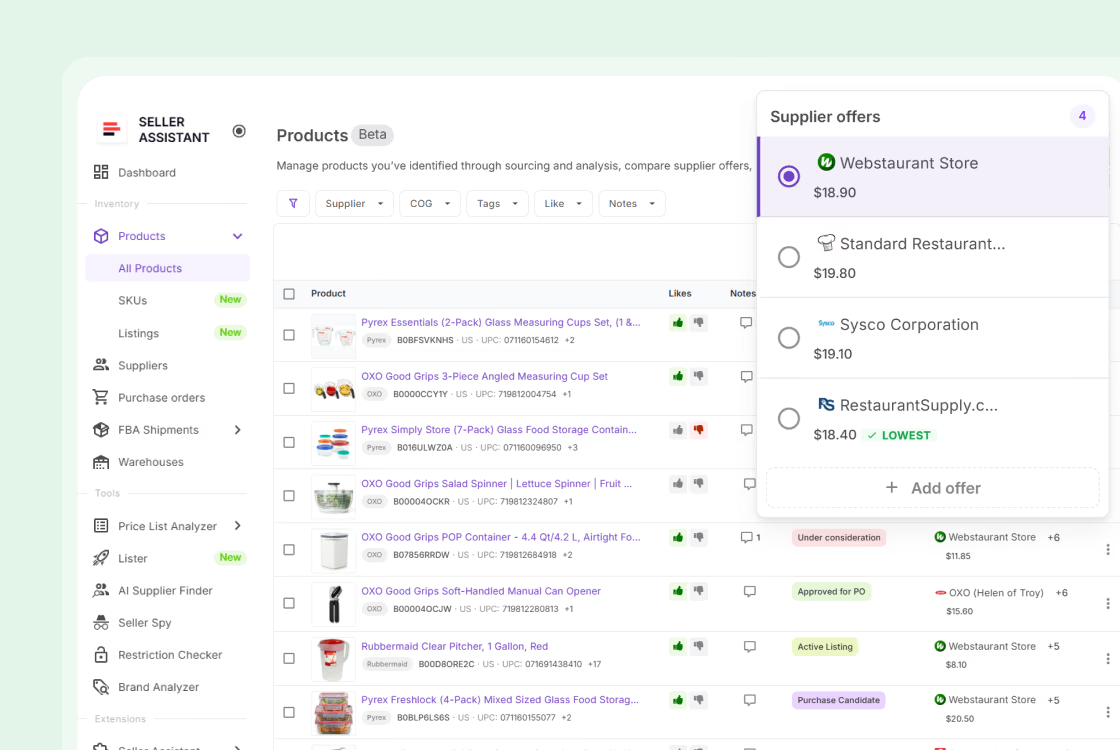
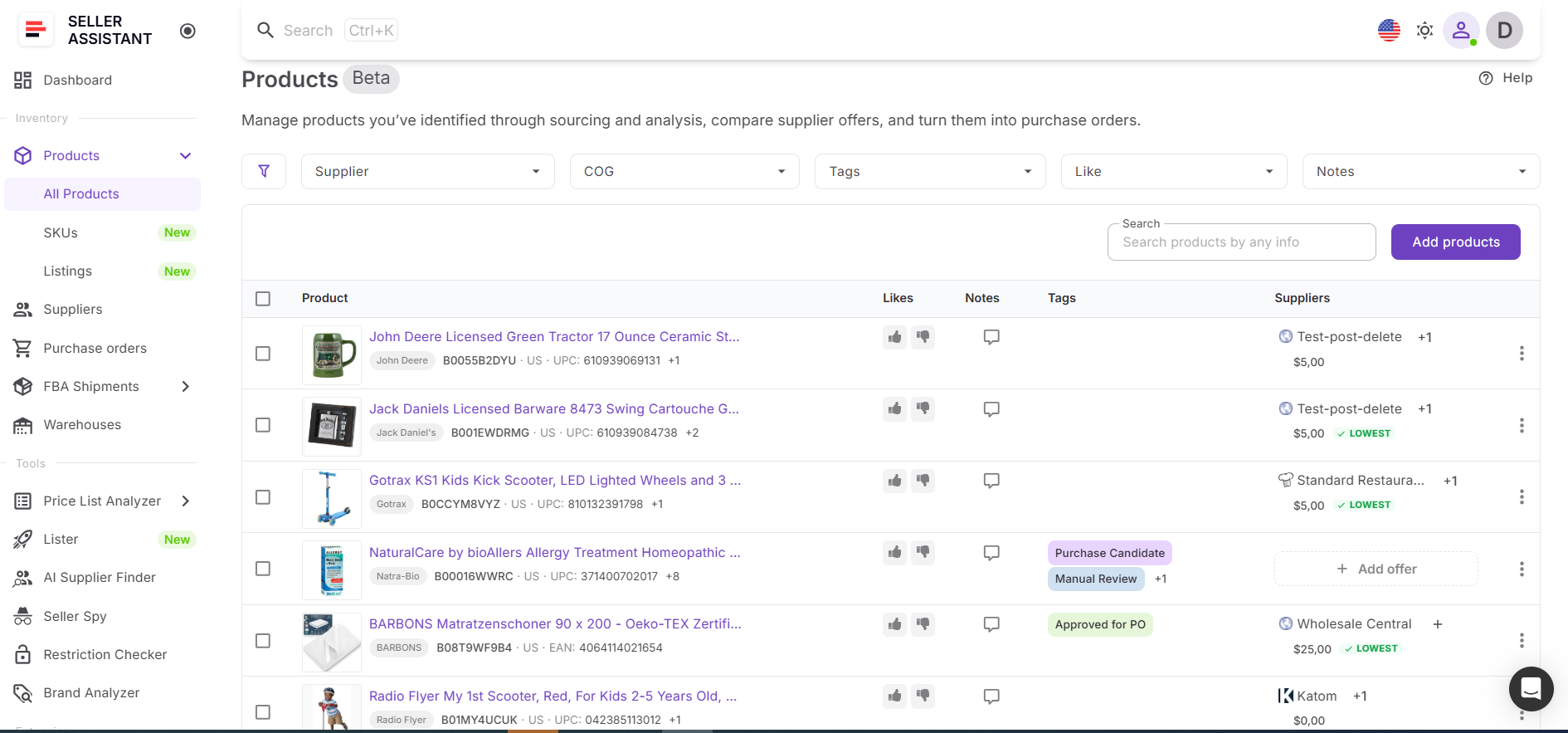
Product Database is where your sourced products are stored and prepared for listing. It contains ASINs, supplier offers, COG, notes, and tags in one place. Because all sourcing data is already organized, you don’t need to recheck suppliers, pricing, or product details before listing. Each product is ready to move forward with a selected supplier and structured information.
Lister
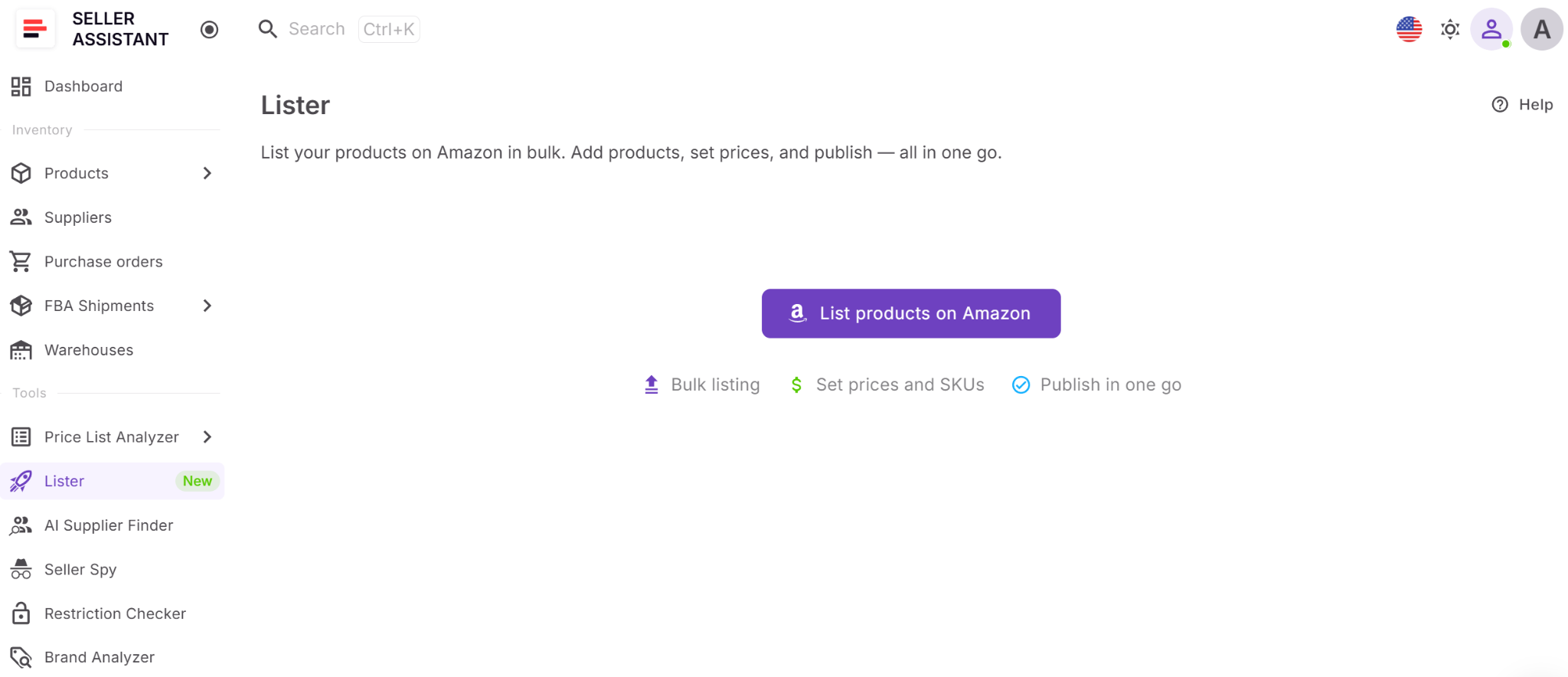
Lister is the tool that creates Amazon listings based on data from Product Database. It pulls in product identifiers, SKU structure, and key inputs, allowing you to generate listings without manual entry. You only need to review the condition, fulfillment method, price, and SKU before submitting, which makes the process faster and more controlled.
How the tools work together
Products are first stored and prepared in Product Database, where supplier selection and product data are finalized. From there, you can send selected products directly to Lister. The system uses existing data to prefill listing details, so you only review and publish. This creates a smooth transition from sourcing to listing without breaking your workflow.
How Product Database and Lister fit into your workflow
Listing from Product Database is part of a connected workflow. After sourcing products and organizing supplier data, you move directly into listing without switching tools. Product data flows from research to Product Database and into Lister, then into active listings and tracking. Each step stays connected, helping you scale faster while keeping your operations accurate and consistent.
Note. Seller Assistant is an end-to-end Amazon workflow management platform that integrates 15+ wholesale-focused solutions into one connected system. It combines sourcing workflow automation, bulk research and intelligence tools, and integrated Chrome extensions – giving you everything you need to streamline finding deals, managing suppliers, and creating purchase orders.

With Seller Assistant, every step of your Amazon wholesale and arbitrage workflow is automated and connected.
What Is Product Database in Seller Assistant?
Product Database is a centralized workspace in Seller Assistant where all sourced products are stored, organized, and prepared for execution – including listing. It keeps ASINs, supplier offers, COG, and sourcing decisions in one structured system, so your data stays consistent and ready to use.
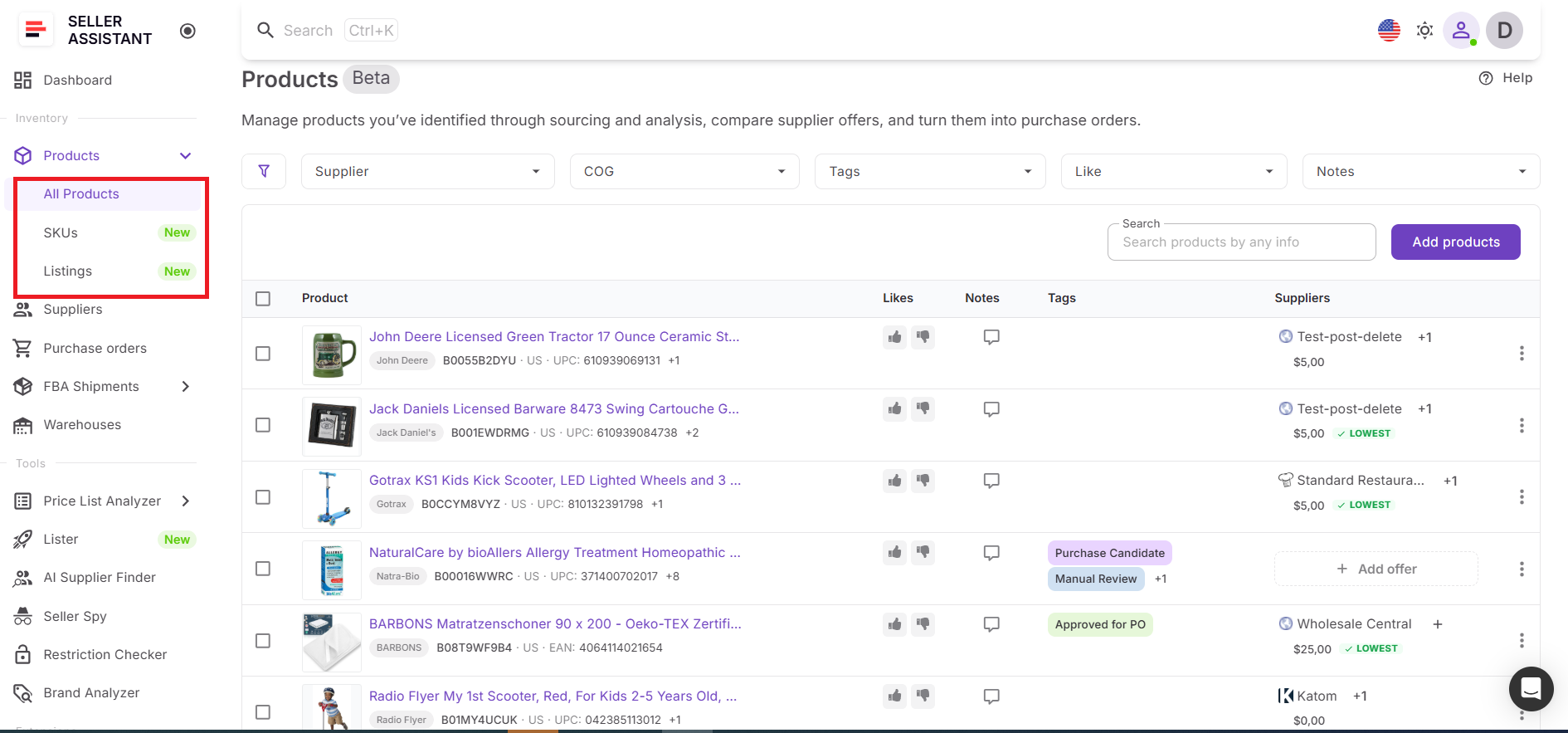
Instead of managing products across spreadsheets and separate tools, you work with a single source of truth that connects directly to listing. This allows you to take products that are already validated and turn them into live Amazon listings without re-entering data or losing context.
What you can do with Product Database
Product Database helps you turn scattered sourcing data into a structured workflow. It keeps products, suppliers, and decisions connected, so you can manage and act on them efficiently.
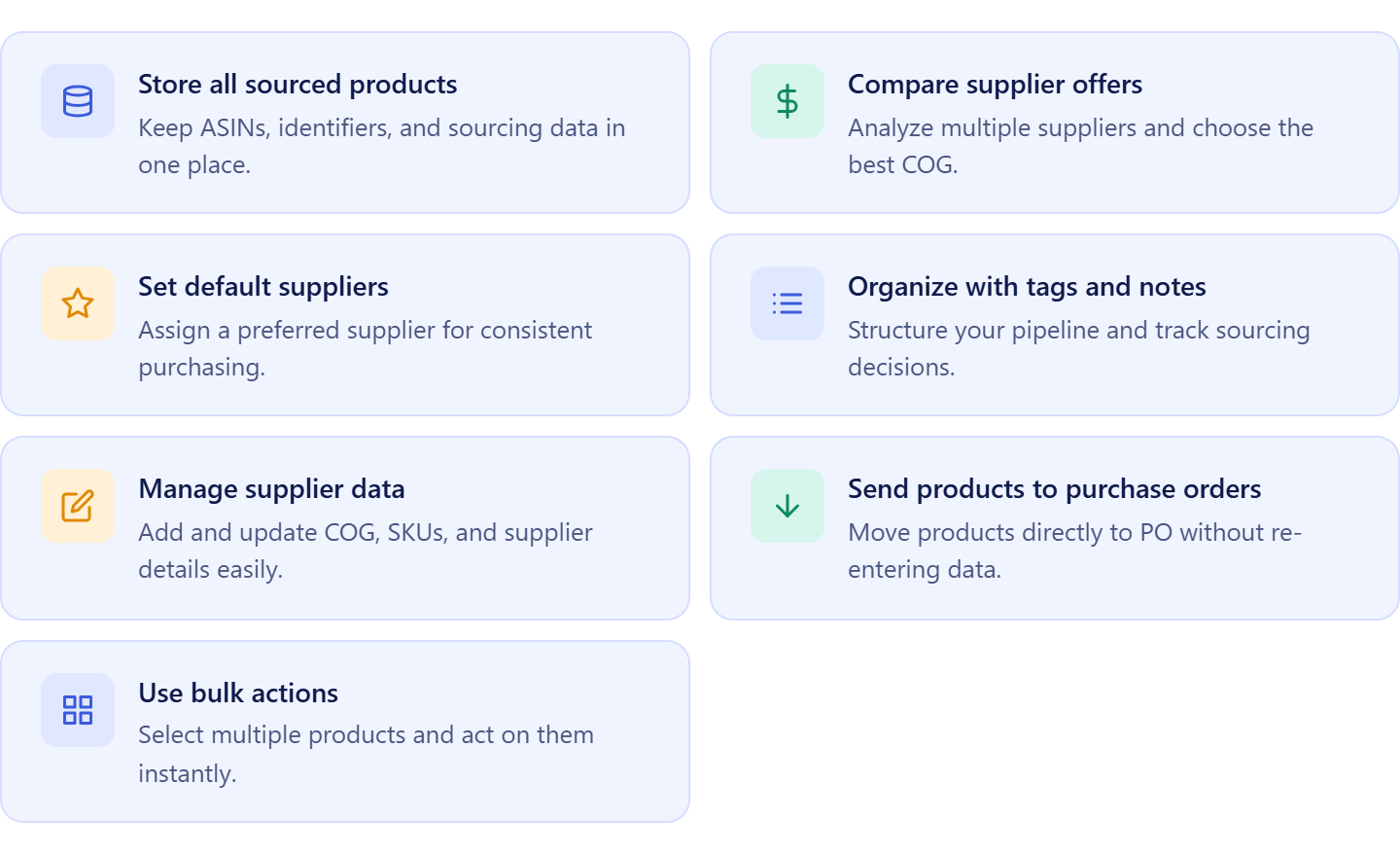
- Store all sourced products in one place
Keep ASINs, identifiers, marketplace data, and sourcing inputs centralized for easy access and consistency.
- Compare supplier offers for each product
View multiple offers side by side, evaluate COG differences, and select the most profitable option.
- Set and manage preferred suppliers
Assign a default supplier to streamline purchasing and keep decisions consistent.
- Organize products with tags, notes, and likes
Group products, document decisions, and maintain visibility across your team.
- Add and update supplier data
Edit or create supplier offers with accurate COG, SKU, and links to keep records up to date.
- Send products directly to purchase orders
Move selected items into the Purchase Orders Module without re-entering supplier or pricing data.
- Use bulk actions to scale operations
Apply tags, select multiple products, and take action in batches to save time.
How Product Database elevates your sourcing workflow
Product Database turns sourcing into a structured, repeatable process and prepares products for fast listing. Instead of static lists, you work with dynamic product records that stay connected to suppliers, purchase orders, and listing tools.
You can add products from tools like Price List Analyzer, Seller Assistant Extension, or manually, attach supplier offers, and select a default supplier. Once products are validated, they are ready for execution – you can send them directly to Lister and create listings without rebuilding product data.
Product Database connects sourcing, purchasing, and listing into one continuous workflow. Product data flows from research to supplier selection, then into listings and tracking, without duplication.
When used with tools like Price List Analyzer, Brand Analyzer, AI Supplier Finder, Suppliers Database, Bulk Restriction Checker, Lister, Warehouses Database, Purchase Orders Module, and FBA Shipments, your workflow stays consistent, listing becomes faster, errors are reduced, and scaling becomes easier.
What Is Lister in Seller Assistant?
Lister is Seller Assistant’s built-in tool for creating Amazon listings directly from your existing product data. It uses information from Product Database and other Seller Assistant’s tools to prepare listings without manual entry. Instead of rebuilding ASINs, SKUs, and pricing in Seller Central, you work with pre-filled data inside your workflow.
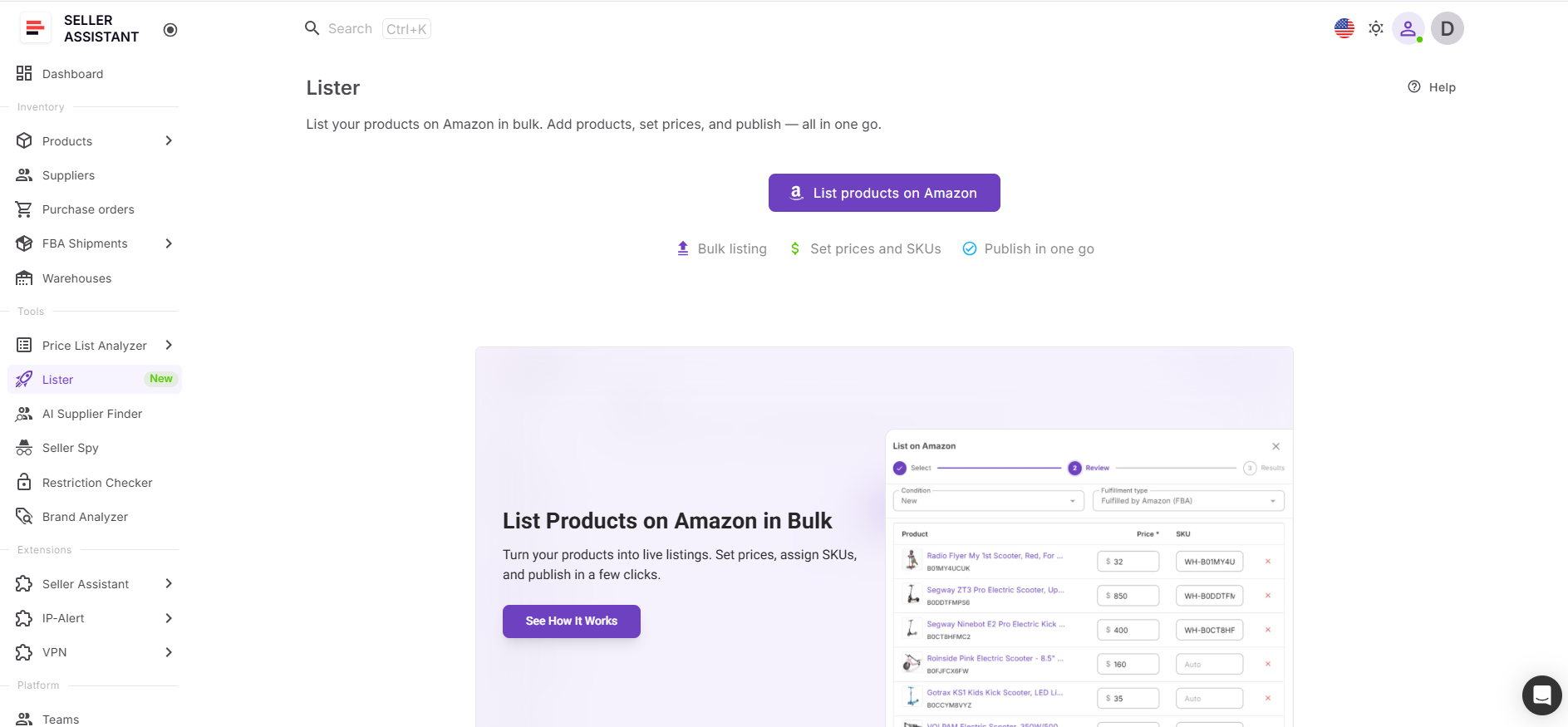
This turns listing into a natural next step. You take products that are already sourced and organized and convert them into active listings faster, with fewer errors and no duplicated work.
What you can do with Lister
Lister keeps the entire listing process inside one system, giving you control over how products go live on Amazon.
- Create listings in bulk or individually
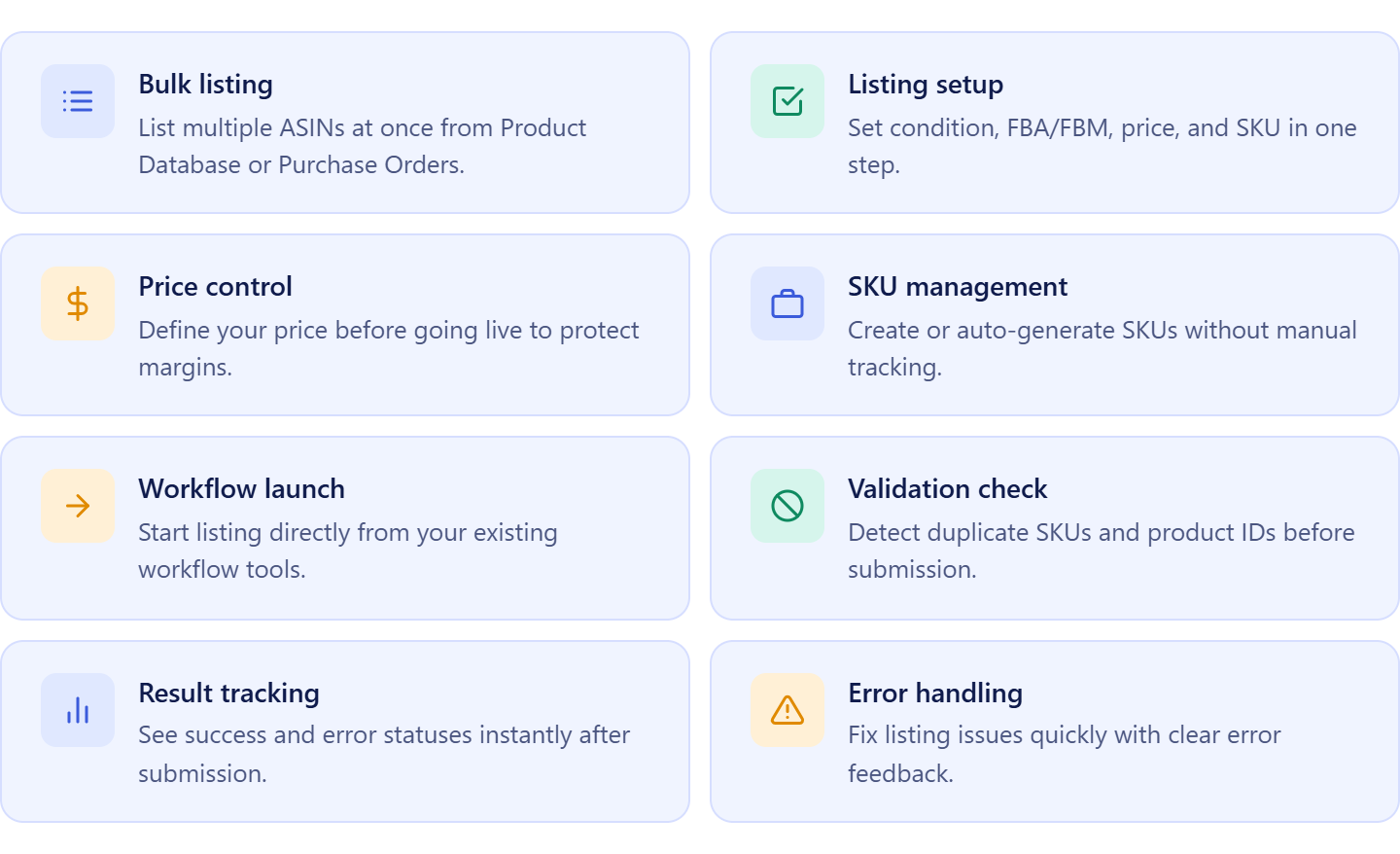
Select one or multiple products from Product Database or Purchase Orders and list them in a single flow.
- Set listing details in one place
Configure condition, fulfillment type, price, and SKU before submission to keep listings accurate.
- Create or manage SKUs
Enter SKUs manually or generate them automatically to maintain a clean catalog structure.
- Launch listings without switching tools
Start listing directly from Product Database, Purchase Orders, or the Tools section without searching for products again.
- Validate listings before submission
Check for duplicate SKUs and product IDs automatically to prevent errors.
- Review results and fix issues quickly
See which listings were successful or failed and resolve issues without restarting the process.
How Lister simplifies your listing workflow
Lister turns listing into a structured, repeatable process. You select products, configure key details, and submit them to Amazon without switching between tools or re-entering data. After submission, you can track listing statuses and quickly identify which products are active or need attention.
All key listing parameters – condition, fulfillment method (FBA or FBM), price, and SKU – are set in one place. This keeps the process fast and consistent.
Lister connects Product Database, Listings, and SKUs tools into one system. You can take products from your database or purchase orders, create listings, and track their performance while keeping all data linked.
You can launch Lister directly from Product Database for fast execution or from Purchase Orders Module when inventory is ready. As part of Seller Assistant’s workflow, it keeps product, supplier, and cost data aligned from sourcing to listing without duplication.
How to Turn Product Database into Live Amazon Listings
The process starts inside Product Database. After sourcing products and validating profitable ASINs, you already have everything structured – product identifiers, supplier offers, COG, and sourcing decisions. At this stage, your products are fully prepared, but in a traditional workflow, you would still need to rebuild this data manually in Seller Central before listing.
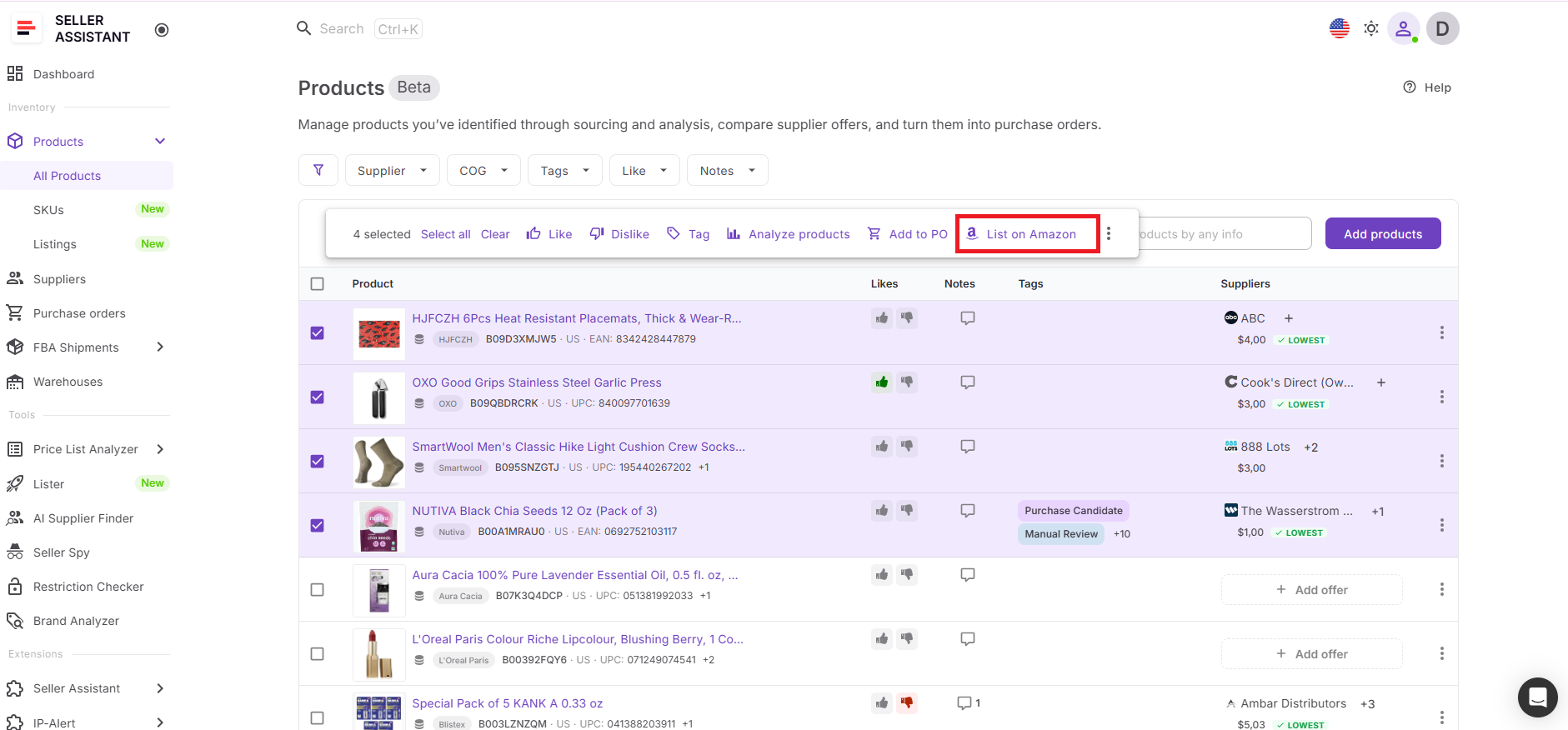
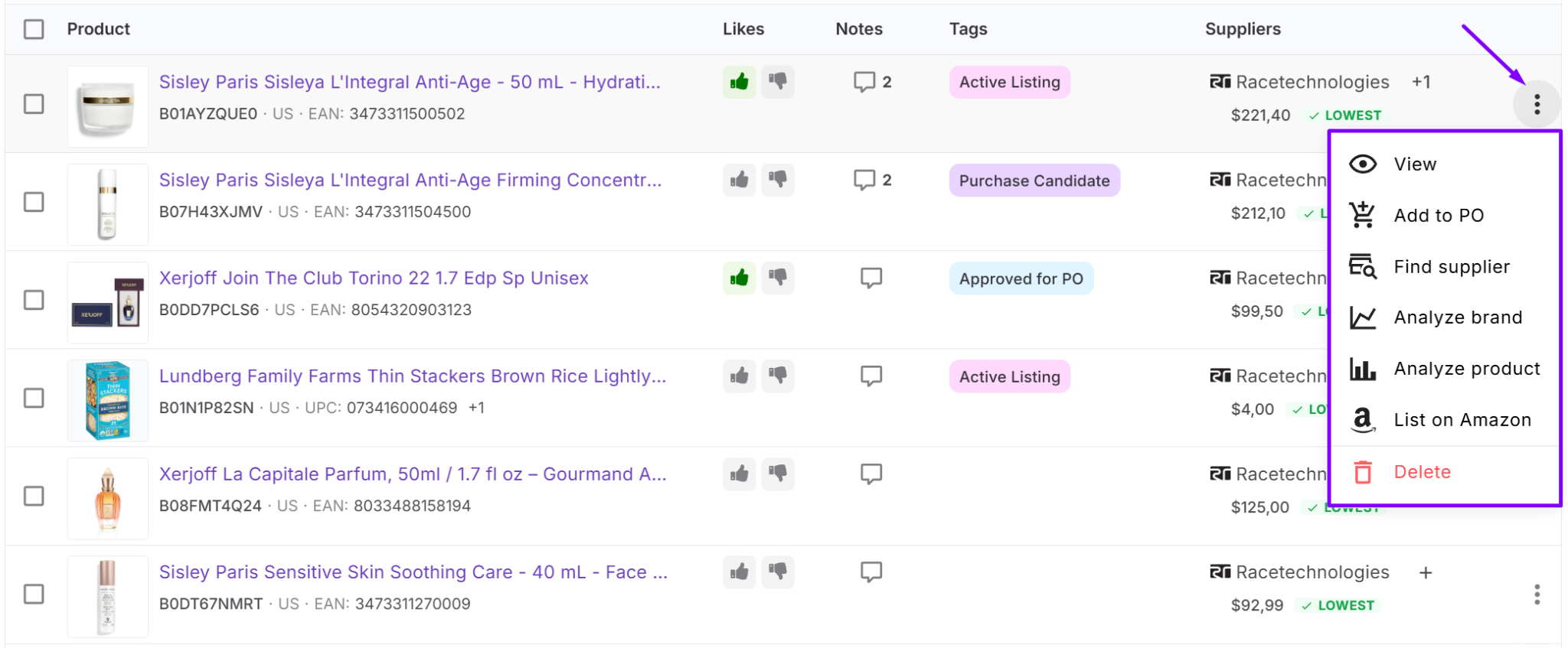
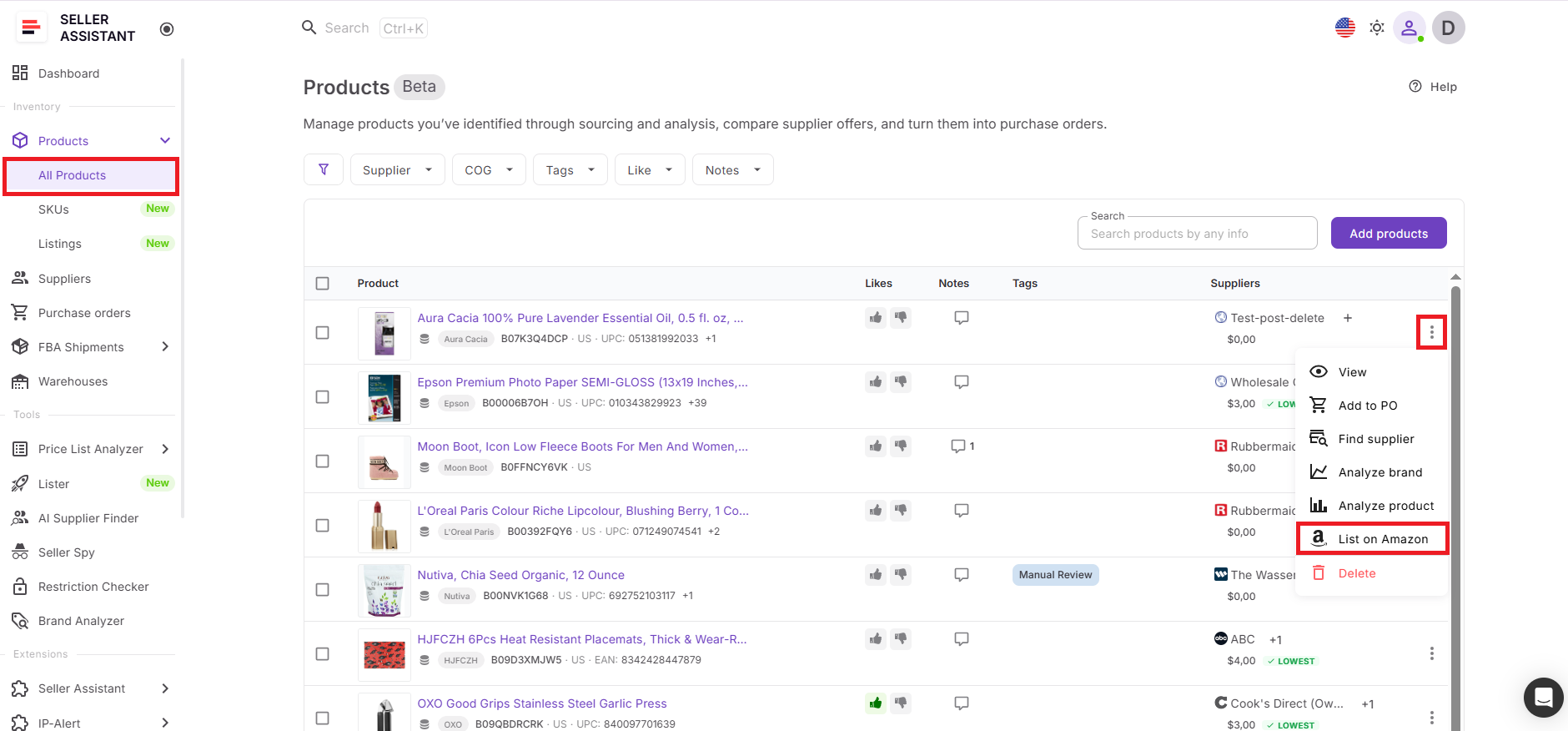
Instead of switching tools, you launch Lister directly from Product Database. Select the products you want to list and click “List on Amazon.” The system opens Lister with those items already loaded, taking you straight to the review step where you finalize listing details. There’s no need to search for ASINs again or re-enter product data.
You simply review and set final inputs like the fulfillment method (FBA or FBM), price, and SKU.
Once submitted, your products move from Product Database to active listings in one flow. This keeps your data consistent, removes duplicate work, and lets you turn sourced products into sellable inventory much faster.
Step-by-Step: Listing Products Directly from Product Database
Step 1. Open Product Database
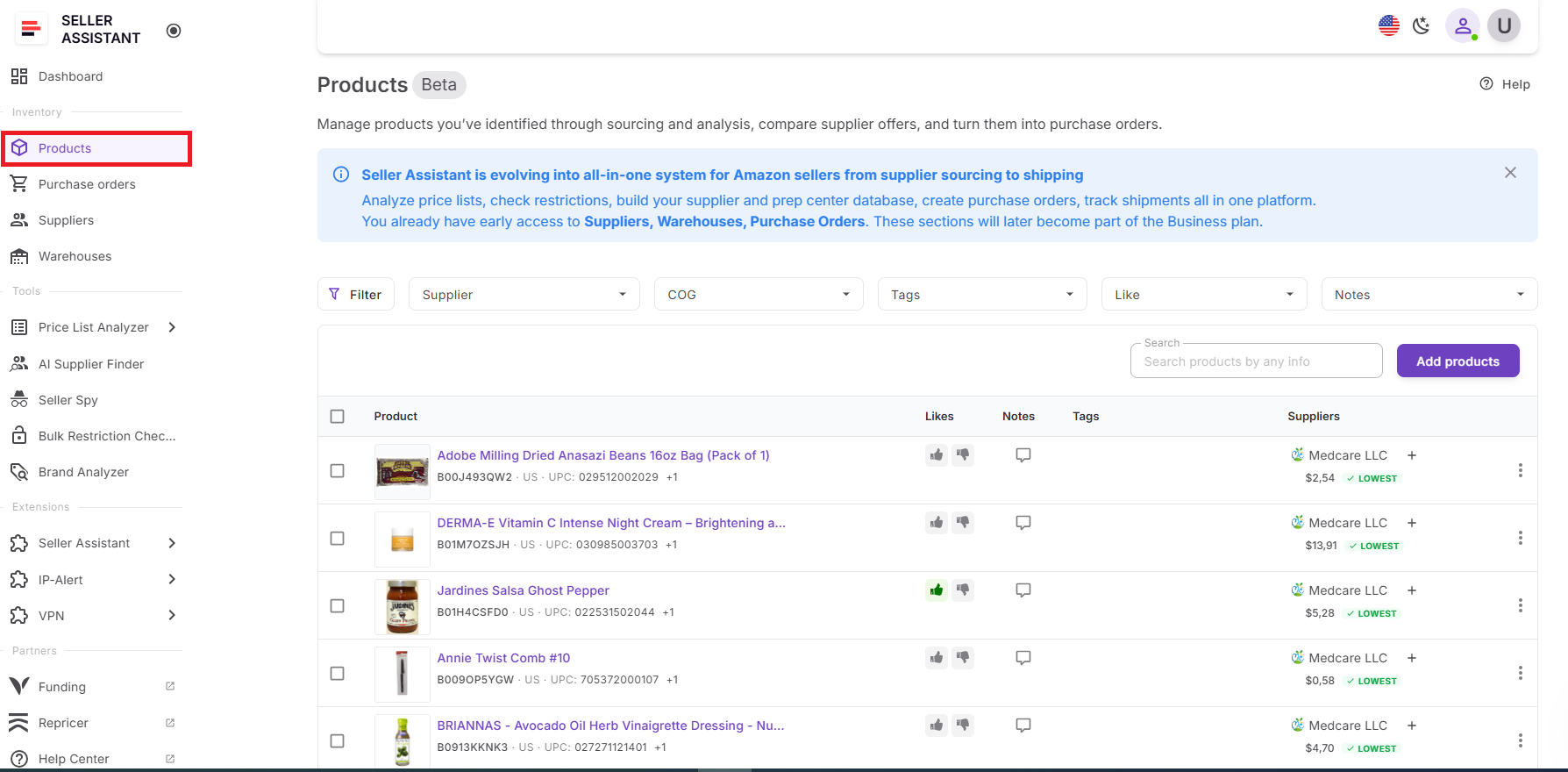
Navigate to the Inventory section and access Product Database. This is where all your sourced products are stored with ASINs, supplier data, and COG already structured for listing.
Step 2. Choose products to list
Pick the products you want to send to Amazon.
- You can work with single items, or
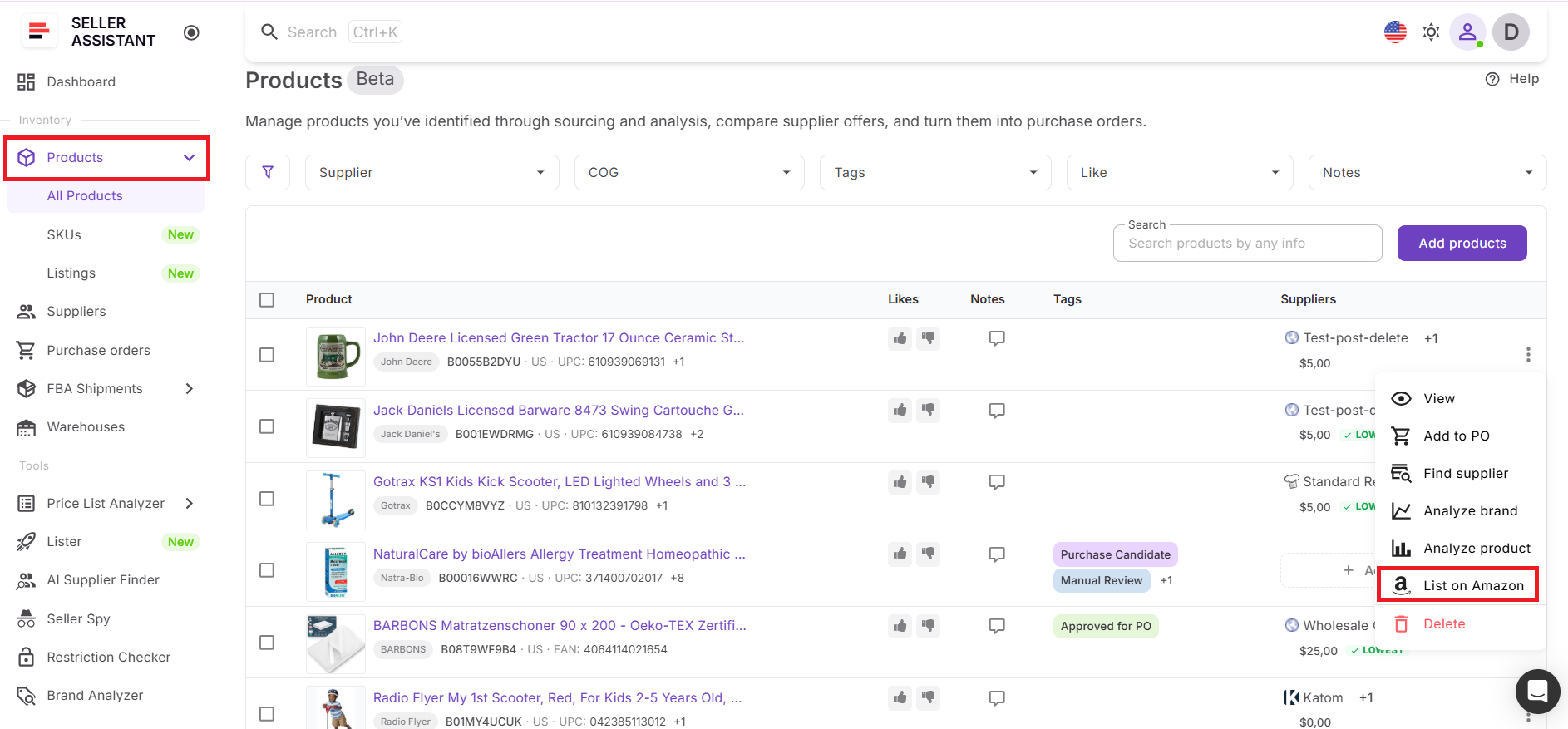
- Select multiple products to prepare a bulk listing.
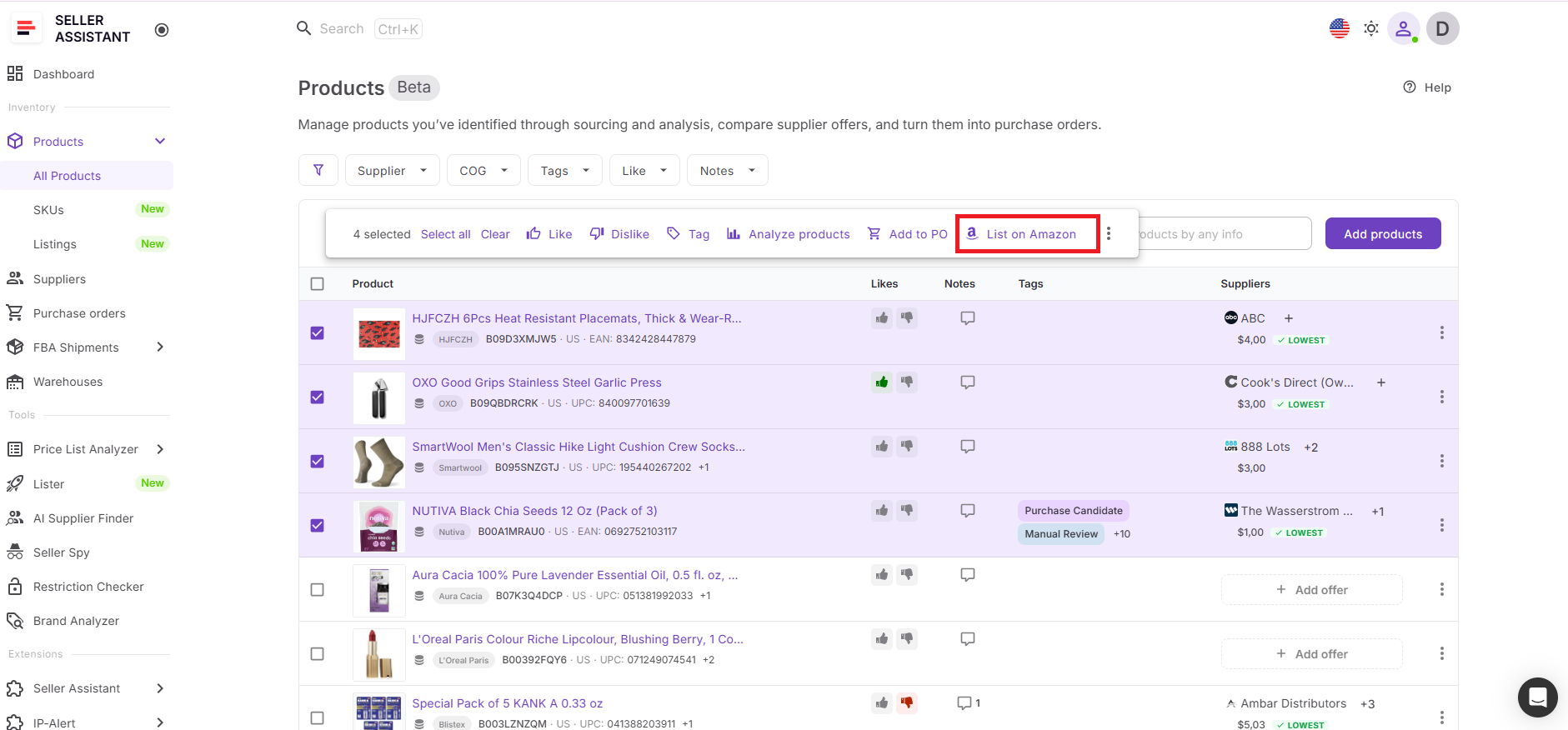
Step 3. Start Lister from Product Database
Click List on Amazon to open Lister. The system automatically loads your selected products, so there’s no need to search for them again or input data manually.
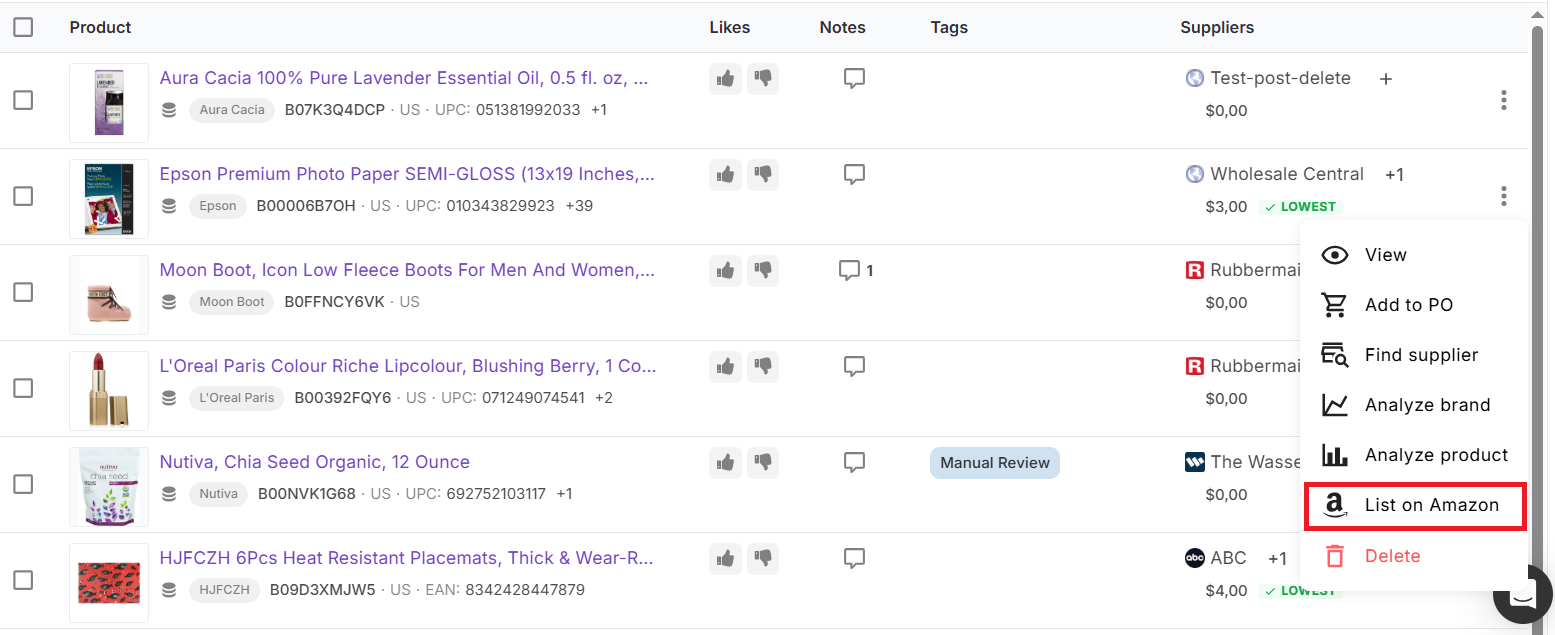
Step 4. Adjust listing details
Define the main listing settings for each product:
- Fulfillment method (FBA or FBM)
- Price
- SKU (manual or auto-generated)
- Condition
This step determines how your offer will appear on Amazon.
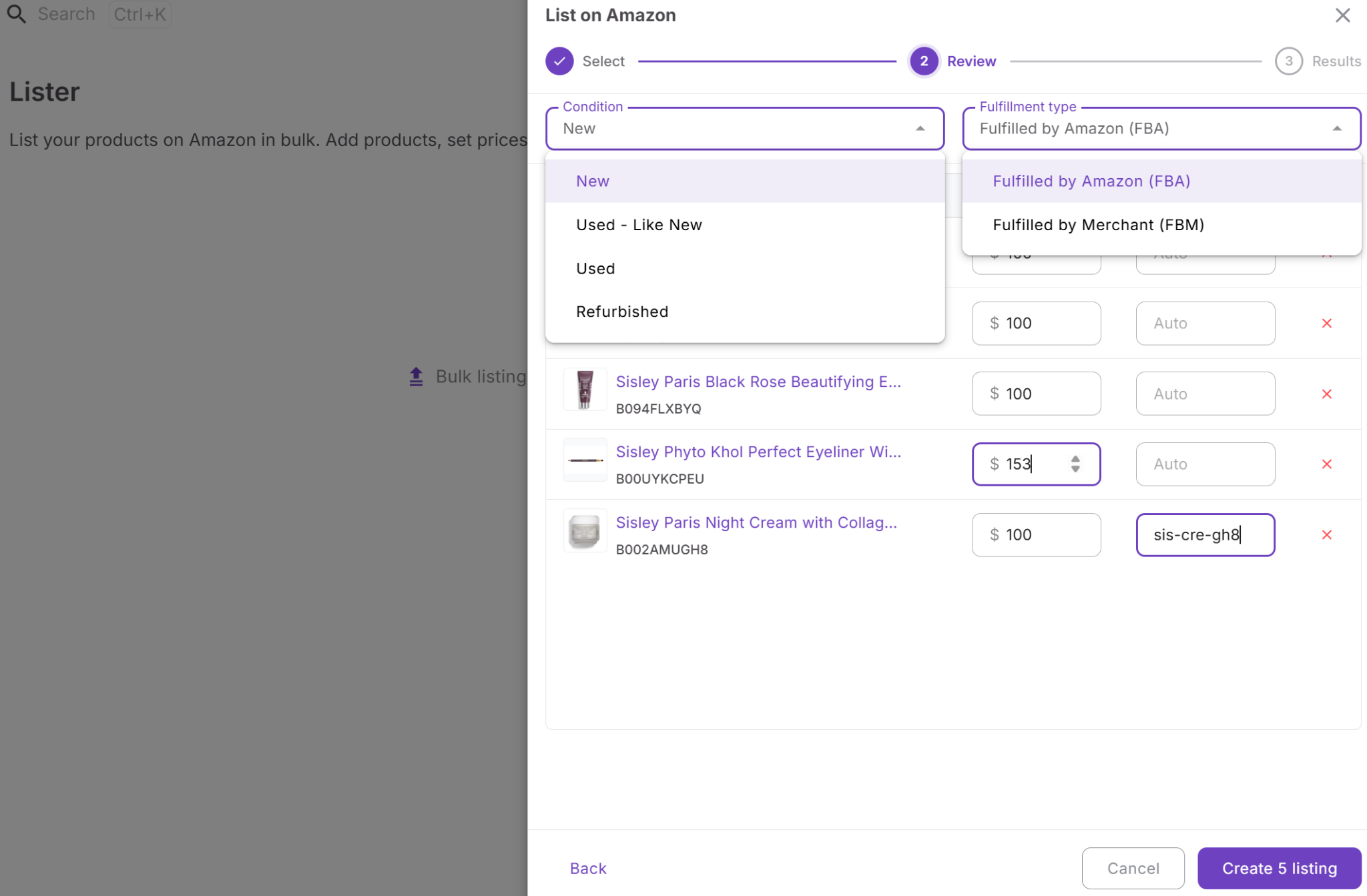
Step 5. Check and submit listings
Before submission, Lister verifies that SKUs and product IDs are unique. Resolve any issues if they appear, then proceed with listing creation.
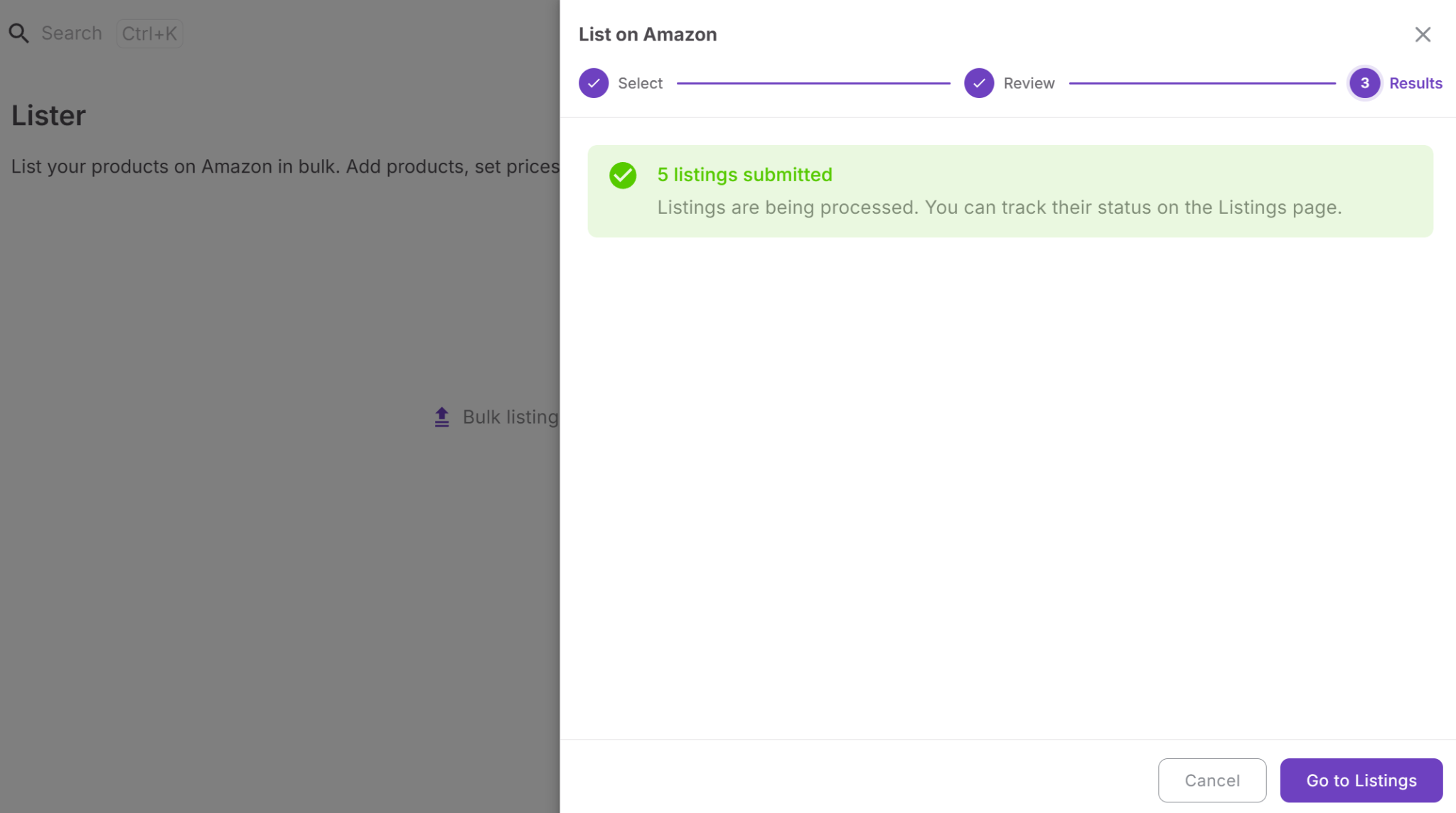
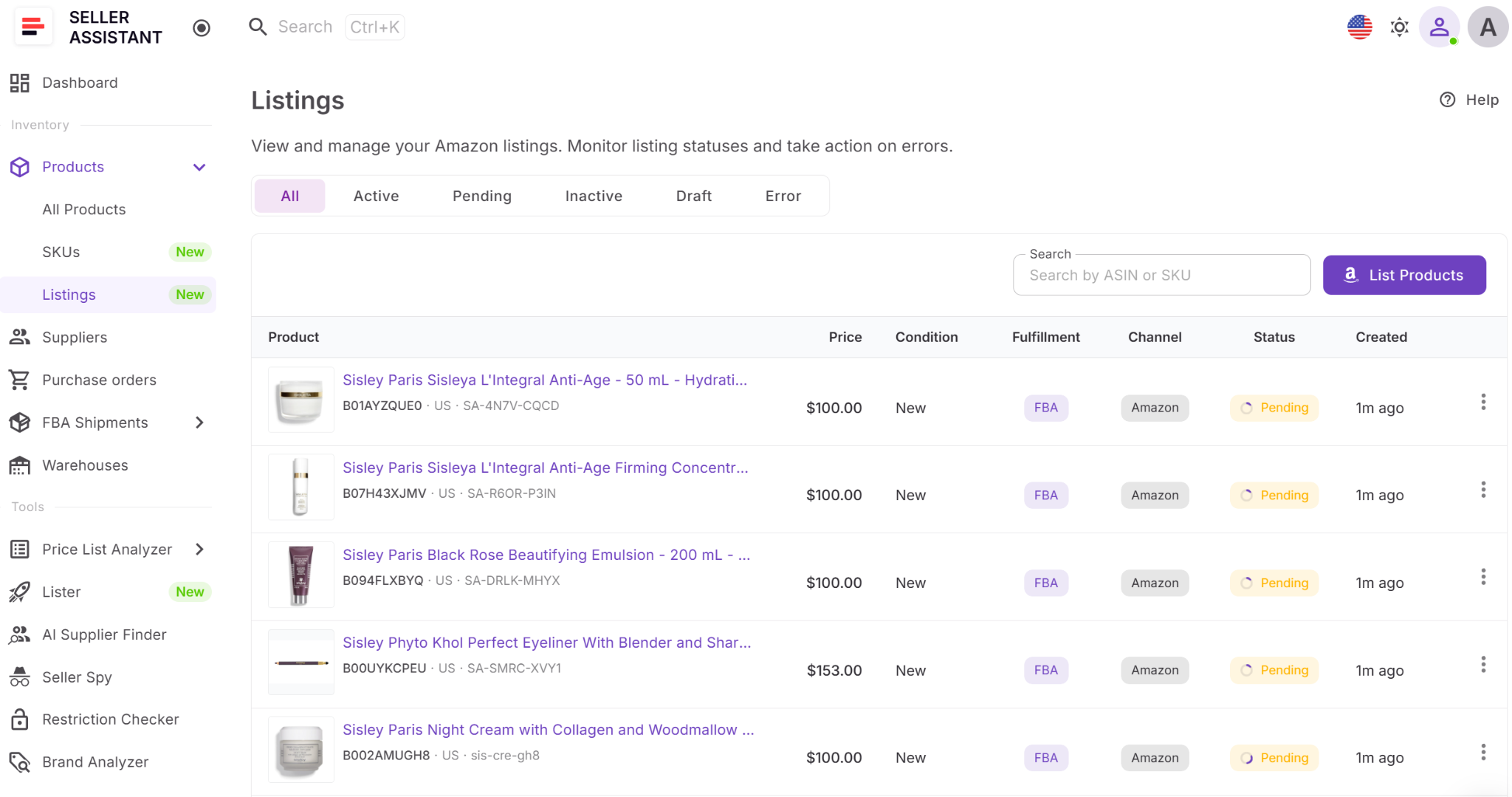
Step 6. Track listing progress
After submission, open the Listings section to monitor statuses such as Active, Pending, or Error. Fix any problems and move your products to live listings.
FAQ
Can I list multiple products at once from Product Database?
Yes, you can select multiple products and send them to Lister in one action. This allows you to create listings in bulk instead of processing each ASIN separately.
Do I need to re-enter product data when listing?
No, product data like ASINs, supplier offers, and COG is already stored in Product Database. Lister uses this data automatically, so you only review and finalize listing details.
How are SKUs created during listing?
You can either enter SKUs manually or let the system generate them automatically. All SKUs remain linked to the product, which helps maintain consistency and tracking.
What happens if there is an error during listing?
Lister shows the error along with the reason after submission. You can fix the issue and resubmit without starting the process from scratch.
Can I use this workflow for FBA and FBM listings?
Yes, you can choose the fulfillment method during the review step in Lister. This allows you to align listings with your FBA shipments or FBM strategy.
Final Thoughts
Listing products doesn’t have to slow down your Amazon workflow. When you use Seller Assistant’s Product Database together with Lister, listing becomes a direct continuation of your sourcing process instead of a separate, manual task.
By keeping product data, supplier offers, and SKUs in one system, you reduce errors, avoid duplicate work, and move products to live listings faster. This not only saves time but also helps you stay competitive by getting inventory to market without delays.
As your catalog grows, this connected approach makes a real difference. You spend less time on repetitive actions and more time scaling your business.
[a]@[email protected] Why List Products from Product Database
No re-entry
One workflow
Clean SKUs
Faster listing
Fewer errors
_Assigned to _