



Heard about people reselling products online and making real cash? That’s online arbitrage – buying discounted products from retail websites and reselling them on Amazon for a profit.
It’s one of the fastest ways new sellers break into the Amazon marketplace without needing their own brand or warehouse. But what counts as a good deal? And how do you actually find them before everyone else does?
In this post, we’ll discuss what online arbitrage deals are, what makes one profitable, and how to research and validate them like a pro. If you’re looking to start fast and smart, you’re in the right place.
What Are Online Arbitrage Deals?
What Are Online Arbitrage Deals?
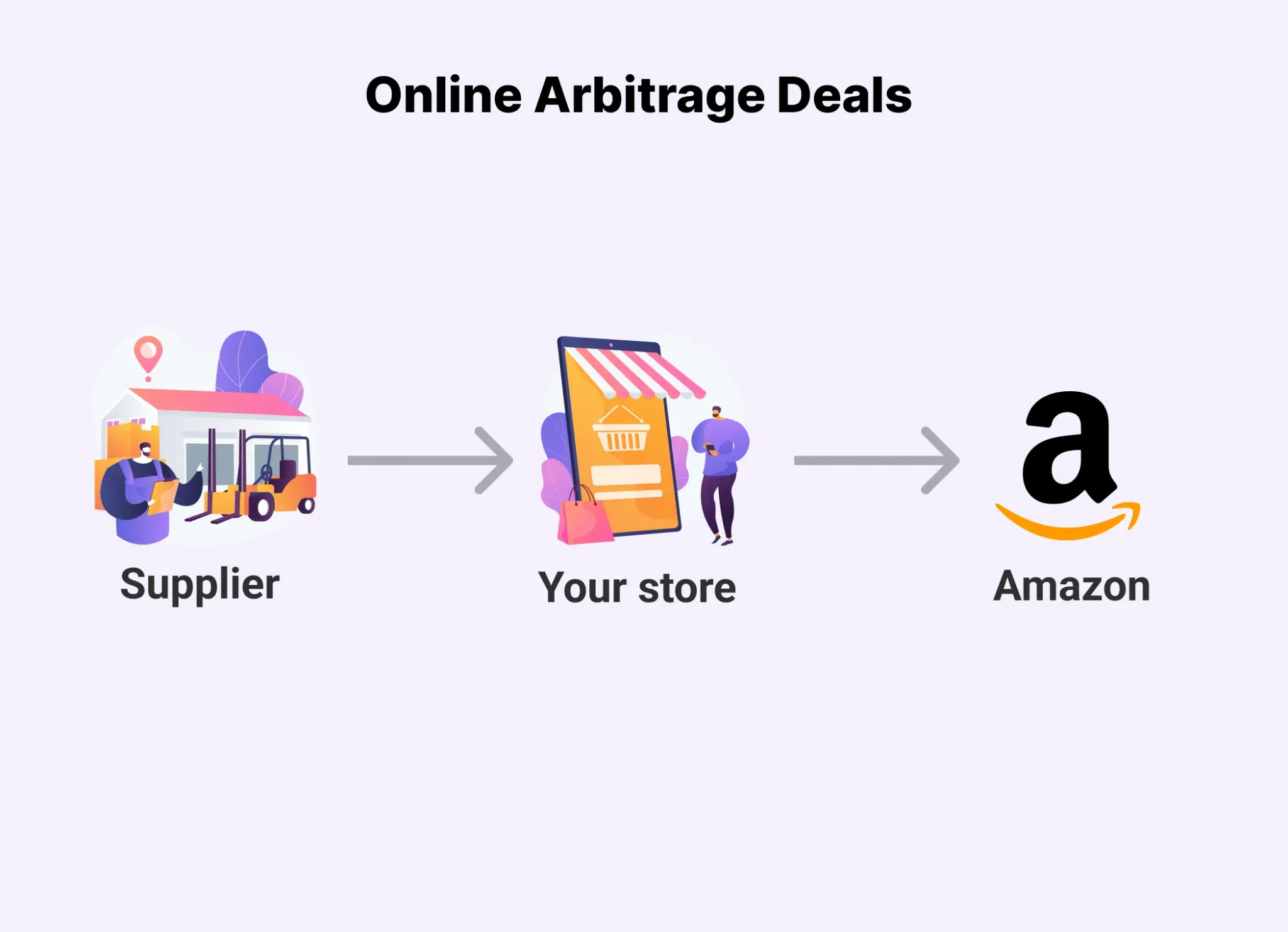
Online arbitrage deals (also called leads) are price differences between retail websites and Amazon listings that sellers can profit from. You buy a product at a lower price from one online store – like Walmart, Target, or eBay – and resell it at a higher price on Amazon. The key? The margin after Amazon fees still leaves you a profit.
How online arbitrage deals work
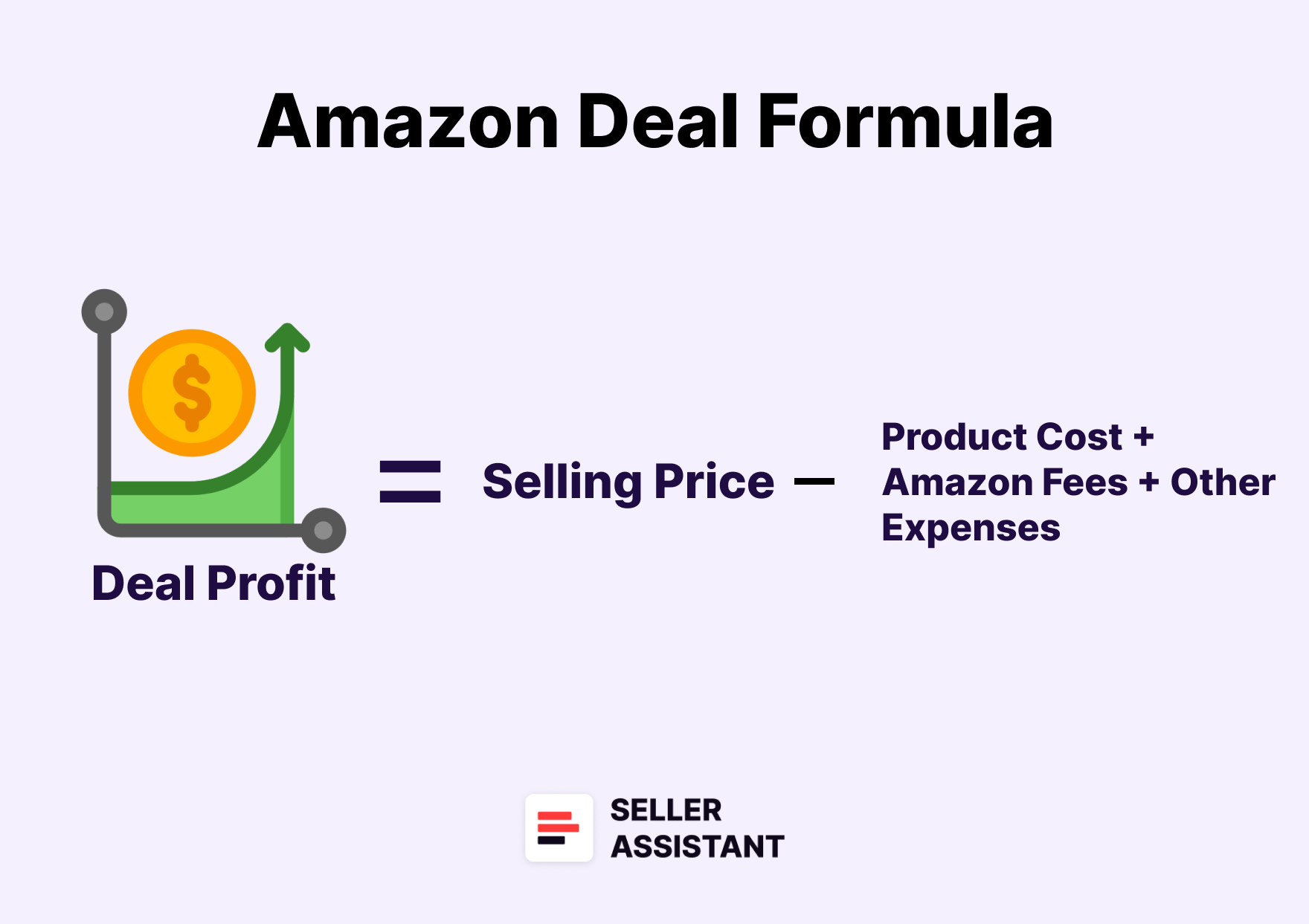
Deal in online arbitrage is all about smart buying and price gaps. You find a product cheaper on one retail website and sell it on Amazon for more. The difference – after covering Amazon fees, shipping, and other costs – is your profit from the deal.
Basic formula of the deal profit
Basic formula of the deal profit
Deal Profit = Selling Price - (Product Cost + Amazon Fees + Other Expenses)
To make it worth your time, you want:
- High demand and fast-moving products
- A healthy gap between buy cost and Amazon price
- Fewer sellers competing on the same listing
- Enough margin after fees for a solid ROI (Return on Investment).
Deal example
Let’s say you find Nike slides on Kohl’s for $25 (with a promo code). On Amazon, the same slides are selling consistently for $50.
Step-by-step process
Amazon Online Arbitrage Deals Process
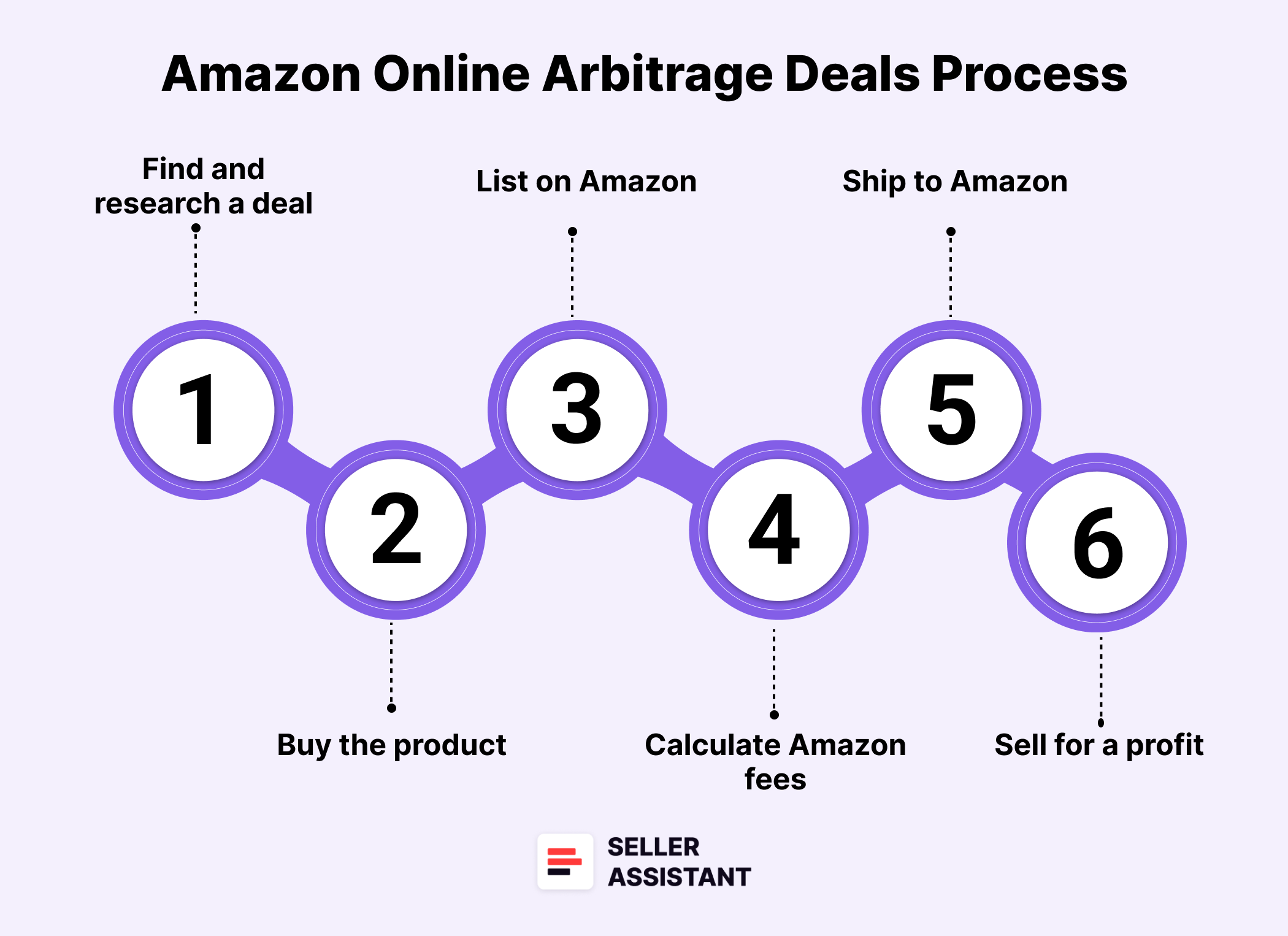
Step 1. Find and research a deal
Choose a potential deal and assess its sales potential, your eligibility for resale, and profitability. Check if the product is restricted, subject to intellectual property claims, or other risks. Use a product research checklist and do your research with product sourcing software like Seller Assistant to make sure the deal will sell and bring you the expected profit. You choose Nike slides on Kohl’s and verify the deal is good.
Step 2. Buy the product
Nike slides cost you $25 after discounts.
Step 3. List on Amazon
Add your offer to an existing listing
Step 4. Calculate Amazon fees
- Amazon’s fees total $12 (referral fee, prep and shipping costs, FBA fulfillment, storage).
Step 5. Ship to Amazon
If you use FBA, ship the slides to Amazon’s warehouse. If you use FBM, prep the order and ship to the customer.
Step 6. Sell for a profit
Product sells at $50. After deducting fees and cost:
- Selling Price: $50
- Amazon Fees: -$12
- Cost of Goods: -$25
- Total Profit: $13
That’s a 52% ROI ($13 ÷ $25 × 100) – not bad for a single deal.
What Makes a Good Online Arbitrage Deal?
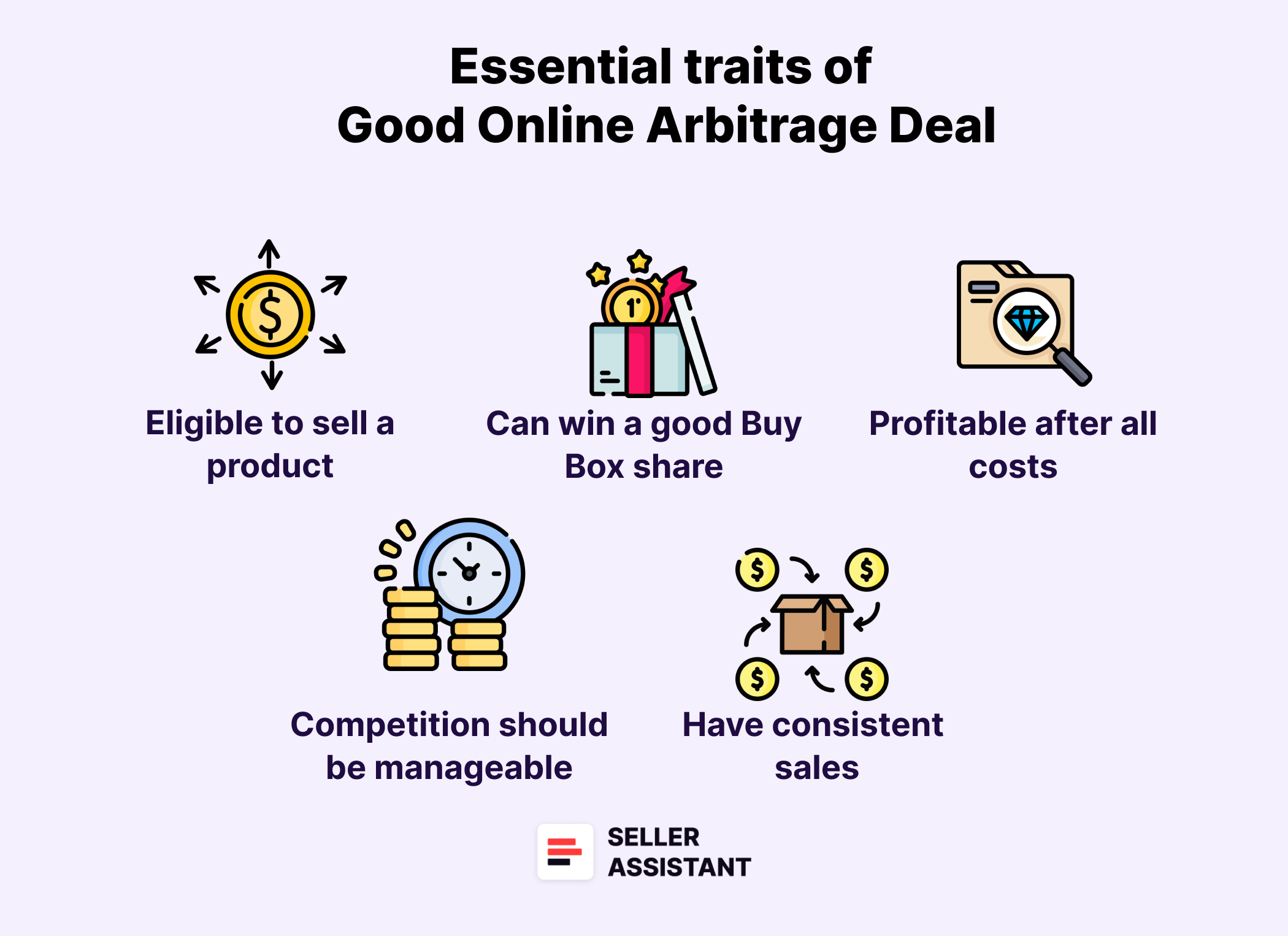
Not every cheap product is a good Amazon arbitrage deal. To actually turn a profit, your product must check several boxes – sellability, solid margins, low risk, and demand. A truly worthwhile deal goes beyond price gaps. It’s a combination of smart sourcing, deep research, and understanding how Amazon operates behind the scenes.
Below is a breakdown of essential traits that define a strong and profitable deal – complete with practical insights to help you evaluate each lead with confidence.
You must be eligible to sell a product
Before diving into numbers, confirm you can actually sell the product on your Amazon account. On Amazon, you may not be allowed to sell specific products on your seller account (your account does not qualify). If your account isn’t approved or lacks selling history, Amazon might block you from listing that item.
Always check eligibility before buying. Wasted time and inventory that can’t be listed mean lost money.
The deal must be profitable after all costs
A “good price” isn’t enough. You need a real profit margin after deducting:
- Product cost
- Amazon fees (FBA or FBM)
- Shipping and prep expenses
- Taxes or VAT, if applicable.
Use Seller Assistant’s FBM&FBA Profit Calculator to evaluate the numbers. Then compare fulfillment methods – FBA vs. FBM – to see which brings better returns. Profitable deals usually offer at least 15–30% ROI.
The deal must have consistent sales
The best deals don’t just look good – they sell fast. A great-looking margin won’t matter if the product just sits there collecting storage fees.
Key metrics to watch
Lower BSR = higher demand
- BSR trend
Is the item climbing or falling in sales rank?
- BSR drops
Indicates frequent sales over time
- Sales velocity
Measures how quickly it sells; slow = risk
Aim for items with steady sales history and a velocity high enough to avoid long storage.
Competition should be manageable
Check how many FBA/FBM sellers are on the listing. If it’s flooded with low-price competitors or Amazon itself is selling the item, back away. High competition can trigger price wars that eat your margin.
“Safe” ranges
- 3–15 FBA sellers is ideal
- Fewer sellers = higher chance of winning the Buy Box
- Watch out for private label products (usually 1 seller + matching brand/seller name)
You can win a good Buy Box share
The Buy Box (Featured Offer) is where 80%+ of sales happen on Amazon. That’s the “Add to Cart” seller spot. If you can’t compete for it, you won’t move product.
What to check
- Buy Box %
How often each seller owns it
- Is Amazon in the Buy Box?
If yes, hard to compete
- Are Buy Box shares evenly split among multiple sellers?
If there’s no dominating seller, you have good chances
You can sell enough to justify the investment
Estimate how many units you could realistically sell per month. If your potential volume doesn’t meet your revenue goals, it may not be worth the upfront cost. This helps you plan both your initial order quantity and long-term strategy.
The product is not restricted or risky
- Some deals come with hidden risks
- Gated products
- Require Amazon’s approval
- IP complaints
- Brand owners may block resellers
- Hazmat, meltables, adult items
- Come with special rules or seasons
- Heavy/fragile items
- Lead to extra fees
Use Seller Assistant to check deals for risks upfront.
The price behavior is stable enough to predict
Review the Buy Box price history. Is the price stable, or all over the place? Heavy price drops often signal high competition and razor-thin profits.
Look at
- 90-day average price
- Buy Box trend
- Price fluctuations from tools like Keepa
A stable price = more reliable profit forecast.
You know which variation actually sells
If a product has size, color, or style variations, don’t assume they all sell equally well. BSR is shared across variations, so you’ll need to check review counts to see which version is actually moving.
Set vs. single: know what you’re selling
If the Amazon listing is for a 2-pack or bundle, your math must reflect that. You’ll need to buy and prep accordingly, or you might end up short or stuck with odd leftovers.
Always align your sourcing with the exact offer configuration.
Where to Find Online Arbitrage Deals for Amazon
Spotting the right online arbitrage deal is what separates top Amazon sellers from the rest. There’s more to it than just finding low-priced products – your success depends on sourcing deals that offer strong resale margins, low risks, and real demand.
Below are two powerful strategies sellers use to discover profitable deals, along with guidance on how to research them the right way. Seller Assistant, a popular product sourcing tool, will help you find such deals with ease.
Note. Seller Assistant is all-in-one product-sourcing software offering 20+ tools that helps Amazon sellers quickly find profitable and low-risk deals. It provides you with effective solutions for bulk wholesale price list scanning and brand analysis alongside advanced product research extensions, tools, and features providing you with in-depth product research data.
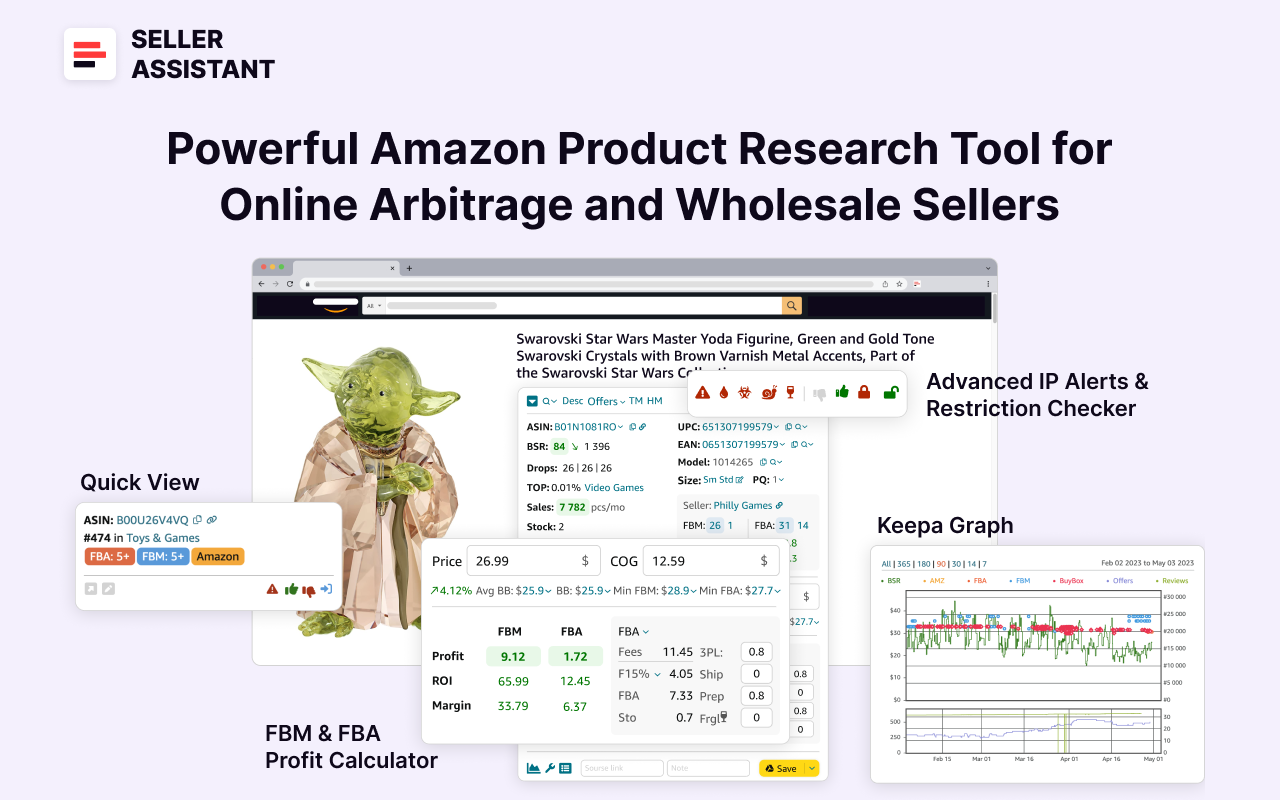
Seller Assistant
It combines three extensions: Seller Assistant Browser Extension, and IP-Alert Chrome Extension by Seller Assistant, and VPN by Seller Assistant, Amazon seller tools: Price List Analyzer, Brand Analyzer, Seller Spy, Bulk Restrictions Checker, and API integrations, and features: Side Panel View, Storefront Widget. Quick View, FBM&FBA Profit Calculator, Sales Estimator, Offers, Variation Viewer, Stock Checker, and offers secure and efficient solutions for teamwork.
Strategy 1. Hunt down deals manually
What it is
This approach is all about personally searching for profitable deals – where a product costs less at a retail site and sells for more on Amazon. It’s a hands-on method, ideal for sellers who want control over every deal they find. The downside? It takes time and effort to locate strong opportunities in volume.
- What is achieved
Manually sourcing deals gives sellers the advantage of choosing quality over quantity. You can vet every detail, avoid high-risk listings, and develop a deep intuition for spotting deal patterns.
- How it works
- Browse major retail websites for deals on in-demand products
- Use Seller Assistant’s Quick View to instantly check demand, restrictions, and profit potential right on Amazon search pages
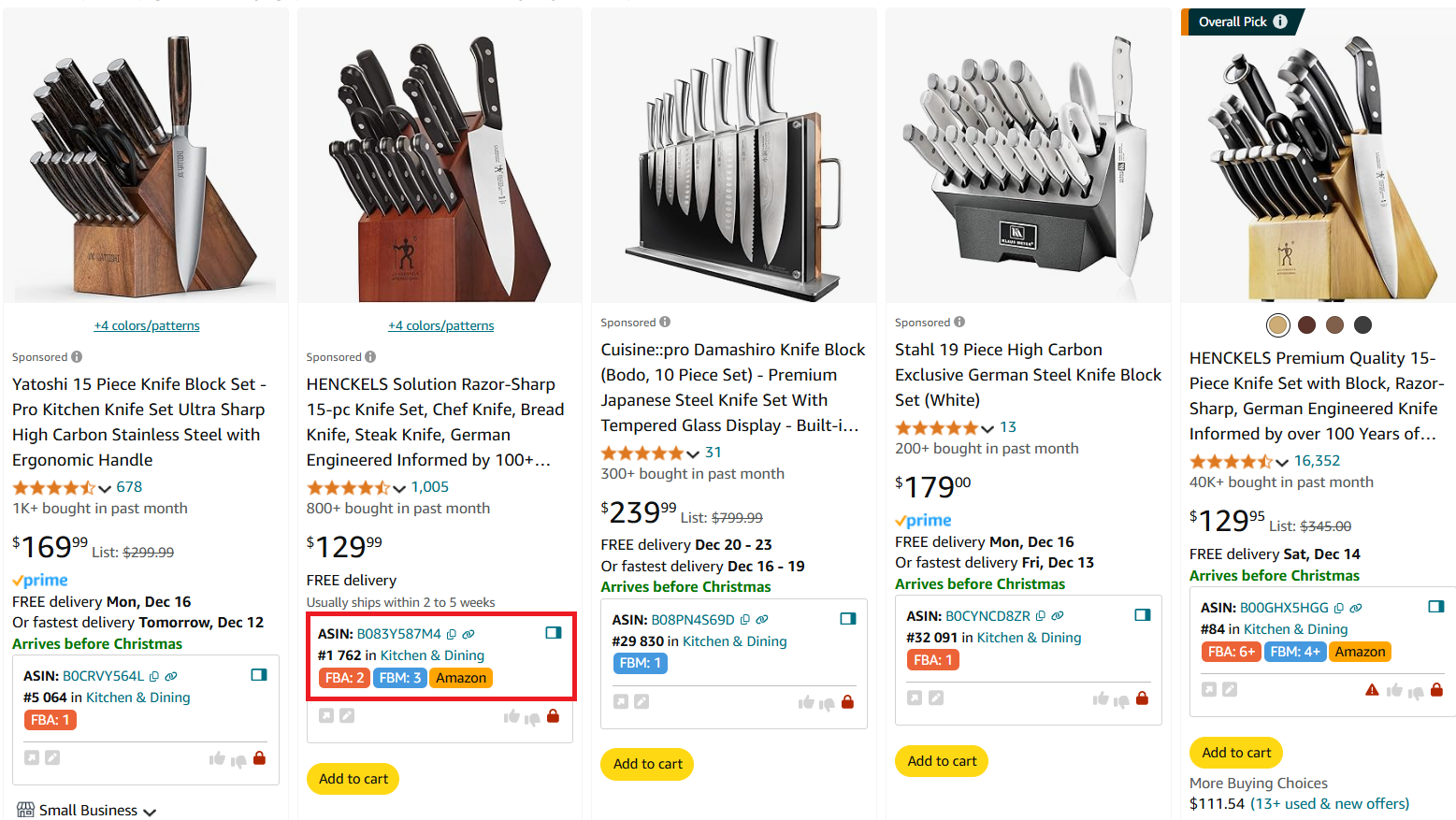
The upper part of Quick View
- Use Lookup Links to jump straight from Amazon to retail suppliers
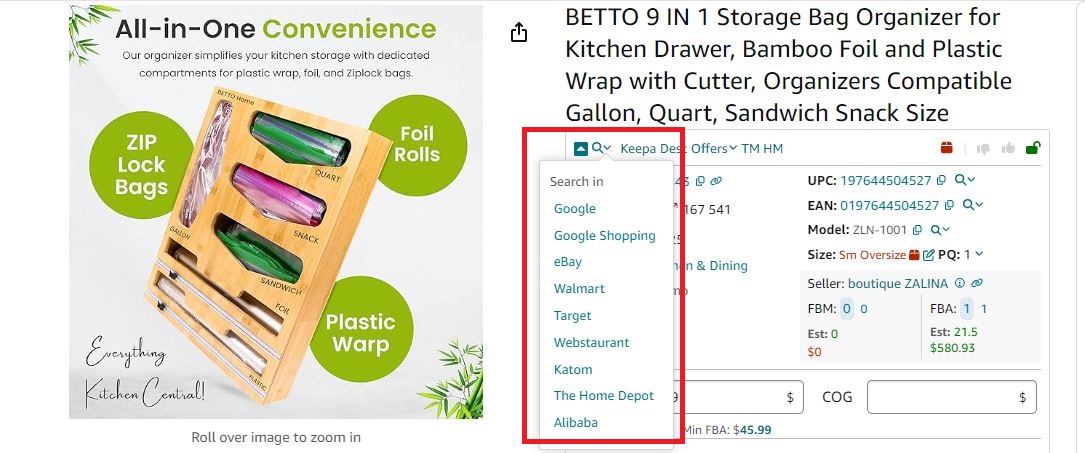
Seller Assistant provides quick links to search products on different search engines
- Leverage Side Panel View to calculate deal profit side-by-side with product pages
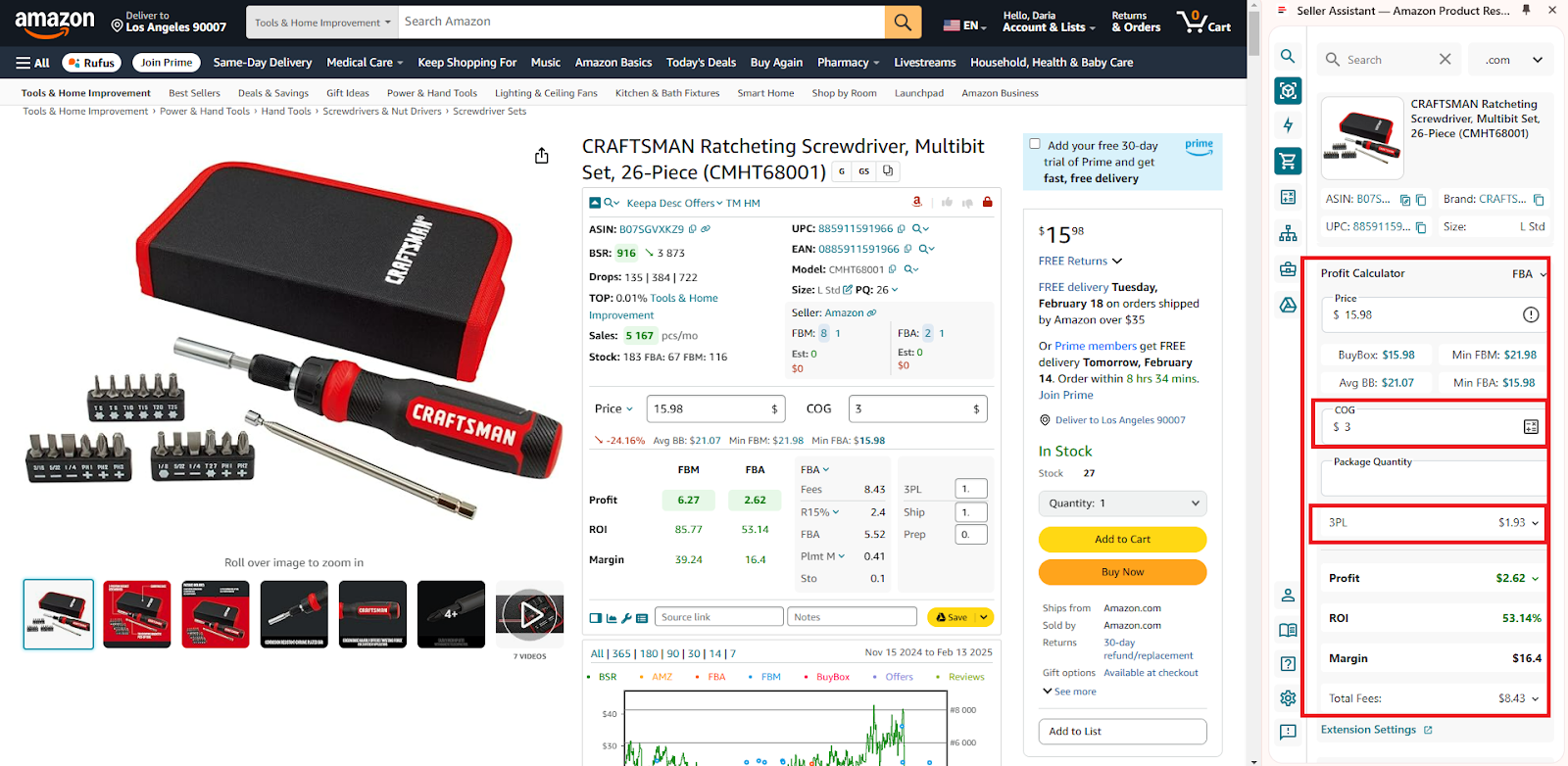
Use Side Panel View to calculate deal profitability on the supplier website, side-by-side.
-
How to research effectively
- Look for popular (BSR less than 200,000) and fast-selling (Top below 1%) products
- Make sure product’s sales history is consistent by using Seller Assistant and built-in Keepa charts
- Confirm moderate competition competition (between 3 and 15 offers per listing) and healthy Buy Box rotation (Buy Box % evenly shared between the sellers, no Amazon)
- Double-check Amazon fees and restrictions before committing
-
Who is it good for
- Beginners who want to build product analysis skills
- Sellers who prefer full control and don’t mind putting in the manual work
Strategy 2. Automate deal sourcing from supplier lists
- What it is
This method uses automation tools. You need to parse large product catalogs from suppliers. Then, use a price list scanner to identify profitable deals at scale. It’s a time-saving option perfect for sellers who manage big inventories or want to grow fast.
- What is achieved
With automated price list scanning, sellers can instantly filter out low-margin or risky deals. This reduces research time while helping you surface high-ROI, safe-to-sell opportunities more efficiently.
- How it works
- Parse your chosen supplier website with any web scraping tool
- Upload supplier spreadsheets into Seller Assistant’s Price List Analyzer
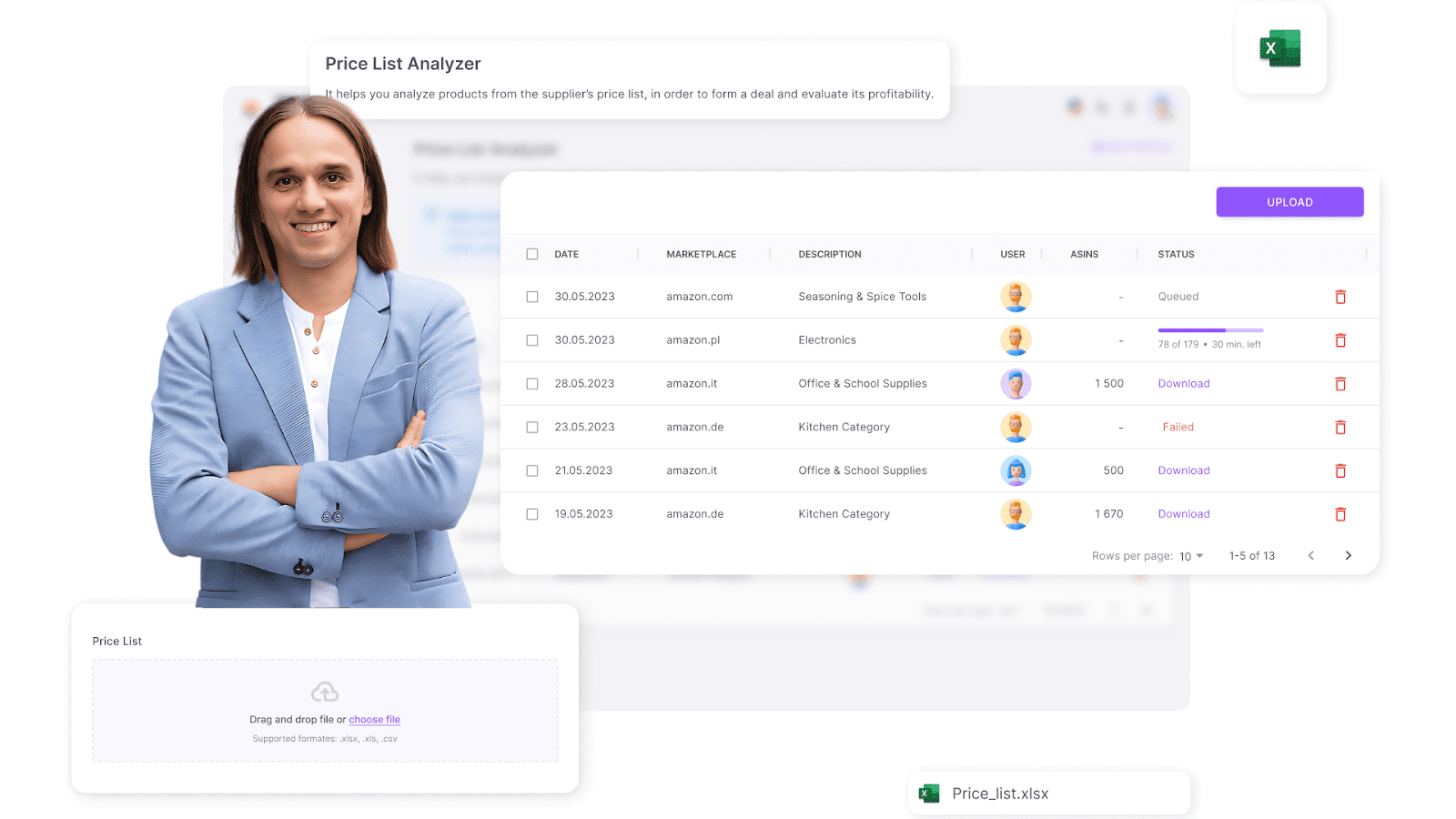
Seller Assistant’s Price List Analyzer
- The tool auto-matches products to Amazon listings and analyzes key data
- It flags deal-breakers like restrictions, low margins, hazmat, or gated status
- Configure your filters to zero in on only the most promising high-profit deals.
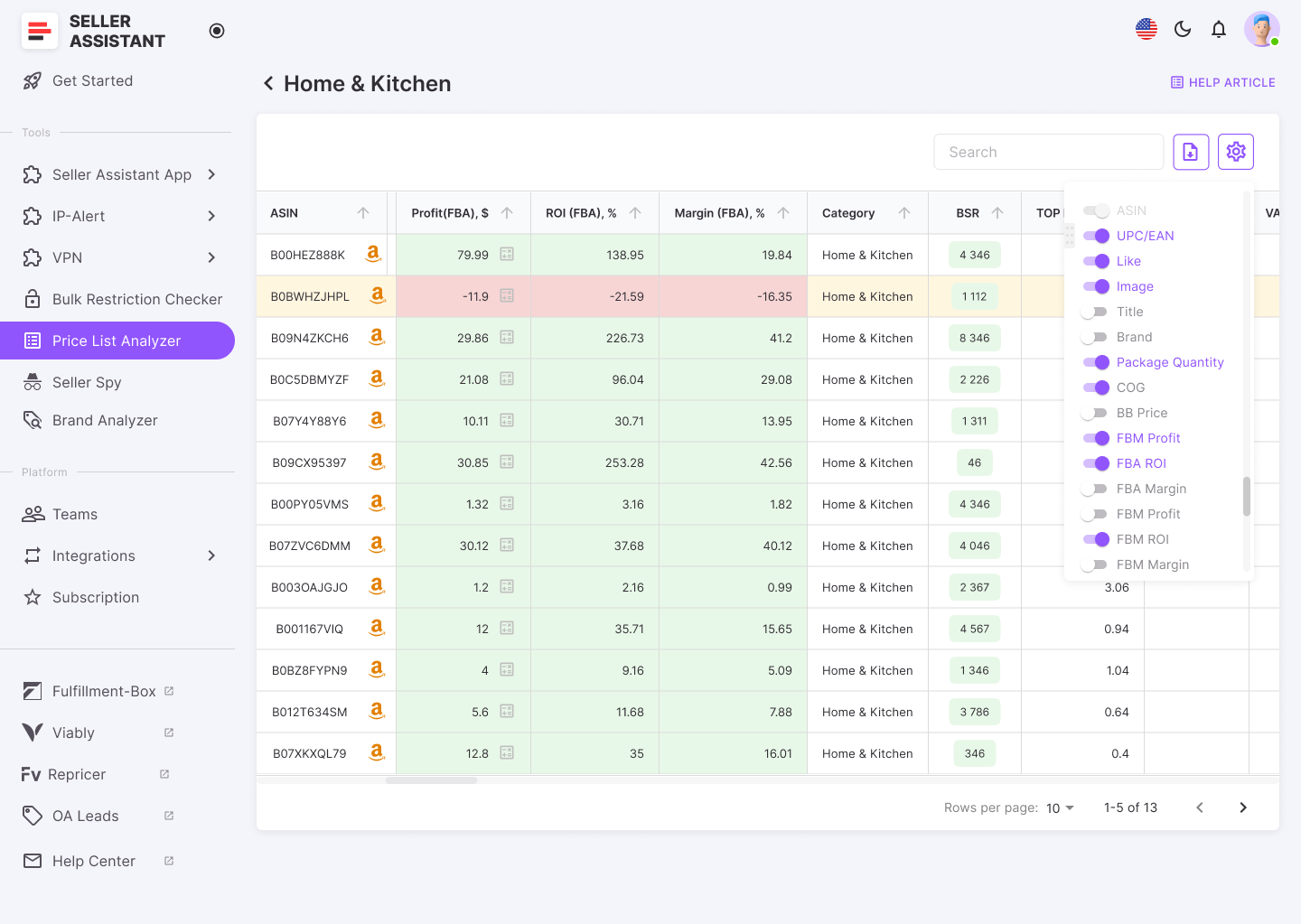
The tool automatically matches products to Amazon listings, calculates profitability, and flags potential risks like IP complaints or gated categories
- How to research effectively
- Sales performance
Use BSR and sales velocity (Top%) to confirm product movement
- Competition level
Avoid listings with 15+ sellers or where Amazon dominates
- Buy Box access
Make sure you have a shot at winning it: choose products where the Buy Box is more or less equally shared between the seller
- Profitability
Confirm profit, margin, and ROI meet your minimums; remember about break-even points
- Alerts and flags
Filter out deals with restrictions, IP complaints, Amazon policy issues, other risks (hazmat, meltable, heavy and bulky, etc.), or warnings (too high/low ROI, no Buy Box price, set or bundle, etc.)
- Who is it good for
- Online arbitrage sellers working with wholesale or bulk sources
- Sellers who want to scale their sourcing fast with less manual effort
Strategy 3. Spy on competitors to find winning deals
- What it is
Competitor research means tracking other successful Amazon sellers to uncover the deals they’re already profiting from. By seeing what’s working for others, you can jump on proven opportunities without starting from scratch.
- What is achieved
This method helps sellers identify high-demand, high-margin deals with a solid sales track record. By mirroring competitor strategies, you can minimize risk and skip the trial-and-error phase of deal hunting.
- How it works
- Use Seller Assistant’s Seller Spy to automatically monitor other sellers’ storefronts
.png)
Seller Spy by Seller Assistant
-
Analyze which deals they’re selling, what’s been recently added or removed, and how they price their offers
-
Spot repeat best-sellers and build your own deal pipeline based on their performance
-
How to research effectively
- New deal monitoring
- Watch what products competitors are adding to catch trending opportunities early
- Product removals
- See what items are disappearing from their stores to avoid dead stock
- Customer signals
- Review seller feedback and product ratings for buyer insights
- Pricing strategy
- Understand how competitors price their deals so you can stay competitive
-
Who is it good for
- Online arbitrage sellers who want to piggyback on proven, successful deals
- Sellers looking to reduce risk by focusing on what’s already selling well
Strategy 4. Delegate deal hunting to a virtual assistant
- What it is
A virtual assistant (VA) can be hired to find online arbitrage deals on your behalf. They handle the heavy lifting – scanning websites, calculating profits, and delivering leads – while you focus on growth and operations.
- What is achieved
Delegating deal research frees up your time, increases your sourcing volume, and allows you to scale your business faster. With the right VA, you can uncover more deals without getting bogged down in day-to-day searching.
- How it works
- Hire a VA from platforms like Fiverr or VA service providers with Amazon expertise
- Choose someone with experience in sourcing and deal evaluation
- Use Seller Assistant’s Virtual Assistant Account feature with VPN access so your VA can work securely without accessing your Amazon account
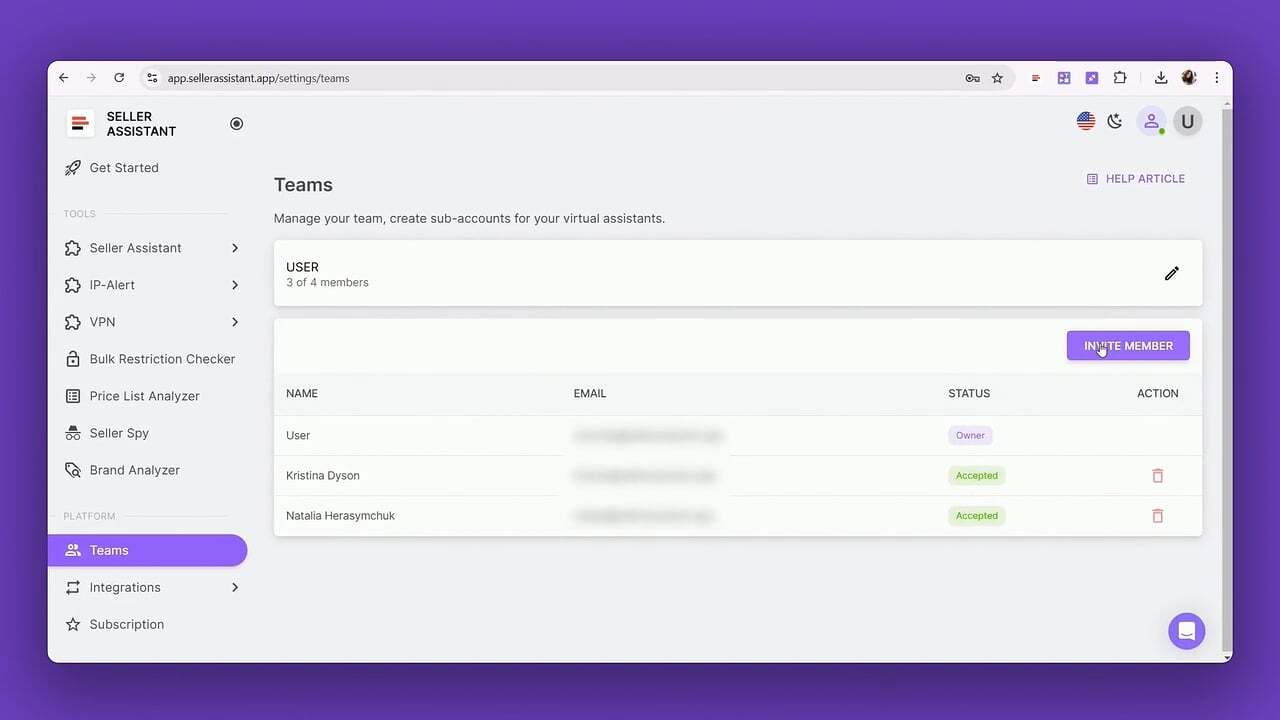
Virtual Assistant Account
-
How to research effectively
- Give your VA clear instructions on target profit, ROI, acceptable risk levels, and categories
- Set weekly or daily performance goals for lead volume and quality
- Verify the leads using Seller Assistant to confirm the deals meet your standards
-
Who is it good for
- Sellers who want to outsource deal sourcing to free up their time
- Busy Amazon sellers aiming to scale without handling research personally
Strategy 5. Pick suppliers from a proven list and scan for deals
- What it is
If you’re looking to scale your online arbitrage game, starting with a vetted list of supplier websites is a smart move. Instead of cold outreach, this strategy lets you choose trusted suppliers and automatically scan their inventory for profitable Amazon deals.
What is achieved
You gain instant access to reliable deal sources without spending time vetting suppliers. By combining trusted supplier links with automation tools, you can uncover hidden arbitrage leads in bulk – fast.
-
How it works
- Select supplier websites from Seller Assistant’s List of 500+ US suppliers
- Use browser web scraping tools to parse their online stores
- Export the available product data and upload it into Seller Assistant’s Price List Analyzer
- The tool auto-matches supplier items to Amazon listings, flags risks and restrictions, shows in-depth product metrics, and calculates profit, ROI, and margin. Apply filters to shortlist the highest-potential deals based on your custom criteria.
-
How to research effectively
- Sales demand
- Use BSR and sales velocity to confirm how fast the product sells
- Seller competition
- Avoid listings with Amazon or too many FBA sellers
- Buy Box potential
- Ensure you can realistically compete for the Featured Offer
- Profit margins
- Verify deals meet your ROI, margin, and profit thresholds
- Restrictions check and risks
- Instantly verify your selling eligibility, flag gated brands, hazmat items, or IP risks.
-
Who is it good for
- Online arbitrage sellers looking to scale by tapping into reliable supplier sources
- Sellers who want to avoid manual deal hunting but still keep full control of the research process.
FAQ
What is an online arbitrage deal?
An online arbitrage deal is when a product is priced lower on one website and can be sold for a profit on Amazon after fees and expenses. Sellers leverage these price gaps to make money without creating their own products.
How do I know if a deal is actually profitable?
Use tools like Seller Assistant or Amazon’s calculators to compare the purchase price, Amazon fees, and expected selling price. A good deal usually has a clear ROI of 15–30% or higher.
What’s the fastest way to find multiple online arbitrage deals?
Using automation tools like Seller Assistant’s Price List Analyzer to scan bulk supplier lists is the fastest method. It lets you process thousands of products and filter by profit, ROI, and risk in minutes.
Is manually finding deals still worth it?
Yes – manual sourcing gives you full control and helps you better understand what makes a deal strong. It’s slower, but great for learning and discovering hidden gems others miss.
Can I combine multiple sourcing strategies at once?
Absolutely. Many successful sellers mix manual searches, automation tools, competitor tracking, and virtual assistants to diversify and scale their deal flow.
Final Thoughts
Online arbitrage is one of the most beginner-friendly and scalable ways to build an Amazon business – but only if you’re sourcing the right deals. A profitable deal means more than just a price gap – it must check the boxes for demand, competition, restrictions, and margin. From manual research to bulk analysis, there are multiple strategies to fit your workflow and scale.
Product sourcing tools like Seller Assistant make it easier to spot, research, and validate high-quality deals fast. Whether you’re just starting out or looking to automate your sourcing, Seller Assistant has everything you need to level up your online arbitrage business.
Seller Assistant is an all-in-one product sourcing software offering all the features vital for product sourcing. It combines three extensions: Seller Assistant Extension, IP Alert, and VPN by Seller Assistant, tools: Price List Analyzer, Seller Spy, Bulk Restrictions Checker, and API integrations, and features: Side Panel View, FBM&FBA Profit Calculator, Quick View, ASIN Grabber, UPC/EAN to ASIN converter, Stock Checker, and other features that help quickly find high-profit deals. Seller Assistant also offers integration with Zapier allowing to create custom product sourcing workflows.

