



If you’re an Amazon seller, chances are you’ll run into issues that can’t be solved yourself within Seller Central. That’s when Amazon Seller Central Support steps in. Whether you’re facing challenges with listings, payments, or account issues, Seller Support is there to help guide you through the process.
While it might not always be perfect, knowing how to effectively contact them can save you time and frustration.
This post discusses how you can reach Seller Support, its common issues, and gives some tips to navigate these challenges smoothly.
What Is Amazon Seller Support?
Amazon Seller Support (also called Selling Partner Support) is a service provided by Amazon to assist sellers with various issues and challenges they may face while managing their seller accounts and businesses on the platform. It serves as a direct resource for sellers to address questions, resolve problems, and seek guidance related to their operations on Amazon,
Amazon Seller Support is directly accessible through your Seller Central account, providing a way to get advice and resolve issues. When sellers reach out to Seller Support, their inquiries go through a ticketing triage system that categorizes, prioritizes, and manages requests based on the issue’s complexity and urgency.
For sellers enrolled in Amazon FBA or Brand Registry, there’s an option for enhanced support. You can escalate cases to the Captive FBA Team, where highly trained representatives handle more complex and critical issues faced by sellers.
How Can Amazon Seller Support Help You?
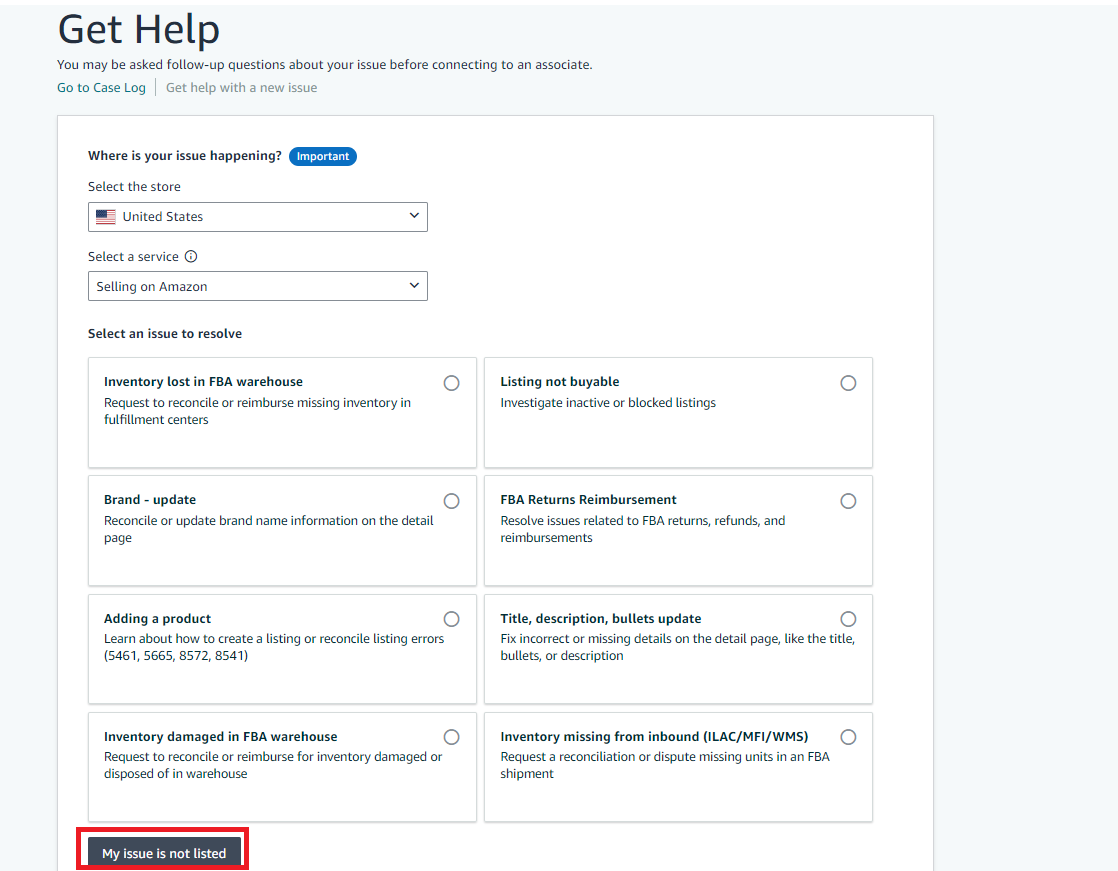
Amazon Seller Support offers a range of services to help sellers resolve common issues they face. In your Seller Central, these issues are categorized to help you choose the one that fits your needs best. If you don’t find the relevant category, you can select “My issue is not listed”.
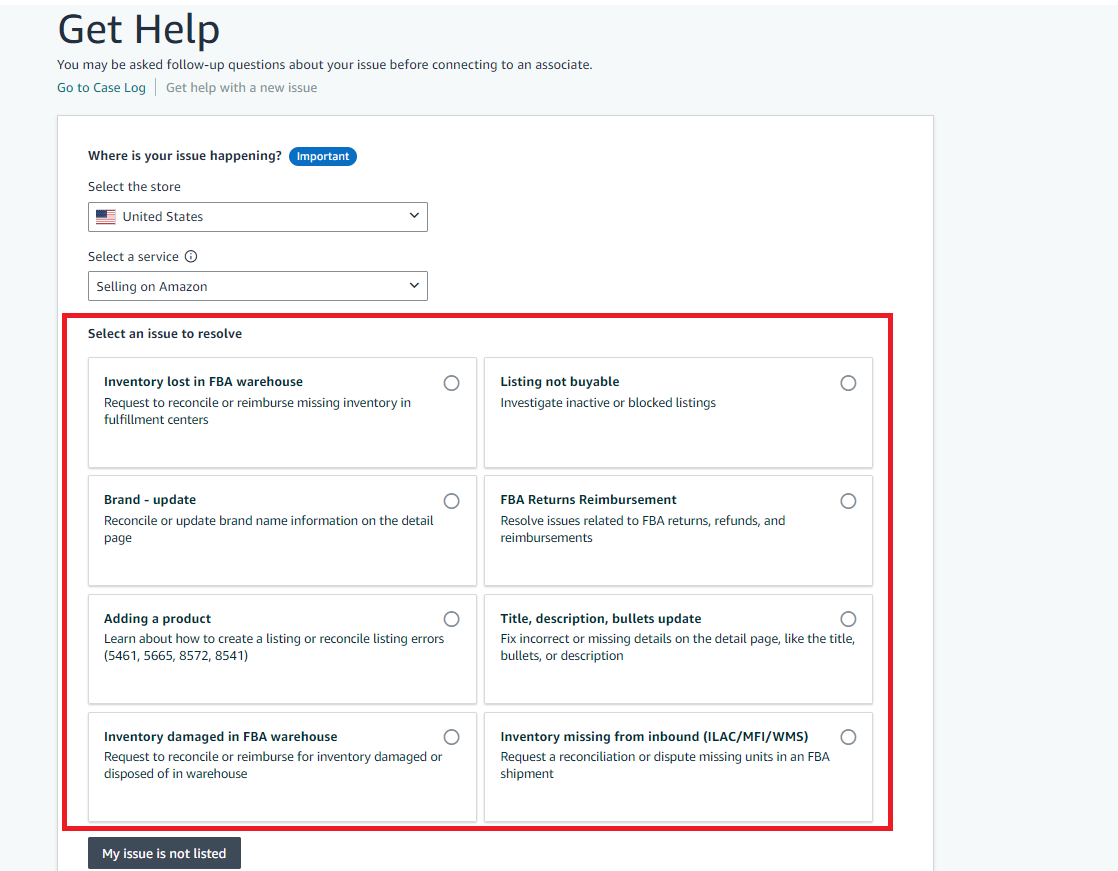
Here’s an overview of how Amazon Seller Support can assist you with typical seller challenges.
Issues Seller Support can resolve
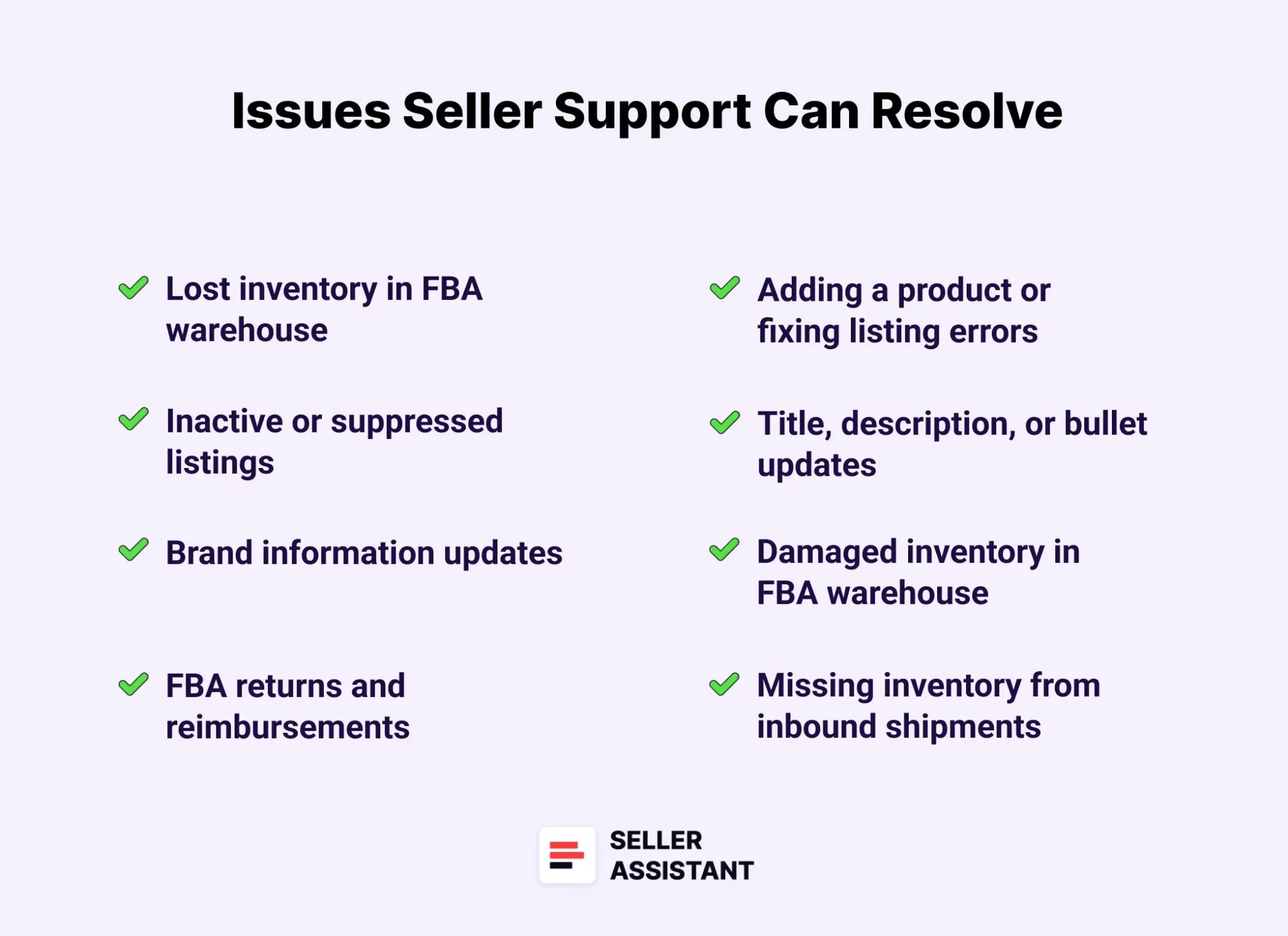
- Lost inventory in FBA warehouse
Request reconciliation or reimbursement for inventory missing from fulfillment centers.
- Inactive or suppressed listings
Investigate and resolve issues with listings that are inactive, blocked, or suppressed.
- Brand information updates
Correct or update brand details on your product’s detail page.
- FBA returns and reimbursements
Address issues related to FBA returns, including refunds and reimbursement requests.
- Adding a product or fixing listing errors
Get help creating new listings or correcting common listing errors like codes 5461, 5665, 8572, and 8541.
- Title, description, or bullet updates
Update incorrect or missing details such as product titles, descriptions, or bullet points on your listings.
- Damaged inventory in FBA warehouse
Request reimbursement or reconciliation for inventory damaged or disposed of at an FBA warehouse.
- Missing inventory from inbound shipments
Submit a request to reconcile or dispute missing units in an FBA shipment.
- Customer order problems or A-Z claims
Resolve customer order issues and respond to A-Z Guarantee claims.
- Seller account reinstatement
Get assistance with reinstating a suspended seller account.
How to Contact Amazon Seller Support?
To contact Amazon Seller Support, you’ll need to initiate a support case through your Seller Central account. Amazon doesn’t provide direct phone numbers or email addresses for Seller Support, so all inquiries are routed through a ticketing system. Here are the available options for reaching out to Seller Support.
Options to contact Amazon Seller Support
- Self-service tools
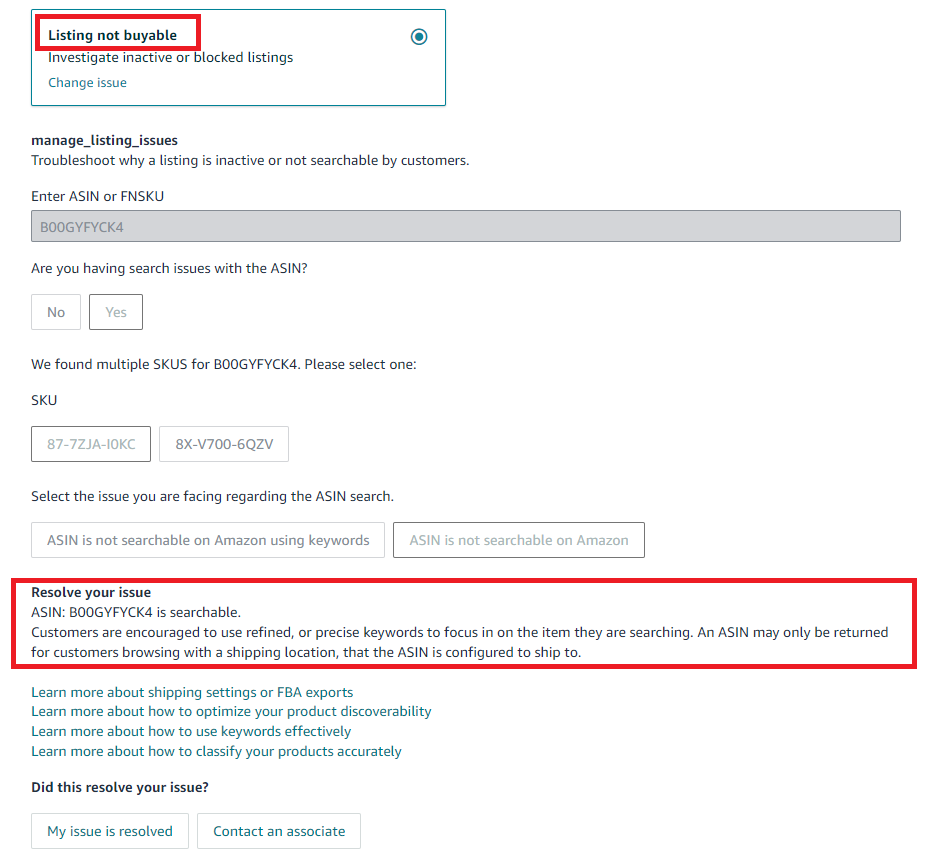
Depending on the issue you’re experiencing, Amazon might offer automated solutions without requiring you to open a support case. For instance, if your listing is inactive, navigating to the “Listing not buyable” section may provide prompts and tools to resolve the problem on your own.
- Help articles
Amazon provides a vast library of help articles designed to assist sellers with common issues. Before opening a case, check these articles, as they may offer the information you need to solve the problem. When you start opening a ticket, Amazon provides you with the references to relevant help articles.
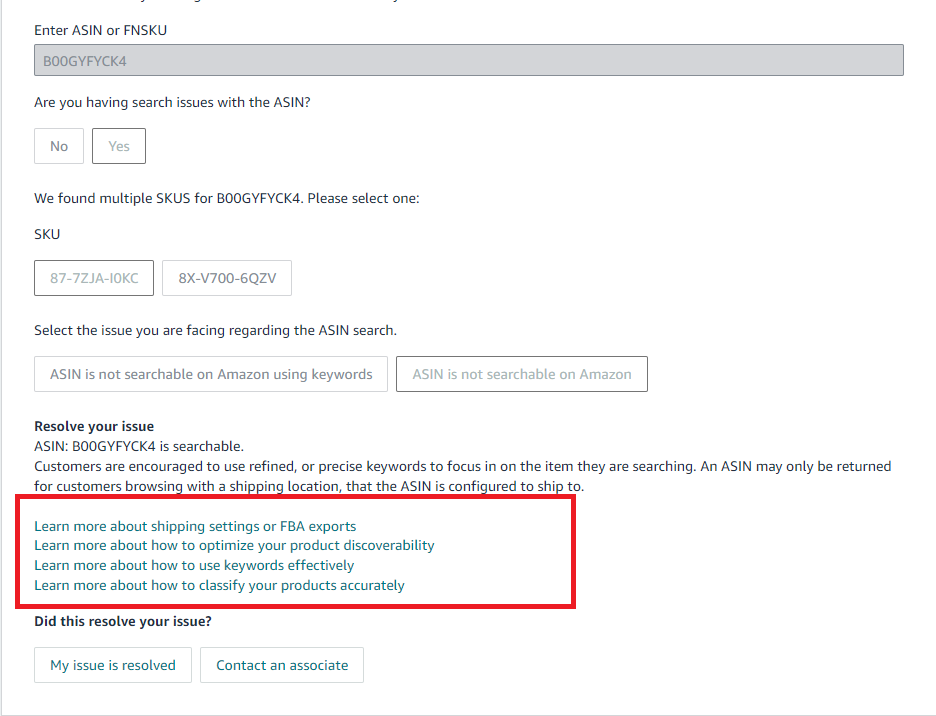
- Open a support ticket
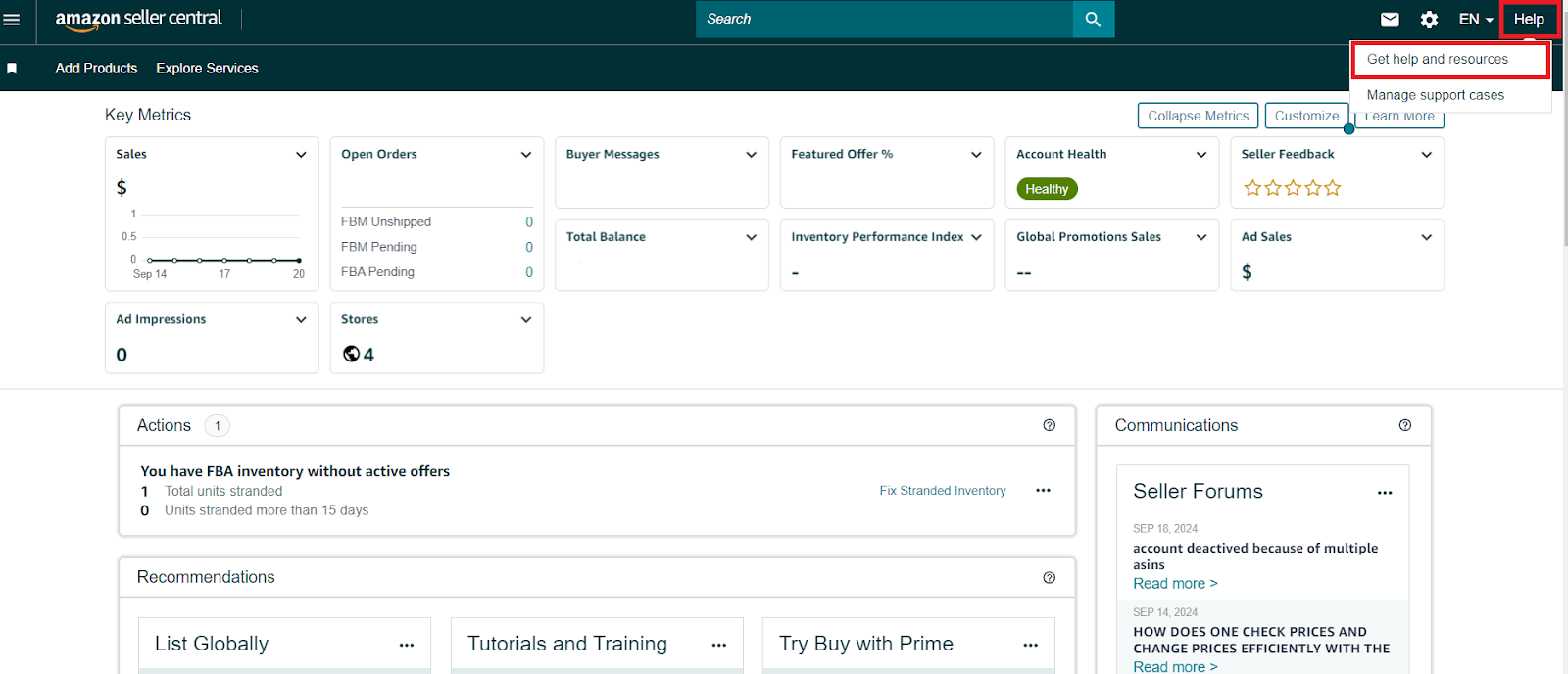
The primary method for contacting Seller Support is by opening a ticket in your Seller Central account. Simply go to the Help menu, select “Get Help and Resources,” and describe your issue to start the process.
- Request a callback
Although there is no direct phone number for Seller Support, you can request a callback. After opening a case and selecting the phone contact option, you’ll enter the call queue and receive a call from an Amazon support representative.
- Email or chat support
While there is no dedicated email address for Seller Support, you can request to be contacted via email or chat when you open a case. Simply select your preferred communication method when submitting your inquiry.
Steps to Call, Chat, or Email Amazon Seller Support
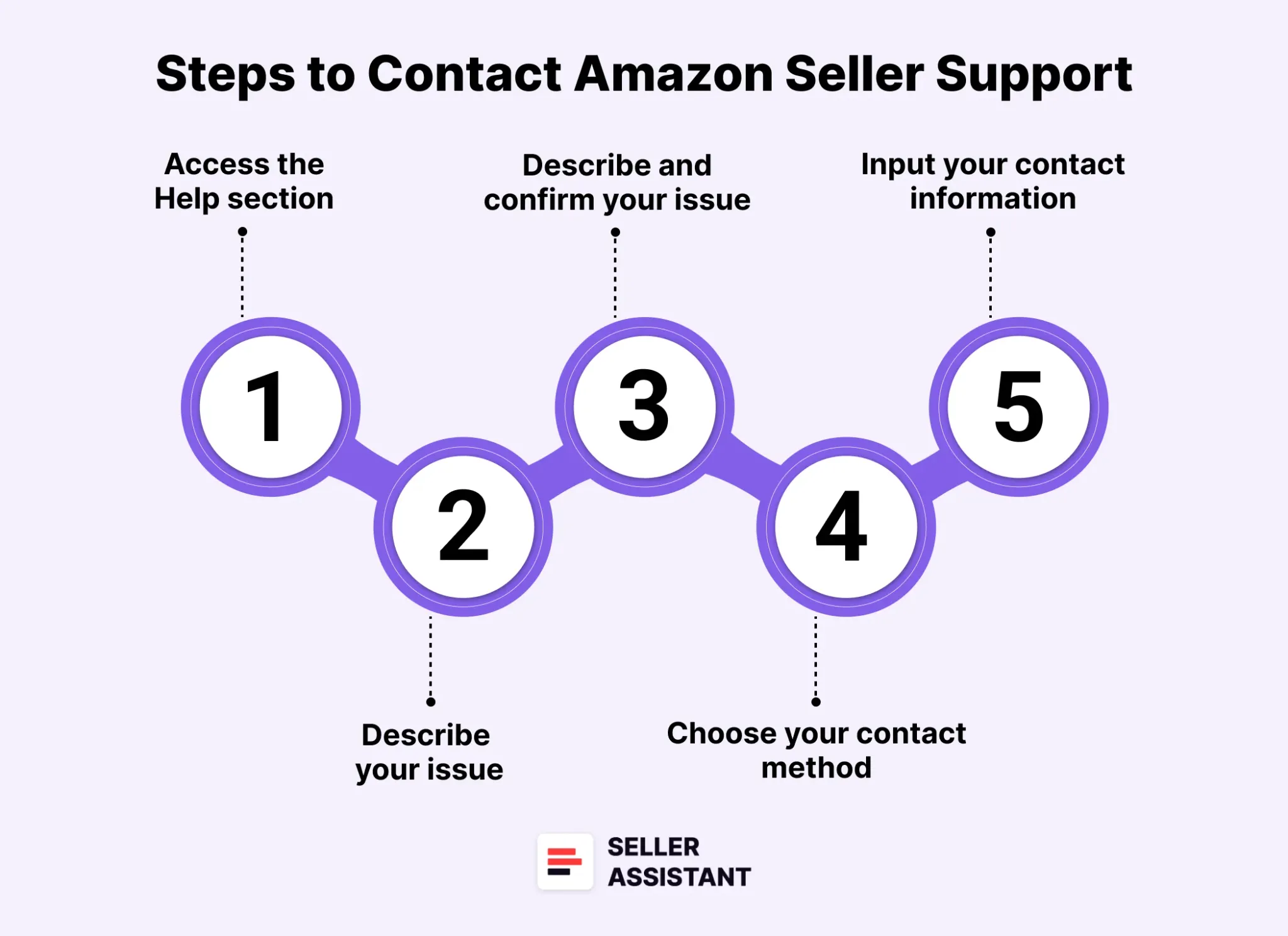
As said, there’s no direct phone number or email to Seller Support, but you can request a callback or response after opening the case in Seller Central. Here’s a step-by-step guide to contacting Amazon Seller Support via phone, chat, or email.
Step 1. Access the Help section
- Log in to your Amazon Seller Central account.
- Navigate to the Help menu on your dashboard.
- Click on Get Help and Resources to start the process.
Step 2. Describe your issue
- You’ll encounter a form under the Get Help section.
- Skip the initial options and Select My issue is not listed to bypass pre-listed categories that don’t offer phone or chat support.
Step 3. Describe and confirm your issue
- Proceed to the “Describe Your Issue” area. Fill in the issue details. You can use the format of the example proposed by Amazon or choose your own format. It must be clear and concise.
- After clicking “Continue”, you’ll be prompted to confirm your issue.
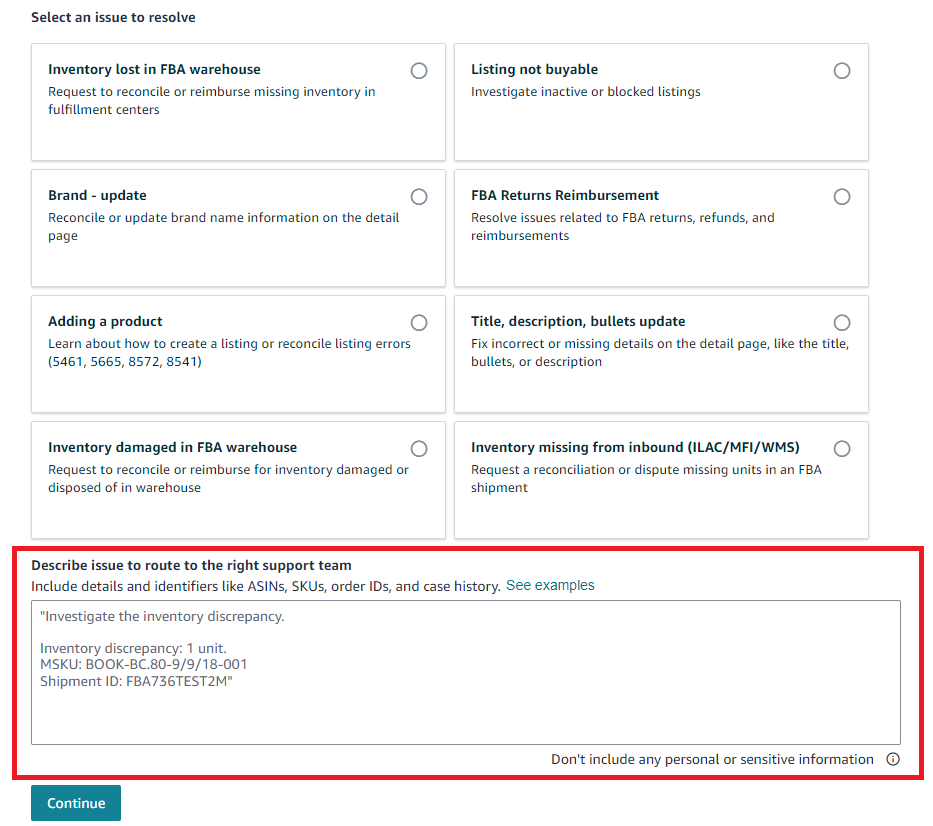
- Again, select “My issue” is not listed for the most flexibility.
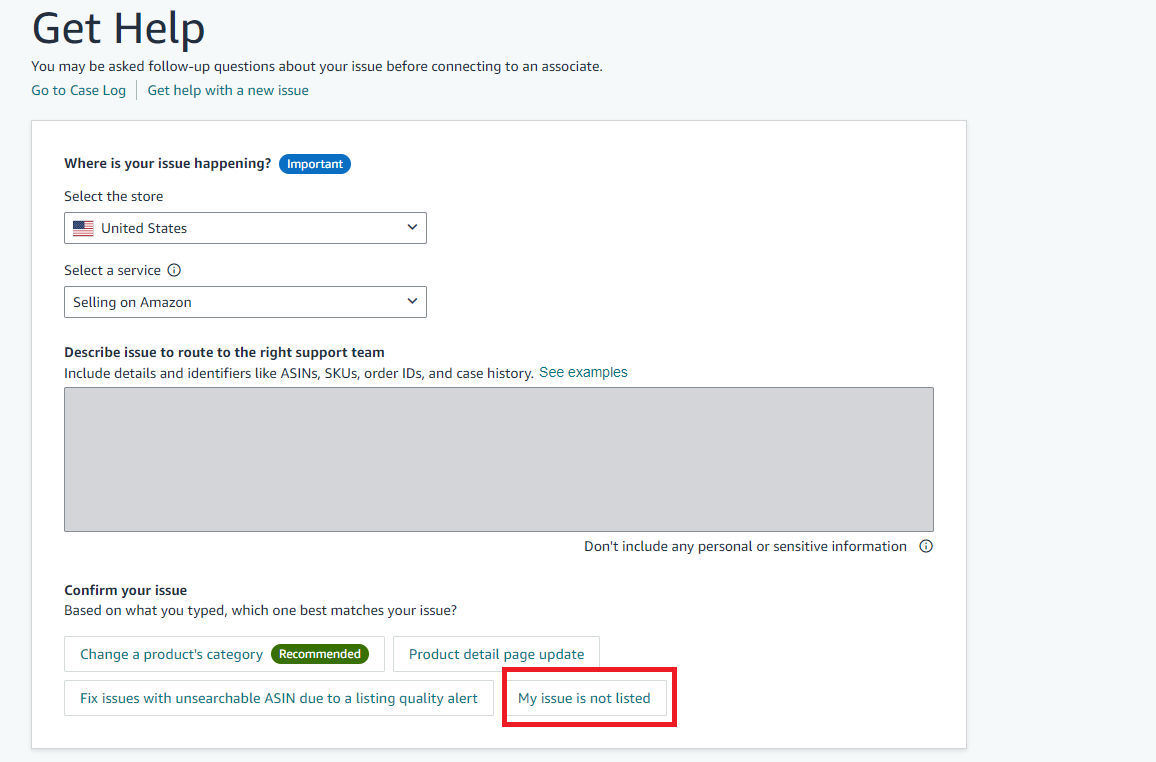
- Choose “Account Related” from the options provided to proceed.
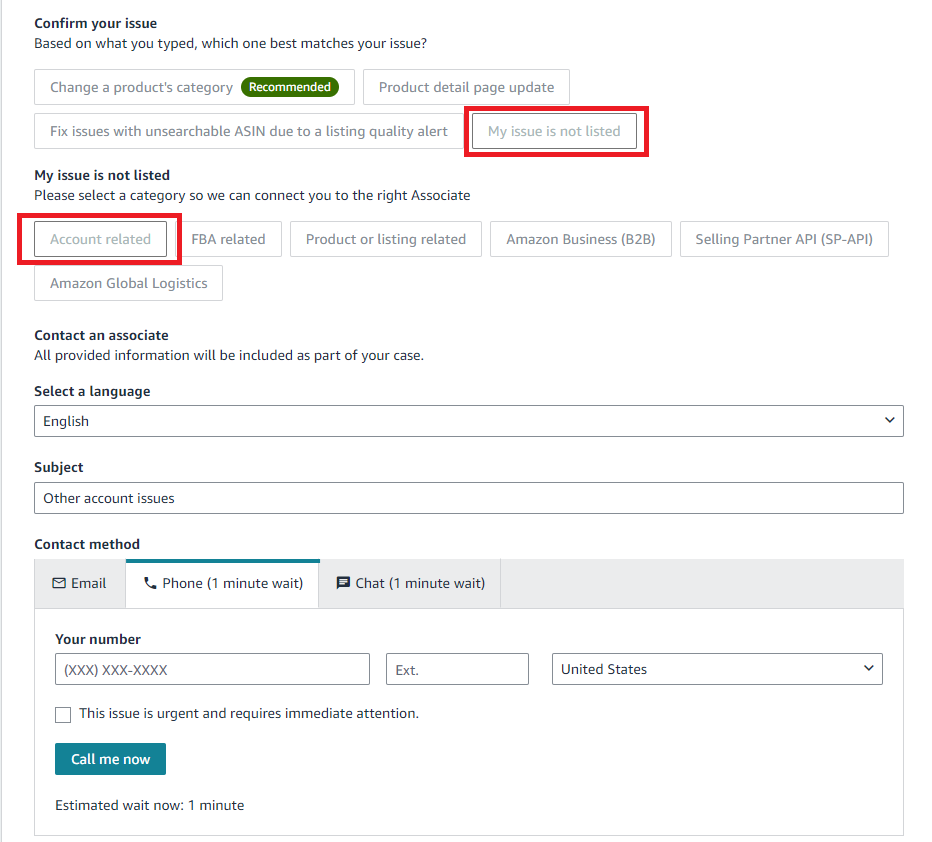
Step 4. Choose your contact method
Once you’ve completed the steps above, the Contact an Associate section will appear.
From here, you can choose between phone, chat, or email support.
- Phone
Select the Call me now option to request an immediate callback, or schedule one at a convenient time.
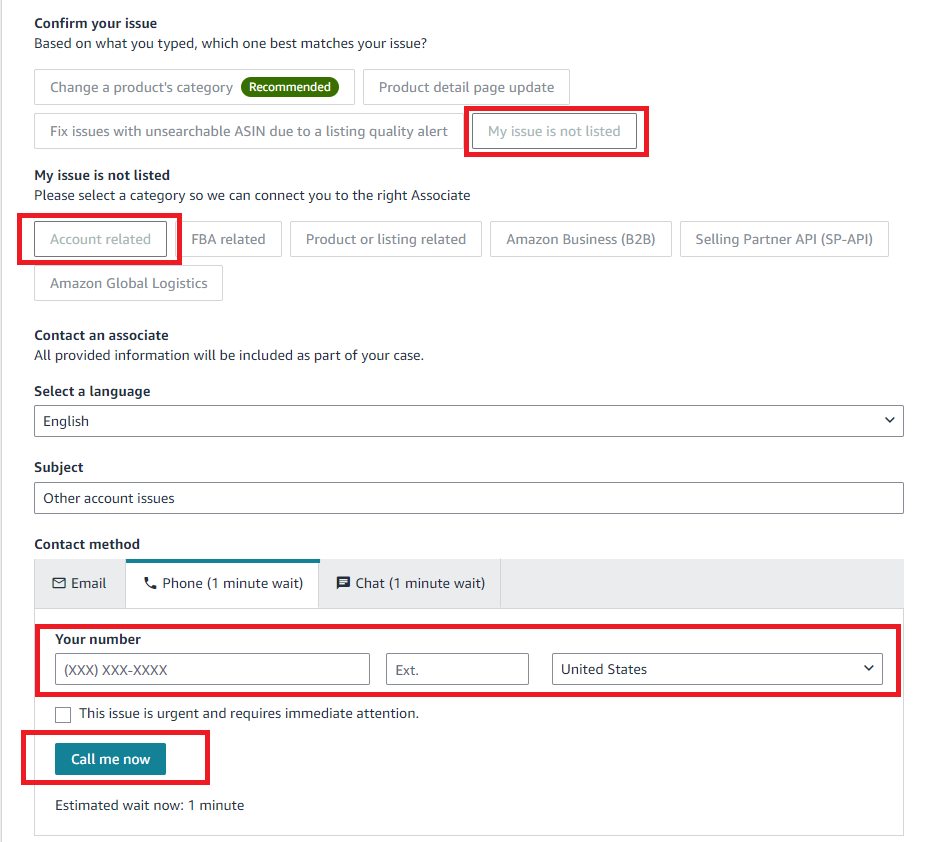
- Chat
Select the chat tab to connect with a representative instantly through live chat.
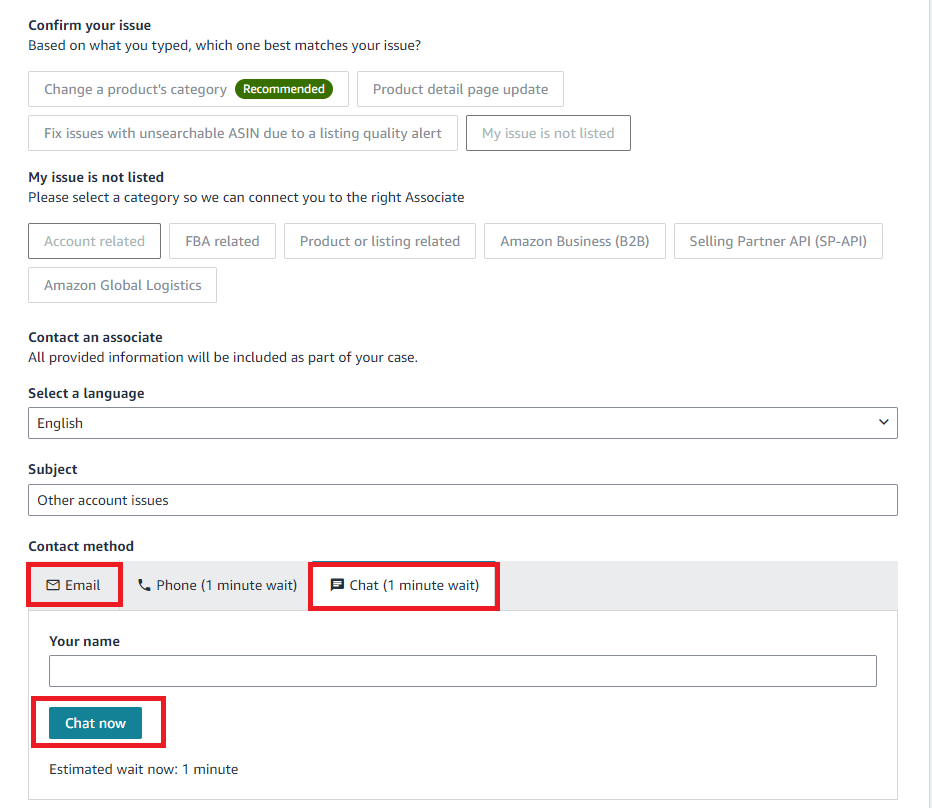
Opt to send an email if your issue doesn’t require an immediate response, and a representative will reply.
Step 5. Input your contact information
- If you choose the phone or email options, input your contact details.
- For a phone call, you can either request a scheduled call or get an immediate callback by clicking Call me now.
Guidelines to Contact Seller Support
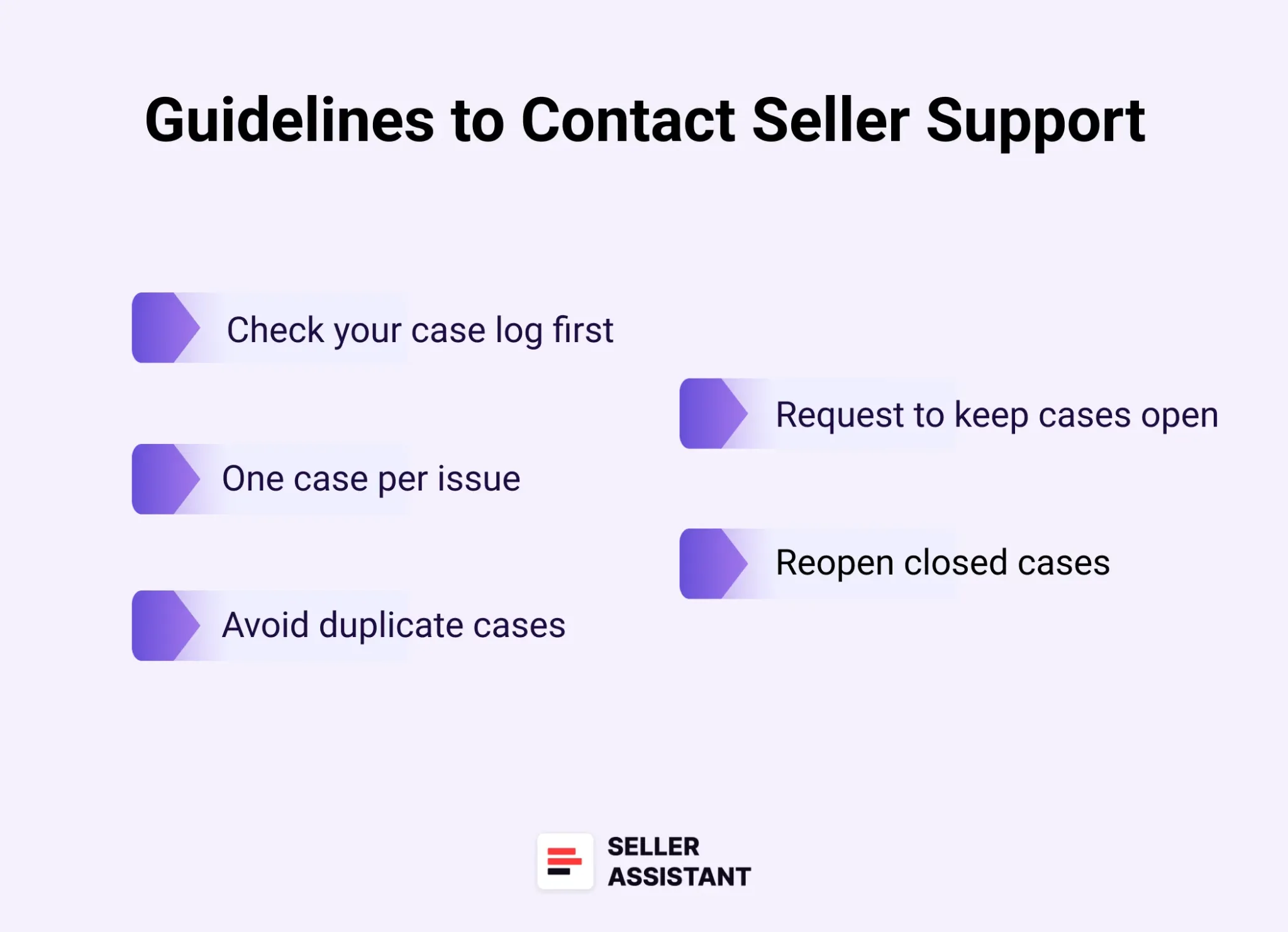
Guidelines to Contact Seller Support
When reaching out to Amazon Seller Support, following these best practices will help ensure your issues are resolved efficiently and avoid unnecessary delays. Here are some key guidelines.
Check your case log first
Before opening a new case, review your existing case log and check the status of any ongoing issues. If the problem is urgent, flag it as such to prioritize the resolution.
One case per issue
Always create one case for each individual issue. This ensures that the relevant team can address your concern more effectively, without confusion or overlap with other departments.
Avoid duplicate cases
Don’t open a new case if one is already being reviewed for the same issue. Duplicating cases can slow down the process and make it harder for support teams to focus on resolving your problem.
Request to keep cases open if needed
If you need more time to provide information or respond to a query, ask Seller Support to keep the case open. This avoids the hassle of reopening a case later or starting a new one unnecessarily.
Reopen closed cases if needed
If you believe a case was closed incorrectly or you have further questions, reopen the existing case rather than starting a new one. However, avoid reopening cases if support has clearly stated that no further action will be taken.
What Are the Common Issues with Seller Central Support?
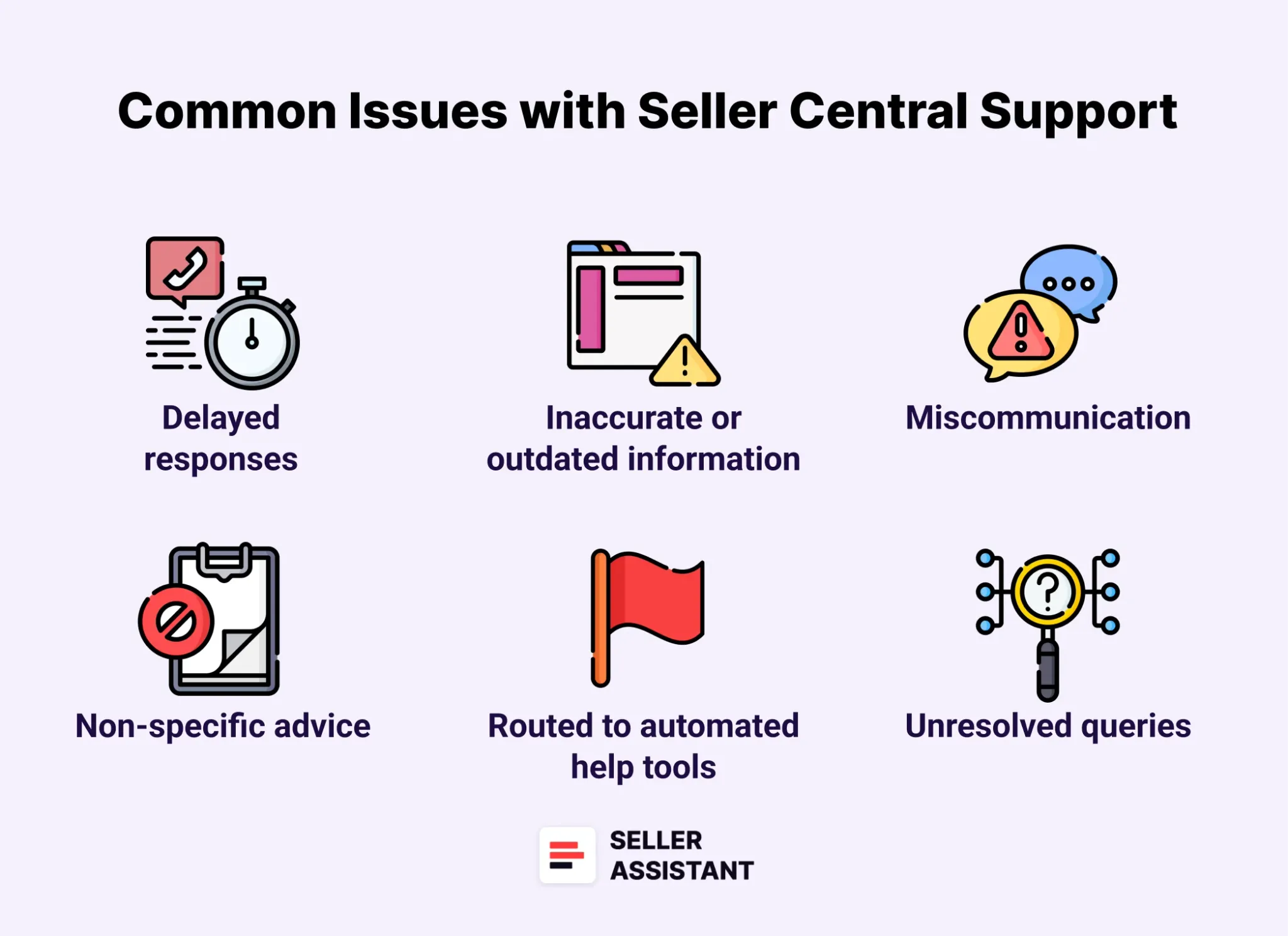
While Amazon Seller Support is designed to assist sellers with various challenges, there are some common issues that sellers frequently encounter. Here are some of the most common problems.
Delayed responses
Sellers often face long wait times for responses, which can delay the resolution of critical issues affecting their business operations.
Inaccurate, incomplete, or outdated information
Occasionally, the support team provides information that is either inaccurate or no longer applicable, leading to confusion and further delays. Sometimes, Seller Support provides partial answers that don’t fully address the problem, forcing sellers to reopen cases and seek further clarification.
Miscommunication
Misunderstandings between sellers and support representatives can occur, leading to confusion and delayed resolutions.
Non-specific advice
Sellers may receive generic, non-tailored advice that doesn’t directly resolve their issue, causing frustration and unnecessary back-and-forth communication.
Routed to automated help tools
When trying to speak with a live person, sellers are often redirected to help articles or automated tools, which may not always solve their problem effectively. Also, sellers sometimes receive pre-written responses that are irrelevant to their inquiry, which can lead to more frustration and time lost.
Unresolved queries
In some cases, the system may mark a query as resolved even though the underlying problem hasn’t been fully addressed.
Language barriers
Communication issues can arise when sellers and support agents speak different languages, making it difficult to clearly explain or resolve issues.
Tips for Communicating with the Seller Support
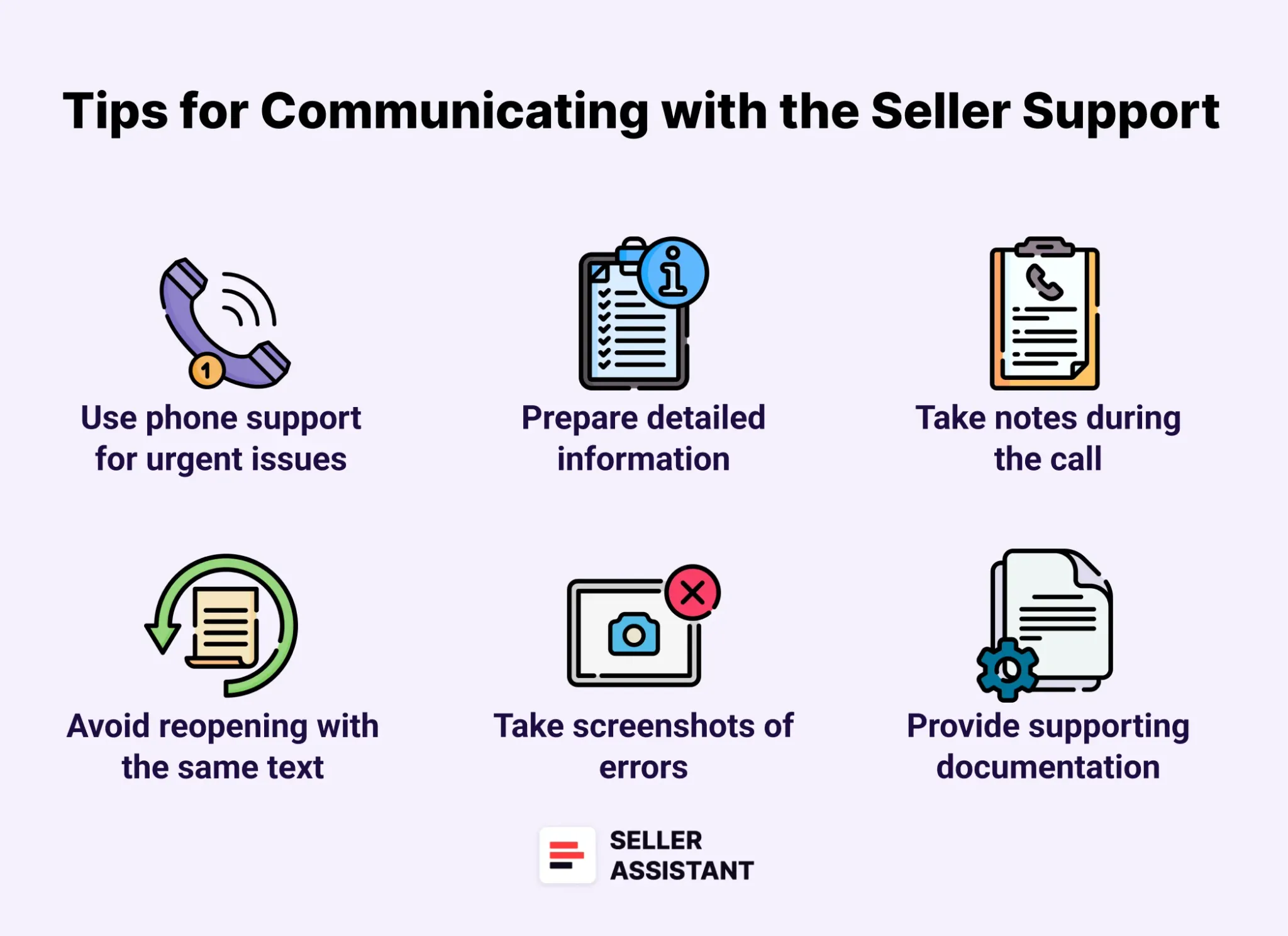
Effective communication with Amazon Seller Support can make a big difference in resolving your issues quickly and efficiently. Here are 10 essential tips to help you deal with Seller Support.
Use phone support for urgent issues
Only use the phone support option when your issue is time-sensitive, like a suppressed listing or missing inventory in FBA. These real-time problems can significantly impact your business, making immediate support crucial.
Prepare detailed information before contacting support
Write down all the relevant details about your issue before contacting Seller Support. Clear and organized communication from your end helps speed up the resolution process.
Keep account and order information ready
Have your seller account and billing details handy, and open any relevant orders or disputes on your screen. This makes it easier to provide information to the representative quickly.
Avoid reopening tickets with the same text
If your issue wasn’t resolved, don’t simply reopen a ticket with the same message. Review the original response, identify any missing information, and create a new, more detailed query.
Reference previous case IDs when opening new cases
When you need to open a new case, mention the previous case ID and explain why the original resolution was insufficient. This provides context and helps the support team address the issue more effectively.
Take screenshots of errors or issues
If you’re dealing with an error in Seller Central, take screenshots to help explain the problem. Seller Support agents may not be familiar with every screen or error, so visuals can clarify the issue.
Summarize key details in each reply
Don’t rely on support reps to review the entire case history. Copy and paste the most relevant details into each new response to ensure they understand the current situation.
Take notes during the call
Keep a notepad and pen nearby to jot down important information from the representative. These details may be needed for follow-up actions or future reference.
Provide supporting documentation during calls
While on a phone call with support, upload any relevant screenshots or documents to the case log. This allows the representative to access the information in real-time, speeding up the resolution process.
Leverage the Brand Registry and FBA
If you’re part of the Brand Registry, use its dedicated support portal. Brand Registry Support is generally faster and more efficient in resolving issues than standard Seller Support. If you are enrolled in FBA, ask to communicate with the Captive FBA Team for more skilled support.
FAQ
Is Amazon seller support 24 hours?
Yes, Amazon Seller Support operates 24 hours a day, 7 days a week, ensuring that sellers can get help at any time. However, response times may vary depending on the issue and the contact method used.
How can I contact seller support for help with my account?
To contact Seller Support for account-related issues, log in to your Seller Central account and go to the “Help” section. From there, you can open a support case, request a callback, or initiate a chat.
How to contact Amazon seller support directly?
Amazon does not offer a direct phone number or email for Seller Support. Instead, all inquiries must be submitted through the Seller Central dashboard by opening a case.
How does Customer Service by Amazon provide global coverage?
Customer Service by Amazon offers support across multiple regions and time zones, ensuring sellers and buyers can access help wherever they are. Amazon’s global infrastructure allows it to provide 24/7 support for both sellers and customers.
What is the Amazon Seller Support phone number?
There is no public phone number to directly call Amazon Seller Support. Instead, you can request a callback by opening a case through Seller Central and selecting the phone option.
What is the Amazon Seller Support email?
Amazon does not have a specific email address for Seller Support inquiries. Sellers must use the Seller Central platform to submit cases and receive email responses through the ticketing system.
Final Thoughts
In conclusion, knowing how to effectively contact Amazon Seller Central Support is essential for resolving any challenges that arise with your seller account. By using the tools available through Seller Central, including submitting tickets, requesting callbacks, and utilizing chat or email options, you can ensure that your issues are addressed promptly and efficiently.
Together with choosing the right products to sell, this will create a successful and profitable Amazon business. However, s is quite a challenge. Seller Assistant helps automate selecting profitable products from thousands of options, and lets you quickly identify the most profitable deals.
Seller Assistant is an all-in-one product sourcing software offering all the features vital for product sourcing. It combines Price List Analyzer, Seller Spy, Side Panel View, FBM&FBA Profit Calculator, Quick View, ASIN Grabber, UPC/EAN to ASIN converter, Stock Checker, IP Alert, Restrictions Checker, and other features that help quickly find high-profit deals.


