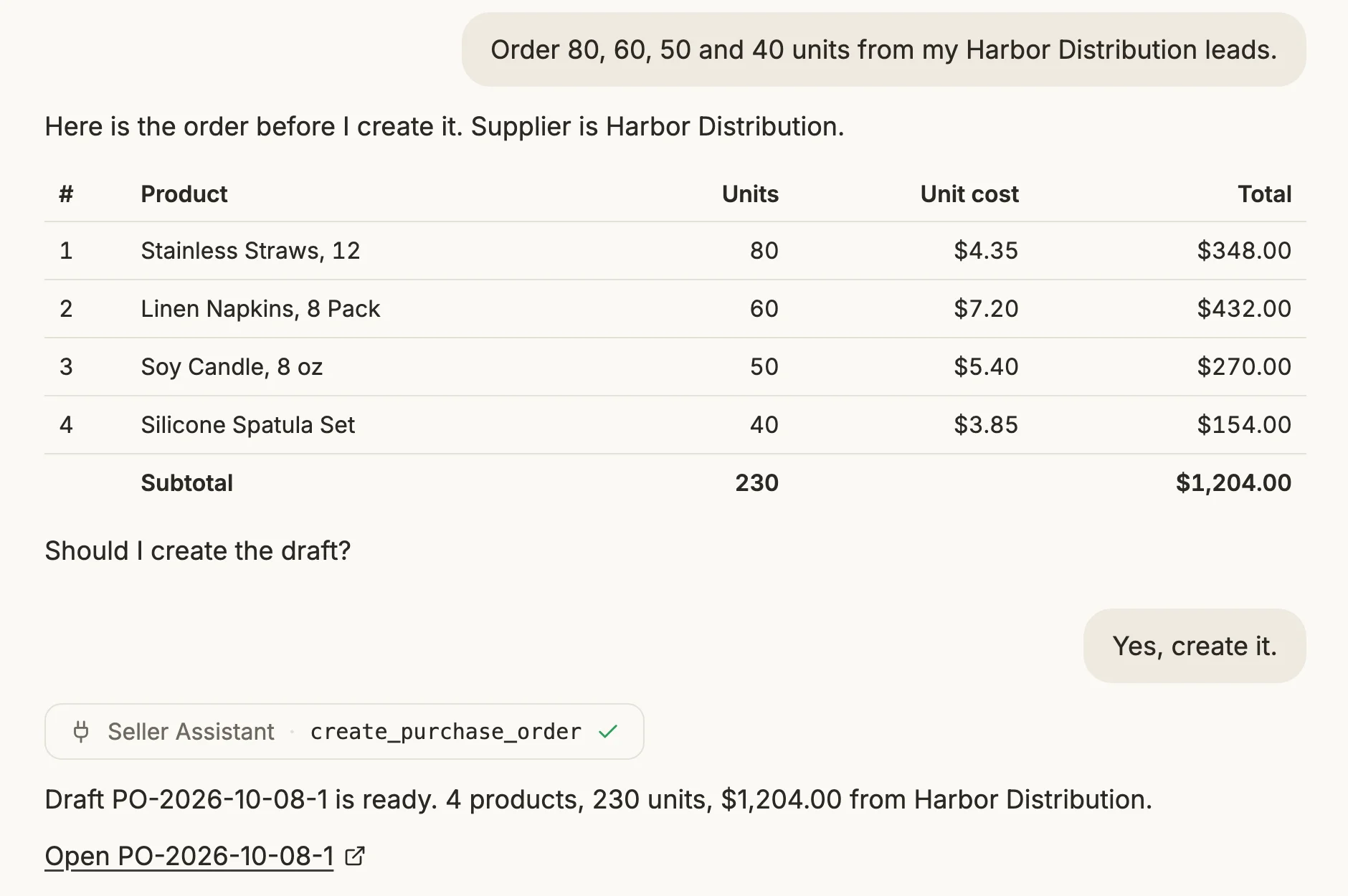
A repricing strategy built once still has to reach every product it should apply to – select the SKUs, open the bulk-assign menu, confirm, then repeat the same steps whenever a new batch of products needs it.
Seller Assistant Repricer already lets you assign a strategy to one product or thousands at once – and its MCP Server means that assignment can happen from a sentence typed into Claude or ChatGPT instead of the bulk-actions menu: “list my strategies,” then “assign this one to these ASINs.”
This post walks through assigning, building, and verifying Amazon repricer strategies at scale through an AI chat, with no bulk-select screen involved.
What Gets Missed When Assigning Strategies Is Manual
Creating a repricer strategy is only part of the work. Sellers still need to make sure the right strategy is assigned to every product that should follow it – and repeat that process whenever new SKUs are added, supplier batches arrive, or a group of products needs a different pricing approach.
With a larger wholesale, online arbitrage, or dropshipping catalog, strategy assignment becomes another recurring catalog-management task. The problem is not only the time spent selecting products and using bulk actions – manual assignment also makes it easier for products to end up on inconsistent or outdated pricing logic.
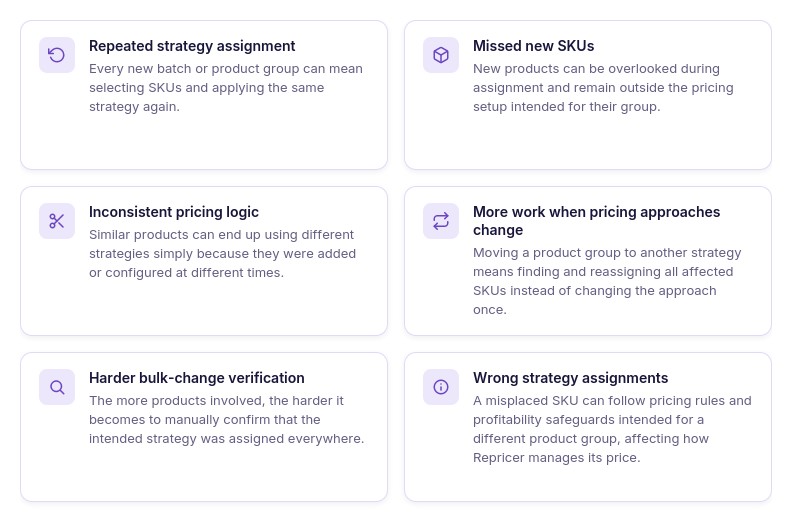
The same assignment has to be repeated
A strategy may be reusable, but each new group of products still needs to be assigned to it. Every new supplier order, sourcing batch, or catalog expansion can create another round of product selection and strategy assignment.
New SKUs can be overlooked
Adding products to the catalog does not guarantee they are using the strategy intended for that product group. If strategy assignment is handled separately, new SKUs can be missed until someone reviews them.
Similar products can end up on different strategies
Products that should follow the same pricing approach can become inconsistent when assignments are made at different times. One part of a product group may use the intended strategy while another remains on a different setup.
Strategy changes create reassignment work
Changing the pricing approach for a product group can mean finding all affected products and assigning the appropriate strategy again. The larger the group, the more repetitive that process becomes.
Large catalogs are harder to verify
After a bulk change, sellers still need to make sure the intended products received the correct strategy. Checking those assignments manually becomes increasingly cumbersome across hundreds or thousands of SKUs.
Assignment mistakes affect automated pricing
A strategy determines how repricer responds to marketplace conditions and which pricing safeguards it follows. Assigning the wrong strategy therefore does more than create an organizational inconsistency – it can change how that SKU is repriced.
Why AI Strategy Advice Is Not the Same As Strategy Management
AI can help an Amazon seller think through repricing logic – whether a product should follow the Buy Box, prioritize profit, react differently when Amazon is on the listing, or use specific profitability safeguards. But advice alone does not reduce the operational work of assigning those strategies across a real catalog.
Without access to the repricer, an AI assistant cannot see which strategies already exist, which strategy a product currently uses, or which SKUs need to be reassigned. The seller still has to take the recommendation back to the dashboard, find the products, select them, apply the strategy, and then check whether the assignment was completed correctly.
Why AI needs access to your repricer to assign strategies
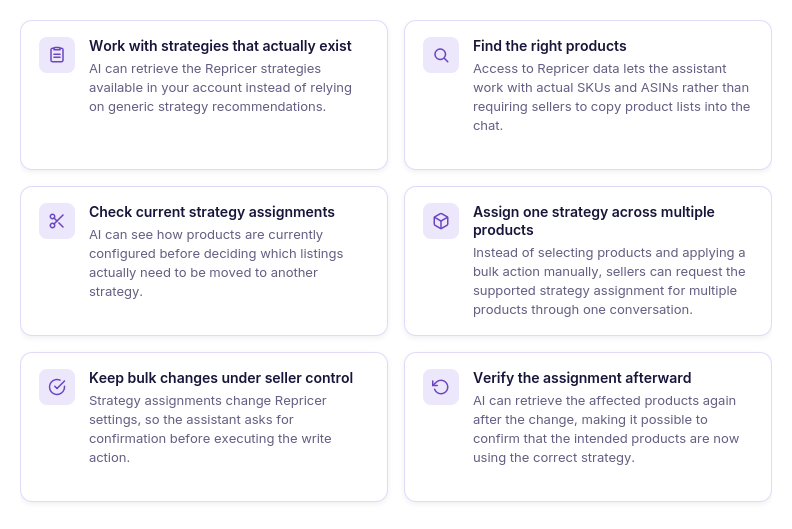
AI needs your actual strategy list
The assistant needs to know which default and custom repricer strategies are available in your account rather than suggesting strategies that may not match your existing setup.
Product selection requires catalog data
To apply a repricing strategy to multiple SKUs, AI needs access to the actual products being managed by repricer instead of relying on SKU or ASIN lists copied manually into the conversation.
Current assignments provide context
Knowing which strategy products already use makes it possible to distinguish SKUs that need reassignment from products that are already configured correctly.
Advice can turn directly into assignment
With repricer tool access, the workflow does not have to stop at “use this strategy.” The assistant can move from identifying the relevant products to preparing the supported strategy assignment in the same conversation.
Bulk changes stay under seller control
Giving AI tool access does not mean allowing it to silently reconfigure the catalog. Strategy assignments are write actions, so the seller reviews and confirms the change before it is executed.
Assignments can be verified afterward
After applying the strategy, the assistant can retrieve the affected products again and check their current configuration. This makes bulk strategy management a connected identify → inspect → assign → confirm → verify workflow rather than a one-way dashboard action.
What Seller Assistant Tools Make AI Strategy Assignment Possible
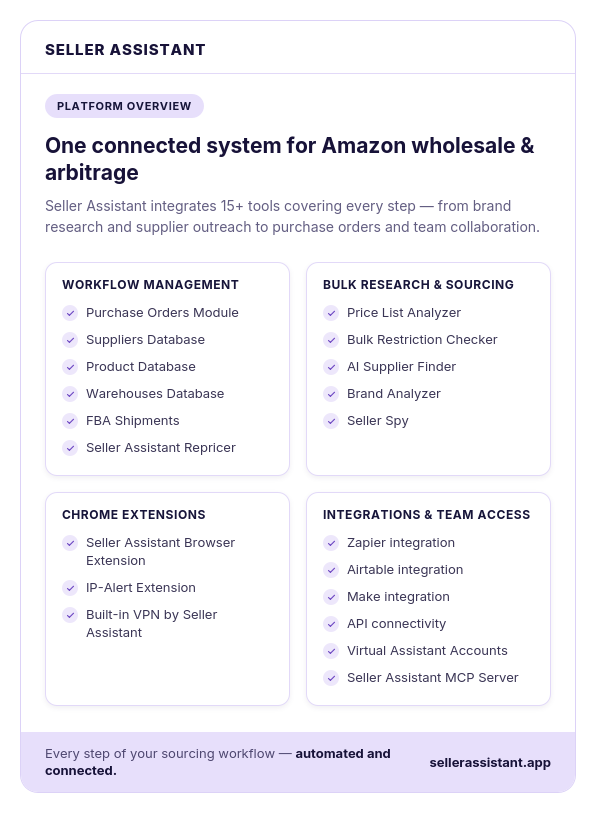
Assigning an Amazon repricer strategy through AI requires two things working together – a repricing tool that stores the seller’s actual strategies and product setup, and a connection that allows an AI assistant to work with that information. Seller Assistant combines these roles through Seller Assistant Repricer and Seller Assistant MCP Server.
Repricer controls how products are priced and which strategies are assigned across the catalog, while MCP makes supported Repricer operations available to AI assistants such as ChatGPT and Claude. Together, they allow sellers to move from identifying products to assigning and verifying strategies through natural-language requests instead of managing every assignment through the Repricer dashboard.
What is Seller Assistant Repricer?
Seller Assistant Repricer is an automated Amazon repricing tool that adjusts product prices according to marketplace conditions, competition, profitability, and the pricing rules sellers configure. It tracks signals such as Buy Box activity, competing offers, inventory, and product costs to determine when a SKU should be repriced and how its price should respond.
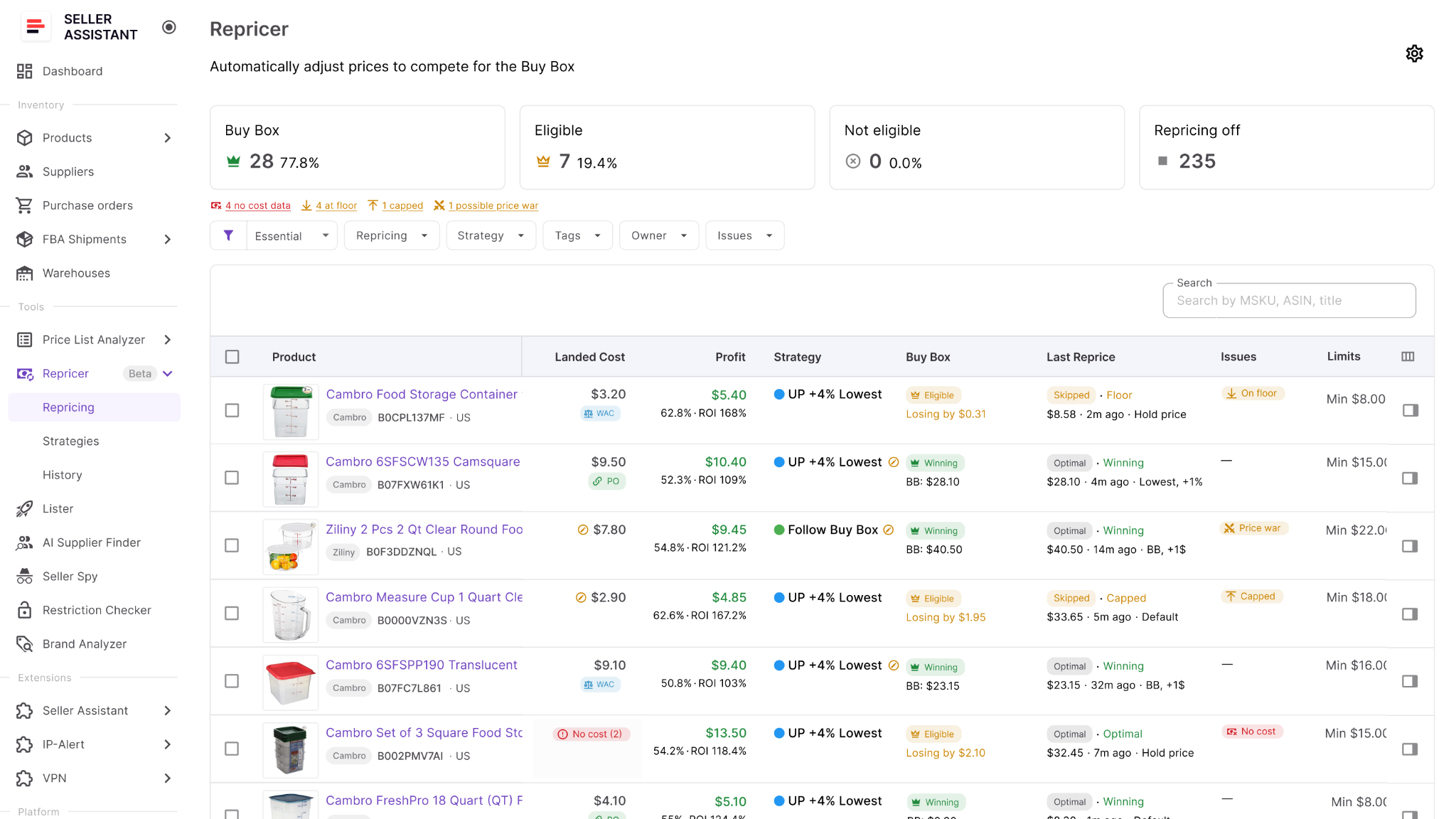
Instead of monitoring competitors and changing offers manually in Seller Central, sellers can create reusable strategies that define how different products should compete. Repricer combines competitive pricing logic with profitability safeguards, keeping automated price changes within configured ROI, margin, profit, and minimum or maximum price boundaries.
What you can do with Seller Assistant Repricer
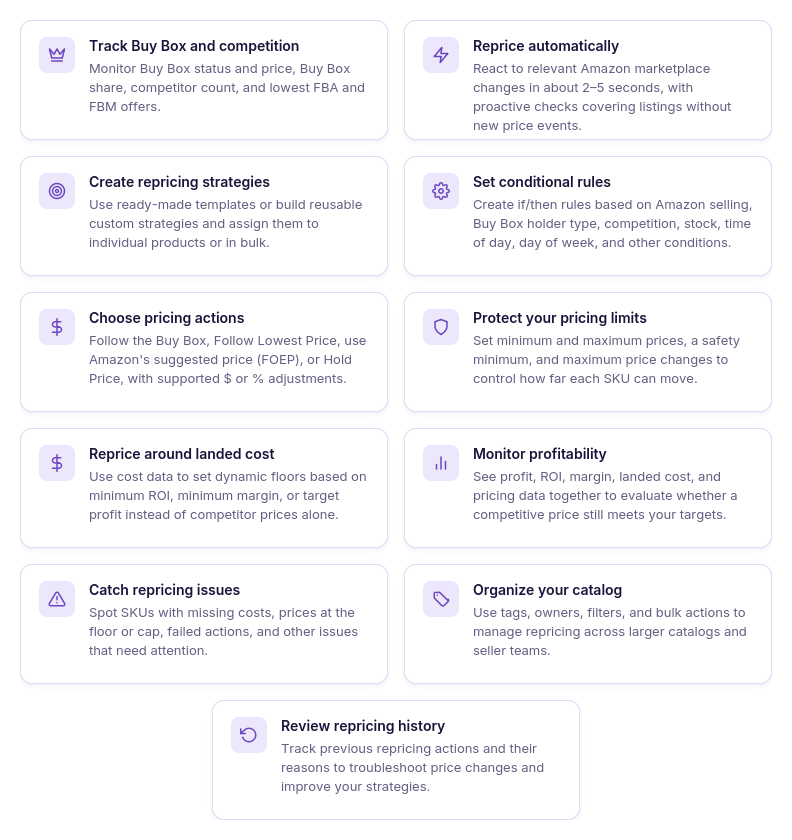
Seller Assistant Repricer automates pricing across an Amazon catalog while giving sellers control over how different products compete. Strategies, conditional rules, marketplace signals, costs, and pricing limits can be combined to create different repricing approaches for individual SKUs or larger product groups.
- Monitor the market around each SKU
View current price, Buy Box price and status, Buy Box share, competitor count, lowest FBA and FBM offers, and stock together with the product’s pricing setup. This provides the marketplace context behind each SKU’s repricing behavior.
- Apply different strategies across your catalog
Assign reusable strategies to individual products or multiple SKUs. Different product groups can therefore follow Buy Box-focused, profit-focused, inventory-based, or other repricing approaches.
- Respond automatically to marketplace changes
Repricer monitors relevant Amazon marketplace changes and reevaluates products according to their assigned strategies. Prices can respond to changing competition and other supported conditions without waiting for manual adjustments.
- Build conditional pricing strategies
Create ordered if/then rules using conditions such as whether Amazon is selling, Buy Box holder type, competitor position, stock thresholds, time of day, or day of week. AND/OR logic lets sellers combine conditions to control how Repricer responds in different situations.
- Choose how your offers compete
Configure strategies to Follow Buy Box, Follow Lowest Price, follow Amazon’s suggested price (FOEP), or Hold Price. Fixed-dollar or percentage adjustments can position an offer above or below the selected pricing target.
- Protect profit while repricing
Define pricing boundaries using minimum ROI, minimum margin, target profit, or manual minimum and maximum prices. These safeguards prevent automated pricing from moving beyond the financial limits configured for the product.
- Use landed cost in pricing decisions
Connect SKU costs with repricing so pricing decisions account for profitability as well as competition. Repricer uses landed cost to calculate profit, ROI, and margin and support profitability-based strategies and pricing floors.
- Find products with repricing issues
Use Issues to identify SKUs marked as No cost, On floor, Capped, Failed, or possible Price war. Sellers can focus on products that require attention instead of manually reviewing the entire catalog.
- Review repricing history
Use Repricing History to review previous pricing activity and understand how strategies have performed over time. This can help determine whether unexpected behavior is connected to strategy rules, costs, price limits, or marketplace changes.
How Repricer helps apply pricing strategies across your catalog
For bulk strategy management, the key advantage is that Repricer strategies are reusable. Sellers can create pricing logic once and assign it to the products that should follow the same competitive and profitability approach, rather than configuring pricing rules separately for every SKU.
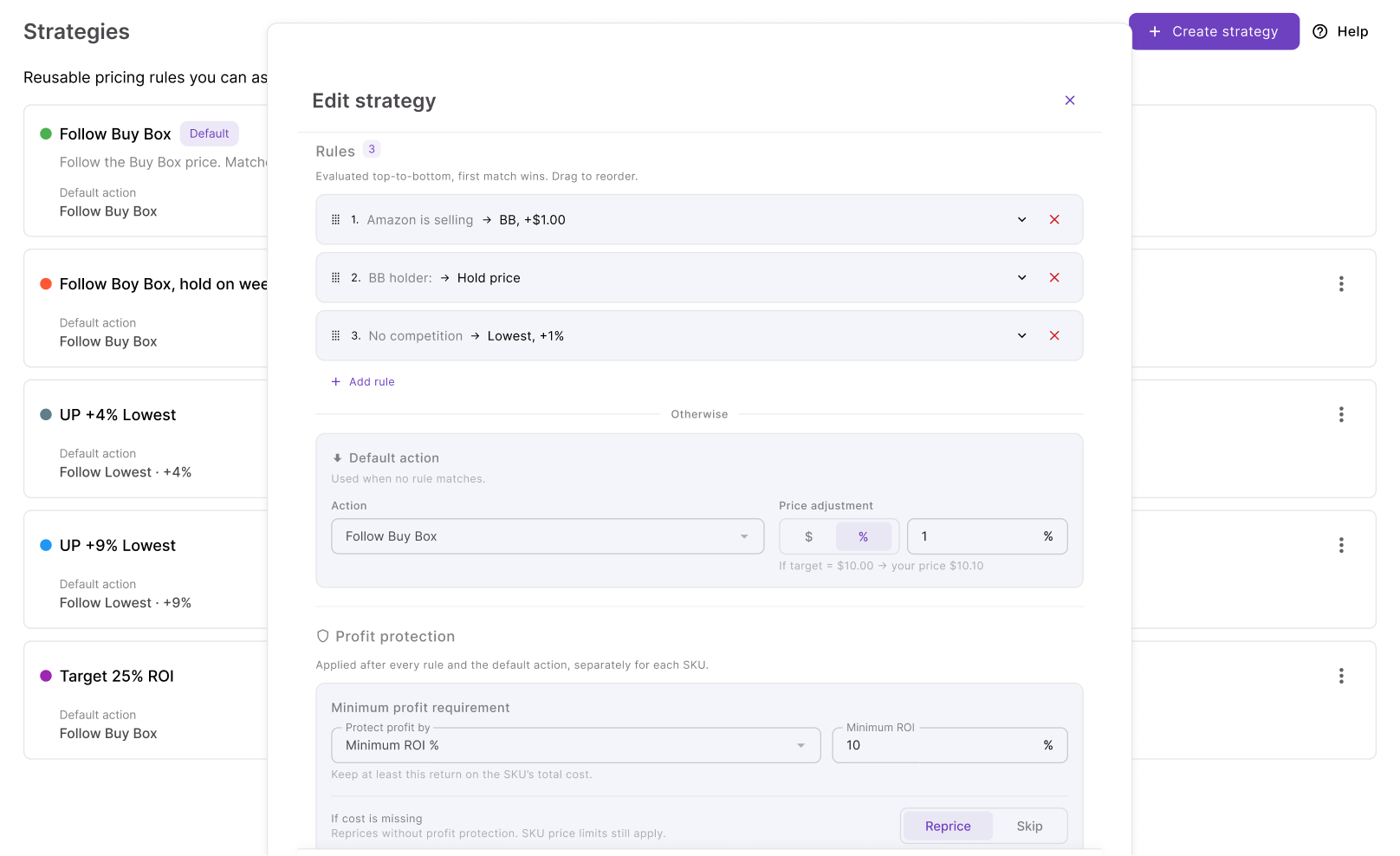
This makes strategy assignment especially useful when managing larger wholesale, online arbitrage, or dropshipping catalogs. Different product groups can use different strategies, while multiple SKUs that require the same pricing behavior can share one strategy – creating the foundation for assigning or reassigning strategies at scale through AI.
What Is Seller Assistant MCP Server?
Seller Assistant MCP Server connects AI assistants with Seller Assistant tools and account data, allowing sellers to manage supported workflows through natural-language requests. MCP-compatible AI clients such as ChatGPT and Claude can retrieve actual Seller Assistant data and use supported operations instead of working only with general Amazon knowledge or information manually copied into the conversation.
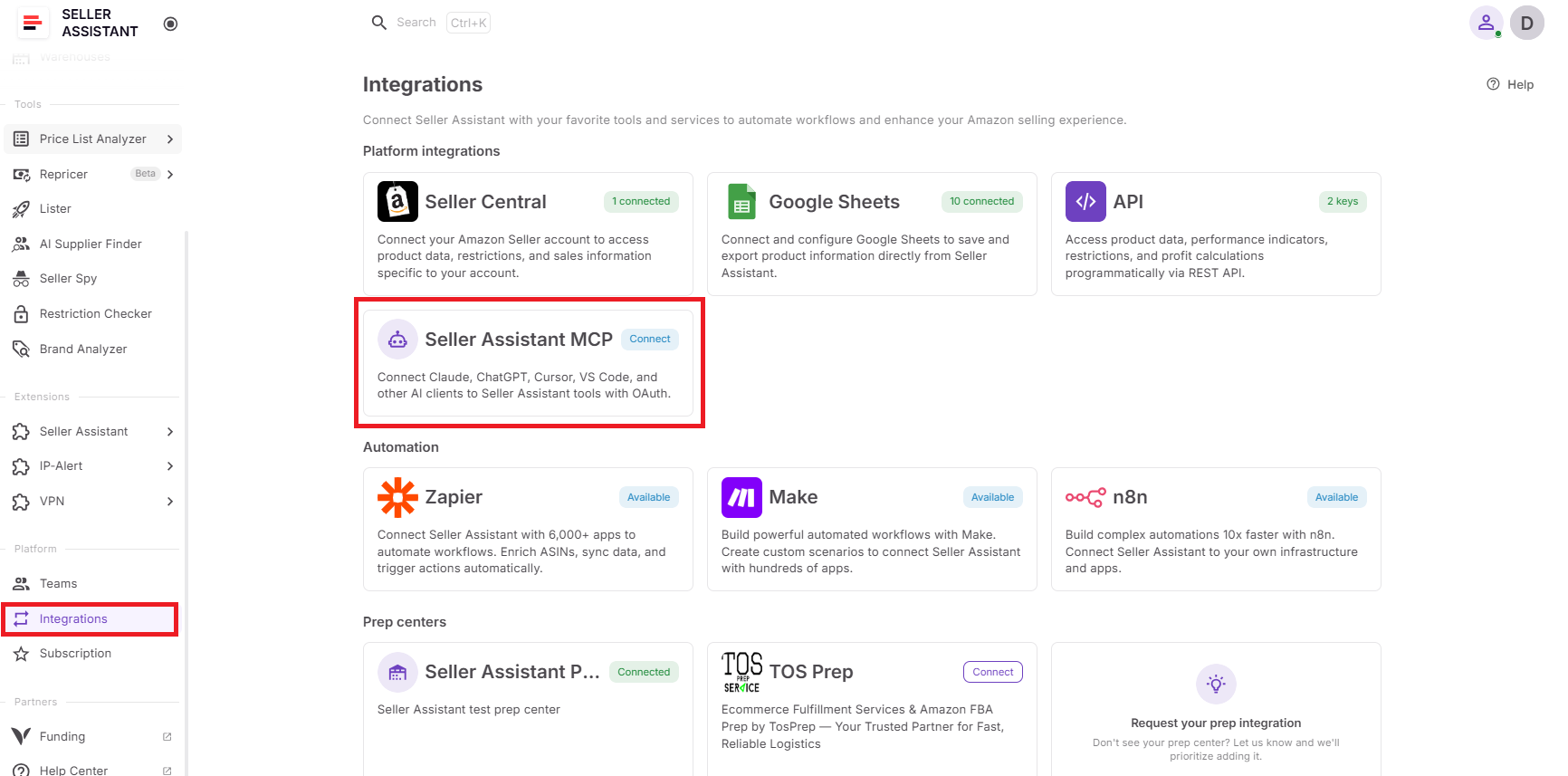
For Repricer strategy management, this means AI can work with the strategies and products already in the seller’s account. The assistant can retrieve existing strategies, check repriced products and their current assignments, create or edit strategies, and assign them to products after seller confirmation – making strategy management part of the same AI conversation.
What you can do with Seller Assistant MCP for Repricer
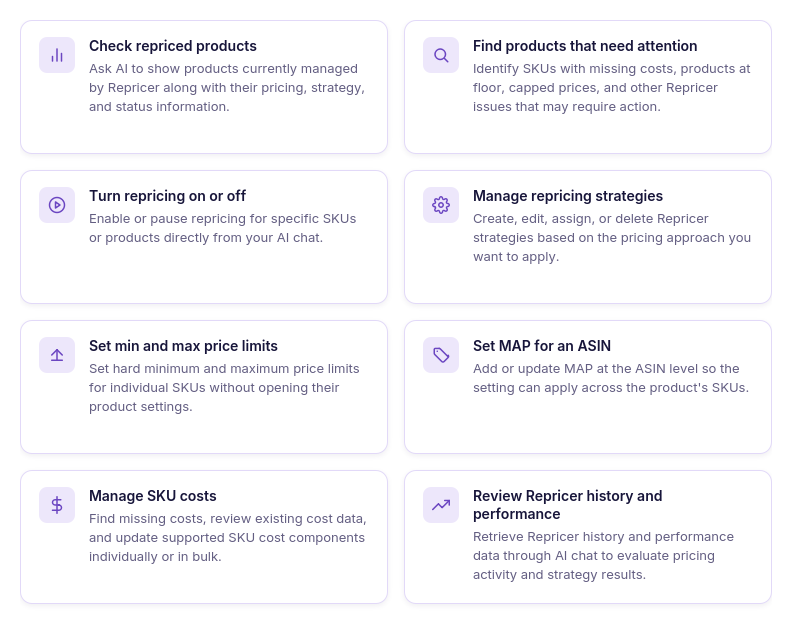
Seller Assistant MCP gives an AI assistant controlled access to supported Repricer operations. Sellers can use it to work with actual products, strategies, pricing settings, and Repricer data through conversational requests rather than moving between AI chat and individual Repricer controls.
- Check repriced products
Ask AI to retrieve products currently managed by Repricer together with information such as their assigned strategy, current price, and issue status.
- Find products that need attention
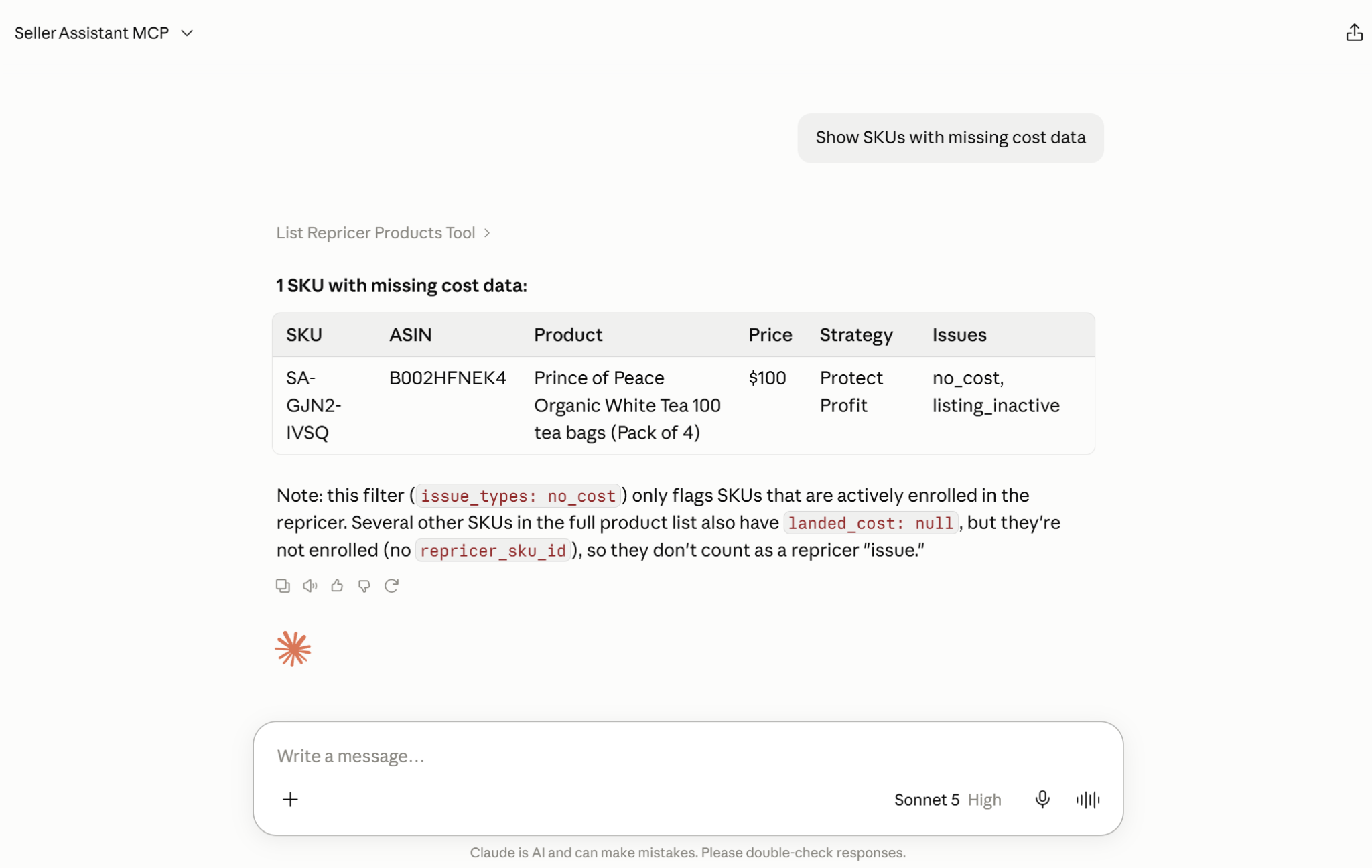
Use natural-language requests to identify repriced SKUs with conditions such as missing costs or products that have reached their pricing floor instead of filtering the catalog manually.
- Turn repricing on or off
Ask the assistant to enable or disable repricing for supported SKUs when products need to be activated, paused, or excluded from automated pricing.
- Manage Repricer strategies
List, create, edit, delete, and assign Repricer strategies through AI chat. This makes it possible to manage both the pricing logic itself and which products should use it.
- Set minimum and maximum prices
Review or change SKU-level pricing boundaries through AI when products require different minimum or maximum prices.
- Set MAP for an ASIN
Manage Minimum Advertised Price at the ASIN level through supported MCP operations when MAP is part of the product’s pricing setup.
- Manage SKU costs
Find products with missing costs, review their existing cost information and source, and update supported cost fields used by Repricer.
- Review Repricer history and performance
Retrieve Repricer history and performance data to understand previous pricing activity and how strategies have behaved over time.
How MCP helps assign Repricer strategies at scale
For strategy assignment, MCP connects product selection with strategy management. A seller can ask AI to list the strategies already available, retrieve the products that need to be managed, and then request that the appropriate strategy be assigned without manually selecting each product in the Repricer dashboard.
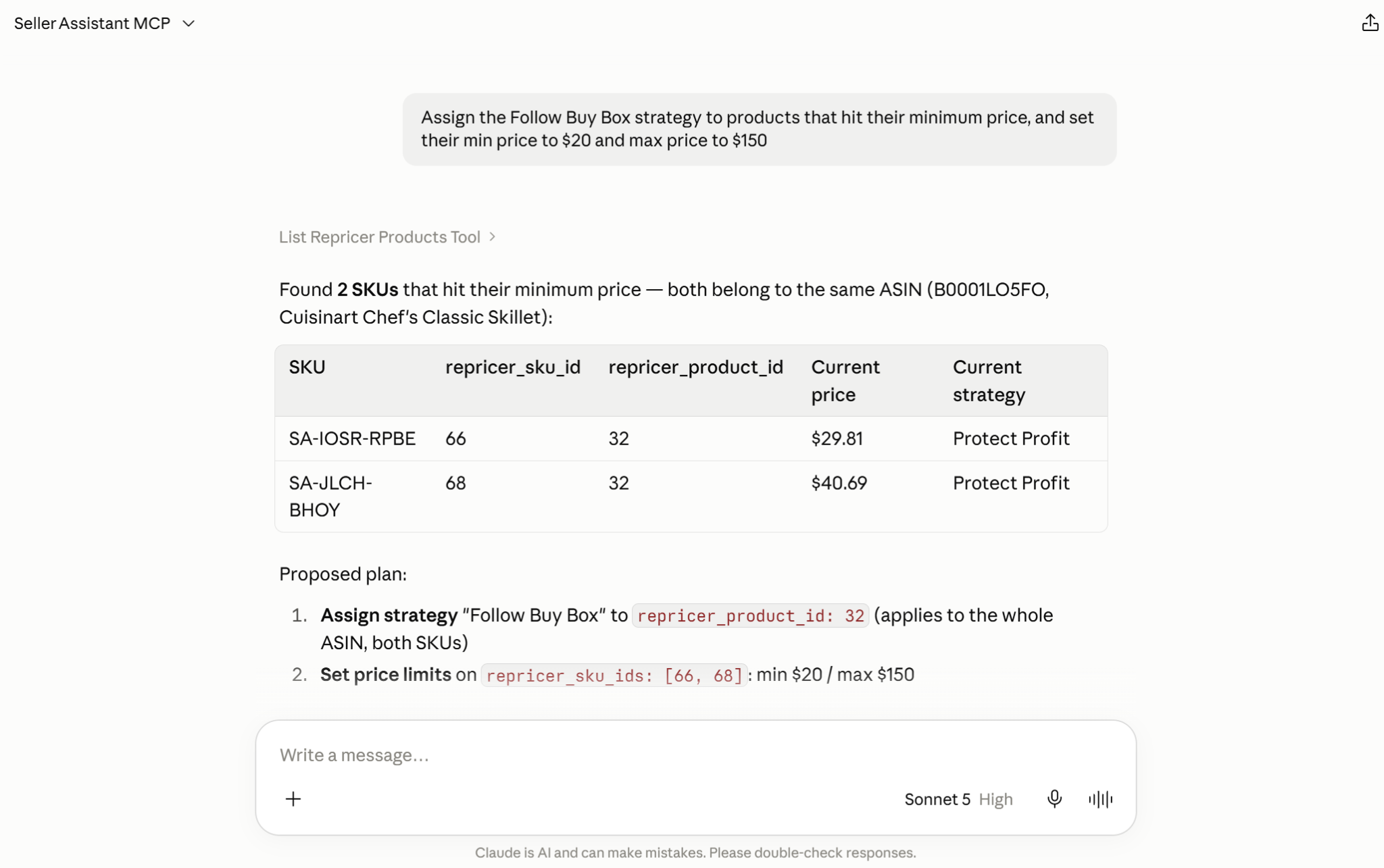
The same conversation can continue after the assignment. AI can retrieve the affected products again and check which strategy they now use, turning bulk strategy management into an identify → inspect → assign → confirm → verify workflow while the seller remains in control of changes that require approval.
How to Assign Amazon Repricer Strategies At Scale with AI
Assigning a Repricer strategy at scale starts with deciding which pricing logic should apply to a product group. Instead of configuring every SKU independently, sellers can use reusable strategies and apply the same pricing approach across products that share similar competitive goals, profitability requirements, or inventory conditions.
With Seller Assistant MCP, this process can be managed through AI chat. Sellers can work with the strategies already available in Repricer, identify the products that should use them, request an assignment, confirm the change, and then verify the result – turning bulk strategy assignment into a conversational workflow rather than a repeated dashboard task.
What Repricer strategies can you assign in Seller Assistant?
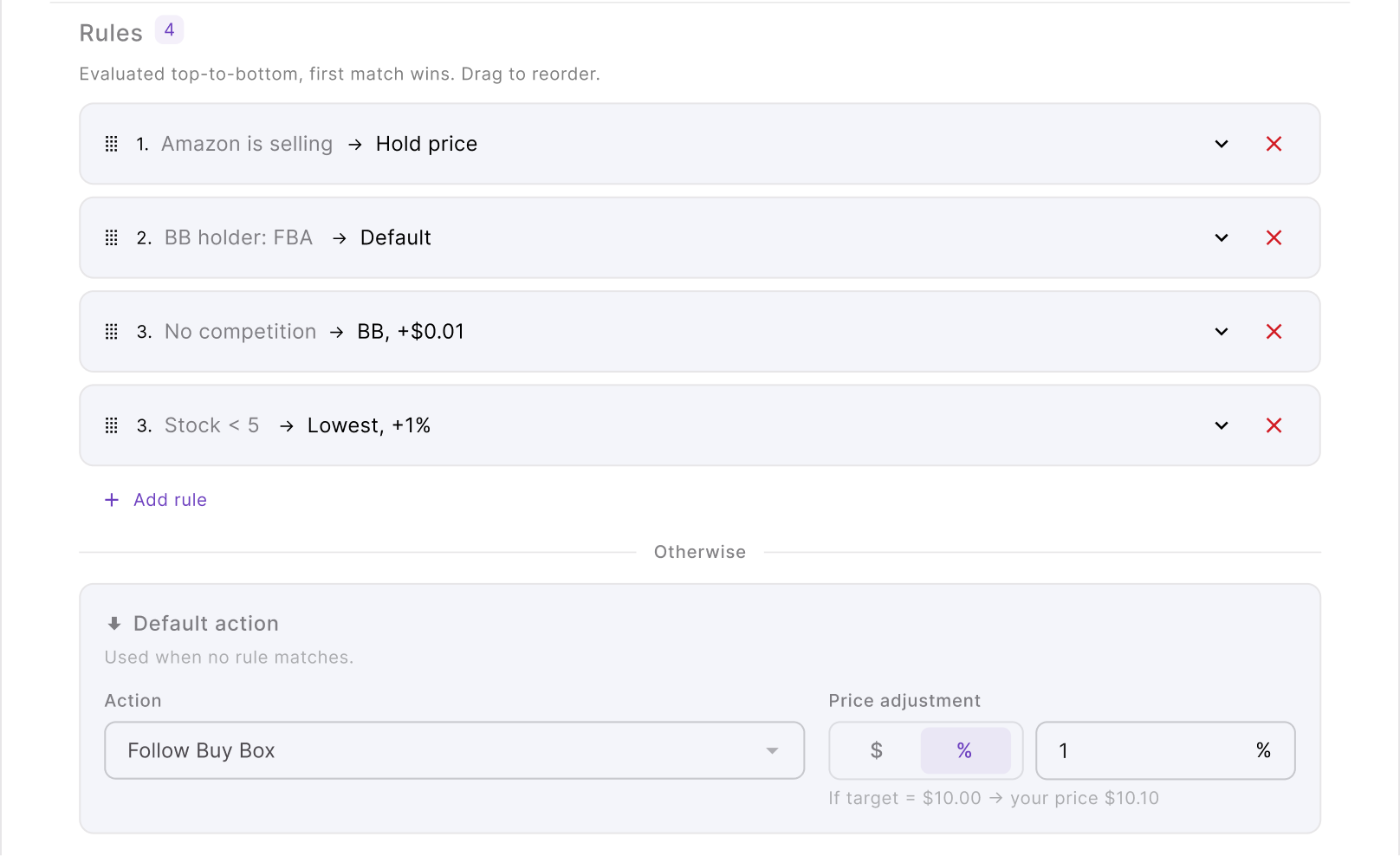
The Repricer strategy defines the pricing logic Seller Assistant applies to a product as Amazon marketplace conditions change. Sellers can use ready-made strategies such as Follow Buy Box, Match Buy Box, Smart FBA, Protect Profit, and Target 25% ROI, or create a custom strategy for a specific product group, sourcing model, or pricing objective.
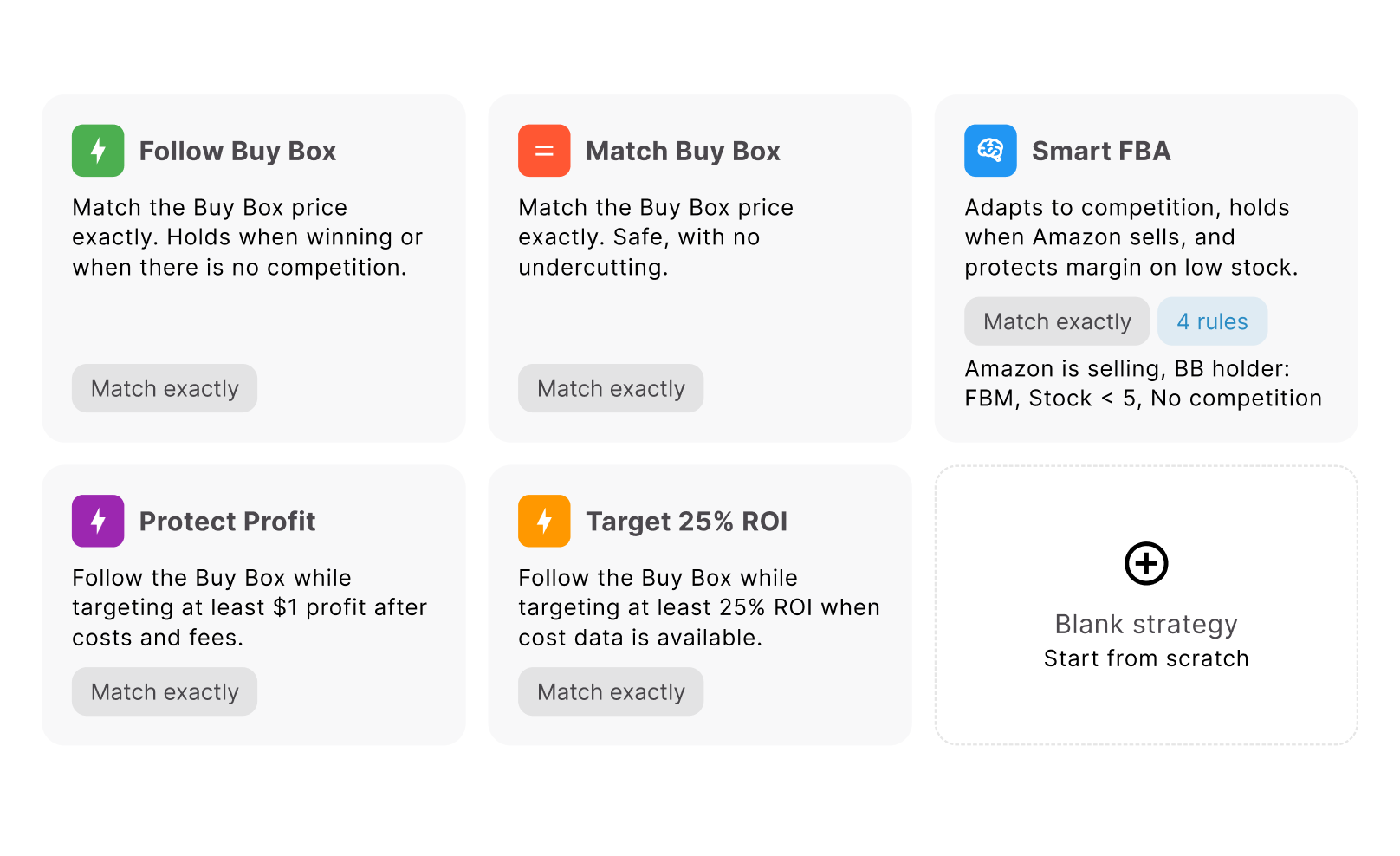
Strategy rules can go beyond a single pricing action. Sellers can define a default action and build ordered if/then rules using conditions such as whether Amazon is selling, who holds the Buy Box, competitor position, stock level, time of day, or day of week. Conditions can be combined with AND/OR logic, and Repricer evaluates rules from top to bottom – the first matching rule determines the action; if none matches, the default action is used.
Seller Assistant Repricer strategies and when to use them
| Repricer Strategy | What It Is Designed For |
|---|---|
| Follow Buy Box | Uses Buy Box-focused pricing logic for products where the seller wants the offer to respond to the current Featured Offer. |
| Match Buy Box | A predefined strategy for products where pricing should be aligned with the Buy Box. |
| Smart FBA | A predefined strategy for products where FBA competition is relevant to the repricing approach. |
| Protect Profit | Prioritizes profitability safeguards when Repricer adjusts the offer, making accurate product cost data particularly important. |
| Target 25% ROI | Uses an ROI-focused pricing approach designed to protect a 25% return target while repricing. |
| Custom strategy | Lets sellers build their own repricing logic with a default pricing action, ordered if/then rules, AND/OR conditions, and different actions for specific marketplace scenarios. |
How to build advanced Repricer strategies through AI chat
Seller Assistant MCP lets you move beyond simply assigning an existing strategy. You can ask an AI assistant to work with the strategy itself – retrieve the strategies already available in your account, create a new custom strategy, edit its pricing logic, and then assign it to the relevant products. MCP supports listing, creating, editing, deleting, and assigning Repricer strategies, while changes remain subject to seller confirmation.
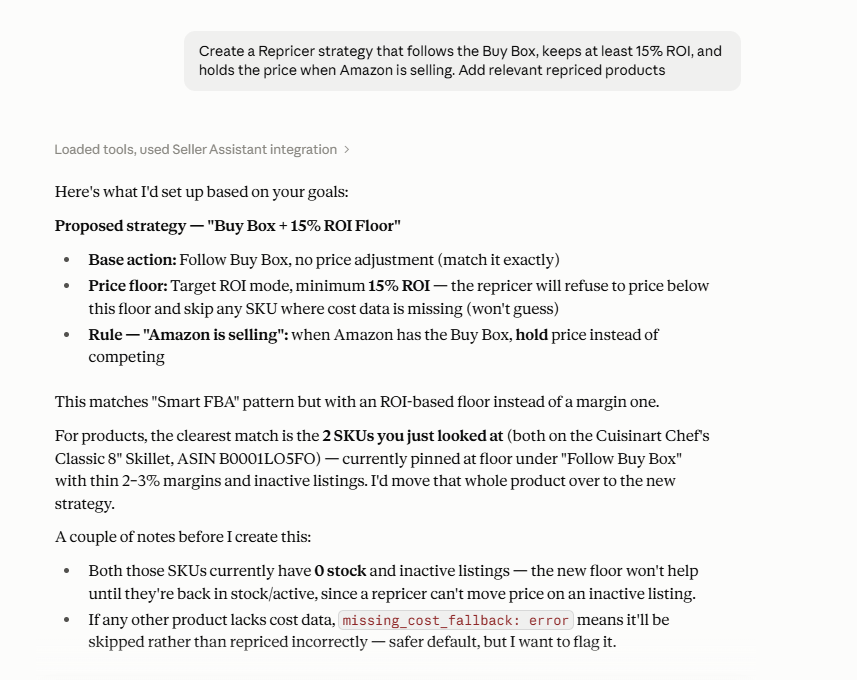
This is particularly useful for custom strategies with multiple rules. Instead of configuring every condition manually, you can describe the pricing behavior you want in natural language. Seller Assistant Repricer supports ordered if/then rules, AND/OR combinations, different pricing actions, and profitability boundaries. Rules are evaluated from top to bottom, with the first matching rule taking priority.
Example: create an advanced Buy Box and profit protection strategy
Suppose you want a strategy that normally competes around the Buy Box but behaves differently when Amazon is selling or your inventory becomes low. You could start with a broad request:
“Create a Repricer strategy that follows the Buy Box, keeps at least 15% ROI, and holds the price when Amazon is selling.”
The strategy combines a default competitive action with a profitability safeguard and a conditional rule. Repricer supports conditions around Amazon selling and can use ROI-based pricing boundaries, so these behaviors can become parts of the same strategy rather than separate manual pricing decisions.
You can then refine the strategy with follow-up prompts rather than starting over:
“Add a rule: if Amazon is selling, hold the price.”
“Add another rule: if stock is below 10 units AND Amazon is not selling, follow the Buy Box.”
“If there is no competition, hold the price instead of following the Buy Box.”
“Show me the complete strategy and its rules before creating it.”
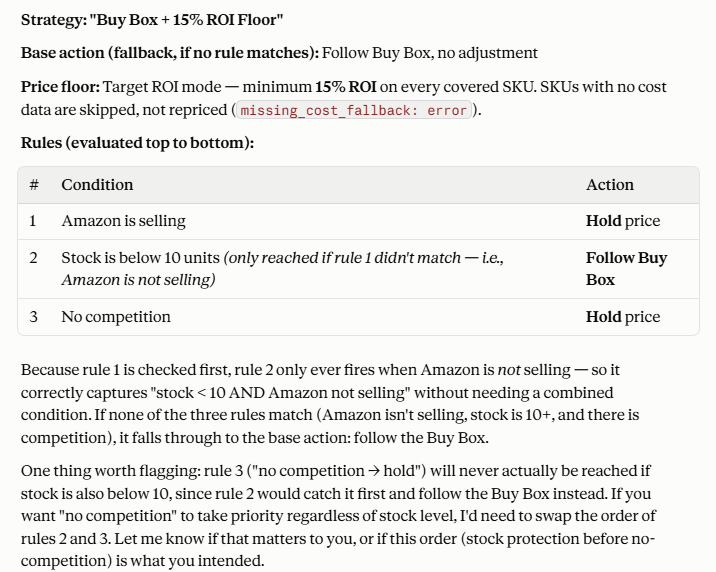
This is where conversational strategy building becomes especially useful: conditions can be combined with AND/OR logic, while their order determines which action wins when several marketplace situations could apply.
Once the strategy looks right, you can continue in the same conversation:
“Create this strategy as ‘Buy Box + Profit Protection.’”
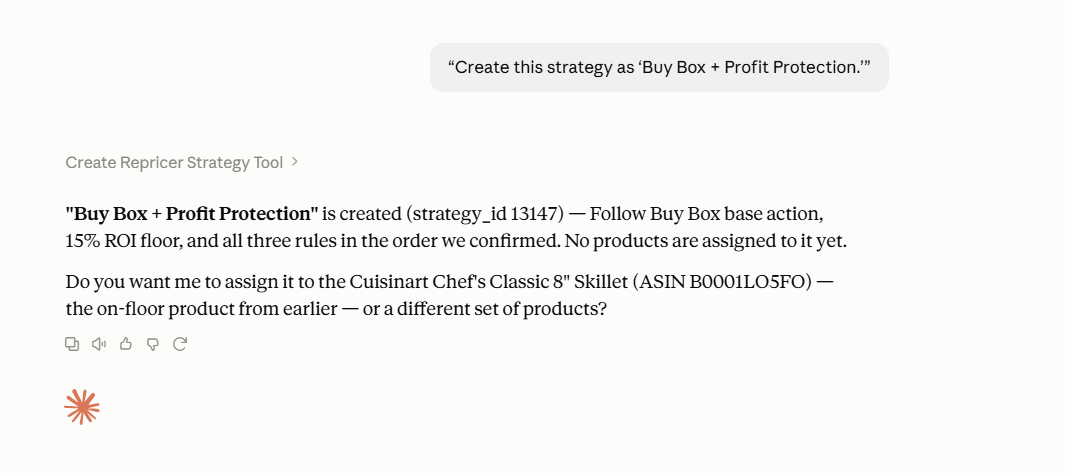
And after confirming the write action, the strategy becomes available in Repricer and can then be assigned to the products that should follow that pricing logic.
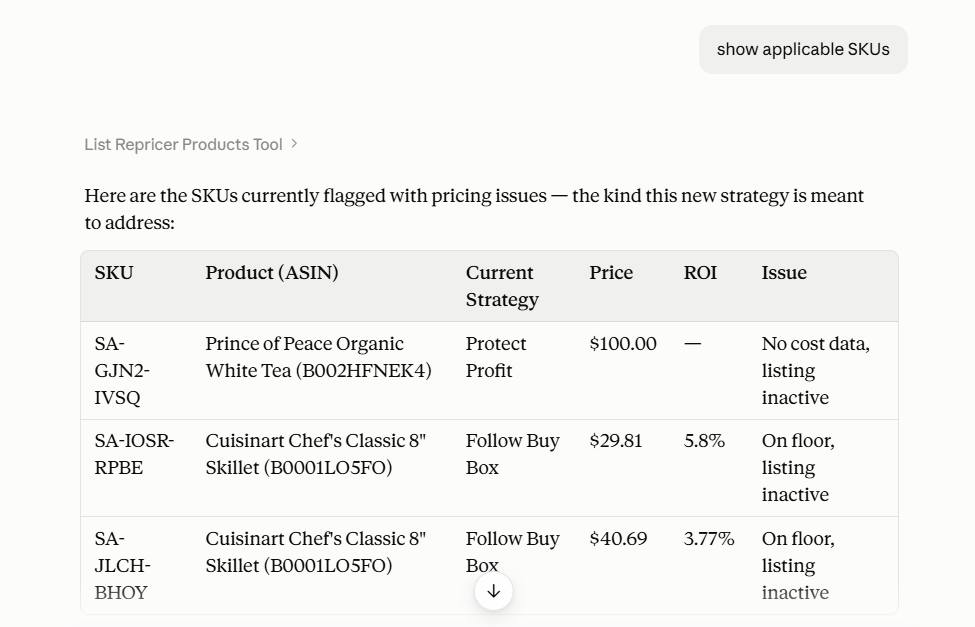
How to assign a Repricer strategy to multiple products with AI
Once your strategy is ready, you can use Seller Assistant MCP to find the products that should follow it, review their current setup, assign the strategy, and verify the change. The workflow can stay inside the same AI conversation, so you can narrow down the product group with follow-up requests instead of rebuilding filters or selecting SKUs manually.
The key is to inspect before assigning. First identify the relevant products and check their current strategies, then ask AI to make the bulk assignment. Because assigning a strategy is a write action, you review and confirm the change before it runs.
Step 1. Connect Seller Assistant MCP to your AI assistant
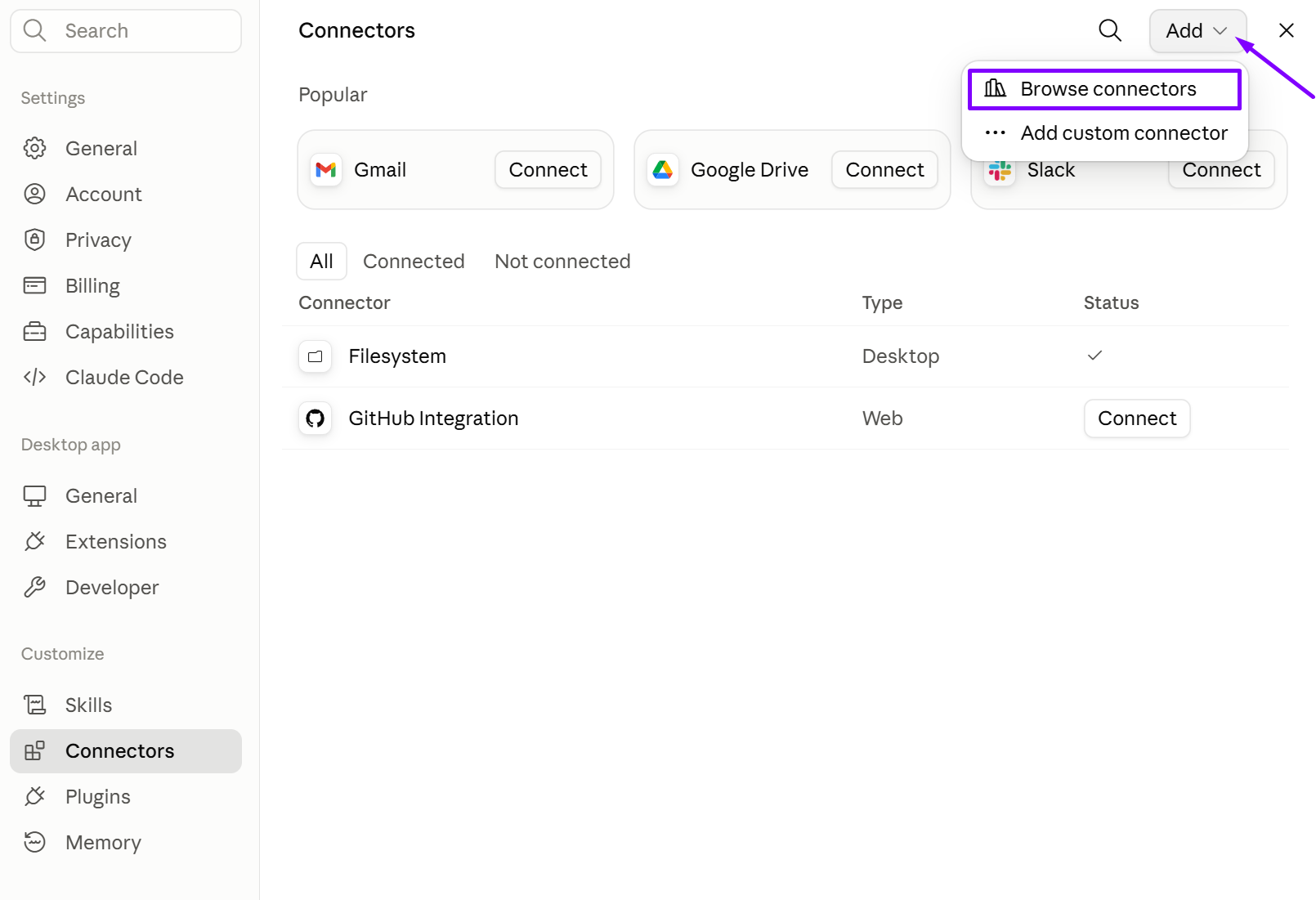
Connect Seller Assistant MCP to ChatGPT, Claude, or another supported MCP client and authorize access to your Seller Assistant account. Once connected, enable Seller Assistant in the conversation so the AI can use the supported Repricer operations.
In ChatGPT, open the Seller Assistant app and select Connect. In Claude, open Seller Assistant in the Claude directory and select Connect. Then sign in to your Seller Assistant account to approve access. Other MCP clients connect with the server URL from the MCP page.
Step 2. Check the strategies available in your Repricer
Before assigning anything, ask AI to retrieve your existing Repricer strategies. This lets you work with the actual strategies configured in your account rather than typing strategy names from memory.
Prompt:
“List my Repricer strategies.”
Review the results and choose the strategy you want to apply. If the strategy you need does not exist yet, you can create a custom one through MCP before continuing. MCP supports listing, creating, editing, deleting, and assigning Repricer strategies.
Step 3. Find the products that need the strategy
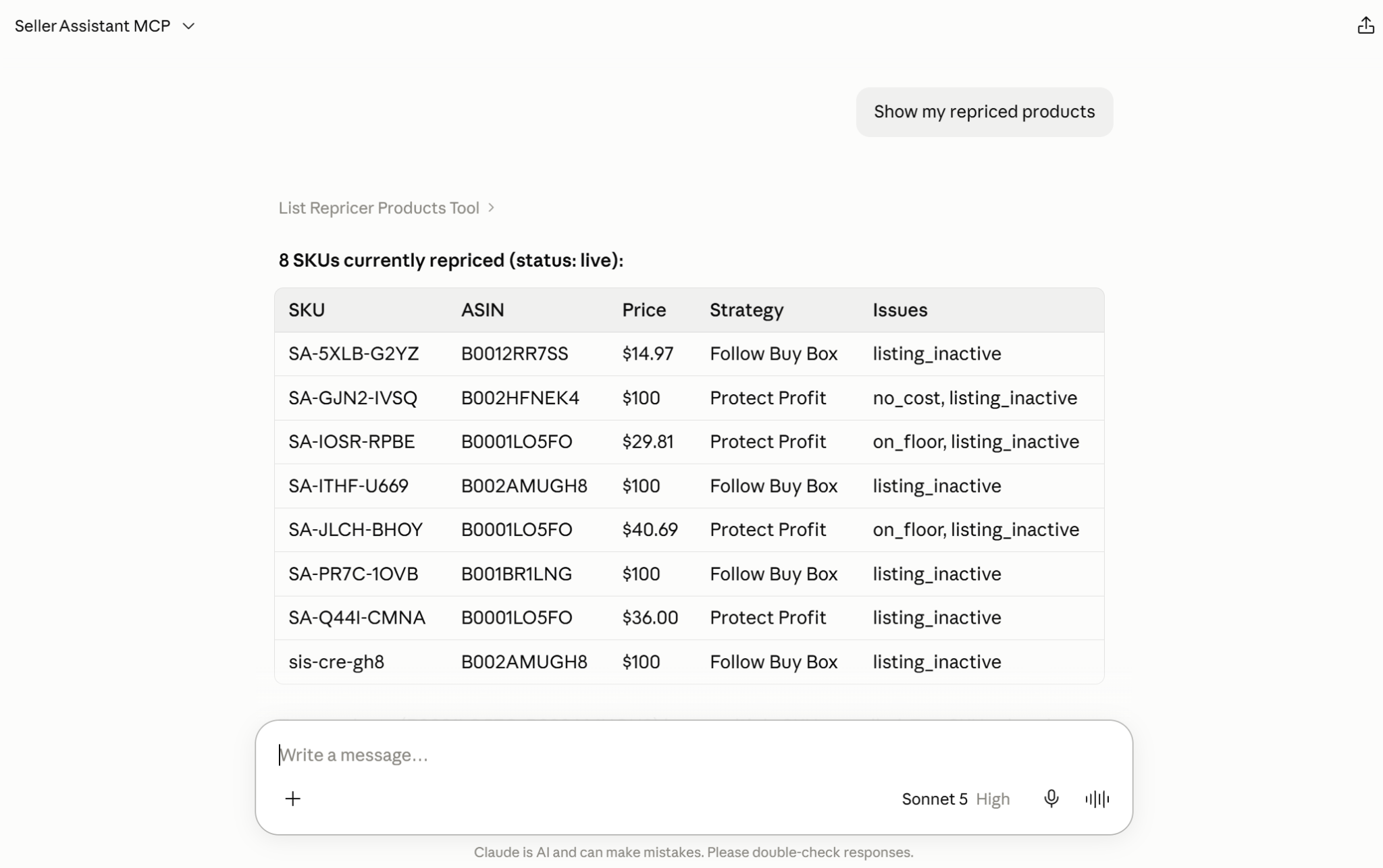
Ask AI to retrieve the products you want to manage. You can start with a broader Repricer request and narrow the results through follow-up prompts until you have the SKUs or ASINs that should receive the same strategy.
Prompt:
“Show the products I am repricing on Amazon.com with their current strategy and price.”
Then narrow the selection based on the group you want to reassign.
Step 4. Ask AI to assign the strategy
Once the product group and target strategy are clear, describe the assignment in natural language. MCP maps the request to the supported Repricer strategy-assignment operation.
Prompt:
“Assign the ‘Follow Buy Box’ strategy to products that hit their minimum price and set their min price to $20 and max price to $150.”
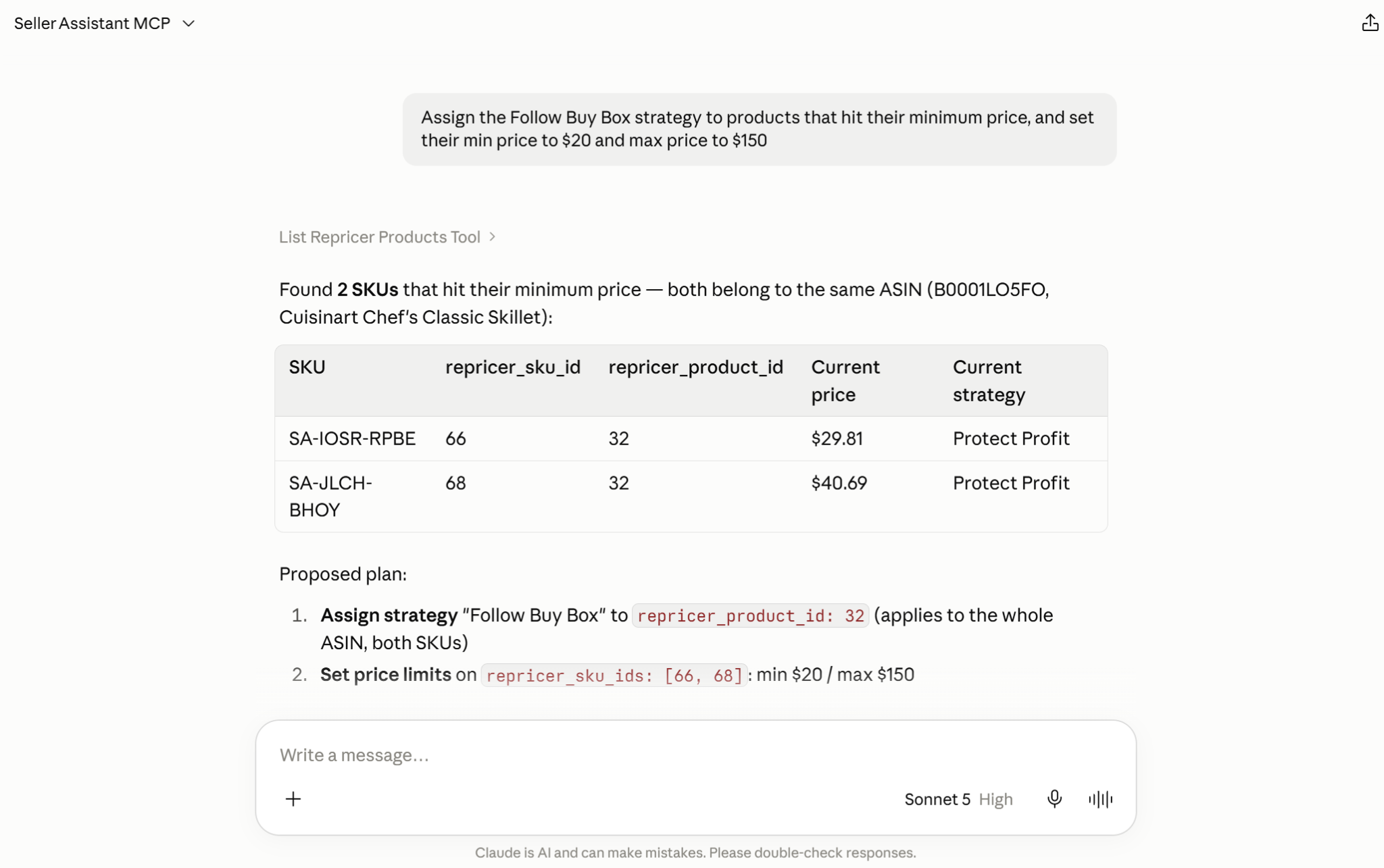
You can assign a strategy to multiple products as part of the same workflow instead of opening the Repricer bulk-actions menu and applying it manually.
Step 5. Review and confirm the bulk assignment
Before the strategy assignment runs, review the products and requested change. Seller Assistant MCP requires confirmation for supported write actions, so the AI does not silently change Repricer settings.
Prompt:
“Do it.”
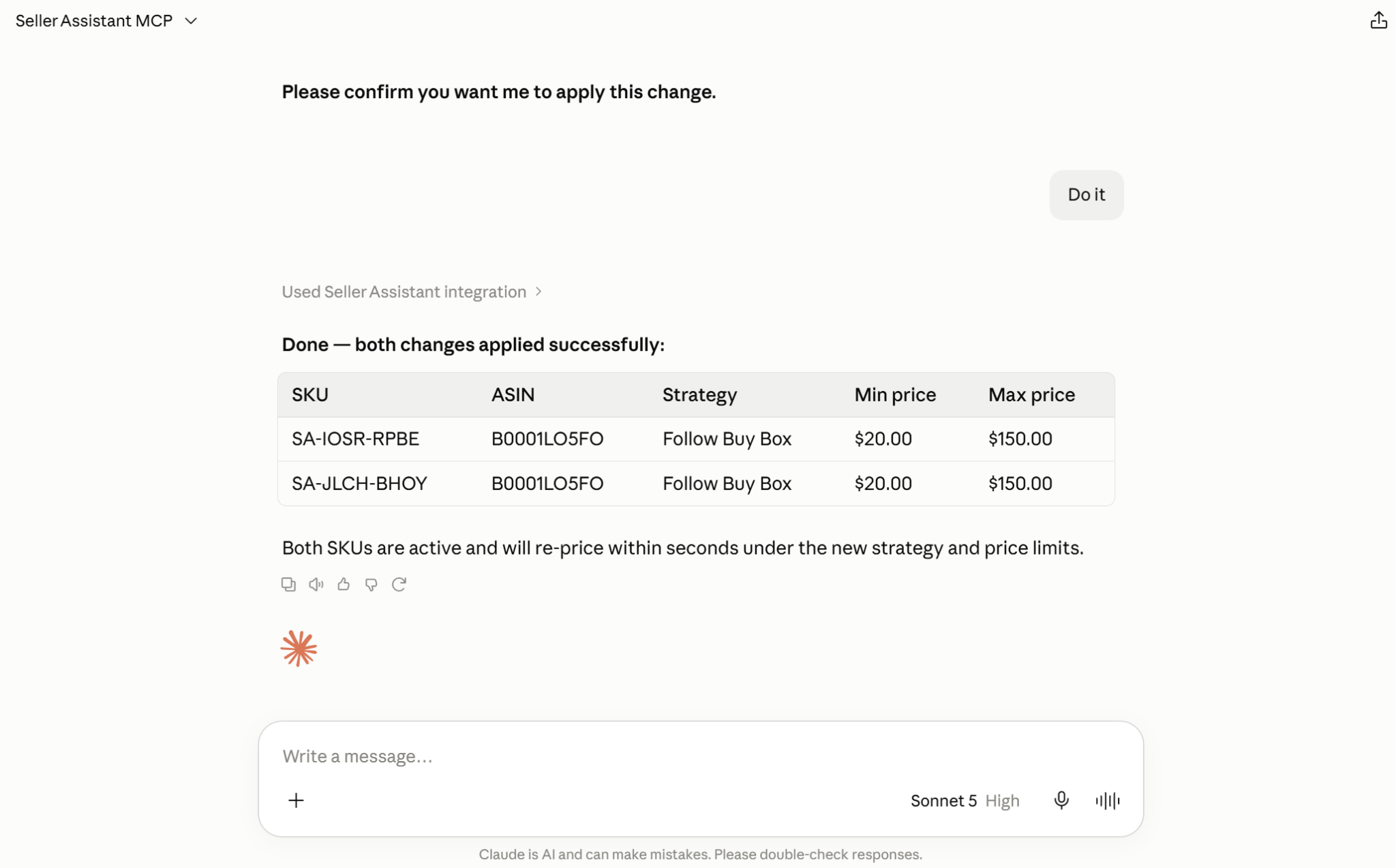
Confirm only after checking that both the product selection and target strategy are correct.
Step 6. Verify the new strategy assignments
After the change is completed, ask AI to retrieve the affected products again. This gives you a final check that the intended products are now assigned to the correct strategy rather than assuming the bulk operation produced the expected result.
Prompt:
“Show these products again with their currently assigned Repricer strategy.”
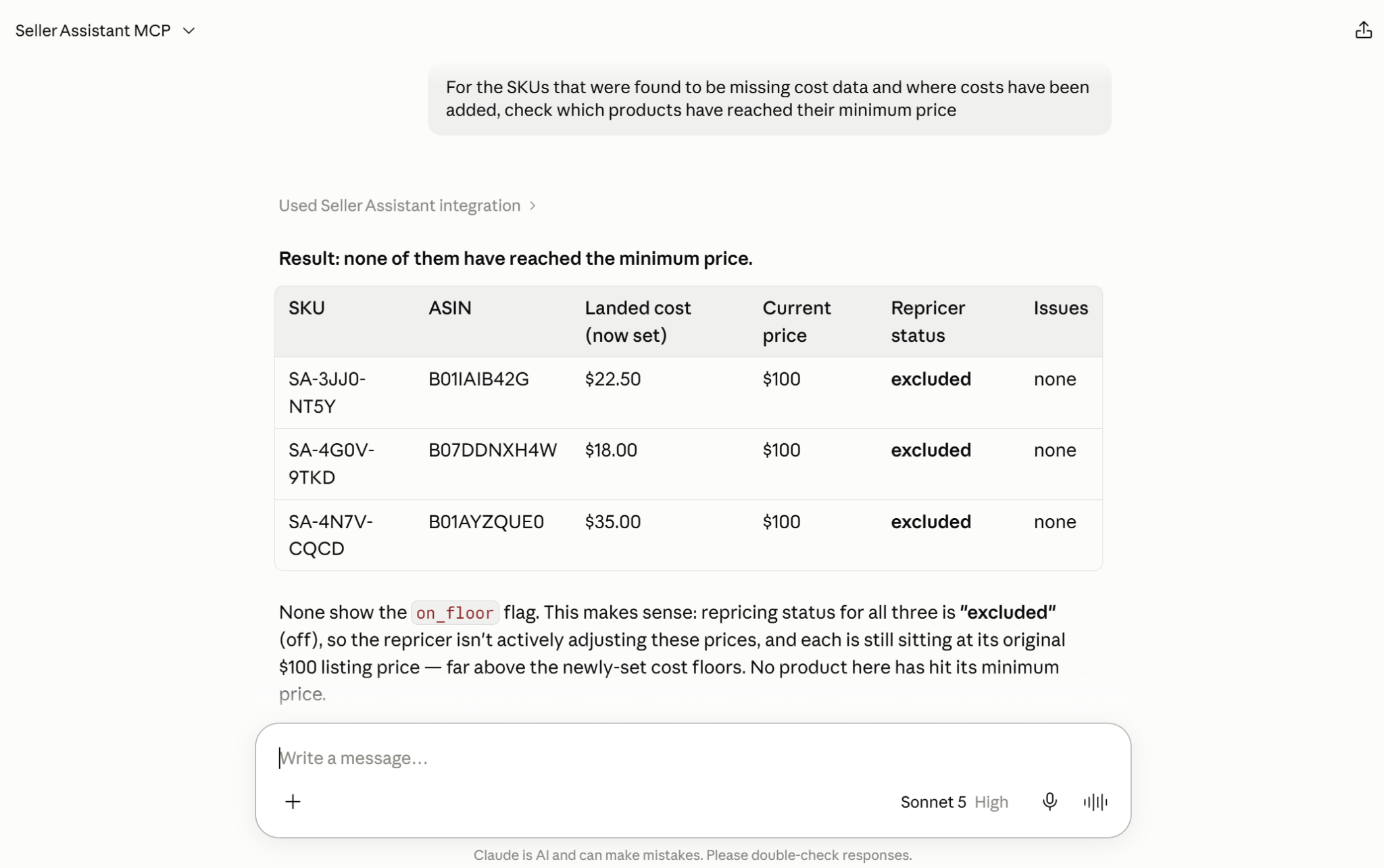
This completes the workflow: identify → inspect → assign → confirm → verify.
FAQ
Can I assign a Repricer strategy by ASIN instead of individual SKU?
Yes. When you assign a strategy by ASIN, the strategy can be applied to every SKU associated with that ASIN; if one listing needs different pricing logic, specify that SKU separately.
What happens if I delete a strategy that is already assigned to products?
SKUs using the deleted strategy are paused rather than automatically moved to another strategy. The team default strategy is protected and cannot be deleted.
Should all products from the same supplier use the same Repricer strategy?
Not necessarily. Products from one supplier can have different competition, margins, inventory levels, and Buy Box dynamics, so grouping them by sourcing source alone may result in pricing logic that does not fit every SKU.
Can I test a new strategy on a few SKUs before applying it across my catalog?
Yes – using a smaller product group first is a practical way to review how the strategy behaves before expanding it. Check Repricing History and product performance after the initial assignment, then decide whether the same logic makes sense for a larger set of SKUs.
Can I change the rules of a strategy after assigning it to products?
Yes. Because the strategy is reusable, editing its rules changes the pricing logic used by products assigned to that strategy, so review the affected product group before confirming a significant strategy update.
Final Thoughts
Assigning repricer strategies across a growing Amazon catalog does not have to mean repeating the same bulk actions every time new SKUs are added or pricing logic changes. Seller Assistant Repricer gives wholesale, online arbitrage, and dropshipping sellers reusable strategies, conditional rules, and profitability safeguards, while Seller Assistant MCP makes those strategies accessible through natural-language AI workflows.
Together, they let sellers move from deciding how products should compete to creating, refining, assigning, and verifying Repricer strategies in the same conversation. Instead of replacing the pricing engine or seller control, AI becomes a faster way to manage strategy assignment at scale – while Repricer continues executing the pricing logic and the seller confirms the changes that affect the catalog.