



With millions of sellers offering products on Amazon, the competition in this marketplace is extraordinary. It’s like entering a huge arena where everyone’s fighting to win. It’s tough, but the key to success lies in understanding your competition.
Competitor analysis helps you price your products fairly and still make a profit. By knowing competitor data, you can make better decisions about your Amazon business and avoid wasting money.
In this guide, we’ll equip you with the essential tools to analyze your competitors and decide which products to sell and which ones to avoid.
What Is Amazon Seller Competitor Analysis?
What Is Amazon Seller Competitor Analysis?
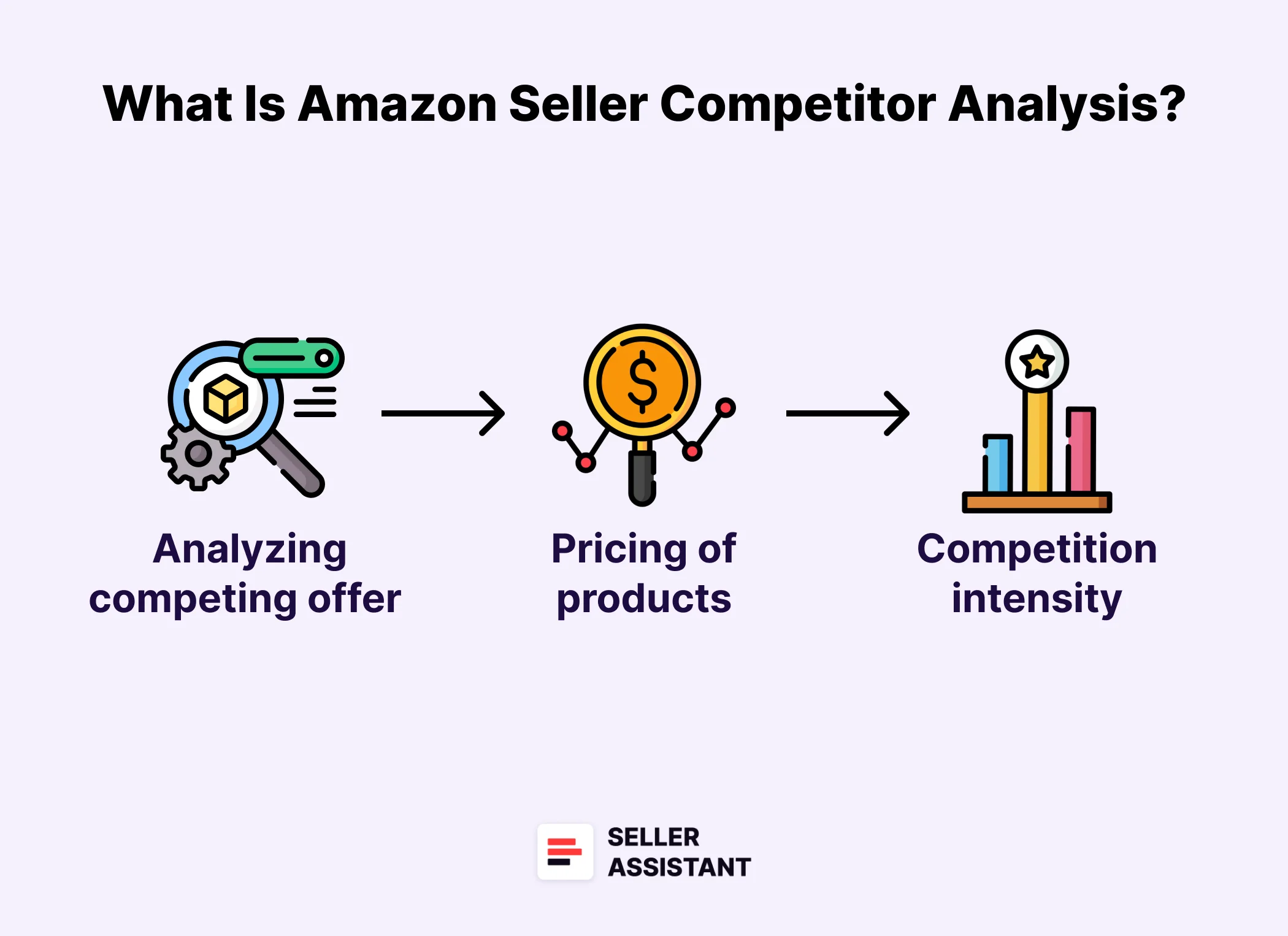
Amazon Seller Competitor Analysis is a strategic process used by sellers to evaluate their Amazon competition. It involves analyzing what competing sellers offer, how they price their products, and how intense is the competition to decide whether the products are worth selling.
The primary goal is to identify profitable deals, optimize pricing, and improve the chances of winning the Buy Box (Featured Offer) – the highly sought-after spot that drives the majority of Amazon sales.
Competitor analysis targets
Competitor analysis targets
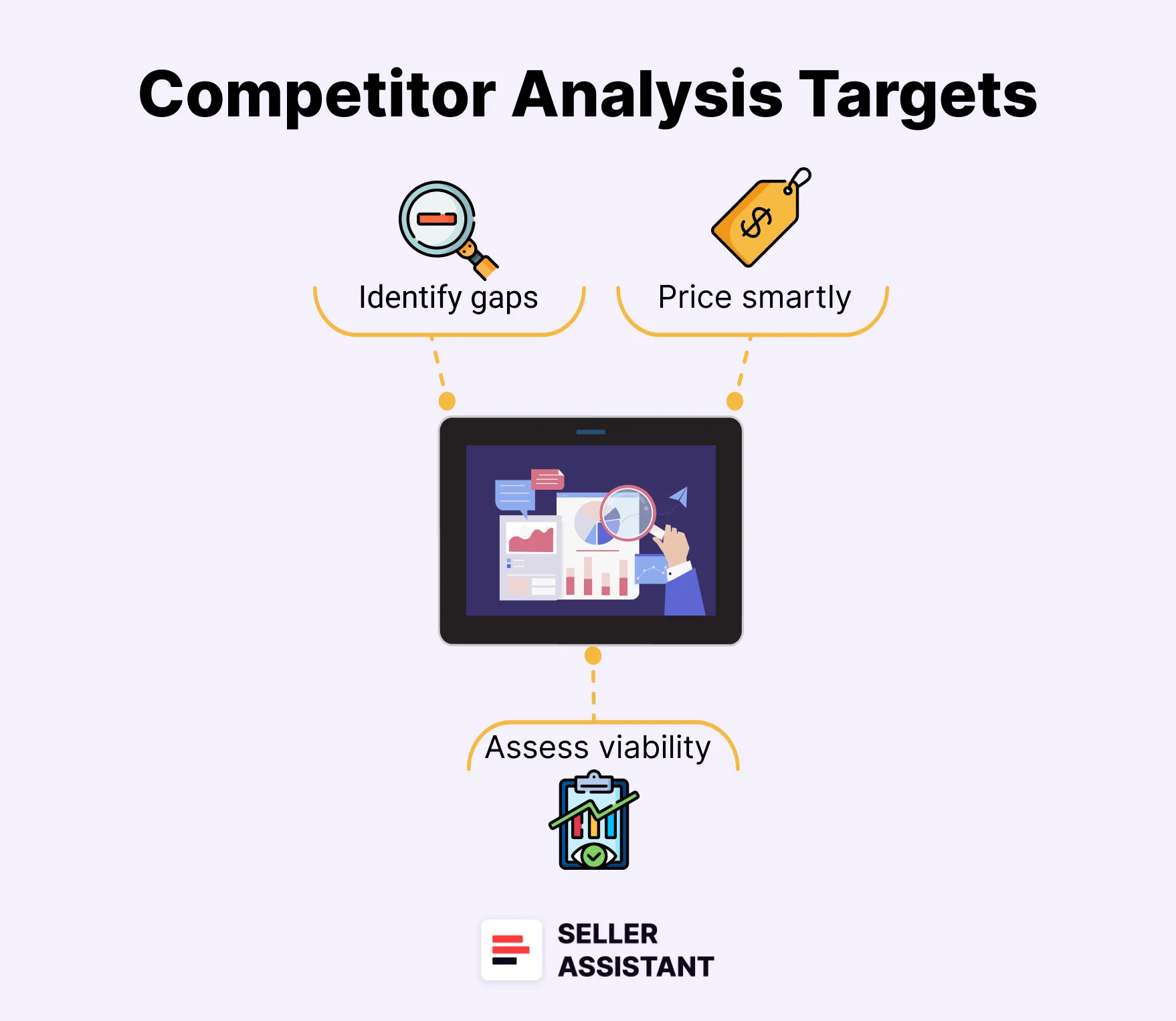
Competitor analysis is essential for Amazon sellers because it helps them do the following.
Identify gaps in product offerings
By studying top competitors, you can find best-selling products they sell but you don’t, allowing you to expand your inventory strategically.
Price smartly
Setting the right price is critical on Amazon. Competitor analysis ensures you don’t overprice (losing sales) or underprice (losing profit) your products.
Assess reselling viability
Before investing in a product, you need to know if it’s worth reselling. This involves checking:
- Competition intensity
Are there too many sellers for this product?
- Does Amazon sell the product?
Competing directly with Amazon is often a losing battle.
- Buy Box potential
If competition is fierce or there is a dominant seller on the listing and you can’t win the Buy Box, making sales will be difficult.
Benefits of Amazon Seller Competitor Analysis
Benefits of Amazon Seller Competitor Analysis
Competitor analysis is an essential part of your Amazon sales process. By understanding what your competitors sell, how they price their products, and how the market evolves, you can make data-driven decisions to grow your sales and maximize profits.
Seller Assistant’s tools, like Seller Spy, Seller Assistant Extension’s Storefront Widget, and Offers features, automate competitor tracking, making it easier to find profitable deals.
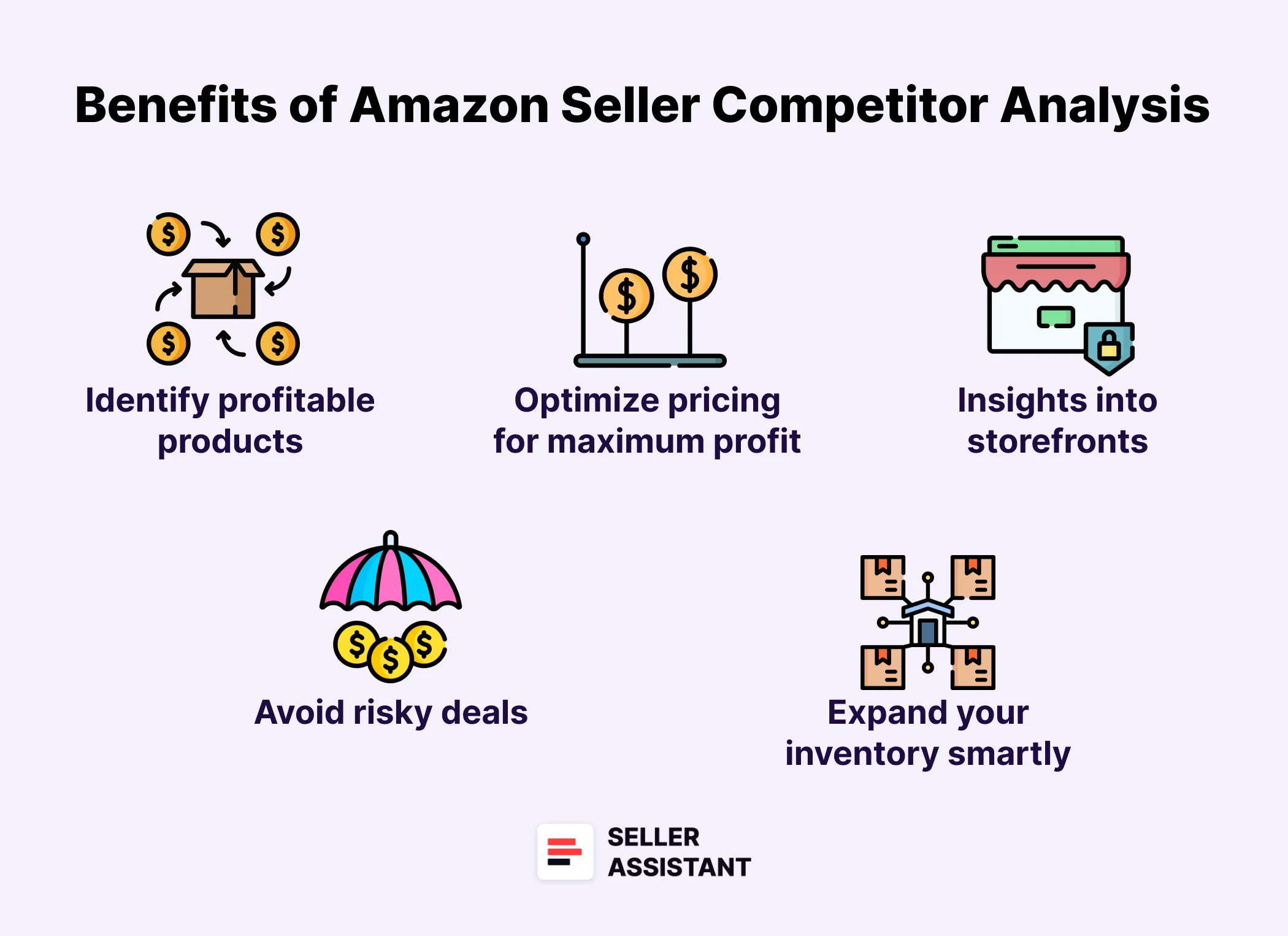
Identify profitable products
Analyzing competitors helps you discover best-selling products that you’re not selling. However, manual competitor analysis is time-consuming. Tools like Seller Spy allow you to automatically track which new brands and products competitors add or remove, helping you expand your inventory with high-demand items.
Optimize pricing for maximum profit
Pricing can make or break your Amazon business. By tracking competitor pricing with Seller Spy, you can ensure your products remain competitive, prevent overpricing (losing sales), and avoid underpricing (losing profits), maximizing your margins.
Gain deep insights into competitor storefronts
With the Storefront Widget, you can quickly analyze competitor storefronts, identifying high-demand, low-competition products. You also get a summary of competitor brands, categories, review counts, and ratings, helping you make informed inventory decisions.
Avoid risky deals
When you do product research to select products for reselling, it’s important to pick products with medium competition (2 to 15 sellers competing on the listing) and avoid items where Amazon is a seller, because it’s very difficult to compete. Also, If there is a dominating seller in the Buy Box, it may mean tough competition.
The Offers feature in Seller Assistant displays all product offers, showing seller count on the listing, Amazon’s presence, and each seller’s Buy Box percentage, helping you estimate your chances of successful sales.
Expand your inventory smartly
By discovering popular products your competitors sell through Seller Spy and Storefront Widget, you can identify gaps in your inventory and add relevant, in-demand products that will increase your sales potential.
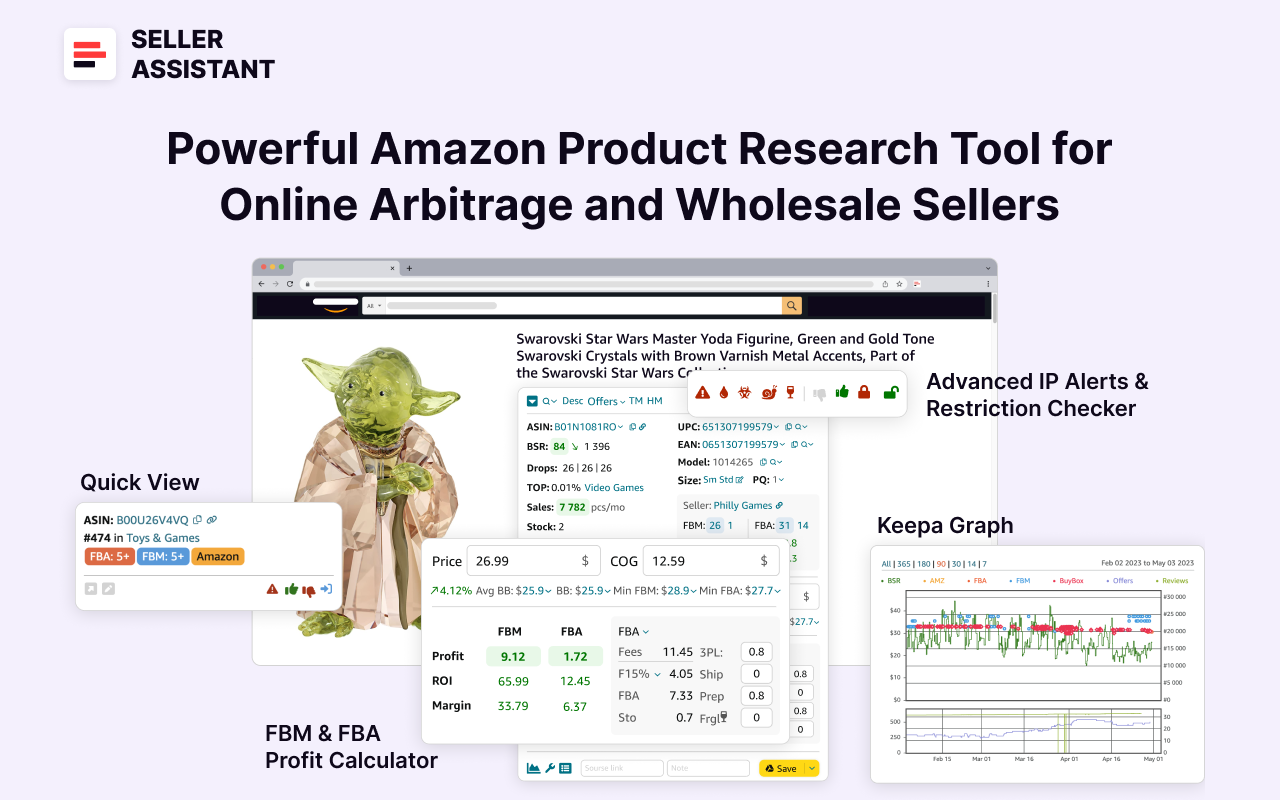
Note. Seller Assistant is all-in-one product-sourcing software offering 20+ tools that helps Amazon sellers quickly find profitable and low-risk deals. It provides you with effective solutions for bulk wholesale price list scanning and brand analysis alongside advanced product research extensions, tools, and features providing you with in-depth product research data.
Seller Assistant
Seller Assistant combines three extensions: Seller Assistant Browser Extension, and IP-Alert Chrome Extension by Seller Assistant, and VPN by Seller Assistant, Amazon seller tools: Price List Analyzer, Brand Analyzer, Seller Spy, Bulk Restrictions Checker, and API integrations, and features: Side Panel View, FBM&FBA Profit Calculator, Quick View, ASIN Grabber, UPC/EAN to ASIN converter, Stock Checker, IP Alert, and Restrictions Checker.
How to Find Your Top Competitors on Amazon?
To perform effective competitor research, you first need to identify your key competitors. The best way to do this is by finding out who sells similar products to yours and analyzing their pricing, fulfillment method, and sales performance.
A fast and efficient way to do this is by reviewing all product offers on Amazon listings. This process is simplified with Seller Assistant’s Offers feature, which automatically tracks competitor data directly on Amazon product pages and supplier websites.
What is the Offers feature?
Offers is a competitor analysis tool in Seller Assistant that displays all seller offers for a product directly on Amazon product pages and supplier websites. It helps sellers evaluate competition levels before choosing a product to resell, check Amazon’s presence on a listing, which is difficult to compete with, and estimate Buy Box opportunities based on historical data.
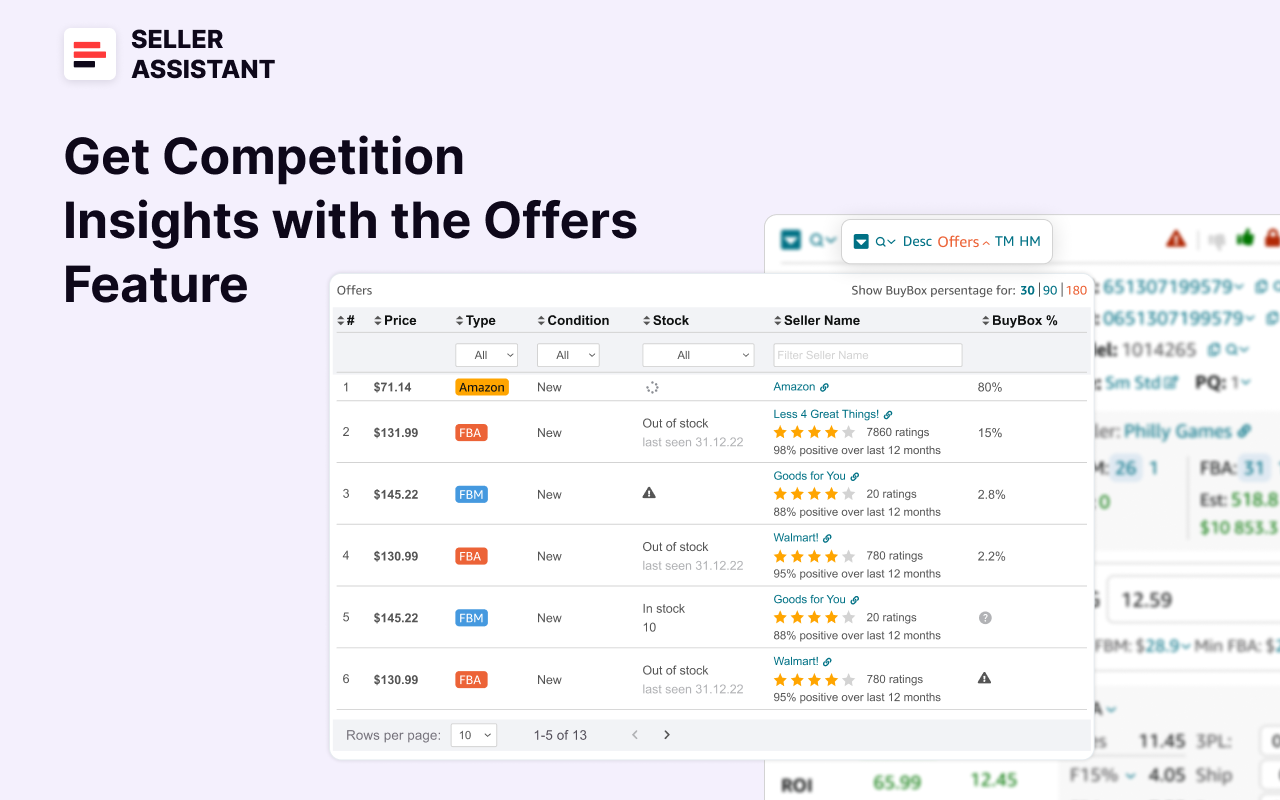
Offers feature
By using Offers, you can make data-driven decisions to determine whether a product is worth selling and if you have a realistic chance of winning the Buy Box.
Offers feature functionality
The Offers feature provides valuable insights that help sellers:
- Assess competition intensity
See how many sellers compete on a listing. When you do product research to select products for reselling, it’s important to pick products with medium competition – 2 to 15 sellers competing on the listing
- Check for Amazon’s presence
It’s better to avoid items where Amazon is a seller for a long time, because it’s very difficult to compete
- Evaluate Buy Box dominance
If there is a dominating seller in the Buy Box, it may mean tough competition. For example, if a single seller holds over 90% of the Buy Box for 180 days, it’s likely a highly competitive listing, making it harder to win sales.
- Monitor stock availability
See how much inventory competitors have.
- Identify seller types
Determine if competitors are FBA, FBM, or Amazon.
- Sort and analyze data
Organize and filter competitor data easily.
Offers feature data
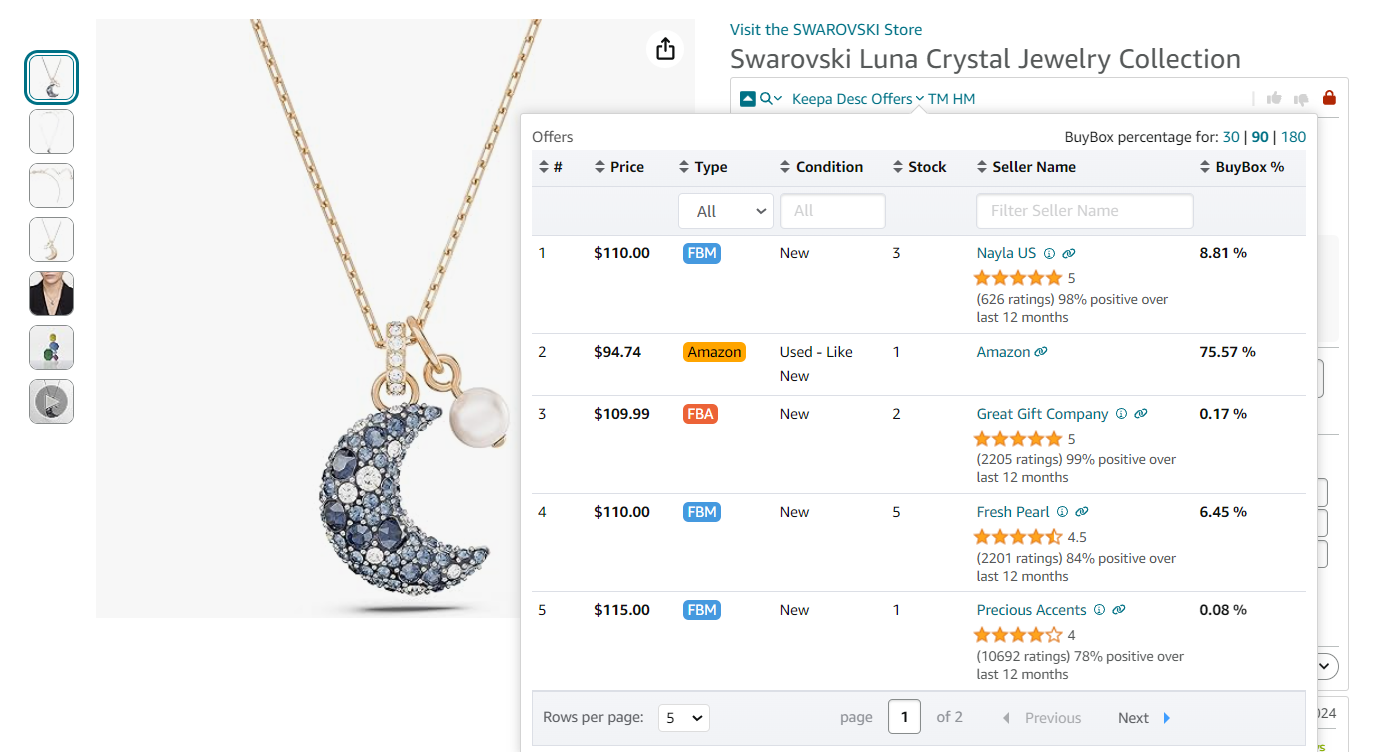
Offers feature data
The Offers feature provides detailed competitor insights, including:
- Product price by seller
Compare competitor pricing.
- Seller type
Identify whether the seller is FBA, FBM, or Amazon.
- Condition
See if the product is sold as new or used.
- Seller stock levels
Check how much stock each competitor has.
- Seller name
Identify major competitors on the listing.
- Buy Box percentage
View how often a seller wins the Buy Box.
- Buy Box trends
Analyze Buy Box share over 30, 90, and 180 days.
How it works
Offers displays competitor data in two locations within Seller Assistant:
- Amazon product page
View competitor data in Seller Assistant Extension’s Top Panel.
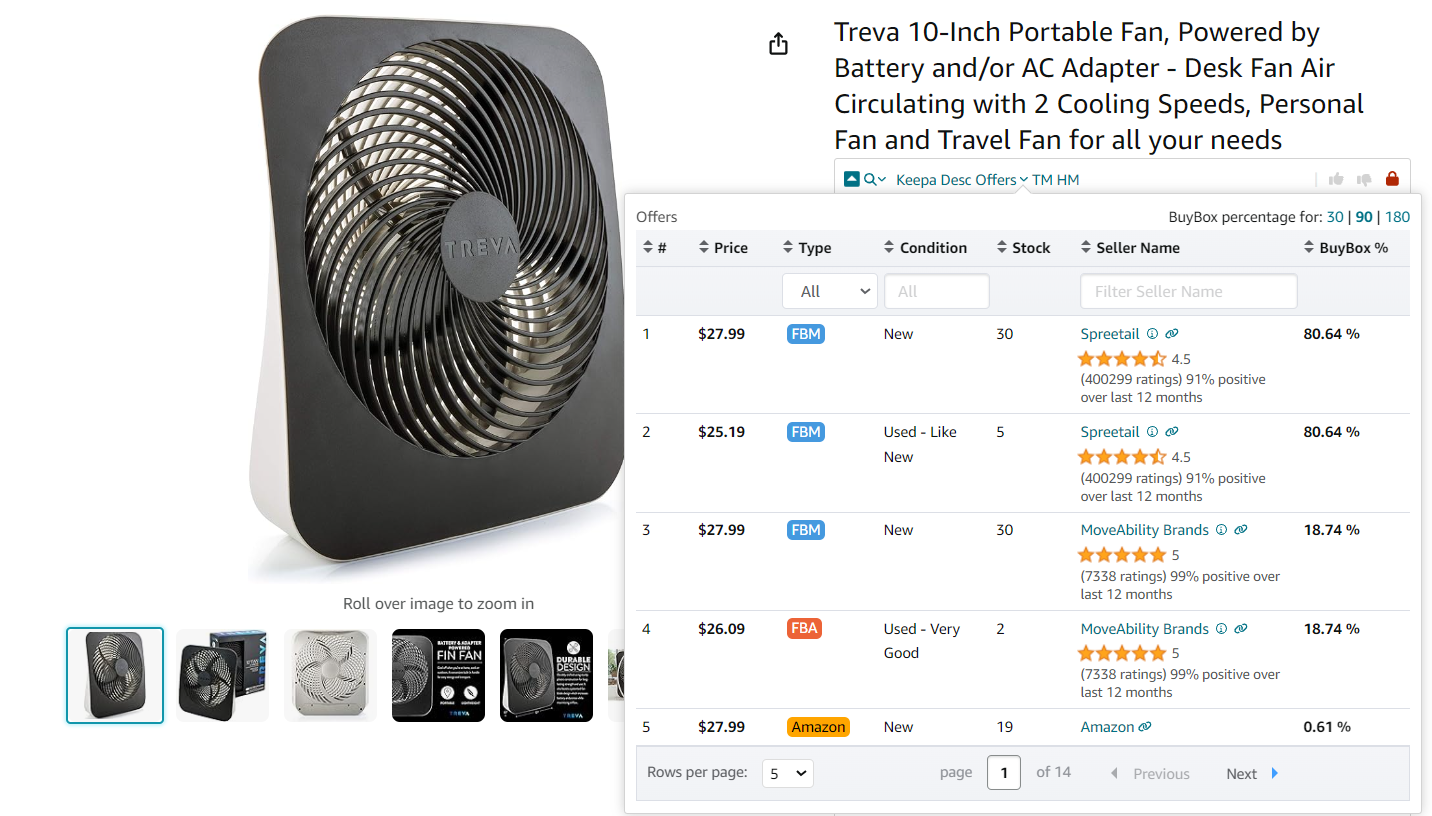
Offers on the Amazon product pages
You can access Offers, in Seller Assistant Extension’s Top Panel on the Amazon product pages. It appears automatically. Find Offers on the left side of the panel. Click the small arrow next to Offers to expand the panel.
- Supplier website
Offers appear in Side Panel View under the Quick Info and Calculator panels.
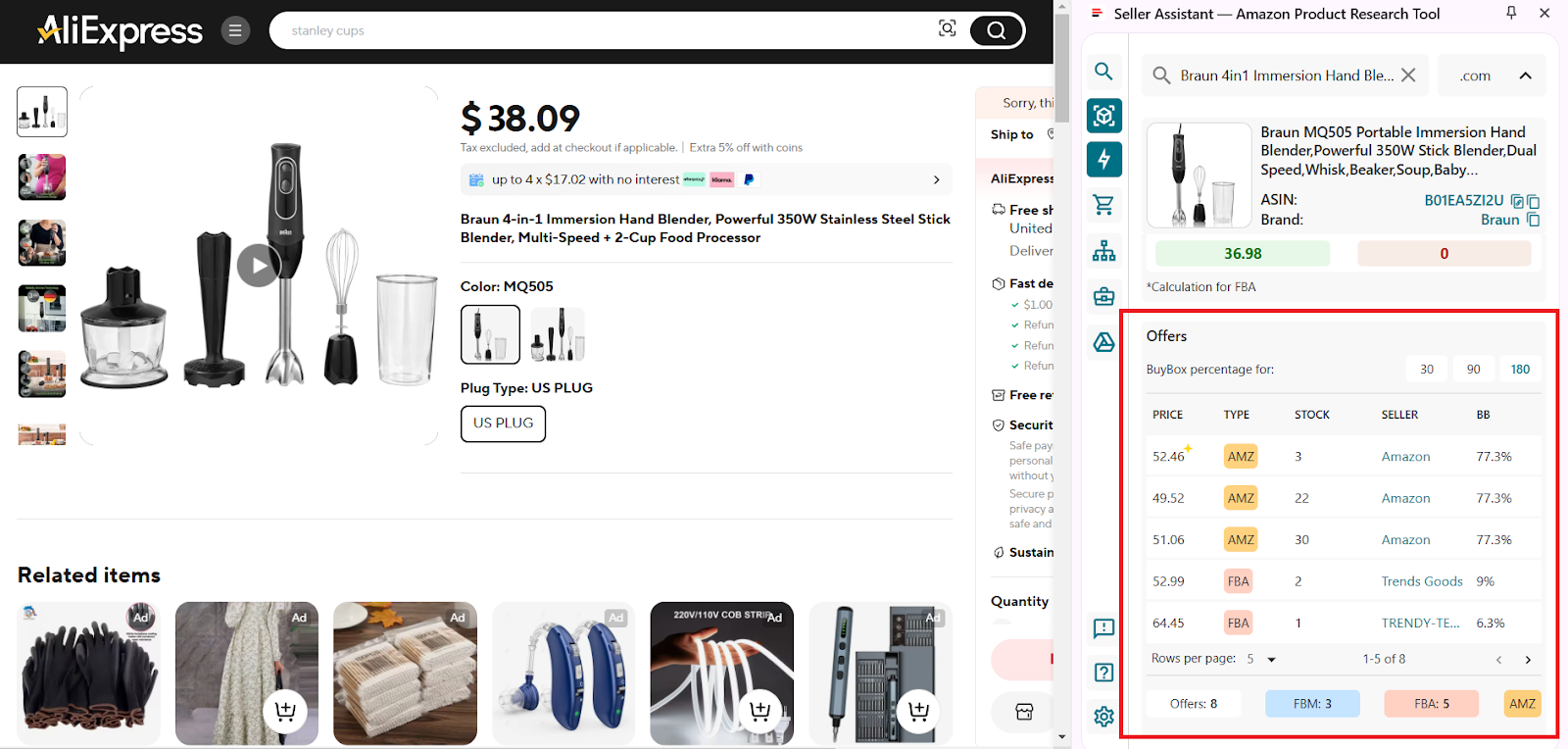
Offers will appear as the Offers panel in Side Panel View as the Variations list panel, under the Quick Info and Calculator panels
To open the Offers Feature on supplier websites, click the Extensions icon to the right of your address bar in Chrome browser and choose Seller Assistant. Then, scroll down in the Side Panel View to the Offers panel under the Quick Info and Calculator panels.
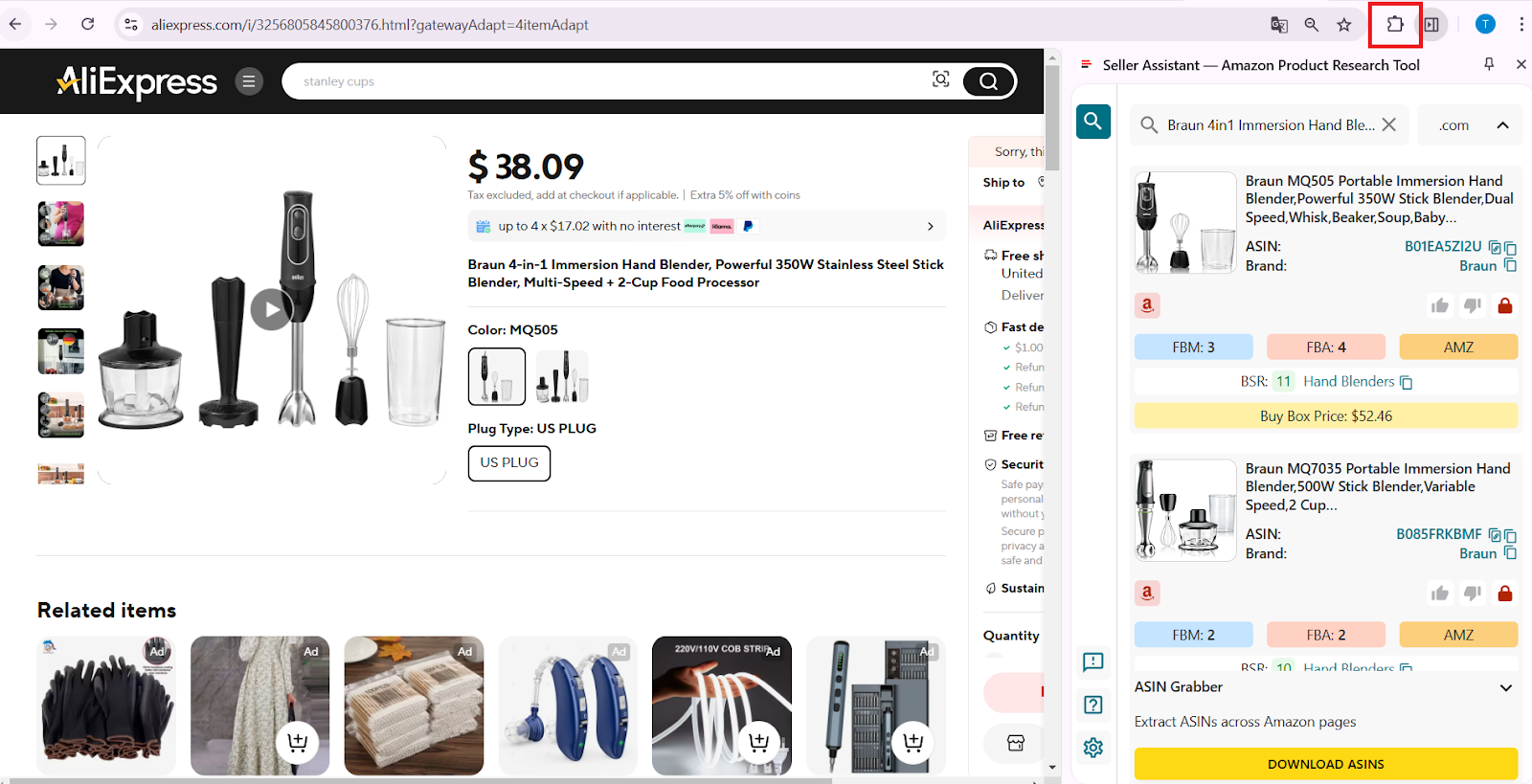
To open Offers, click the Extensions icon to the right of your address bar in Chrome browser and choose Seller Assistant (if you’ve already pinned Seller Assistant).
How to Analyze Competition on Amazon?
To effectively analyze your competition on Amazon, you need to use the right tools depending on your business goals. The tools you choose will depend on what insights you want to gain.
If you want to automatically track what your competitors sell and add similar products to your store, you can use Seller Spy.
If you want to get an overview of competitor stores, analyze their brands, and research each product in their catalog, you can do it with Storefront Widget.
Each of these tools provides different levels of competitor analysis, allowing sellers to make informed business decisions. Below, we’ll explore what each tool does, what data it provides, and how it works.
Seller Spy: automatically track competitor sales
Seller Spy is Seller Assistant’s tool that automates competitor analysis. It automatically tracks your competitors, allowing you to see what brands and products they start or stop selling, and how they price each product.

Seller Spy
By using Seller Spy, you can find new profitable products based on your competitors’ activities, expand your inventory with in-demand products your competitors already sell, ensure competitive pricing by tracking how competitors price their products.
Seller Spy functionality
- Track added and removed products
Identify products competitors add or remove from their inventory.
- Find new leads
Discover products your competitors sell that you don’t and expand your offerings.
- Monitor competitor pricing trends
Track competitor pricing trends to maintain competitive profit margins.
Seller Spy data
Seller Spy shows the competitor summary information and the breakdown of added or removed competitor’s products with detailed product information which (downloadable Excel file).
- New and removed products
Information about products your competitors have added or stopped selling on Amazon, and the date when the change happened
- Competitor details
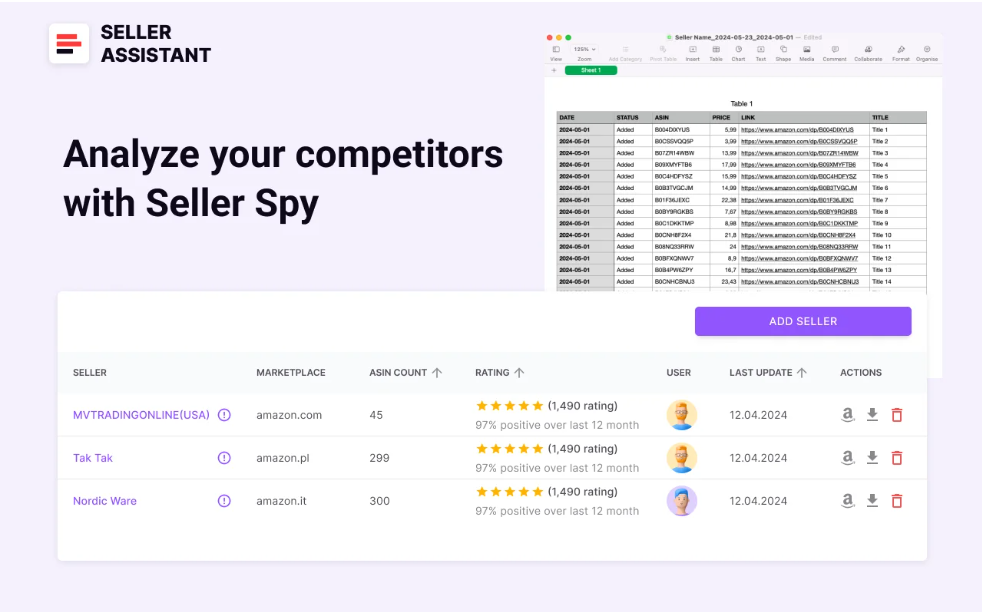
Seller Spy data
- Seller name and links
The competitor’s name, and link to their seller page and storefront
- Marketplace
The marketplace your competitors operate in
- Seller rating
The competitor’s star rating, the total number of ratings, and the number of positive ratings they’ve received
- Team tracking
For Seller Assistant Teams users, identify which team member added the competitor for monitoring
- Last update
The date when the competitor information was last updated within Seller Spy.
- Product tracking details
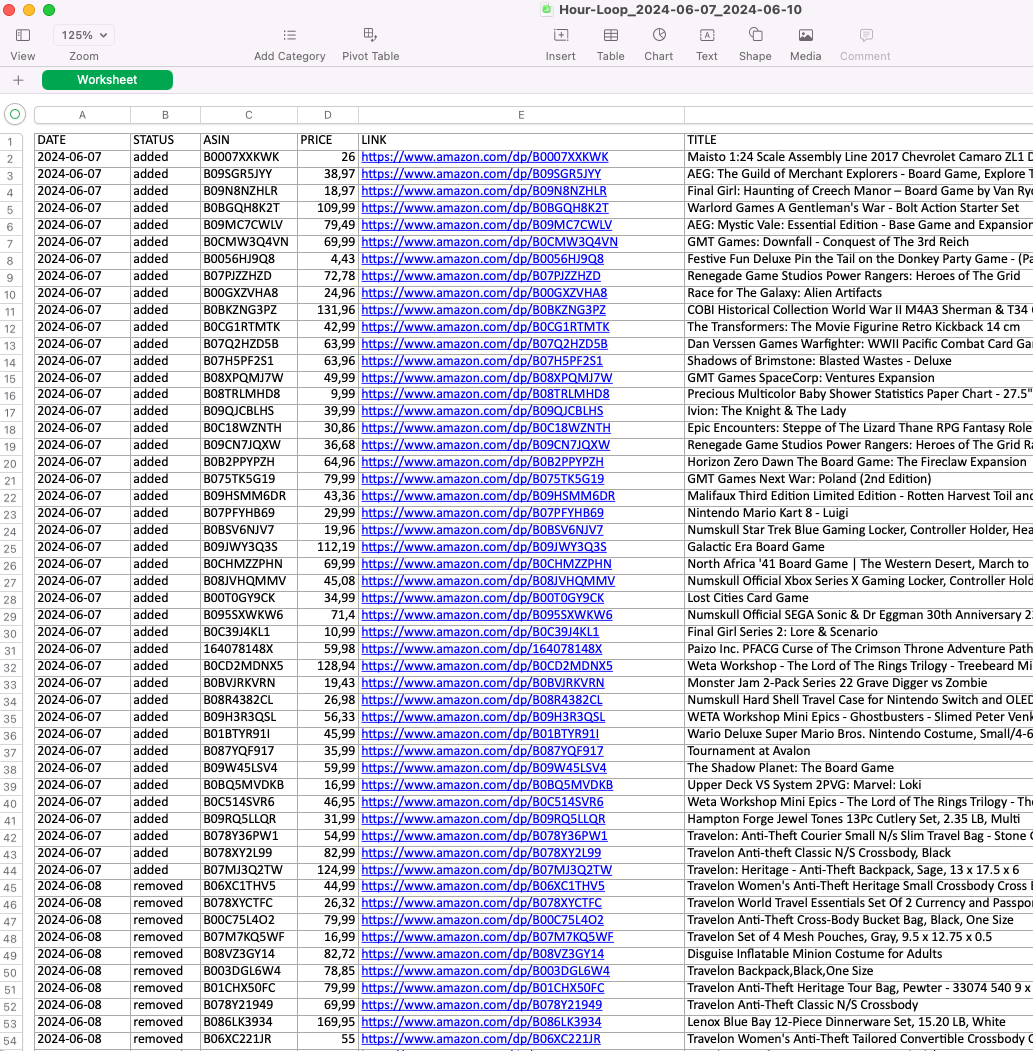
Seller Spy product tracking details
- Date
Date a product was added or removed from the competitor’s offers;
- Status
Product’s status (added or removed);
- Image
Product image
Product’s ASIN, Unique Amazon Product Identifier
- Price
Competitor’s current selling price for the product
- Product link.
Link to a product on Amazon.
How it works
In your Seller Assistant personal account, access Seller Spy and enter the Amazon storefront link of the seller you want to track.
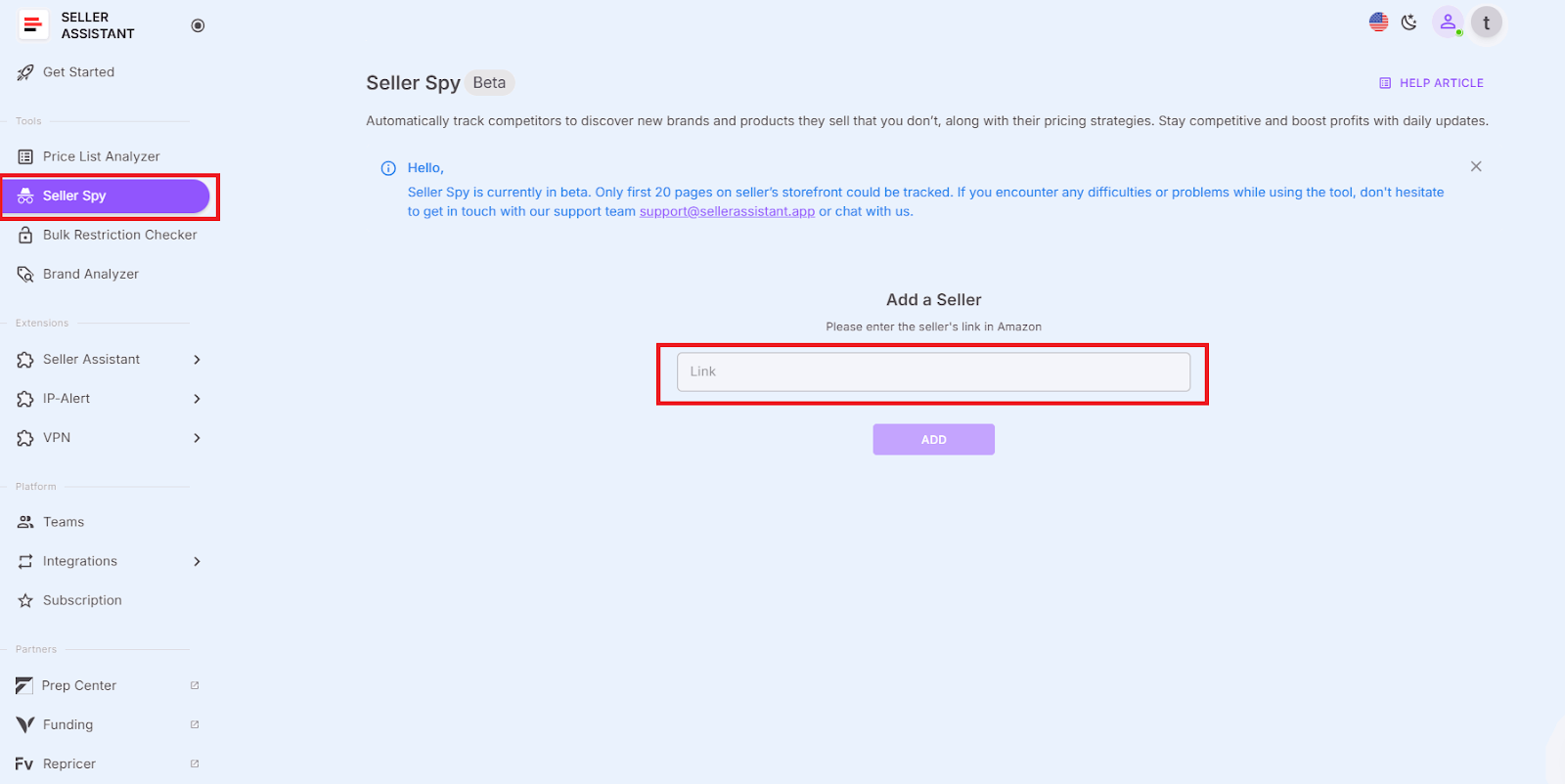
In your Seller Assistant personal account, access Seller Spy
Download the Excel file, which includes all details about products competitors have added or removed, along with pricing information.
Storefront Widget: overview of competitor storefronts
Seller Assistant’s Storefront Widget is a competitor analysis feature that automates competitor storefront research. It integrates directly into Amazon storefront pages, offering an interactive way to analyze competitor stores and find profitable products.
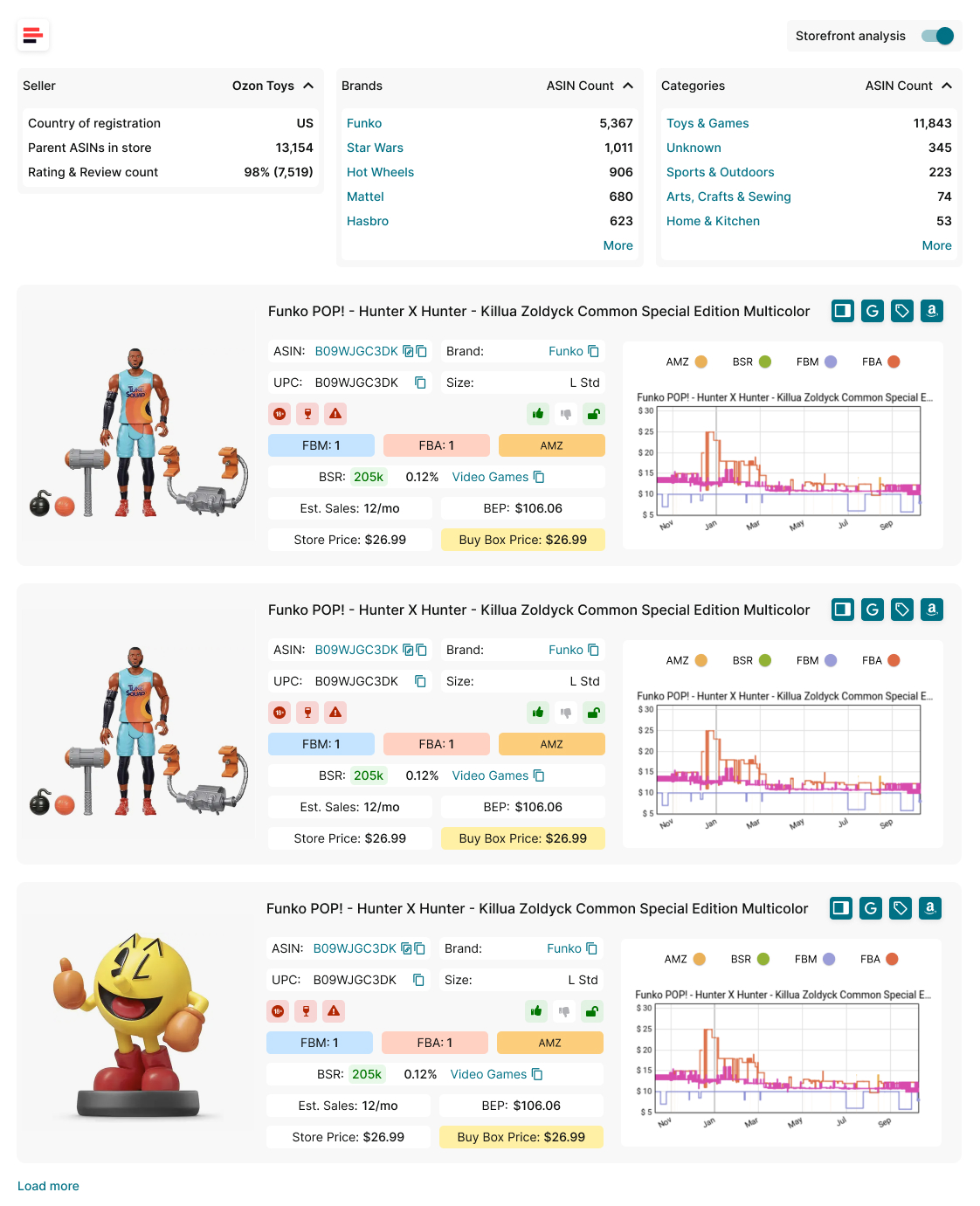
Storefront Widget
This tool is designed for Amazon wholesale sellers, online arbitrage sellers, and dropshippers. It helps sellers efficiently scout for high-demand, low-competition products from competitor stores.
Storefront Widget functionality
- Get a competitor store summary
View a summary of competitor stores, including their brands, categories, product count, ratings, and reviews.
- Find profitable, low-competition products
Instantly analyze competitor storefronts to find profitable, low-competition products.
- Analyze product pricing and sales data
Access detailed product insights, including pricing, sales estimates, and competition intensity.
- Spot market gaps and new opportunities
Identify market gaps and find products you can add to your inventory.
- Filtering
Sort products by brand or category, ensuring precise and targeted searches.
Storefront Widget data
- Storefront summary statistics
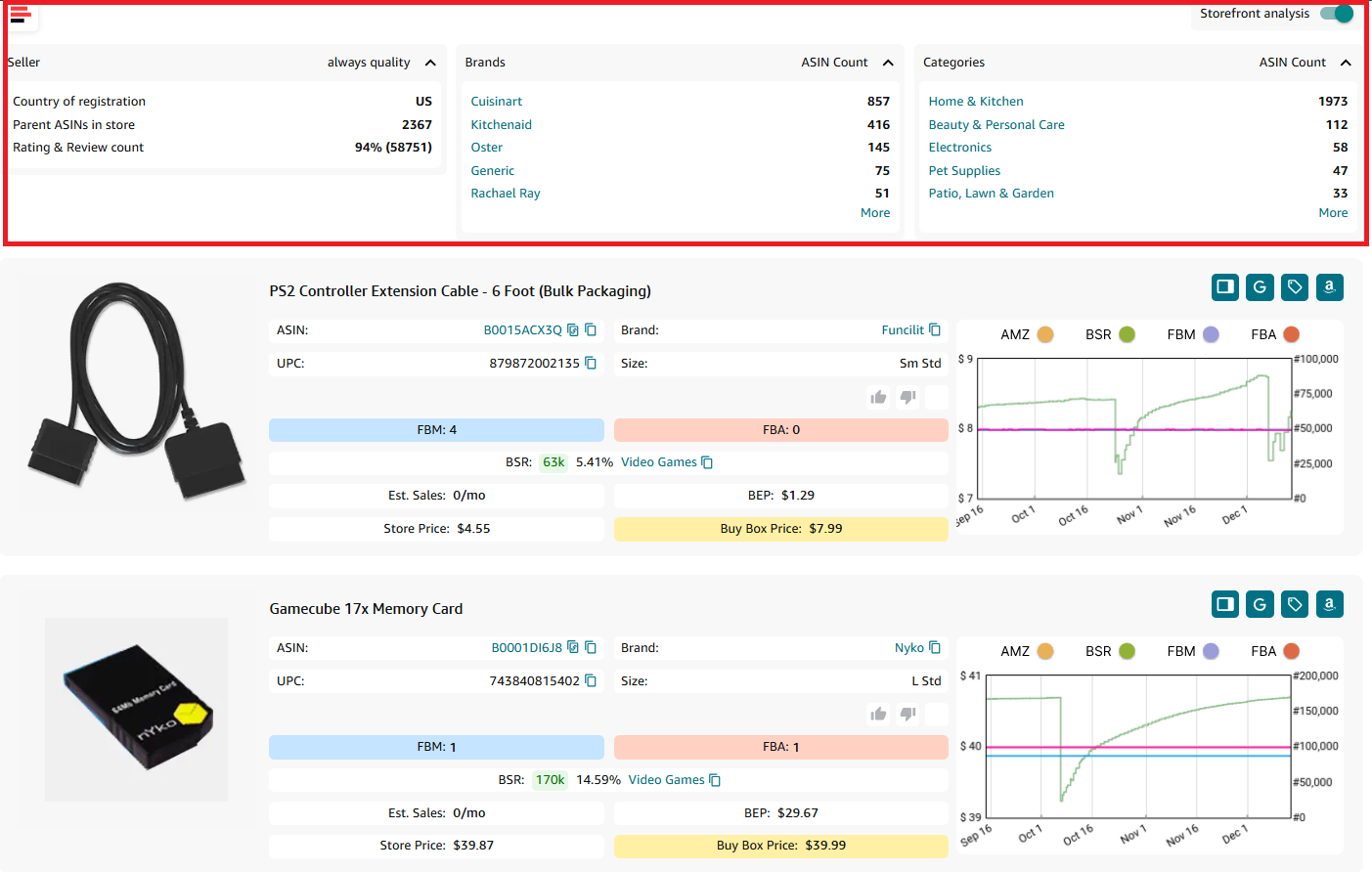
Storefront summary statistics
- Seller overview
- Country of registration
- Main Amazon seller marketplace
- Parent ASINs in store
- Total parent ASIN count in seller store (variations do not count)
- Rating and review count
- Total number of seller ratings and reviews
- Brands
Brands sold in-store. Default display of 5 brands, expandable to 10 max, with ASIN counts for each.
- ASIN count
Total ASIN count in-store (variations count)
- Product categories
Default display of 5 categories, expandable to 10 max, with product counts for each, sorted from highest product count to lowest.
- Product insights
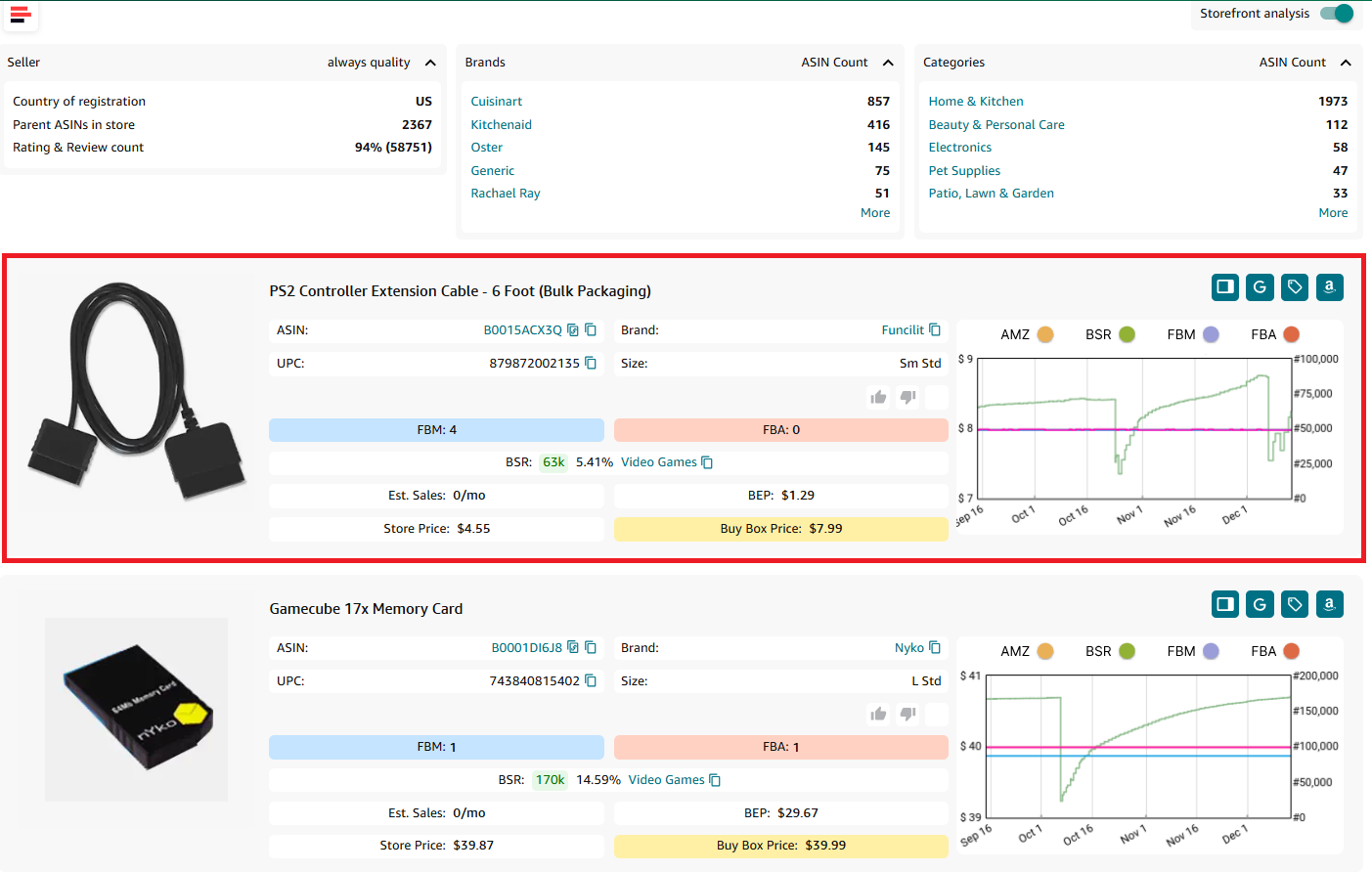
Storefront View - product insights
- Title
Product name or title as it appears on Amazon
- Product image
Visual representation of the product
- ASIN
Amazon Standard Identification Number, a unique identifier for an item in the Amazon catalog
- Brand
Manufacturer or brand of the product; by clicking the brand you can open all brand’s products on Amazon
Global Trade Item Numbers used for identifying the product in various marketplaces. If multiple UPC/EANs exist, the first one is displayed, UPC prioritized
-
UPC preferred for amazon.com, amazon.ca, amazon.com.mx
-
EAN preferred for amazon.co.uk, amazon.de, amazon.es, amazon.it, amazon.fr, amazon.in, amazon.com.br
-
Size
Product size as classified by Amazon (e.g., small standard, heavy, bulky)
Product restrictions and flags
- Product restrictions
Show if the product is ungated (green open lock) or gated (red closed lock)
Marks if the product is considered heavy and bulky by Amazon
Indicates if the product is classified as hazardous material
Alerts for products that can melt in certain conditions
Marks fragile products requiring special handling
Indicates the risk of intellectual property complaints and other Amazon policy violations
Denotes if the product has multiple variations (size, color, etc.)
- Amazon
Amazon is a Buy Box seller
- Likes and dislikes
Likes or dislikes labeling “good” or “bad” products; you can add them to a product
- FBA seller count
The count of FBA sellers offering the product on the listing; shows competition intensity
Indicator of the product’s sales ranking within its category. Shows how well the product sells
Product category in Amazon’s catalog
- Top BSR
Top helps understand the product’s sales velocity as a percentage. If the Top equals 0.5% or less, the product sells well. If the Top equals 1% or more, a product is a slow-mover
- Sales Estimate (pcs/month)
Estimated number of units sold per month based on BSR. Helps understand average product sales to estimate how many units to order
- Break-Even price (FBA/FBM)
The minimum product price with 0% profit for Fulfillment by Amazon (FBA) or Fulfillment by Merchant (FBM). If you go below break-even threshold, you lose money on the product
- Store Price
Seller offer price
- Buy Box Price
The selling price of the product on Amazon, typically the BuyBox price. If the BuyBox price is unavailable, it defaults to the minimum price (including delivery).
Interactive Keepa chart (if available).
How it works
Storefront Widget automatically appears on an Amazon seller storefront page, providing competitor insights at a glance.
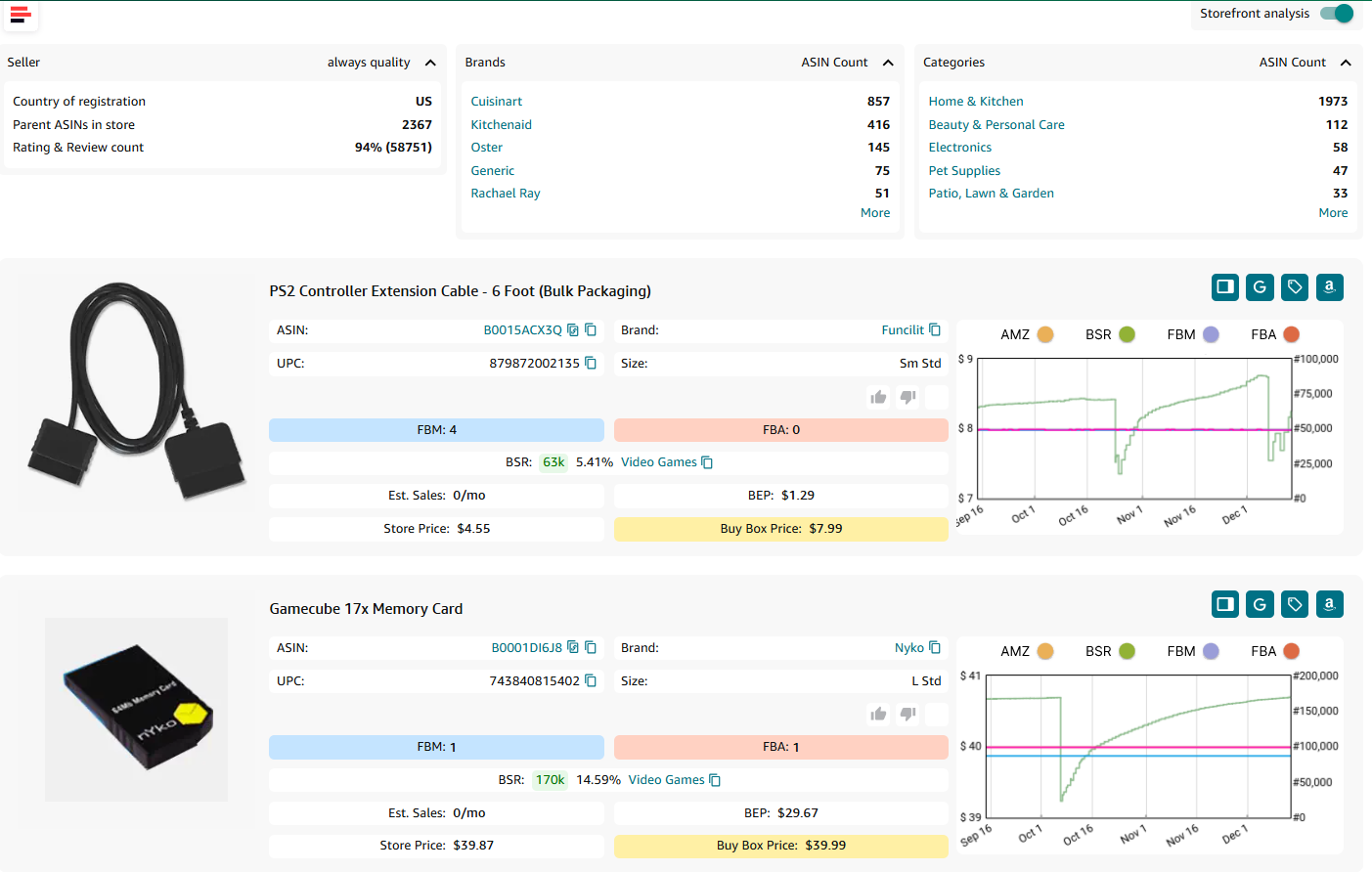
Storefront Widget
To use the feature, go to a competitor’s storefront on Amazon. Storefront Widget will automatically load, showing storefront summary statistics. Analyze competitor data and filter results by category or brand.
FAQ
Why is competitor analysis important for Amazon sellers?
Competitor analysis helps Amazon sellers identify profitable products, optimize pricing, and assess market competition. By understanding what competitors sell and how they price their products, sellers can make data-driven decisions to stay competitive.
How does Seller Spy help track competitor activity?
Seller Spy automates competitor tracking by monitoring what products they add or remove and how they price their inventory. This allows sellers to quickly identify profitable opportunities and adjust pricing strategies accordingly.
What insights does the Storefront Widget provide?
The Storefront Widget provides a summary of competitor storefronts, including brands, product categories, ASIN count, ratings, and reviews. It also gives detailed product insights, such as pricing, sales estimates, and competition levels.
How can I tell if a product is too competitive to sell?
If a product has too many sellers (more than 15) or Amazon is a competitor, it may be too difficult to compete effectively. Checking Buy Box ownership is also crucial—if one seller dominates over 90% of the Buy Box, winning it will be challenging.
Can I automate competitor analysis on Amazon?
Yes, tools like Seller Spy and Storefront Widget automate competitor research by tracking product changes, pricing trends, and storefront insights. This saves time and helps sellers make smarter inventory and pricing decisions.
Final Thoughts
In conclusion, competitor analysis is a critical strategy for Amazon sellers looking to stay competitive and maximize profits. By tracking what competitors sell, how they price their products, and analyzing market trends, sellers can make data-driven decisions that lead to better product selection and pricing strategies.
With Seller Assistant’s tools and features like Seller Spy, Storefront Widget, and Offers, sellers can automate competitor research, uncover profitable opportunities, and avoid risky deals.
Seller Assistant is an all-in-one product sourcing software offering all the features vital for product sourcing. It combines three extensions: Seller Assistant Extension, IP Alert, and VPN by Seller Assistant, tools: Price List Analyzer, Seller Spy, Bulk Restrictions Checker, and API integrations, and features: Side Panel View, FBM&FBA Profit Calculator, Quick View, ASIN Grabber, UPC/EAN to ASIN converter, Stock Checker, and other features that help quickly find high-profit deals. Seller Assistant also offers integration with Zapier allowing to create custom product sourcing workflows.

