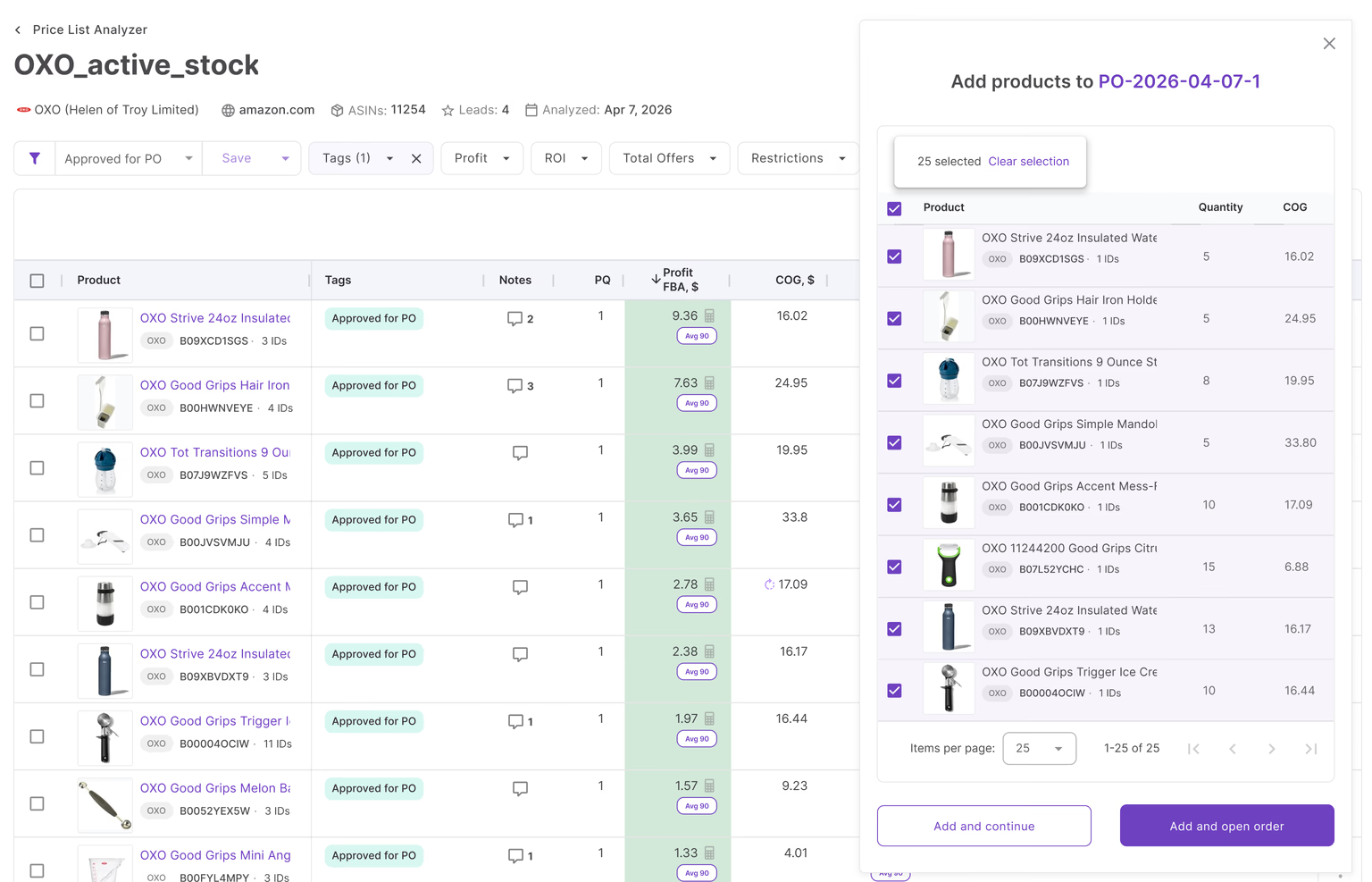
Buying inventory in bulk can grow an Amazon business fast, but it also increases risk. A purchase order with dozens of SKUs may look profitable at first glance, yet one weak product, incorrect unit cost, or overlooked expense can reduce margins across the entire order.
Checking products one by one also slows sourcing and makes it harder to understand the real return on your investment.
Seller Assistant’s FBA Profitability Calculator, built into the Purchase Orders Module, helps Amazon wholesale sellers, online arbitrage sellers, and dropshippers see estimated profit, ROI, total investment, and profit per unit for products, purchase orders, and purchasing activity in one place.
Why Bulk Orders Can Quietly Kill Margins
Buying inventory in bulk changes how Amazon sellers make decisions. A single SKU with weak margins often has little impact, but large purchase orders are different. One incorrect cost, one low-profit product, or one missed expense can affect the performance of the entire order.
Reviewing products separately also makes it difficult to understand how much cash is tied up, what return the purchase can generate, and whether the order meets your target ROI. Seeing profitability directly inside the purchase order helps sellers evaluate products and investment together before inventory is purchased.
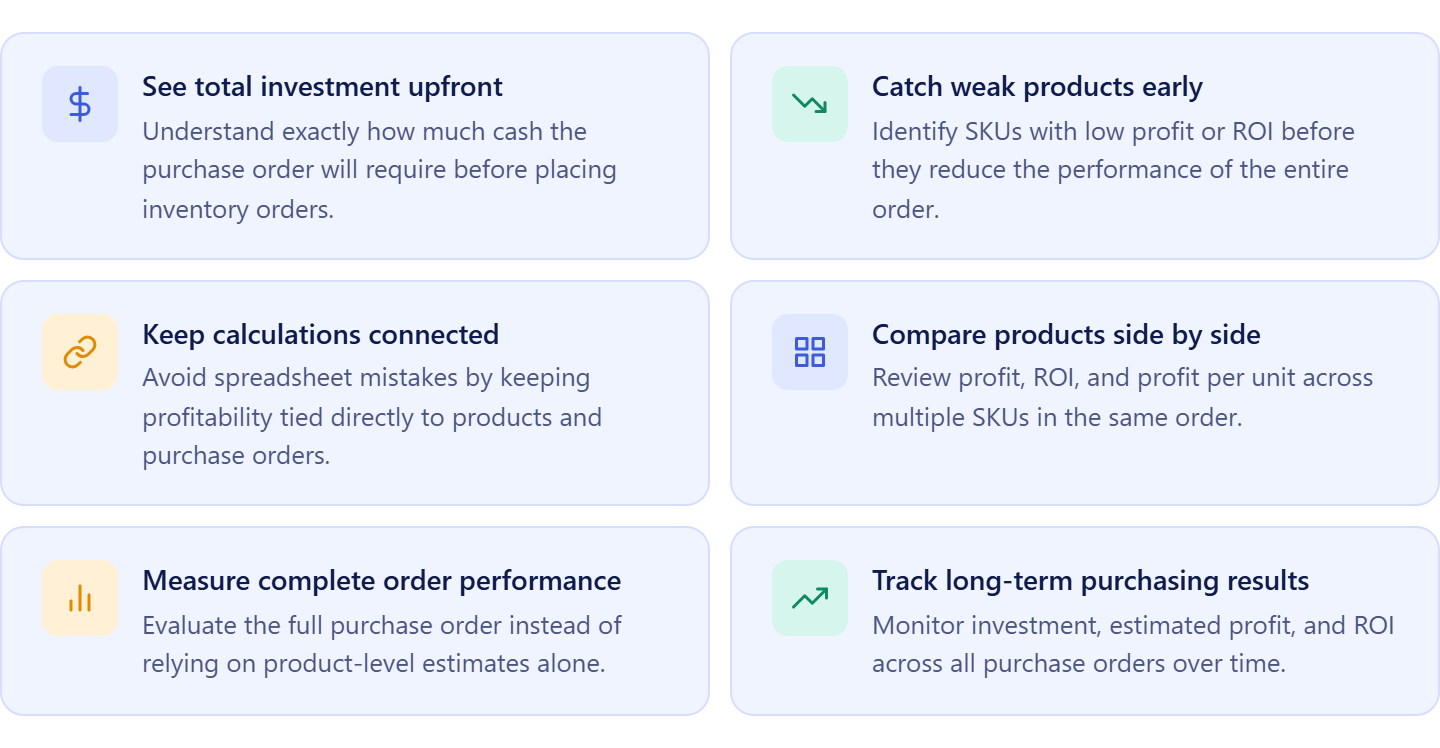
See the real investment before placing an order
Large supplier orders can tie up thousands of dollars. Looking at total investment inside the purchase order helps sellers understand exactly how much capital will be committed before sending the order.
Spot weak products before they reduce ROI
Some products look profitable on their own but lower the performance of the full purchase order. Viewing estimated profit and ROI together helps identify products that weaken the order.
Avoid mistakes from disconnected calculations
Using spreadsheets and separate calculators often creates outdated costs and duplicate work. Profitability inside the PO keeps calculations connected to the products being purchased.
Compare products inside the same order
Amazon sellers often buy dozens of SKUs from one supplier. Product-level metrics make it easier to compare expected profit, ROI, and profit per unit across all items.
Understand order performance as a whole
Product profitability matters, but purchase-order profitability shows the bigger picture. Sellers need to know if the complete order supports their business goals.
Track profitability across purchasing activity
Looking only at individual orders can hide larger trends. Tracking investment, profit, and ROI across all purchase orders helps sellers understand long-term purchasing performance.
What Is Profitability Calculator for Bulk Orders in Seller Assistant?
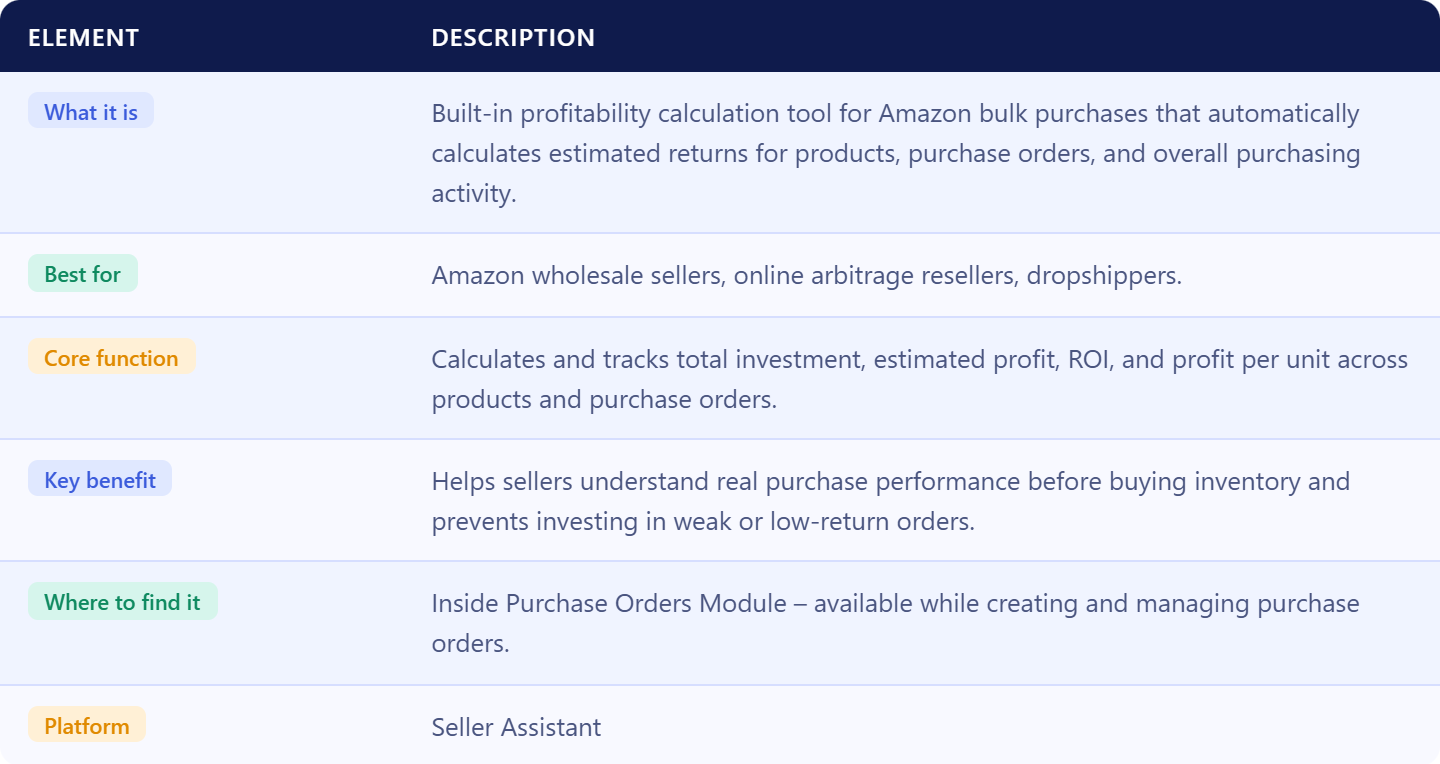
In Seller Assistant, FBA Profitability Calculator for Bulk Orders is a built-in feature inside the Purchase Orders Module that helps Amazon sellers evaluate profitability before inventory is purchased. It automatically calculates profitability for individual products, entire purchase orders, and overall purchasing activity using connected purchasing data. Instead of reviewing products one by one or using separate spreadsheets, sellers can see estimated returns for complete bulk orders in one place.
Profitability calculator for bulk orders summary
What profitability calculator shows you
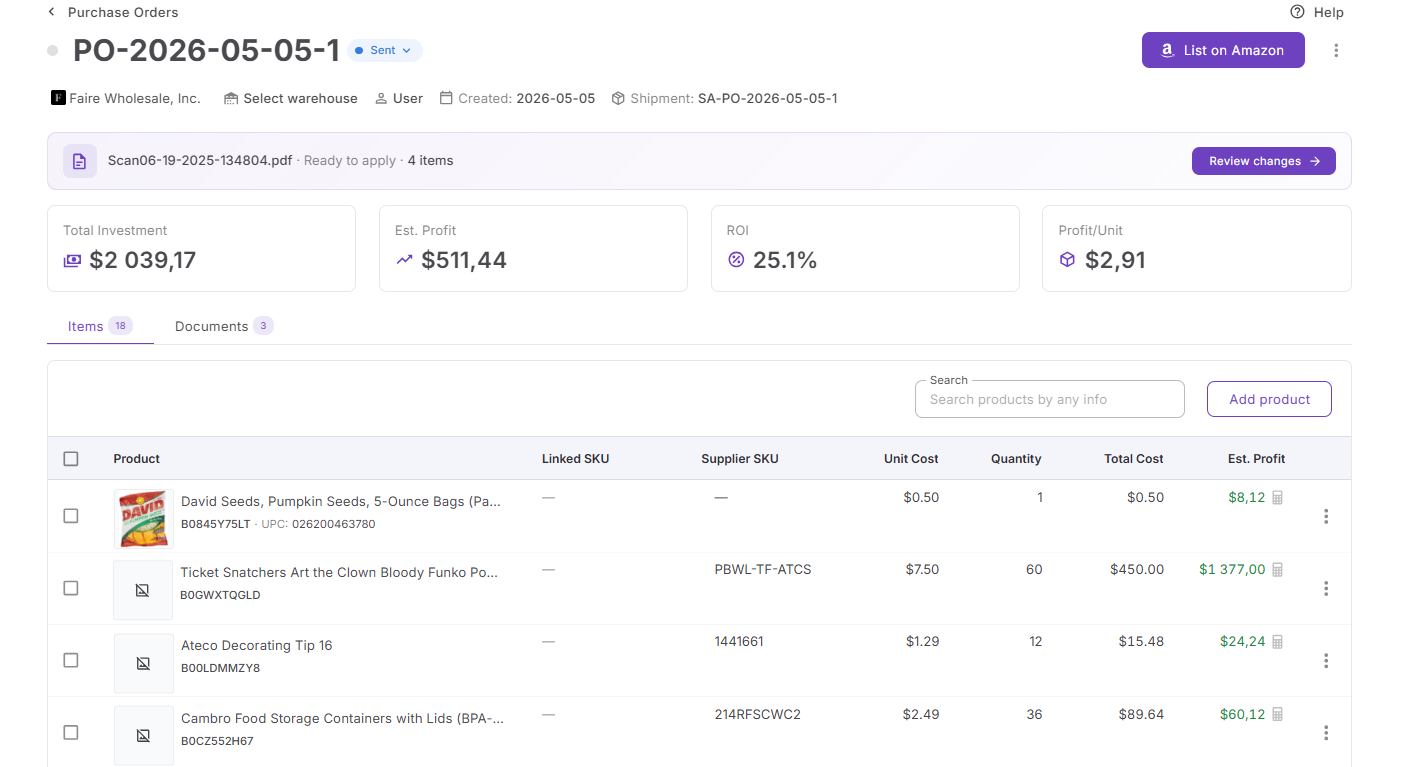
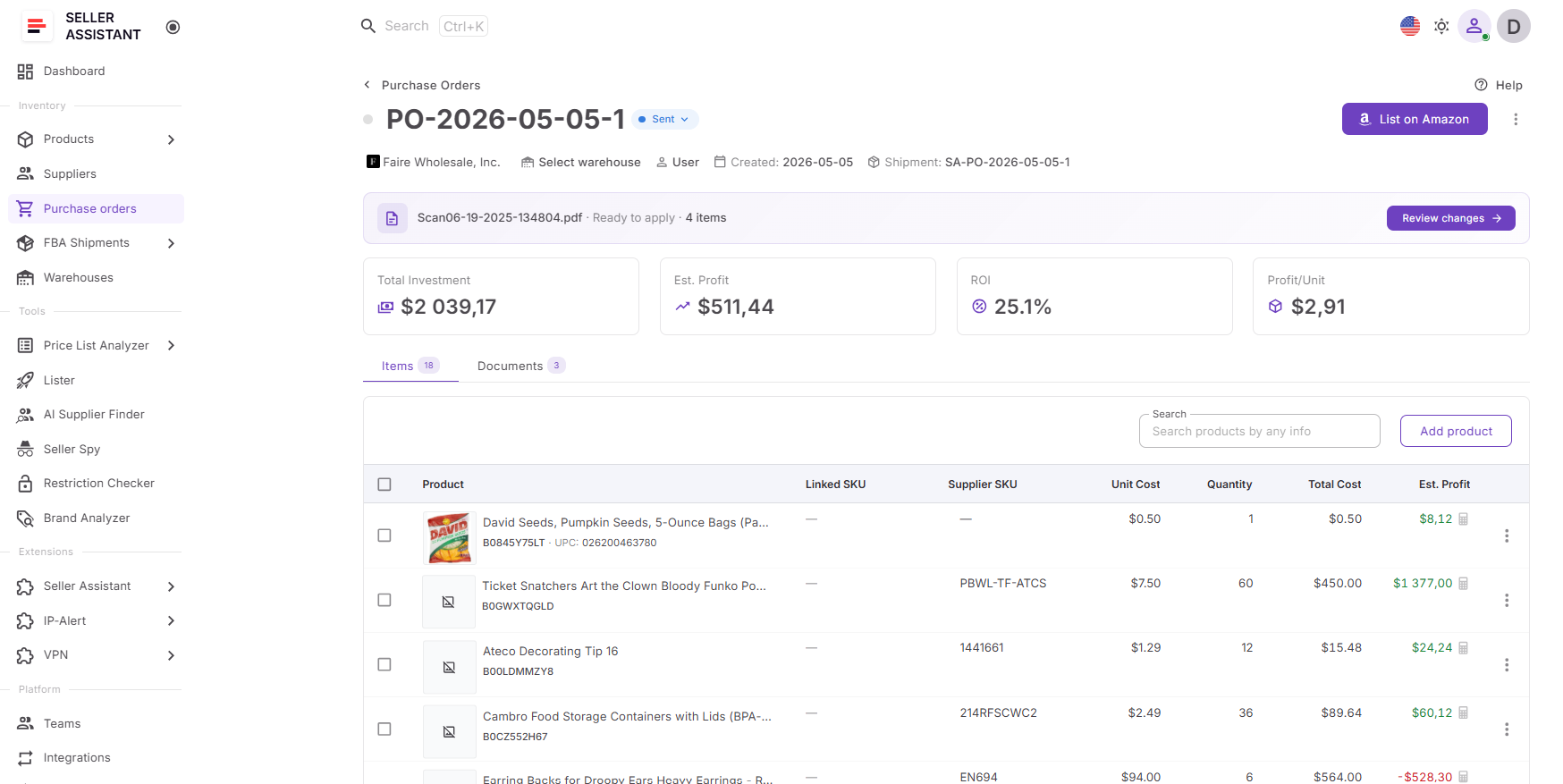
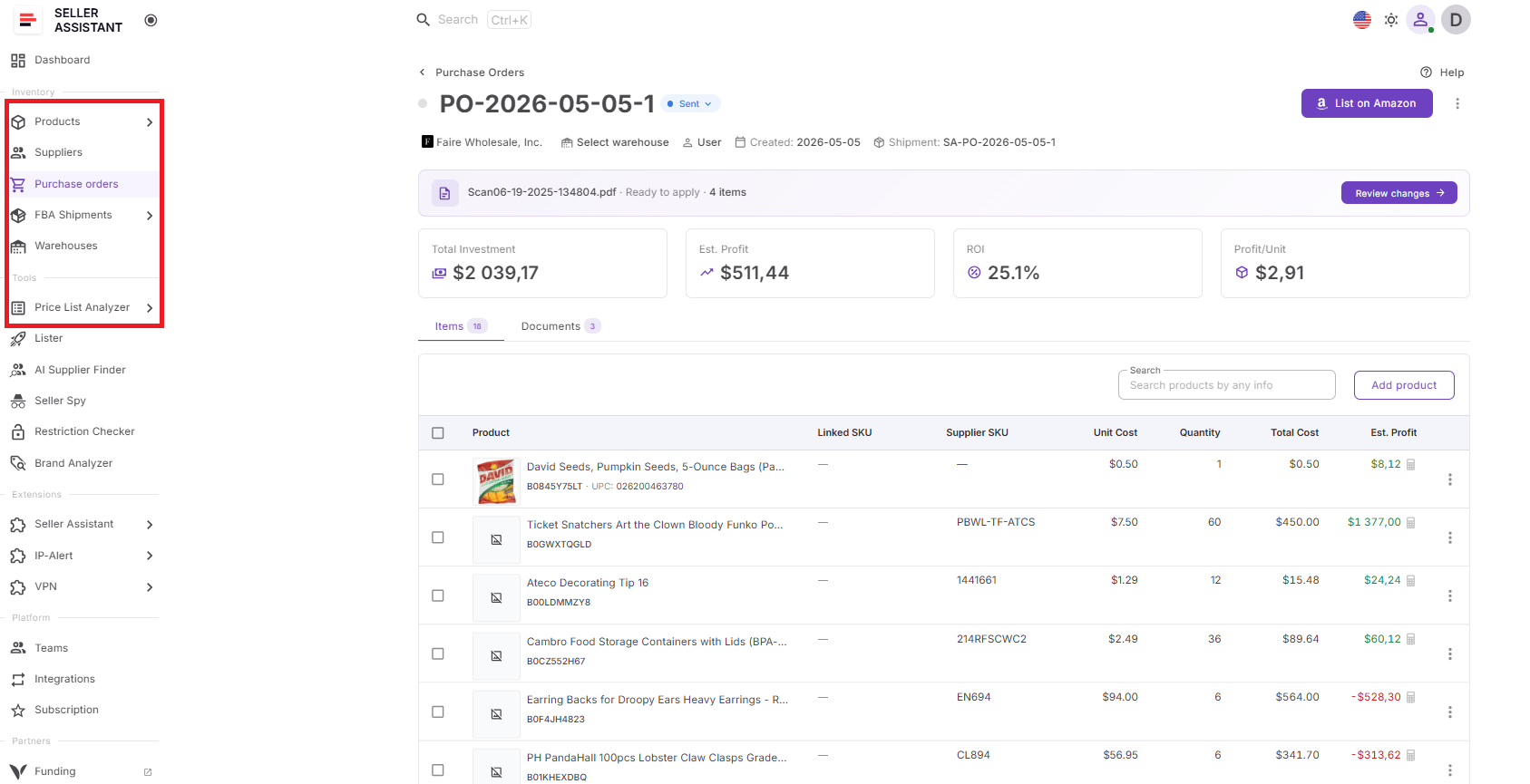
The calculator provides a complete view of purchase performance at multiple levels. For each product in a purchase order, it shows total cost, estimated profit, ROI, and profit per unit.
For the full purchase order, it calculates total investment, estimated profit, ROI, and profit per unit. It also aggregates the same metrics across all purchase orders, helping sellers monitor purchasing performance over time.
Where to find and how to manage it
You can access the calculator directly inside Purchase Orders Module when creating or reviewing supplier orders. As products, quantities, unit costs, shipping, taxes, and other values change, calculations update automatically. This allows sellers to adjust purchasing decisions before finalizing an order.
Why it matters for your profitability
Bulk inventory purchases can require significant cash investment. Looking at products separately often hides the real performance of the order. The calculator helps sellers understand whether the complete purchase meets profit and ROI targets, identify products that reduce margins, and avoid tying up money in weak inventory.
How profitability calculator fits in your workflow
Profitability Calculator for Bulk Orders is part of Seller Assistant’s connected wholesale workflow. Products move from sourcing and analysis tools into Purchase Orders Module, while supplier and warehouse information fills automatically from connected databases. Profitability metrics update inside the purchase order, keeping purchasing decisions connected to sourcing, procurement, and inventory planning.
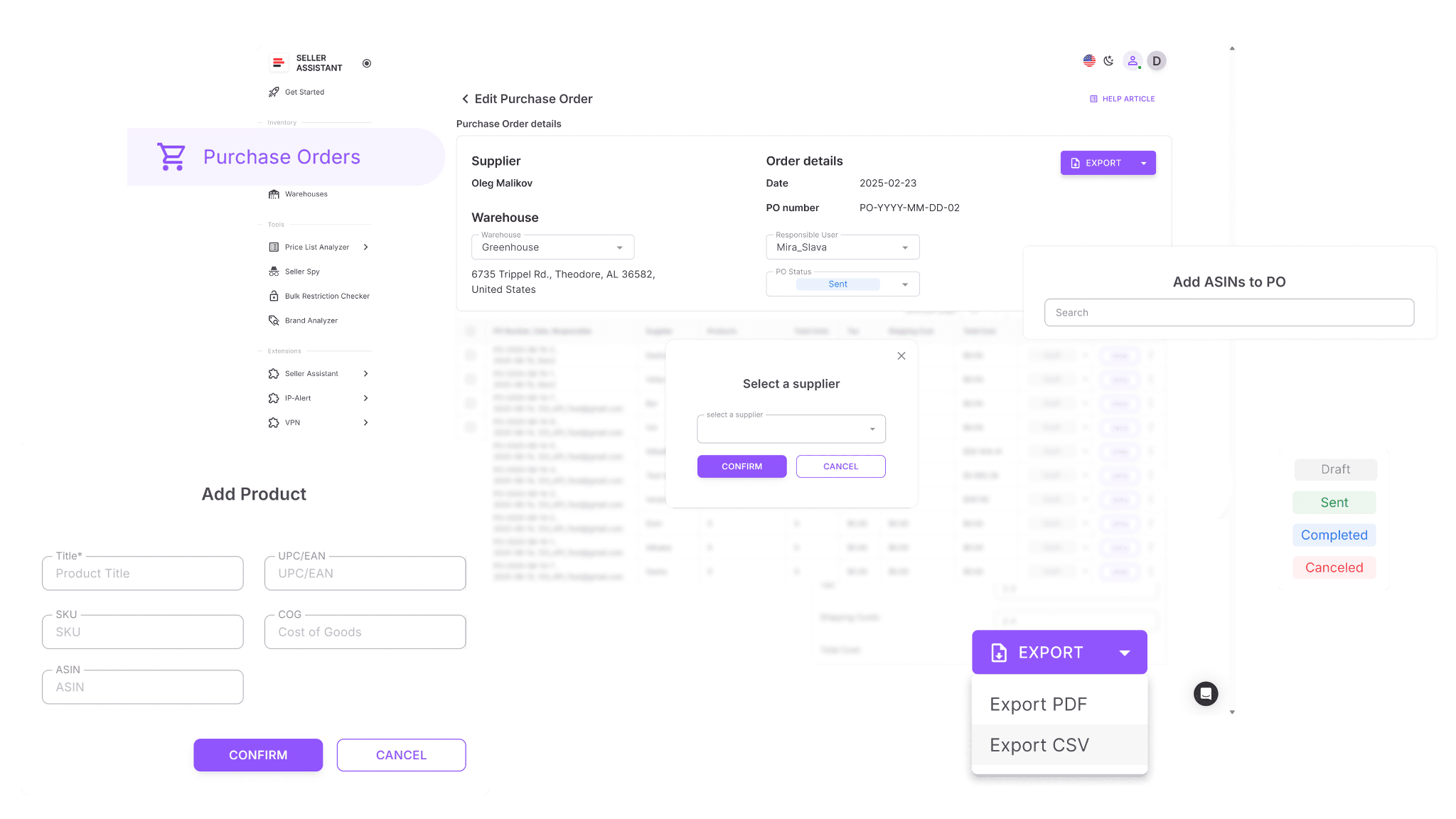
Note. Seller Assistant is an end-to-end Amazon workflow management platform that integrates 15+ wholesale-focused solutions into one connected system. It combines sourcing workflow automation, bulk research and intelligence tools, and integrated Chrome extensions – giving you everything you need to streamline finding deals, managing suppliers, and creating purchase orders.

With Seller Assistant, every step of your Amazon wholesale and arbitrage workflow is automated and connected.
How Profitability Calculator Supports Bulk Purchasing
Amazon sellers do not lose money only because they choose the wrong products. Profits also shrink when inventory costs are underestimated, weak products slip into larger orders, or too much capital gets tied up in low-return purchases.
Looking at profitability inside the purchase order with FBA Profitability Calculator for Bulk Orders helps sellers understand how every SKU affects the larger investment. Instead of relying on separate calculations, they can evaluate expected returns before inventory is purchased and make better buying decisions.
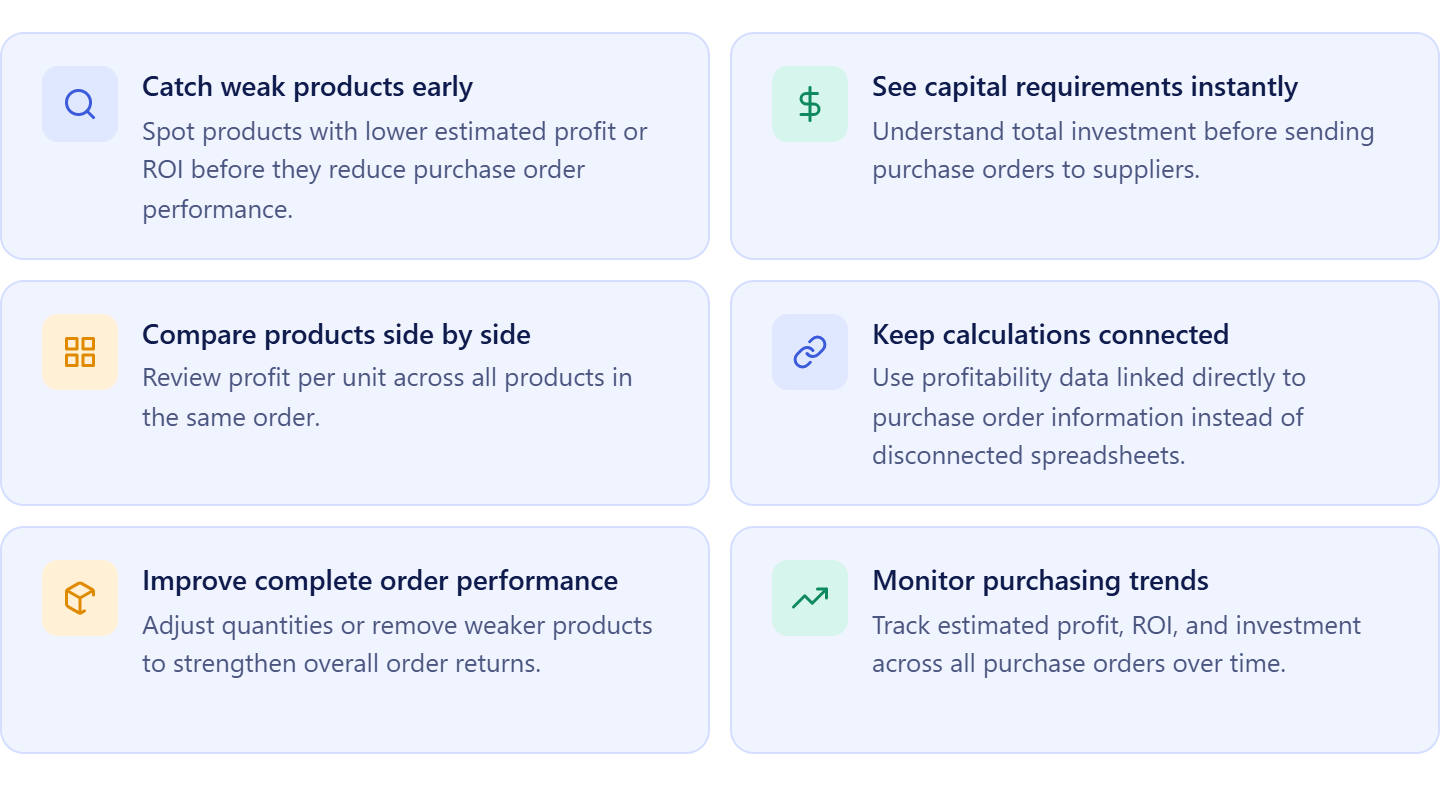
Find low-performing products before ordering
Identify products with weak estimated profit or ROI before they reduce the performance of the full purchase order.
Understand how much cash is at risk
See total investment for the complete order and know exactly how much capital will be committed.
Compare profitability across products
Review profit per unit and expected returns side by side to quickly identify stronger opportunities.
Keep purchasing decisions connected
Use calculations tied directly to purchase order data instead of updating separate spreadsheets manually.
Optimize the full order, not single products
Adjust quantities or remove weaker SKUs to improve overall order performance and return on investment.
Track purchasing performance over time
Monitor estimated profit, ROI, and investment across all purchase orders to identify trends and improve future sourcing decisions.
How Profitability Calculator for Bulk Orders Works
Profitability Calculator for Bulk Orders works inside Purchase Orders Module and updates automatically as purchase orders change. Instead of checking products in separate calculators or spreadsheets, sellers can see profitability directly inside the purchasing workflow.
As products are added, quantities change, or costs are updated, the calculator recalculates values automatically so purchase decisions stay based on current data.
Where to find profitability calculator
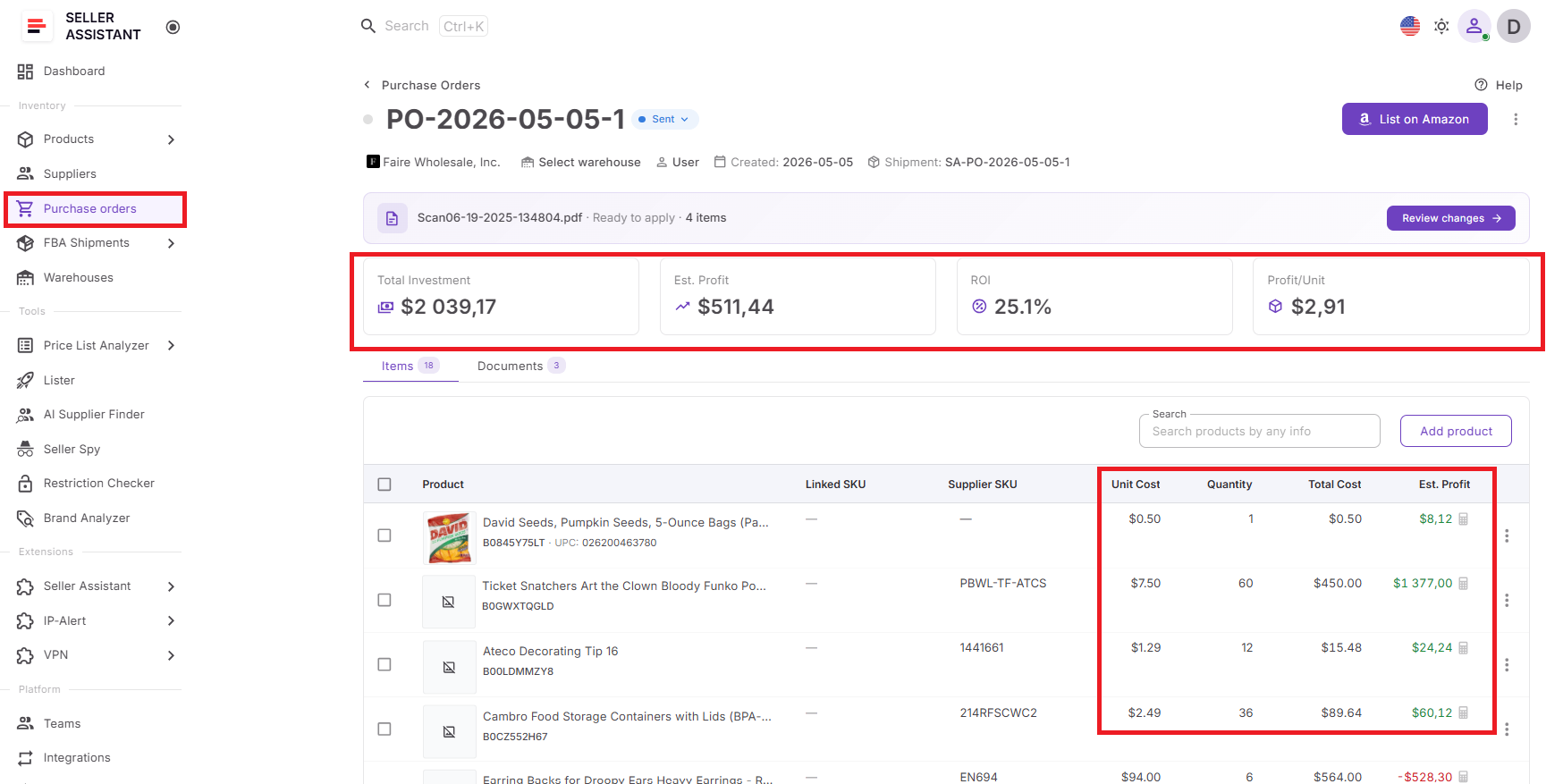
You can access Profitability Calculator for Bulk Orders inside Purchase Orders Module while creating or reviewing purchase orders. Profitability data appears directly in the purchase order view and updates automatically as the order changes.
What profitability metrics you can see
The calculator provides profitability insights at several levels.
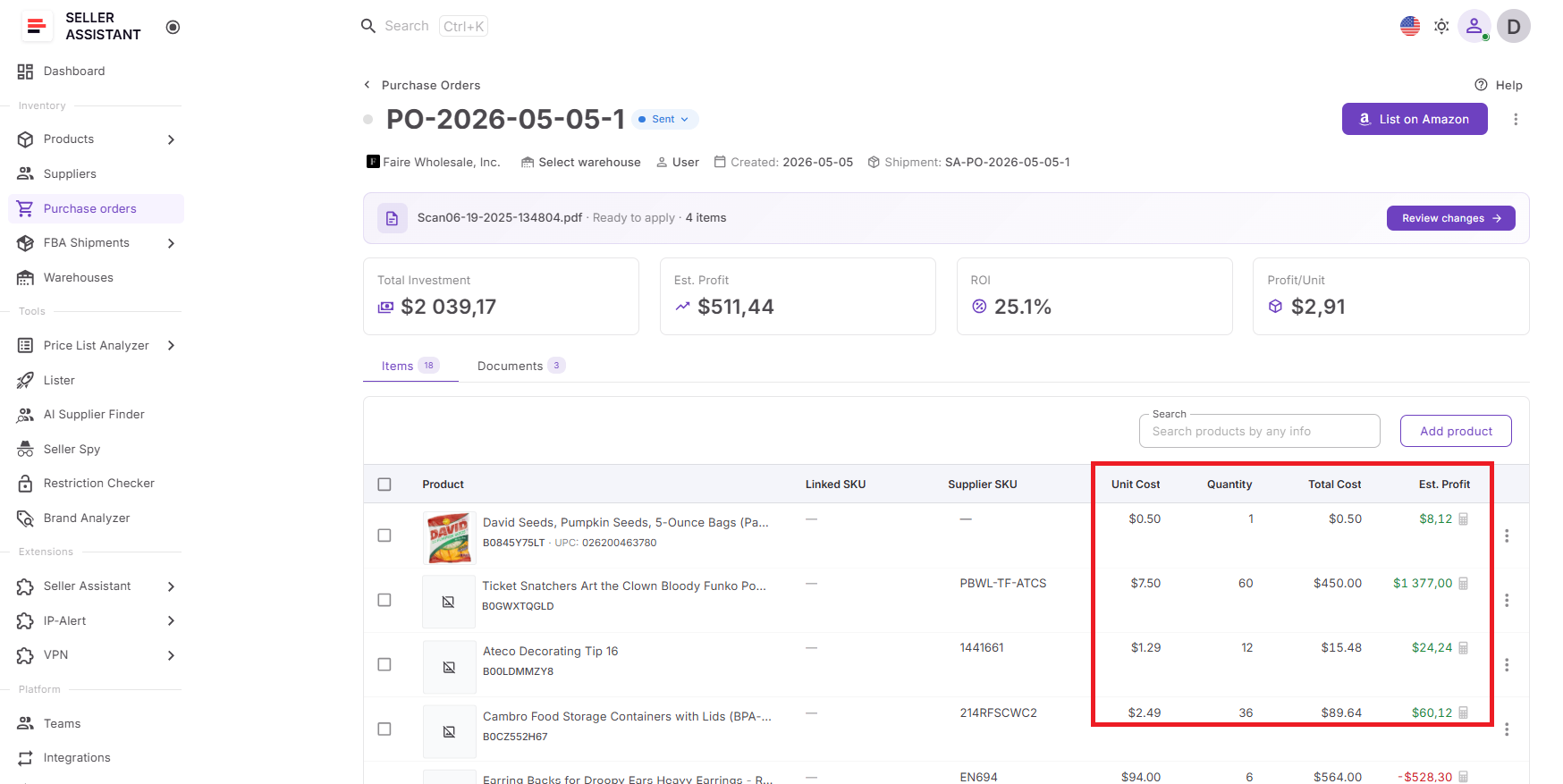
For each product in a purchase order:
- Unit cost
- Quantity
- Total cost
- Estimated profit
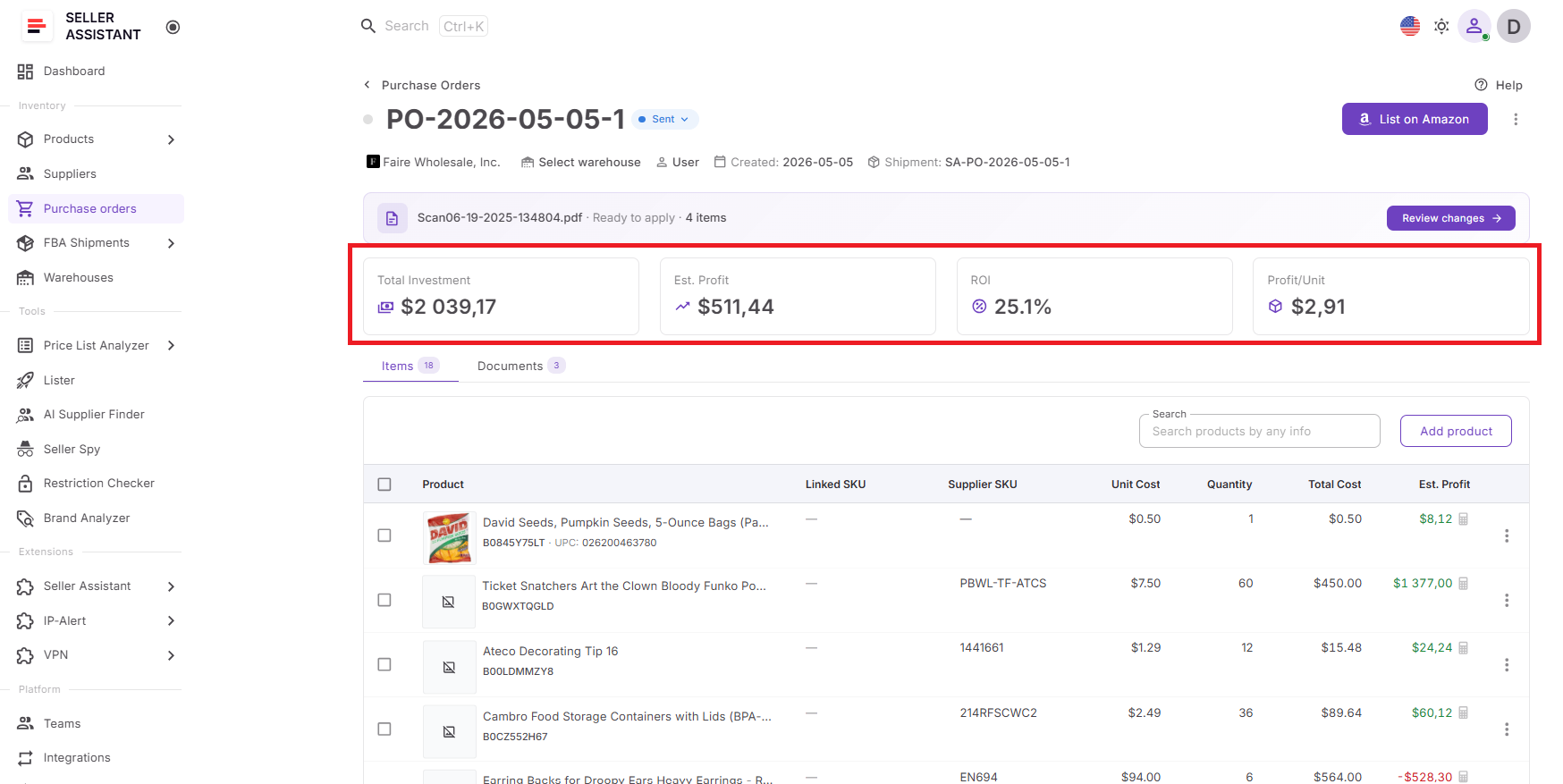
For the full purchase order:
- Total investment
- Estimated profit
- ROI
- Profit per unit
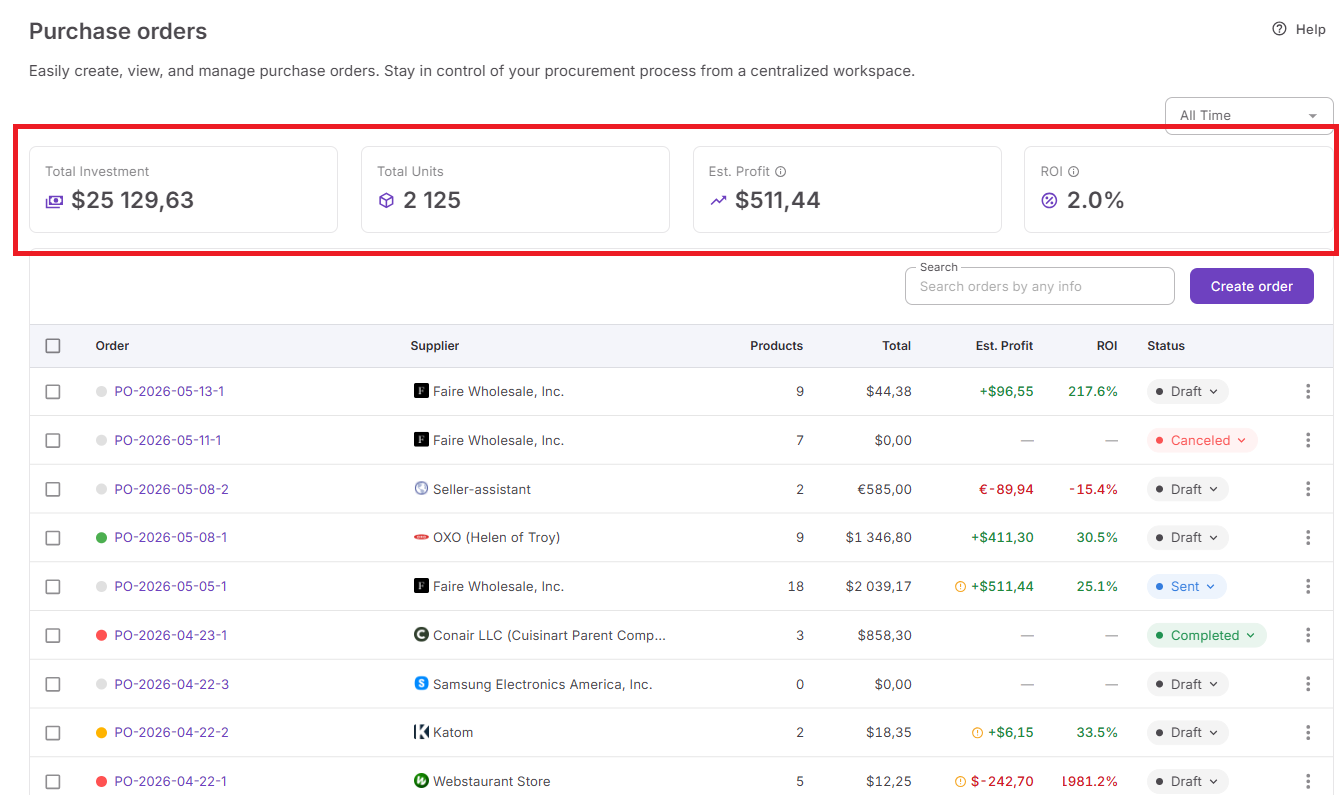
Across all purchase orders:
- Total investment
- Estimated profit
- ROI
- Profit per unit
This allows sellers to evaluate individual products and the complete purchase at the same time.
Compare products and optimize orders
Not every SKU contributes equally to order performance. Some products generate stronger returns, while others reduce overall profitability.
Profitability Calculator helps sellers:
- Compare profit across products
- Identify low-profit SKUs
- Review profit per unit
- Adjust quantities
- Remove weaker products before placing orders
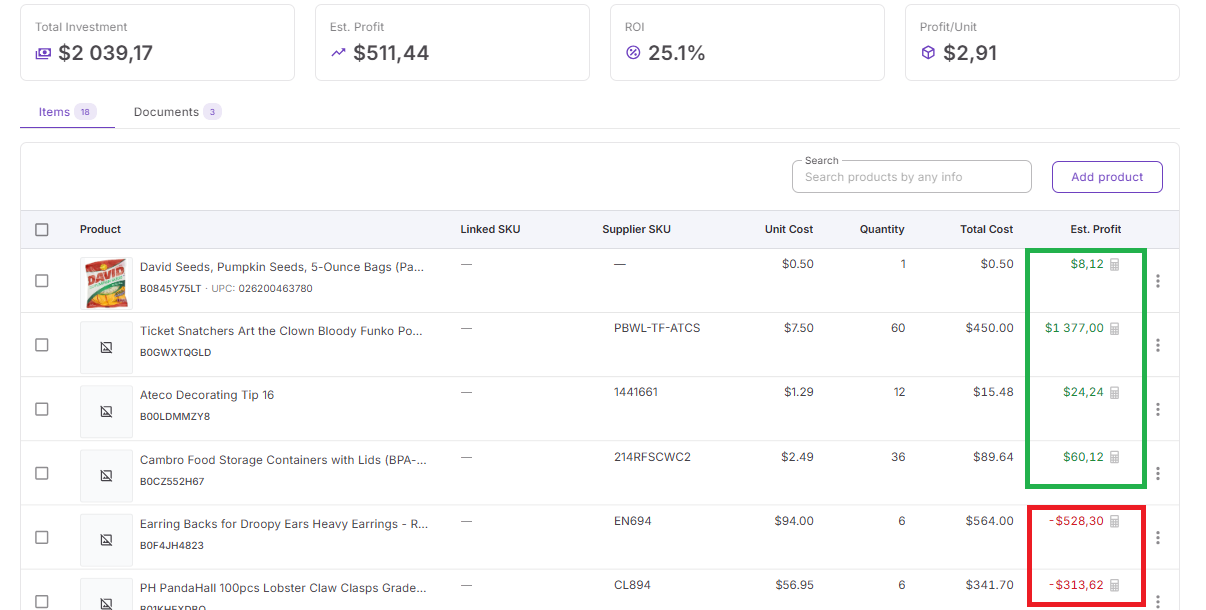
This helps improve the overall performance of the purchase order instead of focusing only on single products.
How profitability calculator connects with Seller Assistant tools
Profitability Calculator for Bulk Orders works inside Seller Assistant’s connected workflow and uses purchasing data already stored across the platform.
Data flows automatically from:
Provides analyzed products and sourcing data
Stores sourced products, supplier offers, COG values, and purchasing decisions that can move directly into purchase orders
Supplies supplier information and purchasing details
- Warehouses Database
- Applies warehouse and routing information
- Purchase Orders Module
- Calculates profitability using quantities, costs, and purchasing values
Because information stays connected across tools, sellers do not need to rebuild calculations manually or move data between spreadsheets.
Why this matters in real purchasing workflows
Bulk inventory purchases often require significant cash investment. Looking at products separately can hide the real performance of a purchase order. Profitability Calculator keeps purchasing decisions connected to actual order data, helping sellers understand expected returns before inventory is purchased and make more informed sourcing decisions.
How to Use Profitability Calculator Step by Step
Using Profitability Calculator for Bulk Orders starts inside the Purchase Orders Module. You create or open a purchase order, add products, review costs, and use the automatically calculated metrics to decide whether the order is worth placing.
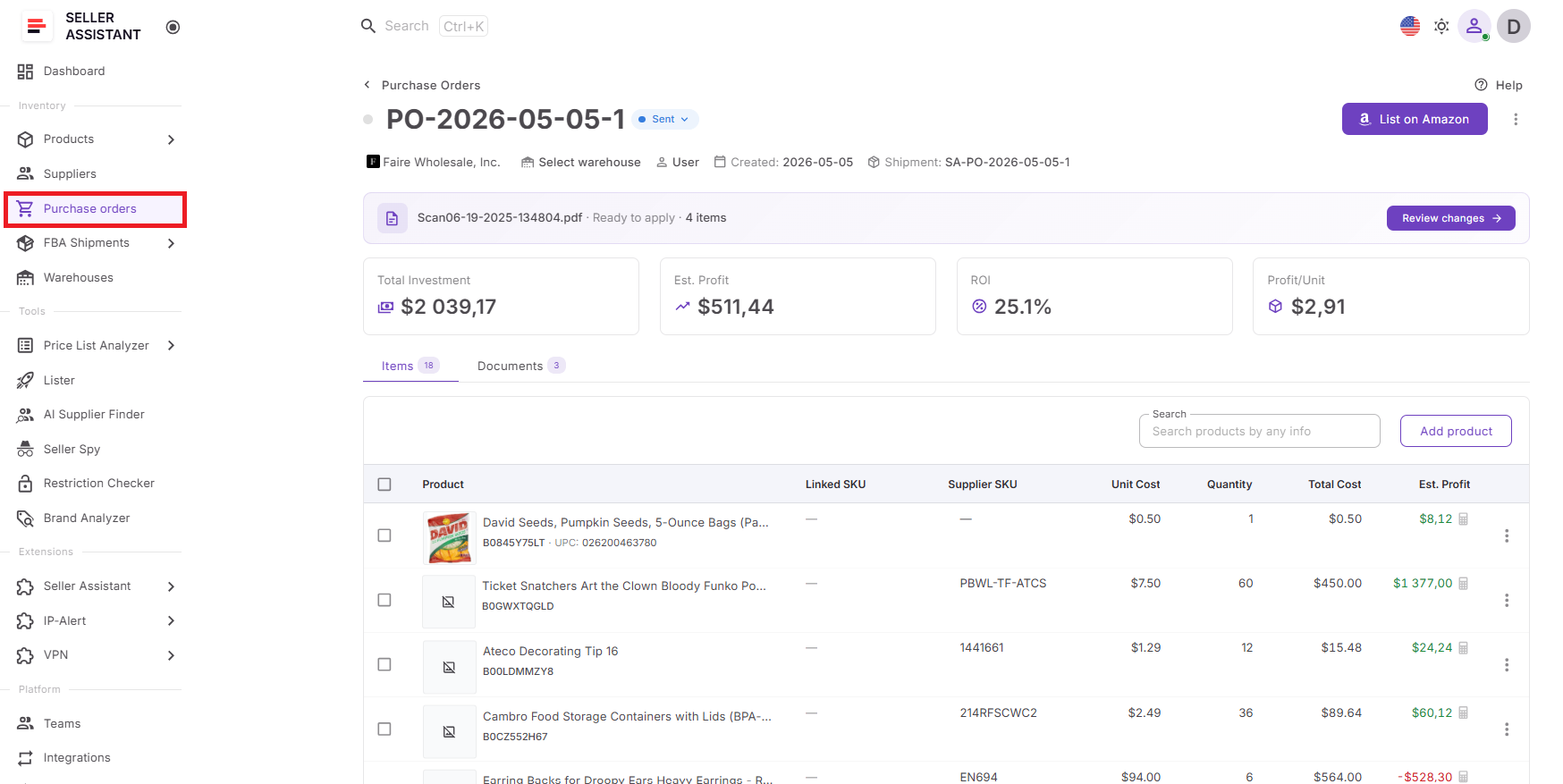
Step 1. Open purchase orders
Log in to Seller Assistant and go to Inventory → Purchase Orders. Open an existing PO or create a new one for the supplier you plan to order from.
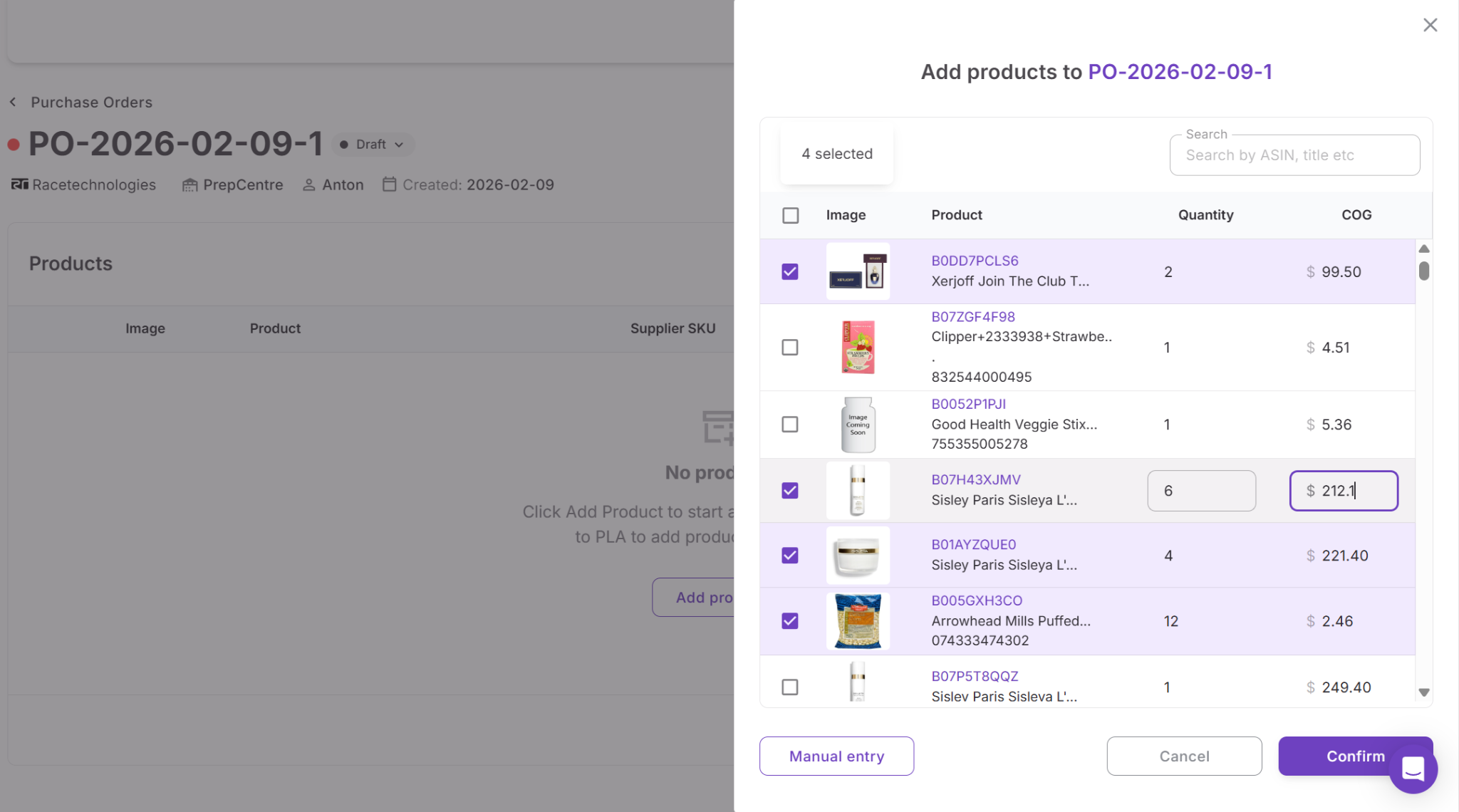
Step 2. Add products to the order
Add products from Product Database, Price List Analyzer, supplier price lists, search, or manual entry. The products appear inside the purchase order with their costs and identifiers.
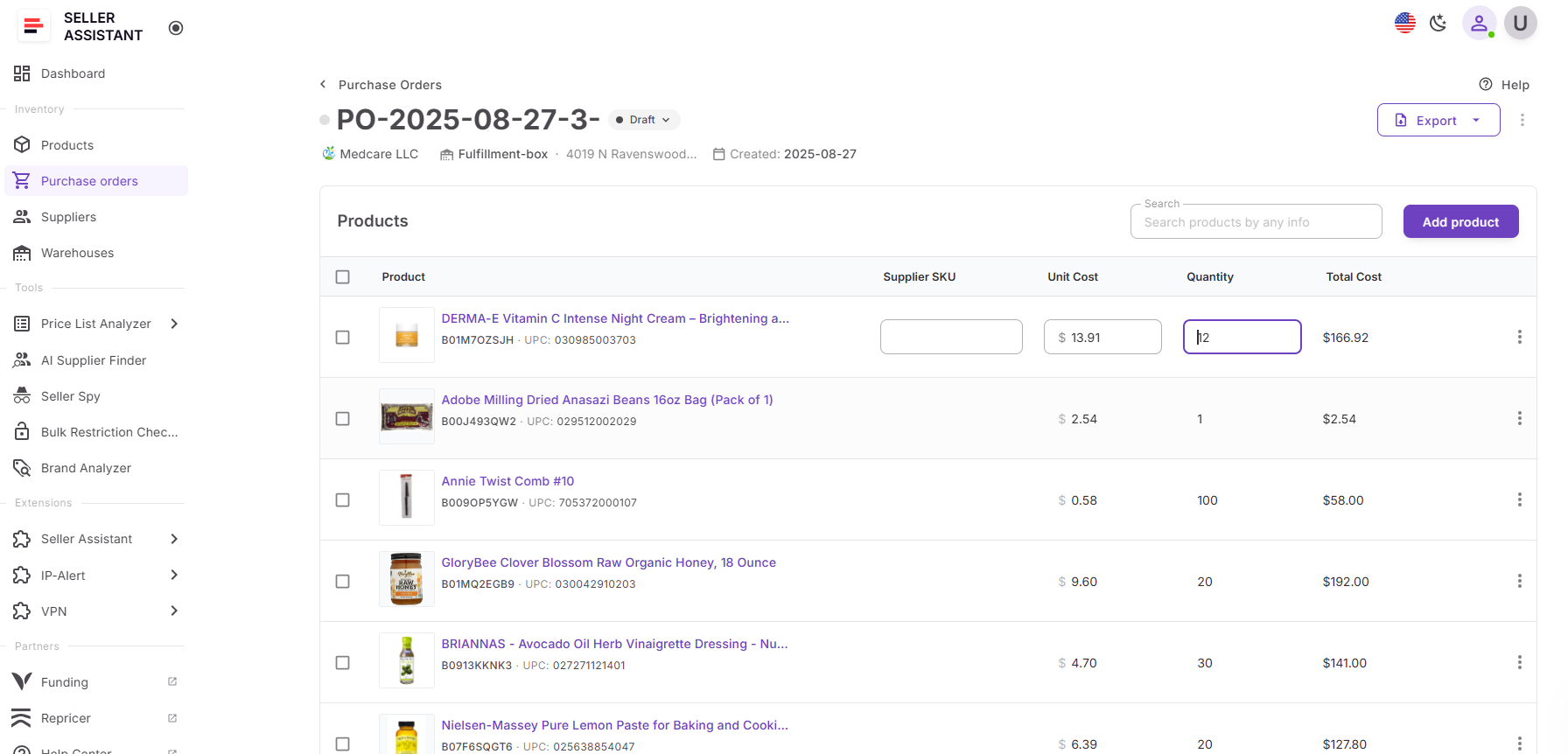
Step 3. Edit quantities and costs
Review each product line and update quantity, unit cost, shipping, tax, or other purchase values if needed. The calculator updates profitability as the order changes.
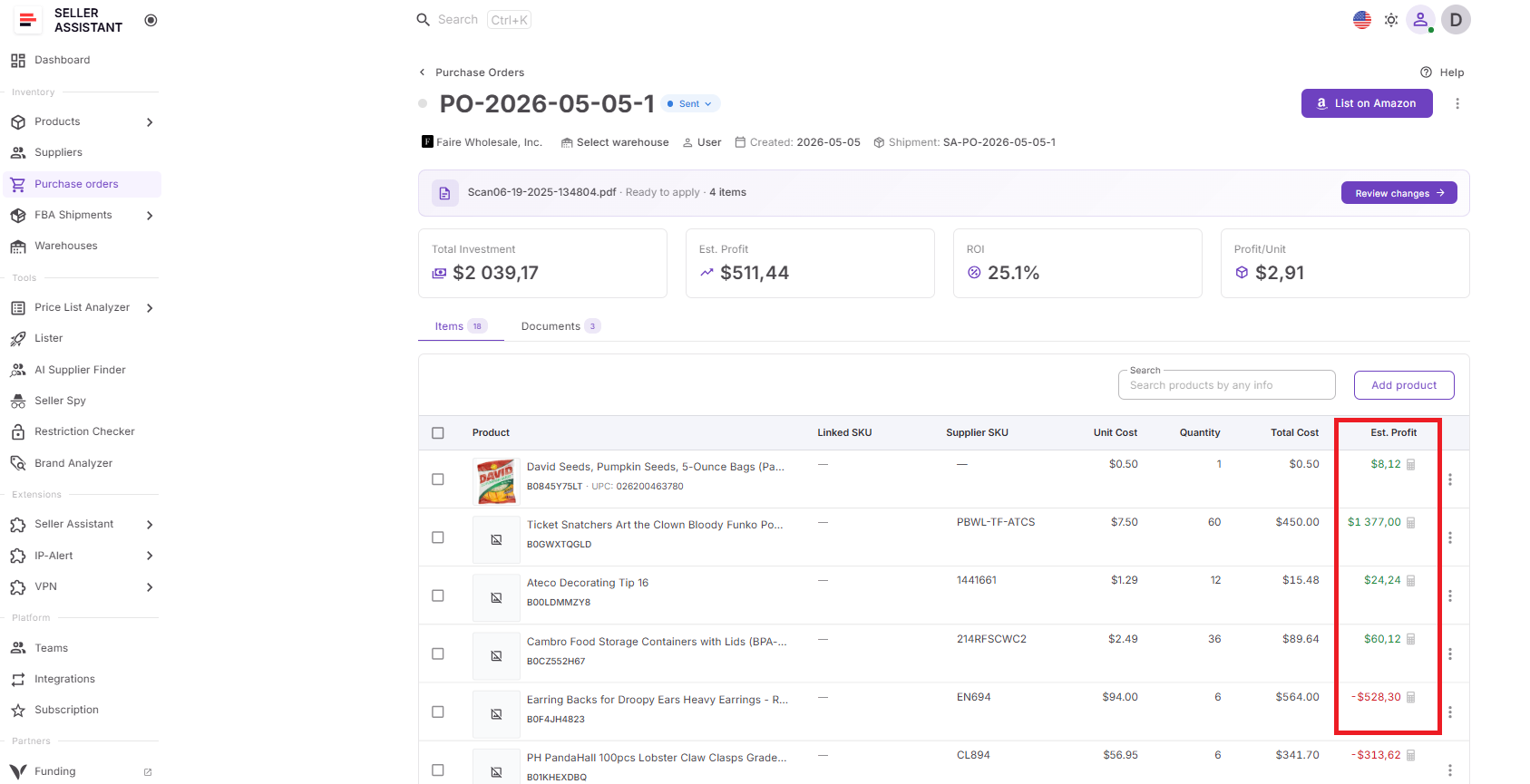
Step 4. Check product-level profitability
Review each product’s total cost, estimated profit, ROI, and profit per unit. Use these numbers to spot products that may weaken the order.
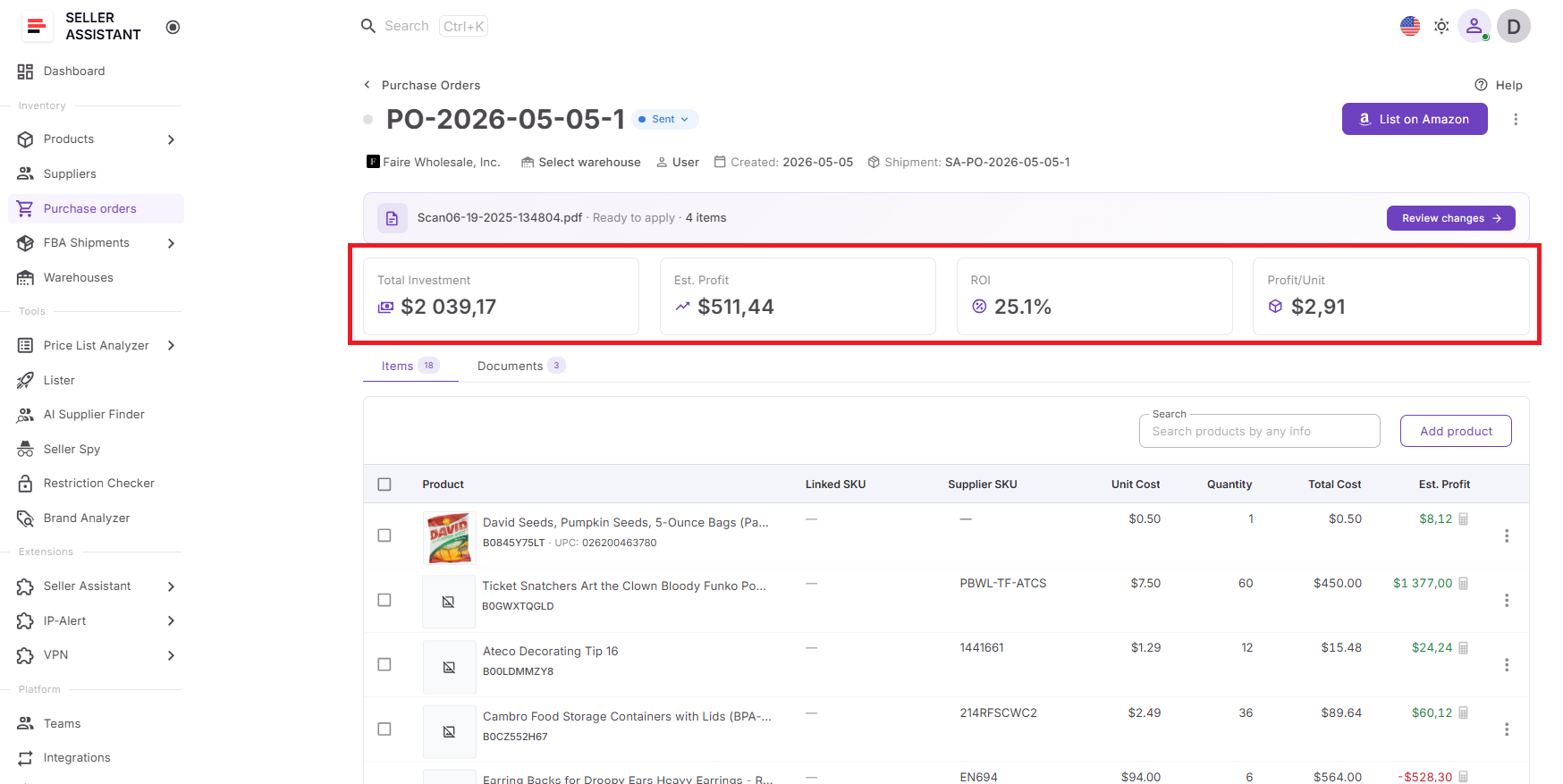
Step 5. Review full order profitability
Check the purchase order summary to see total investment, estimated profit, ROI, and profit per unit for the entire order.
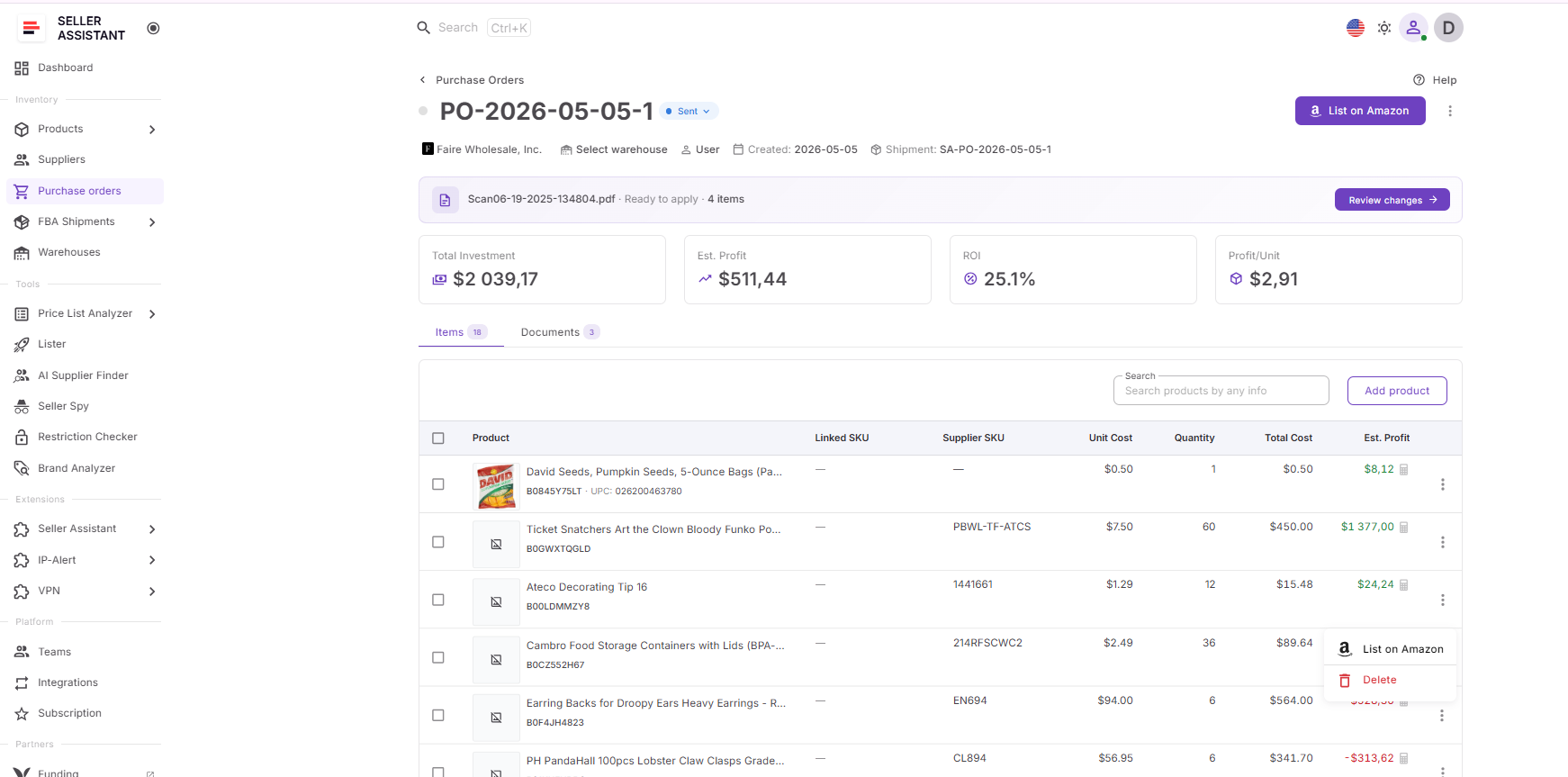
Step 6. Adjust the order before buying
Remove low-performing products, change quantities, or update costs until the purchase order meets your profit and ROI targets.
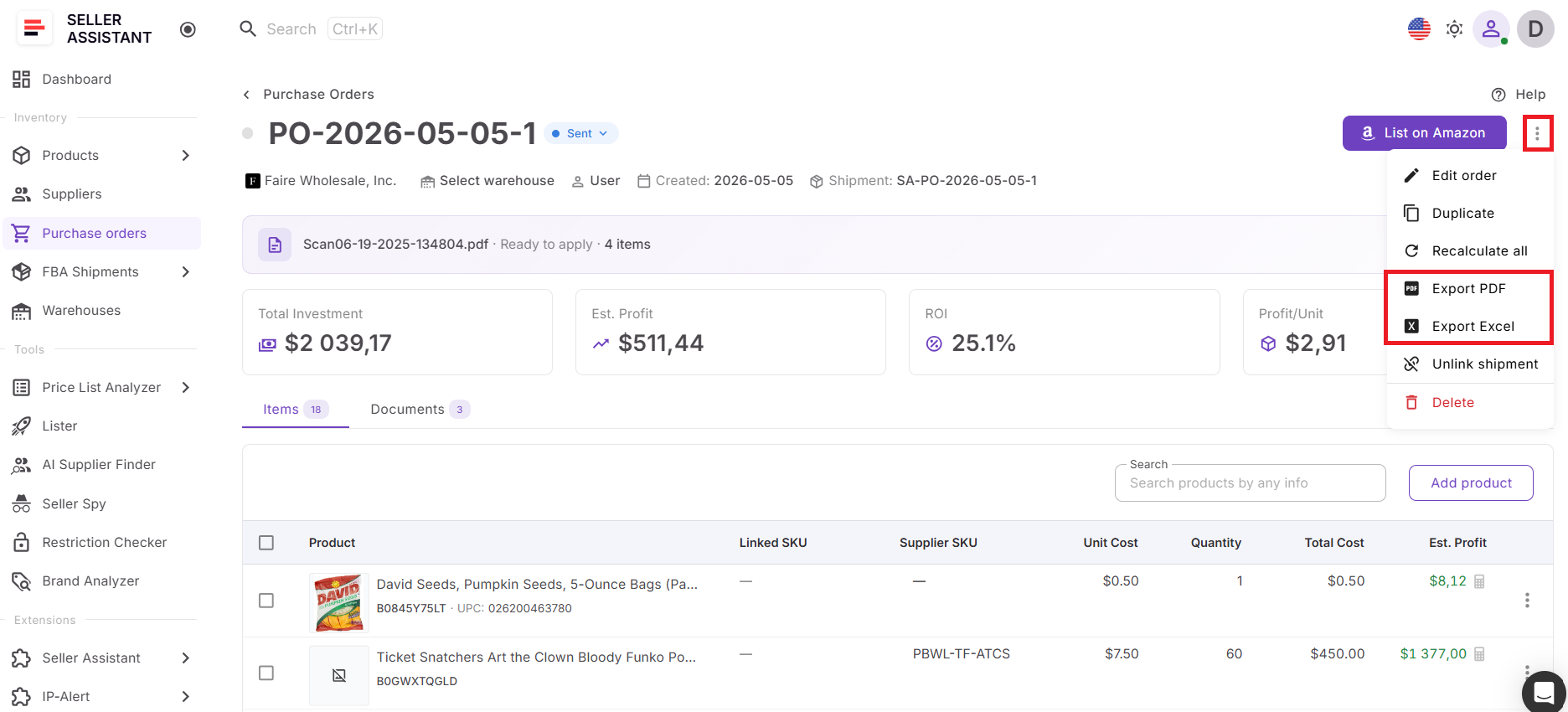
Step 7. Export and send the PO
When the order looks profitable, export it as PDF or XLSX and send it to your supplier.
FAQ
Does Profitability Calculator for Bulk Orders calculate profitability for individual products?
Yes. The calculator shows unit cost, quantity, total cost, and estimated profit for every product inside a purchase order. This helps sellers compare SKUs and identify products that may reduce overall order performance.
Can I see profitability for the entire purchase order?
Yes. In addition to product-level metrics, the calculator shows total investment, estimated profit, ROI, and profit per unit for the complete purchase order. This gives sellers a full picture of expected returns before placing inventory orders.
Does the calculator update automatically when I change costs or quantities?
Yes. When quantities, unit costs, shipping, taxes, or other purchase values change, profitability metrics update automatically inside the Purchase Orders Module. This keeps calculations current without manual updates.
Can online arbitrage and dropshipping sellers use Profitability Calculator for Bulk Orders?
Yes. The calculator is designed for wholesale sellers, online arbitrage sellers, and dropshippers who purchase products in bulk or manage multiple supplier orders. It helps all reseller types evaluate investment and expected returns more accurately.
Can I track profitability across all my purchase orders?
Yes. The calculator aggregates total investment, estimated profit, ROI, and profit per unit across all purchase orders. This helps sellers monitor purchasing performance and identify long-term trends in their sourcing decisions.
Final Thoughts
Bulk purchasing creates bigger opportunities, but it also creates bigger risks. A purchase order with dozens of products can tie up significant capital, and small mistakes in costs or product selection can reduce returns across the entire order. Looking at products individually often does not show the complete picture.
Seller Assistant’s Profitability Calculator for Bulk Orders helps Amazon wholesale sellers, online arbitrage sellers, and dropshippers evaluate profitability where purchasing decisions happen — directly inside the Purchase Orders Module. By showing profitability at product, purchase-order, and overall purchasing levels, it helps sellers understand investment requirements, compare opportunities, and make more informed buying decisions before placing inventory orders.