



As 2024 begins, Seller Assistant welcomes an exciting addition: ASIN Grabber is now available! Integrated seamlessly within Seller Assistant, ASIN Grabber serves as an invaluable tool designed to streamline data retrieval from Amazon pages. Specifically, its primary function involves extracting ASINs (Amazon Standard Identification Numbers) and associated details, making analysis simpler while streamlining decision making processes.
What is ASIN Grabber?
ASIN Grabber serves as an information gathering tool, collecting data from Amazon’s product search pages, individual product pages, and seller storefronts. It focuses on retrieving ASINs along with associated product details for further analysis and decision-making.
Related: Seller Assistant Extension Review
How does ASIN Grabber work?
Activation: To initiate ASIN Grabber, users click on the Seller Assistant icon in their browser’s application bar.
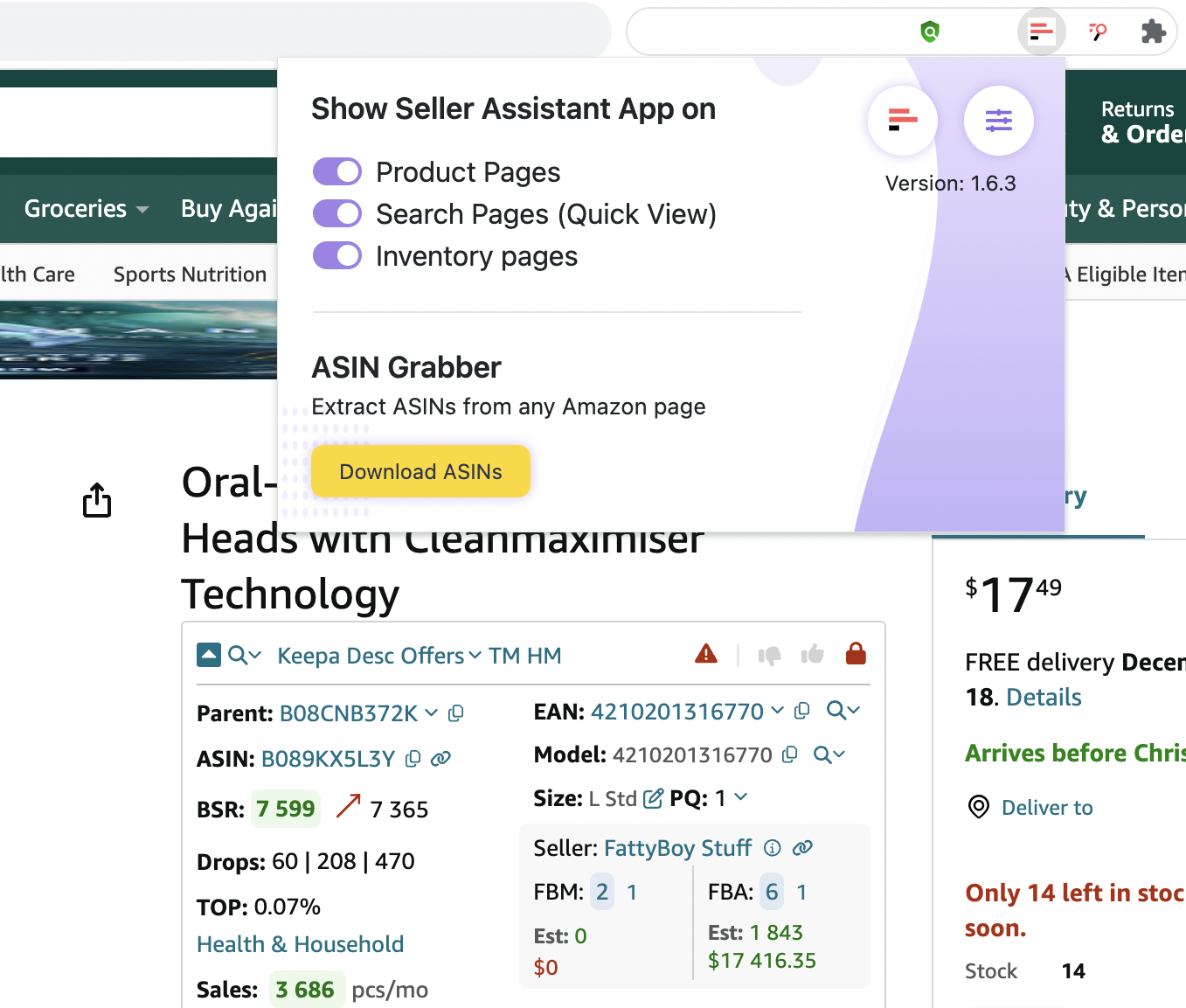
ASIN Grabber on the Product Page
Data Retrieval: Upon activation, users can click the yellow “Download ASINs” button to extract information about products from the respective Amazon page.
Progress Monitoring: During the ASIN download process, the progress bar displays the status of the ASINs being retrieved.
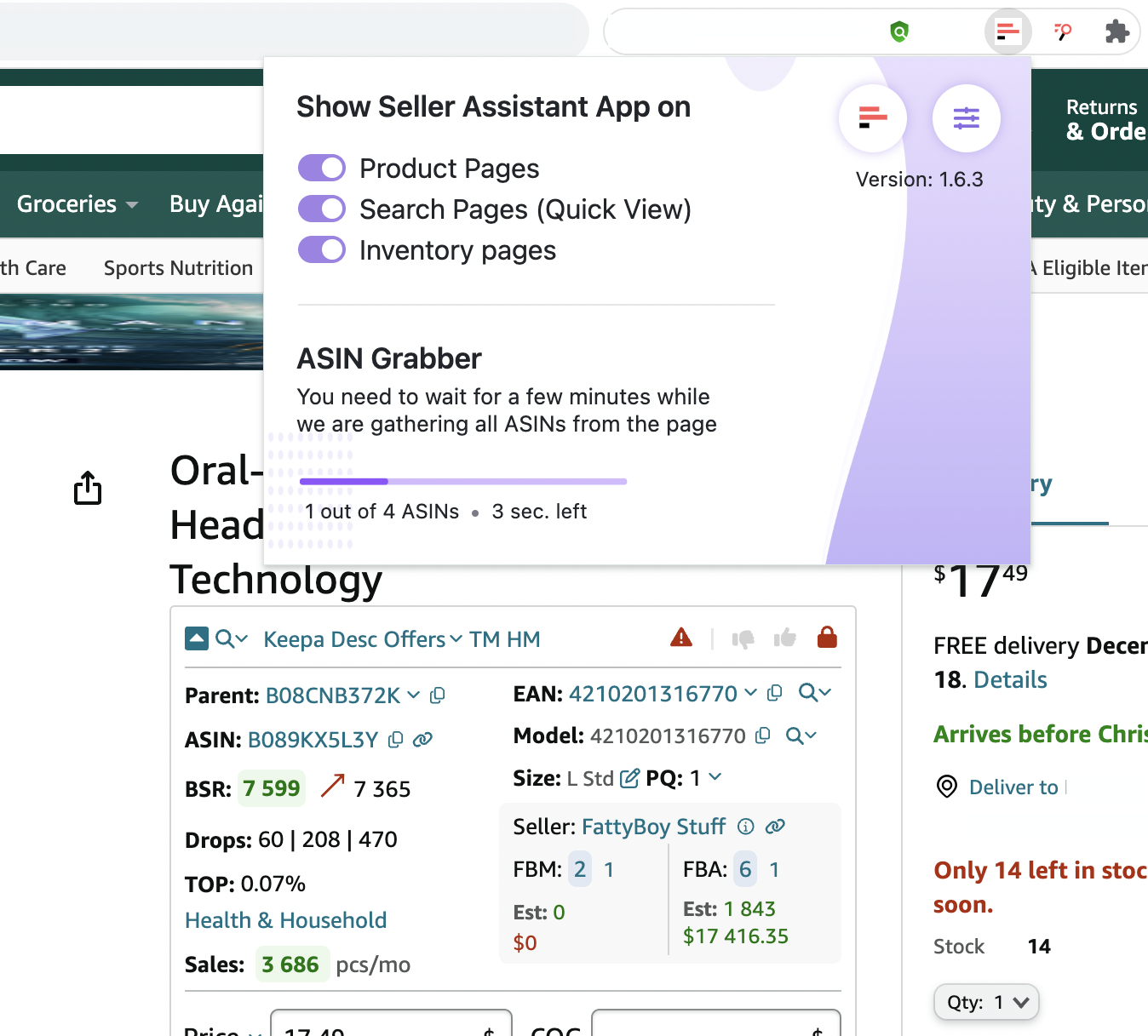
ASIN Grabber with Progress Bar on the Product Page
Related: Amazon FBA Calculator: Free Vs Paid
Free Amazon Automate Pricing Tool - Review and Pros & Cons
ASIN Grabber Results:
The gathered data is presented in an organized table format, displaying a range of valuable information including:
- Title
- ASIN
- Brand
- BSR (Best Seller Rank)
- Category
- Price
- Currency Sign
- Information on Sale Restrictions (indicated by a “lock” icon)
- IP alert Flag
- Rating count
- Total rating count
- Rating share
- Color
- Size
- Product URL
If there is no information you will see n/a.
Related: UPC/EAN to ASIN Converter: Amazon Seller’s Guide
How to Do Quick Amazon Product Research?
Utility and Application:
- Competitor Analysis: Allows users to extract ASINs and details from competitor storefronts for analysis and comparison.
- Niche Identification: Helps identify products within specific market niches for research and strategic planning.
- With Bulk Restriction Checker: Assists in swiftly checking restrictions on selling particular products, aiding sellers in decision-making.
- Integration with Google Sheets: Seamlessly exports data to Google Sheets, enabling further scrutiny, comparative assessments, and comprehensive analysis.
Related: How to match Seller Assistant and Google Sheets to achieve better results
Seller Assistant Alternatives
Overall, ASIN Grabber’s universality, ease of use, and its ability to extract and present detailed product data make it an invaluable asset for sellers, entrepreneurs, and individuals navigating the Amazon marketplace. The collected information can be further utilized for detailed analysis, comparison, and informed decision-making processes.


