Analyzing products one by one works when you’re sourcing a handful of ASINs. It becomes a problem when your Product Database contains hundreds or thousands of deals collected from supplier lists, online arbitrage leads, and previous sourcing sessions.
Prices change, competition shifts, and products that looked weak last month can suddenly become profitable again. Manually revisiting every product takes time and makes it easy to miss good opportunities.
Seller Assistant solves this by letting you analyze products in bulk directly from Product Database. Instead of rebuilding spreadsheets or starting research from scratch, you can refresh product data, review key metrics, and identify the strongest opportunities faster.
Turn Supplier Products Into New Sourcing Opportunities
Product database becomes more valuable as your sourcing activity grows. Products from supplier catalogs, online arbitrage lists, and previous sourcing sessions keep accumulating, but stored products only create value if you can revisit and evaluate them quickly.
Bulk analysis allows Amazon sellers to refresh data across large product sets without rebuilding spreadsheets or repeating manual research. Instead of checking ASINs individually, you can re-evaluate profitability, demand, competition, and risk signals at scale.
This helps you react faster to market changes, identify products that became profitable, and make sourcing decisions based on current data rather than outdated assumptions.
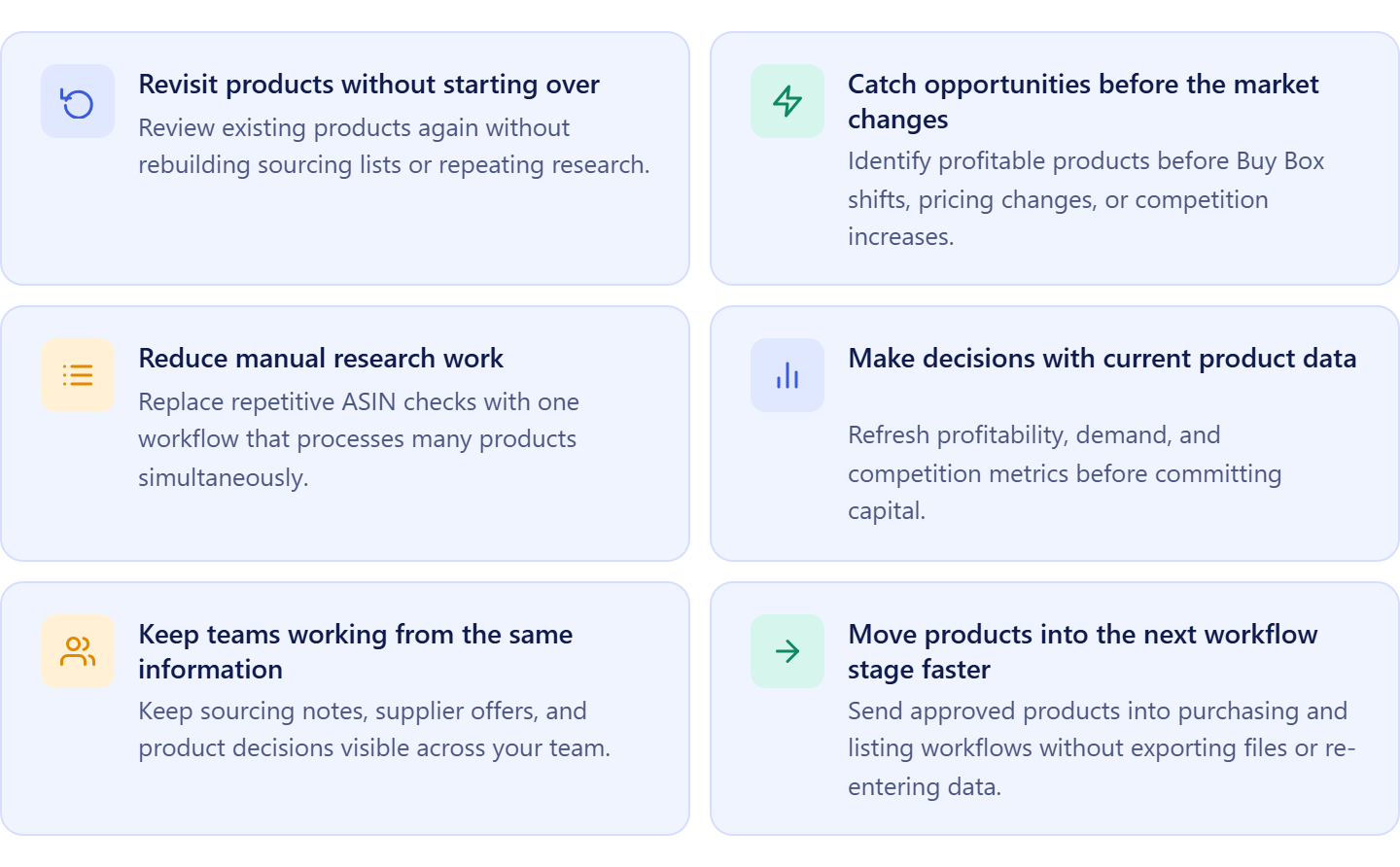
Revisit products without starting over
Sourcing is ongoing. Products that were rejected before can become viable when Buy Box prices increase, competition drops, or supplier costs change. Bulk analysis lets you review existing products without rebuilding your pipeline.
Catch opportunities before the market changes
Amazon conditions move quickly. Prices, seller counts, and Amazon presence can change within days. Faster analysis helps you identify opportunities before margins disappear.
Reduce manual research work
Opening listings and checking products one by one creates bottlenecks. Bulk analysis replaces repetitive tasks with a structured workflow that processes many products at once.
Make decisions with current product data
Old sourcing decisions can become inaccurate over time. Refreshing product analysis gives you updated profitability, demand, and competition metrics before you commit capital.
Keep teams working from the same information
Teams often lose context when product notes, supplier offers, and sourcing decisions live in separate spreadsheets. Working from a shared Product Database keeps everyone aligned.
Move products into the next workflow stage faster
Once strong products are identified, you can continue into purchase orders, listings, and other Seller Assistant tools without exporting files or re-entering information.
What Seller Assistant Tools Analyze Bulk Products from Product Database
Analyzing products in bulk requires more than checking profit and ROI. Amazon resellers also need supplier offers, sourcing history, demand signals, competition data, restrictions, and purchasing workflows connected in one place. Seller Assistant simplifies this by linking Product Database with bulk analysis tools inside a structured sourcing workflow.
Instead of exporting product lists into spreadsheets and manually revisiting old sourcing decisions, sellers can select products directly inside Product Database, send them for analysis, and continue working with updated data without losing product context or supplier information.
This workflow is powered by two core tools: Seller Assistant’s Product Database and Seller Assistant’s Price List Analyzer.
Product Database
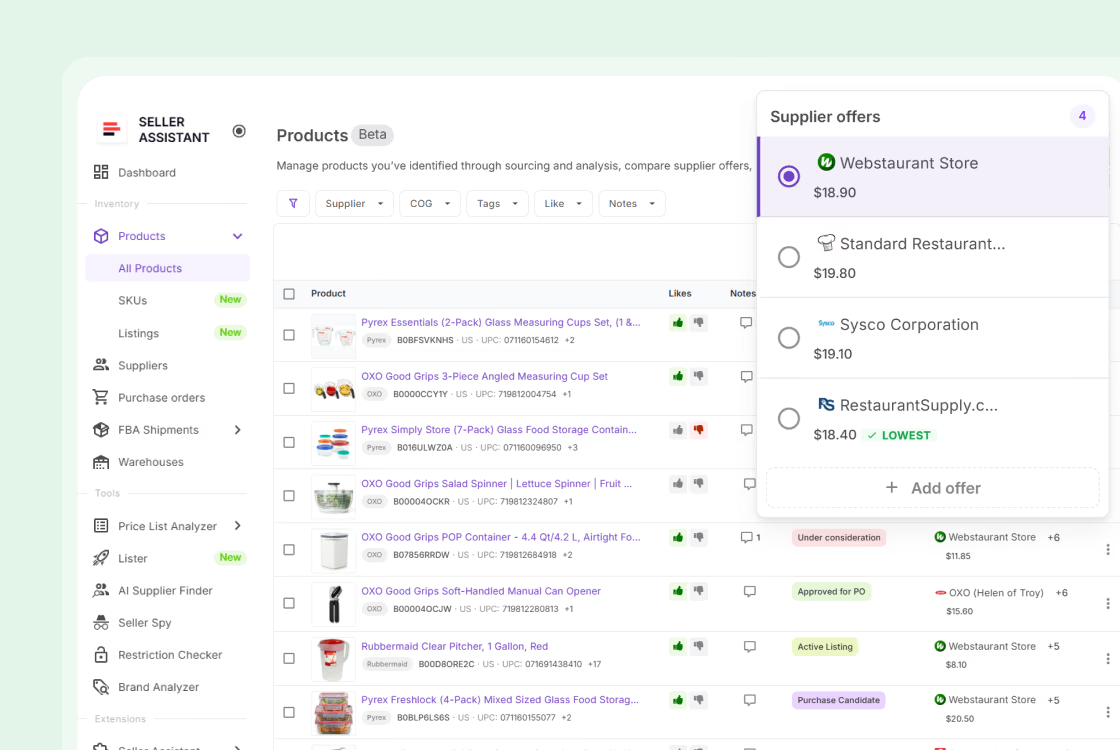
Product Database is the central workspace where sourced products, supplier offers, and sourcing decisions are stored and organized. Sellers can keep ASINs, supplier offers, COG data, notes, tags, and product history in one place. Because products remain connected to supplier information and sourcing records, sellers can revisit opportunities without rebuilding product lists or repeating research.
Price List Analyzer
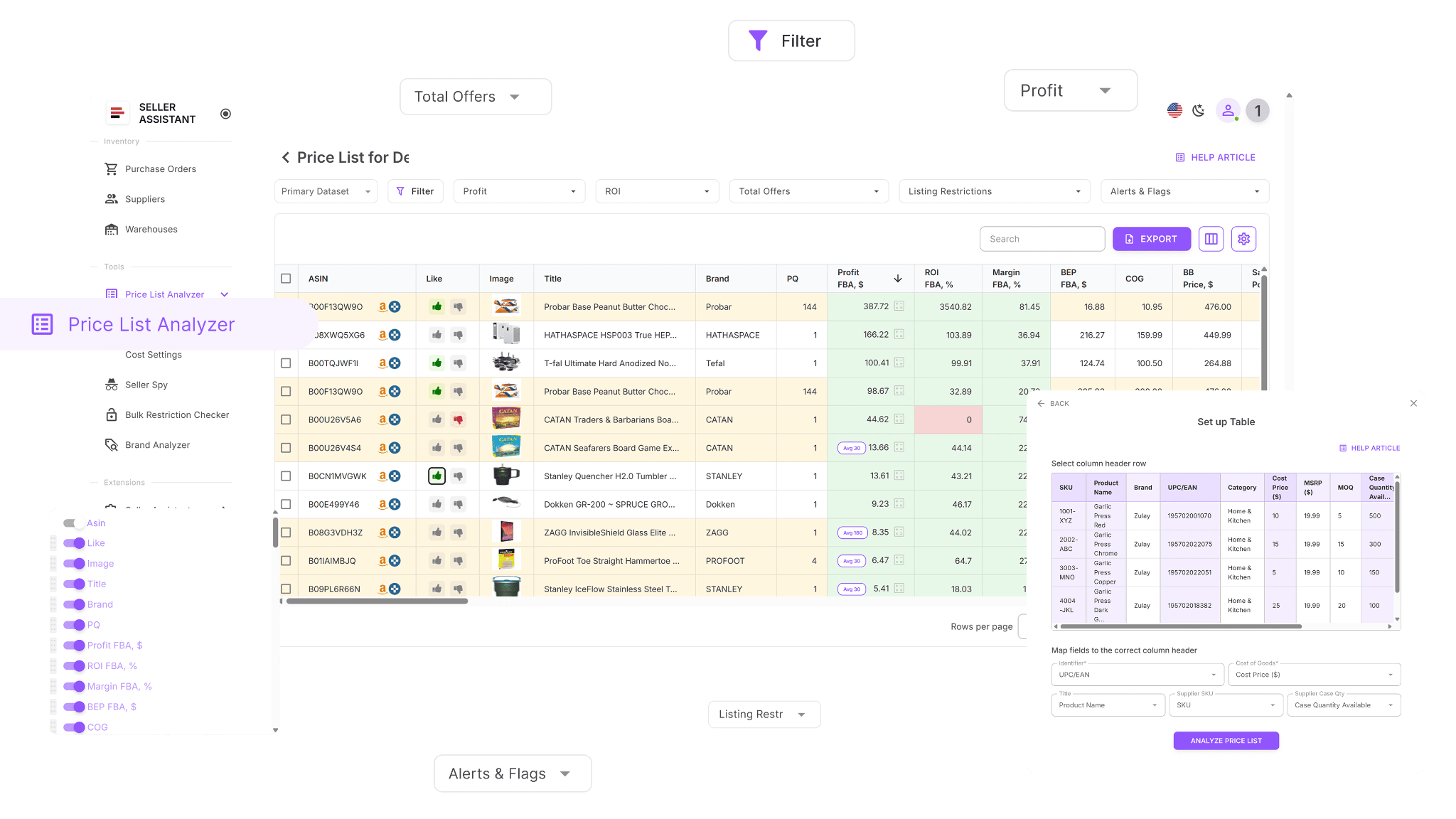
Price List Analyzer is where selected products are evaluated at scale. The tool analyzes products in bulk and provides profitability metrics, competition data, demand signals, pricing insights, and risk warnings. Sellers can review ROI, Buy Box conditions, BSR trends, seller activity, restrictions, and other important indicators across multiple products at once instead of opening listings individually.
How the tools work together
Product Database acts as the sourcing workspace, while Price List Analyzer works as the decision engine. Sellers select products directly from Product Database and send them to analysis in a few clicks. The system automatically transfers product information and creates a connected workflow where sourcing history, supplier data, and analysis results stay organized together.
How bulk product analysis fits into your workflow
Bulk product analysis inside Product Database is part of Seller Assistant’s connected sourcing workflow. Products move from research and supplier evaluation into analysis, then continue into purchase orders, listings, and fulfillment workflows without re-entering information manually. This keeps sourcing structured, scalable, and consistent as product volume grows.
Note. Seller Assistant is an end-to-end Amazon workflow management platform that integrates 15+ wholesale-focused solutions into one connected system. It combines sourcing workflow automation, bulk research and intelligence tools, and integrated Chrome extensions – giving you everything you need to streamline finding deals, managing suppliers, and creating purchase orders.

With Seller Assistant, every step of your Amazon wholesale and arbitrage workflow is automated and connected.
What Is Product Database?
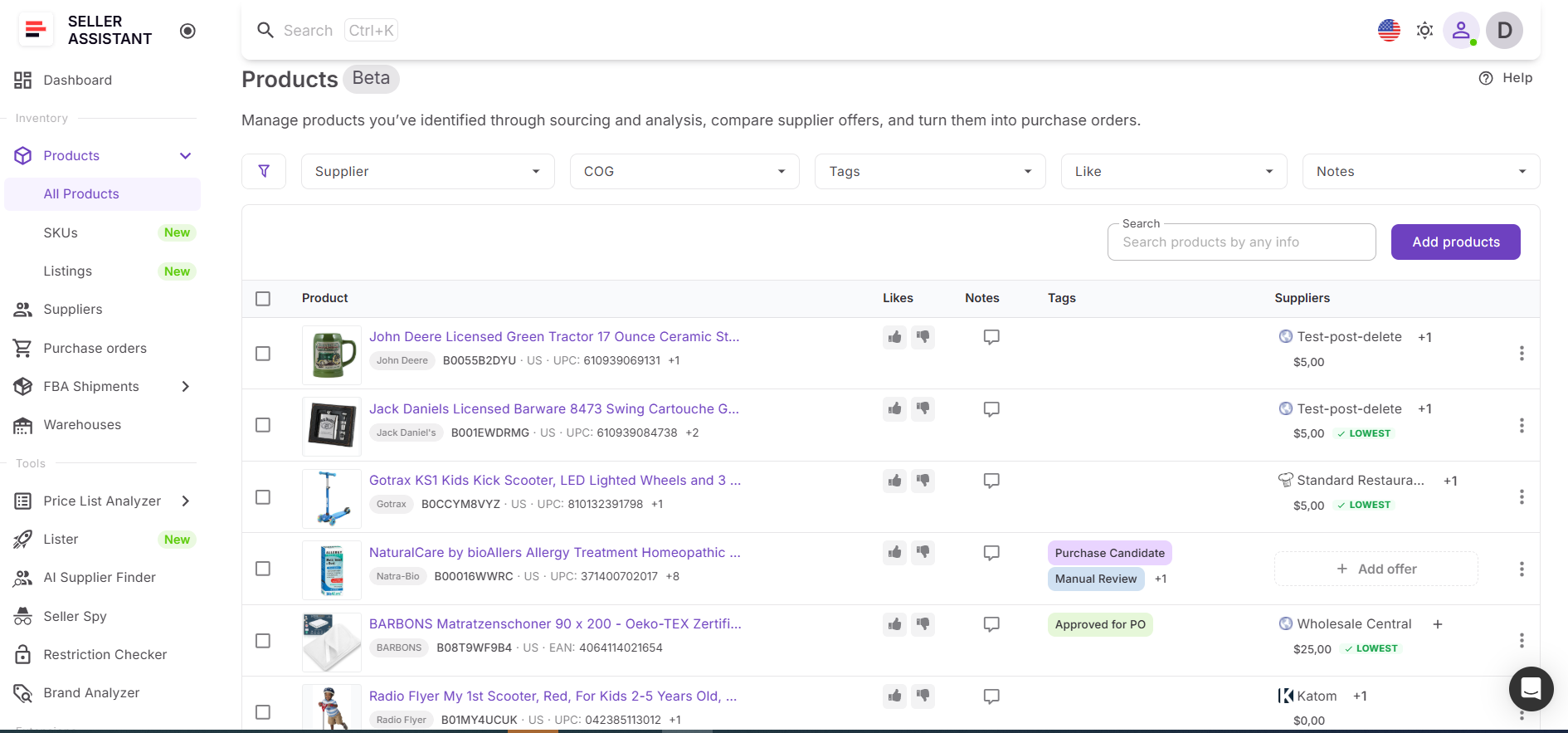
Product Database is Seller Assistant’s centralized workspace for storing, organizing, and managing sourced products. It keeps product records, supplier offers, COG data, and sourcing activity connected in one structured system.
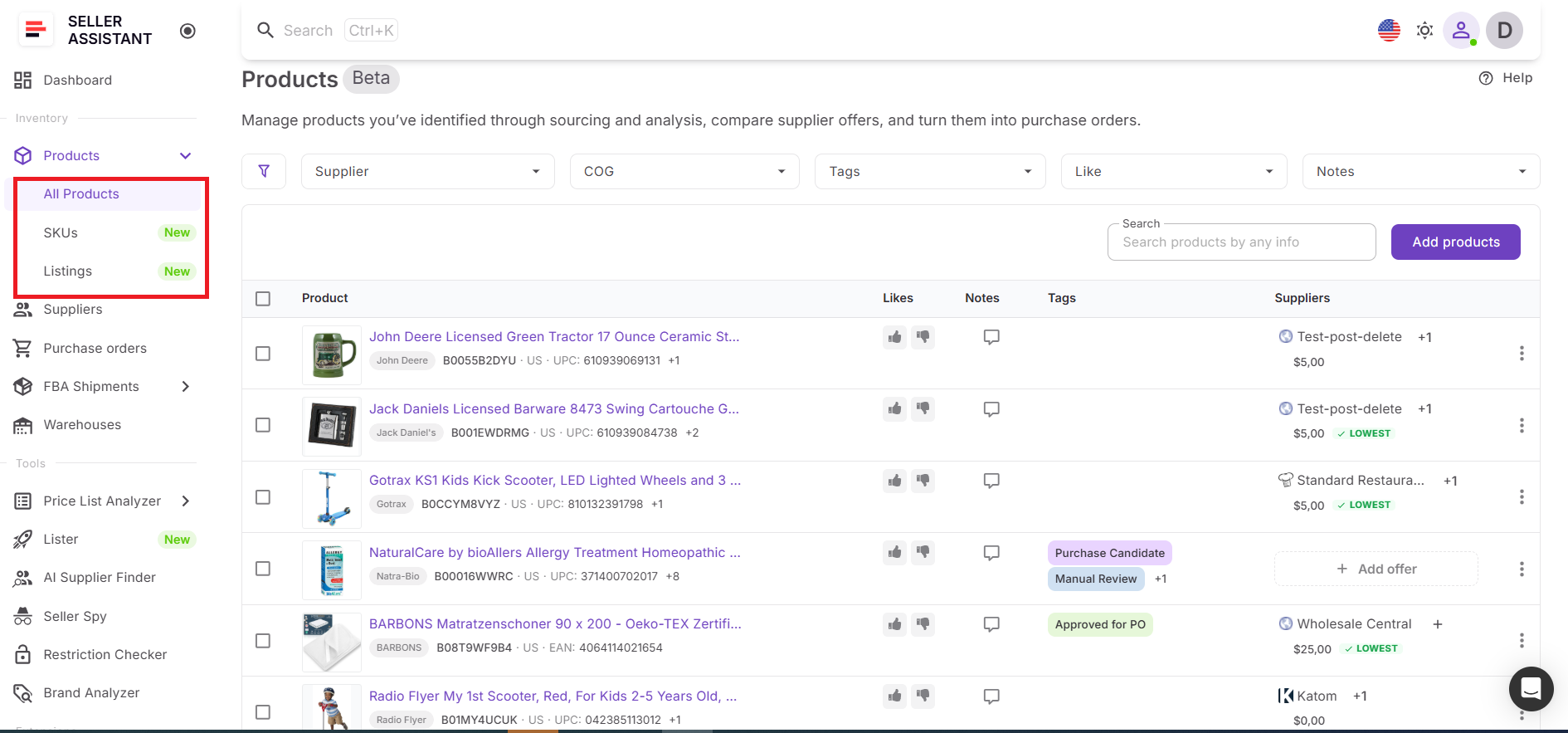
Instead of managing products through spreadsheets and disconnected tools, sellers work with one shared environment where sourcing information stays organized and reusable. Product Database is designed to help sellers turn stored opportunities into actionable sourcing decisions by keeping products connected to analysis tools and broader workflow processes.
What you can do with Product Database
Product Database gives sellers a structured way to manage product opportunities and continue working with them throughout the sourcing process. Instead of treating products as static entries, it keeps product information connected and ready for analysis.
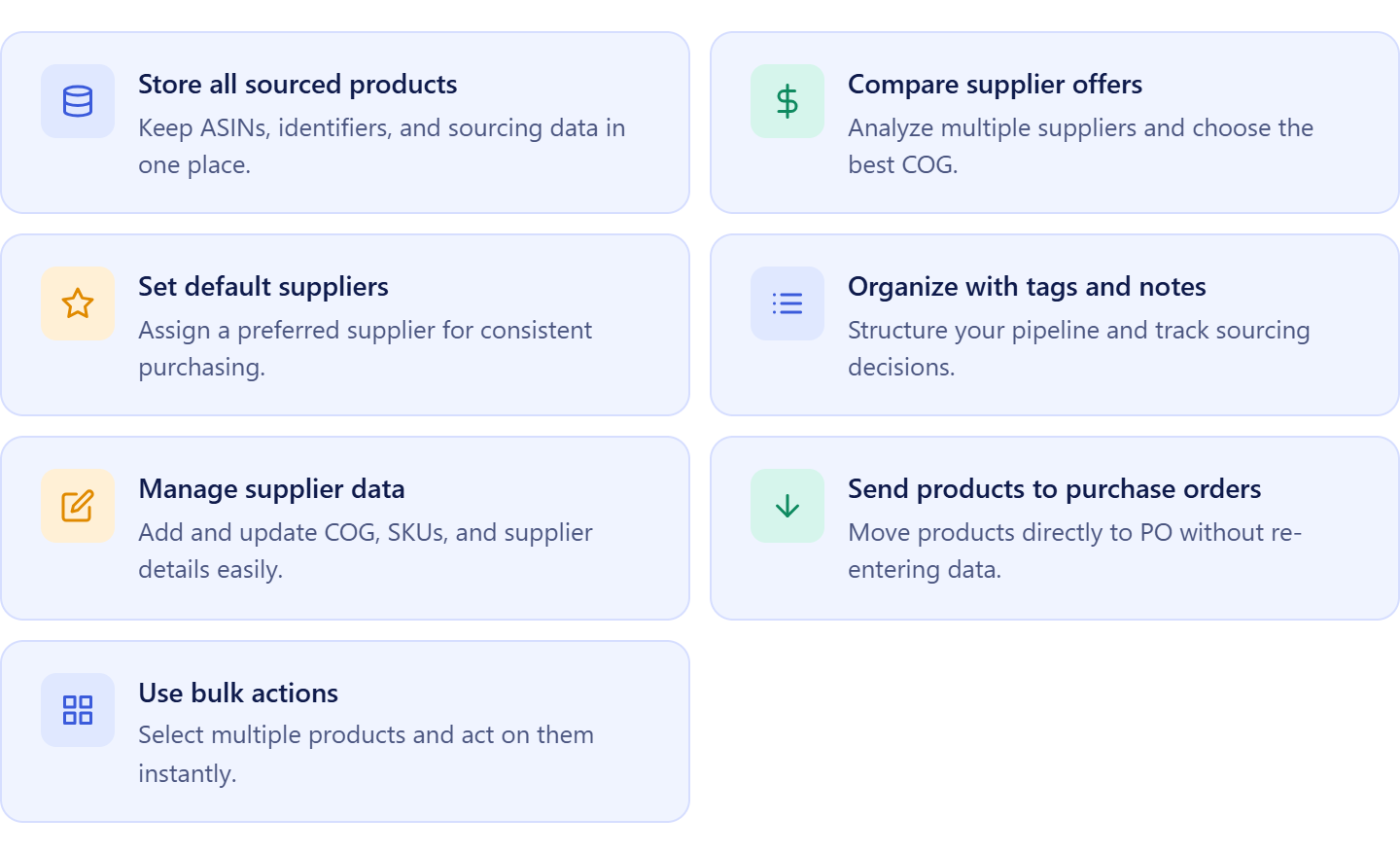
- Store all sourced products in one place
Keep ASINs, product identifiers, marketplace information, and sourcing inputs centralized for easier access and better organization.
- Compare supplier offers for each product
View multiple supplier offers together, review COG differences, and identify which source creates the strongest profit opportunity.
- Select and manage default suppliers
Assign preferred suppliers for products to maintain consistency across sourcing decisions and future workflow actions.
- Organize products with tags, notes, and likes
Build a structured sourcing pipeline, track decisions, and keep team activity visible across workflows.
- Add and update supplier information
Create or edit supplier offers with COG, SKU details, identifiers, and links to keep sourcing data accurate.
- Analyze products directly from Product Database
Select products and send them directly into Price List Analyzer without exporting files or rebuilding product lists.
- Work with bulk actions
Select multiple products and apply actions across them simultaneously to reduce repetitive work and improve efficiency.
How Product Database streamlines your workflow
Product Database turns sourcing into a structured process instead of a collection of disconnected product lists. Rather than storing products as static records, sellers work with dynamic product entries that remain connected to suppliers, analysis tools, and sourcing activity.
Products can be added manually or imported from Price List Analyzer together with supplier offers and sourcing data. Once products are stored, sellers can revisit them at any time, select multiple products, and send them directly into Price List Analyzer for updated evaluation.
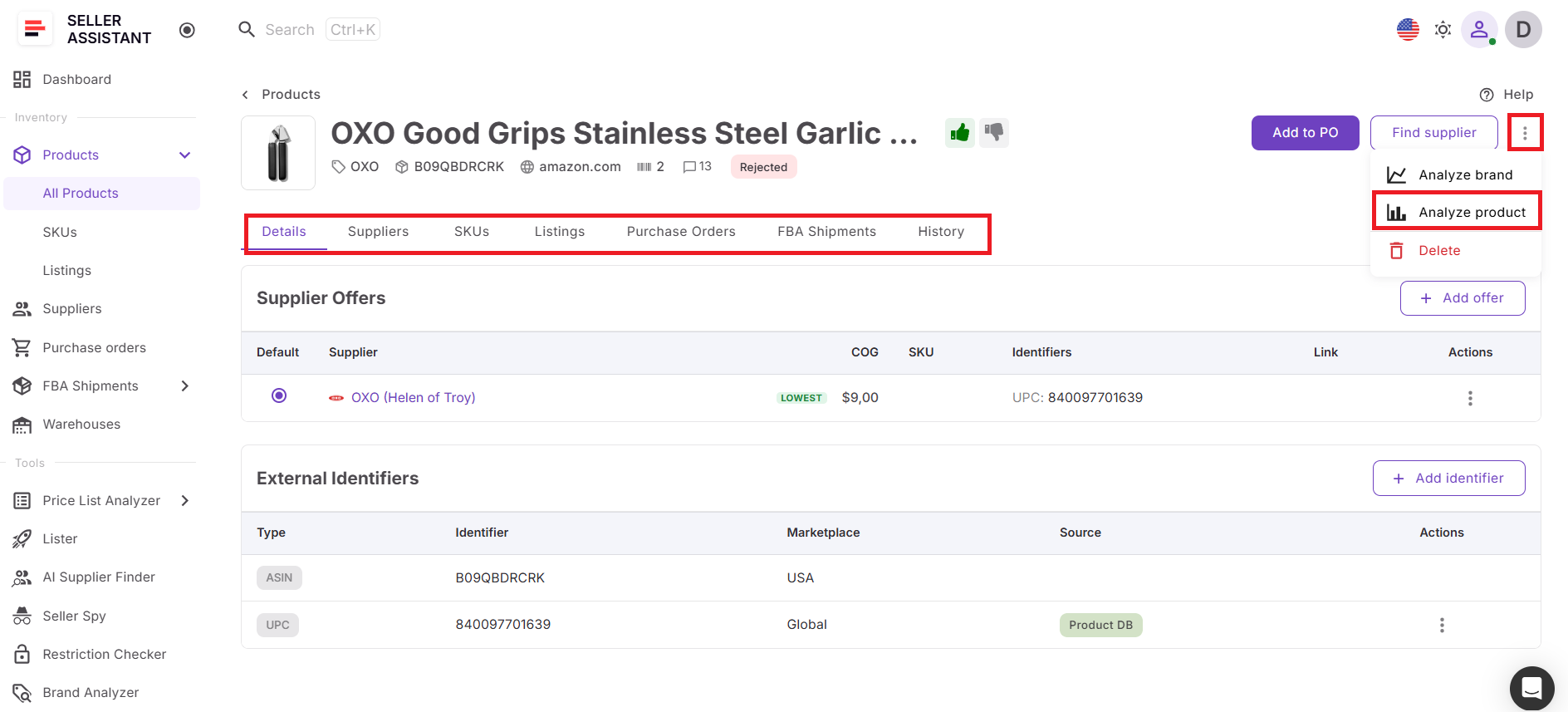
The connection between Product Database and Price List Analyzer creates a continuous workflow. Sellers can refresh profitability, demand, competition, and risk metrics without uploading spreadsheets again or repeating research. Product information, supplier context, and sourcing history remain attached throughout the process.
Using Product Database together with tools such as Price List Analyzer, Brand Analyzer, AI Supplier Finder, Suppliers Database, Bulk Restriction Checker, Lister, Warehouses Database, Purchase Orders Module, and FBA Shipments keeps sourcing organized, reduces manual work, and helps sellers scale operations with a consistent workflow.
What Is Price List Analyzer?
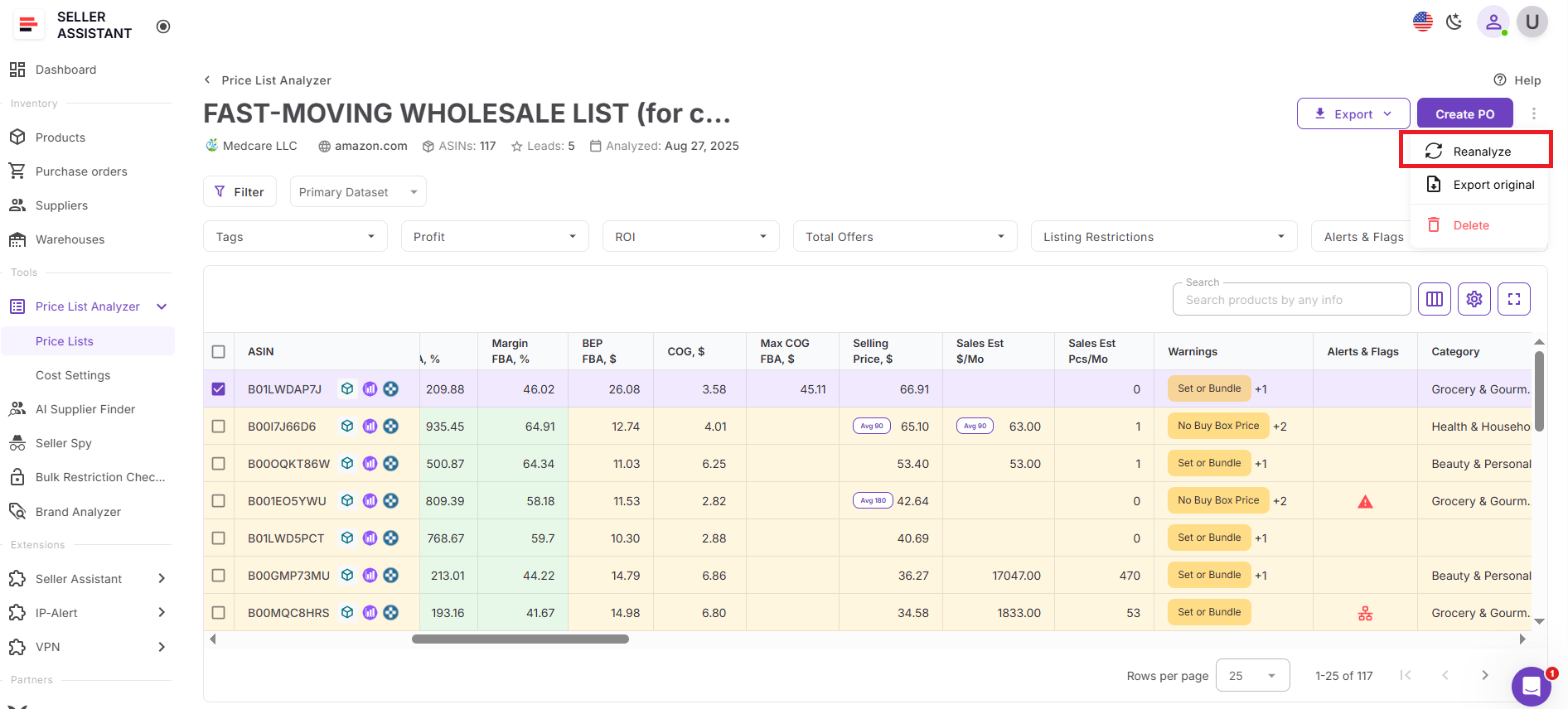
Price List Analyzer is Seller Assistant’s bulk product analysis tool built for Amazon wholesale sellers, online arbitrage sellers, and dropshippers who need to evaluate large groups of products efficiently. It enriches products with Amazon marketplace data and helps sellers assess profitability, demand, competition, and potential risks across many products simultaneously.
Instead of reviewing products one by one, sellers can select products directly from Product Database, send them to Price List Analyzer, and evaluate opportunities inside one connected workflow without exporting files or repeating research.
What you can do with Price List Analyzer
Price List Analyzer helps sellers transform product lists into structured sourcing decisions while keeping product information connected across the workflow.
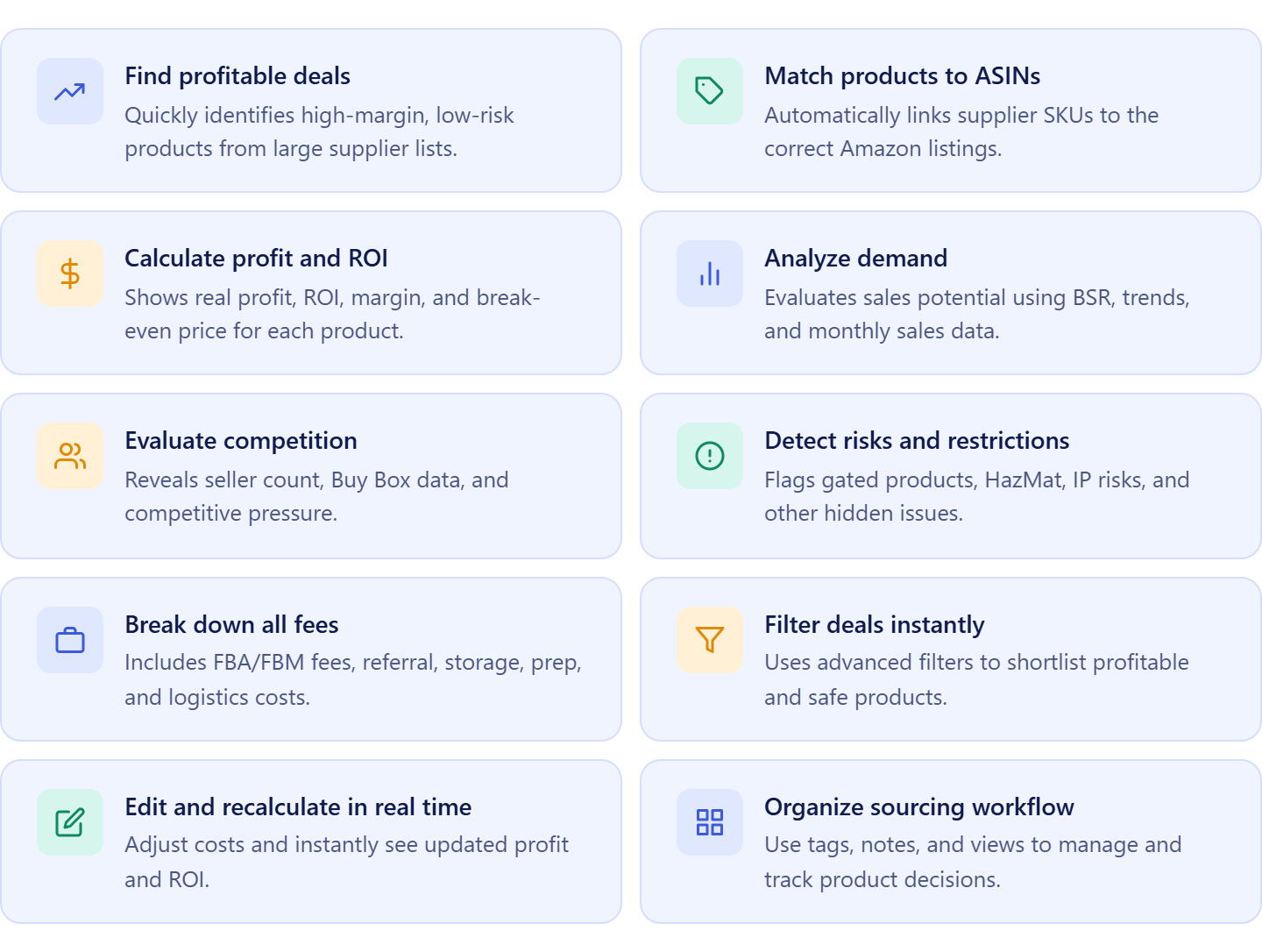
- Analyze multiple products at scale
Review hundreds or thousands of products in one process instead of opening listings and checking ASINs individually.
- Enrich products with Amazon marketplace data
Pull important marketplace metrics and product insights automatically to create a complete evaluation view.
- Calculate profitability automatically
View ROI, margin, profit, break-even price, and maximum COG using built-in Amazon fee calculations.
- Validate demand and sales consistency
Use BSR history, sales estimates, and sales trends to identify products with stable demand and stronger sales potential.
- Review competition and Buy Box conditions
Evaluate seller count, Amazon presence, Buy Box pricing, and competitive pressure before purchasing inventory.
- Detect restrictions and product risks early
Identify restricted products, HazMat items, meltable products, IP risks, and other sourcing concerns before investing capital.
- Filter stronger opportunities quickly
Apply filters for profit, ROI, demand, competition, restrictions, and risk indicators to isolate better opportunities.
- Adjust sourcing costs dynamically
Edit COG, shipping, prep fees, taxes, and package quantities with instant profitability recalculations.
- Organize sourcing activity
Use notes, tags, likes, and saved views to structure decisions and improve collaboration across teams.
- Continue the workflow without interruptions
Move analyzed products into Product Database, Purchase Orders, listings, and other connected workflows.
How Price List Analyzer fits into bulk product analysis
Price List Analyzer acts as the product evaluation layer inside Seller Assistant’s connected sourcing workflow.
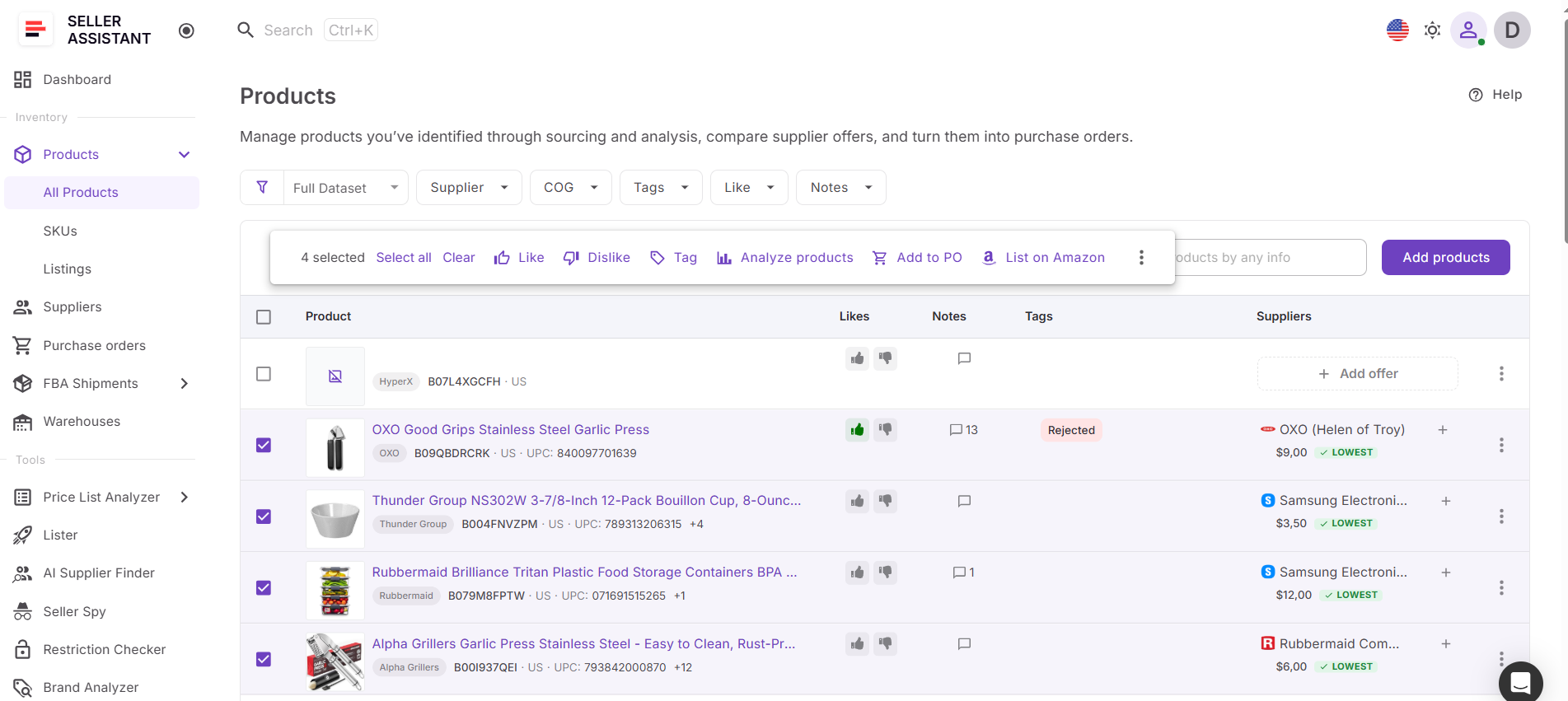
Sellers start inside Product Database by selecting products they want to revisit or analyze. After selecting products, they can launch Analyze Products, which sends selected items directly into Price List Analyzer. Product information remains attached automatically, preserving sourcing context and eliminating the need to export spreadsheets or recreate product lists.
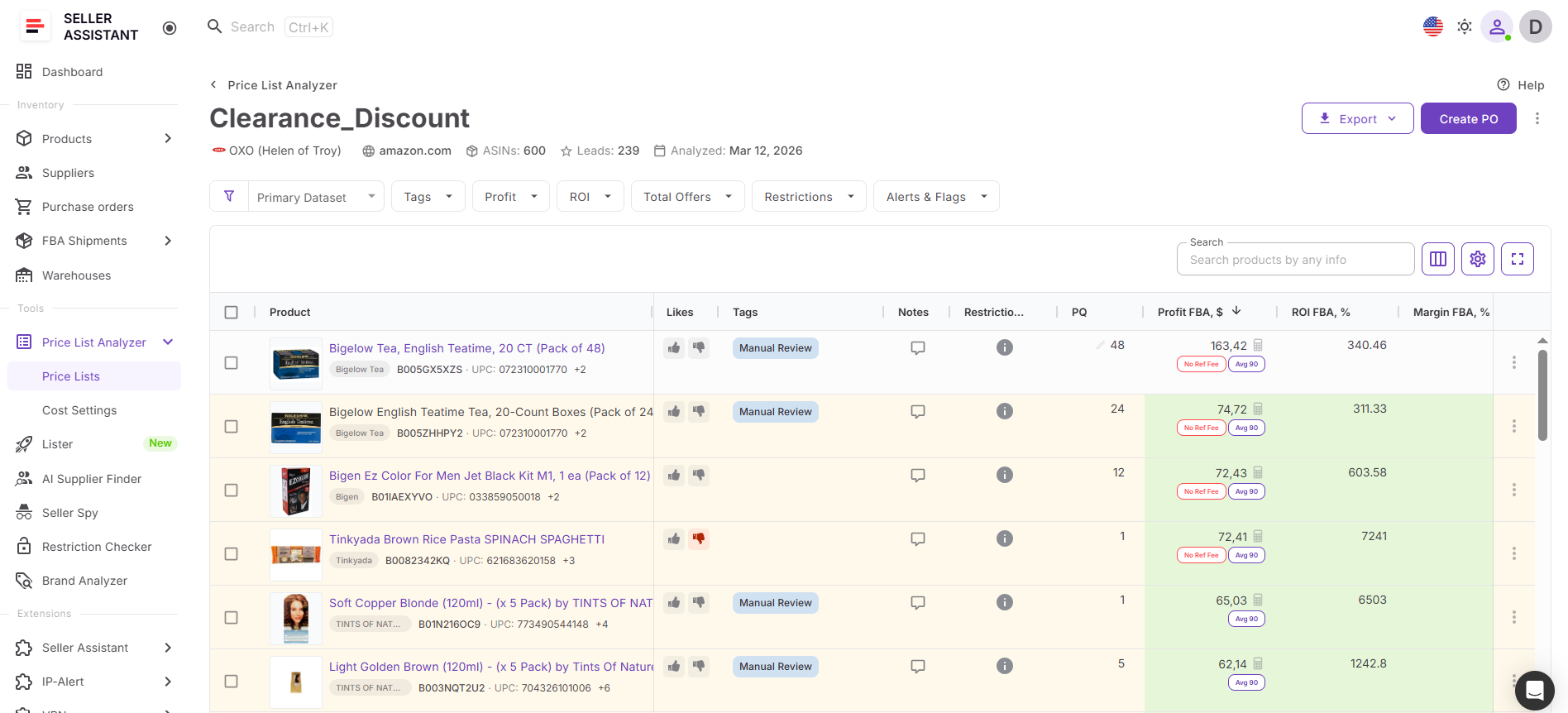
Once products open in Price List Analyzer, sellers can review profitability, demand, competition, and risk metrics, apply filters, and identify stronger opportunities without moving between disconnected systems.
Because Price List Analyzer connects directly with Product Database, Purchase Orders Module, Brand Analyzer, Bulk Restriction Checker, Suppliers Database, Lister, Warehouses Database, and FBA Shipments, product data moves through the workflow automatically.
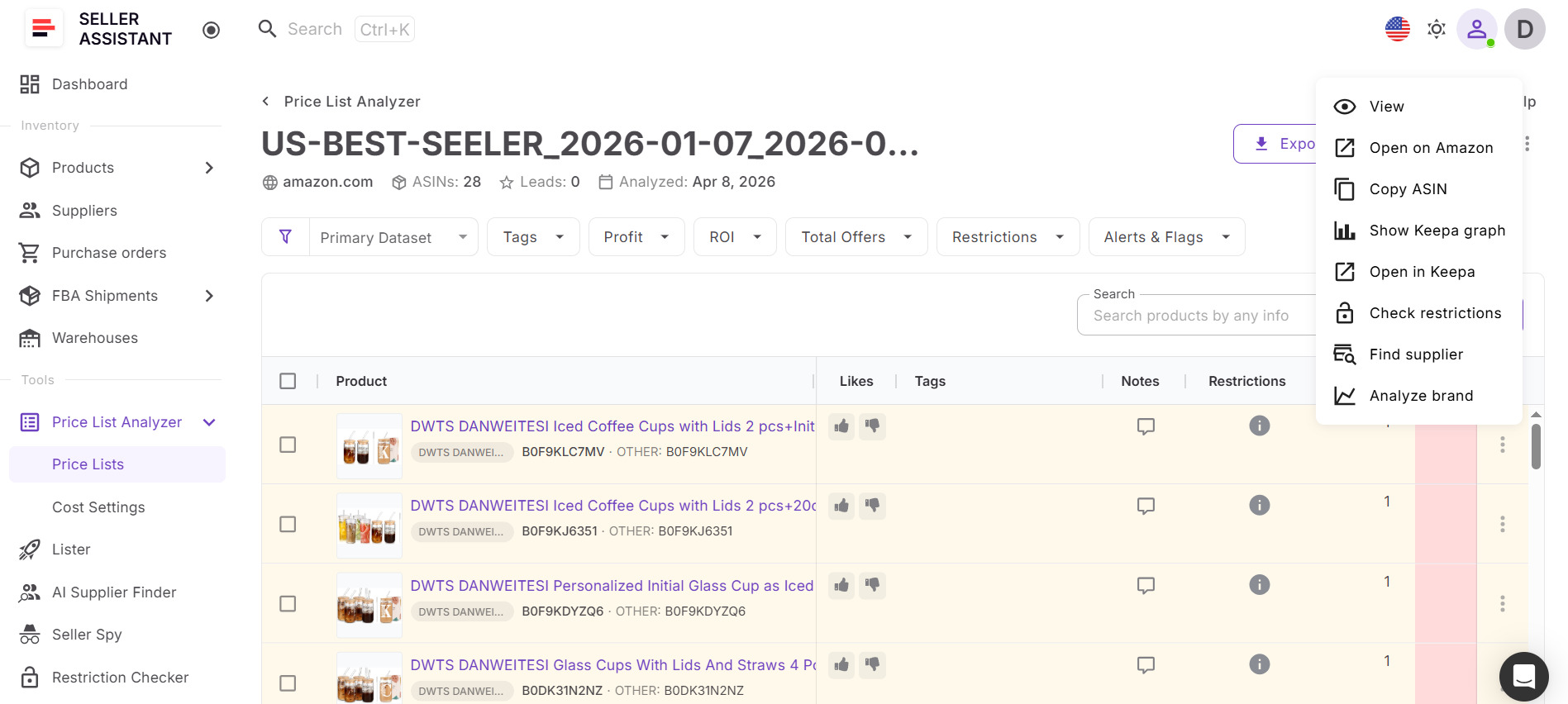
This creates a more organized process where products move from sourcing and evaluation into execution while preserving product history, supplier information, and sourcing decisions across every stage of the workflow.
How to Analyze Products in Bulk from Product Database
The process starts inside Product Database, where your sourced products, supplier offers, notes, and sourcing history are already organized. Instead of rebuilding product lists or exporting spreadsheets, you simply select the products you want to review directly from the same workspace. Product information stays attached automatically, so sourcing context and supplier data remain connected throughout the process.
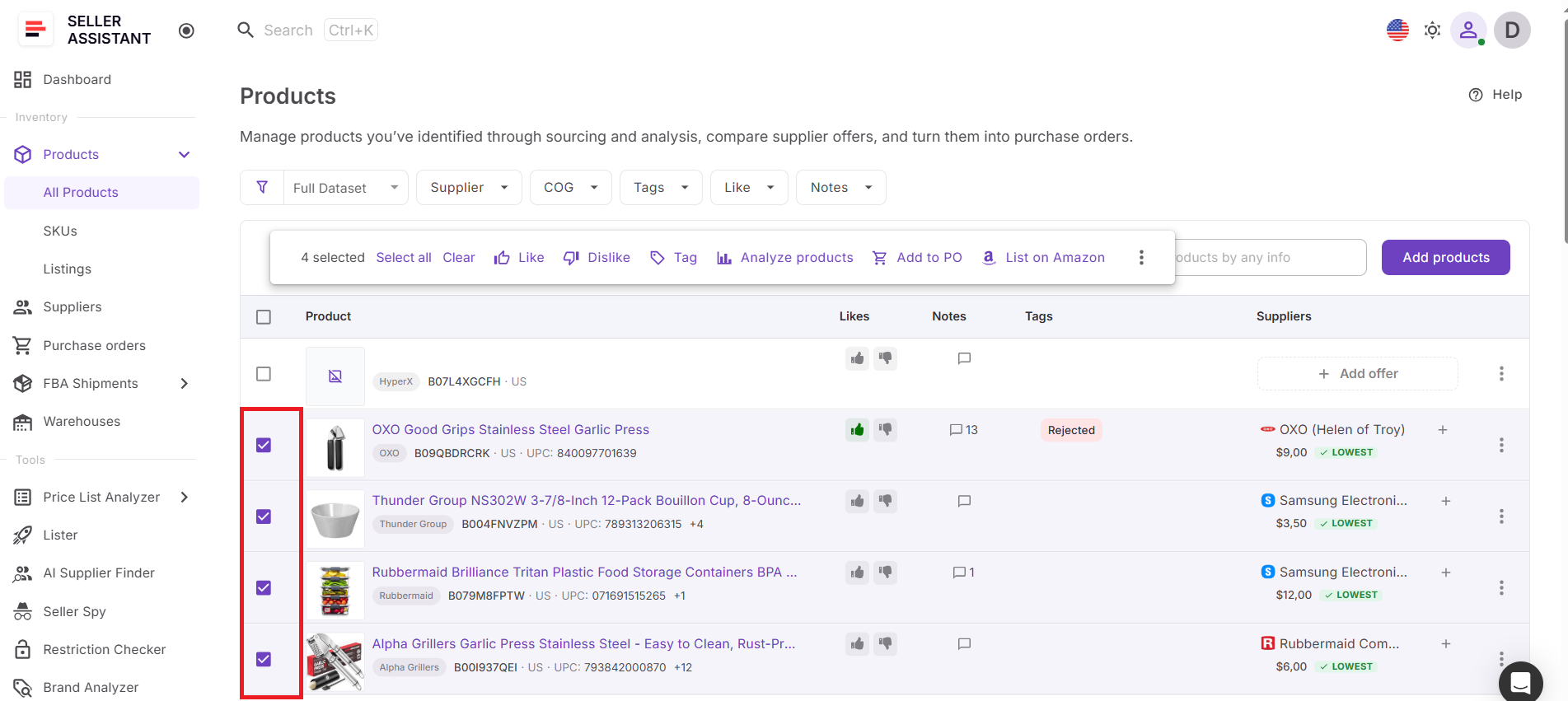
Once selected products open inside Price List Analyzer, the system enriches them with Amazon marketplace data and evaluates profitability, demand, competition, and product risks across the entire group. Instead of opening listings one by one, you review all opportunities in a single structured table, apply filters, and quickly identify stronger products with better profit potential.
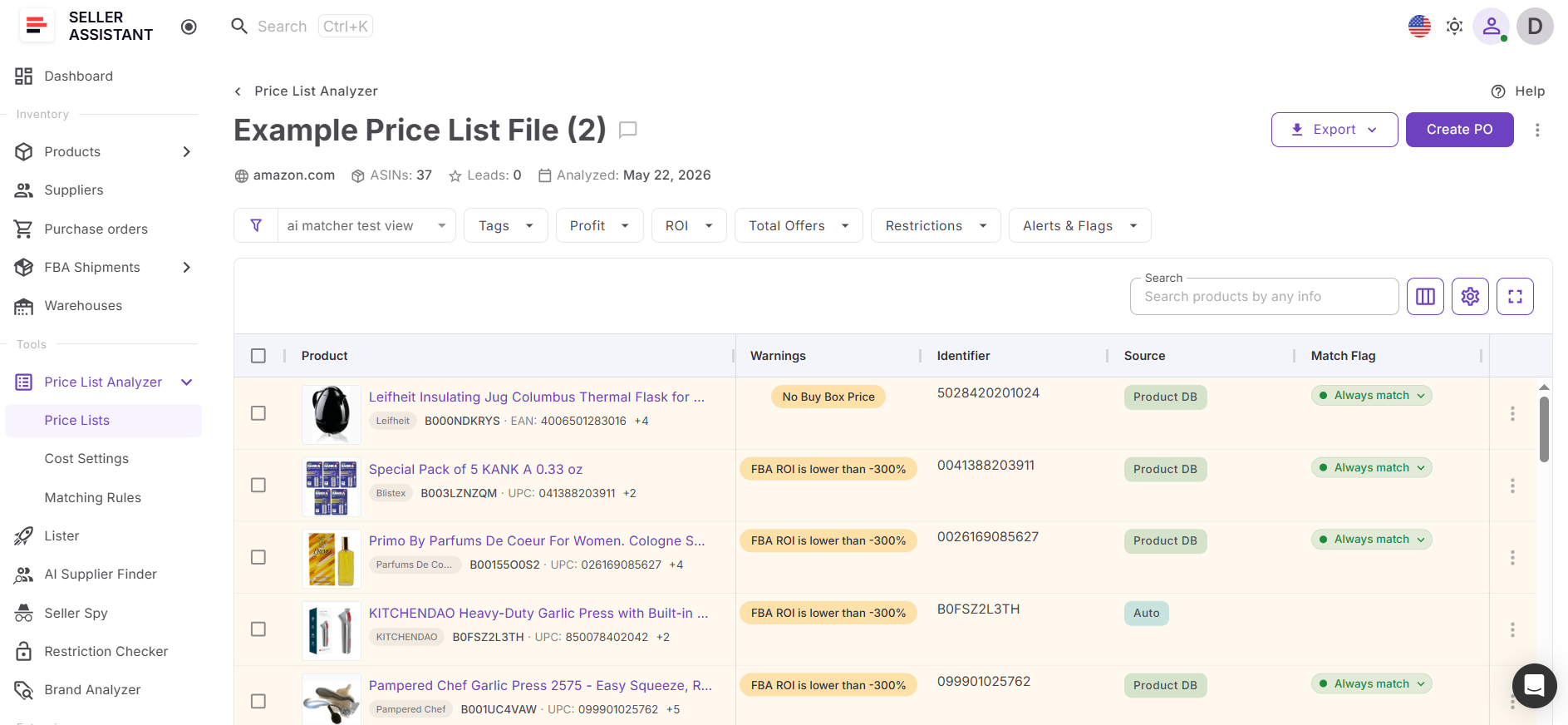
At the same time, product information from Product Database remains connected during analysis, giving you sourcing history and supplier context alongside marketplace metrics. This keeps decisions organized, reduces repetitive work, and helps you move from stored product opportunities to actionable buying decisions faster and with fewer errors.
How to Analyze Products in Bulk from Product Database Step by Step
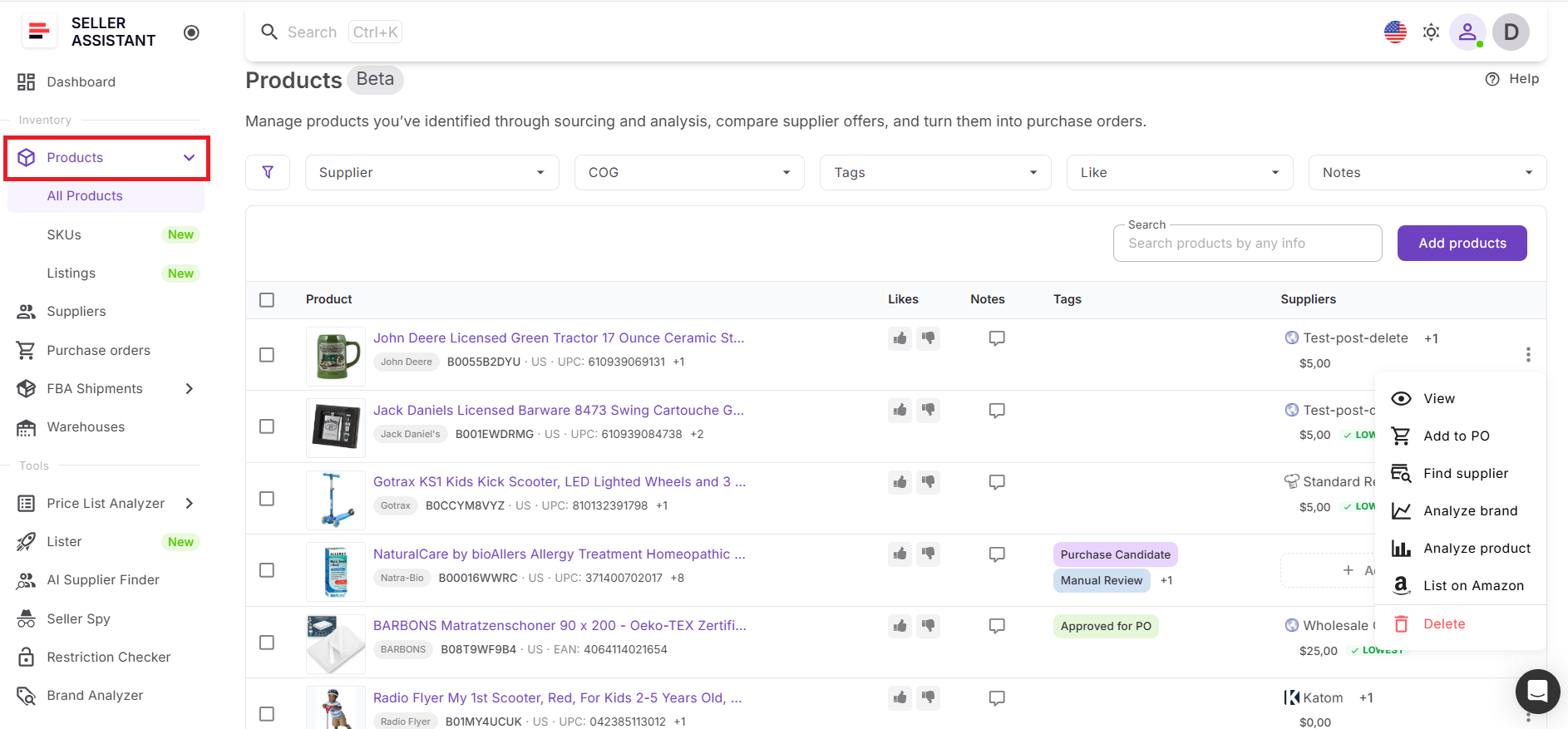
Step 1. Open Product Database
Go to Inventory > Products in your Seller Assistant account. This opens Product Database, where your sourced products, supplier offers, notes, tags, and likes are stored.
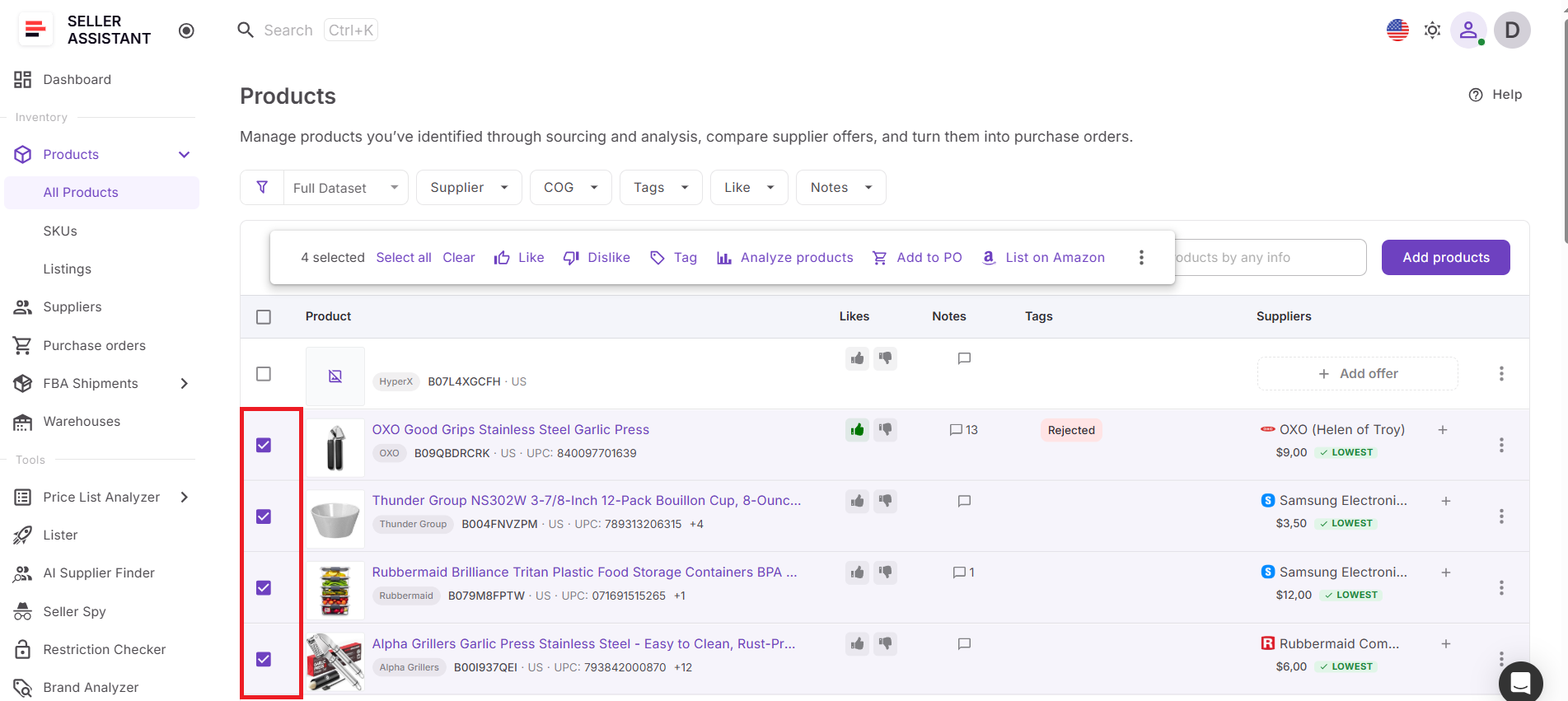
Step 2. Select products for analysis
Tick the checkbox next to each product you want to analyze. You can select one product or multiple products if you want to review them in bulk.
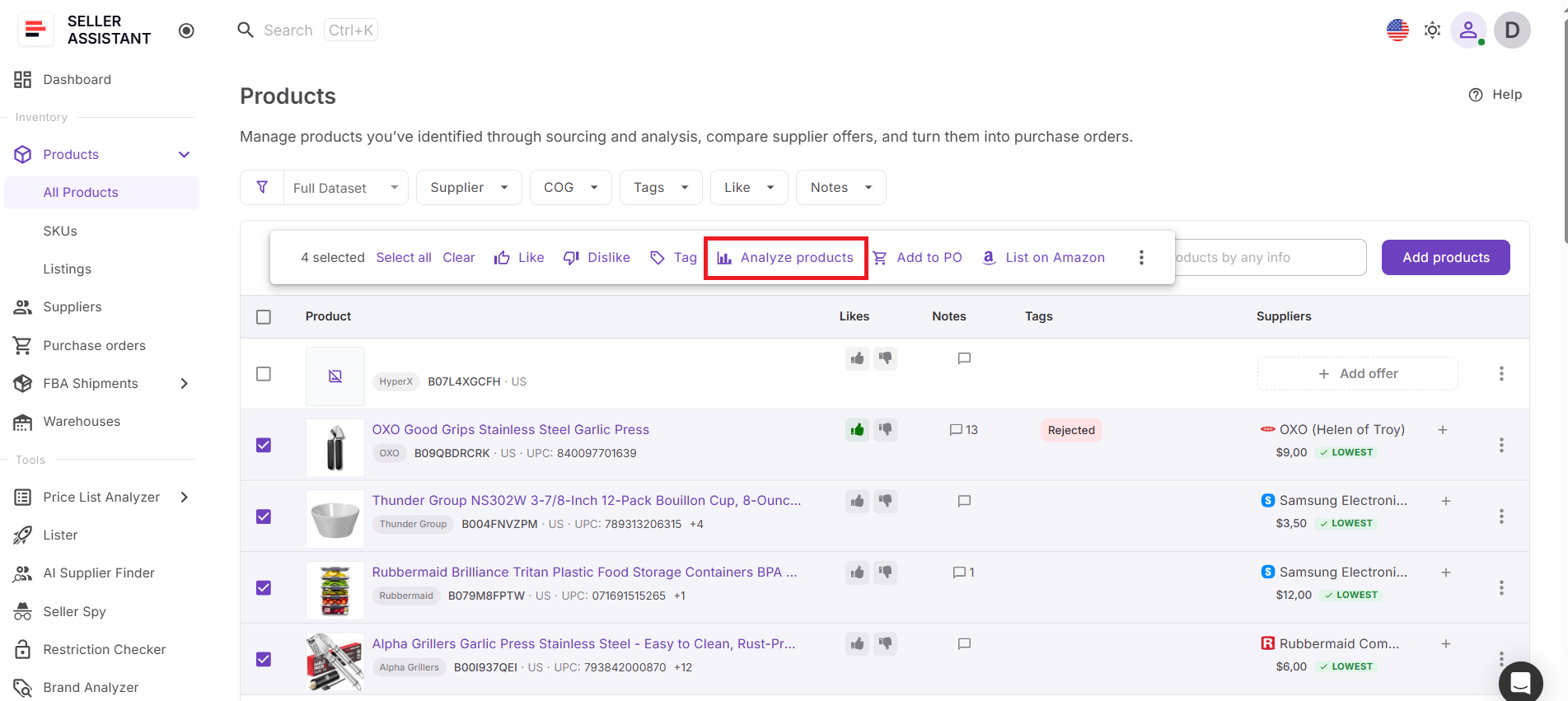
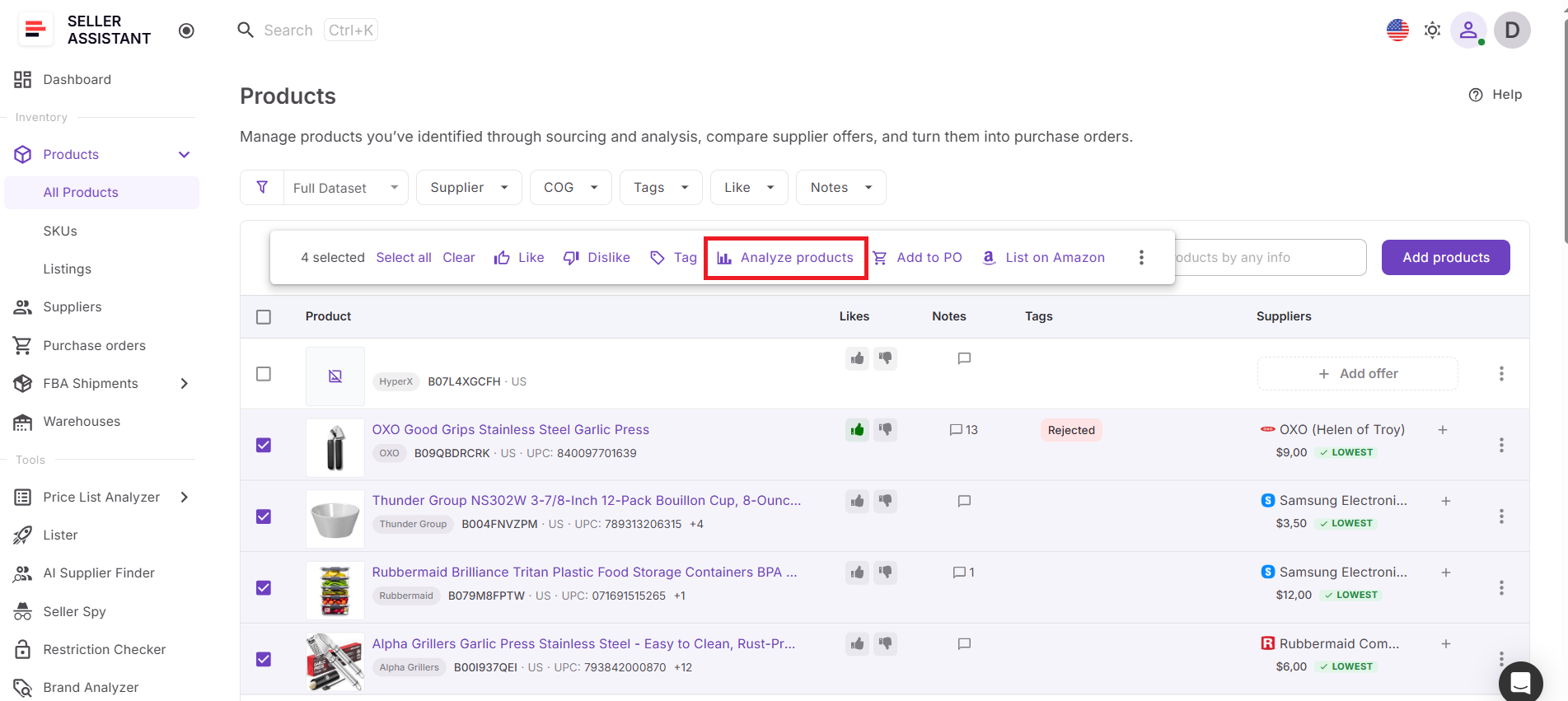
Step 3. Click Analyze Products
After you select products, the Analyze Products button appears in the action menu. Click it to send selected products to Price List Analyzer.
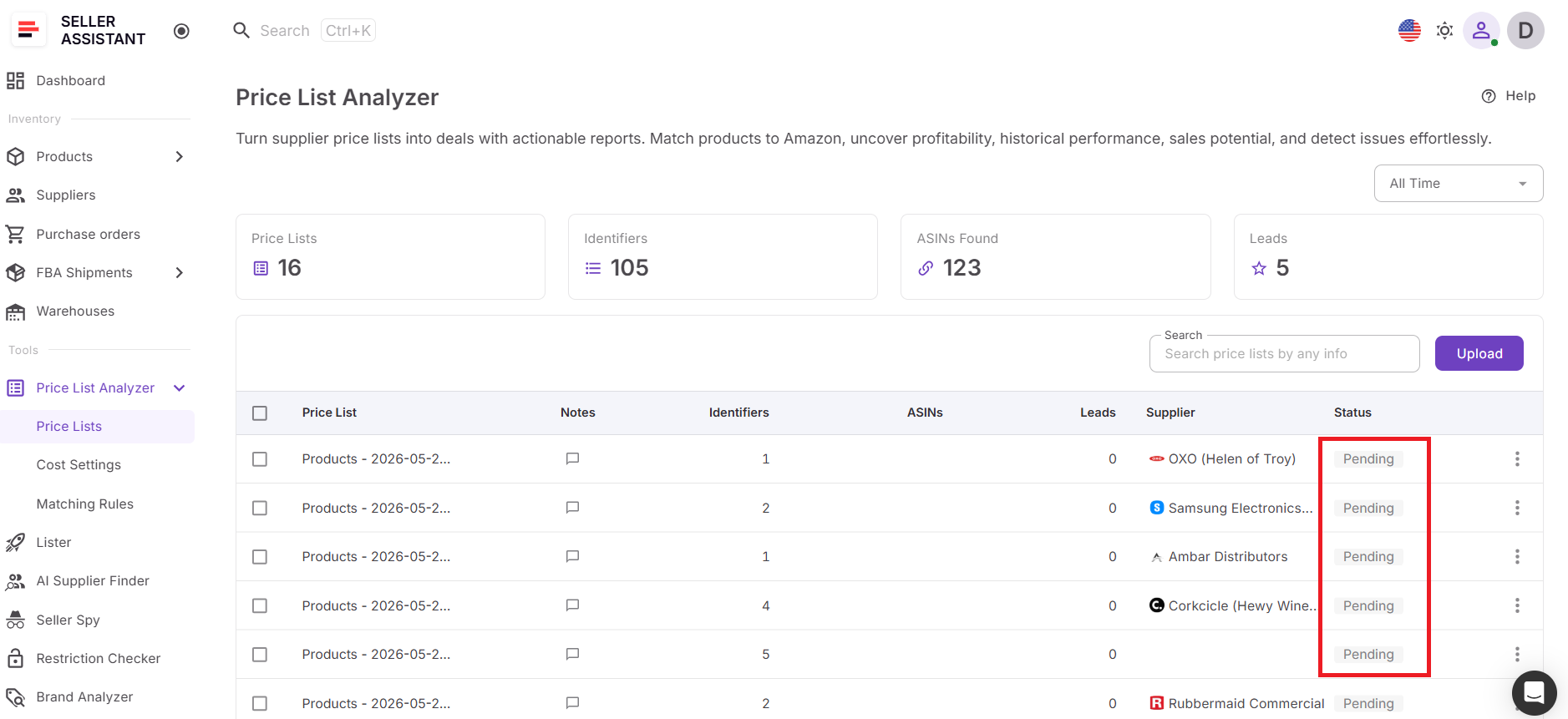
Step 4. Wait for processing
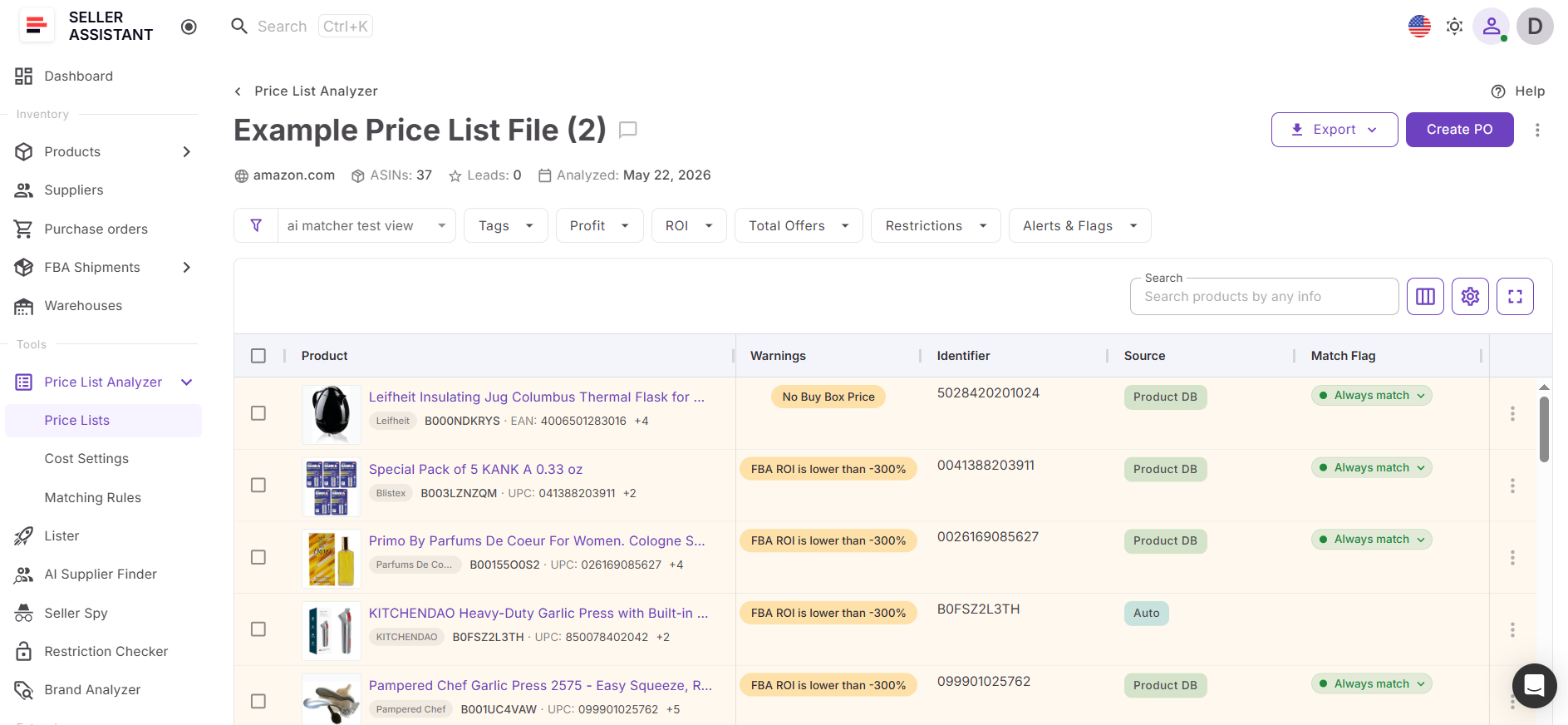
Seller Assistant creates an analysis file in Price List Analyzer. Its status will show as Pending while the products are being processed.
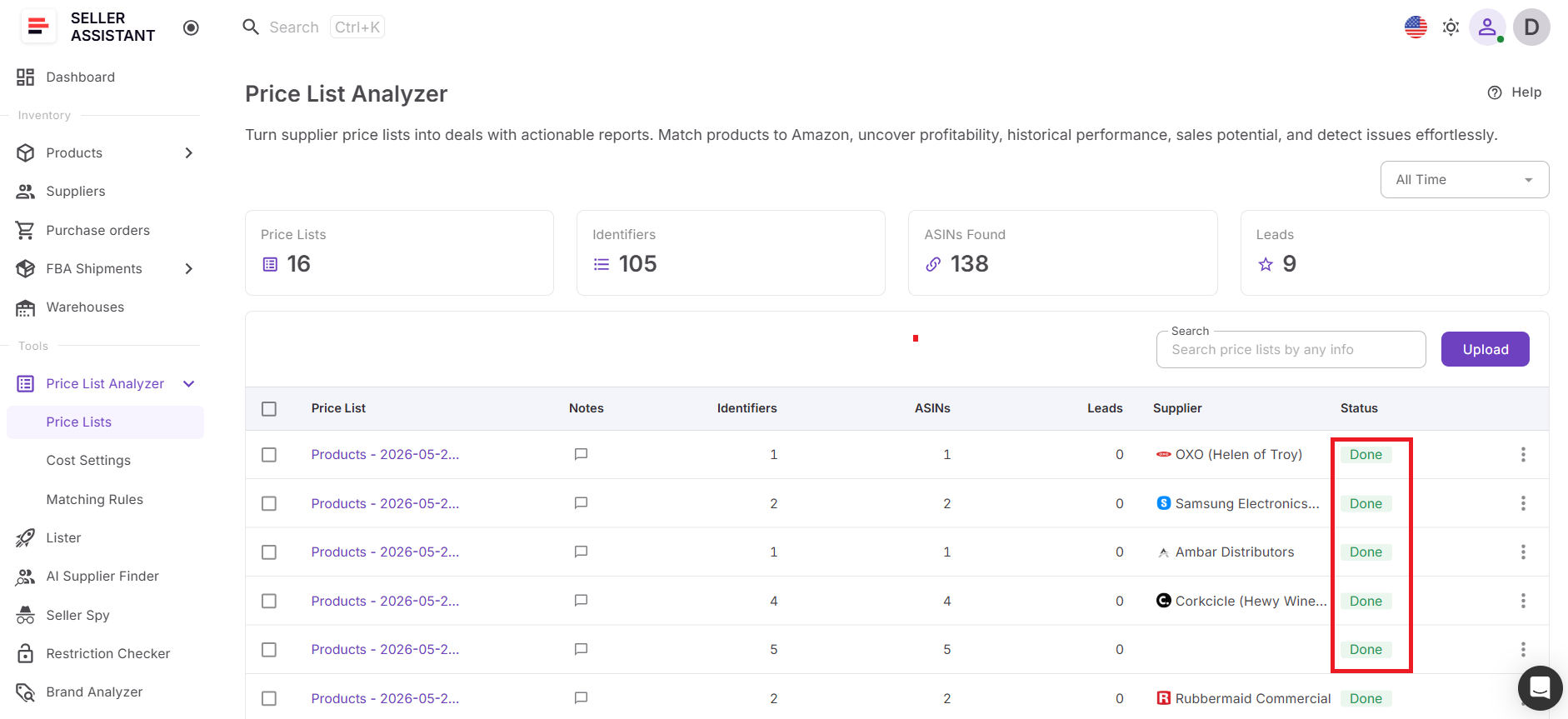
Step 5. Open the completed analysis
When the status changes to Done, open the file in Price List Analyzer. You’ll see the selected products in a structured table.
Step 6. Review product metrics
Check profitability, ROI, margin, Buy Box data, BSR, seller count, Amazon presence, restrictions, and product warnings.
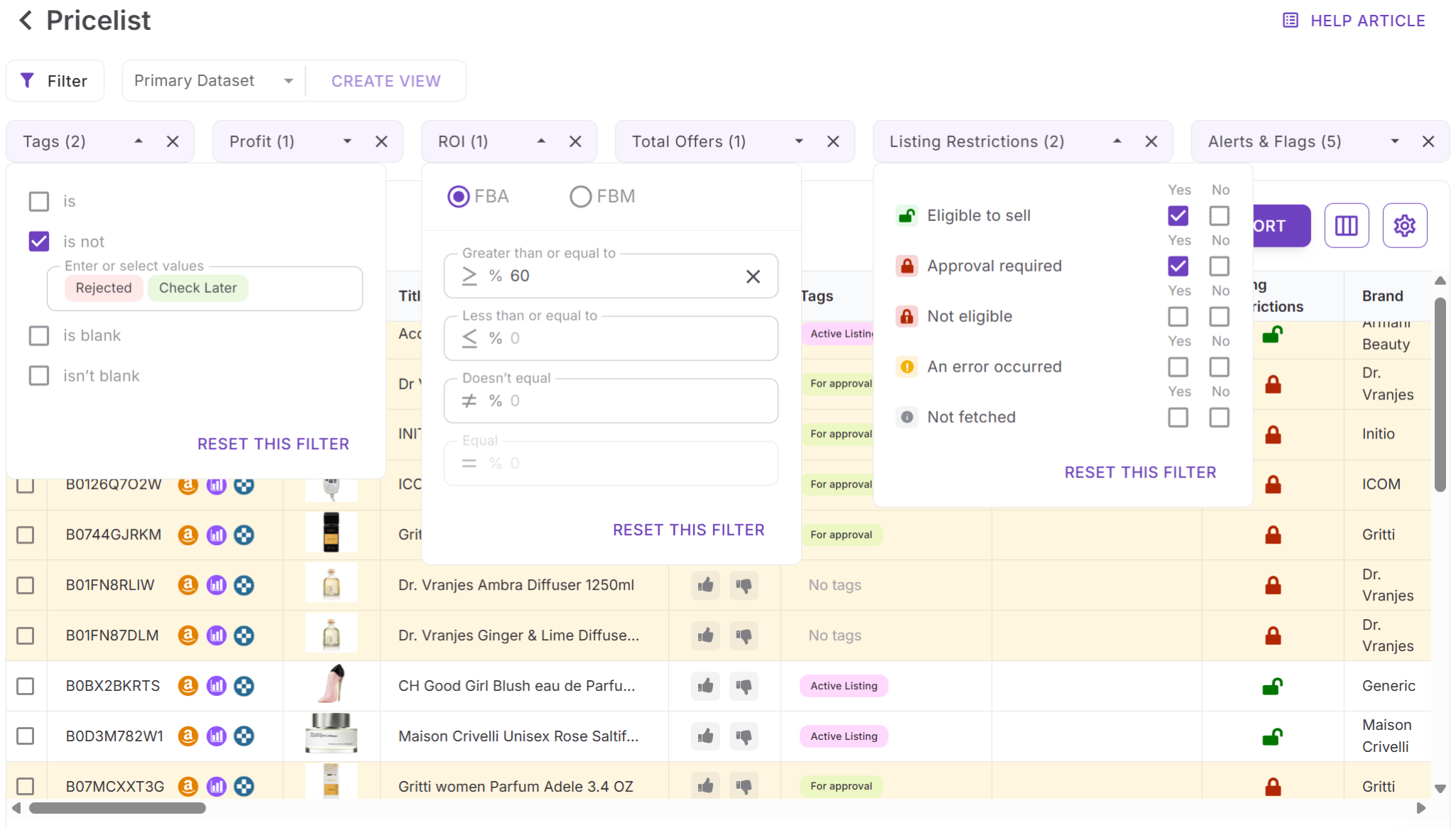
Step 7. Filter the best opportunities
Apply filters for profit, ROI, demand, competition, restrictions, and risks to narrow the list and focus on products worth buying.
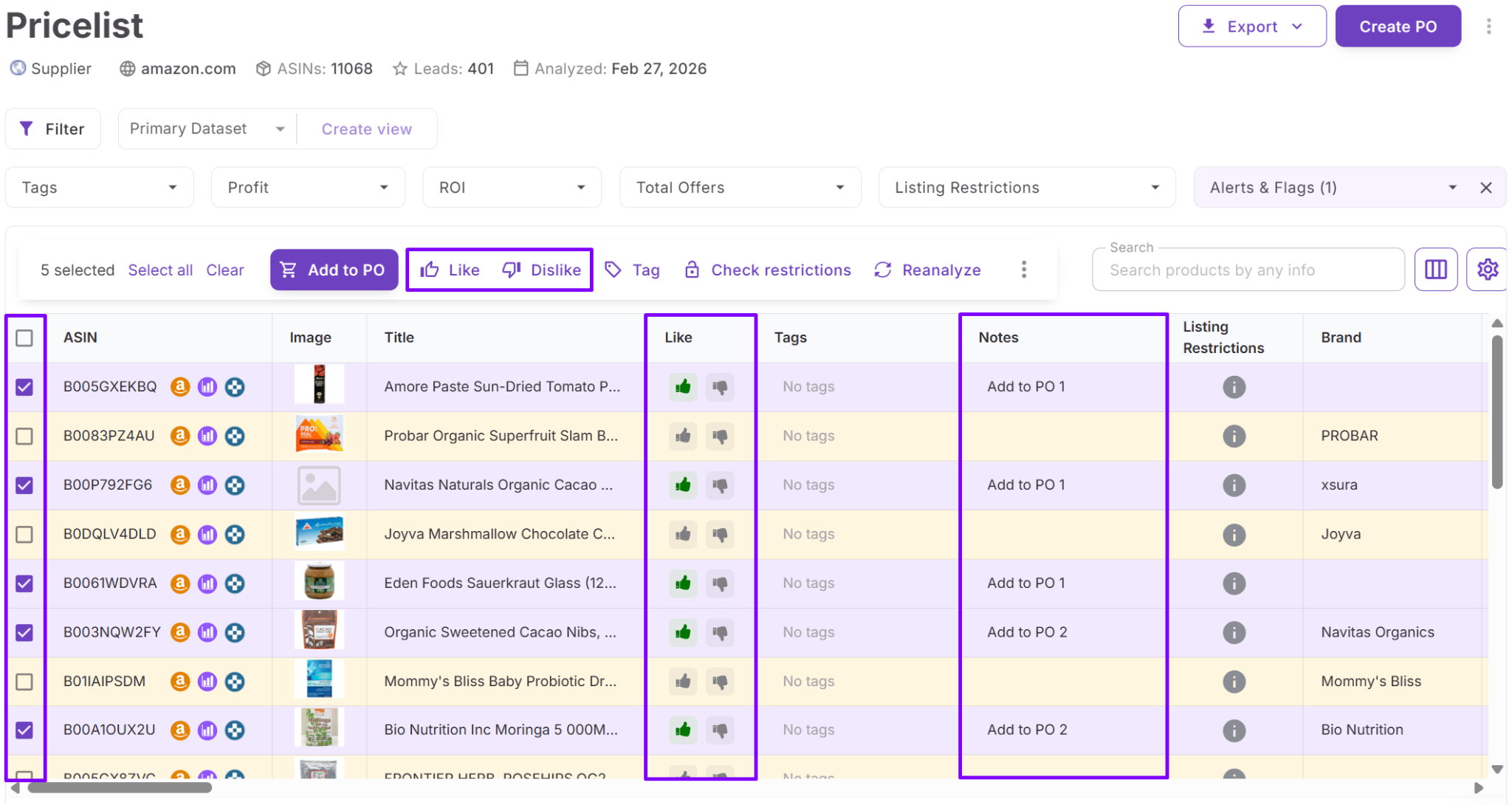
Step 8. Continue the workflow
Use notes, tags, likes, or exports to organize decisions. Approved products can continue into purchase orders, listings, and other Seller Assistant workflows.
FAQ
Can I analyze multiple products from Product Database at the same time?
Yes. You can select multiple products by checking their boxes in Product Database and send them to Price List Analyzer in one action. This allows you to review large product groups without opening listings individually.
Does Product Database keep supplier information connected during analysis?
Yes. Product information and supplier offers remain attached when products are sent to Price List Analyzer. This helps you review sourcing context together with profitability and marketplace data.
What metrics can I review after products are analyzed?
Price List Analyzer displays metrics related to profitability, demand, competition, and product risks. You can review data such as ROI, margin, Buy Box information, BSR, seller count, Amazon presence, and restrictions.
Can I re-analyze products that were added previously?
Yes. Products already stored in Product Database can be selected and analyzed again at any time. This makes it easy to refresh product data when pricing, competition, or market conditions change.
Can I continue working with products after analysis is complete?
Yes. Once you identify stronger opportunities, products can continue into other Seller Assistant workflows. You can organize them with notes and tags or move them into purchasing and listing processes.
Final Thoughts
As your Amazon business grows, revisiting products manually becomes difficult. Products that looked unprofitable before can become strong opportunities when Buy Box prices shift, competition changes, or supplier costs improve. Checking each ASIN individually takes time and creates bottlenecks that slow sourcing decisions.
Seller Assistant simplifies this by connecting Product Database with Price List Analyzer in one workflow. Instead of rebuilding spreadsheets or repeating product research, you can select products already stored in your database, refresh analysis in bulk, and review updated profitability, demand, competition, and risk data in minutes. This helps you work faster, make more informed buying decisions, and keep your sourcing process organized as your operation scales.