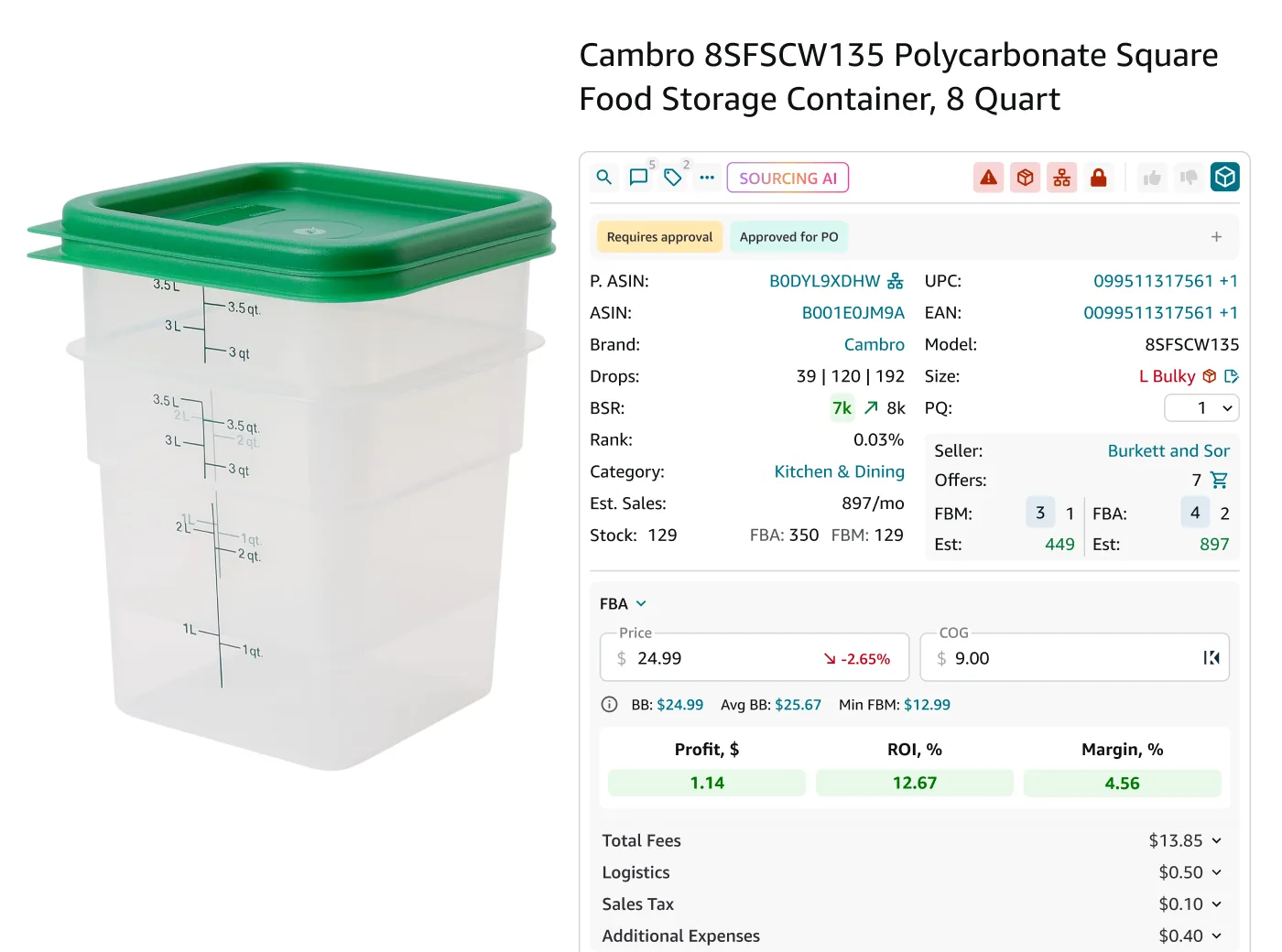
Keeping your Amazon sourcing leads accurate is harder than finding them. Prices change, Buy Box owners rotate, fees shift, and a product that looked profitable yesterday can turn into a losing deal today.
For wholesale, online arbitrage, and dropshipping sellers reviewing hundreds or thousands of SKUs, relying on outdated data can lead to costly purchasing mistakes.
Seller Assistant solves this problem by letting you quickly refresh your product analysis. With Reanalyze in Seller Assistant’s Price List Analyzer and Analyze products in Product DB, sellers can update deal metrics instantly and confirm whether a lead is still worth pursuing before placing an order.
Note. Seller Assistant is an end-to-end Amazon workflow management platform that integrates 10+ wholesale-focused solutions into one connected system. It combines sourcing workflow automation, bulk research and intelligence tools, and integrated Chrome extensions – giving you everything you need to streamline finding deals, managing suppliers, and creating purchase orders.

With Seller Assistant, every step of your Amazon wholesale and arbitrage workflow is automated and connected.
What Is the Reanalyze Feature in Seller Assistant?
The Reanalyze feature in Seller Assistant lets Amazon sellers refresh product analysis using the latest marketplace data. When you click Reanalyze in Price List Analyzer or Analyze products in Product DB, the system recalculates key deal metrics such as profit, ROI, margin, fees, and other indicators based on current Amazon conditions.
This feature matters because Amazon product data changes constantly. Buy Box prices shift, fees update, and competition increases, which can quickly turn a profitable lead into a weak or losing deal. By reanalyzing products, sellers can verify that their sourcing leads are still profitable before placing purchase orders.
Example
You analyze a supplier price list and find a product with a $4 profit and 30% ROI. A few days later, the Buy Box price drops due to new competition. When you click Reanalyze, Seller Assistant updates the metrics and shows the profit has fallen to $1.20. This quick update helps you avoid ordering inventory that no longer meets your profit targets.
Why Keeping Your Leads Updated Matters on Amazon
Amazon product data rarely stays the same for long. Buy Box prices change, new sellers enter listings, fees update, and demand fluctuates. If you rely on metrics from an earlier analysis, you risk making sourcing decisions based on outdated numbers. The Reanalyze feature helps sellers quickly refresh deal data and confirm whether a product still meets their profitability targets before purchasing inventory.
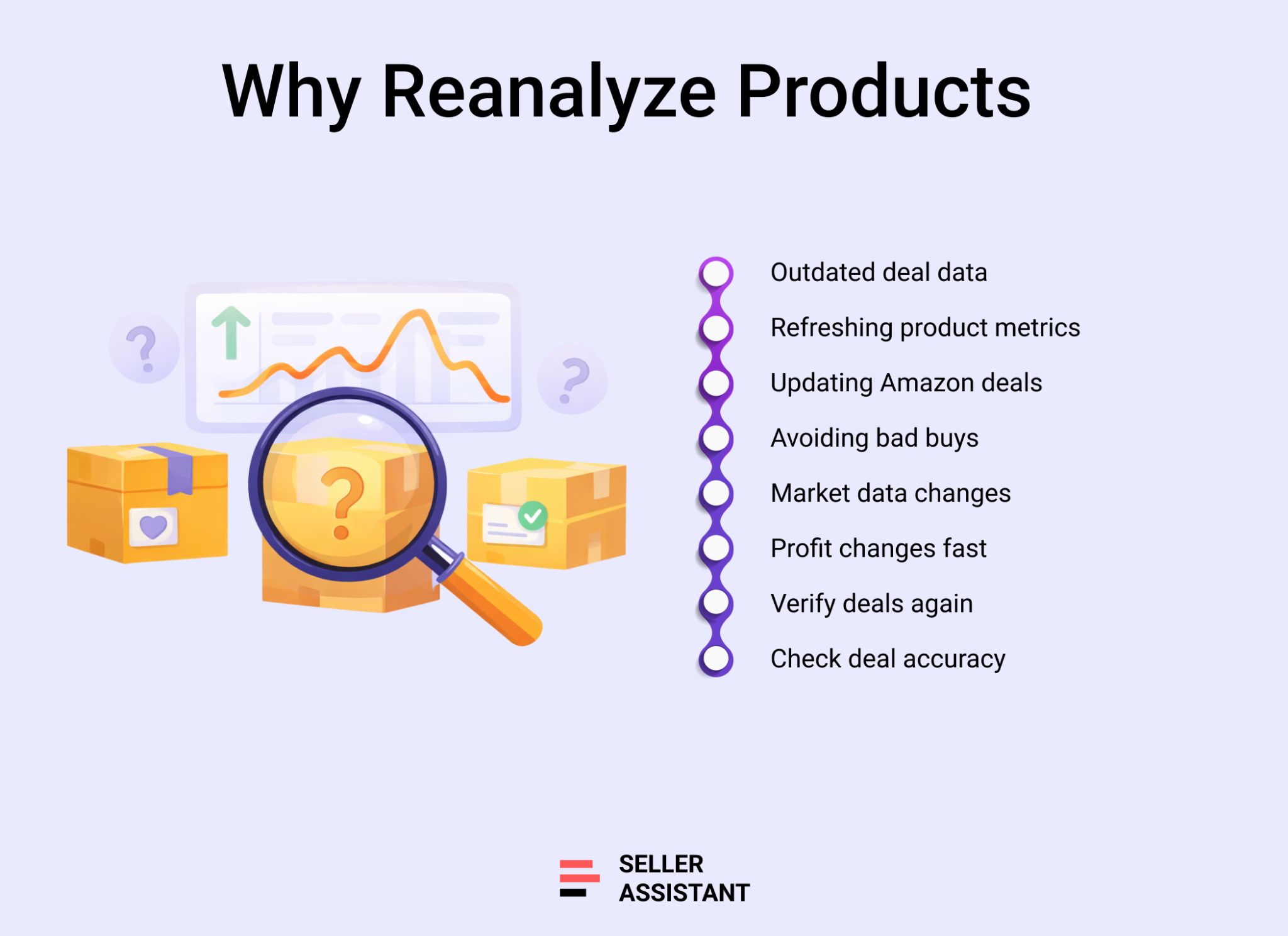
Prevents buying outdated deals
A product that looked profitable during the initial analysis can lose margin when the Buy Box price drops or competition increases. Reanalyzing updates the metrics so sellers can verify a deal before placing an order.
Helps sellers react to market changes
Amazon listings change frequently. Reanalyzing products allows sellers to quickly check how new prices, fees, or competition affect profit, ROI, and margins.
Keeps sourcing decisions accurate
Accurate metrics are essential when reviewing large supplier lists or stored leads. Refreshing the analysis ensures sellers base their decisions on current marketplace data rather than old calculations.
Supports ongoing lead management
Sellers often save promising products in Product DB or supplier lists for later review. Running Reanalyze or Analyze products helps confirm that those leads are still worth pursuing when it’s time to buy inventory.
How the Reanalyze Feature Works in Seller Assistant
Seller Assistant helps sellers keep leads current in two tools because product research happens at two different stages of sourcing.
- In Price List Analyzer, sellers review large supplier lists and need to refresh deals inside bulk analysis.
- In Product DB, sellers compare the supplier prices to place the most profitable order, manage saved leads over time and need to recheck products before moving forward with purchasing decisions. This gives sellers a way to update both newly analyzed products and leads they’ve already stored.
Automatic recalculation of deal metrics
When you run Reanalyze or Analyze products, Seller Assistant recalculates all key deal metrics using current marketplace data. This includes profit, ROI, margin, fees, Buy Box–based calculations, and other analysis indicators. These updates reflect the latest Amazon conditions so sellers can quickly verify whether a deal still meets their sourcing criteria.
The one exception is COG, which is not updated automatically because Seller Assistant cannot know whether your supplier changed the price. If your supplier cost changes, you must edit COG manually. This is useful because it keeps seller-controlled cost data separate from Amazon-driven data and helps avoid incorrect profitability calculations.
What happens in each tool
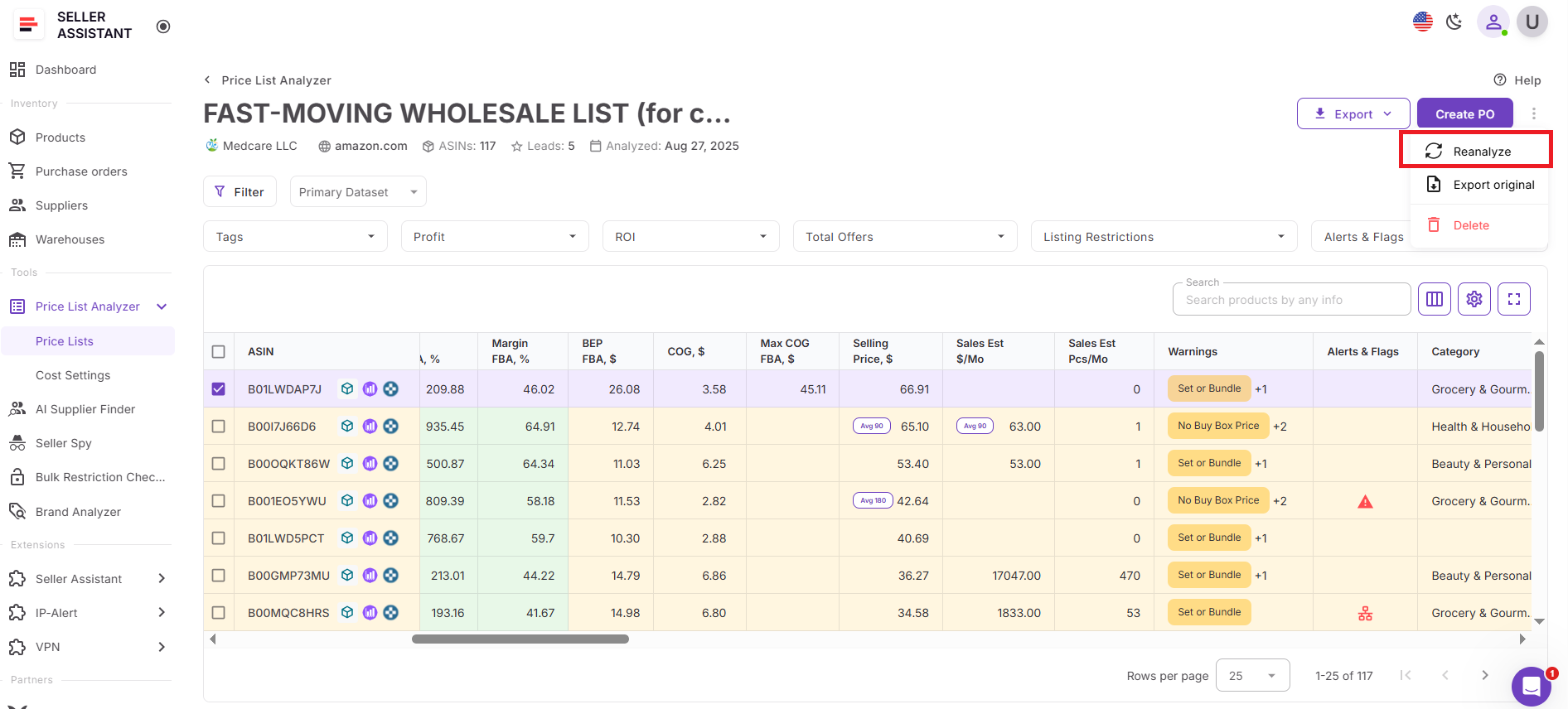
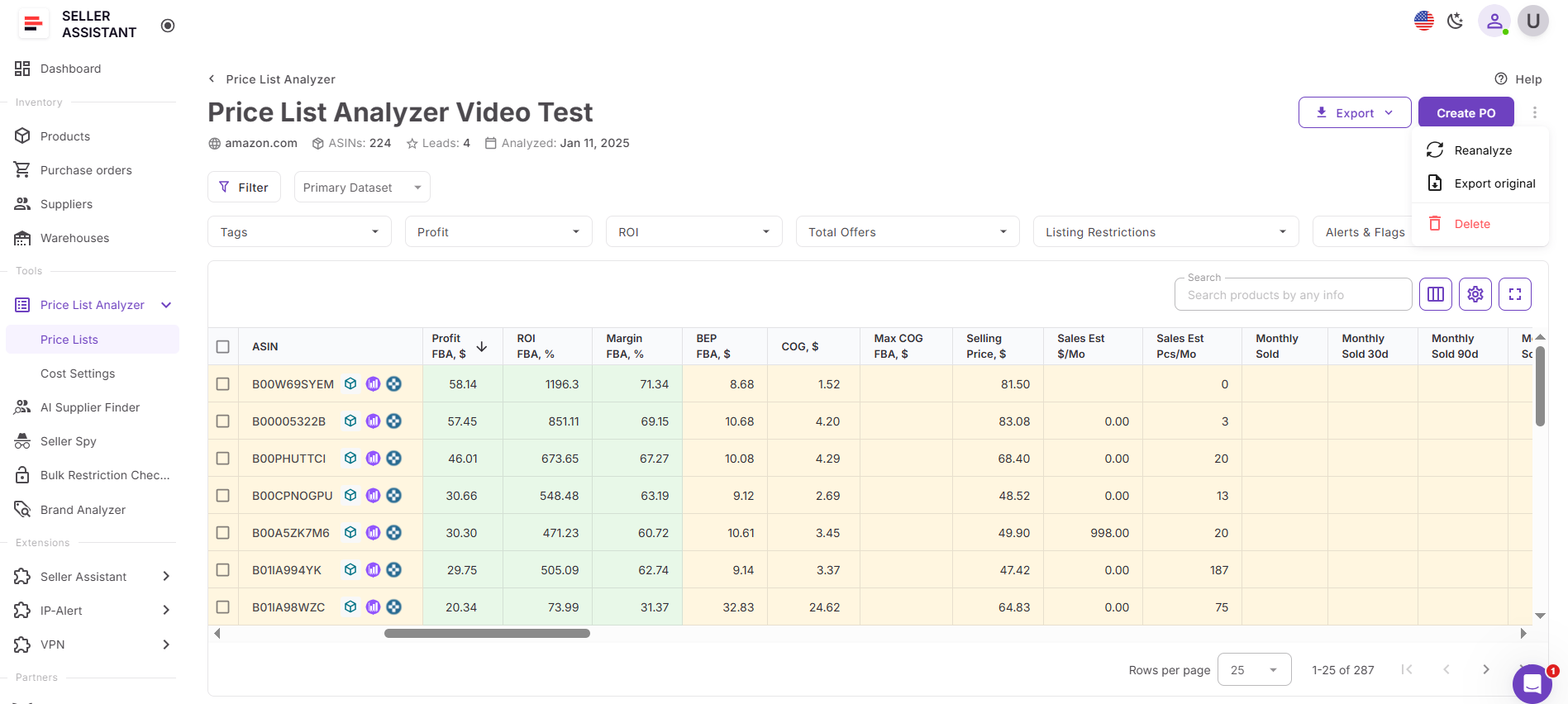
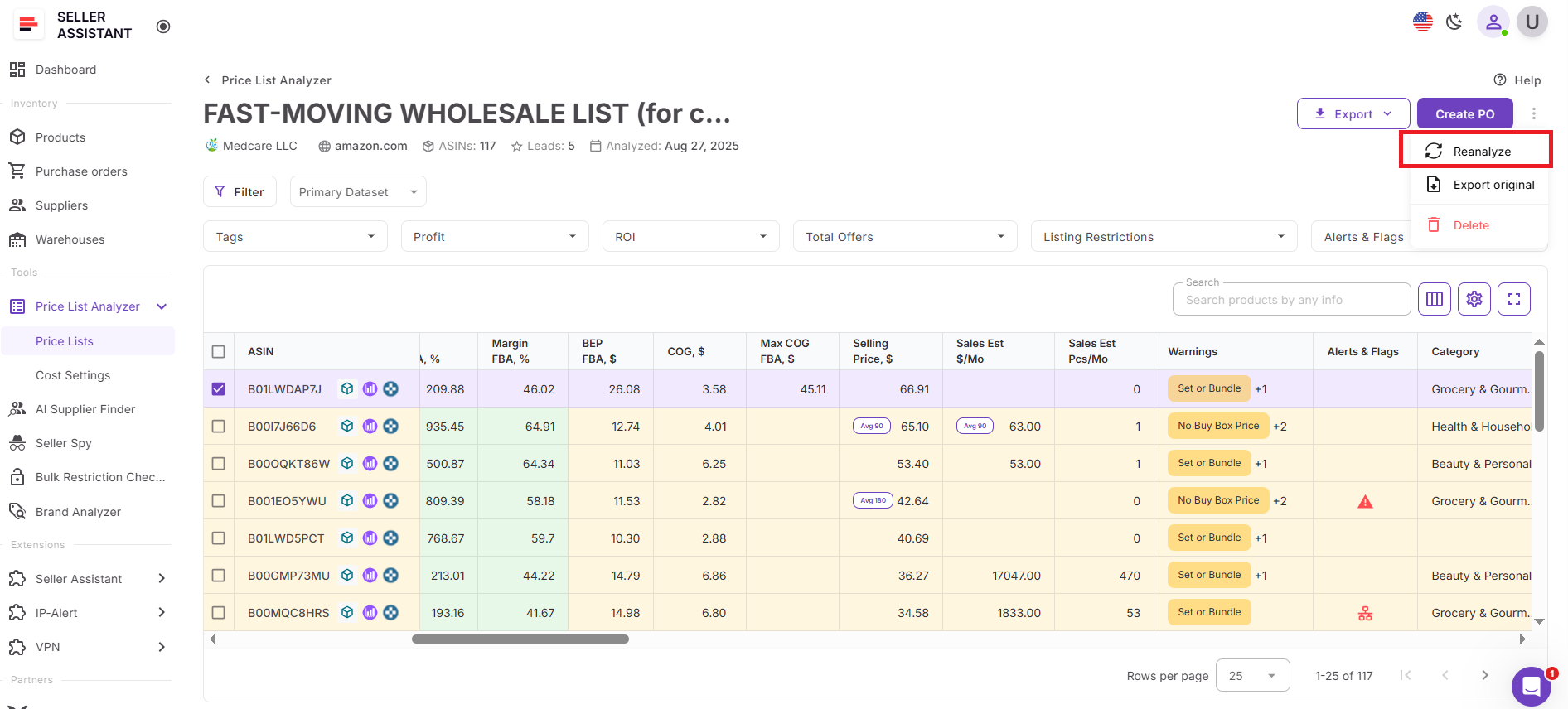
In Price List Analyzer, sellers open the top-right three-dot overflow menu and click Reanalyze. The system refreshes the product’s metrics directly in the analyzed price list so sellers can immediately see updated profitability numbers.
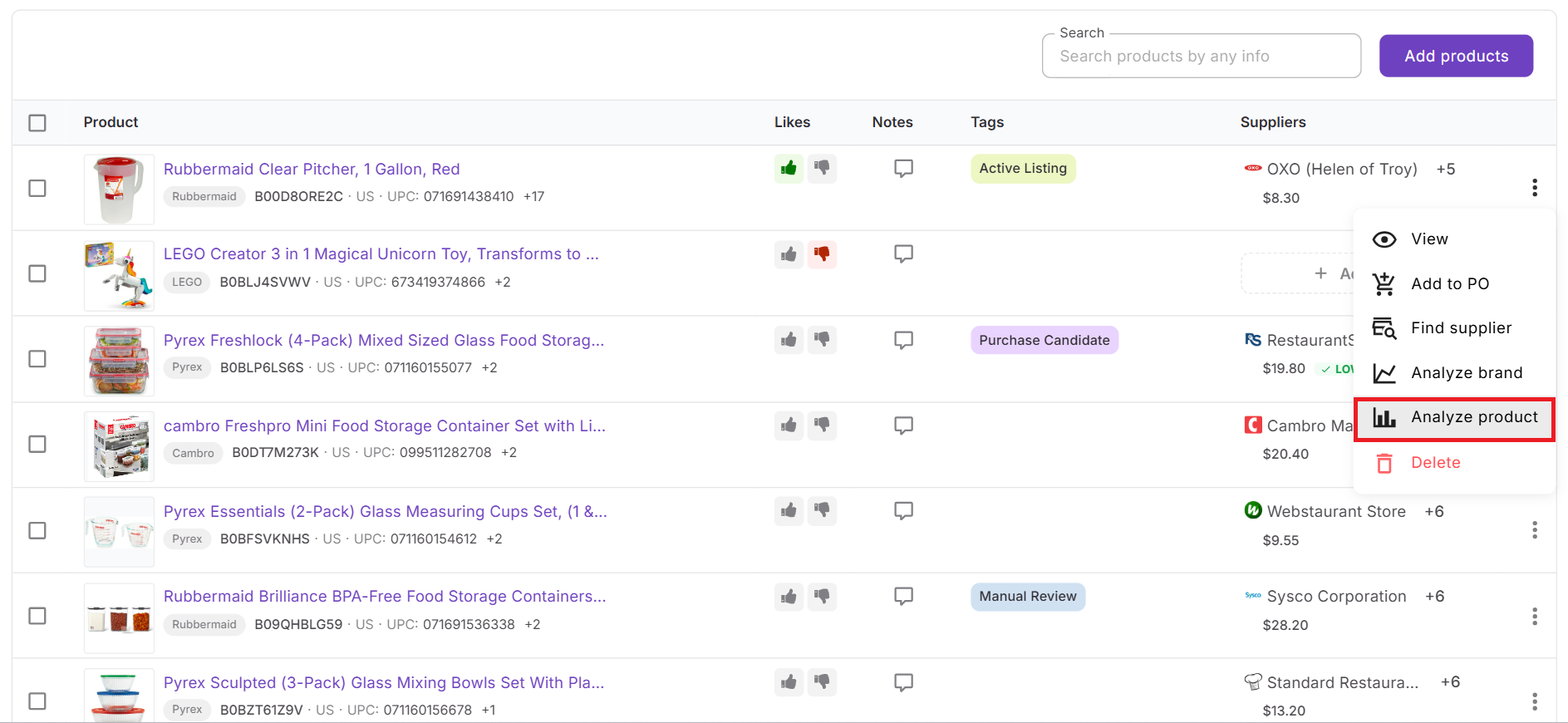
In Product DB, sellers click Analyze products either from the three-dot menu for a single product or from the action menu that appears after selecting products with checkboxes. The main goal in Product DB is to compare supplier offers and identify the cheapest or most profitable sourcing option before placing an order. After analysis runs, sellers can review updated metrics together with supplier COG and quickly determine which supplier provides the best purchasing opportunity.
How to Update Product Metrics with Price List Analyzer
Manually adjusting profitability numbers might work when you’re checking a few SKUs, but it becomes impractical with real supplier catalogs. When a list contains hundreds or thousands of products, changes in supplier costs, multipacks, or additional fees can quickly make spreadsheets inaccurate and difficult to maintain.
Price List Analyzer simplifies this process by allowing sellers to refresh deal metrics instantly. Whenever costs, quantities, or fees change, the system recalculates key metrics across the entire list. This ensures your sourcing decisions rely on up-to-date data rather than outdated assumptions.
How Price List Analyzer processes supplier lists
Designed for high-volume analysis
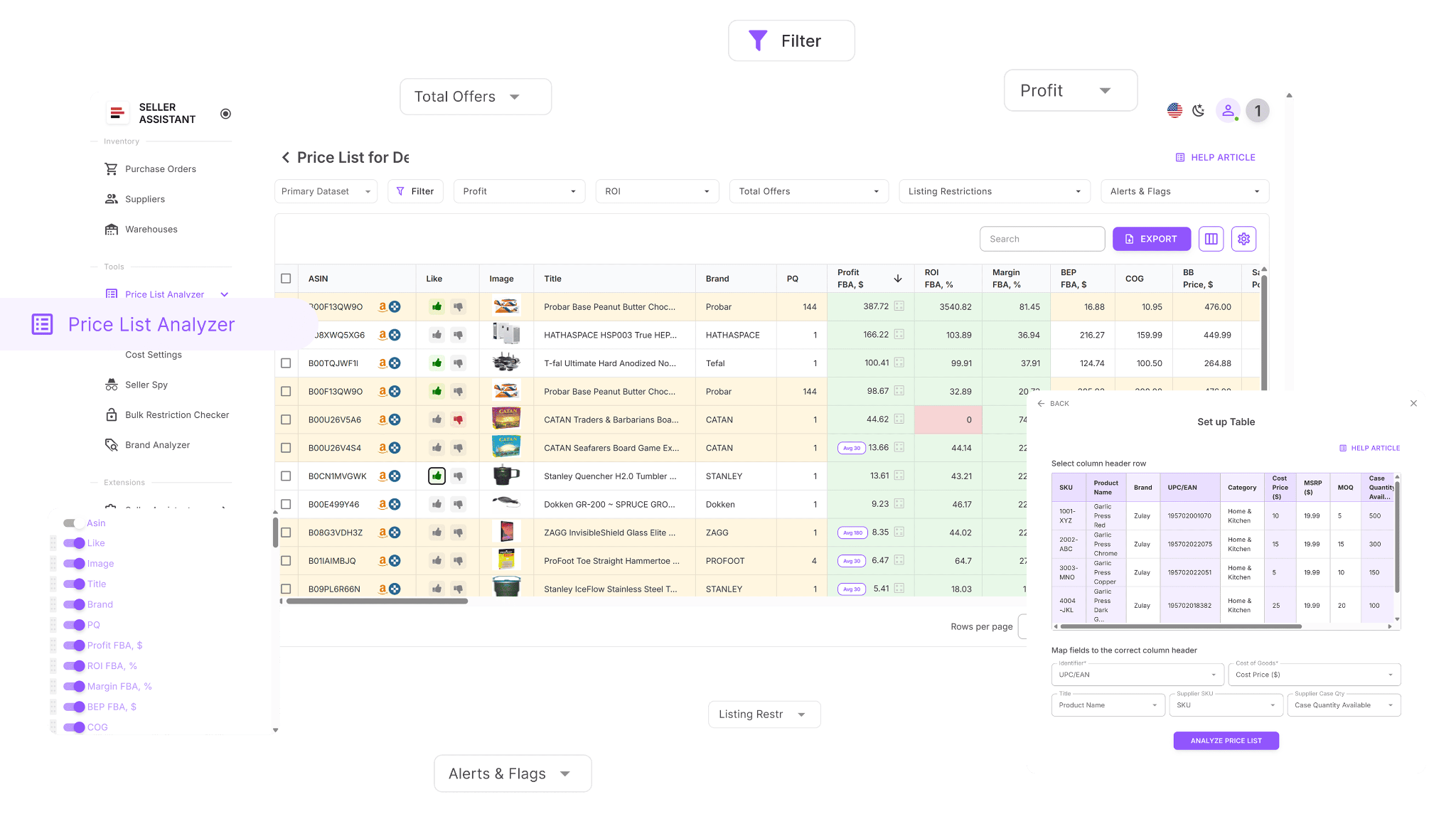
Price List Analyzer is built for sellers who work with large supplier catalogs. After you upload a spreadsheet, the tool matches each product to the correct Amazon ASIN and calculates profitability metrics such as profit, ROI, margin, and break-even values.
Keeps profitability calculations current
Once a price list is analyzed, the system adds multiple cost, fee, and performance indicators to every product. If you adjust inputs like COG, package quantity, shipping, prep costs, or other fees, all related profitability metrics update immediately.
Processes large lists efficiently
Instead of recalculating deals one SKU at a time, the tool updates thousands of products simultaneously. This allows sellers to quickly see how cost adjustments affect profitability and filter out products that no longer meet their targets.
Key capabilities of Price List Analyzer
This Software Makes Amazon FBA Wholesale Selling 10x Easier
With Price List Analyzer, you can:
- Review large supplier catalogs to discover Amazon products with strong profit potential
- Automatically match supplier SKUs and identifiers to the correct Amazon ASINs
- Identify gated, restricted, or ineligible products for your Amazon account
- Analyze product demand using BSR, sales history, and estimated monthly sales
- Calculate profit, ROI, margin, and break-even values for each ASIN
- Monitor Buy Box price trends using 30-, 90-, and 180-day averages
- View detailed Amazon fee breakdowns including referral, FBA/FBM, storage, prep, and shipping costs
- Detect potential risks such as hazmat, meltable, oversized, fragile, or bundled listings
- Receive alerts about approval requirements, missing Buy Box data, or weak profitability signals
- Filter products by profit metrics, demand, competition, and risk indicators
- Save custom views and filter presets for future supplier list analysis
- Modify COG, shipping, prep costs, or pack size and instantly see updated profitability metrics
- Add shared notes linked to ASINs across multiple files
- Organize sourcing decisions using product tags and workflow stages
Steps to refresh deal metrics in Price List Analyzer
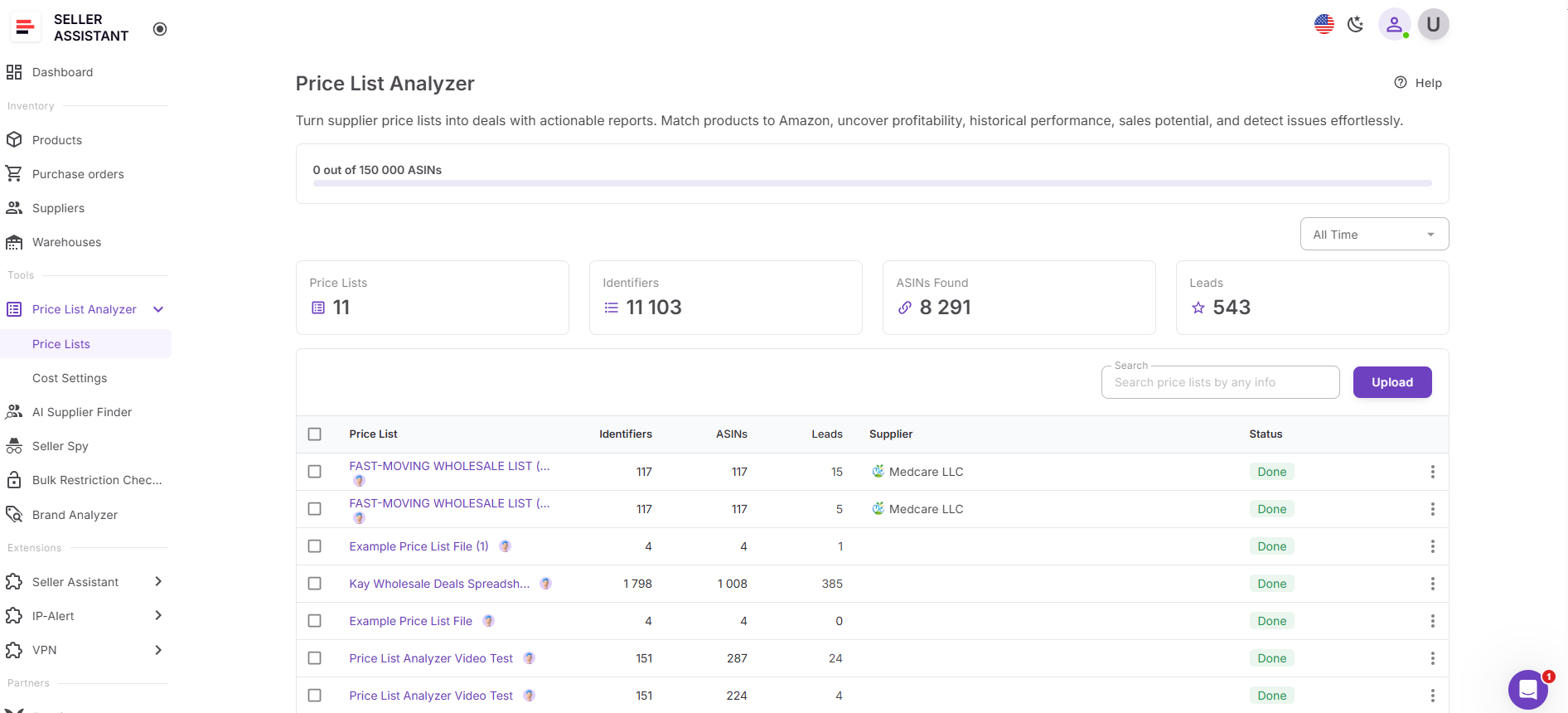
Step 1. Open your supplier price list
Open Price List Analyzer in Seller Assistant and select the price list you want to update.
Step 2. Recalculate product metrics
Open the top-right three-dot overflow menu and click Reanalyze. Profit, ROI, margin, break-even, and other metrics except COG update immediately for every affected product. If you need to update COG, enter the new value manually.
Step 3. Apply filters to updated results
Use filters to remove products that no longer meet your profitability or risk requirements after the recalculation.
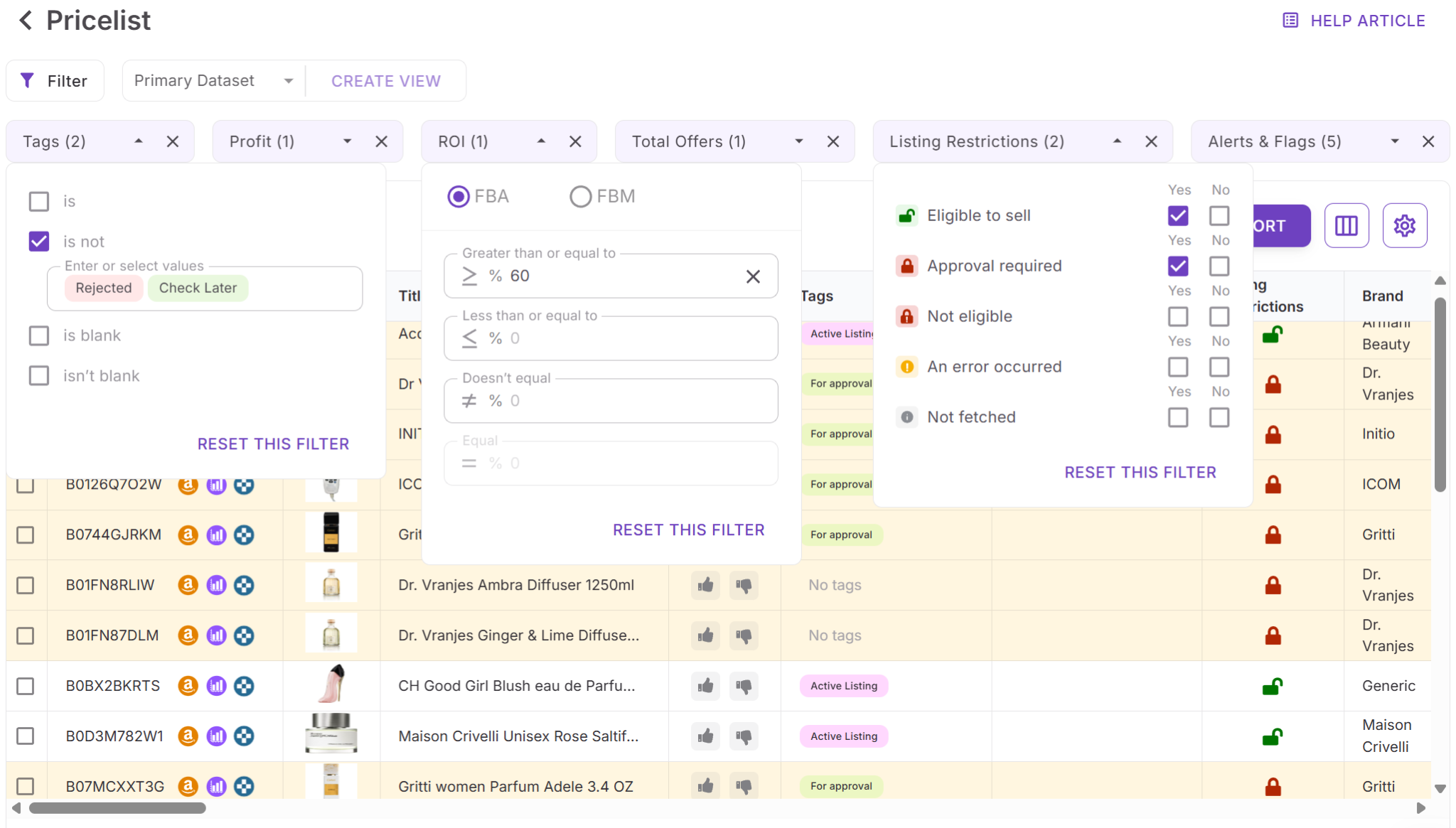
Step 5. Save your analysis setup
Save custom table views and filters so you can reuse the same analysis setup for future supplier uploads and keep your sourcing workflow consistent.
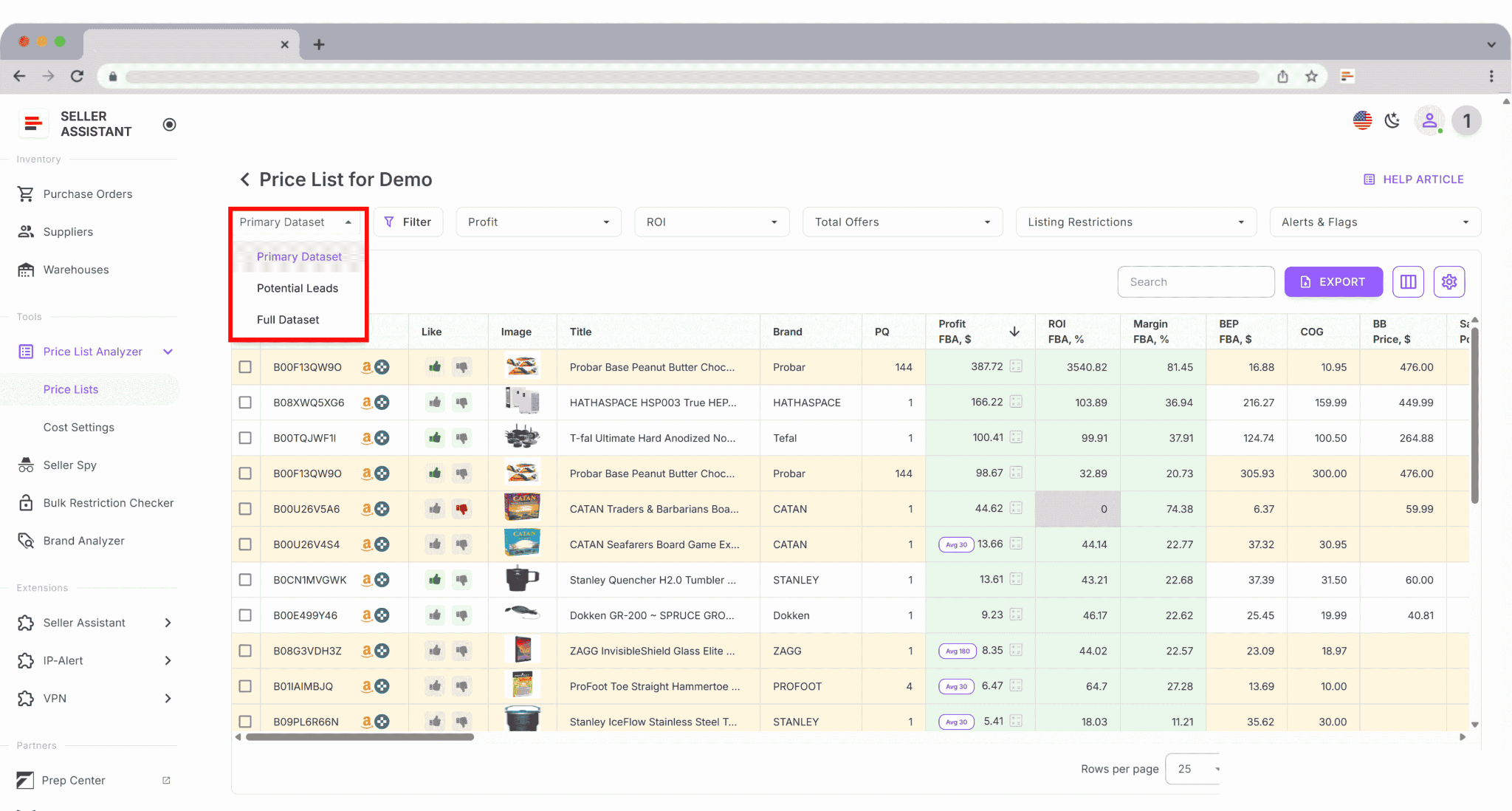
How to Refresh Product Metrics in Product DB
When sellers save sourcing leads for later review, product data can become outdated quickly. Buy Box prices change, new competitors appear, and fees or demand signals shift. If you rely on earlier analysis, you may base purchasing decisions on numbers that no longer reflect the current market.
Product DB helps solve this by allowing sellers to analyze stored products again using the latest marketplace data. With the Analyze products feature, Seller Assistant recalculates deal metrics so you can verify whether saved leads are still profitable before placing an order.
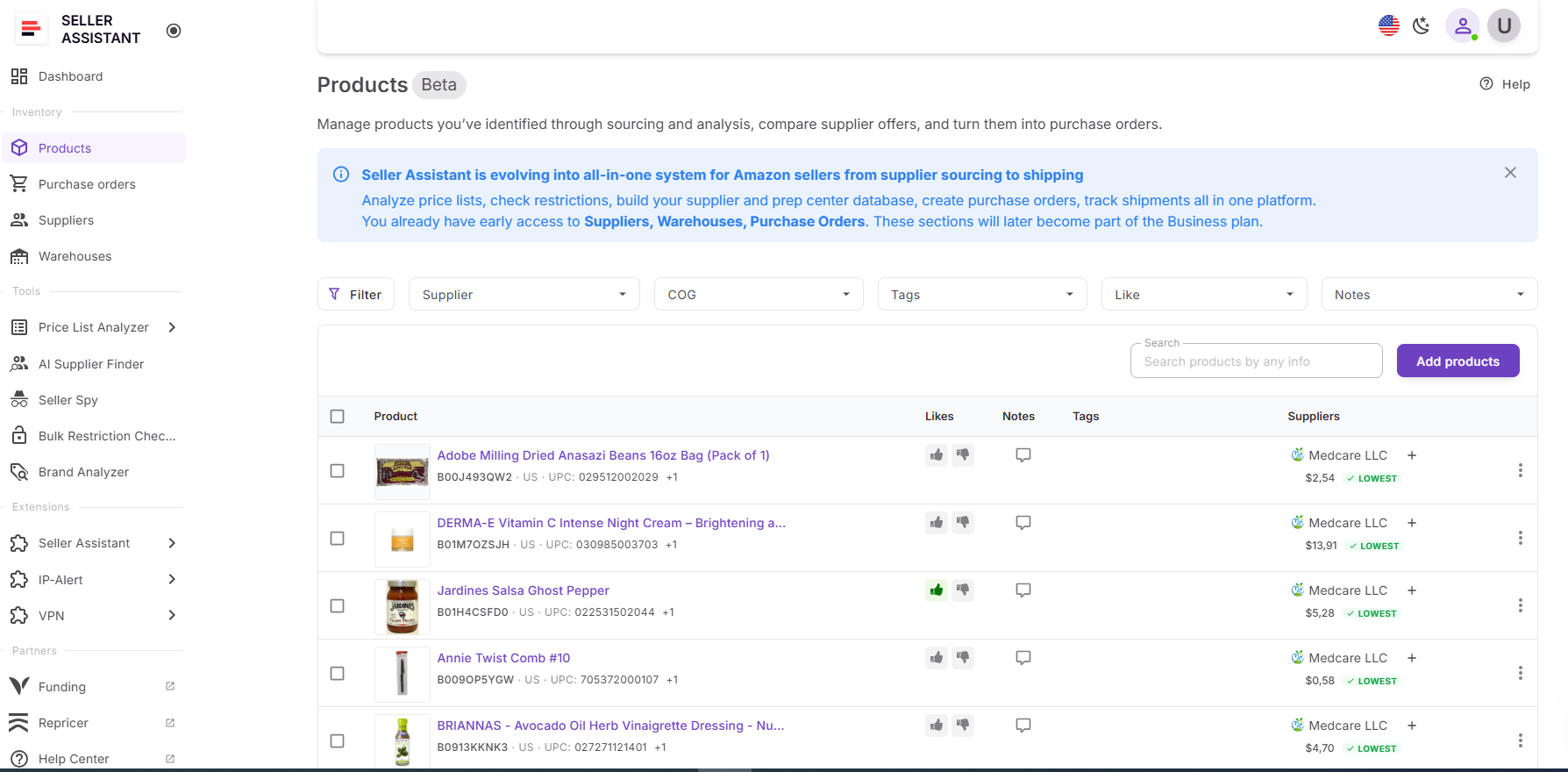
How Product DB helps manage sourcing leads
Built for organized lead management
Product DB is designed to store and manage products discovered during sourcing. Sellers can save promising ASINs from supplier lists, track supplier offers, and keep all product data in one centralized workspace.
Helps compare supplier offers
Each product can include multiple supplier offers with different COG values. Product DB highlights the lowest cost and allows sellers to select a default supplier. This makes it easier to identify the most profitable purchasing option before creating a purchase order.
Keeps product analysis current
Because Amazon marketplace conditions change frequently, sellers can run Analyze products to refresh deal metrics for stored leads. This recalculates profit, ROI, margins, and other indicators using current data while keeping supplier COG editable.
What you can do with Product DB
With Product DB, you can:
- Store promising Amazon products discovered during sourcing
- Manage multiple supplier offers for the same ASIN
- Compare supplier prices to identify the most profitable purchasing option
- Set a default supplier for purchasing decisions
- Track COG for each supplier offer
- Add sourcing notes that are visible to your entire team
- Organize products using tags based on sourcing method or workflow stage
- Quickly search and filter products across your team database
- Identify the lowest supplier cost directly in the product row
- Run Analyze products to refresh profitability metrics
- Add products directly to Purchase Orders using the selected supplier
- Review historical purchase orders linked to each product
- Track product activity and updates through the product history log
- Maintain centralized sourcing data accessible to the entire team
Steps to update product analysis in Product DB
Step 1. Open your Products Database
Go to Product DB in your Seller Assistant Personal Area. Here you will see all products saved by you or your team.
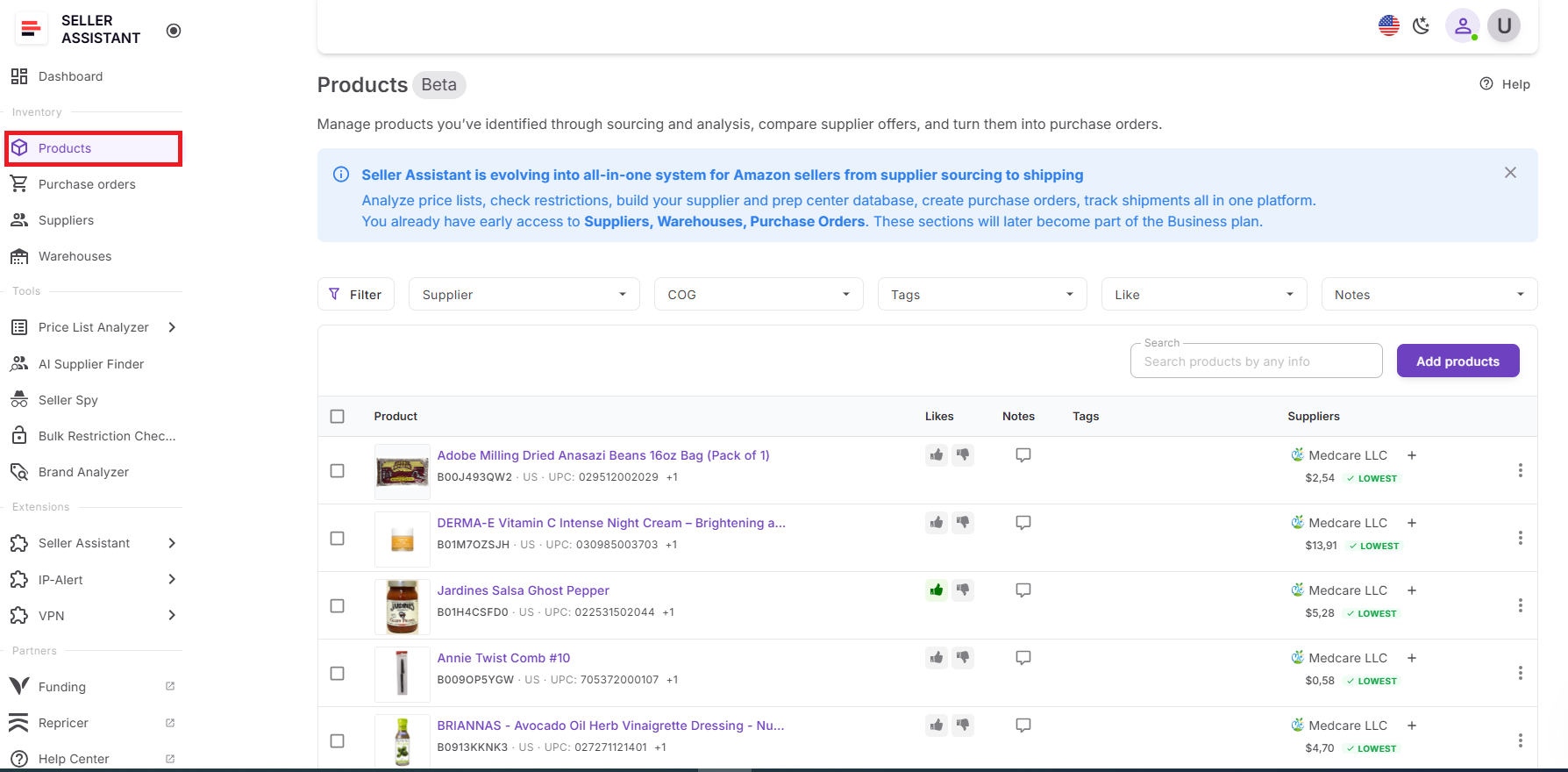
Step 2. Select the products you want to analyze
Find the products you want to refresh. You can review supplier offers, COG, notes, and other information before running analysis.
Step 3. Run product analysis
There are two ways to run analysis in Product DB:
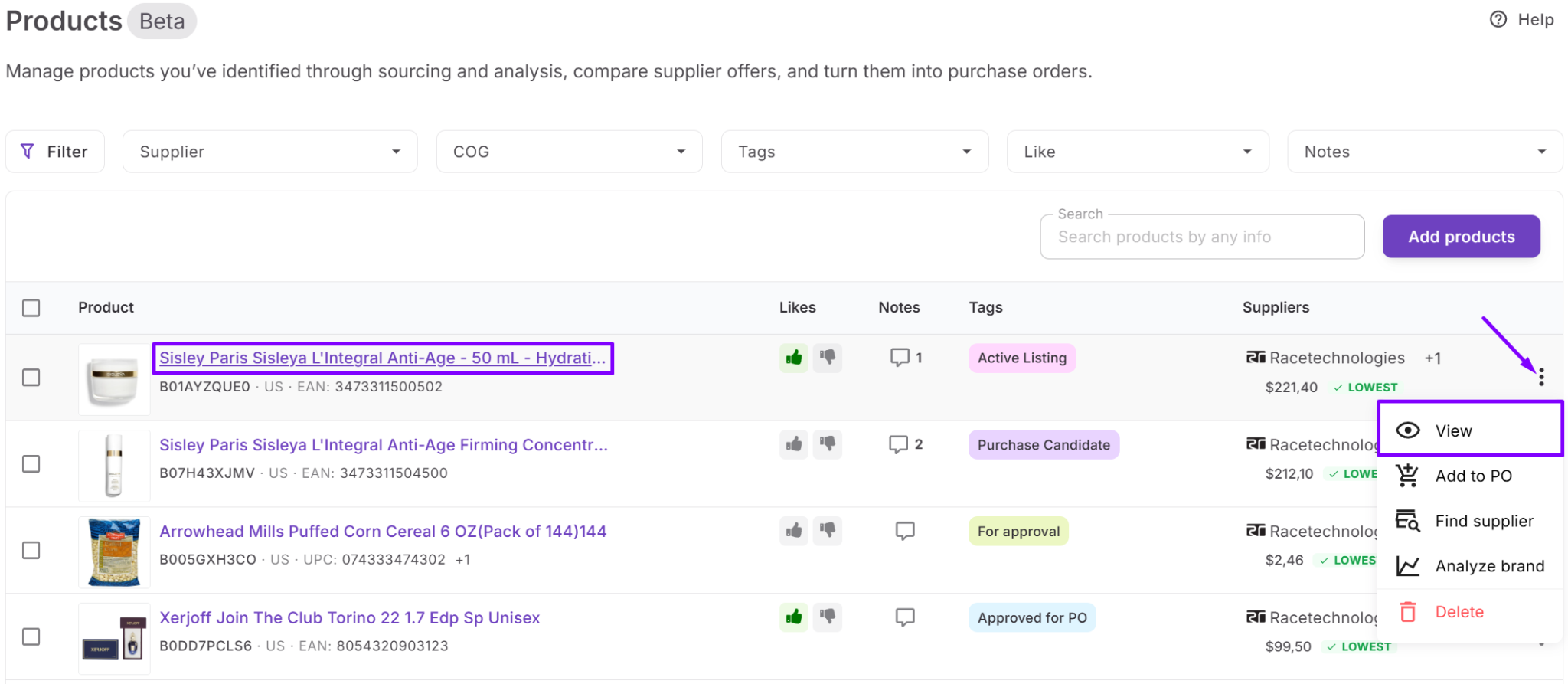
- Click the three-dot menu next to a specific product and choose Analyze products to refresh metrics for that product.
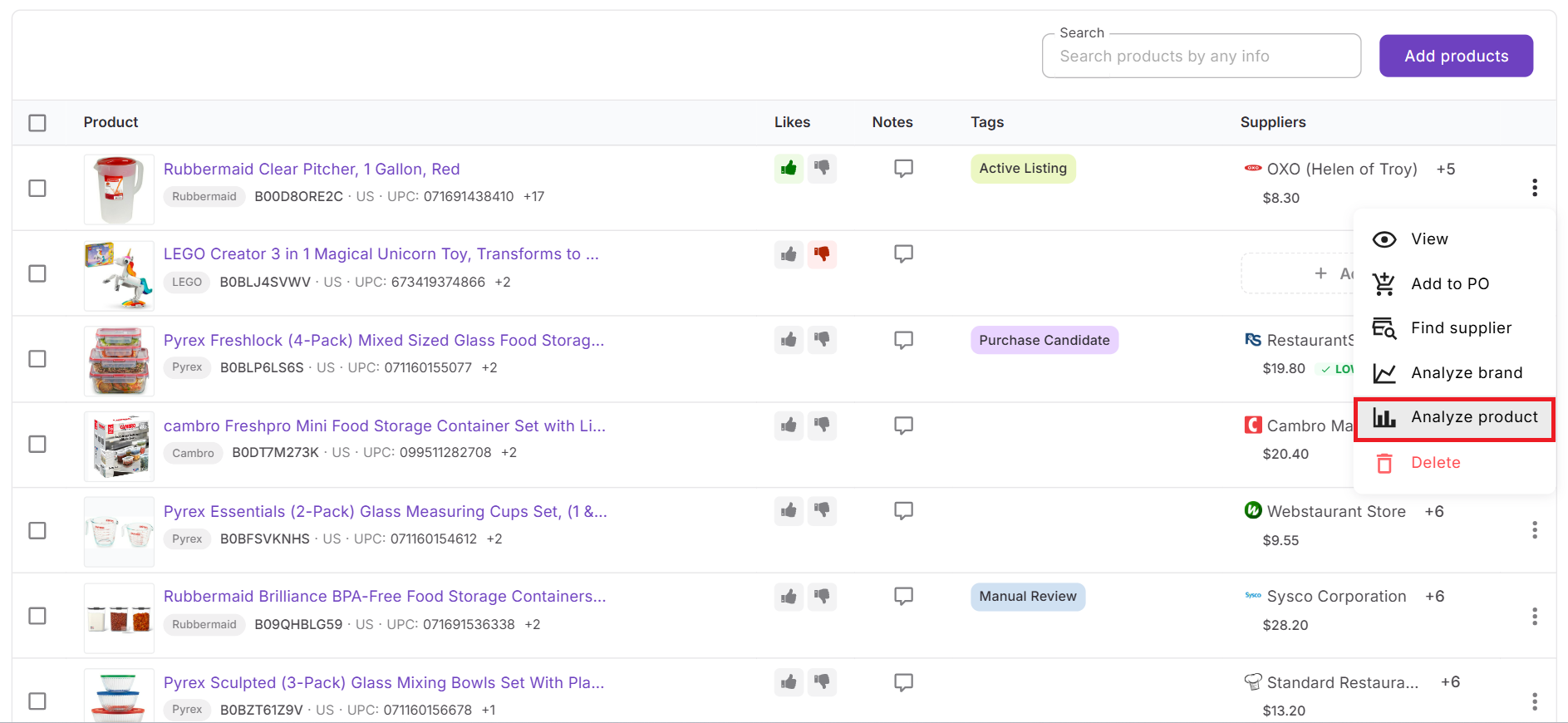
- Select one or multiple products using checkboxes. A top action menu will appear where you can click Analyze products to update all selected products at once.
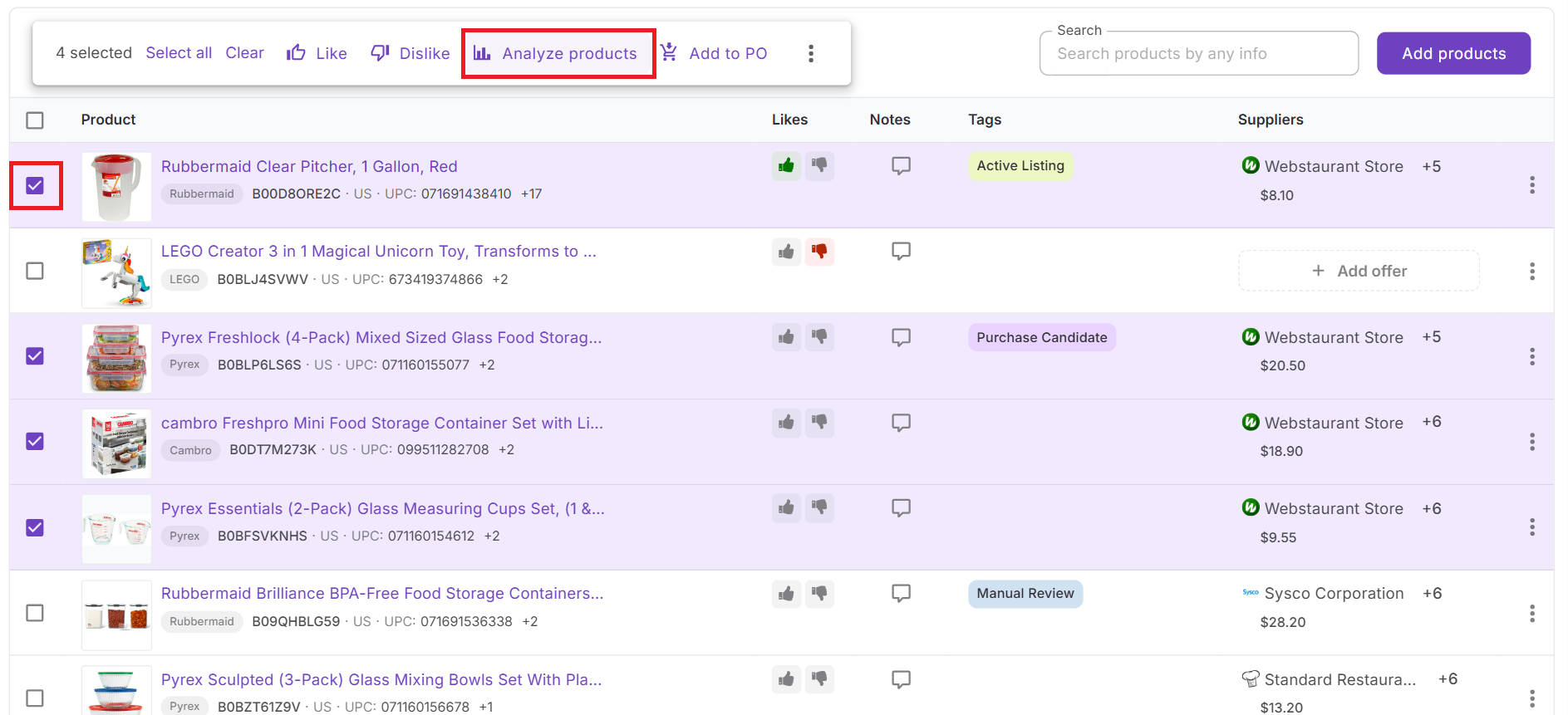
Step 4. Review updated deal metrics
Seller Assistant recalculates profit, ROI, margin, and other analysis metrics using the latest Amazon data. This allows you to confirm whether the product still meets your profitability targets.
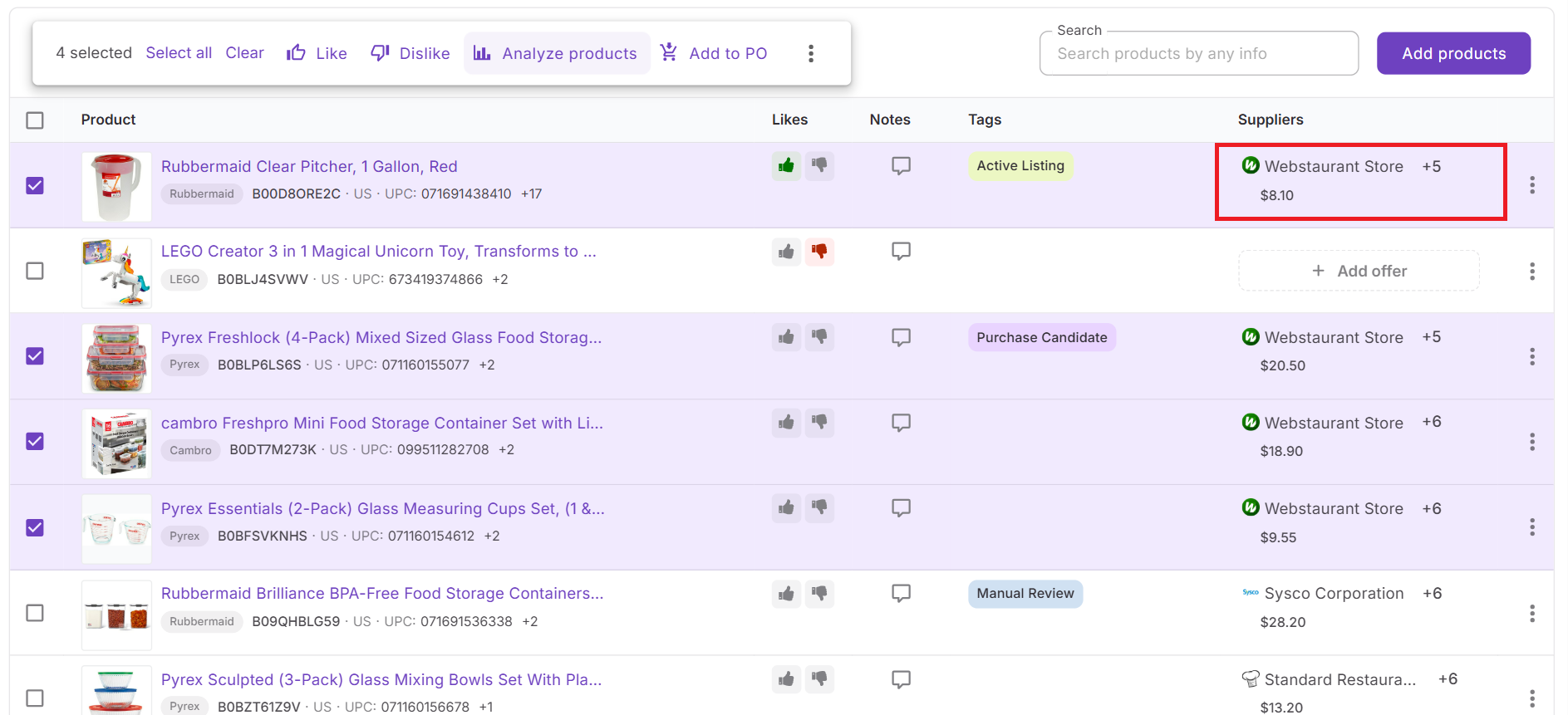
Step 5. Compare supplier offers and plan purchases
After reviewing updated metrics, you can compare supplier offers and choose the most profitable option. If the product still meets your criteria, you can move it directly to a Purchase Order for ordering inventory.
FAQ
What does the Reanalyze feature do in Seller Assistant?
The Reanalyze feature refreshes product analysis using the latest Amazon marketplace data. It recalculates metrics such as profit, ROI, margin, and fees so sellers can verify whether a deal is still profitable.
Does Reanalyze update all product metrics automatically?
Almost all deal metrics are recalculated automatically based on current Amazon data. The only value that is not updated automatically is COG, which sellers must edit manually if their supplier cost changes.
What is the difference between Reanalyze and Analyze products?
Reanalyze is used in Price List Analyzer to refresh metrics for products in analyzed supplier lists. Analyze products is used in Product DB to update metrics for products stored in your sourcing database.
When should Amazon sellers reanalyze their leads?
Sellers should reanalyze products before placing purchase orders or when market conditions change. This helps ensure the deal still meets profit and ROI targets.
Can I analyze multiple products at the same time in Product DB?
Yes, Product DB allows both single-product and bulk analysis. You can select several products using checkboxes and run Analyze products to update metrics for all selected items at once.
Final Thoughts
Keeping your sourcing leads accurate is essential for making profitable Amazon purchasing decisions. Prices, competition, and fees change constantly, which means product analysis can become outdated quickly. By using Reanalyze in Price List Analyzer and Analyze products in Product DB, sellers can refresh deal metrics and verify profitability before committing to inventory.
This workflow helps ensure that every sourcing decision is based on current marketplace data. Instead of relying on old calculations, sellers can confidently review updated profit, ROI, and cost metrics, compare supplier offers, and place orders with greater accuracy. With Seller Assistant, maintaining up-to-date leads becomes a fast and reliable part of your Amazon sourcing process.