



As an Amazon seller, you know how important it is to automate data collection for effective product sourcing. To find and research new products for your store, you must quickly process hundreds of options.
Fortunately, there’s a tool that can make this process much easier: Seller Assistant’s ASIN Grabber. This handy feature allows you to easily grab ASINs and other essential details for any product on Amazon, saving you valuable time and effort.
In this post, we’ll explore the benefits of using an ASIN Grabber and how it can help streamline your Amazon product sourcing.
Note. Seller Assistant is a comprehensive product-sourcing software that helps Amazon sellers quickly find high-profit deals. It combines three extensions: Seller Assistant Browser Extension, and IP-Alert Chrome Extension by Seller Assistant, and VPN by Seller Assistant, Amazon seller tools: Price List Analyzer, Brand Analyzer, Seller Spy, Bulk Restrictions Checker, and API integrations, and features: Side Panel View, FBM&FBA Profit Calculator, Quick View, ASIN Grabber, UPC/EAN to ASIN converter, Stock Checker, IP Alert, and Restrictions Checker.
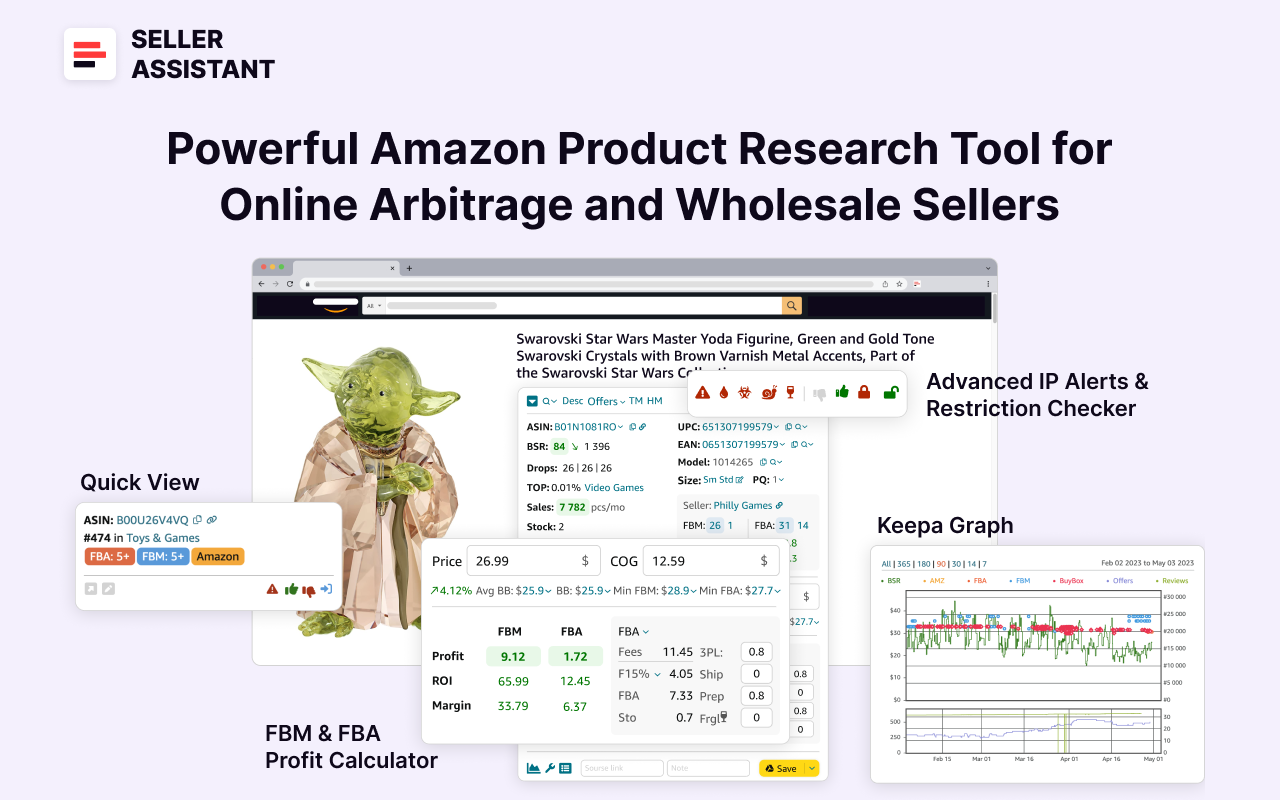
Seller Assistant
Seller Assistant shows all necessary product data on Amazon search, product, and inventory pages, and on any website to help you find high-margin deals. By using this FBA and FBM product sourcing software, you can easily identify products that have the potential to be sold well on Amazon.
What Is Seller Assistant’s ASIN Grabber?
ASIN Grabber by Seller Assistant is a feature fetching Amazon Standard Identification Numbers (ASINs) and their key data from Amazon search pages, product pages, and seller storefronts. This tool serves users by allowing them to automatically collect ASINs and their associated details and export them to an Excel file for analysis and tracking purposes.
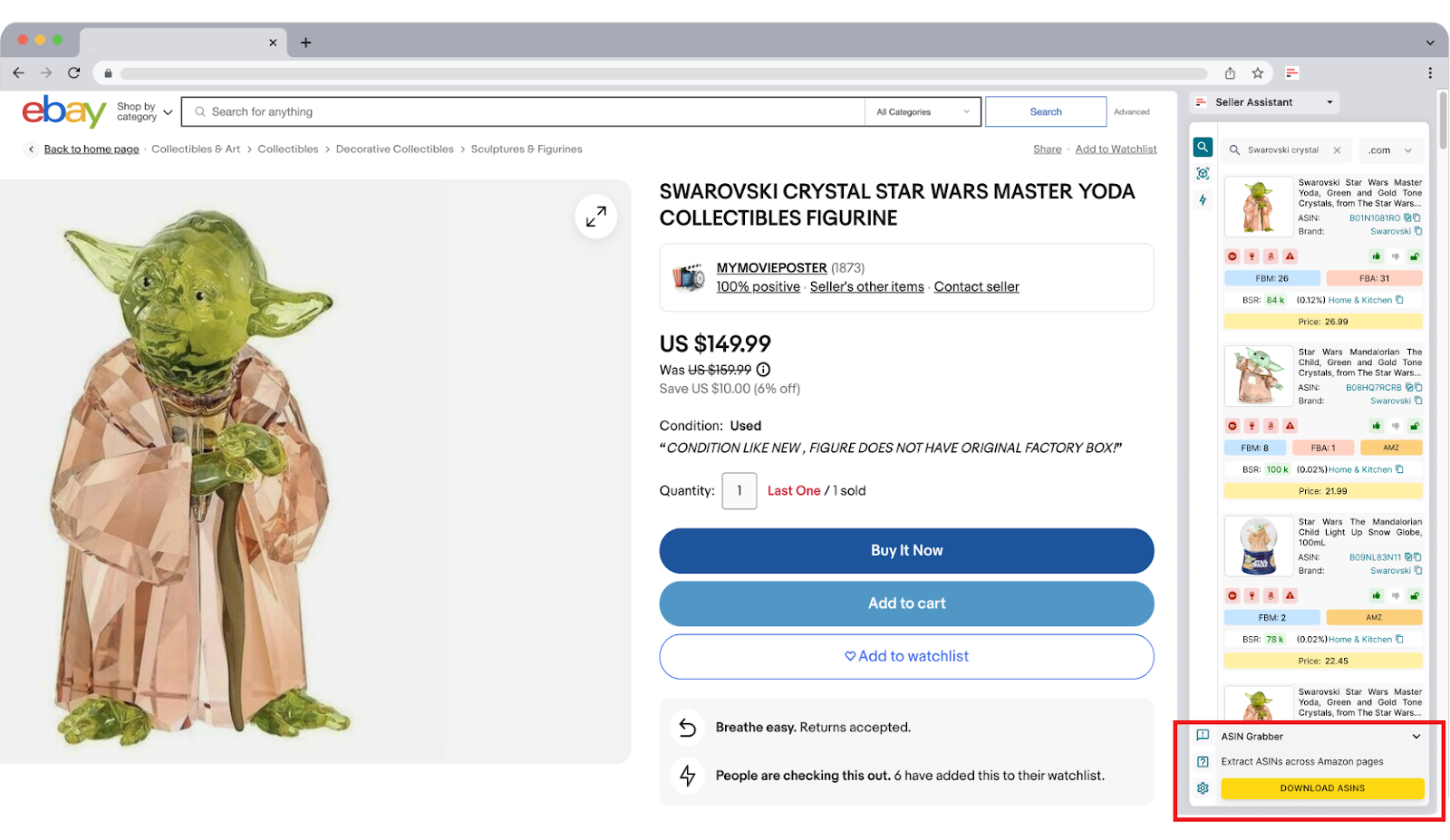
ASIN Grabber by Seller Assistant
The feature automates storefront stalking. Grabbing product information from competitor Amazon storefronts allows you automatically scrape niche best-sellers and find new and trendy products your competitors sell. You can use the results to process product information and spot items with low BSR and a 4 to 5-star rating.
The data is conveniently visualized as a table in the Excel file. It lets you quickly view, filter, and analyze the most important product metrics.
The tool is designed specifically for Amazon online arbitrage sellers and dropshippers to automate product data fetching.
Related: Seller Assistant Extension Review
The Best Amazon Online Arbitrage Tool — Seller Assistant
How to Dropship on Amazon with Seller Assistant
Amazon Wholesale: How to Sell Wholesale on Amazon
ASIN Grabber Functionality
Key features of the ASIN Grabber include real-time data extraction which lets you automatically retrieve live data from Amazon and work with up-to-date information and storefront and product page scraping allowing to fetch details from competitor storefronts, particularly focusing on high-demand products.
You can leverage the extracted data to identify popular or trending products that competitors sell, enabling a deeper insight into market trends. The data is downloaded to the .xlsx file.
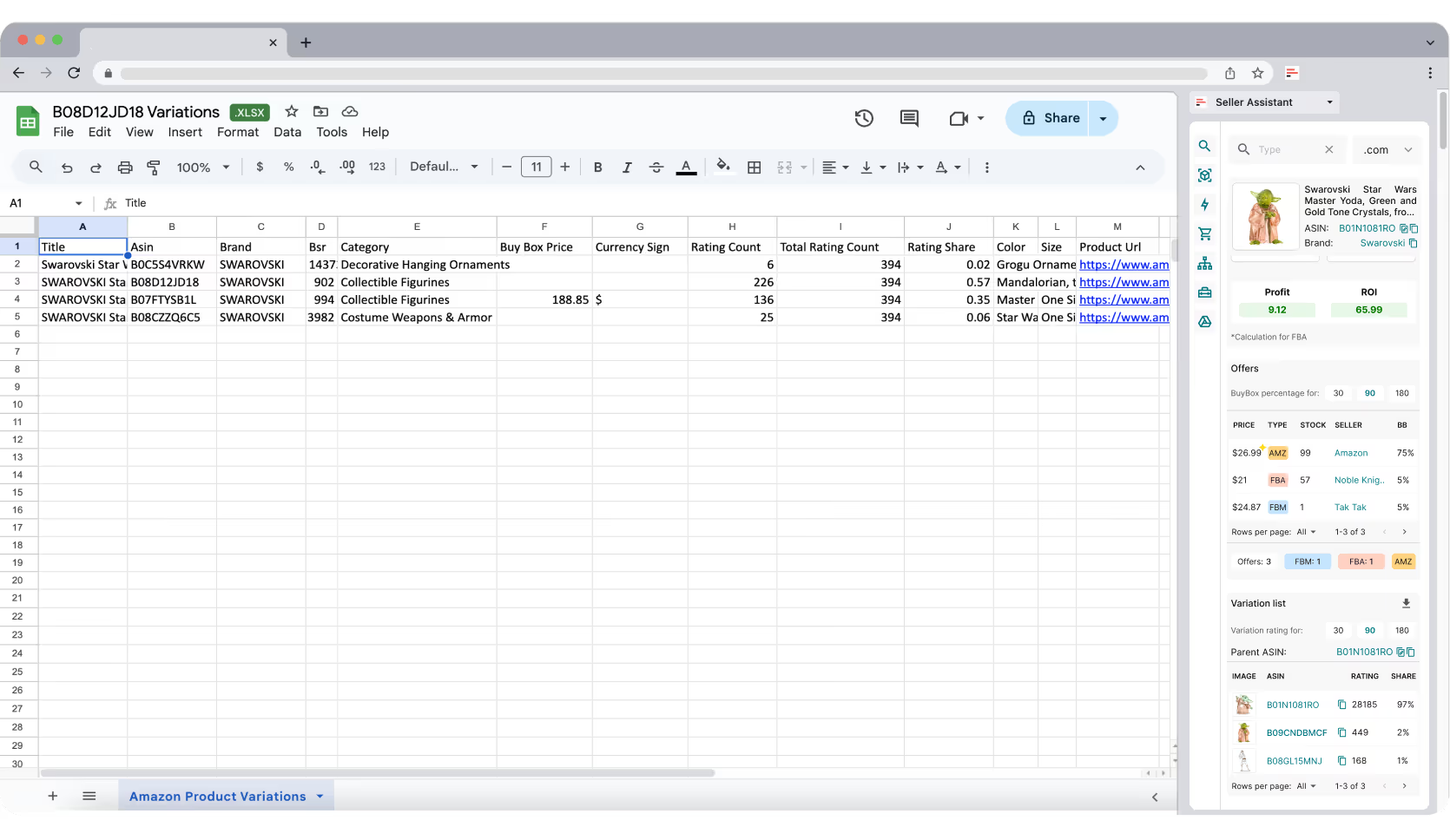
ASIN Grabber data
.png)
ASIN Grabber data
- Title
Product name or title as it appears on Amazon
- ASIN
Amazon Standard Identification Number for the product
- Brand
Manufacturer or brand of the product
- BSR
Best Sellers Rank, indicator of the product’s sales ranking within its category. Shows how well the product sells
- Category
The product’s category on Amazon
- Price
for non-storefront files: Buy Box price (product listing price)
for storefront files: Buy Box price and seller price (storefront price)
- Currency Sign
Product price currency
- Listing Restrictions
Product restrictions, gated or ungated products ; product you must get Amazon’s approval to sell restricted (gated) products
- IP Alert Flag
Products marked with IP Alert Flags have intellectual property complaints or other Amazon policy violations and may not be good for reselling
- Product URL
Product link on Amazon or in the competitor’s storefront.
Related: What is Amazon IP Complaint? How to Avoid IP Complaints
Benefits of ASIN Grabber
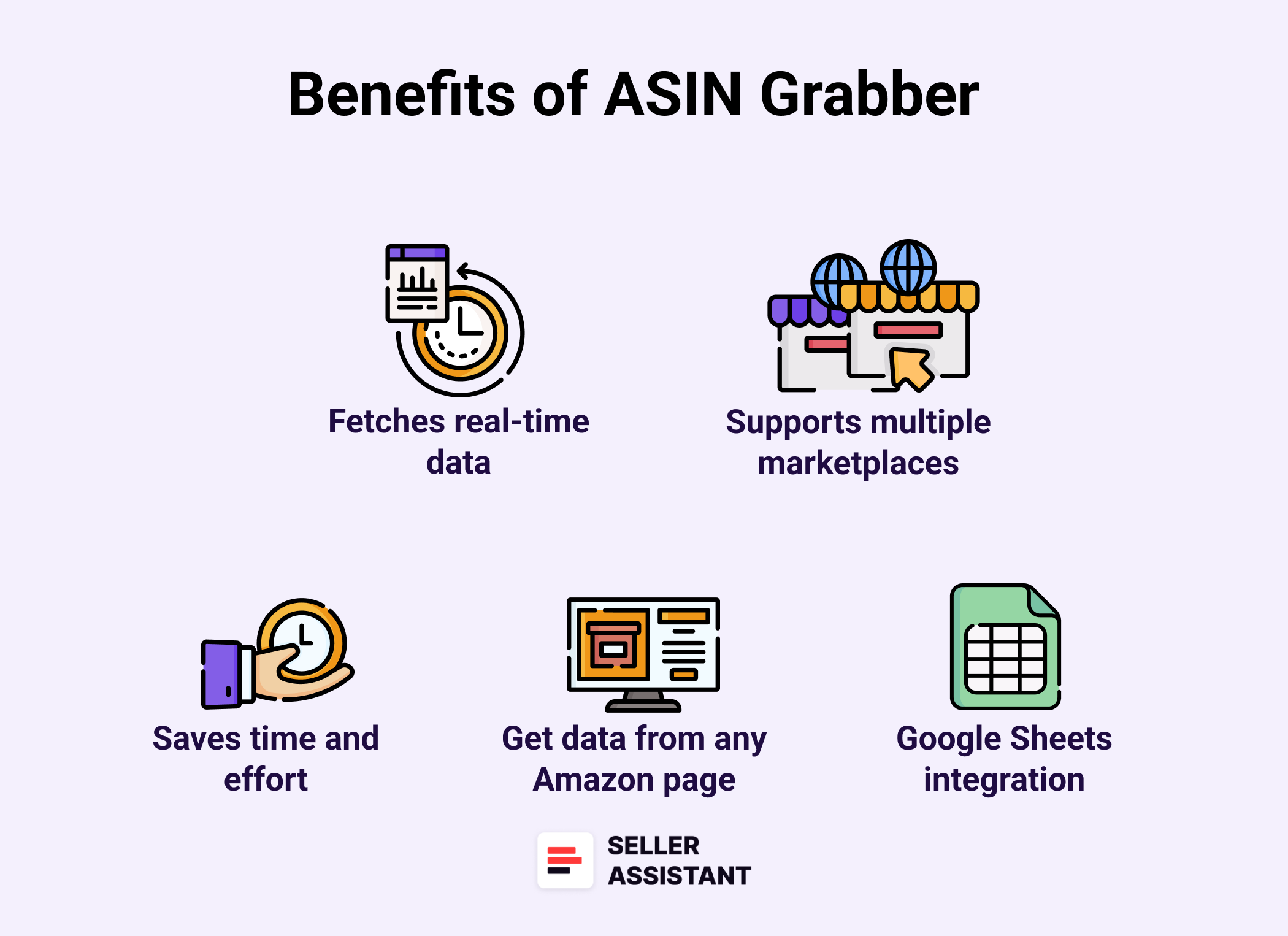
Benefits of ASIN Grabber
By providing you with competitor insights, ASIN Grabber helps find new deals and improve product offerings in your Amazon. Here’s how ASIN Grabber can benefit your business.
Efficient data collection
ASIN Grabber simplifies the extraction of ASINs and key product details directly from Amazon pages. This saves time by automating data gathering, eliminating the need for manual entry.
Real-time insights
The tool fetches data in real-time, ensuring users always have access to the most current information. This is particularly useful for spotting market trends and making timely business decisions.
Competitor analysis
ASIN Grabber allows users to view and analyze products sold by competitors. By monitoring competitor storefronts, users can identify popular items and potentially profitable product niches.
Enhanced deal sourcing
With access to Amazon’s latest product data, users can identify potential deals and hot-selling products. This information can inform purchasing and sourcing strategies to maximize profits.
Exportable data for easy analysis
All extracted data is exportable to Excel, making it easy to organize and analyze product information. This helps users efficiently manage and assess product performance metrics.
ASIN Grabber Use Cases
ASIN Grabber is a helpful tool for Amazon sellers to automate product data gathering from various sources, like Amazon search results or competitor storefronts. Here’s how sellers can benefit from this tool.
Related: Amazon FBA for Beginners
What to Sell on Amazon 2024
Selling on Amazon: How to Make Money?
How to Sell on Amazon for Beginners - Complete Guide
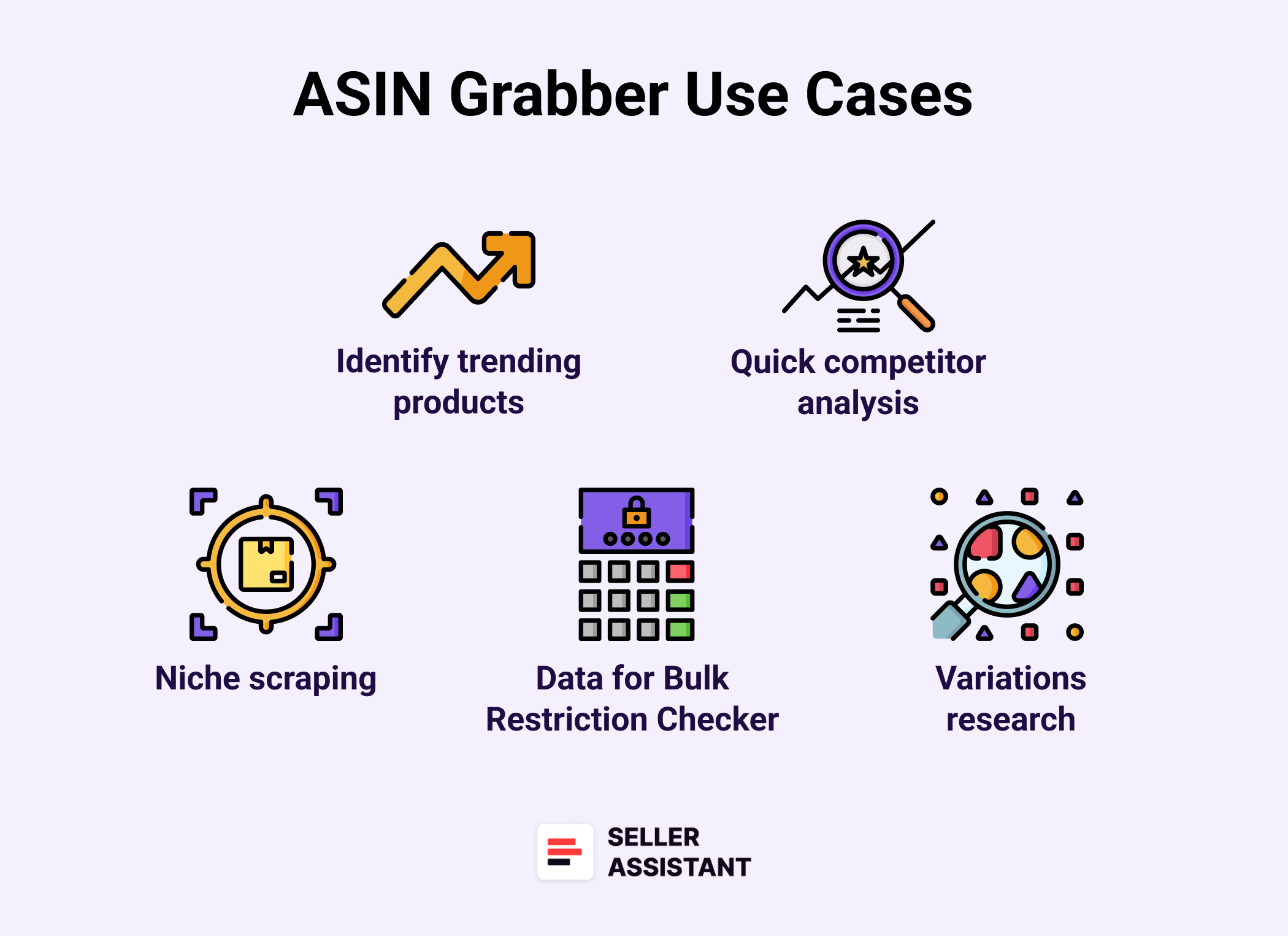
ASIN Grabber Use Cases
Automate competitor storefront stalking
- Use case
Sellers need a quick, efficient way to gather insights from competitor storefronts without manually reviewing each listing. Monitoring competitor inventories can reveal popular products and new trends.
- Solution
ASIN Grabber automates the process of scraping data from competitor Amazon storefronts, extracting key product details at the click of a button. This automation saves sellers time and provides them with immediate access to competitor insights, allowing for a more strategic approach to product selection and market positioning.
Identifying trending products
- Use case
Sellers need to identify trending items to keep their inventory fresh and competitive. Spotting hot-selling items early gives sellers an edge in a dynamic market.
- Solution
ASIN Grabber allows sellers to quickly scan product listings and seller storefronts for items with low BSR and high ratings. By exporting this data to Excel, sellers can analyze trends and pinpoint products with high demand, ensuring they stock items that customers are actively buying.
Competitor product analysis
- Use case
Sellers need to understand what products their competitors offer and how well these products perform. This insight helps sellers tailor their product line to better compete in their niche.
- Solution
ASIN Grabber enables sellers to explore various categories quickly, gathering data on potential new items. By analyzing products’ ratings, pricing, and rank, sellers can identify which products to add to their catalog based on performance metrics like rating and BSR, minimizing guesswork.
Get information on product restrictions
- Use case
Sellers need to avoid restricted or flagged products to maintain compliance with Amazon policies. Amazon doesn’t allow you to list products you don’t have approval to sell.
- Solution
ASIN Grabber highlights product restrictions, such as gated products that require Amazon’s approval, and flags items with potential IP issues or policy violations. This feature enables sellers to filter out products with compliance risks, ensuring their listings adhere to Amazon guidelines and reducing the chance of intellectual property complaints.
How Does ASIN Grabber Work?
With ASIN Grabber, you can automate scraping any Amazon seller storefront (i.e. competitor) data. To do so, you must create a personal account in Seller Assistant, and open a search page on Amazon, your Amazon competitor storefront, or any other website, for instance your potential supplier or retailer.
ASIN Grabber appears in Side Panel View on the Amazon search pages, your Amazon competitor storefront, or on your supplier website. Then, click the “Download ASINs” button in the ASIN Grabber, and you will get the file with the fetched data, as described below.
Steps to grab Amazon ASINs
Step 1. Activate Side Panel View
To begin, highlight the product title or other text you want to search, right-click, and select “Search with Seller Assistant” from the context menu.
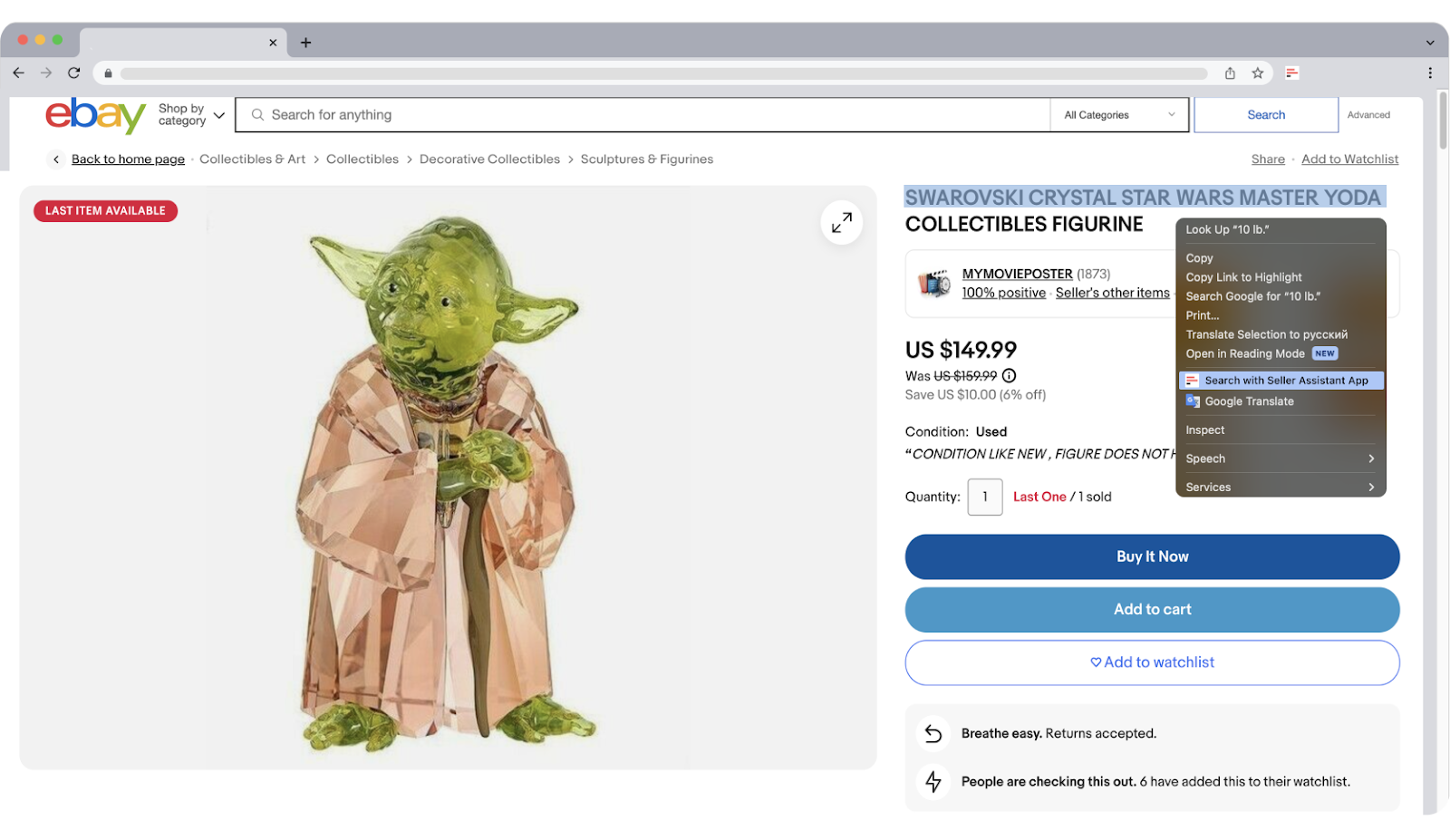
Activate Side Panel View
Alternatively, click the Extensions icon in your Chrome browser’s address bar, then choose Seller Assistant if it is already pinned.
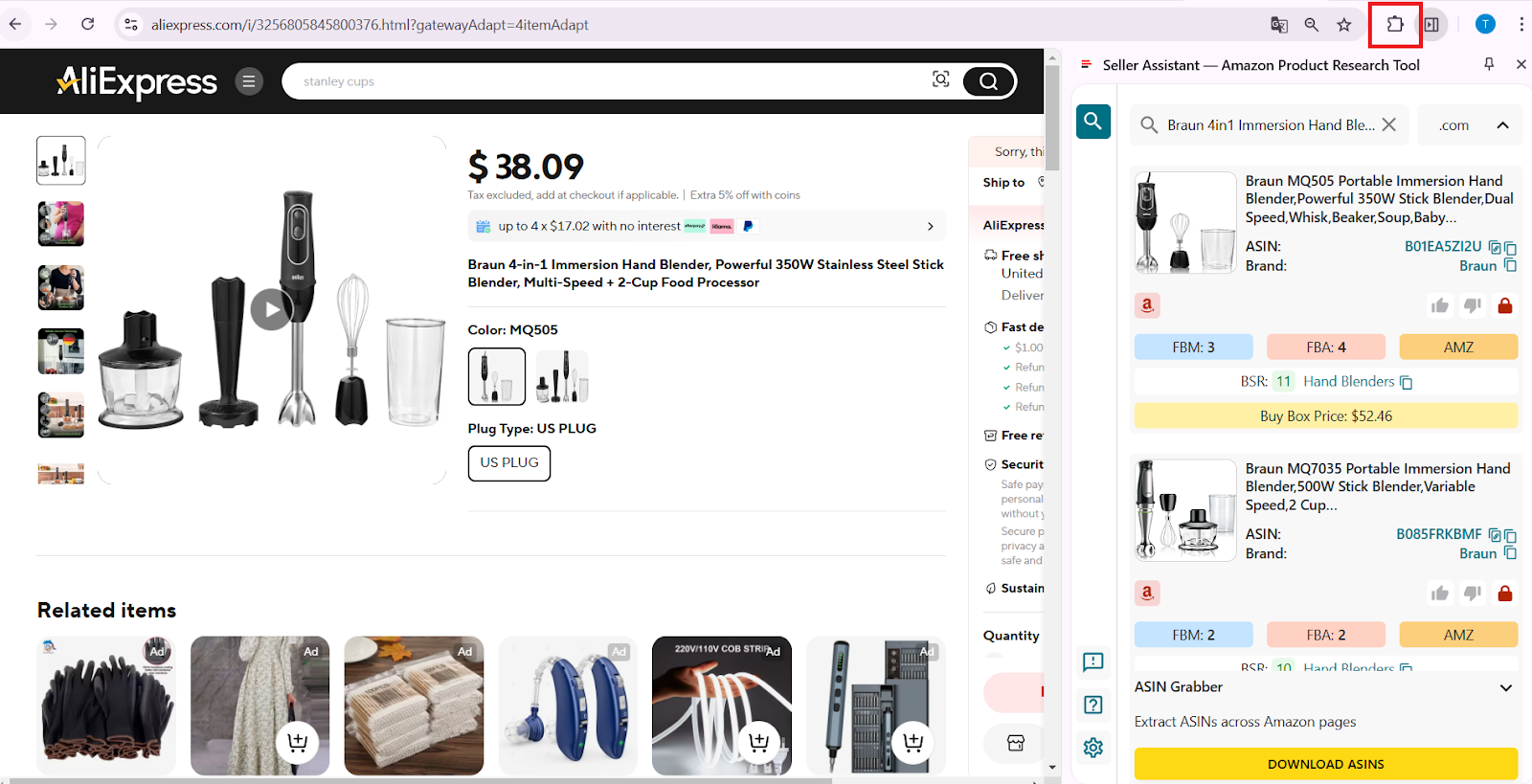
To open Offers, click the Extensions icon to the right of your address bar in Chrome browser and choose Seller Assistant (if you’ve already pinned Seller Assistant).
Step 2. Open Amazon page or supplier website
Navigate to the Amazon Amazon search results page, a competitor’s storefront, or a supplier website where you want to scrape your data.
Step 3. Locate ASIN Grabber
In the Side Panel View, find ASIN Grabber positioned at the bottom. This panel is your control center for capturing and downloading ASIN data.
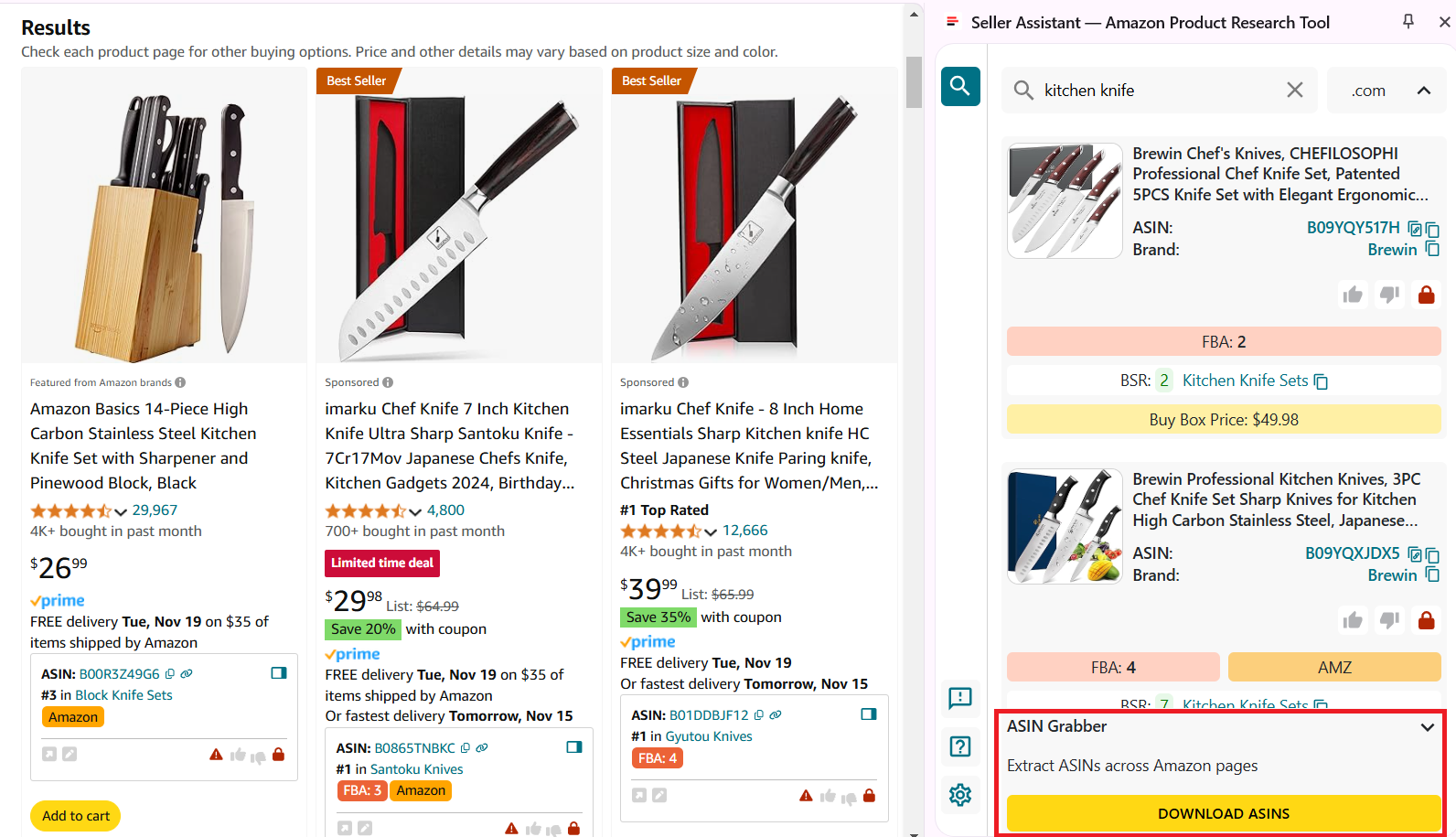
Locate ASIN Grabber
Step 4. Scroll to capture results
Scroll down within the Side Panel View to load the results you want to scrape, as ASIN Grabber only captures the visible results. Once your selection is complete, click “Download ASINs” to initiate the download process.
Step 5. Access downloaded data
After the download completes, you’ll receive an Excel file containing the ASINs and associated data. Open the file to review product information and metrics.
ASIN Grabber excel file
ASIN Grabber data
- Product title
- ASIN
- Brand
- Best Sellers Rank
- Category
- Buy Box price
- Seller price
- Currency
- Product restrictions
- IP Alerts
- Product link on Amazon.
Step 6. Analyze and filter products
Use the downloaded data to filter and analyze products based on your target criteria. This helps you identify deals or products suitable for resale, aligning with your strategic goals.
FAQ
What is ASIN Grabber and how does it work?
ASIN Grabber is a tool that extracts Amazon ASINs and product data from search pages, product pages, and storefronts. It automates data collection, exporting the results to an Excel file for easy analysis.
What types of data can ASIN Grabber capture?
ASIN Grabber captures essential product details, such as ASINs, titles, ratings, Best Sellers Rank (BSR), category, Buy Box price, seller price, product restrictions, and IP Alerts. This data helps users analyze product trends and identify potential deals.
Can I use ASIN Grabber to fetch data from competitor storefronts?
Yes, ASIN Grabber is designed to scrape data from competitor storefronts. It allows you to identify popular or niche products with low BSR and high ratings for competitive analysis.
How do I download the data captured by ASIN Grabber?
After scrolling through the desired results in the Side Panel View, click “Download ASINs” to save the data. The file will download as an Excel document for further review and filtering.
Is ASIN Grabber compatible with all browsers?
ASIN Grabber is primarily designed for Chrome and can be accessed via the Seller Assistant extension. Ensure the extension is installed and pinned for easy use.
Final Thoughts
In conclusion, product sourcing is a challenging task and you must use comprehensive product-sourcing tools to succeed.
The best such tool is Seller Assistant. Seller Assistant is an all-in-one product sourcing software offering all the features vital for product sourcing. It combines three extensions: Seller Assistant Extension, IP Alert, and VPN by Seller Assistant, tools: Price List Analyzer, Brand Analyzer, Seller Spy, Bulk Restrictions Checker, and API integrations, and features: Side Panel View, FBM&FBA Profit Calculator, Quick View, ASIN Grabber, UPC/EAN to ASIN converter, Stock Checker, and other features that help quickly find high-profit deals. Seller Assistant also offers integration with Zapier allowing to create custom product sourcing workflows.


