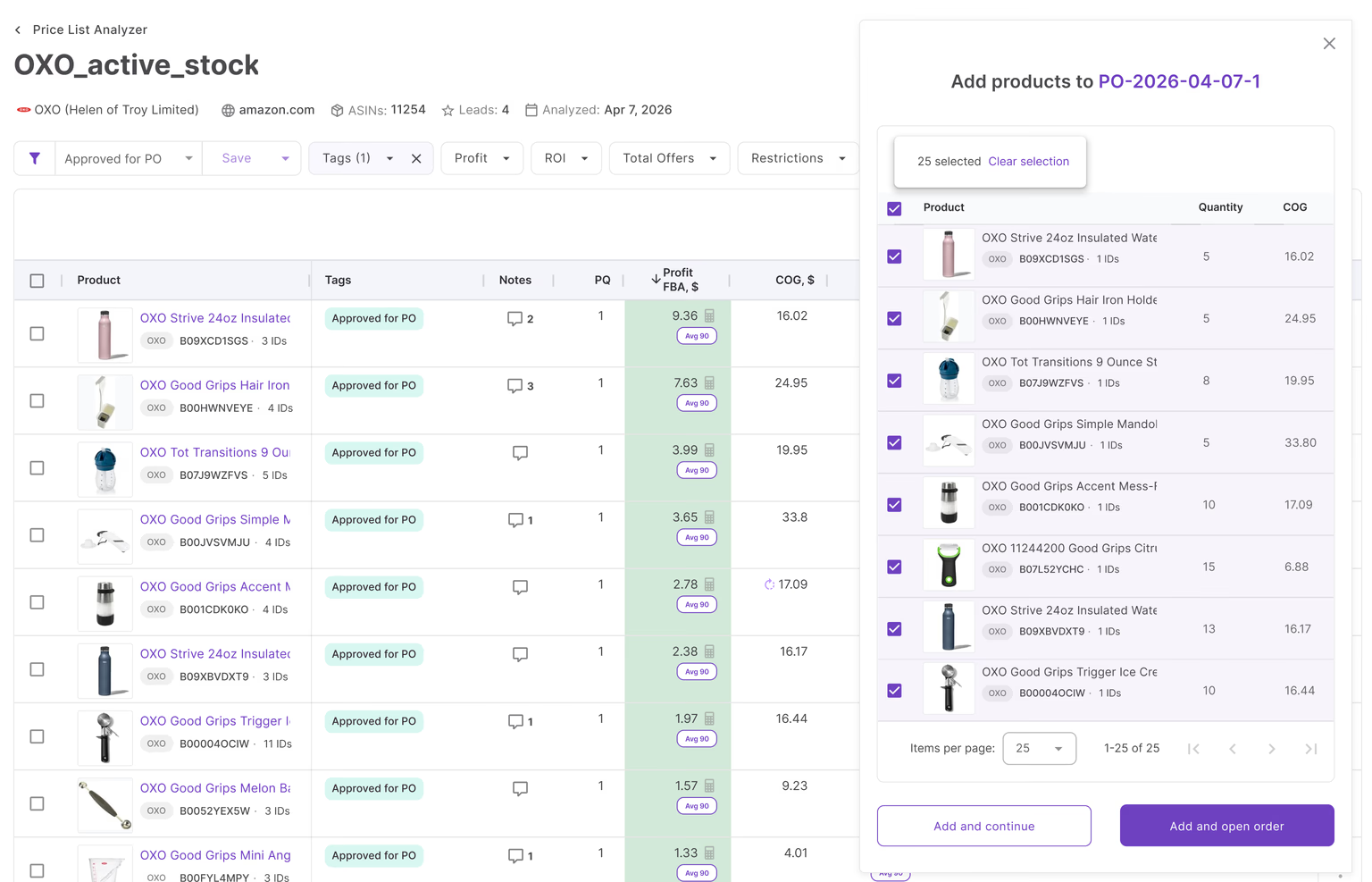
Amazon wholesale sourcing gets harder as your supplier network grows. Large catalogs, changing Buy Box prices, supplier terms, prep routing, and purchase orders quickly become difficult to manage with spreadsheets and manual product checks. Analyzing thousands of SKUs one by one slows sourcing down and makes profitable deals easy to miss.
Seller Assistant solves this by connecting Suppliers Database and Price List Analyzer into one structured sourcing workflow. Suppliers Database keeps supplier relationships, terms, and operational data organized, while Price List Analyzer turns bulk supplier catalogs into clear, decision-ready product data.
Together, they help Amazon resellers analyze products faster, reduce sourcing mistakes, and scale wholesale operations with more control.
Why Wholesale Sourcing Gets Messy As You Scale
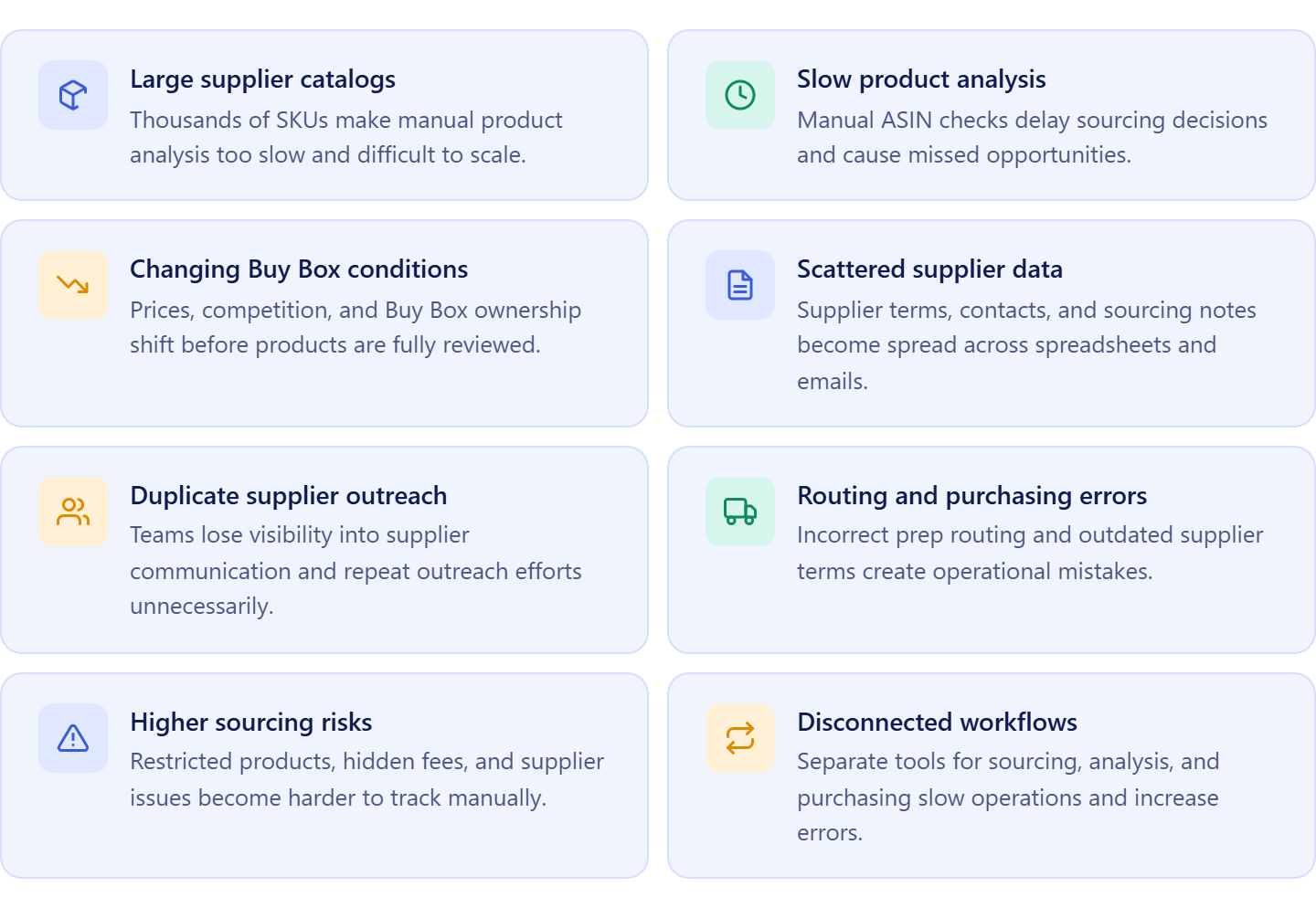
Wholesale sourcing looks simple when you work with a few suppliers and small product lists. As your Amazon business grows, the process becomes harder to control. Supplier catalogs expand into thousands of SKUs, Buy Box prices change constantly, and operational data spreads across spreadsheets, emails, and disconnected tools.
At that point, the problem is no longer finding products. The real challenge becomes managing supplier data, analyzing products fast enough, and keeping sourcing decisions organized across your workflow.
Supplier catalogs become too large for manual analysis
Large wholesale catalogs often contain thousands of products, but only a small percentage are worth reselling on Amazon. Manually checking ASINs, calculating fees, reviewing competition, and validating demand product by product takes too much time and limits how many deals you can evaluate.
Slow analysis also creates missed opportunities. By the time products are reviewed manually, pricing conditions, Buy Box ownership, or competition levels may already change.
Supplier data gets scattered across multiple places
As supplier relationships grow, sellers must track contact details, payment terms, minimum order values, prep routing, and purchasing history for every account. When that information lives in spreadsheets, inboxes, and notes, sourcing workflows become difficult to manage consistently.
Teams waste time searching for supplier information, duplicate outreach efforts, and create purchase orders with outdated terms or incorrect routing details.
Operational mistakes increase as sourcing volume grows
Scaling wholesale operations increases the number of moving parts inside the workflow. More suppliers, more catalogs, more prep centers, and more purchase orders create more opportunities for errors.
Incorrect warehouse routing, buying restricted products, missing supplier requirements, or overlooking hidden Amazon fees can quickly reduce margins and create expensive operational problems.
Disconnected workflows slow down decision-making
Many Amazon sellers still rely on separate tools for supplier management, product research, restriction checks, and purchasing. Moving data manually between systems slows sourcing down and increases the risk of mistakes.
Why Connected Sourcing Workflows Outperform Spreadsheets
Managing Amazon wholesale sourcing through spreadsheets works only until your supplier network and catalog volume start growing. Once you handle thousands of SKUs, multiple suppliers, prep centers, and purchasing workflows, disconnected files create delays, mistakes, and inconsistent sourcing decisions.
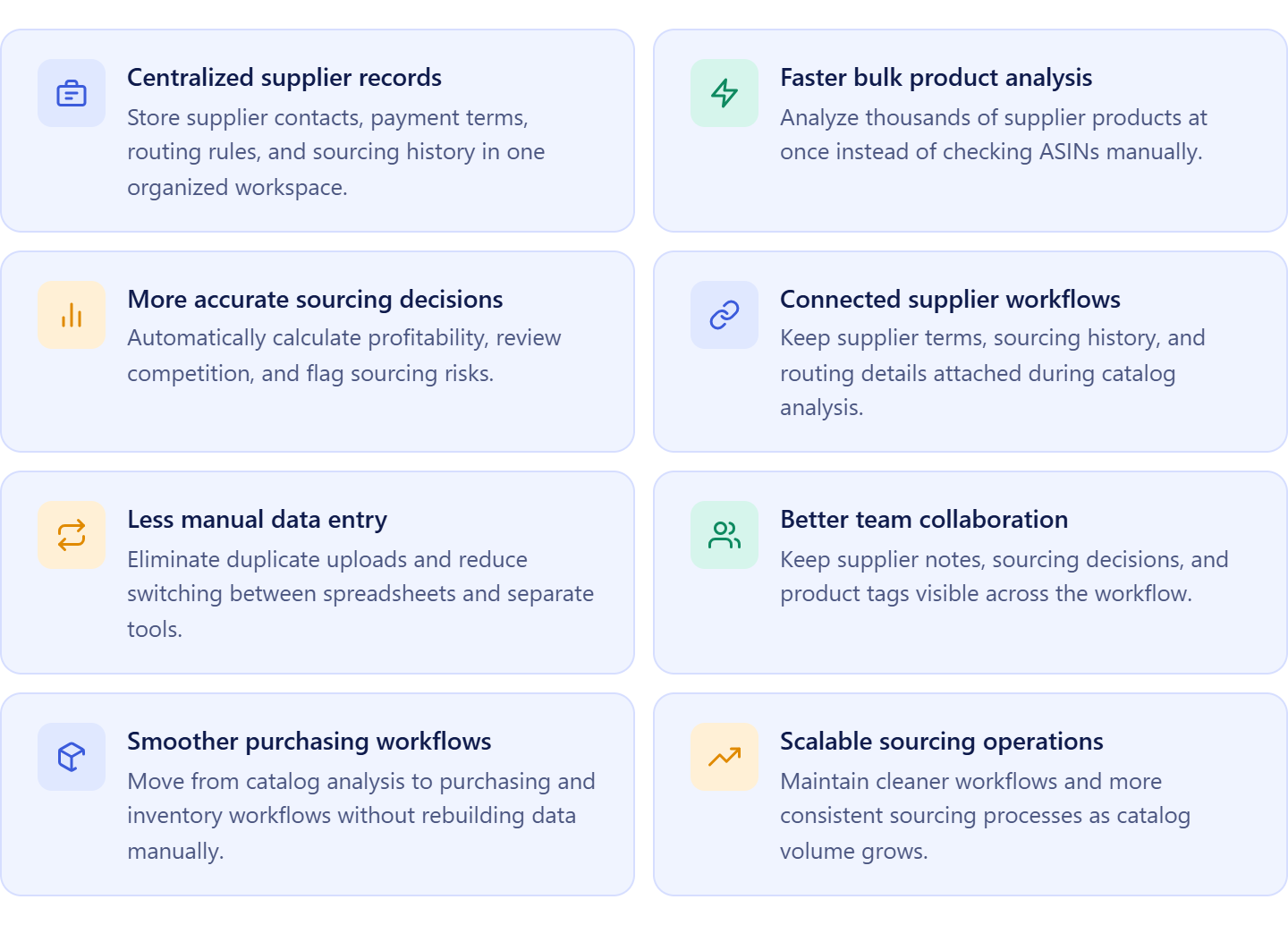
Using Seller Assistant’s Suppliers Database together with Price List Analyzer creates a more structured workflow. Supplier information, sourcing terms, and product analysis stay connected in one system, making it easier to analyze catalogs, organize supplier relationships, and move profitable products into purchasing without rebuilding data manually.
Supplier records stay organized in one place
Suppliers Database centralizes supplier contacts, payment terms, minimum order values, routing rules, and sourcing history inside structured supplier profiles. Instead of searching through spreadsheets and email threads, sellers can access all supplier information from one workspace.
This keeps sourcing workflows cleaner and helps teams work from consistent supplier data.
Product analysis becomes faster and more accurate
Price List Analyzer allows sellers to upload large supplier catalogs and analyze thousands of products in bulk instead of checking ASINs manually. The system automatically matches products to Amazon listings, calculates profitability, reviews competition, and flags potential risks.
This helps sellers identify profitable products faster while reducing manual sourcing work and calculation errors.
Supplier data stays connected during analysis
When catalogs are uploaded directly from Suppliers Database, supplier information stays attached throughout the workflow. Sellers can analyze products while keeping supplier terms, sourcing history, and routing details connected automatically.
This removes duplicate data entry and creates smoother transitions between sourcing, purchasing, and inventory workflows.
Teams work inside a more consistent workflow
Connected sourcing workflows improve collaboration between sellers, virtual assistants, and purchasing teams. Supplier notes, product tags, sourcing decisions, and operational settings stay visible across the workflow instead of being scattered across separate files.
This reduces confusion, prevents duplicated work, and keeps wholesale operations more scalable as sourcing volume increases.
Note. Seller Assistant is an end-to-end Amazon workflow management platform that integrates 15+ wholesale-focused solutions into one connected system. It combines sourcing workflow automation, bulk research and intelligence tools, and integrated Chrome extensions – giving you everything you need to streamline finding deals, managing suppliers, and creating purchase orders.

With Seller Assistant, every step of your Amazon wholesale and arbitrage workflow is automated and connected.
How Seller Assistant Simplifies Supplier Catalog Analysis
Analyzing supplier catalogs for Amazon wholesale is not just about finding products with good ROI. Sellers also need to track supplier terms, validate restrictions, review competition, monitor Buy Box conditions, and keep sourcing decisions connected to purchasing workflows. When this process relies on spreadsheets and disconnected tools, sourcing becomes slower and harder to scale.
Seller Assistant simplifies supplier catalog analysis by connecting supplier management with bulk product research inside one workflow by using Suppliers Database together with Price List Analyzer. Sellers can upload catalogs directly from supplier profiles, analyze thousands of products at once, and keep supplier information attached throughout sourcing and purchasing.
Price List Analyzer
Price List Analyzer helps Amazon sellers evaluate large supplier catalogs quickly and accurately. The tool automatically matches supplier products to Amazon ASINs, calculates profitability, analyzes competition, estimates demand, and flags potential risks such as restrictions, Amazon presence, or unstable Buy Box conditions.
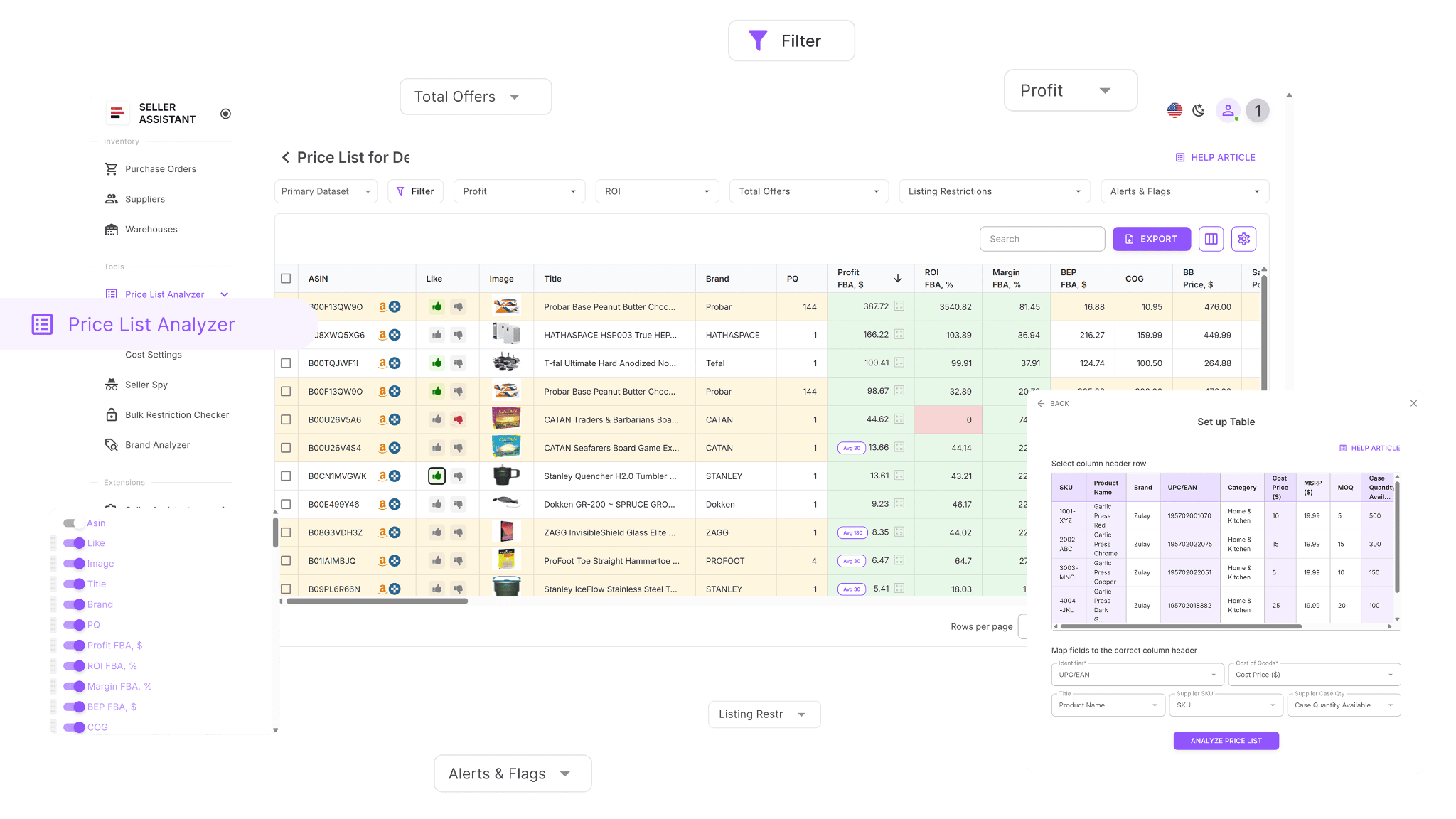
Instead of checking products manually, sellers can identify profitable, lower-risk opportunities across thousands of SKUs in one structured analysis workflow.
Suppliers Database
Suppliers Database helps sellers organize supplier operations in one structured system. Each supplier profile stores important sourcing details such as contact information, payment terms, minimum order value, lead times, prep routing, and outreach status.
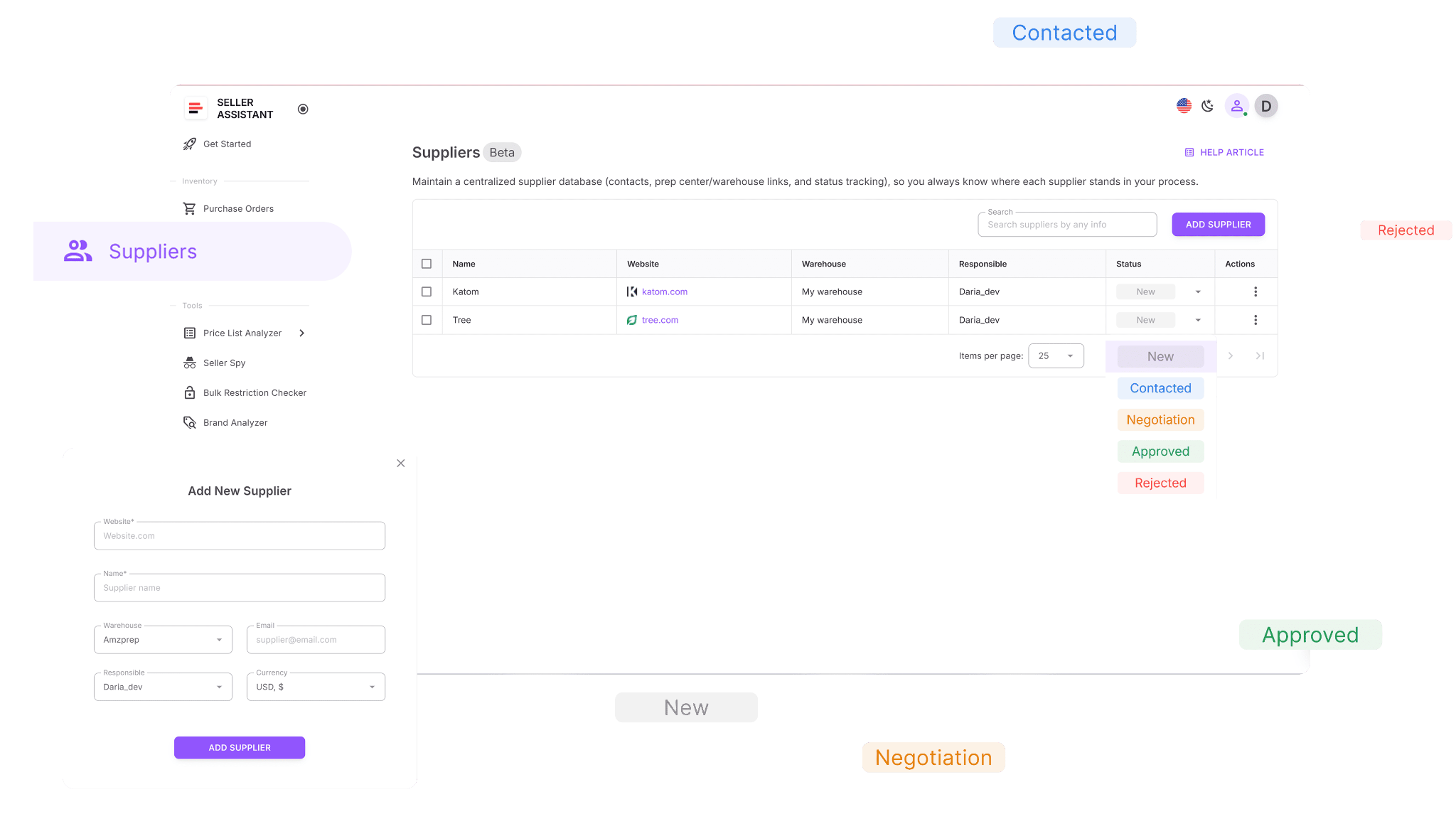
Because catalogs are uploaded directly from the supplier profile, supplier records stay connected automatically during product analysis and purchasing workflows.
How the workflow stays connected
Suppliers Database and Price List Analyzer work together as one sourcing workflow. Sellers start by organizing supplier information inside Suppliers Database and then upload supplier catalogs directly into Price List Analyzer for bulk analysis.
Because supplier data remains connected throughout the workflow, sourcing decisions, supplier records, and purchasing operations stay organized without duplicate data entry or disconnected spreadsheets.
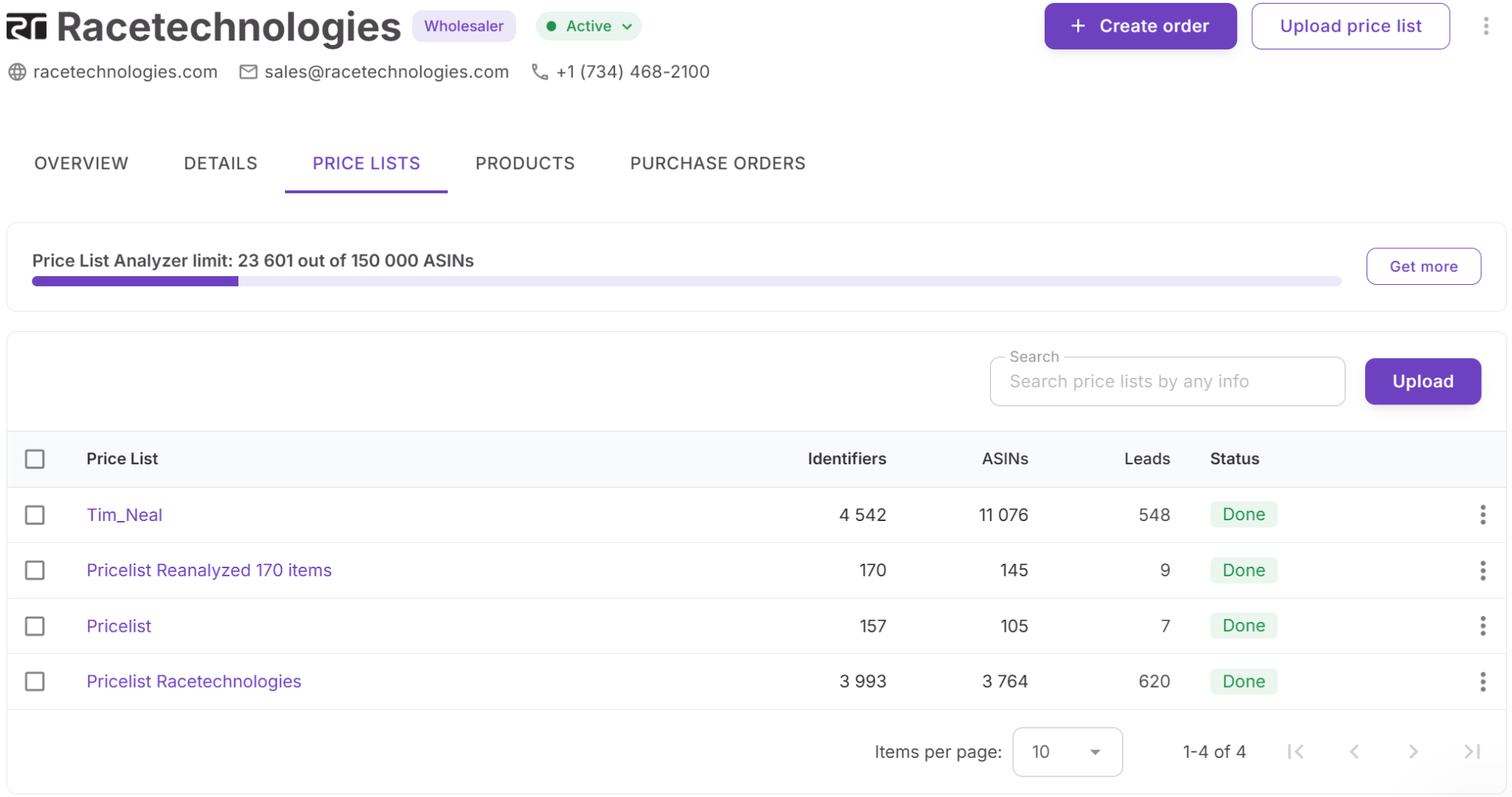
How the workflow supports wholesale operations
Supplier catalog analysis becomes part of a larger wholesale workflow instead of a separate research task. Once products are analyzed and shortlisted, they can continue into Product Database, Purchase Orders Module, Warehouses Database, FBA Shipments, and other Seller Assistant workflow tools.
This creates a more scalable sourcing process where supplier management, product analysis, and purchasing remain connected from supplier outreach to inventory ordering.
Why Price List Analyzer Is Essential for Bulk Product Sourcing
Analyzing large supplier catalogs manually becomes difficult once Amazon sellers start working with thousands of SKUs across multiple suppliers. Checking ASINs one by one, calculating fees, reviewing competition, and validating demand slows sourcing down and makes profitable opportunities harder to find before market conditions change.
Price List Analyzer helps Amazon wholesale sellers, online arbitrage sellers, and dropshippers turn supplier catalogs into structured sourcing data. Instead of relying on manual product research, sellers can upload supplier price lists, analyze products in bulk, and evaluate profitability, demand, competition, and risks inside one connected sourcing workflow.
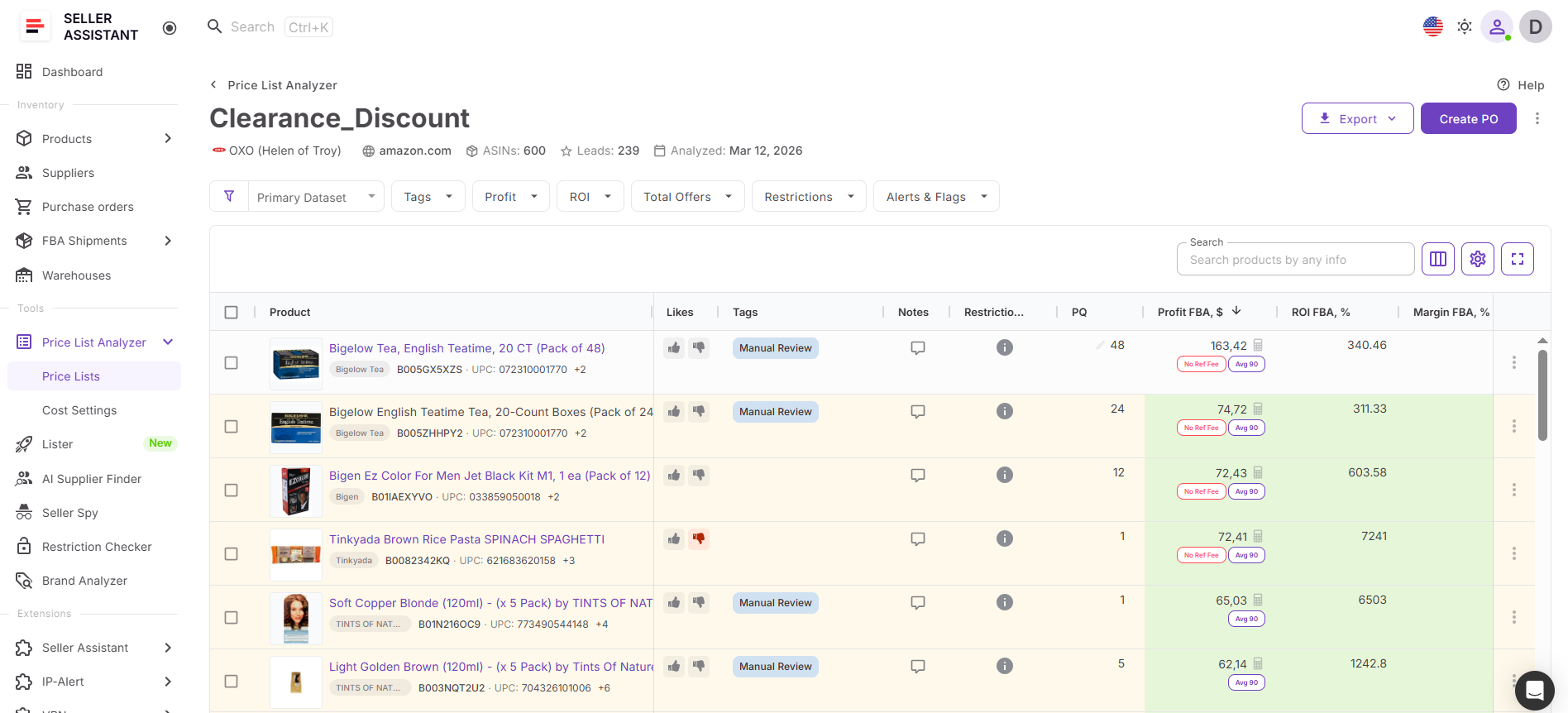
How Price List Analyzer helps sellers analyze supplier catalogs
Price List Analyzer helps sellers process supplier catalogs faster while keeping supplier information and sourcing decisions connected throughout the workflow.
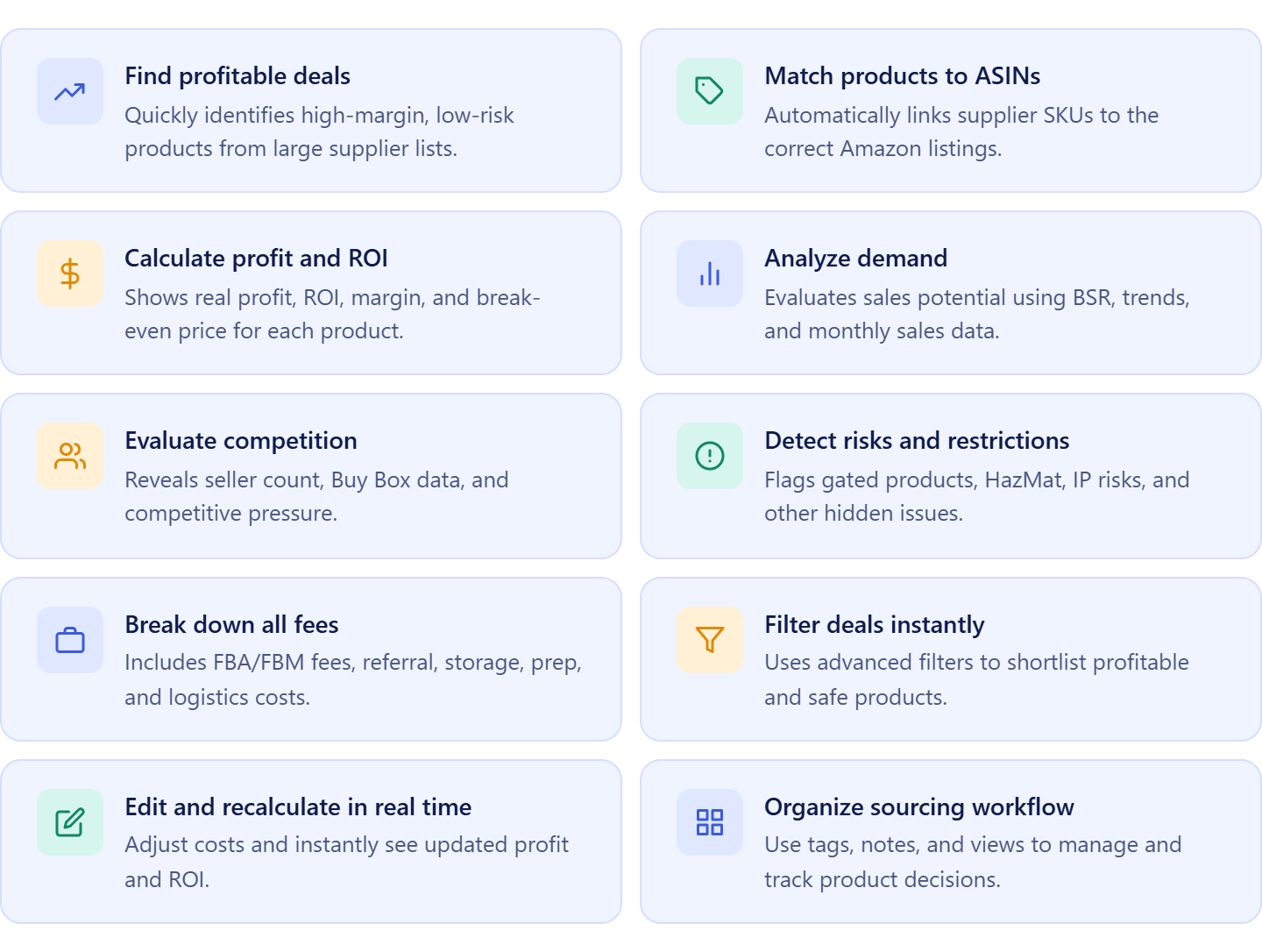
- Analyze supplier catalogs in bulk
Upload large supplier price lists and evaluate hundreds or thousands of products at once instead of checking products manually inside Amazon.
- Match supplier products to Amazon listings automatically
Connect supplier SKUs, UPCs, EANs, and other identifiers to the correct Amazon ASINs without manual catalog research.
- Calculate profitability using Amazon fee data
Review ROI, margin, net profit, break-even price, and maximum COG with built-in Amazon fee calculations and cost analysis.
- Validate demand and sales consistency
Use BSR history, sales estimates, and sales trends to identify products with stable demand and reliable sales performance.
- Review competition and Buy Box conditions
Analyze seller count, Amazon presence, Buy Box pricing, and competition levels before purchasing inventory.
- Detect restrictions and sourcing risks early
Identify gated products, HazMat items, meltable products, IP risks, and other sourcing risks before placing supplier orders.
- Filter profitable products faster
Apply filters for profit, ROI, competition, demand, restrictions, and risk indicators to quickly shortlist stronger sourcing opportunities.
- Adjust sourcing costs dynamically
Edit COG, prep costs, shipping expenses, taxes, and package quantities with instant recalculation of profitability metrics.
- Organize sourcing decisions inside the workflow
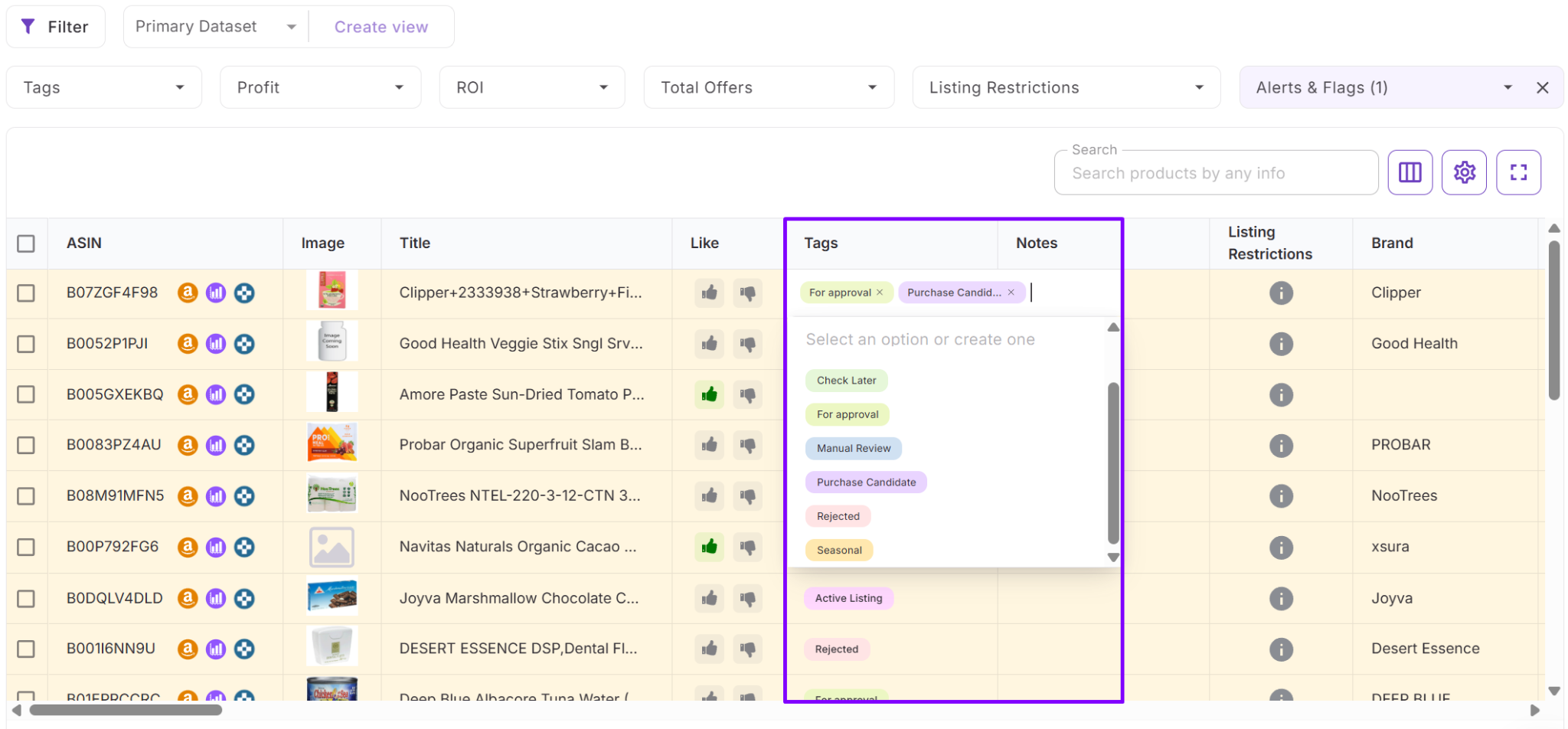
Use tags, notes, likes, and saved views to organize sourcing decisions and improve collaboration across sourcing teams.
- Continue sourcing workflows after analysis
Export analyzed catalogs or move shortlisted products directly into Product Database, Purchase Orders Module, and warehouse routing workflows.
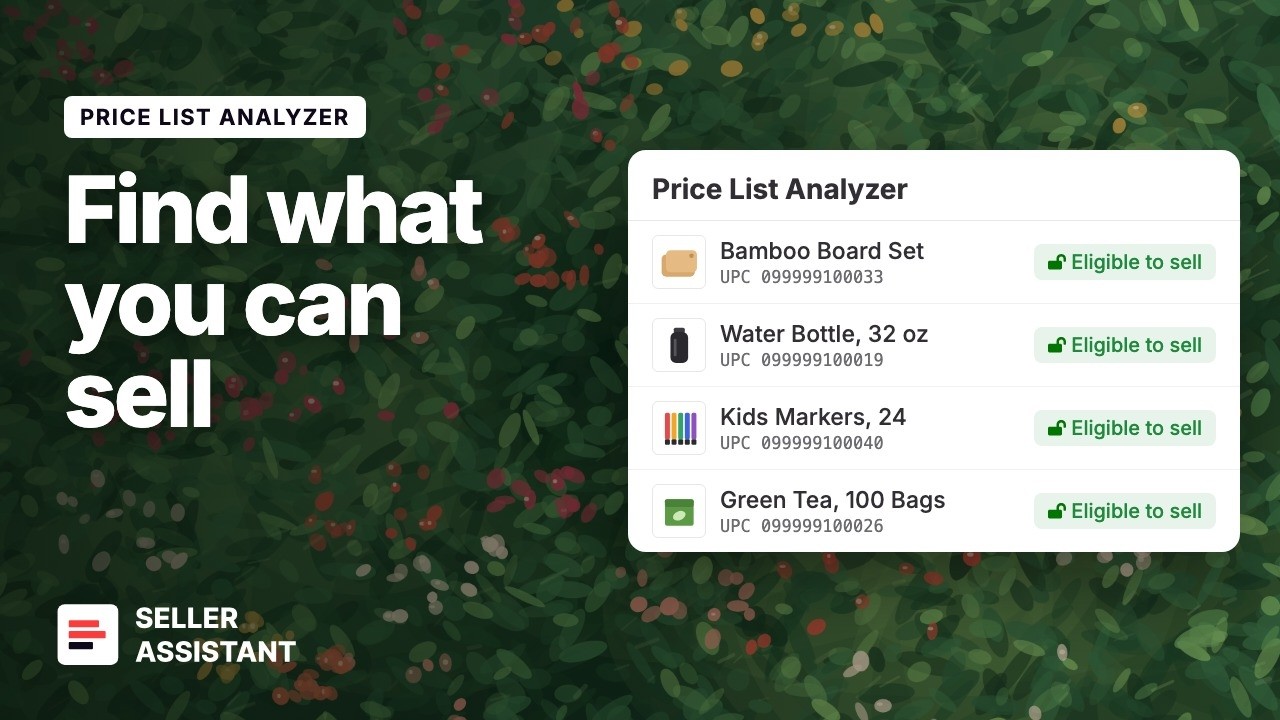
Upload your own supplier price list and see what you can sell.
How Price List Analyzer connects with the sourcing workflow
Price List Analyzer acts as the product analysis layer inside Seller Assistant’s wholesale sourcing workflow. Sellers typically begin inside Suppliers Database by opening a supplier profile and uploading a supplier catalog directly from the supplier workspace.
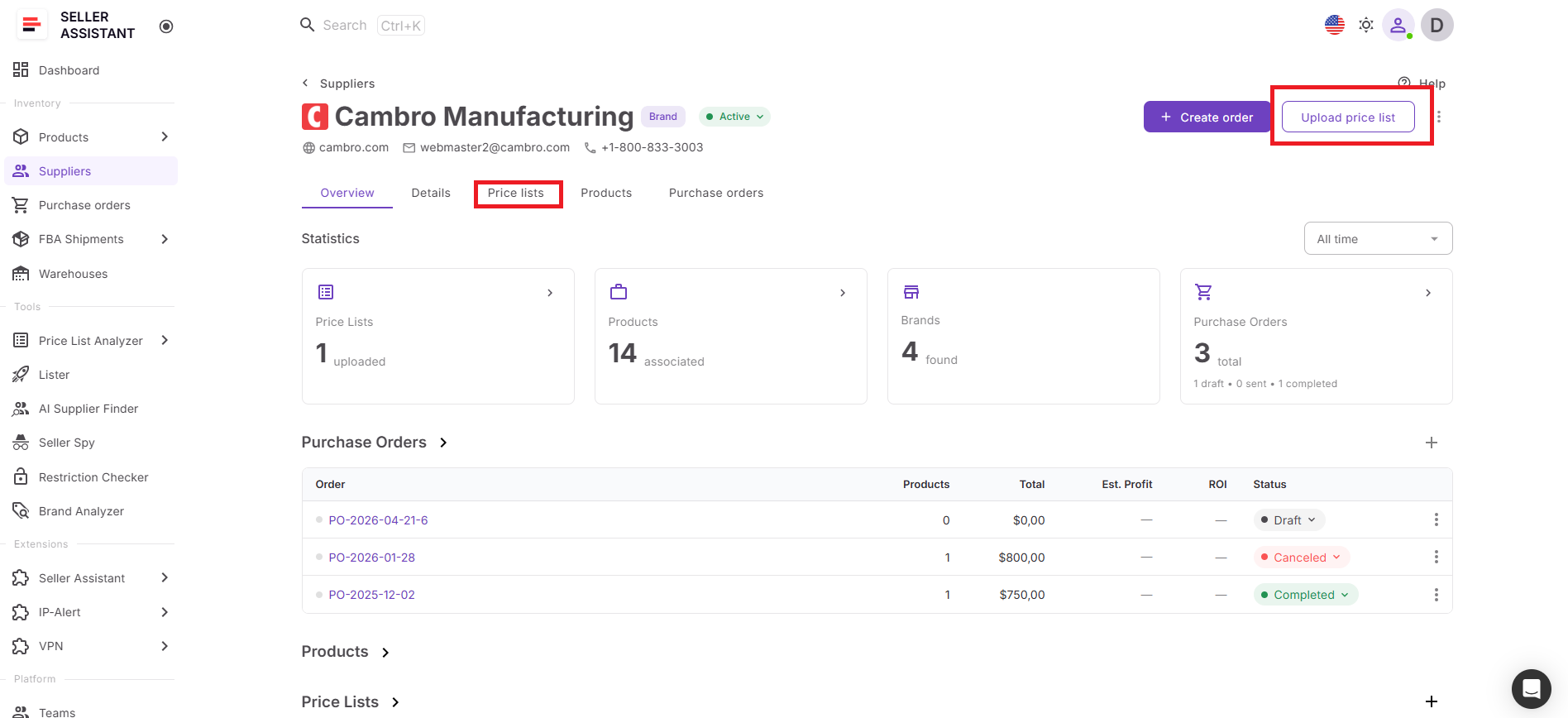
Because the supplier remains attached automatically during upload, supplier information, sourcing terms, and operational settings stay connected throughout the analysis process. Once the catalog opens inside Price List Analyzer, sellers can map fields, run bulk analysis, filter products, and review sourcing risks without switching between disconnected spreadsheets or separate tools.
Price List Analyzer also connects directly with Suppliers Database, Product Database, Purchase Orders Module, Warehouses Database, Brand Analyzer, Bulk Restriction Checker, Lister, and FBA Shipments. This allows sourcing data to move through the workflow automatically, helping sellers continue from supplier catalogs to purchasing and inventory operations without rebuilding data manually.
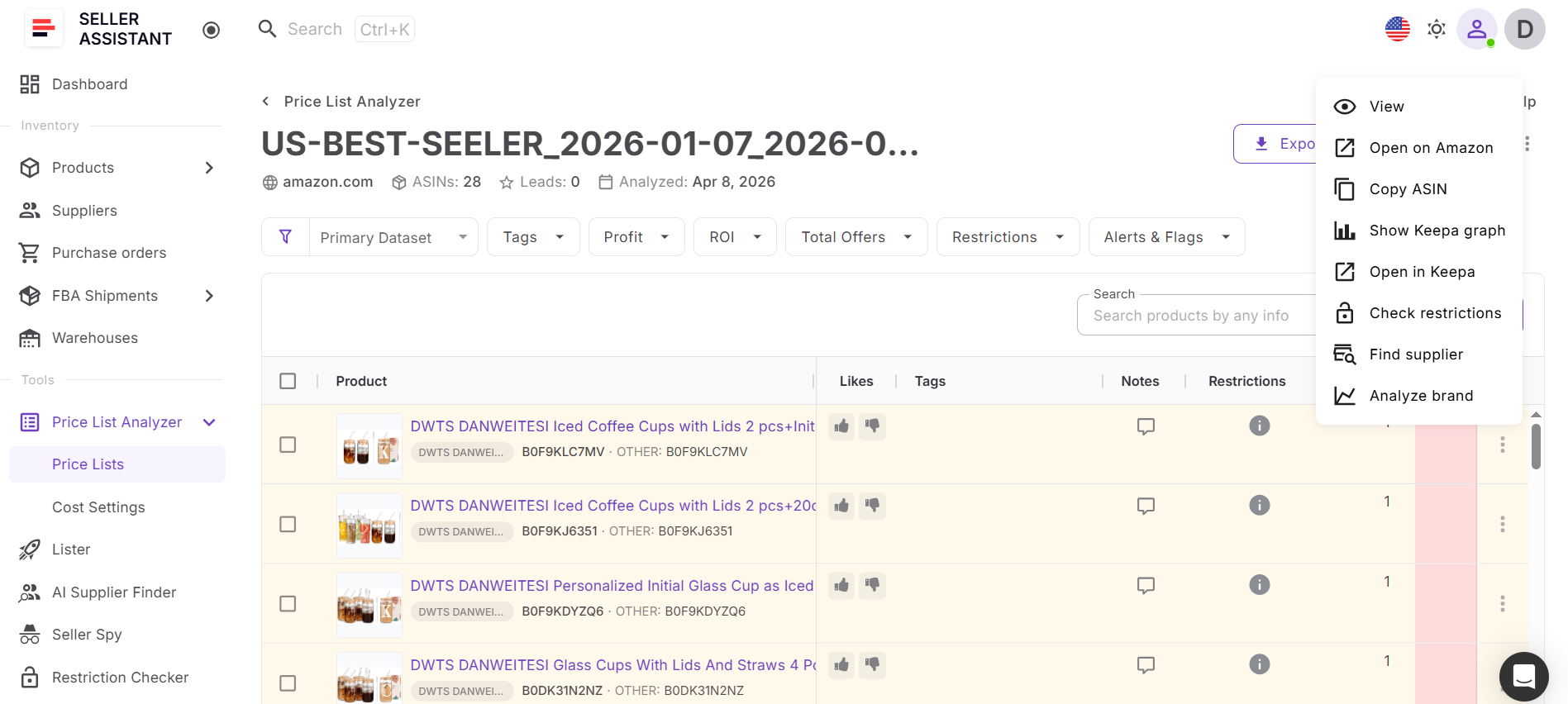
The result is a more organized sourcing workflow where supplier management, product analysis, and purchasing stay connected as wholesale operations scale.
Why Suppliers Database Becomes the Foundation of Wholesale Sourcing
Managing supplier relationships becomes harder as Amazon wholesale operations grow. Supplier terms, contacts, prep routing, sourcing notes, and purchasing details often end up spread across spreadsheets, emails, and disconnected documents, making workflows difficult to scale and maintain consistently.
Suppliers Database helps solve this by centralizing supplier management inside one connected sourcing workflow. Instead of handling supplier information manually, sellers organize supplier profiles, operational settings, and sourcing activity in one workspace connected directly to Price List Analyzer and purchasing workflows.
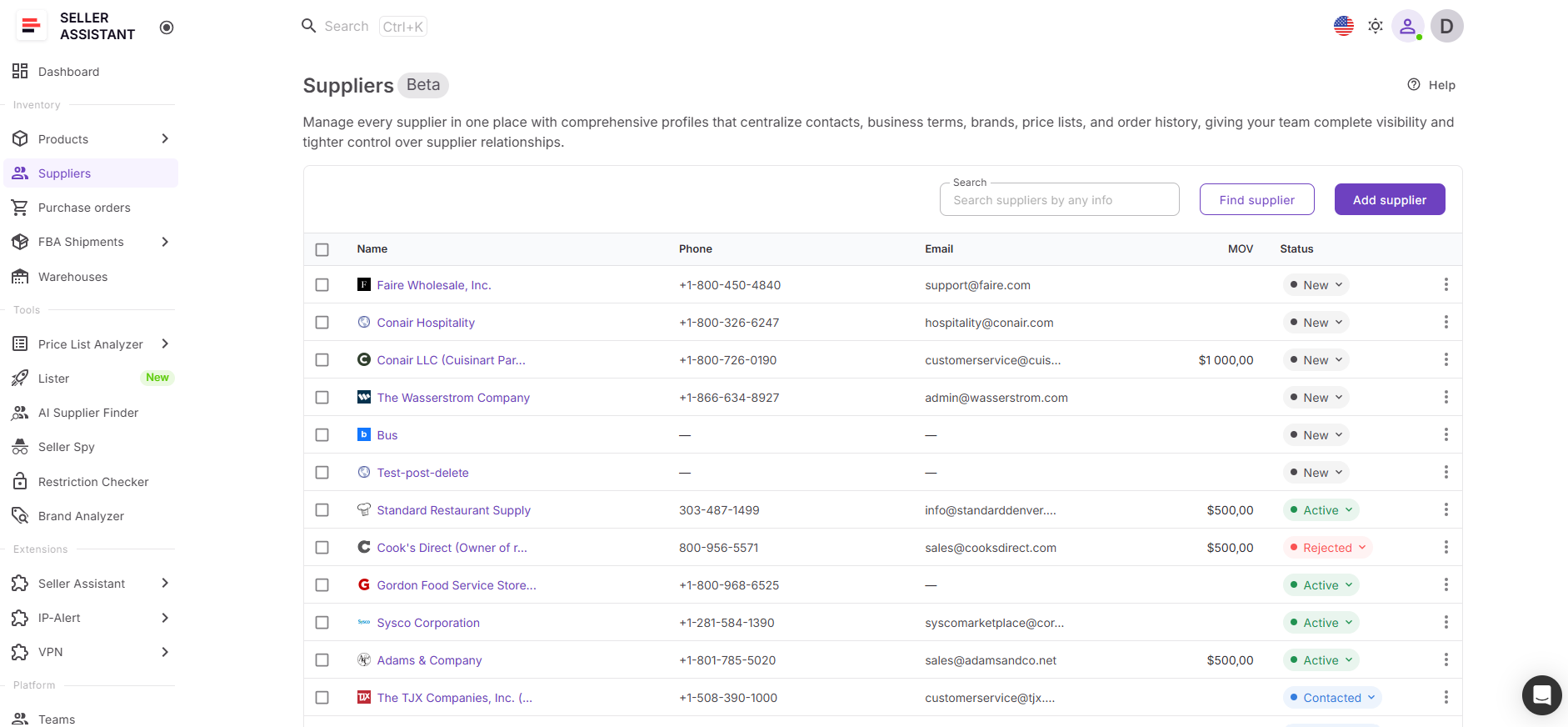
How Suppliers Database helps organize supplier operations
Suppliers Database gives Amazon sellers a structured way to manage supplier relationships and keep sourcing workflows connected as catalog volume increases.
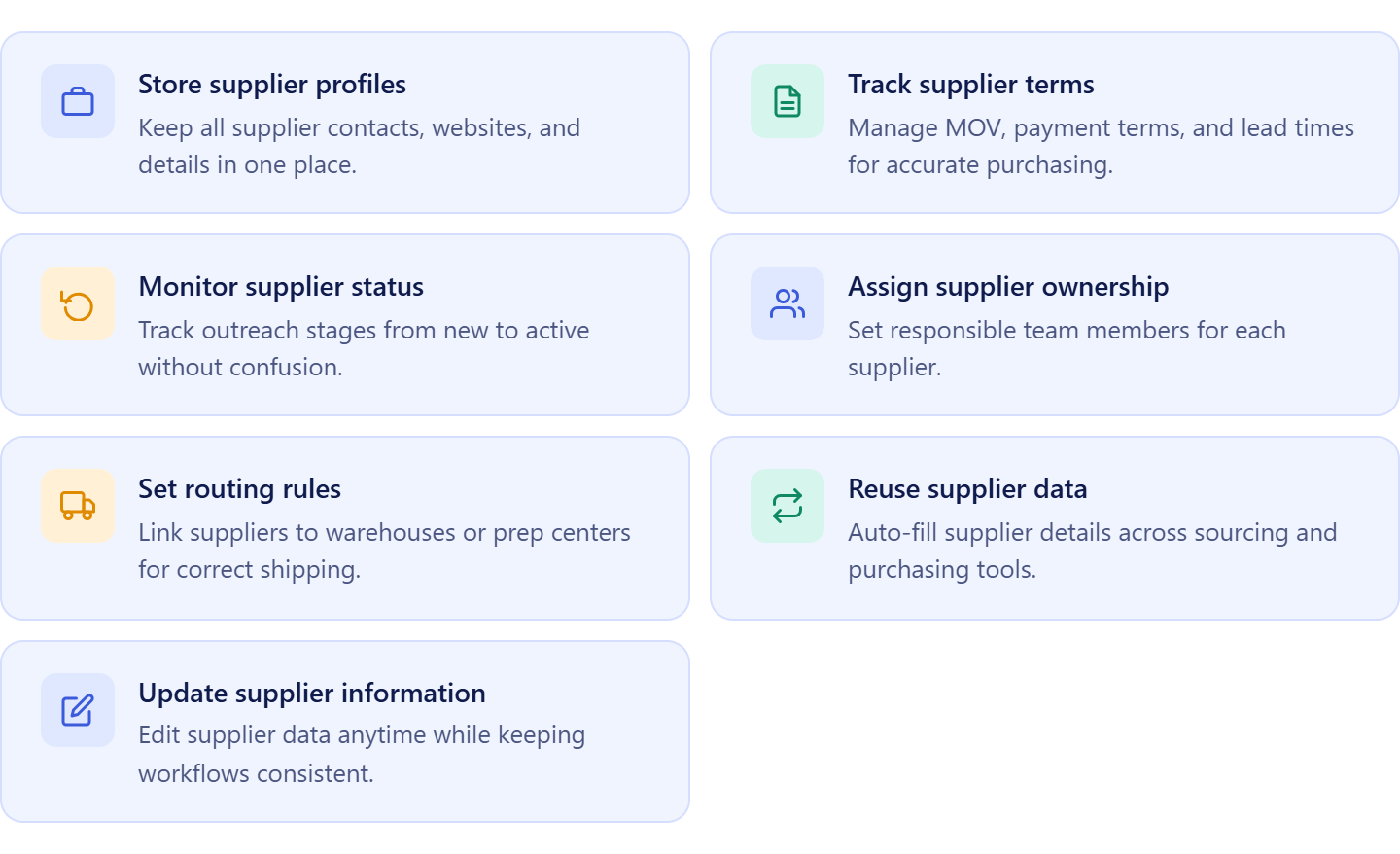
- Keep supplier information centralized
Store supplier contacts, websites, sourcing notes, currencies, and operational details inside structured supplier profiles for easier access across sourcing and purchasing workflows.
- Track supplier terms and sourcing conditions
Manage important supplier settings such as minimum order values, payment terms, shipping requirements, lead times, and prep routing preferences in one place.
- Organize supplier outreach workflows
Track suppliers by sourcing stage, including New, Contacted, Negotiation, Approved, Active, or Rejected, to maintain visibility across supplier outreach and account management.
- Assign suppliers across sourcing teams
Set ownership for supplier accounts so virtual assistants and sourcing teams can manage supplier communication and sourcing tasks more consistently.
- Upload supplier catalogs directly into analysis workflows
Create and upload supplier price lists directly from the supplier profile so catalogs stay linked to the correct supplier during product analysis.
- Connect supplier profiles with Price List Analyzer
Analyze supplier catalogs inside Price List Analyzer while keeping supplier records, sourcing history, and operational terms attached automatically throughout the workflow.
- Keep supplier data connected across workflows
Update supplier details anytime while maintaining consistency across sourcing analysis, warehouse routing, purchasing workflows, and inventory operations.
How Suppliers Database improves sourcing workflow continuity
Suppliers Database transforms supplier management from disconnected spreadsheets into a connected sourcing system. Sellers can organize supplier relationships, manage sourcing terms, upload supplier catalogs, and continue into purchasing workflows without manually rebuilding supplier information at each stage.
When supplier catalogs are uploaded from Suppliers Database, they open directly inside Price List Analyzer with supplier data attached automatically. This keeps supplier management and bulk product analysis connected in one sourcing workflow, helping sellers reduce operational mistakes and maintain cleaner wholesale processes.
As products move through the workflow, supplier information remains synchronized across
Price List Analyzer, Product Database, Purchase Orders Module, Warehouses Database, and FBA Shipments. This creates a more scalable wholesale workflow where supplier records, sourcing decisions, and purchasing operations stay connected as the business grows.
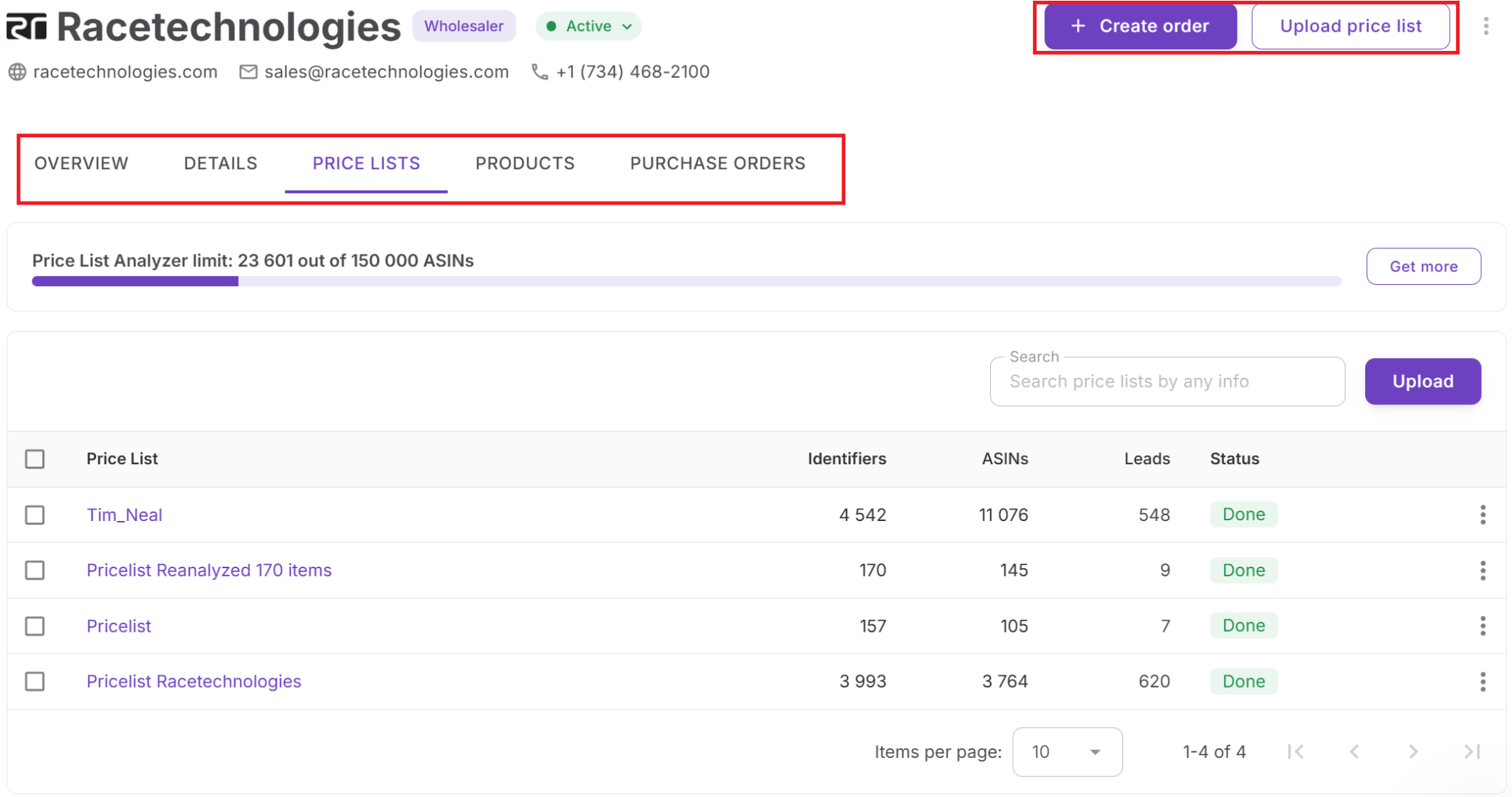
How Supplier Catalog Analysis Works Inside the Workflow
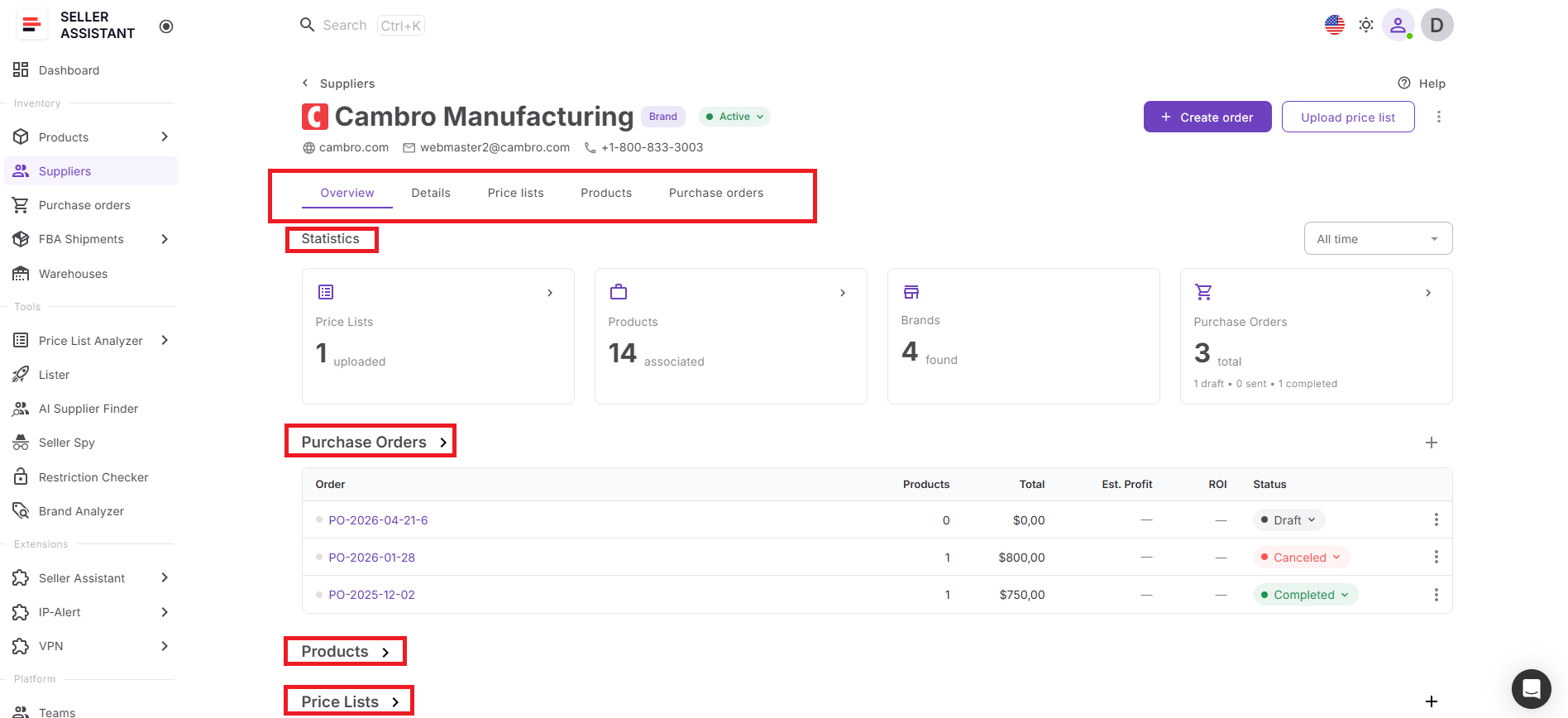
Supplier catalog analysis starts inside Suppliers Database, where supplier profiles, sourcing terms, routing settings, and operational details are already organized. Instead of managing disconnected spreadsheets manually, sellers can open a supplier profile and upload the supplier catalog directly from the same workspace.
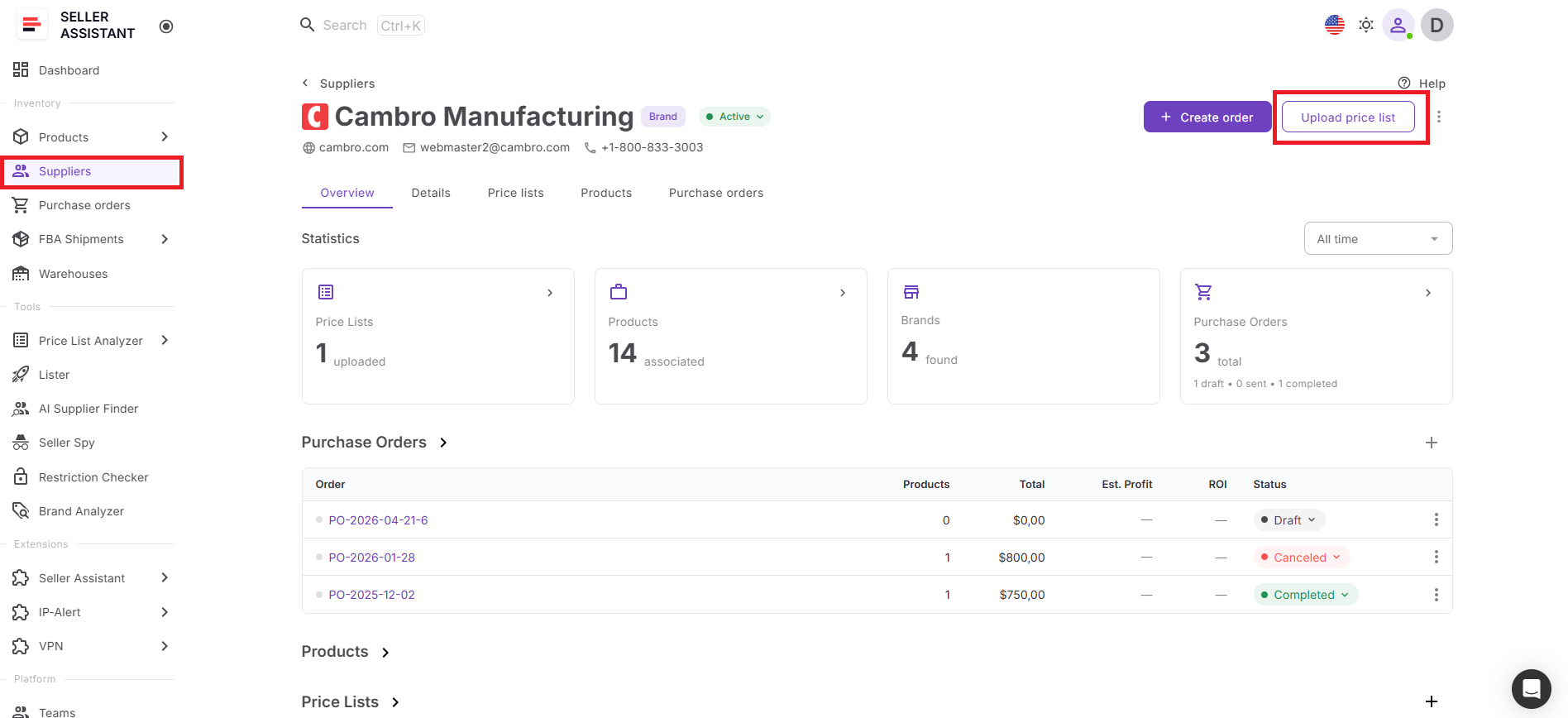
Because the supplier stays attached automatically during upload, the catalog remains connected to the correct supplier throughout the sourcing workflow. This helps sellers keep supplier records, sourcing history, and purchasing data organized as catalog volume grows.
How the analysis process works
Once the supplier catalog opens inside Price List Analyzer, the system automatically matches products to Amazon ASINs, calculates profitability, reviews competition, estimates demand, and flags sourcing risks across the entire catalog.
Instead of checking products one by one, sellers can review all sourcing opportunities inside one structured table, apply filters, and quickly identify profitable, lower-risk products that meet their sourcing criteria.
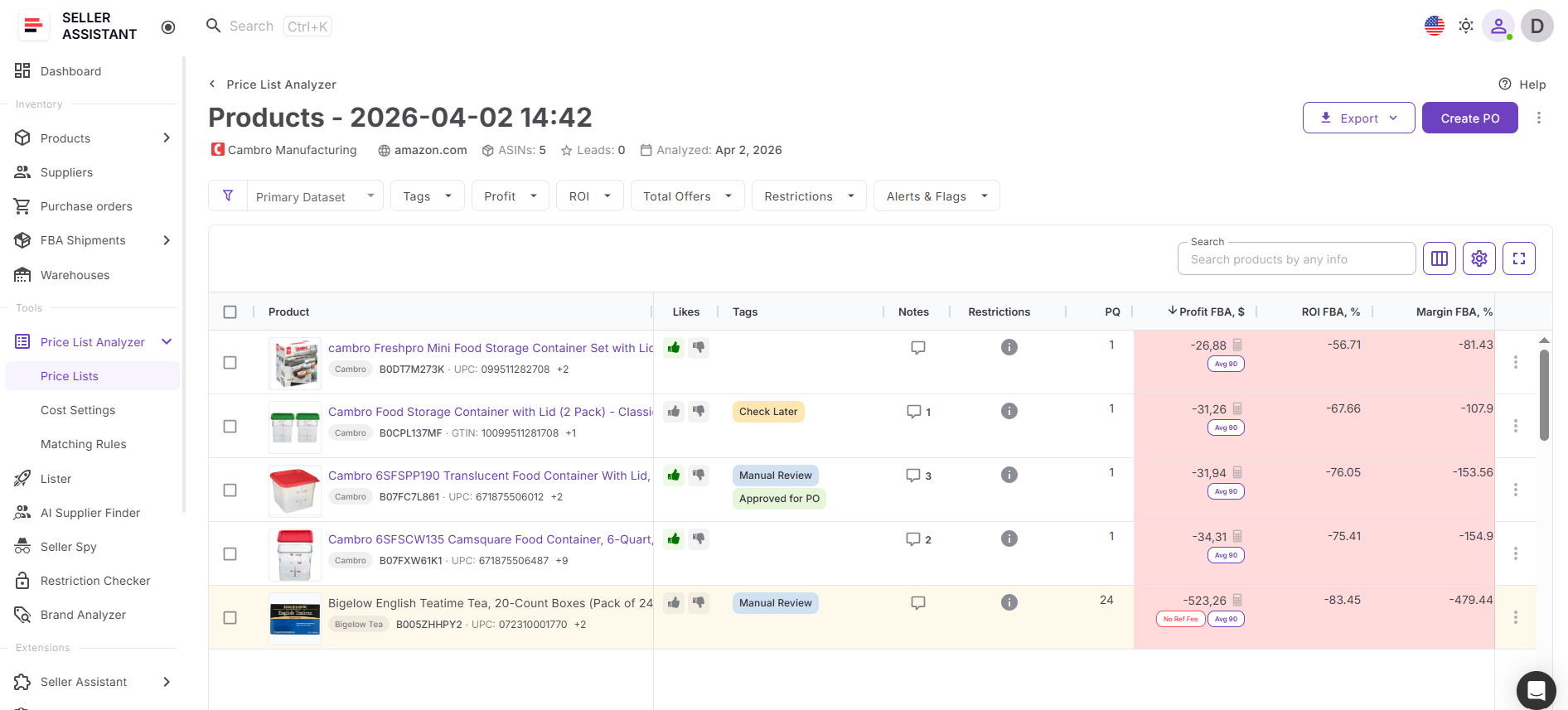
Supplier data stays connected during analysis
Supplier information from Suppliers Database remains linked throughout the analysis process. Sourcing terms, operational settings, and supplier context stay connected alongside product-level data, helping sellers make more informed sourcing decisions.
This reduces duplicate data entry and prevents supplier information from becoming disconnected from purchasing workflows later.
Faster transitions from sourcing to purchasing
Once products are shortlisted, sourcing data can continue directly into Product Database, Purchase Orders Module, warehouse routing, and other workflow tools without rebuilding information manually.
This creates a more organized sourcing process where supplier management, product analysis, and purchasing remain connected from supplier catalogs to inventory ordering.
How to Run Supplier Catalog Analysis from Suppliers Database
Suppliers Database and Price List Analyzer work together inside one sourcing workflow. Sellers can upload supplier catalogs directly from the supplier profile, analyze products in bulk, and continue into purchasing workflows without manually rebuilding supplier information at each step.
Step 1. Open the supplier profile
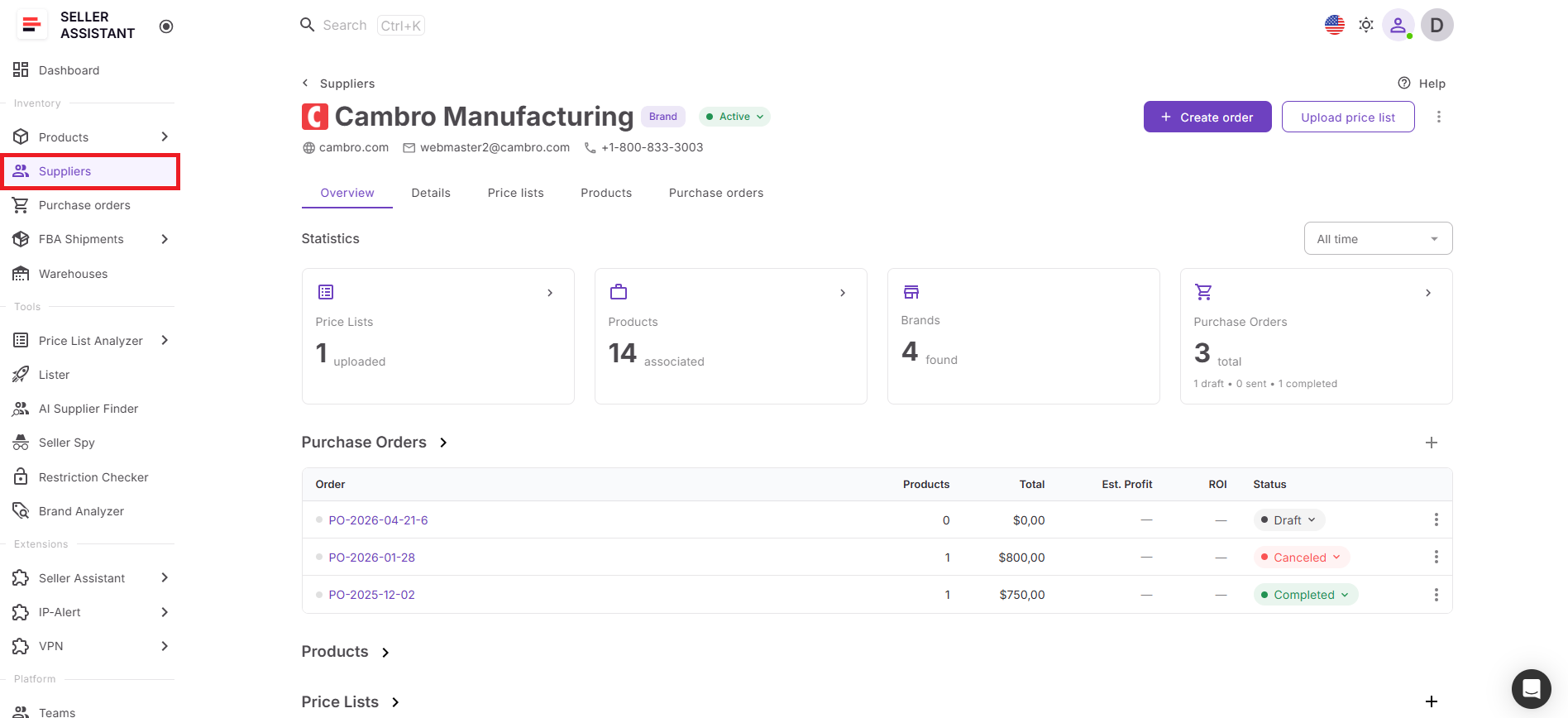
Go to Inventory → Suppliers inside your Seller Assistant account and open the supplier whose catalog you want to analyze.
The supplier profile contains supplier contacts, sourcing terms, routing settings, and previous sourcing activity connected to that supplier.
Step 2. Create and upload a supplier catalog
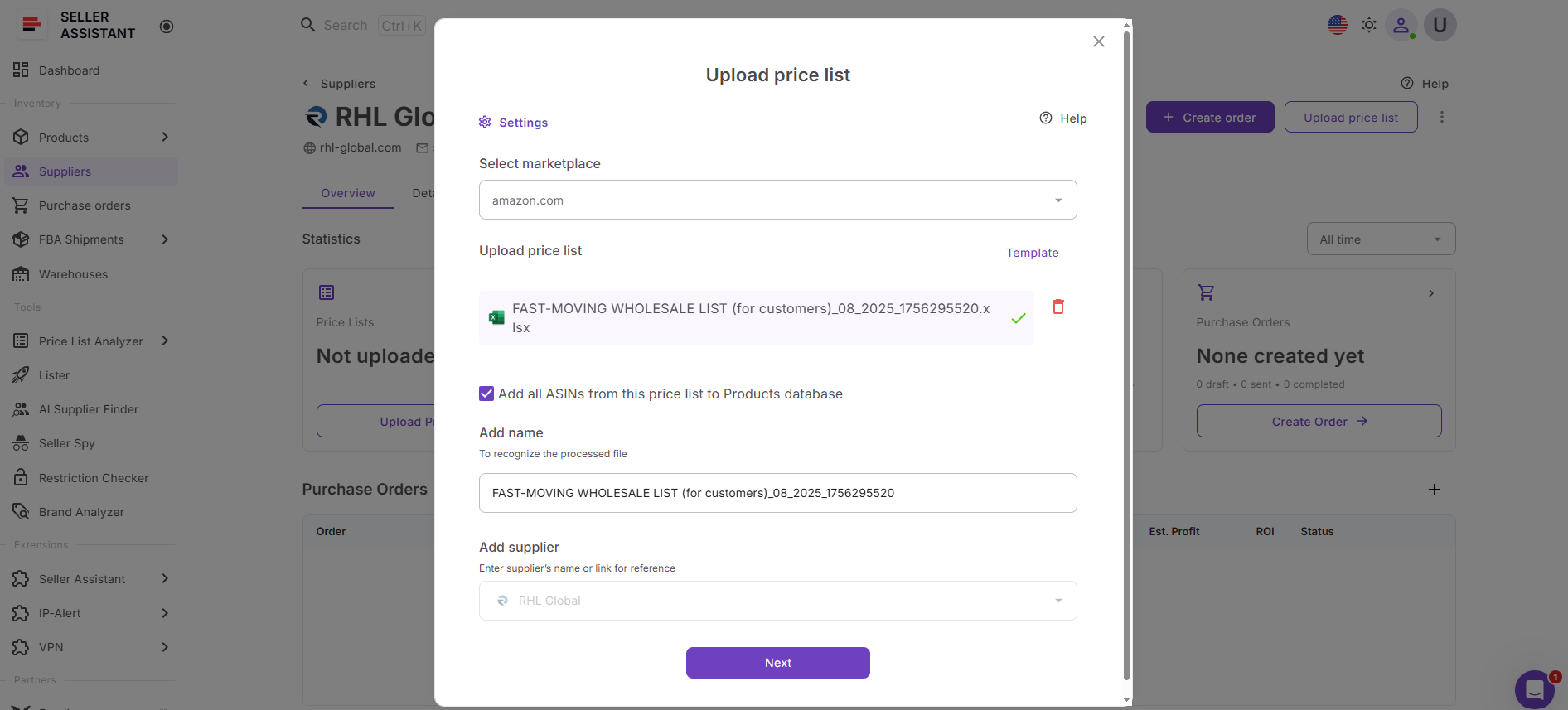
Inside the supplier profile, click Upload price list and create a new catalog upload.
Because the upload starts from the supplier profile, the supplier is connected automatically to the catalog during analysis.
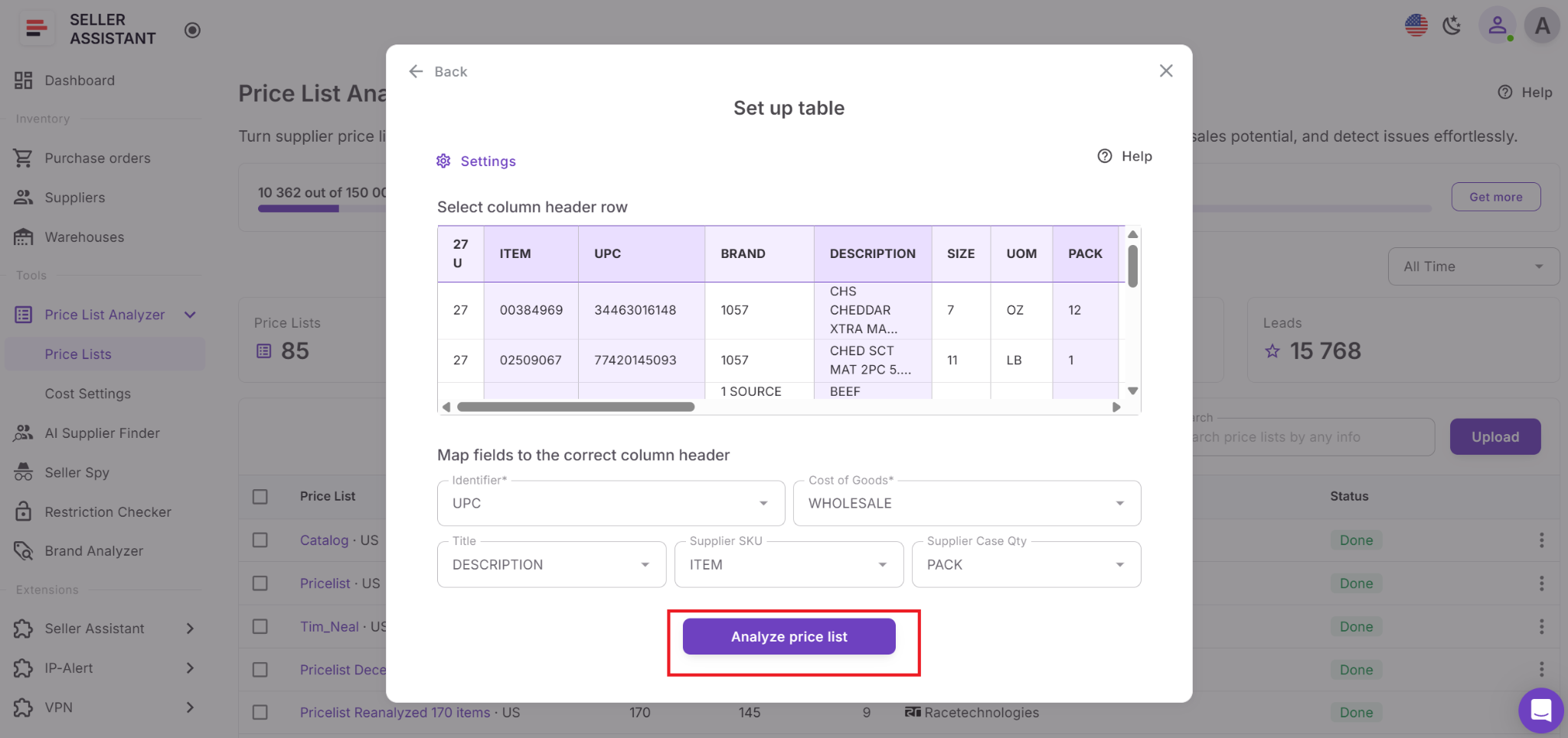
Step 3. Configure catalog fields
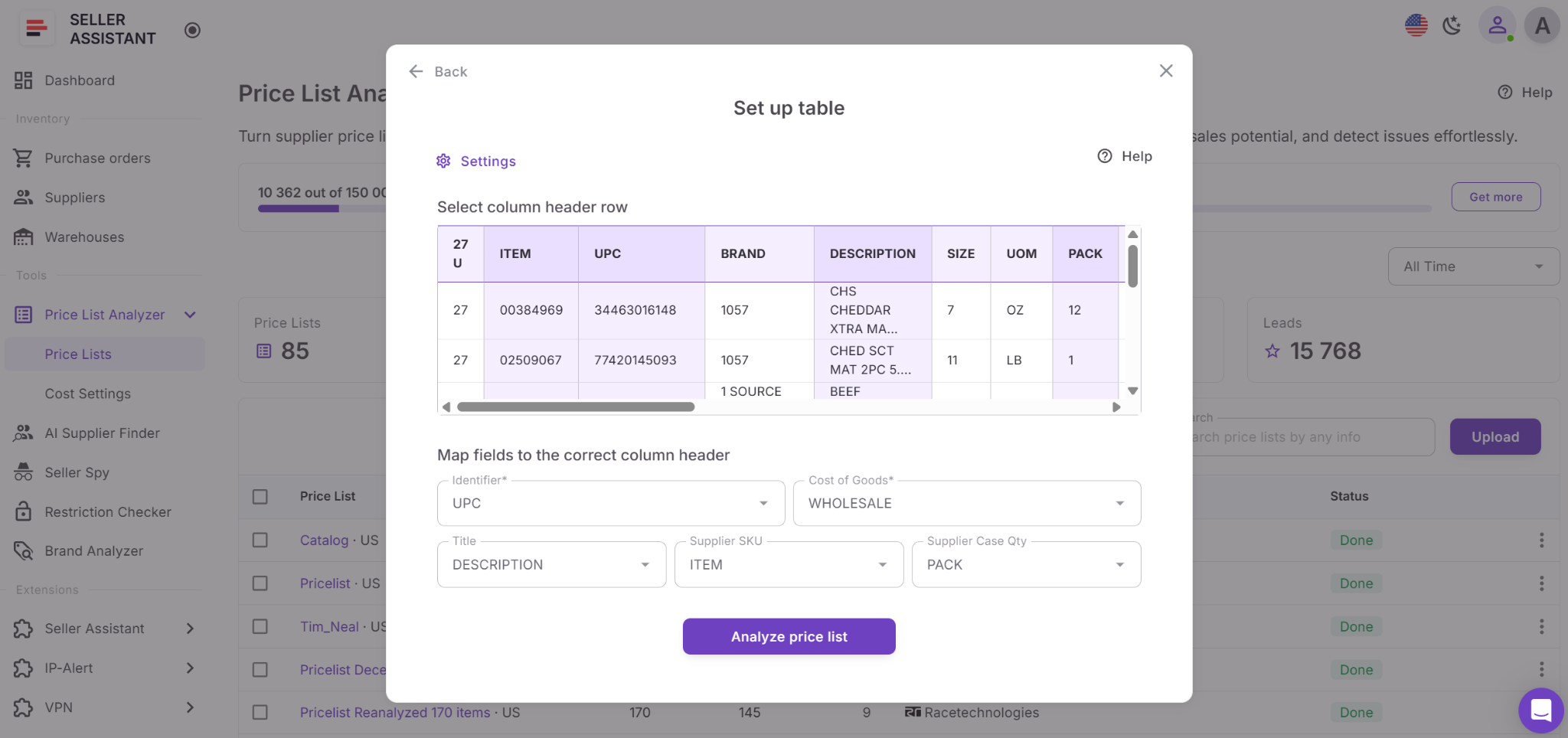
Select the correct spreadsheet tab and map the required product fields, including UPC, EAN, ASIN, COG, and product title when available.
This helps the system match supplier products to the correct Amazon listings during analysis.
Step 4. Start bulk catalog analysis
Click Analyze price list to begin processing the catalog.
Price List Analyzer automatically matches products to Amazon ASINs, calculates profitability, analyzes competition, estimates demand, and flags restrictions or sourcing risks across the supplier list.
Step 5. Review analyzed product data
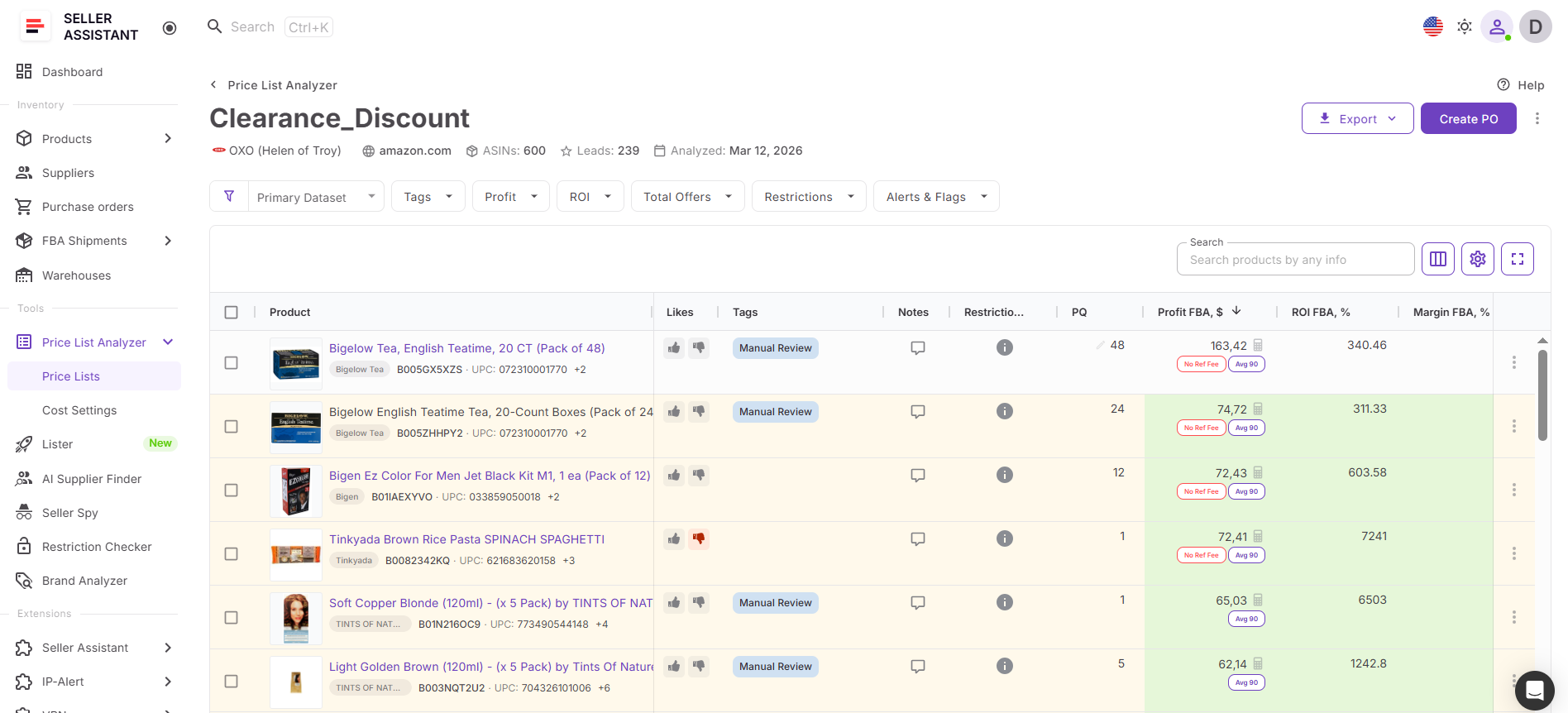
Open the analyzed catalog inside Price List Analyzer and review the product table.
You can evaluate ROI, profit, Buy Box conditions, BSR trends, seller count, Amazon presence, fees, and sourcing warnings across all products from one workspace.
Step 6. Filter stronger sourcing opportunities
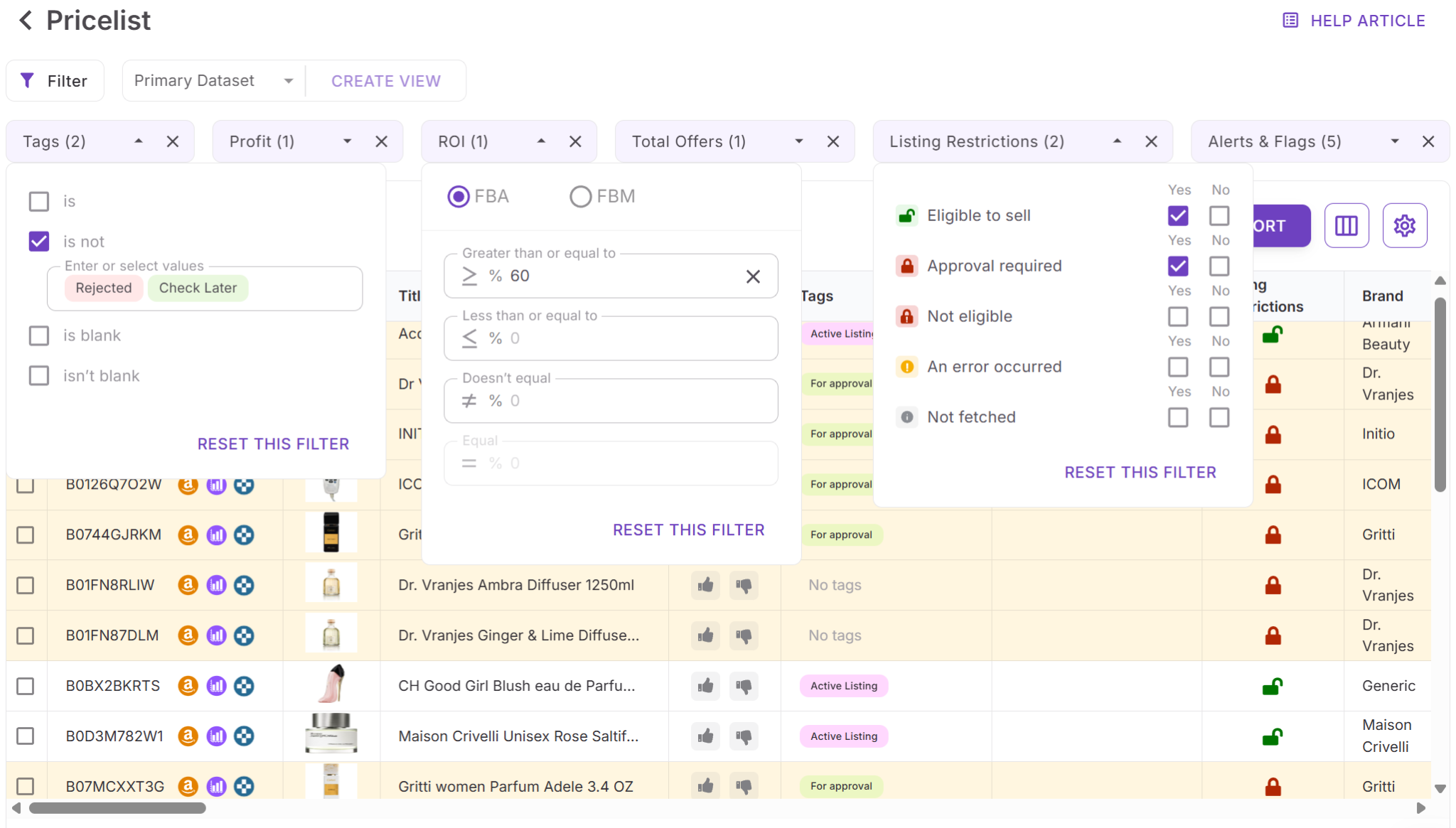
Apply filters for ROI, profit, competition, demand, restrictions, and risk indicators to remove weaker products and focus on stronger sourcing opportunities faster.
Step 7. Update sourcing costs and recalculate data
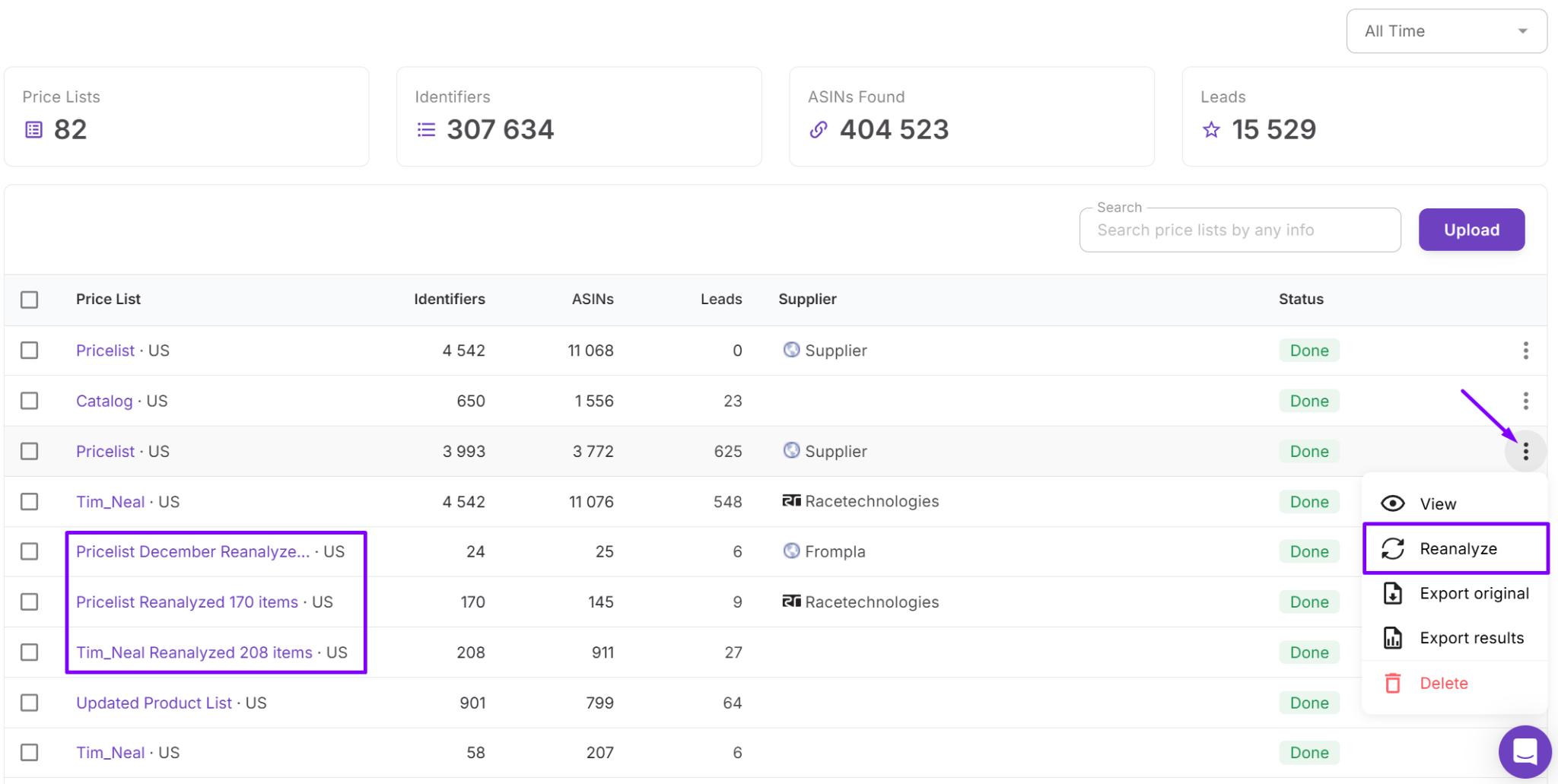
Adjust COG, prep fees, shipping expenses, taxes, or package quantities directly inside the table.
Profitability metrics recalculate instantly, helping sellers validate products using more accurate sourcing assumptions.
Step 8. Organize shortlisted products
Use tags, notes, likes, saved views, or exports to organize selected products and keep sourcing decisions structured across the workflow.
Shortlisted products can then continue into Product Database, Purchase Orders Module, warehouse routing, and the rest of the Seller Assistant sourcing workflow.
FAQ
Can I upload supplier catalogs directly from Suppliers Database?
Yes. Suppliers Database allows you to upload supplier price lists directly from the supplier profile, which keeps the supplier connected automatically during analysis. This helps organize sourcing workflows and reduces manual data entry.
How does Price List Analyzer identify profitable products?
Price List Analyzer matches supplier products to Amazon ASINs and calculates ROI, profit, fees, and break-even points automatically. It also analyzes demand, competition, Buy Box conditions, and sourcing risks to help sellers evaluate products faster.
Can I filter products by restrictions and competition?
Yes. Sellers can filter products by restrictions, Amazon presence, seller count, profitability, demand, and multiple risk indicators. This makes it easier to remove weak or high-risk products from large supplier catalogs.
How do Suppliers Database and Price List Analyzer work together?
Suppliers Database manages supplier profiles, sourcing terms, and operational settings, while Price List Analyzer handles bulk product analysis. When catalogs are uploaded from the supplier profile, supplier information stays connected throughout the sourcing and purchasing workflow.
Can sourcing data continue into purchasing workflows?
Yes. Shortlisted products can move directly into Product Database, Purchase Orders Module, warehouse routing, and other Seller Assistant workflow tools. This keeps supplier information, sourcing decisions, and purchasing workflows connected without rebuilding data manually.
Final Thoughts
Scaling an Amazon wholesale business becomes difficult when supplier catalogs, sourcing decisions, and purchasing workflows are managed through disconnected spreadsheets and manual processes. As supplier networks grow, sellers need a faster and more organized way to analyze products, manage supplier relationships, and move sourcing data through the workflow without creating operational bottlenecks.
Seller Assistant solves this by connecting Suppliers Database and Price List Analyzer inside one structured sourcing workflow. Suppliers Database keeps supplier profiles, sourcing terms, and operational settings organized, while Price List Analyzer helps sellers evaluate large supplier catalogs, identify profitable products, and filter sourcing risks at scale.