


If you decide to start selling on Amazon, one of the first choices you’ll face is choosing your selling plan. You can choose between Individual and Professional selling plans, depending on how many products you want to sell and what Amazon programs and tools you plan to use.
Each plan caters to different business goals, whether you’re testing the waters with a few sales or scaling to full-fledged sales.
This guide will walk you through the key differences, costs, and benefits to help you choose the best fit for your Amazon business. Let’s dive in and simplify your decision-making process.
What Are Professional and Individual Selling Plans?
Amazon Selling Plans
Amazon offers two main selling plans for its sellers: the Individual selling plan and the Professional selling plan.
-
The Individual selling plan better suits those sellers who sell fewer than 40 items a month, charging a per-item fee without a monthly subscription.
-
The Professional selling plan is economically viable for businesses selling more than 40 items monthly, offering advanced tools and features for a flat monthly fee.
Selecting the right plan is crucial because it impacts your costs, access to selling tools, and overall growth potential on Amazon. The Individual selling plan is ideal for casual sellers, while the Professional selling plan benefits those scaling their businesses with higher sales volumes.
The best part? You’re not locked into a choice – you can switch plans anytime to align with your evolving business needs, making it easy to adapt as you grow.
Related: Amazon FBA for Beginners
Selling on Amazon: How to Make Money?
How to Sell on Amazon for Beginners - Complete Guide
What Is the Difference Between a Professional and Individual Selling Plans?
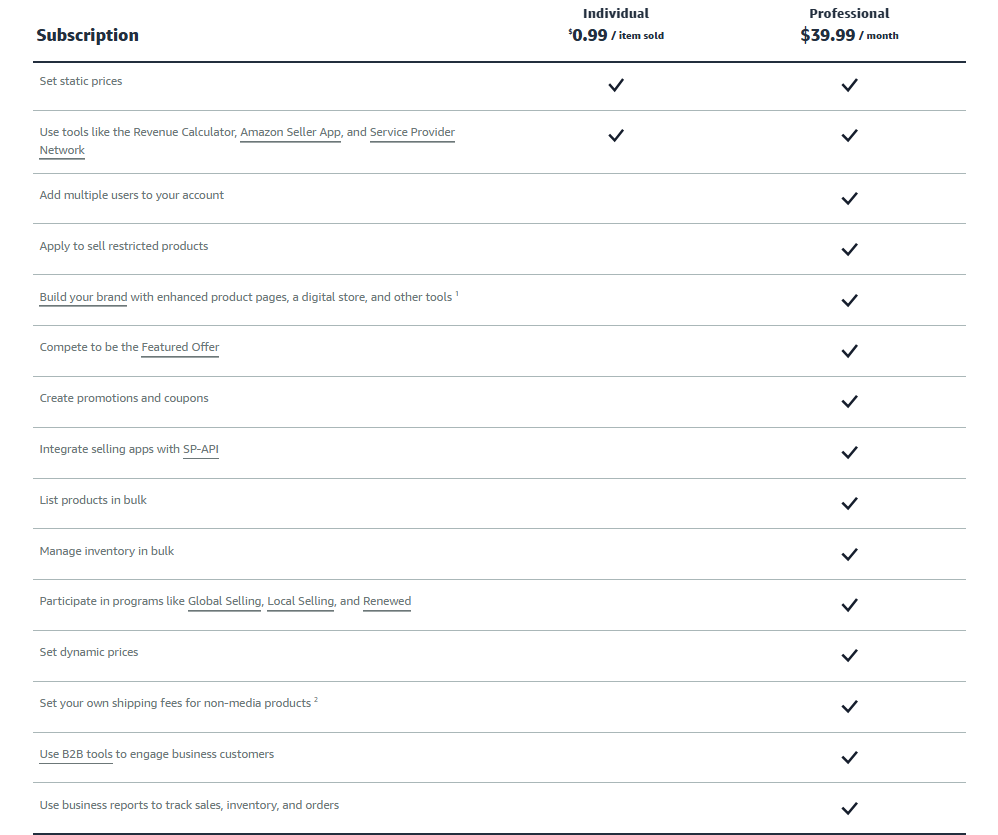
The Individual selling plan and Professional selling plan differ in their features, costs, and tools offered to sellers. While the Individual plan is great for small-scale sellers or those just starting, the Professional plan provides advanced features tailored for high-volume sellers or those scaling their businesses. Here’s a breakdown of the key differences and how each feature may (or may not) benefit different types of sellers.
The Individual selling plan and Professional selling plan differ in their features
Subscription fee
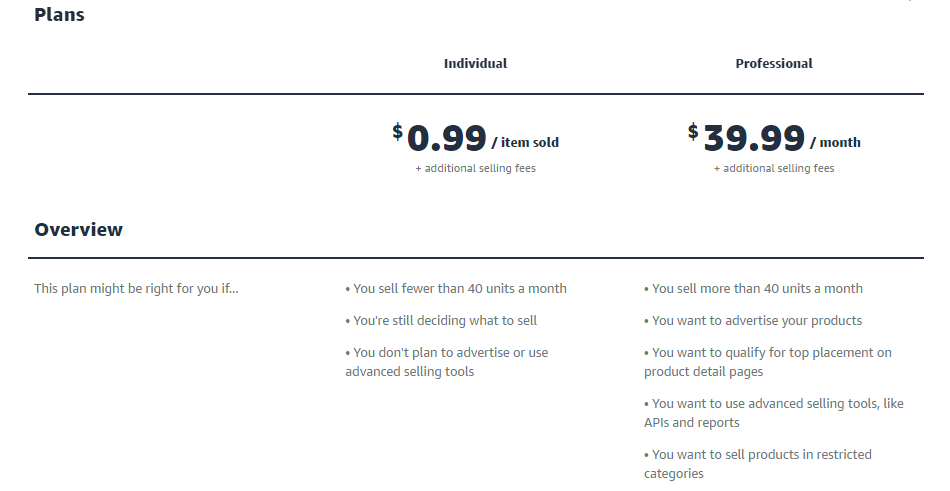
- Individual selling plan: $0.99 per item sold.
- Professional selling plan: $39.99 per month.
Explanation
The Individual plan’s per-item fee works well for sellers moving fewer than 40 items a month, as it avoids upfront costs. For high-volume sellers, the Professional plan’s monthly fee is more cost-effective once sales exceed 40 units, offering better value for those scaling their operations.
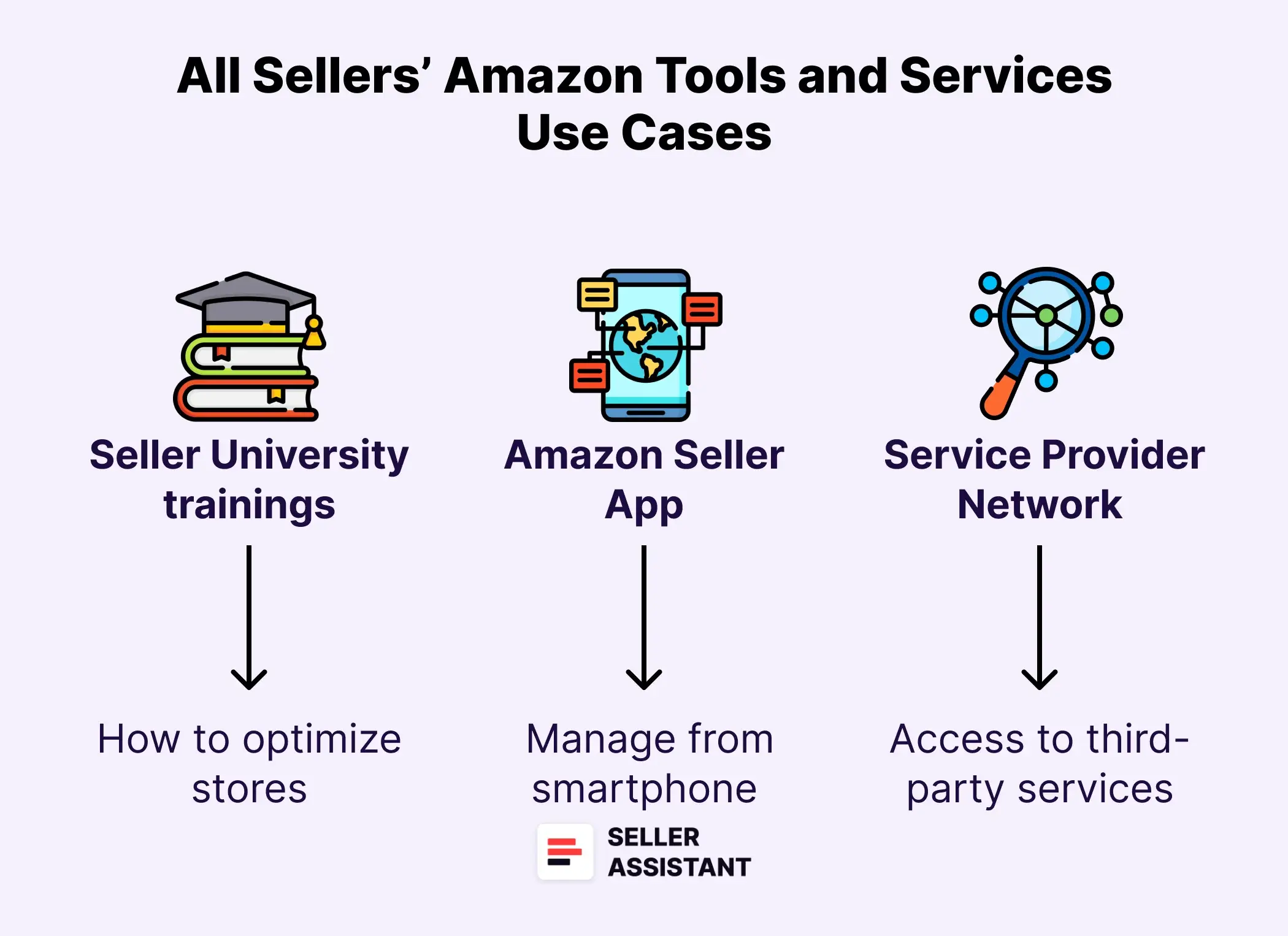
Tools and services included: available to all sellers
Tools and services included: available to all sellers
Access Seller University trainings and Help pages
Both plans provide access to Seller University and Help resources, equipping new and seasoned sellers with knowledge to optimize their stores.
- Use case
Helpful for all sellers, regardless of plan.
Get help from Seller Support
Assistance is available for troubleshooting and operational guidance under both plans.
- Use case
Crucial for beginners in the Individual plan but equally valuable for Professional plan sellers managing large inventories.
List products and manage inventory one at a time
Individual sellers can only upload and manage products manually, while Professional sellers gain bulk management options.
- Use case
For small-scale sellers with fewer products, this limitation may not hinder operations. However, for larger sellers, manual management becomes inefficient, making Professional tools indispensable.
Manage seller-fulfilled orders
Sellers on both the Individual and Professional plans can handle their own order fulfillment (Fulfillment by Merchant). This includes packing, shipping, and providing customer service.
- Use case
Essential for smaller sellers managing low-volume sales or those with specialized shipping requirements (e.g. heavy and bulky products). Larger sellers may prefer Fulfillment by Amazon (FBA) for greater efficiency.
Set static prices
Individual sellers can only set fixed prices, whereas Professional sellers can enable dynamic pricing to stay competitive.
- Use case
Smaller sellers may not require dynamic pricing, but larger sellers benefit from staying competitive in fast-moving categories.
Use tools like the Revenue Calculator, Amazon Seller App, and Service Provider Network
Both plans include access to these tools, making them equally valuable for tracking performance and improving efficiency.
- Use case
Both casual and professional sellers benefit from these basic tools:
- Amazon FBA Revenue Calculator helps calculate all Amazon fulfillment fees and compare which method is more cost-effective – FBA or FBM.
- Amazon Seller App allows you to manage your Amazon business from your smartphone, create listings, fulfill orders, and more.
- Service Provider Network offers access to vetted third-party service providers in different spheres, ranging from product sourcing tools to logistics.
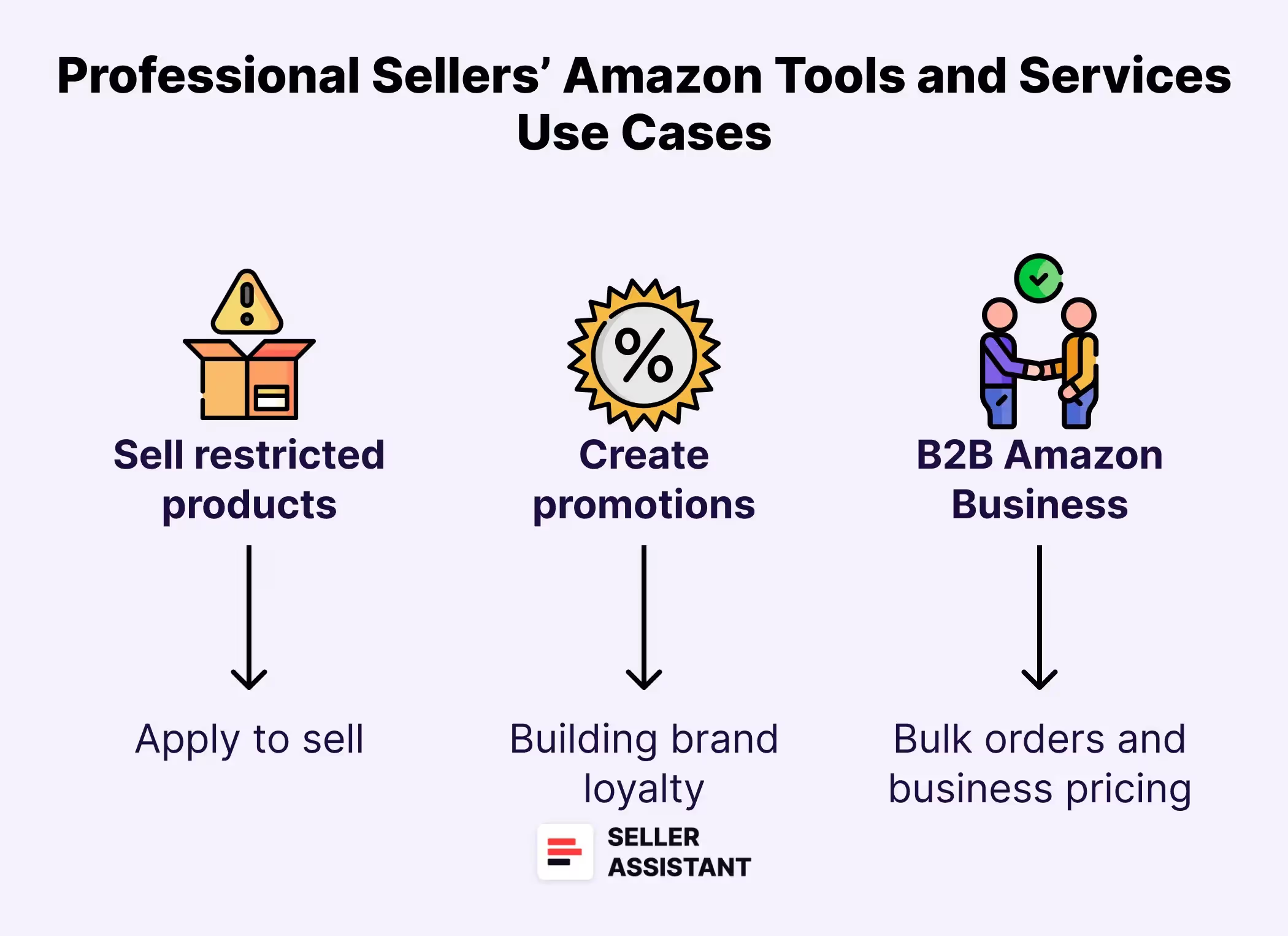
Tools and services included: professional-only features
.webp)
Tools and services included: professional-only features
List products in bulk and manage inventory in bulk
Professional sellers can streamline their operations with bulk upload tools, saving time and reducing errors.
- Use case
Essential for high-volume sellers but unnecessary for those managing a small inventory.
Apply to sell restricted products
Professional sellers can apply to list products in restricted categories or sell restricted items, provided they meet Amazon’s requirements.
- Use case
A game-changer for scaling sellers aiming to access high-demand but regulated categories like health products, collectibles, or automotive parts.
Compete for the Buy Box (Featured Offer)
Professional sellers can qualify for the Featured Offer (Buy Box), increasing sales potential by appearing as the default seller for a product.
- Use case
Vital for scaling sellers who want to increase their visibility and conversions.
Create promotions and coupons
Professional sellers can use these marketing tools to attract customers and drive sales.
- Use case
Invaluable for large-scale sellers building brand loyalty, while Individual sellers may rely on organic traffic.
Set dynamic prices
Professional sellers can automatically adjust prices based on market trends to stay competitive with Amazon’s Automate Pricing tool.
- Use case
Critical for competitive categories with price-sensitive customers.
Add multiple users to your account
Professional plans allow delegation of tasks to team members.
- Use case
Perfect for businesses with employees or teams handling specific selling aspects.
Participate in programs like Global Selling, Local Selling, and Renewed
Expands selling opportunities across global and local markets, as well as allows to sell renewed items.
- Use case
Ideal for scaling sellers looking to broaden their reach by selling internationally or those who want to offer in-store pickup to local buyers in designated Amazon areas. Works for sellers who want to sell used or refurbished items.
Build your brand with enhanced product pages, a digital store, and other tools
Tools like A+ content and brand stores help differentiate Professional sellers’ products.
- Use case
Indispensable for sellers creating unique brands or private-label products.
Integrate selling apps with SP-API
The Professional plan includes access to the SP-API (Selling Partner API), enabling integration with third-party apps for inventory management, analytics, and automation.
- Use case
Indispensable for businesses requiring advanced tools to streamline processes, track data, and improve operational efficiency, e.g. bulk wholesale sales.
Set your own shipping fees for non-media products
Professional sellers can customize shipping fees for non-media items, offering greater flexibility to align pricing with logistics costs.
- Use case
Particularly useful for sellers managing oversized or specialty item s, allowing them to remain competitive without losing margins on shipping.
Use B2B tools to engage business customers
Professional sellers can access Amazon Business and create bulk orders and custom business pricing for B2B buyers.
- Use case
Beneficial for sellers targeting bulk business buyers. Allows to set custom (discounted) prices for bulk buyers and synchronize them with retail customer prices.
Use business reports to track sales, inventory, and orders
Professional sellers gain access to in-depth business reports, providing insights into sales trends, inventory levels, and customer behavior.
- Use case
A critical tool for larger sellers to make data-driven decisions, improve inventory planning, and refine marketing strategies.
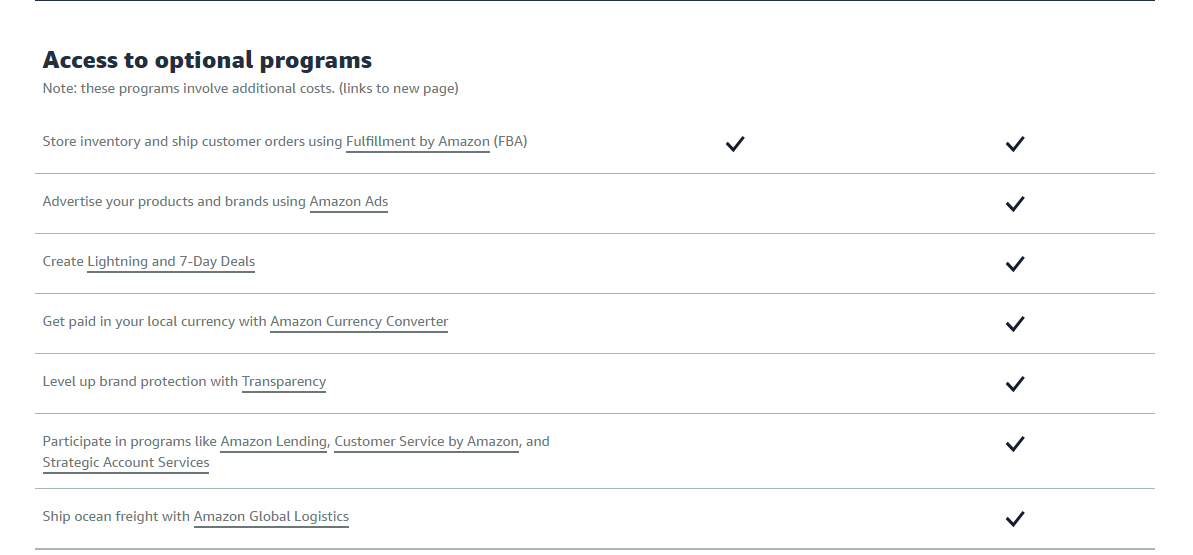
Access to Amazon programs
Additionally, with Professional and Individual selling plans you can access different programs for sellers, of which individual sellers can use Fulfillment by Amazon, where Amazon picks, packs, and ships orders on your behalf for a fee. Other programs are available to professional sellers only.
All these programs incur additional fees.
Access to Amazon programs
What Are Professional vs. Individual Selling Plan Fees?
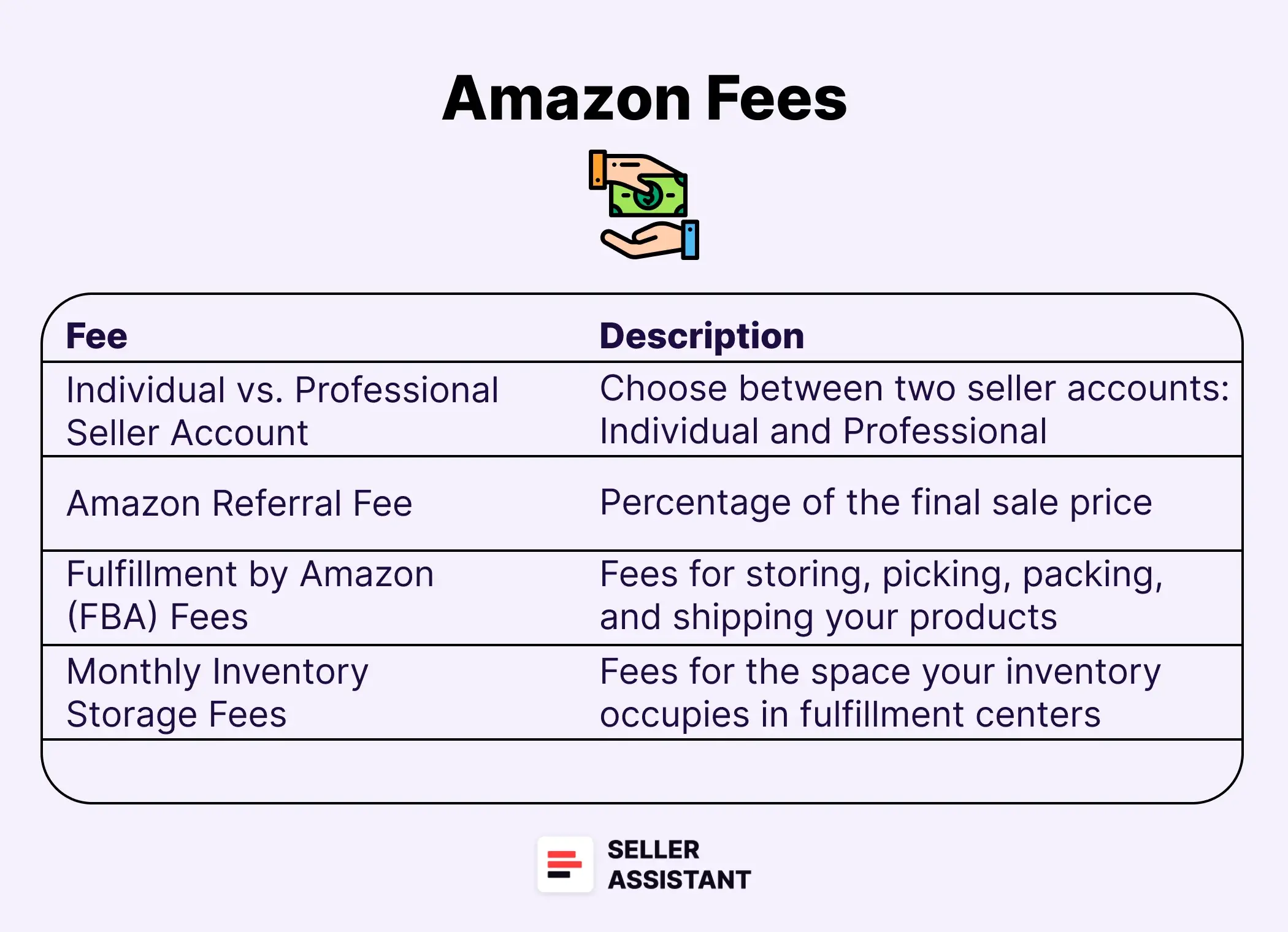
Amazon’s Professional and Individual selling plans differ primarily in their fee structures, which can significantly impact profitability depending on your sales volume and business goals. Sellers on both plans also pay additional fees like referral fees, closing fees, and logistics costs. Here’s an overview of the fees sellers encounter and how they apply to each plan.
Selling plan fees
Selling plan fees
Individual selling plan
- Pricing
$0.99 per item sold.
- Best for
Ideal for smaller sellers or those testing the market with fewer than 40 monthly sales.
- Benefit
Low upfront commitment but can become costly with higher sales volumes.
Professional selling plan
- Pricing
$39.99 per month, regardless of sales volume.
- Best for
Works for sellers with higher sales volume or those needing advanced tools and features.
- Benefit
Fixed cost becomes more economical as sales grow.
Amazon selling plans
Referral Fees
- Definition
Referral fee is a percentage of the total sale price (including delivery and gift wrapping fees, but excluding tax) charged per item sold. Rates vary by product category and price, typically ranging from 8% to 15%.
- Applicable to
Applies to all sellers and should be considered when setting product pricing and calculating margins.
Other Selling Fees
Closing Fees
- Definition
$1.80 per item sold in categories like books, music, and video games.
- Applicable to
Relevant for sellers in media categories. Adds a flat cost per sale.
High-Volume Listing Fees
- Definition
$0.001 per SKU per month for sellers with more than 1.5 million SKUs.
- Applicable to
Affects sellers with extensive catalogs.
Refund Administration Fees
- Definition
If a refund is issued, Amazon refunds the referral fee minus $5 or 20% of the referral fee, whichever is less.
- Applicable to
Important for managing costs in categories with higher return rates.
FBA vs. FBM Fees
In addition to the fees described above, Amazon sellers incur fulfillment and logistics fees depending on their fulfillment method.
FBA Sellers
- Pay Amazon for fulfillment services, including picking, packing, shipping, and customer service.
- FBA fees are calculated based on product size, weight, and tier, with additional storage fees and surcharges for aged or excess inventory.
- FBA sellers also prep and ship inventory to Amazon’s fulfillment centers at their own cost.
FBM Sellers
- Handle fulfillment themselves or use third-party logistics (3PL).
- Prep orders themselves or pay for prepping their inventory.
- Pay logistics costs to carriers or 3PL providers instead of Amazon.
- Take care of returns and customer service themselves or pay for these services.
Pros and Cons of Professional and Individual Selling Plans
Choosing between the Individual and the Professional selling plans depends on your sales volume, goals, and operational needs. Here’s a breakdown of the pros and cons of each plan to help you make the right choice.
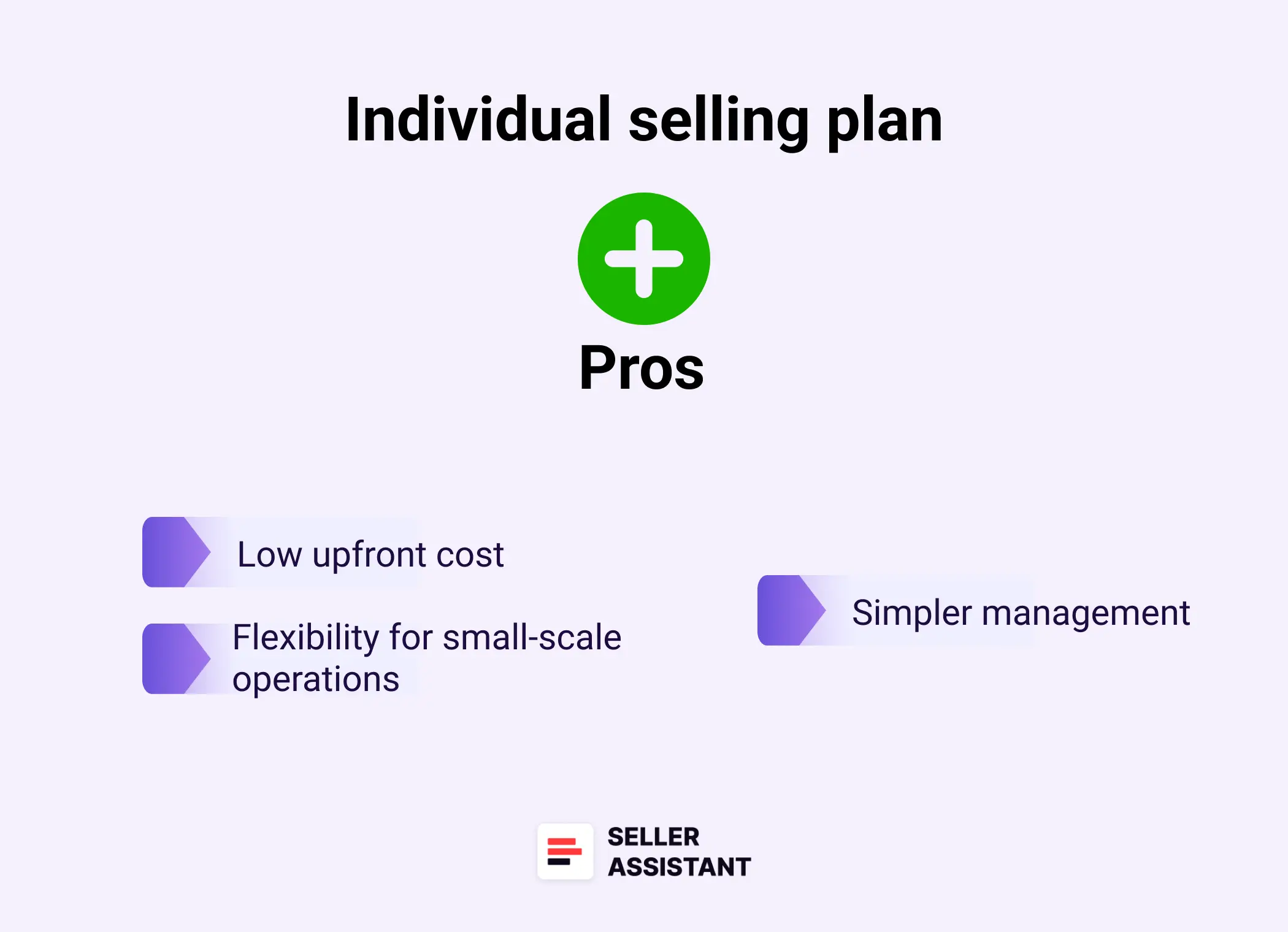
Pros of Individual selling plan
Pros of Individual selling plan
Low upfront cost
You pay only $0.99 per item sold, making it an affordable choice for casual or new sellers. This plan is perfect for testing the waters without committing to a monthly fee.
Flexibility for small-scale operations
The absence of a monthly subscription means you incur fees only when you sell items. It’s a great option for sellers with unpredictable or minimal sales.
Simpler management
This plan is designed for sellers with small inventories and straightforward management needs. It’s easy to use and requires minimal setup.
Cons of Individual selling plan
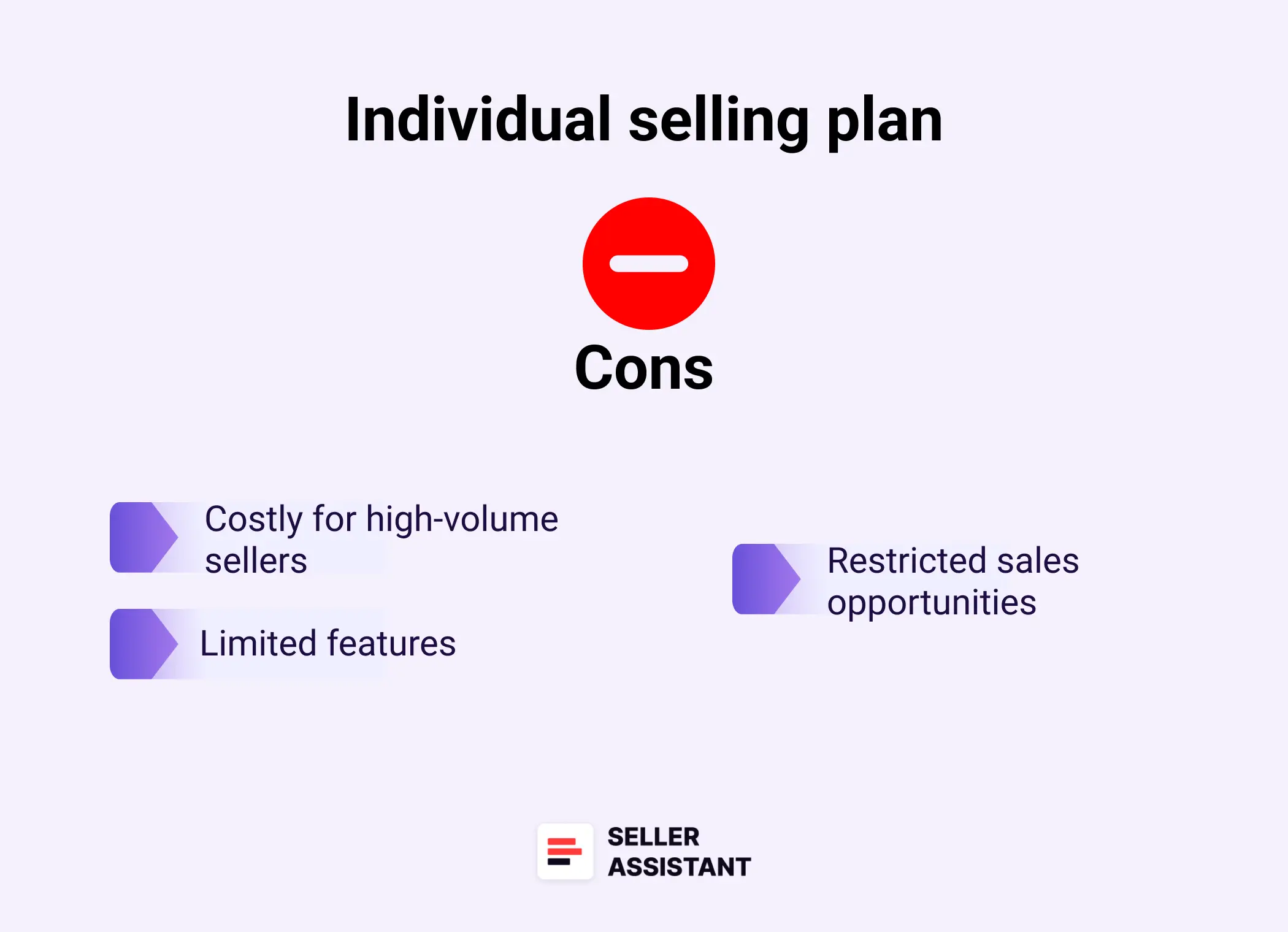
Cons of Individual selling plan
Costly for high-volume sellers
Selling more than 40 items per month makes the per-item fee more expensive than the Professional plan’s monthly cost. It becomes less practical as your sales increase.
Limited features
You don’t get access to tools like bulk uploads, analytics, or advanced promotional features. This limits your ability to scale effectively.
Restricted sales opportunities
Individual sellers cannot apply to sell in restricted categories or compete for the Featured Offer (Buy Box). This restricts your ability to grow and compete in high-demand categories.
Pros of Professional selling plan
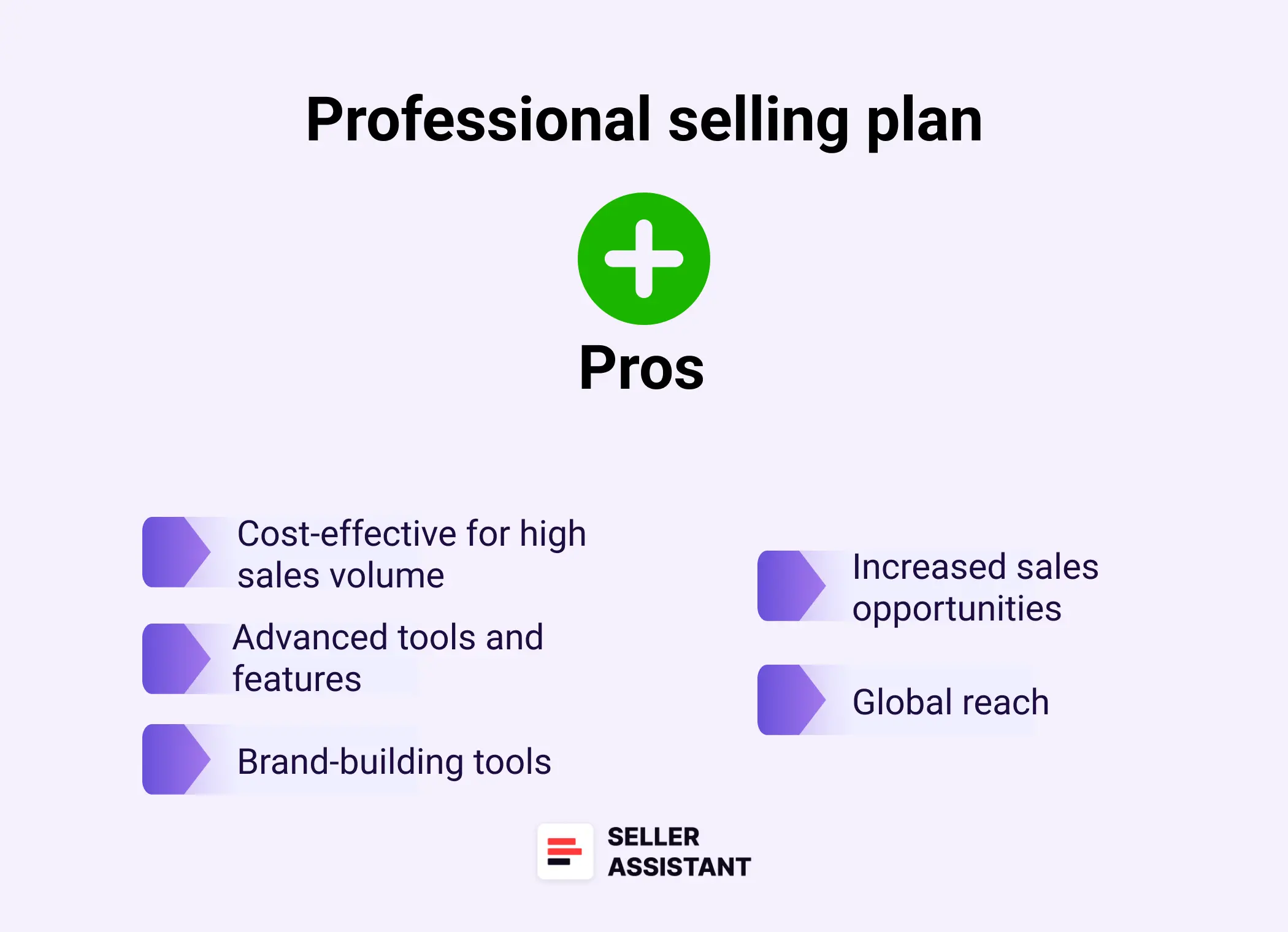
Pros of Professional selling plan
Cost-effective for high sales volume
The fixed $39.99 monthly fee is cost-efficient for sellers with consistent or high sales volumes. It provides excellent value once you surpass 40 monthly sales.
Advanced tools and features
Professional sellers can use bulk listing tools, inventory management features, and analytics to streamline operations. These tools save time and improve efficiency for growing businesses.
Increased sales opportunities
You can compete for the Featured Offer (Buy Box) and apply to sell in restricted categories. These opportunities help you increase visibility and sales potential.
Brand-building tools
Features like enhanced product pages and digital storefronts allow you to create a strong and professional brand presence. This is essential for building customer trust and loyalty.
Global reach
Participate in programs like Global Selling and Renewed to expand into international or specialized markets. This opens new revenue streams and audience opportunities.
Cons of Professional selling plan
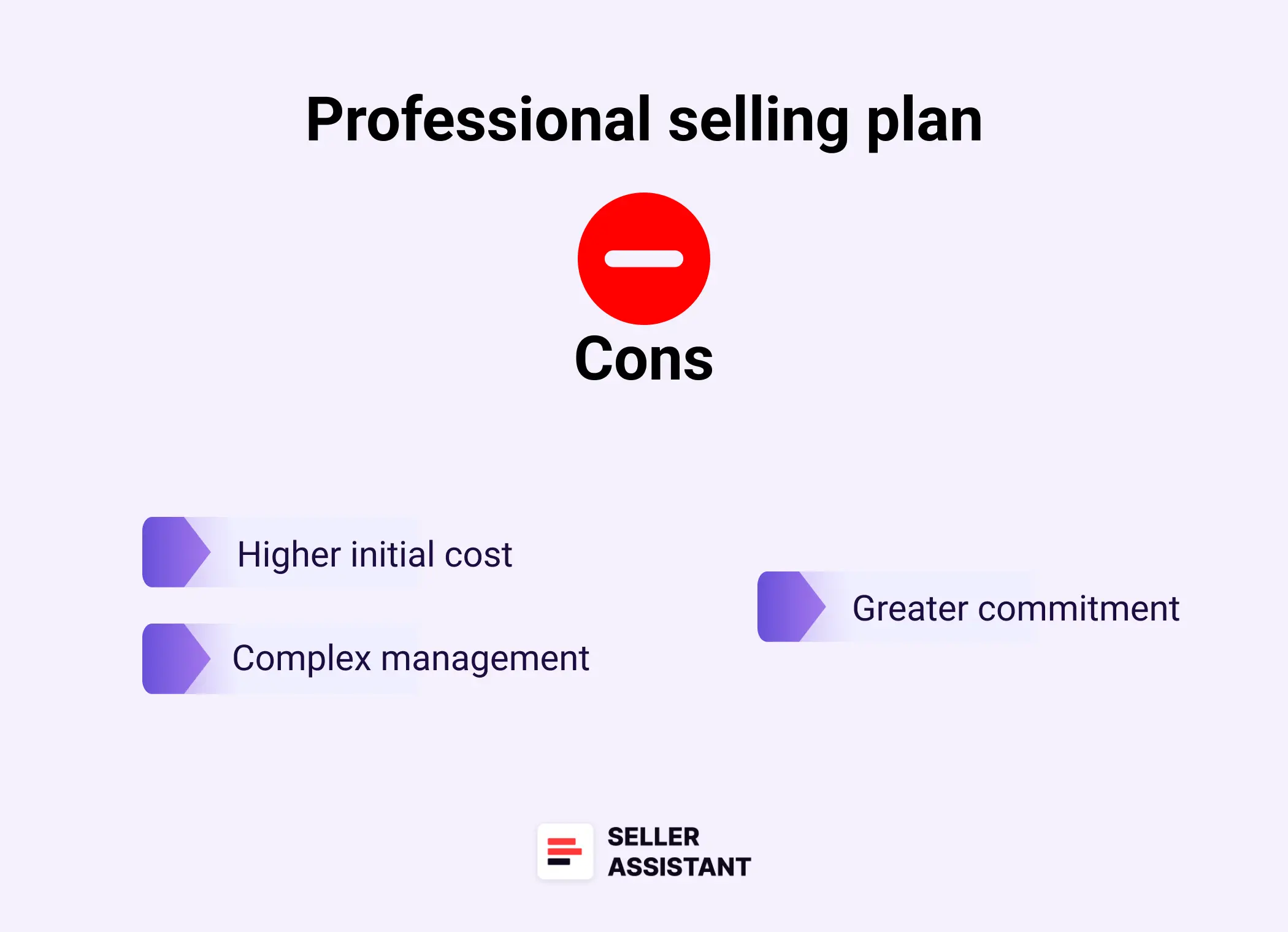
Cons of Professional selling plan
Higher initial cost
The $39.99 monthly fee can feel steep for sellers with inconsistent or low sales volumes. It’s an upfront commitment that requires regular sales to justify.
Complex management
The additional tools and features require more knowledge and time to use effectively. It may not suit beginners or those unfamiliar with Amazon’s advanced selling systems.
Greater commitment
This plan is better suited for sellers ready to scale or grow their operations. It’s less practical for hobbyists or those testing the marketplace.
Which Amazon Selling Plan is Right for You?
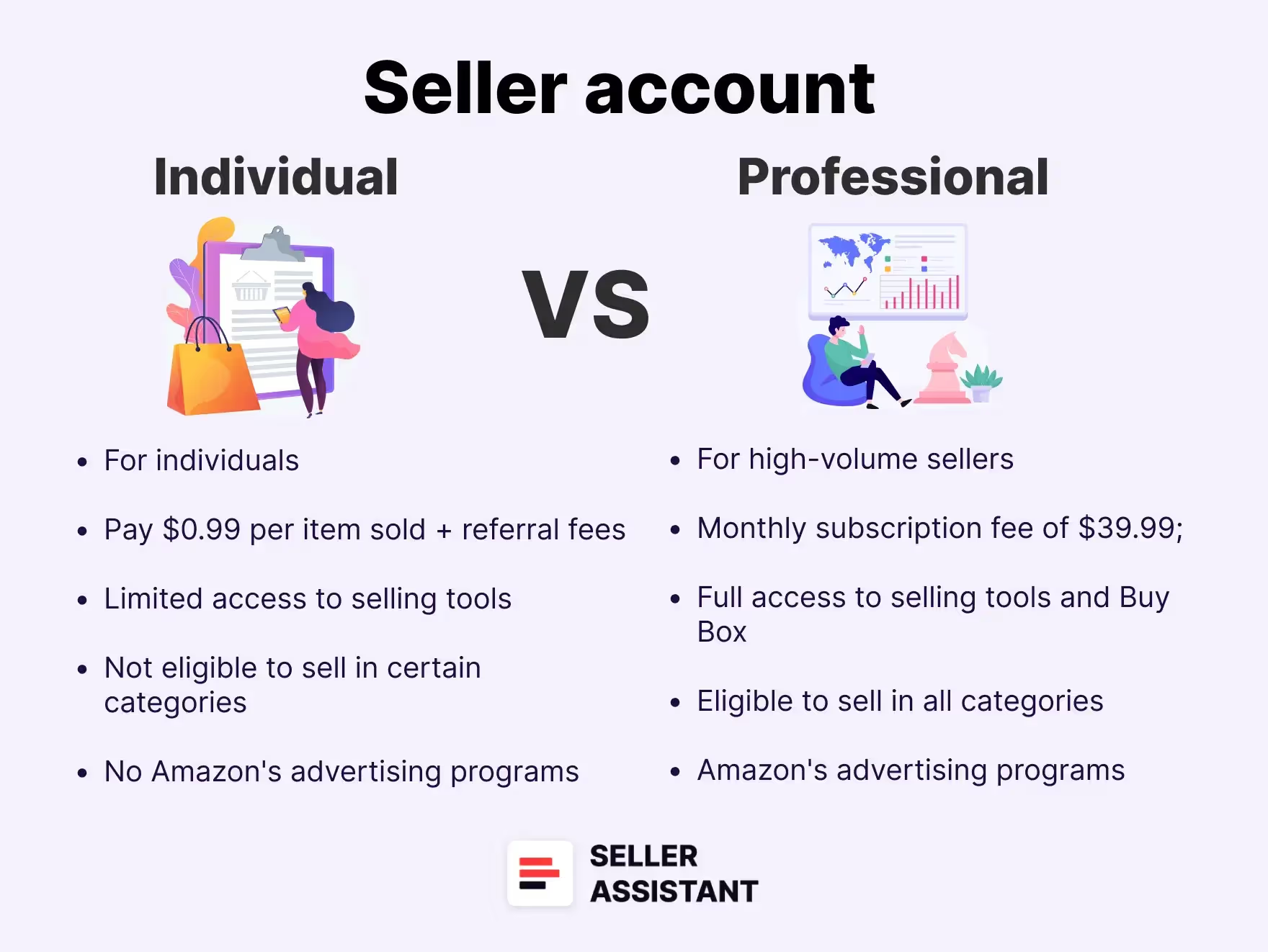
Choosing the right Amazon selling plan depends on your business size, sales volume, and goals. Here’s a quick guide to help you decide whether the Professional selling plan or the Individual selling plan is the best fit for your needs.
.webp)
Choose the Professional selling plan if
- You sell more than 40 items per month
The Professional plan’s $39.99 monthly fee becomes more economical than the $0.99 per-item fee after 40 sales. It’s the cost-effective choice for consistent, high-volume sellers.
- You want access to advanced tools and features
With the Professional plan, you unlock bulk listing tools, sales analytics, and promotional options. These features help you streamline operations and grow your business efficiently.
- You need to compete for the Buy Box
The Professional plan allows you to qualify for the Buy Box, increasing visibility and sales potential. This is essential for success in competitive categories.
- You plan to build a brand
If you are a private label seller and branding is important, the Professional plan provides tools like enhanced product pages and digital storefronts. These features help establish credibility and attract loyal customers.
- You want to expand internationally
The Professional plan includes programs like Global Selling, enabling you to reach customers worldwide. It’s the ideal option for sellers looking to grow their market.
Choose the Individual selling plan if
- You sell fewer than 40 items per month
The Individual plan charges $0.99 per item sold, making it perfect for casual sellers with low sales volume. It avoids the commitment of a monthly fee.
- You’re testing the marketplace
If you’re new to selling on Amazon and want to experiment without upfront costs, the Individual plan is a great starting point. It’s flexible and low-risk.
- You have a small inventory
The Individual plan is designed for sellers who manage only a handful of products. It’s easy to use and doesn’t require advanced tools.
- You don’t need advanced features
Individual sellers don’t have access to bulk tools or promotional features, but if these aren’t necessary, this plan keeps things simple.
- You’re fulfilling orders manually
With fewer products and orders, managing inventory and shipping manually is manageable. The Individual plan aligns well with basic seller needs.
Related: Seller Assistant Extension Review
Seller Assistant — the Ultimate Tool for Amazon Online Arbitrage
How to Dropship on Amazon with Seller Assistant
Amazon Wholesale: How to Sell Wholesale on Amazon
Can You Change from Individual to Professional Account?
Yes, you can change from an Individual selling plan to a Professional selling plan at any time. The process is simple and can be done directly from your seller account settings. This flexibility allows you to scale your business easily as your sales volume increases.
Steps to switch from Individual to Professional plan
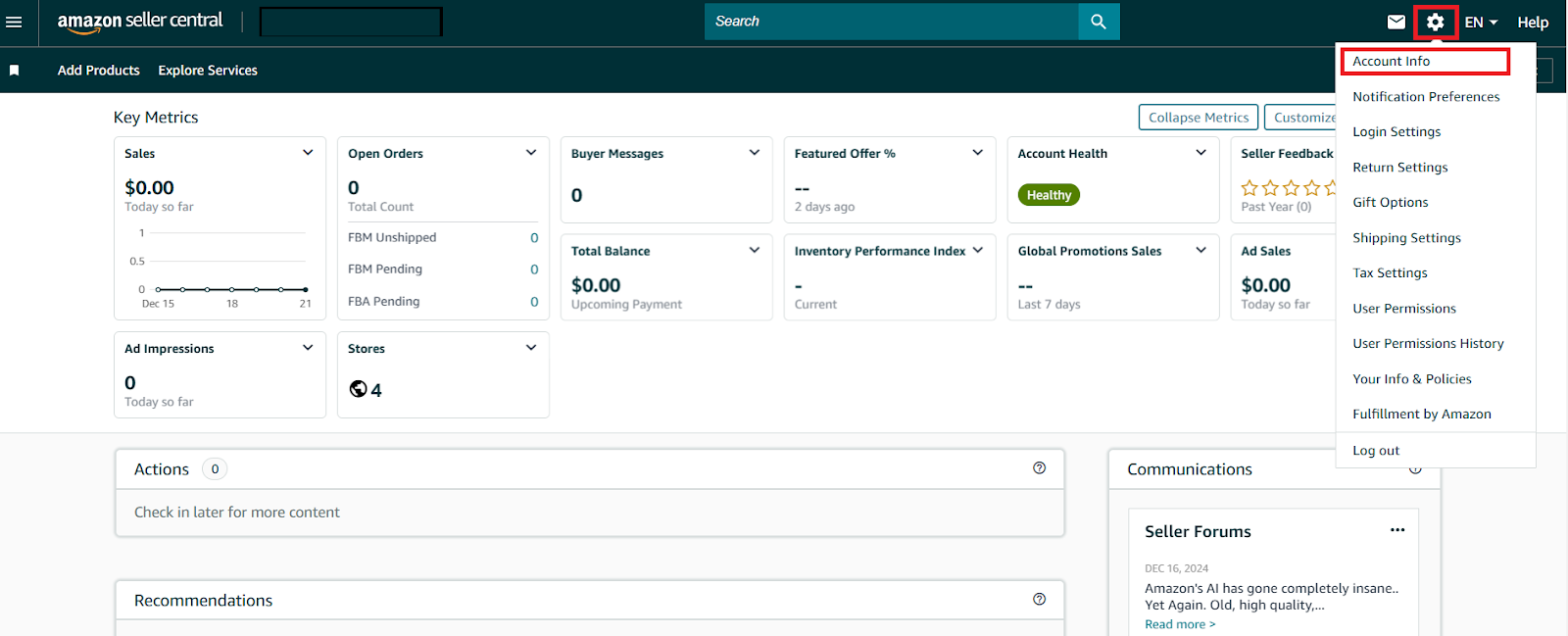
Step 1. Access account settings
Log in to your seller account and click on the Settings (gear icon) in the top-right corner, then select Account Info.
Access account settings
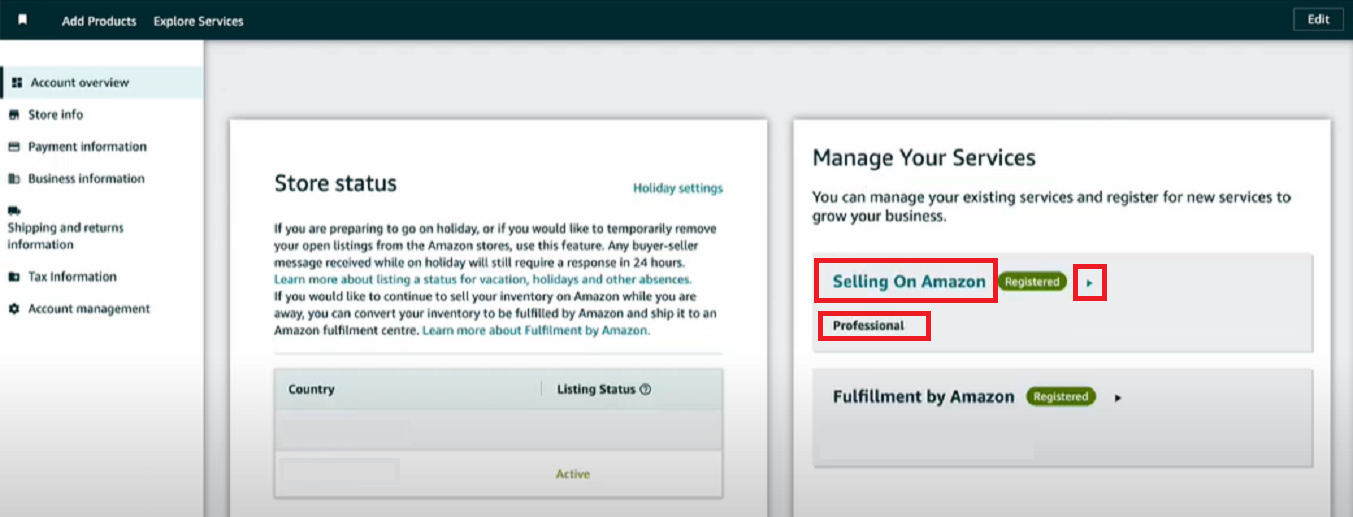
Step 2. Navigate to Your Services
On the left-hand side, under Seller Account Information, find the Manage Your Services section.
Step 3. Select the desired plan
In the Selling on Amazon row, click the small arrow to choose between Individual or Professional plans.
Step 4. Confirm and apply changes
Tick the plan you want to switch to, click Apply Changes, and wait for the system to update your account.
FAQ
What is the difference between an Individual and Professional Amazon seller account?
The Individual account charges $0.99 per item sold and is designed for smaller-scale or casual sellers, while the Professional account costs $39.99 per month and provides advanced tools and features for high-volume sellers. The Professional plan also allows access to bulk listing, analytics, promotional tools, and eligibility for the Buy Box.
Is selling individually on Amazon worth it?
Yes, selling individually is worth it for casual sellers or those testing the market, as it avoids a monthly subscription fee. However, it becomes less cost-effective if your sales exceed 40 items per month, at which point the Professional plan is a better option.
How much is the Amazon seller Professional plan?
The Professional plan costs $39.99 per month, regardless of the number of items sold. It’s a flat rate designed for sellers with higher sales volume or those seeking advanced tools.
Can I make $1000 a month on Amazon?
Yes, it is possible to make $1000 a month on Amazon, but it depends on factors like the product you sell, pricing, competition, and marketing strategy. Successful sellers often focus on high-demand products and leverage tools like Amazon FBA to streamline operations.
Can we convert an Amazon Individual account to a Professional account?
Yes, you can switch from an Individual account to a Professional account at any time through your seller account settings. The process is straightforward and allows you to scale your business as needed.
Can I sell on Amazon as an individual and not a business?
Yes, you can sell on Amazon as an individual using the Individual selling plan, which is designed for non-business sellers or casual sellers. You don’t need to register a business unless you want to scale operations or meet specific legal requirements in your region.
Final Thoughts
Choosing the right Amazon selling plan is a crucial step in your journey as a seller. Whether you’re starting small with the Individual selling plan or scaling up with the Professional selling plan, understanding the differences and aligning them with your business goals will ensure you get the most out of Amazon’s sales.
Remember, your choice isn’t permanent – you can switch plans as your needs evolve. By making informed decisions and leveraging the right tools, you can set your business up for long-term success on Amazon.
Another important step is choosing the right products to sell. You can do it with Seller Assistant – effective and easy-to-use product sourcing software. Seller Assistant helps Amazon sellers quickly find high-profit deals. It combines two extensions: Seller Assistant Browser Extension, and IP-Alert Chrome Extension by Seller Assistant, Amazon seller tools: Price List Analyzer, Seller Spy, Bulk Restrictions Checker, and API integrations, and features: Side Panel View, FBM&FBA Profit Calculator, Quick View, ASIN Grabber, UPC/EAN to ASIN converter, Stock Checker, IP Alert, and Restrictions Checker.

