



Amazon competitor analysis is one of the essential tools for growing your sales. When you analyze your competitor’s store, you can see what categories and brands they prioritize, how they price products, and use the same strategies for your store. However, manually scrolling through competitor stores doesn’t really give you any actionable insights.
Automating competitor storefront analysis solves this task. Meet Seller Assistant’s Storefront Widget – a powerful product research feature designed to simplify your competitor analysis. With instant access to a seller’s storefront statistics, product breakdowns, and detailed filters, this widget transforms raw data into opportunities.
This post tells what Storefront Widget is and how it works.
Note. Seller Assistant is a comprehensive product-sourcing software that helps Amazon sellers quickly find high-profit deals. It combines three extensions: Seller Assistant Browser Extension, and IP-Alert Chrome Extension by Seller Assistant, and VPN by Seller Assistant, Amazon seller tools: Price List Analyzer, Brand Analyzer, Seller Spy, Bulk Restrictions Checker, and API integrations, and features: Side Panel View, FBM&FBA Profit Calculator, Quick View, ASIN Grabber, UPC/EAN to ASIN converter, Stock Checker, IP Alert, and Restrictions Checker.
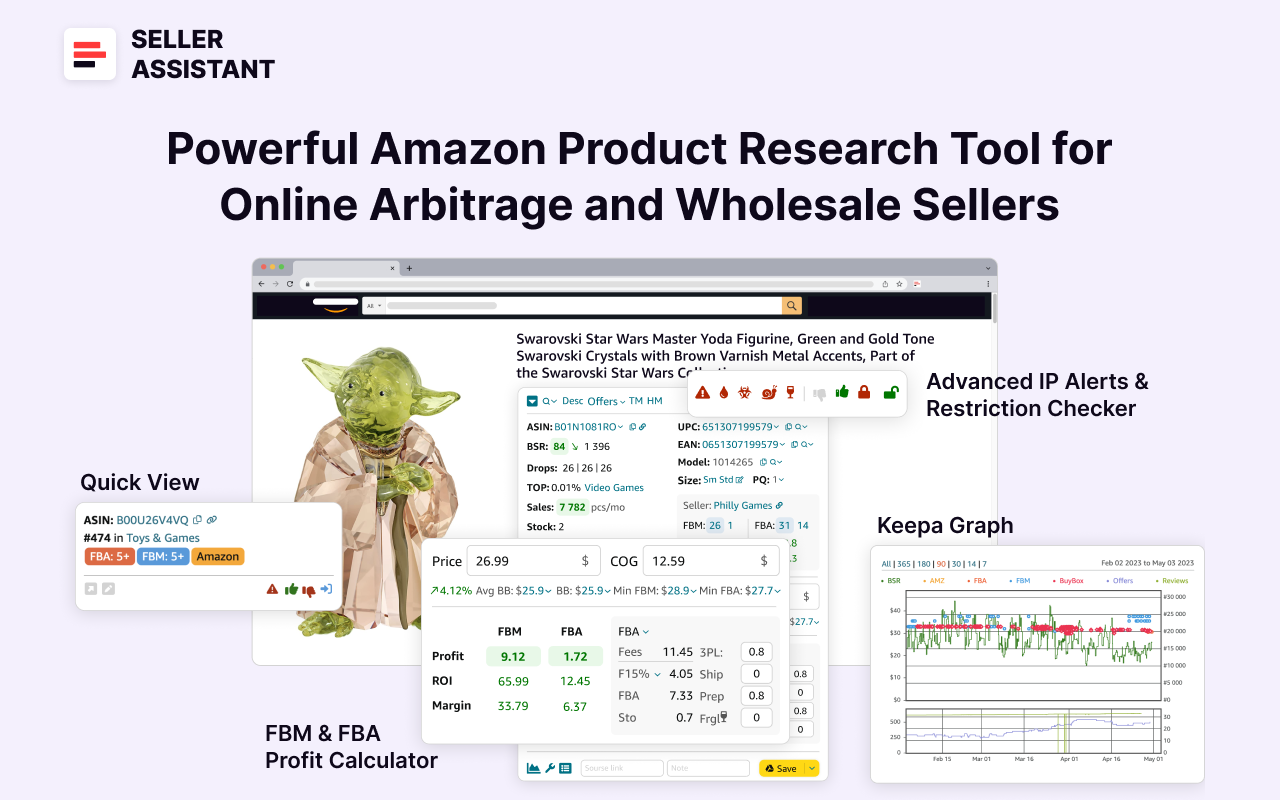
Seller Assistant
Seller Assistant shows all essential product data on Amazon search, product, and inventory pages, and on any website to help you find high-margin deals. By using this FBA and FBM product sourcing software, you can easily identify products that have the potential to be sold well on Amazon.
What Is Seller Assistant’s Storefront Widget?
Seller Assistant’s Storefront Widget is a competitor analysis feature that automates competitor storefront research. This widget integrates directly into Amazon storefront pages, offering an interactive and efficient way to analyze competitor stores and identify profitable products.
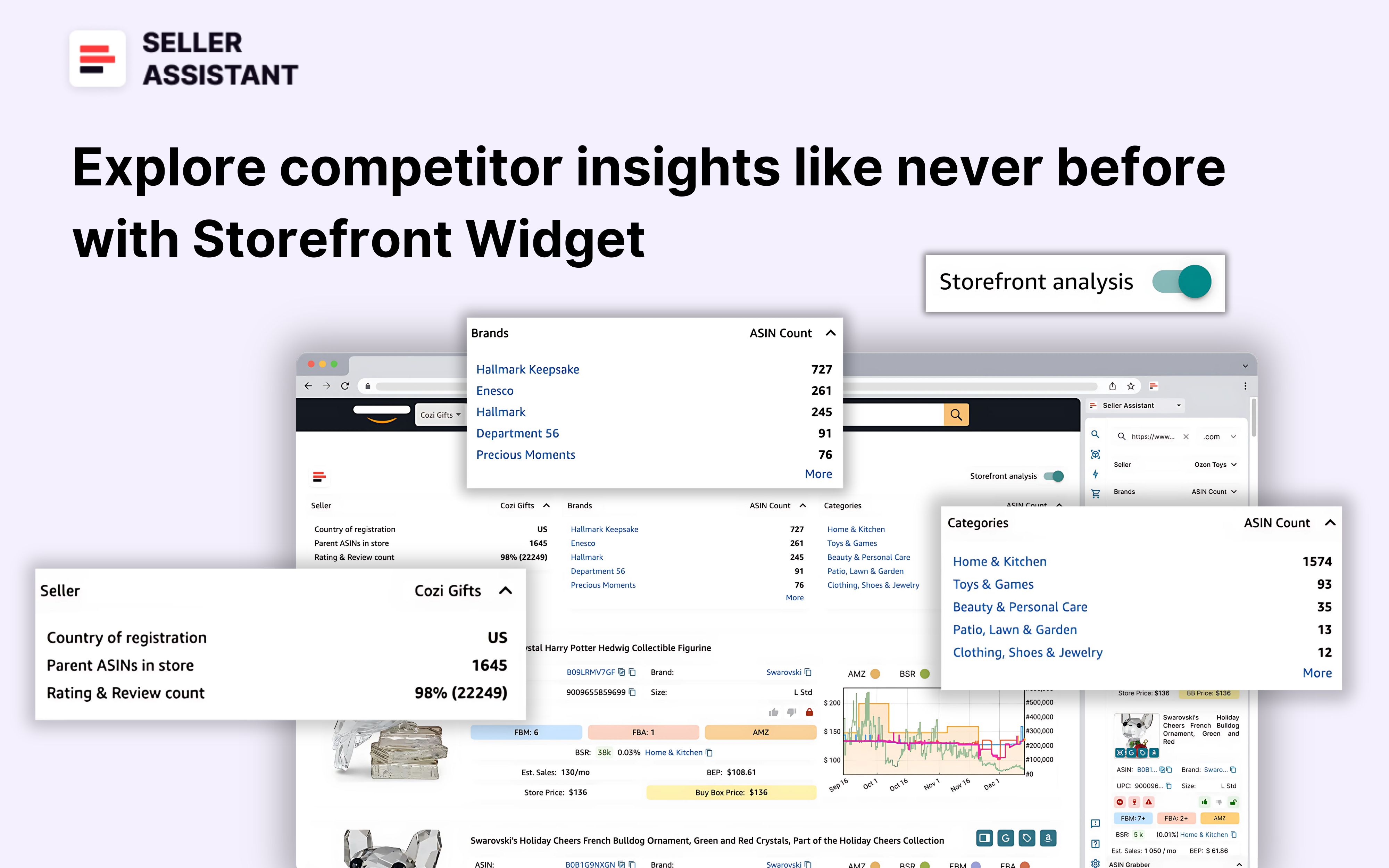
Seller Assistant’s Storefront Widget
This feature empowers sellers to efficiently scout for high-demand, low-competition products within competitor stores. It provides you with actionable insights on your competitor storefront summary (like categories and brands they sell, how many products they offer, seller review and rating count) and sales performance metrics, deal risks, and pricing data for each product. This helps instantly estimate what your competitor sells, how popular is the store, and which of their products you can potentially add to your inventory.
The feature is designed specifically for Amazon wholesale and online arbitrage sellers, and dropshippers, and helps efficiently scout for high-demand, low-competition products within competitor stores, facilitating smarter portfolio expansions.
Watch: How to simplify Amazon competitor research | Storefront Widget Review
Related: Seller Assistant Extension Review
The Best Amazon Online Arbitrage Tool — Seller Assistant
How to Dropship on Amazon with Seller Assistant
Amazon Wholesale: How to Sell Wholesale on Amazon
Storefront Widget Functionality
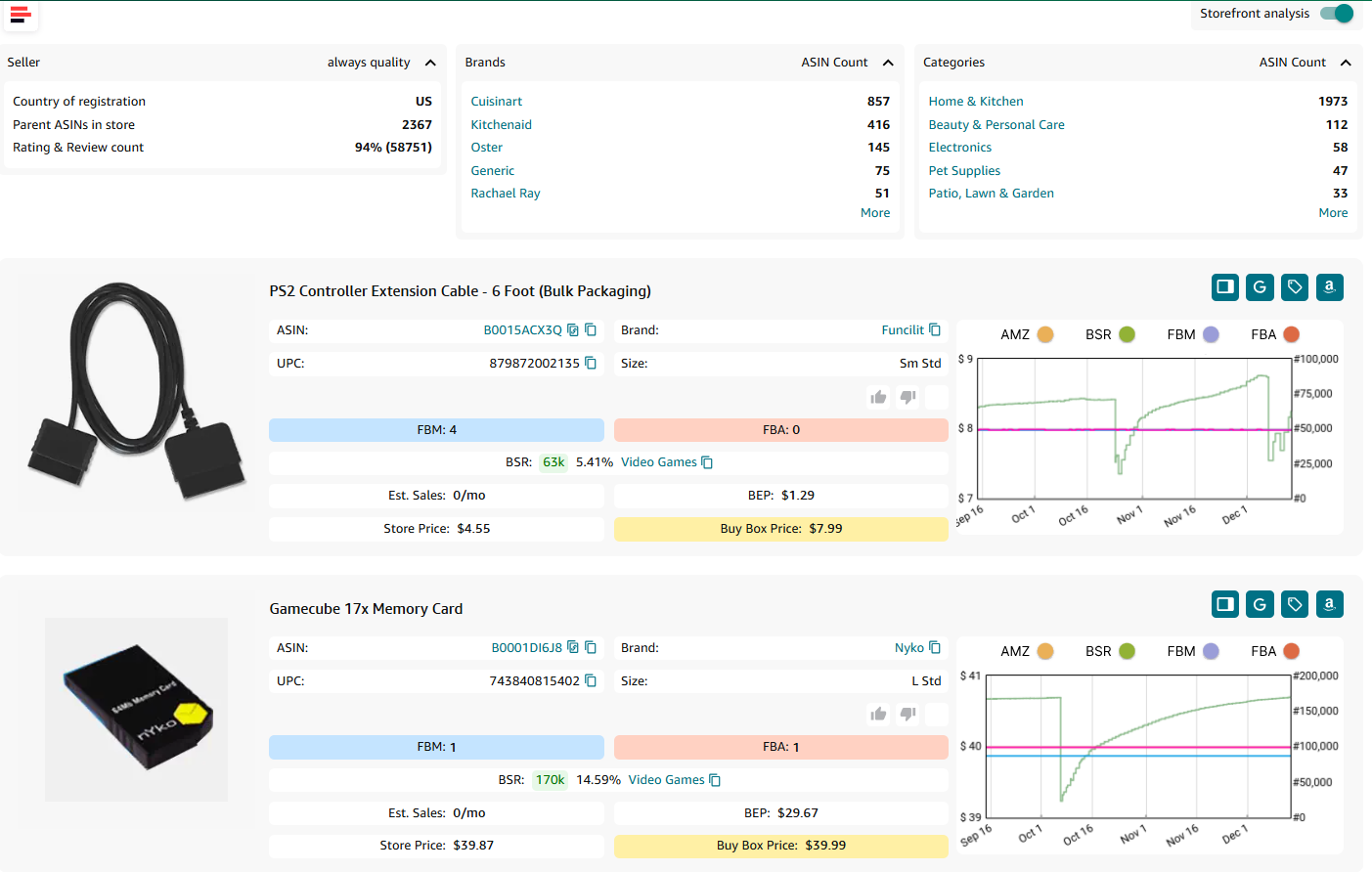
Storefront Widget automatically appears on the Amazon seller storefront page and provides you with your competitor storefront summary statistics and product breakdowns for each item in your competitor’s store.
Key Storefront Widget features
Storefront summary statistics
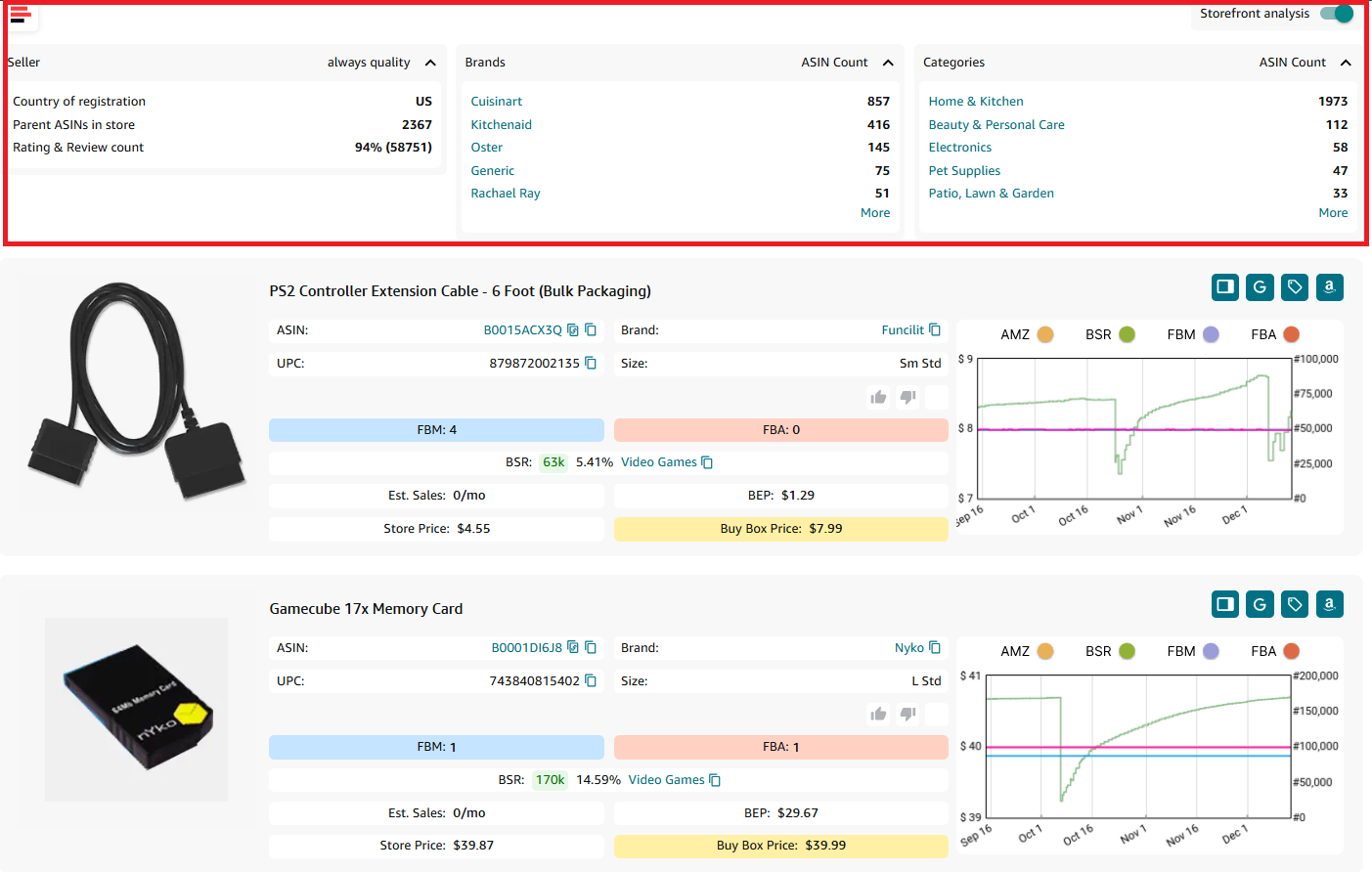
Storefront summary statistics
A snapshot of essential seller information such as country of registration, total ASIN count, ratings, and reviews, available in modal windows.
Storefront summary statistics
- Seller overview
- Country of registration
- Main Amazon seller marketplace
- Parent ASINs in store
- Total parent ASIN count in seller store (variations do not count)
- Rating and review count
- Total number of seller ratings and reviews
- Brands
Brands sold in-store. Default display of 5 brands, expandable to 10 max, with ASIN counts for each.
- ASIN count
Total ASIN count in-store (variations count)
- Product categories
Default display of 5 categories, expandable to 10 max, with product counts for each, sorted from highest product count to lowest.
Product insights
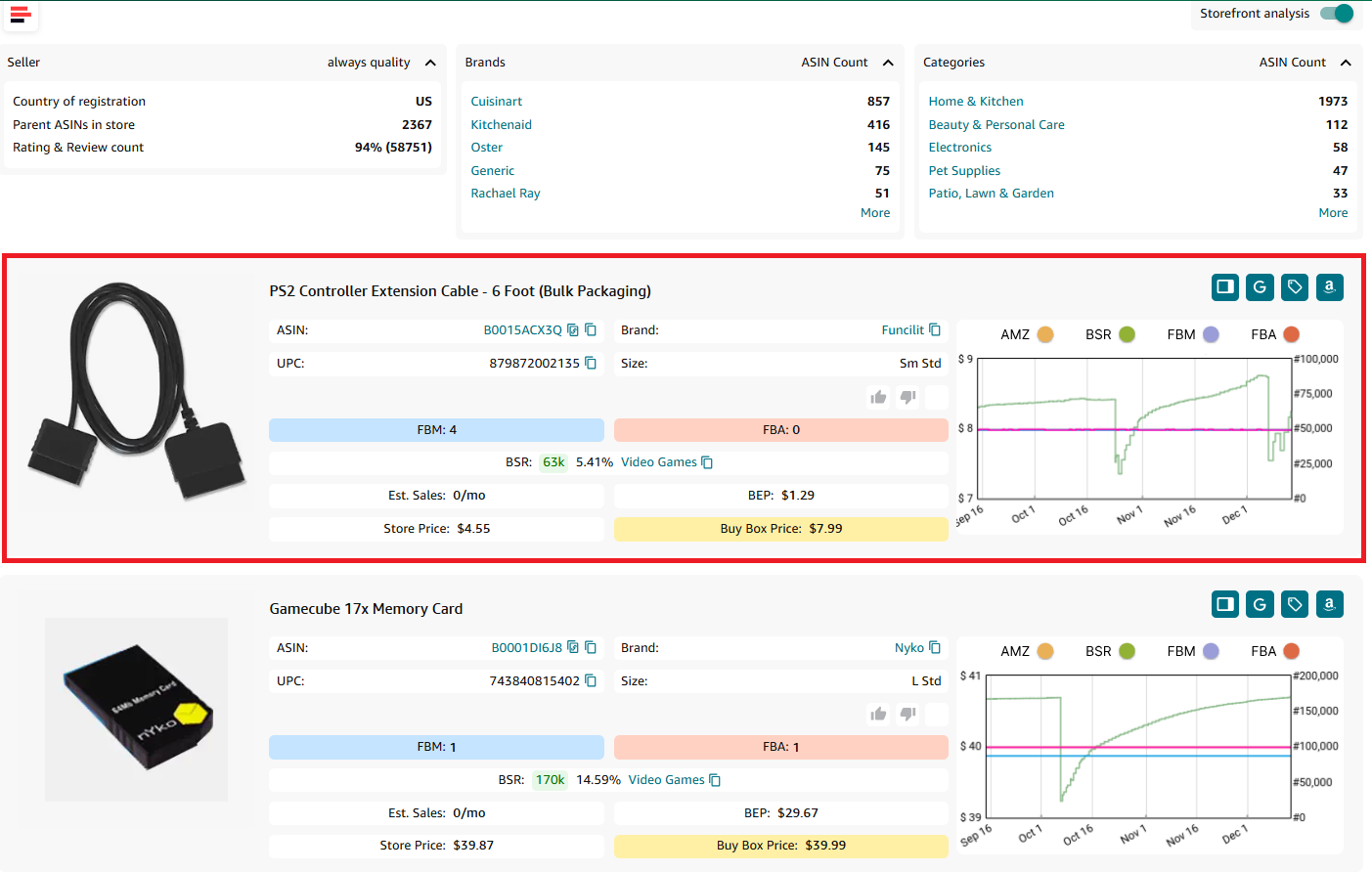
Storefront Widget - product insights
Product cards display product details, including sales estimates, pricing comparisons, and key performance and pricing metrics.
Product card data
- Title
Product name or title as it appears on Amazon
Visual representation of the product
- ASIN
Amazon Standard Identification Number, a unique identifier for an item in the Amazon catalog
- Brand
Manufacturer or brand of the product; by clicking the brand you can open all brand’s products on Amazon
Global Trade Item Numbers used for identifying the product in various marketplaces. If multiple UPC/EANs exist, the first one is displayed, UPC prioritized
-
UPC preferred for amazon.com, amazon.ca, amazon.com.mx
-
EAN preferred for amazon.co.uk, amazon.de, amazon.es, amazon.it, amazon.fr, amazon.in, amazon.com.br
-
Size
Product size as classified by Amazon (e.g., small standard, heavy, bulky)
Product restrictions and flags
.webp)
Product restrictions and flags
Show if the product is ungated (green open lock) or gated (red closed lock)
Marks if the product is considered heavy and bulky by Amazon
Indicates if the product is classified as hazardous material
Alerts for products that can melt in certain conditions
Marks fragile products requiring special handling
Indicates the risk of intellectual property complaints and other Amazon policy violations
- Variation flag
Denotes if the product has multiple variations (size, color, etc.)
- Amazon
Amazon is a Buy Box seller
- Likes and dislikes
Likes or dislikes labeling “good” or “bad” products; you can add them to a product
The count of FBA sellers offering the product on the listing; shows competition intensity
Indicator of the product’s sales ranking within its category. Shows how well the product sells
- Category
Product category in Amazon’s catalog
- Top BSR
Top helps understand the product’s sales velocity as a percentage. If the Top equals 0.5% or less, the product sells well. If the Top equals 1% or more, a product is a slow-mover
- Sales Estimate (pcs/month)
Estimated number of units sold per month based on BSR. Helps understand average product sales to estimate how many units to order
- Break-Even price (FBA/FBM)
The minimum product price with 0% profit for Fulfillment by Amazon (FBA) or Fulfillment by Merchant (FBM). If you go below break-even threshold, you lose money on the product
- Store Price
Seller offer price
- Buy Box Price
The selling price of the product on Amazon, typically the BuyBox price. If the BuyBox price is unavailable, it defaults to the minimum price (including delivery).
Interactive Keepa chart (if available).
Filtering options
Users can sort products by brand or category, ensuring precise and targeted searches.
Benefits of Storefront Widget
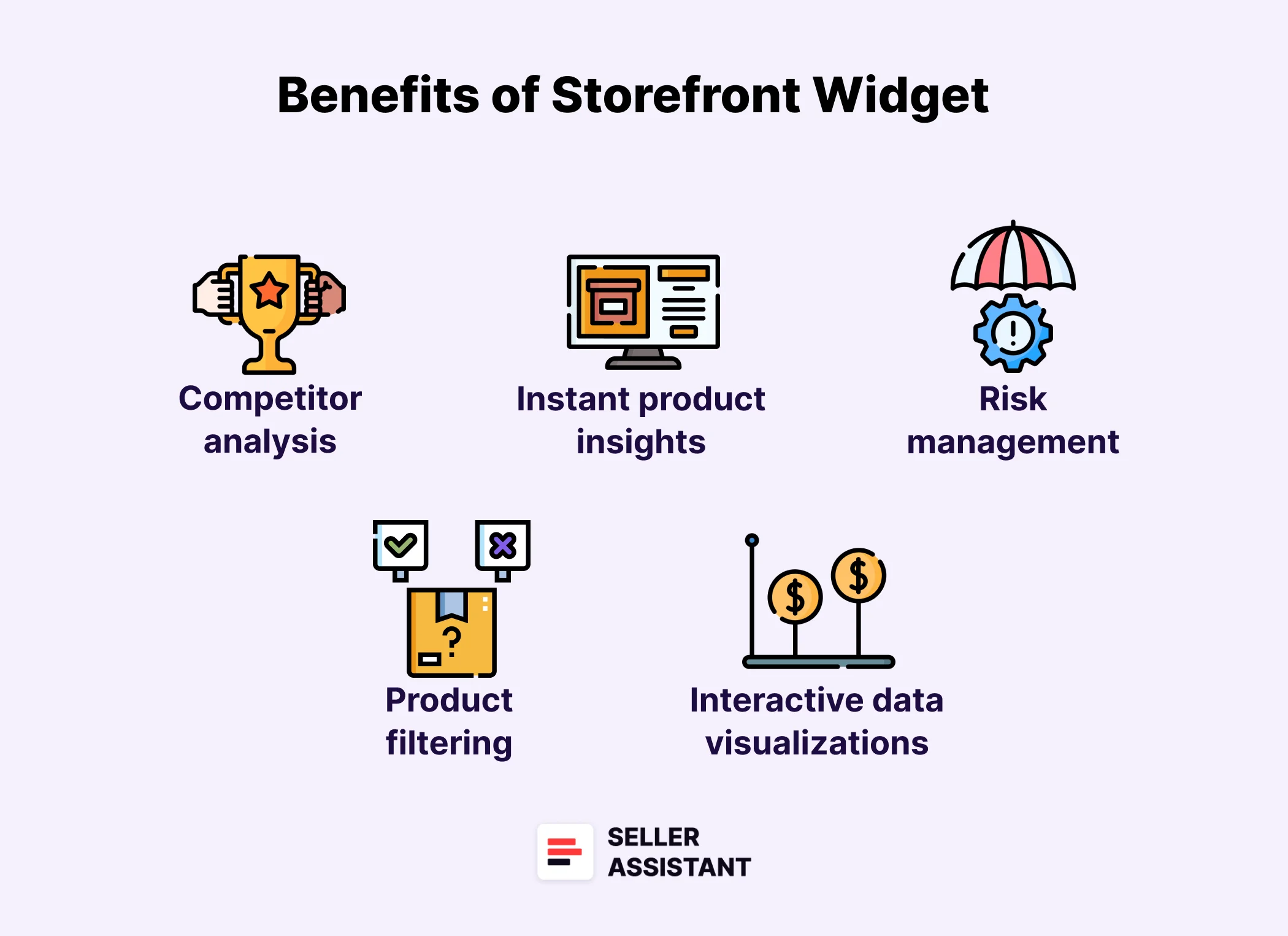
Storefront Widget automates your competitor analysis by instantly showing you the competitor’s storefront summary and each product’s insights in an easy-to-understand and convenient way. Below, we explore the top benefits of this tool and how it can help you research your competition.
Benefits of Storefront Widget
Automated competitor analysis
Storefront Widget simplifies competitor research by automating data collection directly on Amazon storefront pages. Instead of manually scouting for insights, users get a concise seller overview including ASIN counts, ratings, reviews, brands sold, and detailed deal overview. This allows sellers to save time and simplify competitor research to identify what brands or products you can sell based on what your competitors sell.
Instant product insights
Access detailed product information through interactive product cards. Each card provides essential metrics such as product performance and sales velocity, sales estimates, pricing comparisons, competition intensity by FBA/FBM offer count and Amazon as a seller, deal risks and alerts. For example, the BSR top percentage highlights high-demand products, helping sellers identify profitable additions to their inventory with precision.
Enhanced product filtering
Targeted search is made easier with advanced filtering options. Sort by brand or category to streamline the selection process. For instance, if a competitor specializes in electronics, you can focus your research exclusively on that category, avoiding irrelevant data.
Risk management alerts
Mitigate risks with real-time product flags that indicate restrictions or potential alerts. For example, the widget identifies gated items, hazardous materials, and other flags like fragile, meltable, heavy and bulky, and more. It also shows intellectual property risks and Amazon policy violations, ensuring sellers avoid products that could pose account health issues or incur losses.
Interactive data visualizations
Explore storefronts with ease using collapsible sections, quick links to product pages, and Google integration for broader searches. Additionally, Keepa charts provide a graphical representation of product pricing and sales trends over time. Even if unavailable for certain items, placeholder insights guide users on market behavior, helping them adapt quickly to changing trends.
Related: Amazon FBA for Beginners
What to Sell on Amazon 2024
Selling on Amazon: How to Make Money?
How to Sell on Amazon for Beginners - Complete Guide
Storefront Widget Use Cases
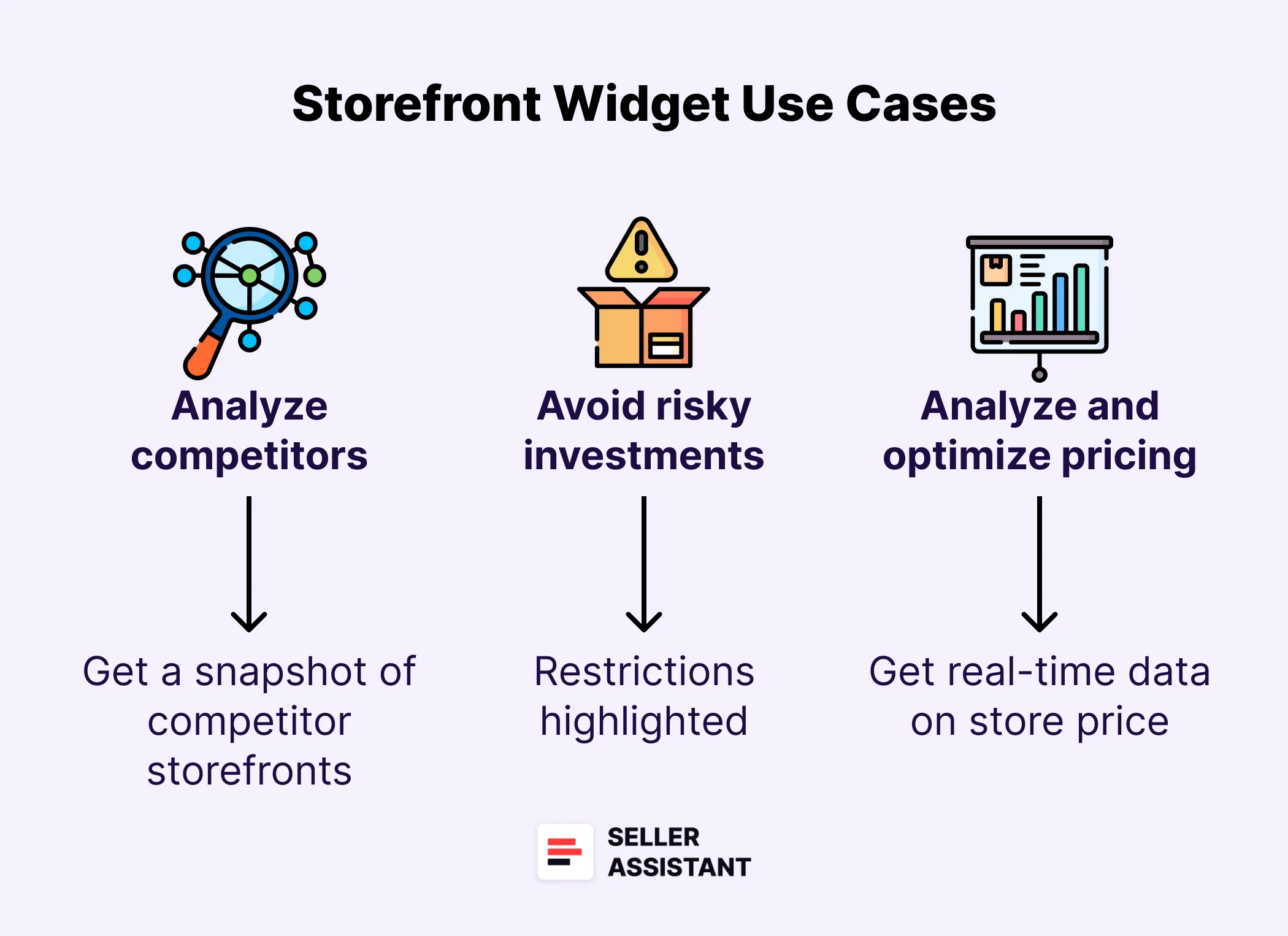
Storefront Widget helps sellers with analyzing competition and understanding what exactly they sell to see which profitable deals and products from their portfolio you can add. This helps grow sales with minimal effort. Below are the key cases explaining how you can use this feature.
Identifying profitable products
- Use case
Sellers need to quickly find high-demand, low-competition items in competitor stores to expand their portfolios with confidence.
- Solution
Storefront Widget offers detailed product cards displaying metrics like sales estimates, Best Sellers Rank (BSR), and pricing comparisons. Sellers can instantly assess a product’s profitability and popularity, enabling strategic inventory planning.
Analyzing competitor strategies
- Use case
Sellers need to understand what categories and brands competitors focus on to identify market gaps or successful trends.
- Solution
Storefront Widget provides a snapshot of competitor storefronts, including category rankings, brand distributions, and ASIN counts. This overview helps sellers benchmark their strategies and explore untapped opportunities.
Mitigating risky investments
- Use case
Sellers need to avoid products with potential compliance issues or hidden risks that could lead to financial loss.
- Solution
Storefront Widget highlights product restrictions, such as gated items, hazardous materials, and intellectual property risks. These alerts help sellers steer clear of problematic listings and focus on safe, profitable options.
Pricing analysis and optimization
- Use case
Sellers need to compare competitor pricing to determine the best selling price for their own products.
- Solution
With real-time data on store price, Buy Box price, and break-even points, Storefront Widget enables sellers to set competitive prices while maintaining profitability. This ensures pricing decisions are based on accurate, up-to-date insights.
Streamlining product research
- Use case
Sellers need to reduce the time spent analyzing competitor storefronts and focus on actionable insights.
- Solution
Storefront Widget automates data collection and organizes competitor information into interactive modals. Features like filters and Keepa charts provide quick, focused insights, eliminating the need for manual data entry or switching between tools.
Monitoring sales trends
- Use case
Sellers need to keep track of market trends and seasonality to adapt their inventory strategy proactively.
- Solution
Storefront Widget integrates tools like Keepa charts and sales estimates, allowing sellers to visualize product performance over time. This data supports timely decisions on restocking or entering new markets.
Expanding into new categories
- Use case
Sellers need to explore competitor stores to discover lucrative categories they haven’t tapped into yet.
- Solution
By analyzing competitor product categories and their respective ASIN counts, Storefront Widget helps sellers spot high-growth niches. This data enables informed diversification, reducing reliance on saturated markets.
Simplifying portfolio management
- Use case
Sellers need to continuously evaluate which products to add, retain, or phase out from their inventory.
- Solution
Storefront Widget’s product insights, including estimated sales and competition intensity, provide clarity on product viability. Sellers can make data-backed decisions to optimize their inventory and maximize ROI.
Related: Amazon Inventory Management
5 Tips to Calculate Amazon FBA Profit Accurately
Best Product Ideas for Amazon FBA in 2024
How Does Storefront Widget Work?
To access Storefront Widget, you must create a personal account in Seller Assistant, and open your competitor storefront on Amazon.
The Storefront Widget will automatically appear on seller storefront pages.
Storefront Widget
Activation/Deactivation
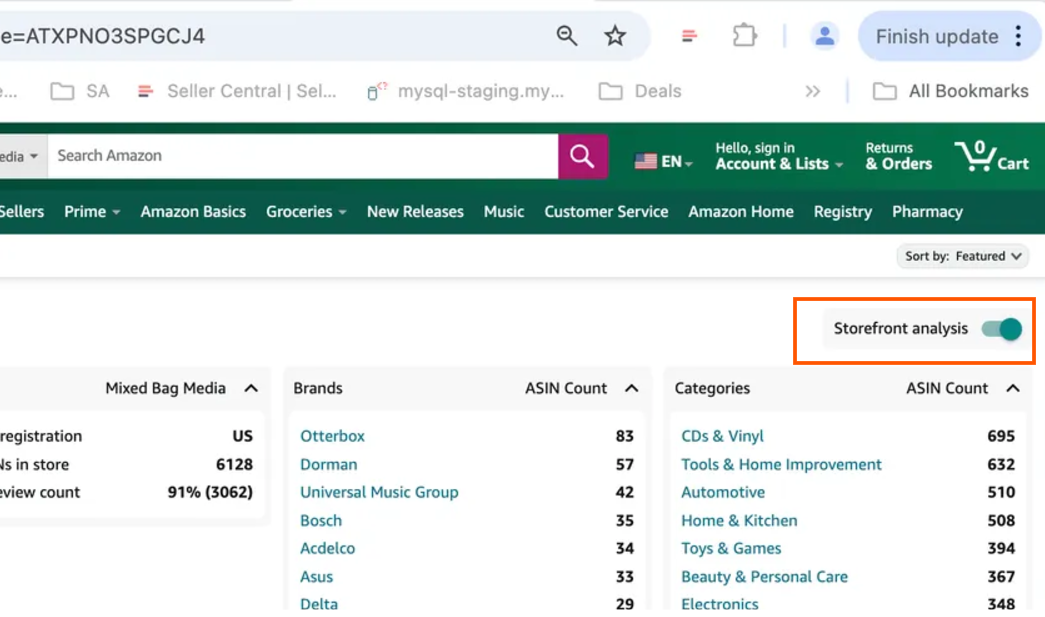
- Toggle located below Amazon’s top menu enables or disables the widget.
- The toggle persists even when disabled, allowing quick reactivation.
Activation/Deactivation
- When a storefront page is loaded for the first time, the toggle is enabled by default, automatically loading the widget. If the user disables the toggle, the system remembers this preference. On subsequent visits to the same storefront or page reloads, the toggle reflects the user’s last choice – either disabled (with the widget not loading) or enabled.
Filtering
Clicking on a brand or category filters the product list displayed in the widget to show only items matching the selected filter.
Product display in the widget
- The storefront widget initially loads products from the first page of the storefront.
- Next page products load via the Load More button.
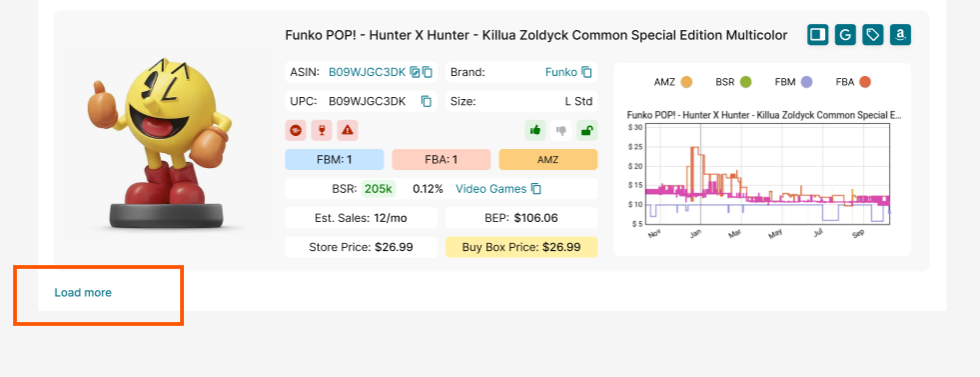
Product display in the widget
FAQ
What is Storefront Widget, and how does it work?
Storefront Widget is a product research widget designed for Amazon sellers to analyze competitor storefronts and identify profitable products. It integrates directly into Amazon storefront pages, providing detailed insights like sales estimates, pricing comparisons, and storefront statistics.
Who can benefit from using Storefront Widget?
This tool is ideal for Amazon wholesale and online arbitrage sellers, as well as dropshippers. It helps these sellers efficiently scout for high-demand, low-competition products and streamline portfolio expansion.
Can I filter products to focus on specific brands or categories?
Yes, Storefront Widget allows filtering by brand and category to narrow down product searches. This feature ensures precise and targeted research for identifying profitable opportunities.
How does Storefront Widget help manage risks when selecting products?
The widget flags potential issues such as gated products, hazardous materials, and intellectual property claims, and other risks. These alerts help sellers avoid non-compliant or risky investments.
Does Storefront Widget provide sales estimates for products?
Yes, Storefront Widget displays estimated monthly sales for each product based on metrics like Best Sellers Rank (BSR). This helps sellers gauge product demand and make data-driven decisions on inventory planning and restocking.
Final Thoughts
In conclusion, Seller Assistant’s Storefront Widget is more than just a research widget – it’s your gateway to smarter, faster, and more profitable deal sourcing. By automating competitor analysis, providing actionable insights, and mitigating risks, this tool equips Amazon sellers with the clarity needed to expand your portfolio and grow sales.
Seller Assistant is an all-in-one product sourcing software offering all the features vital for product sourcing. It combines three extensions: Seller Assistant Extension, IP Alert, and VPN by Seller Assistant, tools: Price List Analyzer, Brand Analyzer, Seller Spy, Bulk Restrictions Checker, and API integrations, and features: Side Panel View, FBM&FBA Profit Calculator, Quick View, ASIN Grabber, UPC/EAN to ASIN converter, Stock Checker, and other features that help quickly find high-profit deals. Seller Assistant also offers integration with Zapier allowing to create custom product sourcing workflows.


