


Hi everyone! If you want to find profitable products to sell on Amazon but don’t know where to start, you’re in the right place!
We, Seller Assistant Team, have created our Academy for wholesale and online arbitrage sellers.
In this module, you will find out what product sourcing on Amazon is. You will see how to find the right products to sell and how to earn money. Also, there will be a review of product sourcing steps and recommendation of the most effective tool that helps you with it - Seller Assistant.
Let’s begin!
Chapter 1. What is product sourcing, and why do you need it?
When you sell on Amazon, your goal is to make money. Product sourcing helps you find items which you can resell on Amazon for a profit.
Amazon is a very competitive marketplace, and it can be challenging to get started. But if you know how product sourcing works, you will do it like a pro!
Doing product sourcing correctly is very important because not all products could be profitable. Some products can even bring you problems because they violate Amazon’s rules. In this case, Amazon can suspend or cancel your listings, and you will lose money.
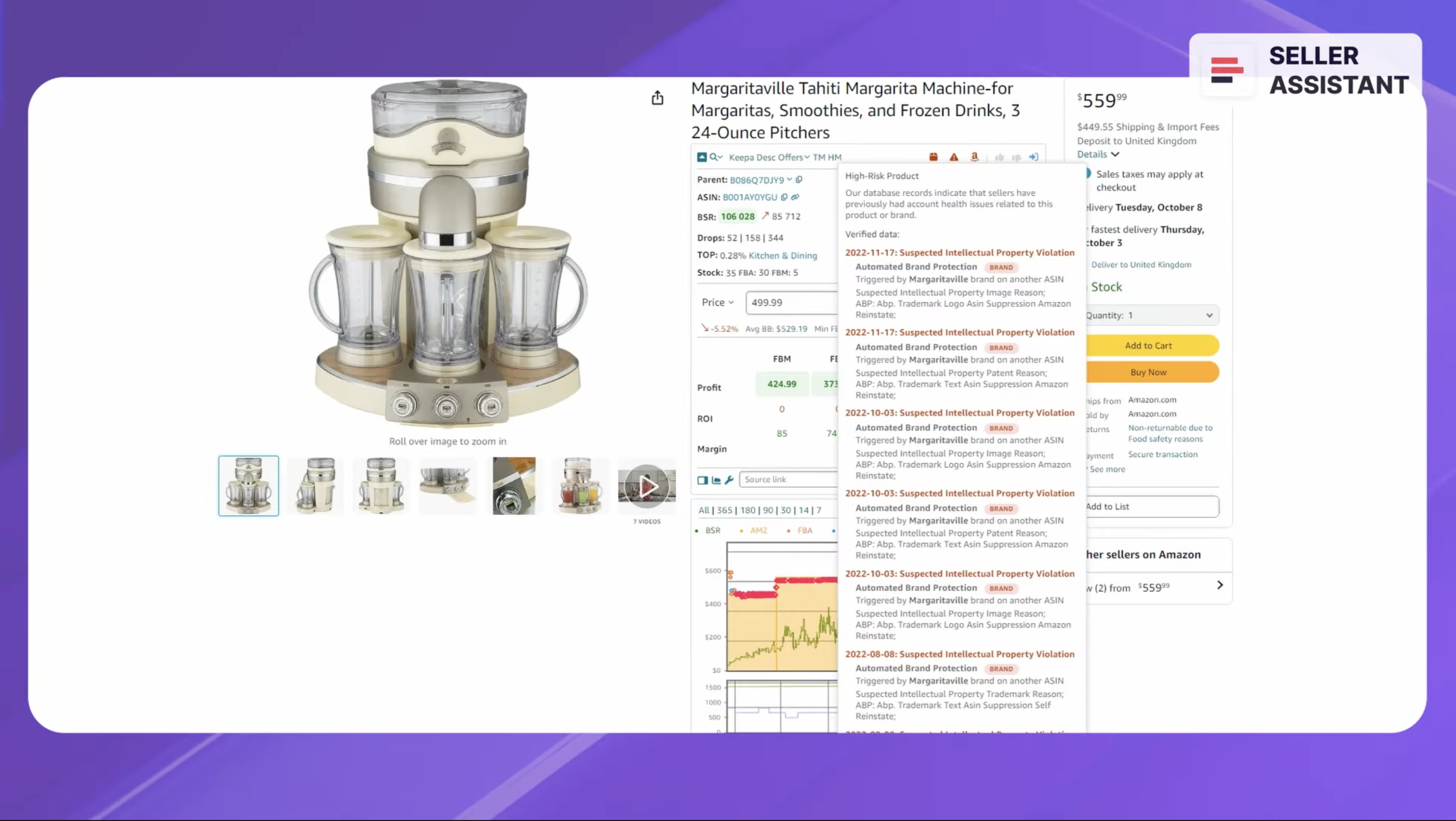
Amazon can suspend or cancel your listings
Chapter 2. What questions do you need to answer during product sourcing?
The goal of product sourcing is to find potential products by answering five key questions. You must always keep them in mind when you do research.
1. Does the product sell?
Is the product popular on Amazon?
2. Can I sell the product?
Am I allowed to sell a product on my Amazon account?
3. Who is the product supplier?
Where can I buy the product to resell? Is the supplier reliable?
4. Is the product profitable?
Will the product earn enough money?
5. Does the product cause problems?
Whether it has intellectual property claims or bad reviews
Chapter 3. Product sourcing, product research, and product hunting - what is the difference?
Before we look into how product sourcing works, you must understand 3 terms related to product sourcing. This explanation will help you avoid confusion.
Product sourcing helps you find a good product to resell for profit as well as a supplier.
Product research is a part of product sourcing. With product research, you analyze a product and see if it’s good for reselling (brings enough profit, doesn’t have any problems, etc.)
Product hunting is simply another way to say product sourcing.
Related: Amazon Product Hunting Tips in 2024
13 Rules of OA Product Research Tested by Pain and Gain of Amazon Seller
Chapter 4. How does product sourcing work?
To begin with, you have to understand that product sourcing differs for different Amazon business models.
If you sell wholesale (resell products in bulk for profit), you have to find a supplier, get his price list, choose profitable products from that list, and sell them on Amazon.
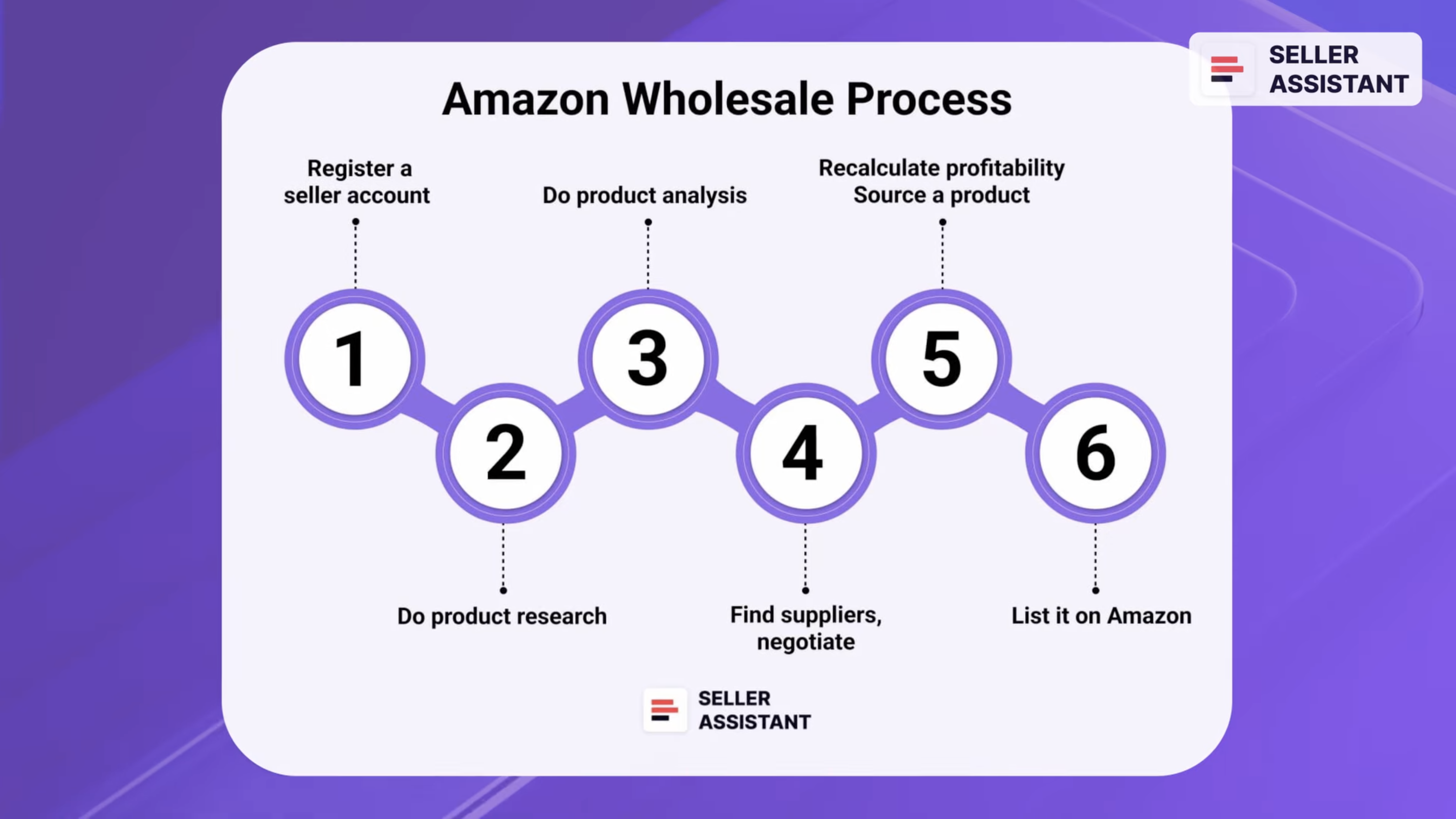
Amazon Wholesale
If you sell with online arbitrage or dropshipping, you need to find popular Amazon products that have minimum selling risks, and then look for a supplier of the same product who sells it for a much lower price. When a product sells, you pocket the difference between the sale price on Amazon and supplier price.
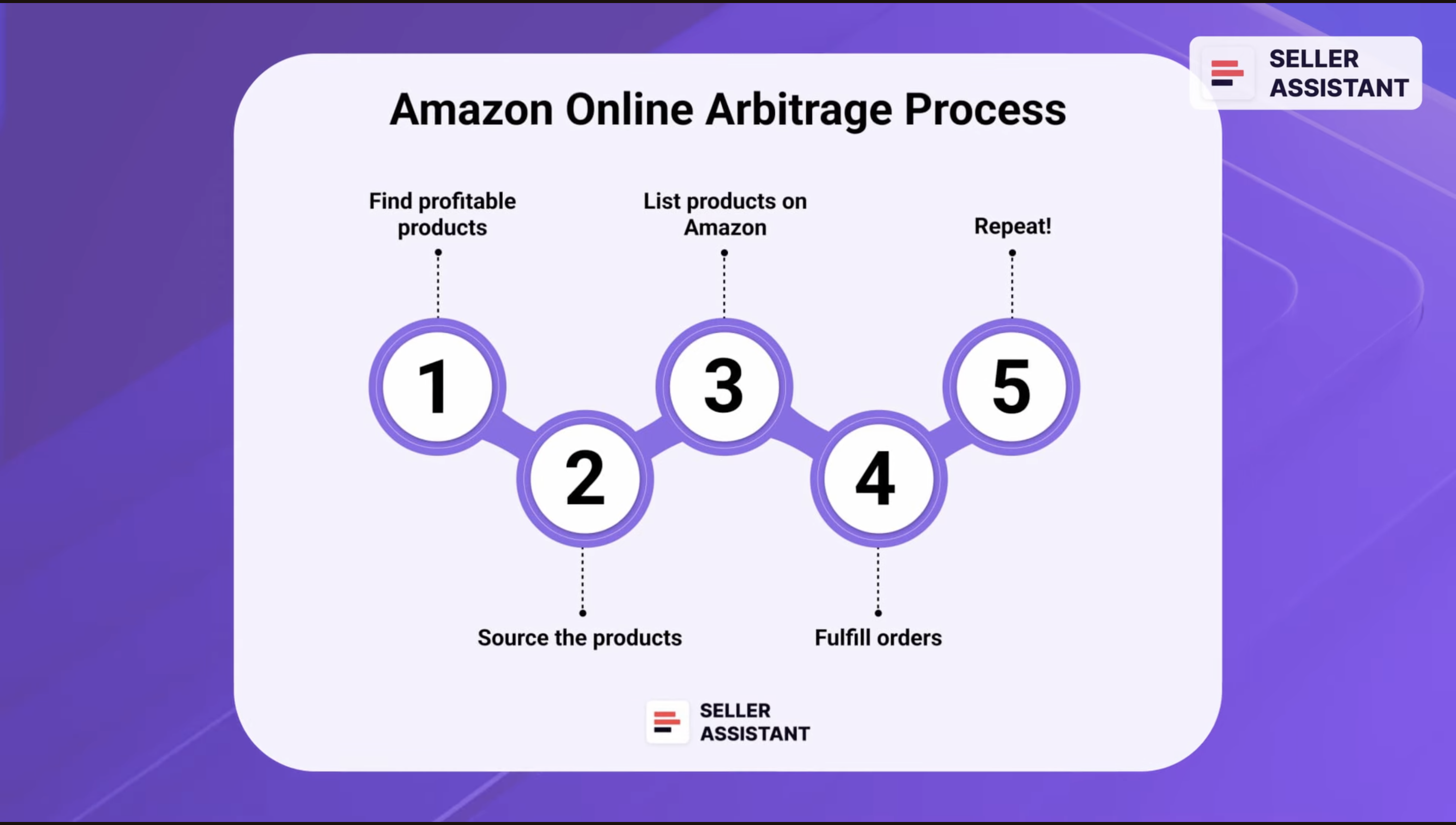
Amazon Online Arbitrage
The key difference between online arbitrage and dropshipping products is that online arbitrage inventory must sell as fast as possible because you buy products first to resell them, and you pay fees for its storage.
With dropshipping, the supplier stores products until they are purchased, and then sends them to the dropshipper’s customer, so dropshipper can add a slightly higher profit margin and wait until the product sells.
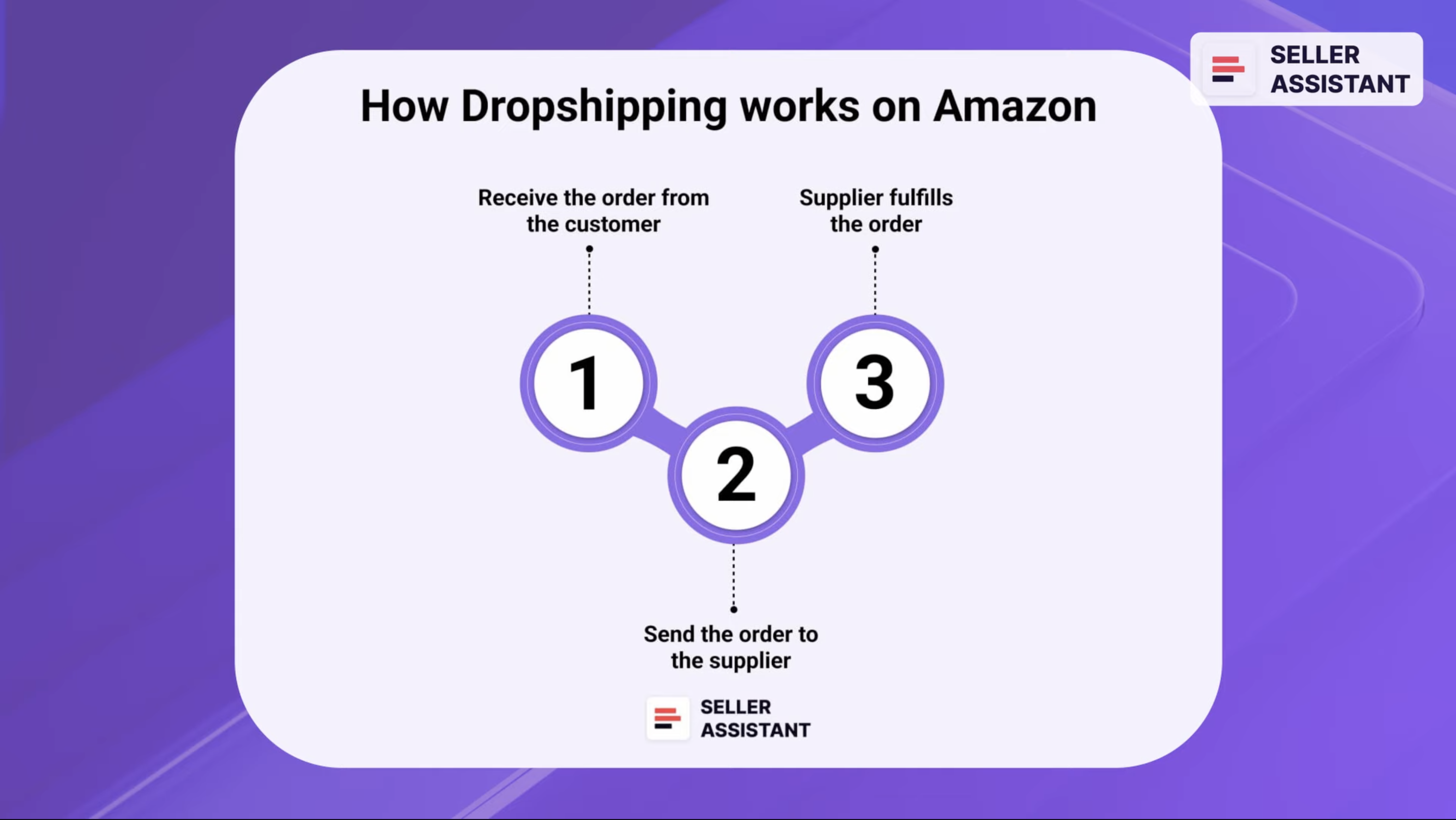
Amazon Dropshipping
Note. To source Amazon products, sellers use product sourcing tools. In this module you learn how to use Seller Assistant in order to find the most profitable Amazon deals.
Now, let’s see how product sourcing works step by step, for wholesale, online arbitrage, and dropshipping.
All these steps will also be discussed in detail in future modules.
Related: Seller Assistant Extension Review
The Best Amazon Online Arbitrage Tool — Seller Assistant
How to Dropship on Amazon with Seller Assistant
Amazon Wholesale: How to Sell Wholesale on Amazon
Chapter 4-1. Online arbitrage and dropshipping
Step 1. Brand research.
Sourcing usually starts with brand research. Then, you can look for profitable products of that brand to resell. Also, you have to make sure the brand hasn’t filed any intellectual property claims against sellers.
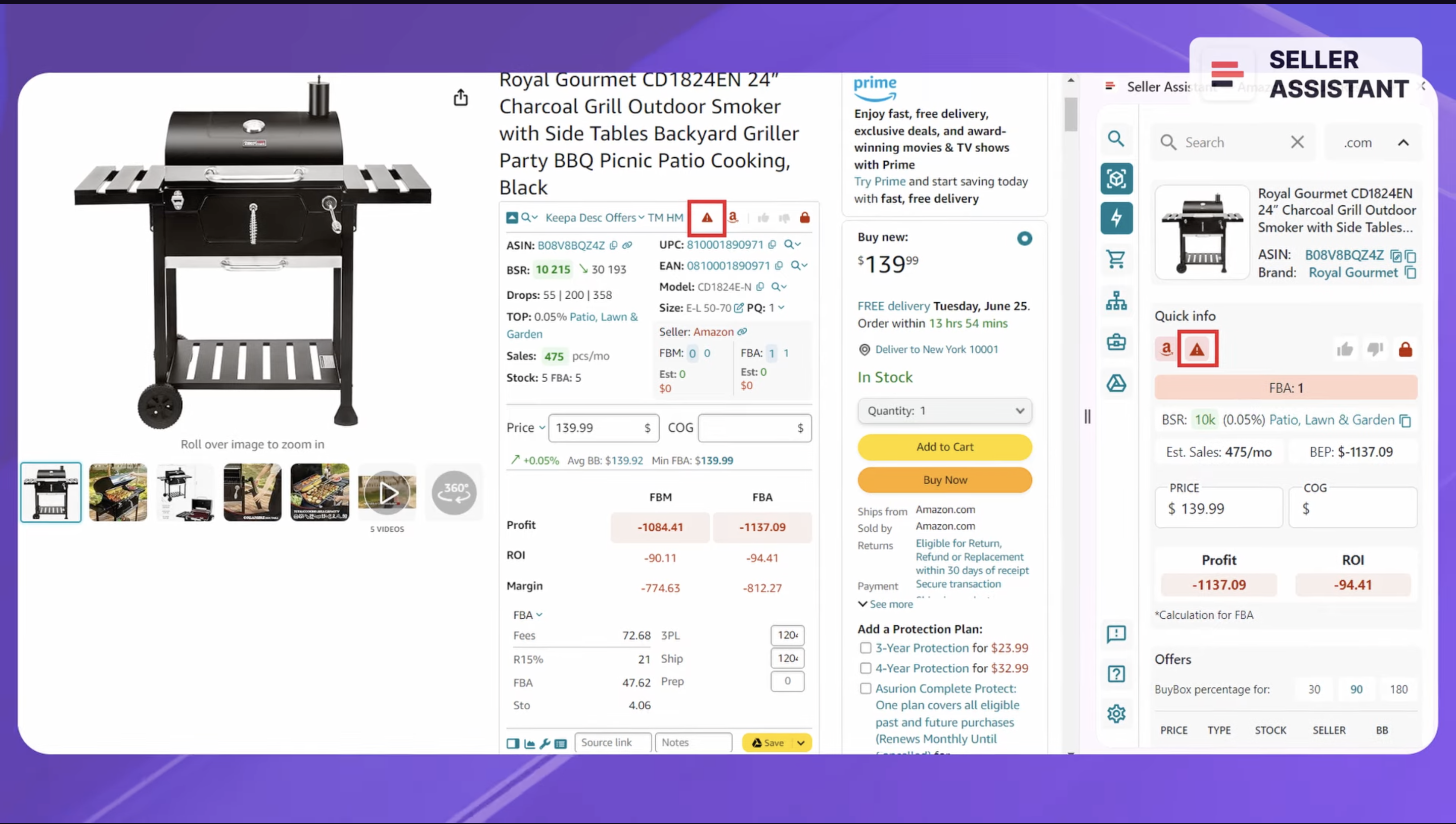
Also, you have to make sure the brand hasn’t filed any intellectual property claims against sellers.
If it has, look for another brand. If a brand files intellectual property complaints to Amazon, it doesn’t allow to resell its products without permission. If you list such brand’s products, Amazon will deactivate your offers and you will lose money.
Now you will see how to check products for Intellectual Property complaints with Seller Assistant’s IP Alert.
IP Alert is a Seller Assistant feature that helps you avoid Intellectual Property complaints when selling products on Amazon.
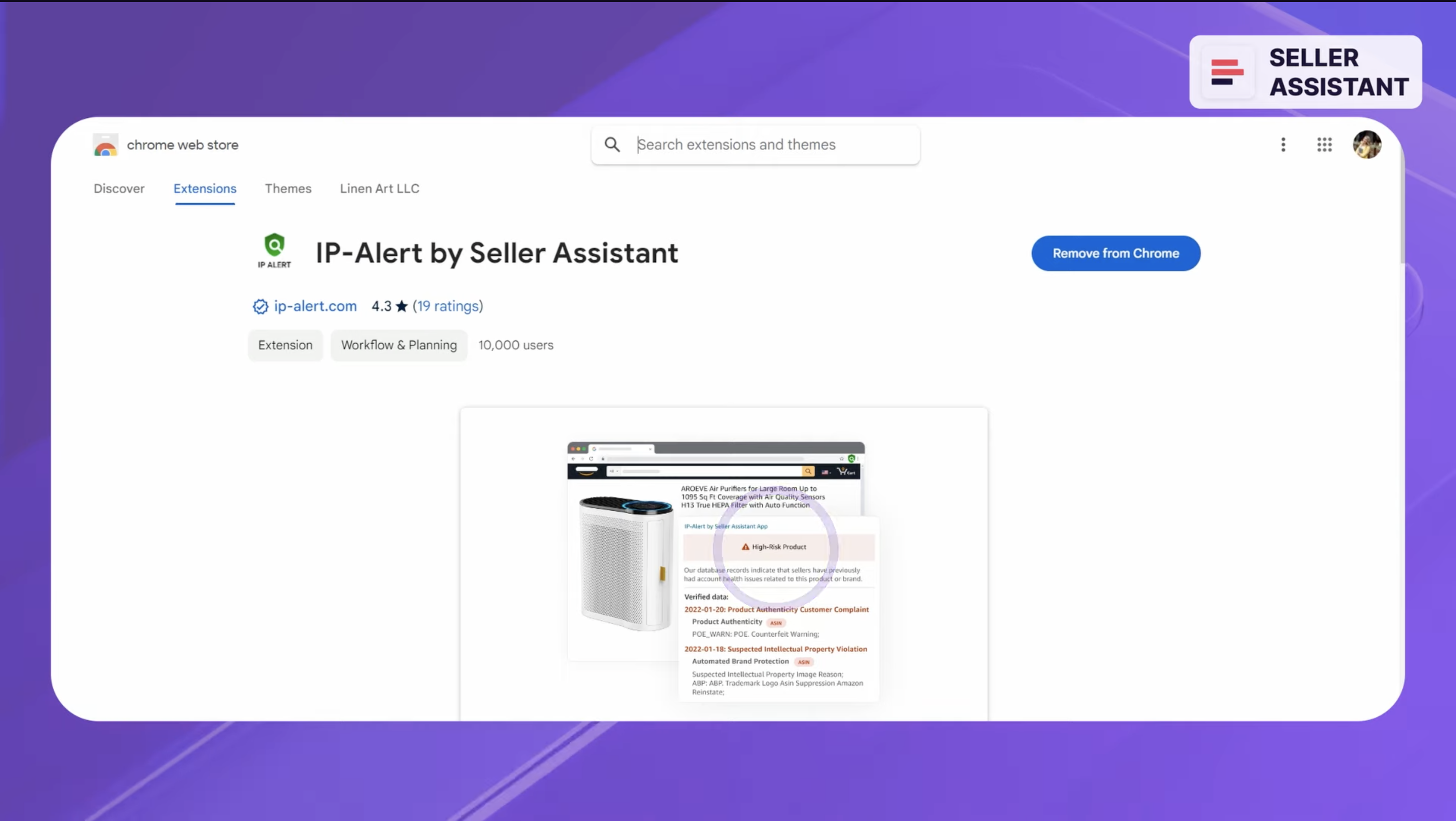
IP-Alert by Seller Assistant
If a product has an IP Alert, a red triangle icon will appear in the notification panel. It shows that Seller Assistant has records in its database about sellers who had account health issues related to this product or brand. The database of complaints is updated automatically daily. Seller Assistant helps you determine whether a product has an IP alert in one click.
Step 2. Finding a product to resell.
Method 1. Quick product research.
When you look for a product to resell, you must make sure it meets your selling criteria (sales potential, sales risks like IP alerts, or eligibility to sell a product, etc.). There are millions of products on Amazon. You must quickly see the items you can’t sell on your account or those that sell badly. To do that, you can use Seller Assistant’s Quick View.
A Quick View widget is the best way to see what works for you and what doesn’t. The widget automatically appears on the Amazon search pages and sellers’ storefronts. It shows a set of metrics that help you identify potential products for reselling.
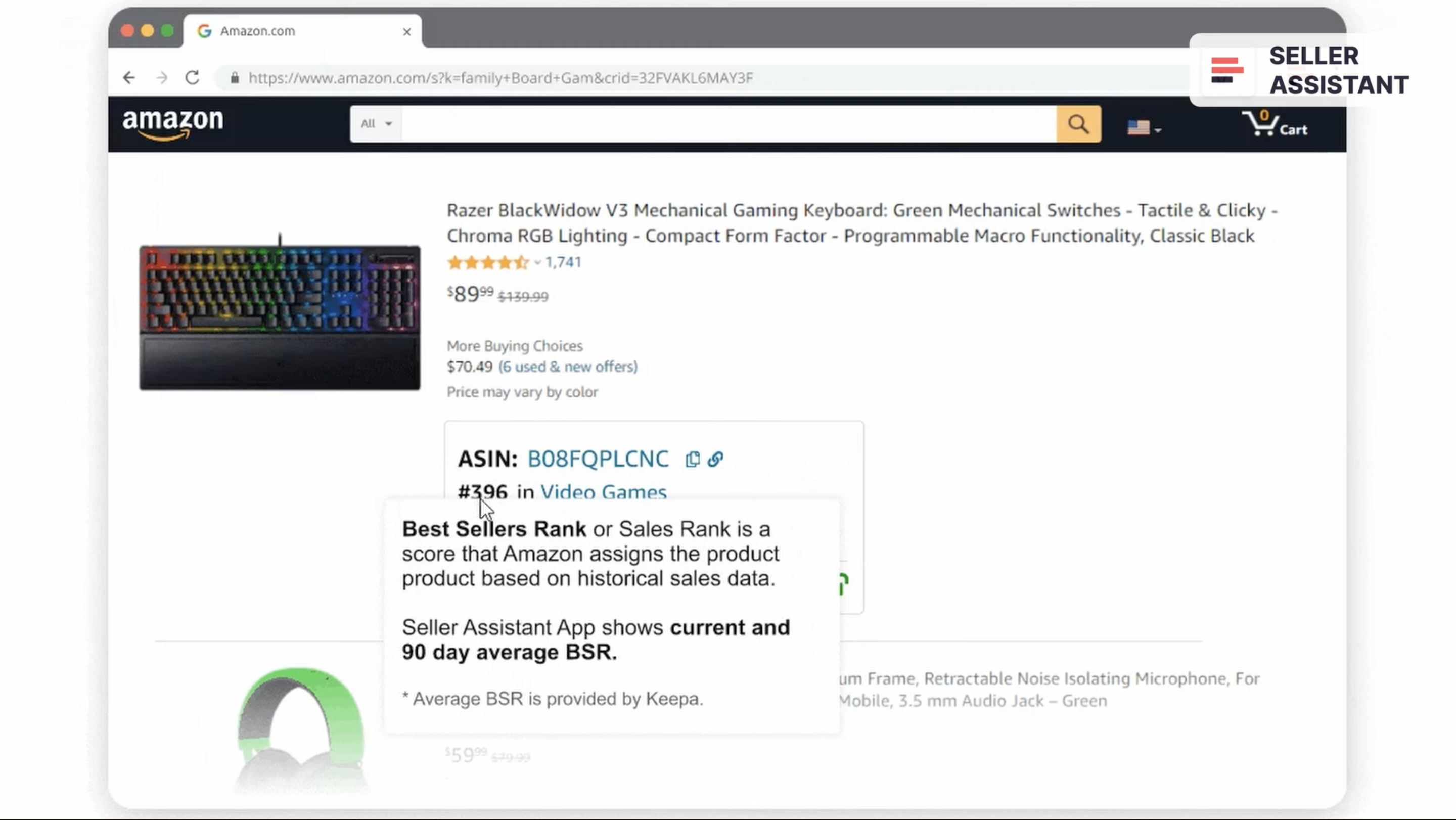
Quick View widget
With Quick View, you can see product ASIN, BSR, category, FBA and FBM seller count, your eligibility to sell the product, and custom notes and source link you add in Seller Assistant.This allows you to get rid of the products you can’t sell on your account, products with IP complaints, selling badly (high BSR), sold by Amazon, and high competition (seller count more than 15). If the deal doesn’t have any of these limitations, you can dig into its profitability and do extended research.
Method 2. Fetch data with Price List Analyzer
Online arbitrage sellers or dropshippers can scrape product data from any e-commerce website and upload these bulk data to Seller Assistant’s Price List Analyzer.
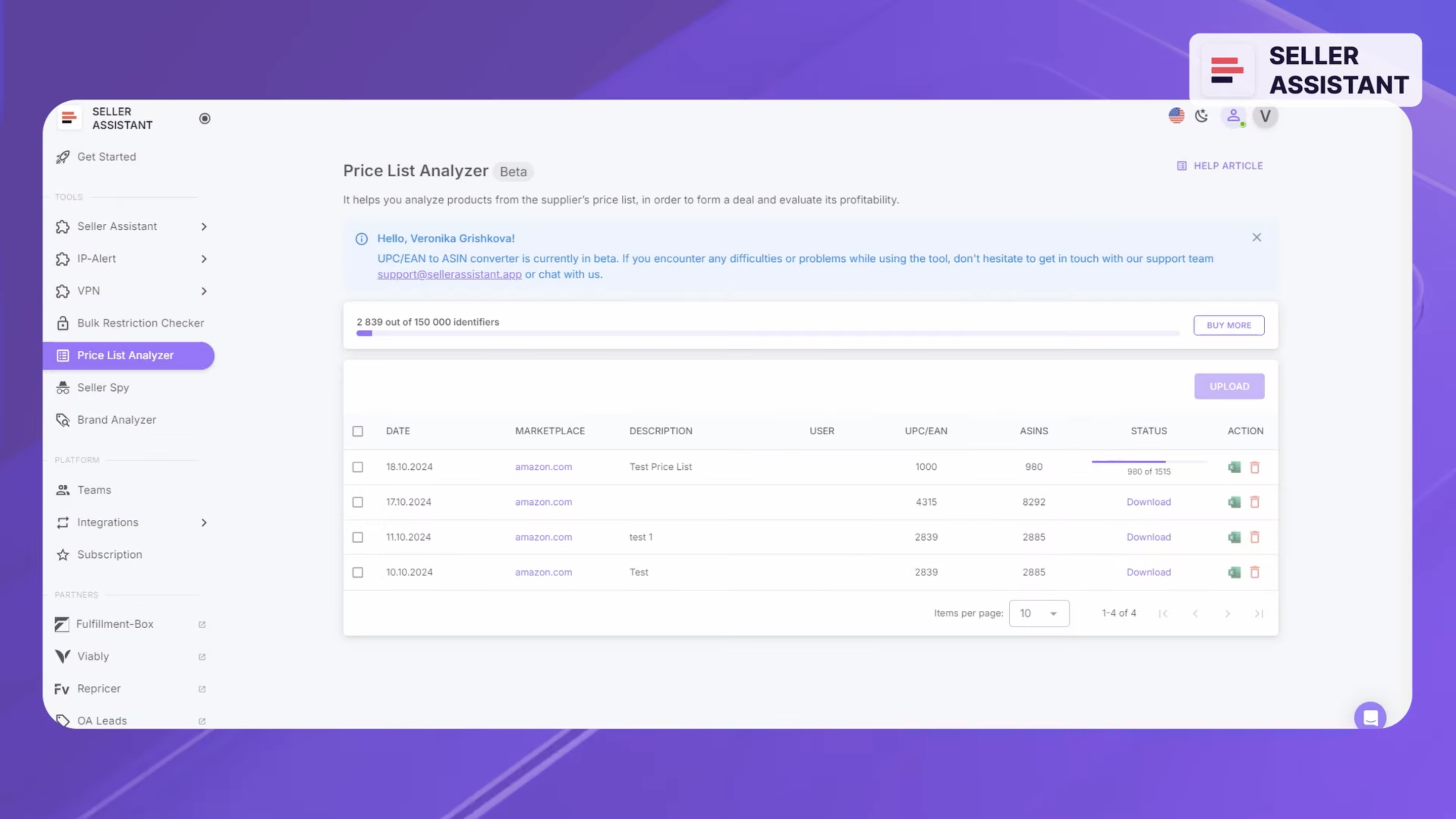
Seller Assistant’s Price List Analyzer
The Price List Analyzer finds the match for these fetched products on Amazon, calculates their profitability, and formulates a report.
From the report, you can filter profitable deals by profit, ROI, and BSR, and add to your sales pipeline.
Step 3. Looking for a product supplier.
When you find a product meeting your selling criteria, you must look for the supplier that offers the lowest price.
You can use Seller Assistant Lookup Links. When you click the search sign, you will see a dropdown with popular retailer websites. Choose the one you need. You will be redirected to the search results. Choose the best price.
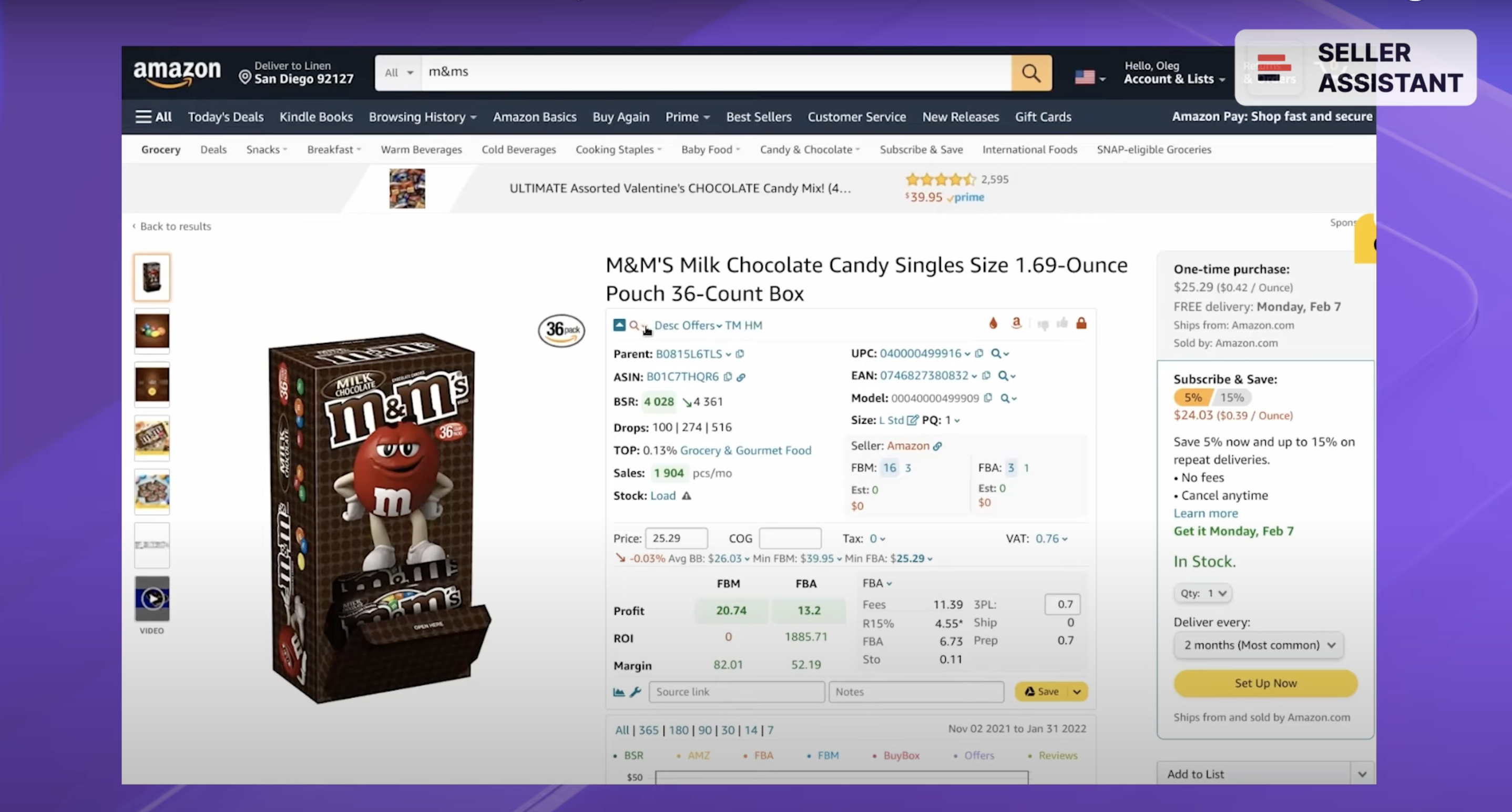
Seller Assistant Lookup Links
Step 4. Extended product research.
After you find a potential product to resell, you must make sure it checks all the boxes on your product research checklist.
This will show if it is profitable, whether it has problems, etc. This will be discussed in a future module.
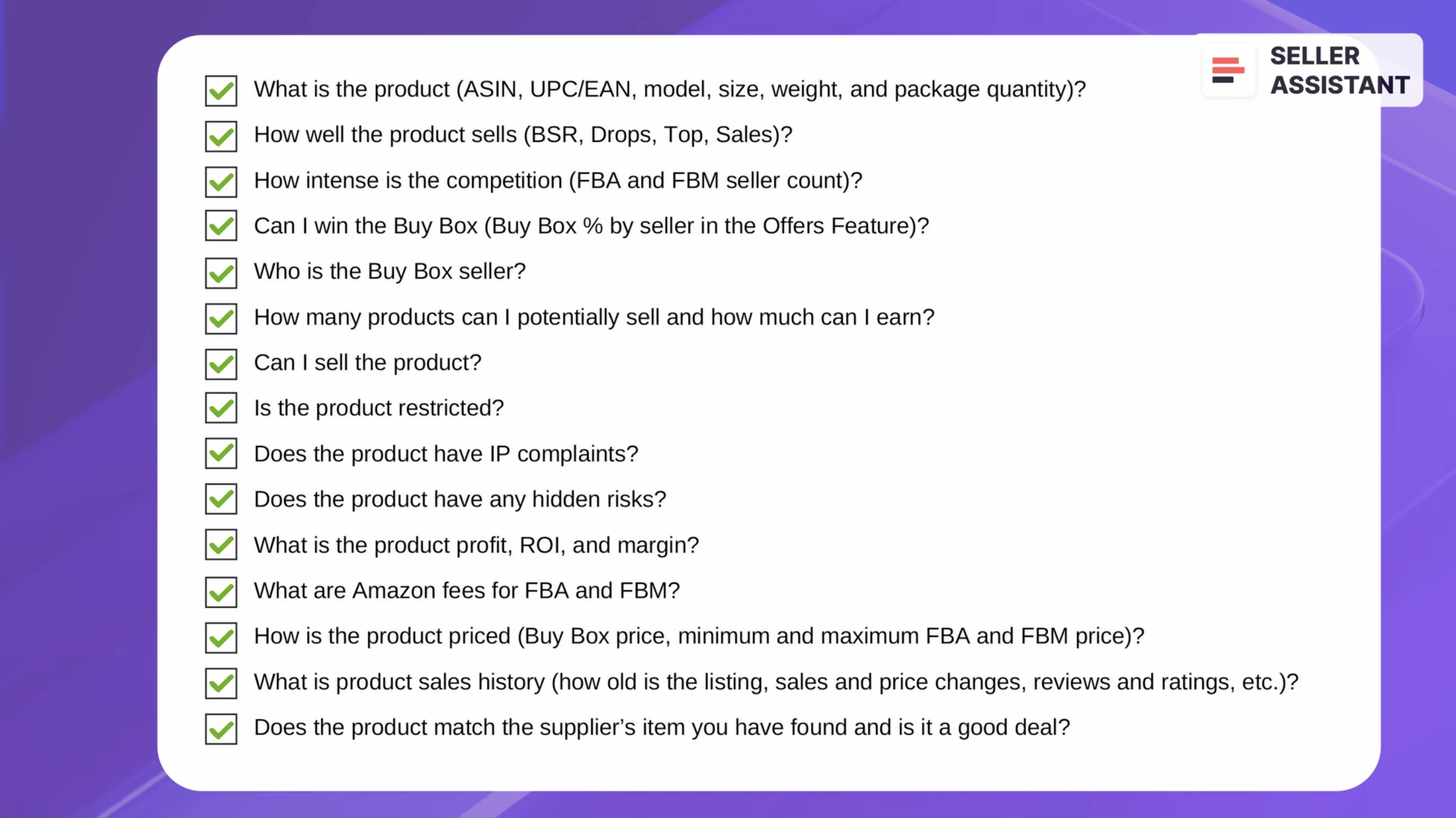
Product research checklist
You will need to answer the following questions:
What is the product (ASIN, UPC/EAN, model, size, weight, and package quantity)?
How well the product sells (BSR, Drops, Top, Sales)?
How intense is the competition (FBA and FBM seller count)?
Can I win the Buy Box (Buy Box % by seller in the Offers Feature)?
Who is the Buy Box seller?
How many products can I potentially sell and how much can I earn?
Can I sell the product?
Is the product restricted?
Does the product have IP complaints?
Does the product have any hidden risks?
What is the product profit, ROI, and margin?
What are Amazon fees for FBA and FBM?
How is the product priced (Buy Box price, minimum and maximum FBA and FBM price)?
What is product sales history (how old is the listing, sales and price changes, reviews and ratings, etc.)?
Does the product match the supplier’s item you have found and is it a good deal?
Related: Amazon FBA for Beginners
What to Sell on Amazon 2024
Selling on Amazon: How to Make Money?
How to Sell on Amazon for Beginners - Complete Guide
Step 5. Research Amazon variations.
Some products have variations, for example they come in different size, color, etc. Since their sales may not be equal, it’s important to know what is the best-selling variation. Seller Assistant shows it if you look at the variation rating share. The one with the highest rating share sells the best.
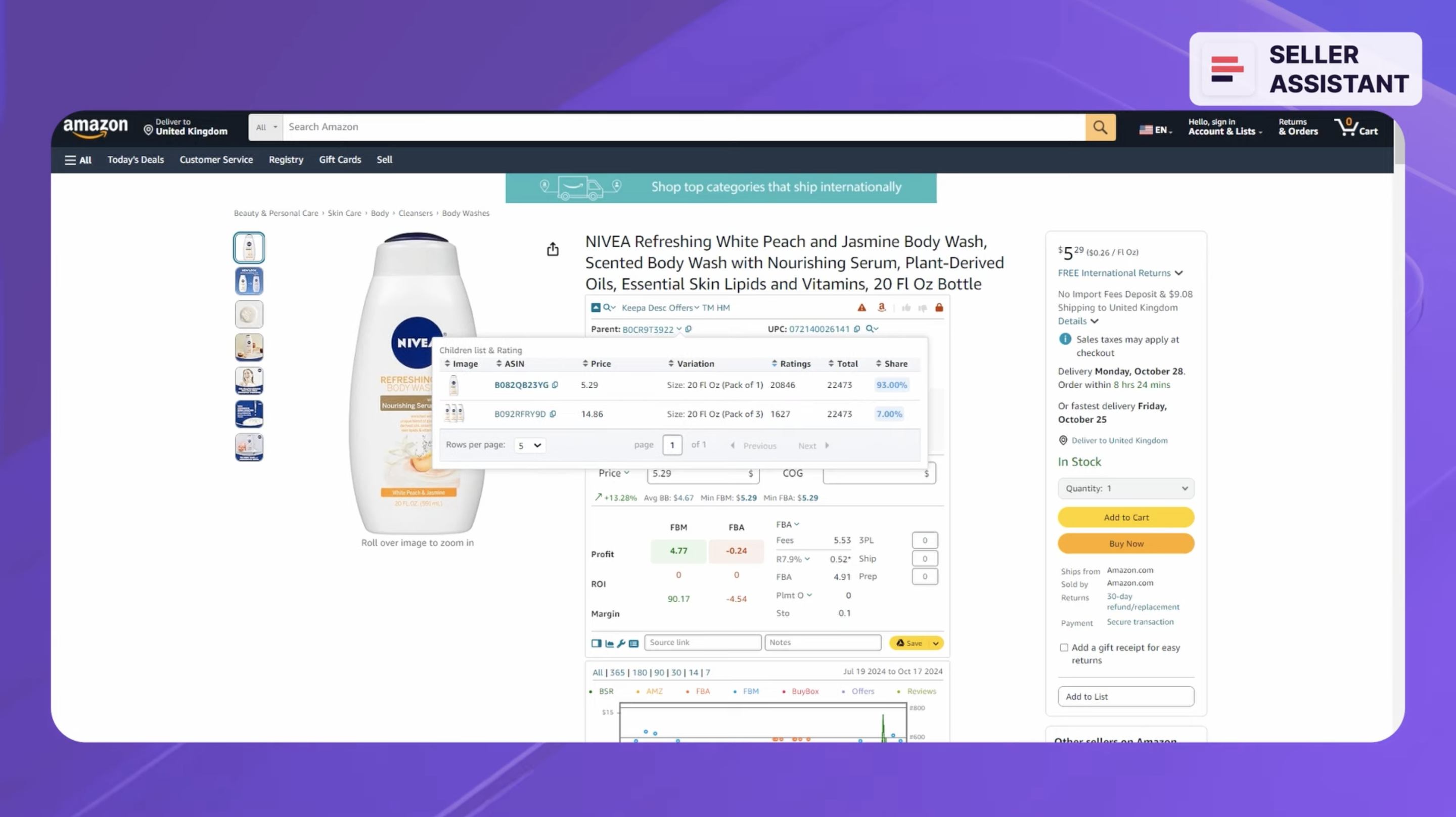
Variation rating share
Step 6. Set product price.
You must set a competitive price that will be profitable. So, you must know your costs and what other sellers are offering. Seller assistant shows your break-even price (0 profit). You must add your desired profit and compare it to the Buy Box price to see if the price is competitive.
Seller Assistant shows you profit, margin, and ROI on the Amazon product pages and on supplier websites in the Side Panel View. You will learn about this in a future module.
Step 7. Save product sourcing results to Google Sheets.
For maximum efficiency, you should save your research results to Google Sheets for future processing. You can do this with Seller Assistant in just one click.
Chapter 4-2. Wholesale
Step 1. Brand research
Wholesale sourcing also starts with brand research, but you must look at different things. You must check the following:
- You can sell the brand on your Amazon account;
(Seller Assistant shows a red lock with exclamation mark in the Bulk Restriction Checker if you can’t);
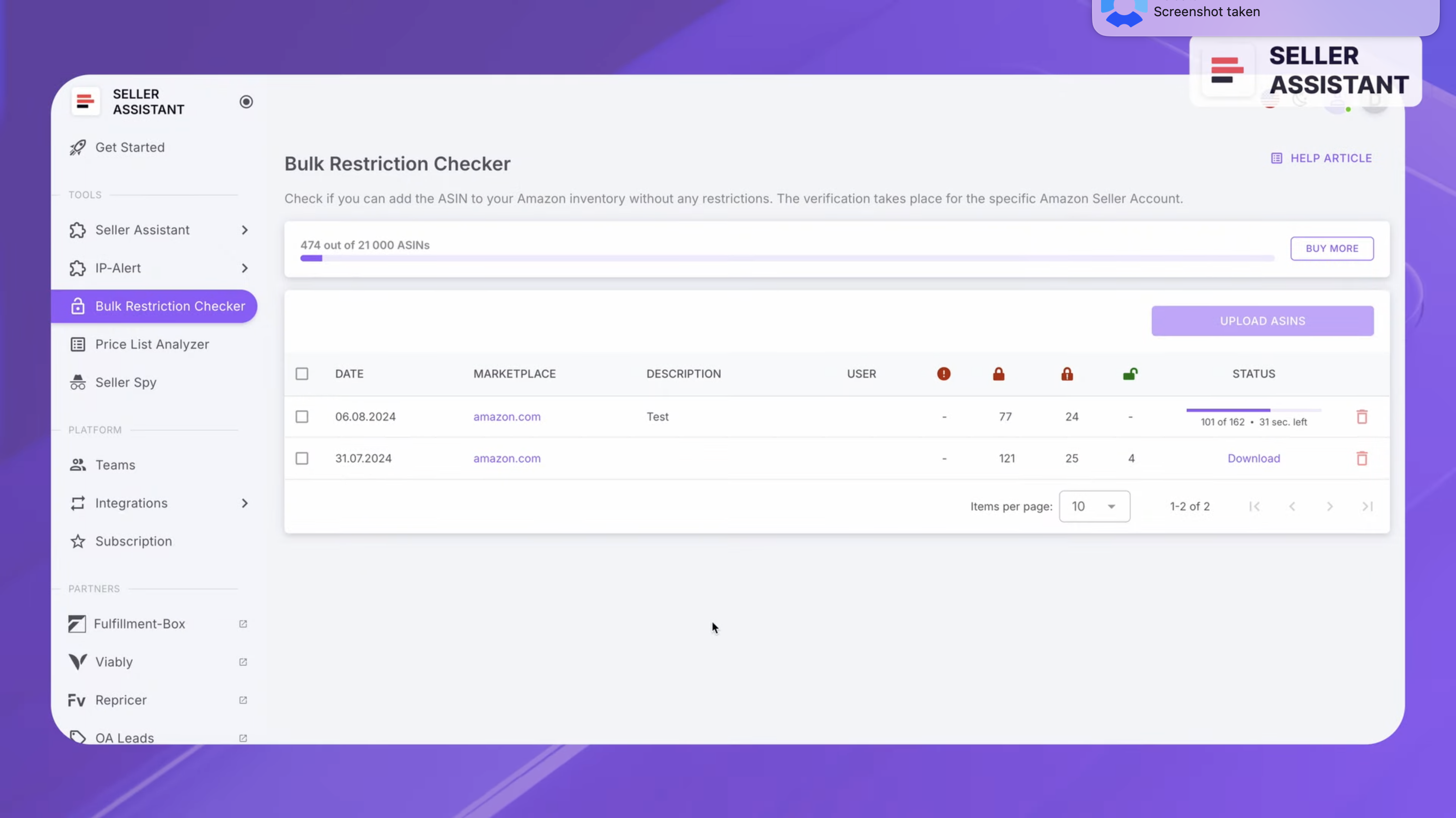
Bulk Restriction Checker
- A brand must have at least 200 listings;
- The brand itself must not sell on Amazon. If it does, it won’t want any competition ;
- A brand must not have an exclusive distributor on Amazon (who is the sole legitimate product reseller);
- The brand must not be sold by Amazon
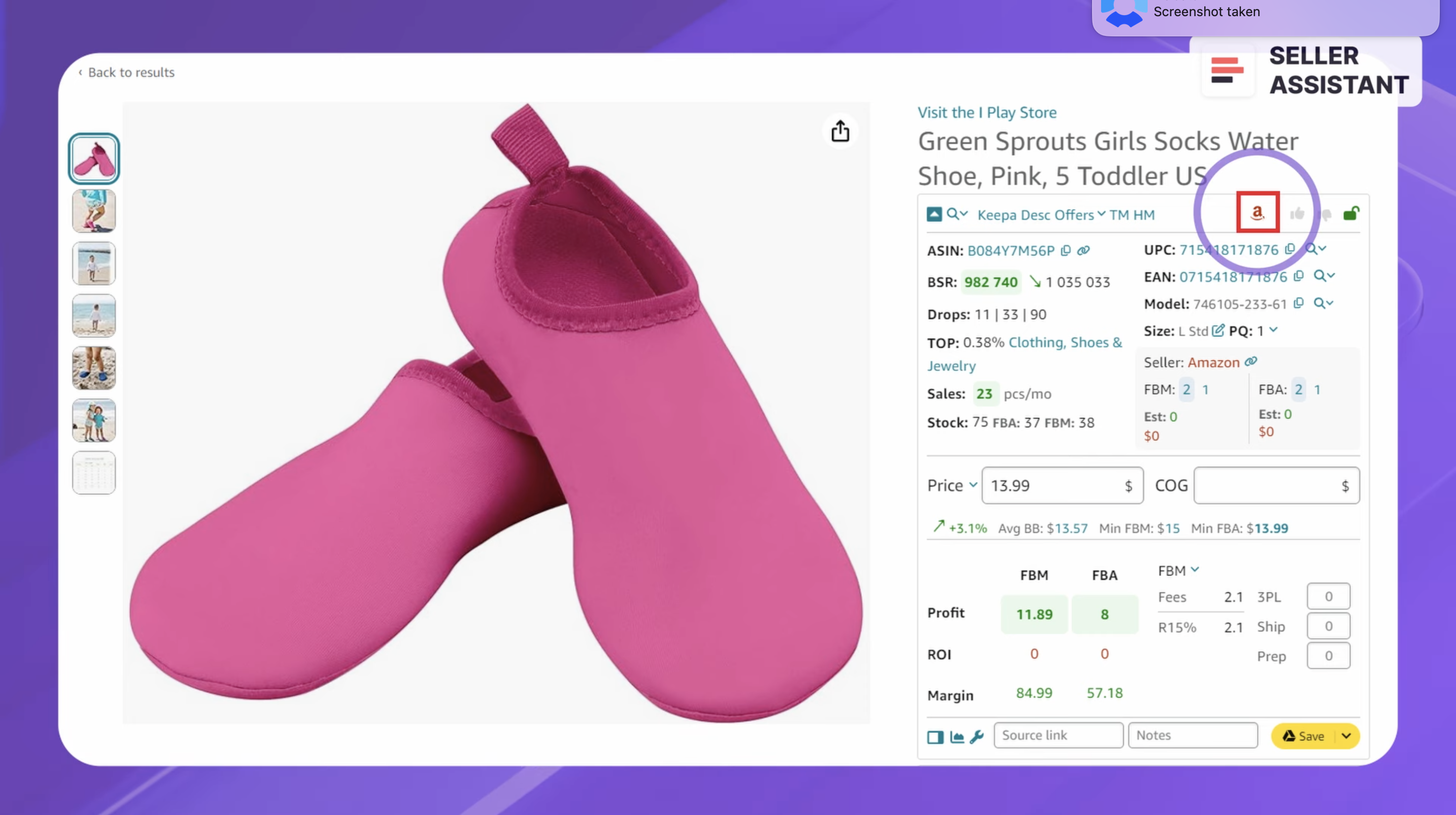
Seller Assistant shows the Amazon icon for such products
(Seller Assistant shows the Amazon icon for such products).
We will discuss how to do brand research in detail in future modules.
Step 2. Select a supplier
You can choose one of the three types of suppliers:
- Big brands or manufacturers;
- Distributors:
- Local brands.
Big brands or manufacturers produce goods on a large scale, and are well-known to customers.
They are suitable for
- Experienced sellers who can handle large minimum order quantities (MOQs);
- Sellers with larger budgets capable of investing in bulk purchases and managing higher upfront costs.
These brands are popular and in demand, but have strict policies and it can be more difficult to negotiate and convince them to work with you.
Distributors are middlemen, buying products in bulk from various manufacturers and brands to resell them to retailers. They offer variety of products from multiple sources.
They are suitable for
- Small to medium-sized sellers, as distributors often have lower minimum order requirements;
- Sellers looking to offer a diverse product range without needing to source from multiple manufacturers.
Distributors have lower MOQs compared to brands or manufacturers, but prices are generally higher.
Local brands are smaller, regionally-based companies that produce goods on a smaller scale compared to major manufacturers.
They are suitable for
- New sellers looking to stand out with unique products;
- Sellers targeting niche markets or specialized local niches where consumers value the product’s story and origin.
Related: How to Find Amazon FBA Wholesale Suppliers
12 Ways to Find Wholesale Suppliers for Amazon FBA
Step 3. Check the supplier legitimacy
Ensure the reliability and legitimacy of your suppliers to avoid scams and quality issues.
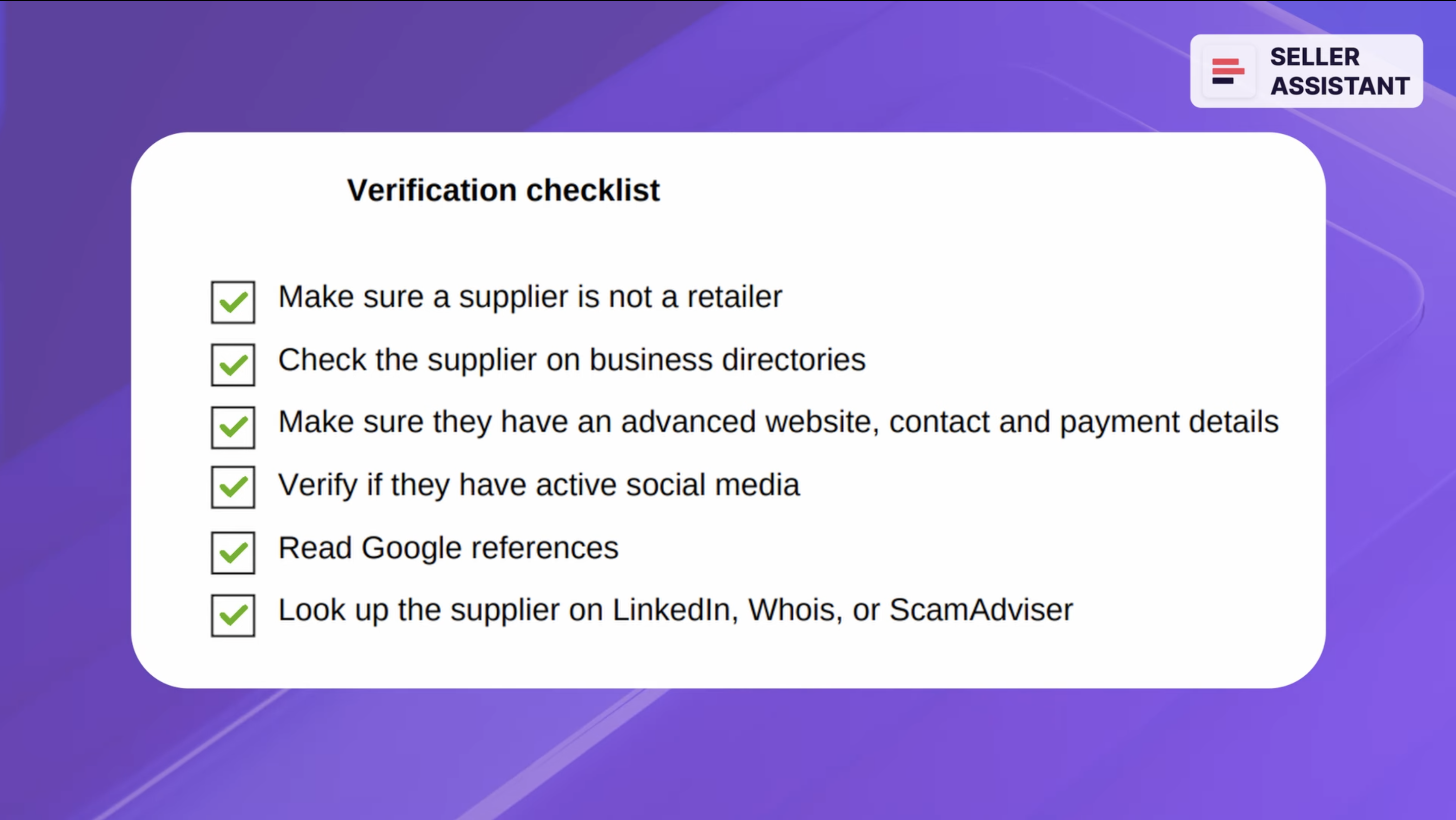
Verification checklist
Verification checklist
- Make sure a supplier is not a retailer;
- Check the supplier on business directories.
- Make sure they have an advanced website, contact and payment details;
- Verify if they have active social media;
- Read Google references.;
- Look up the supplier on LinkedIn, Whois, or ScamAdviser.
Step 4. Approach the brand and negotiate
Contact the chosen brand and propose to sell their products on Amazon. Show them how you can add value to their business to get approved and land a wholesale supplier account.
Step 5. Get a supplier price list
Receive an offer with a supplier product price list typically containing hundreds of products.
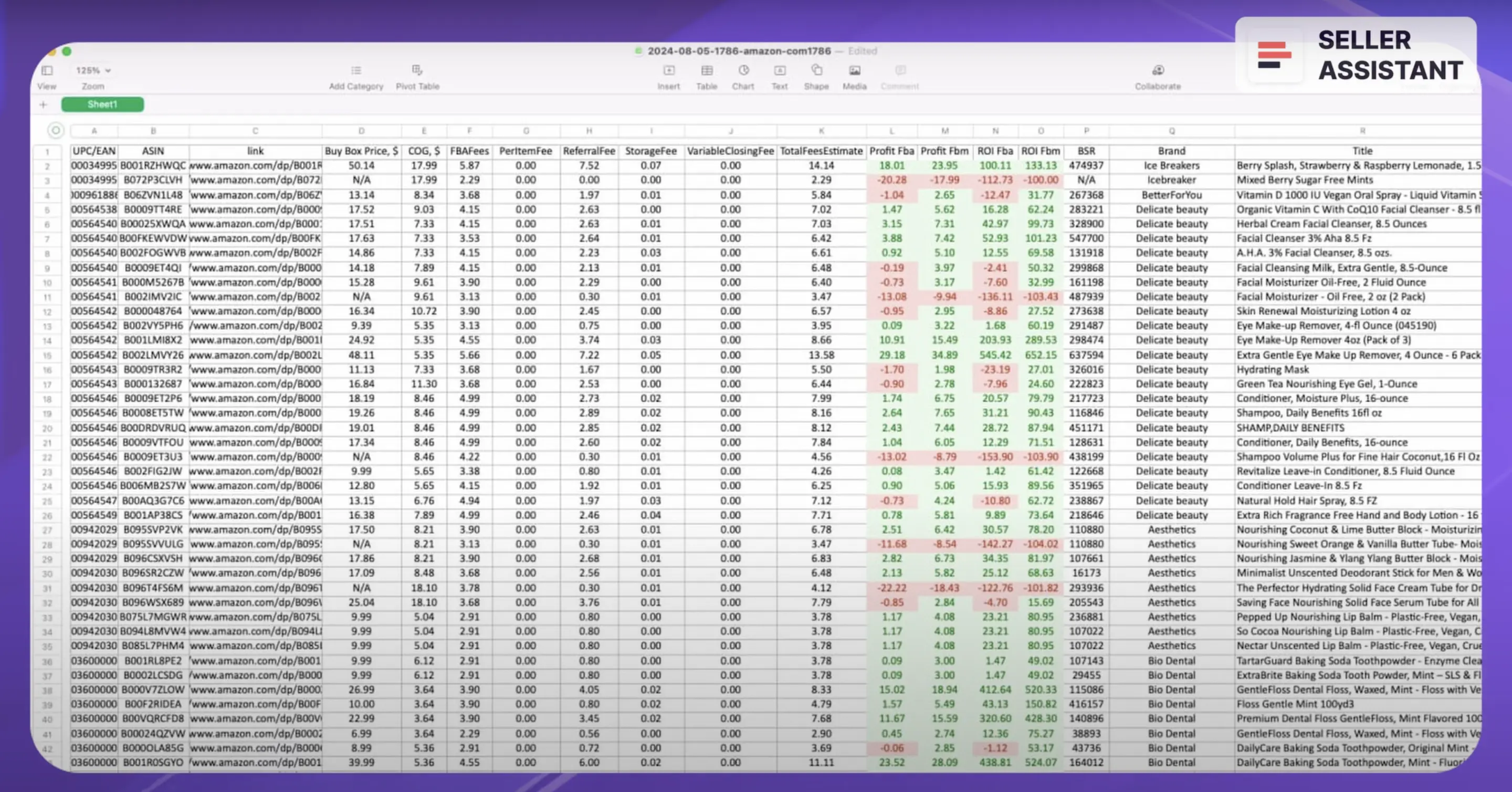
Supplier product price list
Step 6. Research the price list for profitable deals
When you get a price list, you must choose products that will sell on Amazon and will be potentially profitable. However, you can’t do full-scale product research for each product. You must check products in bulk and filter out the profitable deals. You can do it with Seller Assistant Price List Analyzer
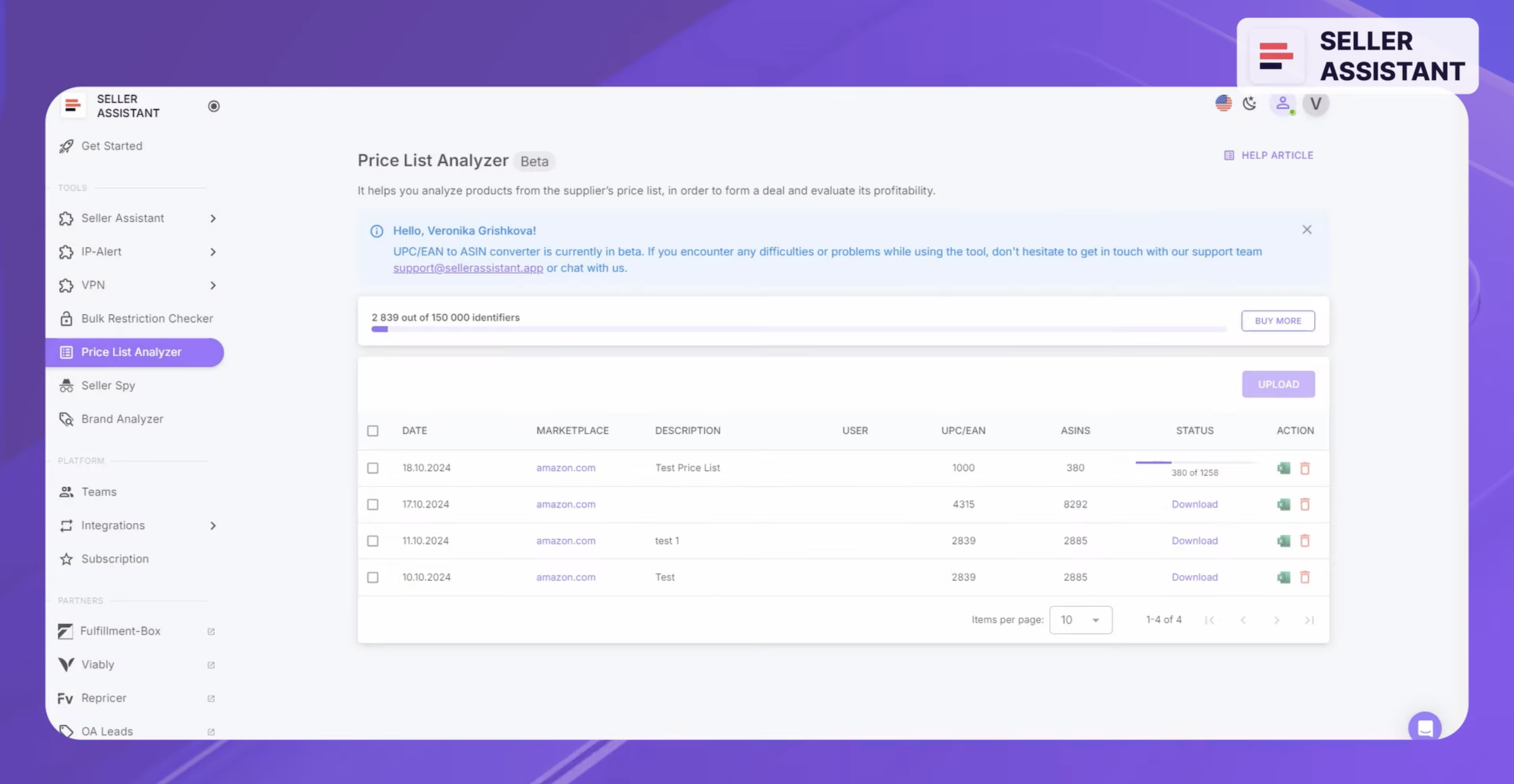
Seller Assistant Price List Analyzer
Upload the Excel or .csv file with the price list to Seller Assistant’s Price List Analyzer, and mark columns which contain UPC/EAN and COG (supplier price). The Price List Analyzer finds the match for these products on Amazon (converts UPC or EAN to ASIN ), calculates their profitability, and formulates a report.
From the report, you can filter profitable deals by profit, ROI, and BSR, and review Amazon fees.
Step 7. Check product selling eligibility and restrictions
You must check if you can sell products on your account and identify restricted products (you can choose if you don’t want to sell them or ungate them by getting Approval to sell from Amazon).
Upload your file to Seller Assistant Bulk Restrictions Checker and download the report.
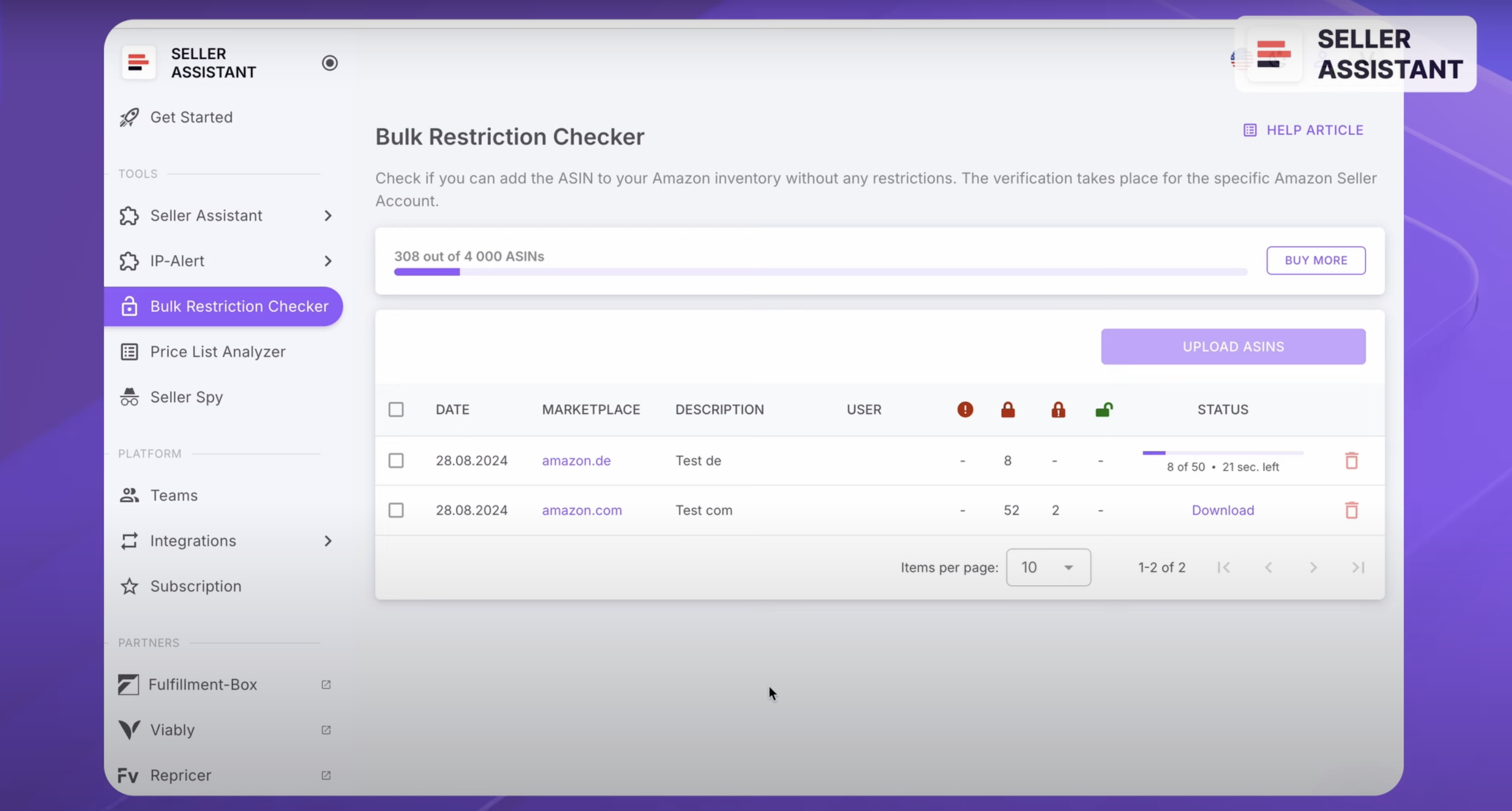
Seller Assistant Bulk Restrictions Checker
- If the product is marked with the green open lock, you can sell a product and it’s not restricted;
- If it has the red closed lock with an exclamation mark, you can’t sell it on your account; look for other product;
- If it has the red closed lock, the product is restricted and you need Amazon approval to sell it.
Related: How to Check Product Restrictions on Amazon?
Amazon Restricted Products – Complete Guide for Sellers
Step 8. Do extended research for your chosen deals
When you selected the potential deals from your supplier price list, and ensured they meet your profitability criteria and you can sell them on your account, you must do extended research of each deal.
The research pattern is similar to that done by online arbitrage sellers and dropshippers we have described above. You need to follow the steps from 4 to 7 for each deal. Typically, wholesale sellers hire product researchers to do this job, and use various seller tools.
Chapter 5. Recommended software and why you need it
As you can see, product sourcing is not an easy task. Luckily, seller tools can do most of this routine work for you.
For product sourcing, we’ve chosen two of them - Seller Assistant and Keepa. They provide the most comprehensive data with user-friendly visualization. With these tools, you can easily find what you need. And both tools offer value for money.
Seller Assistant is a comprehensive product sourcing software created for Wholesale and Online Arbitrage. It shows all the product data you need right on the Amazon search and product pages and helps you quickly see product deals. It also shows a Keepa Graph.
Keepa shows product history in the form of charts. This helps you see product trends. You can also use it to filter out profitable products.
That’s it for now.
In the next module, I will show you how to do brand research, its criteria, and what brands you should avoid selling on Amazon.

